
ACOE 433 Advanced Embedded Systems Dr Konstantinos Tatas

ACOE 433 – Advanced Embedded Systems Dr. Konstantinos Tatas com. tk@frederick. ac. cy 1
Unit 1 Introduction to Embedded Systems 2
Microprocessors for Embedded systems � Computing systems are everywhere � Most of us think of “desktop” computers ◦ ◦ PC’s Laptops Mainframes Servers � But there’s another type of computing system ◦ Far more common. . . 3
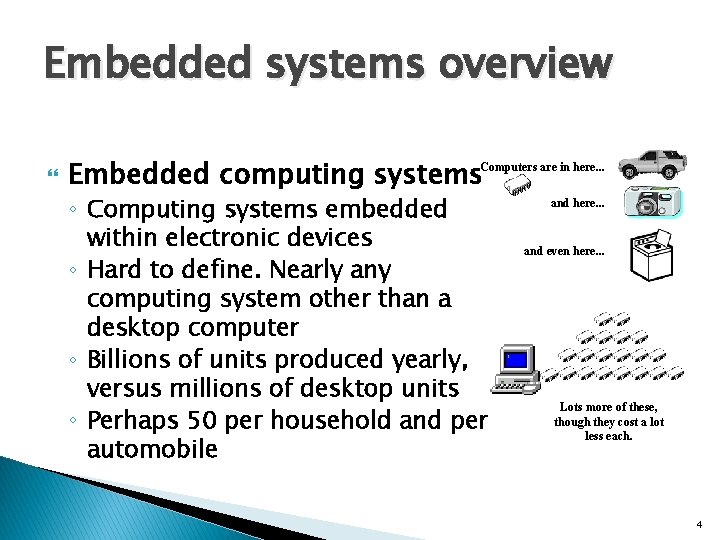
Embedded systems overview Embedded computing systems. Computers are in here. . . ◦ Computing systems embedded within electronic devices ◦ Hard to define. Nearly any computing system other than a desktop computer ◦ Billions of units produced yearly, versus millions of desktop units ◦ Perhaps 50 per household and per automobile and here. . . and even here. . . Lots more of these, though they cost a lot less each. 4
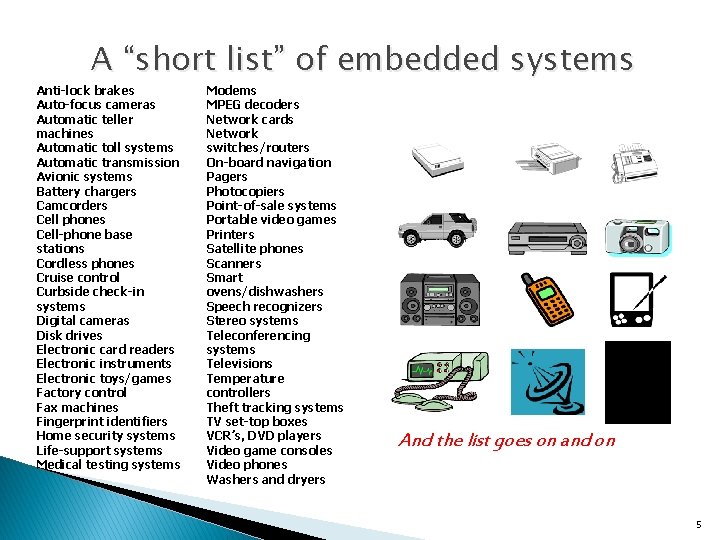
A “short list” of embedded systems Anti-lock brakes Auto-focus cameras Automatic teller machines Automatic toll systems Automatic transmission Avionic systems Battery chargers Camcorders Cell phones Cell-phone base stations Cordless phones Cruise control Curbside check-in systems Digital cameras Disk drives Electronic card readers Electronic instruments Electronic toys/games Factory control Fax machines Fingerprint identifiers Home security systems Life-support systems Medical testing systems Modems MPEG decoders Network cards Network switches/routers On-board navigation Pagers Photocopiers Point-of-sale systems Portable video games Printers Satellite phones Scanners Smart ovens/dishwashers Speech recognizers Stereo systems Teleconferencing systems Televisions Temperature controllers Theft tracking systems TV set-top boxes VCR’s, DVD players Video game consoles Video phones Washers and dryers And the list goes on and on 5
Definitions Broad definition: ◦ Any computer system that is not a general-purpose computer That would include robots, and all portable devices Narrow definition: ◦ A computer system (software and hardware) that interacts with its physical environment, mainly without human intervention That would exclude printers, modems, portable devices such as dvd and mp 3 players, etc. 6
Some common characteristics of embedded systems Single-functioned ◦ Executes a single program, repeatedly Tightly-constrained ◦ Low cost, low power, small, fast, etc. Reactive and real-time ◦ Continually reacts to changes in the system’s environment ◦ Must compute certain results in real-time without delay 7
Considerations in embedded system design An embedded system receives input from its environment through sensors, processes this input and acts upon its environment through actuators Besides the usual software and hardware design issues the embedded system designer must consider the properties of the sensors and actuators and the environment itself The ultimate test of an embedded systems are the laws of physics 8
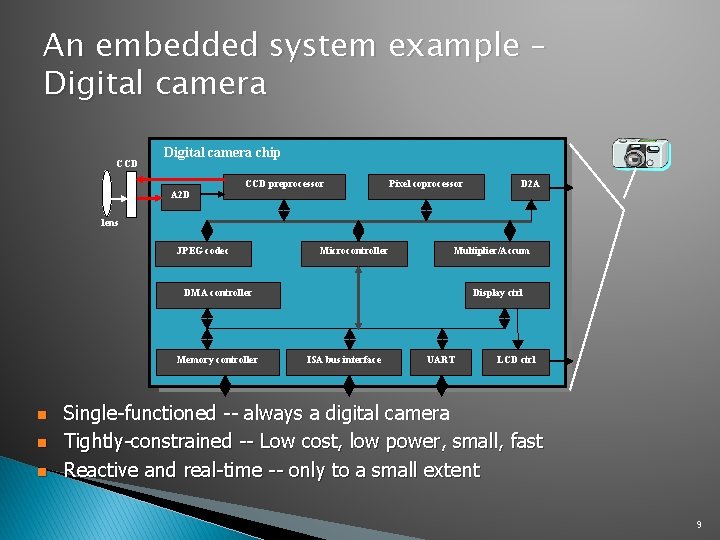
An embedded system example – Digital camera CCD Digital camera chip A 2 D CCD preprocessor Pixel coprocessor D 2 A lens JPEG codec Microcontroller Multiplier/Accum DMA controller Memory controller n n n Display ctrl ISA bus interface UART LCD ctrl Single-functioned -- always a digital camera Tightly-constrained -- Low cost, low power, small, fast Reactive and real-time -- only to a small extent 9
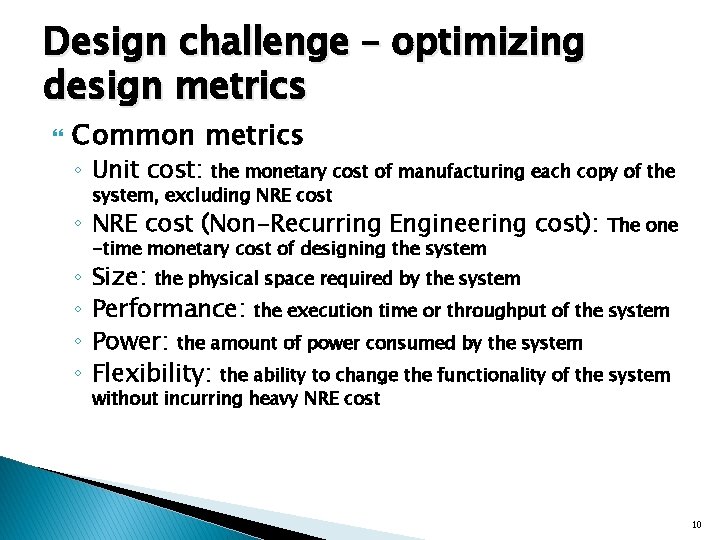
Design challenge – optimizing design metrics Common metrics ◦ Unit cost: the monetary cost of manufacturing each copy of the system, excluding NRE cost ◦ NRE cost (Non-Recurring Engineering cost): ◦ ◦ -time monetary cost of designing the system The one Size: the physical space required by the system Performance: the execution time or throughput of the system Power: the amount of power consumed by the system Flexibility: the ability to change the functionality of the system without incurring heavy NRE cost 10
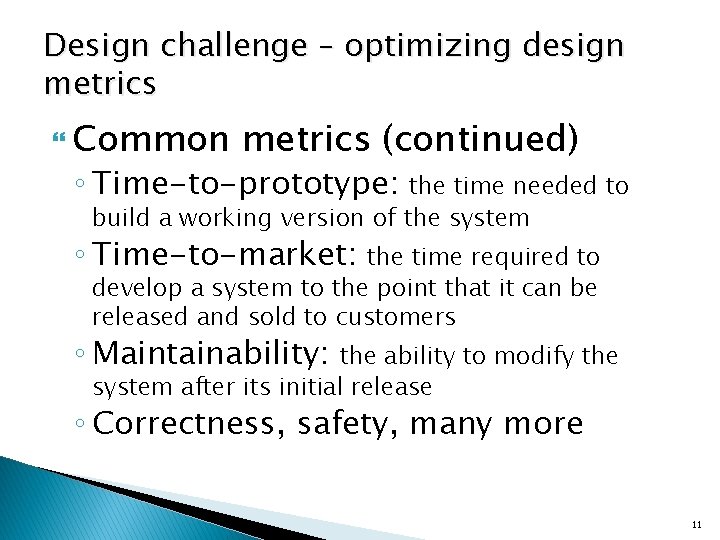
Design challenge – optimizing design metrics Common metrics (continued) ◦ Time-to-prototype: the time needed to build a working version of the system ◦ Time-to-market: the time required to develop a system to the point that it can be released and sold to customers ◦ Maintainability: the ability to modify the system after its initial release ◦ Correctness, safety, many more 11
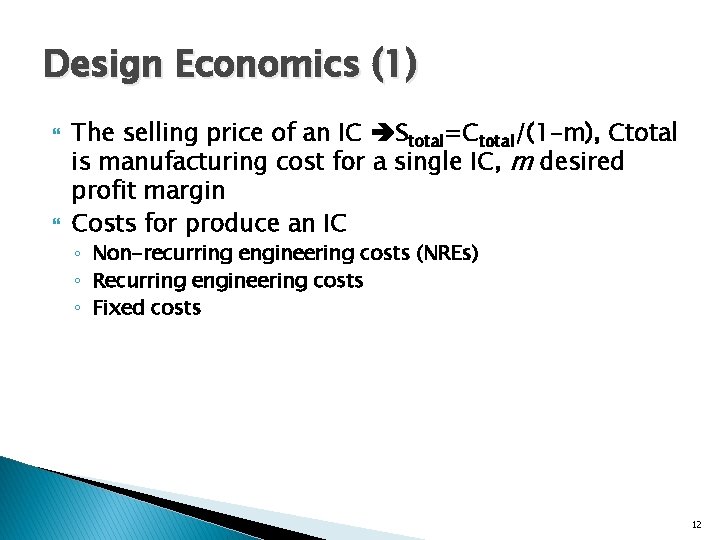
Design Economics (1) The selling price of an IC Stotal=Ctotal/(1 -m), Ctotal is manufacturing cost for a single IC, m desired profit margin Costs for produce an IC ◦ Non-recurring engineering costs (NREs) ◦ Recurring engineering costs ◦ Fixed costs 12
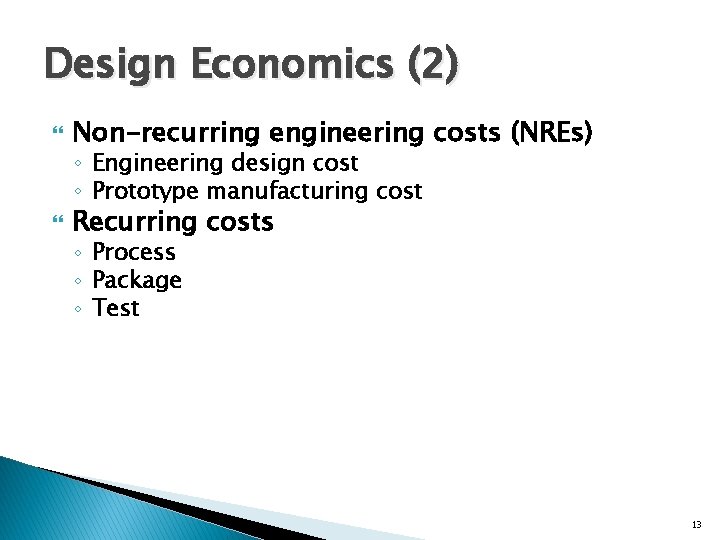
Design Economics (2) Non-recurring engineering costs (NREs) ◦ Engineering design cost ◦ Prototype manufacturing cost Recurring costs ◦ Process ◦ Package ◦ Test 13
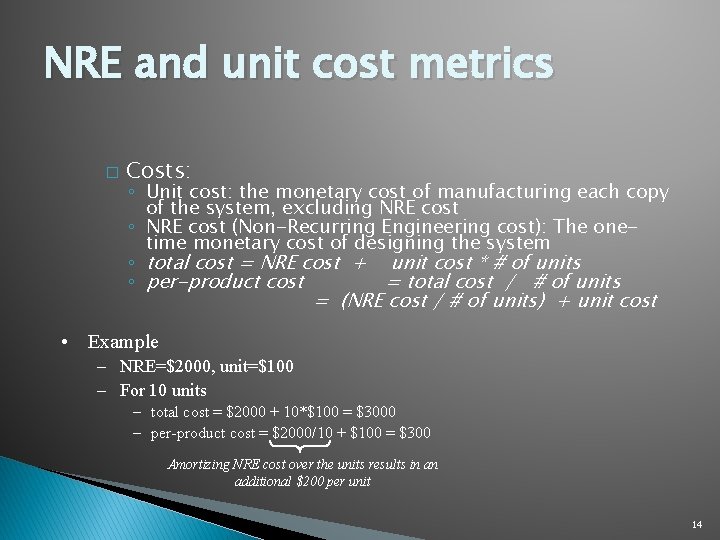
NRE and unit cost metrics � Costs: ◦ Unit cost: the monetary cost of manufacturing each copy of the system, excluding NRE cost ◦ NRE cost (Non-Recurring Engineering cost): The onetime monetary cost of designing the system ◦ total cost = NRE cost + unit cost * # of units ◦ per-product cost = total cost / # of units = (NRE cost / # of units) + unit cost • Example – NRE=$2000, unit=$100 – For 10 units – total cost = $2000 + 10*$100 = $3000 – per-product cost = $2000/10 + $100 = $300 Amortizing NRE cost over the units results in an additional $200 per unit 14

NRE and unit cost metrics � Compare technologies by costs -- best depends on quantity ◦ Technology A: NRE=$2, 000, unit=$100 ◦ Technology B: NRE=$30, 000, unit=$30 ◦ Technology C: NRE=$100, 000, unit=$2 • But, must also consider time-to-market 15
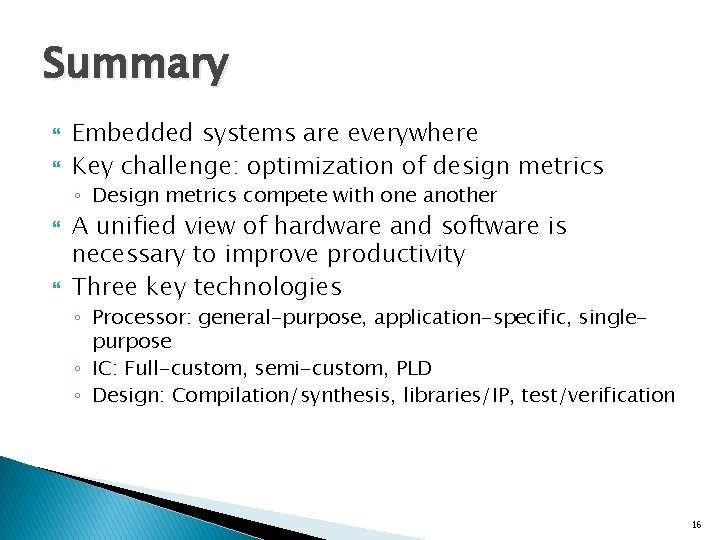
Summary Embedded systems are everywhere Key challenge: optimization of design metrics ◦ Design metrics compete with one another A unified view of hardware and software is necessary to improve productivity Three key technologies ◦ Processor: general-purpose, application-specific, singlepurpose ◦ IC: Full-custom, semi-custom, PLD ◦ Design: Compilation/synthesis, libraries/IP, test/verification 16
Embedded System Classification Dr. Konstantinos Tatas 17
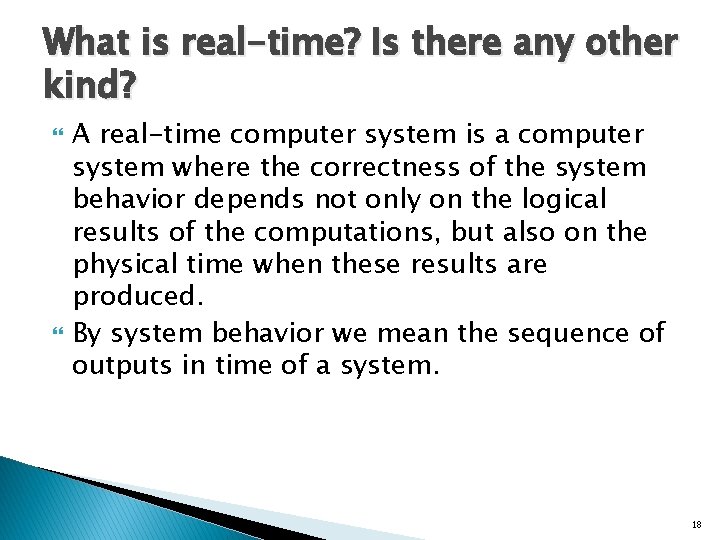
What is real-time? Is there any other kind? A real-time computer system is a computer system where the correctness of the system behavior depends not only on the logical results of the computations, but also on the physical time when these results are produced. By system behavior we mean the sequence of outputs in time of a system. 18

Real-time means reactive real-time computer system must react to stimuli from its environment � The instant when a result must be produced is called a deadline. � If a result has utility even after the deadline has passed, the deadline is classified as soft, otherwise it is firm. � If severe consequences could result if a firm deadline is missed, the deadline is called hard. � Example: Consider a traffic signal at a road before a railway crossing. If the traffic signal does not change to red before the train arrives, an accident could result. �A 19
Classification of Embedded Systems Real-time vs Non. Real-Time ◦ Hard deadline Failsafe Fail-operational ◦ Soft deadline ◦ Firm deadline Centralized vs Distributed 20
Fail-Safe hard-deadline RT systems If a safe state can be identified and quickly reached upon the occurrence of a failure, then we call the system fail-safe. Failsafeness is a characteristic of the controlled object, not the computer system. ◦ In case a failure is detected in a railway signaling system, it is possible to set all signals to red and thus stop all the trains in order to bring the system to a safe state. In failsafe applications the computer system must have a high error-detection coverage. Often a watchdog, is required to monitor the operation of the computer system and put it in safe state. 21
Fail-Operational hard-deadline RT systems In fail-operational applications, threre is no safe state ◦ a flight control system aboard an airplane. The computer system must remain operational and provide a minimal level of service even in the case of a failure to avoid a catastrophe 22

Guaranteed response systems a design that operates correctly even in the case of a peak load and fault scenario is a system with a guaranteed response. The probability of failure of a perfect system with guaranteed response is reduced to the probability that the assumptions about the peak load and the number and types of faults do not hold in reality. This probability is called assumption coverage [Pow 95]. Guaranteed response systems require careful planning and extensive analysis during the design phase. 23

Best-effort systems If an analytic response guarantee cannot be given, we speak of a best-effort design. Best-effort systems do not require a rigorous specification of the load- and fault-hypothesis. The design proceeds according to best effort the sufficiency of the design is established during the test and integration phases. It is difficult to establish that a best-effort design operates correctly in a rare-event scenario. Many non safety-critical real-time systems are designed as best-effort systems. 24
Unit 2 Embedded System Requirements and Specifications
Embedded System Requirements Essentially turning a concept into a product Asking potential customers, understanding their needs determining the best feature and price point Sales and marketing usually responsible R&D engineers should contribute 26
Embedded System Requirements Functional: describe each function of the system ◦ Input: ◦ Output: ◦ Processing: Non-functional: system properties not related to its function ◦ ◦ ◦ ◦ Power Consumption Cost Time-to-market Reliability Portability Maintainability Security 27
Requirements should be Concise: Structured: Black-box view: Verifiable: ◦ Brief yet complete and unambiguous ◦ Requirements should be numbered ◦ Not concerned with implementation ◦ Able to check if they are met by the implementation 28
Example: Digital Camera Requirements Draft Functional: ◦ R 1. Image capture Input: Light from lens Output: Pixels corresponding to light at 10. 2 Mpixels ◦ R 2. Image compression Input: Pixels of uncompressed image Output: Pixels of compressed image (compression ratio: 4: 1) ◦ R 3. Image Display Input: Pixels of compressed image Output: Pixels of display on 4 x 3 inch LCD display ◦ R 3. 1 Zoom Image display Input: Pixels of compressed image, zoom area, zoom ratio Output: Pixels of display at ◦ R 4. Image transfer Input: Pixels of compressed image Output: USB stream of pixels of compressed image 29
Example: Digital Camera Requirements Draft Non-Functional: ◦ R 5. Cost: 150€ ◦ R 6. Weight: 800 g ◦ R 7. Power consumption (number of photographs away from mains) ◦ R 8. Security 30
UML diagrams (1/2) Structural Modeling Diagrams Structure diagrams define the static architecture of a model. ◦ Package diagrams are used to divide the model into logical containers, or 'packages', and describe the interactions between them at a high level. ◦ Class or Structural diagrams define the basic building blocks of a model: the types, classes and general materials used to construct a full model. ◦ Object diagrams show instances of structural elements are related and used at run-time ◦ Composite Structure diagrams provide a means of layering an element's structure and focusing on inner detail, construction and relationships ◦ Component diagrams are used to model higher level or more complex structures, usually built up from one or more classes, and providing a well defined interface ◦ Deployment diagrams show the physical disposition of significant artifacts within a real-world setting. 31
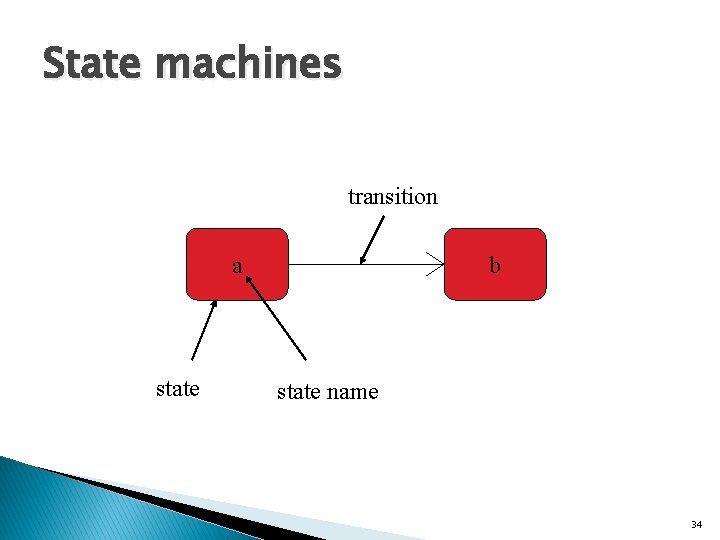
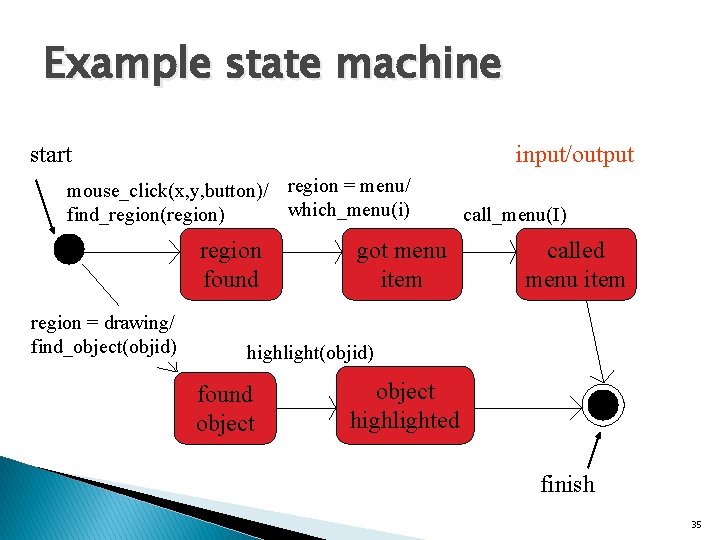
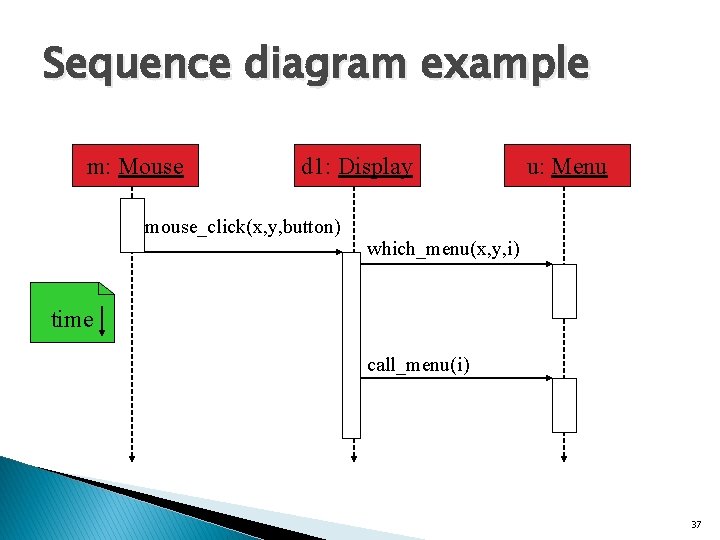
UML diagrams (2/2) Behavioral Modeling Diagrams Behavior diagrams capture the varieties of interaction and instantaneous states within a model as it 'executes' over time ◦ Use Case diagrams are used to model user/system interactions. They define behavior, requirements and constraints in the form of scripts or scenarios. ◦ Activity diagrams have a wide number of uses, from defining basic program flow, to capturing the decision points and actions within any generalized process. ◦ State Machine diagrams are essential to understanding the instant to instant condition, or "run state" of a model when it executes. ◦ Communication diagrams show the network, and sequence, of messages or communications between objects at run-time, during a collaboration instance. ◦ Sequence diagrams are closely related to communication diagrams and show the sequence of messages passed between objects using a vertical timeline. ◦ Timing diagrams fuse sequence and state diagrams to provide a view of an object's state over time, and messages which modify that state. ◦ Interaction Overview diagrams fuse activity and sequence diagrams to allow interaction fragments to be easily combined with decision points and flows. 32
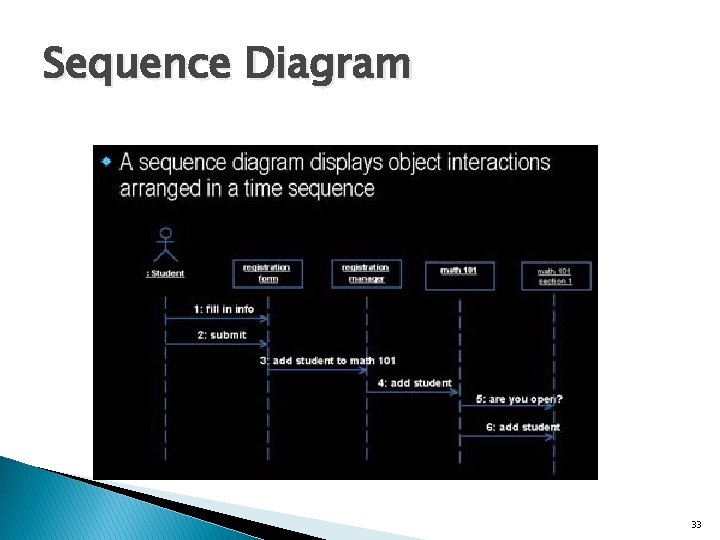
Sequence Diagram 33
State machines transition a state b state name 34
Example state machine start input/output mouse_click(x, y, button)/ region = menu/ which_menu(i) find_region(region) region found region = drawing/ find_object(objid) got menu item call_menu(I) called menu item highlight(objid) found object highlighted finish 35
Sequence diagram Shows sequence of operations over time. Relates behaviors of multiple objects. 36
Sequence diagram example m: Mouse d 1: Display mouse_click(x, y, button) u: Menu which_menu(x, y, i) time call_menu(i) 37
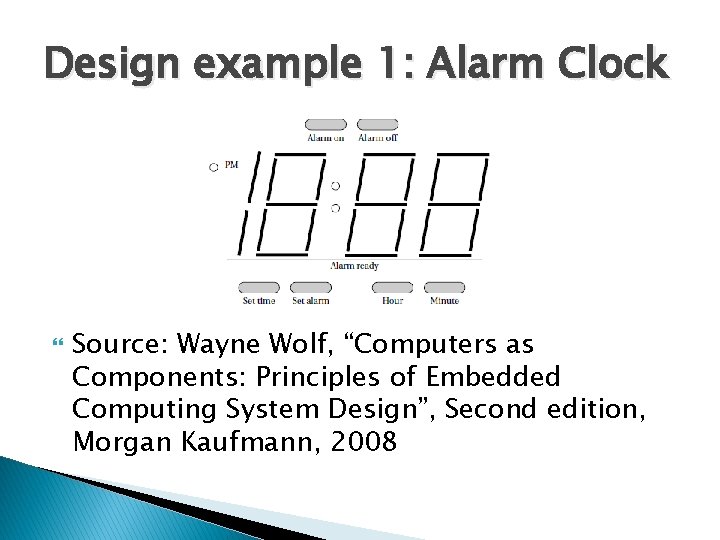
Design example 1: Alarm Clock Source: Wayne Wolf, “Computers as Components: Principles of Embedded Computing System Design”, Second edition, Morgan Kaufmann, 2008
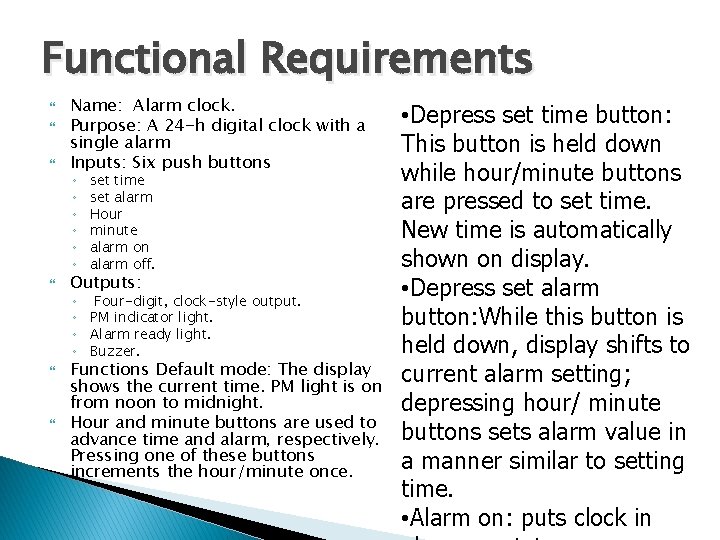
Functional Requirements Name: Alarm clock. Purpose: A 24 -h digital clock with a single alarm Inputs: Six push buttons ◦ ◦ ◦ set time set alarm Hour minute alarm on alarm off. Outputs: ◦ Four-digit, clock-style output. ◦ PM indicator light. ◦ Alarm ready light. ◦ Buzzer. Functions Default mode: The display shows the current time. PM light is on from noon to midnight. Hour and minute buttons are used to advance time and alarm, respectively. Pressing one of these buttons increments the hour/minute once. • Depress set time button: This button is held down while hour/minute buttons are pressed to set time. New time is automatically shown on display. • Depress set alarm button: While this button is held down, display shifts to current alarm setting; depressing hour/ minute buttons sets alarm value in a manner similar to setting time. • Alarm on: puts clock in
Non-functional Requirements Performance: Displays hours and minutes but not seconds. Should be accurate within the accuracy of a typical microprocessor clock signal. (Excessive accuracy may unreasonably drive up the cost of generating an accurate clock. ) Manufacturing cost: Consumer product range. Cost will be dominated by the microprocessor system, not the buttons or display. Power: Powered by AC through a standard power supply. Physical size and weight: Small enough to fit on a nightstand with
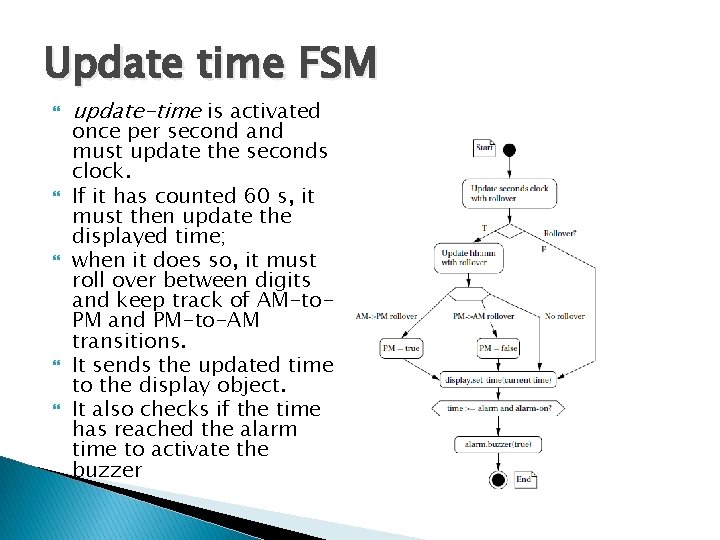
Update time FSM update-time is activated once per second and must update the seconds clock. If it has counted 60 s, it must then update the displayed time; when it does so, it must roll over between digits and keep track of AM-to. PM and PM-to-AM transitions. It sends the updated time to the display object. It also checks if the time has reached the alarm time to activate the buzzer
Unit 4 Embedded System Implementation Platforms 42

Implementation Platform The hardware on which the embedded computing system will execute the software Could be a combination of platforms Hardware platforms: ◦ General Purpose Processors RISC CISC ◦ Application-Specific Processors Microcontrollers Digital Signal Processors ASIPs ◦ Hardware Accelerators GPUs FPGAs 43
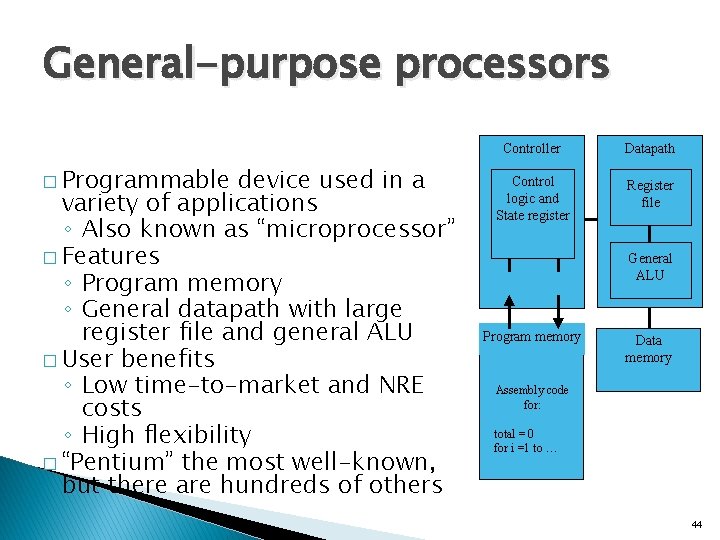
General-purpose processors � Programmable device used in a variety of applications ◦ Also known as “microprocessor” � Features ◦ Program memory ◦ General datapath with large register file and general ALU � User benefits ◦ Low time-to-market and NRE costs ◦ High flexibility � “Pentium” the most well-known, but there are hundreds of others Controller Datapath Control logic and State register Register file IR PC Program memory General ALU Data memory Assembly code for: total = 0 for i =1 to … 44
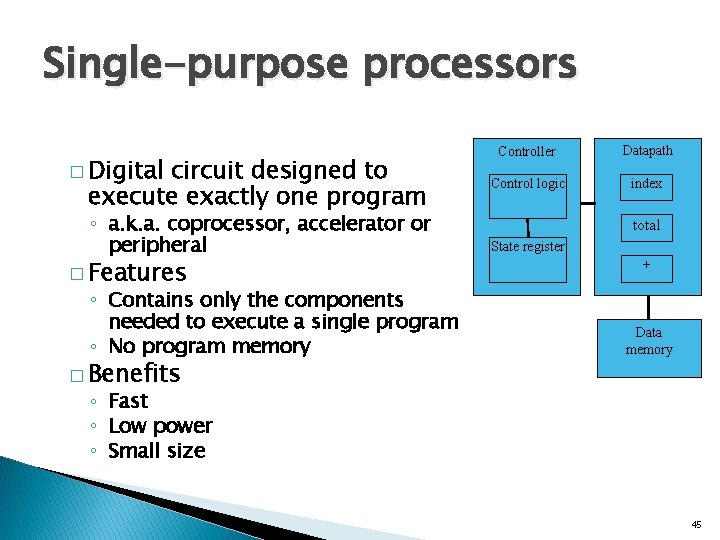
Single-purpose processors � Digital circuit designed to execute exactly one program ◦ a. k. a. coprocessor, accelerator or peripheral � Features ◦ Contains only the components needed to execute a single program ◦ No program memory � Benefits Controller Datapath Control logic index total State register + Data memory ◦ Fast ◦ Low power ◦ Small size 45
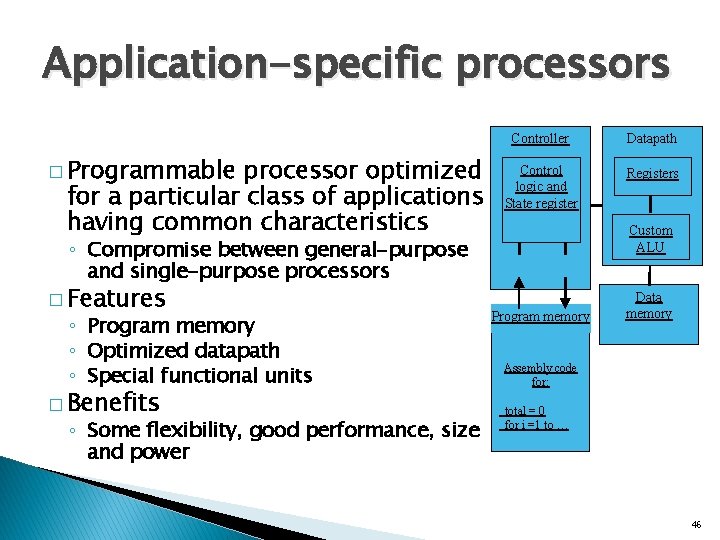
Application-specific processors � Programmable processor optimized for a particular class of applications having common characteristics ◦ Compromise between general-purpose and single-purpose processors � Features ◦ Program memory ◦ Optimized datapath ◦ Special functional units � Benefits ◦ Some flexibility, good performance, size and power Controller Datapath Control logic and State register Registers Custom ALU IR PC Program memory Data memory Assembly code for: total = 0 for i =1 to … 46
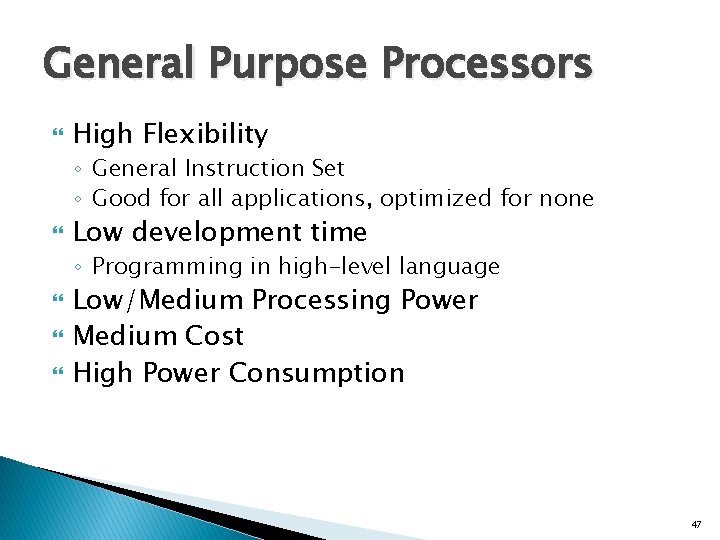
General Purpose Processors High Flexibility ◦ General Instruction Set ◦ Good for all applications, optimized for none Low development time ◦ Programming in high-level language Low/Medium Processing Power Medium Cost High Power Consumption 47

Application-Specific Processors: Microcontrollers Medium Flexibility ◦ ISA optimized for control applications Low processing power ◦ Not suitable for data intensive applications Low power consumption Low cost Low development time 48
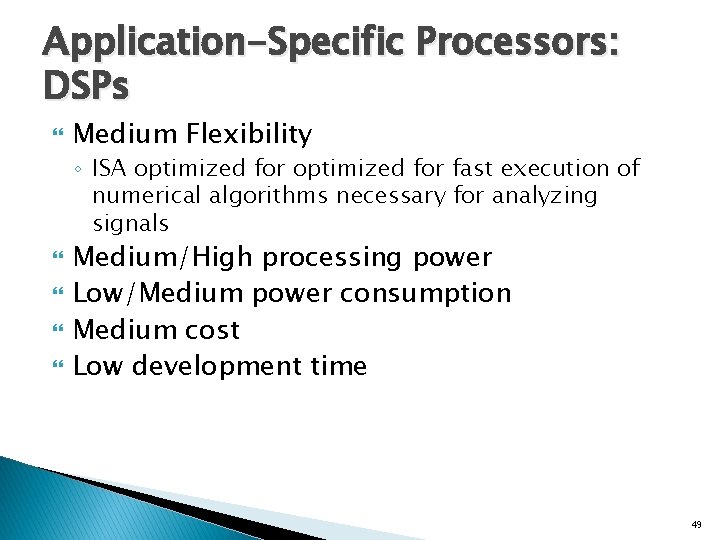
Application-Specific Processors: DSPs Medium Flexibility ◦ ISA optimized for fast execution of numerical algorithms necessary for analyzing signals Medium/High processing power Low/Medium power consumption Medium cost Low development time 49
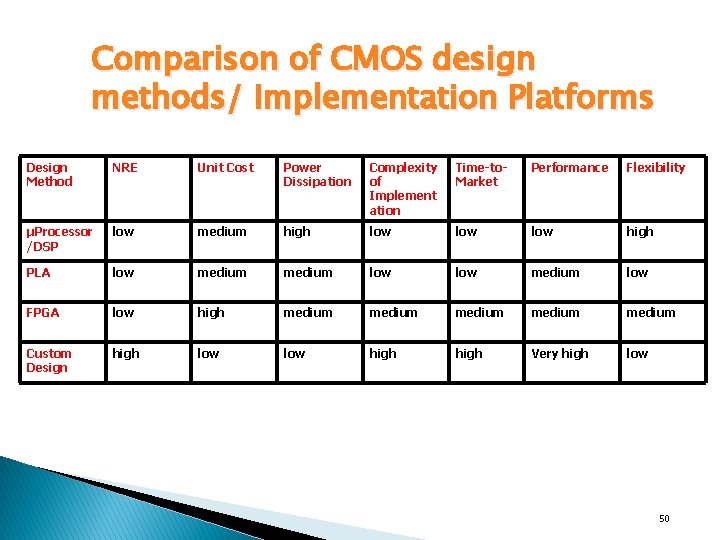
Comparison of CMOS design methods/ Implementation Platforms Design Method NRE Unit Cost Power Dissipation Complexity of Implement ation Time-to. Market Performance Flexibility μProcessor /DSP low medium high low low high PLA low medium low FPGA low high medium medium Custom Design high low high Very high low 50
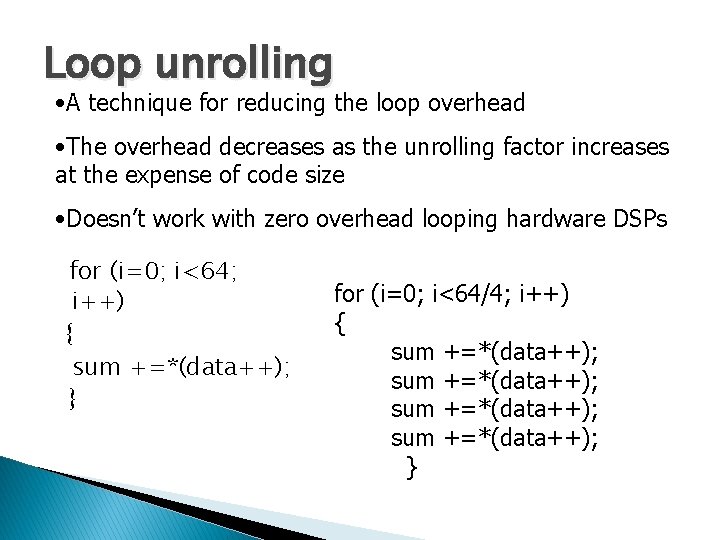
Loop unrolling • A technique for reducing the loop overhead • The overhead decreases as the unrolling factor increases at the expense of code size • Doesn’t work with zero overhead looping hardware DSPs for (i=0; i<64; i++) { sum +=*(data++); } for (i=0; i<64/4; i++) { sum +=*(data++); }
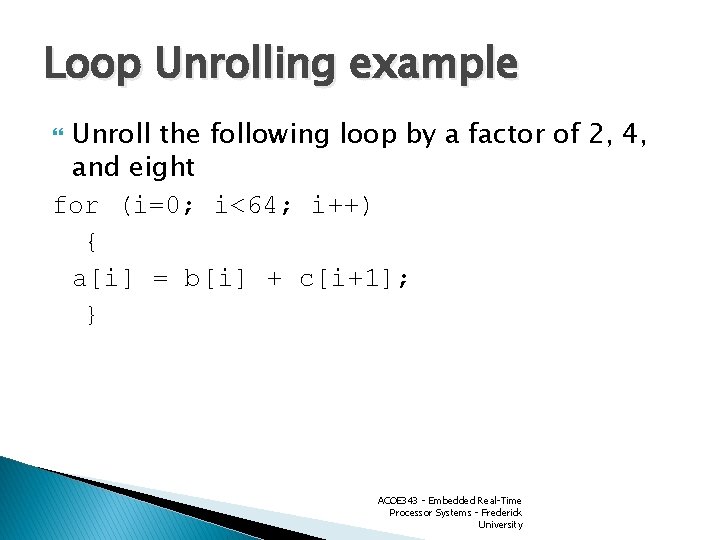
Loop Unrolling example Unroll the following loop by a factor of 2, 4, and eight for (i=0; i<64; i++) { a[i] = b[i] + c[i+1]; } ACOE 343 - Embedded Real-Time Processor Systems - Frederick University
Loop Reordering Transformations Change the relative order of execution of the iterations of a loop nest or nests. ØExpose parallelism and improve memory locality. 53
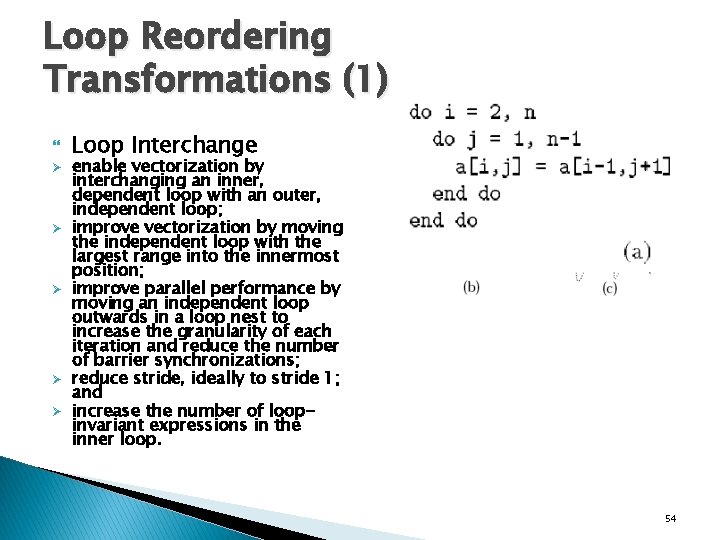
Loop Reordering Transformations (1) Ø Ø Ø Loop Interchange enable vectorization by interchanging an inner, dependent loop with an outer, independent loop; improve vectorization by moving the independent loop with the largest range into the innermost position; improve parallel performance by moving an independent loop outwards in a loop nest to increase the granularity of each iteration and reduce the number of barrier synchronizations; reduce stride, ideally to stride 1; and increase the number of loopinvariant expressions in the inner loop. 54
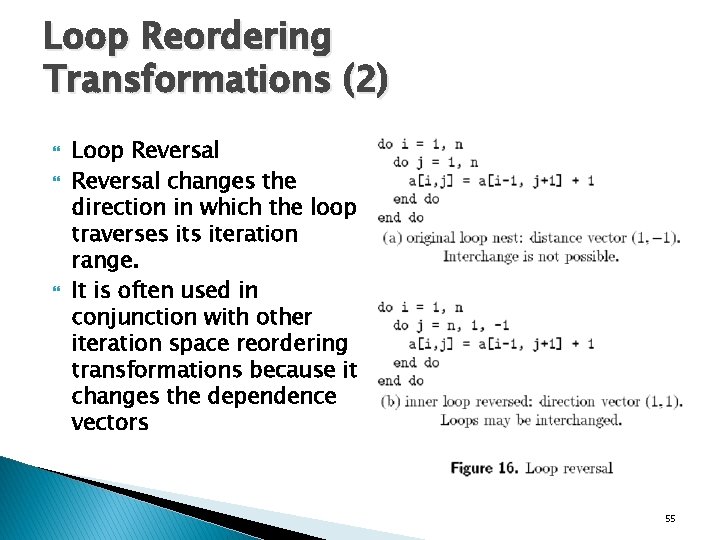
Loop Reordering Transformations (2) Loop Reversal changes the direction in which the loop traverses iteration range. It is often used in conjunction with other iteration space reordering transformations because it changes the dependence vectors 55
- Slides: 55