
ACL Data Resources and Tools for Title VI



- Slides: 37
ACL Data Resources and Tools for Title VI Presented by Kristen (Krissy) Hudgins, ACL’s Office of Performance and Evaluation May 22, 2019
Overview • • • Welcome and Introduction Review and explain how to access population data via Census Explain the purpose of AGID Short discussion on the importance of accurate data Upcoming data supports Questions
CENSUS
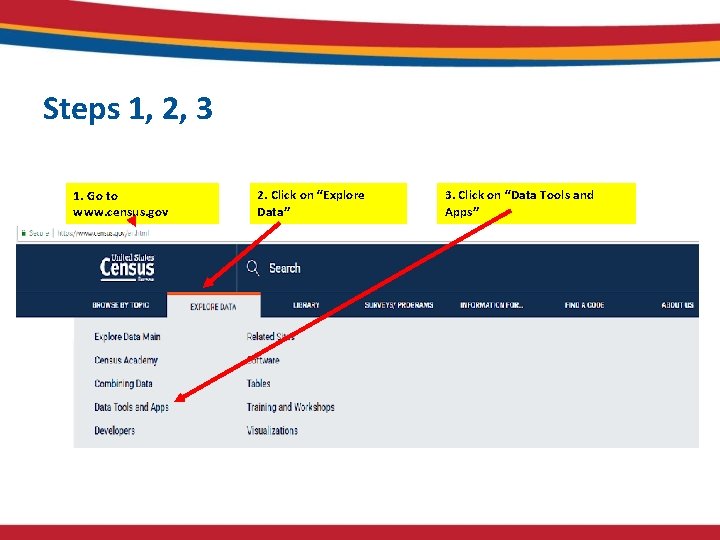
Steps 1, 2, 3 1. Go to www. census. gov 2. Click on “Explore Data” 3. Click on “Data Tools and Apps”
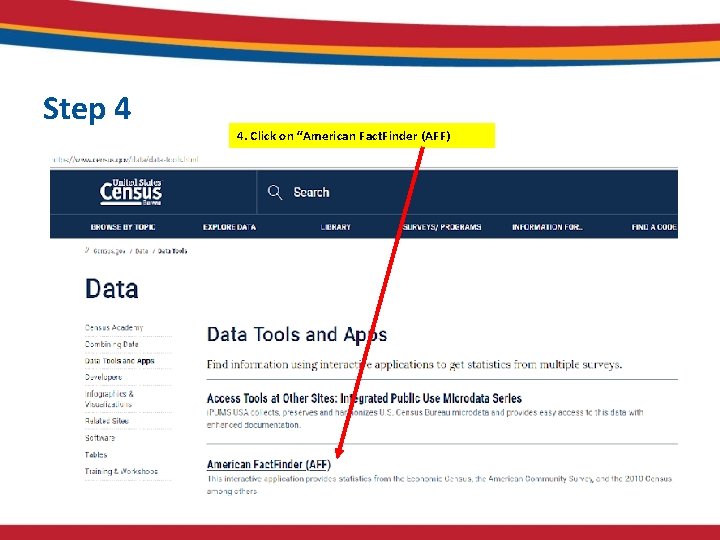
Step 4 4. Click on “American Fact. Finder (AFF)
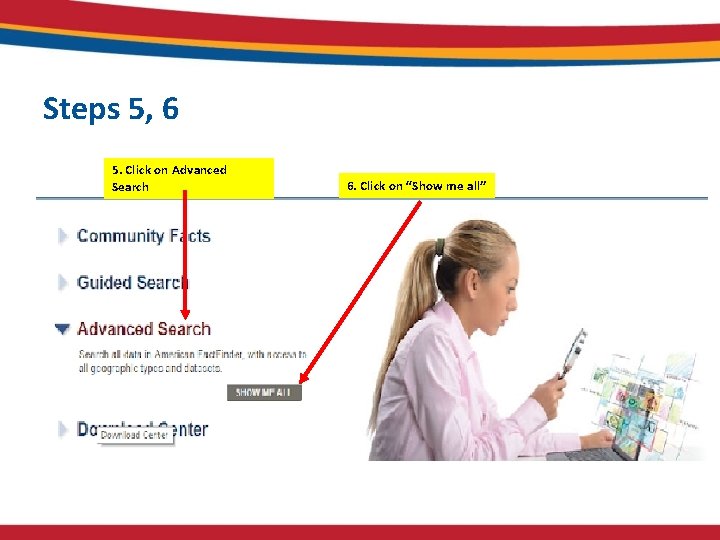
Steps 5, 6 5. Click on Advanced Search 6. Click on “Show me all”
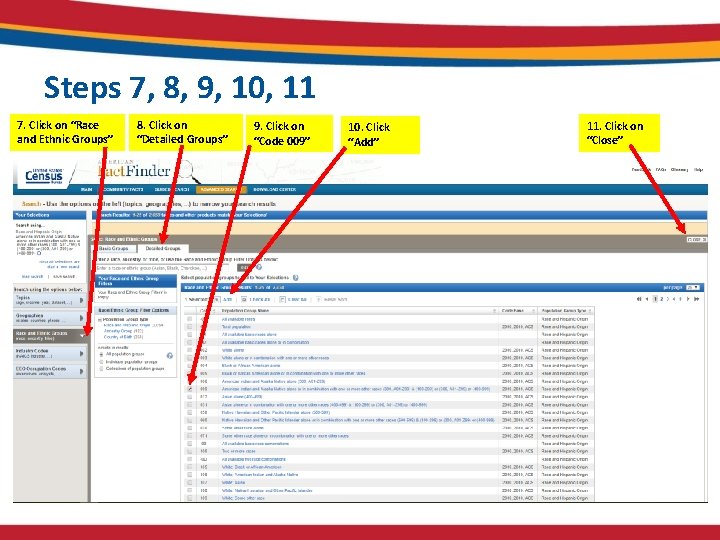
Steps 7, 8, 9, 10, 11 7. Click on “Race and Ethnic Groups” 8. Click on “Detailed Groups” 9. Click on “Code 009” 10. Click “Add” 11. Click on “Close”
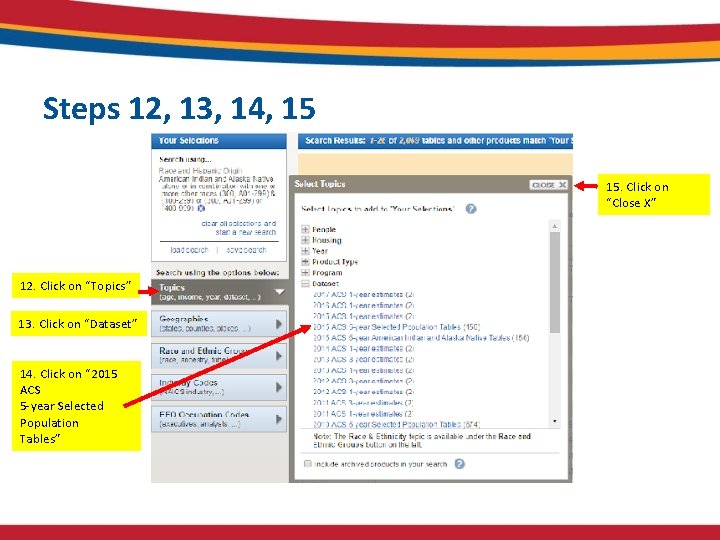
Steps 12, 13, 14, 15 15. Click on “Close X” 12. Click on “Topics” 13. Click on “Dataset” 14. Click on “ 2015 ACS 5 -year Selected Population Tables”
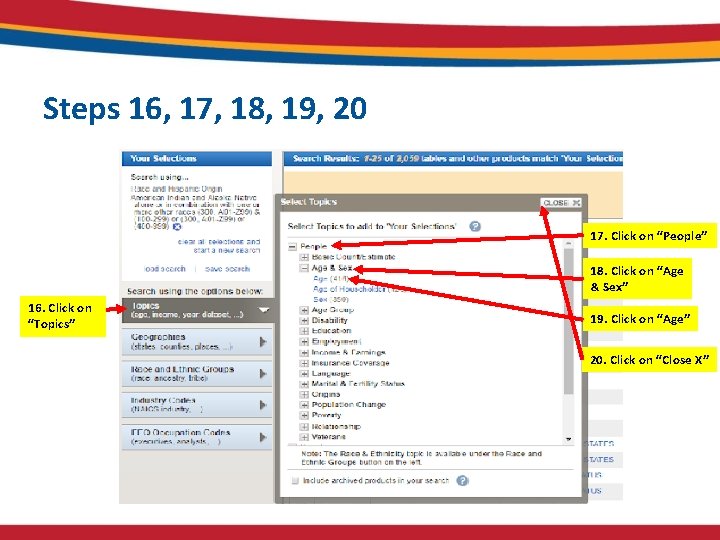
Steps 16, 17, 18, 19, 20 17. Click on “People” 18. Click on “Age & Sex” 16. Click on “Topics” 19. Click on “Age” 20. Click on “Close X”
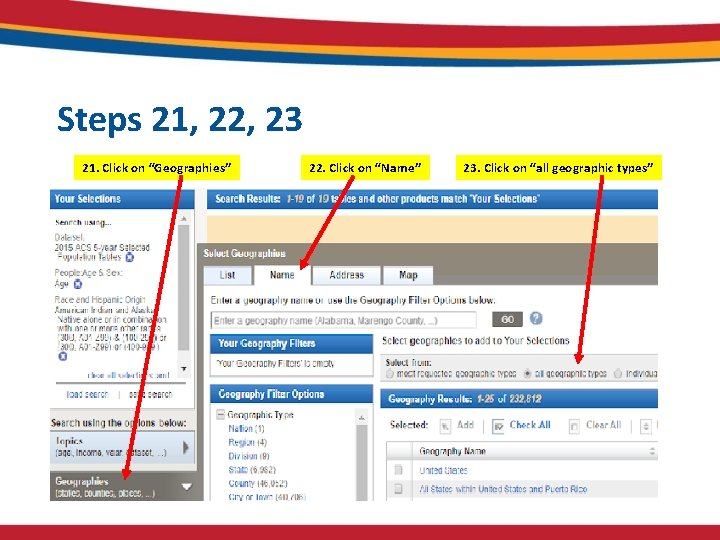
Steps 21, 22, 23 21. Click on “Geographies” 22. Click on “Name” 23. Click on “all geographic types”
Searching for Geographies • There are several different ways to search for Geographies: – Entering a geography name in the search bar is the easiest way to search (see Example 1). – Using the Geography Filter Options is another way to search that provides more options but may require some experimentation (see Example 2). – In Geography Filter Options, clicking on Summary Level, clicking on 250 – AIA/ANA/HHL, you will see 1, 066 Tribal Geographies.
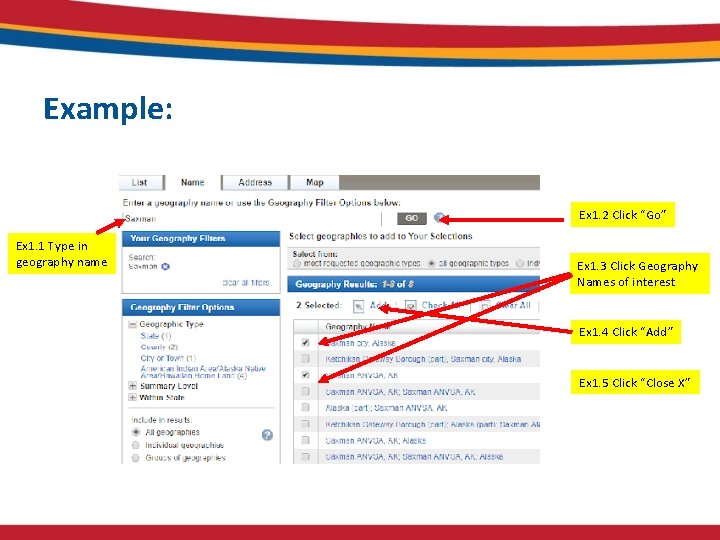
Example: Ex 1. 2 Click “Go” Ex 1. 1 Type in geography name Ex 1. 3 Click Geography Names of interest Ex 1. 4 Click “Add” Ex 1. 5 Click “Close X”
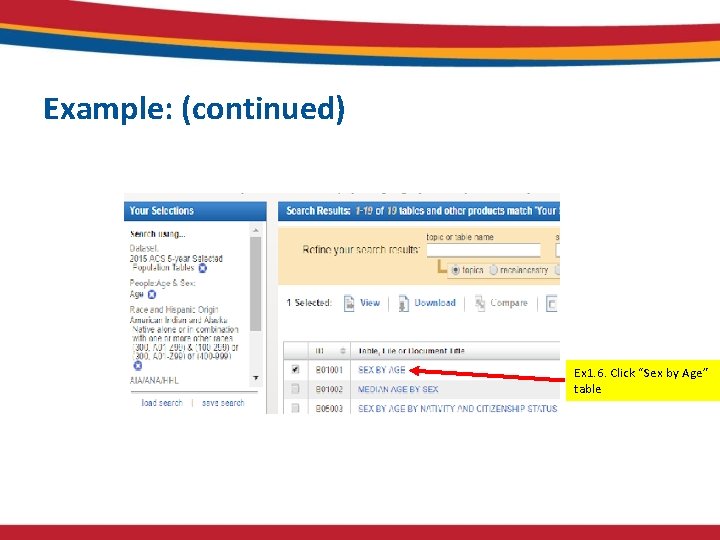
Example: (continued) Ex 1. 6. Click “Sex by Age” table
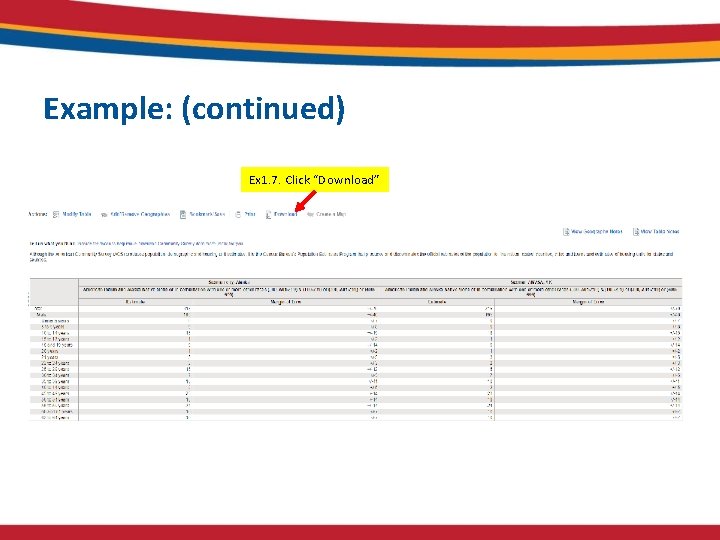
Example: (continued) Ex 1. 7. Click “Download”
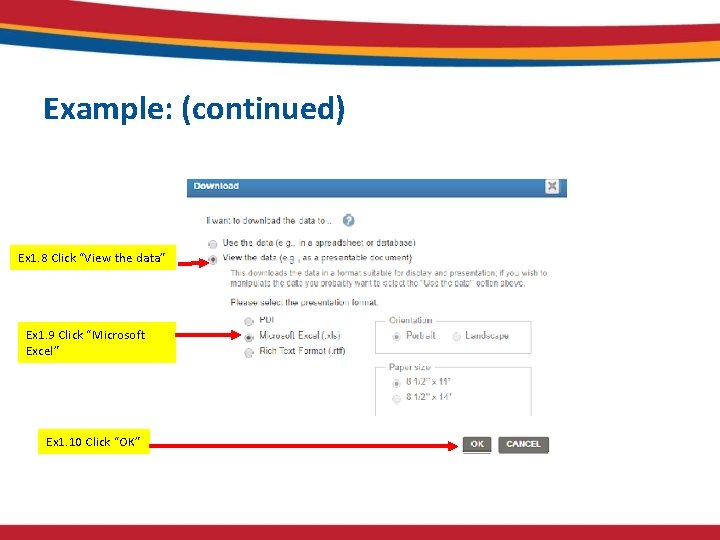
Example: (continued) Ex 1. 8 Click “View the data” Ex 1. 9 Click “Microsoft Excel” Ex 1. 10 Click “OK”
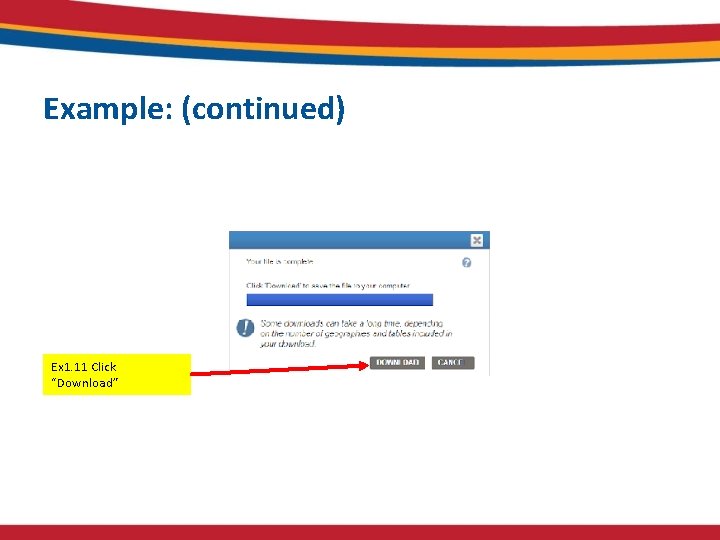
Example: (continued) Ex 1. 11 Click “Download”
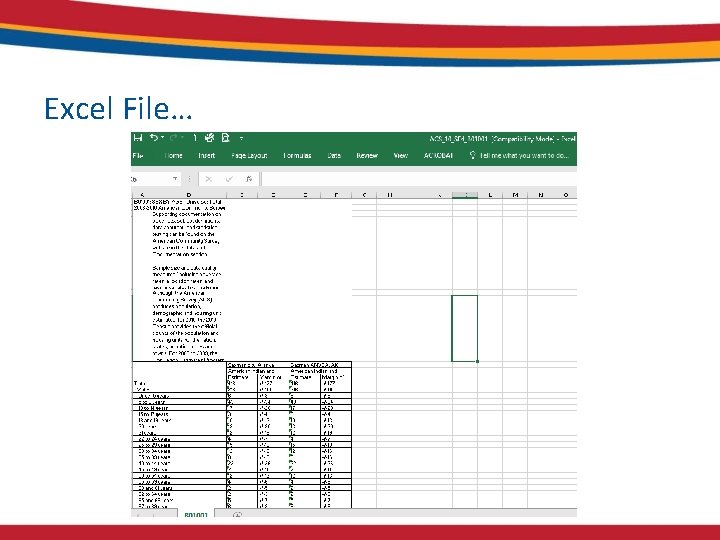
Excel File…
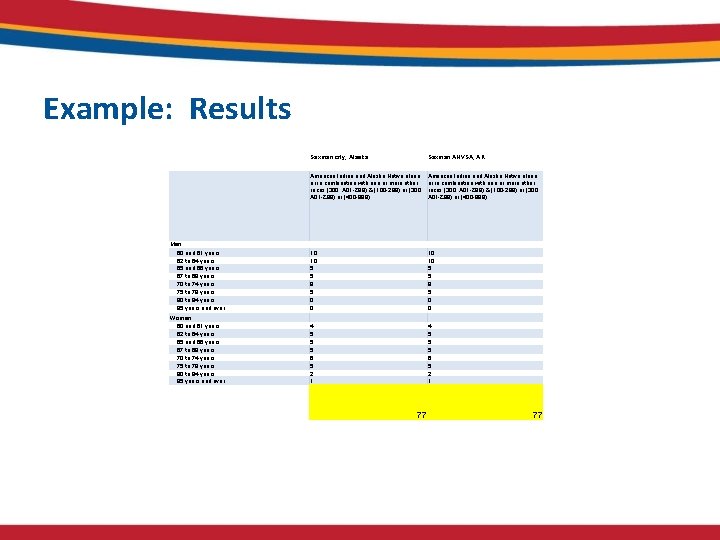
Example: Results Saxman city, Alaska Saxman ANVSA, AK American Indian and Alaska Native alone or in combination with one or more other races (300, A 01 -Z 99) & (100 -299) or (300, A 01 -Z 99) or (400 -999) Men 60 and 61 years 62 to 64 years 65 and 66 years 67 to 69 years 70 to 74 years 75 to 79 years 80 to 84 years 85 years and over 10 10 5 5 9 5 0 0 Women 60 and 61 years 62 to 64 years 65 and 66 years 67 to 69 years 70 to 74 years 75 to 79 years 80 to 84 years 85 years and over 4 5 5 5 6 5 2 1 77 77
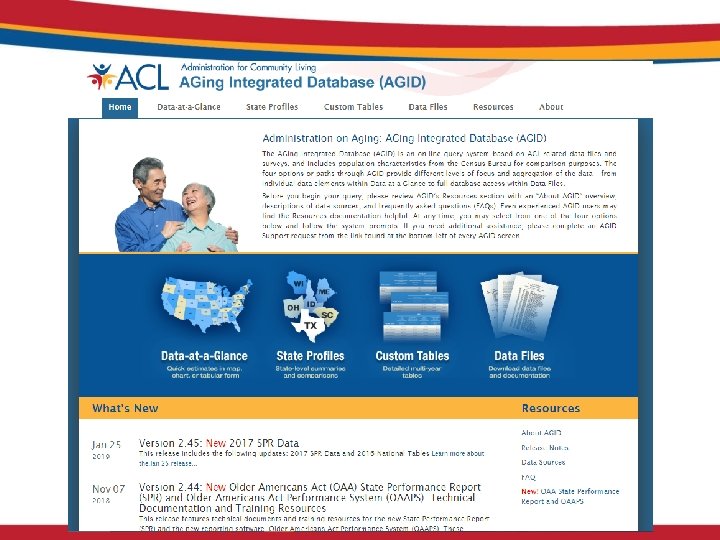
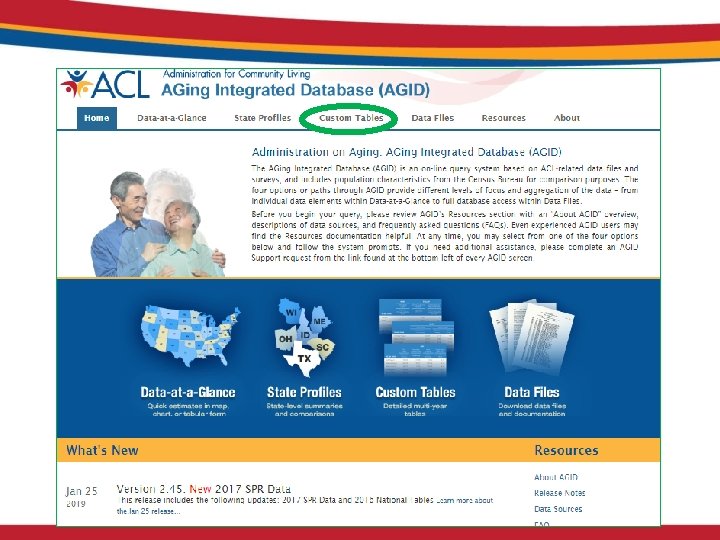
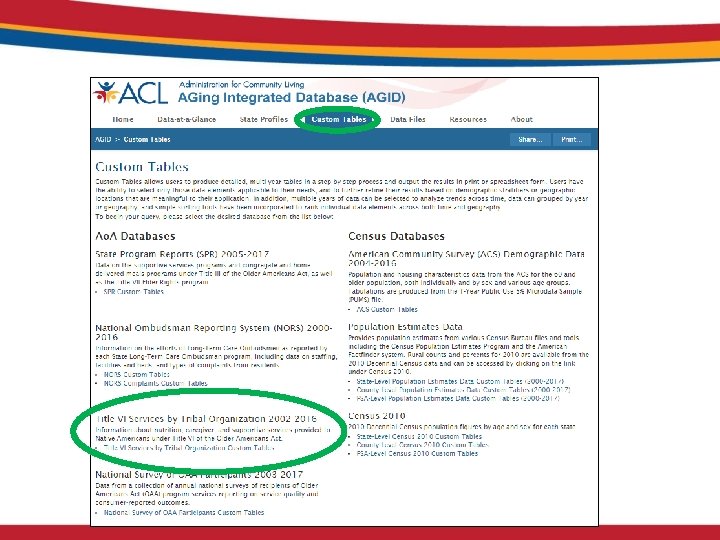
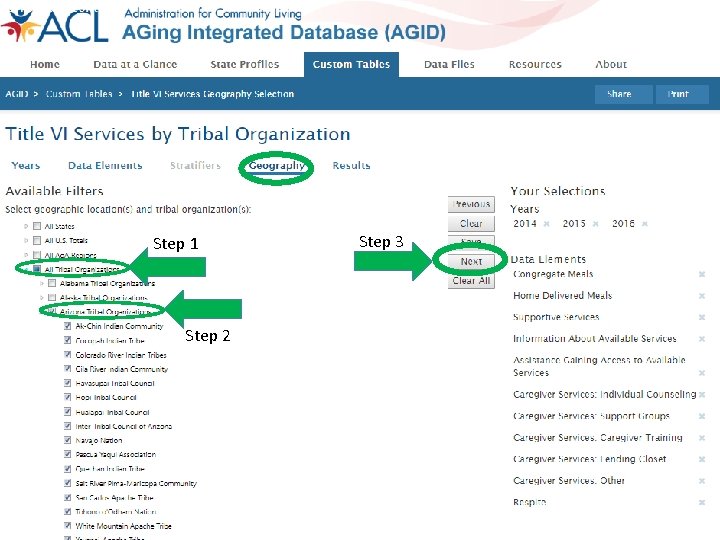
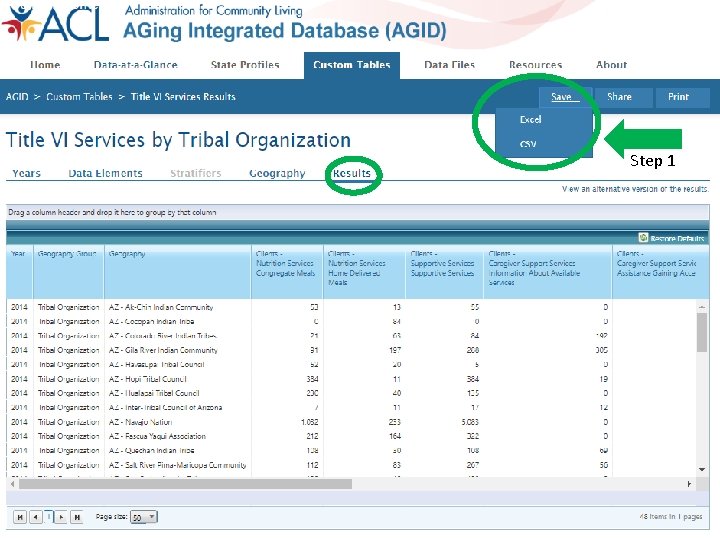
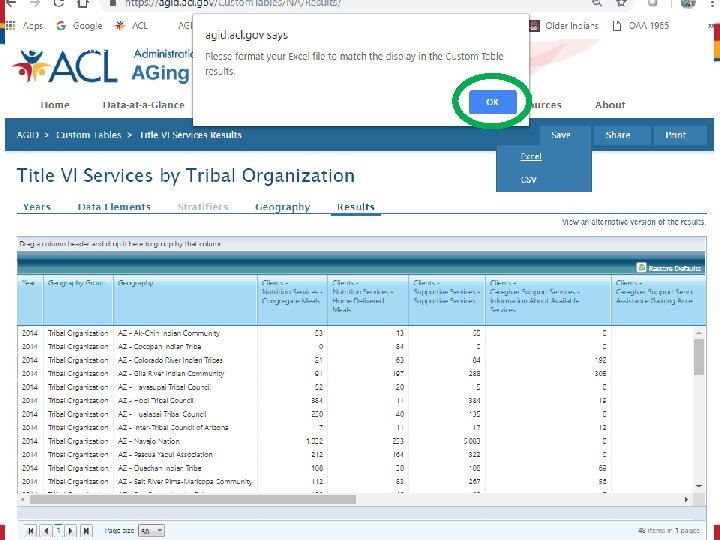
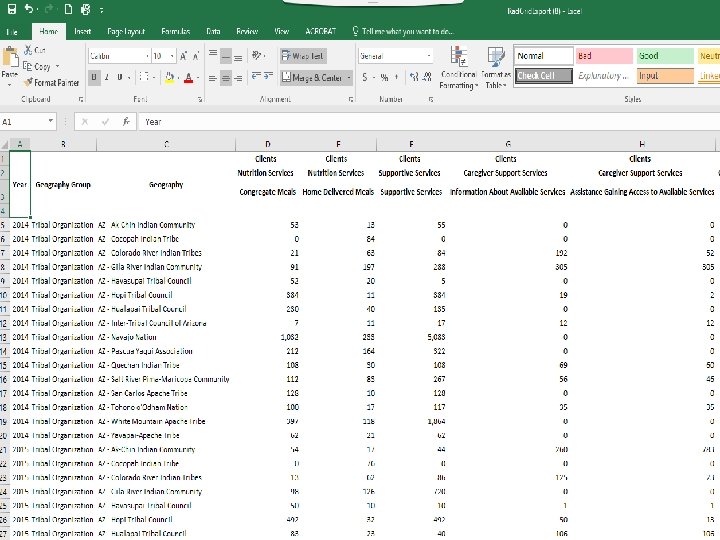
AGID
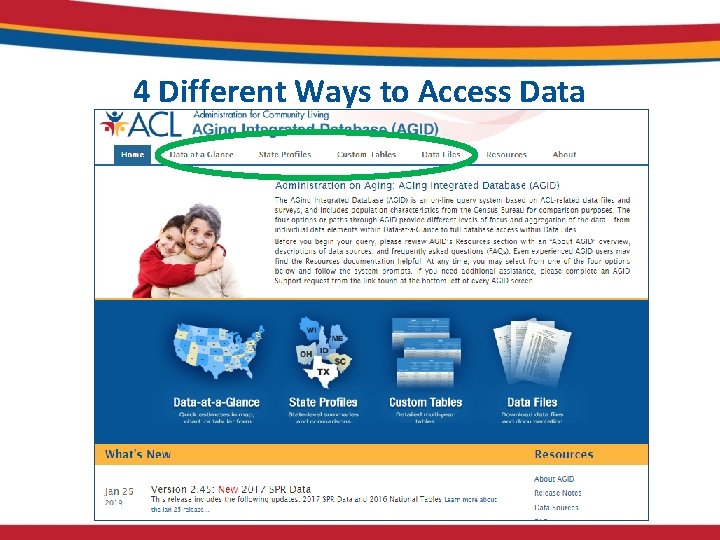
4 Different Ways to Access Data
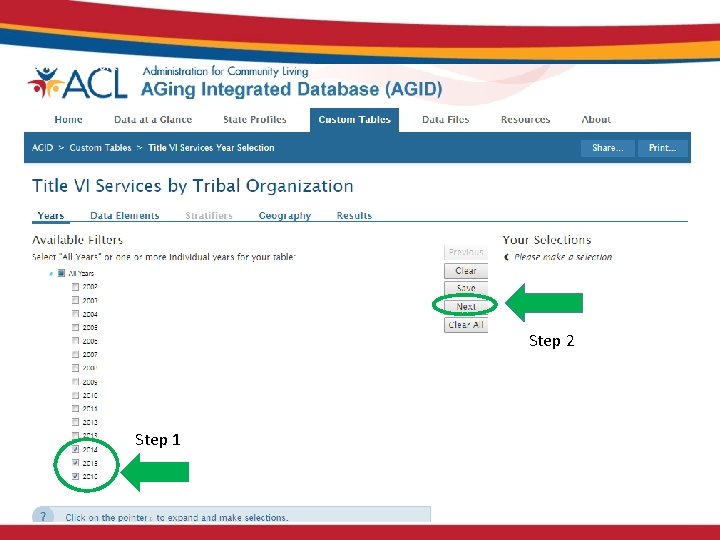
Step 2 Step 1
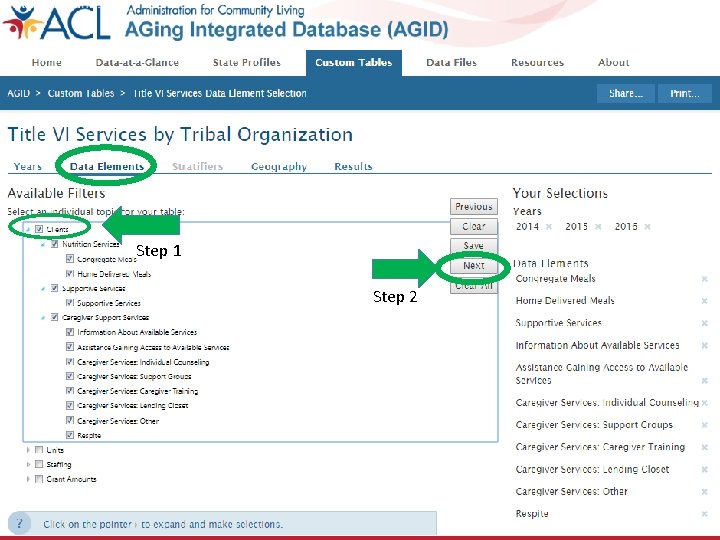
Step 1 Step 2
Step 1 Step 2 Step 3
Step 1
So What?
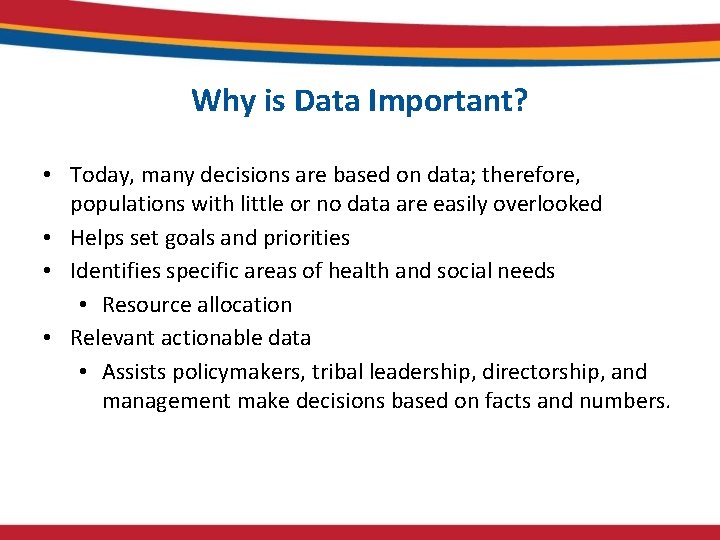
Why is Data Important? • Today, many decisions are based on data; therefore, populations with little or no data are easily overlooked • Helps set goals and priorities • Identifies specific areas of health and social needs • Resource allocation • Relevant actionable data • Assists policymakers, tribal leadership, directorship, and management make decisions based on facts and numbers.
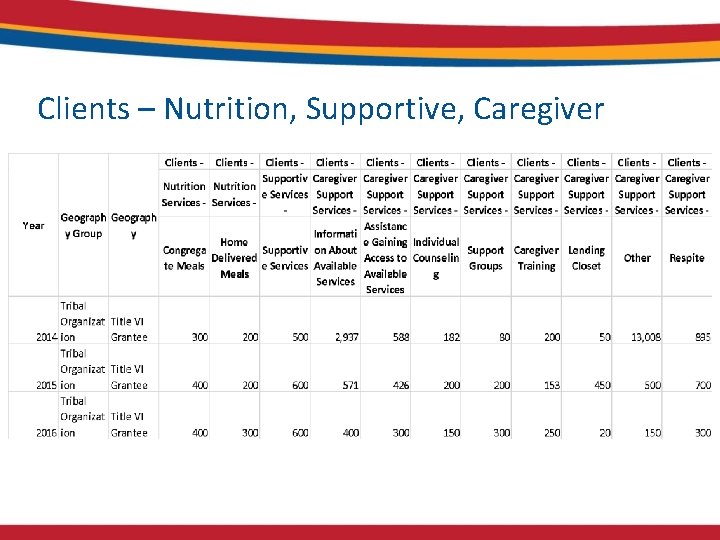
Clients – Nutrition, Supportive, Caregiver
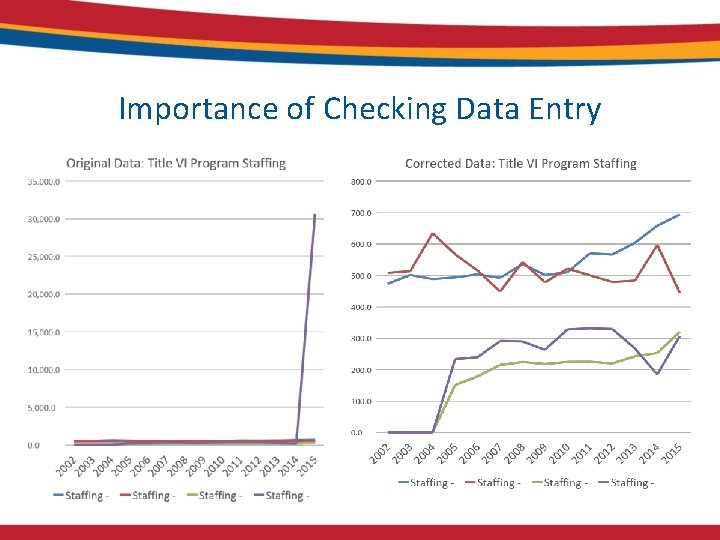
Importance of Checking Data Entry
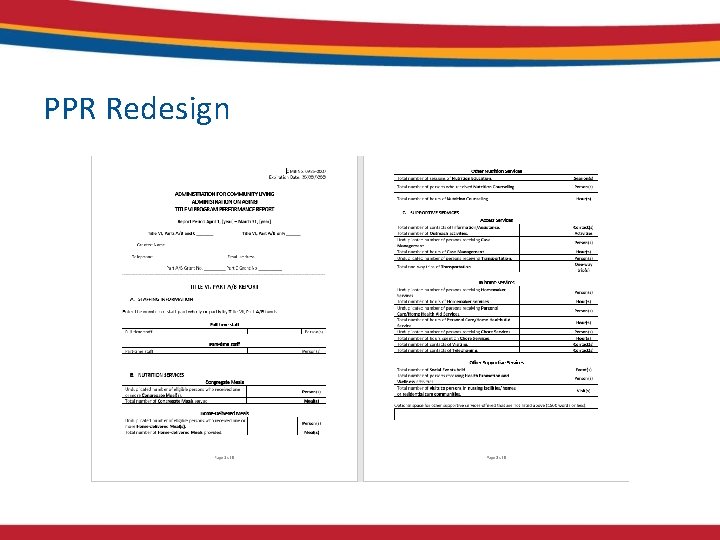
PPR Redesign
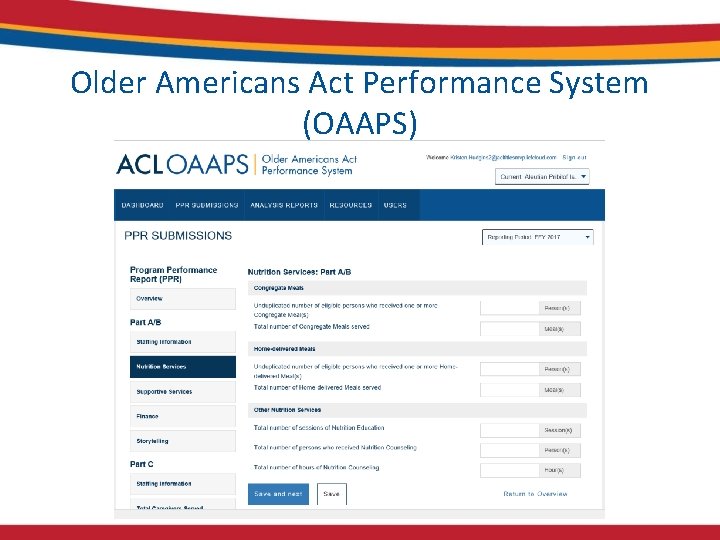
Older Americans Act Performance System (OAAPS)
Questions
Contact Information Kristen (Krissy) Hudgins Kristen. Hudgins@ACL. HHS. GOV 202 -795 -7732