
ACDSee Pro 3 Reviewers Guide Contents Introduction ACDSee



- Slides: 18
ACDSee Pro 3 Reviewer’s Guide
Contents Introduction ACDSee Pro 3 Top Features New Editing Paradigm Enhanced User Experience – Four Modes Manage Mode View Mode Process Mode Online Mode About ACD Systems Pricing Contact Information Page 2 3 4 5 6 7 10 11 13 16 17 18
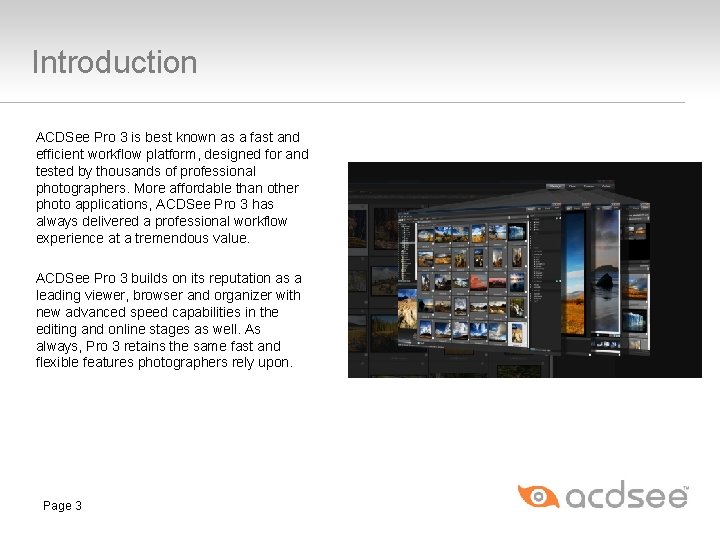
Introduction ACDSee Pro 3 is best known as a fast and efficient workflow platform, designed for and tested by thousands of professional photographers. More affordable than other photo applications, ACDSee Pro 3 has always delivered a professional workflow experience at a tremendous value. ACDSee Pro 3 builds on its reputation as a leading viewer, browser and organizer with new advanced speed capabilities in the editing and online stages as well. As always, Pro 3 retains the same fast and flexible features photographers rely upon. Page 3
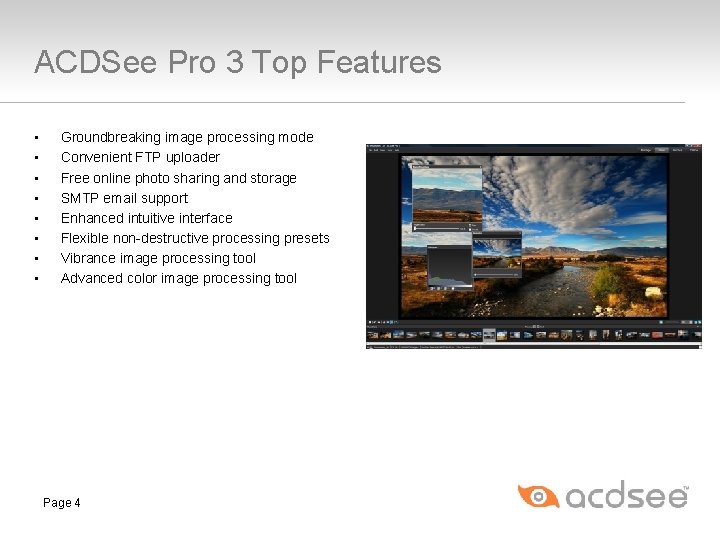
ACDSee Pro 3 Top Features • • Groundbreaking image processing mode Convenient FTP uploader Free online photo sharing and storage SMTP email support Enhanced intuitive interface Flexible non-destructive processing presets Vibrance image processing tool Advanced color image processing tool Page 4
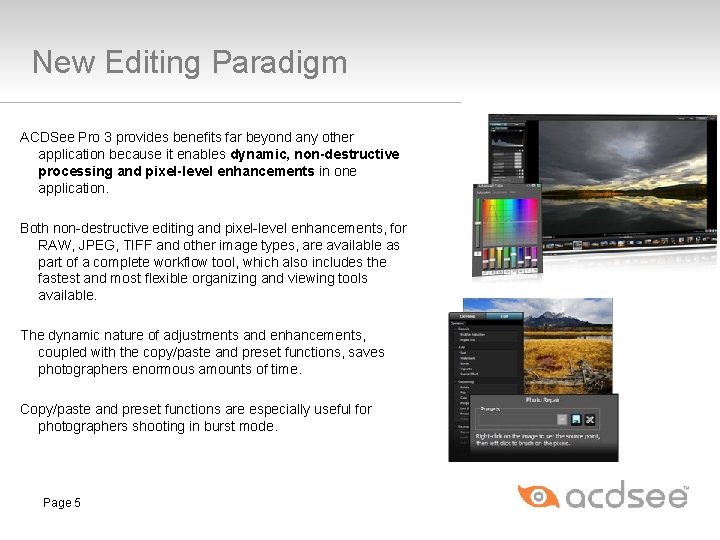
New Editing Paradigm ACDSee Pro 3 provides benefits far beyond any other application because it enables dynamic, non-destructive processing and pixel-level enhancements in one application. Both non-destructive editing and pixel-level enhancements, for RAW, JPEG, TIFF and other image types, are available as part of a complete workflow tool, which also includes the fastest and most flexible organizing and viewing tools available. The dynamic nature of adjustments and enhancements, coupled with the copy/paste and preset functions, saves photographers enormous amounts of time. Copy/paste and preset functions are especially useful for photographers shooting in burst mode. Page 5
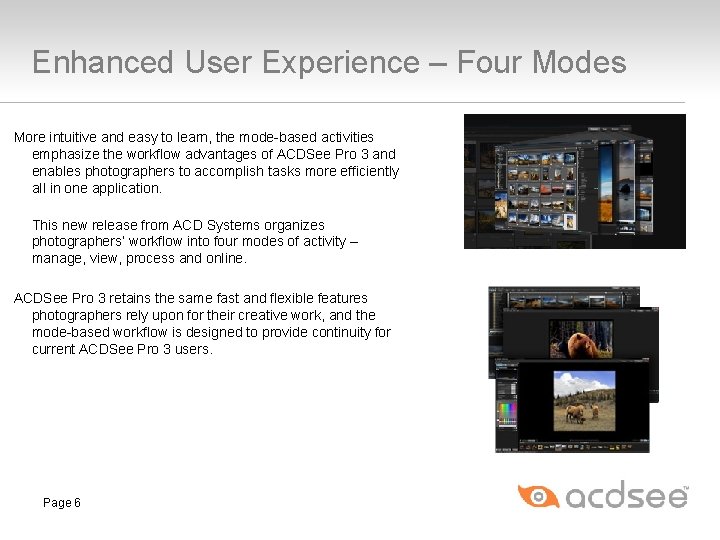
Enhanced User Experience – Four Modes More intuitive and easy to learn, the mode-based activities emphasize the workflow advantages of ACDSee Pro 3 and enables photographers to accomplish tasks more efficiently all in one application. This new release from ACD Systems organizes photographers’ workflow into four modes of activity – manage, view, process and online. ACDSee Pro 3 retains the same fast and flexible features photographers rely upon for their creative work, and the mode-based workflow is designed to provide continuity for current ACDSee Pro 3 users. Page 6
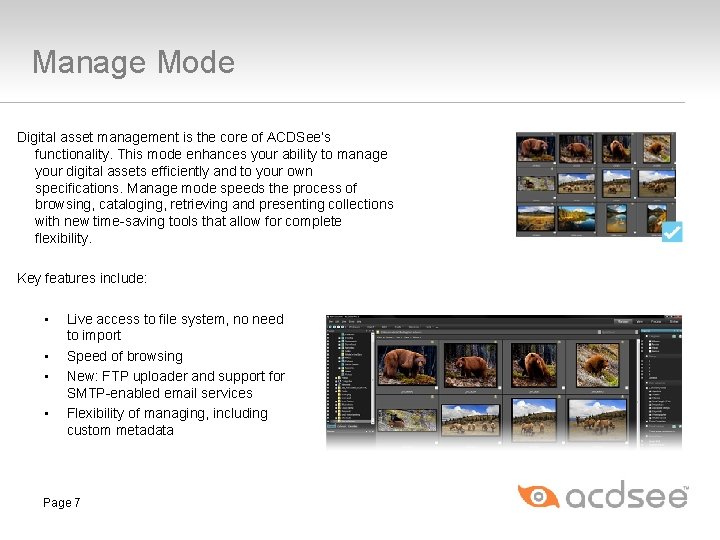
Manage Mode Digital asset management is the core of ACDSee’s functionality. This mode enhances your ability to manage your digital assets efficiently and to your own specifications. Manage mode speeds the process of browsing, cataloging, retrieving and presenting collections with new time-saving tools that allow for complete flexibility. Key features include: • • Live access to file system, no need to import Speed of browsing New: FTP uploader and support for SMTP-enabled email services Flexibility of managing, including custom metadata Page 7
Manage Mode: FTP Uploader Conveniently upload images to the Web spaces you manage through file transfer protocol (ftp). The new ACDSee Pro 3 FTP uploader feature is designed specifically for images to help accelerate your workflow, unlike standalone FTP utilities. For example you can resize images for your ftp site right in the uploader, eliminating the need to add these extra copies in your collection. Page 8
Manage Mode Tutorial – FTP Uploader To upload files to an FTP site: • Select the files you would like to upload. • Click File | Send | To FTP Site. • Click Connect. • Click Browse and choose a destination folder. • Select how duplicate files are handled in the Duplicate Files drop-down list. • Select a suitable size based on the desired output for your images. • Click Upload Now. Page 9
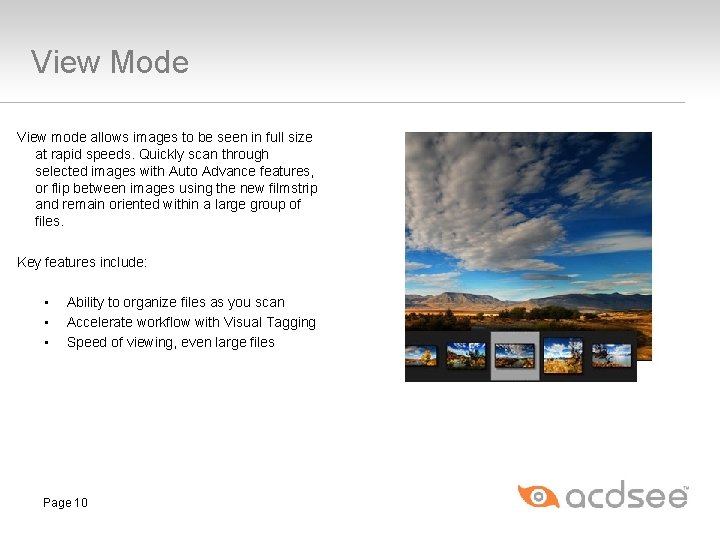
View Mode View mode allows images to be seen in full size at rapid speeds. Quickly scan through selected images with Auto Advance features, or flip between images using the new filmstrip and remain oriented within a large group of files. Key features include: • • • Ability to organize files as you scan Accelerate workflow with Visual Tagging Speed of viewing, even large files Page 10
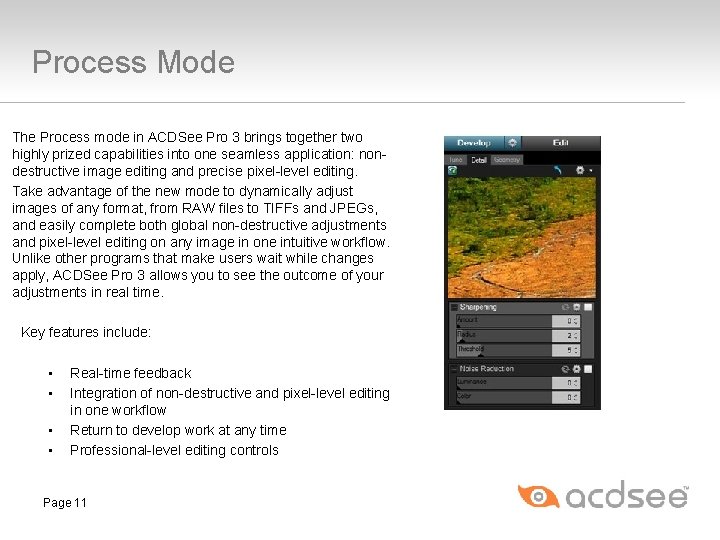
Process Mode The Process mode in ACDSee Pro 3 brings together two highly prized capabilities into one seamless application: nondestructive image editing and precise pixel-level editing. Take advantage of the new mode to dynamically adjust images of any format, from RAW files to TIFFs and JPEGs, and easily complete both global non-destructive adjustments and pixel-level editing on any image in one intuitive workflow. Unlike other programs that make users wait while changes apply, ACDSee Pro 3 allows you to see the outcome of your adjustments in real time. Key features include: • • Real-time feedback Integration of non-destructive and pixel-level editing in one workflow Return to develop work at any time Professional-level editing controls Page 11
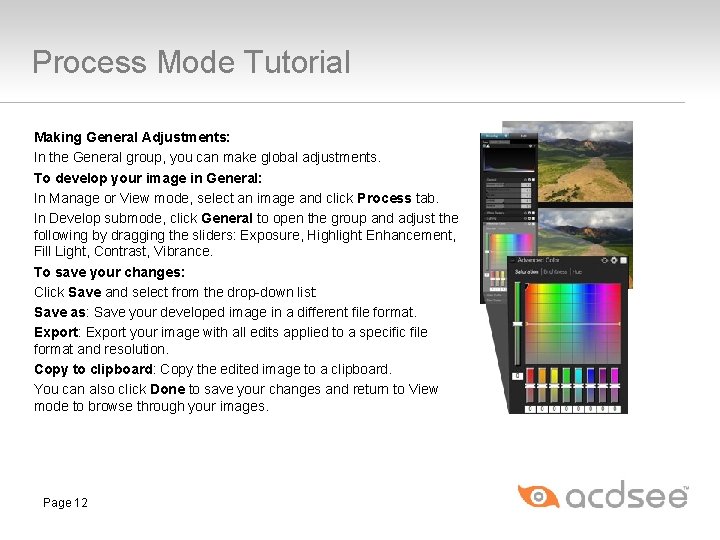
Process Mode Tutorial Making General Adjustments: In the General group, you can make global adjustments. To develop your image in General: In Manage or View mode, select an image and click Process tab. In Develop submode, click General to open the group and adjust the following by dragging the sliders: Exposure, Highlight Enhancement, Fill Light, Contrast, Vibrance. To save your changes: Click Save and select from the drop-down list: Save as: Save your developed image in a different file format. Export: Export your image with all edits applied to a specific file format and resolution. Copy to clipboard: Copy the edited image to a clipboard. You can also click Done to save your changes and return to View mode to browse through your images. Page 12
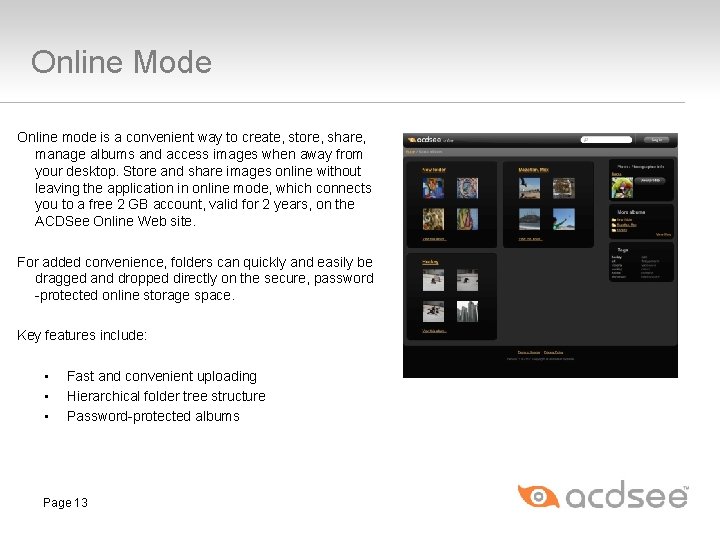
Online Mode Online mode is a convenient way to create, store, share, manage albums and access images when away from your desktop. Store and share images online without leaving the application in online mode, which connects you to a free 2 GB account, valid for 2 years, on the ACDSee Online Web site. For added convenience, folders can quickly and easily be dragged and dropped directly on the secure, password -protected online storage space. Key features include: • • • Fast and convenient uploading Hierarchical folder tree structure Password-protected albums Page 13
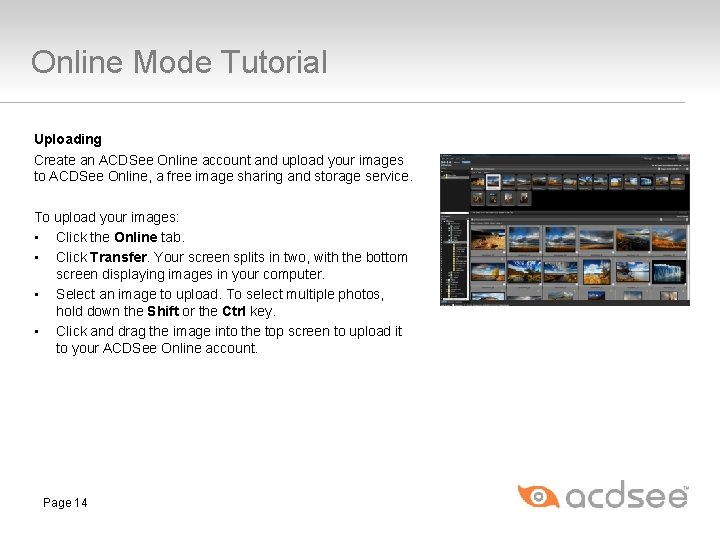
Online Mode Tutorial Uploading Create an ACDSee Online account and upload your images to ACDSee Online, a free image sharing and storage service. To upload your images: • Click the Online tab. • Click Transfer. Your screen splits in two, with the bottom screen displaying images in your computer. • Select an image to upload. To select multiple photos, hold down the Shift or the Ctrl key. • Click and drag the image into the top screen to upload it to your ACDSee Online account. Page 14
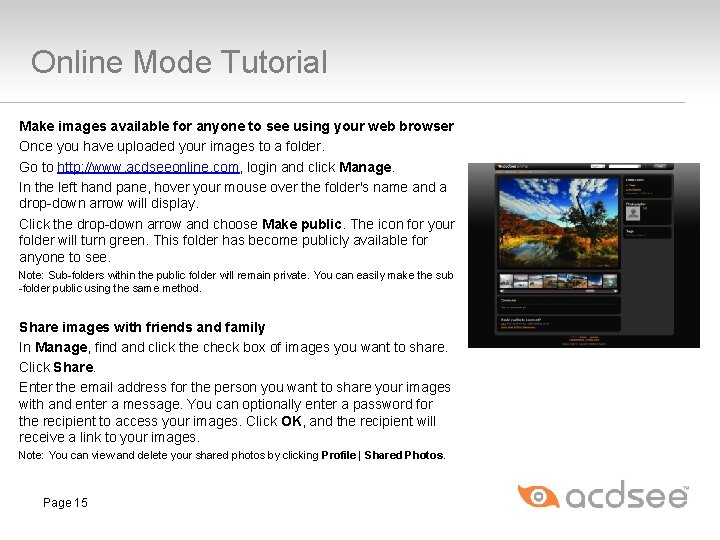
Online Mode Tutorial Make images available for anyone to see using your web browser Once you have uploaded your images to a folder. Go to http: //www. acdseeonline. com, login and click Manage. In the left hand pane, hover your mouse over the folder's name and a drop-down arrow will display. Click the drop-down arrow and choose Make public. The icon for your folder will turn green. This folder has become publicly available for anyone to see. Note: Sub-folders within the public folder will remain private. You can easily make the sub -folder public using the same method. Share images with friends and family In Manage, find and click the check box of images you want to share. Click Share. Enter the email address for the person you want to share your images with and enter a message. You can optionally enter a password for the recipient to access your images. Click OK, and the recipient will receive a link to your images. Note: You can view and delete your shared photos by clicking Profile | Shared Photos. Page 15
About ACD Systems Headquartered in British Columbia since 1993, ACD Systems International Inc. is one of the world's leading developers and marketers of digital imaging software, including the renowned ACDSee image management tool and Canvas, an advanced cross-platform technical illustration and graphics program. ACD Systems has millions of consumer and business users, and more than 33, 000 corporate customers including many Fortune 500 companies. For further details, please visit www. acdsee. com. ACD and ACDSee are trademarks of ACD Systems International Inc. or its subsidiaries and may be registered in Canada, the United States, the European Union, Japan or certain other jurisdictions. Canvas is a trademark of ACD Systems of America, Inc. and may be registered in certain jurisdictions. Trademarks of ACD Systems of America, Inc. are used under license by ACD Systems International Inc. or its subsidiaries. All other marks, products and company names are the property of their respective owners. Page 16
Pricing ACDSee Pro 3 is available for a free 30 -day trial and for purchase at $169. 99 (USD) by visiting www. acdsee. com. Registered owners of ACDSee Pro 3, Pro 2 and Pro 2. 5 are eligible to upgrade at $90. 00 (USD). Page 17
Contact Information For Media Genevieve Lambert ACD Systems International Inc. TEL: (250) 419 -6700 FAX: (250) 419 -6745 pr@acdsee. com Page 18 Julie Yamamoto, APR CMD Agency TEL: (503) 223 -6794 acdsee@cmdagency. com