
Account Administration SAP Account Administration Account Administration Learning
- Slides: 18
Account Administration SAP Account Administration
Account Administration Learning Objectives At the conclusion of this unit, you will be able to: l Create a new user and attach roles. l Copy a user profile in SAP l Understand the purpose of roles and profiles. l Reset passwords. l Be familiar with password requirements. l Understand user maintenance functions. l Terminate an SAP Account
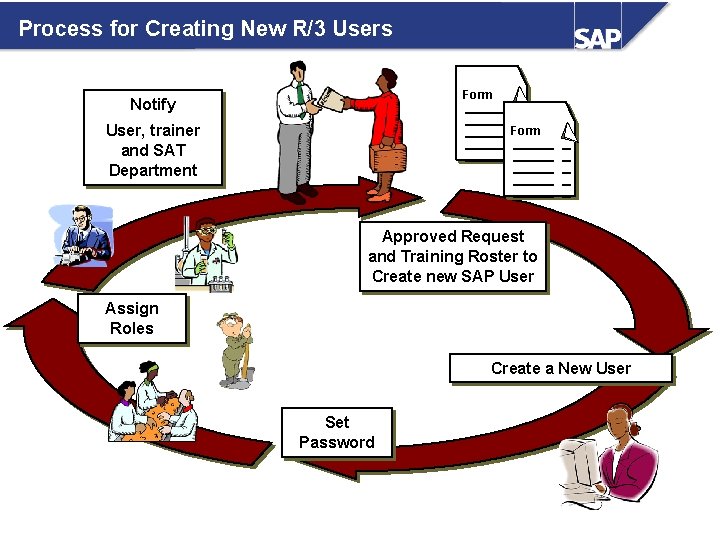
Process for Creating New R/3 Users Form Notify User, trainer and SAT Department Form Approved Request and Training Roster to Create new SAP User Assign Roles Create a New User Set Password
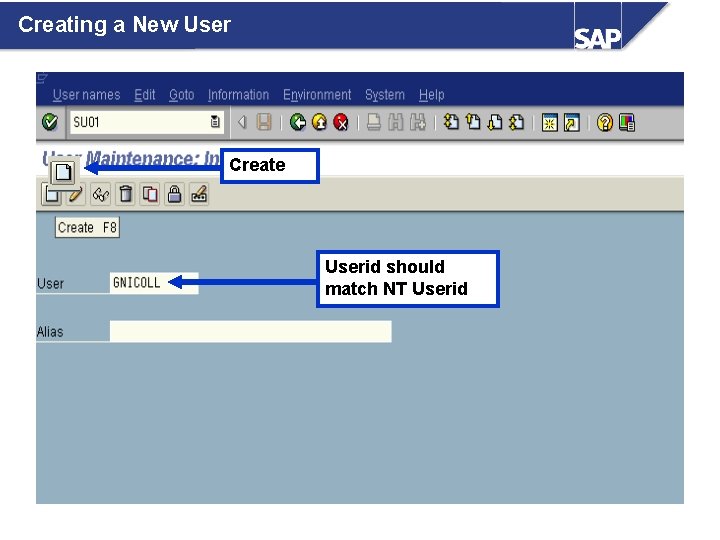
Creating a New User Create Userid should match NT Userid
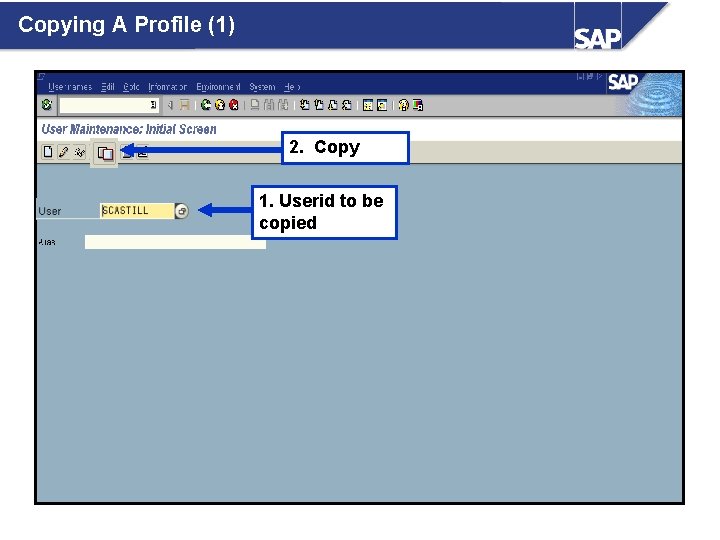
Copying A Profile (1) 2. Copy 1. Userid to be copied
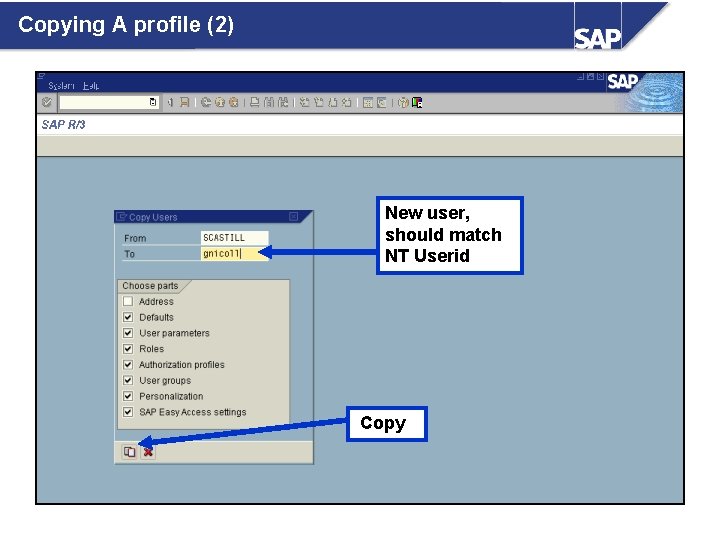
Copying A profile (2) New user, should match NT Userid Copy
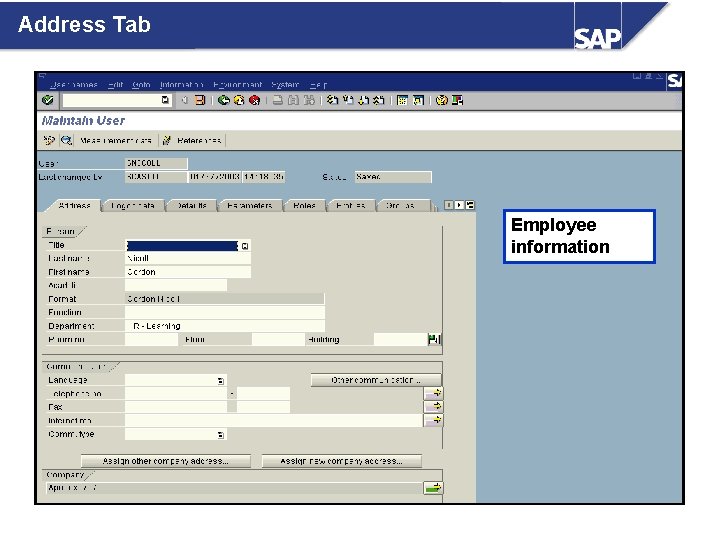
Address Tab Employee information
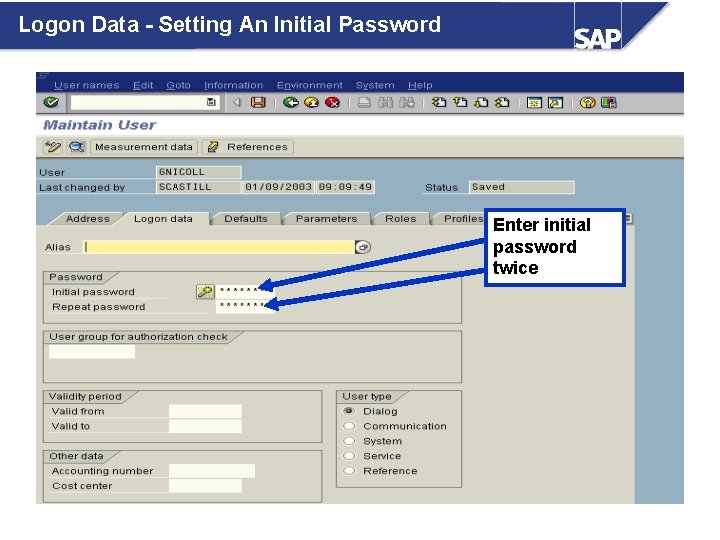
Logon Data - Setting An Initial Password Enter initial password twice
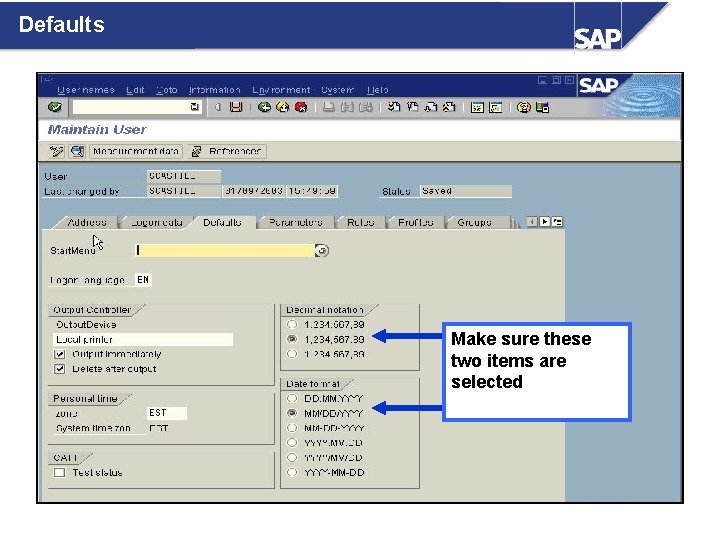
Defaults Make sure these two items are selected
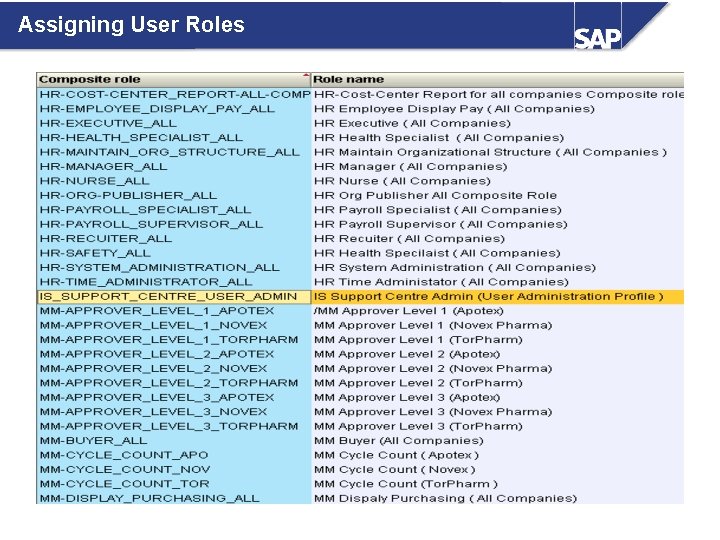
Assigning User Roles
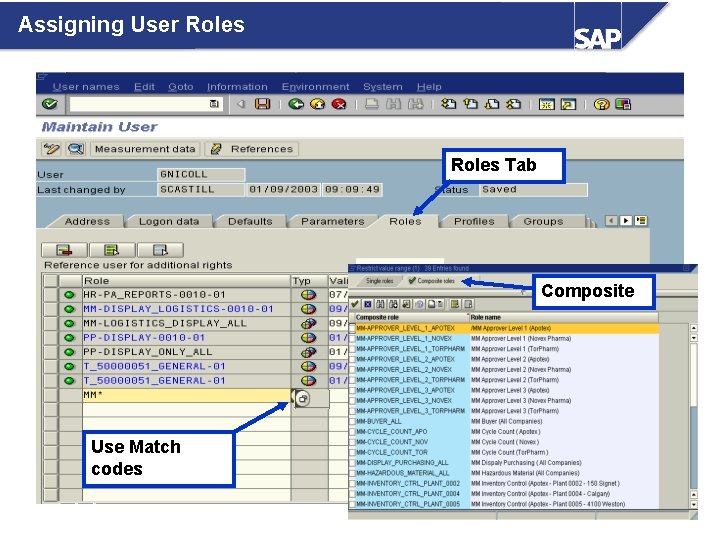
Assigning User Roles Tab Composite Use Match codes
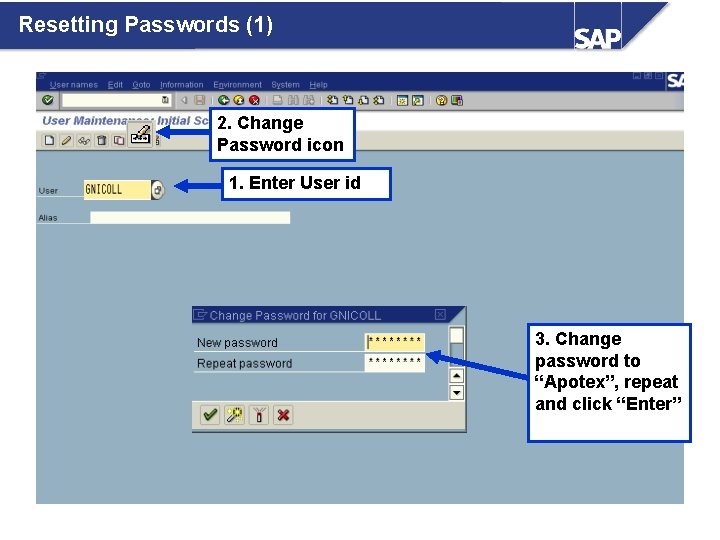
Resetting Passwords (1) 2. Change Password icon 1. Enter User id 3. Change password to “Apotex”, repeat and click “Enter”
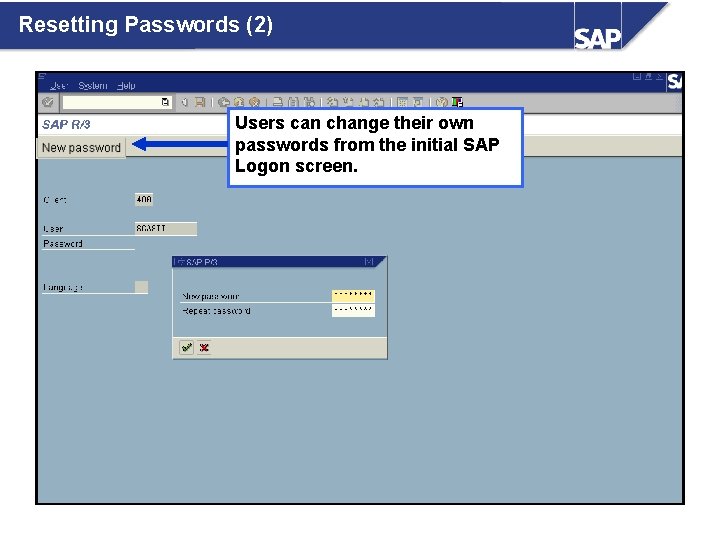
Resetting Passwords (2) Users can change their own passwords from the initial SAP Logon screen.
Disabling an SAP Account (1) Need picture of SAP login showing a regular account. ‘NO LONGER WITH COMPANY’ in the Function box.
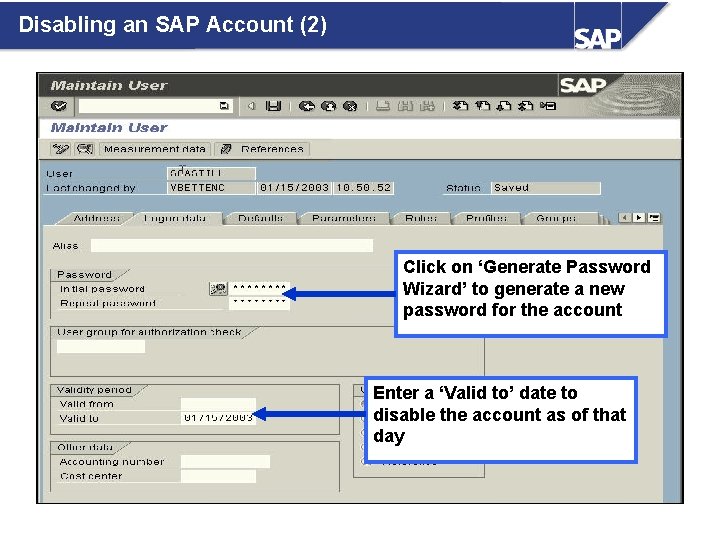
Disabling an SAP Account (2) Click on ‘Generate Password Wizard’ to generate a new password for the account Enter a ‘Valid to’ date to disable the account as of that day
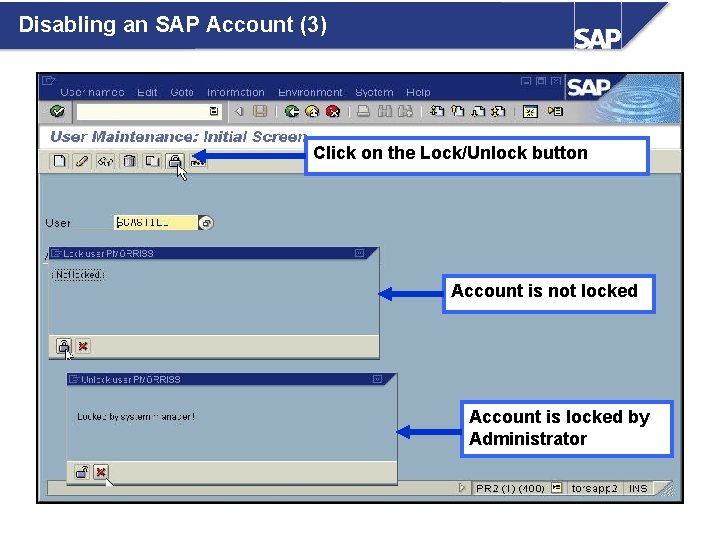
Disabling an SAP Account (3) Click on the Lock/Unlock button Account is not locked Account is locked by Administrator
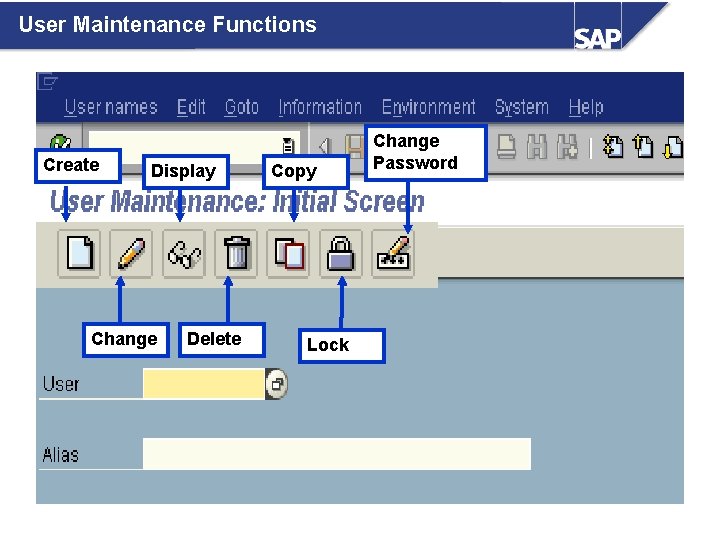
User Maintenance Functions Create Display Change Delete Copy Lock Change Password
Summary l New users are created by copying from a template or by creating a new SAP User ID. The template has all of the default settings. l Roles have to be assigned to the user. The roles already have the appropriate profiles or authorizations assigned to them. l If a user forgets his or her password, the Help Desk can quickly reset their password. l Besides creating a user and resetting passwords, you can also lock & unlock users, display and edit existing users and add/delete roles. l You can terminate an SAP Account by using transaction SU 01 when a user leaves the company. l NEVER delete an SAP account.