
Accomplishing Executables How is this done Creative Commons
Accomplishing Executables How is this done? Creative Commons License – Curt Hill.
Introduction • An executable program is a series of bits that is perfectly understandable to a machine • Most programs need to be coded in a textual or graphical fashion to be done by people • This presentation considers how this transformation occurs – Some of you may already be familiar with this process Creative Commons License – Curt Hill.
Types of Transformers • There are two basic classes of program that accomplish this transformation: – Interpreters – Compilers • There are many combinations of these two – We shall look at several examples Creative Commons License – Curt Hill.
Definitions • Machine language is the only language a CPU may execute • Completely different for different types of CPUs • An interpreter takes in a source language program • It executes it as if it were machine language program • A compiler translates the source language from one form to another • Most often the result is machine language • Translating from a new or rare language to a common one has been done Creative Commons License – Curt Hill.
Pure Interpreters • Before the Apple there were a number of BASICs for very small machines • Very low memory footprint – Usually less than 16 K – Some as small as 2 K – This is for the editor and interpreter in one piece of code Creative Commons License – Curt Hill.
Form of BASIC • Original form of BASIC was very simple – This made interpretation easier • The format was: line cmd parms • Where – The line is a required line number – The cmd was the type of statement – The parms were any needed other information Creative Commons License – Curt Hill.
BASIC Statements • At a minimum the following statements were required • REM – a comment • LET – an assignment • PRINT – display on screen • INPUT – Get from keyboard • IF – single line conditional • GOTO – required line number • GOSUB – Almost a procedure call • STOP – End program Creative Commons License – Curt Hill.
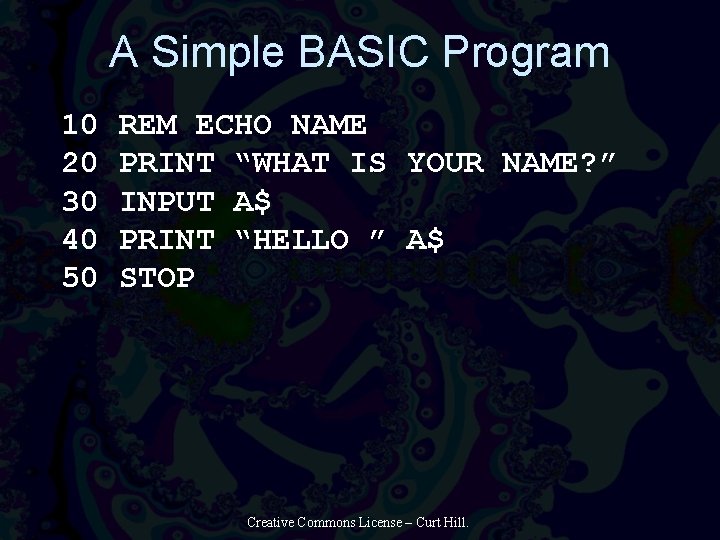
A Simple BASIC Program 10 20 30 40 50 REM ECHO NAME PRINT “WHAT IS YOUR NAME? ” INPUT A$ PRINT “HELLO ” A$ STOP Creative Commons License – Curt Hill.
Interaction • The user interacted with the interpreter in one of two ways • Type in a command without a line number – This is immediately executed • Type in a command with line number – Place it program in position determined by line number – If it already exists then replace it Creative Commons License – Curt Hill.
Execution • When the user types in Run the program is executed • Start at the lowest line number and go from there • When the STOP is found, then return to the prompt Creative Commons License – Curt Hill.
Internals • The program was stored in text format with no change – Or keywords may be converted to upper case • The interpreter would parse each line each time it was executed – No translation at all • These kind of programs were small so the overhead of interpretation was not a problem Creative Commons License – Curt Hill.
Similarly • Some scripting languages are the same • A DOS Batch file or UNIX Shell script use the same approach • Certain commands like the IF are handled by the script processor • All others are presumed to be OS commands and passed on to operating system Creative Commons License – Curt Hill.

Simple Interpreter BASIC Source Statements Creative Commons License – Curt Hill.
Somewhat Better • As machines get faster but the languages get more complicated, we see some changes • The source program now resides in a file • Some form of transformation is applied to the source before it is executed Creative Commons License – Curt Hill.
• BASIC again Slightly more sophisticated editing and file manipulation • Pre-compilation processing • The reserved words are transformed into subroutine addresses – The call to the subroutine is much quicker – Variables or parameters are similarly made into addresses • Line is parsed just once • Overhead of interpretation reduced Creative Commons License – Curt Hill.
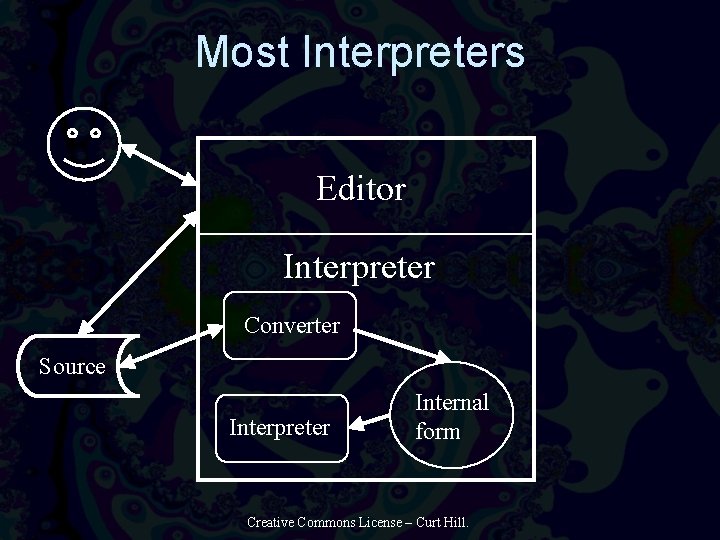
Most Interpreters Editor Interpreter Converter Source Interpreter Internal form Creative Commons License – Curt Hill.
SNOBOL 4 • A very powerful pattern matching language • It converted the source language into an internal form and then executed • SNOBOL 4 could do self-modifiying programs so it was important that the transformation routines and internal form were present at the same time Creative Commons License – Curt Hill.
Compilation • Interpretation is like the butler – You tell the butler to do something and he does it immediately • Compilation is like a UN translator – Convert a program in one language to that of another – Usually the result is machine language Creative Commons License – Curt Hill.
Object Code • Has two meanings in computer science • The source code having to do with C++/Java/Smalltalk/Ada classes – Properties and methods • Machine language that is not ready to execute – Not whole programs – needs to be linked Creative Commons License – Curt Hill.
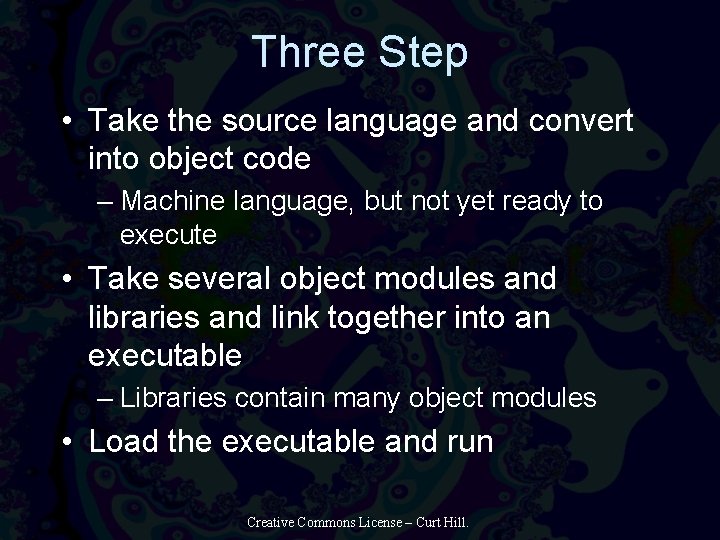
Three Step • Take the source language and convert into object code – Machine language, but not yet ready to execute • Take several object modules and libraries and link together into an executable – Libraries contain many object modules • Load the executable and run Creative Commons License – Curt Hill.
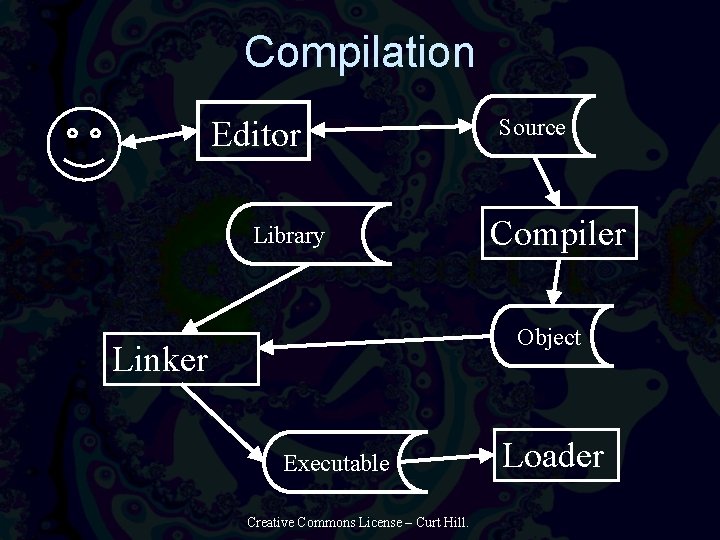
Compilation Editor Library Source Compiler Object Linker Executable Creative Commons License – Curt Hill. Loader
Compile Cycle • The compiler translates the source into object code • Object is machine language – Not yet executable • Linker takes one or more object modules and libraries and creates the executable • Loader executes Creative Commons License – Curt Hill.
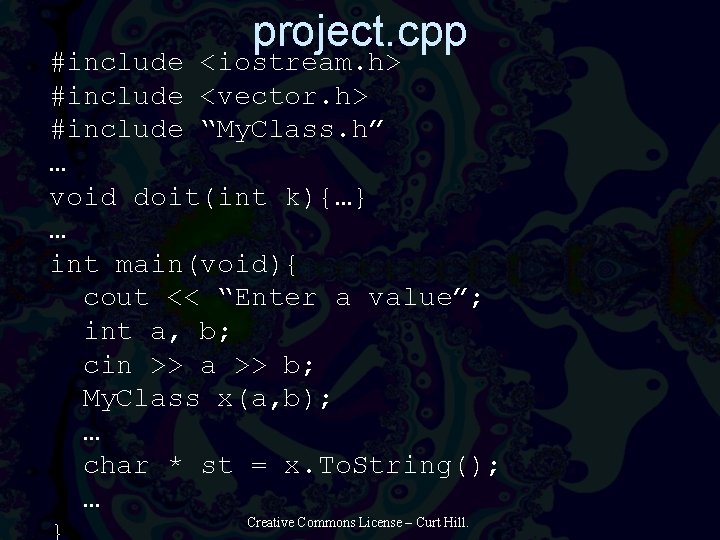
project. cpp #include <iostream. h> #include <vector. h> #include “My. Class. h” … void doit(int k){…} … int main(void){ cout << “Enter a value”; int a, b; cin >> a >> b; My. Class x(a, b); … char * st = x. To. String(); … Creative Commons License – Curt Hill.
Source and Object • Inside that code were several types of routines • The main function was a function that must be externally declared • The doit function was only needing to be internally declared • The cin, cout and vector types are well known externals • My. Class was external, but only used here Creative Commons License – Curt Hill.
Object file • When the C++ compiler executes it compiles project. cpp and produces an object file –. OBJ on windows and. o on UNIX • This object file is mostly machine language • It also contains a relocation dictionary and an external symbol dictionary Creative Commons License – Curt Hill.
External Symbol Dictionary • The external symbol dictionary is a list of all external symbols • In this code the following external symbols were seen: – main – which is needed as the entry point of the program – The name of the cin >> function – The name of the cout << function – The My. Class To. String function • The doit function may not be externally referenced, so is not present Creative Commons License – Curt Hill.
Calls • The compiler places the doit and main functions into the object • Thus the call to doit may be fully formed • The call to My. Class. To. String cannot be properly generated • Where is that code in relation to the others? – That is for the linker to decide – With the help of the relocation dictionary Creative Commons License – Curt Hill.
Relocation Dictionary • For each call to an external routine there is an address that cannot be determined • The relocation dictionary records all of these for later processing • It also records where main is – The main function does not have to be first • Any function labeled with extern is listed or in an include is here Creative Commons License – Curt Hill.
Relocation Dictionary • Some addresses, such as the address of doit are relative to the beginning of the module – Beginning of the module is usually assumed to be zero • If this is loaded anywhere in memory that address needs to adjusted to the correct beginning point in memory • This is also a relocation dictionary item Creative Commons License – Curt Hill.
Linker • Takes the object files and creates an executable • Reads in the object from project. cpp and My. Class. cpp and arranges them in a file • Finds from a library all of the routines that it needs for this program and places them in the file – The cin >> function, cout << and any vector methods Creative Commons License – Curt Hill.
Linker Again • Beside placing the object files into a new executable the linker has to process the two dictionaries • Each address of an external needs to be filled in • The executable must also have a smaller relocation dictionary – Must also be in suitable format for the loader Creative Commons License – Curt Hill.
Loader • Usually invisible to most of us – Part of the OS • Takes an executable: – Relocates it, if needed – Allocates memory for it – Creates a process to start it – Starts it – Cleans up when complete Creative Commons License – Curt Hill.
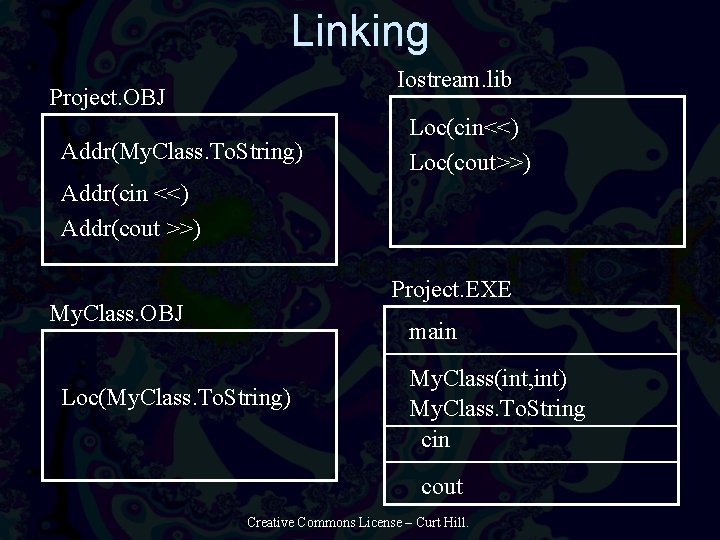
Linking Iostream. lib Project. OBJ Addr(My. Class. To. String) Loc(cin<<) Loc(cout>>) Addr(cin <<) Addr(cout >>) Project. EXE My. Class. OBJ main Loc(My. Class. To. String) My. Class(int, int) My. Class. To. String cin cout Creative Commons License – Curt Hill.
Names • In the normal compilation scheme where a name becomes an address needs to be noted – This is static linking • The compiler converts all internal names to addresses – Variables, constants, internal functions • The linker converts all external names to addresses • The executable has no names at all – Almost Creative Commons License – Curt Hill.
Static and Dynamic • In static linking the executable ends up with all the code it needs • Windows also has dynamic link libraries (DLLs) • A DLL may be shared by multiple processes at the same time – To each it appears to be part of the address space • This saves memory for very commonly used subroutines Creative Commons License – Curt Hill.
DLLs • Called in a completely different way • Specify the file name and a function name • First call loads the DLL into memory • When done it is released • Does not leave memory until there are no processes using it • UNIX and most other systems have a similar feature for frequently used routines Creative Commons License – Curt Hill.
Java • Not quite either the compilation system described nor an interpreter • The output of the compiler is a. class file • This is machine language for the Java Virtual Machine (JVM) • The JVM is defined so that the overhead of interpretation is very low • Calls are little different as well Creative Commons License – Curt Hill.
Java Function Calls • Every function call is dynamic rather than static • Each function call in the JVM has the actual method name – Quite unlike machine language of any other machine • When called the JVM checks whether it is present in memory and then executes it – If not it loads it then executes it Creative Commons License – Curt Hill.
Differences • No need for a link step in Java – Functions are always called dynamically • This makes some link errors into runtime errors • It also allows a long running program to get a refreshed method without stopping the program • The. NET system operates similar to the Java system Creative Commons License – Curt Hill.
Some History • The first compiler is FORTRAN – 19571959 – It followed the pattern of assemblers • The first interpreter is LISP – 1959 – It only does dynamic calls • In late 1960 s SNOBOL 4 interpreter was written in a macro language – To implement, just code the macros for your machine – This led to similar approaches Creative Commons License – Curt Hill.
More History • In the 1970 s Pascal gained popularity without corporate support • If you wanted to implement you received: – The compiler source – It compiled into P-Code – A compiler or interpreter for Pcode was then devised – You had a working system • JVM is an extension of this approach Creative Commons License – Curt Hill.
Finally • There have been many variations on themes given here • Any interactive program can be considered an interpreter of sorts • In most compiled languages we mostly use static linking because of its speed • The need for speed has greatly reduced – One of the reasons for scripting languages popularity as well as Java Creative Commons License – Curt Hill.
- Slides: 42