
Accessing My SQL Using PDO Application Structure End
![<? php require_once “pdocon. php"; if ( !empty($_POST['name']) && !empty($_POST['email']) && !empty($_POST['pass'])) { $sql](https://slidetodoc.com/presentation_image_h/00b889f6a9c5ee36f57662933d546fa3/image-20.jpg "<? php require_once “pdocon. php\"; if ( !empty($_POST['name']) && !empty($_POST['email']) && !empty($_POST['pass'])) { $sql")
![<? php require_once "conn. php"; if ( !empty($_POST['name']) && !empty($_POST['email']) && !empty($_POST['pass'])) { $pdo->set.](https://slidetodoc.com/presentation_image_h/00b889f6a9c5ee36f57662933d546fa3/image-21.jpg "<? php require_once \"conn. php\"; if ( !empty($_POST['name']) && !empty($_POST['email']) && !empty($_POST['pass'])) { $pdo->set.")
![user 2 del. php <? php require_once "pdocon. php"; if ( !empty($_POST['id']) ) {](https://slidetodoc.com/presentation_image_h/00b889f6a9c5ee36f57662933d546fa3/image-23.jpg "user 2 del. php <? php require_once \"pdocon. php\"; if ( !empty($_POST['id']) ) {")
![<? php require_once “pdocon. php"; if ( !empty($_POST['id']) ) { $sql="DELETE FROM users WHERE](https://slidetodoc.com/presentation_image_h/00b889f6a9c5ee36f57662933d546fa3/image-24.jpg "<? php require_once “pdocon. php\"; if ( !empty($_POST['id']) ) { $sql=\"DELETE FROM users WHERE")
![<? php require_once "conn. php"; if ( !empty($_POST['id']) ) { $sql="UPDATE users SET name='ali'](https://slidetodoc.com/presentation_image_h/00b889f6a9c5ee36f57662933d546fa3/image-25.jpg "<? php require_once \"conn. php\"; if ( !empty($_POST['id']) ) { $sql=\"UPDATE users SET name='ali'")
![Use Prepared Statements Properly <? php if ( !empty($_POST['name']) && !empty($_POST['pass']) ) { require_once](https://slidetodoc.com/presentation_image_h/00b889f6a9c5ee36f57662933d546fa3/image-32.jpg "Use Prepared Statements Properly <? php if ( !empty($_POST['name']) && !empty($_POST['pass']) ) { require_once")
![index. php <? php require_once "conn. php"; if ( !empty($_POST['name']) && !empty($_POST['email']) && !empty($_POST['pass']))](https://slidetodoc.com/presentation_image_h/00b889f6a9c5ee36f57662933d546fa3/image-35.jpg "index. php <? php require_once \"conn. php\"; if ( !empty($_POST['name']) && !empty($_POST['email']) && !empty($_POST['pass']))")
![<? php require_once "conn. php"; if ( !empty($_GET['id']) ) { $sql="DELETE FROM users WHERE](https://slidetodoc.com/presentation_image_h/00b889f6a9c5ee36f57662933d546fa3/image-37.jpg "<? php require_once \"conn. php\"; if ( !empty($_GET['id']) ) { $sql=\"DELETE FROM users WHERE")
![<h 3> the user id that you wish to edit <? php echo $_GET['id'].](https://slidetodoc.com/presentation_image_h/00b889f6a9c5ee36f57662933d546fa3/image-38.jpg "<h 3> the user id that you wish to edit <? php echo $_GET['id'].")
![<? php require_once "conn. php"; if ( !empty($_POST['id 1']) ) { $sql="UPDATE users SET](https://slidetodoc.com/presentation_image_h/00b889f6a9c5ee36f57662933d546fa3/image-39.jpg "<? php require_once \"conn. php\"; if ( !empty($_POST['id 1']) ) { $sql=\"UPDATE users SET")
- Slides: 41
Accessing My. SQL Using PDO
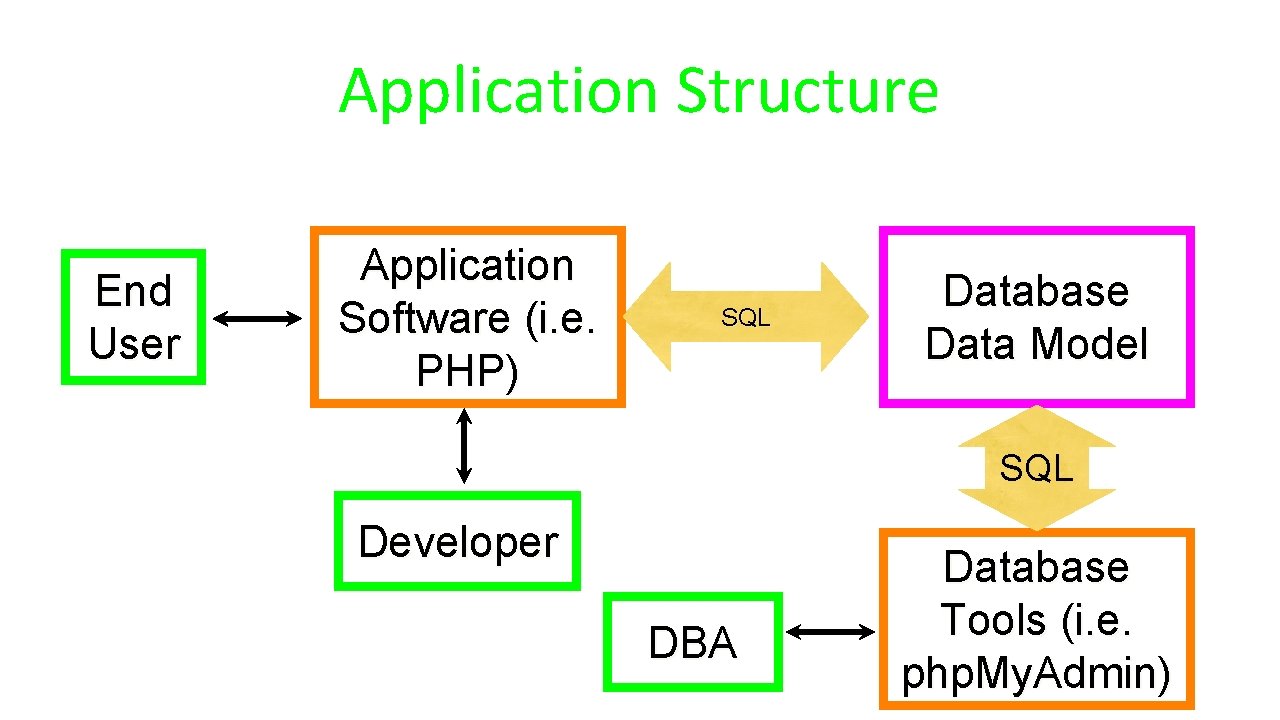
Application Structure End User Application Software (i. e. PHP) SQL Database Data Model SQL Developer DBA Database Tools (i. e. php. My. Admin)
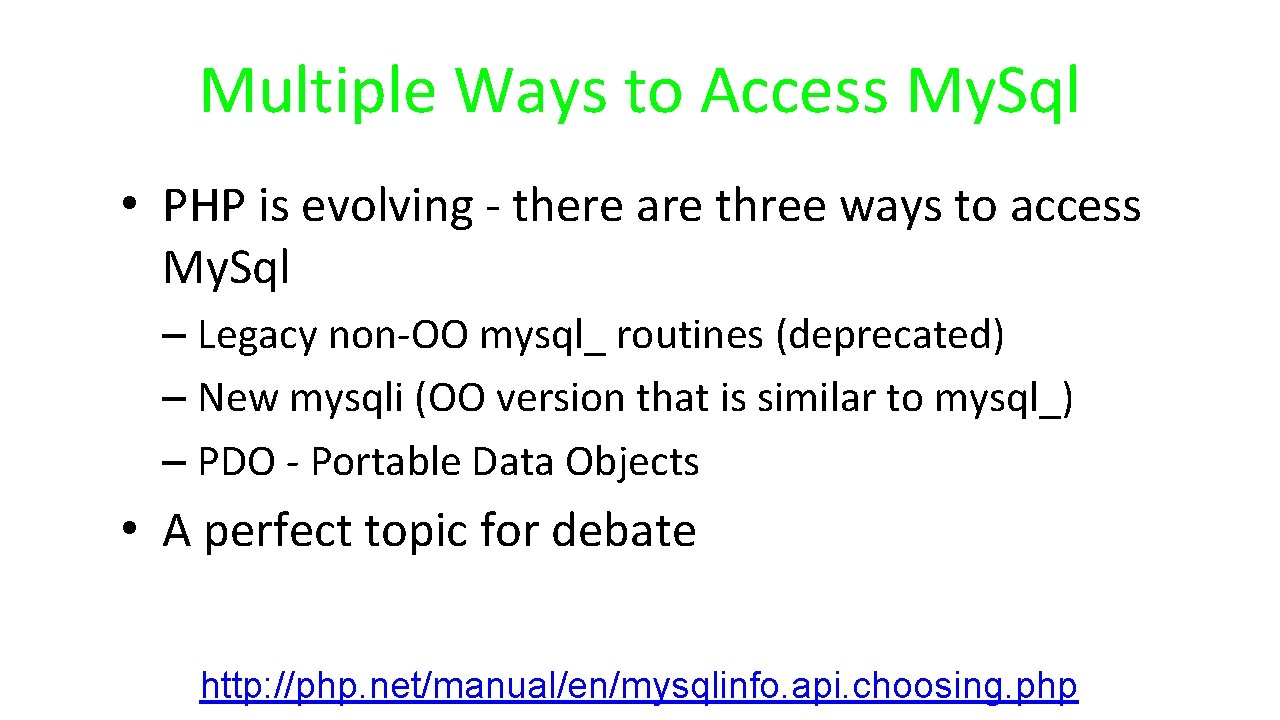
Multiple Ways to Access My. Sql • PHP is evolving - there are three ways to access My. Sql – Legacy non-OO mysql_ routines (deprecated) – New mysqli (OO version that is similar to mysql_) – PDO - Portable Data Objects • A perfect topic for debate http: //php. net/manual/en/mysqlinfo. api. choosing. php
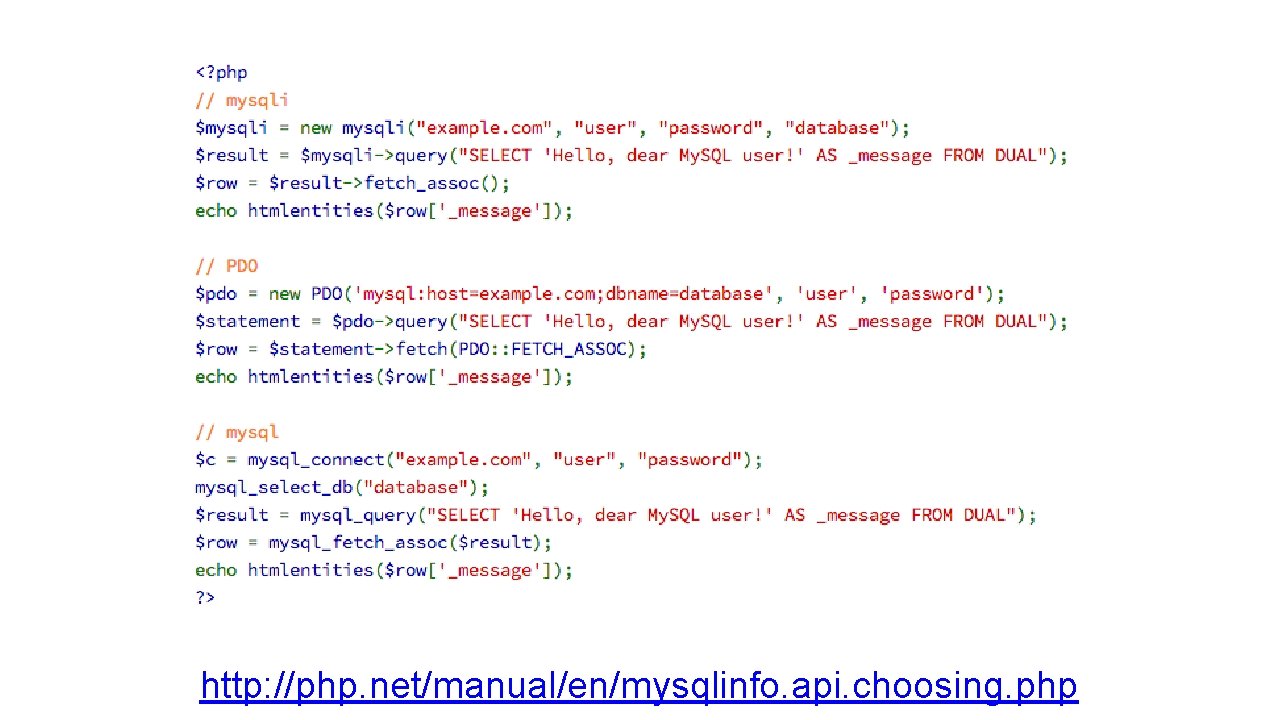
http: //php. net/manual/en/mysqlinfo. api. choosing. php
WHY PDO • Database support: more than 12 databases • Connection to database server easily • PDO has; binding parameters is considerably easier than using the numeric binding: • Secure against Sql injection
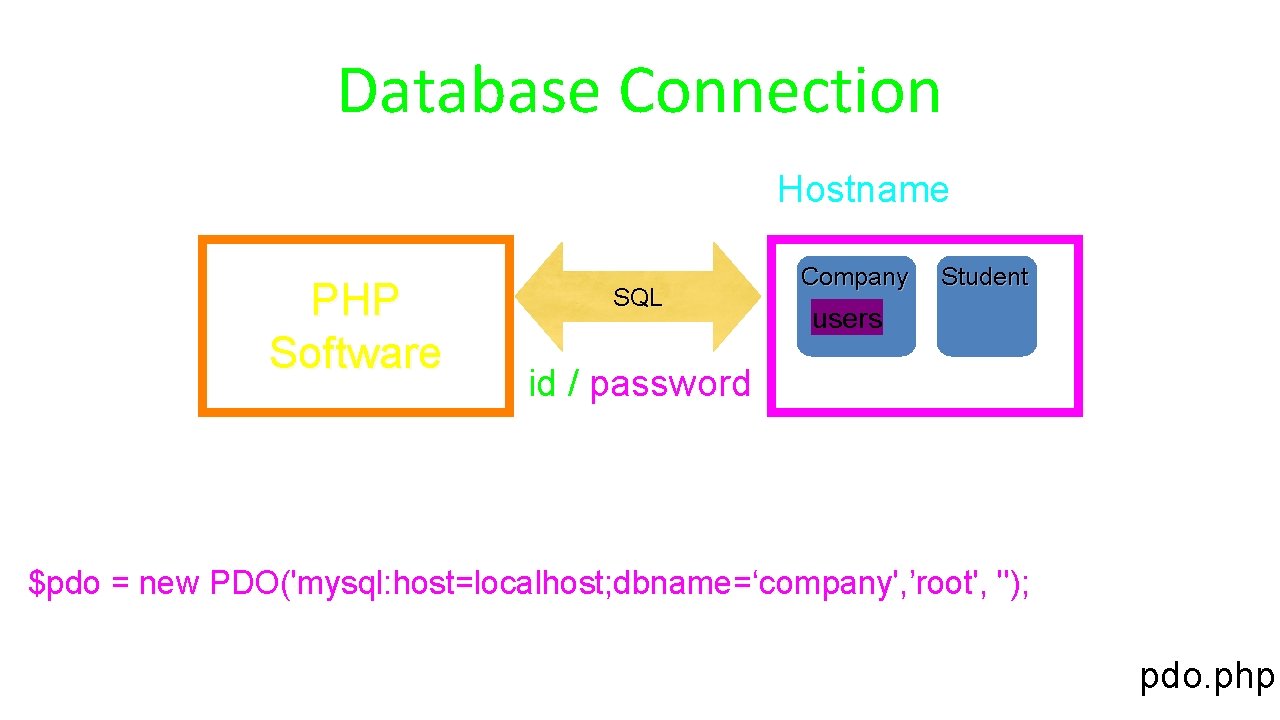
Database Connection Hostname PHP Software SQL Company Student users id / password $pdo = new PDO('mysql: host=localhost; dbname=‘company', ’root', ''); pdo. php
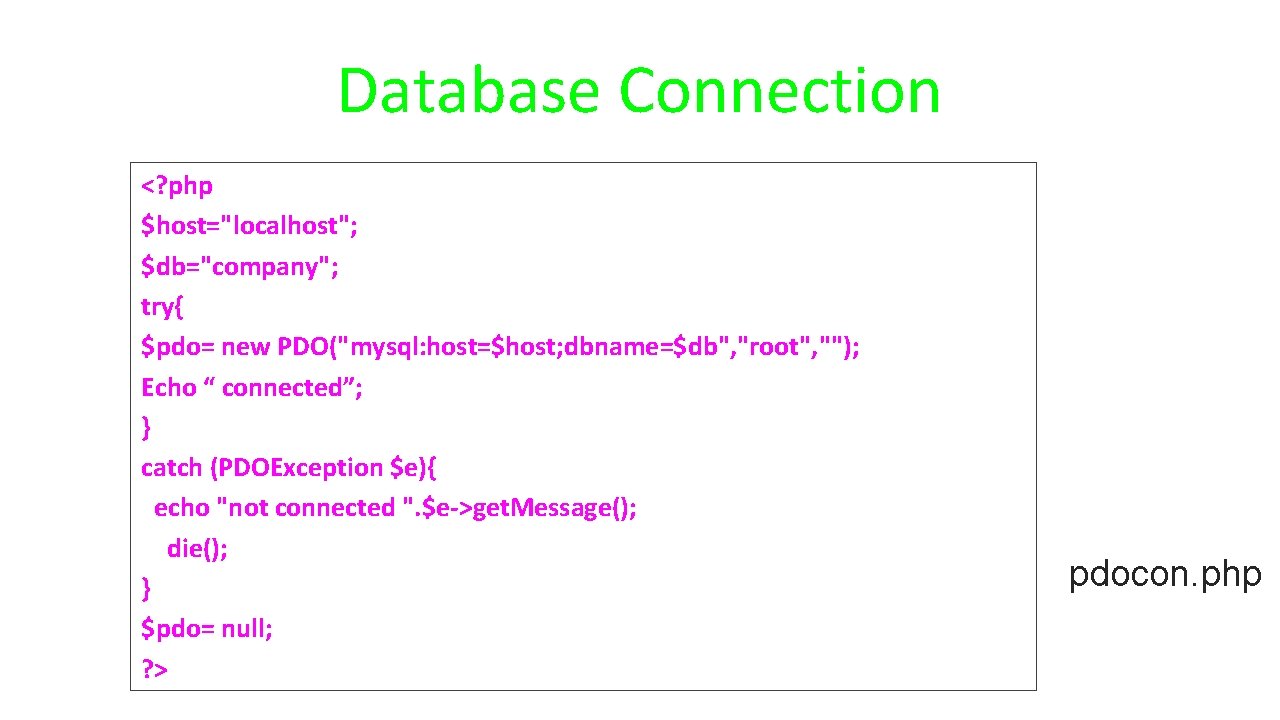
Database Connection <? php $host="localhost"; $db="company"; try{ $pdo= new PDO("mysql: host=$host; dbname=$db", "root", ""); Echo “ connected”; } catch (PDOException $e){ echo "not connected ". $e->get. Message(); die(); } $pdo= null; ? > pdocon. php
How it works. • To connect to My. SQL database server, you need to create a new connection object with the data source name, user name and password. The connection object is an instance of the PDO class. • If something went wrong while establishing a connection to the My. SQL server, an error message will display. The try catch block is used to catch any exceptions that occurs during creating the database connection.
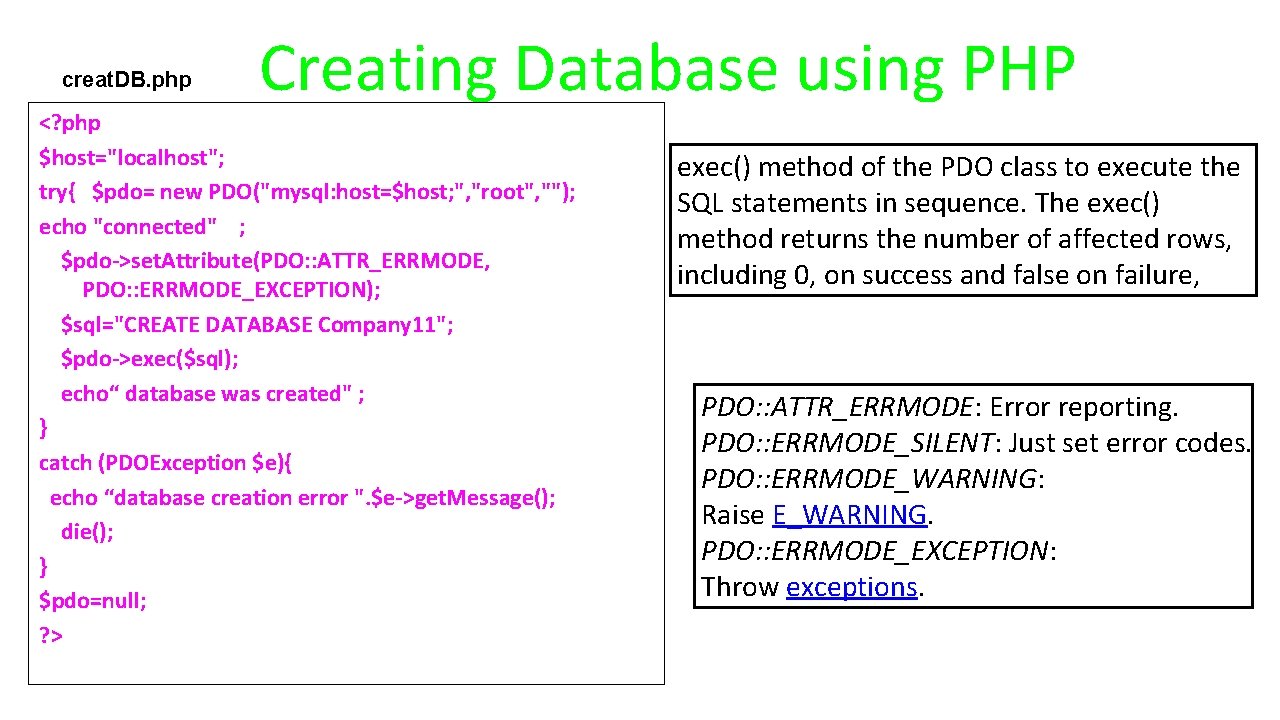
creat. DB. php Creating Database using PHP <? php $host="localhost"; try{ $pdo= new PDO("mysql: host=$host; ", "root", ""); echo "connected" ; $pdo->set. Attribute(PDO: : ATTR_ERRMODE, PDO: : ERRMODE_EXCEPTION); $sql="CREATE DATABASE Company 11"; $pdo->exec($sql); echo“ database was created" ; } catch (PDOException $e){ echo “database creation error ". $e->get. Message(); die(); } $pdo=null; ? > exec() method of the PDO class to execute the SQL statements in sequence. The exec() method returns the number of affected rows, including 0, on success and false on failure, PDO: : ATTR_ERRMODE: Error reporting. PDO: : ERRMODE_SILENT: Just set error codes. PDO: : ERRMODE_WARNING: Raise E_WARNING. PDO: : ERRMODE_EXCEPTION: Throw exceptions.
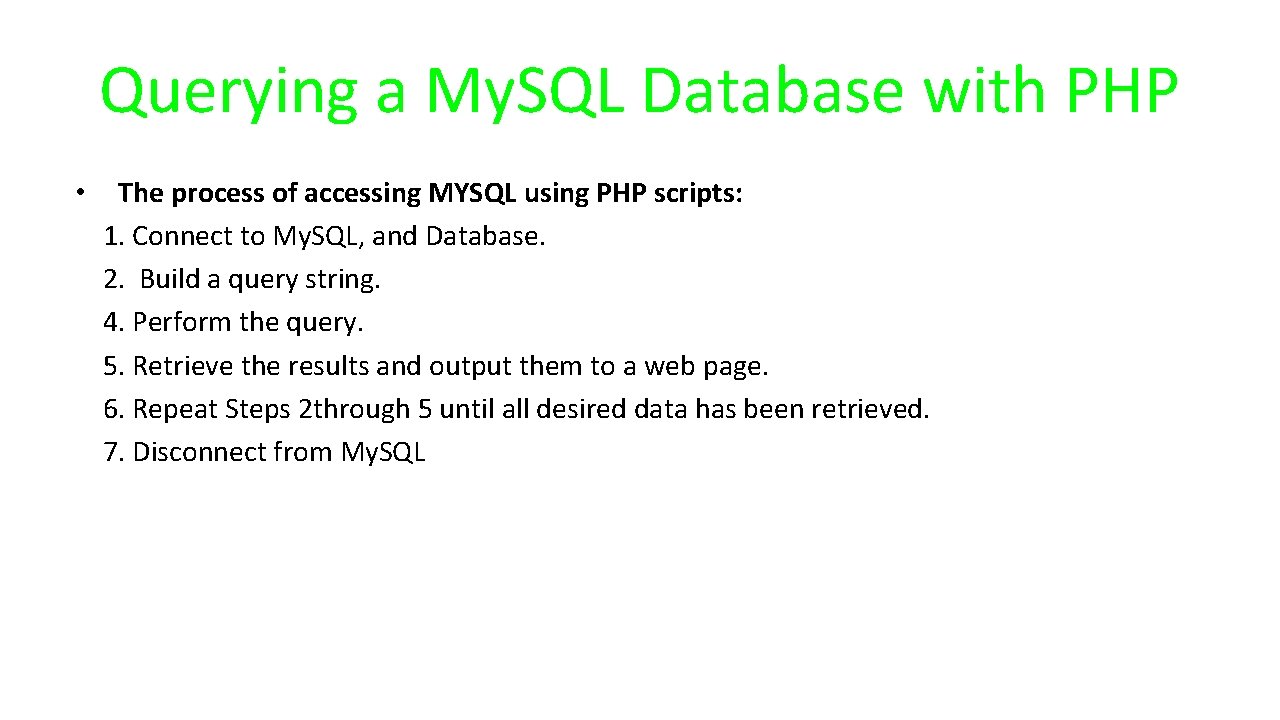
Querying a My. SQL Database with PHP • The process of accessing MYSQL using PHP scripts: 1. Connect to My. SQL, and Database. 2. Build a query string. 4. Perform the query. 5. Retrieve the results and output them to a web page. 6. Repeat Steps 2 through 5 until all desired data has been retrieved. 7. Disconnect from My. SQL
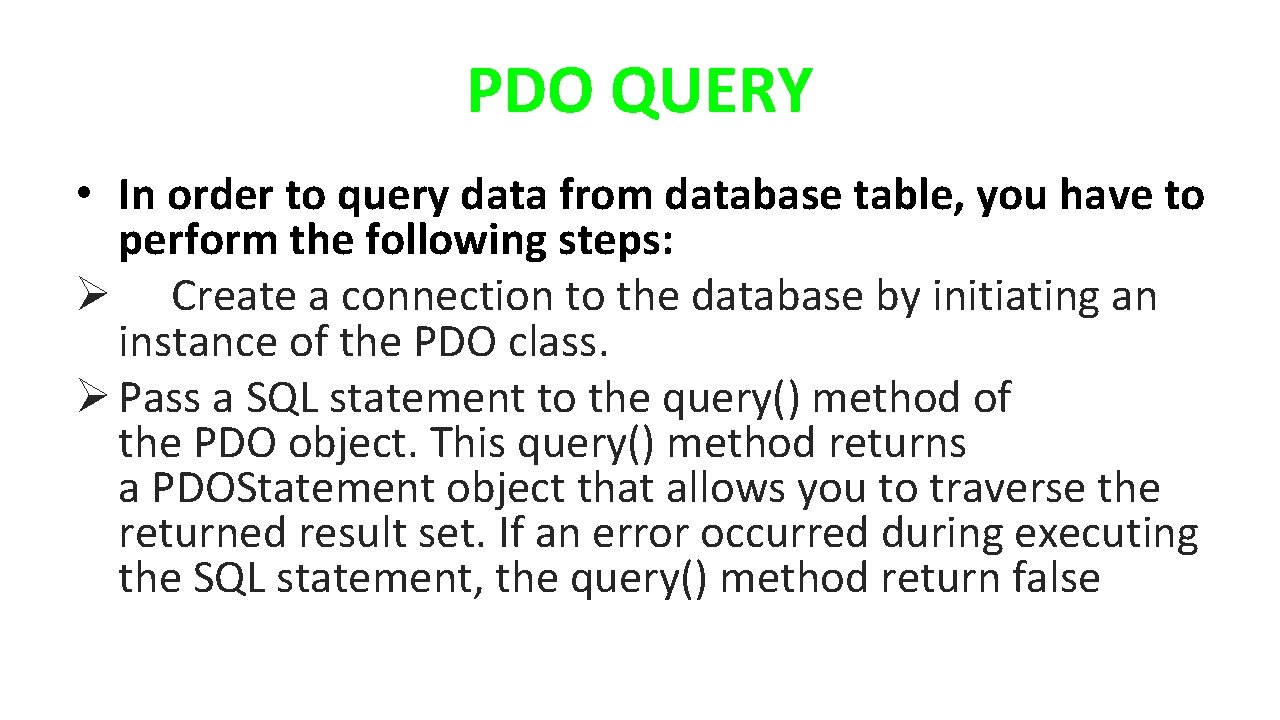
PDO QUERY • In order to query data from database table, you have to perform the following steps: Ø Create a connection to the database by initiating an instance of the PDO class. Ø Pass a SQL statement to the query() method of the PDO object. This query() method returns a PDOStatement object that allows you to traverse the returned result set. If an error occurred during executing the SQL statement, the query() method return false
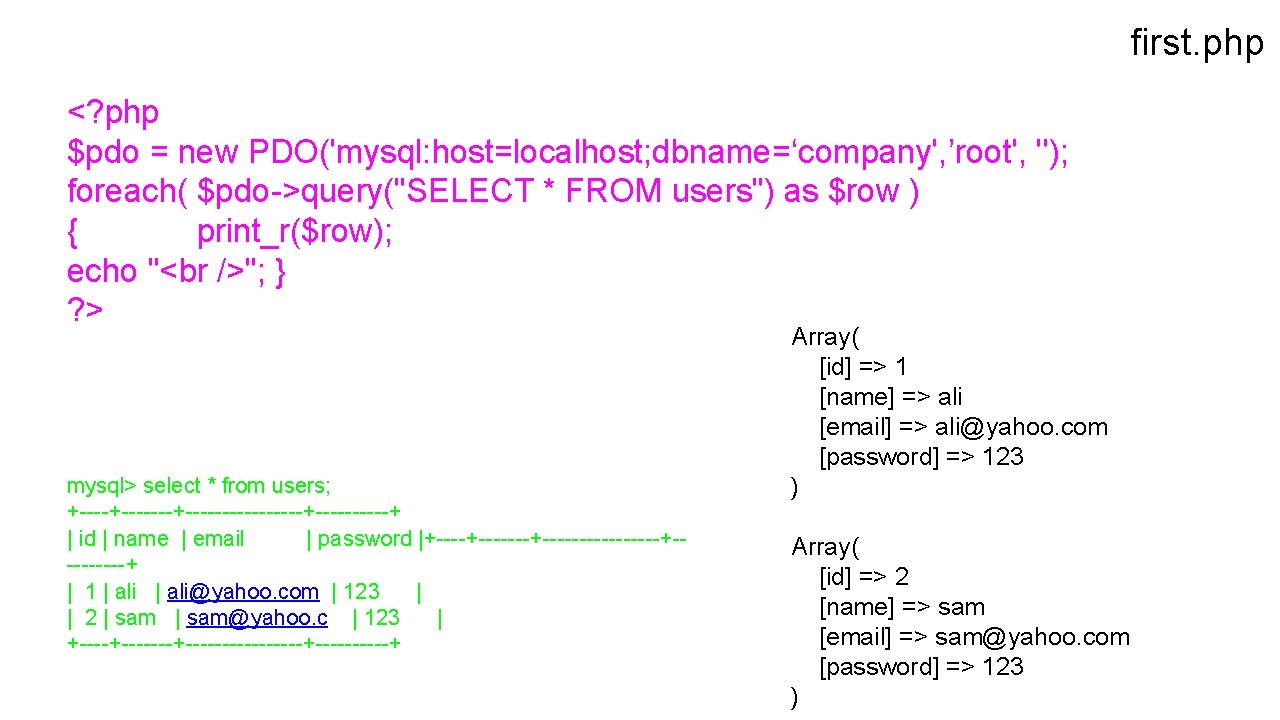
first. php <? php $pdo = new PDO('mysql: host=localhost; dbname=‘company', ’root', ''); foreach( $pdo->query("SELECT * FROM users") as $row ) { print_r($row); echo "<br />"; } ? > mysql> select * from users; +-------+--------+-----+ | id | name | email | password |+-------+--------+-----+ | 1 | ali@yahoo. com | 123 | | 2 | sam@yahoo. c | 123 | +-------+--------+-----+ Array( [id] => 1 [name] => ali [email] => ali@yahoo. com [password] => 123 ) Array( [id] => 2 [name] => sam [email] => sam@yahoo. com [password] => 123 )
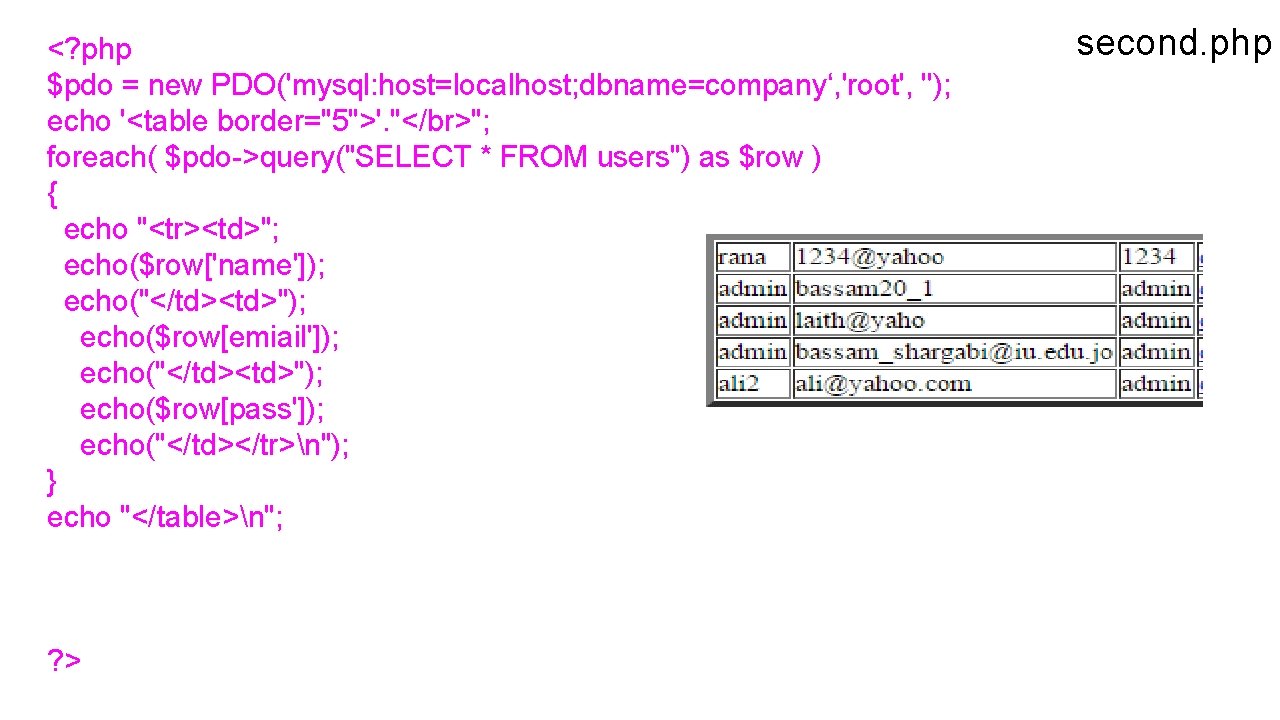
<? php $pdo = new PDO('mysql: host=localhost; dbname=company‘, 'root', ''); echo '<table border="5">'. "</br>"; foreach( $pdo->query("SELECT * FROM users") as $row ) { echo "<tr><td>"; echo($row['name']); echo("</td><td>"); echo($row[emiail']); echo("</td><td>"); echo($row[pass']); echo("</td></tr>n"); } echo "</table>n"; ? > second. php
Pattern • Put database connection information in a single file and include it in all your other files – Helps make sure to not to mistakenly reveal id / pw – Don't check it into a public source repository : )
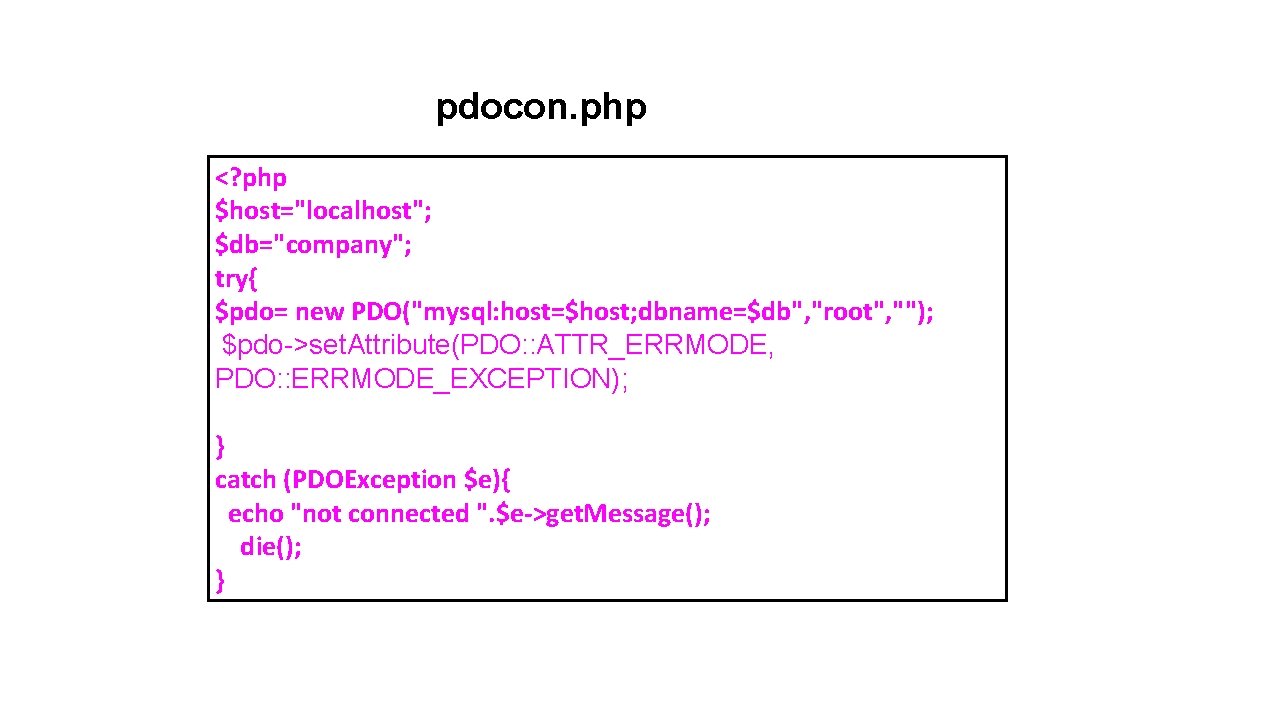
pdocon. php <? php $host="localhost"; $db="company"; try{ $pdo= new PDO("mysql: host=$host; dbname=$db", "root", ""); $pdo->set. Attribute(PDO: : ATTR_ERRMODE, PDO: : ERRMODE_EXCEPTION); } catch (PDOException $e){ echo "not connected ". $e->get. Message(); die(); }
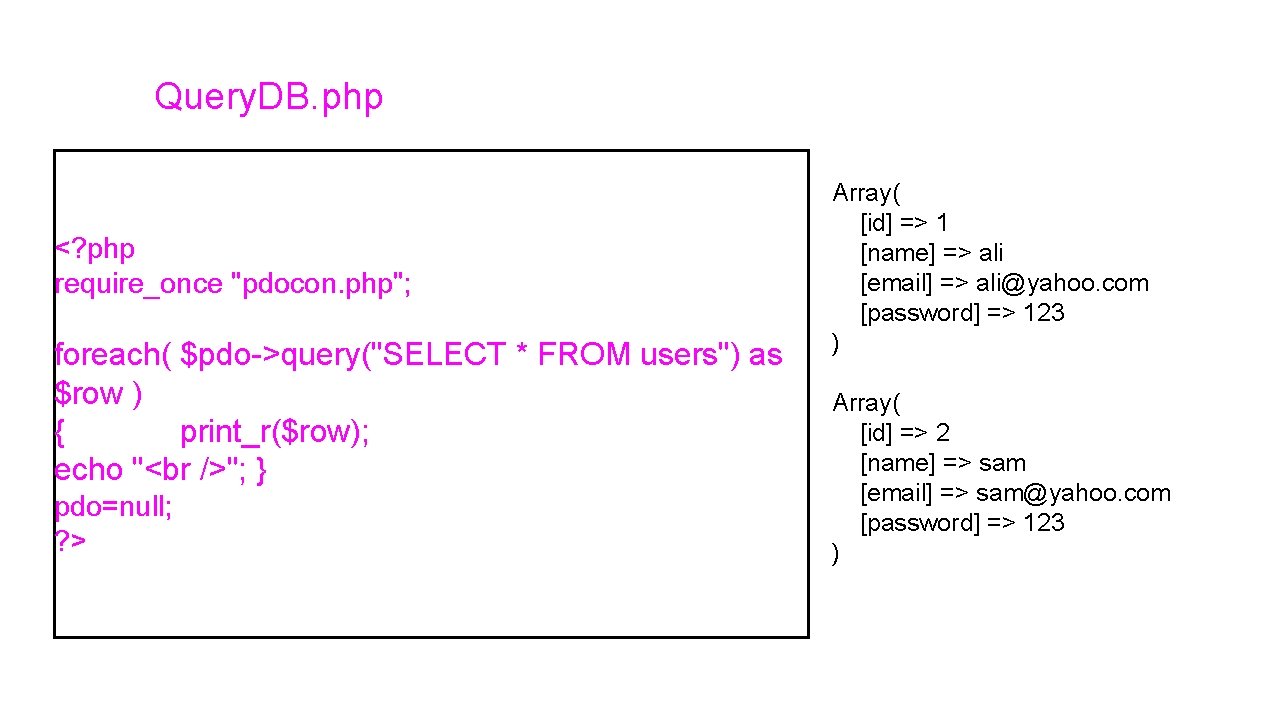
Query. DB. php <? php require_once "pdocon. php"; foreach( $pdo->query("SELECT * FROM users") as $row ) { print_r($row); echo "<br />"; } pdo=null; ? > Array( [id] => 1 [name] => ali [email] => ali@yahoo. com [password] => 123 ) Array( [id] => 2 [name] => sam [email] => sam@yahoo. com [password] => 123 )
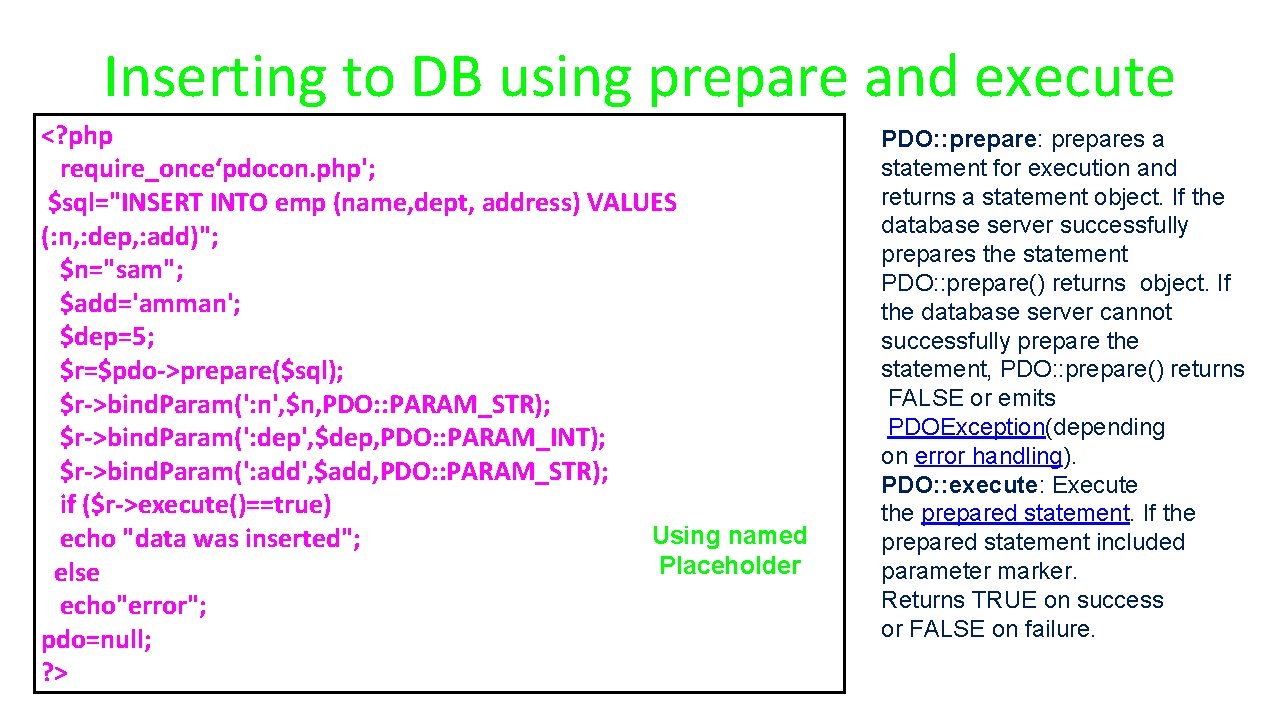
Inserting to DB using prepare and execute <? php require_once‘pdocon. php'; $sql="INSERT INTO emp (name, dept, address) VALUES (: n, : dep, : add)"; $n="sam"; $add='amman'; $dep=5; $r=$pdo->prepare($sql); $r->bind. Param(': n', $n, PDO: : PARAM_STR); $r->bind. Param(': dep', $dep, PDO: : PARAM_INT); $r->bind. Param(': add', $add, PDO: : PARAM_STR); if ($r->execute()==true) Using named echo "data was inserted"; Placeholder else echo"error"; pdo=null; ? > PDO: : prepares a statement for execution and returns a statement object. If the database server successfully prepares the statement PDO: : prepare() returns object. If the database server cannot successfully prepare the statement, PDO: : prepare() returns FALSE or emits PDOException(depending on error handling). PDO: : execute: Execute the prepared statement. If the prepared statement included parameter marker. Returns TRUE on success or FALSE on failure.
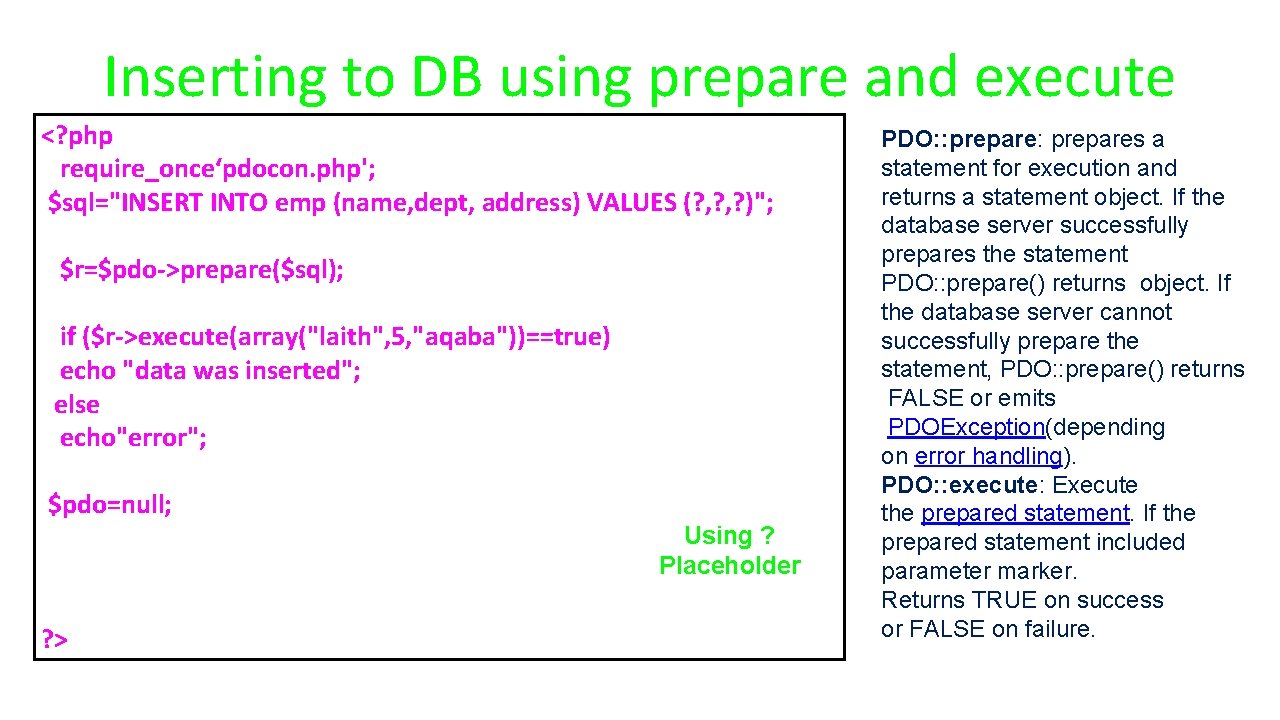
Inserting to DB using prepare and execute <? php require_once‘pdocon. php'; $sql="INSERT INTO emp (name, dept, address) VALUES (? , ? )"; $r=$pdo->prepare($sql); if ($r->execute(array("laith", 5, "aqaba"))==true) echo "data was inserted"; else echo"error"; $pdo=null; Using ? Placeholder ? > PDO: : prepares a statement for execution and returns a statement object. If the database server successfully prepares the statement PDO: : prepare() returns object. If the database server cannot successfully prepare the statement, PDO: : prepare() returns FALSE or emits PDOException(depending on error handling). PDO: : execute: Execute the prepared statement. If the prepared statement included parameter marker. Returns TRUE on success or FALSE on failure.
Lets put some data in a database!
<? php require_once “pdocon. php"; if ( !empty($_POST['name']) && !empty($_POST['email']) && !empty($_POST['pass'])) { $sql = "INSERT INTO users (name, pass, email) VALUES (: name, : pass, : email)"; echo("<br />". $sql. " <br />"); $stmt = $pdo->prepare($sql); if( $stmt->execute(array( ': name' => $_POST['name'], ': pass' => $_POST['pass'], ': email' => $_POST['email']))==true) echo "one user was added"; else "eror"; } ? ><html><head></head><body> <p>Add A New User</p> <form method="post"> <p>Name: <input type="text" name="name" size="40"></p> <p>Password: <input type="password" name="pass"></p> <p>Email: <input type="text" name="email"></p> <p><input type="submit" value="Add New"/></p> </form> </body></html> Insert. DBForm. php
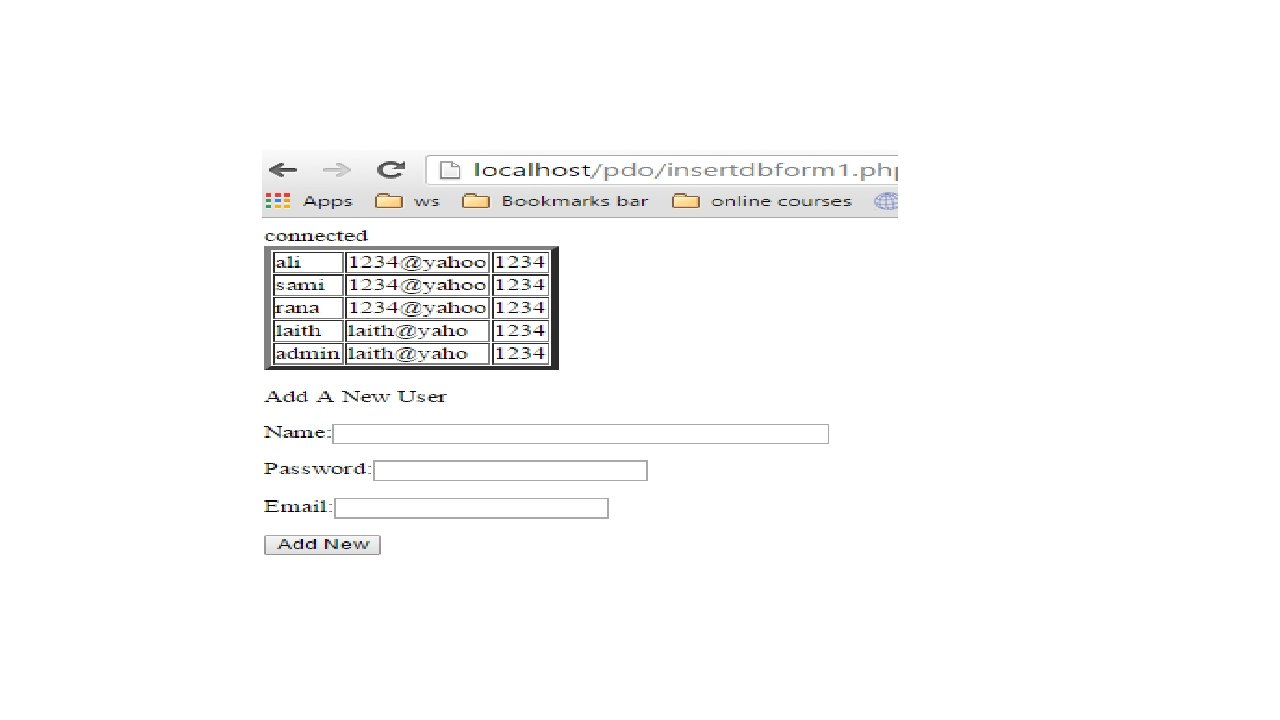
<? php require_once "conn. php"; if ( !empty($_POST['name']) && !empty($_POST['email']) && !empty($_POST['pass'])) { $pdo->set. Attribute(PDO: : ATTR_DEFAULT_FETCH_MODE, PDO: : FETCH_ASSOC); $sql = "INSERT INTO users (name, pass, email) VALUES (: name, : pass, : email)"; echo("<br />". $sql. " <br />"); $stmt = $pdo->prepare($sql); if( $stmt->execute(array( ': name' => $_POST['name'], ': pass' => $_POST['pass'], ': email' => $_POST['email']))==true) echo "one user was added"; else "eror"; } ? ><html><head></head><body> <table border="5"> <? php $stmt = $pdo->prepare("SELECT name, email, pass FROM users"); if ($stmt->execute()==true) { while ( $row = $stmt->fetch(PDO: : FETCH_ASSOC) ) { echo "<tr><td>"; echo($row['name']); echo("</td><td>"); echo($row['email']); insertdbform 1. php echo("</td><td>"); echo($row['pass']); echo("</td></tr>"); } } else echo "error"; ? > </table> <p>Add A New User</p> <form method="post"> <p>Name: <input type="text" name="name" size="40"></p> <p>Password: <input type="password" name="pass"></p> <p>Email: <input type="text" name="email"></p> <p><input type="submit" value="Add New"/></p> </form> </body> </html>
user 2 del. php <? php require_once "pdocon. php"; if ( !empty($_POST['id']) ) { $sql="DELETE FROM users WHERE id = : n"; echo "$sql“. ”</br>”; $stmt = $pdo->prepare($sql); $stmt->execute(array(': n'=>$_POST['id'])) echo “one user deleted”; } ? > <p>Delete A User</p> <form method="post"><p>ID to Delete: <input type="text" name="id"></p> <p><input type="submit" value="Delete"/></p> </form> What if the id inserted is not exited?
<? php require_once “pdocon. php"; if ( !empty($_POST['id']) ) { $sql="DELETE FROM users WHERE id = : n"; echo "<pre>n$sqln</pre>n"; $stmt = $pdo->prepare($sql); $stmt->execute(array(': n'=>$_POST['id'])); if ($stmt->row. Count()>=1) echo "one user deleted"; else echo “user is not found"; } ? > <p>Delete A User</p> <form method="post"><p>ID to Delete: <input type="text" name="id"></p> <p><input type="submit" value="Delete"/></p> </form>
<? php require_once "conn. php"; if ( !empty($_POST['id']) ) { $sql="UPDATE users SET name='ali' WHERE id = : n"; echo "<pre>n$sqln</pre>n"; $stmt = $pdo->prepare($sql); $stmt->execute(array(': n'=>$_POST['id'])); if ($stmt->row. Count()>=1) echo "one row was updated"; else echo "nothing was returned"; }? > <p>Update A User</p> <form method="post"><p>ID to update: <input type="text" name="id"></p> <p><input type="submit" value=“Update"/></p> </form> Update User
SQL Injection SQL injection or SQLi is a code injection technique that exploits a security vulnerability in some computer software. An injection occurs at the database level of an application (like queries). The vulnerability is present when user input is either incorrectly filtered for string literal escape characters embedded in SQL statements or user input is not strongly typed and unexpectedly executed. Using well designed query language interpreters can prevent SQL injections. http: //en. wikipedia. org/wiki/SQL_injection
The Problem – What is SQL Injection • SQL Injection is quite simply, when the user injects SQL into your application. How does this happen? Say we have a nice simple login form that takes a username and password, and checks if that’s in the database. If it is, the user is logged into an admin section or something. The code for this could look something like this
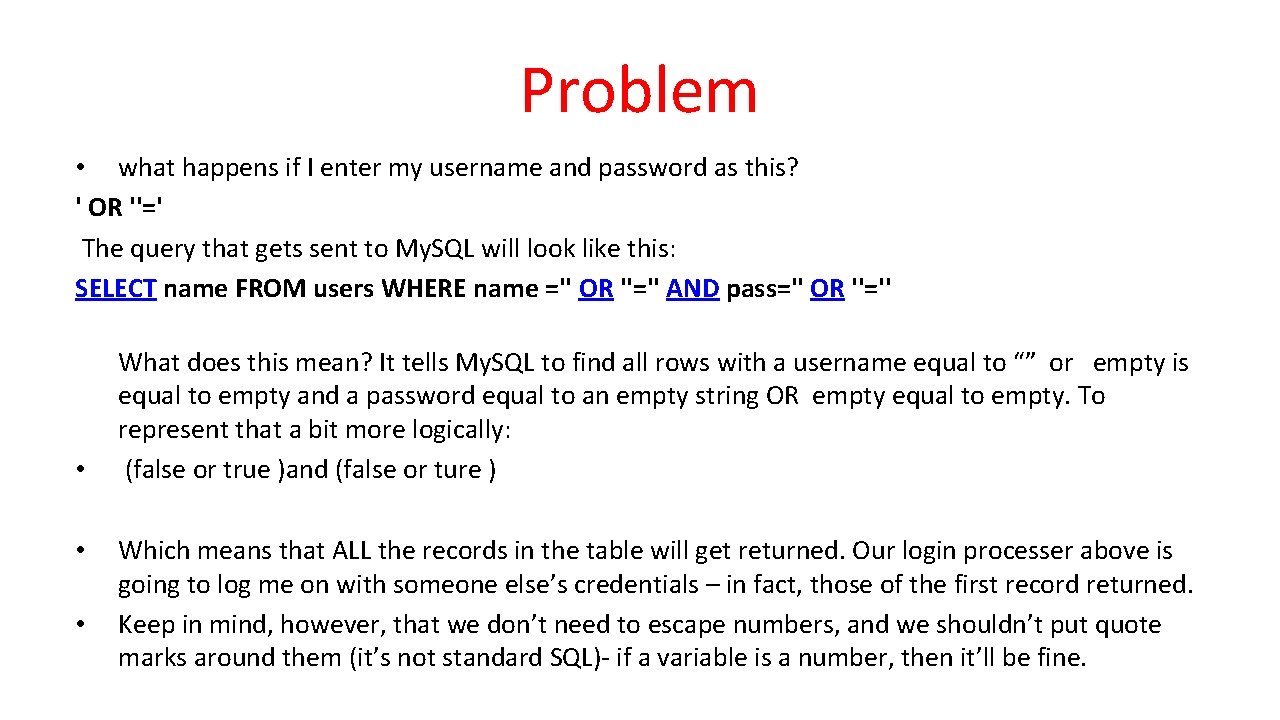
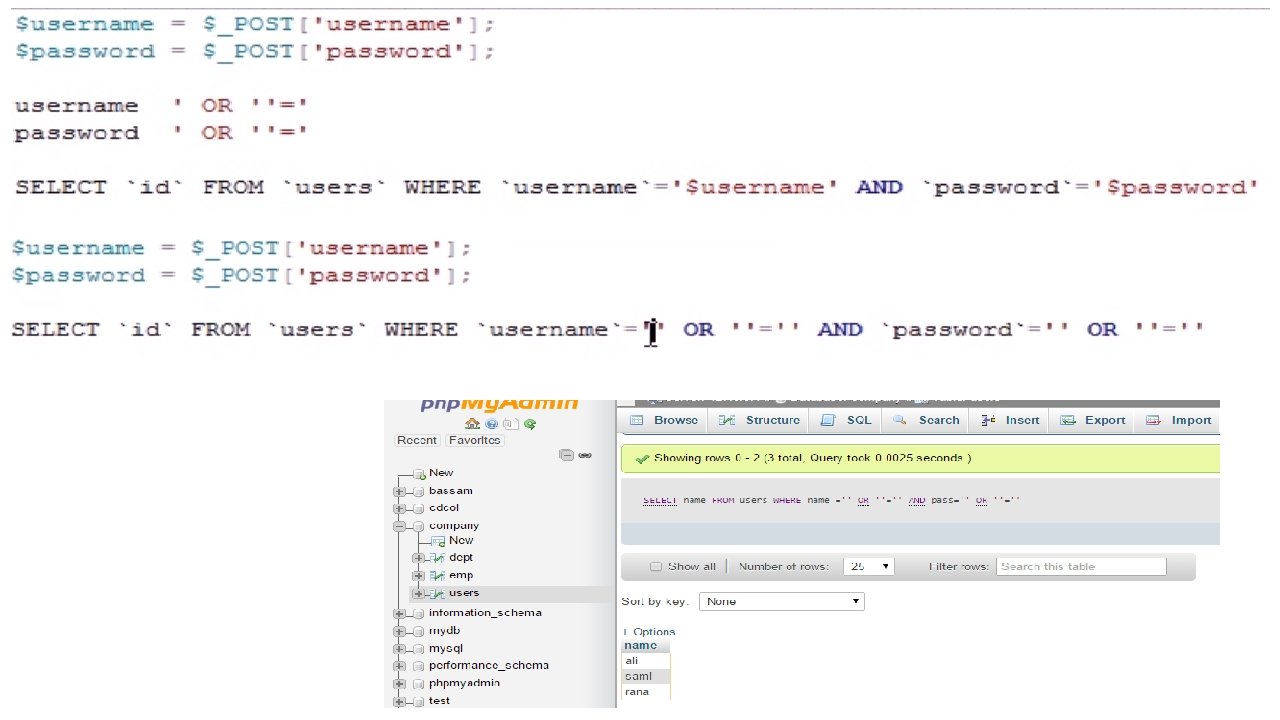
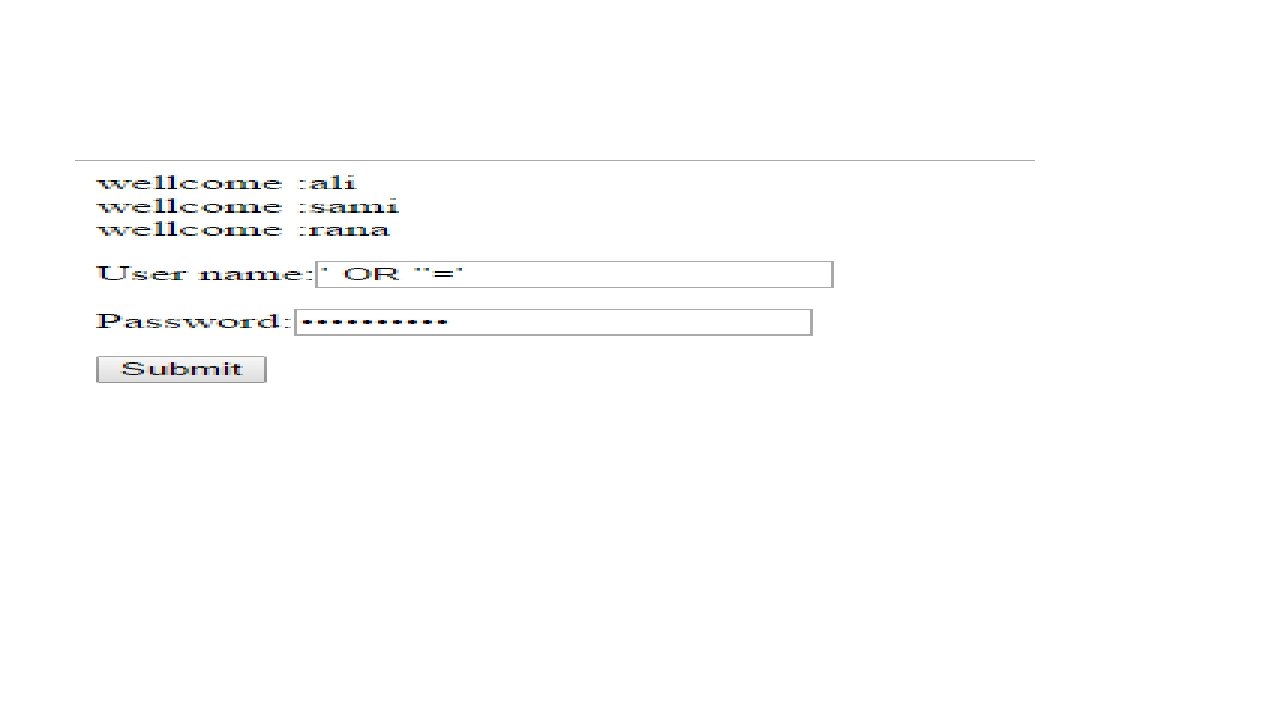
Problem • what happens if I enter my username and password as this? ' OR ''=' The query that gets sent to My. SQL will look like this: SELECT name FROM users WHERE name ='' OR ''='' AND pass='' OR ''='' • • • What does this mean? It tells My. SQL to find all rows with a username equal to “” or empty is equal to empty and a password equal to an empty string OR empty equal to empty. To represent that a bit more logically: (false or true )and (false or ture ) Which means that ALL the records in the table will get returned. Our login processer above is going to log me on with someone else’s credentials – in fact, those of the first record returned. Keep in mind, however, that we don’t need to escape numbers, and we shouldn’t put quote marks around them (it’s not standard SQL)- if a variable is a number, then it’ll be fine.
The above statement will return all ids of users from databases
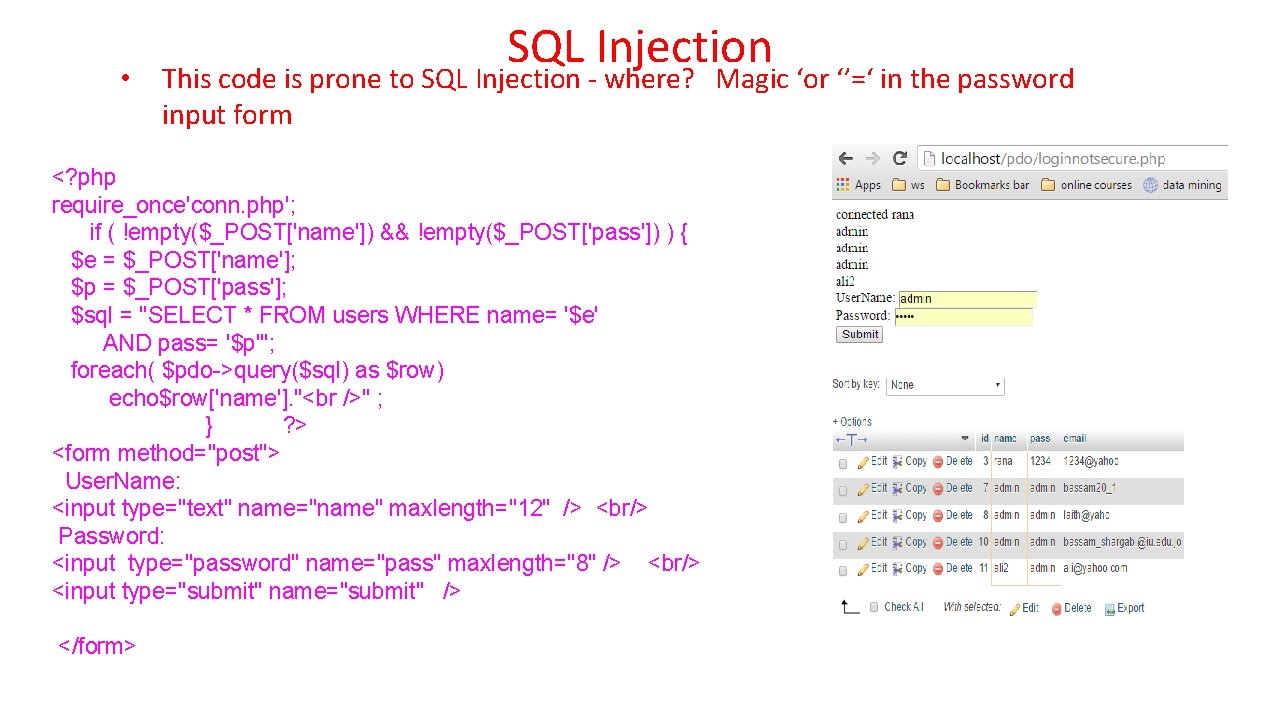
• SQL Injection This code is prone to SQL Injection - where? Magic ‘or ‘’=‘ in the password input form <? php require_once'conn. php'; if ( !empty($_POST['name']) && !empty($_POST['pass']) ) { $e = $_POST['name']; $p = $_POST['pass']; $sql = "SELECT * FROM users WHERE name= '$e' AND pass= '$p'"; foreach( $pdo->query($sql) as $row) echo$row['name']. "<br />" ; } ? > <form method="post"> User. Name: <input type="text" name="name" maxlength="12" /> <br/> Password: <input type="password" name="pass" maxlength="8" /> <br/> <input type="submit" name="submit" /> </form> Note: For PHP < 5. 4 – this might not fail, actually – look up "stripslashes"
Use Prepared Statements Properly <? php if ( !empty($_POST['name']) && !empty($_POST['pass']) ) { require_once 'conn. php'; $stmt = $pdo->prepare("SELECT * FROM users WHERE name=: n AND pass=: p "); $stmt->execute(array('n'=>$_POST['name'], 'p'=>$_POST['pass'])) ; echo $stmt->row. Count(); if ($stmt->row. Count()==1) header("location: Update. Db. Form. php"); else echo "user name or password invlaid"; } ? > <form method="post"> User. Name: <input type="text" name="name" maxlength="12" /> <br/> Password: <input type="password" name="pass" maxlength="8" /> <br/> <input type="submit" name="submit" /> </form> login 2. php When the statement is executed, the placeholders get replaced with the actual strings and everything is automatically escaped!
CRUD Pattern • When we store things in database tables we generally need – Create - Insert a new row – Read - Read existing row(s) – Update - Change some values of a record – Delete - Delete a record • So far we have done 3/4 of CRUD
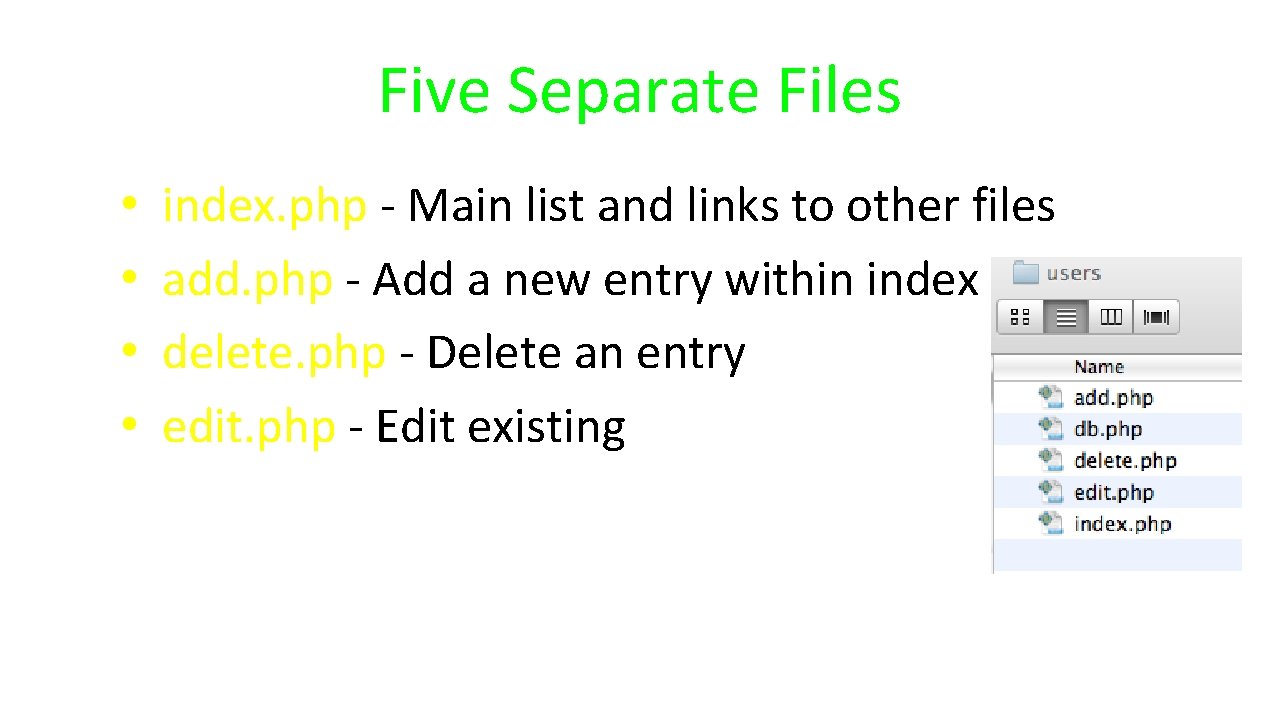
Five Separate Files • • index. php - Main list and links to other files add. php - Add a new entry within index delete. php - Delete an entry edit. php - Edit existing
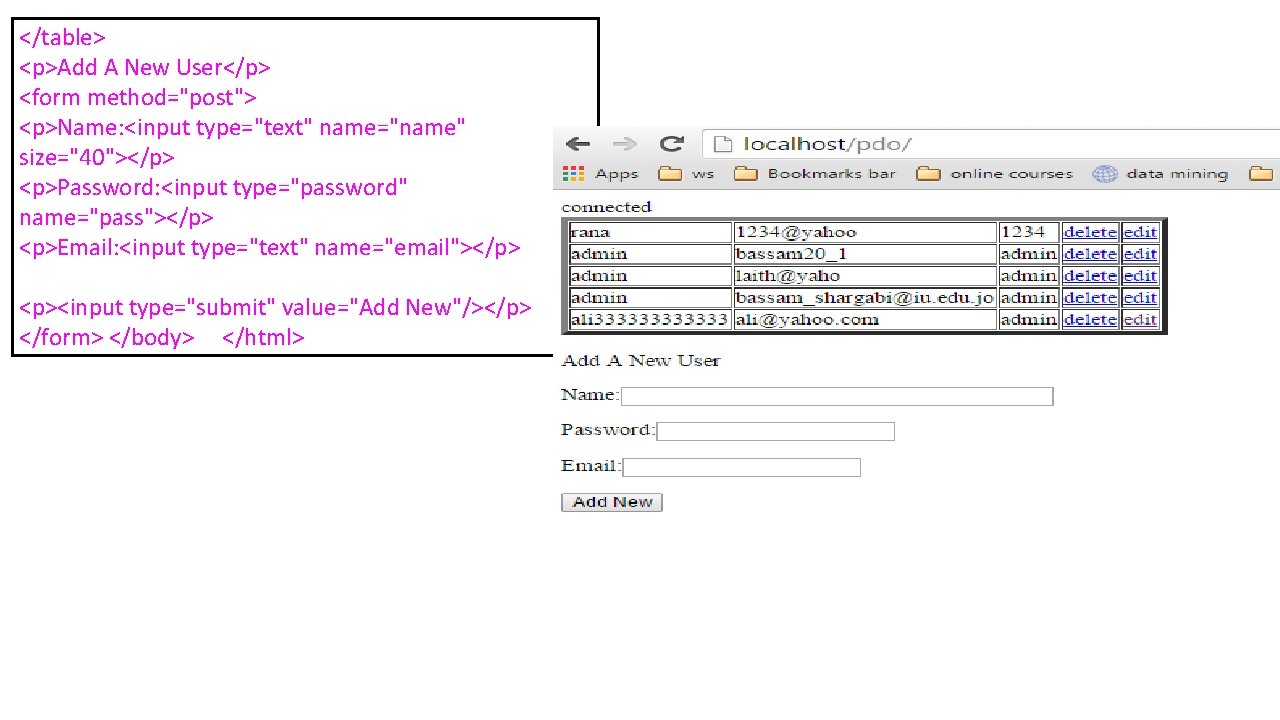
index. php <? php require_once "conn. php"; if ( !empty($_POST['name']) && !empty($_POST['email']) && !empty($_POST['pass'])) { $pdo>set. Attribute(PDO: : ATTR_DEFAULT_FETCH_MODE, PDO: : FETCH_ASSOC); $sql = "INSERT INTO users (name, pass, email) VALUES (: name, : pass, : email)"; echo("<br />". $sql. " <br />"); $stmt = $pdo->prepare($sql); if( $stmt->execute(array( ': name' => $_POST['name'], ': pass' => $_POST['pass'], ': email' => $_POST['email']))==true) echo "one user was added"; else "eror"; } ? ><html><head></head><body> <table border="5"> <? php $stmt = $pdo->prepare("SELECT id, name, email, pass FROM users"); if ($stmt->execute()==true) { while ( $row = $stmt->fetch(PDO: : FETCH_ASSOC) ) { echo "<tr><td>"; echo($row['name']); echo("</td><td>"); echo($row['email']); echo("</td><td>"); echo($row['pass']); echo("</td><td>"); echo '<a href="deleteindex. php? id='. $row['id']. '">delete</a>'; echo("</td><td>"); echo '<a href="editindex. php? id='. $row['id']. '">edit</a>'; echo("</td></tr>"); } } else echo "error"; ? >
</table> <p>Add A New User</p> <form method="post"> <p>Name: <input type="text" name="name" size="40"></p> <p>Password: <input type="password" name="pass"></p> <p>Email: <input type="text" name="email"></p> <p><input type="submit" value="Add New"/></p> </form> </body> </html>
<? php require_once "conn. php"; if ( !empty($_GET['id']) ) { $sql="DELETE FROM users WHERE id = : n"; echo "<pre>n$sqln</pre>n"; $stmt = $pdo->prepare($sql); $stmt->execute(array(': n'=>$_GET['id'])); if ($stmt->row. Count()>=1) { echo "one user deleted". "<br />"; echo '<a href="index. php">go back to index</a>'; } else { echo “id is invalid". "<br />"; echo '<a href="index. php">go back to index</a>'; } } ? > Delete. php
<h 3> the user id that you wish to edit <? php echo $_GET['id']. "<br />"; ? ></h 3> <form method="post" action="edit. Index. Divert. php"> <? php require_once "conn. php"; if ( !empty($_GET['id']) ) { $stmt = $pdo->prepare("SELECT id, name, email, pass FROM users WHERE id='$_GET[id]' "); if ($stmt->execute()==true) { while ( $row = $stmt->fetch(PDO: : FETCH_ASSOC) ) { ? ><p> <input type="text" value="<? php echo($row['id']); ? >" readonly name="id 1"/></p> <p><input type="text" value="<? php echo($row['name']); ? >" name="n"/></p> <p><input type="email" value="<? php echo($row['email']); ? >" name="e"/></p> <p><input type="password" value="<? php echo($row['pass']); ? >" name="p"/></p> <input type="submit" value="Update" /> <? php } } else echo "error"; }? > </form> editindex. php
<? php require_once "conn. php"; if ( !empty($_POST['id 1']) ) { $sql="UPDATE users SET name='$_POST[n]', email='$_POST[e]', pass='$_POST[p]' WHERE id = : n"; echo "<pre>n$sqln</pre>n"; $stmt 1 = $pdo->prepare($sql); $stmt 1 ->execute(array(': n'=>$_POST['id 1'])); if ($stmt 1 ->row. Count()==1) { echo "one row was updated"; echo '<a href="index. php">go back to index</a>'; } else { echo "id is invalid"; echo '<a href="index. php">go back to index</a>'; } } ? > edit. Index. Diverted. php
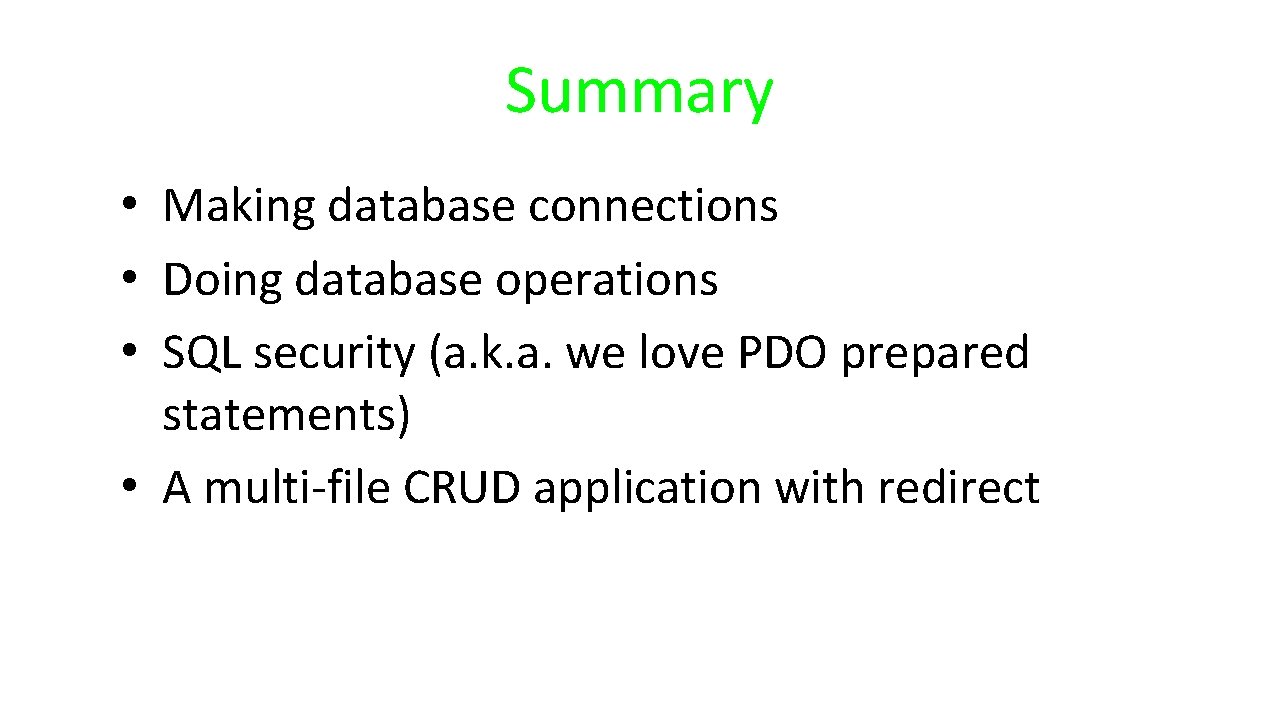
Summary • Making database connections • Doing database operations • SQL security (a. k. a. we love PDO prepared statements) • A multi-file CRUD application with redirect
Acknowledgements / Contributions These slides are Copyright 2010 - Charles R. Severance (www. dr-chuck. com) as part of www. php-intro. com and made available under a Creative Commons Attribution 4. 0 License. Please maintain this last slide in all copies of the document to comply with the attribution requirements of the license. If you make a change, feel free to add your name and organization to the list of contributors on this page as you republish the materials. Initial Development: Charles Severance, University of Michigan School of Information Insert new Contributors and Translators here including names and dates Continue new Contributors and Translators here