
Accessible Social Media Creating a DiscriminationFree Educational Environment
Accessible Social Media
Creating a Discrimination-Free Educational Environment Section 504 of the Rehabilitation Act of 1973 and Title II of the ADA protect individuals from discrimination based on a disability under any educational program or activity that receives funding or in any state government activity. These laws, as well as Section 508, apply to The Texas A&M University System because our programs and activities receive federal funding. From The Texas A&M University System course Creating a Discrimination-Free Workplace in Train. Traq.
Creating a Discrimination-Free Educational Environment The Texas Commission on Human Rights Act (1983) prohibits discrimination because of race, color, religion, sex, national origin, age, genetic information, and disability. This law, as well as (TAC) § 206 and (TAC) § 213, apply to The Texas A&M University System because our programs and activities receive state funding. From The Texas A&M University System course Creating a Discrimination-Free Workplace in Train. Traq.
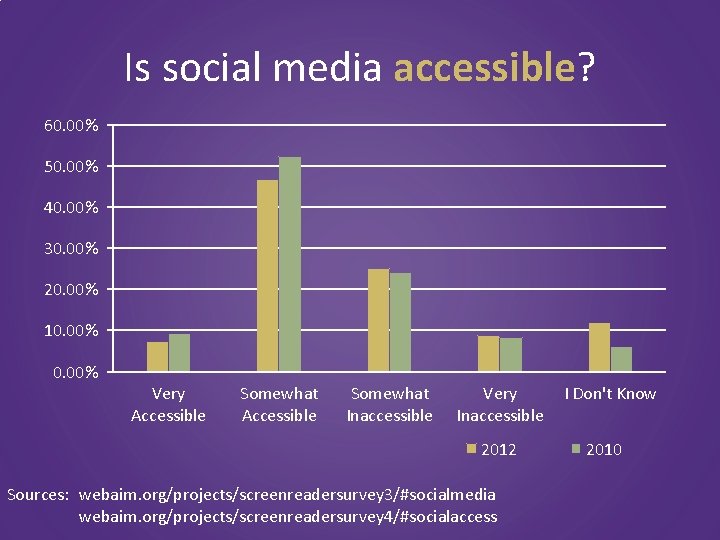
Is social media accessible? 60. 00% 50. 00% 40. 00% 30. 00% 20. 00% 10. 00% Very Accessible Somewhat Inaccessible Very Inaccessible 2012 Sources: webaim. org/projects/screenreadersurvey 3/#socialmedia webaim. org/projects/screenreadersurvey 4/#socialaccess I Don't Know 2010
Social Media Content You are responsible for content � Text � Links � � � Articles and Blogs Photos Audio Video Documents
Accessible Social Media Content: • Provide transcripts for all audio • Provide closed captioning for all videos • Link to accessible documents • Provide alternative text for all images • Provide meaningful text for all links
Transcription �audio
Creating a transcript (prerecorded) • Create a Word document (or an application that can check your spelling and grammar) • Define who is speaking if it changes during the recording >> JOHN: >> WOMAN: • Describe other sounds, including music or lyrics [poorly playing “Heart and Soul” on the piano] [engine starting]
Is this important? Uh… um…
![Is this important? [cough]](http://slidetodoc.com/presentation_image/de30563e9eb1ab7dffcfeb5eb863c963/image-10.jpg "Is this important? [cough]")
Is this important? [cough]
Closed Captioning �video
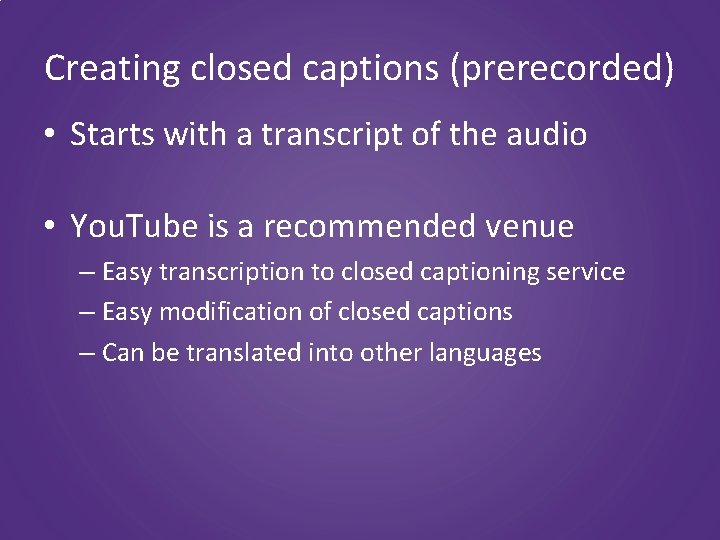
Creating closed captions (prerecorded) • Starts with a transcript of the audio • You. Tube is a recommended venue – Easy transcription to closed captioning service – Easy modification of closed captions – Can be translated into other languages
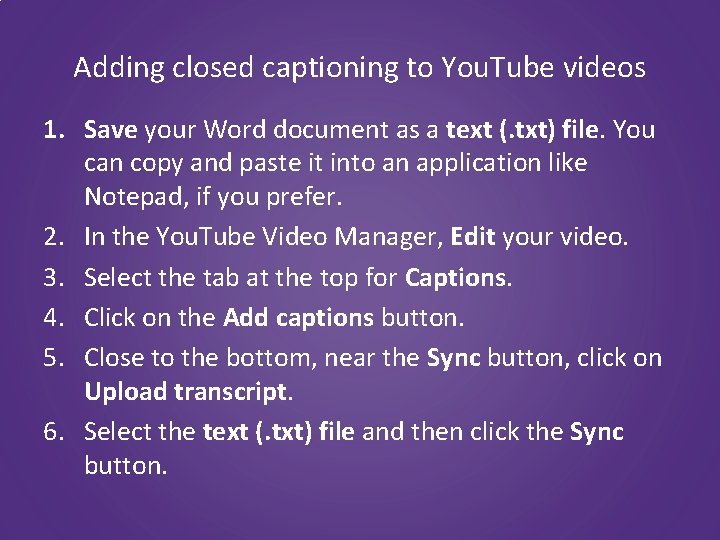
Adding closed captioning to You. Tube videos 1. Save your Word document as a text (. txt) file. You can copy and paste it into an application like Notepad, if you prefer. 2. In the You. Tube Video Manager, Edit your video. 3. Select the tab at the top for Captions. 4. Click on the Add captions button. 5. Close to the bottom, near the Sync button, click on Upload transcript. 6. Select the text (. txt) file and then click the Sync button.
Accessible �documents
Attached documents are accessible • Follow the same standards as websites: www. tarleton. edu/accessibility • Keep document sizes small, if possible (excluding audio/video files) • Use Adobe PDF document format, if possible
Text is legible • Avoid using text on images • Make sure you can highlight and copy/paste the text • Make font sizes 12 point or larger • Avoid frilly fonts (script fonts) whenever possible
Organize your content • Use headings in hierarchical order – Use headings instead of bold/strong to separate major ideas in your content • Use ordered and unordered lists instead of spaces or other punctuation • Use tables for tabular data only. – Provide headers for columns and/or rows to denote relationships with the data
Colors contrast well enough to be legible • For colorblind users, avoid low contrast – Two light colors (e. g. , white/light gray) – Two dark colors (e. g. , Tarleton purple/black) • Other contrasts to avoid: – black/red – red/green – blue/yellow

Colors contrast well enough to be legible Poor Color Contrast

Alternative Text �images
Adding alternative text • Add Alternative Text or Alt Text to the image, not above or below it – Select the image and either right-click for Image Properties, then Alt Text or just find an Alt Text field. – If a Title and Description field are provided for Alternative Text, use the Description field.
Appropriate Alternative Text • Alternative text should not require more than 125 characters. • Do not say “picture, ” “logo, ” or “graphic. ” • Short and sweet! – Include tone. – Smile!
Good or bad alternative text? IMG 4851. jpg
Good or bad alternative text? Photo of two diagrams
Good or bad alternative text? Two diagrams joke
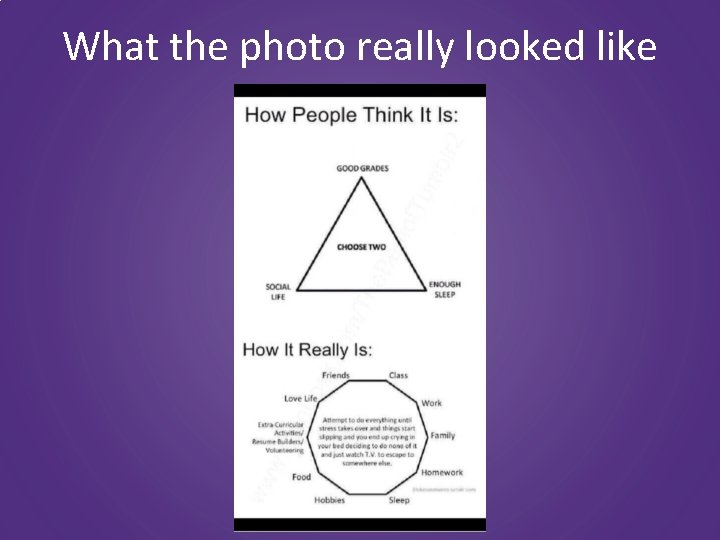
What the photo really looked like
What should a blind AND sighted user come away with from your image? Who What When Where Why
Good or bad alternative text? People think the problem is choosing two out of three activities for a good student life: Good Grades, Social Life, and Enough Sleep. In reality, there are friends, class, work, family, homework, sleep, hobbies, food, extra -curricular activities/resume builders/volunteering, and love life. You can attempt to do everything until stress takes over and things start slipping and you end up crying in your bed deciding to do none of it and just watch T. V. to escape somewhere else.
Good or bad alternative text? 479 characters People think the problem is choosing two out of three activities for a good student life: Good Grades, Social Life, and Enough Sleep. In reality, there are friends, class, work, family, homework, sleep, hobbies, food, extra -curricular activities/resume builders/volunteering, and love life. You can attempt to do everything until stress takes over and things start slipping and you end up crying in your bed deciding to do none of it and just watch T. V. to escape somewhere else. 479 – 125 = 354 characters over
Meaningful Text �linked media
� Text vs. �Links � Text � Links � � � Articles and Blogs Photos Audio Video Documents
Identifying � Articles and Blogs � Photos � Audio � Video � Documents

Do you know where you’re going? pic. twitter. com/4 d 2 PT 2 mu 8 w
![Slightly better answer [Pic] pic. twitter. com/4 d 2 PT 2 mu 8 w](http://slidetodoc.com/presentation_image/de30563e9eb1ab7dffcfeb5eb863c963/image-34.jpg "Slightly better answer [Pic] pic. twitter. com/4 d 2 PT 2 mu 8 w")
Slightly better answer [Pic] pic. twitter. com/4 d 2 PT 2 mu 8 w
![Content Identifiers • Photos: [Pic] • Videos: [Video] • Audio: [Audio] Source: www. howto.](http://slidetodoc.com/presentation_image/de30563e9eb1ab7dffcfeb5eb863c963/image-35.jpg "Content Identifiers • Photos: [Pic] • Videos: [Video] • Audio: [Audio] Source: www. howto.")
Content Identifiers • Photos: [Pic] • Videos: [Video] • Audio: [Audio] Source: www. howto. gov/social-media/using-social-media-in-government/improving-accessibility

Do you know where you’re going? New picture posted: pic. twitter. com/4 d 2 PT 2 mu 8 w
Bad Calls-to-Action • New picture posted: • Article: • Check this out: • This:
![Better answer [PIC] Balancing my life is complicated. #needacupojoe #makethehurtingstop pic. twitter. com/4 d](http://slidetodoc.com/presentation_image/de30563e9eb1ab7dffcfeb5eb863c963/image-38.jpg "Better answer [PIC] Balancing my life is complicated. #needacupojoe #makethehurtingstop pic. twitter. com/4 d")
Better answer [PIC] Balancing my life is complicated. #needacupojoe #makethehurtingstop pic. twitter. com/4 d 2 PT 2 mu 8 w
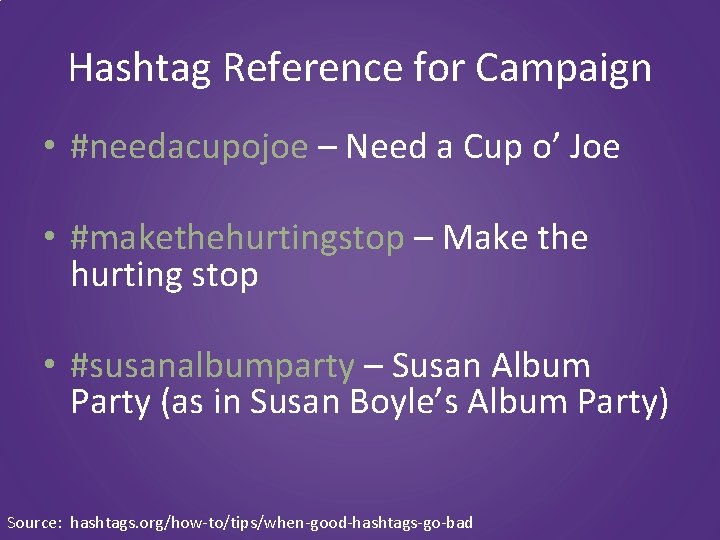
Hashtag Reference for Campaign • #needacupojoe – Need a Cup o’ Joe • #makethehurtingstop – Make the hurting stop • #susanalbumparty – Susan Album Party (as in Susan Boyle’s Album Party) Source: hashtags. org/how-to/tips/when-good-hashtags-go-bad

Long Descriptions �images
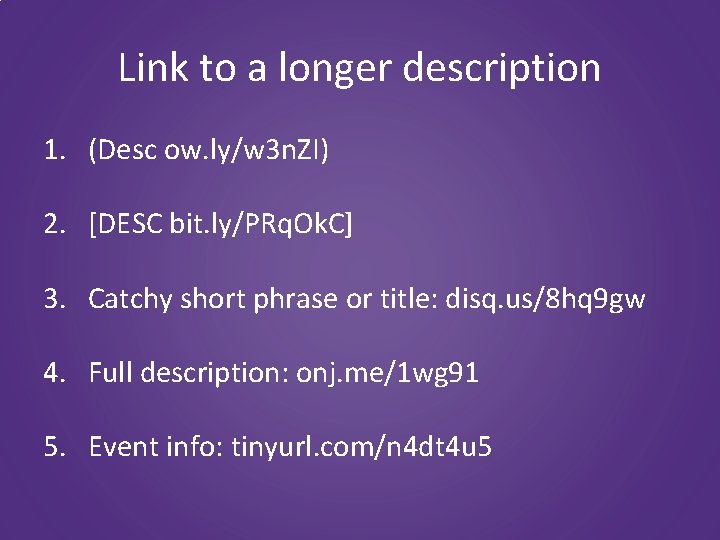
Link to a longer description 1. (Desc ow. ly/w 3 n. ZI) 2. [DESC bit. ly/PRq. Ok. C] 3. Catchy short phrase or title: disq. us/8 hq 9 gw 4. Full description: onj. me/1 wg 91 5. Event info: tinyurl. com/n 4 dt 4 u 5
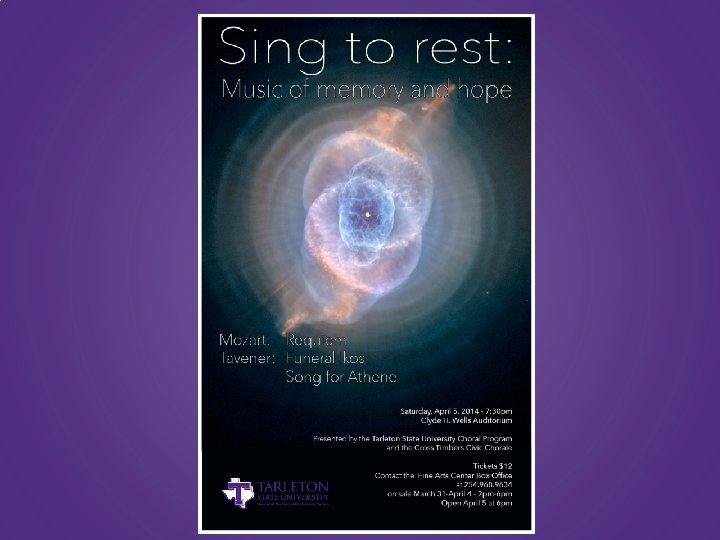
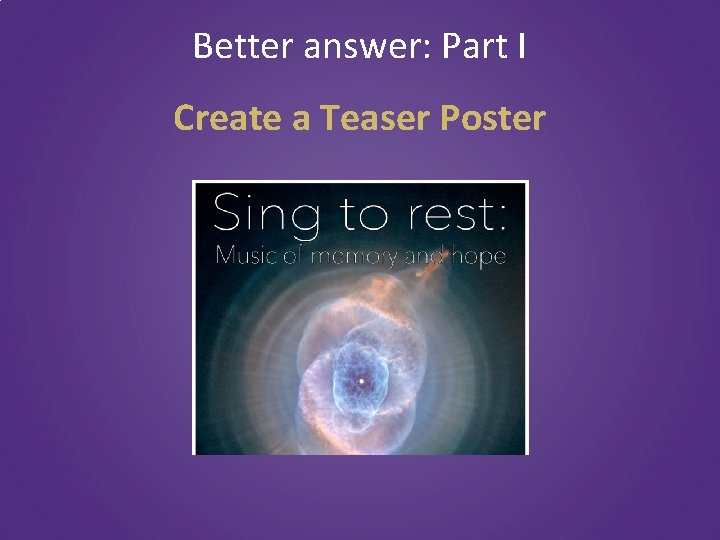
Better answer: Part I Create a Teaser Poster
Better answer: Part II Always include alternative text Tarleton State University’s Choral Program and the Cross Timbers Civic Chorale present “Sing to rest: Music of memory and hope” on Sunday, April 5, 2014. More information and ticket sales: http: //www. tarleton. edu/calendar/music/#!eve nt_id/4878/view/event/date/20170306
Web Address Shorteners • Examples: – http: //ow. ly (from Hoot. Suite) – https: //bitly. com/ • Sign In, Shorten and Track! http: //www. tarleton. edu/calendar/music/#!event_id/4 878/view/event/date/20170306 becomes http: //ow. ly/WCxk 307 Hhlx
Contact your EIR Accessibility Coordinator Karole Schroeder 254 -968 -1819 schroeder@tarleton. edu
- Slides: 46