
Accessibility Section Break Slide Updates TEA Student Assessment
Accessibility Section Break Slide Updates TEA - Student Assessment Division
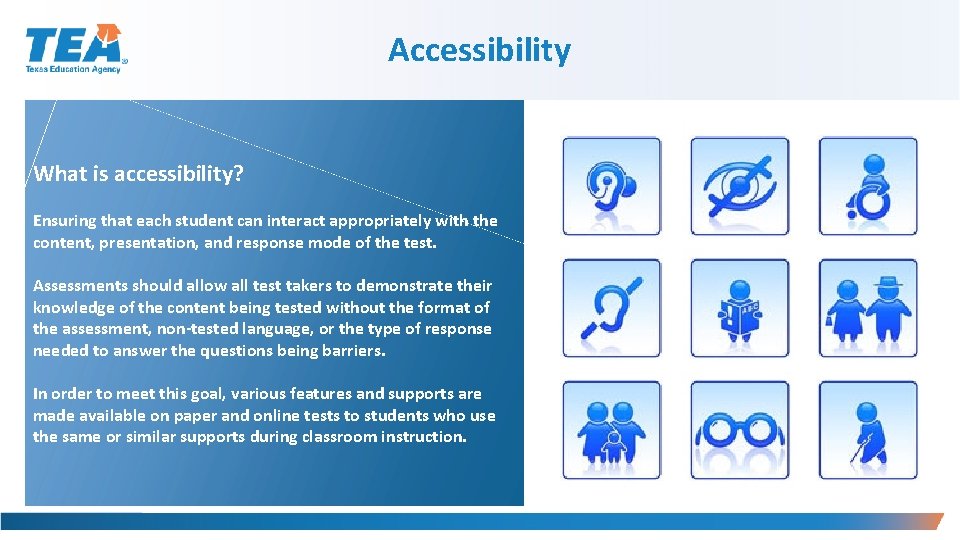
Accessibility What is accessibility? Ensuring that each student can interact appropriately with the content, presentation, and response mode of the test. Assessments should allow all test takers to demonstrate their knowledge of the content being tested without the format of the assessment, non-tested language, or the type of response needed to answer the questions being barriers. In order to meet this goal, various features and supports are made available on paper and online tests to students who use the same or similar supports during classroom instruction.
2019– 2020 Accessibility Updates NEW Accessibility Features: § Guidance on small group size Content and Language Supports: § Beginning in spring 2020 pre-reads will only be provided prior to reading selections and editing passages Authority for Decision and Required Documentation: § An LPAC can make a decision for a student to use the following designated supports WITHOUT an ARD or Section 504 committee, if eligible for: § Extra Time § Content and Language Supports § Oral/Signed Administration
2019– 2020 Accessibility Updates NEW Braille/Refreshable Braille: § A submission of an Accommodation Request Form is NOT needed for braille students who need the STAAR with Embedded Supports paper test. § For students taking STAAR braille, including students using a refreshable braille display, who are also eligible to receive content and language supports, districts should contact the Texas Assessment Support Center to order STAAR with Embedded Supports materials. § A preview window during testing week for districts administering the following: § Braille assessment with the STAAR large-print test booklet § Braille assessment in conjunction with the STAAR with Embedded Supports paper test
Accessibility Features § Can be found in the District and Campus Coordinator Resources and the Accommodations Resources webpage. § Are available to any student who regularly benefits from the use of these procedures or materials during instruction. § No need to document use of accessibility features in student paperwork, the answer document, or in the Texas Assessment Management System. § A student using certain accessibility features may need to complete the test in a separate setting in order to eliminate distractions to other students and to ensure that the security and confidentiality of the test is maintained. § A student cannot be required to use them during testing. § Coordinators are responsible for ensuring that test administrators understand the proper implementation of these procedures and use of these materials.
Accessibility Features § Signing test administration directions § Translating test administration directions § Bilingual dictionary (word-to-word translations; no definitions or examples) for mathematics, science, and social studies assessments • Bilingual dictionary applications on a tablet, laptop, or desktop are not allowable as an Accessibility Feature § Reading test aloud to self (e. g. , PVC pipe, recording device) § Reading aloud or signing the expository or persuasive writing prompt § Reading assistance on the grade 3 mathematics test § Scratch paper (or any medium that can be erased or destroyed) § Tools to minimize distractions or to help maintain focus (e. g. , stress ball, headphones, instrumental music)
Accessibility Features Highlighters (including online tool), colored pencils, or crayons Reminding students to stay on task Color overlays or online color setting Blank place markers or online guideline tool Magnifying devices or online zoom feature Online sticky notes tool Use of amplification devices (e. g. , speakers, frequency-modulated [FM] systems) § Use of projection devices (e. g. , closed-circuit televisions [CCTVs] or liquid crystal display [LCD] projectors for online tests) § Typing a student’s response to the writing prompt into the online test for any grade 4 student who is taking STAAR writing online and cannot type proficiently § § § §
Accessibility Features Photocopying or enlarging non-secure test materials such as: § Test administration directions § Blank answer documents § State-supplied graph paper § State-supplied reference materials Individual or small-group administrations: § Number of students in small group is determined at local level NEW based on the needs of each student § Number of students in a small group should mirror, as much as possible, the same group size classroom testing situations

Accessibility Features—STAAR Online Grade 4 Writing Reminder Typing a student’s response to the writing prompt into the online test for any grade 4 student who is taking STAAR writing online and cannot type proficiently: § Eligibility for Basic Transcribing does NOT need to be determined; however, the procedures for Basic Transcribing MUST be adhered to. The Basic Transcribing policy document can be found on TEA’s Accommodation Resources webpage. § Students taking the grade 7 writing test, English II, or English III must meet the eligibility requirements for Basic Transcribing if this type of support is needed.
Locally Approved Designated Supports § These include twelve supports that may be made available to students who meet eligibility criteria. § Eligibility decisions are made by the appropriate team of people at the campus level based on the eligibility criteria and are documented in the appropriate paperwork. § Each policy document is organized the same way • • • Description of Accommodation Assessments Student Eligibility Criteria Authority for Decision and Required Documentation Examples/Types Special Instructions/Considerations
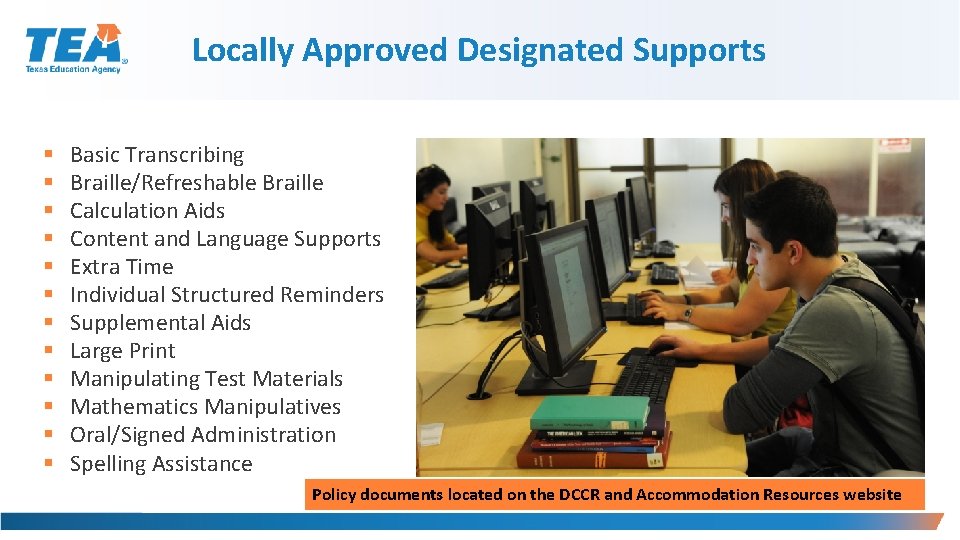
Locally Approved Designated Supports § § § Basic Transcribing Braille/Refreshable Braille Calculation Aids Content and Language Supports Extra Time Individual Structured Reminders Supplemental Aids Large Print Manipulating Test Materials Mathematics Manipulatives Oral/Signed Administration Spelling Assistance Policy documents located on the DCCR and Accommodation Resources website
Basic Transcribing A student may receive this support if served by an ARD committee, Section 504 committee, RTI committee, or student assistance team. § If the student is not receiving special education or Section 504 services, the decision should be based on consistent academic struggles in the specific area even after intensive instruction and remediation. § Eligibility includes routinely and effectively uses the support in classroom instruction and testing. § If the student uses speech-to-text technology to indicate responses for multiple-choice questions, griddable questions, or the writing prompt, please refer to our Technology Use Guidelines document. § Added in 2019, the student may dictate or sign information to be recorded in the margins of the test booklet or in the notes tool for online tests. (Does NOT apply to math calculations or responses to the written composition. )
Basic Transcribing—Special Instructions/Considerations § The student must be given the full time allotted to complete the entire test. It is allowable for the student to review the transcription and make any edits within the time constraints of the assessment. • This means that the student can change his or her response ONLY within the time limit of the test (i. e. , 4 hours, 5 hours, or extra time). § If the test administrator transfers the student’s final responses onto the answer document/online testing platform after the testing period has ended, the student may not edit his or her response. § It is recommended that the test administrator ensure that he or she can read and understand the student’s intended response prior to the student leaving the testing room.
Manipulating Test Materials A student may receive this support if served by an ARD committee, Section 504 committee, RTI committee, or student assistance team. § If the student is not receiving special education or Section 504 services, the decision should be based on consistent academic struggles in the specific area even after intensive instruction and remediation. § If a student is an EL with a disability, the decision is made by the ARD committee in conjunction with the student’s LPAC. § Eligibility includes routinely and effectively uses the support in classroom instruction and testing.
Calculation Aids A student may receive this support if: § The student is served by an ARD or Section 504 committee. § If a student is an EL with a disability, the decision is made by the ARD committee in conjunction with the student’s LPAC. § Grade-specific eligibility must be met for a student who receives Section 504 or special education services and routinely and effectively uses the support in classroom instruction and testing. § For math and science STAAR and STAAR Spanish, the basic calculator (i. e. , four -function) will be offered as an embedded PNP support on the STAAR online assessment for students who meet the eligibility in grades 3– 7. For questions about the functions allowed on a basic calculator, refer to the calculator tool in the online 2018 STAAR released tests and technology guidelines training PPT.
Calculation Aids—Examples/Types § Allowable Examples/Types • Basic (i. e. , four-function) handheld calculator or calculator application, including large-key or speech-output • Basic calculator available as an online embedded support on STAAR • Abacus or Cranmer modified abacus • 0– 9 addition grid without special number (e. g. , even numbers) indicated • Grade-appropriate multiplication grid without special numbers (e. g. , perfect squares) indicated
Braille/Refreshable Braille Updated A student may receive this support if: § routinely and effectively using the support in classroom instruction and testing, and § served by an ARD committee, Section 504 committee, RTI committee, or student assistance team. • NEW If a student is an EL with a disability, the decision is made by the ARD committee in conjunction with the student’s LPAC. § For students taking STAAR braille, including students using a refreshable braille display, who are also eligible to receive content and language supports, districts should contact the Texas Assessment Support Center to order STAAR with Embedded Supports materials. Districts do NOT need to submit a request for TEA to approve for the STAAR with Embedded Supports. § Specific information about administering braille tests is available in the General Instructions for Administering Braille State Assessments document, located on the TEA’s Accommodation Resources webpage. § The state will provide both contracted and uncontracted braille test materials in UEB ONLY.
Braille/Refreshable Braille NEW INFORMATION § Online screen reader support for refreshable braille displays will be available in reading/language arts and social studies assessments. § For braille administrations, there is no need submit an Accommodation Request Form to request "Extra Day". (Included in "General Instructions for Administering Braille State Assessments". ) § Accommodations specific to braille test takers will be provided in the STAAR with Embedded Supports Paper Administration Guide accommodation tables and identified for the test administrator as “Braille Instructions ONLY. ” Samples of how these accommodations will appear will be provided in the non-secure front matter of the STAAR with Embedded Supports Paper Administration Guide. NEW UPDATE § The contents of a braille assessment and the STAAR large-print test booklet may be previewed by the test administrator during the district-determined preview window. The preview may take place on any school day prior to the subject-area test, during the testing week. Districts and campuses are responsible for keeping testing materials secure. If a student receives the STAAR with Embedded Supports test in conjunction with the braille assessment, this preview window is also allowable.
Check for Understanding
Content and Language Supports A student may receive this support if: § Served by an ARD committee, Section 504 committee, or LPAC committee (for an English test) • If a student is an EL with a disability, the decision is made by the ARD committee in conjunction with the student’s LPAC. • ELs taking STAAR Spanish may be eligible for content and language supports if the Section 504 or ARD committee determines the student is eligible. § The ARD, Section 504, or LPAC committee determines he/she uses the support routinely and effectively in classroom instruction and testing. § NOTE: Students for whom the LPAC recommends the use of these supports for any reading or writing assessment may not be considered for reclassification at the end of the school year.

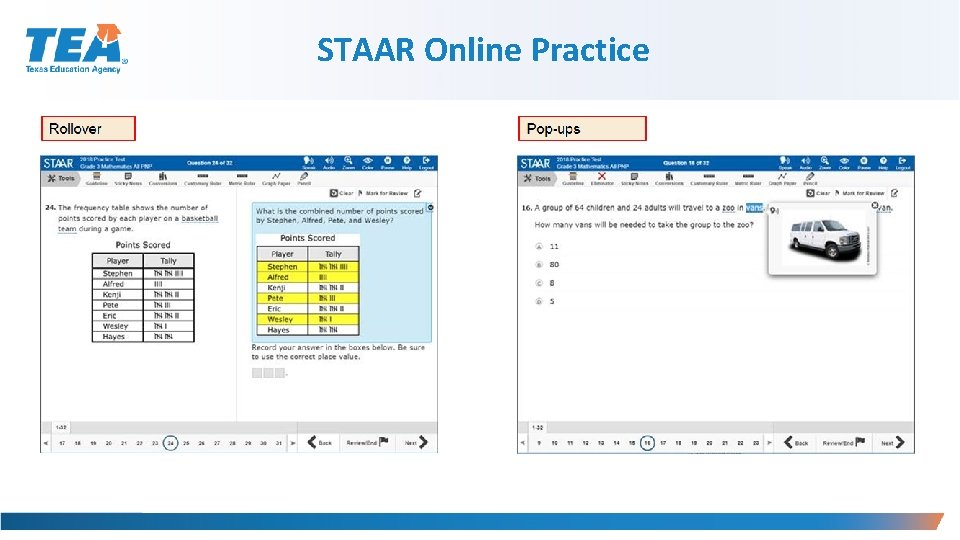
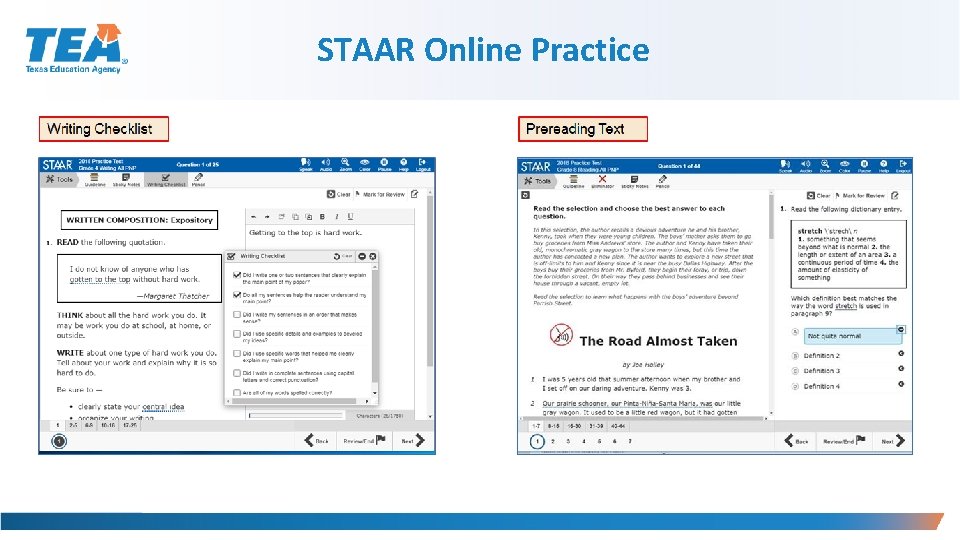
Content and Language Supports NEW N INFORMATIO § STAAR and STAAR Spanish online tests only (not available for Algebra II or English III). § NOTE: Although STAAR Spanish uses the same guidelines for Content and Language Supports as the English version of STAAR, some of the accommodations in the popups and rollovers may not be identical due to linguistic differences. § Content and Language Supports include • • Pop-ups Rollovers Supplementary Materials Prereads • NEW: Writing—beginning in spring 2020 all writing tests, including Eng. I and NEW II, will ONLY have prereads prior to the editing passages. • Reading—all reading selections, including Eng. I and II, will have prereads prior to the selection. § STAAR and STAAR Spanish with embedded supports paper version available through the Special Paper Administration Process.
Oral/Signed Administration Updated A student may receive this support if: § Served by an ARD committee, Section 504 committee, LPAC, RTI committee, or student assistance team and a determination is made that the student meets eligibility criteria. § For a student that is not receiving special education or Section 504 services, the decision should be based on consistent academic struggles in the specific area even after intensive instruction and remediation. § For a student who is an EL, the decision is made by the LPAC based on the eligibility criteria and is documented in the student’s file. § For a student that is an EL with a disability, the decision is made by the ARD committee in conjunction with the student’s LPAC. § NOTE: Students for whom the LPAC recommends the use of these supports for any reading or writing assessment, may not be considered for reclassification at the end of the school year.
Oral/Signed Administration § Eligibility § routinely and effectively uses in class § meets at least one of the following: EL and takes English test; dyslexia or related disorder; documented evidence of reading difficulties § NOTE: ELs taking STAAR Spanish may be eligible for an oral administration IF they are identified with dyslexia or related disorder OR have documented evidence of reading difficulties. § Evidence of reading difficulties can be caused by various reasons including, but not limited to, § § learning disability in reading ADD/ADHD behavioral or emotional problem processing or memory issue
Oral/Signed Administration Policy Highlights: § ASL videos—online PNP option for STAAR § STAAR Spanish online—TTS is offered as a tool for oral reading support § Revising passages, test questions, and answer choices can be read aloud on STAAR and STAAR Spanish PAPER writing assessments. Title page on test booklet will identify revising section. § STAAR online with a screen reader support for refreshable braille displays is available for students taking a braille test. § 2019– 2020 Oral/Signed Administration Guidelines available in DCCR and the Accommodation Resources webpage § Guidelines for writing oral/signed administration added with examples
Oral/Signed Administration Policy Highlights: § Oral administration can include different levels of reading support for a student. § Read all parts of the test question and answer choices at student request. § Read all test questions and answer choices throughout. § Text-to-speech (TTS) tool is an online option for oral administration and allows a student to independently select and change his or her level of reading support. § NOTE: A student can request a change in the level of reading support during testing IF this option is documented. § It is recommended that students use the STAAR online tutorial and practice released tests prior to test administrations.
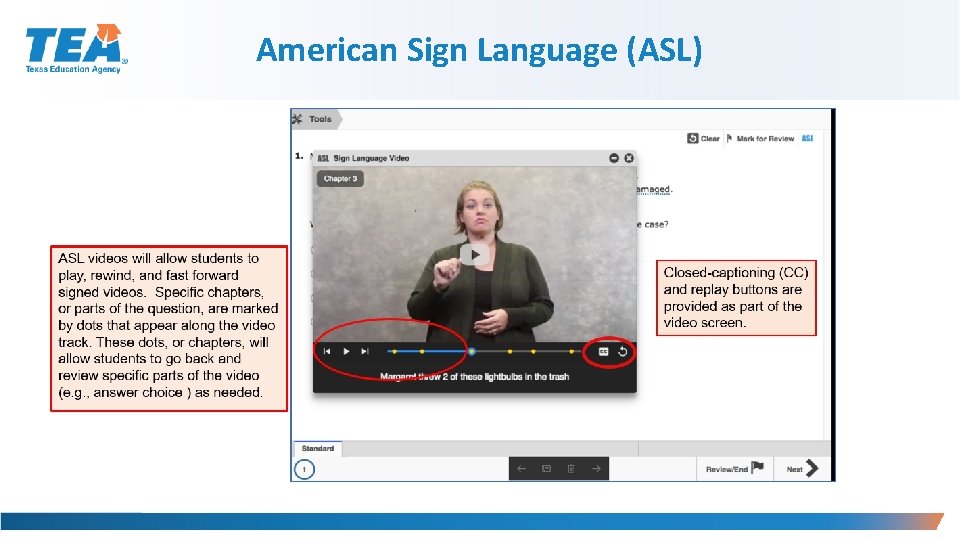
Oral/Signed Administration- For Students who are Deaf or Hard of Hearing For students who are deaf or hard-of-hearing who are eligible for Content and Language Supports, AND Oral/Signed Administration § Signing of allowable test content is allowed. § ASL videos are available as an embedded PNP support; however, these are not available for Content and Language Supports. A test administrator will need to sign this information for the student. § If a student does not use ASL or needs signing support, test administrator may sign. § Required training: Oral/Signed Administration Guidelines and the specific guidelines for signing test content are included in the General Instructions for Administering State Assessments to Students Who are Deaf or Hard of Hearing. § Proctor codes are available to district testing coordinators and assistants in the STAAR Assessment Management System to download and distribute to test administrators providing a signed administration of an online STAAR test.

American Sign Language (ASL) Videos Available on STAAR online as a PNP for students eligible for Oral/Signed Administration § PNP made available in spring 2019 § Questions and answer choices signed in ASL for all subjects (not available for Content and Language Supports) § Closed-Captioning § Mini practice test with a few samples to practice using functionality is available
American Sign Language (ASL)
Spelling Assistance A student may receive this support if served by an ARD committee or Section 504 committee. § If a student is an EL with a disability, the decision is made by the ARD committee in conjunction with the student’s LPAC. § Eligibility must be met for a student who receives Section 504 or special education services and routinely and effectively uses the support in classroom instruction and testing. § A student should be capable of organizing and developing ideas and understands the basic function and use of written language conventions (e. g. , sentence structures, irregular verbs) BUT has a disability that is so severe that he or she cannot apply basic spelling rules or word patterns (e. g. , silent letters, base words with affixes) to written responses.
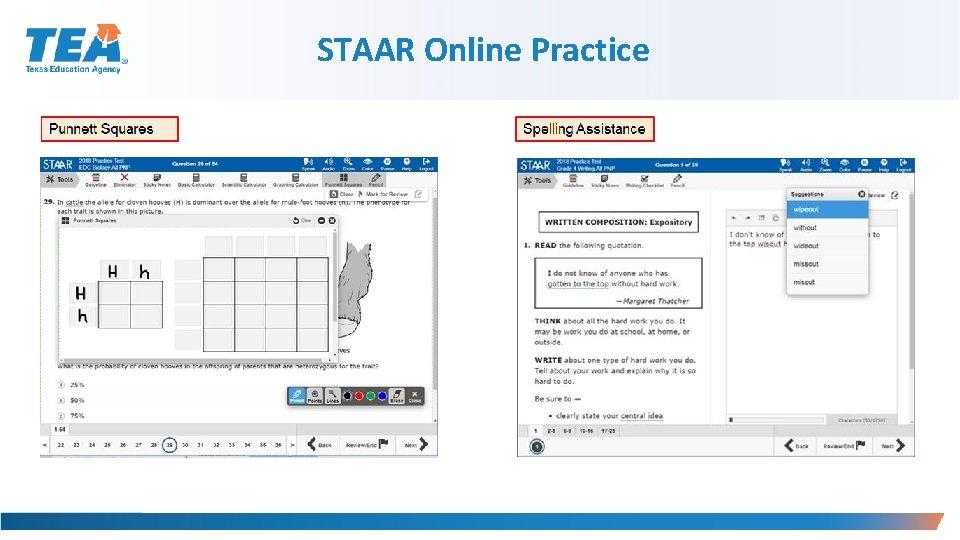
Spelling Assistance § Available as an online embedded PNP support on STAAR writing (composition) if a student routinely uses a similar tool during class instruction. § For example, if a student uses a frequently misspelled word list or speech-to-text, then do NOT activate the online spelling assistance PNP. The student will use what he or she routinely uses in class. § Available on the STAAR Spanish online as an embedded PNP support for grade 4 writing.
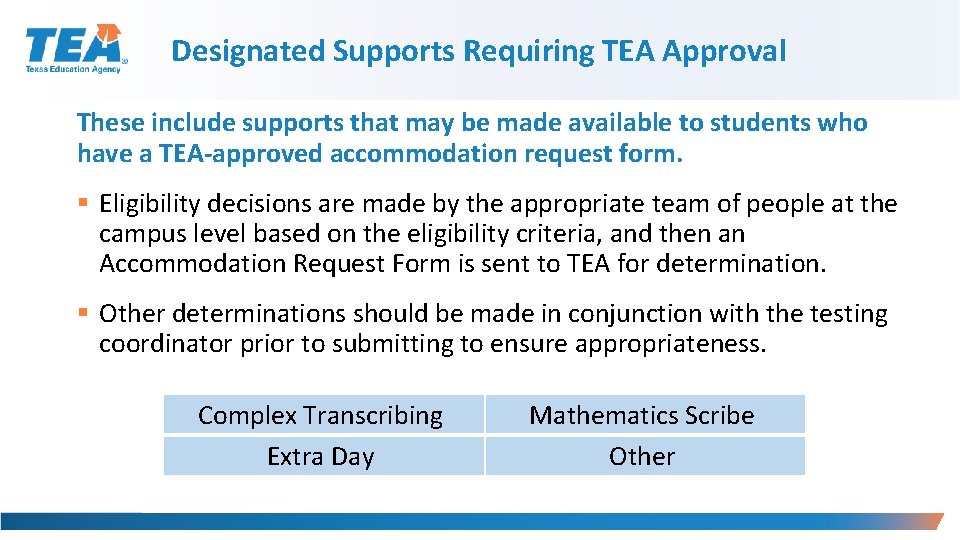
Designated Supports Requiring TEA Approval These include supports that may be made available to students who have a TEA-approved accommodation request form. § Eligibility decisions are made by the appropriate team of people at the campus level based on the eligibility criteria, and then an Accommodation Request Form is sent to TEA for determination. § Other determinations should be made in conjunction with the testing coordinator prior to submitting to ensure appropriateness. Complex Transcribing Extra Day Mathematics Scribe Other
Accommodation Request Process § Online Accommodation Request Forms should only be submitted for designated supports requiring TEA approval (i. e. , complex transcribing, math scribe, extra day, or other). § Open: October 2019 § Link to form and training document: Accommodation Resources webpage § Expiration date of approved requests: The day the last test is administered for the academic year or by June 30, 2020.
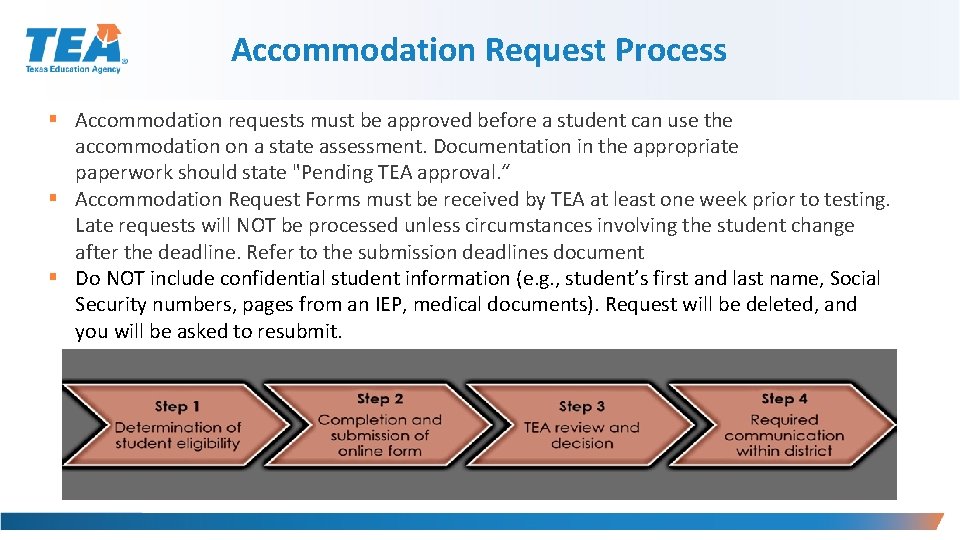
Accommodation Request Process § Accommodation requests must be approved before a student can use the accommodation on a state assessment. Documentation in the appropriate paperwork should state "Pending TEA approval. “ § Accommodation Request Forms must be received by TEA at least one week prior to testing. Late requests will NOT be processed unless circumstances involving the student change after the deadline. Refer to the submission deadlines document § Do NOT include confidential student information (e. g. , student’s first and last name, Social Security numbers, pages from an IEP, medical documents). Request will be deleted, and you will be asked to resubmit.
Special Administration Requests § Because English and Spanish Content and Language Supports are embedded PNP accommodations presented in an online format, replicating these features in a paper version is not always possible. § Technology-based supports enable most students to test online; however, in instances in which the use of an accommodation is not feasible or appropriate, or if the administration of an online test is inappropriate due to a student’s particular disability, a special request may be made to TEA for approval to administer a paper test booklet. • This process also applies to TELPAS reading. • For students taking TELPAS Listening and Speaking, a special request may be made to TEA for approval to assess holistically.
Special Administration Requests § Example situations when a request for a special administration of STAAR with Embedded Supports paper test is appropriate: § Student has seizures or migraines from looking at computer screen and frequent breaks do not work. § After multiple attempts throughout the year to acclimate the student to online testing, student becomes agitated or violent when beginning any practice test due to his or her disability. § No access to technology because student is homebound with no internet connection available or student is in a juvenile detention facility and county does not allow online test application to be downloaded onto computers.
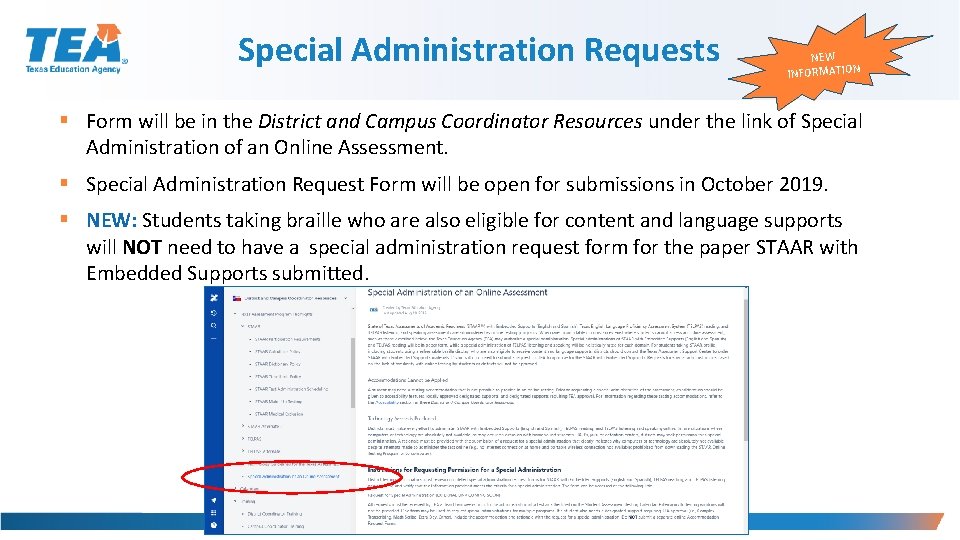
Special Administration Requests NEW INFORMATION § Form will be in the District and Campus Coordinator Resources under the link of Special Administration of an Online Assessment. § Special Administration Request Form will be open for submissions in October 2019. § NEW: Students taking braille who are also eligible for content and language supports will NOT need to have a special administration request form for the paper STAAR with Embedded Supports submitted.
LPAC Decision-Making Requirements § Designated supports decisions should be made as close as possible to the assessment to account for students' progress in acquiring the English language. § Making a determination for a student the previous year may not take into account this progress and must be revisited. NEW § LPAC alone has authority for decision restricted to Oral Administration, Content and language supports, and Extra time.
RTI (and similar) Committee Decision-Making Requirements § Depending on local policies for these committees (i. e. , what time of year they meet): § If the documented designated supports in place for the student are still valid, there is no reason to meet again. § If the documented designated supports in place for the student are not valid, this should be corrected.
Section 504 Committee Decision-Making Requirements § Section 504 committee should ensure that a student's accommodation plan is current for the school year. § If the documented designated supports in place for the student are still valid, there is no reason to meet again. § If the documented designated supports in place for the student are not valid, this should be corrected.
ARD Committee Decision-Making Requirements § The responsibilities of the ARD committee do not change simply because the state assessment accommodation policy has changed. The purpose of an IEP is to document current and correct information. Any part of that document that is no longer true and valid should be updated. § The ARD committee does not have to meet again regarding state assessment accommodations if decisions made at the annual meeting still apply to the current school year. § The ARD committee would need to meet again regarding state assessment accommodations if decisions made at the annual meeting do not apply to the current school year.
Check for Understanding
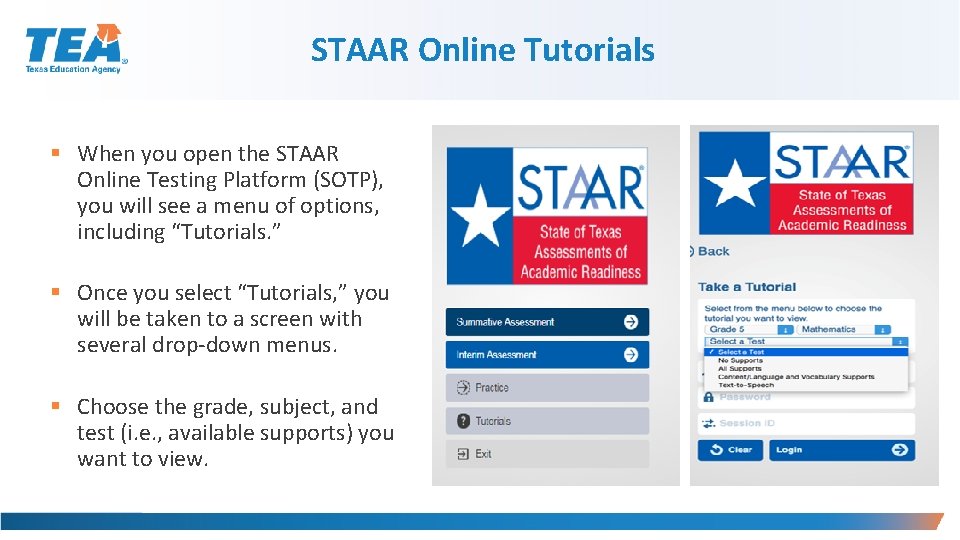
STAAR Online Tutorials § When you open the STAAR Online Testing Platform (SOTP), you will see a menu of options, including “Tutorials. ” § Once you select “Tutorials, ” you will be taken to a screen with several drop-down menus. § Choose the grade, subject, and test (i. e. , available supports) you want to view.
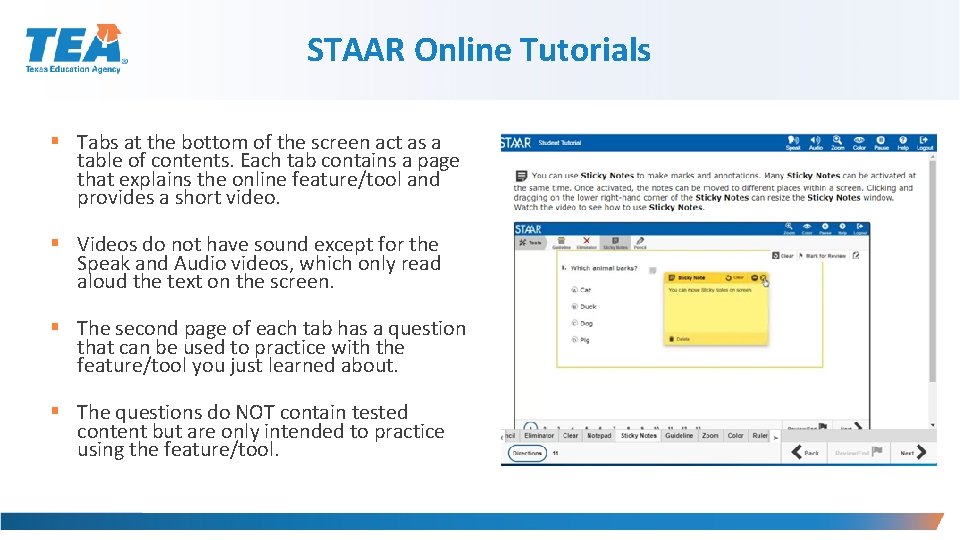
STAAR Online Tutorials § Tabs at the bottom of the screen act as a table of contents. Each tab contains a page that explains the online feature/tool and provides a short video. § Videos do not have sound except for the Speak and Audio videos, which only read aloud the text on the screen. § The second page of each tab has a question that can be used to practice with the feature/tool you just learned about. § The questions do NOT contain tested content but are only intended to practice using the feature/tool.

STAAR Online Practice § When you open the STAAR Online Testing Platform (SOTP), you will see a menu of options, including “Practice. ” § Here you will find released tests for 2017 and 2018. § All PNP will include the following supports: • Text-to-Speech (when available) • Spelling Assistance (writing compositions only) • Content and Language Supports
STAAR Online Practice
STAAR Online Practice
STAAR Online Practice
4 8 Questions? TEA - Student Assessment Division
- Slides: 48