
Access Query Builder Building Queries with the Principle

Access Query Builder: Building Queries with the Principle of Least Information Karl Lieberherr
References • Richard Rasala http: //www. northeastern. edu/rasala/cs 1100 -tutorials/access-query/index. htm • Law of Demeter http: //www. ccs. neu. edu/home/lieber/Lo. D. html http: //en. wikipedia. org/wiki/Law_of_Demeter • Berkeley CS 186 slides (for example only)
New Rule we follow • Leads to queries that are easier to develop and debug!
Principle of Least Information for Query Writing • A query does a join of the minimum number of tables to provide the required fields and their correct values. A query also does a projection of the minimum number of fields needed. In addition, a query does exactly one of four things 1. calculated field: There are two kinds: introduce a calculated field 1. 2. without aggregation. using aggregation, i. e. , with a Totals-query that does non-trivial aggregation (sum, average, etc. ). 2. elimination of duplicates: eliminate duplicate rows. 3. row selection: select a subset of the rows using a condition. • Leads to queries that are easier to develop and debug!
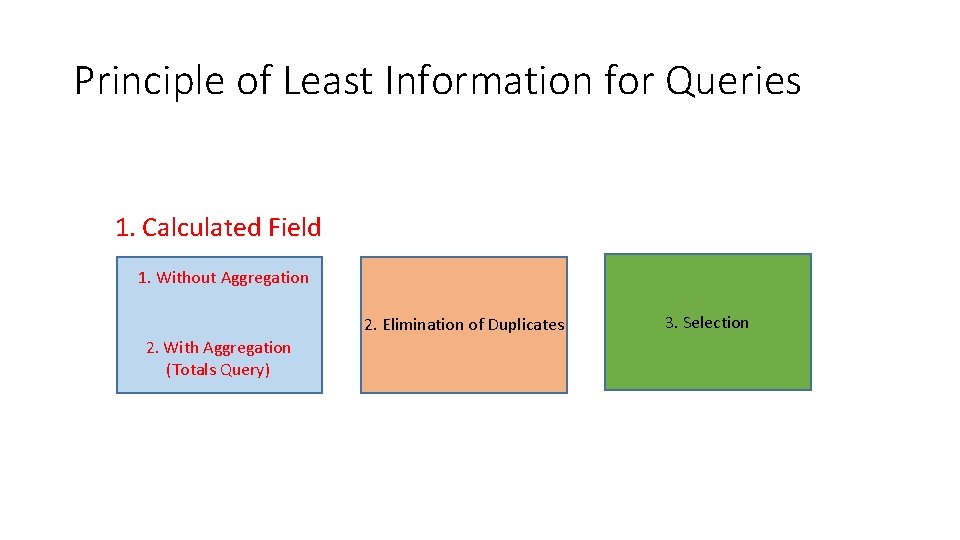
Principle of Least Information for Queries 1. Calculated Field 1. Without Aggregation 2. Elimination of Duplicates 2. With Aggregation (Totals Query) 3. Selection
Why minimum information? • Don’t want to overload and confuse our brains.
What is minimized? • Minimum number of tables to achieve correct results. • Minimum number of fields are selected (projection) to achieve correct result. • Each query implements one task involving a minimum but correct join, and a minimum projection and one of introducing a calculated field, possibly with aggregation, elimination of duplicates and row selection. We minimize the operations performed by a query to one of the above.
Pure join • If you need a pure join of tables, do a row selection without a condition.
Example • We use the sailors database from a lecture at Berkeley.
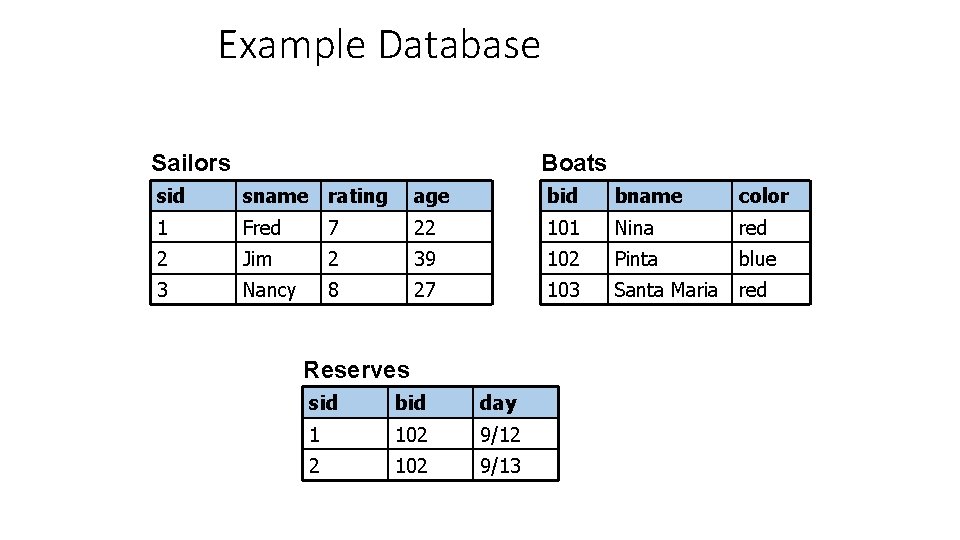
Example Database Sailors Boats sid sname rating age bid bname color 1 Fred 7 22 101 Nina red 2 Jim 2 39 102 Pinta blue 3 Nancy 8 27 103 Santa Maria red Reserves sid bid day 1 102 9/12 2 102 9/13
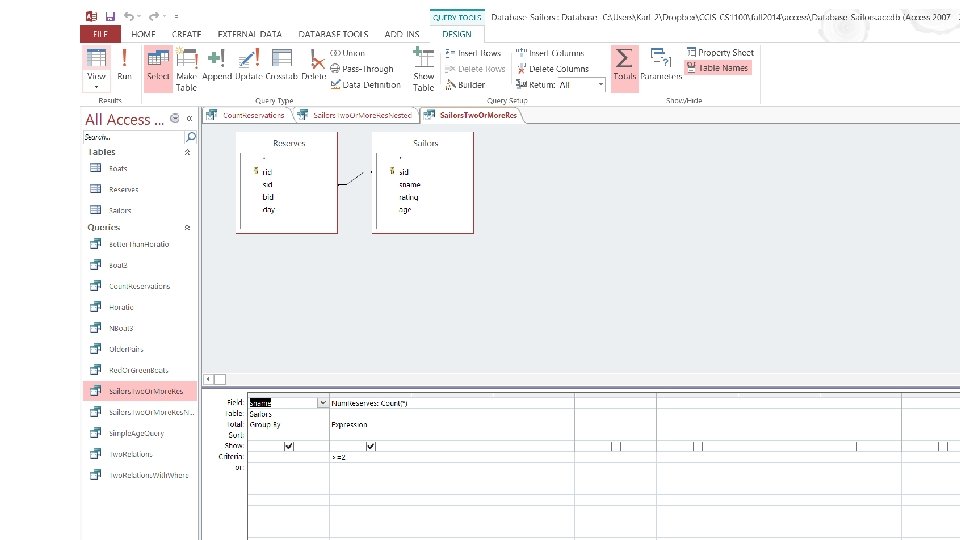
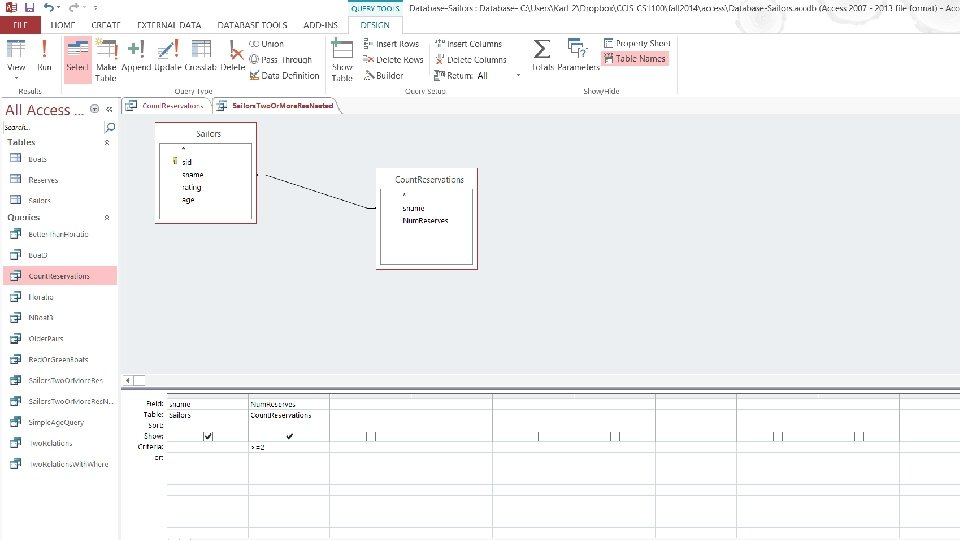
Find sailors who reserved two or more boats Next slide shows a confusing way of writing a query!
Same Using Nested Query: Find sailors who reserved two or more boats • Subquery Count. Reservations not shown. It counts the number of reservations per sailor. • We assume the names are unique; otherwise we need to add the disambiguation pattern.
- Slides: 14