
Access Provisioning Navigating the Request Process Stella Le
- Slides: 62
Access Provisioning: Navigating the Request Process Stella Le and Jim Lewis Senior Information Security Analysts Enterprise Application Security Team (EAST)
Agenda • EAST introduction • Leveraging the Analytics Security Dashboard • Overview of the access provisioning process • Navigating the Access Provisioning Tool • Monitoring and approving the access request • More access provisioning information
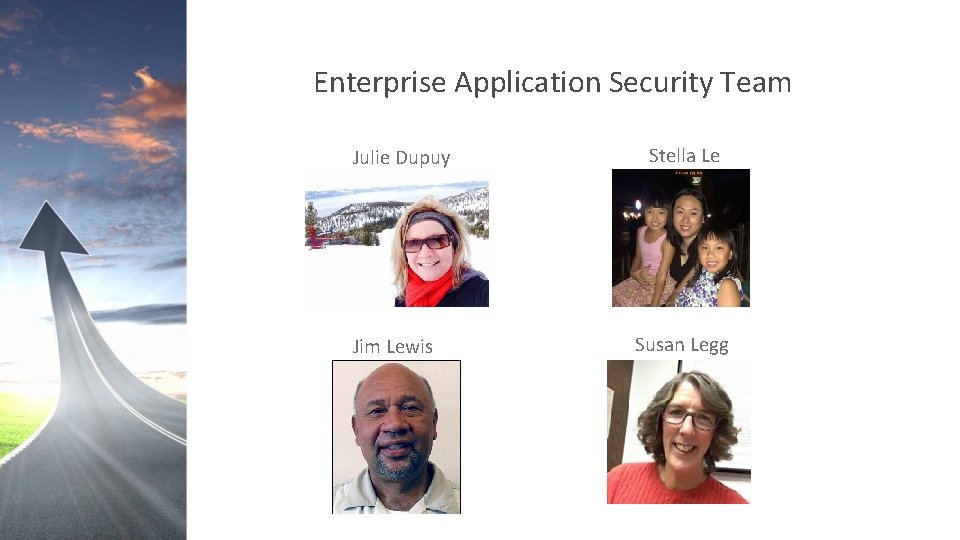
Enterprise Application Security Team Julie Dupuy Jim Lewis Stella Le Susan Legg
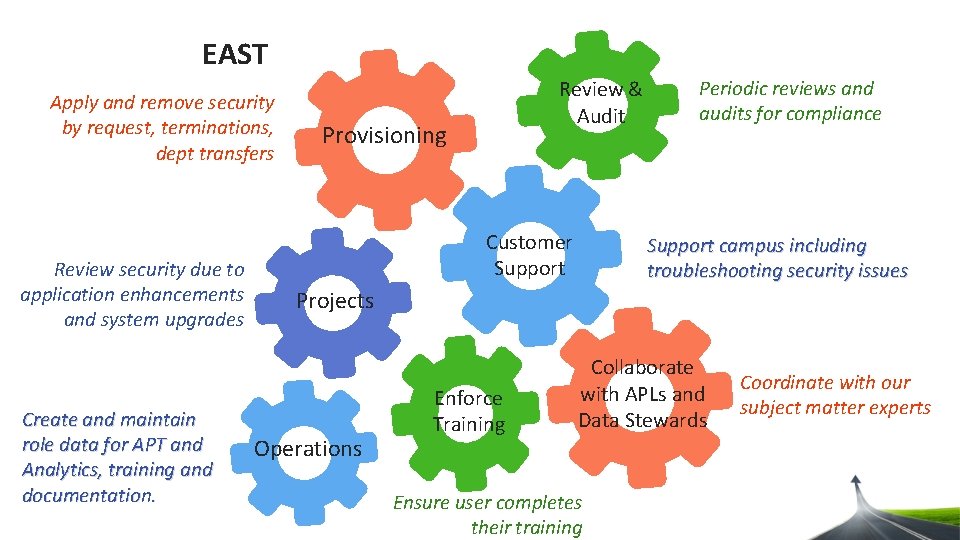
EAST Apply and remove security by request, terminations, dept transfers Review security due to application enhancements and system upgrades Create and maintain role data for APT and Analytics, training and documentation. Review & Audit Provisioning Customer Support Periodic reviews and audits for compliance Support campus including troubleshooting security issues Projects Operations Enforce Training Collaborate with APLs and Data Stewards Ensure user completes their training Coordinate with our subject matter experts
Agenda • EAST introduction • Leveraging the Analytics Security Dashboard • Overview of the access provisioning process • Navigating the Access Provisioning Tool • Monitoring and approving the access request • More access provisioning information
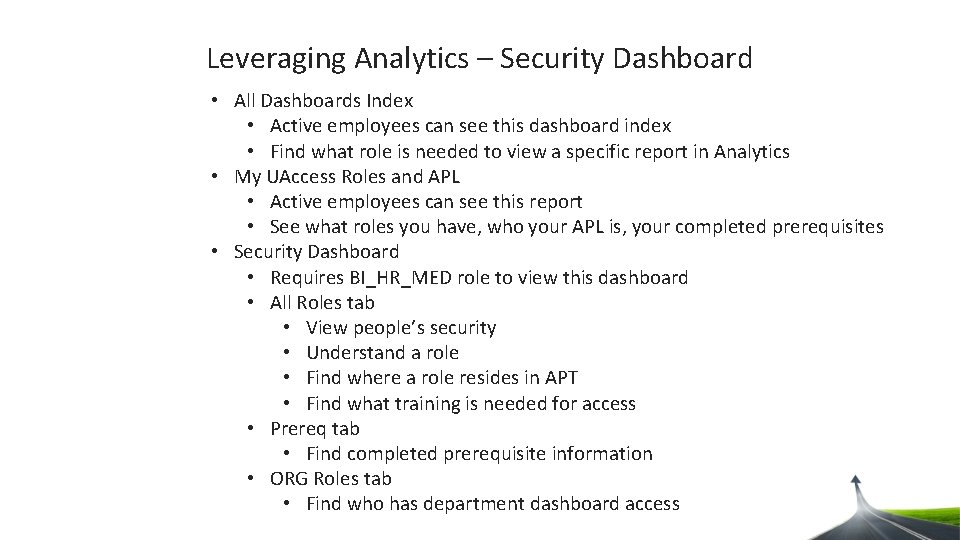
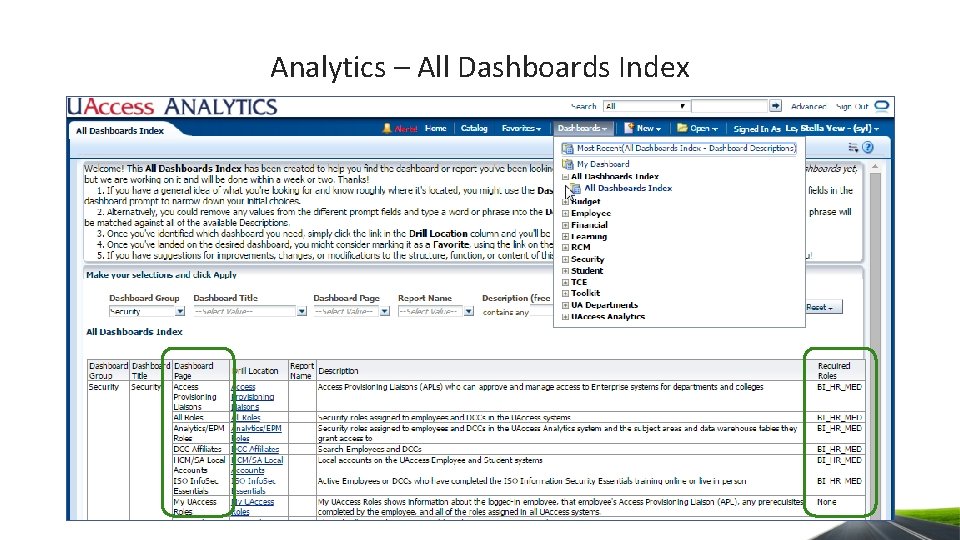
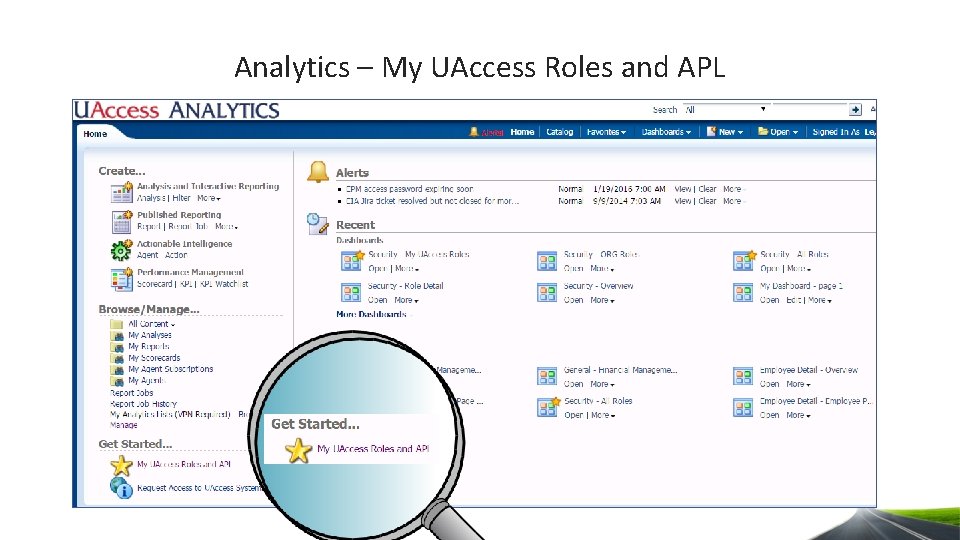
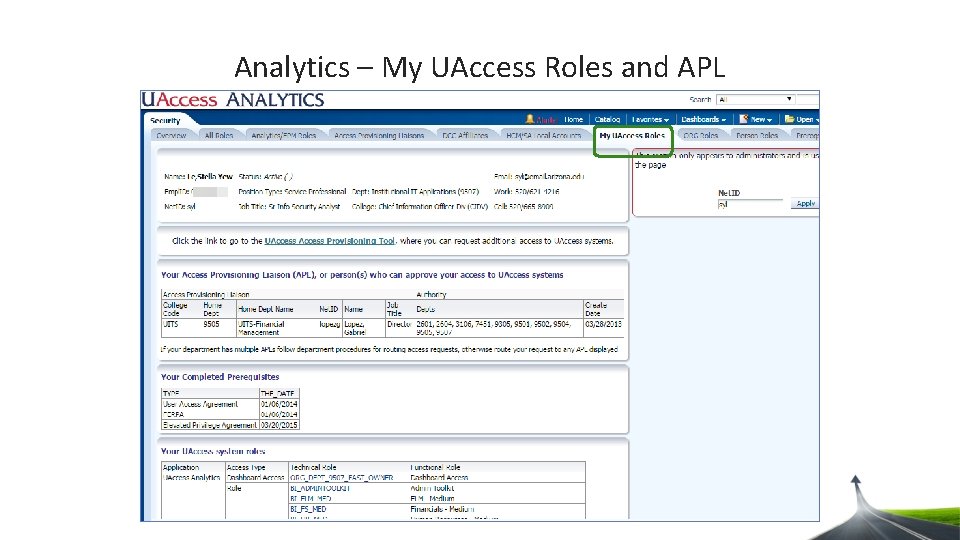
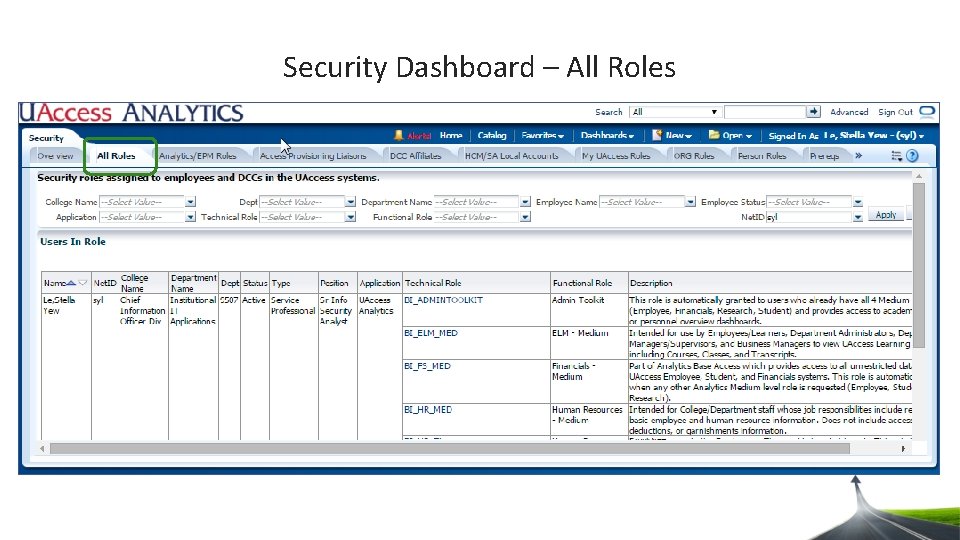
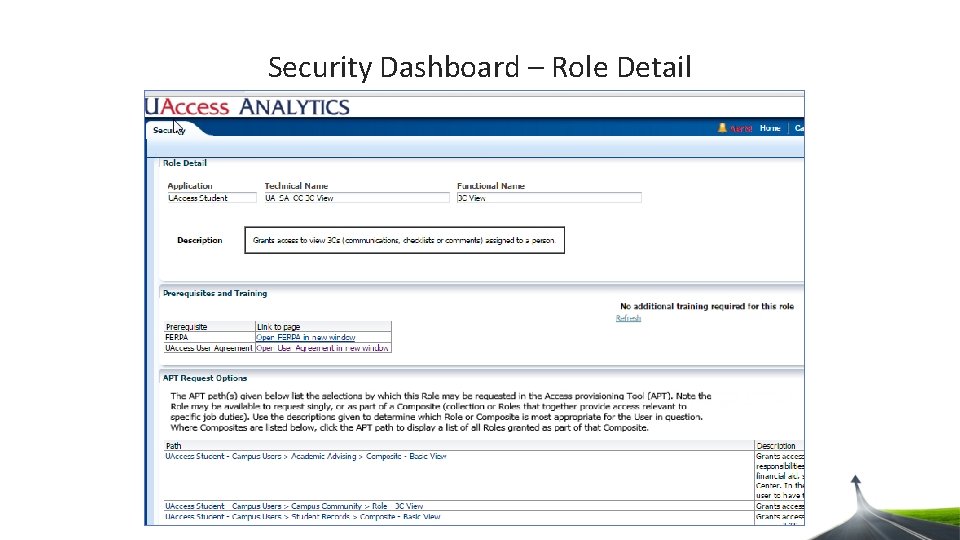
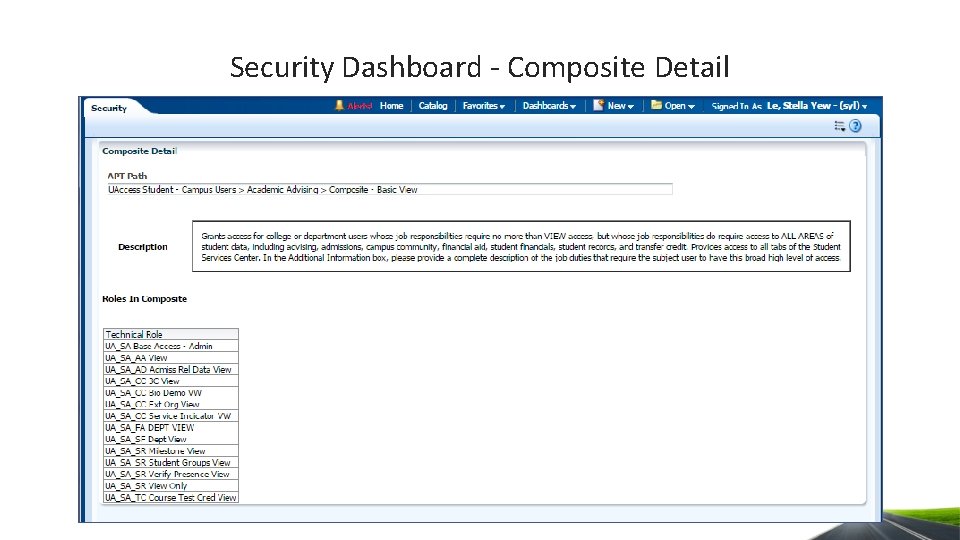
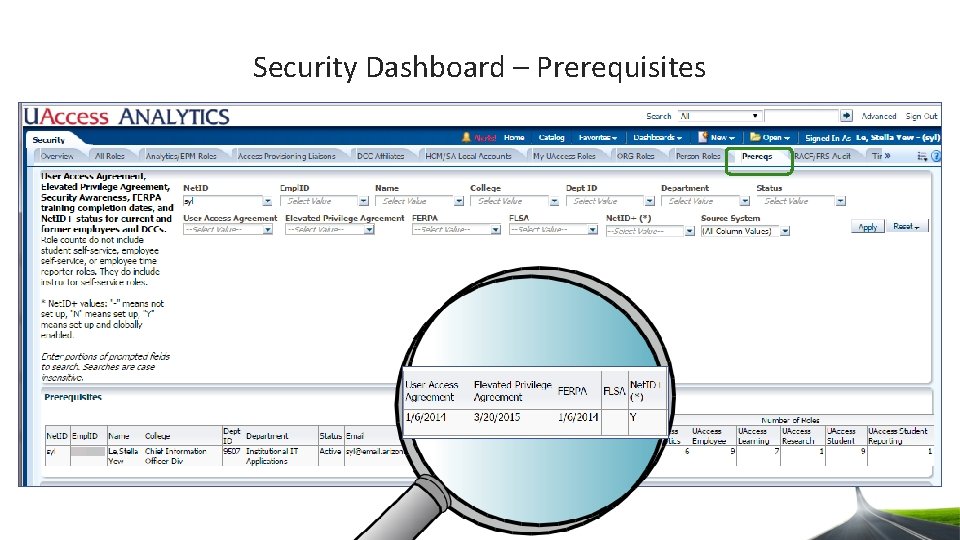
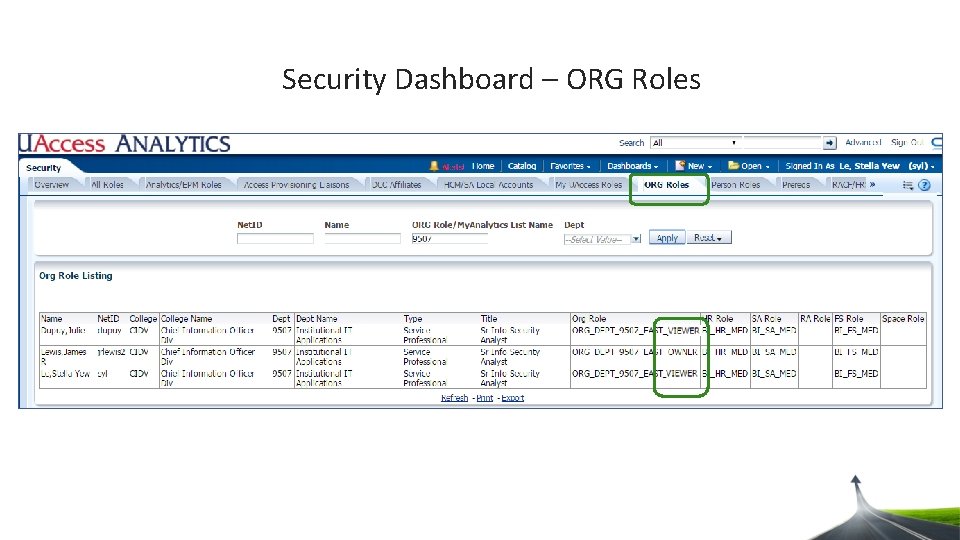
Leveraging Analytics – Security Dashboard • All Dashboards Index • Active employees can see this dashboard index • Find what role is needed to view a specific report in Analytics • My UAccess Roles and APL • Active employees can see this report • See what roles you have, who your APL is, your completed prerequisites • Security Dashboard • Requires BI_HR_MED role to view this dashboard • All Roles tab • View people’s security • Understand a role • Find where a role resides in APT • Find what training is needed for access • Prereq tab • Find completed prerequisite information • ORG Roles tab • Find who has department dashboard access
Analytics – All Dashboards Index
Analytics – My UAccess Roles and APL
Analytics – My UAccess Roles and APL
Security Dashboard – All Roles
Security Dashboard – Role Detail
Security Dashboard - Composite Detail
Security Dashboard – Prerequisites
Security Dashboard – ORG Roles
Agenda • EAST introduction • Leveraging the Analytics Security Dashboard • Overview of the access provisioning process • Navigating the Access Provisioning Tool • Monitoring and approving the access request • More access provisioning information
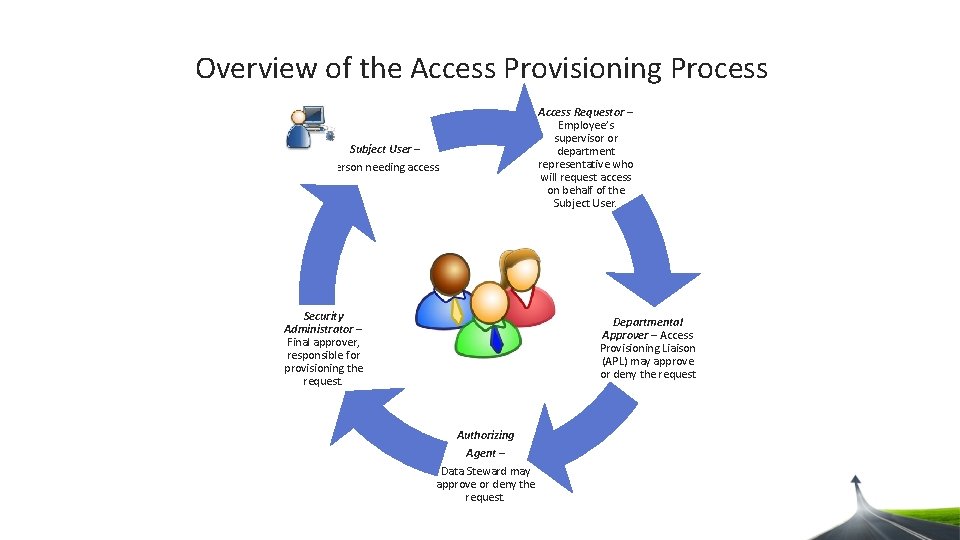
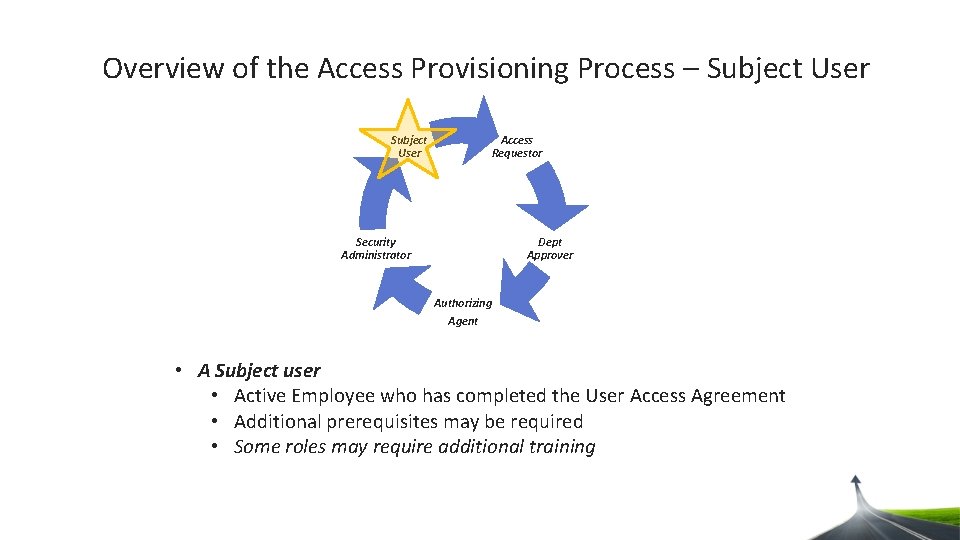
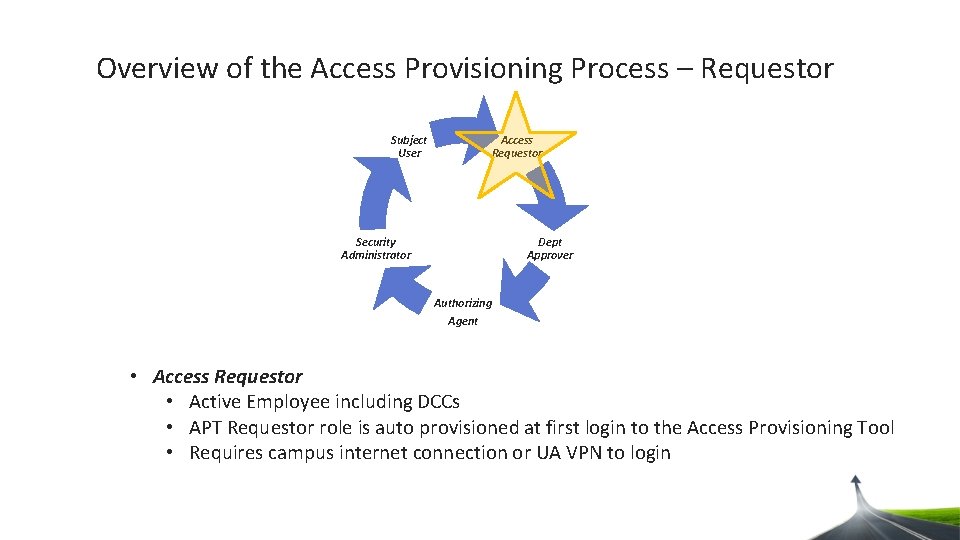
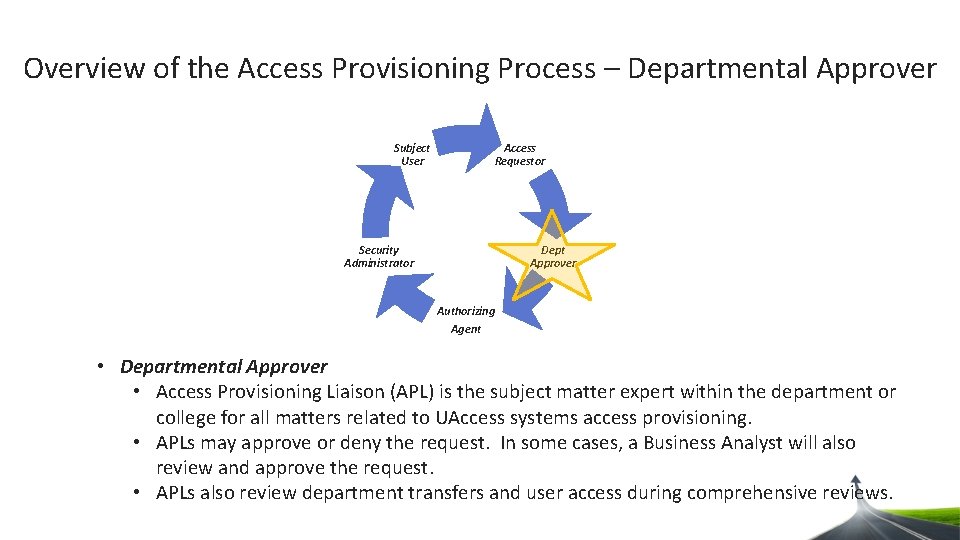
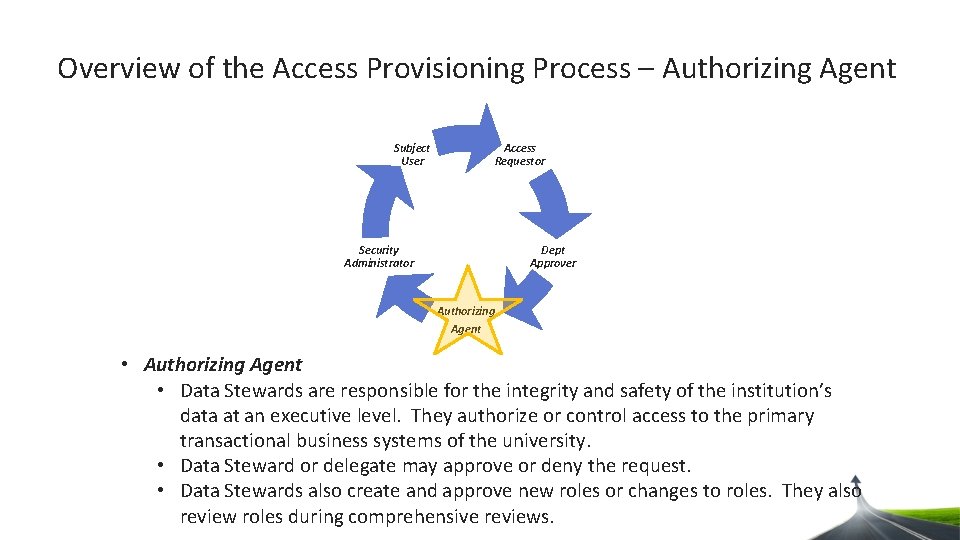
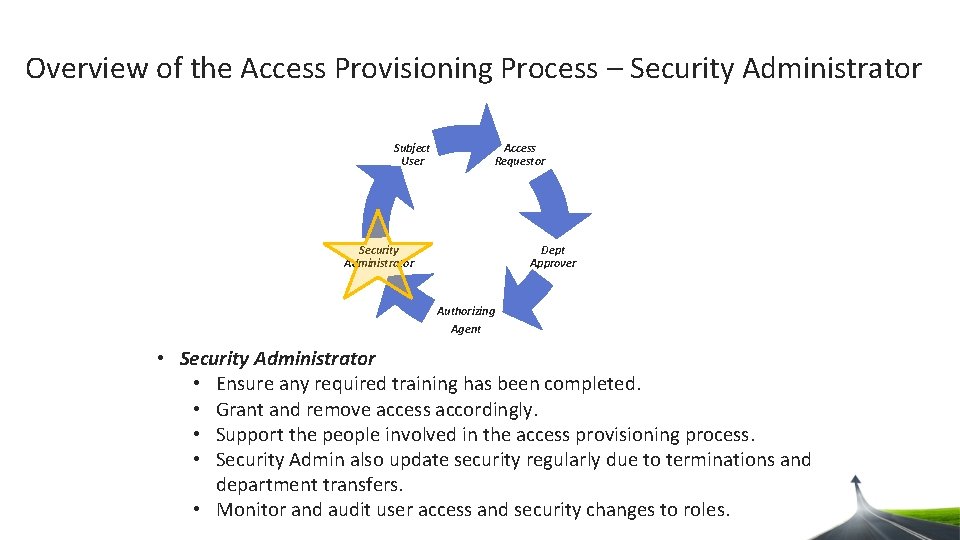
Overview of the Access Provisioning Process Access Requestor – Employee’s supervisor or department representative who will request access on behalf of the Subject User – Person needing access. Security Administrator – Final approver, responsible for provisioning the request. Departmental Approver – Access Provisioning Liaison (APL) may approve or deny the request Authorizing Agent – Data Steward may approve or deny the request.
Overview of the Access Provisioning Process – Subject User Access Requestor Dept Approver Security Administrator Authorizing Agent • A Subject user • Active Employee who has completed the User Access Agreement • Additional prerequisites may be required • Some roles may require additional training
Overview of the Access Provisioning Process – Requestor Subject User Access Requestor Dept Approver Security Administrator Authorizing Agent • Access Requestor • Active Employee including DCCs • APT Requestor role is auto provisioned at first login to the Access Provisioning Tool • Requires campus internet connection or UA VPN to login
Overview of the Access Provisioning Process – Departmental Approver Subject User Access Requestor Dept Approver Security Administrator Authorizing Agent • Departmental Approver • Access Provisioning Liaison (APL) is the subject matter expert within the department or college for all matters related to UAccess systems access provisioning. • APLs may approve or deny the request. In some cases, a Business Analyst will also review and approve the request. • APLs also review department transfers and user access during comprehensive reviews.
Overview of the Access Provisioning Process – Authorizing Agent Subject User Access Requestor Dept Approver Security Administrator Authorizing Agent • Authorizing Agent • Data Stewards are responsible for the integrity and safety of the institution’s data at an executive level. They authorize or control access to the primary transactional business systems of the university. • Data Steward or delegate may approve or deny the request. • Data Stewards also create and approve new roles or changes to roles. They also review roles during comprehensive reviews.
Overview of the Access Provisioning Process – Security Administrator Subject User Access Requestor Dept Approver Security Administrator Authorizing Agent • Security Administrator • Ensure any required training has been completed. • Grant and remove access accordingly. • Support the people involved in the access provisioning process. • Security Admin also update security regularly due to terminations and department transfers. • Monitor and audit user access and security changes to roles.
Agenda • EAST introduction • Leveraging the Analytics Security Dashboard • Overview of the access provisioning process • Navigating the Access Provisioning Tool • Monitoring and approving the access request • More access provisioning information
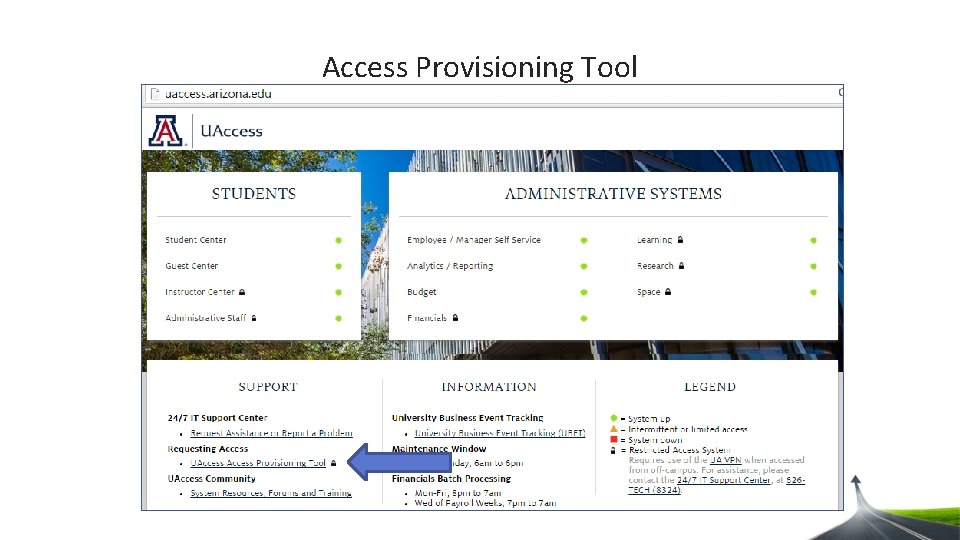
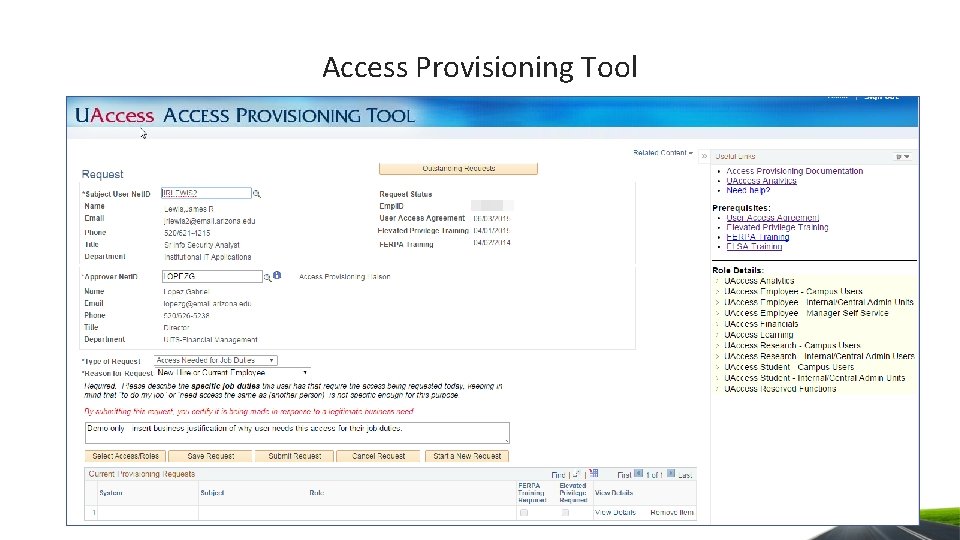
Access Provisioning Tool
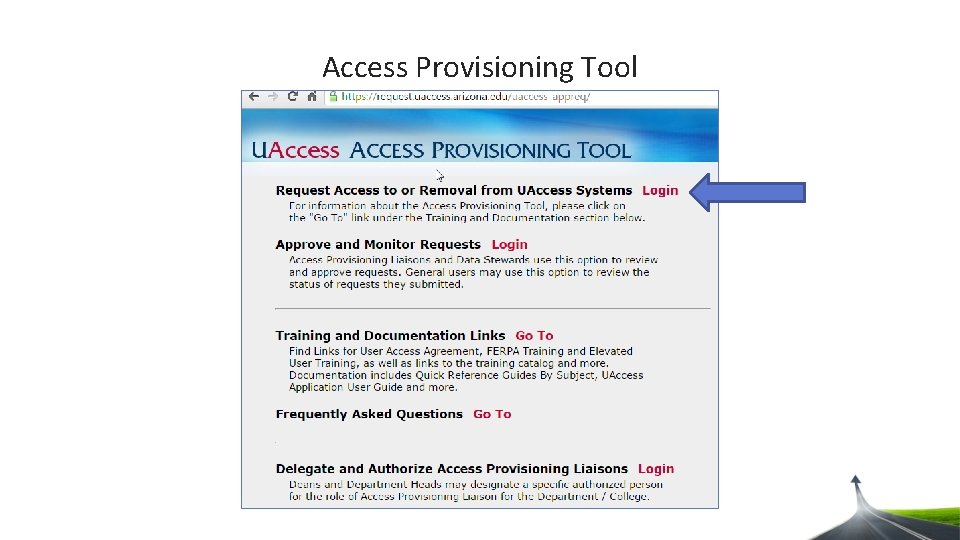
Access Provisioning Tool
Access Provisioning Tool
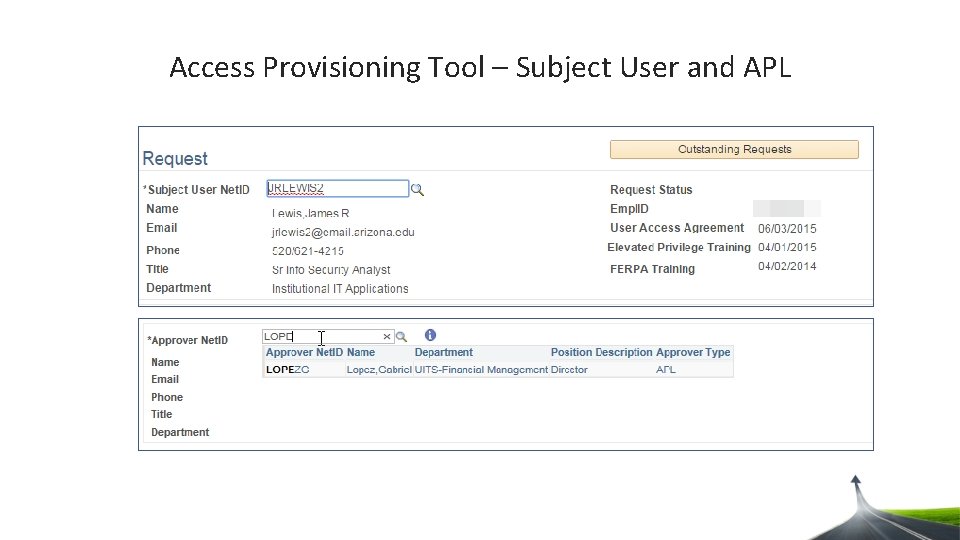
Access Provisioning Tool – Subject User and APL
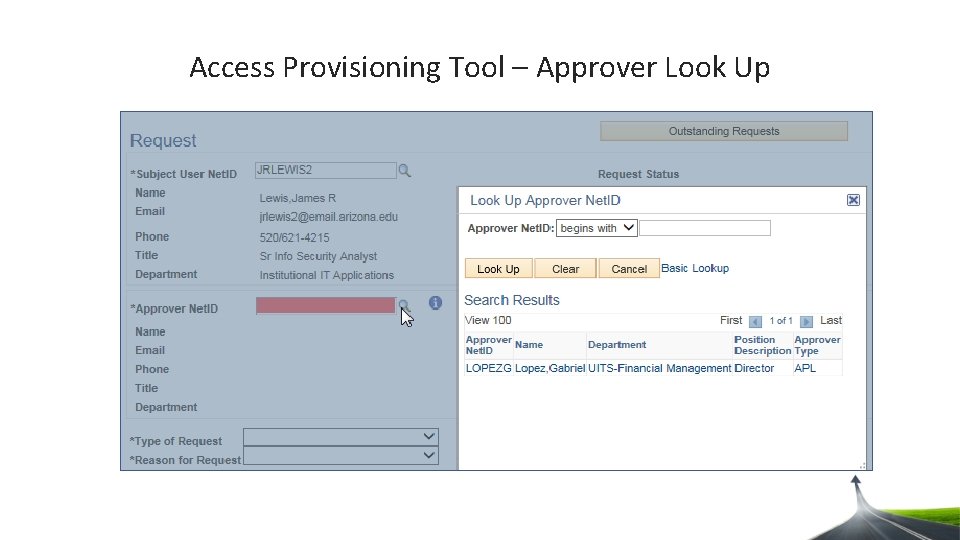
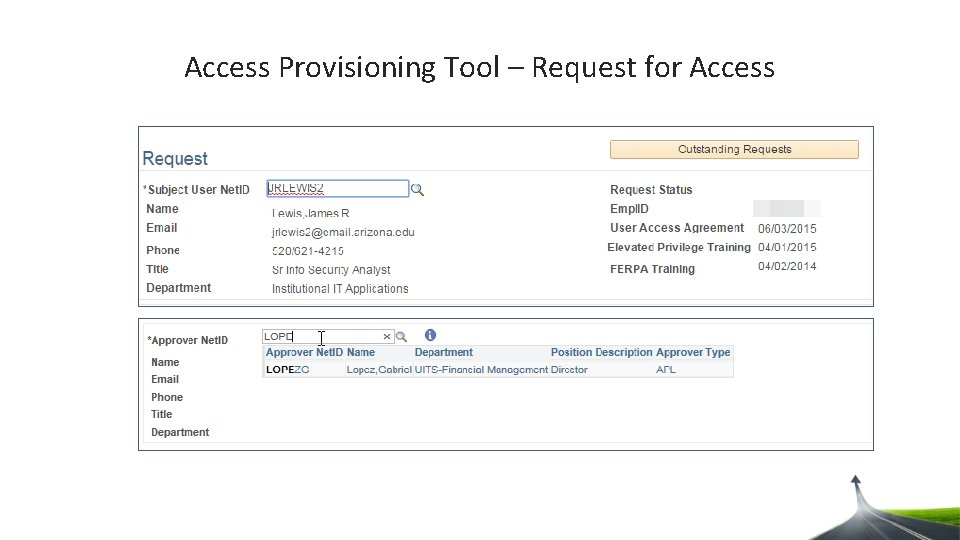
Access Provisioning Tool – Approver Look Up
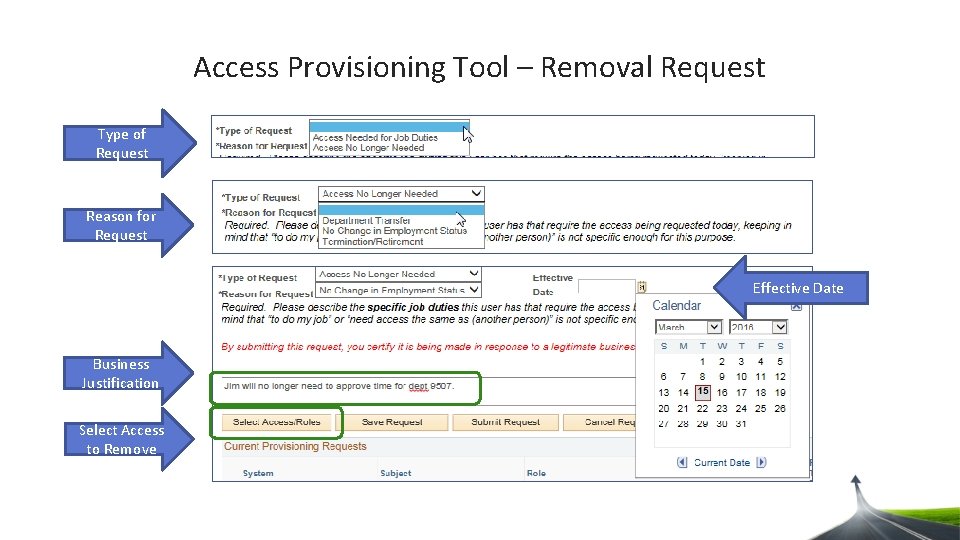
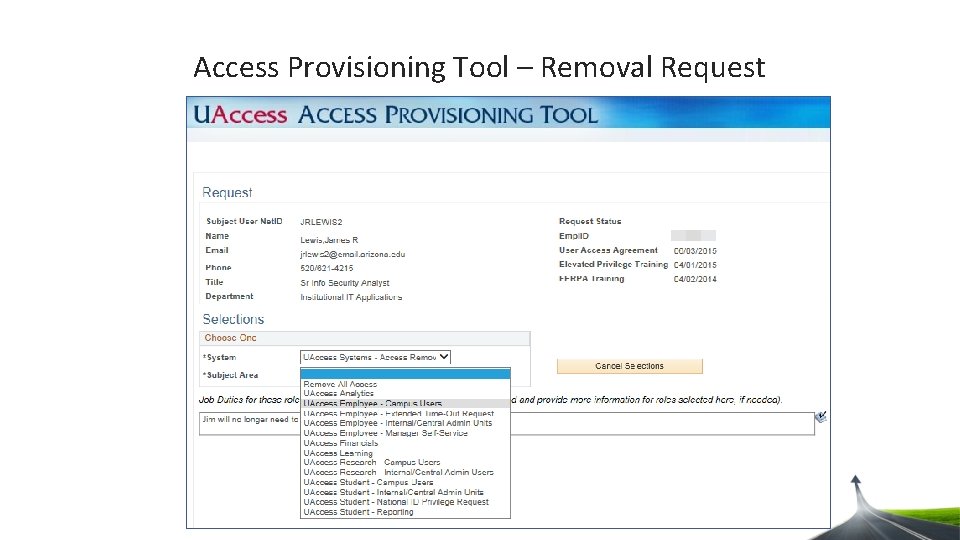
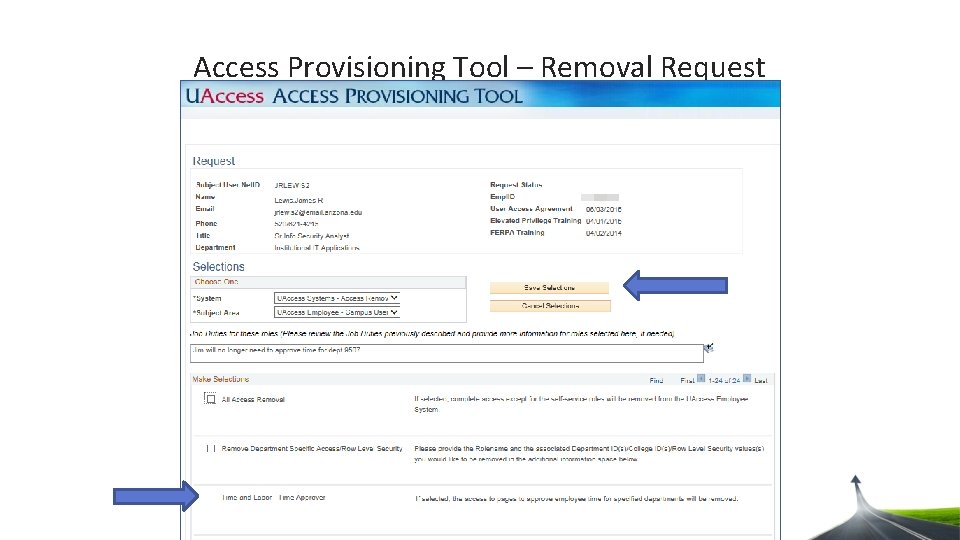
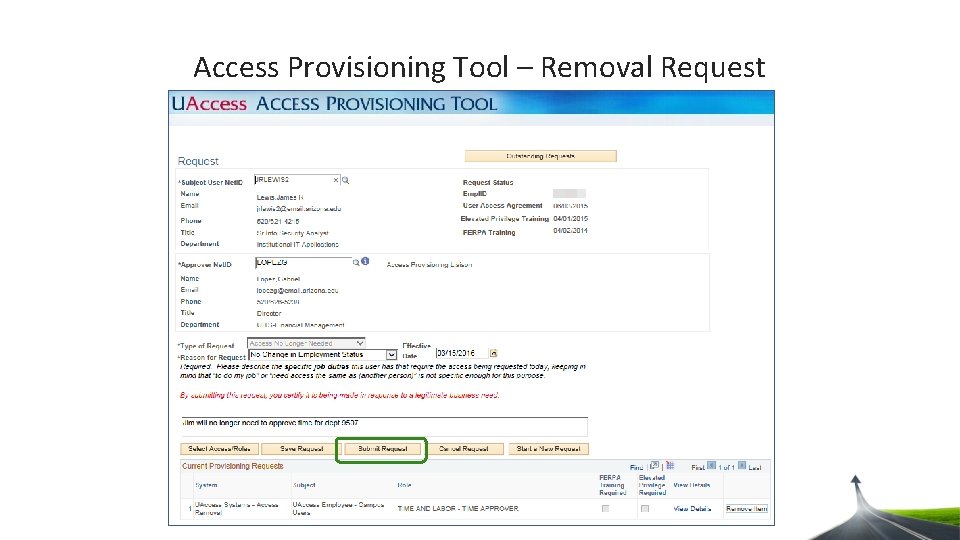
Access Provisioning Tool – Removal Request Type of Request Reason for Request Effective Date Business Justification Select Access to Remove
Access Provisioning Tool – Removal Request
Access Provisioning Tool – Removal Request
Access Provisioning Tool – Removal Request
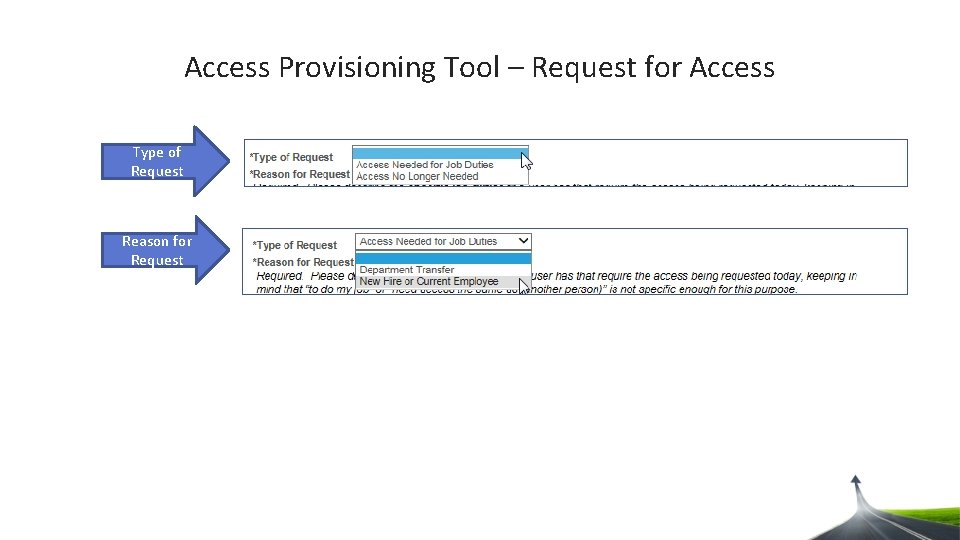
Access Provisioning Tool – Request for Access
Access Provisioning Tool – Request for Access Type of Request Reason for Request
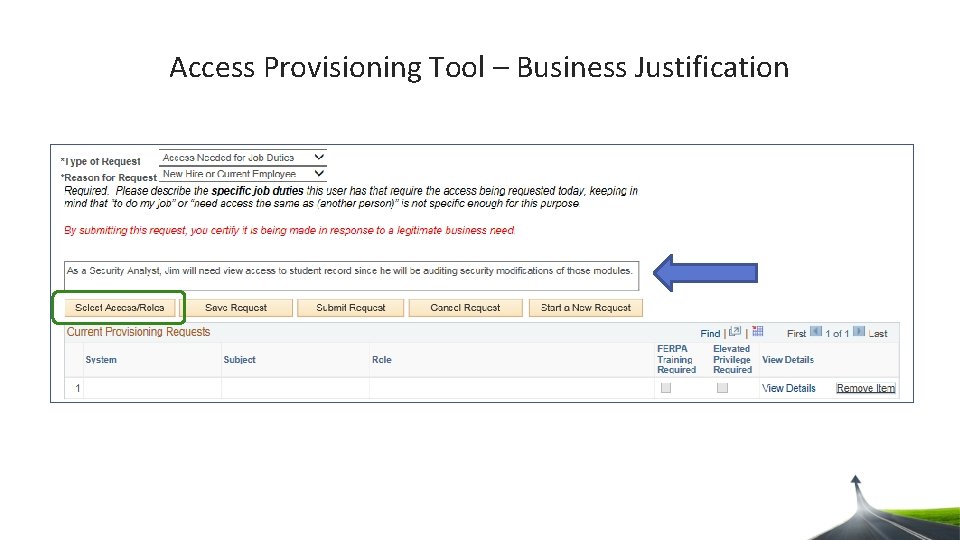
Access Provisioning Tool – Business Justification
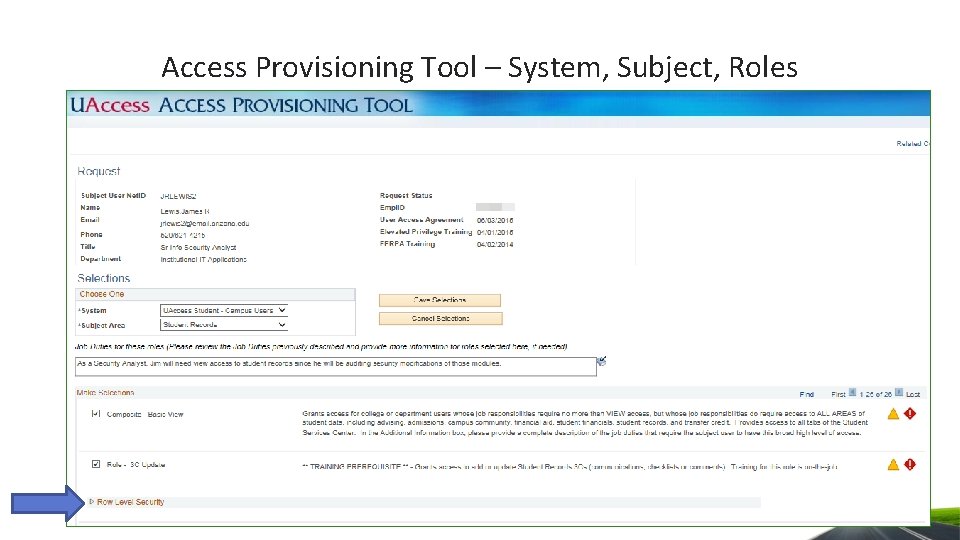
Access Provisioning Tool – System, Subject, Roles
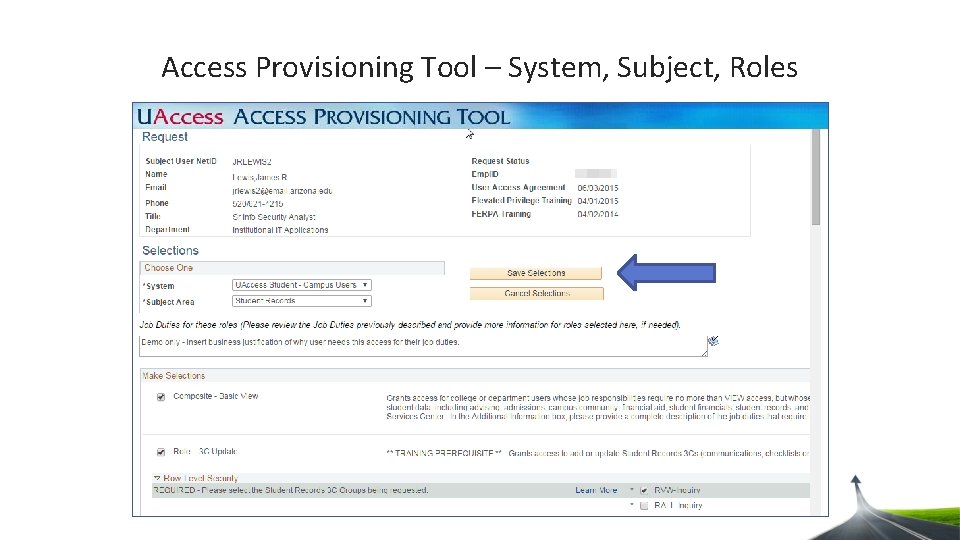
Access Provisioning Tool – System, Subject, Roles
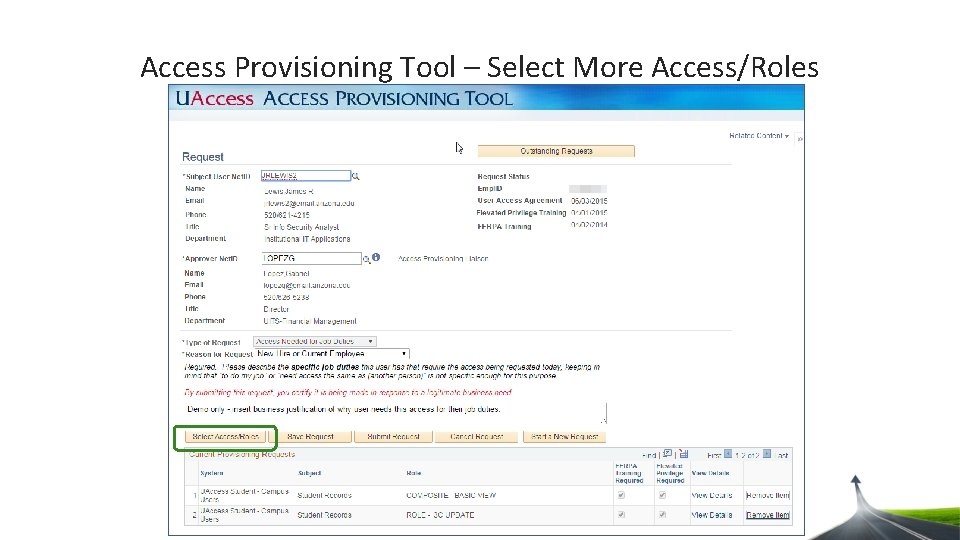
Access Provisioning Tool – Select More Access/Roles
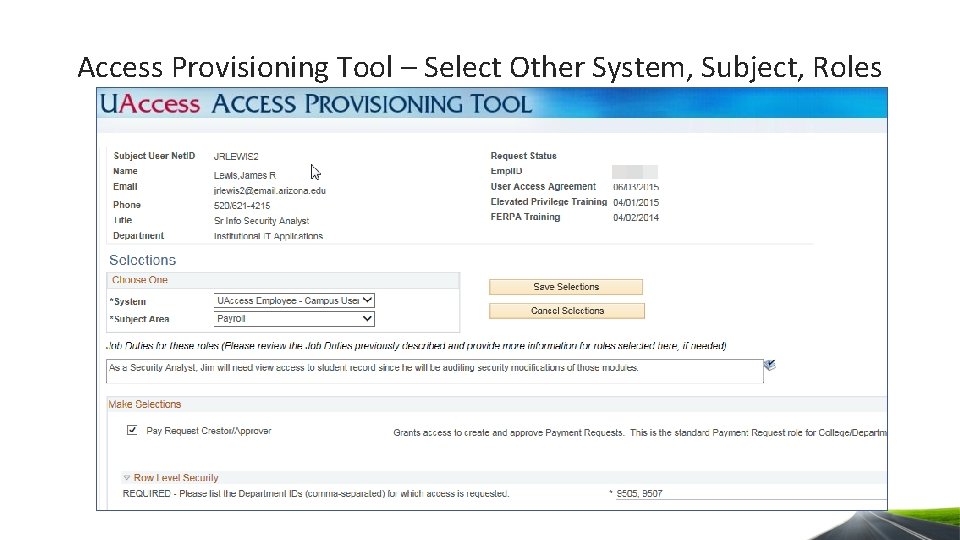
Access Provisioning Tool – Select Other System, Subject, Roles
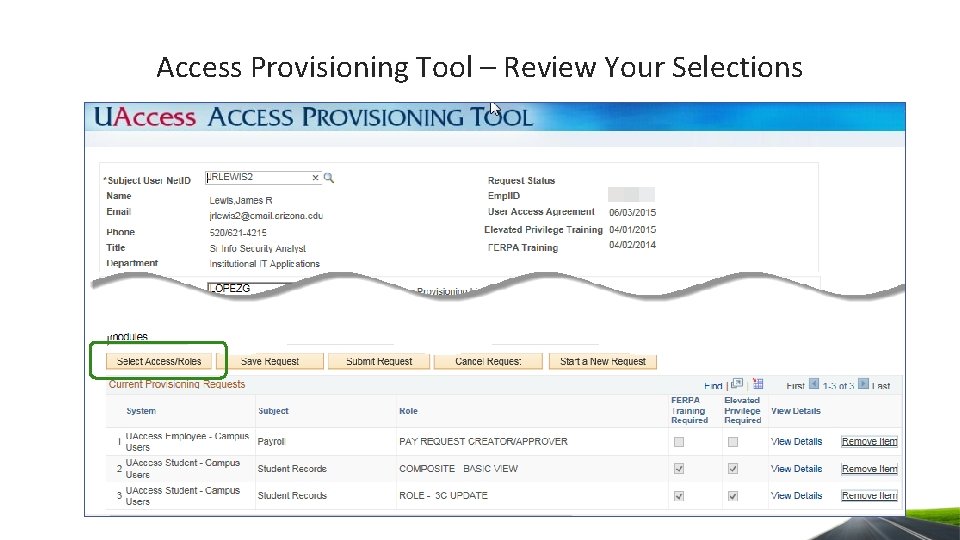
Access Provisioning Tool – Review Your Selections
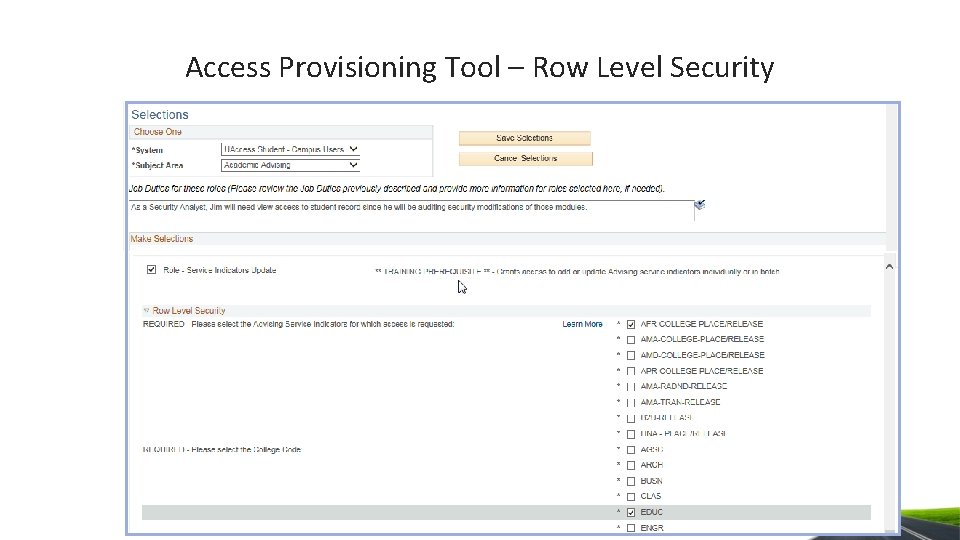
Access Provisioning Tool – Row Level Security
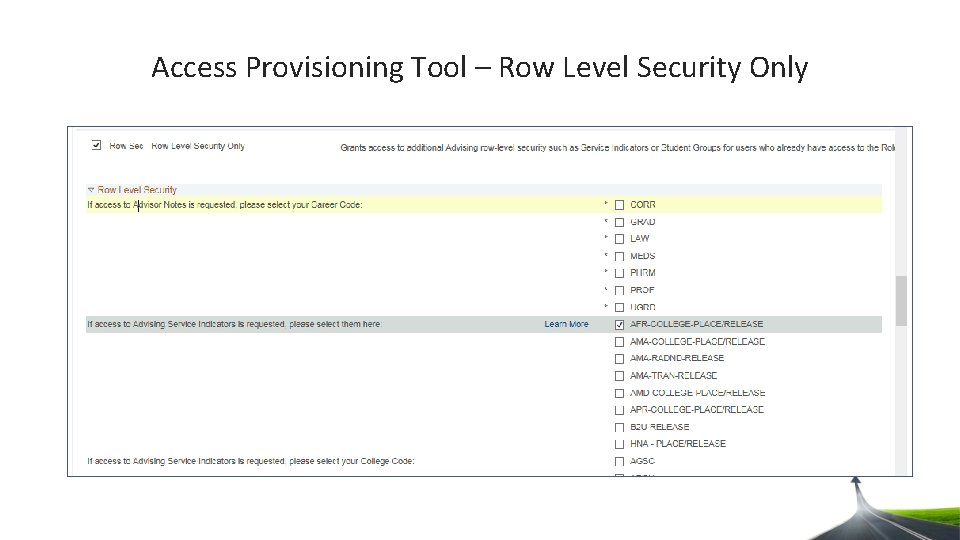
Access Provisioning Tool – Row Level Security Only
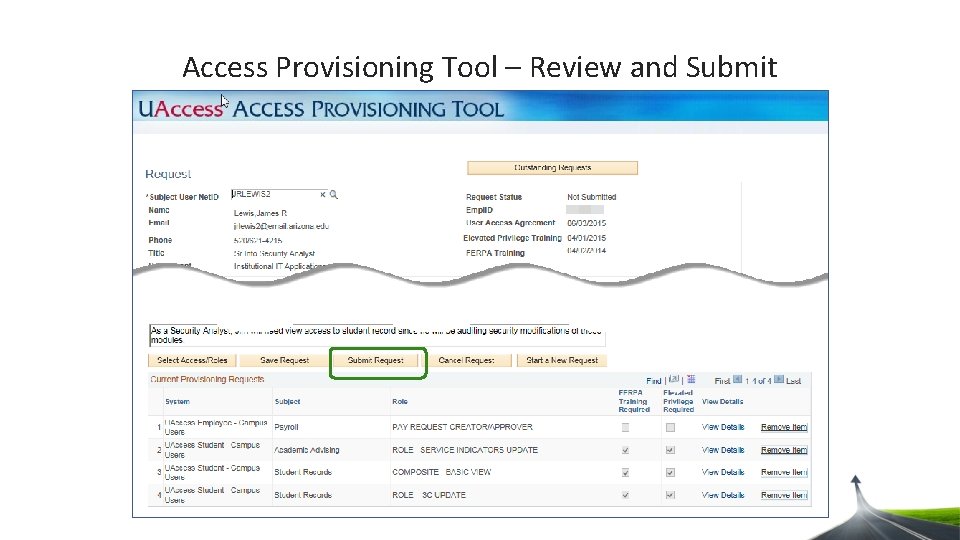
Access Provisioning Tool – Review and Submit
Agenda • EAST introduction • Leveraging the Analytics Security Dashboard • Overview of the access provisioning process • Navigating the Access Provisioning Tool • Monitoring and approving the access request • More access provisioning information
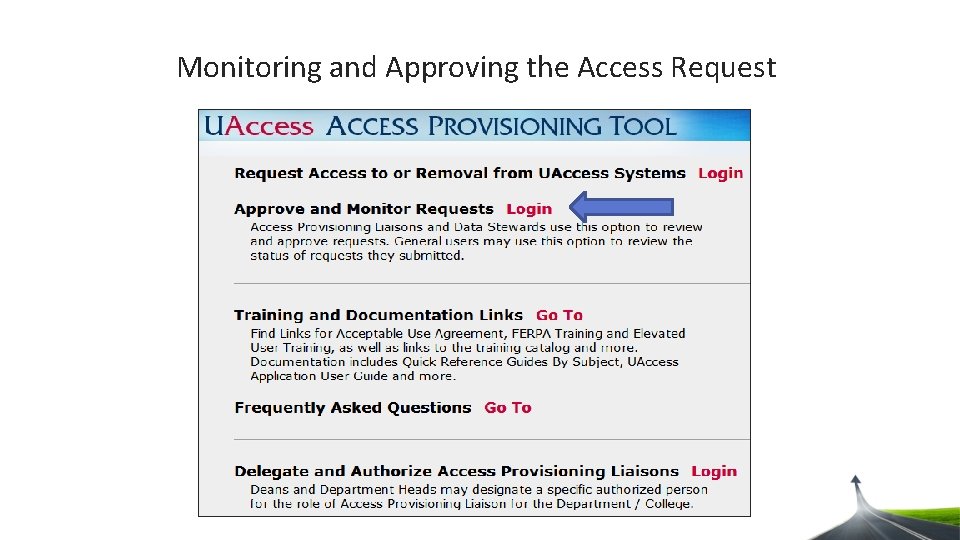
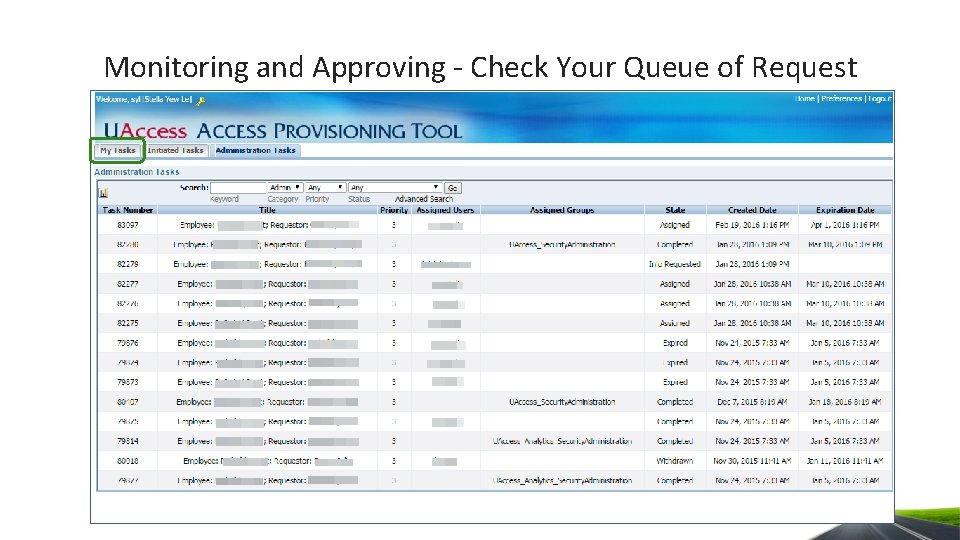
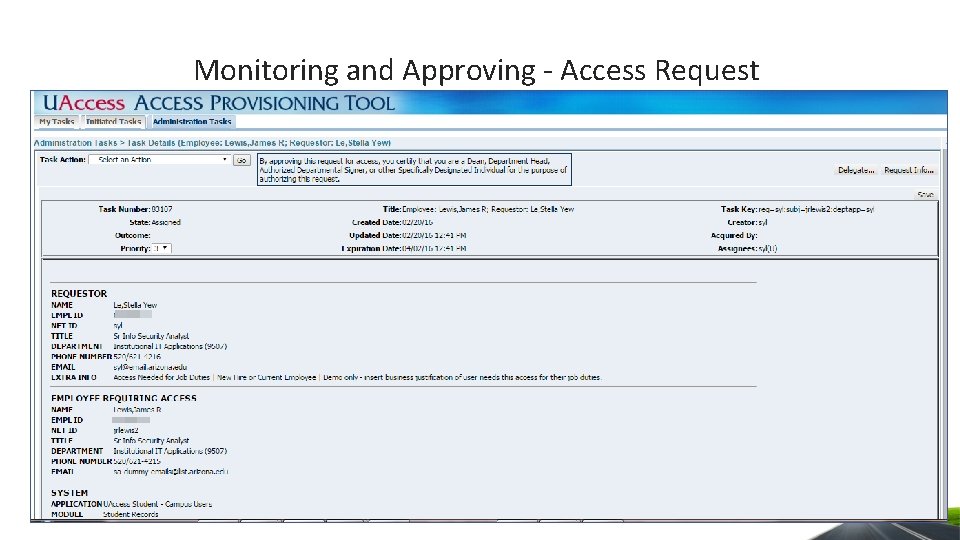
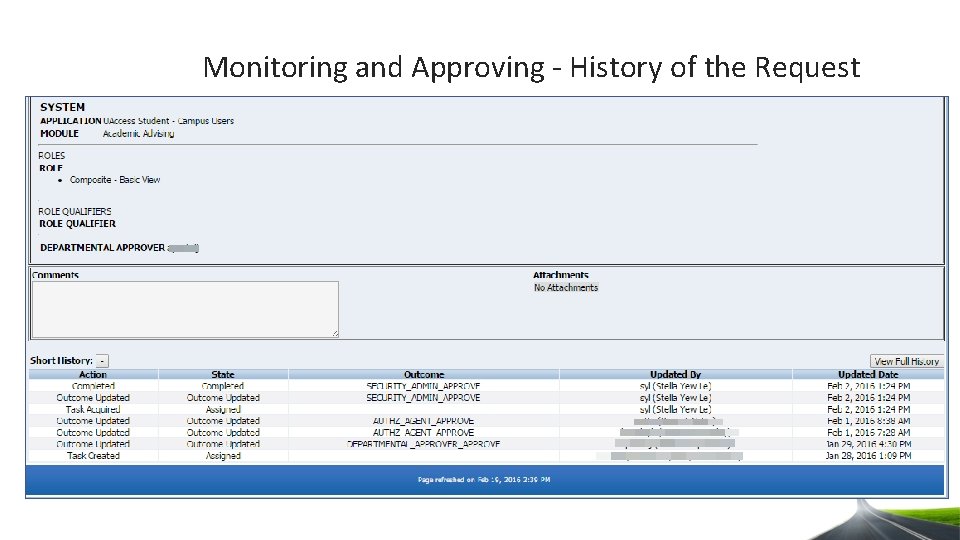
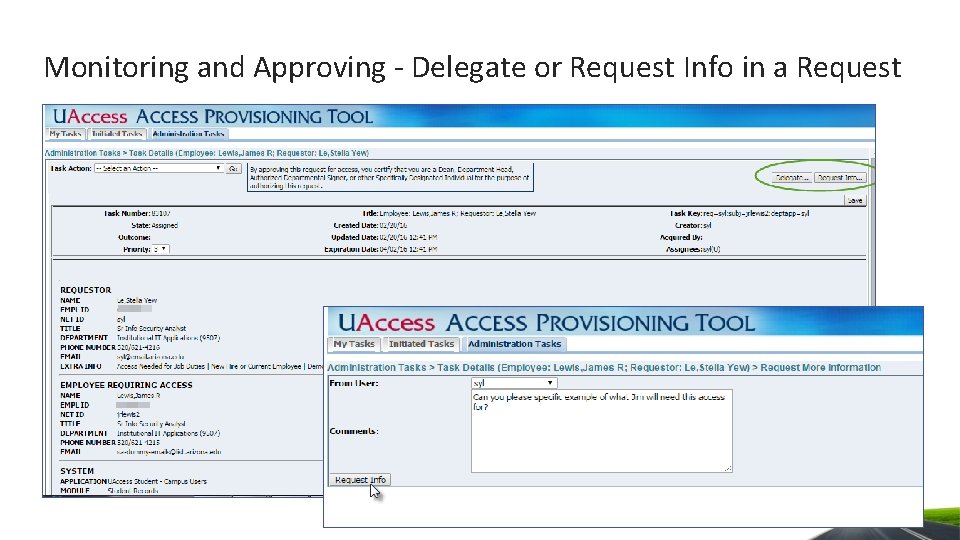
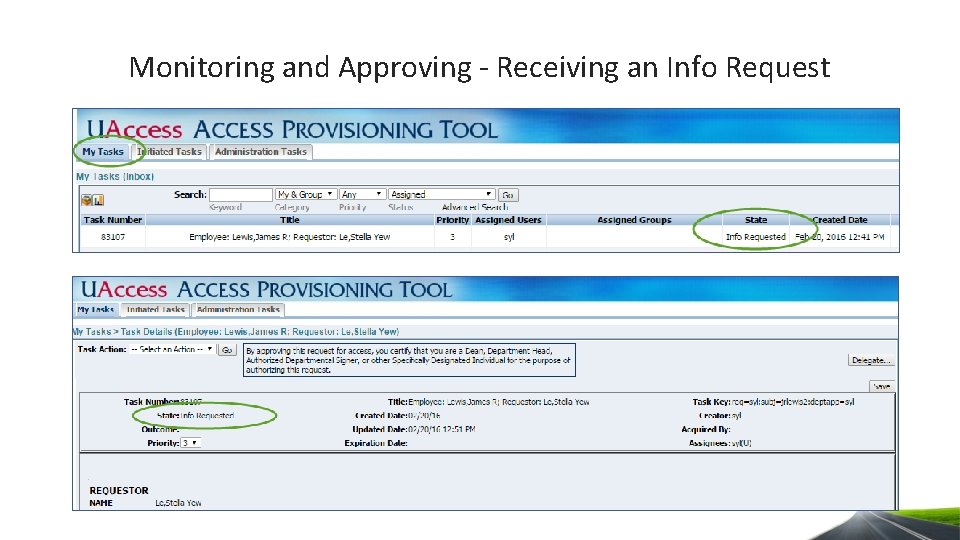
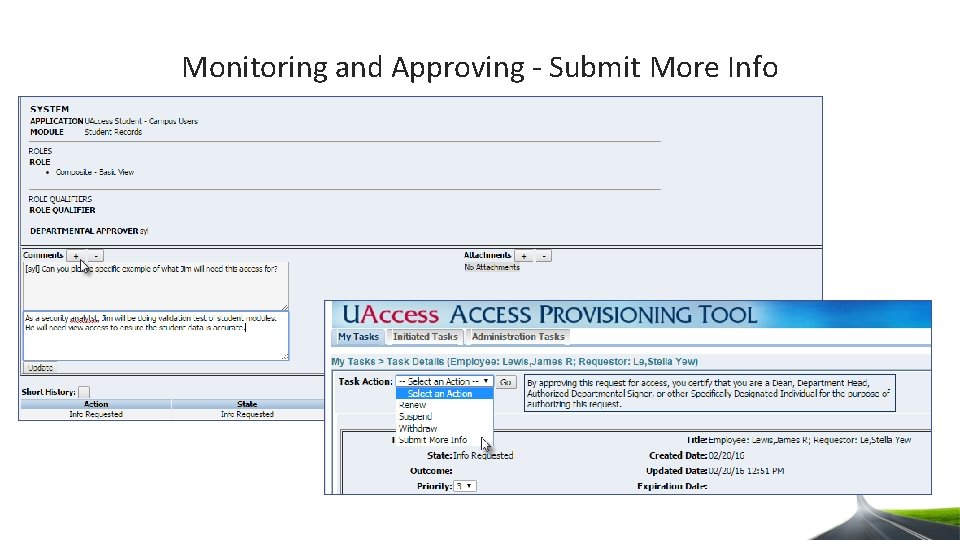
Monitoring and Approving the Access Request • How to check access requests in your queue • Look at history of a request • What to do with request info
Monitoring and Approving the Access Request
Monitoring and Approving - Check Your Queue of Request
Monitoring and Approving - Access Request
Monitoring and Approving - History of the Request
Monitoring and Approving - Delegate or Request Info in a Request
Monitoring and Approving - Receiving an Info Request
Monitoring and Approving - Submit More Info
Agenda • EAST introduction • Leveraging the Analytics Security Dashboard • Overview of the access provisioning process • Navigating the Access Provisioning Tool • Monitoring and approving the access request • More access provisioning information
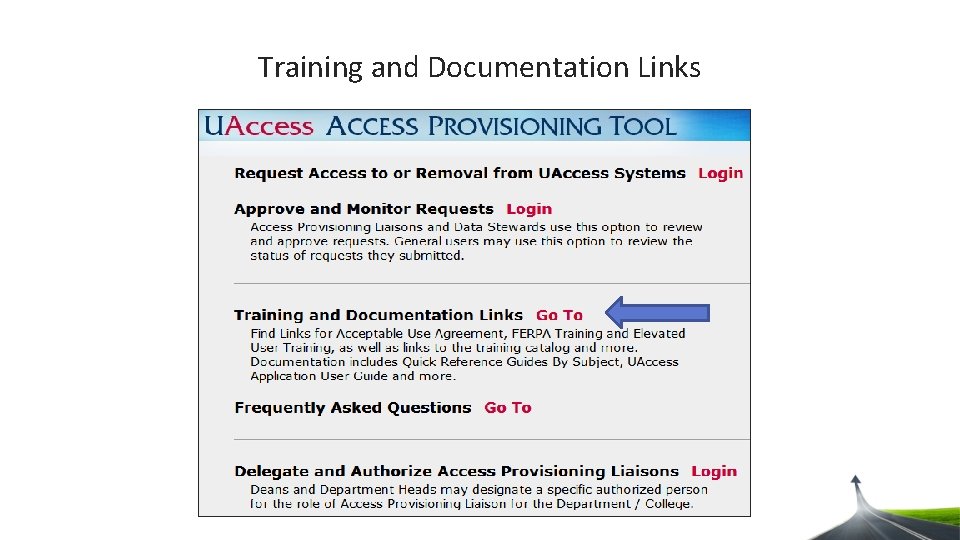
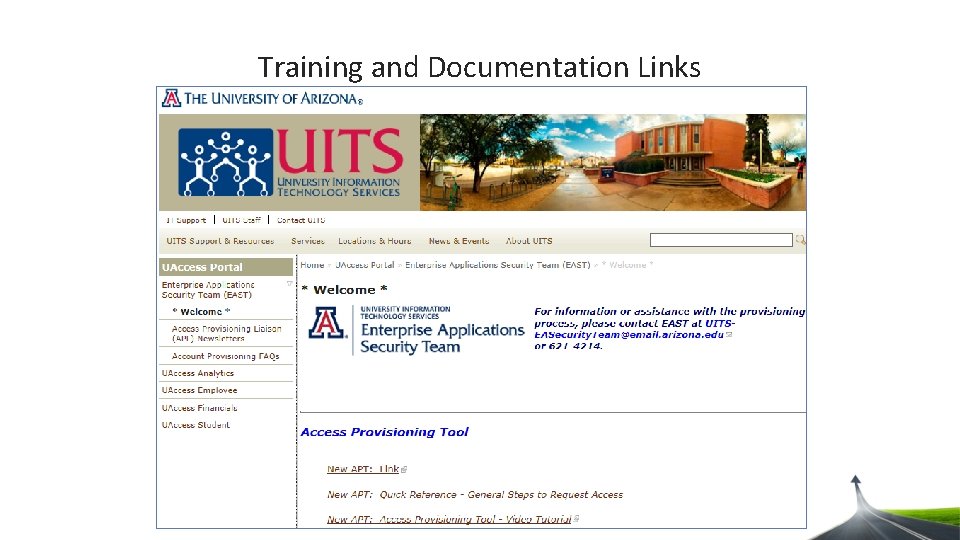
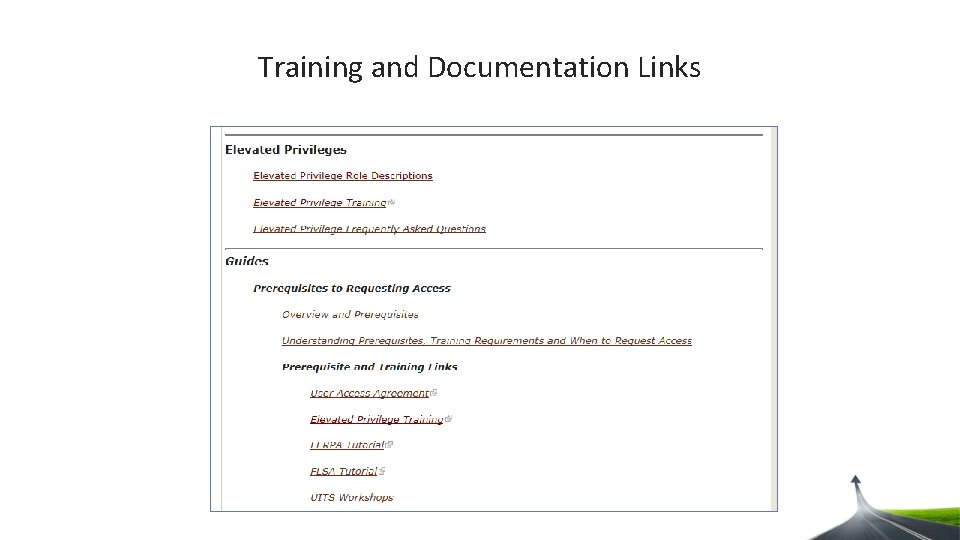
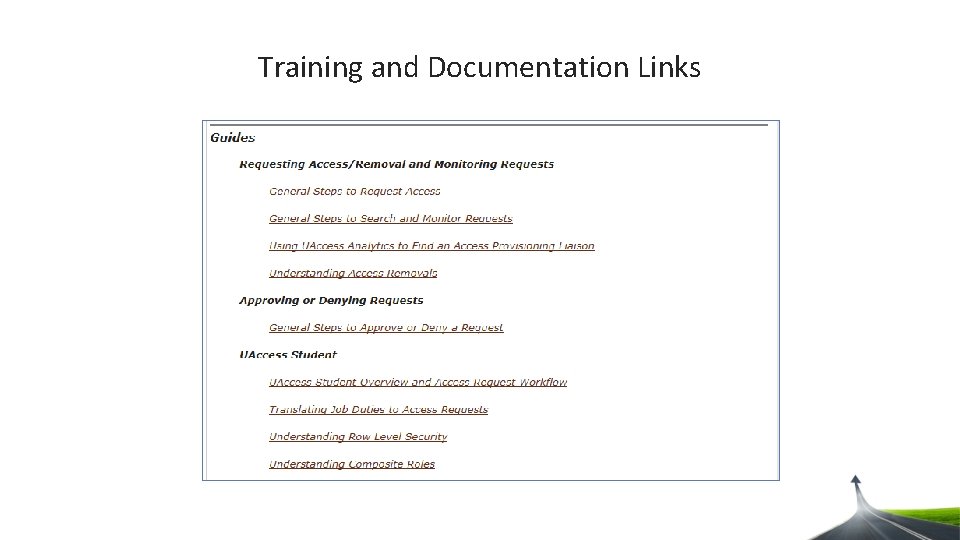
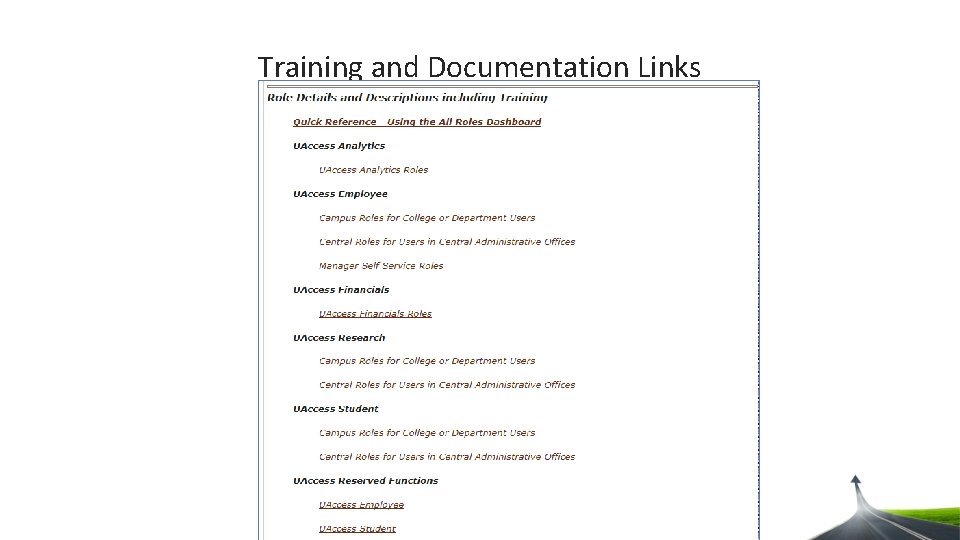
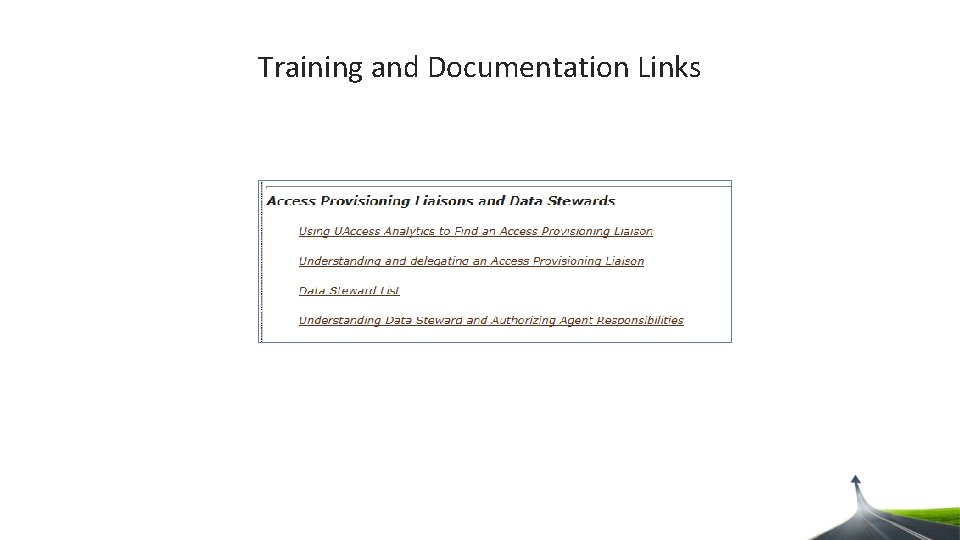
Training and Documentation Links
Training and Documentation Links
Training and Documentation Links
Training and Documentation Links
Training and Documentation Links
Training and Documentation Links
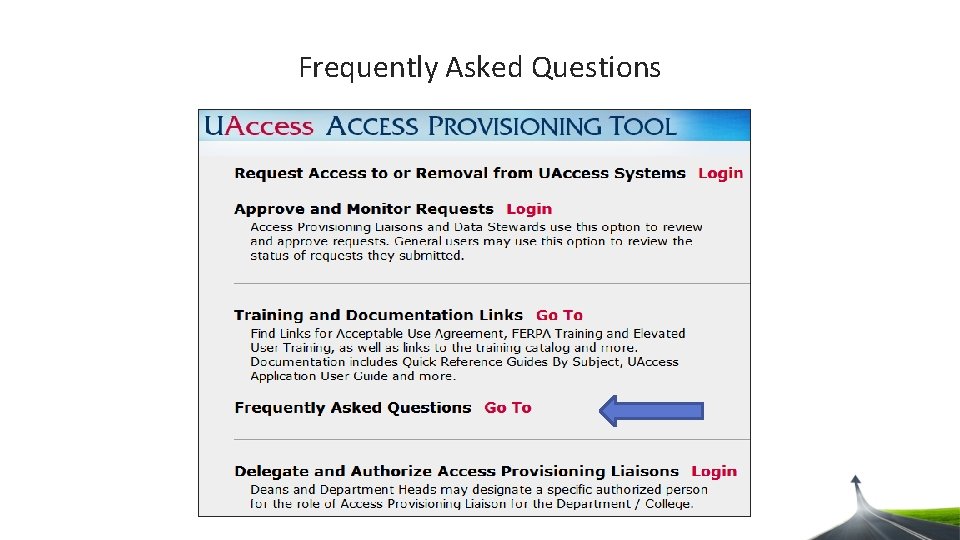
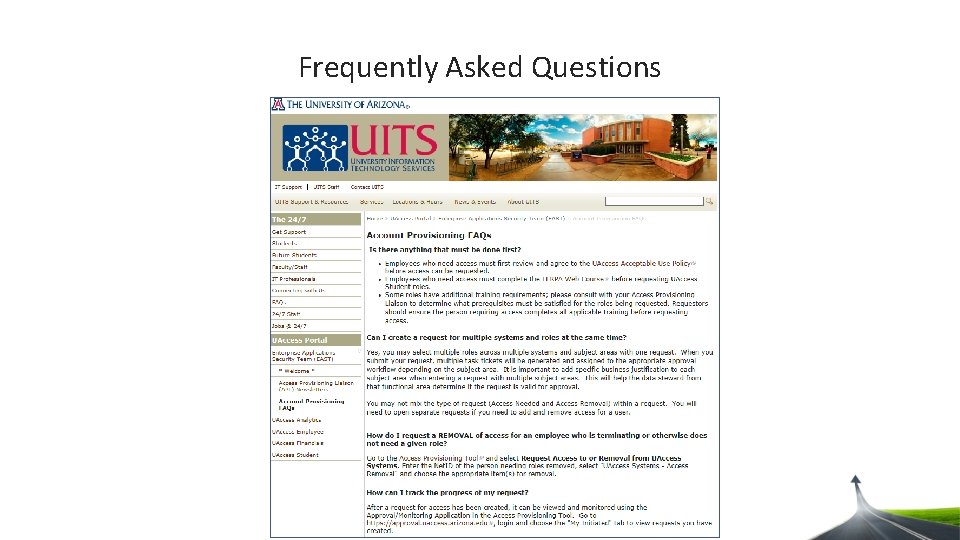
Frequently Asked Questions
Frequently Asked Questions
Contact Us • Feel free to call, drop in, or email • 621 -4214 • UITS – Computer Center 337 • UITS-EASecurity. Team@email. arizona. edu • One-on-one time during our office hours • UITS building (room 337) • Alternating Tuesdays (9 -11 am) and Wednesdays (1 -3 pm) • Go to UAccess Learning and search for: “Access Provisioning: UAccess Provisioning Office Hours“ • Access Provisioning Documentation • http: //uits. arizona. edu/Access-Provisioning-Documentation
We get people to the data they need while protecting sensitive data. Do you have any questions? ?