
Access Lesson 2 Lesson Plans Michele Smith North


- Slides: 17
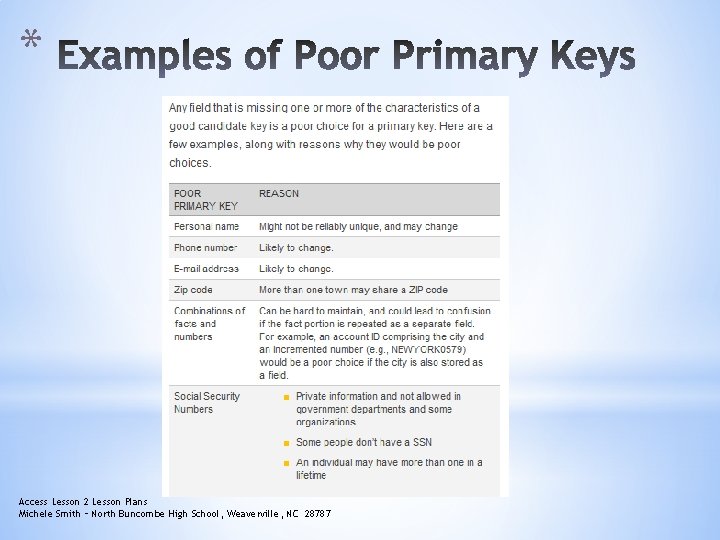
* Access Lesson 2 Lesson Plans Michele Smith – North Buncombe High School, Weaverville, NC 28787
* Access Lesson 2 Lesson Plans Michele Smith – North Buncombe High School, Weaverville, NC 28787
* Access Lesson 2 Lesson Plans Michele Smith – North Buncombe High School, Weaverville, NC 28787
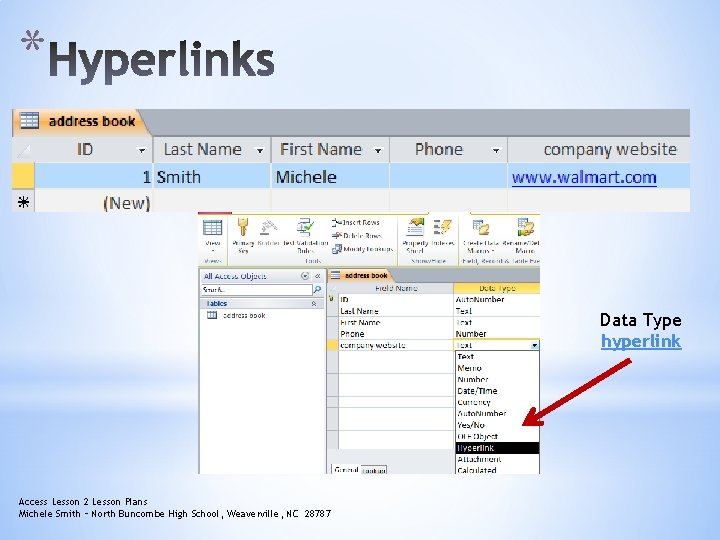
* Data Type hyperlink Access Lesson 2 Lesson Plans Michele Smith – North Buncombe High School, Weaverville, NC 28787
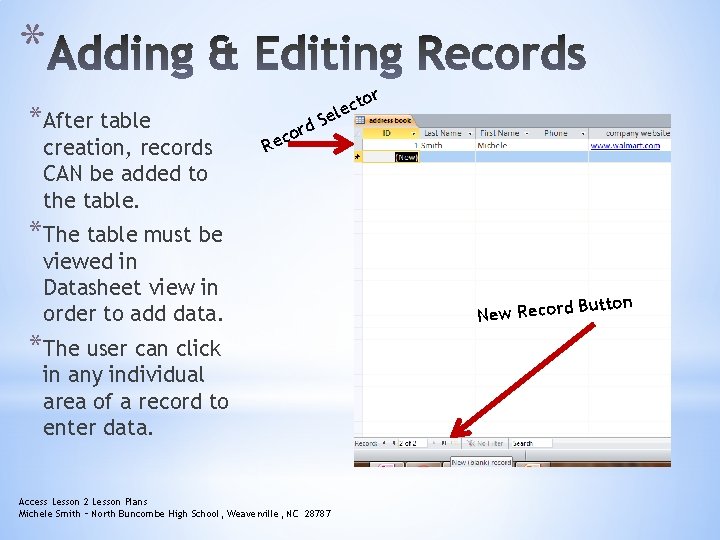
* *After table creation, records CAN be added to the table. r to lec e S d r o Rec *The table must be viewed in Datasheet view in order to add data. *The user can click in any individual area of a record to enter data. Access Lesson 2 Lesson Plans Michele Smith – North Buncombe High School, Weaverville, NC 28787 Button New Record
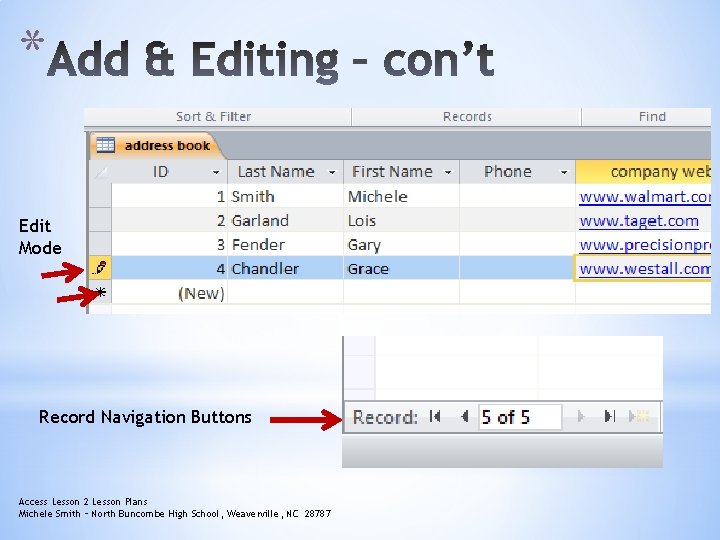
* Edit Mode Record Navigation Buttons Access Lesson 2 Lesson Plans Michele Smith – North Buncombe High School, Weaverville, NC 28787
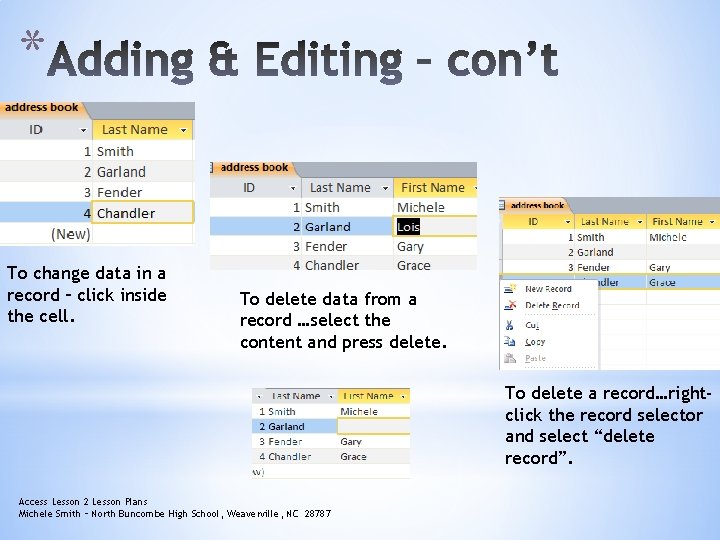
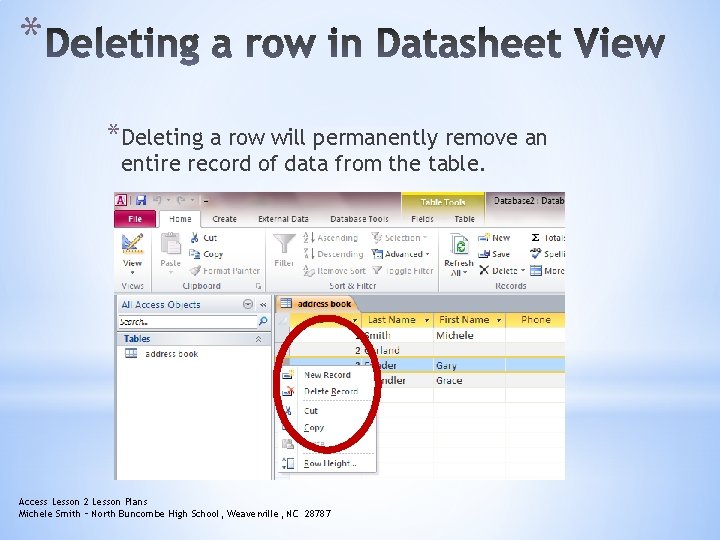
* To change data in a record – click inside the cell. To delete data from a record …select the content and press delete. To delete a record…rightclick the record selector and select “delete record”. Access Lesson 2 Lesson Plans Michele Smith – North Buncombe High School, Weaverville, NC 28787
* *Fields in a table can be moved to better organize the table for data entry. *Deleting a field in a table will delete all data that appears in that field as well. *You can also delete or move rows of data. Access Lesson 2 Lesson Plans Michele Smith – North Buncombe High School, Weaverville, NC 28787
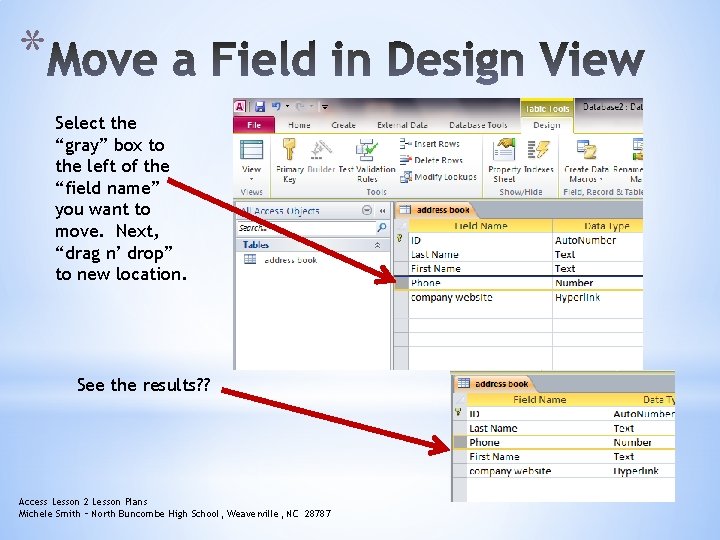
* Select the “gray” box to the left of the “field name” you want to move. Next, “drag n’ drop” to new location. See the results? ? Access Lesson 2 Lesson Plans Michele Smith – North Buncombe High School, Weaverville, NC 28787
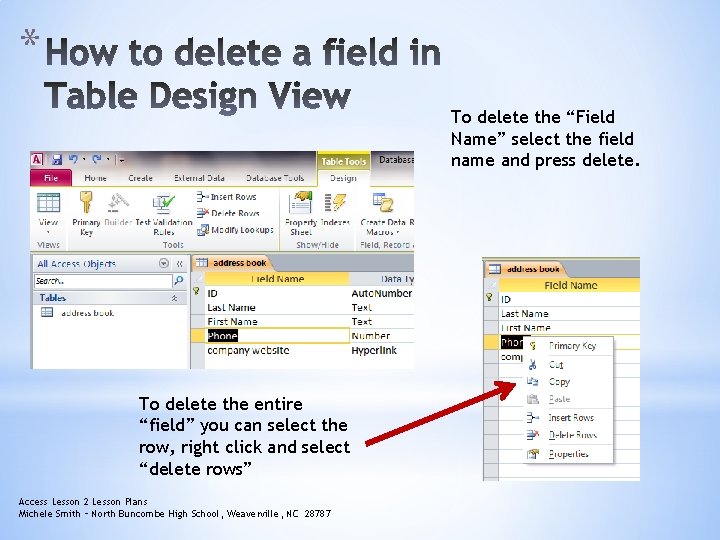
* To delete the “Field Name” select the field name and press delete. To delete the entire “field” you can select the row, right click and select “delete rows” Access Lesson 2 Lesson Plans Michele Smith – North Buncombe High School, Weaverville, NC 28787
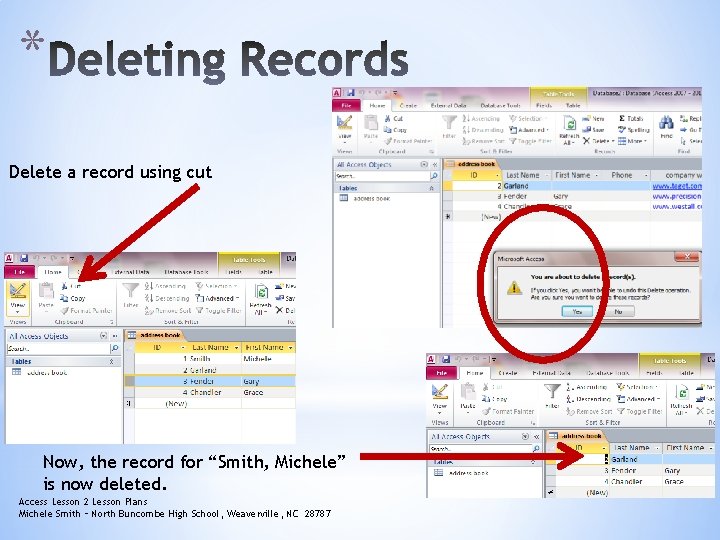
* Delete a record using cut Now, the record for “Smith, Michele” is now deleted. Access Lesson 2 Lesson Plans Michele Smith – North Buncombe High School, Weaverville, NC 28787
* *Deleting a row will permanently remove an entire record of data from the table. Access Lesson 2 Lesson Plans Michele Smith – North Buncombe High School, Weaverville, NC 28787
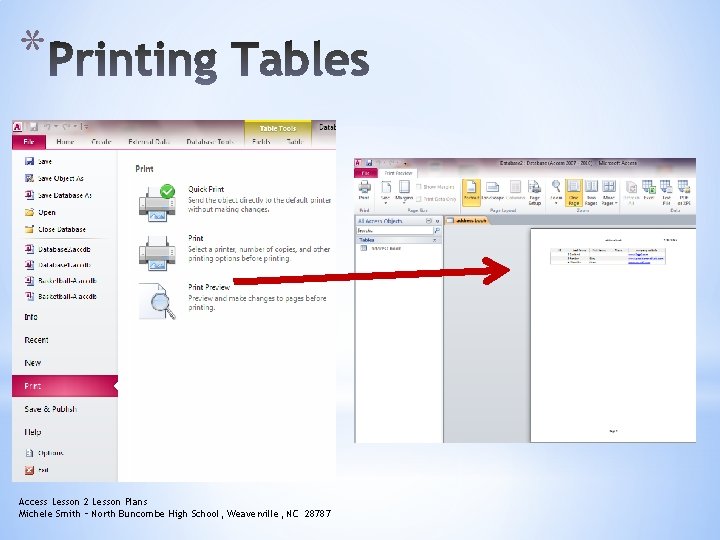
* *Individual tables can be printed without printing the entire database. *Using Print Preview will allow the user to see how the table will appear printed. Access Lesson 2 Lesson Plans Michele Smith – North Buncombe High School, Weaverville, NC 28787
* Access Lesson 2 Lesson Plans Michele Smith – North Buncombe High School, Weaverville, NC 28787
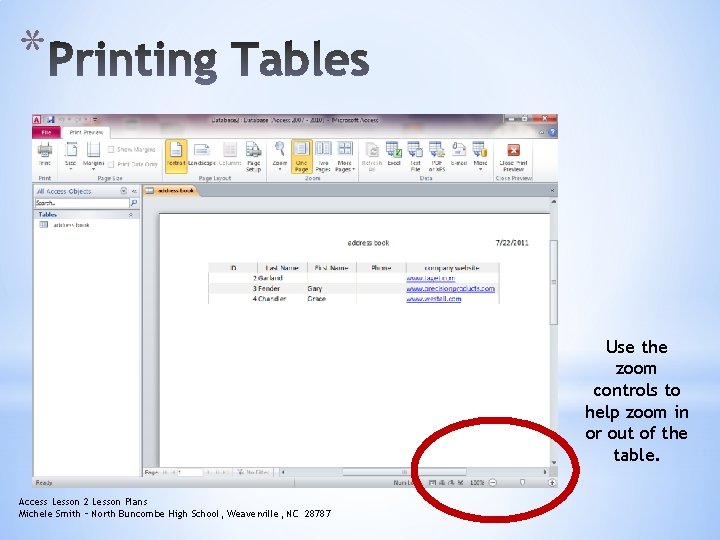
* Use the zoom controls to help zoom in or out of the table. Access Lesson 2 Lesson Plans Michele Smith – North Buncombe High School, Weaverville, NC 28787
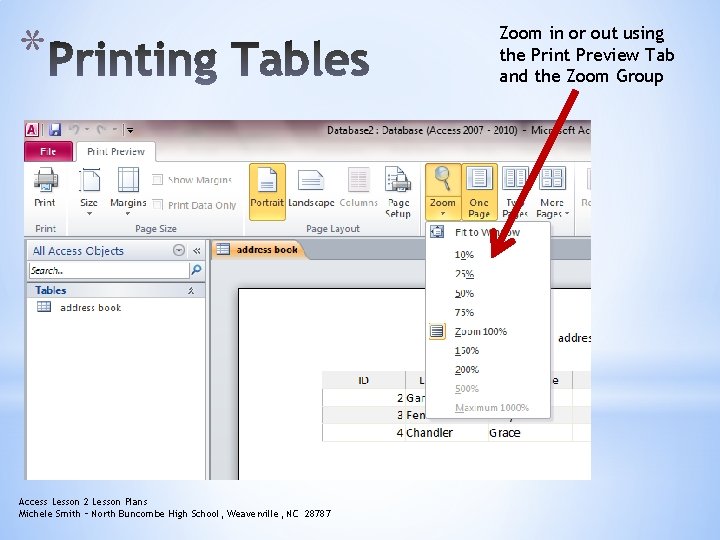
* Access Lesson 2 Lesson Plans Michele Smith – North Buncombe High School, Weaverville, NC 28787 Zoom in or out using the Print Preview Tab and the Zoom Group
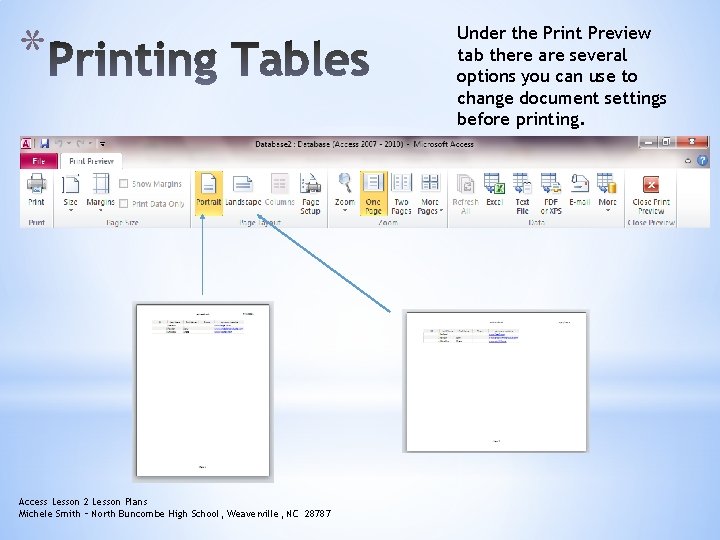
* Access Lesson 2 Lesson Plans Michele Smith – North Buncombe High School, Weaverville, NC 28787 Under the Print Preview tab there are several options you can use to change document settings before printing.