
Access Chapter 5 Table Tricks Advanced Queries and
Access Chapter 5 -Table Tricks, Advanced Queries and Custom Forms
Lookup Tables w Use to limit user input into a table n n Data validation Data integrity w Wizard shields you from relationship complexity, Key columns w “Lookup table” must have a defined relationship with the main table n Can use SQL statement as data source Pg. P MIS 342 Access 5 -2
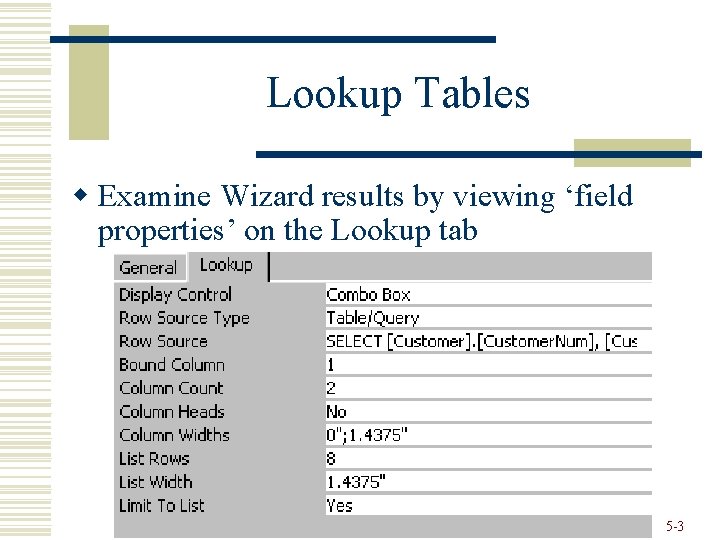
Lookup Tables w Examine Wizard results by viewing ‘field properties’ on the Lookup tab Pg. P MIS 342 Access 5 -3
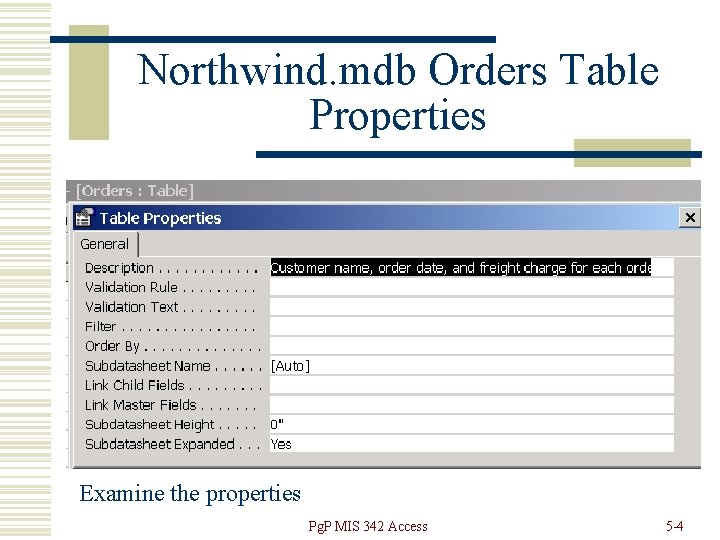
Northwind. mdb Orders Table Properties Examine the properties Pg. P MIS 342 Access 5 -4
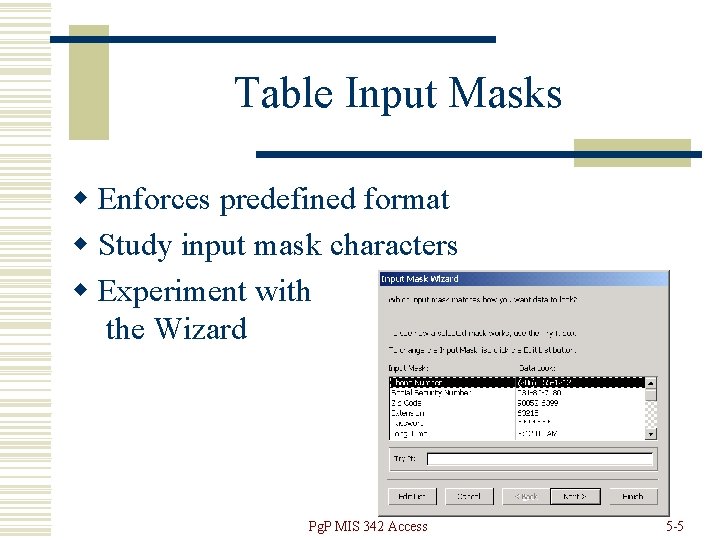
Table Input Masks w Enforces predefined format w Study input mask characters w Experiment with the Wizard Pg. P MIS 342 Access 5 -5

Table Input Masks w Note literal display characters can be stored in database. You may not think this is necessary, but it is wise to store the characters if you plan on exporting the table to a text or other external file. w Consider when interfacing with other systems. n XML, EDI, other databases Pg. P MIS 342 Access 5 -6
Table Input Mask Exercise w Using blank Access database file, w Create new table, with two fields n n w w Phone. Number. With. Mask. Characters Phone. Number. Without. Mask. Characters Use Input Mask Wizard to setup fields Enter data into both fields of a record Export table to Excel file Examine results Pg. P MIS 342 Access 5 -7
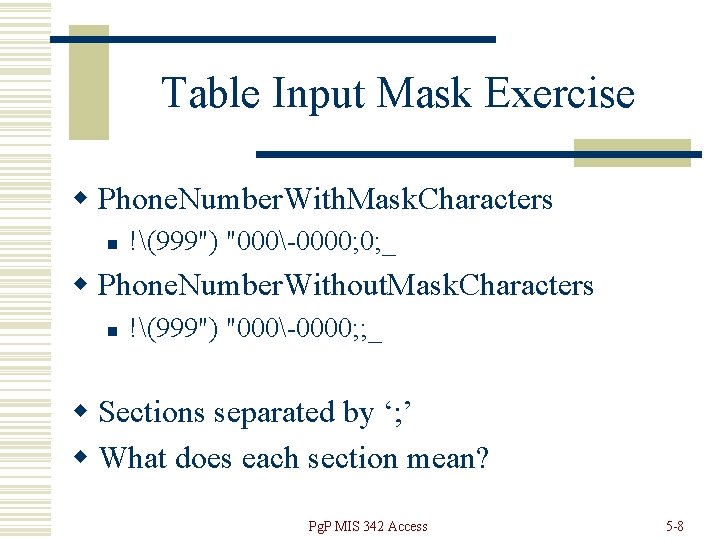
Table Input Mask Exercise w Phone. Number. With. Mask. Characters n !(999") "000-0000; 0; _ w Phone. Number. Without. Mask. Characters n !(999") "000-0000; ; _ w Sections separated by ‘; ’ w What does each section mean? Pg. P MIS 342 Access 5 -8
Table Input Mask Exercise w Section 1 -The Mask n 19 possible characters, search Help for Input. Mask Property w Section 2 -Store which characters? n n 0 - store all characters 1 or blank- store only typed characters w Section 3 - Placeholder character Pg. P MIS 342 Access 5 -9
Query-Pattern Match w Query criteria, Like combined with wildcard characters-*, ? , # Pg. P MIS 342 Access 5 -10
Parameter Query w Specify criteria at run time w Access provides the Prompt box, … w End user supplies the parameter w Offers a degree of flexibility w But-user needs to know value to enter! Pg. P MIS 342 Access 5 -11
Custom Forms w Start from scratch, w Modify existing form or… w Begin with the Form Wizard and modify the results… w Modifications are done in Design View Pg. P MIS 342 Access 5 -12
Custom Forms-Items Needed w Learn the available objects n Text Box, Command Buttons… w Refer to the Field List w Realize different objects have different properties w Learn how to select, move and position controls Pg. P MIS 342 Access 5 -13
Custom Forms-Labels vs Text Box w Label- displays static text w Text Box- the most basic “data bound” control. Used to display data from tables, queries, calculated fields or expressions Pg. P MIS 342 Access 5 -14
Custom Forms-Tabs w Efficient use of space w Requires good logical grouping of fields to be effective w The more familiar you are with positioning, resizing and aligning of controls, the easier this will be Pg. P MIS 342 Access 5 -15
Form Filtering w Use to target certain field values w Filters that you use often can be saved as a query w Can also apply queries as filters n n Filter by Form Apply query as filter Pg. P MIS 342 Access 5 -16
- Slides: 16