
Accelerated deployment of VMs with VMM Templates Hardware


- Slides: 25
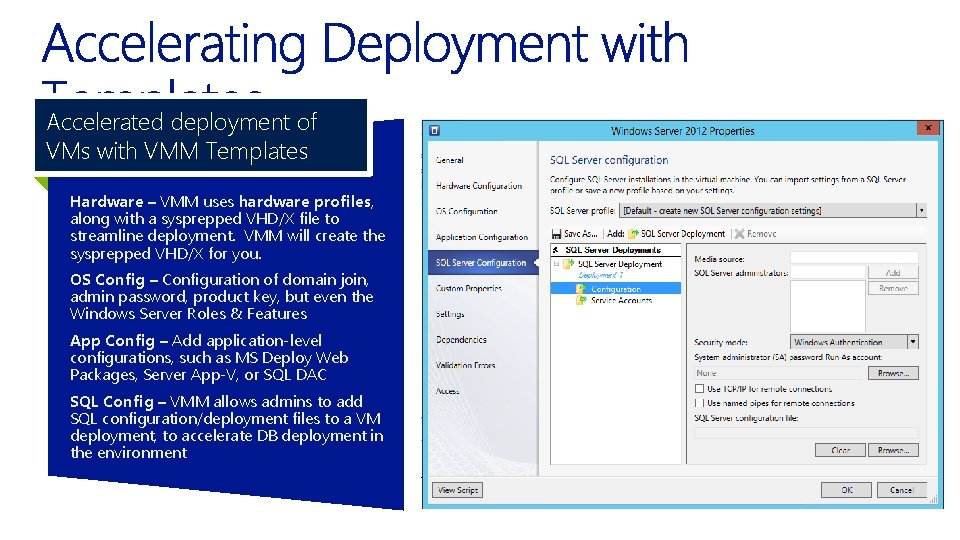
Accelerated deployment of VMs with VMM Templates Hardware – VMM uses hardware profiles, along with a sysprepped VHD/X file to streamline deployment. VMM will create the sysprepped VHD/X for you. OS Config – Configuration of domain join, admin password, product key, but even the Windows Server Roles & Features App Config – Add application-level configurations, such as MS Deploy Web Packages, Server App-V, or SQL DAC SQL Config – VMM allows admins to add SQL configuration/deployment files to a VM deployment, to accelerate DB deployment in the environment
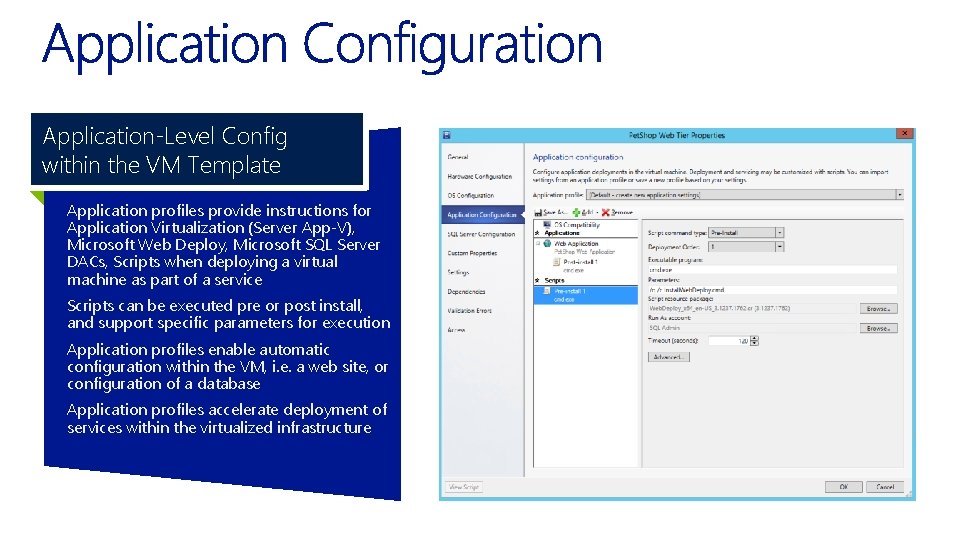
Application-Level Config within the VM Template Application profiles provide instructions for Application Virtualization (Server App-V), Microsoft Web Deploy, Microsoft SQL Server DACs, Scripts when deploying a virtual machine as part of a service Scripts can be executed pre or post install, and support specific parameters for execution Application profiles enable automatic configuration within the VM, i. e. a web site, or configuration of a database Application profiles accelerate deployment of services within the virtualized infrastructure
Granular Configuration Control for SQL with VMs Allows for the standardized deployment of new VMs containing SQL Server IT Admin specifies key SQL data such as Instance Name, Run As Account SQL configuration requires a sysprepped VHD/X with SQL pre-installed: • SQL installed inside guest using advanced installation and selecting ‘Image preparation of a stand-alone instance of SQL Server’ • SQL Media needs to be accessible to the Guest OS at deployment time
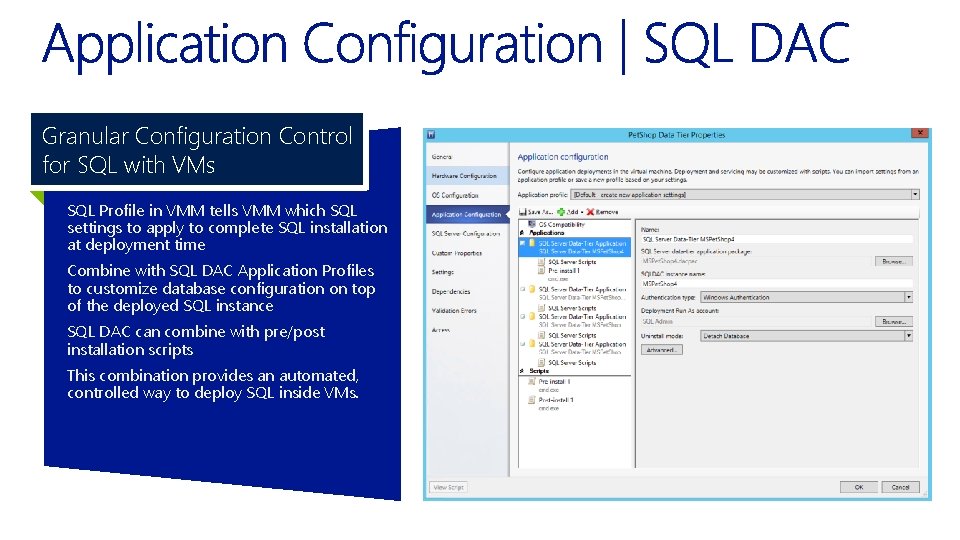
Granular Configuration Control for SQL with VMs SQL Profile in VMM tells VMM which SQL settings to apply to complete SQL installation at deployment time Combine with SQL DAC Application Profiles to customize database configuration on top of the deployed SQL instance SQL DAC can combine with pre/post installation scripts This combination provides an automated, controlled way to deploy SQL inside VMs.
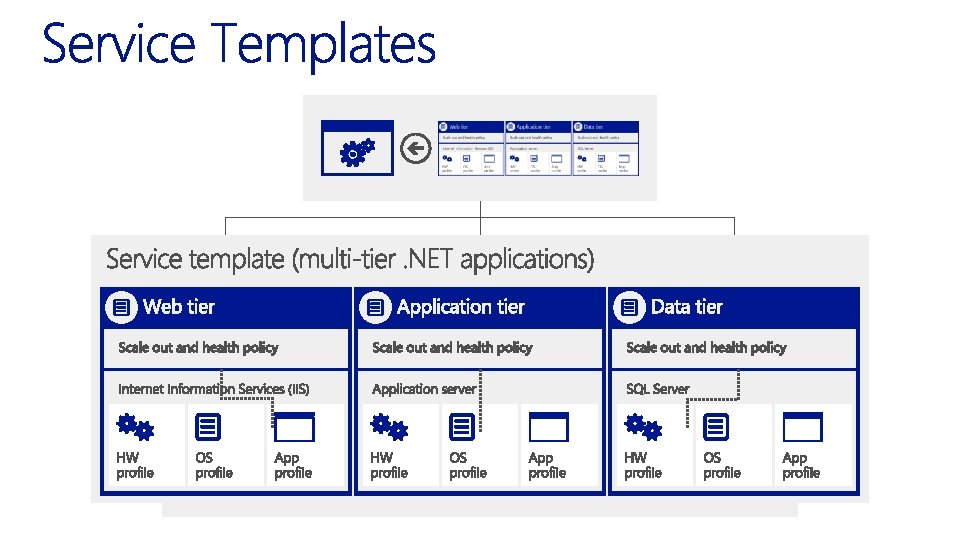
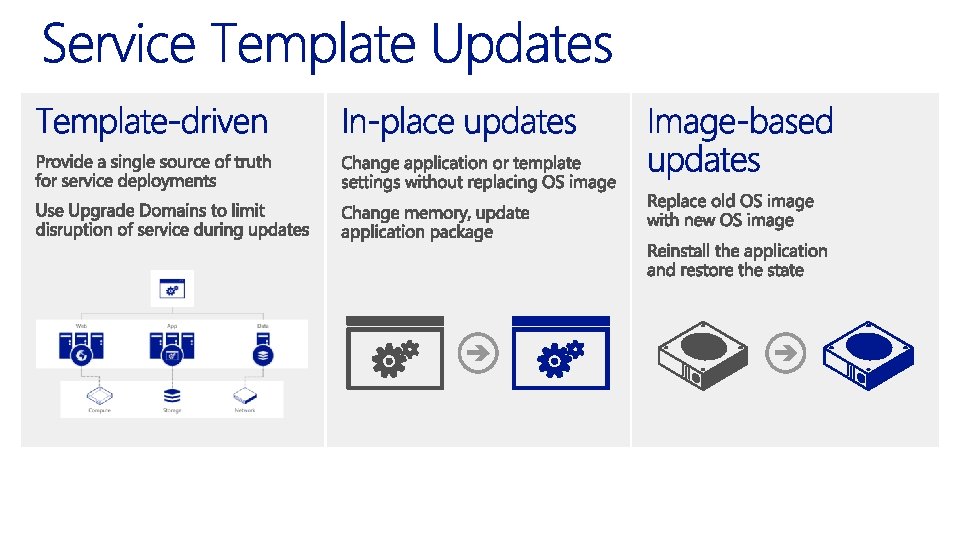
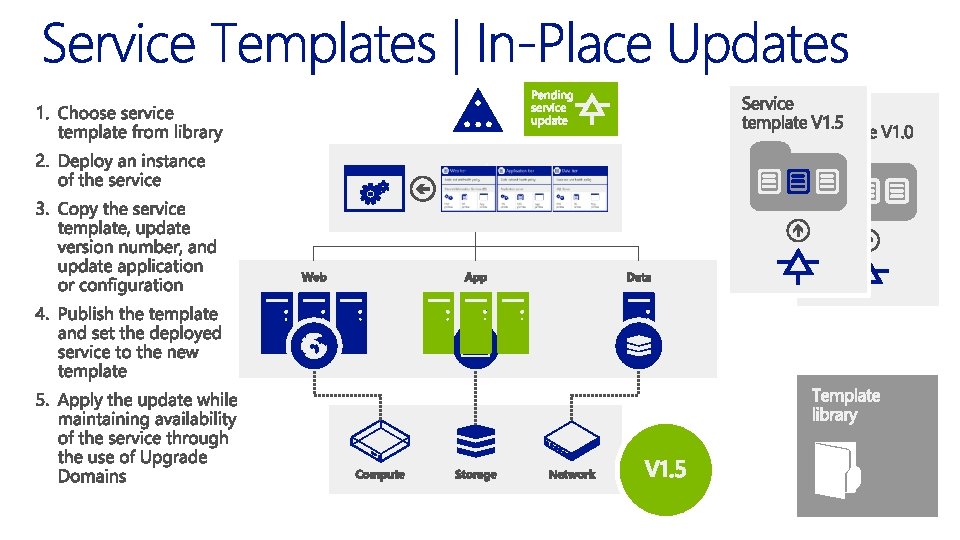
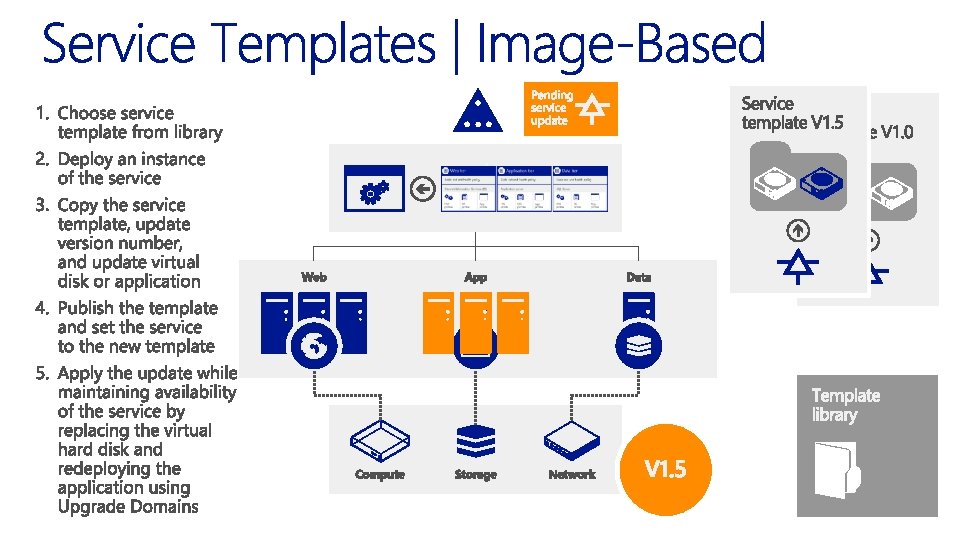
Model Business Services within the Virtualized Infrastructure Utilizes existing templates as building blocks to form interconnected, multi-tier, multi-VM services Tiers can be configured for scale and designed for high availability through availability sets Intelligent placement ensures optimal placement of all VMs within each tier of the Service Template at deployment time Service templates can specify logical networks, load balancers Set service-related properties, such as cost center, description, release version
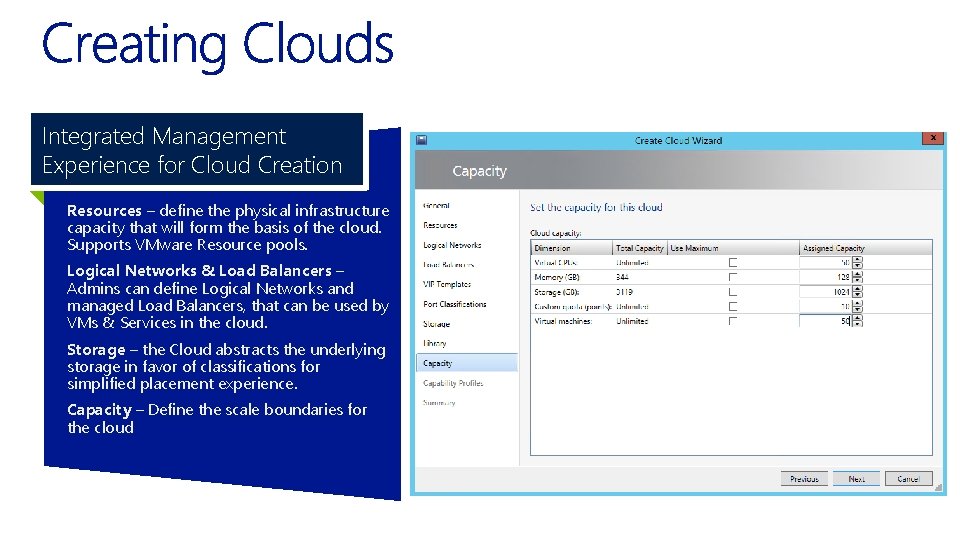
Integrated Management Experience for Cloud Creation Resources – define the physical infrastructure capacity that will form the basis of the cloud. Supports VMware Resource pools. Logical Networks & Load Balancers – Admins can define Logical Networks and managed Load Balancers, that can be used by VMs & Services in the cloud. Storage – the Cloud abstracts the underlying storage in favor of classifications for simplified placement experience. Capacity – Define the scale boundaries for the cloud
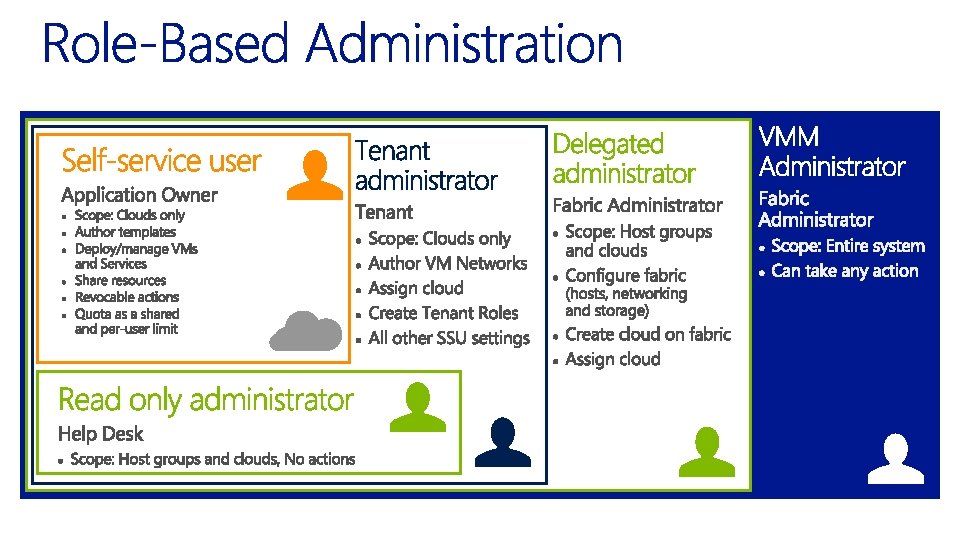
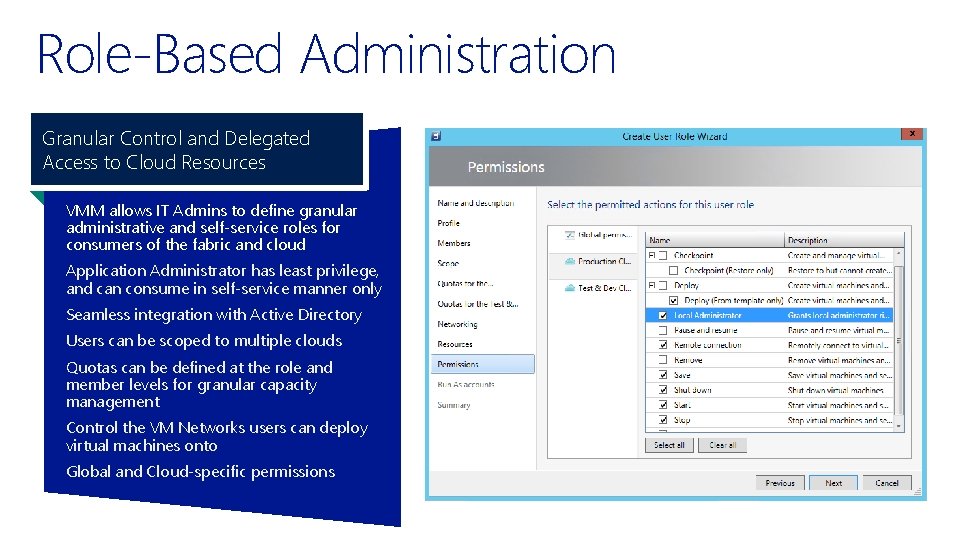
Role-Based Administration Granular Control and Delegated Access to Cloud Resources VMM allows IT Admins to define granular administrative and self-service roles for consumers of the fabric and cloud Application Administrator has least privilege, and can consume in self-service manner only Seamless integration with Active Directory Users can be scoped to multiple clouds Quotas can be defined at the role and member levels for granular capacity management Control the VM Networks users can deploy virtual machines onto Global and Cloud-specific permissions
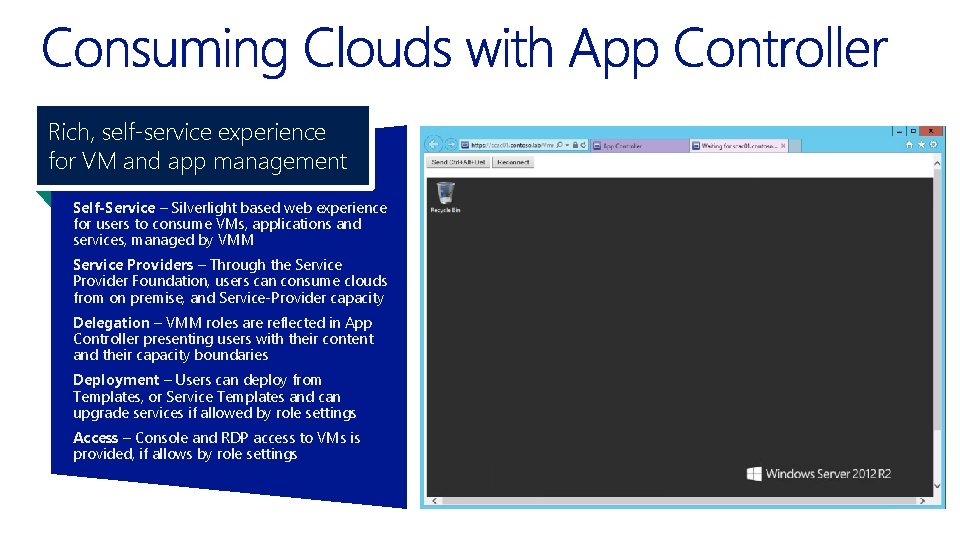
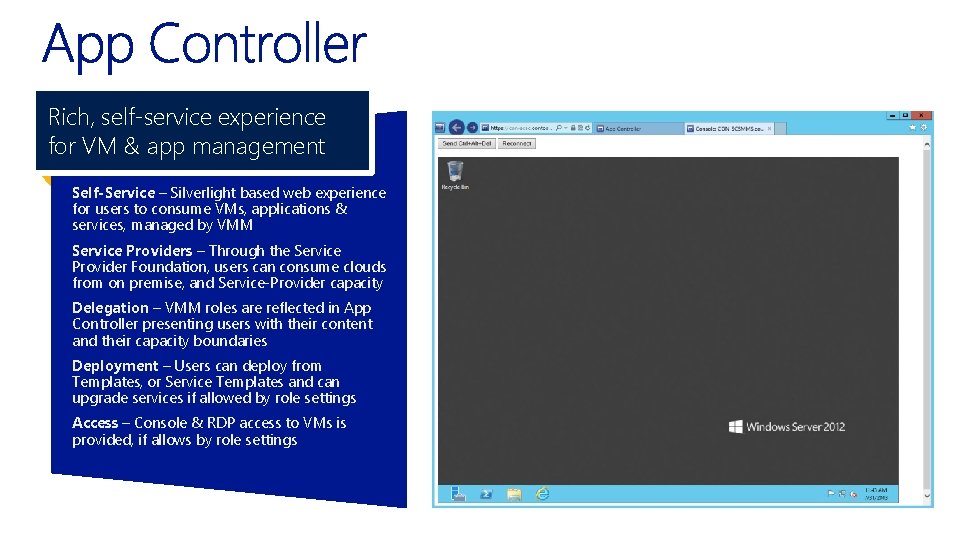
Rich, self-service experience for VM and app management Self-Service – Silverlight based web experience for users to consume VMs, applications and services, managed by VMM Service Providers – Through the Service Provider Foundation, users can consume clouds from on premise, and Service-Provider capacity Delegation – VMM roles are reflected in App Controller presenting users with their content and their capacity boundaries Deployment – Users can deploy from Templates, or Service Templates and can upgrade services if allowed by role settings Access – Console and RDP access to VMs is provided, if allows by role settings
Rich, self-service experience for VM & app management Self-Service – Silverlight based web experience for users to consume VMs, applications & services, managed by VMM Service Providers – Through the Service Provider Foundation, users can consume clouds from on premise, and Service-Provider capacity Delegation – VMM roles are reflected in App Controller presenting users with their content and their capacity boundaries Deployment – Users can deploy from Templates, or Service Templates and can upgrade services if allowed by role settings Access – Console & RDP access to VMs is provided, if allows by role settings
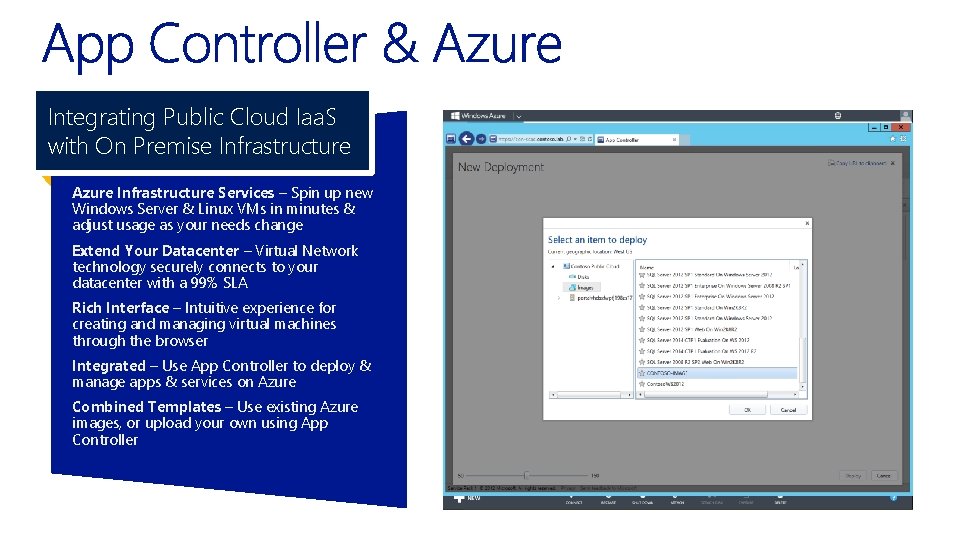
Integrating Public Cloud Iaa. S with On Premise Infrastructure Azure Infrastructure Services – Spin up new Windows Server & Linux VMs in minutes & adjust usage as your needs change Extend Your Datacenter – Virtual Network technology securely connects to your datacenter with a 99% SLA Rich Interface – Intuitive experience for creating and managing virtual machines through the browser Integrated – Use App Controller to deploy & manage apps & services on Azure Combined Templates – Use existing Azure images, or upload your own using App Controller
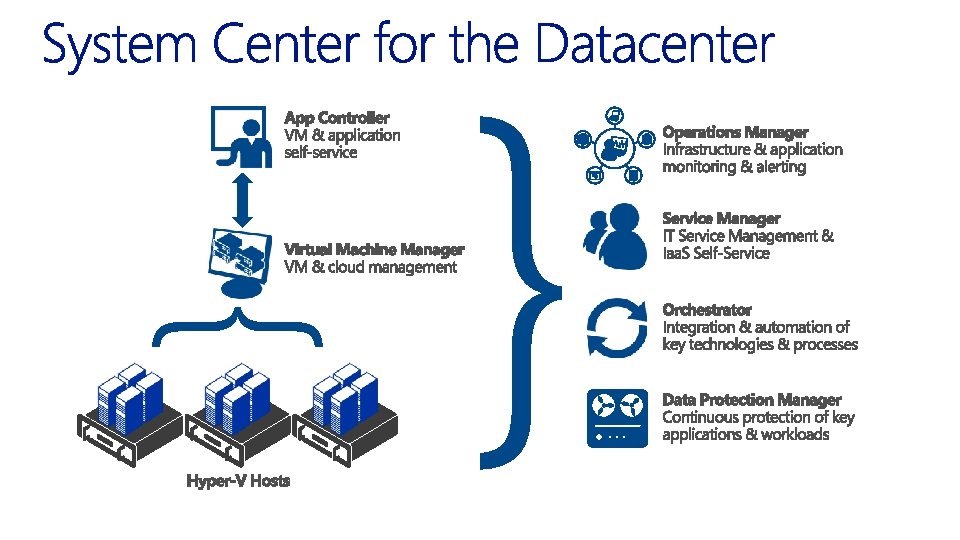
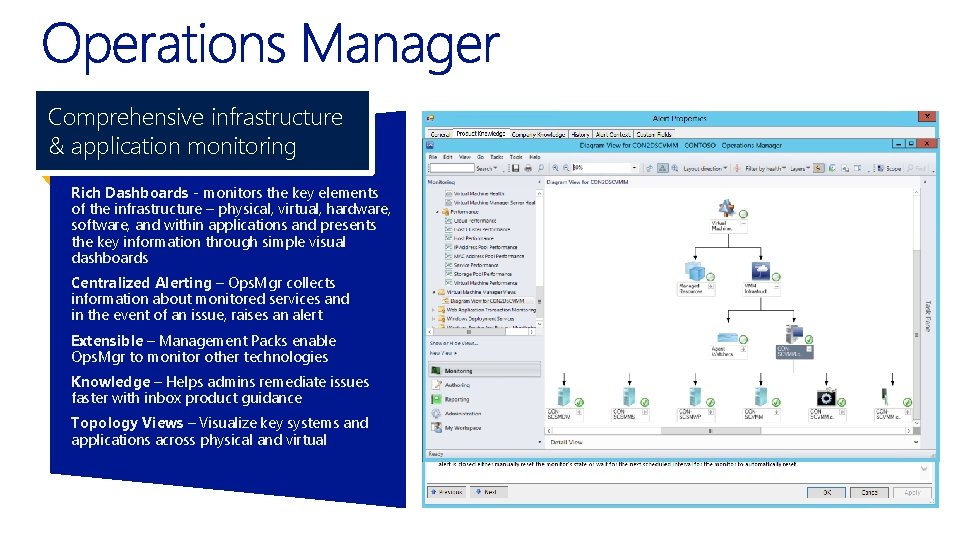
Comprehensive infrastructure & application monitoring Rich Dashboards - monitors the key elements of the infrastructure – physical, virtual, hardware, software, and within applications and presents the key information through simple visual dashboards Centralized Alerting – Ops. Mgr collects information about monitored services and in the event of an issue, raises an alert Extensible – Management Packs enable Ops. Mgr to monitor other technologies Knowledge – Helps admins remediate issues faster with inbox product guidance Topology Views – Visualize key systems and applications across physical and virtual
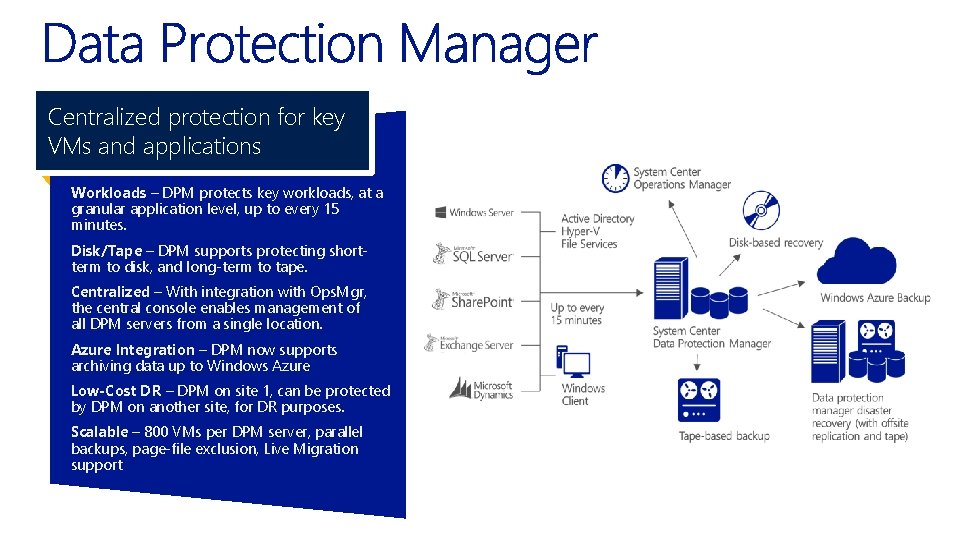
Centralized protection for key VMs and applications Workloads – DPM protects key workloads, at a granular application level, up to every 15 minutes. Disk/Tape – DPM supports protecting shortterm to disk, and long-term to tape. Centralized – With integration with Ops. Mgr, the central console enables management of all DPM servers from a single location. Azure Integration – DPM now supports archiving data up to Windows Azure Low-Cost DR – DPM on site 1, can be protected by DPM on another site, for DR purposes. Scalable – 800 VMs per DPM server, parallel backups, page-file exclusion, Live Migration support
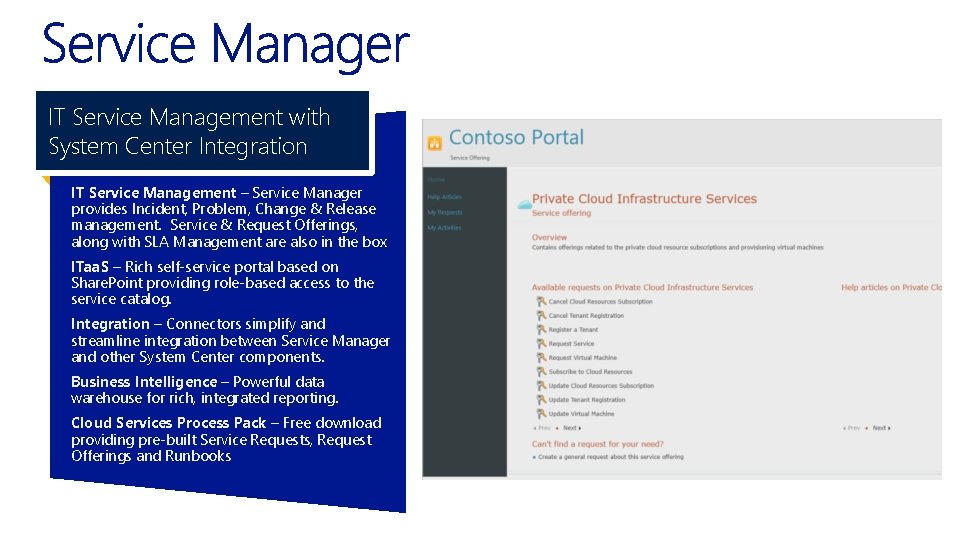
IT Service Management with System Center Integration IT Service Management – Service Manager provides Incident, Problem, Change & Release management. Service & Request Offerings, along with SLA Management are also in the box ITaa. S – Rich self-service portal based on Share. Point providing role-based access to the service catalog. Integration – Connectors simplify and streamline integration between Service Manager and other System Center components. Business Intelligence – Powerful data warehouse for rich, integrated reporting. Cloud Services Process Pack – Free download providing pre-built Service Requests, Request Offerings and Runbooks
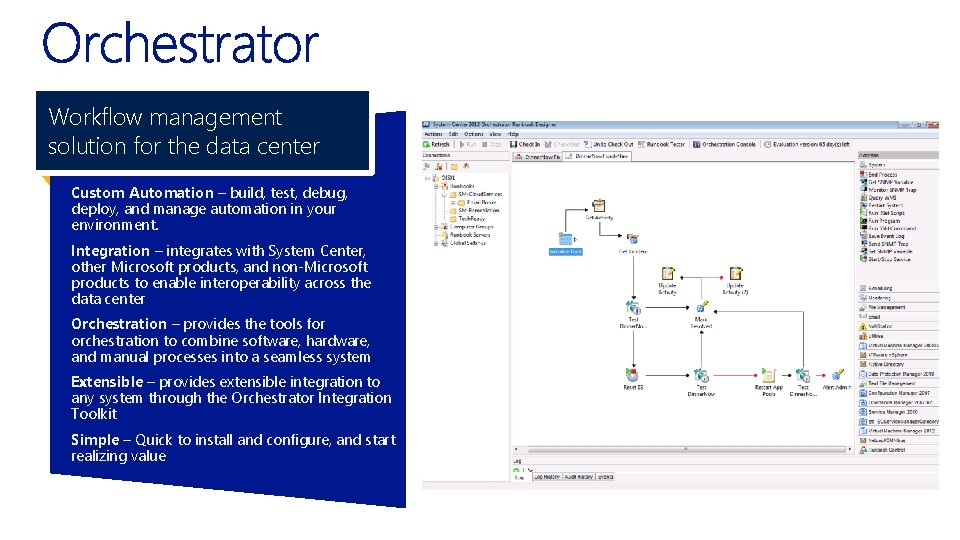
Workflow management solution for the data center Custom Automation – build, test, debug, deploy, and manage automation in your environment. Integration – integrates with System Center, other Microsoft products, and non-Microsoft products to enable interoperability across the data center Orchestration – provides the tools for orchestration to combine software, hardware, and manual processes into a seamless system Extensible – provides extensible integration to any system through the Orchestrator Integration Toolkit Simple – Quick to install and configure, and start realizing value
Microsoft Official Courses Course 20409 A: Server Virtualization with Windows Server Hyper-V and System Center • 5 days • Instructor Led • Hands-On Labs Microsoft Certification Exam 74 -409: Server Virtualization with Windows Server Hyper-V and System Center