
Academic Licenses of COMSOL Multiphysics at Li U
- Slides: 12
Academic Licenses of COMSOL Multiphysics at Li. U Current version of COMSOL Multiphysics: 5. 6 Uppdated 2020 -11 -26
Contents § Types of Licenses at Li. U § Floating Network License (FNL) for Teachers, Researchers, Ph. D-students and Diploma Workers § Class-Kit License (CKL) for students § COMSOL Installation § Running COMSOL § License Borrowing § Technical Support and Product Updates § Getting Started
Types of academic licenses at Li. U § Floating Network License (FNL) for teachers, researchers and Ph. D-students For Academic research. No commercial use. Contact COMSOL if you are unsure if the project is commercial or not. Can be used for Thesis or a Diploma unless it’s commercial projects. Includes technical support Can be used at the university. Can be used outside the university by using an internet connection or ”License Borrowing”. § Class-Kit licenses for students (CKL) Used for classroom or computer lab courses. Installed in computer labs or students’ computers. Technical Support can only be requested by the teacher. No students have access to support. § More about the usage of the academic licenses can be found in the COMSOL License agreement at www. comsol. se/sla
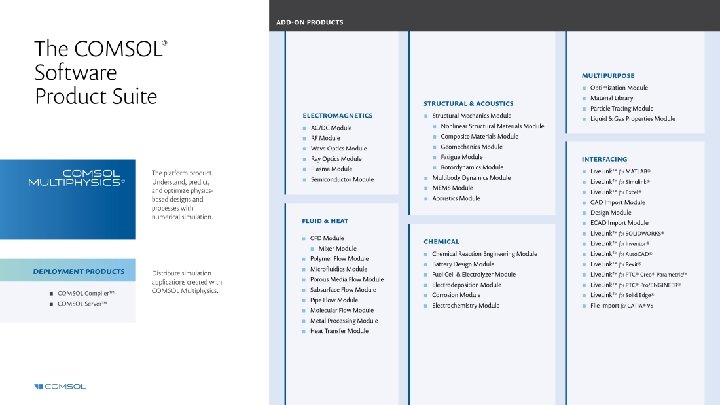
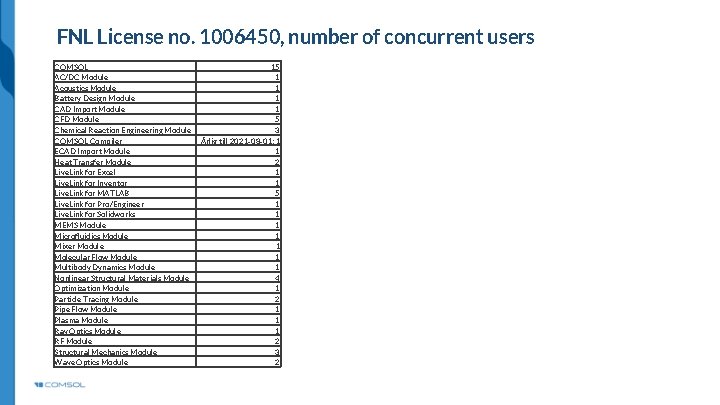
FNL License no. 1006450, number of concurrent users COMSOL AC/DC Module Acoustics Module Battery Design Module CAD Import Module CFD Module Chemical Reaction Engineering Module COMSOL Compiler ECAD Import Module Heat Transfer Module Live. Link for Excel Live. Link for Inventor Live. Link for MATLAB Live. Link for Pro/Engineer Live. Link for Solidworks MEMS Module Microfluidics Module Mixer Module Molecular Flow Module Multibody Dynamics Module Nonlinear Structural Materials Module Optimization Module Particle Tracing Module Pipe Flow Module Plasma Module Ray Optics Module RF Module Structural Mechanics Module Wave Optics Module 15 1 1 5 3 Årlig till 2021 -08 -01: 1 1 2 1 1 5 1 1 1 1 4 1 2 1 1 1 2 3 2
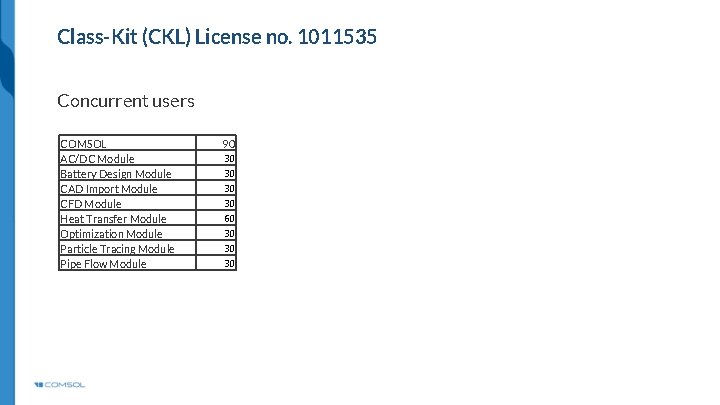
Class-Kit (CKL) License no. 1011535 Concurrent users COMSOL AC/DC Module Battery Design Module CAD Import Module CFD Module Heat Transfer Module Optimization Module Particle Tracing Module Pipe Flow Module 90 30 30 60 30 30 30
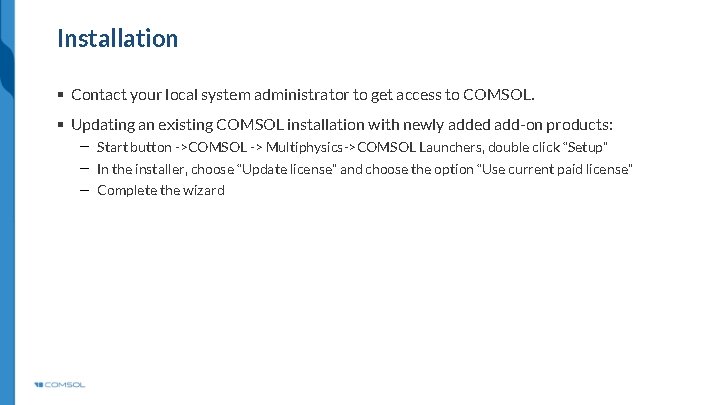
Installation § Contact your local system administrator to get access to COMSOL. § Updating an existing COMSOL installation with newly added add-on products: Start button ->COMSOL -> Multiphysics->COMSOL Launchers, double click “Setup” In the installer, choose “Update license” and choose the option “Use current paid license” Complete the wizard
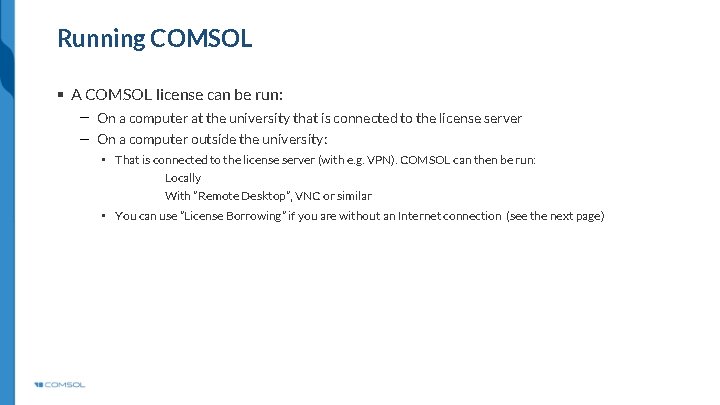
Running COMSOL § A COMSOL license can be run: On a computer at the university that is connected to the license server On a computer outside the university: • That is connected to the license server (with e. g. VPN). COMSOL can then be run: Locally With ”Remote Desktop”, VNC or similar • You can use ”License Borrowing” if you are without an Internet connection (see the next page)
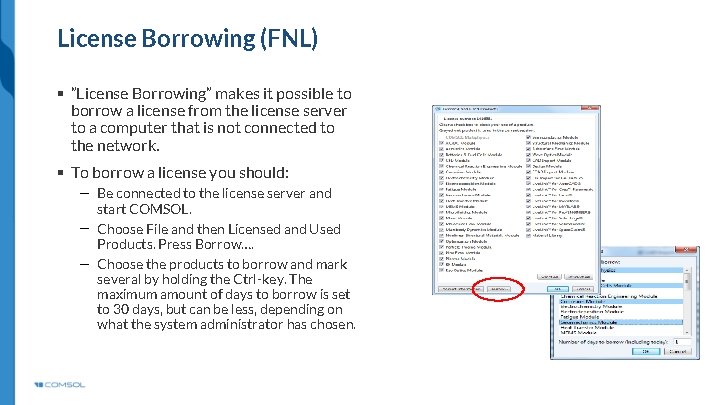
License Borrowing (FNL) § ”License Borrowing” makes it possible to borrow a license from the license server to a computer that is not connected to the network. § To borrow a license you should: Be connected to the license server and start COMSOL. Choose File and then Licensed and Used Products. Press Borrow…. Choose the products to borrow and mark several by holding the Ctrl-key. The maximum amount of days to borrow is set to 30 days, but can be less, depending on what the system administrator has chosen.
Special Covid-arrangement for teaching § The classkit (CKL) license can be fitted with standalone installation passcodes that enable offline use of COMSOL without contact with the university network § To get passcodes for a course, the course administrator can contact niklas@comsol. se.
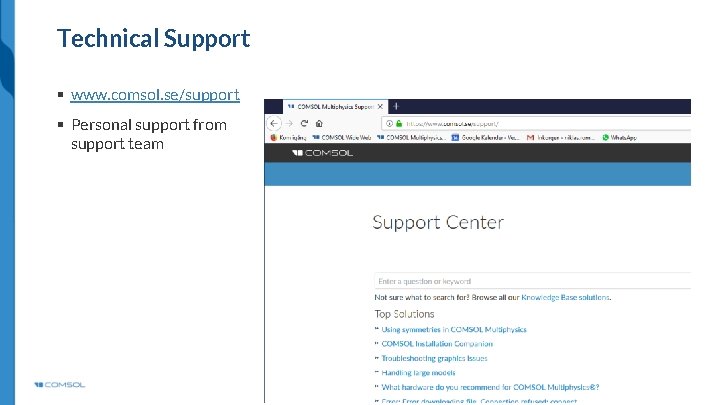
Technical Support § www. comsol. se/support § Personal support from support team
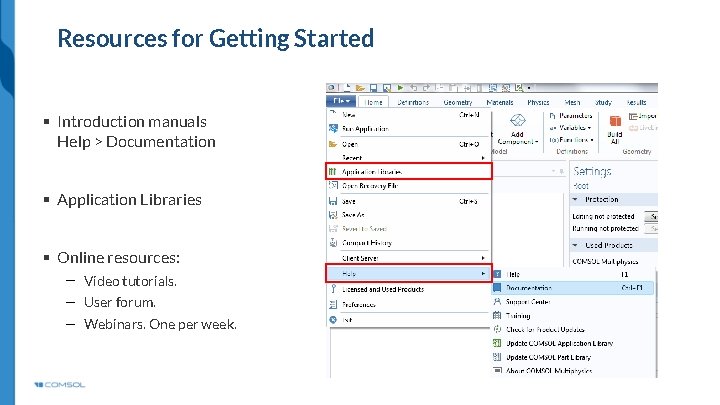
Resources for Getting Started § Introduction manuals Help > Documentation § Application Libraries § Online resources: Video tutorials. User forum. Webinars. One per week.