
Abstract Plus Version 3 0 Efficient Flexible Tools
Abstract Plus Version 3. 0: Efficient, Flexible Tools for Cancer Casefinding and Reabstracting Case Completeness and Data Quality Audits NAACCR Conference June 16, 2009 Joe Rogers, CDC Denise Farmer, Northrop Grumman Division of Cancer Prevention and Control National Center for Chronic Disease Prevention and Health Promotion Coordinating Center for Health Promotion Centers for Disease Control and Prevention Atlanta, Georgia 1
Registry Plus • Suite of publicly available, free-of-charge, Windows -based software programs for collecting and processing cancer registry data • Made available by the CDC to implement NPCR – Enable central registries to meet NPCR program standards in the face of existing budgetary constraints • Compliant with national standards • Fully customizable for state-specific needs 2
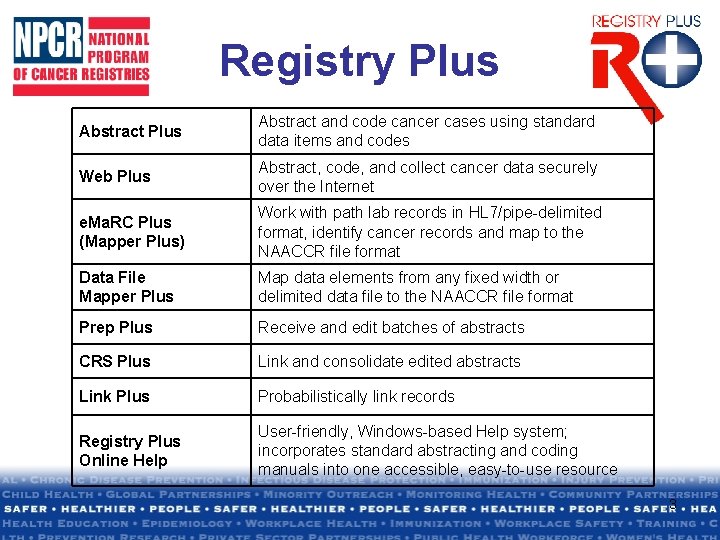
Registry Plus Abstract and code cancer cases using standard data items and codes Web Plus Abstract, code, and collect cancer data securely over the Internet e. Ma. RC Plus (Mapper Plus) Work with path lab records in HL 7/pipe-delimited format, identify cancer records and map to the NAACCR file format Data File Mapper Plus Map data elements from any fixed width or delimited data file to the NAACCR file format Prep Plus Receive and edit batches of abstracts CRS Plus Link and consolidate edited abstracts Link Plus Probabilistically link records Registry Plus Online Help User-friendly, Windows-based Help system; incorporates standard abstracting and coding manuals into one accessible, easy-to-use resource 3
Abstract Plus Features • Electronic abstract in the format of the North American Association of Central Cancer Registries (NAACCR) data exchange layout. • Data set can be customized to include locallydefined variables with a selection of NAACCR data items in an ordered display. • NAACCR edits are tightly integrated, allowing standard editing and error correction online. • Includes Registry Plus Online Help with Abstract Plus Users Guide. • Support NPCR audit requirements. 4
What’s New in Abstract Plus v 3 • . NET technology • New, more user-friendly abstracting interface • Enhanced security • New Auditor role • Audit features closely follow abstracting 5
Roles • Abstractor - manages data entry – Available on login • Administration - manages set-up – Additional admin password required – Allows all role functions • Auditor – manages audit entry – Additional auditor password required 6
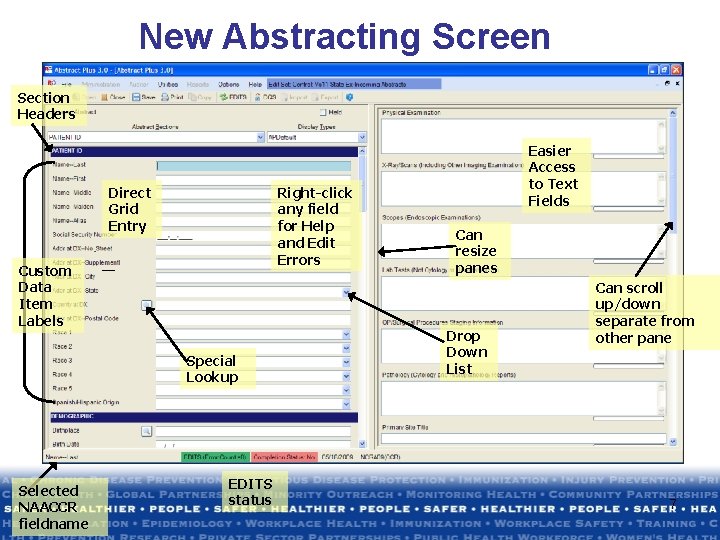
New Abstracting Screen Section Headers Direct Grid Entry Right-click any field for Help and Edit Errors Custom Data Item Labels Special Lookup Selected NAACCR fieldname EDITS status Easier Access to Text Fields Can resize panes Drop Down List Can scroll up/down separate from other pane 7
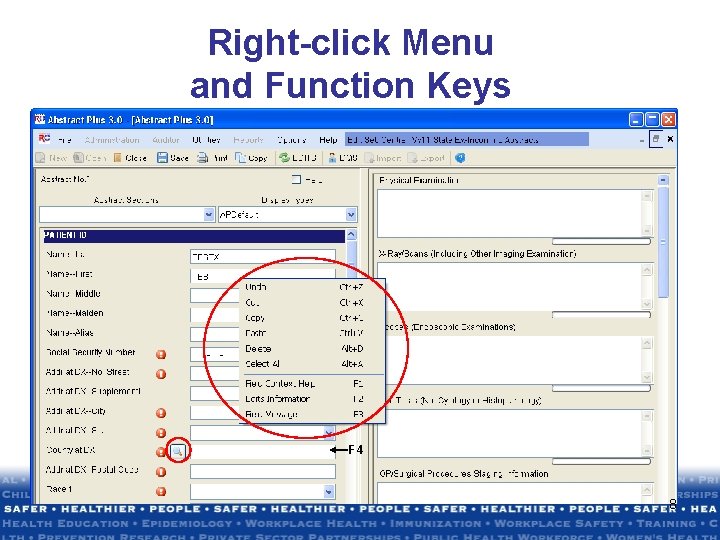
Right-click Menu and Function Keys F 4 8
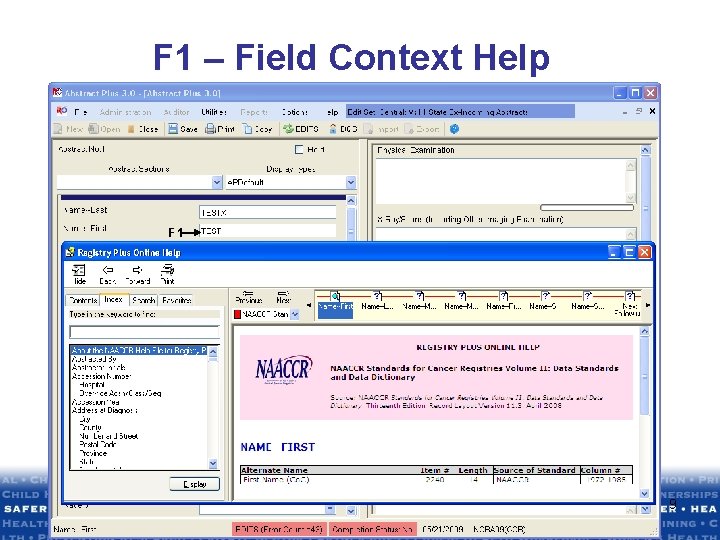
F 1 – Field Context Help F 1 9
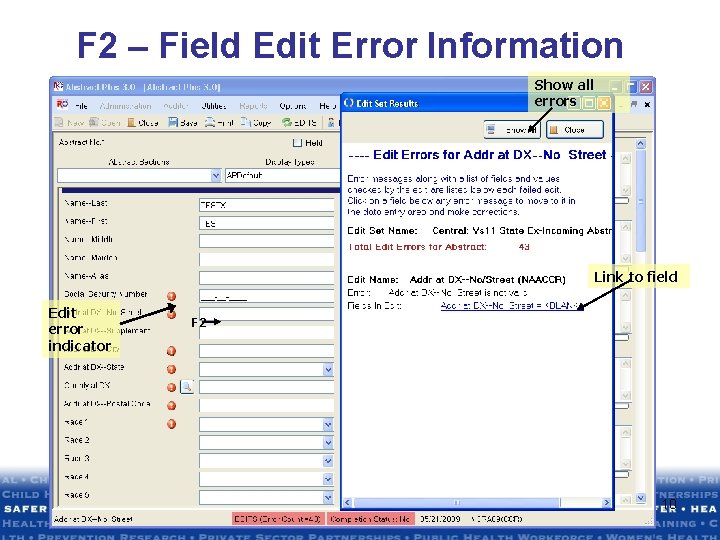
F 2 – Field Edit Error Information Show all errors Link to field Edit error indicator F 2 10
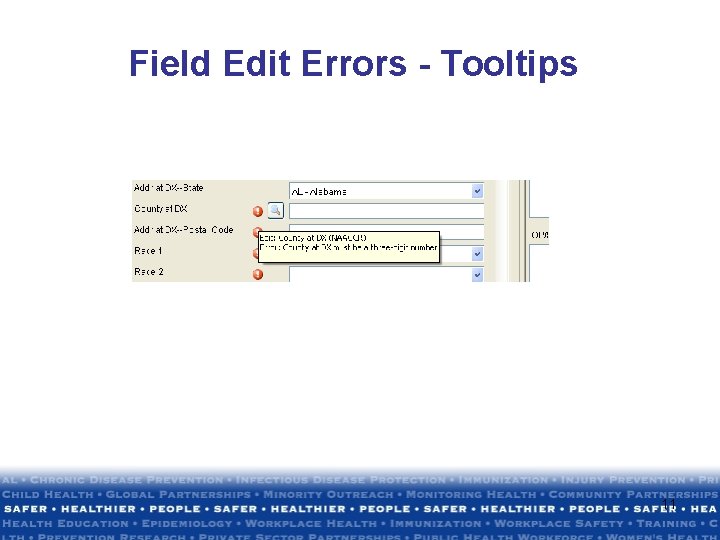
Field Edit Errors - Tooltips 11
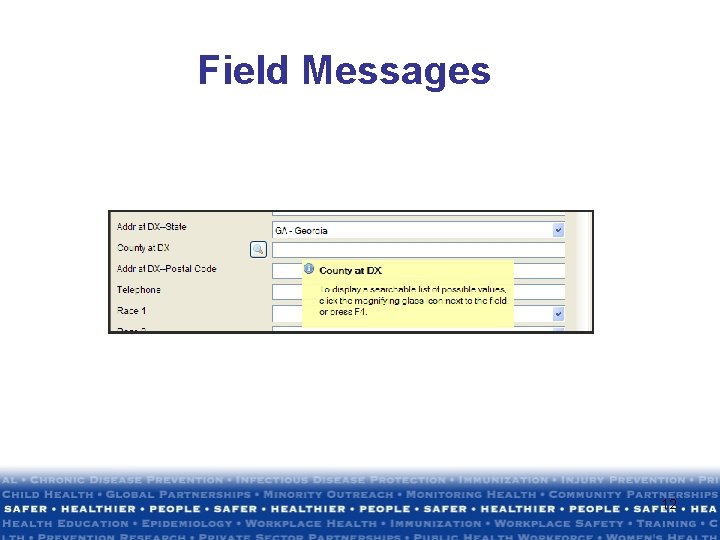
Field Messages 12
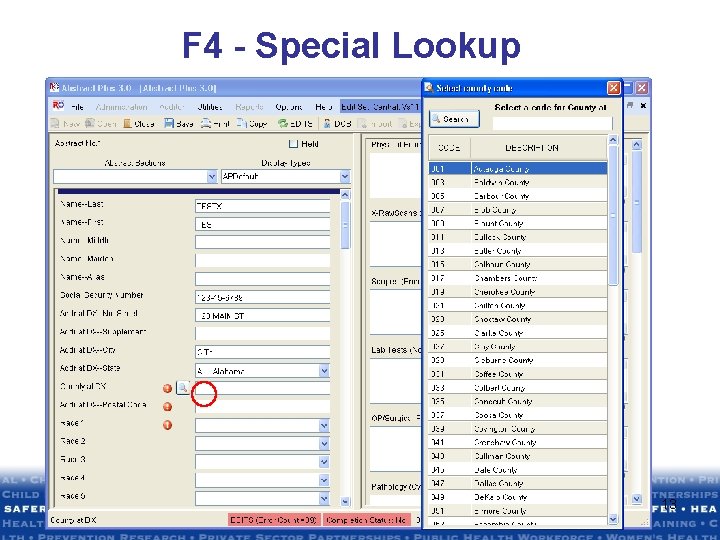
F 4 - Special Lookup 13
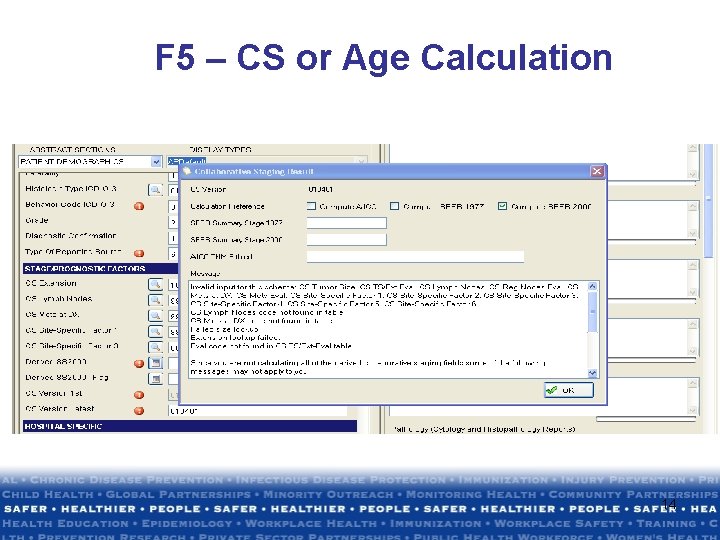
F 5 – CS or Age Calculation 14
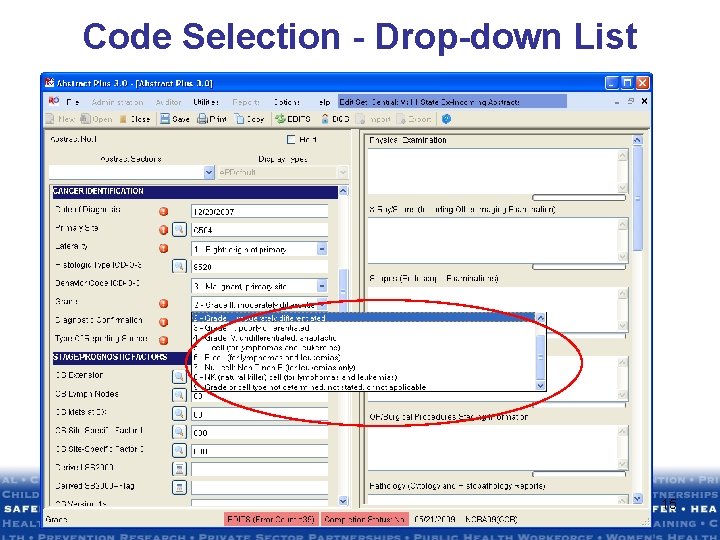
Code Selection - Drop-down List 15
Abstract Plus v 3 Administration • Security Features • Managing Abstracting Display Types • Application Preferences • Managing Audit Display Types • Manage Audit Database 16
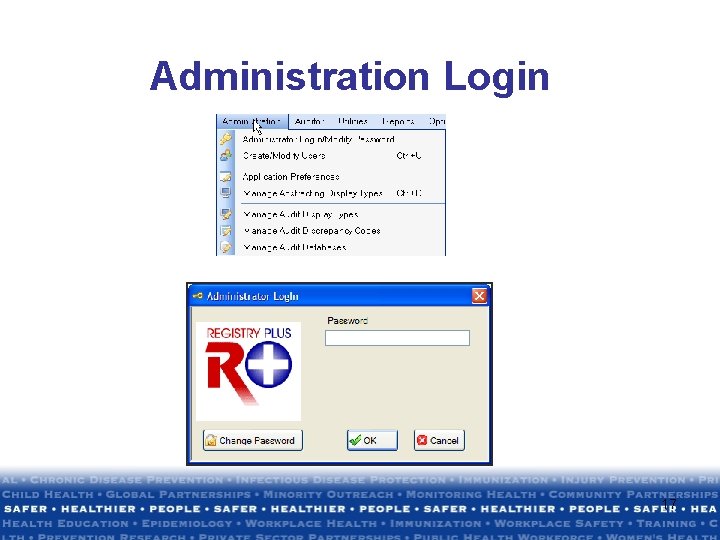
Administration Login 17
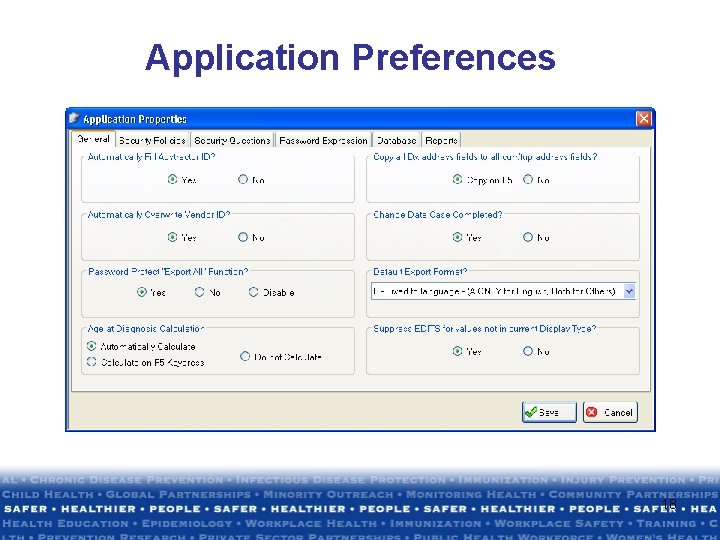
Application Preferences 18
Audit Administration • Uniquely name audit databases • Create Display Type • Same features available as Managing Abstract Display Types • Import NAACCR layout text file from any source 19
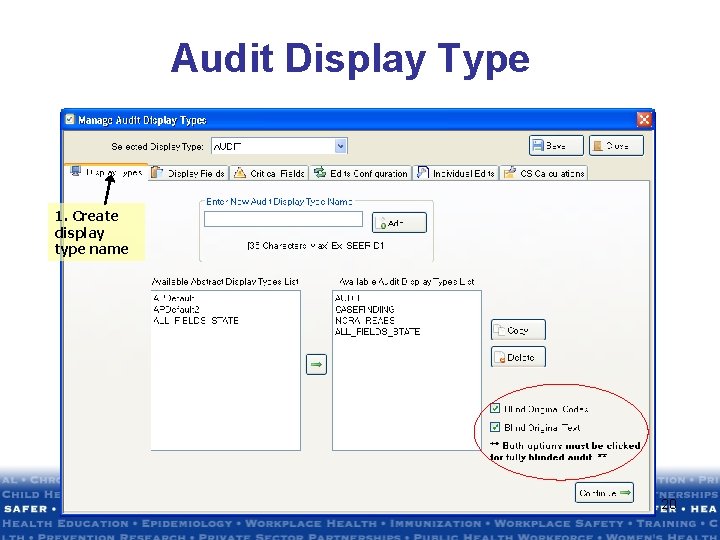
Audit Display Type 1. Create display type name 20
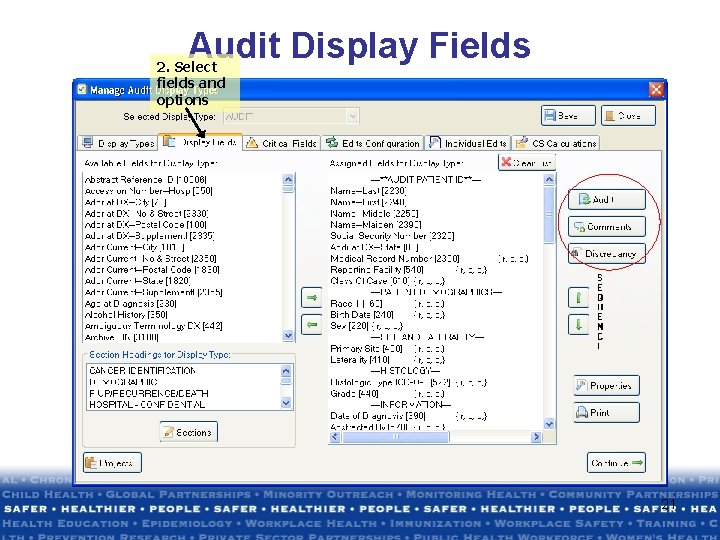
Audit Display Fields 2. Select fields and options 21
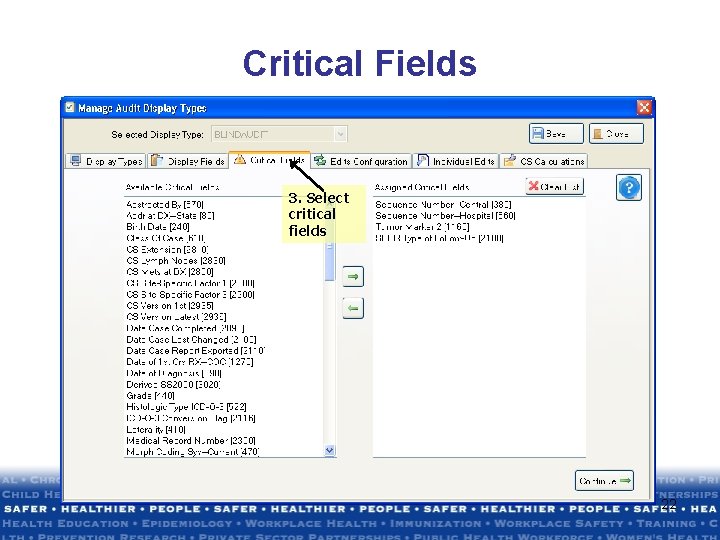
Critical Fields 3. Select critical fields 22
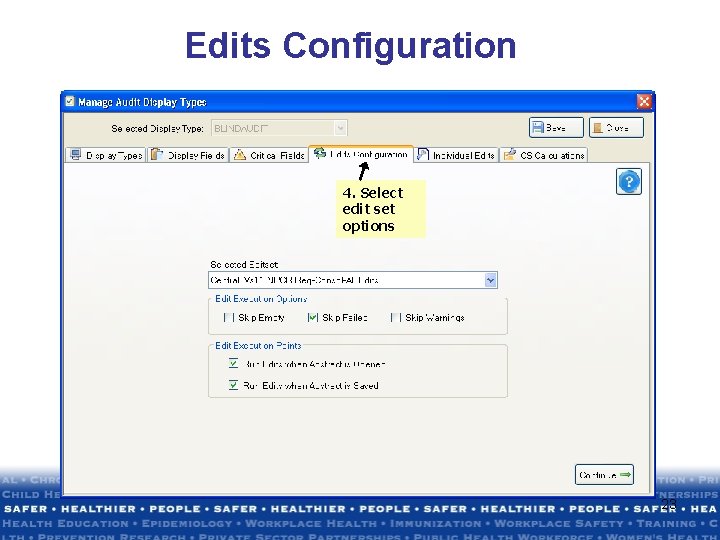
Edits Configuration 4. Select edit set options 23
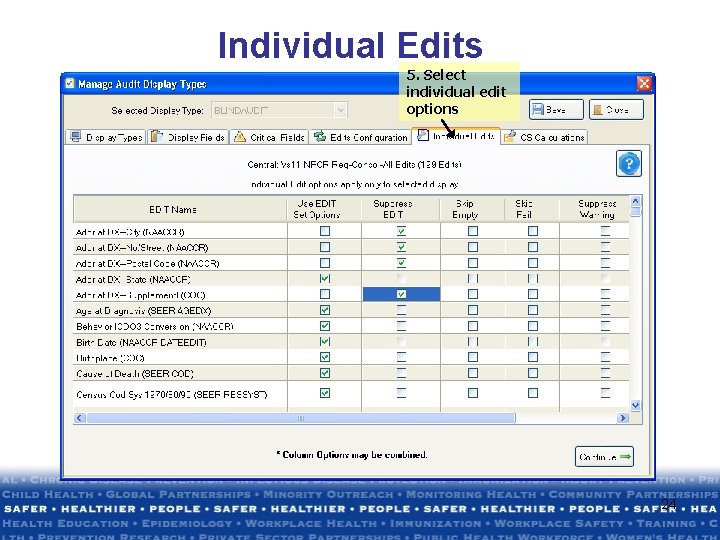
Individual Edits 5. Select individual edit options 24
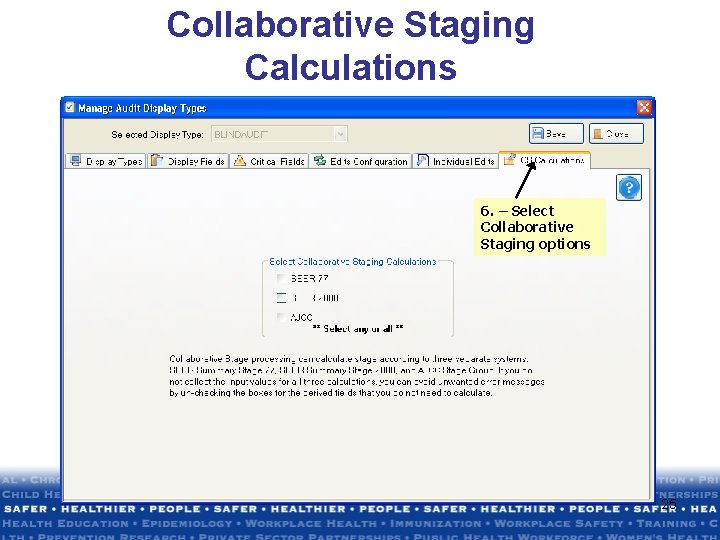
Collaborative Staging Calculations 6. – Select Collaborative Staging options 25
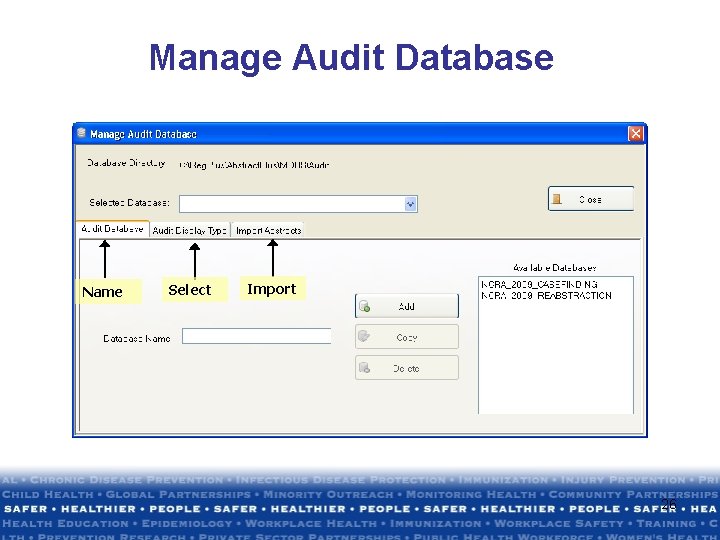
Manage Audit Database Name Select Import 26
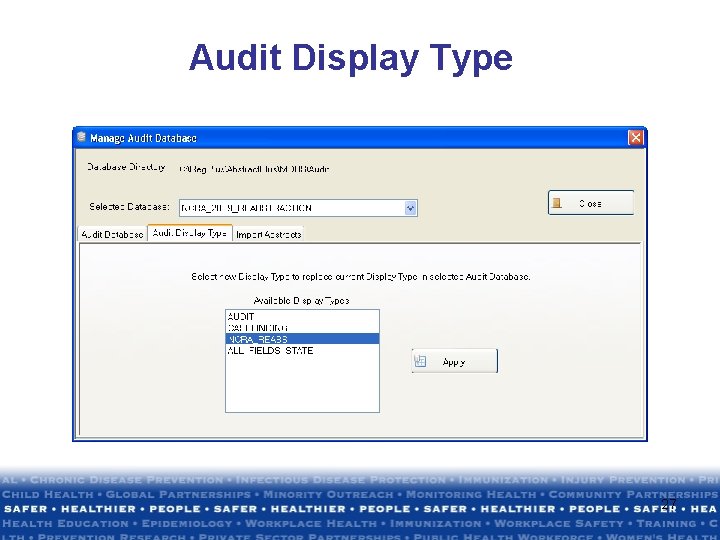
Audit Display Type 27
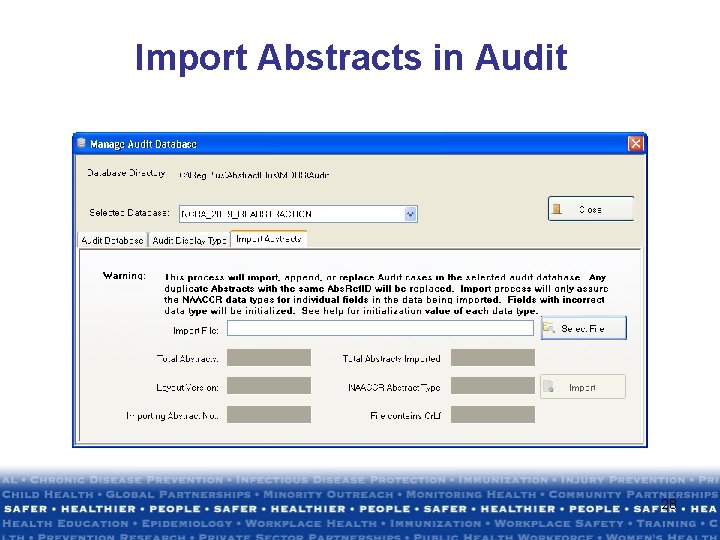
Import Abstracts in Audit 28
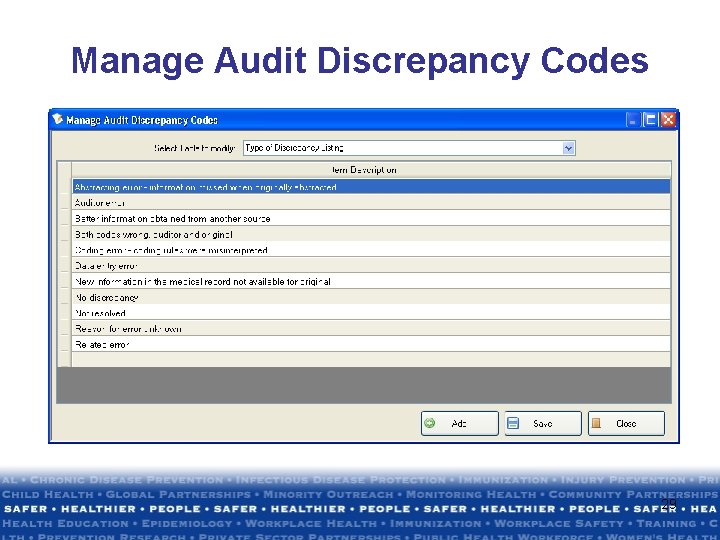
Manage Audit Discrepancy Codes 29
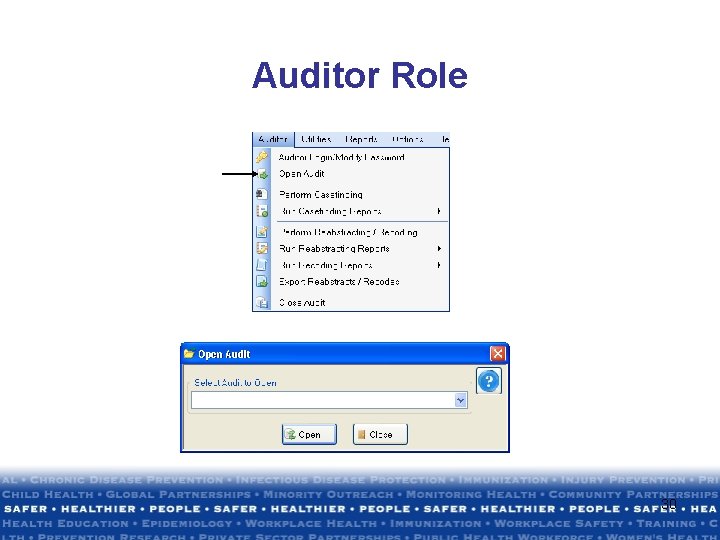
Auditor Role 30
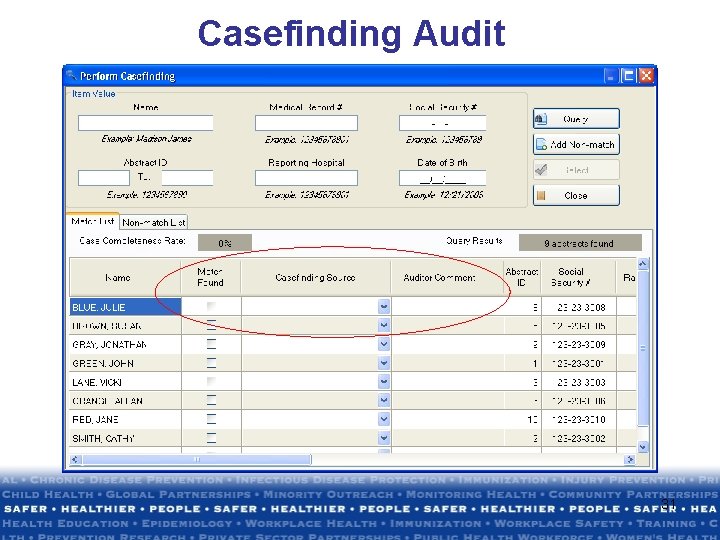
Casefinding Audit 31
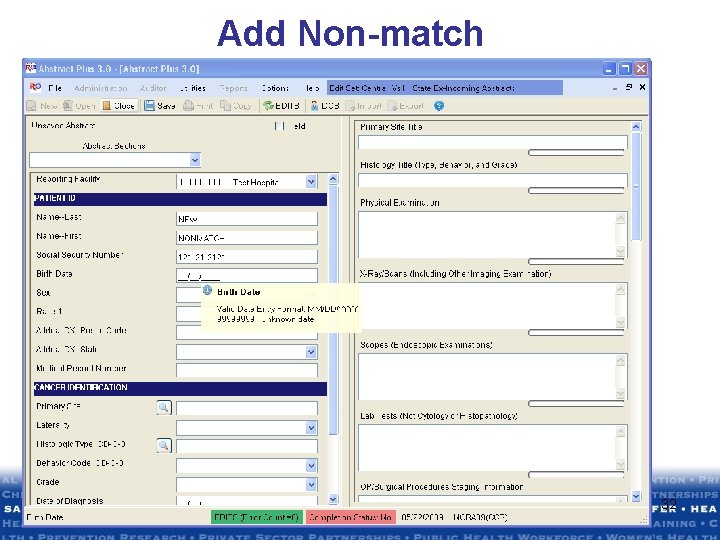
Add Non-match 32
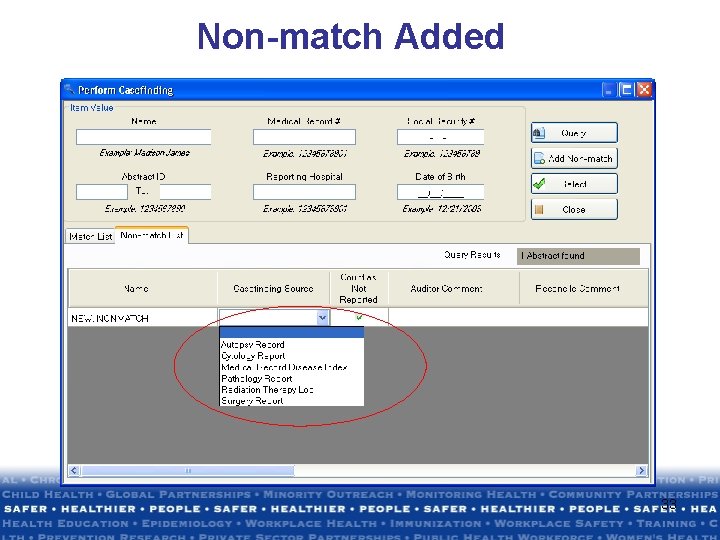
Non-match Added 33
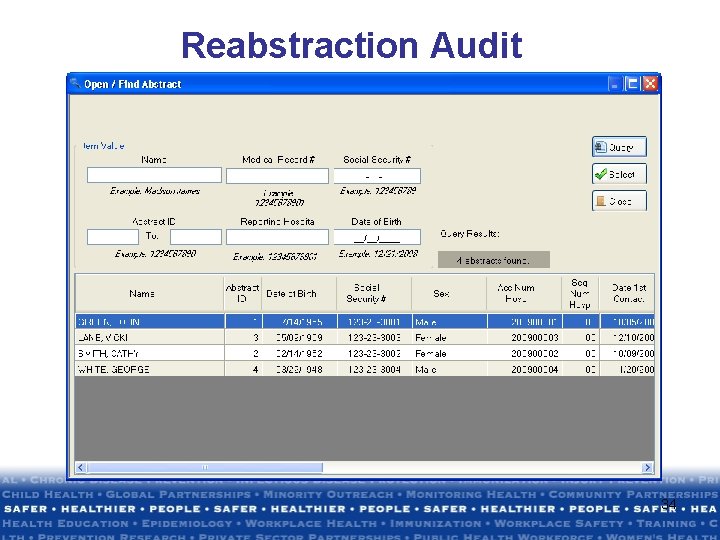
Reabstraction Audit 34
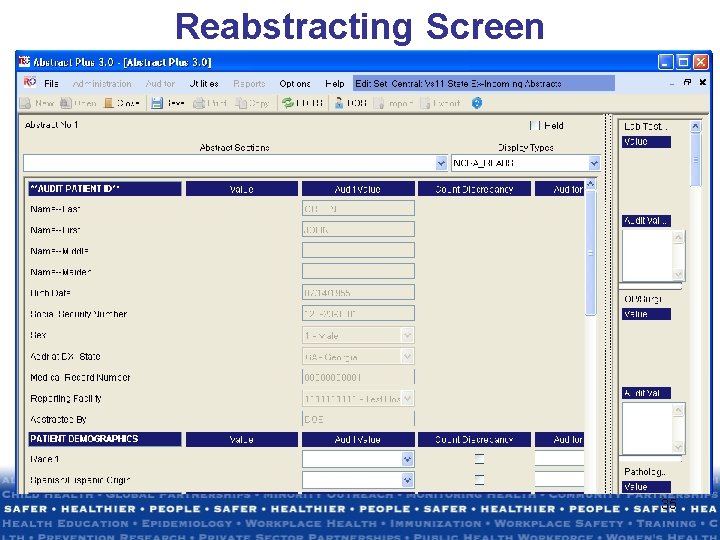
Reabstracting Screen 35
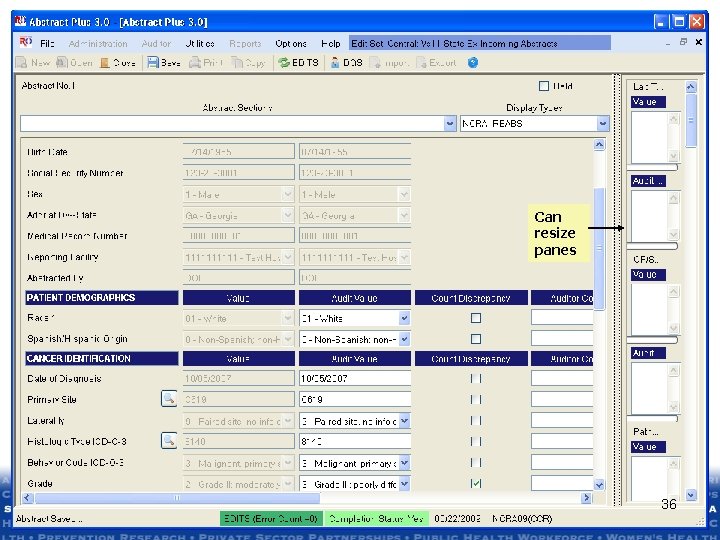
Can resize panes 36
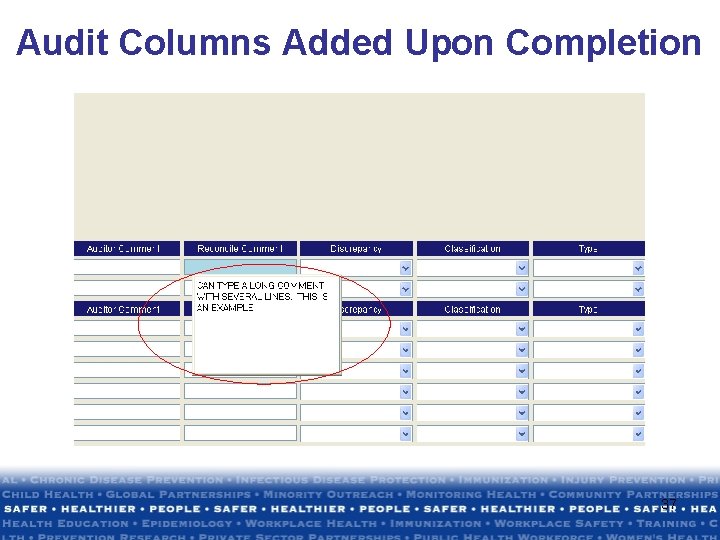
Audit Columns Added Upon Completion 37
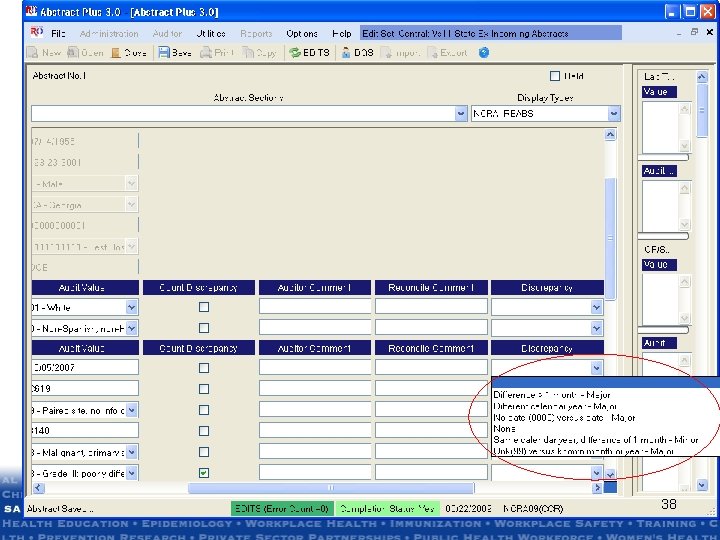
23 Complete Status cont’d 38
Audit Reports • • • Menu Casefinding Audit Reports Menu Reabstracting Audit Reports Menu Recoding Audit Reports Report Wizard Reports Text File Export: For further analysis and reporting at CCR 39
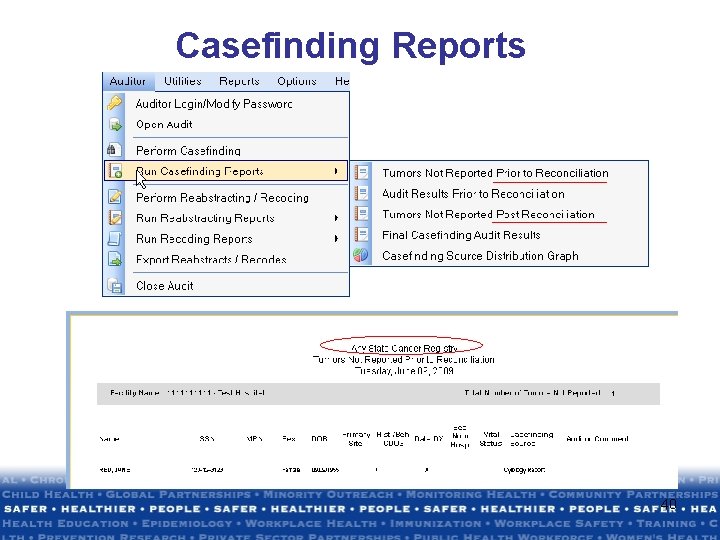
Casefinding Reports 40
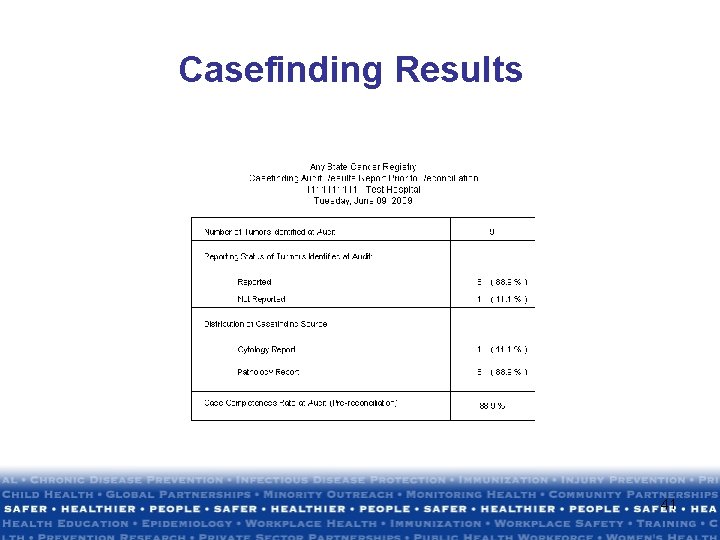
Casefinding Results 41
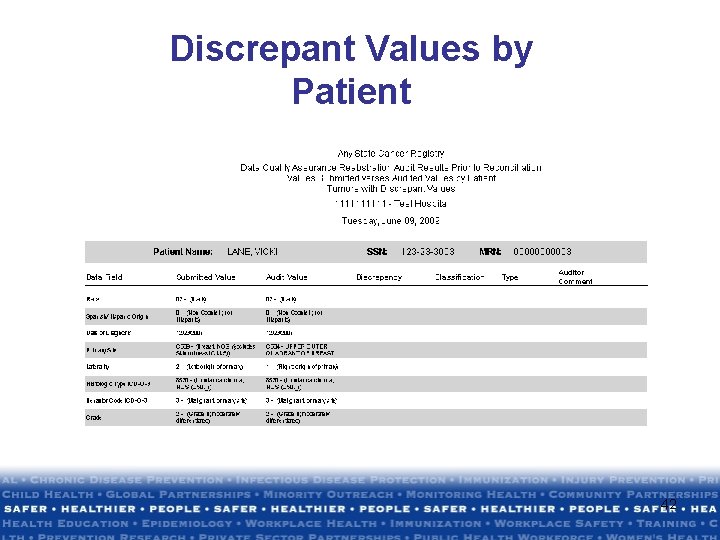
Discrepant Values by Patient 42
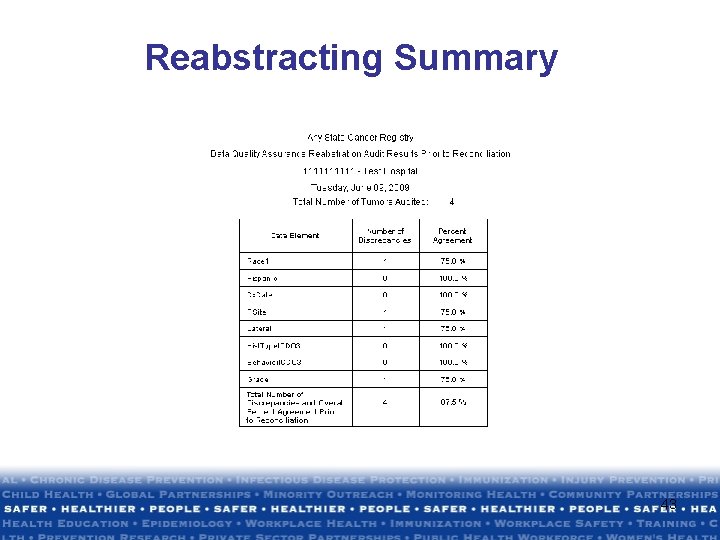
Reabstracting Summary 43
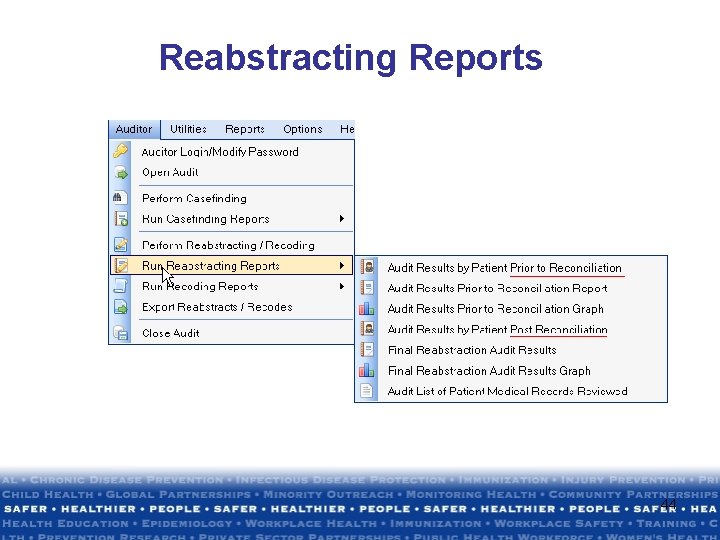
Reabstracting Reports 44
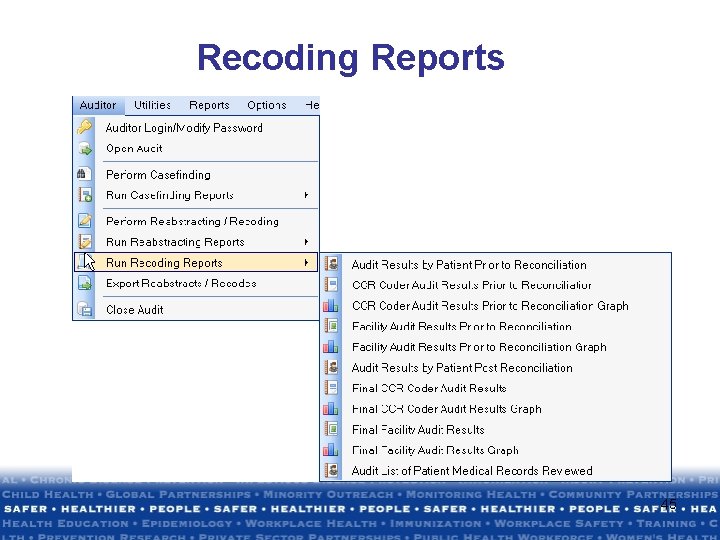
Recoding Reports 45
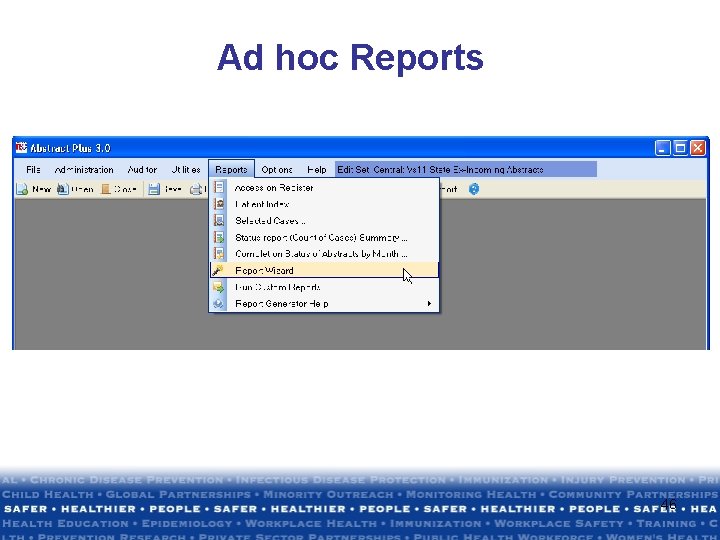
Ad hoc Reports 46
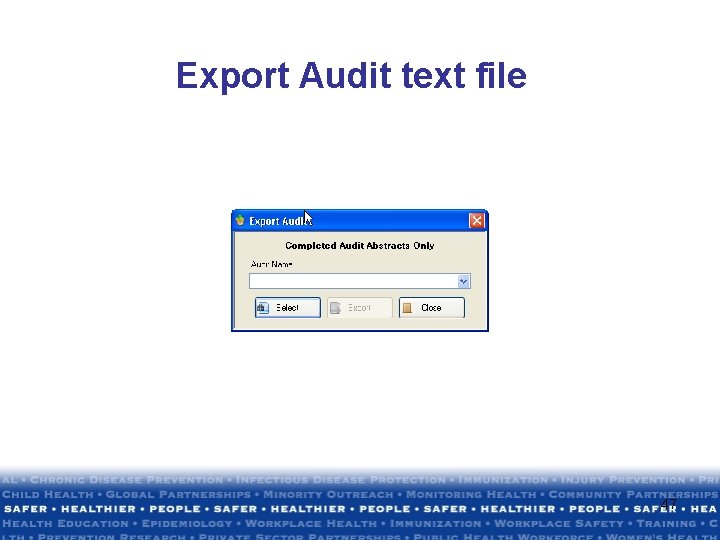
Export Audit text file 47

Thank you • Joseph Rogers 770 -488 -4701 jrogers@cdc. gov • Denise Farmer 770 -488 -3033 dfarmer@cdc. gov • Sherrie Stein 678 -530 -8983 sstein@cdc. gov The findings and conclusions in this presentation are those of the author(s) and do not necessarily represent the views of the Centers for Disease Control and Prevention 48
- Slides: 48