
Abstract Data Types II and ObjectOriented Programming Jordi
Abstract Data Types (II) (and Object-Oriented Programming) Jordi Cortadella and Jordi Petit Department of Computer Science

Public or private? • What should be public? – Only the methods that need to interact with the external world. Hide as much as possible. Make a method public only if necessary. • What should be private? – All the attributes. – The internal methods of the class. • Can we have public attributes? – Theoretically yes (C++ and python allow it). – Recommendation: never define a public attribute. Why? See the next slides. ADTs © Dept. CS, UPC 2
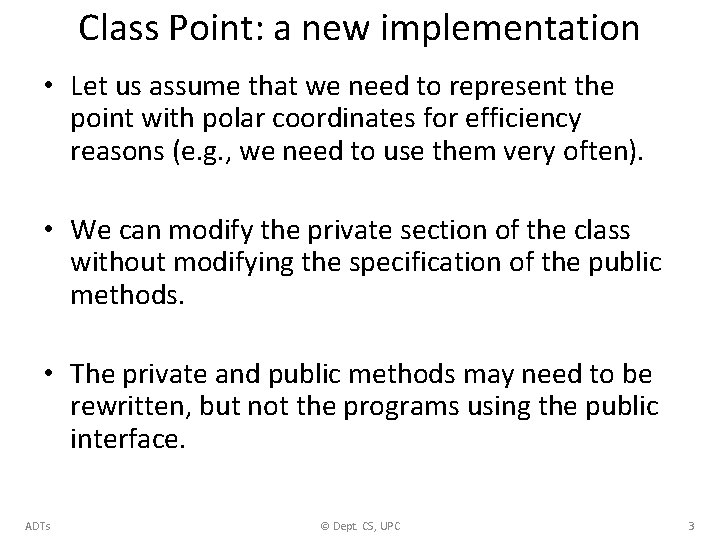
Class Point: a new implementation • Let us assume that we need to represent the point with polar coordinates for efficiency reasons (e. g. , we need to use them very often). • We can modify the private section of the class without modifying the specification of the public methods. • The private and public methods may need to be rewritten, but not the programs using the public interface. ADTs © Dept. CS, UPC 3
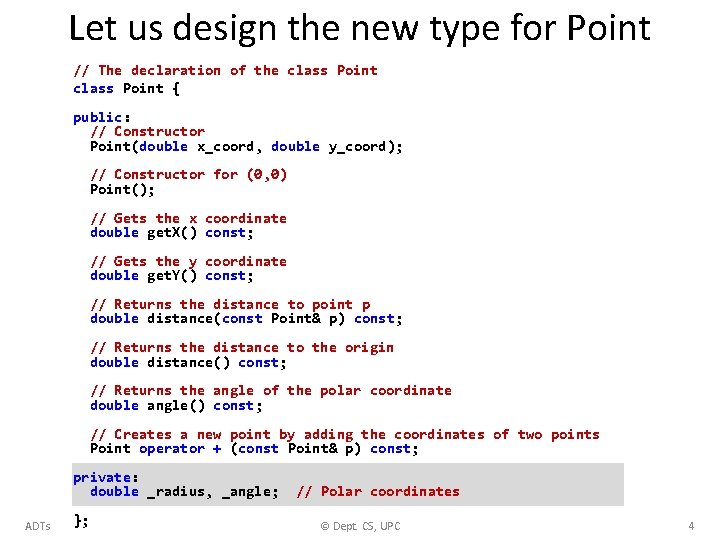
Let us design the new type for Point // The declaration of the class Point { public: // Constructor Point(double x_coord, double y_coord); // Constructor for (0, 0) Point(); // Gets the x coordinate double get. X() const; // Gets the y coordinate double get. Y() const; // Returns the distance to point p double distance(const Point& p) const; // Returns the distance to the origin double distance() const; // Returns the angle of the polar coordinate double angle() const; // Creates a new point by adding the coordinates of two points Point operator + (const Point& p) const; private: double _radius, _angle; ADTs }; // Polar coordinates © Dept. CS, UPC 4
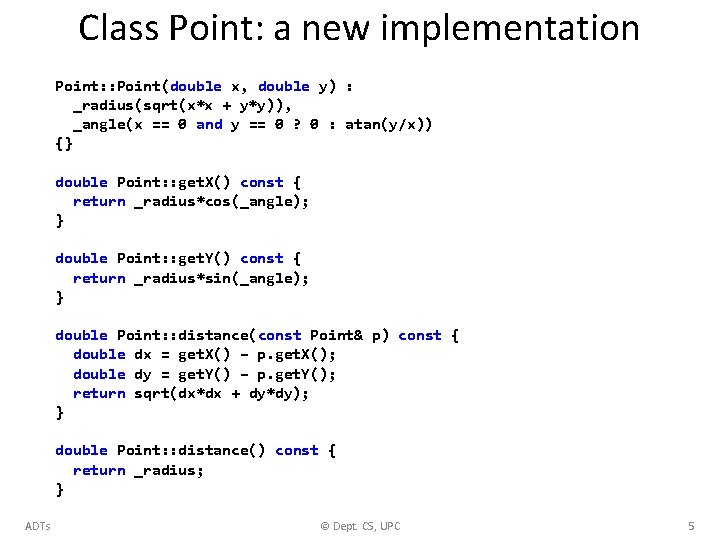
Class Point: a new implementation Point: : Point(double x, double y) : _radius(sqrt(x*x + y*y)), _angle(x == 0 and y == 0 ? 0 : atan(y/x)) {} double Point: : get. X() const { return _radius*cos(_angle); } double Point: : get. Y() const { return _radius*sin(_angle); } double Point: : distance(const Point& p) const { double dx = get. X() – p. get. X(); double dy = get. Y() – p. get. Y(); return sqrt(dx*dx + dy*dy); } double Point: : distance() const { return _radius; } ADTs © Dept. CS, UPC 5
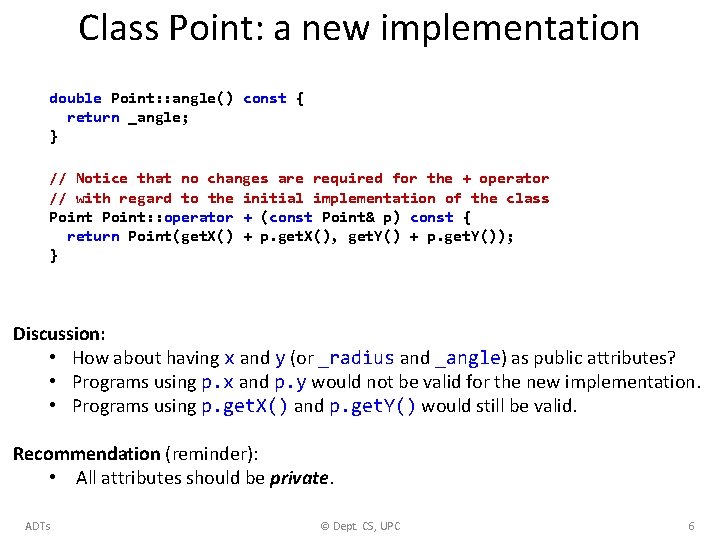
Class Point: a new implementation double Point: : angle() const { return _angle; } // Notice that no changes are required for the + operator // with regard to the initial implementation of the class Point: : operator + (const Point& p) const { return Point(get. X() + p. get. X(), get. Y() + p. get. Y()); } Discussion: • How about having x and y (or _radius and _angle) as public attributes? • Programs using p. x and p. y would not be valid for the new implementation. • Programs using p. get. X() and p. get. Y() would still be valid. Recommendation (reminder): • All attributes should be private. ADTs © Dept. CS, UPC 6
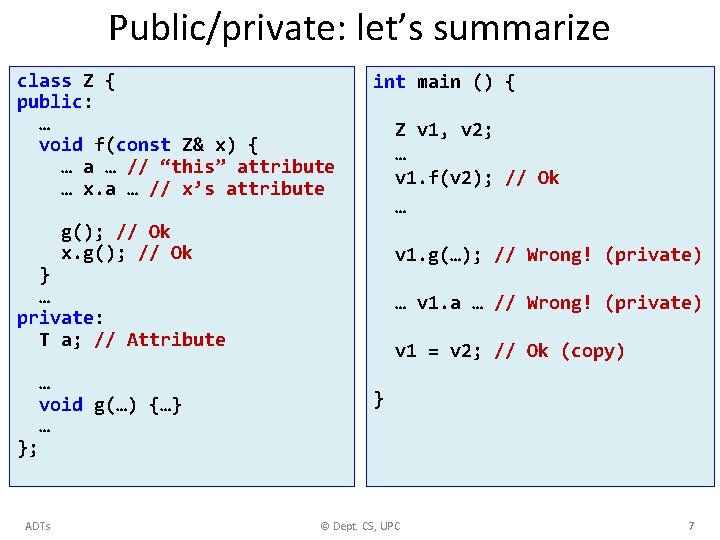
Public/private: let’s summarize class Z { public: … void f(const Z& x) { … a … // “this” attribute … x. a … // x’s attribute int main () { Z v 1, v 2; … v 1. f(v 2); // Ok … g(); // Ok x. g(); // Ok v 1. g(…); // Wrong! (private) } … private: T a; // Attribute … void g(…) {…} … … v 1. a … // Wrong! (private) v 1 = v 2; // Ok (copy) } }; ADTs © Dept. CS, UPC 7

A new class: Rectangle • We will only consider orthogonal rectangles (axis-aligned). • An orthogonal rectangle can be represented in different ways: UR LL LL One point, width and height Two points (extremes of diagonal) ADTs © Dept. CS, UPC 8
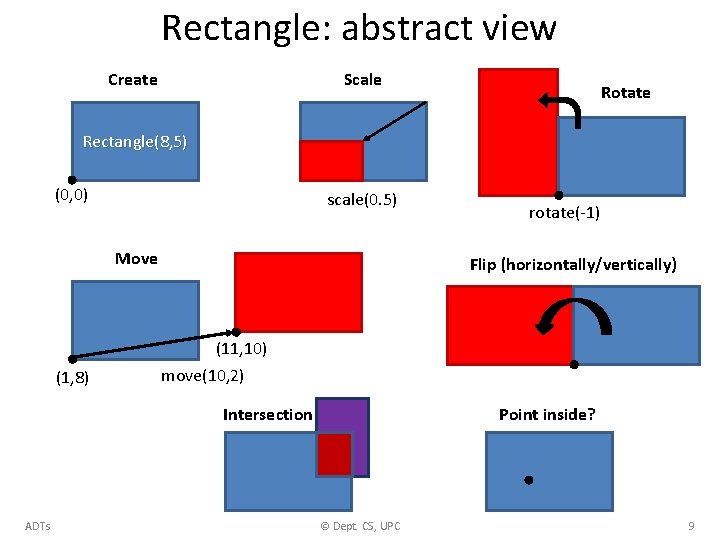
Rectangle: abstract view Scale Create Rotate Rectangle(8, 5) (0, 0) scale(0. 5) Move rotate(-1) Flip (horizontally/vertically) (11, 10) (1, 8) move(10, 2) Intersection ADTs Point inside? © Dept. CS, UPC 9
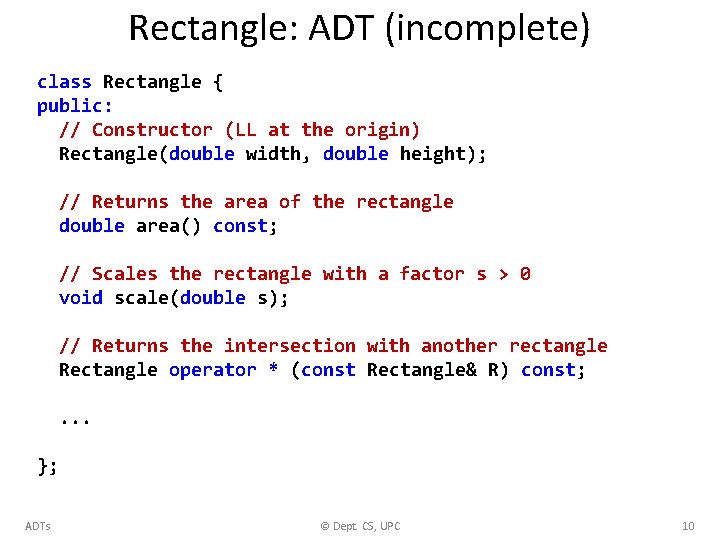
Rectangle: ADT (incomplete) class Rectangle { public: // Constructor (LL at the origin) Rectangle(double width, double height); // Returns the area of the rectangle double area() const; // Scales the rectangle with a factor s > 0 void scale(double s); // Returns the intersection with another rectangle Rectangle operator * (const Rectangle& R) const; . . . }; ADTs © Dept. CS, UPC 10
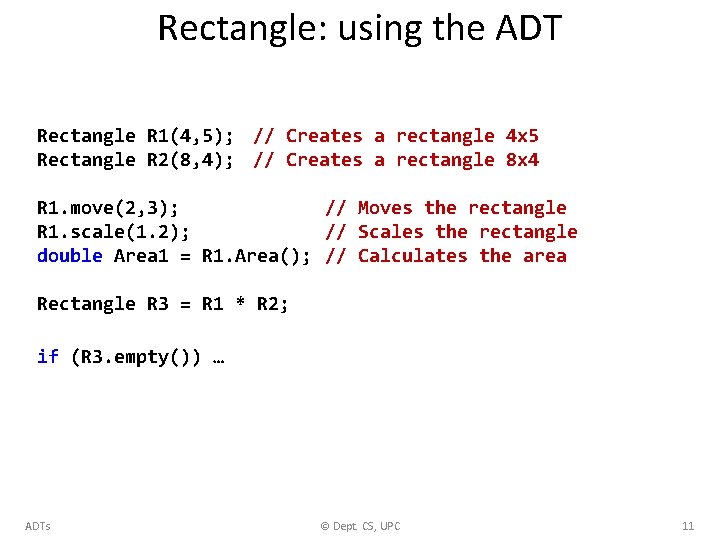
Rectangle: using the ADT Rectangle R 1(4, 5); // Creates a rectangle 4 x 5 Rectangle R 2(8, 4); // Creates a rectangle 8 x 4 R 1. move(2, 3); // Moves the rectangle R 1. scale(1. 2); // Scales the rectangle double Area 1 = R 1. Area(); // Calculates the area Rectangle R 3 = R 1 * R 2; if (R 3. empty()) … ADTs © Dept. CS, UPC 11
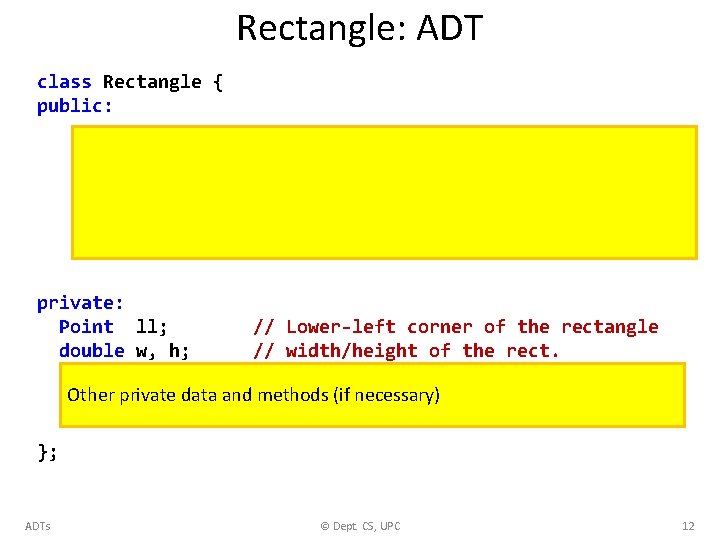
Rectangle: ADT class Rectangle { public: private: Point ll; double w, h; // Lower-left corner of the rectangle // width/height of the rect. Other private data and methods (if necessary) }; ADTs © Dept. CS, UPC 12
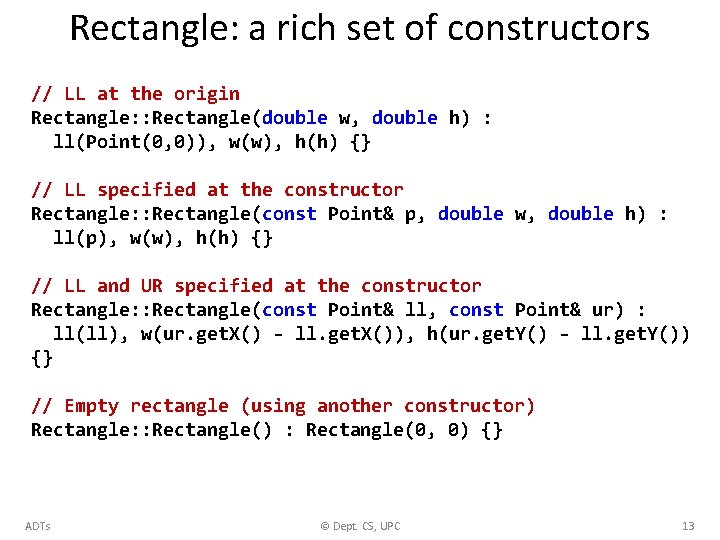
Rectangle: a rich set of constructors // LL at the origin Rectangle: : Rectangle(double w, double h) : ll(Point(0, 0)), w(w), h(h) {} // LL specified at the constructor Rectangle: : Rectangle(const Point& p, double w, double h) : ll(p), w(w), h(h) {} // LL and UR specified at the constructor Rectangle: : Rectangle(const Point& ll, const Point& ur) : ll(ll), w(ur. get. X() - ll. get. X()), h(ur. get. Y() - ll. get. Y()) {} // Empty rectangle (using another constructor) Rectangle: : Rectangle() : Rectangle(0, 0) {} ADTs © Dept. CS, UPC 13
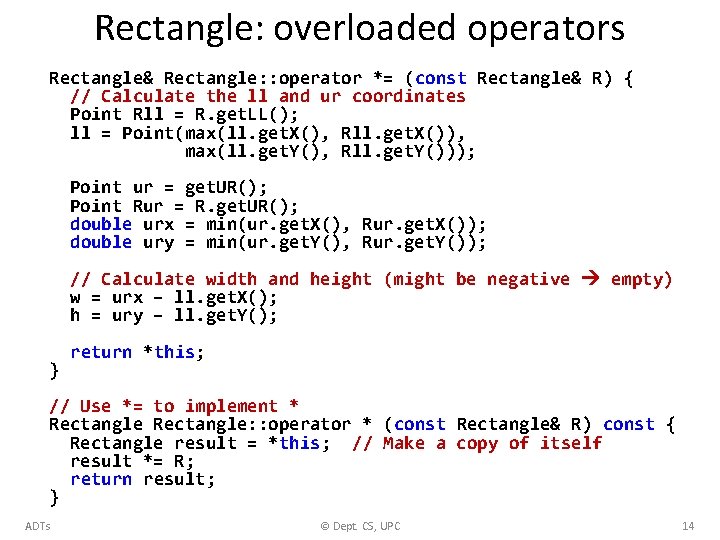
Rectangle: overloaded operators Rectangle& Rectangle: : operator *= (const Rectangle& R) { // Calculate the ll and ur coordinates Point Rll = R. get. LL(); ll = Point(max(ll. get. X(), Rll. get. X()), max(ll. get. Y(), Rll. get. Y())); Point ur = get. UR(); Point Rur = R. get. UR(); double urx = min(ur. get. X(), Rur. get. X()); double ury = min(ur. get. Y(), Rur. get. Y()); // Calculate width and height (might be negative empty) w = urx – ll. get. X(); h = ury – ll. get. Y(); } return *this; // Use *= to implement * Rectangle: : operator * (const Rectangle& R) const { Rectangle result = *this; // Make a copy of itself result *= R; return result; } ADTs © Dept. CS, UPC 14
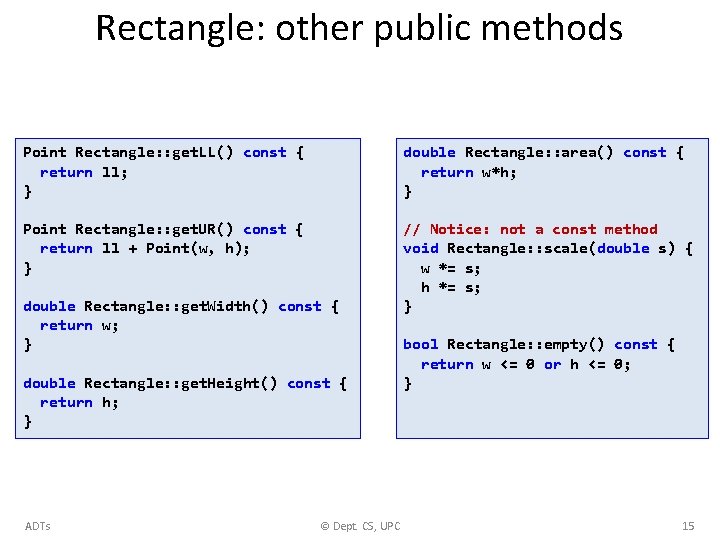
Rectangle: other public methods Point Rectangle: : get. LL() const { return ll; } double Rectangle: : area() const { return w*h; } Point Rectangle: : get. UR() const { return ll + Point(w, h); } // Notice: not a const method void Rectangle: : scale(double s) { w *= s; h *= s; } double Rectangle: : get. Width() const { return w; } double Rectangle: : get. Height() const { return h; } ADTs © Dept. CS, UPC bool Rectangle: : empty() const { return w <= 0 or h <= 0; } 15
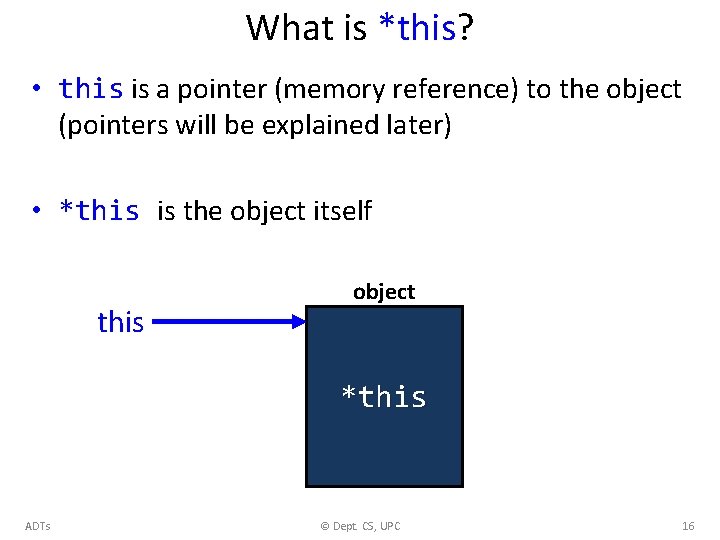
What is *this? • this is a pointer (memory reference) to the object (pointers will be explained later) • *this is the object itself this object *this ADTs © Dept. CS, UPC 16
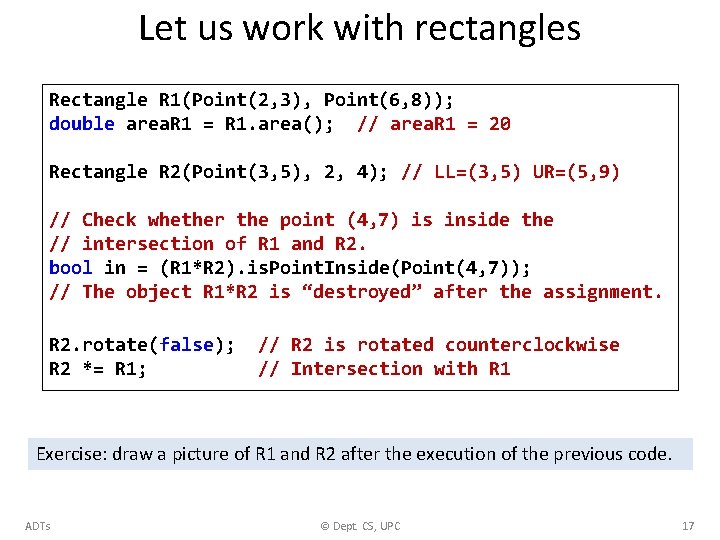
Let us work with rectangles Rectangle R 1(Point(2, 3), Point(6, 8)); double area. R 1 = R 1. area(); // area. R 1 = 20 Rectangle R 2(Point(3, 5), 2, 4); // LL=(3, 5) UR=(5, 9) // Check whether the point (4, 7) is inside the // intersection of R 1 and R 2. bool in = (R 1*R 2). is. Point. Inside(Point(4, 7)); // The object R 1*R 2 is “destroyed” after the assignment. R 2. rotate(false); R 2 *= R 1; // R 2 is rotated counterclockwise // Intersection with R 1 Exercise: draw a picture of R 1 and R 2 after the execution of the previous code. ADTs © Dept. CS, UPC 17
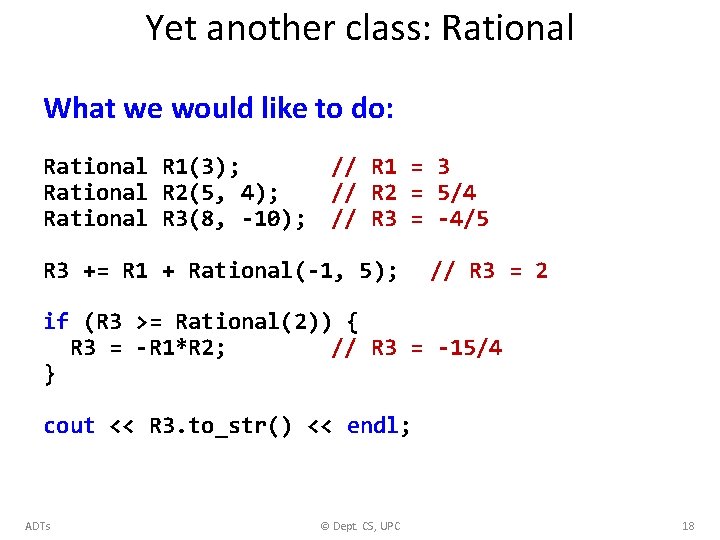
Yet another class: Rational What we would like to do: Rational R 1(3); Rational R 2(5, 4); Rational R 3(8, -10); // R 1 = 3 // R 2 = 5/4 // R 3 = -4/5 R 3 += R 1 + Rational(-1, 5); // R 3 = 2 if (R 3 >= Rational(2)) { R 3 = -R 1*R 2; // R 3 = -15/4 } cout << R 3. to_str() << endl; ADTs © Dept. CS, UPC 18
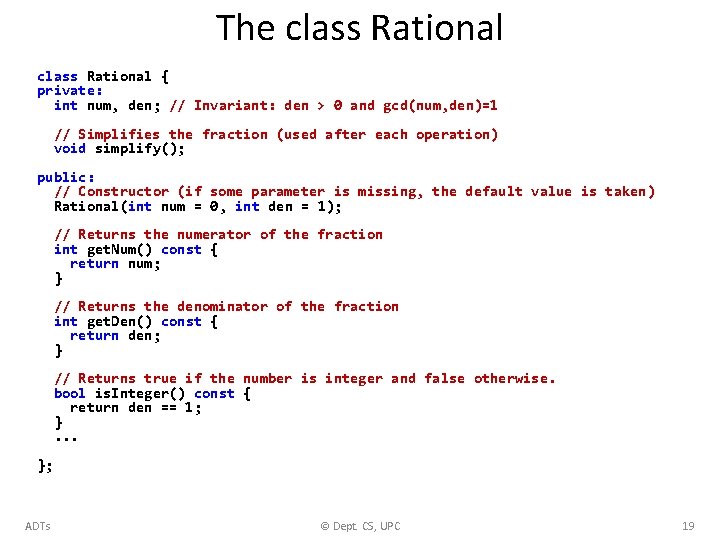
The class Rational { private: int num, den; // Invariant: den > 0 and gcd(num, den)=1 // Simplifies the fraction (used after each operation) void simplify(); public: // Constructor (if some parameter is missing, the default value is taken) Rational(int num = 0, int den = 1); // Returns the numerator of the fraction int get. Num() const { return num; } // Returns the denominator of the fraction int get. Den() const { return den; } // Returns true if the number is integer and false otherwise. bool is. Integer() const { return den == 1; }. . . }; ADTs © Dept. CS, UPC 19
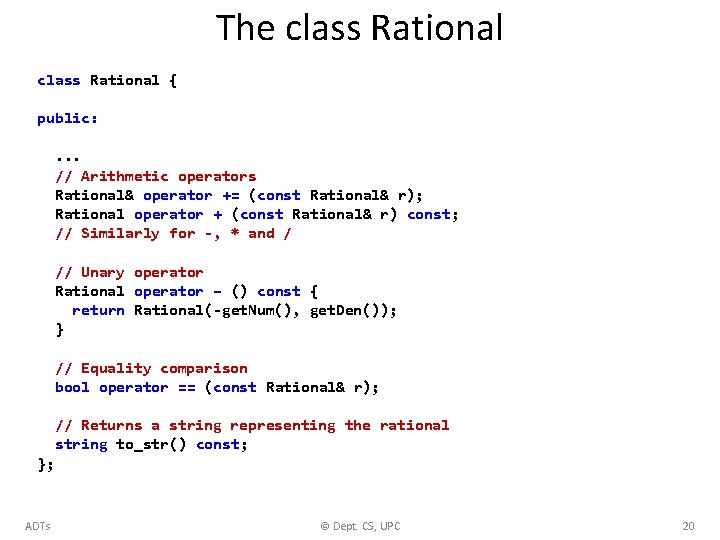
The class Rational { public: . . . // Arithmetic operators Rational& operator += (const Rational& r); Rational operator + (const Rational& r) const; // Similarly for -, * and / // Unary operator Rational operator – () const { return Rational(-get. Num(), get. Den()); } // Equality comparison bool operator == (const Rational& r); // Returns a string representing the rational string to_str() const; }; ADTs © Dept. CS, UPC 20
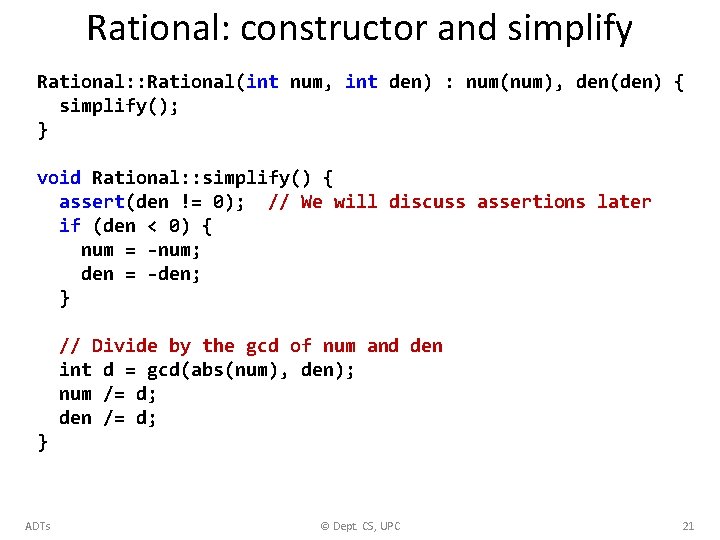
Rational: constructor and simplify Rational: : Rational(int num, int den) : num(num), den(den) { simplify(); } void Rational: : simplify() { assert(den != 0); // We will discuss assertions later if (den < 0) { num = -num; den = -den; } // Divide by the gcd of num and den int d = gcd(abs(num), den); num /= d; den /= d; } ADTs © Dept. CS, UPC 21
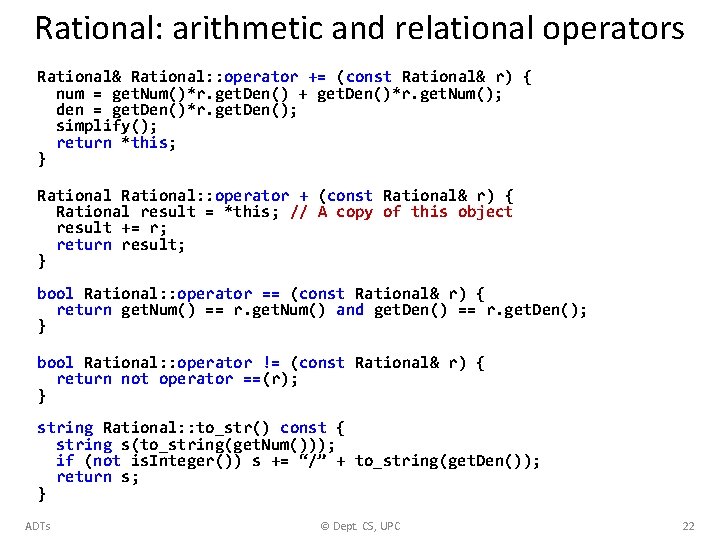
Rational: arithmetic and relational operators Rational& Rational: : operator += (const Rational& r) { num = get. Num()*r. get. Den() + get. Den()*r. get. Num(); den = get. Den()*r. get. Den(); simplify(); return *this; } Rational: : operator + (const Rational& r) { Rational result = *this; // A copy of this object result += r; return result; } bool Rational: : operator == (const Rational& r) { return get. Num() == r. get. Num() and get. Den() == r. get. Den(); } bool Rational: : operator != (const Rational& r) { return not operator ==(r); } string Rational: : to_str() const { string s(to_string(get. Num())); if (not is. Integer()) s += “/” + to_string(get. Den()); return s; } ADTs © Dept. CS, UPC 22
Classes and Objects in Python
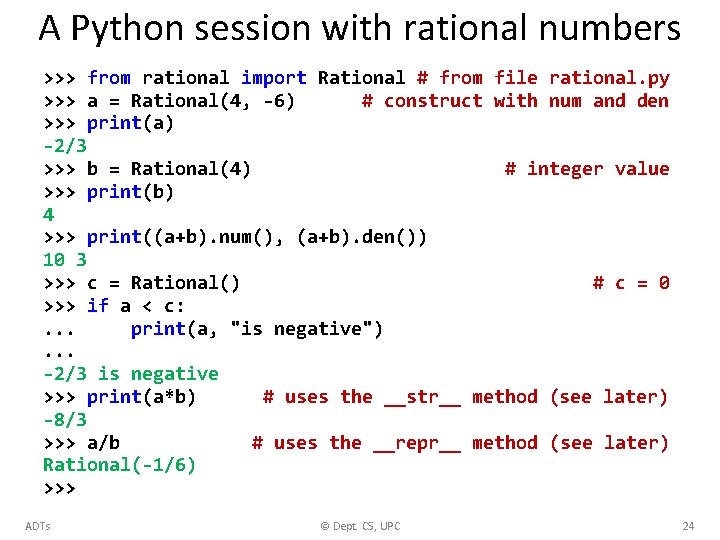
A Python session with rational numbers >>> from rational import Rational # from file rational. py >>> a = Rational(4, -6) # construct with num and den >>> print(a) -2/3 >>> b = Rational(4) # integer value >>> print(b) 4 >>> print((a+b). num(), (a+b). den()) 10 3 >>> c = Rational() # c = 0 >>> if a < c: . . . print(a, "is negative"). . . -2/3 is negative >>> print(a*b) # uses the __str__ method (see later) -8/3 >>> a/b # uses the __repr__ method (see later) Rational(-1/6) >>> ADTs © Dept. CS, UPC 24
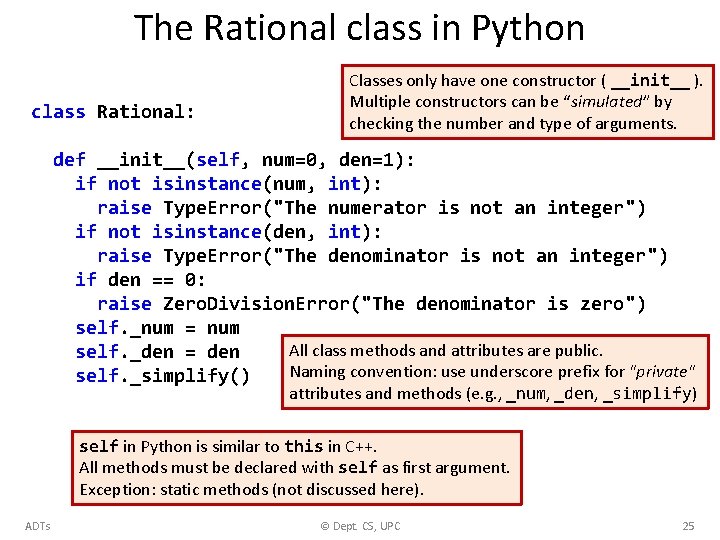
The Rational class in Python class Rational: Classes only have one constructor ( __init__ ). Multiple constructors can be “simulated” by checking the number and type of arguments. def __init__(self, num=0, den=1): if not isinstance(num, int): raise Type. Error("The numerator is not an integer") if not isinstance(den, int): raise Type. Error("The denominator is not an integer") if den == 0: raise Zero. Division. Error("The denominator is zero") self. _num = num All class methods and attributes are public. self. _den = den Naming convention: use underscore prefix for "private" self. _simplify() attributes and methods (e. g. , _num, _den, _simplify) self in Python is similar to this in C++. All methods must be declared with self as first argument. Exception: static methods (not discussed here). ADTs © Dept. CS, UPC 25
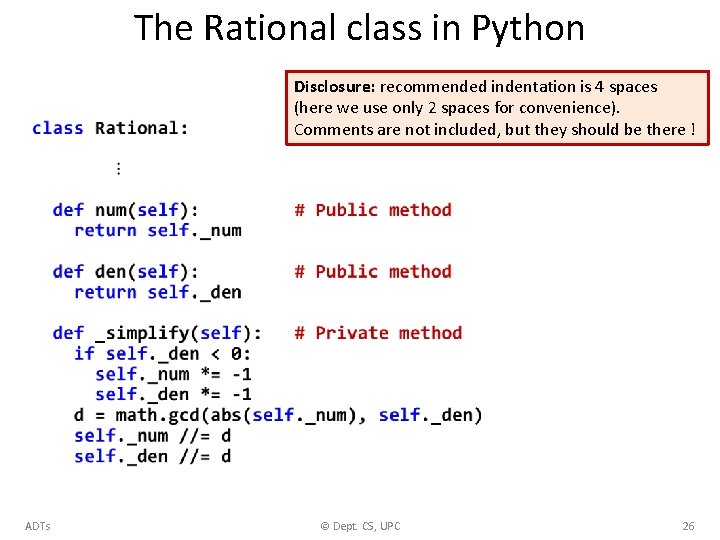
The Rational class in Python Disclosure: recommended indentation is 4 spaces (here we use only 2 spaces for convenience). Comments are not included, but they should be there ! ADTs © Dept. CS, UPC 26
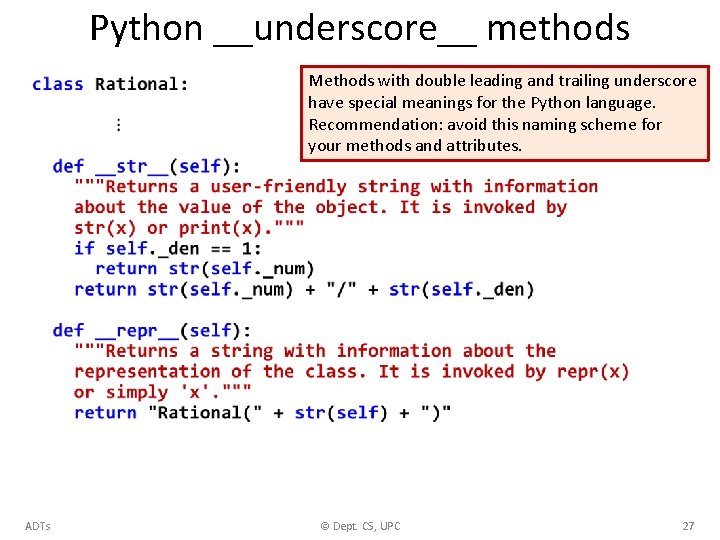
Python __underscore__ methods Methods with double leading and trailing underscore have special meanings for the Python language. Recommendation: avoid this naming scheme for your methods and attributes. ADTs © Dept. CS, UPC 27
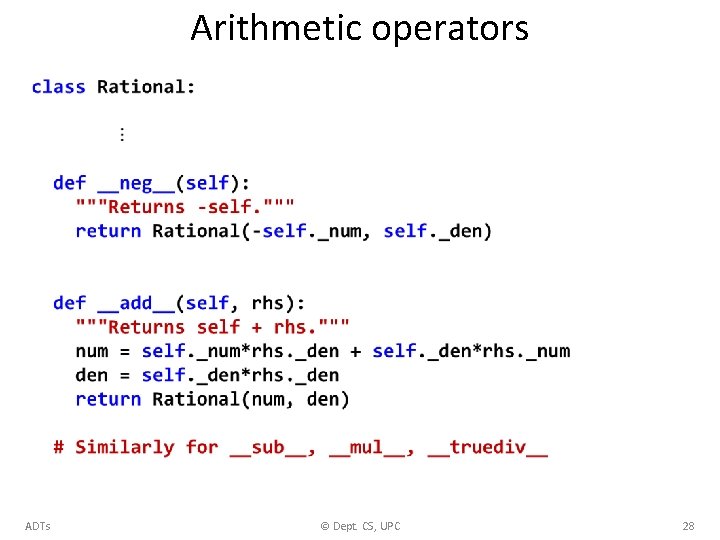
Arithmetic operators ADTs © Dept. CS, UPC 28
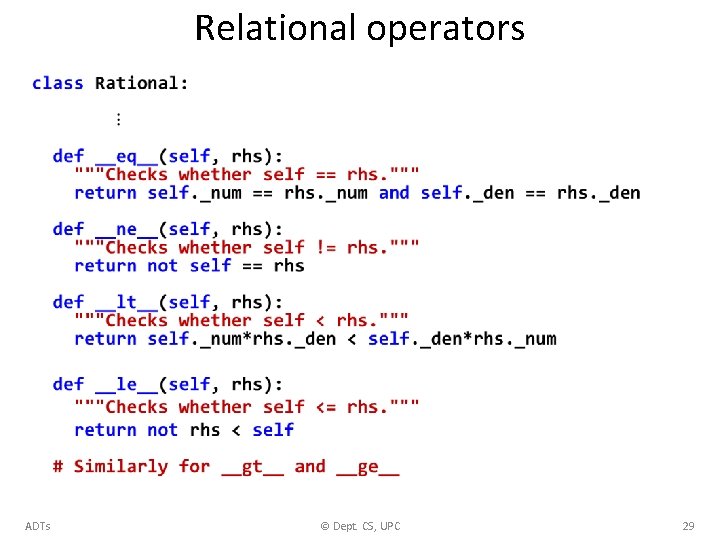
Relational operators ADTs © Dept. CS, UPC 29
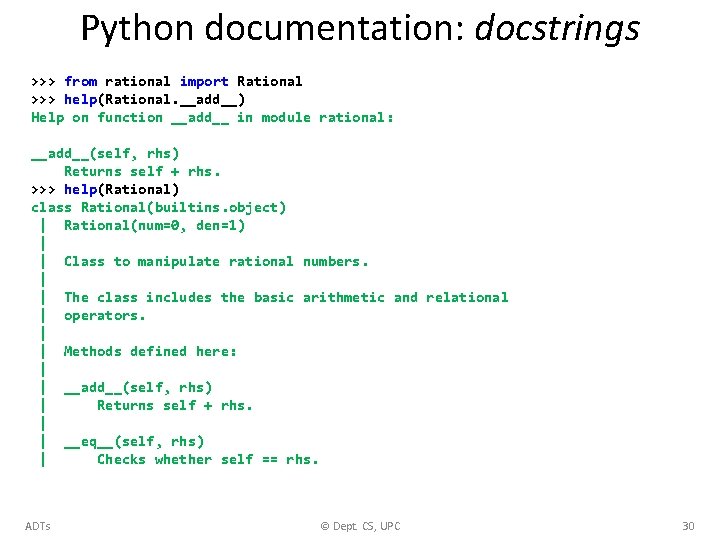
Python documentation: docstrings >>> from rational import Rational >>> help(Rational. __add__) Help on function __add__ in module rational: __add__(self, rhs) Returns self + rhs. >>> help(Rational) class Rational(builtins. object) | Rational(num=0, den=1) | | Class to manipulate rational numbers. | | The class includes the basic arithmetic and relational | operators. | | Methods defined here: | | __add__(self, rhs) | Returns self + rhs. | | __eq__(self, rhs) | Checks whether self == rhs. ADTs © Dept. CS, UPC 30
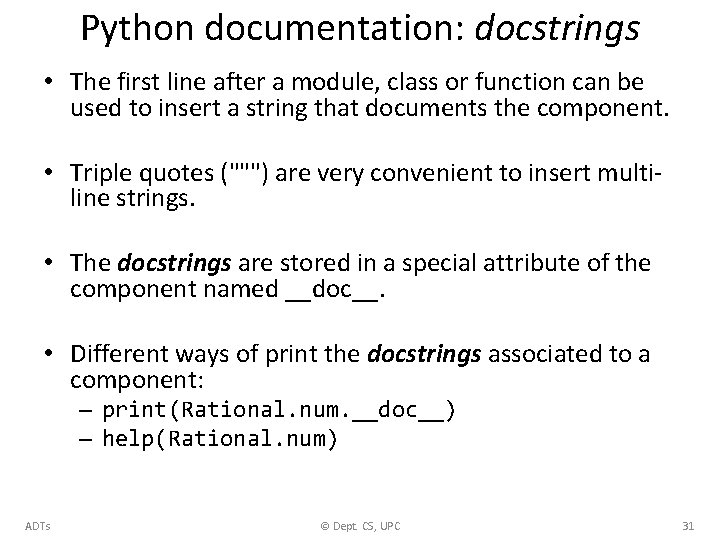
Python documentation: docstrings • The first line after a module, class or function can be used to insert a string that documents the component. • Triple quotes (""") are very convenient to insert multiline strings. • The docstrings are stored in a special attribute of the component named __doc__. • Different ways of print the docstrings associated to a component: – print(Rational. num. __doc__) – help(Rational. num) ADTs © Dept. CS, UPC 31
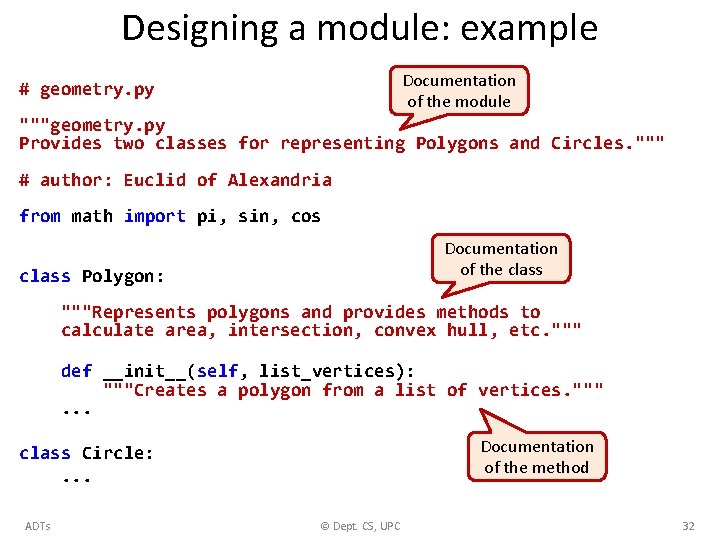
Designing a module: example Documentation of the module # geometry. py """geometry. py Provides two classes for representing Polygons and Circles. """ # author: Euclid of Alexandria from math import pi, sin, cos Documentation of the class Polygon: """Represents polygons and provides methods to calculate area, intersection, convex hull, etc. """ def __init__(self, list_vertices): """Creates a polygon from a list of vertices. """. . . Documentation of the method class Circle: . . . ADTs © Dept. CS, UPC 32
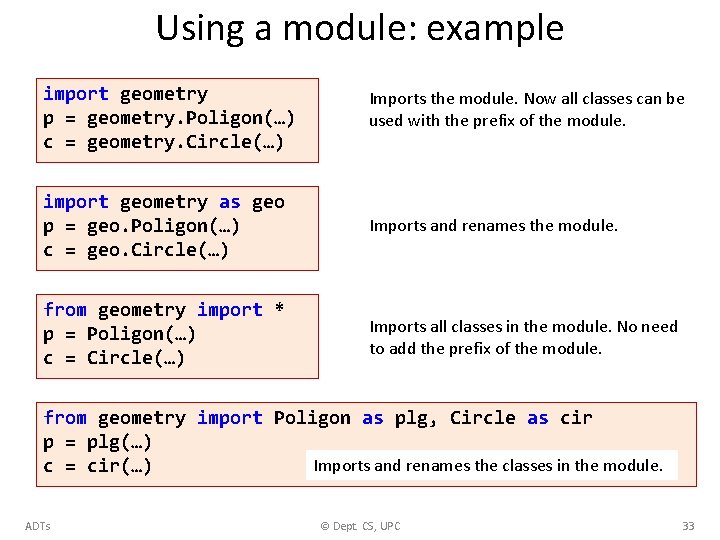
Using a module: example import geometry p = geometry. Poligon(…) c = geometry. Circle(…) Imports the module. Now all classes can be used with the prefix of the module. import geometry as geo p = geo. Poligon(…) c = geo. Circle(…) Imports and renames the module. from geometry import * p = Poligon(…) c = Circle(…) Imports all classes in the module. No need to add the prefix of the module. from geometry import Poligon as plg, Circle as cir p = plg(…) Imports and renames the classes in the module. c = cir(…) ADTs © Dept. CS, UPC 33
Conclusions • Finding the appropriate hierarchy is a fundamental step towards the design of a complex system. • User-friendly documentation is indispensable. ADTs © Dept. CS, UPC 34
EXERCISES ADTs © Dept. CS, UPC 35
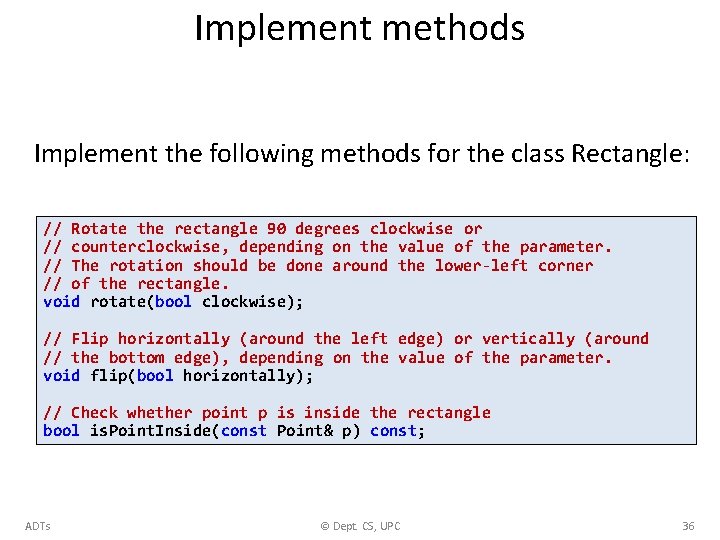
Implement methods Implement the following methods for the class Rectangle: // Rotate the rectangle 90 degrees clockwise or // counterclockwise, depending on the value of the parameter. // The rotation should be done around the lower-left corner // of the rectangle. void rotate(bool clockwise); // Flip horizontally (around the left edge) or vertically (around // the bottom edge), depending on the value of the parameter. void flip(bool horizontally); // Check whether point p is inside the rectangle bool is. Point. Inside(const Point& p) const; ADTs © Dept. CS, UPC 36
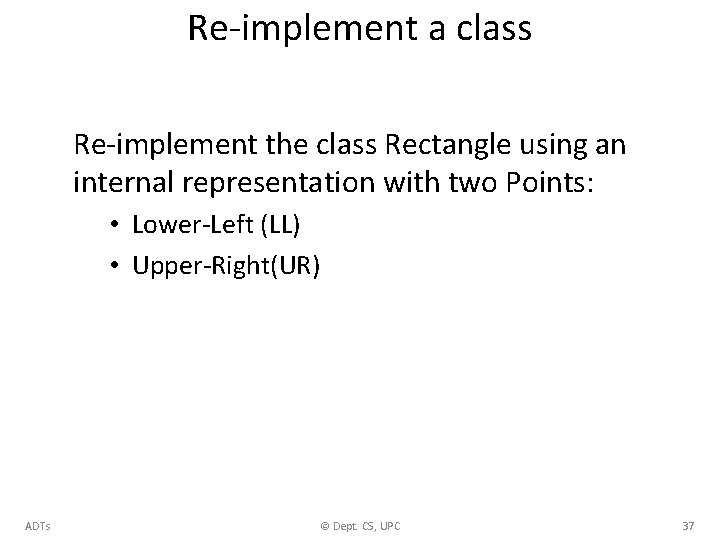
Re-implement a class Re-implement the class Rectangle using an internal representation with two Points: • Lower-Left (LL) • Upper-Right(UR) ADTs © Dept. CS, UPC 37
- Slides: 37