
Abstract Data Types Applied Arrays Lists and Strings
Abstract Data Types Applied Arrays: Lists and Strings Chapter 12 - 13
ENUMERATION Type · A data type is a set of values together with a set of operations on those values. · In order to define a new simple data type, called enumeration type, we need three things: · A name for the data type. · A set of values for the data type. · A set of operations on the values. · C++ allows the user to define a new simple data type by specifying its name and the values, but not the operations. · The values that we specify for the data type must be identifiers.
The syntax for enumeration type is: enum type. Name{value 1, value 2, . . . }; where value 1, value 2, … are identifiers. · value 1, value 2, … are called enumerators. · In C++, enum is a reserved word. · Enumeration type is an ordered set of values.
Example: enum colors{brown, blue, red, green, yellow}; defines a new data type, called colors · The values belonging to this data type are brown, blue, red, green, and yellow. Example: enum standing{freshman, sophomore, junior, senior}; defines standing to be an enumeration type. · The values belonging to standing are freshman, sophomore, junior, and senior.
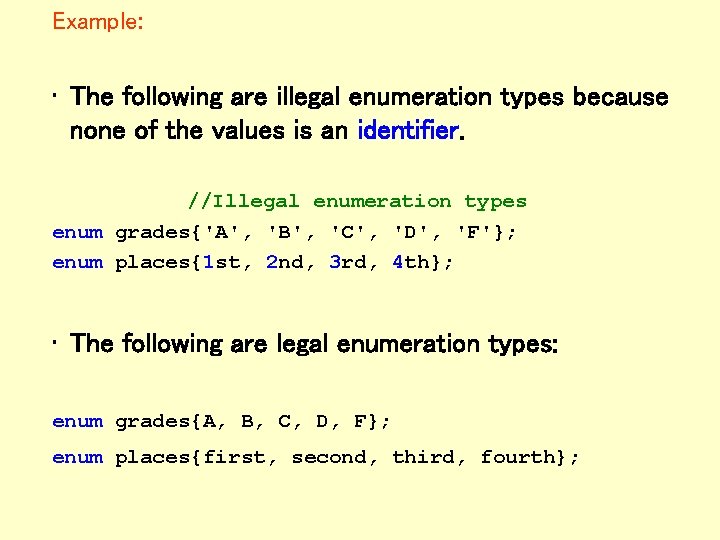
Example: • The following are illegal enumeration types because none of the values is an identifier. //Illegal enumeration types enum grades{'A', 'B', 'C', 'D', 'F'}; enum places{1 st, 2 nd, 3 rd, 4 th}; • The following are legal enumeration types: enum grades{A, B, C, D, F}; enum places{first, second, third, fourth};
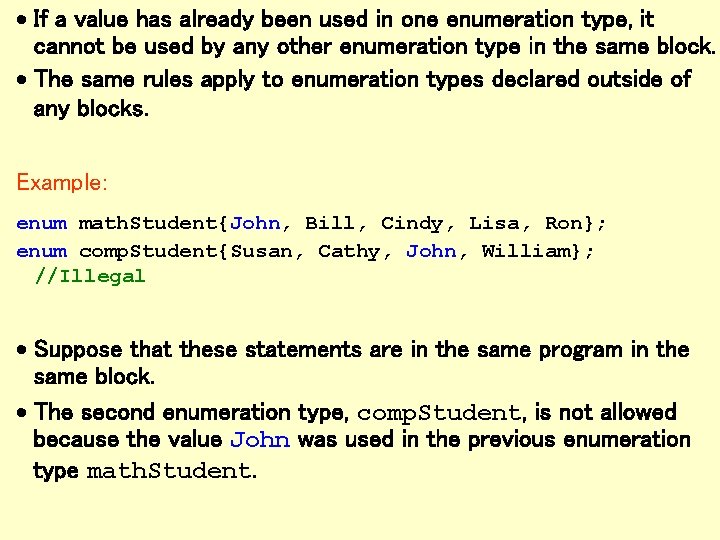
· If a value has already been used in one enumeration type, it cannot be used by any other enumeration type in the same block. · The same rules apply to enumeration types declared outside of any blocks. Example: enum math. Student{John, Bill, Cindy, Lisa, Ron}; enum comp. Student{Susan, Cathy, John, William}; //Illegal · Suppose that these statements are in the same program in the same block. · The second enumeration type, comp. Student, is not allowed because the value John was used in the previous enumeration type math. Student.
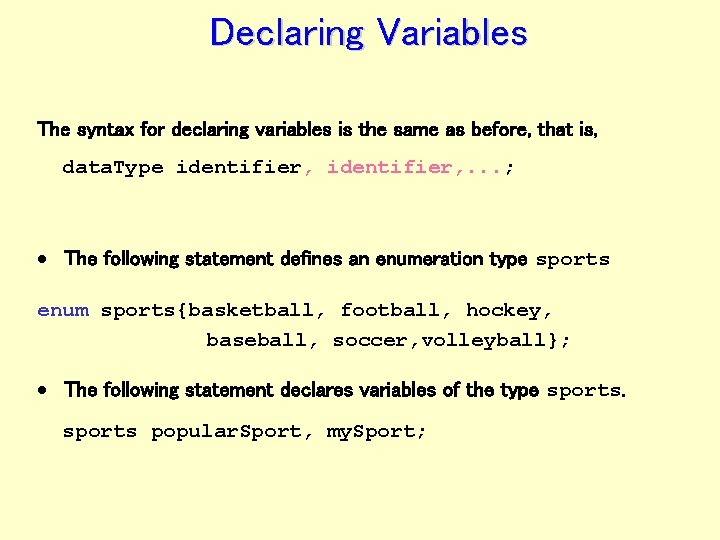
Declaring Variables The syntax for declaring variables is the same as before, that is, data. Type identifier, . . . ; · The following statement defines an enumeration type sports enum sports{basketball, football, hockey, baseball, soccer, volleyball}; · The following statement declares variables of the type sports popular. Sport, my. Sport;
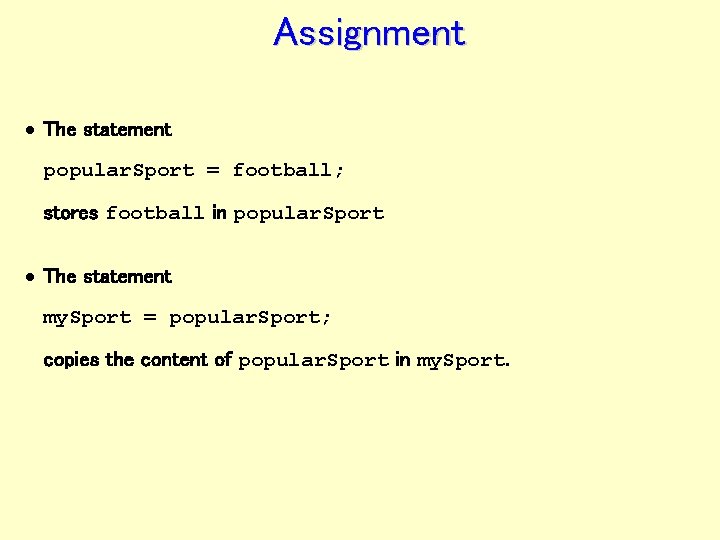
Assignment · The statement popular. Sport = football; stores football in popular. Sport · The statement my. Sport = popular. Sport; copies the content of popular. Sport in my. Sport.
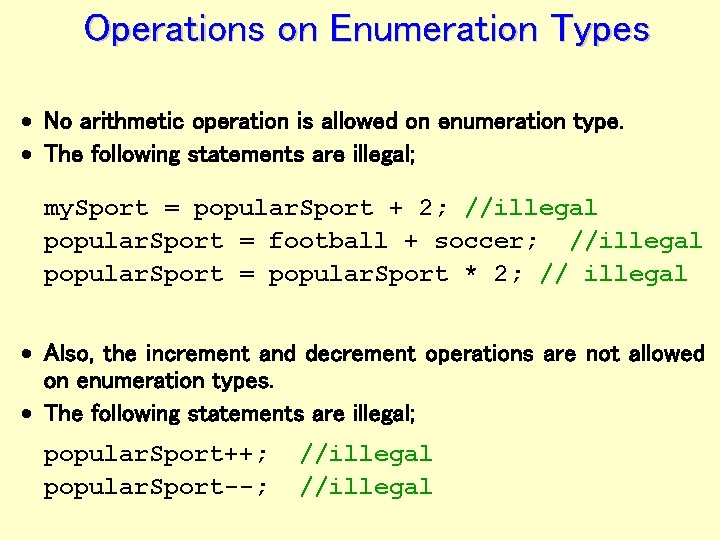
Operations on Enumeration Types · No arithmetic operation is allowed on enumeration type. · The following statements are illegal; my. Sport = popular. Sport + 2; //illegal popular. Sport = football + soccer; //illegal popular. Sport = popular. Sport * 2; // illegal · Also, the increment and decrement operations are not allowed on enumeration types. · The following statements are illegal; popular. Sport++; popular. Sport--; //illegal
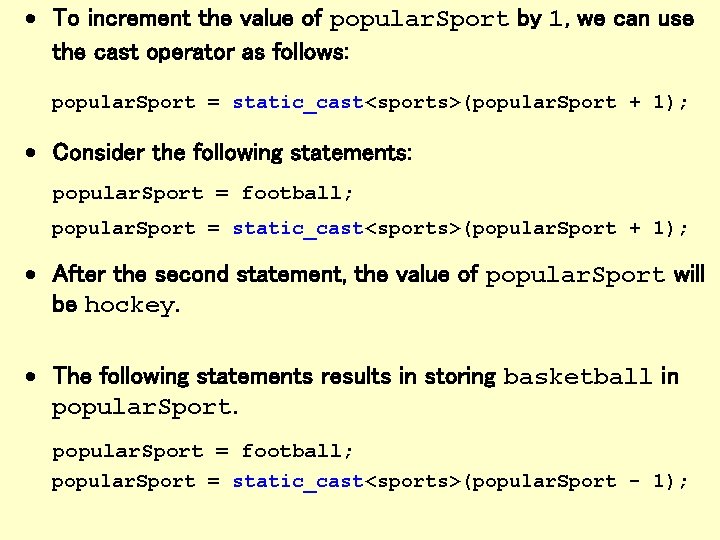
· To increment the value of popular. Sport by 1, we can use the cast operator as follows: popular. Sport = static_cast<sports>(popular. Sport + 1); · Consider the following statements: popular. Sport = football; popular. Sport = static_cast<sports>(popular. Sport + 1); · After the second statement, the value of popular. Sport will be hockey. · The following statements results in storing basketball in popular. Sport = football; popular. Sport = static_cast<sports>(popular. Sport - 1);
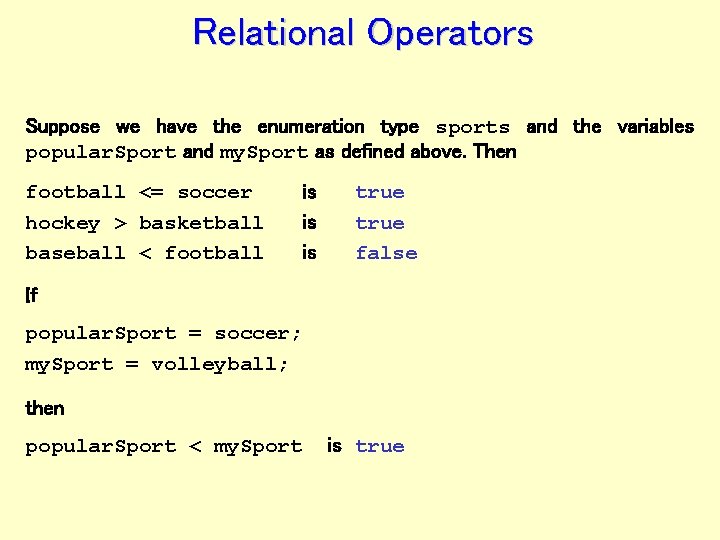
Relational Operators Suppose we have the enumeration type sports and the variables popular. Sport and my. Sport as defined above. Then football <= soccer hockey > basketball baseball < football is is is true false If popular. Sport = soccer; my. Sport = volleyball; then popular. Sport < my. Sport is true
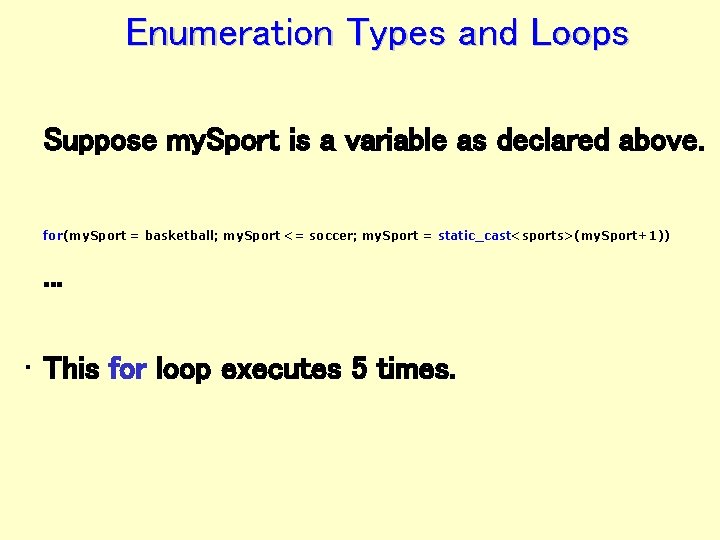
Enumeration Types and Loops Suppose my. Sport is a variable as declared above. for(my. Sport = basketball; my. Sport <= soccer; my. Sport = static_cast<sports>(my. Sport+1)) . . . • This for loop executes 5 times.
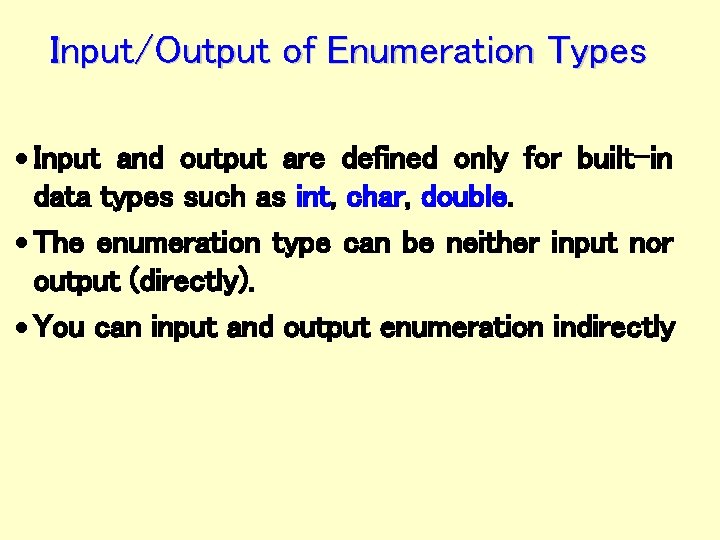
Input/Output of Enumeration Types · Input and output are defined only for built-in data types such as int, char, double. · The enumeration type can be neither input nor output (directly). · You can input and output enumeration indirectly
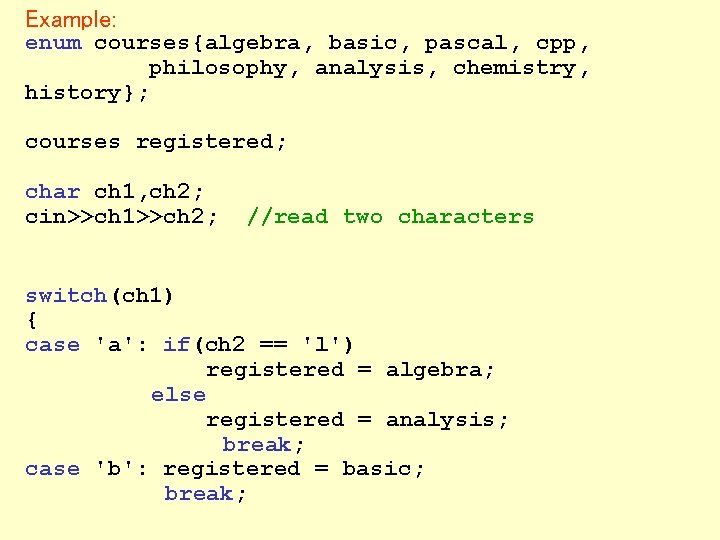
Example: enum courses{algebra, basic, pascal, cpp, philosophy, analysis, chemistry, history}; courses registered; char ch 1, ch 2; cin>>ch 1>>ch 2; //read two characters switch(ch 1) { case 'a': if(ch 2 == 'l') registered = algebra; else registered = analysis; break; case 'b': registered = basic; break;
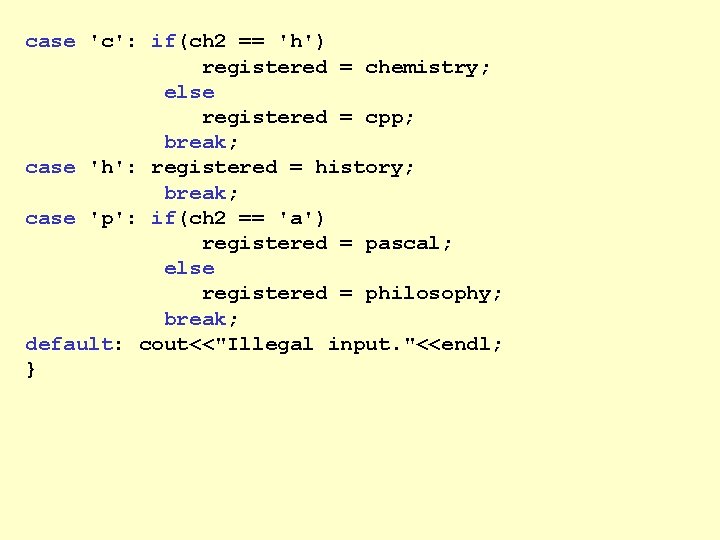
case 'c': if(ch 2 == 'h') registered = chemistry; else registered = cpp; break; case 'h': registered = history; break; case 'p': if(ch 2 == 'a') registered = pascal; else registered = philosophy; break; default: cout<<"Illegal input. "<<endl; }

Enumeration type can be output indirectly as follows: switch(registered) { case algebra: cout<<"algebra"; break; case analysis: cout<<"analysis"; break; case basic: cout<<"basic"; break; case chemistry: cout<<"chemistry"; break; case cpp: cout<<"cpp"; break; case history: cout<<"history"; break; case pascal: cout<<"pascal"; break; case philosophy: cout<<"philosophy"; }
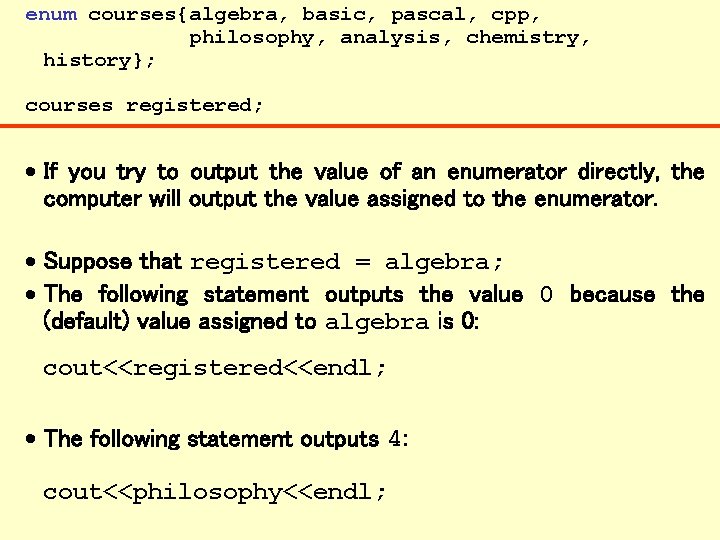
enum courses{algebra, basic, pascal, cpp, philosophy, analysis, chemistry, history}; courses registered; · If you try to output the value of an enumerator directly, the computer will output the value assigned to the enumerator. · Suppose that registered = algebra; · The following statement outputs the value 0 because the (default) value assigned to algebra is 0: cout<<registered<<endl; · The following statement outputs 4: cout<<philosophy<<endl;
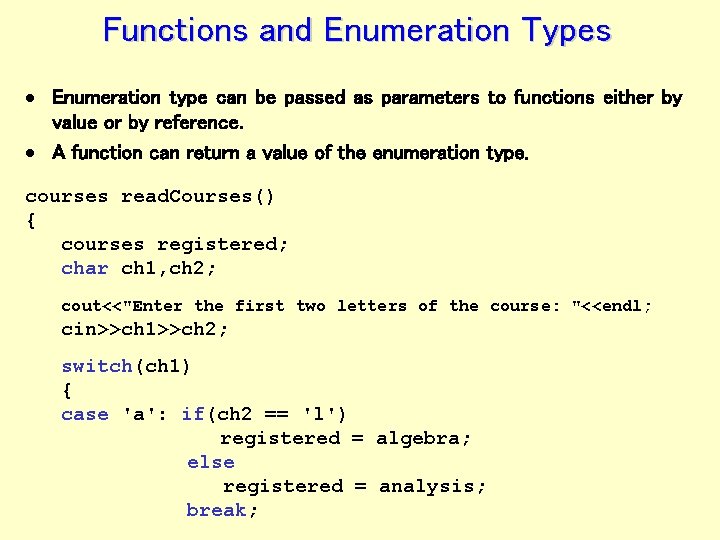
Functions and Enumeration Types · Enumeration type can be passed as parameters to functions either by value or by reference. · A function can return a value of the enumeration type. courses read. Courses() { courses registered; char ch 1, ch 2; cout<<"Enter the first two letters of the course: "<<endl; cin>>ch 1>>ch 2; switch(ch 1) { case 'a': if(ch 2 == 'l') registered = algebra; else registered = analysis; break;
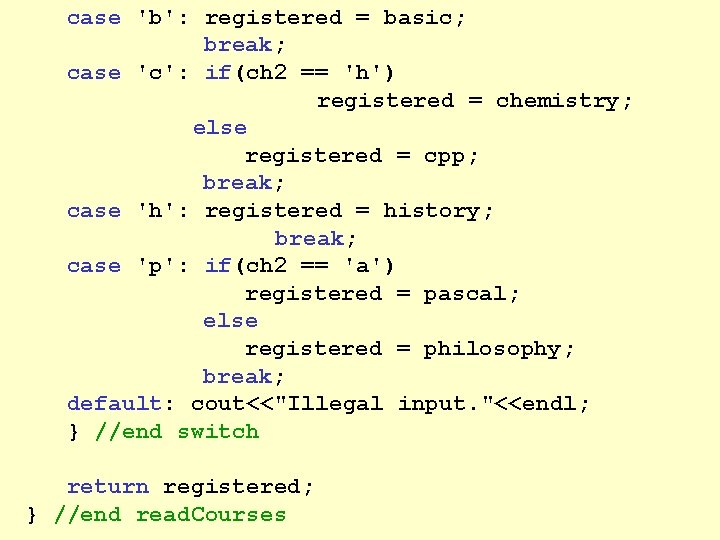
case 'b': registered = basic; break; case 'c': if(ch 2 == 'h') registered = chemistry; else registered = cpp; break; case 'h': registered = history; break; case 'p': if(ch 2 == 'a') registered = pascal; else registered = philosophy; break; default: cout<<"Illegal input. "<<endl; } //end switch return registered; } //end read. Courses
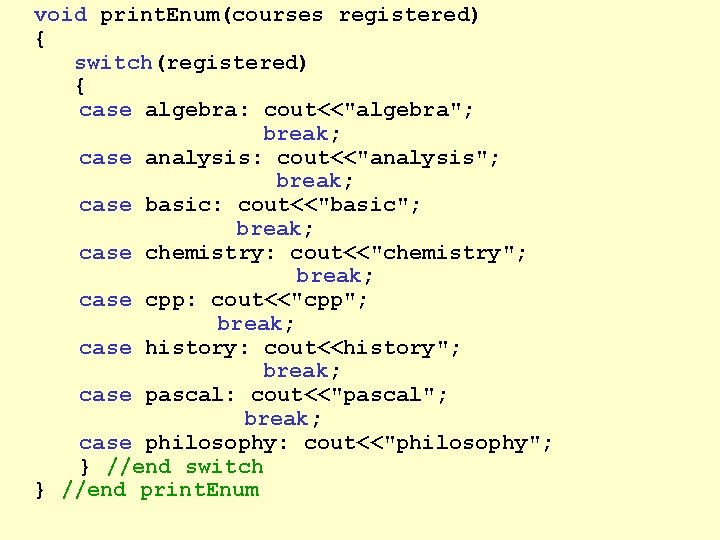
void print. Enum(courses registered) { switch(registered) { case algebra: cout<<"algebra"; break; case analysis: cout<<"analysis"; break; case basic: cout<<"basic"; break; case chemistry: cout<<"chemistry"; break; case cpp: cout<<"cpp"; break; case history: cout<<history"; break; case pascal: cout<<"pascal"; break; case philosophy: cout<<"philosophy"; } //end switch } //end print. Enum
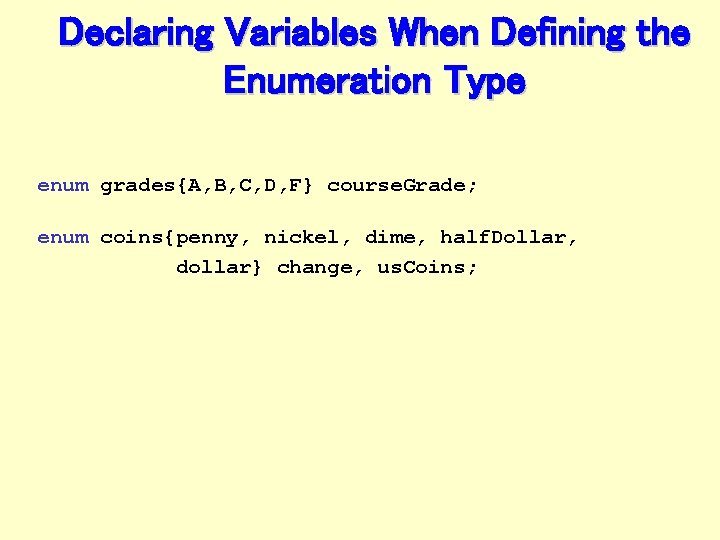
Declaring Variables When Defining the Enumeration Type enum grades{A, B, C, D, F} course. Grade; enum coins{penny, nickel, dime, half. Dollar, dollar} change, us. Coins;
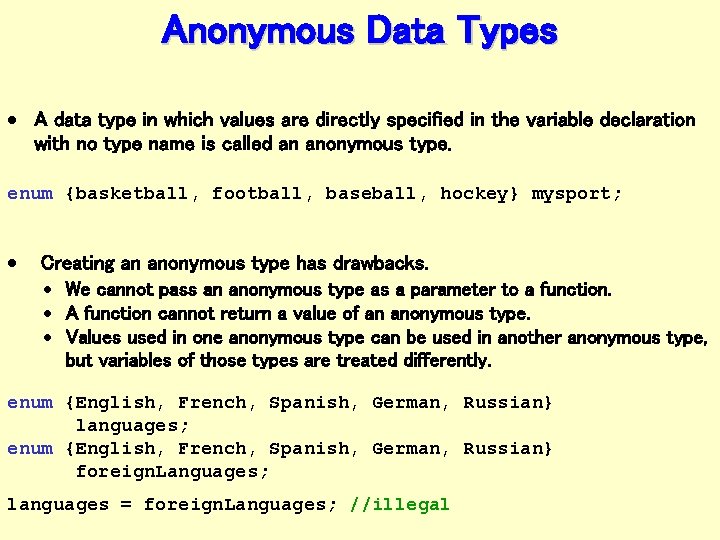
Anonymous Data Types · A data type in which values are directly specified in the variable declaration with no type name is called an anonymous type. enum {basketball, football, baseball, hockey} mysport; · Creating an anonymous type has drawbacks. · We cannot pass an anonymous type as a parameter to a function. · A function cannot return a value of an anonymous type. · Values used in one anonymous type can be used in another anonymous type, but variables of those types are treated differently. enum {English, French, Spanish, German, Russian} languages; enum {English, French, Spanish, German, Russian} foreign. Languages; languages = foreign. Languages; //illegal
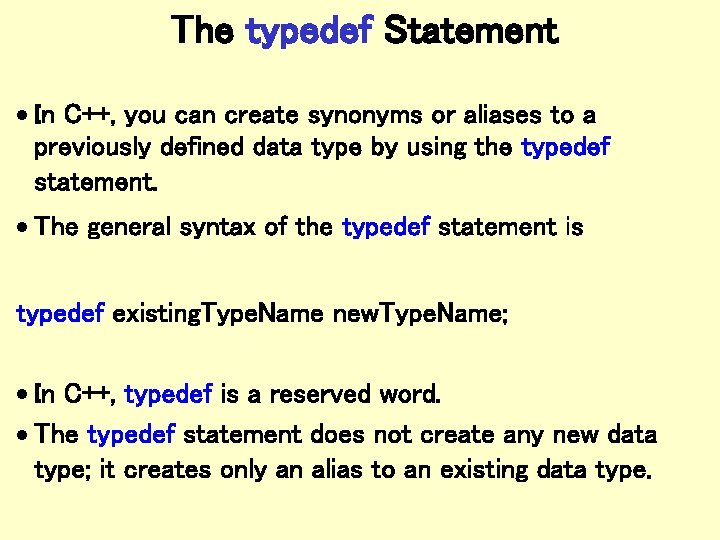
The typedef Statement · In C++, you can create synonyms or aliases to a previously defined data type by using the typedef statement. · The general syntax of the typedef statement is typedef existing. Type. Name new. Type. Name; · In C++, typedef is a reserved word. · The typedef statement does not create any new data type; it creates only an alias to an existing data type.
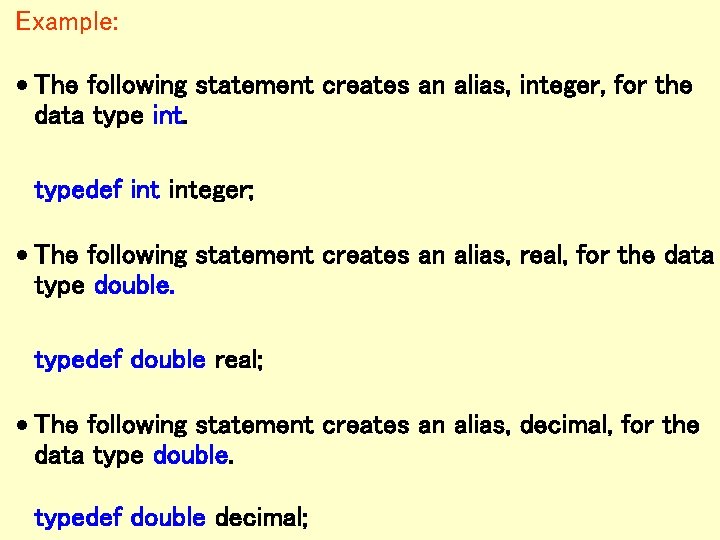
Example: · The following statement creates an alias, integer, for the data type int. typedef integer; · The following statement creates an alias, real, for the data type double. typedef double real; · The following statement creates an alias, decimal, for the data type double. typedef double decimal;
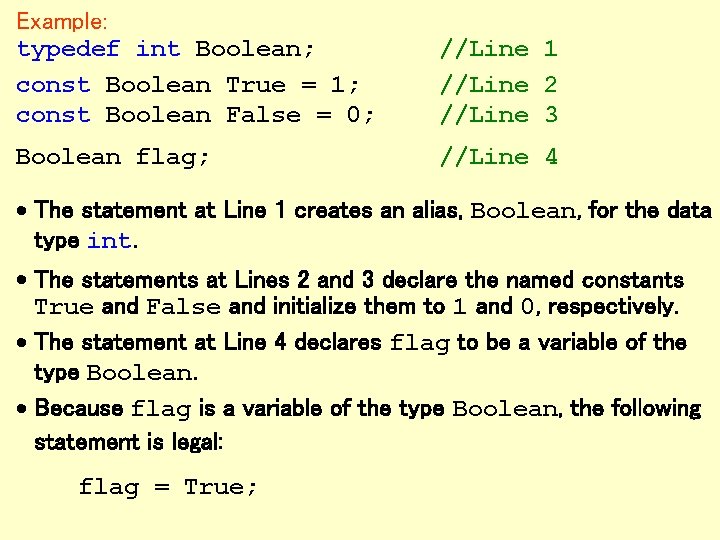
Example: typedef int Boolean; const Boolean True = 1; const Boolean False = 0; //Line 1 //Line 2 //Line 3 Boolean flag; //Line 4 · The statement at Line 1 creates an alias, Boolean, for the data type int. · The statements at Lines 2 and 3 declare the named constants True and False and initialize them to 1 and 0, respectively. · The statement at Line 4 declares flag to be a variable of the type Boolean. · Because flag is a variable of the type Boolean, the following statement is legal: flag = True;
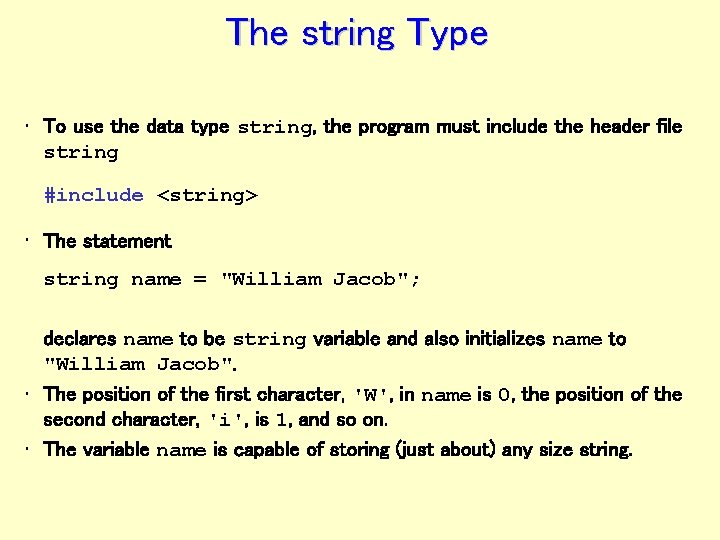
The string Type • To use the data type string, the program must include the header file string #include <string> • The statement string name = "William Jacob"; declares name to be string variable and also initializes name to "William Jacob". • The position of the first character, 'W', in name is 0, the position of the second character, 'i', is 1, and so on. • The variable name is capable of storing (just about) any size string.
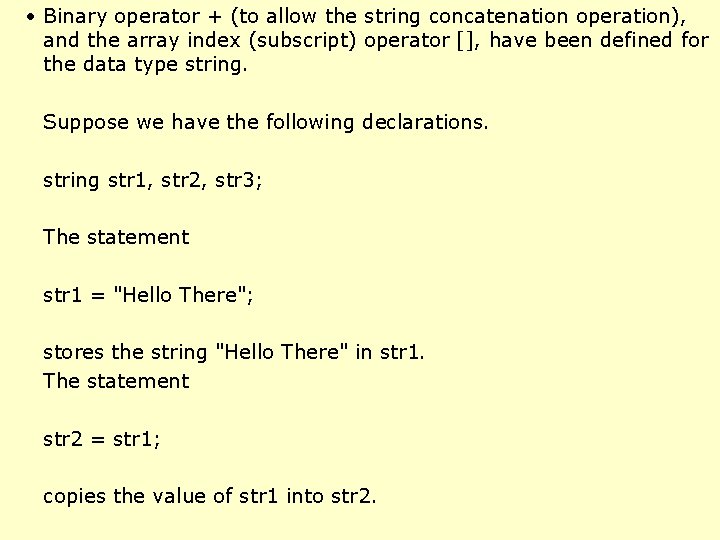
• Binary operator + (to allow the string concatenation operation), and the array index (subscript) operator [], have been defined for the data type string. Suppose we have the following declarations. string str 1, str 2, str 3; The statement str 1 = "Hello There"; stores the string "Hello There" in str 1. The statement str 2 = str 1; copies the value of str 1 into str 2.
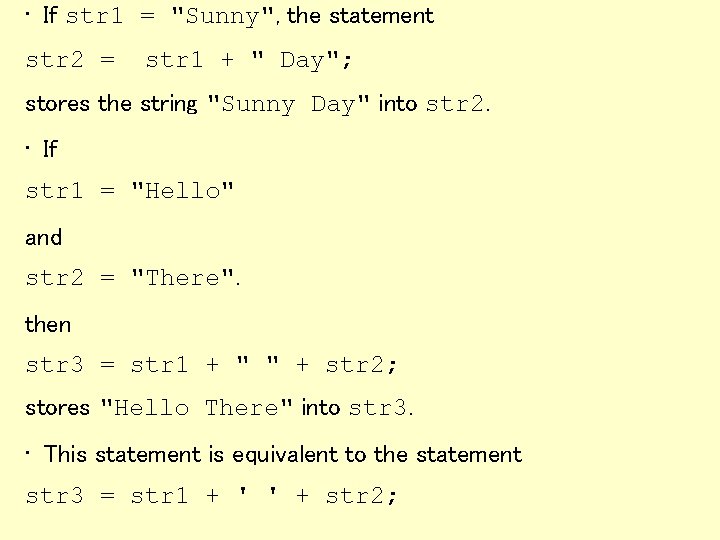
• If str 1 = "Sunny", the statement str 2 = str 1 + " Day"; stores the string "Sunny Day" into str 2. • If str 1 = "Hello" and str 2 = "There". then str 3 = str 1 + " " + str 2; stores "Hello There" into str 3. • This statement is equivalent to the statement str 3 = str 1 + ' ' + str 2;
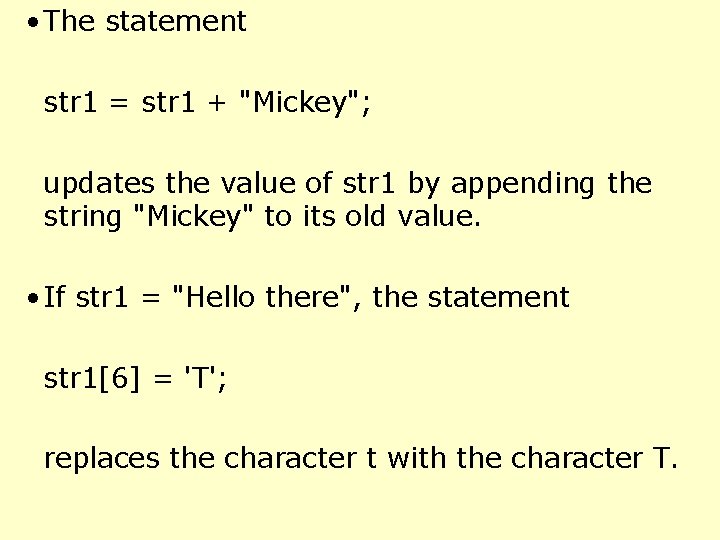
• The statement str 1 = str 1 + "Mickey"; updates the value of str 1 by appending the string "Mickey" to its old value. • If str 1 = "Hello there", the statement str 1[6] = 'T'; replaces the character t with the character T.
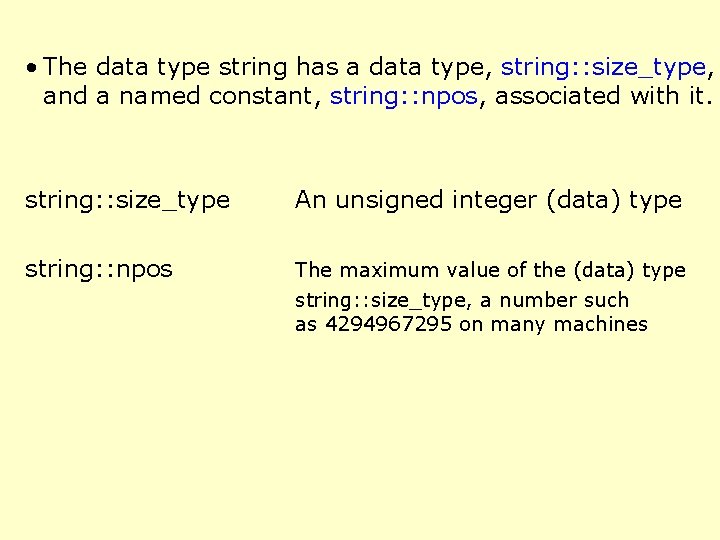
• The data type string has a data type, string: : size_type, and a named constant, string: : npos, associated with it. string: : size_type An unsigned integer (data) type string: : npos The maximum value of the (data) type string: : size_type, a number such as 4294967295 on many machines
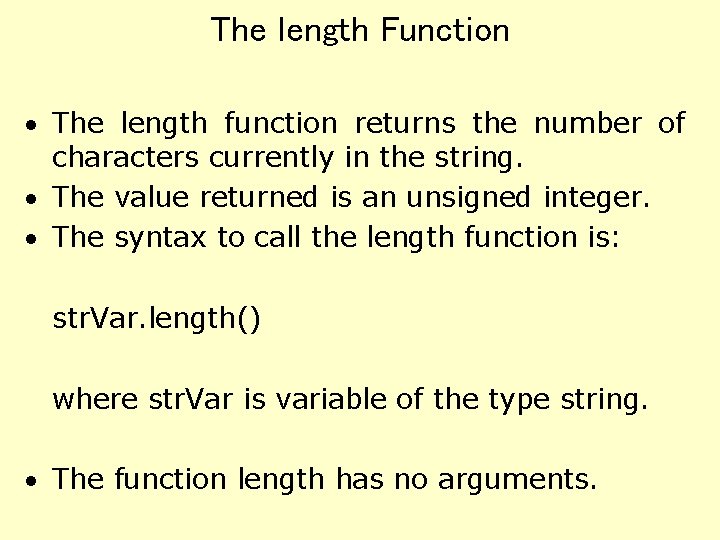
The length Function · The length function returns the number of characters currently in the string. · The value returned is an unsigned integer. · The syntax to call the length function is: str. Var. length() where str. Var is variable of the type string. · The function length has no arguments.
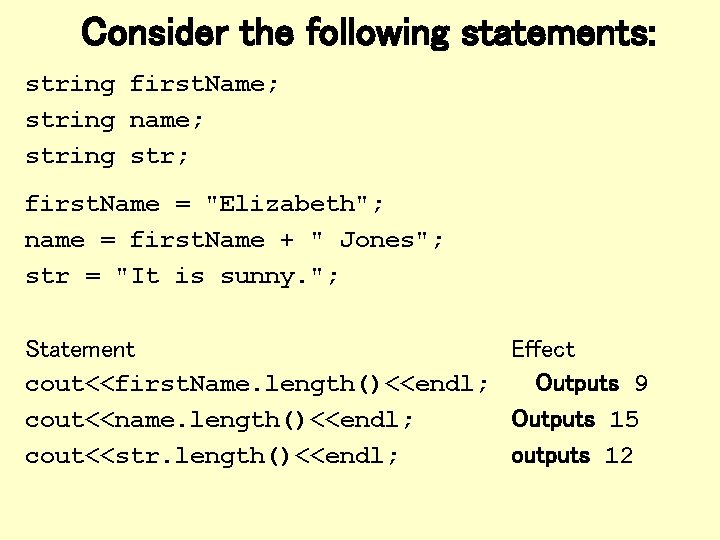
Consider the following statements: string first. Name; string name; string str; first. Name = "Elizabeth"; name = first. Name + " Jones"; str = "It is sunny. "; Statement Effect cout<<first. Name. length()<<endl; Outputs 9 cout<<name. length()<<endl; Outputs 15 cout<<str. length()<<endl; outputs 12
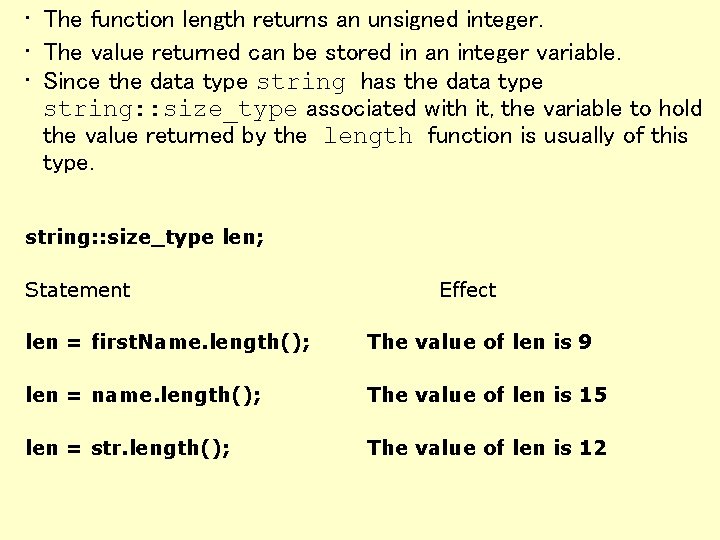
• The function length returns an unsigned integer. • The value returned can be stored in an integer variable. • Since the data type string has the data type string: : size_type associated with it, the variable to hold the value returned by the length function is usually of this type. string: : size_type len; Statement Effect len = first. Name. length(); The value of len is 9 len = name. length(); The value of len is 15 len = str. length(); The value of len is 12
The size Function · The function size is same as the function length. · Both these functions return the same value. · The syntax to call the function size is: str. Var. size() where str. Var is variable of the type string. · As in the case of the function length, the function size has no arguments.
The find Function • The find function searches a string to find the first occurrence of a particular substring and returns an unsigned integer value (of type string: : size_type) giving the result of the search. The syntax to call the function find is: str. Var. find(str. Exp) where str. Var is a string variable and str. Exp is a string expression evaluating to a string. The string expression, str. Exp, can also be a character. • If the search is successful, the function find returns the position in str. Var where the match begins. • For the search to be successful, the match must be exact. • If the search is unsuccessful, the function returns the special value string: : npos (“not a position within the string”).
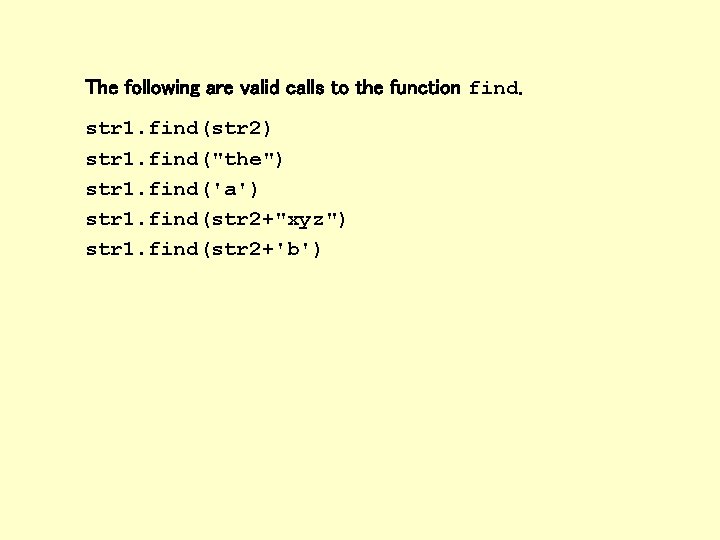
The following are valid calls to the function find. str 1. find(str 2) str 1. find("the") str 1. find('a') str 1. find(str 2+"xyz") str 1. find(str 2+'b')
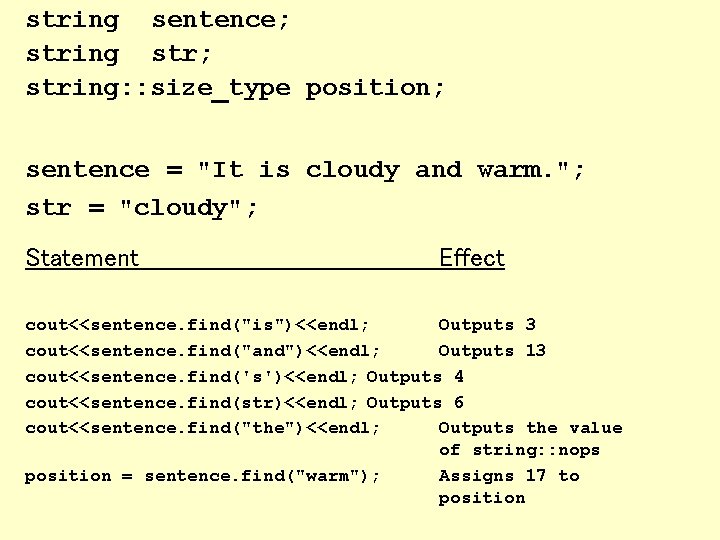
string sentence; string str; string: : size_type position; sentence = "It is cloudy and warm. "; str = "cloudy"; Statement Effect cout<<sentence. find("is")<<endl; Outputs 3 cout<<sentence. find("and")<<endl; Outputs 13 cout<<sentence. find('s')<<endl; Outputs 4 cout<<sentence. find(str)<<endl; Outputs 6 cout<<sentence. find("the")<<endl; Outputs the value of string: : nops position = sentence. find("warm"); Assigns 17 to position
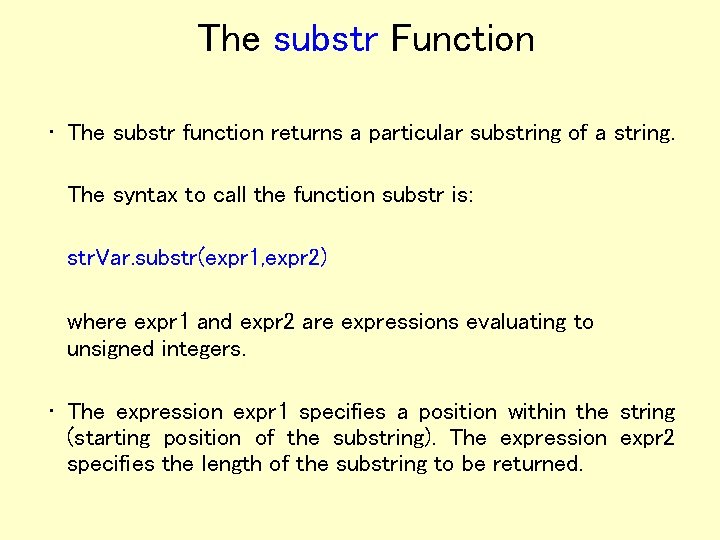
The substr Function • The substr function returns a particular substring of a string. The syntax to call the function substr is: str. Var. substr(expr 1, expr 2) where expr 1 and expr 2 are expressions evaluating to unsigned integers. • The expression expr 1 specifies a position within the string (starting position of the substring). The expression expr 2 specifies the length of the substring to be returned.
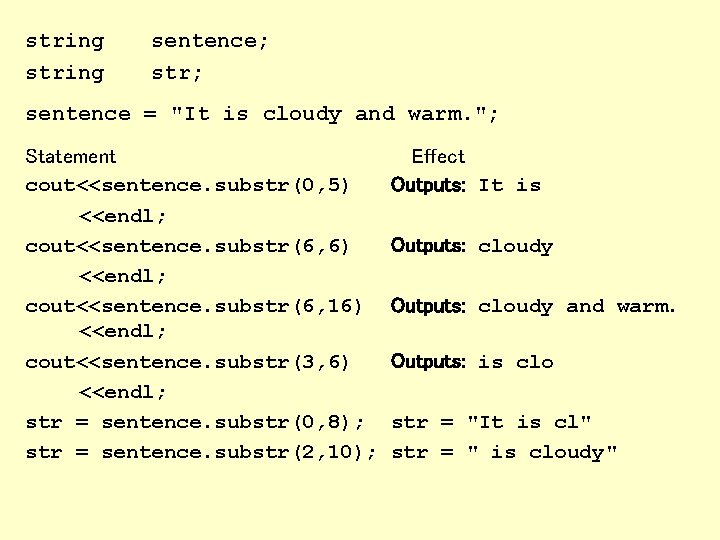
string sentence; str; sentence = "It is cloudy and warm. "; Statement cout<<sentence. substr(0, 5) <<endl; cout<<sentence. substr(6, 6) <<endl; cout<<sentence. substr(6, 16) <<endl; cout<<sentence. substr(3, 6) <<endl; str = sentence. substr(0, 8); str = sentence. substr(2, 10); Effect Outputs: It is Outputs: cloudy and warm. Outputs: is clo str = "It is cl" str = " is cloudy"
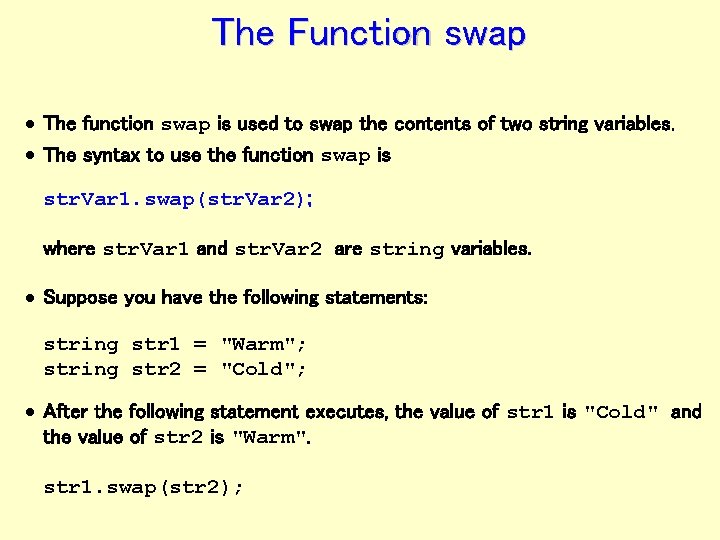
The Function swap · The function swap is used to swap the contents of two string variables. · The syntax to use the function swap is str. Var 1. swap(str. Var 2); where str. Var 1 and str. Var 2 are string variables. · Suppose you have the following statements: string str 1 = "Warm"; string str 2 = "Cold"; · After the following statement executes, the value of str 1 is "Cold" and the value of str 2 is "Warm". str 1. swap(str 2);
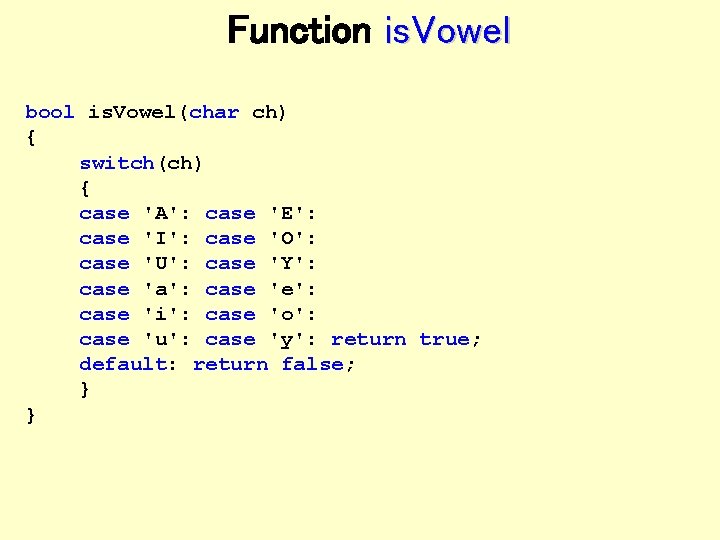
Function is. Vowel bool is. Vowel(char ch) { switch(ch) { case 'A': case 'E': case 'I': case 'O': case 'U': case 'Y': case 'a': case 'e': case 'i': case 'o': case 'u': case 'y': return true; default: return false; } }
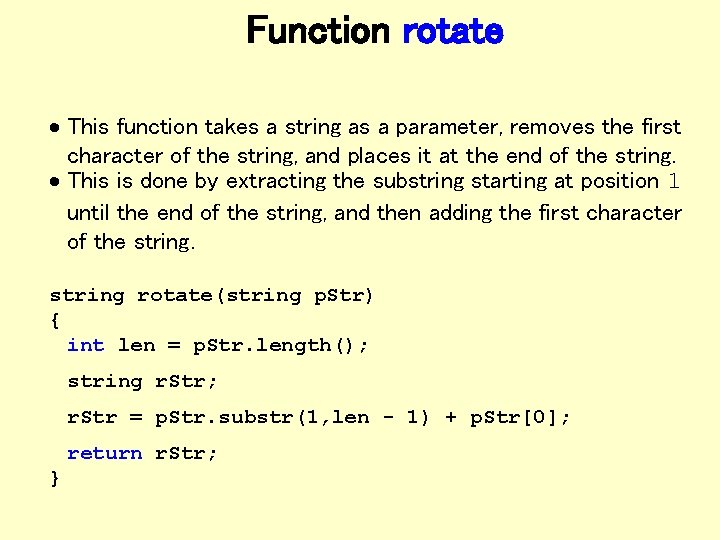
Function rotate · This function takes a string as a parameter, removes the first character of the string, and places it at the end of the string. · This is done by extracting the substring starting at position 1 until the end of the string, and then adding the first character of the string rotate(string p. Str) { int len = p. Str. length(); string r. Str; r. Str = p. Str. substr(1, len - 1) + p. Str[0]; return r. Str; }
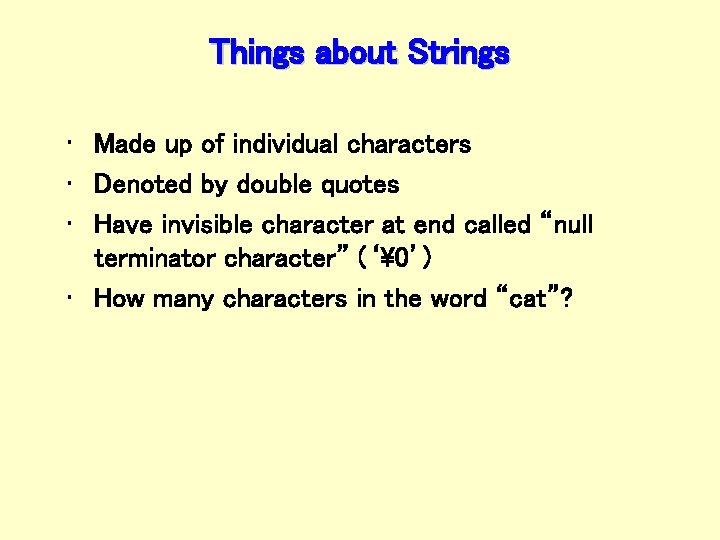
Things about Strings • Made up of individual characters • Denoted by double quotes • Have invisible character at end called “null terminator character” (‘’) • How many characters in the word “cat”?
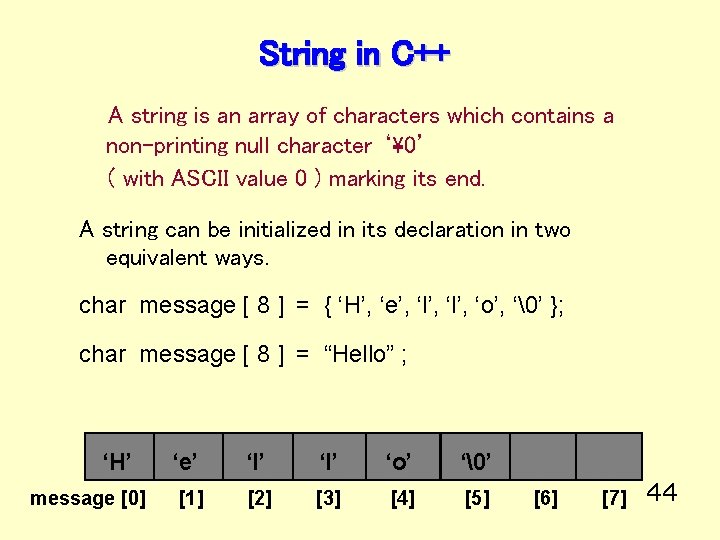
String in C++ A string is an array of characters which contains a non-printing null character ‘’ ( with ASCII value 0 ) marking its end. A string can be initialized in its declaration in two equivalent ways. char message [ 8 ] = { ‘H’, ‘e’, ‘l’, ‘o’, ‘’ }; char message [ 8 ] = “Hello” ; ‘H’ message [0] ‘e’ ‘l’ ‘o’ ‘’ [1] [2] [3] [4] [5] [6] [7] 44
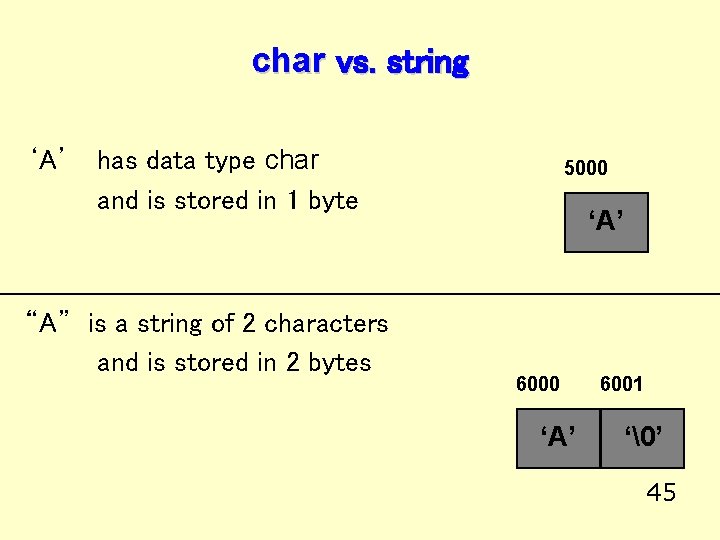
char vs. string ‘A’ has data type char and is stored in 1 byte “A” is a string of 2 characters and is stored in 2 bytes 5000 ‘A’ 6001 ‘’ 45
![Recall that. . . char message[8]; // this declaration allocates memory To the compiler,](http://slidetodoc.com/presentation_image_h2/c3c0b52be03e34180324b9e25d989f83/image-46.jpg "Recall that. . . char message[8]; // this declaration allocates memory To the compiler,")
Recall that. . . char message[8]; // this declaration allocates memory To the compiler, the value of the identifier message alone is the base address of the array. We say message is a pointer (because its value is an address). It “points” to a memory location. 6000 ‘H’ message [0] ‘e’ ‘l’ ‘o’ ‘’ [1] [2] [3] [4] [5] [6] [7] 46
![Declaring Strings • Can do multiple ways: char. Array [255]; // set size of](http://slidetodoc.com/presentation_image_h2/c3c0b52be03e34180324b9e25d989f83/image-47.jpg "Declaring Strings • Can do multiple ways: char. Array [255]; // set size of")
Declaring Strings • Can do multiple ways: char. Array [255]; // set size of array to 255 char *char. Array = “blah”; // sets char. Array pointing to space that’s 15 big • Both ways accomplish the same thing because both are pointers to memory
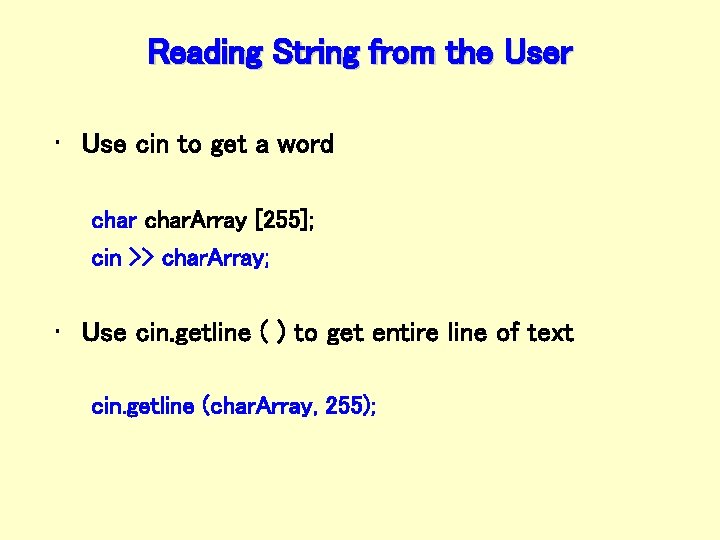
Reading String from the User • Use cin to get a word char. Array [255]; cin >> char. Array; • Use cin. getline ( ) to get entire line of text cin. getline (char. Array, 255);
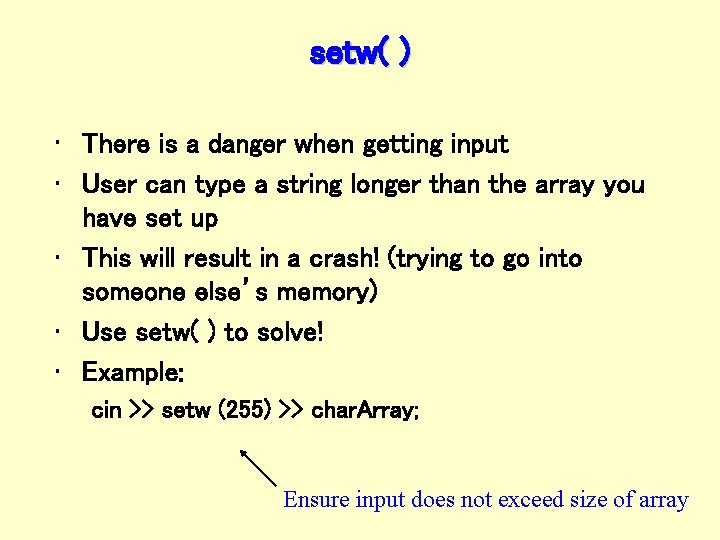
setw( ) • There is a danger when getting input • User can type a string longer than the array you have set up • This will result in a crash! (trying to go into someone else’s memory) • Use setw( ) to solve! • Example: cin >> setw (255) >> char. Array; Ensure input does not exceed size of array
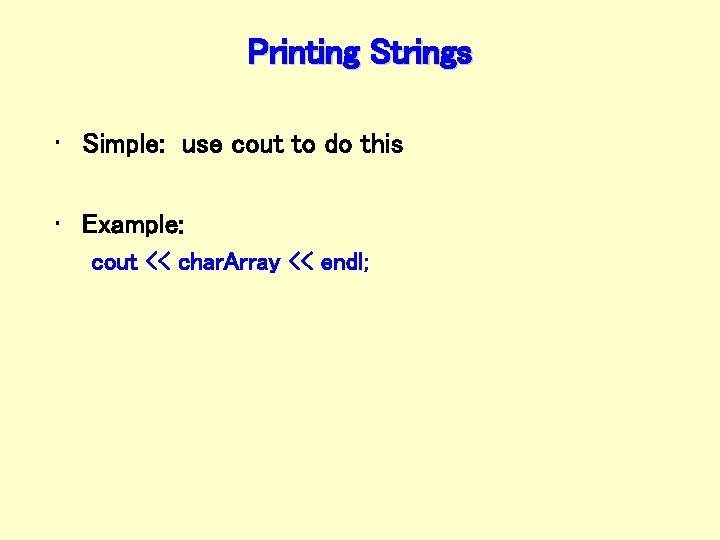
Printing Strings • Simple: use cout to do this • Example: cout << char. Array << endl;
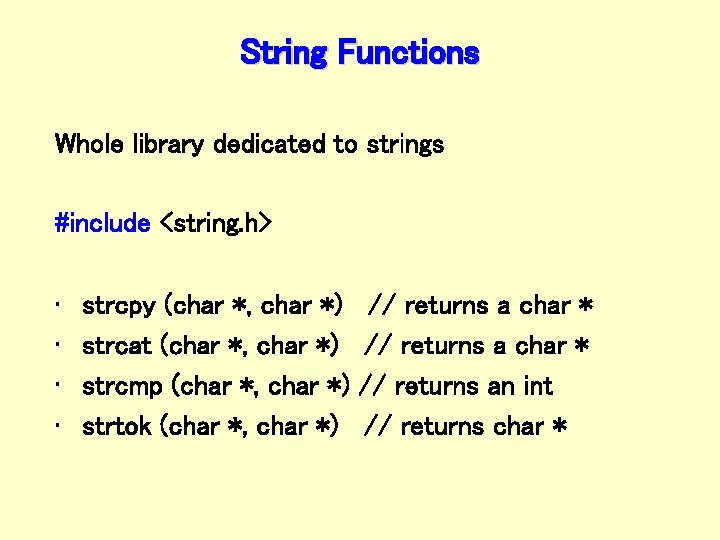
String Functions Whole library dedicated to strings #include <string. h> • • strcpy (char *, char *) strcat (char *, char *) strcmp (char *, char *) strtok (char *, char *) // returns a char * // returns an int // returns char *
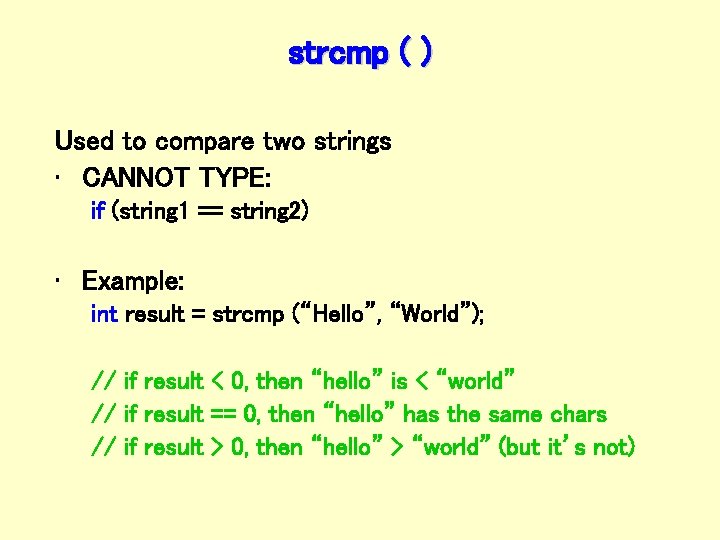
strcmp ( ) Used to compare two strings • CANNOT TYPE: if (string 1 == string 2) • Example: int result = strcmp (“Hello”, “World”); // if result < 0, then “hello” is < “world” // if result == 0, then “hello” has the same chars // if result > 0, then “hello” > “world” (but it’s not)
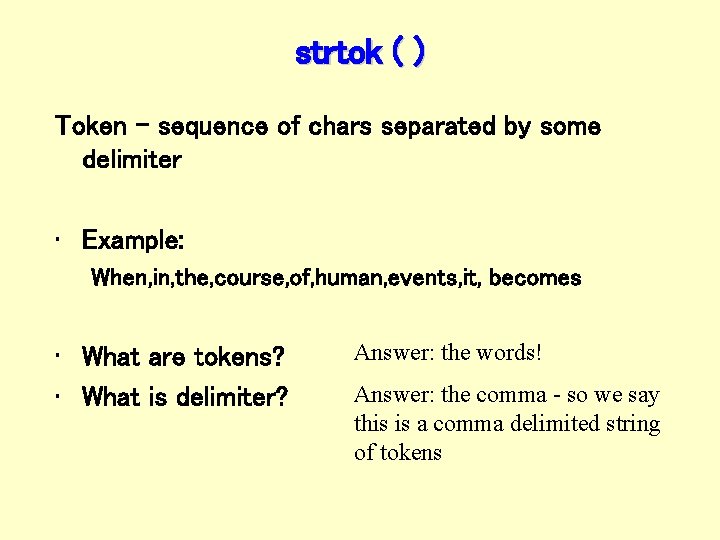
strtok ( ) Token - sequence of chars separated by some delimiter • Example: When, in, the, course, of, human, events, it, becomes • What are tokens? • What is delimiter? Answer: the words! Answer: the comma - so we say this is a comma delimited string of tokens
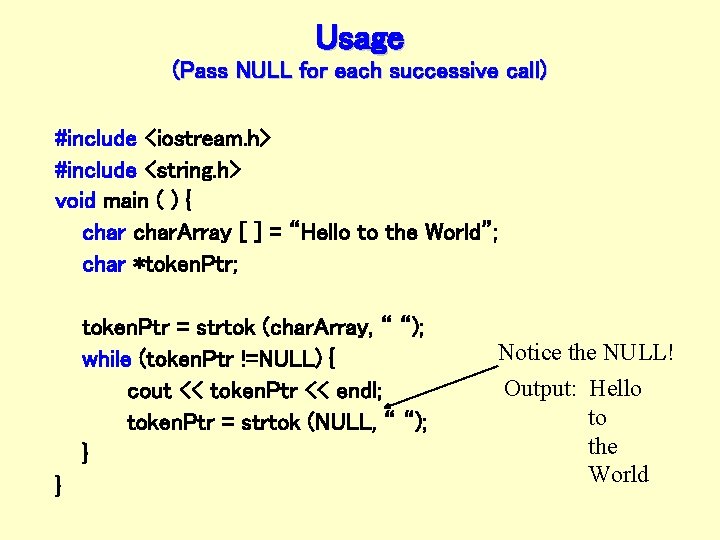
Usage (Pass NULL for each successive call) #include <iostream. h> #include <string. h> void main ( ) { char. Array [ ] = “Hello to the World”; char *token. Ptr; token. Ptr = strtok (char. Array, “ “); while (token. Ptr !=NULL) { cout << token. Ptr << endl; token. Ptr = strtok (NULL, “ “); } } Notice the NULL! Output: Hello to the World
![More Code void main ( ) { char. Array [ ] = “Hello to](http://slidetodoc.com/presentation_image_h2/c3c0b52be03e34180324b9e25d989f83/image-55.jpg "More Code void main ( ) { char. Array [ ] = “Hello to")
More Code void main ( ) { char. Array [ ] = “Hello to the World”; char *token. Ptr; token. Ptr = strtok (char. Array, “e“); while (token. Ptr !=NULL) { cout << token. Ptr << endl; token. Ptr = strtok (NULL, “e“); } } Output: H llo to th World
![Recall that. . . char message[8]; // this declaration allocates memory To the compiler,](http://slidetodoc.com/presentation_image_h2/c3c0b52be03e34180324b9e25d989f83/image-56.jpg "Recall that. . . char message[8]; // this declaration allocates memory To the compiler,")
Recall that. . . char message[8]; // this declaration allocates memory To the compiler, the value of the identifier message alone is the base address of the array. We say message is a pointer (because its value is an address). It “points” to a memory location. 6000 ‘H’ message [0] ‘e’ ‘l’ ‘o’ ‘’ [1] [2] [3] [4] [5] [6] [7] 56
End of Lecture • Next Time, Lists and Lists as Abstract Data Types • Program #3, Due 10/21 – The Battle Ship Game
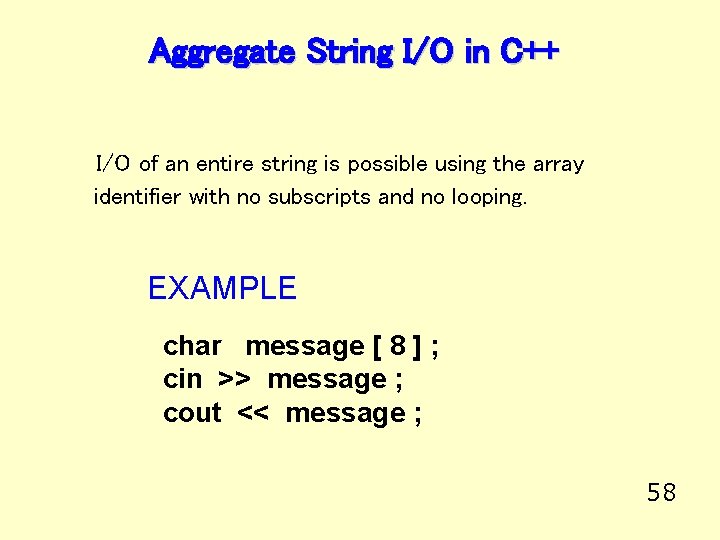
Aggregate String I/O in C++ I/O of an entire string is possible using the array identifier with no subscripts and no looping. EXAMPLE char message [ 8 ] ; cin >> message ; cout << message ; 58
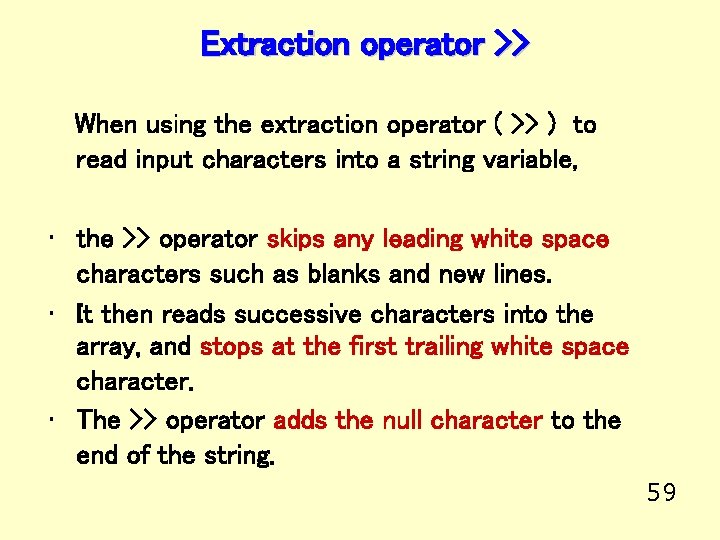
Extraction operator >> When using the extraction operator ( >> ) to read input characters into a string variable, • the >> operator skips any leading white space characters such as blanks and new lines. • It then reads successive characters into the array, and stops at the first trailing white space character. • The >> operator adds the null character to the end of the string. 59
![Example using >> char name [ 5 ] ; cin >> name ; total](http://slidetodoc.com/presentation_image_h2/c3c0b52be03e34180324b9e25d989f83/image-60.jpg "Example using >> char name [ 5 ] ; cin >> name ; total")
Example using >> char name [ 5 ] ; cin >> name ; total number of elements in the array Suppose input stream looks like this: J o e 7000 ‘J’ name [0] ‘o’ name [1] ‘e’ ‘’ name [2] name [3] null character is added name [4] 60
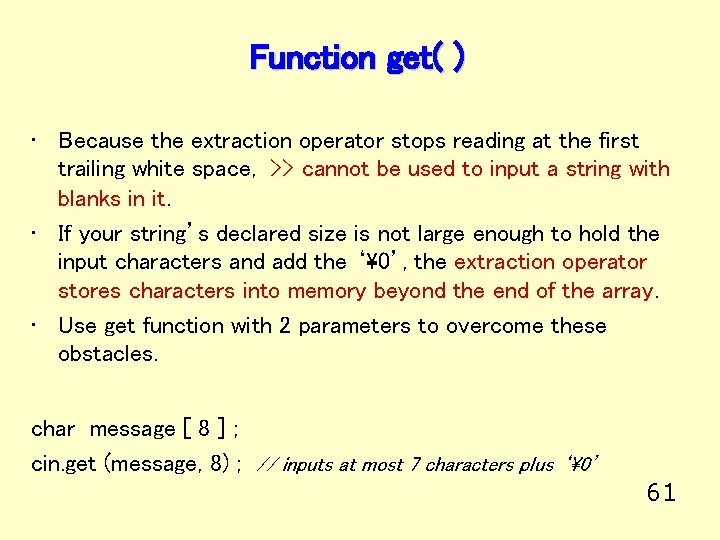
Function get( ) • Because the extraction operator stops reading at the first trailing white space, >> cannot be used to input a string with blanks in it. • If your string’s declared size is not large enough to hold the input characters and add the ‘’, the extraction operator stores characters into memory beyond the end of the array. • Use get function with 2 parameters to overcome these obstacles. char message [ 8 ] ; cin. get (message, 8) ; // inputs at most 7 characters plus ‘’ 61
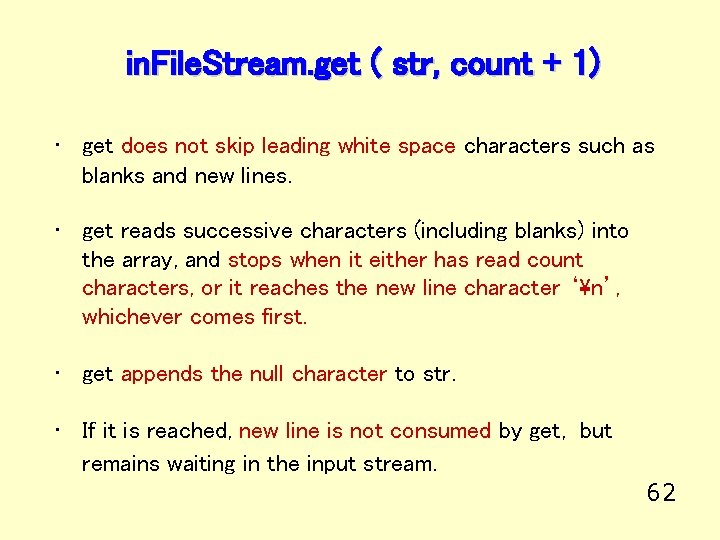
in. File. Stream. get ( str, count + 1) • get does not skip leading white space characters such as blanks and new lines. • get reads successive characters (including blanks) into the array, and stops when it either has read count characters, or it reaches the new line character ‘n’, whichever comes first. • get appends the null character to str. • If it is reached, new line is not consumed by get, but remains waiting in the input stream. 62
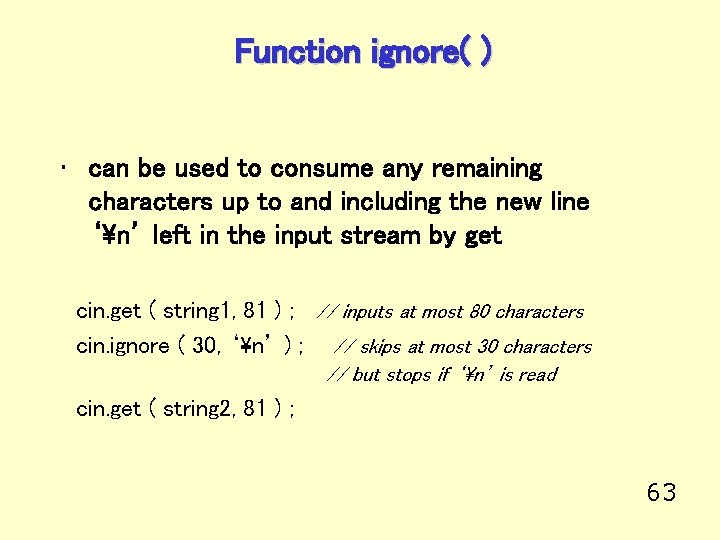
Function ignore( ) • can be used to consume any remaining characters up to and including the new line ‘n’ left in the input stream by get cin. get ( string 1, 81 ) ; // inputs at most 80 characters cin. ignore ( 30, ‘n’ ) ; // skips at most 30 characters // but stops if ‘n’ is read cin. get ( string 2, 81 ) ; 63
![Another example using get( ) char ch ; char full. Name [ 31 ]](http://slidetodoc.com/presentation_image_h2/c3c0b52be03e34180324b9e25d989f83/image-64.jpg "Another example using get( ) char ch ; char full. Name [ 31 ]")
Another example using get( ) char ch ; char full. Name [ 31 ] ; char address [ 31 ] ; cout << “Enter your full name: “ ; cin. get ( full. Name, 31 ) ; cin. get (ch) ; cout << “Enter your address: “ ; cin. get ( address, 31 ) ; ‘N’ ‘e’ ‘l’ // to consume the new line ‘’ ‘D’ ‘a’ ‘l’ ‘e’ ‘’ . . . ‘i‘ ‘n’ ‘’ ‘T’ ‘X’ ‘’ . . . 64 full. Name [0] ‘A’ ‘u’ address [0] ‘s’ ‘t’
![String function prototypes in < string. h > int strlen (char str [ ]](http://slidetodoc.com/presentation_image_h2/c3c0b52be03e34180324b9e25d989f83/image-65.jpg "String function prototypes in < string. h > int strlen (char str [ ]")
String function prototypes in < string. h > int strlen (char str [ ] ); // FCTNVAL == integer length of string str ( not including ‘’ ) int strcmp ( char str 1 [ ], char str 2 [ ] ); // FCTNVAL // // == negative, if str 1 precedes str 2 lexicographically == positive, if str 1 follows str 2 lexicographically == 0, if str 1 and str 2 characters same through ‘’ char * strcpy ( char to. Str [ ], char from. Str [ ] ); // FCTNVAL == base address of to. Str ( usually ignored ) // POSTCONDITION : characters in string from. Str are copied to // string to. Str, up to and including ‘’, // overwriting contents of string to. Str 65
![# include <string. h>. . . char author [ 21 ] ; int length](http://slidetodoc.com/presentation_image_h2/c3c0b52be03e34180324b9e25d989f83/image-66.jpg "# include <string. h>. . . char author [ 21 ] ; int length")
# include <string. h>. . . char author [ 21 ] ; int length ; cin. get ( author , 21 ) ; length = strlen ( author ) ; // What is the value of length ? 5000 ‘C’ ‘h’ ‘i’ ‘p’ ‘ ’ ‘W’ ‘e’ ‘m’ ‘s’ ‘’. . author [0] 66
![char my. Name [ 21 ] = “Huang” ; // WHAT IS OUTPUT? char](http://slidetodoc.com/presentation_image_h2/c3c0b52be03e34180324b9e25d989f83/image-67.jpg "char my. Name [ 21 ] = “Huang” ; // WHAT IS OUTPUT? char")
char my. Name [ 21 ] = “Huang” ; // WHAT IS OUTPUT? char your. Name [ 21 ] ; cout << “Enter your last name : “ ; cin. get ( your. Name, 21 ) ; if ( strcmp ( my. Name, your. Name ) == 0 ) cout << “We have the same name! “ ; else if ( strcmp ( my. Name, your. Name ) < 0 ) cout << my. Name << “ comes before “ << your. Name ; else if ( strcmp ( my. Name, your. Name ) > 0 ) cout << your. Name << “comes before “ << my. Name ; ‘H’ ‘u’ ‘a’ ‘n’ ‘g’ ‘’ . . . my. Name [0] ‘H’ ‘e’ ‘a’ your. Name [0] ‘d’ ‘i‘ ‘n’ ‘ g’ ‘t’ ‘o’ ‘n’ ‘’. . . 67
![char my. Name [ 21 ] = “Huang” ; char your. Name [ 21](http://slidetodoc.com/presentation_image_h2/c3c0b52be03e34180324b9e25d989f83/image-68.jpg "char my. Name [ 21 ] = “Huang” ; char your. Name [ 21")
char my. Name [ 21 ] = “Huang” ; char your. Name [ 21 ] ; // compares addresses only! // That is, 4000 and 6000 here. // DOES NOT COMPARE CONTENTS! if ( my. Name == your. Name ) {. . . } 4000 ‘H’ ‘u’ ‘a’ ‘n’ ‘g’ ‘’ . . . my. Name [0] 6000 ‘H’ ‘e’ ‘a’ your. Name [0] ‘d’ ‘i‘ ‘n’ ‘ g’ ‘t’ ‘o’ ‘n’ ‘’. . . 68
![char my. Name [ 21 ] = “Huang” ; char your. Name [ 21](http://slidetodoc.com/presentation_image_h2/c3c0b52be03e34180324b9e25d989f83/image-69.jpg "char my. Name [ 21 ] = “Huang” ; char your. Name [ 21")
char my. Name [ 21 ] = “Huang” ; char your. Name [ 21 ] ; cin. get ( your. Name, 21 ) ; your. Name = my. Name; // DOES NOT COMPILE! // What is the value of my. Name ? 4000 ‘H’ ‘u’ ‘a’ ‘n’ ‘g’ ‘’ . . . my. Name [0] 6000 ‘H’ ‘e’ ‘a’ your. Name [0] ‘d’ ‘i‘ ‘n’ ‘ g’ ‘t’ ‘o’ ‘n’ ‘’. . . 69
![char my. Name [ 21 ] = “Huang” ; char your. Name [ 21](http://slidetodoc.com/presentation_image_h2/c3c0b52be03e34180324b9e25d989f83/image-70.jpg "char my. Name [ 21 ] = “Huang” ; char your. Name [ 21")
char my. Name [ 21 ] = “Huang” ; char your. Name [ 21 ] ; cin. get ( your. Name, 21 ) ; strcpy ( your. Name, my. Name ) ; // changes string your. Name // OVERWRITES CONTENTS! 4000 ‘H’ ‘u’ ‘a’ ‘n’ ‘g’ ‘’ . . . my. Name [0] 6000 ‘u’ ‘H’ ‘e’ ‘a’ your. Name [0] ‘n’ ‘g’ ‘’ ‘d’ ‘n’ ‘ g’ ‘t’ ‘i‘ ‘o’ ‘n’ ‘’. . . 70
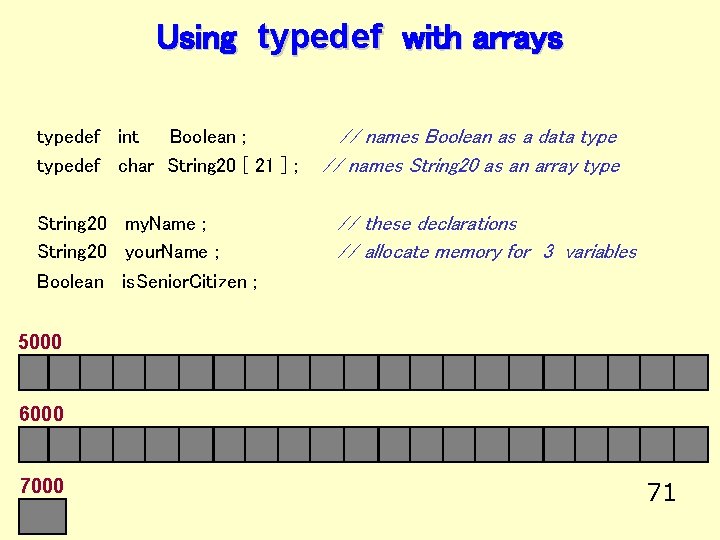
Using typedef with arrays typedef int Boolean ; typedef char String 20 [ 21 ] ; String 20 my. Name ; String 20 your. Name ; Boolean is. Senior. Citizen ; // names Boolean as a data type // names String 20 as an array type // these declarations // allocate memory for 3 variables 5000 6000 71
Write a program that will. . . Read the ID numbers, hourly wages, and names, for up to 50 persons from a data file. Then display the ID number and hourly wage for any person in the file whose name is entered at the keyboard, or indicate that the person was not located, if that is the case. 72
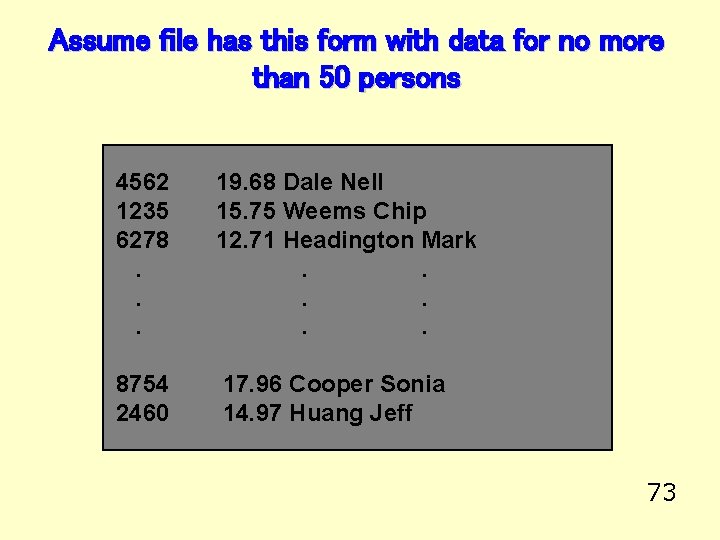
Assume file has this form with data for no more than 50 persons 4562 1235 6278. . . 19. 68 Dale Nell 15. 75 Weems Chip 12. 71 Headington Mark. . . 8754 2460 17. 96 Cooper Sonia 14. 97 Huang Jeff 73
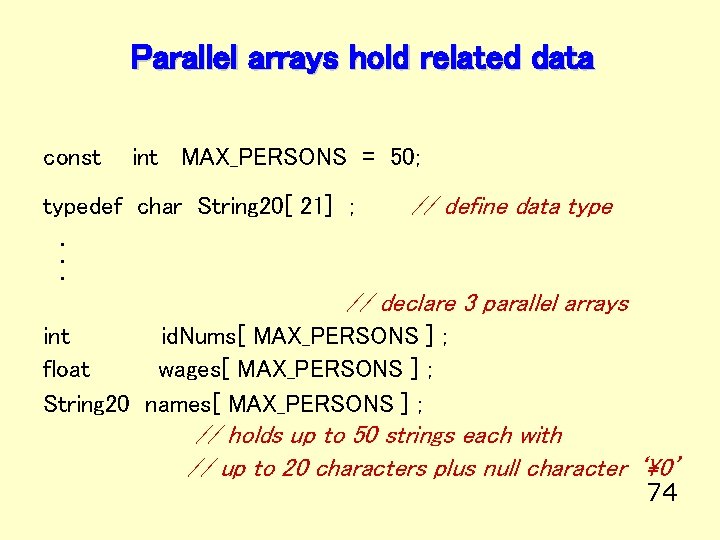
Parallel arrays hold related data const int MAX_PERSONS = 50; typedef char String 20[ 21] ; // define data type . . . // declare 3 parallel arrays int id. Nums[ MAX_PERSONS ] ; float wages[ MAX_PERSONS ] ; String 20 names[ MAX_PERSONS ] ; // holds up to 50 strings each with // up to 20 characters plus null character ‘’ 74
![int id. Nums [ MAX_PERSONS ] ; float wages [ MAX_PERSONS ] ; String](http://slidetodoc.com/presentation_image_h2/c3c0b52be03e34180324b9e25d989f83/image-75.jpg "int id. Nums [ MAX_PERSONS ] ; float wages [ MAX_PERSONS ] ; String")
int id. Nums [ MAX_PERSONS ] ; float wages [ MAX_PERSONS ] ; String 20 names [ MAX_PERSONS ] ; // parallel arrays id. Nums[ 0 ] 4562 wages[ 0 ] 19. 68 names[ 0 ] “Dale Nell” id. Nums[ 1 ] 1235 wages[ 1 ] 15. 75 names[ 1 ] “Weems Chip” id. Nums[ 2 ] 6278 wages[ 2 ] 12. 71 names[ 2 ] “Headington Mark” . . . . id. Nums[ 48] 8754 wages[ 48] 17. 96 names[ 48] “Cooper Sonia” id. Nums[ 49] 2460 wages[ 49] 14. 97 names[ 49] “Huang Jeff” 75
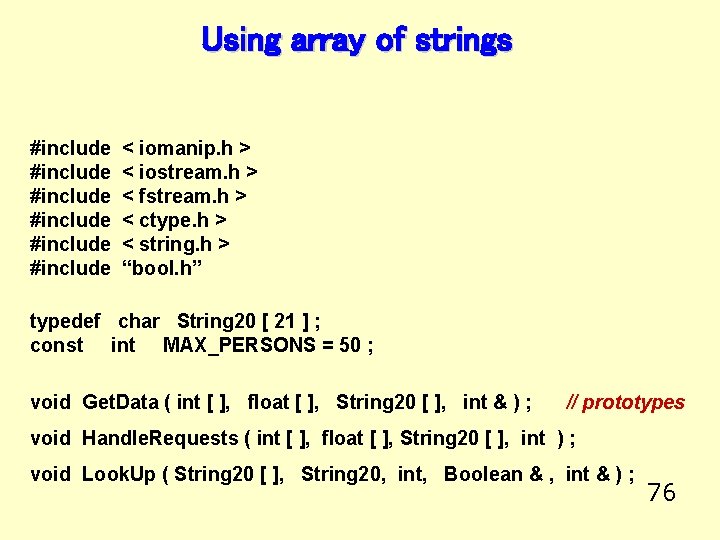
Using array of strings #include #include < iomanip. h > < iostream. h > < fstream. h > < ctype. h > < string. h > “bool. h” typedef char String 20 [ 21 ] ; const int MAX_PERSONS = 50 ; void Get. Data ( int [ ], float [ ], String 20 [ ], int & ) ; // prototypes void Handle. Requests ( int [ ], float [ ], String 20 [ ], int ) ; void Look. Up ( String 20 [ ], String 20, int, Boolean & , int & ) ; 76
![Main Program int main (void) { int float String 20 int id. Nums [MAX_PERSONS]](http://slidetodoc.com/presentation_image_h2/c3c0b52be03e34180324b9e25d989f83/image-77.jpg "Main Program int main (void) { int float String 20 int id. Nums [MAX_PERSONS]")
Main Program int main (void) { int float String 20 int id. Nums [MAX_PERSONS] ; // holds up to 50 IDs wages [MAX_PERSONS] ; // holds up to 50 wages names [MAX_PERSONS] ; // holds up to 50 names num. Persons; // number of persons’ information in file Get. Data ( id. Nums, wages, names, num. Persons ) ; Handle. Requests ( id. Nums, wages, names, num. Persons ) ; cout << “End of Program. n”; return 0 ; } 77
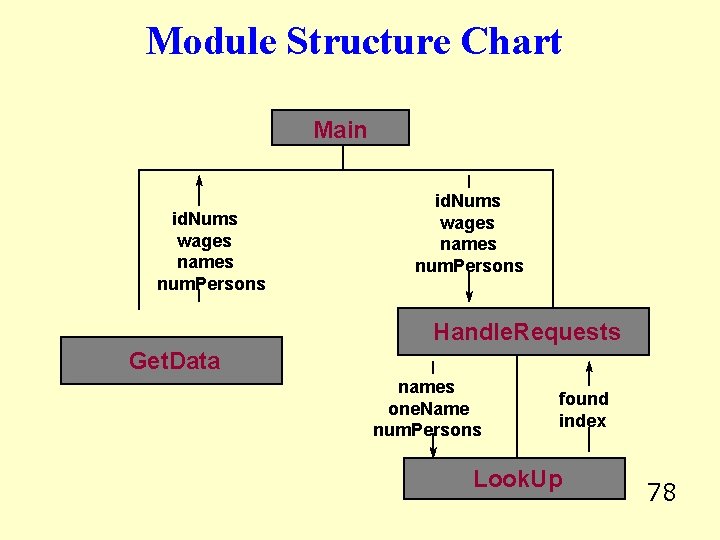
Module Structure Chart Main id. Nums wages names num. Persons Handle. Requests Get. Data names one. Name num. Persons found index Look. Up 78
![void Get. Data ( /* out */ int ids[ ] , /* out*/ float](http://slidetodoc.com/presentation_image_h2/c3c0b52be03e34180324b9e25d989f83/image-79.jpg "void Get. Data ( /* out */ int ids[ ] , /* out*/ float")
void Get. Data ( /* out */ int ids[ ] , /* out*/ float wages[ ] , /* out */ String 20 names[ ] , /* out */ int & how. Many ) { ifstream my. Infile ; int k= 0; char ch ; // Reads data from data file my. Infile. open (“A: \my. dat”) ; if ( ! my. Infile ) { cout << “File opening error. Program terminated! “ << endl ; exit ( 1 ) ; } my. Infile >> ids[ k ] >> wages [k] ; // get information for first person my. Infile. get(ch) ; // read blank my. Infile. get (names[ k ] , 21) ; my. Infile. ignore(30, ‘n’) ; // consume newline while (my. Infile) // while the last read was successful { k++ ; my. Infile >> ids[ k ] >> wages [k] ; my. Infile. get(ch) ; // read blank my. Infile. get (names[ k ] , 21) ; my. Infile. ignore(30, ‘n’) ; // consume newline } how. Many = k; } 79
![void Handle. Requests( const /* in */ int id. Nums[ ], const /* in](http://slidetodoc.com/presentation_image_h2/c3c0b52be03e34180324b9e25d989f83/image-80.jpg "void Handle. Requests( const /* in */ int id. Nums[ ], const /* in")
void Handle. Requests( const /* in */ int id. Nums[ ], const /* in */ float wages[ ] , const /* in */ String 20 names[ ], /* in */ int num. Persons ) { String 20 one. Name ; int index ; char response; Boolean found; do { // string to hold name of one person // will hold an array index value // user’s response whether to continue // has one. Name been located in array names cout << “Enter name of person to find: ” ; cin. get (one. Name, 21) ; cin. ignore (100, ‘n’); // consume newline Look. Up (names, one. Name, num. Persons, found, index ); if ( found ) cout << one. Name << “ has ID # “ << id. Nums [index] << “ and hourly wage $ “ << wages [index] << endl; else cout << one. Name << “ was not located. “ << endl; cout << “Want to find another (Y/N)? “; cin >> response ; response = toupper ( response ); } while ( response == ‘Y’ ); } 80
![void Look. Up ( const /* in */ String 20 names [ ], const](http://slidetodoc.com/presentation_image_h2/c3c0b52be03e34180324b9e25d989f83/image-81.jpg "void Look. Up ( const /* in */ String 20 names [ ], const")
void Look. Up ( const /* in */ String 20 names [ ], const /* in */ String 20 one. Name, /* in */ int num. Persons, /* out */ Boolean & found , /* out */ int & index) // Sequential search of unordered array. // POSTCONDITION: // IF one. Name is in names array // found == true && names[index] == one. Name // ELSE // found == false && index == num. Persons { index = 0; found = false; // initialize flag while ( ( ! found ) && ( index < num. Persons ) ) // more to search { if ( strcmp ( one. Name, names[index] ) == 0 ) // match here found = true ; // change flag else index ++ ; } } 81
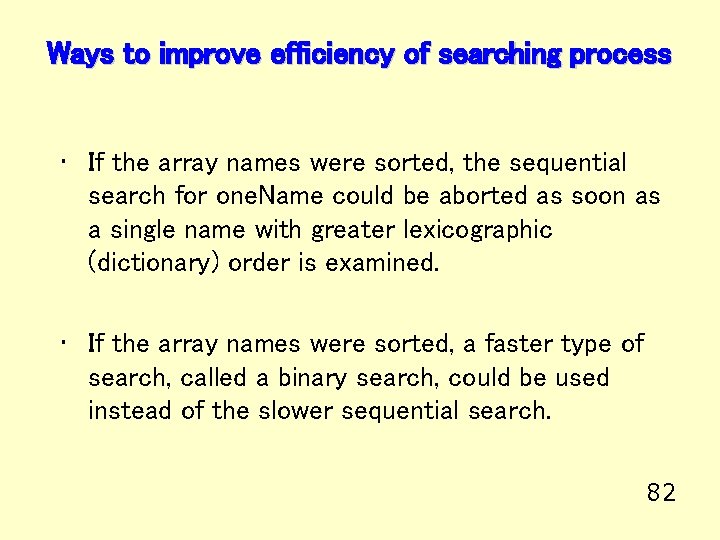
Ways to improve efficiency of searching process • If the array names were sorted, the sequential search for one. Name could be aborted as soon as a single name with greater lexicographic (dictionary) order is examined. • If the array names were sorted, a faster type of search, called a binary search, could be used instead of the slower sequential search. 82
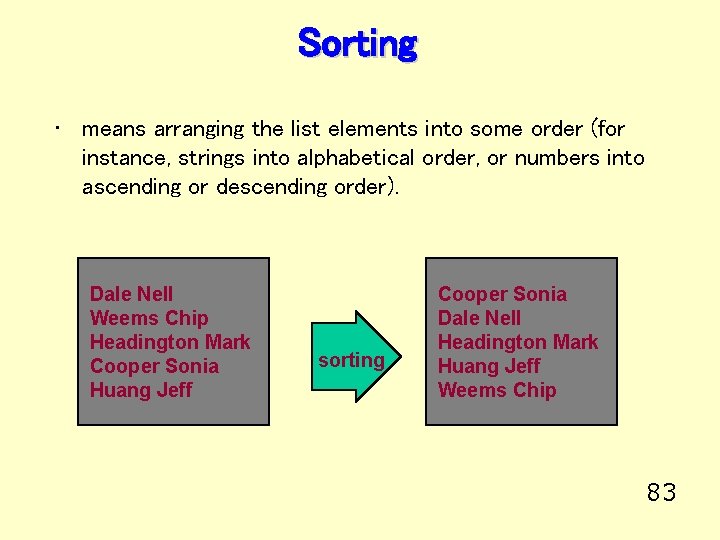
Sorting • means arranging the list elements into some order (for instance, strings into alphabetical order, or numbers into ascending or descending order). Dale Nell Weems Chip Headington Mark Cooper Sonia Huang Jeff sorting Cooper Sonia Dale Nell Headington Mark Huang Jeff Weems Chip 83
Selection Sort Process • examines the entire list to select the smallest element. Then places that element where it belongs (with array subscript 0). • examines the remaining list to select the smallest element from it. Then places that element where it belongs (with array subscript 1). . • examines the last 2 remaining list elements to select the smallest one. Then places that element where it belongs in the array. 84
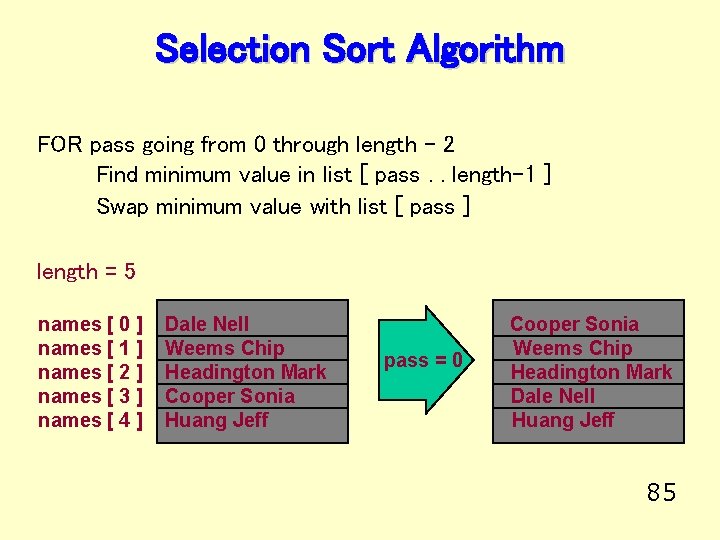
Selection Sort Algorithm FOR pass going from 0 through length - 2 Find minimum value in list [ pass. . length-1 ] Swap minimum value with list [ pass ] length = 5 names [ 0 ] names [ 1 ] names [ 2 ] names [ 3 ] names [ 4 ] Dale Nell Weems Chip Headington Mark Cooper Sonia Huang Jeff pass = 0 Cooper Sonia Weems Chip Headington Mark Dale Nell Huang Jeff 85
![void Sel. Sort ( /* inout */ String 20 names [ ] , /*](http://slidetodoc.com/presentation_image_h2/c3c0b52be03e34180324b9e25d989f83/image-86.jpg "void Sel. Sort ( /* inout */ String 20 names [ ] , /*")
void Sel. Sort ( /* inout */ String 20 names [ ] , /* in */ int length ) // Selection sorts names into alphabetic order // Preconditions: length <= MAX_PERSONS // && names [0. . length -1 ] are assigned // Postcondition: names [ 0. . length -1 ] are rearranged into order { int pass; int place; int min. Index; String 20 temp; for ( pass = 0 ; pass < length - 1 ; pass++ ) { min. Index = pass; for ( place = pass + 1 ; place < length ; place ++ ) if ( strcmp ( names [ place ] , names [ min. Index ] ) < 0 ) min. Index = place; //swap names[pass] with names[min. Index] strcpy ( temp , names [ min. Index ] ) ; strcpy ( names [ min. Index ] , names [ pass] ) ; strcpy ( names [ pass ] , temp ) ; 86 } }
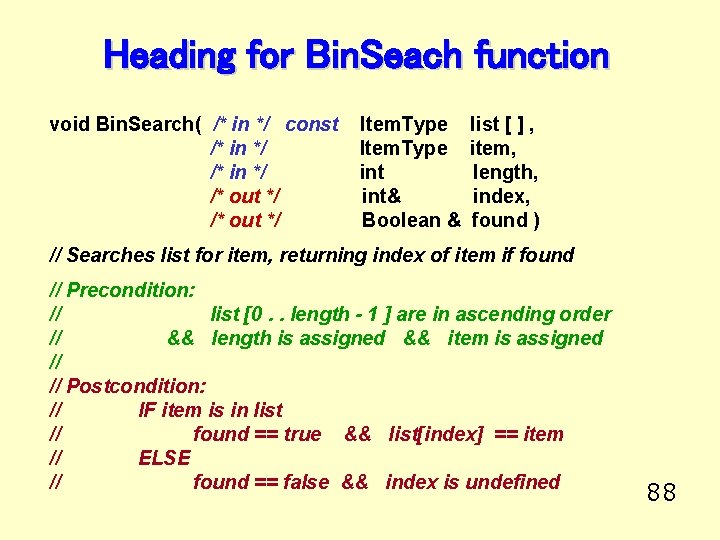
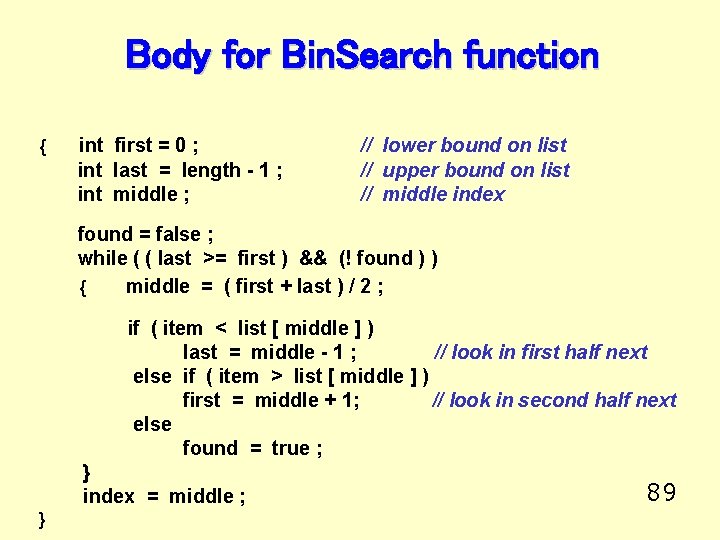
Binary Search in an Ordered List • Examines the element in the middle of the array. Is it the sought item? If so, stop searching. Is the middle element too small? Then start looking in second half of array. Is the middle element too large? Then begin looking in first half of the array. • Repeat the process in the half of the list that should be examined next. • Stop when item is found, or when there is nowhere else to look and it has not been located. 87
Heading for Bin. Seach function void Bin. Search( /* in */ const /* in */ /* out */ Item. Type int& Boolean & list [ ] , item, length, index, found ) // Searches list for item, returning index of item if found // Precondition: // list [0. . length - 1 ] are in ascending order // && length is assigned && item is assigned // // Postcondition: // IF item is in list // found == true && list[index] == item // ELSE // found == false && index is undefined 88
Body for Bin. Search function { int first = 0 ; int last = length - 1 ; int middle ; // lower bound on list // upper bound on list // middle index found = false ; while ( ( last >= first ) && (! found ) ) { middle = ( first + last ) / 2 ; if ( item < list [ middle ] ) last = middle - 1 ; // look in first half next else if ( item > list [ middle ] ) first = middle + 1; // look in second half next else found = true ; } index = middle ; } 89
![Trace of Bin. Search function item = 45 15 list[0] 26 38 [1] [2]](http://slidetodoc.com/presentation_image_h2/c3c0b52be03e34180324b9e25d989f83/image-90.jpg "Trace of Bin. Search function item = 45 15 list[0] 26 38 [1] [2]")
Trace of Bin. Search function item = 45 15 list[0] 26 38 [1] [2] 57 [3] first 62 [4] 78 [5] list[0] first [6] 91 [7] 108 119 [8] [9] middle last item < list [ middle ] 15 84 26 [1] middle 38 [2] 57 [3] 62 [4] last = middle - 1 78 [5] 84 [6] 91 [7] 108 119 [8] [9] last item > list [ middle ] first = middle + 1 90
![Trace continued item = 45 15 list[0] 26 [1] 38 [2] first, middle 57](http://slidetodoc.com/presentation_image_h2/c3c0b52be03e34180324b9e25d989f83/image-91.jpg "Trace continued item = 45 15 list[0] 26 [1] 38 [2] first, middle 57")
Trace continued item = 45 15 list[0] 26 [1] 38 [2] first, middle 57 [3] 62 [4] 78 [5] list[0] 26 [1] 38 [2] [6] 91 [7] 108 119 [8] [9] last item > list [ middle ] 15 84 57 [3] first = middle + 1 62 [4] 78 [5] 84 [6] 91 [7] first, middle, last item < list [ middle ] 91 last = middle - 1
![Trace concludes item = 45 15 list[0] 26 [1] 38 57 [2] [3] last](http://slidetodoc.com/presentation_image_h2/c3c0b52be03e34180324b9e25d989f83/image-92.jpg "Trace concludes item = 45 15 list[0] 26 [1] 38 57 [2] [3] last")
Trace concludes item = 45 15 list[0] 26 [1] 38 57 [2] [3] last first last < first 62 [4] 78 [5] 84 [6] 91 [7] 108 119 [8] [9] found = false 92
End of Lecture
- Slides: 93