
About Morrison Morrison For more than 25 years
About Morrison & Morrison For more than 25 years, we’ve designed, implemented, integrated and supported financial management (ERP), business intelligence (BI) and enterprise performance management (EPM) solutions. Our team of CPAs and certified consultants specialize in corporate performance management and business analytics like Adaptive Insights for growing companies and nonprofits. By combining a roll-up-your-sleeves approach with uniquely flexible methodology, we configure and deliver a design that not only meets your needs, timeline and budget but also transforms your systems into a comprehensive intelligence solution. 1 25+ YEARS OF EPM IMPLEMENTATION EXPERIENCE www. Morr. com
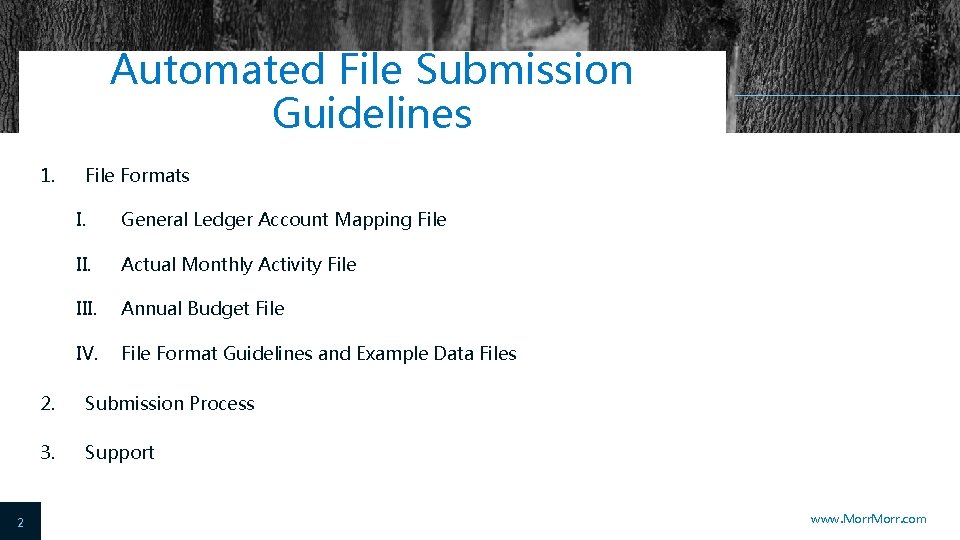
Automated File Submission Guidelines 1. 2 File Formats I. General Ledger Account Mapping File II. Actual Monthly Activity File III. Annual Budget File IV. File Format Guidelines and Example Data Files 2. Submission Process 3. Support www. Morr. com
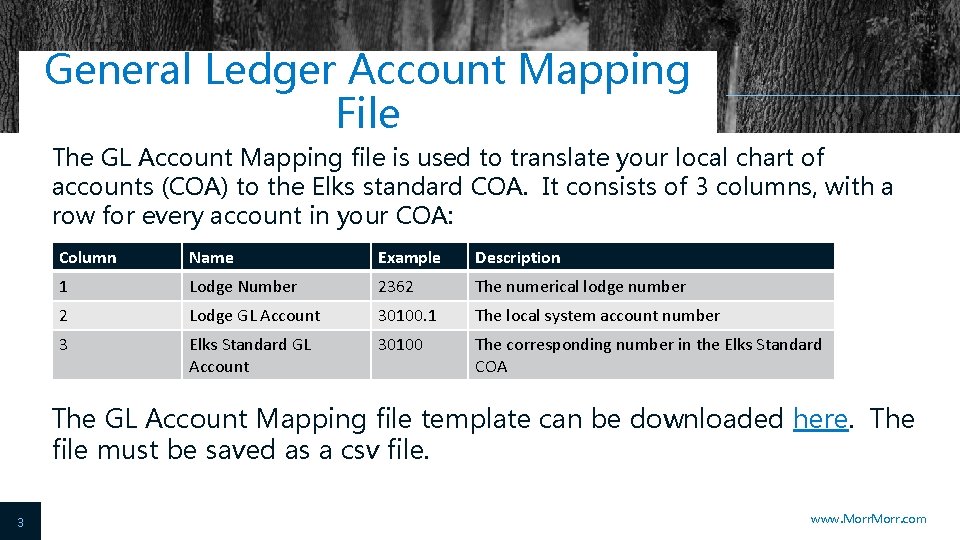
General Ledger Account Mapping File The GL Account Mapping file is used to translate your local chart of accounts (COA) to the Elks standard COA. It consists of 3 columns, with a row for every account in your COA: Column Name Example Description 1 Lodge Number 2362 The numerical lodge number 2 Lodge GL Account 30100. 1 The local system account number 3 Elks Standard GL Account 30100 The corresponding number in the Elks Standard COA The GL Account Mapping file template can be downloaded here. The file must be saved as a csv file. 3 www. Morr. com
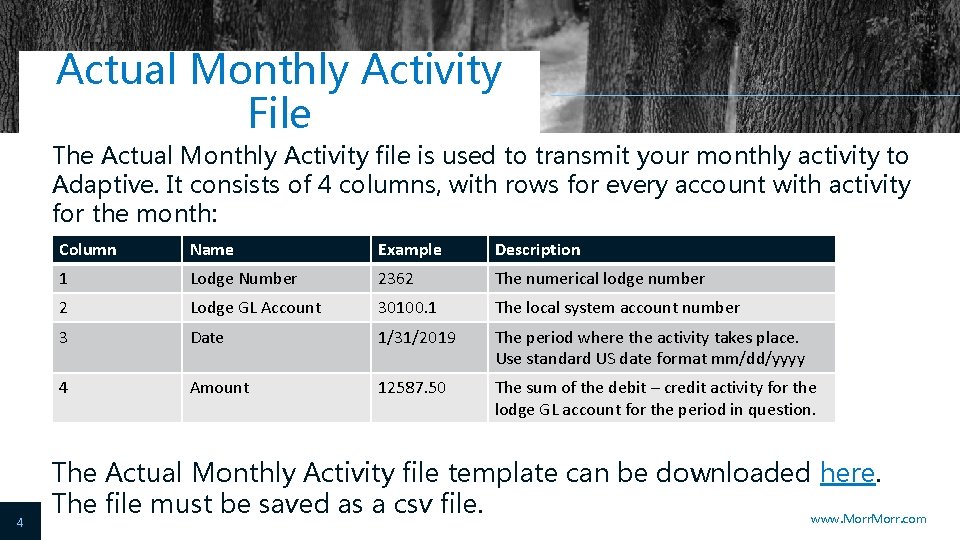
Actual Monthly Activity File The Actual Monthly Activity file is used to transmit your monthly activity to Adaptive. It consists of 4 columns, with rows for every account with activity for the month: 4 Column Name Example Description 1 Lodge Number 2362 The numerical lodge number 2 Lodge GL Account 30100. 1 The local system account number 3 Date 1/31/2019 The period where the activity takes place. Use standard US date format mm/dd/yyyy 4 Amount 12587. 50 The sum of the debit – credit activity for the lodge GL account for the period in question. The Actual Monthly Activity file template can be downloaded here. The file must be saved as a csv file. www. Morr. com
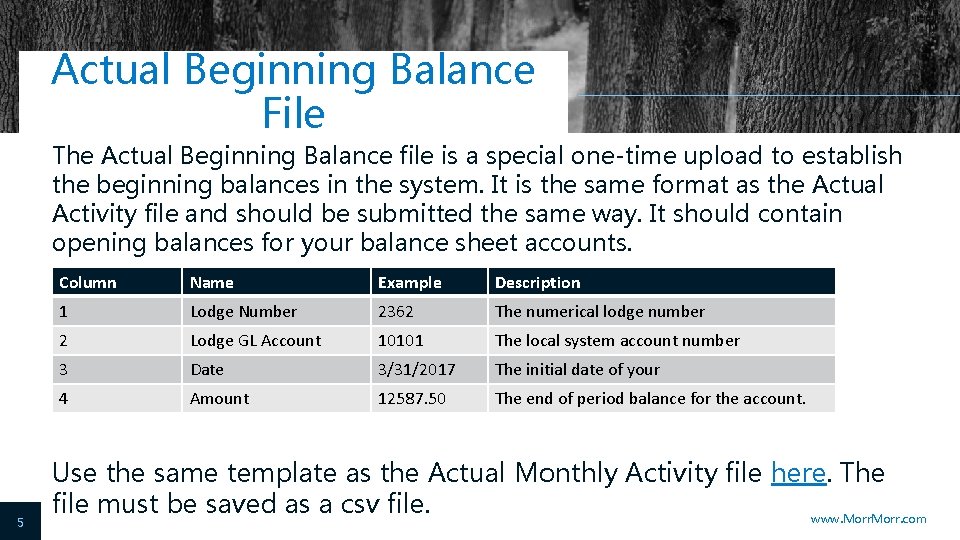
Actual Beginning Balance File The Actual Beginning Balance file is a special one-time upload to establish the beginning balances in the system. It is the same format as the Actual Activity file and should be submitted the same way. It should contain opening balances for your balance sheet accounts. Column Name Example Description Lodge Number 2362 The numerical lodge number 2 Lodge GL Account 10101 The local system account number 3 Date 3/31/2017 The initial date of your 4 Amount 12587. 50 The end of period balance for the account. b 1 5 Use the same template as the Actual Monthly Activity file here. The file must be saved as a csv file. www. Morr. com
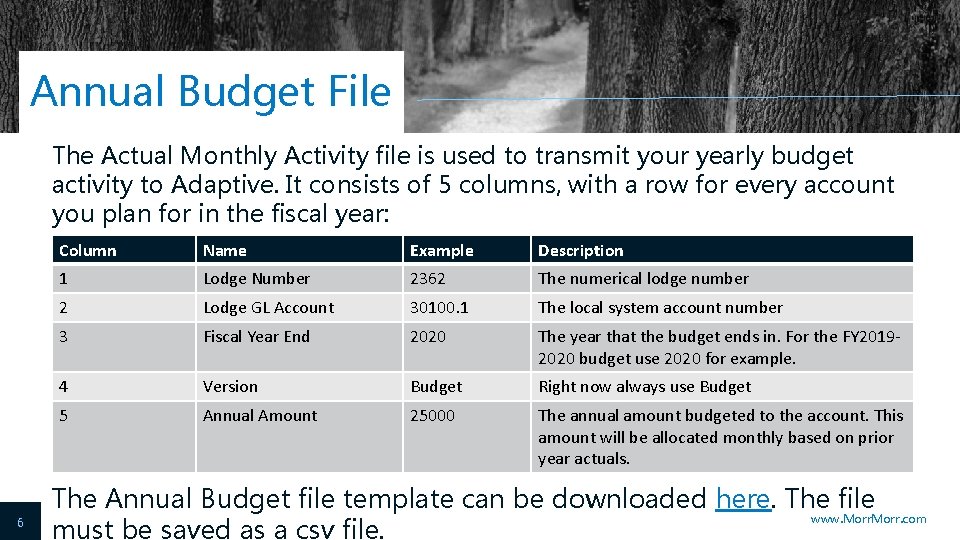
Annual Budget File The Actual Monthly Activity file is used to transmit your yearly budget activity to Adaptive. It consists of 5 columns, with a row for every account you plan for in the fiscal year: 6 Column Name Example Description 1 Lodge Number 2362 The numerical lodge number 2 Lodge GL Account 30100. 1 The local system account number 3 Fiscal Year End 2020 The year that the budget ends in. For the FY 20192020 budget use 2020 for example. 4 Version Budget Right now always use Budget 5 Annual Amount 25000 The annual amount budgeted to the account. This amount will be allocated monthly based on prior year actuals. The Annual Budget file template can be downloaded here. The file www. Morr. com must be saved as a csv file.
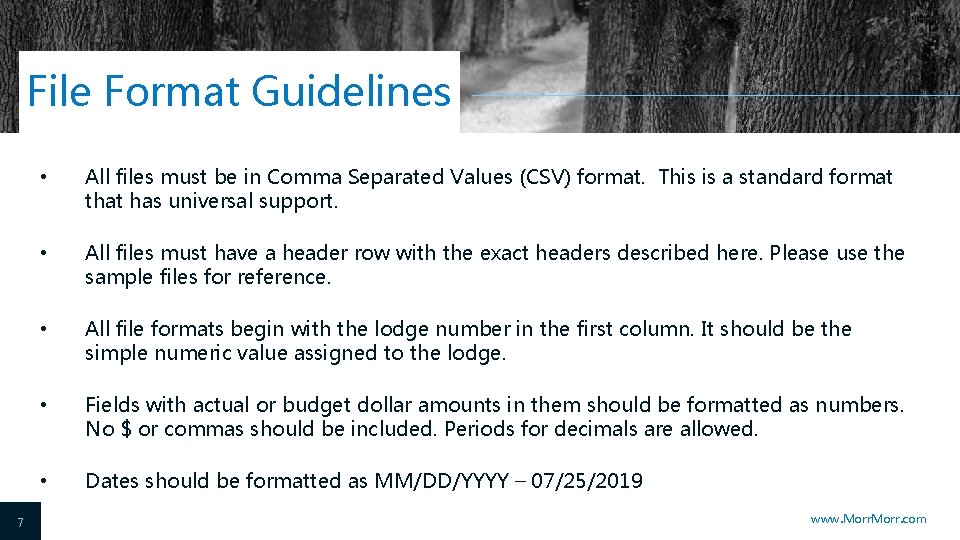
File Format Guidelines 7 • All files must be in Comma Separated Values (CSV) format. This is a standard format that has universal support. • All files must have a header row with the exact headers described here. Please use the sample files for reference. • All file formats begin with the lodge number in the first column. It should be the simple numeric value assigned to the lodge. • Fields with actual or budget dollar amounts in them should be formatted as numbers. No $ or commas should be included. Periods for decimals are allowed. • Dates should be formatted as MM/DD/YYYY – 07/25/2019 www. Morr. com
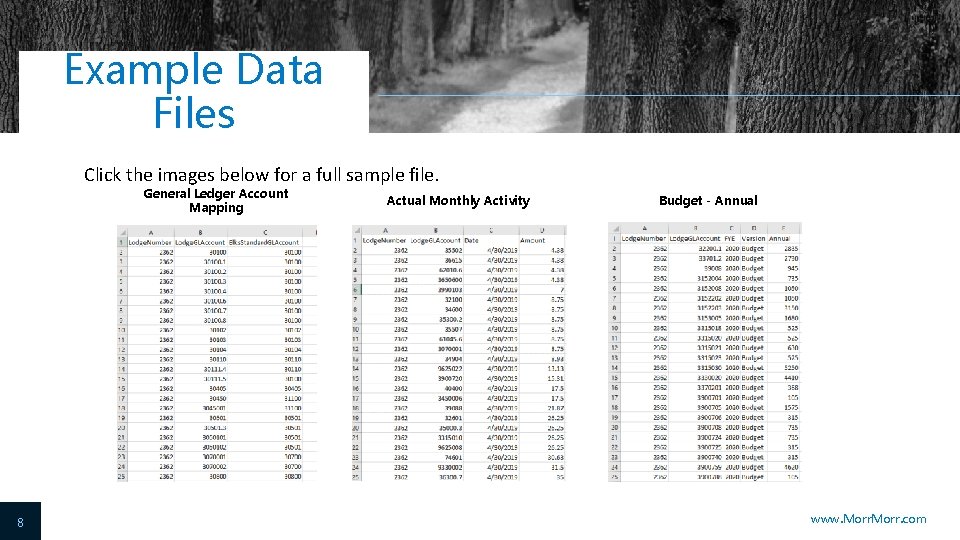
Example Data Files Click the images below for a full sample file. General Ledger Account Mapping 8 Actual Monthly Activity Budget - Annual www. Morr. com
File Submission After you have formatted and saved your files, the next step is submitting them for processing to Adaptive. This is done by emailing the CSV files to the Adaptive@Elks. Cloud email address. Use your preferred email client to draft a new email. Attach the file. The type of file you are submitting is determined by the Email Subject. Include the following in the subject based on the file type: 9 • General Ledger Account Mapping File – Include the word Map • Actual Monthly Activity File – Include the word Actual • Annual Budget File – Include the word Budget www. Morr. com
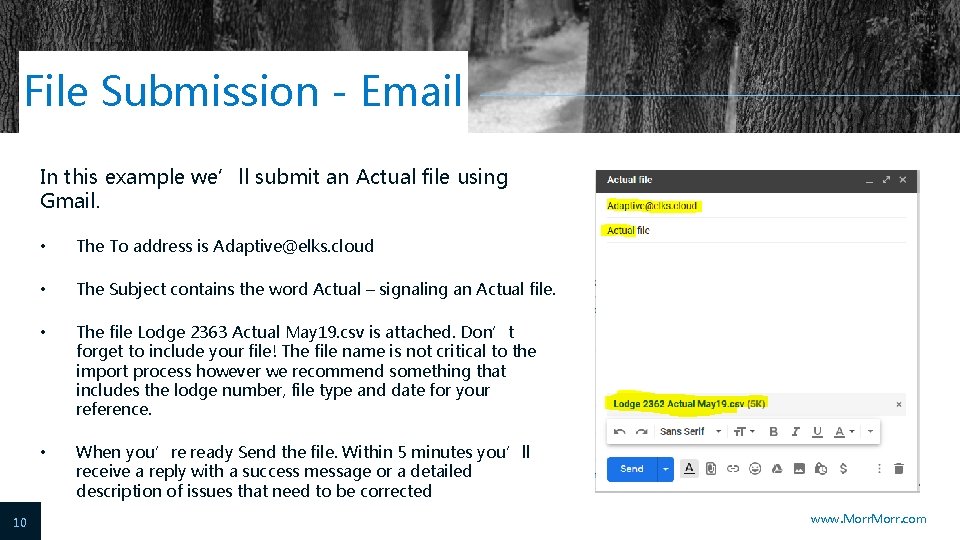
File Submission - Email In this example we’ll submit an Actual file using Gmail. 10 • The To address is Adaptive@elks. cloud • The Subject contains the word Actual – signaling an Actual file. • The file Lodge 2363 Actual May 19. csv is attached. Don’t forget to include your file! The file name is not critical to the import process however we recommend something that includes the lodge number, file type and date for your reference. • When you’re ready Send the file. Within 5 minutes you’ll receive a reply with a success message or a detailed description of issues that need to be corrected www. Morr. com
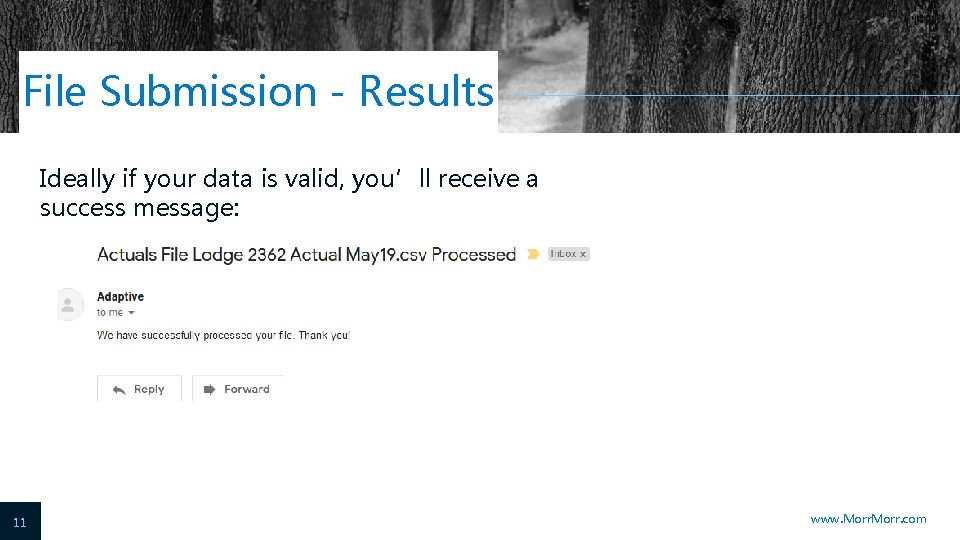
File Submission - Results Ideally if your data is valid, you’ll receive a success message: 11 www. Morr. com
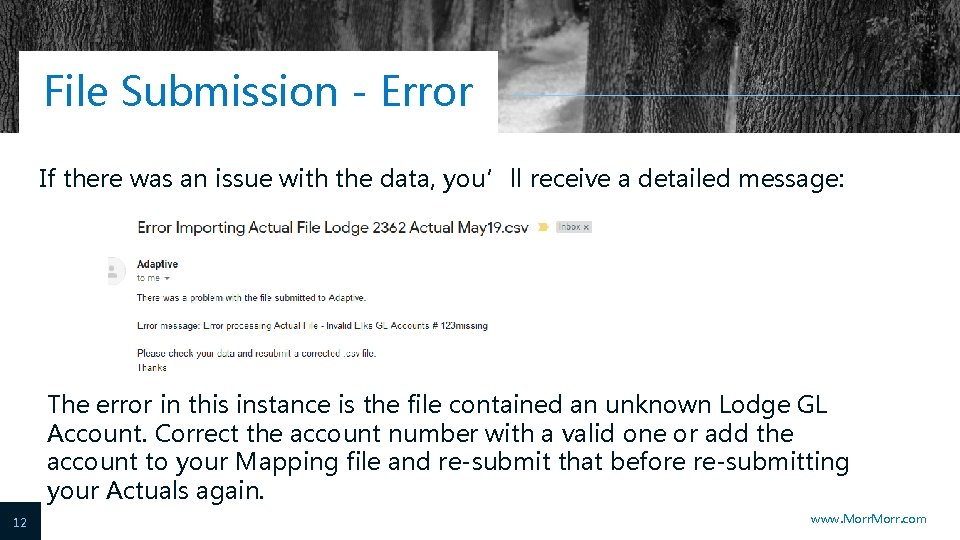
File Submission - Error If there was an issue with the data, you’ll receive a detailed message: The error in this instance is the file contained an unknown Lodge GL Account. Correct the account number with a valid one or add the account to your Mapping file and re-submit that before re-submitting your Actuals again. 12 www. Morr. com
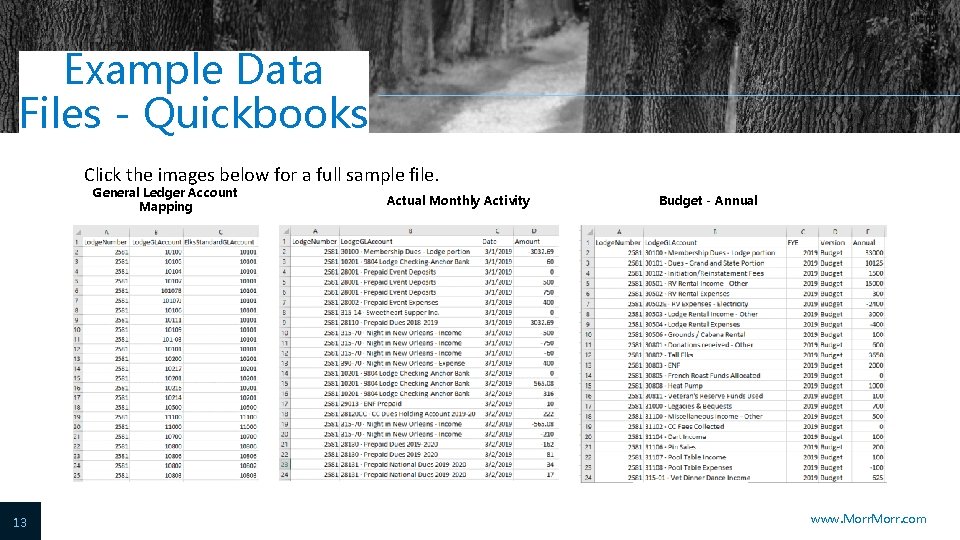
Example Data Files - Quickbooks Click the images below for a full sample file. General Ledger Account Mapping 13 Actual Monthly Activity Budget - Annual www. Morr. com
Support Email support at CHEAAcctg@yahoo. com Debra Mello CHEA FRS Coordinator 14 www. Morr. com
- Slides: 14