
ABC Always Be Coding calculated measures Tommy Puglia
ABC! Always Be…. Coding (calculated measures) Tommy Puglia Charlotte, NC 8/28/2018 Power. BIWorld. Tour. com #PBIWorld. Tour
First, an Intro • Who are you? • Tonight’s Theme • Why? • Tips & Demos Power. BIWorld. Tour. com #PBIWorld. Tour 3
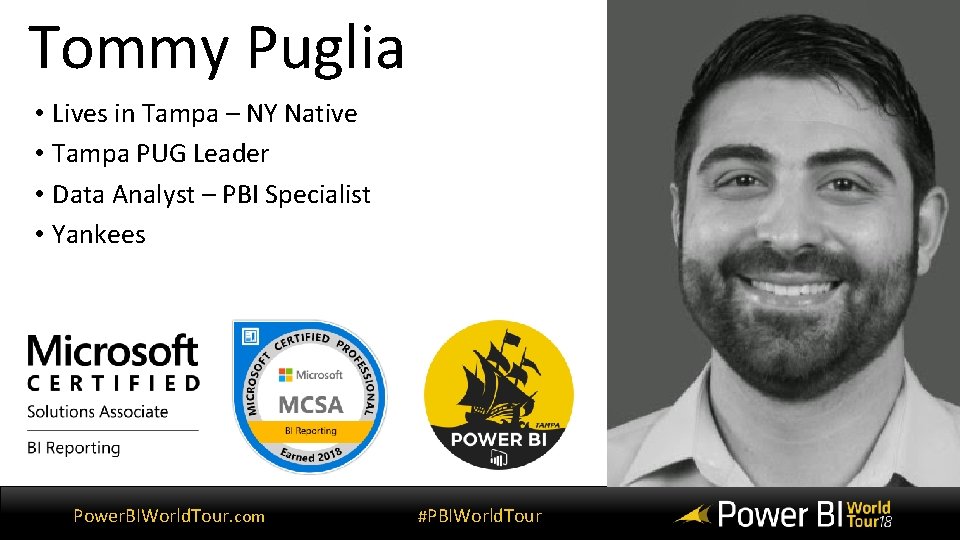
Tommy Puglia • Lives in Tampa – NY Native • Tampa PUG Leader • Data Analyst – PBI Specialist • Yankees Power. BIWorld. Tour. com #PBIWorld. Tour
Contact • tpuglia@connectwise. com • @pbi_tampa. PUG • Not @puglia 24 Thomas Power. BIWorld. Tour. com #PBIWorld. Tour
Power. BIWorld. Tour. com #PBIWorld. Tour
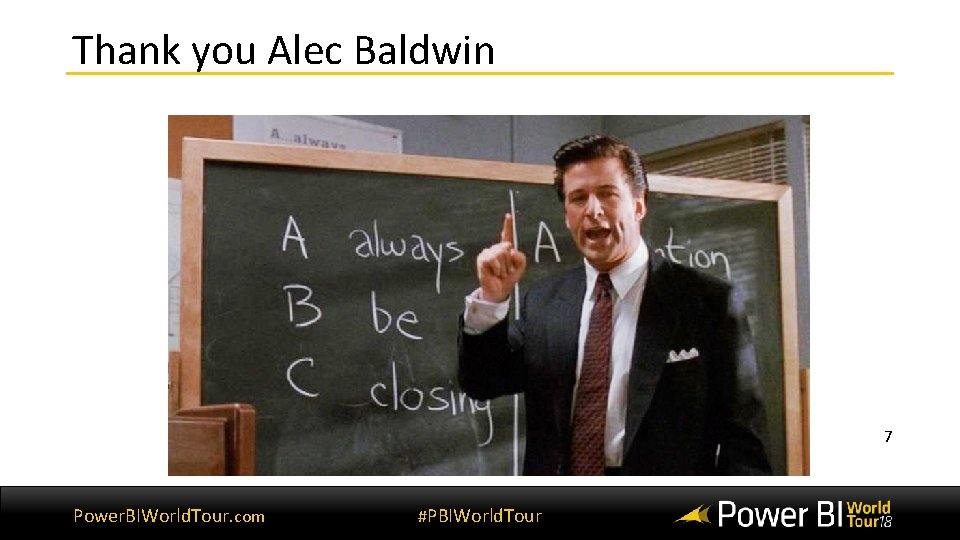
Thank you Alec Baldwin 7 Power. BIWorld. Tour. com #PBIWorld. Tour
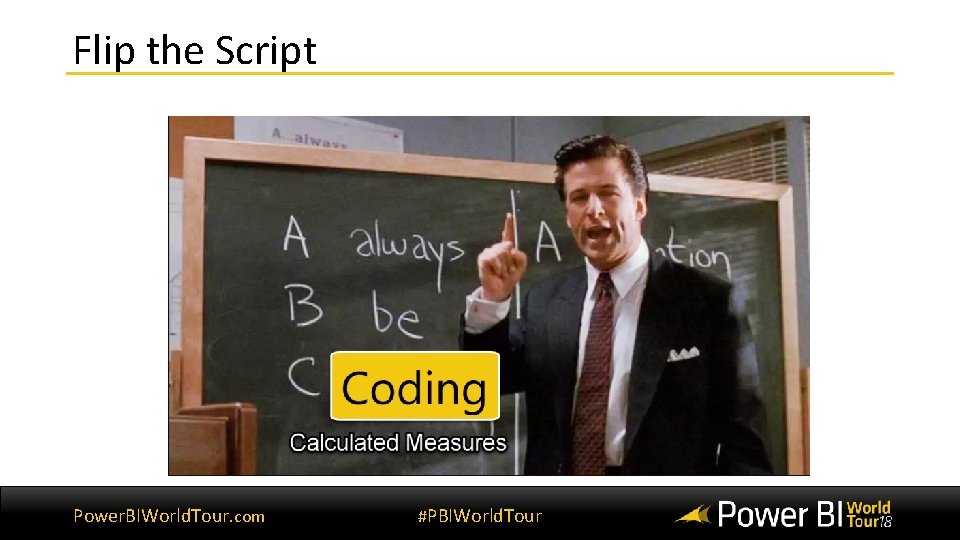
Flip the Script Power. BIWorld. Tour. com #PBIWorld. Tour 8
Why Models Matter Power. BIWorld. Tour. com #PBIWorld. Tour
What is a Data Model? • Improves understandability of the data • Increases performance of dependent processes and systems • Increases resilience to change Power. BIWorld. Tour. com #PBIWorld. Tour
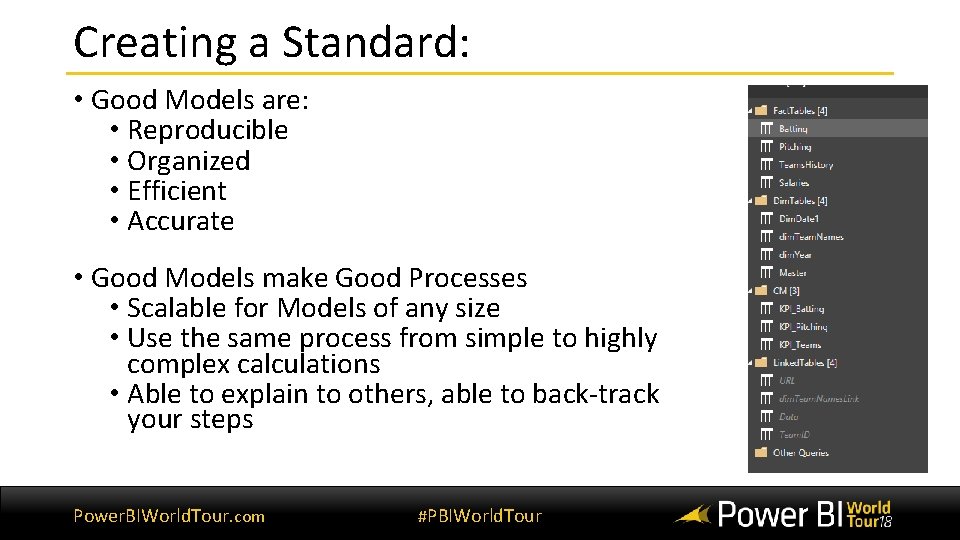
Creating a Standard: • Good Models are: • Reproducible • Organized • Efficient • Accurate • Good Models make Good Processes • Scalable for Models of any size • Use the same process from simple to highly complex calculations • Able to explain to others, able to back-track your steps Power. BIWorld. Tour. com #PBIWorld. Tour 11
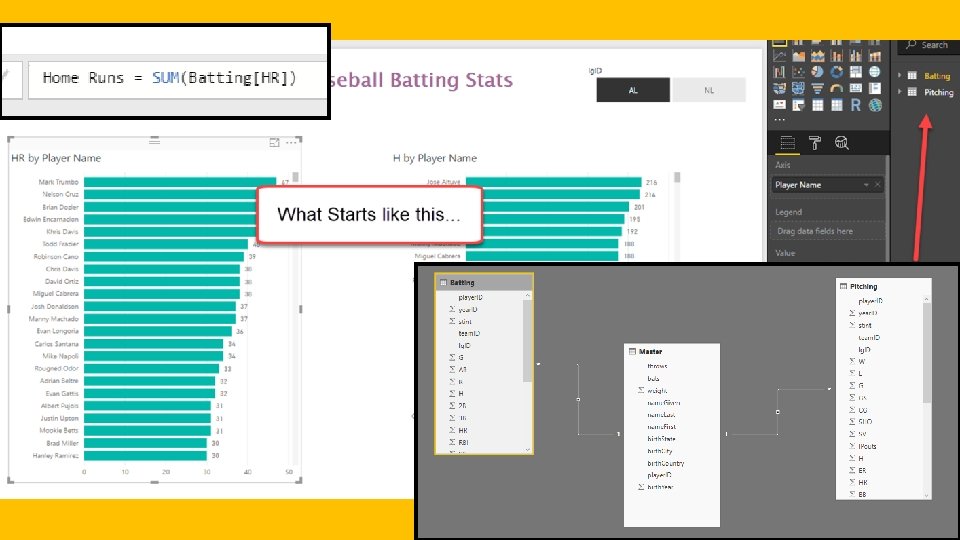
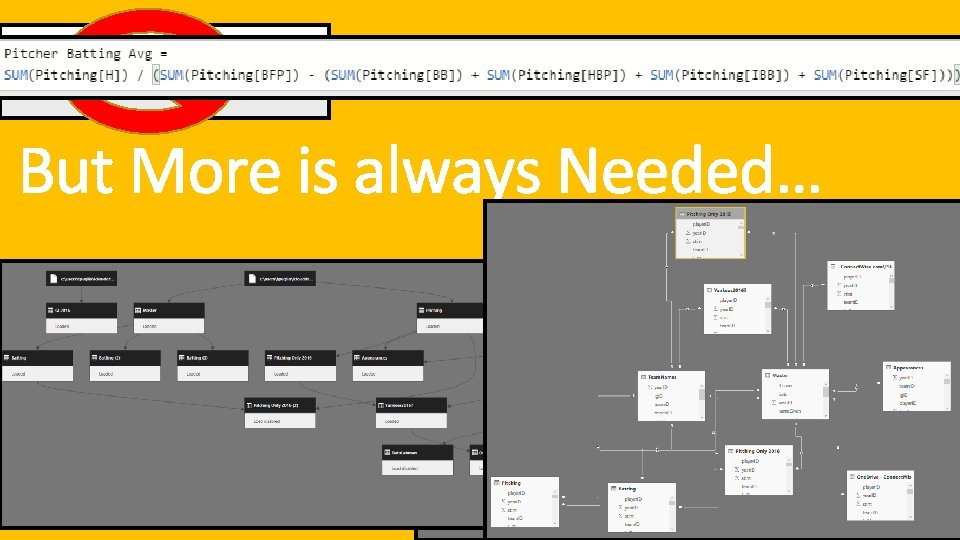
How Models get Complicated • How many Reports have you perfected on the first attempt? • Answer: Never • Report Creation = Expect to Modify • Updates to Business Logic & Calculations • Additional Feature Requests • Data Validation testing Power. BIWorld. Tour. com #PBIWorld. Tour 12
13
14
The Gap between Good & Bad • Bad Models can Hurt • Good Models make you better • Harder to Back-Track • Easier Navigation in your Report • Prone to Data Inaccuracy • Flexible to edits & new requirements • Decrease in Performance • Helps with data validation • Difficult to explain & Share Power. BIWorld. Tour. com • Logical convention of tables/queries to confirm business rules #PBIWorld. Tour 15
Standards of a Data Model Power. BIWorld. Tour. com #PBIWorld. Tour
The Three Sections in the Power BI Model • Query Editor • Data View / DAX • Report View / Design Power. BIWorld. Tour. com #PBIWorld. Tour 17
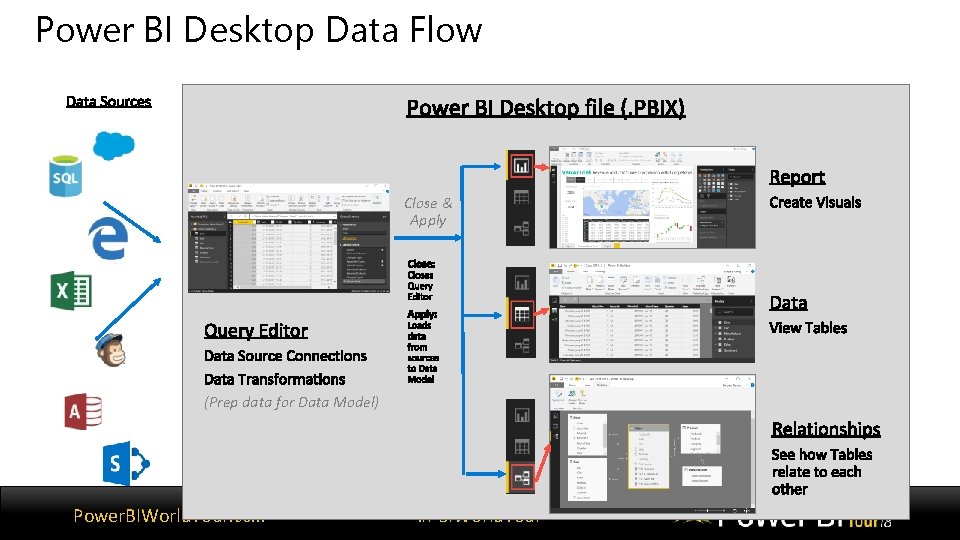
Power BI Desktop Data Flow Close & Apply (Prep data for Data Model) Power. BIWorld. Tour. com #PBIWorld. Tour
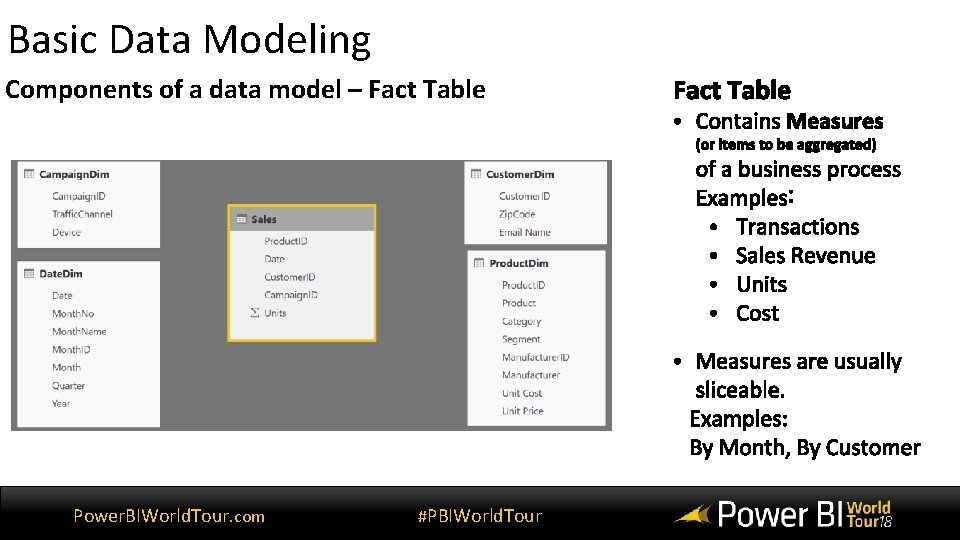
Basic Data Modeling Components of a data model – Fact Table Power. BIWorld. Tour. com #PBIWorld. Tour
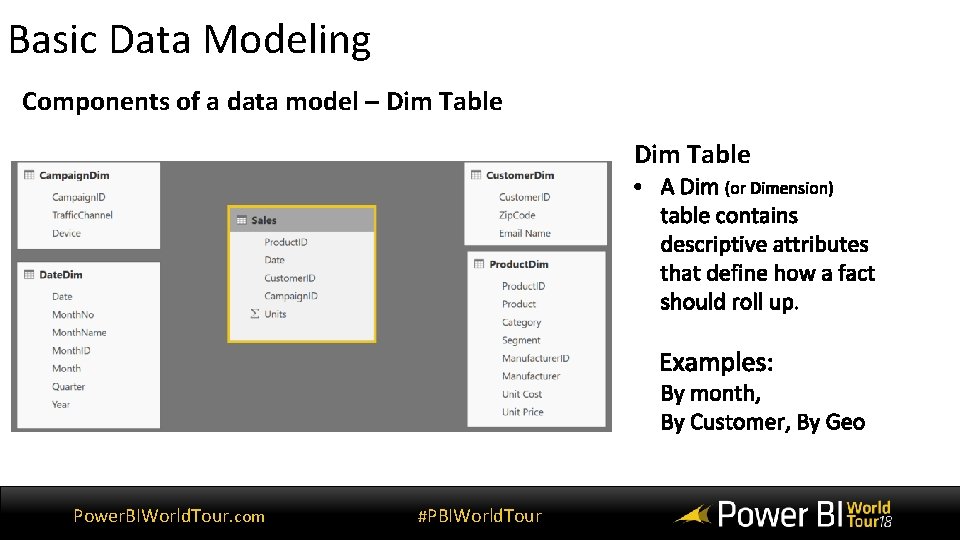
Basic Data Modeling Components of a data model – Dim Table Power. BIWorld. Tour. com #PBIWorld. Tour
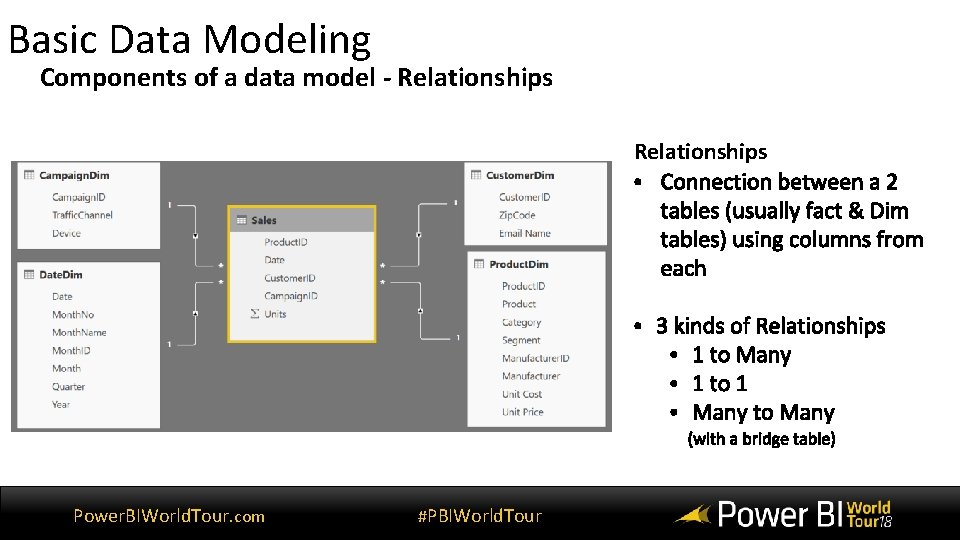
Basic Data Modeling Components of a data model - Relationships Power. BIWorld. Tour. com #PBIWorld. Tour
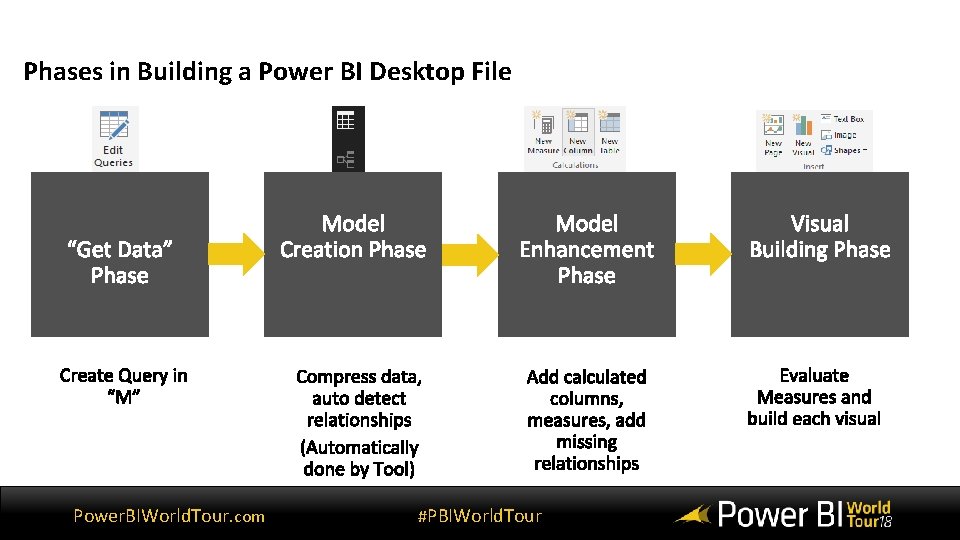
Phases in Building a Power BI Desktop File Power. BIWorld. Tour. com #PBIWorld. Tour
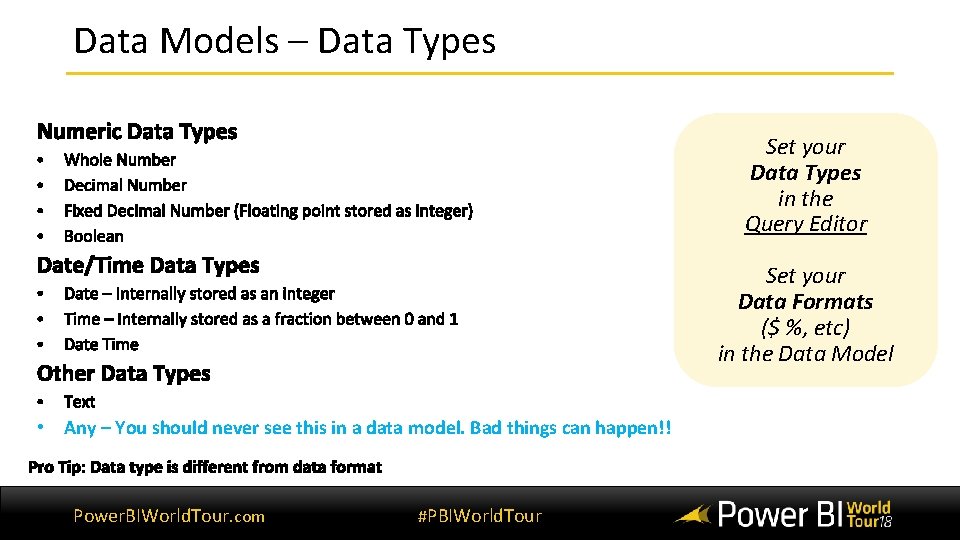
Data Models – Data Types Set your Data Types in the Query Editor Set your Data Formats ($ %, etc) in the Data Model • Any – You should never see this in a data model. Bad things can happen!! Power. BIWorld. Tour. com #PBIWorld. Tour
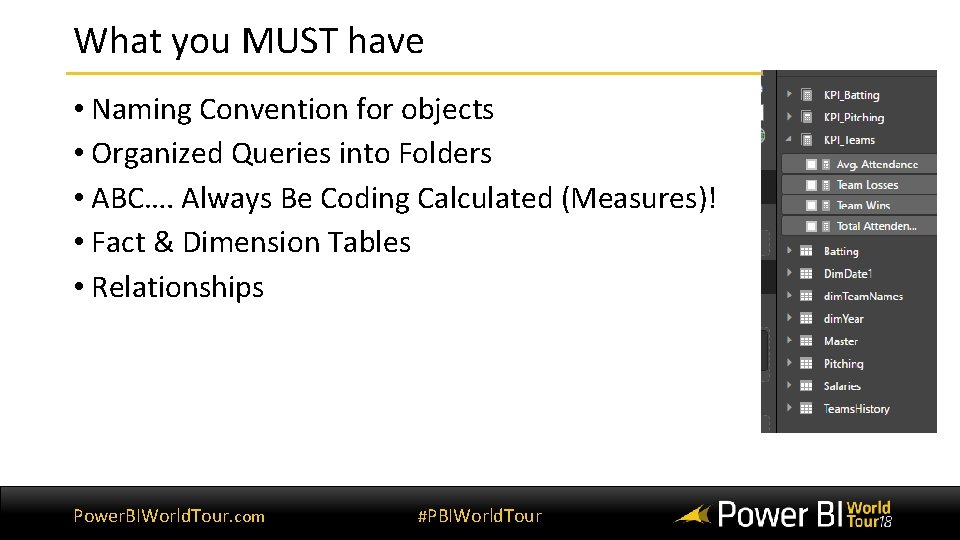
What you MUST have • Naming Convention for objects • Organized Queries into Folders • ABC…. Always Be Coding Calculated (Measures)! • Fact & Dimension Tables • Relationships Power. BIWorld. Tour. com #PBIWorld. Tour 24
Query Editor Best Practices Power. BIWorld. Tour. com #PBIWorld. Tour 25
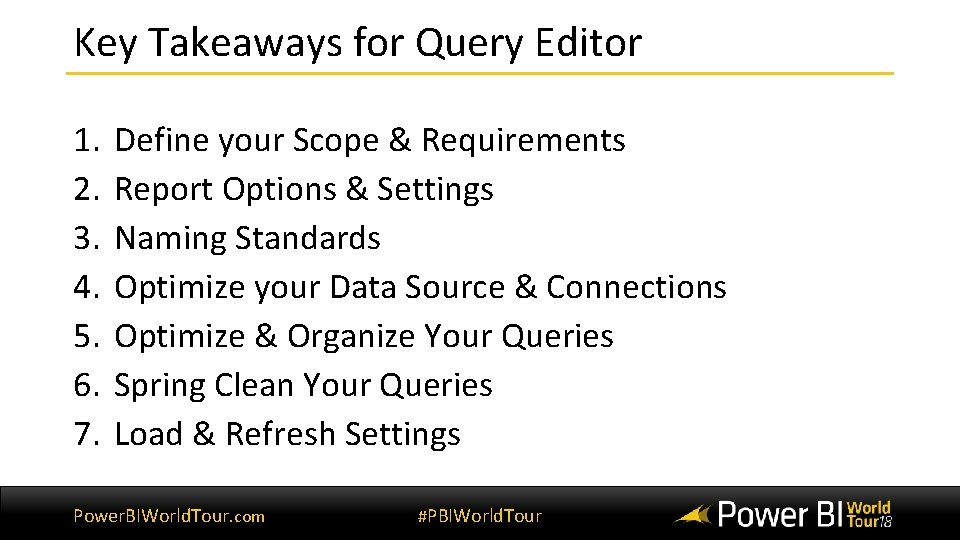
Key Takeaways for Query Editor 1. 2. 3. 4. 5. 6. 7. Define your Scope & Requirements Report Options & Settings Naming Standards Optimize your Data Source & Connections Optimize & Organize Your Queries Spring Clean Your Queries Load & Refresh Settings Power. BIWorld. Tour. com #PBIWorld. Tour
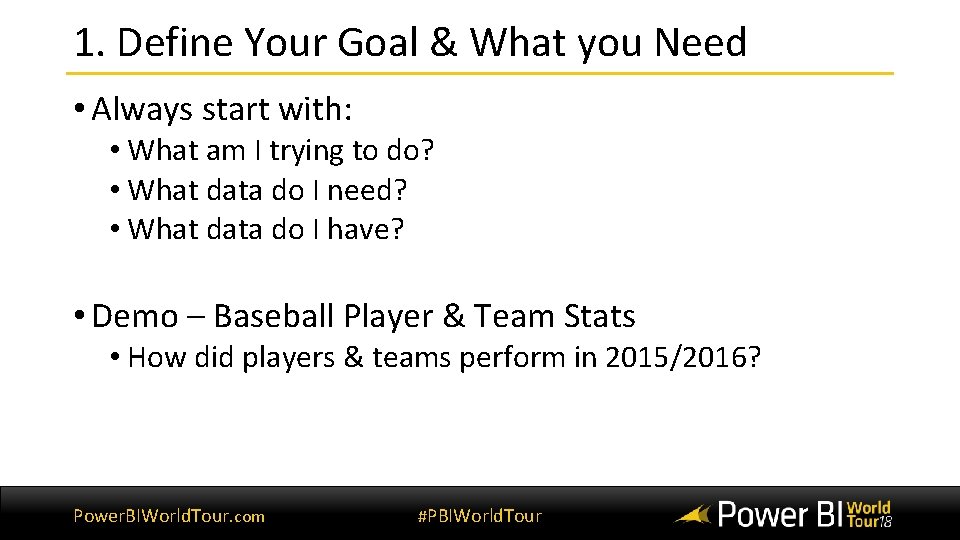
1. Define Your Goal & What you Need • Always start with: • What am I trying to do? • What data do I need? • What data do I have? • Demo – Baseball Player & Team Stats • How did players & teams perform in 2015/2016? Power. BIWorld. Tour. com #PBIWorld. Tour 27
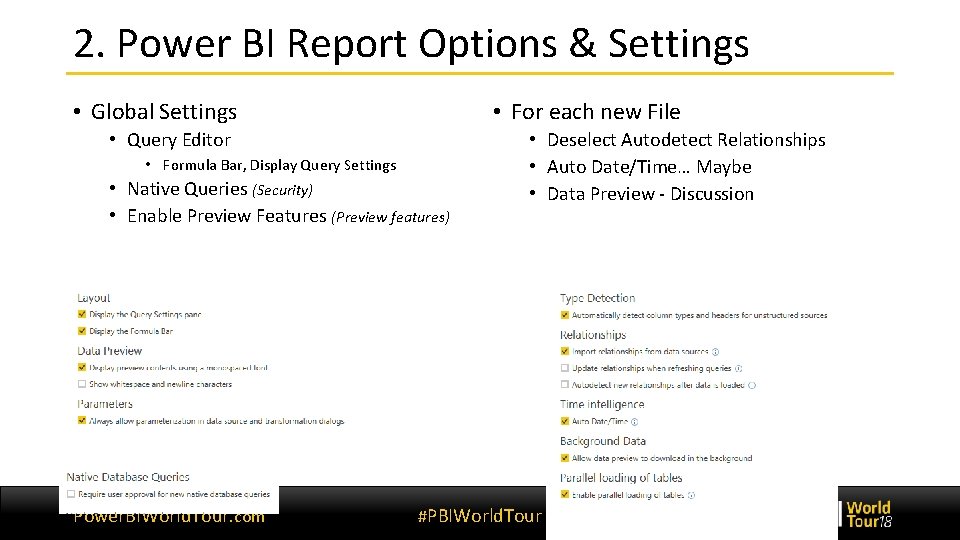
2. Power BI Report Options & Settings • Global Settings • For each new File • Query Editor • Formula Bar, Display Query Settings • Native Queries (Security) • Enable Preview Features (Preview features) Power. BIWorld. Tour. com • Deselect Autodetect Relationships • Auto Date/Time… Maybe • Data Preview - Discussion #PBIWorld. Tour
3. Naming Standards • Naming Objects • Tables • Use Logical Names! • Avoid Spaces or Special Characters • Columns • Do not have same column name in 2 different tables! • Avoid Spaces if possible Power. BIWorld. Tour. com #PBIWorld. Tour
3. Naming Standards – Tables • Dimensions should consist of only the business asset name • (either Customers or dim. Customers) • Fact Tables • Fact tables should be business name of fact, always plural • Sales > Sale, or fact. Sales • Misc. • Use casing to separate words rather than spaces • dim. Product. Category > Product Category • Avoid using names too long or too short Power. BIWorld. Tour. com #PBIWorld. Tour
4. Optimize Your Data Sources & Connections • Native Query & SQL • Optimizing in SQL first • Reference vs. Duplicate • Query Steps • Excel Files & Formats Power. BIWorld. Tour. com #PBIWorld. Tour
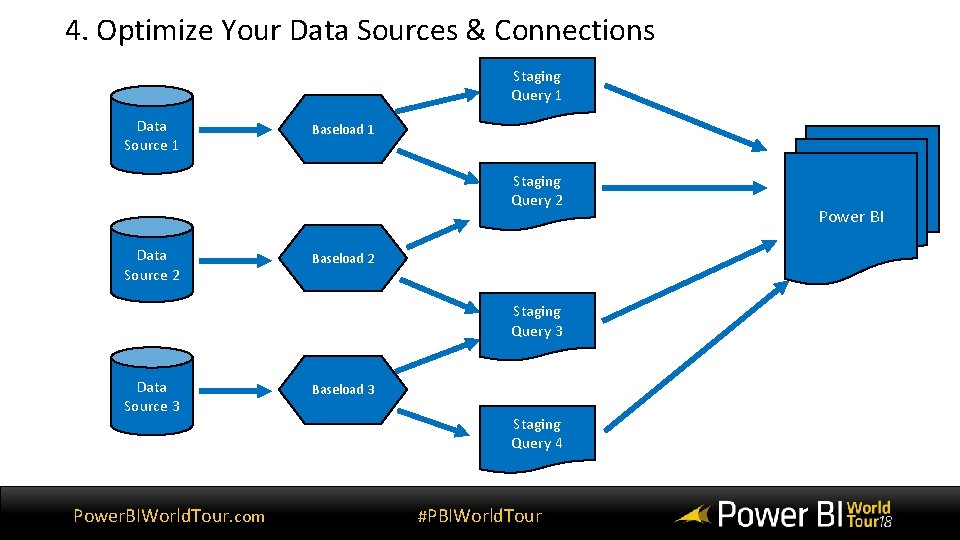
4. Optimize Your Data Sources & Connections Staging Query 1 Data Source 1 Baseload 1 Staging Query 2 Data Source 2 Baseload 2 Staging Query 3 Data Source 3 Power. BIWorld. Tour. com Baseload 3 Staging Query 4 #PBIWorld. Tour Power BI
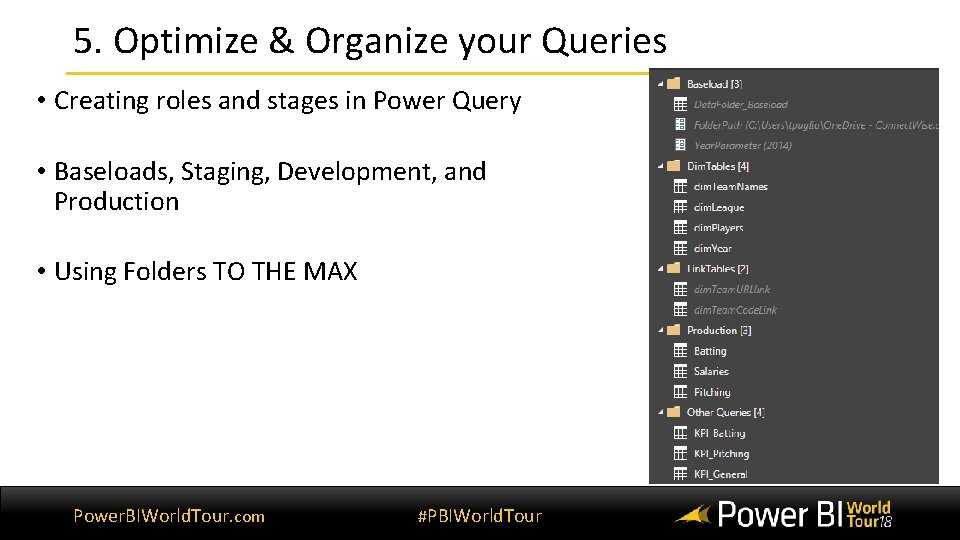
5. Optimize & Organize your Queries • Creating roles and stages in Power Query • Baseloads, Staging, Development, and Production • Using Folders TO THE MAX Power. BIWorld. Tour. com #PBIWorld. Tour
6. Spring Clean your Queries • Only keep what you need! • Removing Columns & Rows • Data Types in Power Query – Important! • Filters & Columns • Merges & Appends Power. BIWorld. Tour. com #PBIWorld. Tour
7. Load & Refresh Settings • The Chosen Few • Choose what to refresh, what to load • Include in Report Refresh | Enable Load • Filters Power. BIWorld. Tour. com #PBIWorld. Tour
Query Editor Demo Power. BIWorld. Tour. com #PBIWorld. Tour 36
Query Editor Summary • Defined & Scoped our Model • Create Baseload Queries for multiple tables • Organize Queries in Folders • Gave Queries logical names • Optimize where you can (Reference, columns needed) • Only load what you need • Only refresh what you need Power. BIWorld. Tour. com #PBIWorld. Tour
Data View / DAX Power. BIWorld. Tour. com #PBIWorld. Tour
Key Takeaways for Data View/DAX • Clean & Verify Data Types • Connect our Tables via Relationships • Organize our Tables & only show what we need • Measures vs. Columns • Measure Tables • Foundational Measures Power. BIWorld. Tour. com #PBIWorld. Tour
1. Clean & Format Data Types • Power BI auto-assigns columns Data Types • Text, Date & Time, Whole Number, etc. • Important for Relationships & Measures • Default Summarization in Power BI! • Do you want to “Sum” your Year column? • Format vs. Data Type – Presentation Power. BIWorld. Tour. com #PBIWorld. Tour
2. Using our Relationships • If you do not have Dim Tables… • MAKE THEM! • Excel, Share. Point, DONE • Cardinality (One to One, Many to One) • Cross Filter Direction • Active vs. Inactive Power. BIWorld. Tour. com #PBIWorld. Tour
3. Organize Tables & Columns • Showing & Hiding Columns in Report View • Showing & Hiding Tables in Report View Power. BIWorld. Tour. com #PBIWorld. Tour
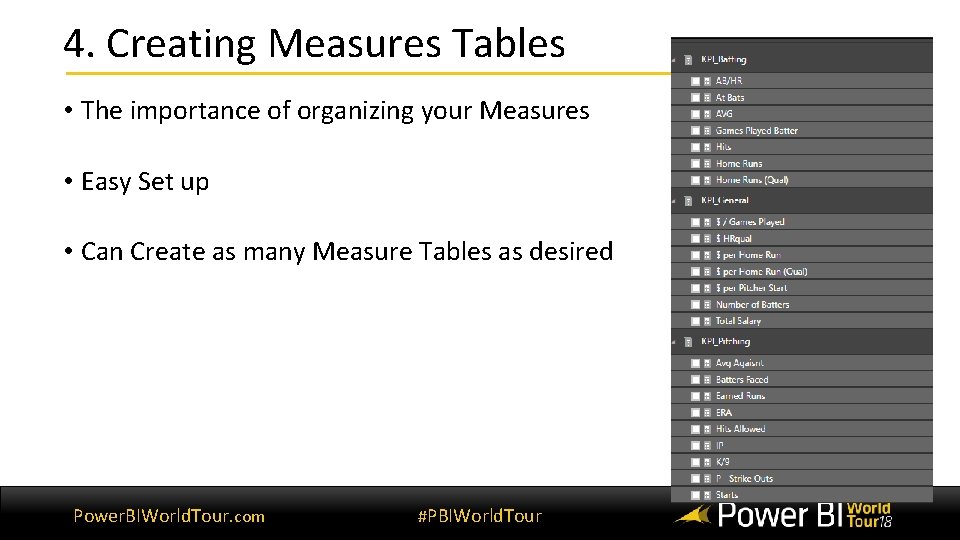
4. Creating Measures Tables • The importance of organizing your Measures • Easy Set up • Can Create as many Measure Tables as desired Power. BIWorld. Tour. com #PBIWorld. Tour
5. Measures vs. Columns • Knowing when to use or create a Calculated Measure or Column • Performance between each • Column – Categorize, flag, & references • Measures – Aggregate, count, & Intelligence Power. BIWorld. Tour. com #PBIWorld. Tour
6. Foundational Measures • ALWAYS CREATE MEASURES • Count, Sum, etc. • Build off your foundational measures to your complex Power. BIWorld. Tour. com #PBIWorld. Tour
Data View Demo Power. BIWorld. Tour. com #PBIWorld. Tour
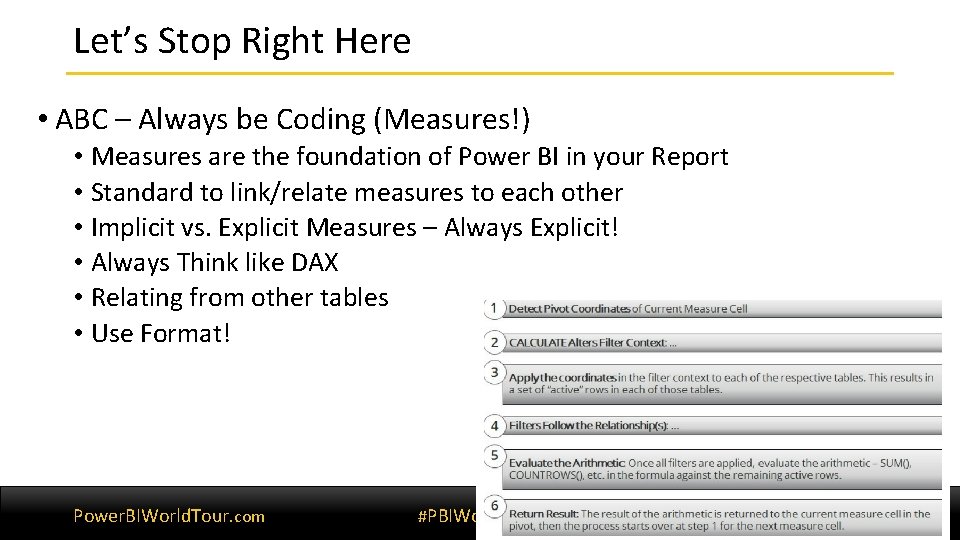
Let’s Stop Right Here • ABC – Always be Coding (Measures!) • Measures are the foundation of Power BI in your Report • Standard to link/relate measures to each other • Implicit vs. Explicit Measures – Always Explicit! • Always Think like DAX • Relating from other tables • Use Format! Power. BIWorld. Tour. com #PBIWorld. Tour 47
DAX Measures - Demo Implicit vs. Explicit Power. BIWorld. Tour. com #PBIWorld. Tour
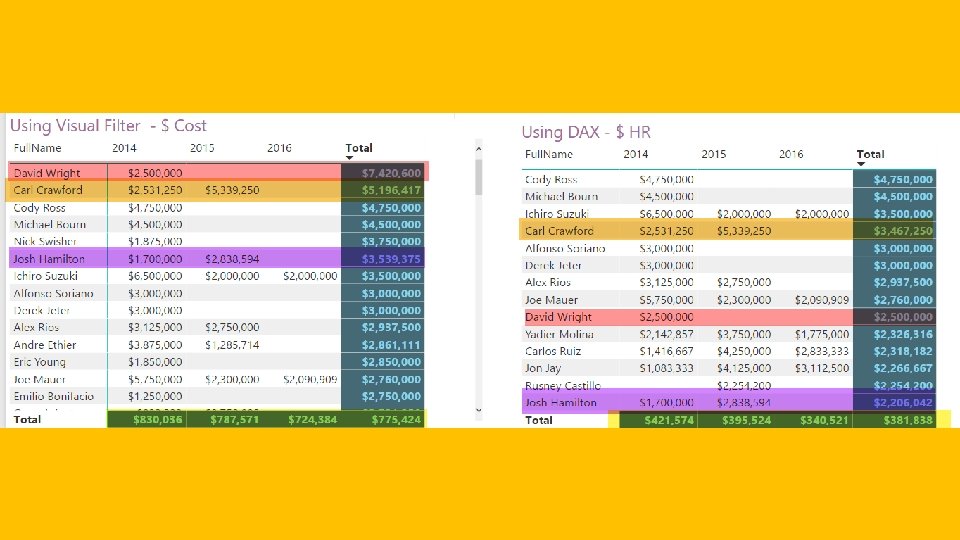
DAX Example - $ per Home Run - What was the Avg. Cost per Home Run hit for MLB Batting Leaders by Year? - Approach - 4 Tables – Batting (HR), Salary (Salary), Year, Player Name - Batters Qualify for Leaders by 3. 1 AB per Game - Need to flag Batters years to see if they Qualify - Why DAX is going to Matter Power. BIWorld. Tour. com #PBIWorld. Tour
Data View Summary • ABC!!! Think like DAX, Always Be Coding Calculated Measures! • Organize, Relate, & Optimize your Tables & Measures • Use the formatting options to polish • Only show what you need • Always use Logical names • Foundational Measures • Understanding DAX Engine & Thinking Power. BIWorld. Tour. com #PBIWorld. Tour 51
Report View - Design Power. BIWorld. Tour. com #PBIWorld. Tour
Key Takeaways for Report View • Titles & Naming • Formatting Options • Adjust your Sizes • Color Themes • Visual vs. Column Names • View Options • Custom Visuals Power. BIWorld. Tour. com #PBIWorld. Tour
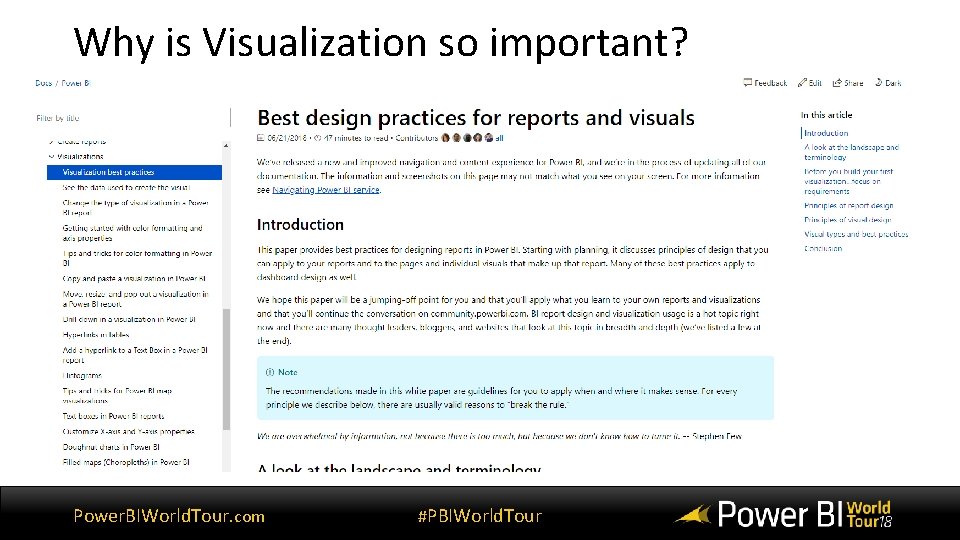
Why is Visualization so important? Power. BIWorld. Tour. com #PBIWorld. Tour
Title & Naming Obejcts • Ensure Titles & labels are relevant • Colors that reflect the report theme • Can change data label names (and not column names) Power. BIWorld. Tour. com #PBIWorld. Tour
Formatting Options • Have ability to modify & tweak almost everything • Make it reflect to tell a story • Don’t clutter or use same colors • Highlight what is important Power. BIWorld. Tour. com #PBIWorld. Tour
Adjust your Page Size & View Options • Best practice: Avoid Scrolling pages when possible • Know when to use “fit to width”, “fit to page” • Make use of backgrounds Power. BIWorld. Tour. com #PBIWorld. Tour
Color Themes – Powerful tool • One of the most impactful features • Easy generators online • For your company or product Power. BIWorld. Tour. com #PBIWorld. Tour
Custom Visuals (Choosing the right Visual) • What story are you trying to tell? • Categorical vs. Historical vs. Trending • Custom Visual Gallery Power. BIWorld. Tour. com #PBIWorld. Tour
Report View Demo Power. BIWorld. Tour. com #PBIWorld. Tour

- Slides: 61