
A WebBased Introduction to Programming Chapter 06 Persistent
A Web-Based Introduction to Programming Chapter 06 Persistent Data – Working with Files and Databases Chapter 06
Intended Learning Outcomes • • • Distinguish between transient and persistent data. Describe the advantages of remote data storage. Contrast the use of text files with a DBMS for data storage. List the basic operations that can be performed on a text file. Use fopen(), fgets(), and fclose() to read data. Use fopen(), fputs(), and fclose() to write data. Recognize and utilize escape characters in text output. Use fopen(), fputs(), and fclose() to append data. Use explode() and list() to parse character strings. Apply PHP file-handling functions to process multiple files. Chapter 06
Introduction • So far input and output has been associated with the user interface: – Input from HTML forms. – Output to new HTML pages using print() statements. • A program can receive input from other sources: – Data files, databases, microphones, scanners, robots, satellites, machines, other programs, . . • Output can be directed to other destinations: – Data files, databases, printers, e-mail messages, robots, machines, other programs, . . Chapter 06
Introduction • In order to interact with an input or output device a program must typically: – Open a connection – Send or receive data through the open connection – Close the connection • In this chapter we learn how to work with data stored in files. • First we need to understand the difference between persistent and transient data Chapter 06
Persistent and Transient Data • Transient data is used and then lost (temporary) : – Most conversations. – The display on a computer monitor. – Values stored in variables while a program is executing. • Persistent data that is stored for later use: – Information that you write down. – Data stored in a file or database. Chapter 06
Working with Persistent Data • Different programs may work on the same file. • Consider a data file containing employee data: – Program A allows a clerical worker to add, delete, modify, or lookup the data in the file. – Program B reads the file, calculates the weekly wage for each employee, and creates paychecks. – Program C reads the file and calculates the total wages, average wage, highest wage and lowest wage to create a report for managers. – Program D reads the file and calculates a 5% increase for all employees. This is a planning tool for managers. Chapter 06
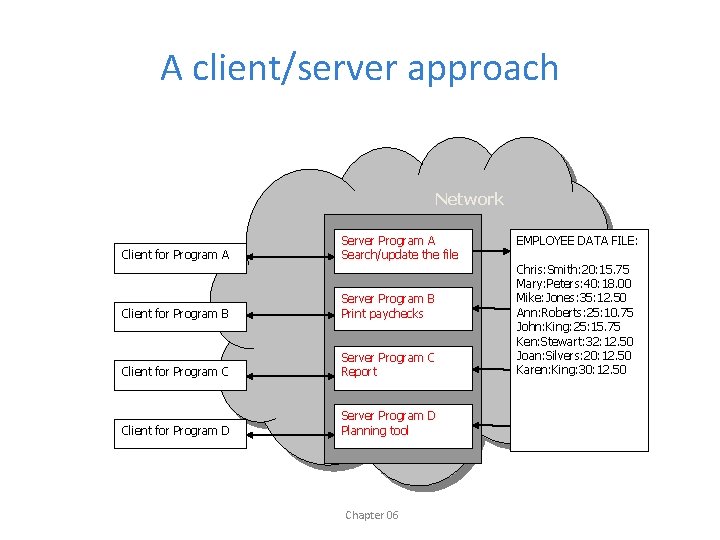
A client/server approach Network Client for Program A Server Program A Search/update the file Client for Program B Server Program B Print paychecks Client for Program C Server Program C Report Client for Program D Server Program D Planning tool Chapter 06 EMPLOYEE DATA FILE: Chris: Smith: 20: 15. 75 Mary: Peters: 40: 18. 00 Mike: Jones: 35: 12. 50 Ann: Roberts: 25: 10. 75 John: King: 25: 15. 75 Ken: Stewart: 32: 12. 50 Joan: Silvers: 20: 12. 50 Karen: King: 30: 12. 50
Advantages of Client/Server. . • Data files are stored on a secure server: – Easy to backup and maintain. • The programs that process the data files are also stored on the server: – Easily to modify the programs. – Multiple programs can easily access the data files. – New programs can be added for new purposes. • Different users access programs for their needs: – A manager might have access to Programs C or D. – A payroll office might have access to Program B. – An admin. assistant might have access to Program A. Chapter 06
Files and Databases • Text files are useful for simple data storage: – Text files can be easily be read in a text editor. – Text files can be easily processed by any program. • Databases provide a more structured and efficient solution. – The most widely used type of database is a relational database which stores data in tables consisting of rows (records) and columns (fields). – Relational databases are much more efficient and secure for storing, managing, accessing, and modifying data. Chapter 06
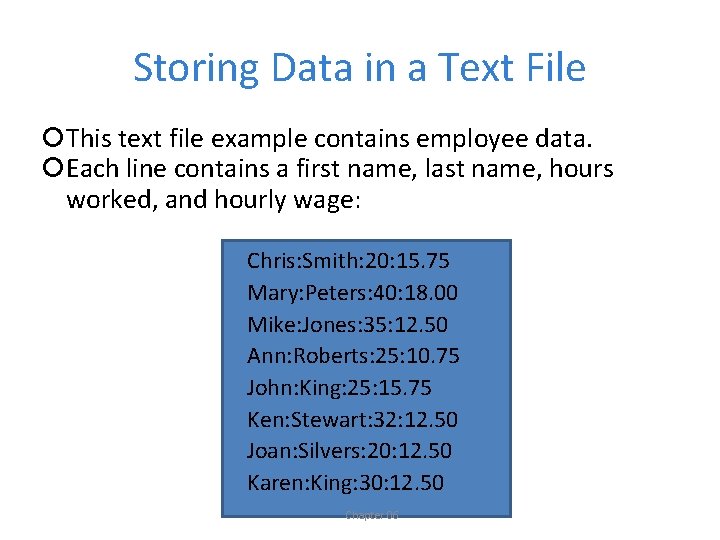
Storing Data in a Text File This text file example contains employee data. Each line contains a first name, last name, hours worked, and hourly wage: Chris: Smith: 20: 15. 75 Mary: Peters: 40: 18. 00 Mike: Jones: 35: 12. 50 Ann: Roberts: 25: 10. 75 John: King: 25: 15. 75 Ken: Stewart: 32: 12. 50 Joan: Silvers: 20: 12. 50 Karen: King: 30: 12. 50 Chapter 06
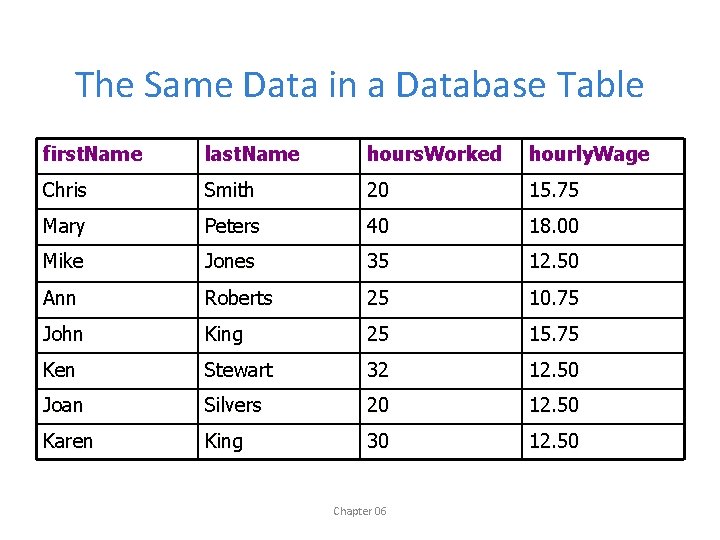
The Same Data in a Database Table first. Name last. Name hours. Worked hourly. Wage Chris Smith 20 15. 75 Mary Peters 40 18. 00 Mike Jones 35 12. 50 Ann Roberts 25 10. 75 John King 25 15. 75 Ken Stewart 32 12. 50 Joan Silvers 20 12. 50 Karen King 30 12. 50 Chapter 06
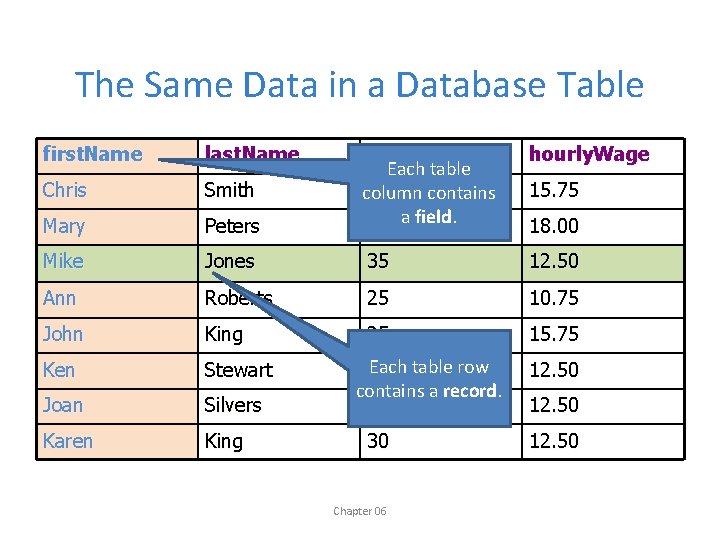
The Same Data in a Database Table first. Name last. Name hourly. Wage Peters hours. Worked Each table 20 column contains 40 a field. Chris Smith Mary Mike Jones 35 12. 50 Ann Roberts 25 10. 75 John King 25 15. 75 Ken Stewart Joan Silvers Karen King Each table row 32 contains a record. 20 30 Chapter 06 15. 75 18. 00 12. 50
Features of Relational Databases • Database tables are designed to avoid duplication of information and simplify management. • A Database Management System (DBMS) is software that provides a full range of data management functions, for example: – Add, modify, delete tables, records and fields. – Perform queries. – Generate reports. • Programs connect to the DBMS and use the functions provided – so the programmer does not need to develop this code. Chapter 06
Our Approach. . • Files and databases are both important storage solutions for persistent data. • The PHP language is designed to work effectively with both. • Database management is an extensive topic. • In this chapter we will learn to work with text files. • Databases will be introduced in Chapter 14. Chapter 06
Opening a Text File • There are three ways to open a text file: – Open a file for read operations. Open a file for – Open a file for write operations. Open a file for – Open a file for append operations. Open a file for Chapter 06
Opening a Text File for Read Operations • Allows the program to read data from a file (input) • When a program opens a file for reading: – A read pointer is positioned at the beginning of the file. – Each read operation reads one line from the file – After each read operation the read pointer advances to the start of the next line in the file. Chapter 06
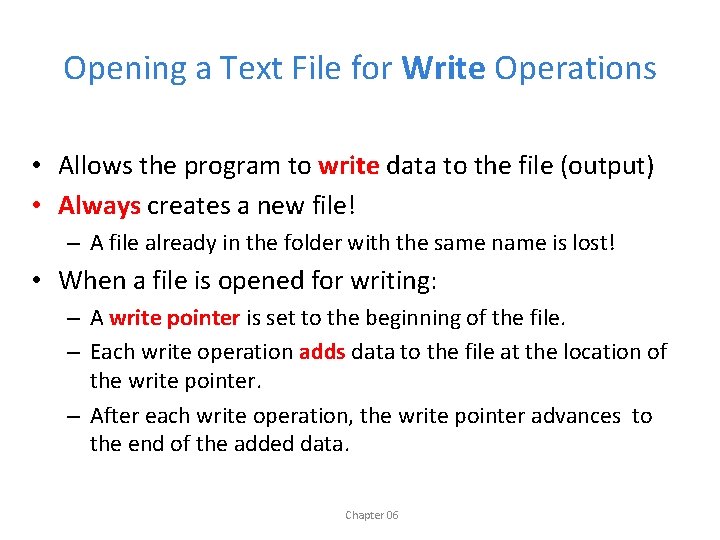
Opening a Text File for Write Operations • Allows the program to write data to the file (output) • Always creates a new file! – A file already in the folder with the same name is lost! • When a file is opened for writing: – A write pointer is set to the beginning of the file. – Each write operation adds data to the file at the location of the write pointer. – After each write operation, the write pointer advances to the end of the added data. Chapter 06
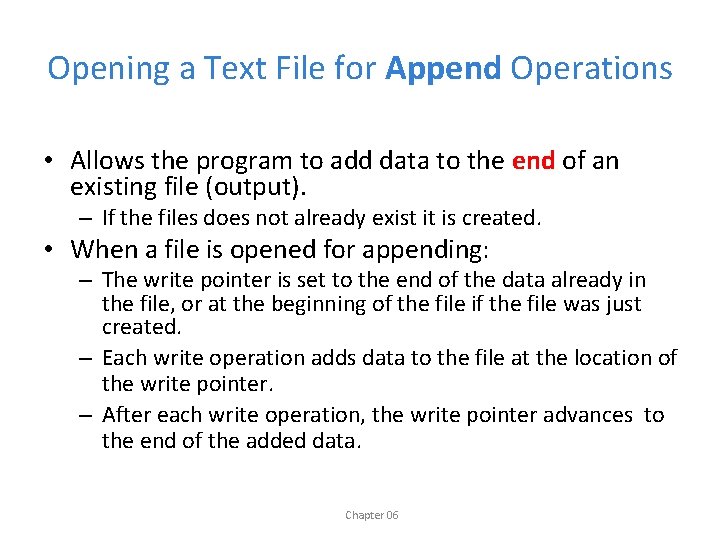
Opening a Text File for Append Operations • Allows the program to add data to the end of an existing file (output). – If the files does not already exist it is created. • When a file is opened for appending: – The write pointer is set to the end of the data already in the file, or at the beginning of the file if the file was just created. – Each write operation adds data to the file at the location of the write pointer. – After each write operation, the write pointer advances to the end of the added data. Chapter 06
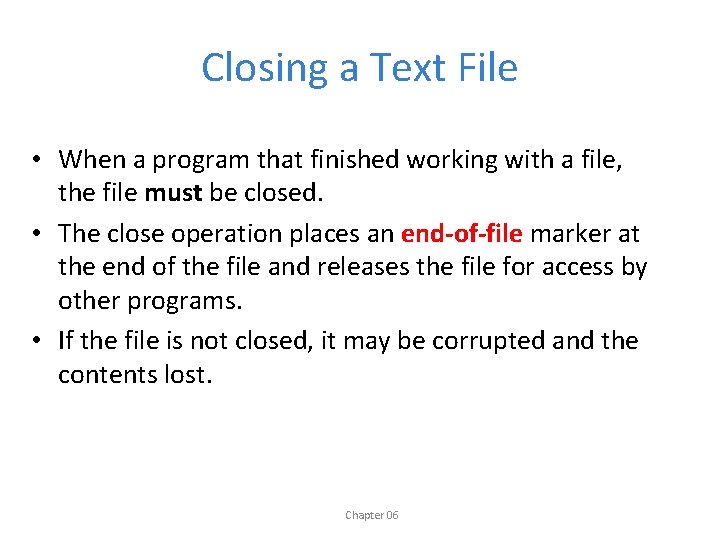
Closing a Text File • When a program that finished working with a file, the file must be closed. • The close operation places an end-of-file marker at the end of the file and releases the file for access by other programs. • If the file is not closed, it may be corrupted and the contents lost. Chapter 06
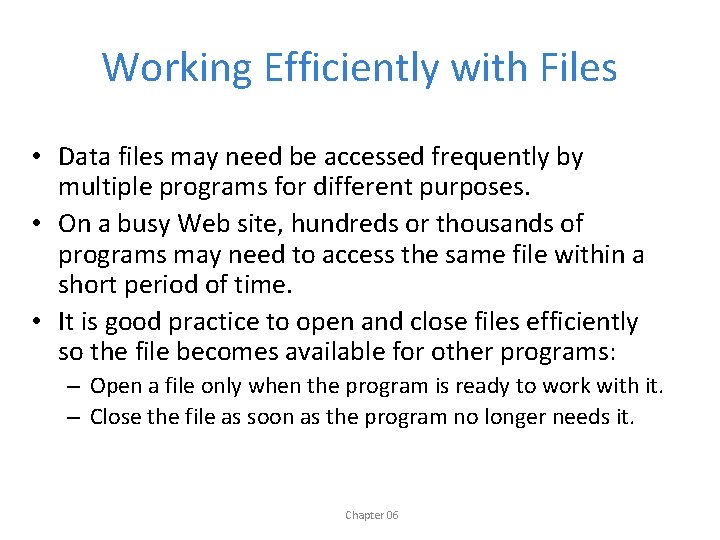
Working Efficiently with Files • Data files may need be accessed frequently by multiple programs for different purposes. • On a busy Web site, hundreds or thousands of programs may need to access the same file within a short period of time. • It is good practice to open and close files efficiently so the file becomes available for other programs: – Open a file only when the program is ready to work with it. – Close the file as soon as the program no longer needs it. Chapter 06
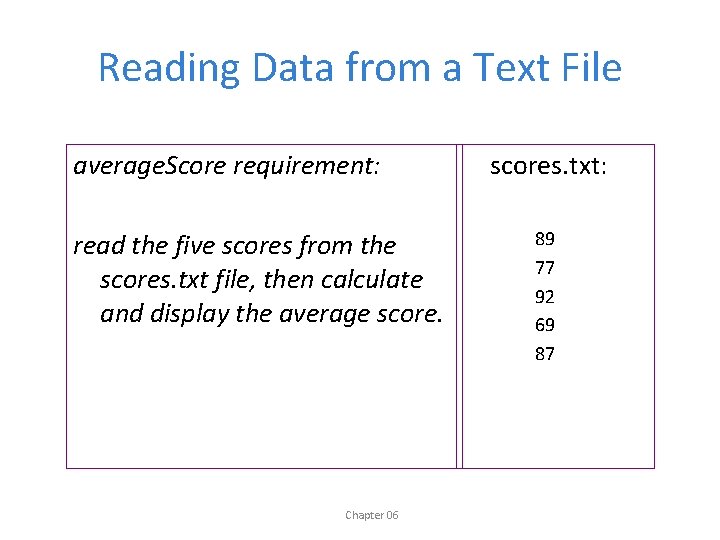
Reading Data from a Text File average. Score requirement: read the five scores from the scores. txt file, then calculate and display the average score. Chapter 06 scores. txt: 89 77 92 69 87
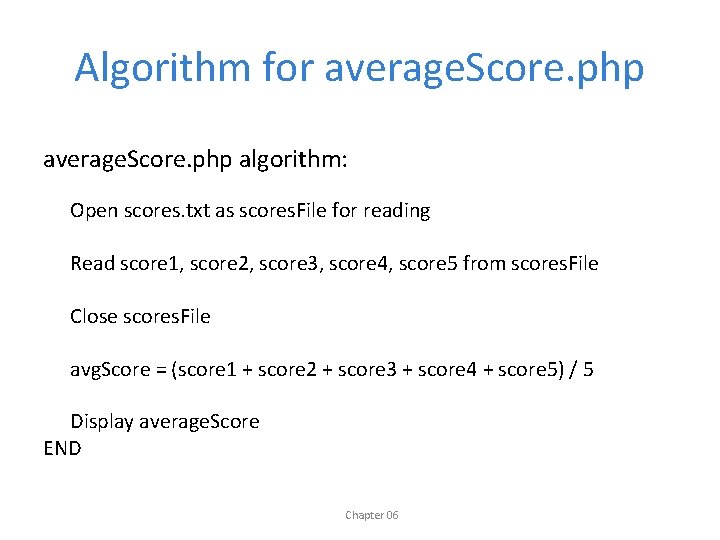
Algorithm for average. Score. php algorithm: Open scores. txt as scores. File for reading Read score 1, score 2, score 3, score 4, score 5 from scores. File Close scores. File avg. Score = (score 1 + score 2 + score 3 + score 4 + score 5) / 5 Display average. Score END Chapter 06
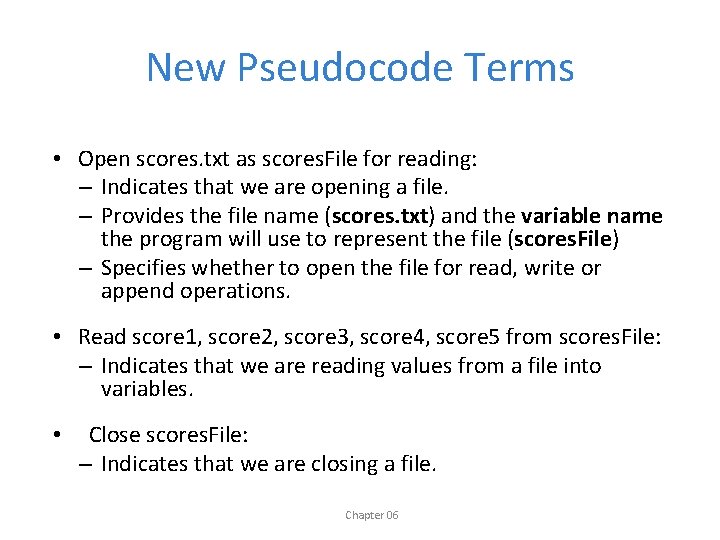
New Pseudocode Terms • Open scores. txt as scores. File for reading: – Indicates that we are opening a file. – Provides the file name (scores. txt) and the variable name the program will use to represent the file (scores. File) – Specifies whether to open the file for read, write or append operations. • Read score 1, score 2, score 3, score 4, score 5 from scores. File: – Indicates that we are reading values from a file into variables. • Close scores. File: – Indicates that we are closing a file. Chapter 06
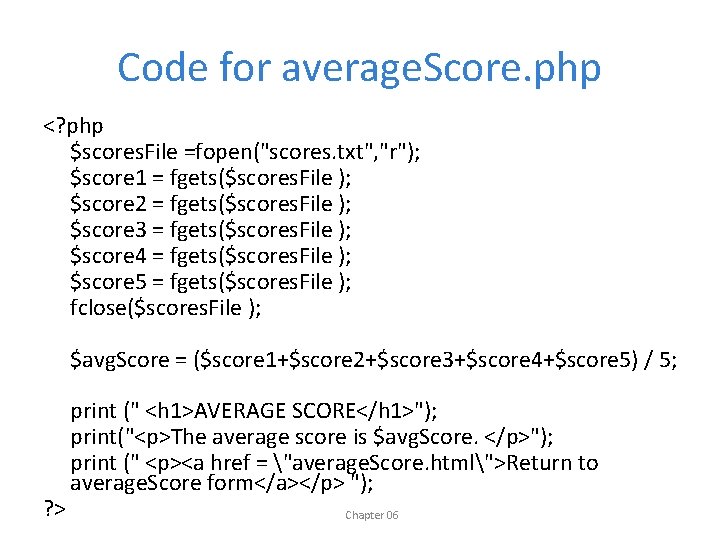
Code for average. Score. php <? php $scores. File =fopen("scores. txt", "r"); $score 1 = fgets($scores. File ); $score 2 = fgets($scores. File ); $score 3 = fgets($scores. File ); $score 4 = fgets($scores. File ); $score 5 = fgets($scores. File ); fclose($scores. File ); $avg. Score = ($score 1+$score 2+$score 3+$score 4+$score 5) / 5; ? > print (" <h 1>AVERAGE SCORE</h 1>"); print("<p>The average score is $avg. Score. </p>"); print (" <p><a href = "average. Score. html">Return to average. Score form</a></p> "); Chapter 06
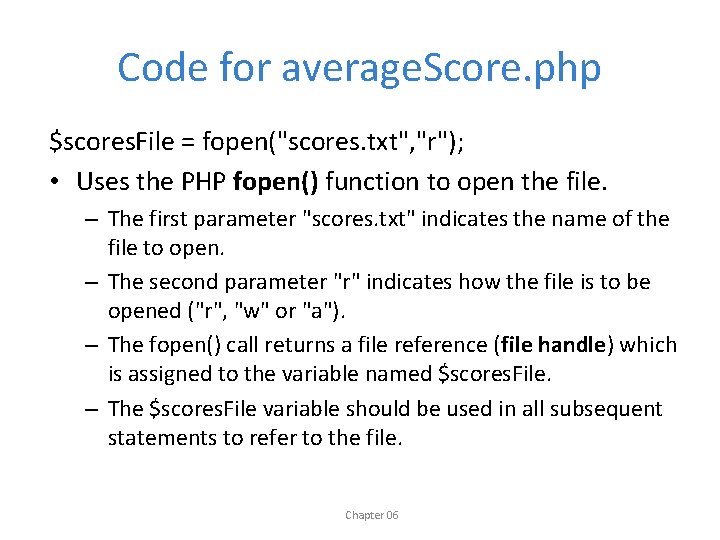
Code for average. Score. php $scores. File = fopen("scores. txt", "r"); • Uses the PHP fopen() function to open the file. – The first parameter "scores. txt" indicates the name of the file to open. – The second parameter "r" indicates how the file is to be opened ("r", "w" or "a"). – The fopen() call returns a file reference (file handle) which is assigned to the variable named $scores. File. – The $scores. File variable should be used in all subsequent statements to refer to the file. Chapter 06
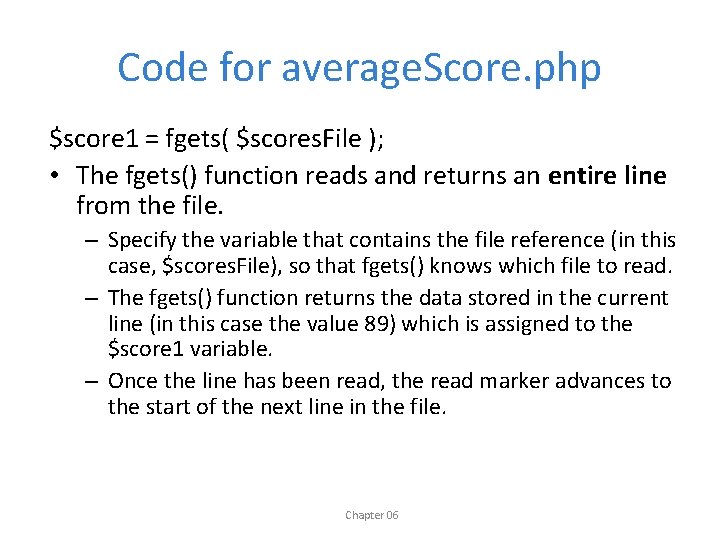
Code for average. Score. php $score 1 = fgets( $scores. File ); • The fgets() function reads and returns an entire line from the file. – Specify the variable that contains the file reference (in this case, $scores. File), so that fgets() knows which file to read. – The fgets() function returns the data stored in the current line (in this case the value 89) which is assigned to the $score 1 variable. – Once the line has been read, the read marker advances to the start of the next line in the file. Chapter 06
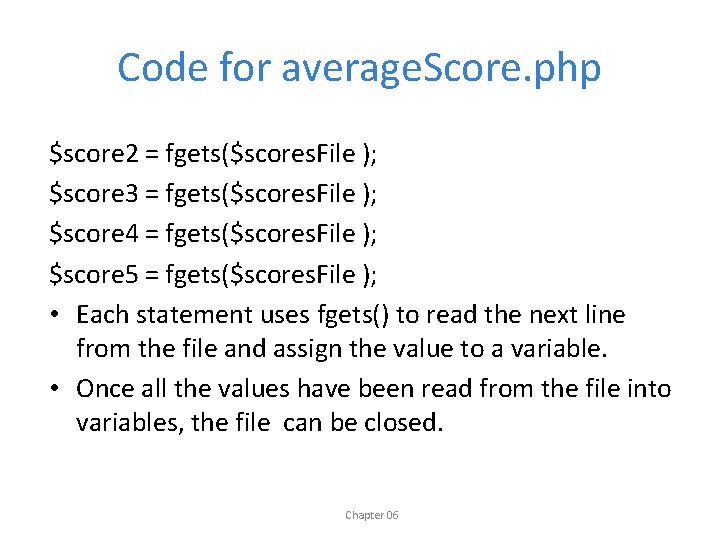
Code for average. Score. php $score 2 = fgets($scores. File ); $score 3 = fgets($scores. File ); $score 4 = fgets($scores. File ); $score 5 = fgets($scores. File ); • Each statement uses fgets() to read the next line from the file and assign the value to a variable. • Once all the values have been read from the file into variables, the file can be closed. Chapter 06
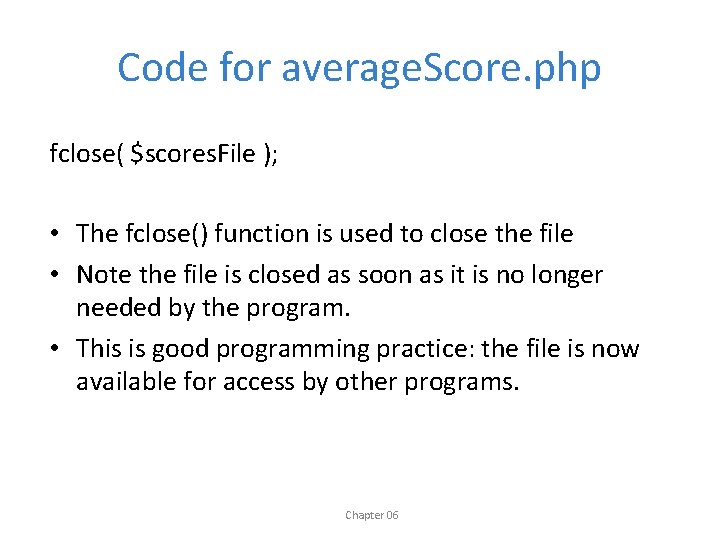
Code for average. Score. php fclose( $scores. File ); • The fclose() function is used to close the file • Note the file is closed as soon as it is no longer needed by the program. • This is good programming practice: the file is now available for access by other programs. Chapter 06
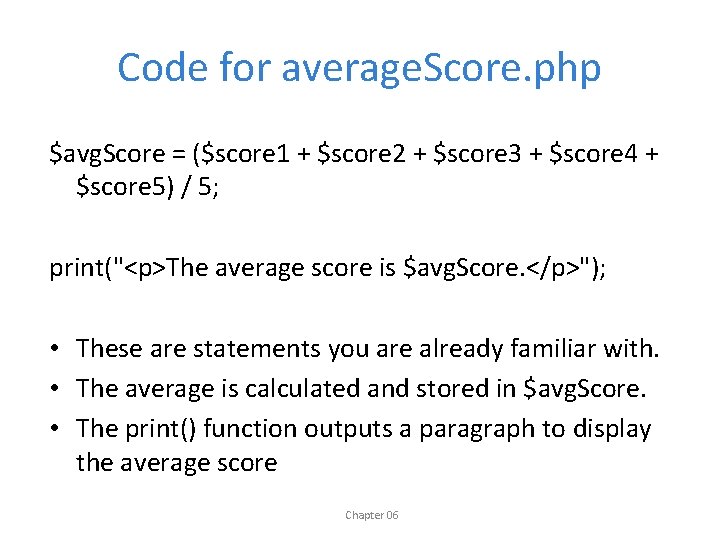
Code for average. Score. php $avg. Score = ($score 1 + $score 2 + $score 3 + $score 4 + $score 5) / 5; print("<p>The average score is $avg. Score. </p>"); • These are statements you are already familiar with. • The average is calculated and stored in $avg. Score. • The print() function outputs a paragraph to display the average score Chapter 06
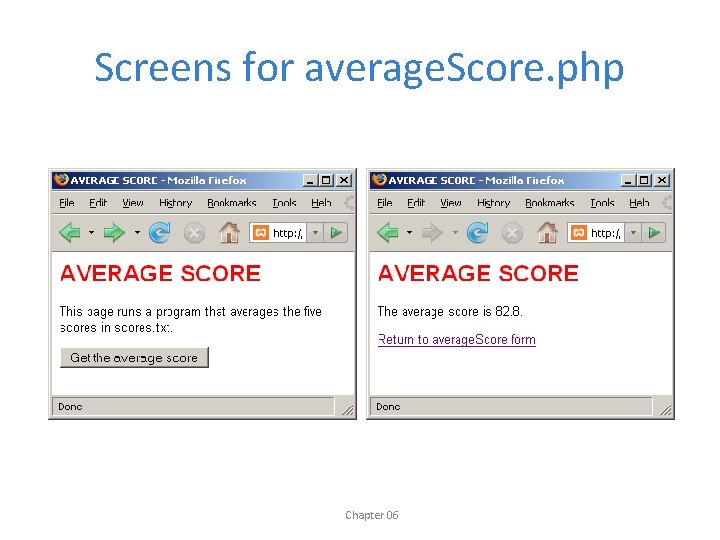
Screens for average. Score. php Chapter 06
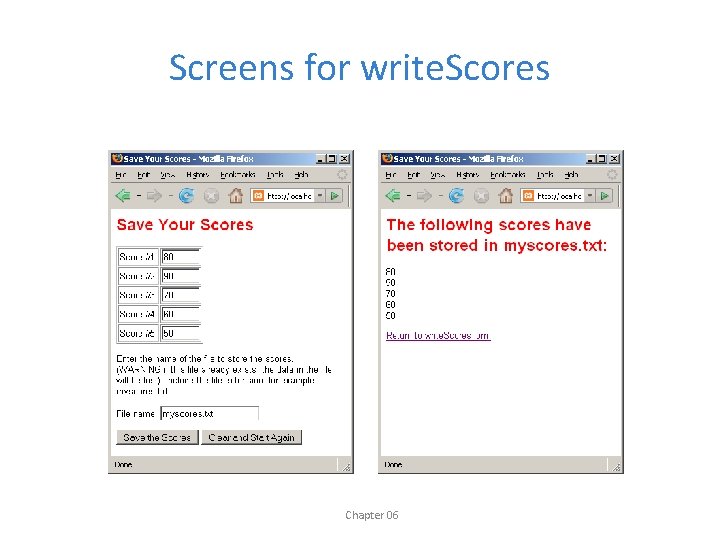
Writing Data to Text Files write. Scores requirement: Write a program that asks the user for five student scores and the name of a file to store them. The program should receive the scores, store them in the file that the user specified (each score on a separate line) and report back to the user. (NOTE: We will need to use an HTML form to get the input. . ) Chapter 06
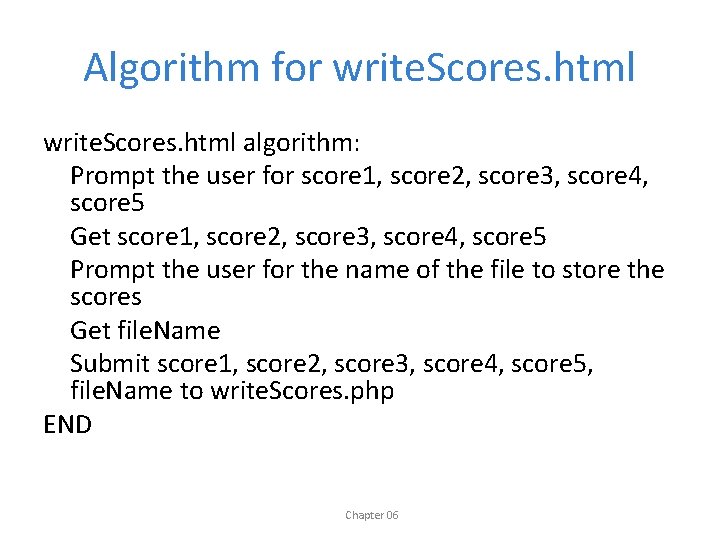
Algorithm for write. Scores. html algorithm: Prompt the user for score 1, score 2, score 3, score 4, score 5 Get score 1, score 2, score 3, score 4, score 5 Prompt the user for the name of the file to store the scores Get file. Name Submit score 1, score 2, score 3, score 4, score 5, file. Name to write. Scores. php END Chapter 06
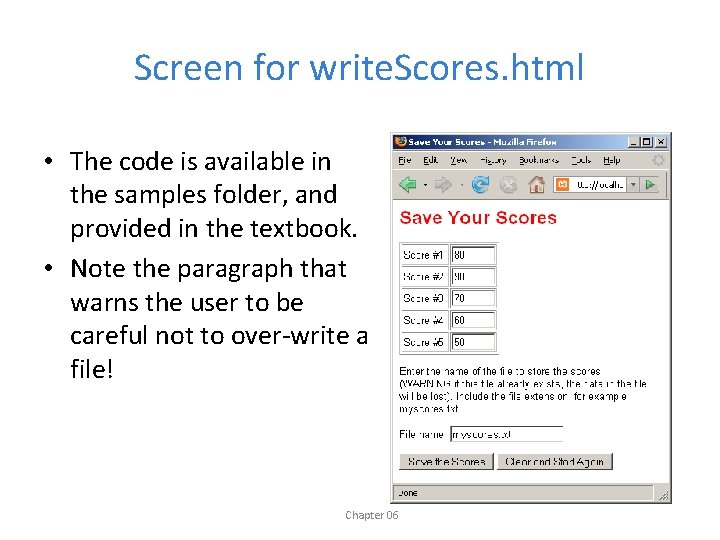
Screen for write. Scores. html • The code is available in the samples folder, and provided in the textbook. • Note the paragraph that warns the user to be careful not to over-write a file! Chapter 06
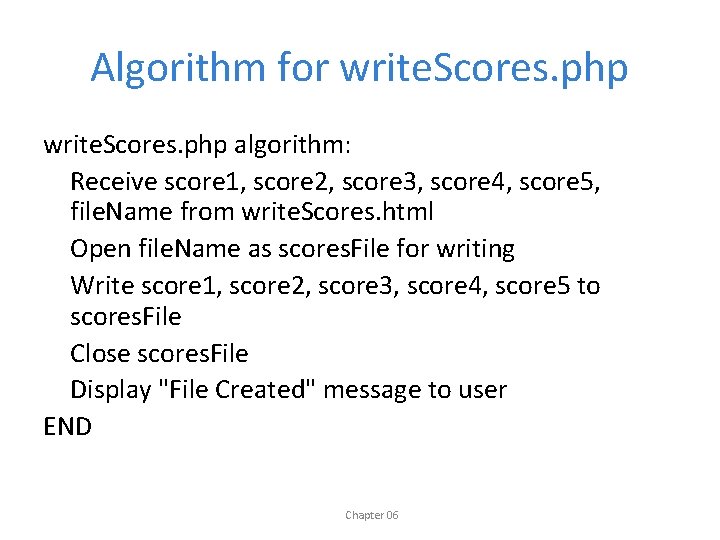
Algorithm for write. Scores. php algorithm: Receive score 1, score 2, score 3, score 4, score 5, file. Name from write. Scores. html Open file. Name as scores. File for writing Write score 1, score 2, score 3, score 4, score 5 to scores. File Close scores. File Display "File Created" message to user END Chapter 06
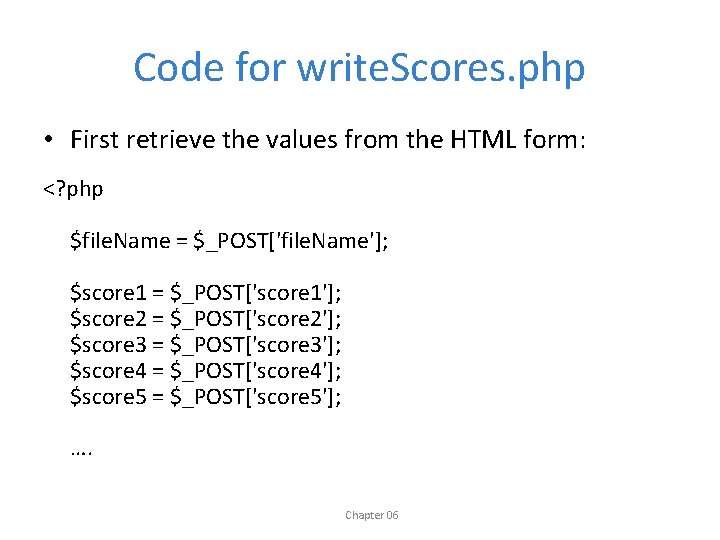
Code for write. Scores. php • First retrieve the values from the HTML form: <? php $file. Name = $_POST['file. Name']; $score 1 = $_POST['score 1']; $score 2 = $_POST['score 2']; $score 3 = $_POST['score 3']; $score 4 = $_POST['score 4']; $score 5 = $_POST['score 5']; …. Chapter 06
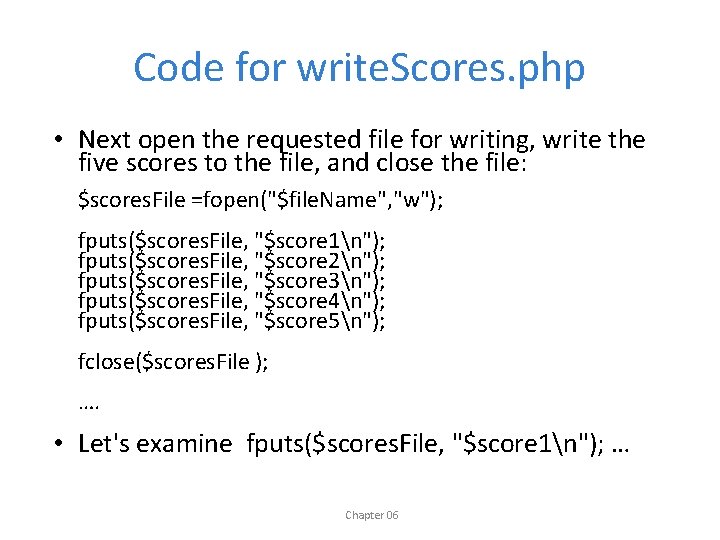
Code for write. Scores. php • Next open the requested file for writing, write the five scores to the file, and close the file: $scores. File =fopen("$file. Name", "w"); fputs($scores. File, "$score 1n"); fputs($scores. File, "$score 2n"); fputs($scores. File, "$score 3n"); fputs($scores. File, "$score 4n"); fputs($scores. File, "$score 5n"); fclose($scores. File ); …. • Let's examine fputs($scores. File, "$score 1n"); … Chapter 06
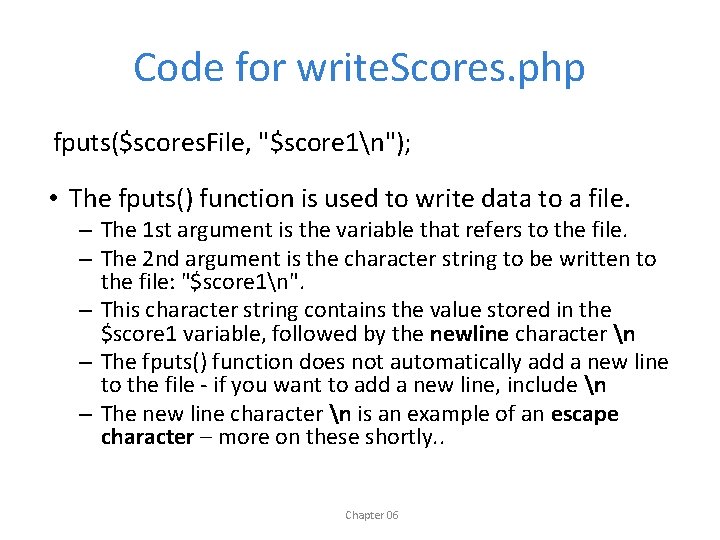
Code for write. Scores. php fputs($scores. File, "$score 1n"); • The fputs() function is used to write data to a file. – The 1 st argument is the variable that refers to the file. – The 2 nd argument is the character string to be written to the file: "$score 1n". – This character string contains the value stored in the $score 1 variable, followed by the newline character n – The fputs() function does not automatically add a new line to the file - if you want to add a new line, include n – The new line character n is an example of an escape character – more on these shortly. . Chapter 06
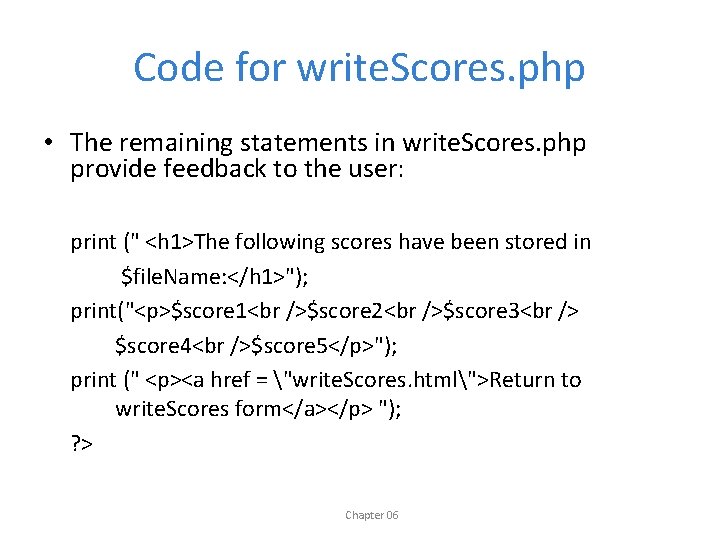
Code for write. Scores. php • The remaining statements in write. Scores. php provide feedback to the user: print (" <h 1>The following scores have been stored in $file. Name: </h 1>"); print("<p>$score 1<br />$score 2<br />$score 3<br /> $score 4<br />$score 5</p>"); print (" <p><a href = "write. Scores. html">Return to write. Scores form</a></p> "); ? > Chapter 06
Screens for write. Scores Chapter 06
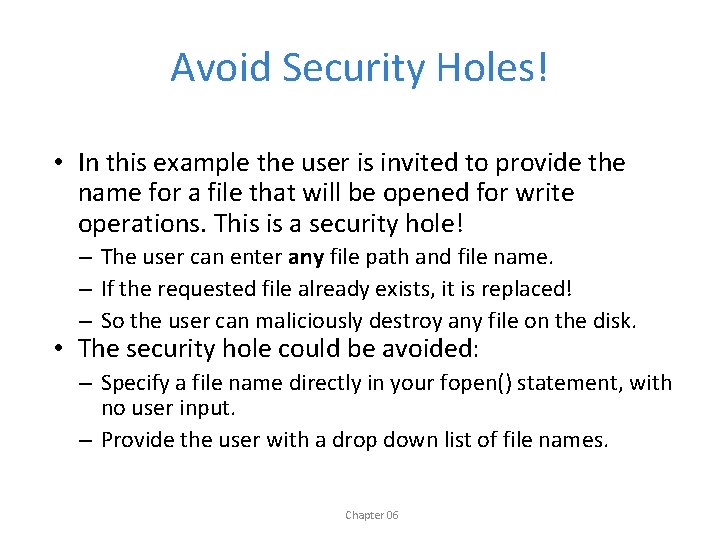
Avoid Security Holes! • In this example the user is invited to provide the name for a file that will be opened for write operations. This is a security hole! – The user can enter any file path and file name. – If the requested file already exists, it is replaced! – So the user can maliciously destroy any file on the disk. • The security hole could be avoided: – Specify a file name directly in your fopen() statement, with no user input. – Provide the user with a drop down list of file names. Chapter 06
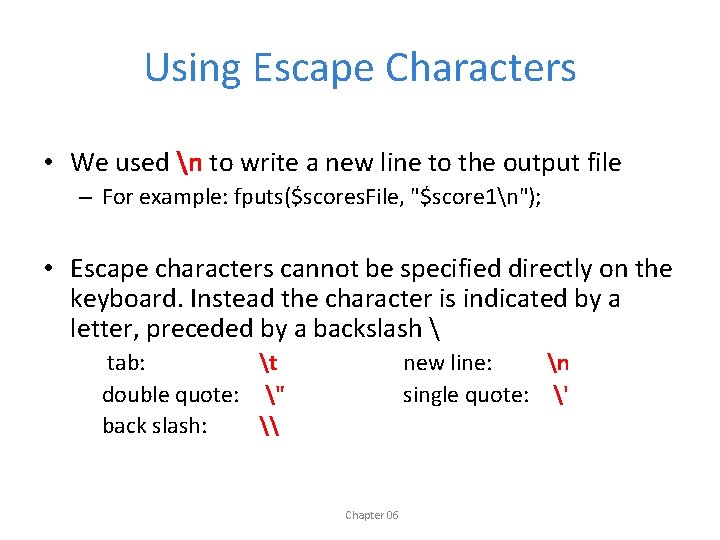
Using Escape Characters • We used n to write a new line to the output file – For example: fputs($scores. File, "$score 1n"); • Escape characters cannot be specified directly on the keyboard. Instead the character is indicated by a letter, preceded by a backslash tab: t double quote: " back slash: \ new line: n single quote: ' Chapter 06
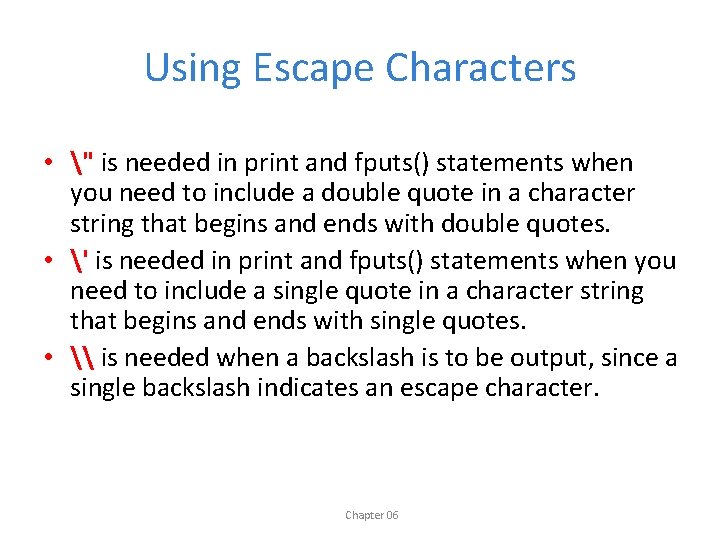
Using Escape Characters • " is needed in print and fputs() statements when you need to include a double quote in a character string that begins and ends with double quotes. • ' is needed in print and fputs() statements when you need to include a single quote in a character string that begins and ends with single quotes. • \ is needed when a backslash is to be output, since a single backslash indicates an escape character. Chapter 06
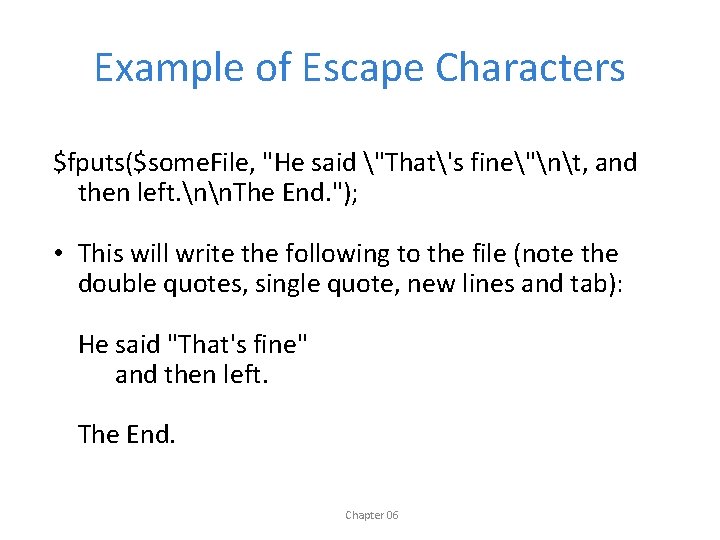
Example of Escape Characters $fputs($some. File, "He said "That's fine"nt, and then left. nn. The End. "); • This will write the following to the file (note the double quotes, single quote, new lines and tab): He said "That's fine" and then left. The End. Chapter 06
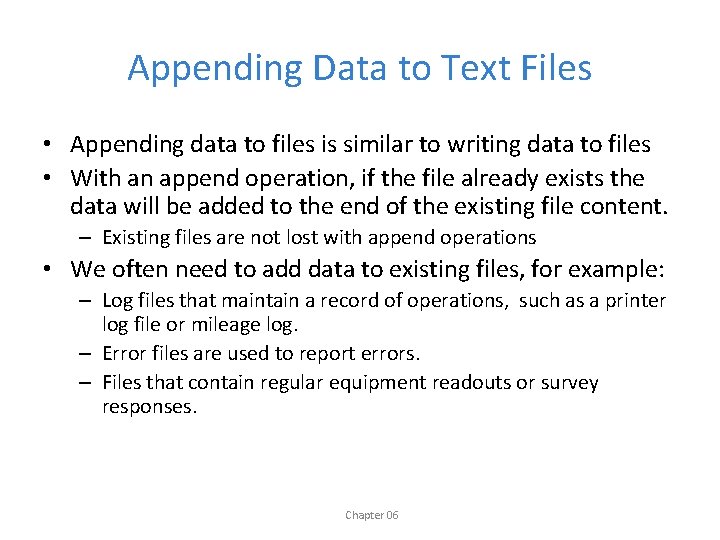
Appending Data to Text Files • Appending data to files is similar to writing data to files • With an append operation, if the file already exists the data will be added to the end of the existing file content. – Existing files are not lost with append operations • We often need to add data to existing files, for example: – Log files that maintain a record of operations, such as a printer log file or mileage log. – Error files are used to report errors. – Files that contain regular equipment readouts or survey responses. Chapter 06
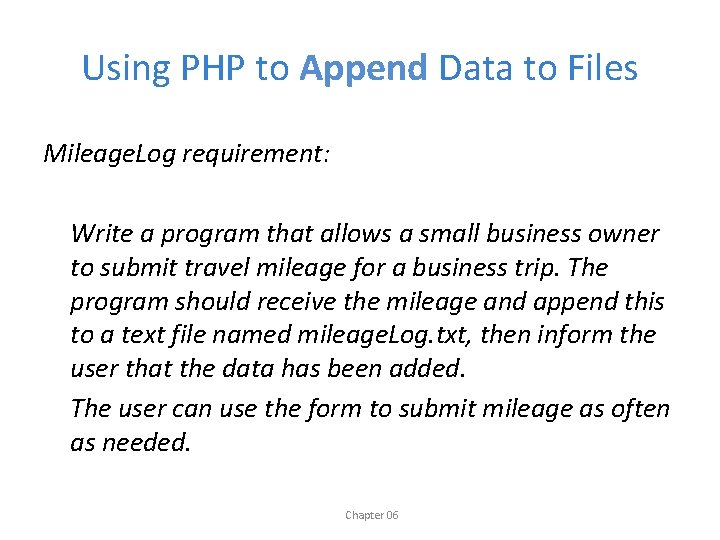
Using PHP to Append Data to Files Mileage. Log requirement: Write a program that allows a small business owner to submit travel mileage for a business trip. The program should receive the mileage and append this to a text file named mileage. Log. txt, then inform the user that the data has been added. The user can use the form to submit mileage as often as needed. Chapter 06
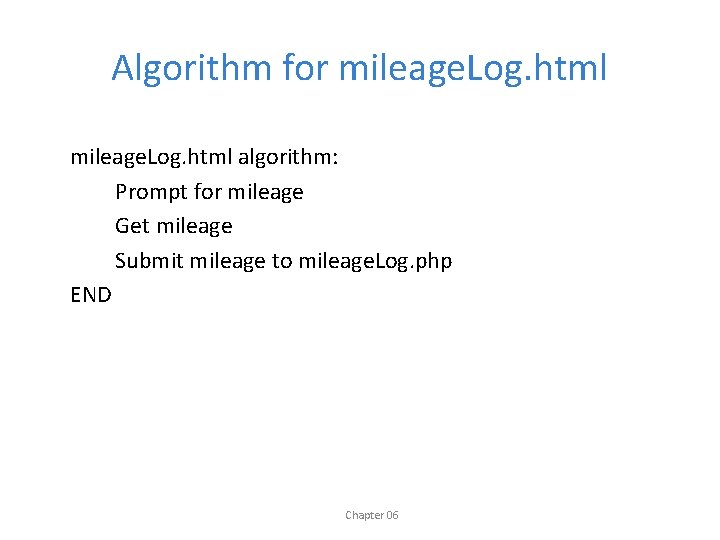
Algorithm for mileage. Log. html algorithm: Prompt for mileage Get mileage Submit mileage to mileage. Log. php END Chapter 06
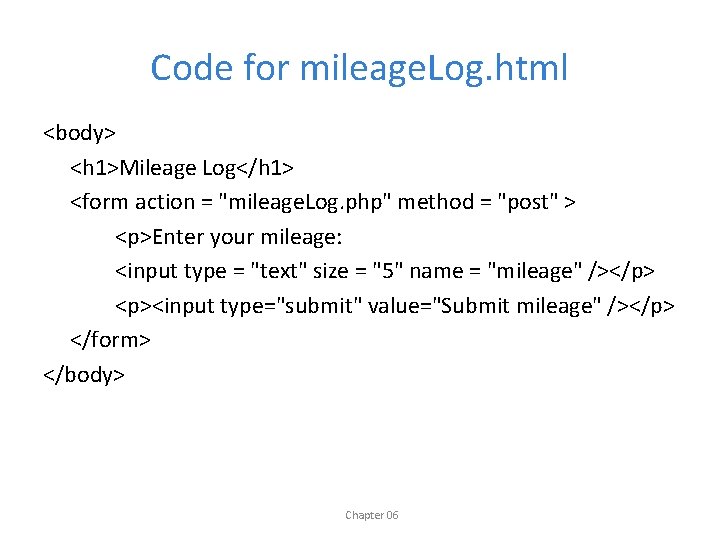
Code for mileage. Log. html <body> <h 1>Mileage Log</h 1> <form action = "mileage. Log. php" method = "post" > <p>Enter your mileage: <input type = "text" size = "5" name = "mileage" /></p> <p><input type="submit" value="Submit mileage" /></p> </form> </body> Chapter 06
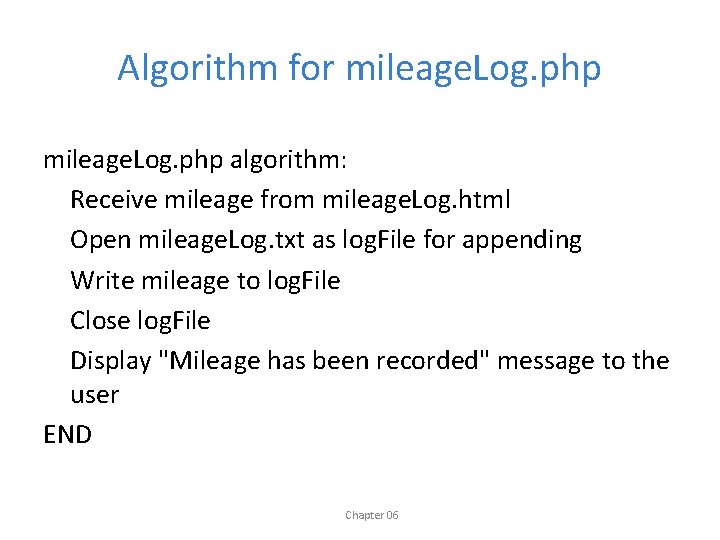
Algorithm for mileage. Log. php algorithm: Receive mileage from mileage. Log. html Open mileage. Log. txt as log. File for appending Write mileage to log. File Close log. File Display "Mileage has been recorded" message to the user END Chapter 06
![Code for mileage. Log. php <? php $ mileage = $_POST['mileage']; $log. File =fopen("mileage.](http://slidetodoc.com/presentation_image_h/0450379d48b3be354008598fb41cbd5a/image-49.jpg "Code for mileage. Log. php <? php $ mileage = $_POST['mileage']; $log. File =fopen(\"mileage.")
Code for mileage. Log. php <? php $ mileage = $_POST['mileage']; $log. File =fopen("mileage. Log. txt", "a"); fputs($log. File, "$mileagen"); fclose($log. File ); print (" <h 1>Your mileage submission ($mileage) has been recorded: </h 1>"); print (" <p><a href = "mileage. Log. html">Submit another mileage</a></p> "); ? > Chapter 06
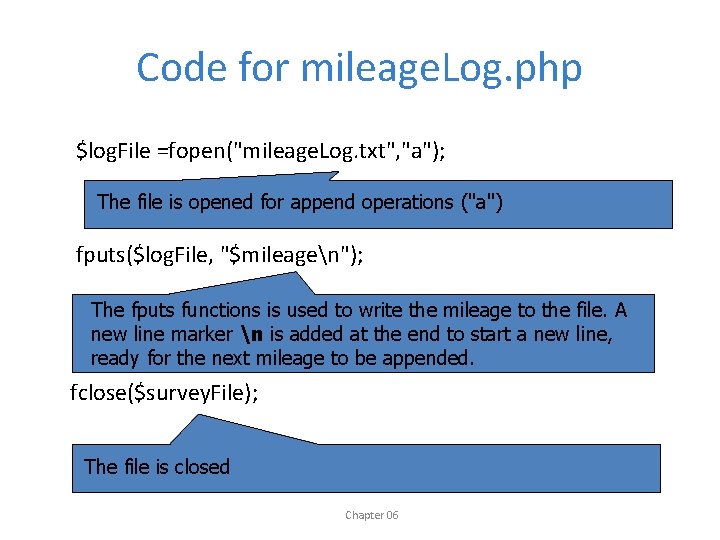
Code for mileage. Log. php $log. File =fopen("mileage. Log. txt", "a"); The file is opened for append operations ("a") fputs($log. File, "$mileagen"); The fputs functions is used to write the mileage to the file. A new line marker n is added at the end to start a new line, ready for the next mileage to be appended. fclose($survey. File); The file is closed Chapter 06
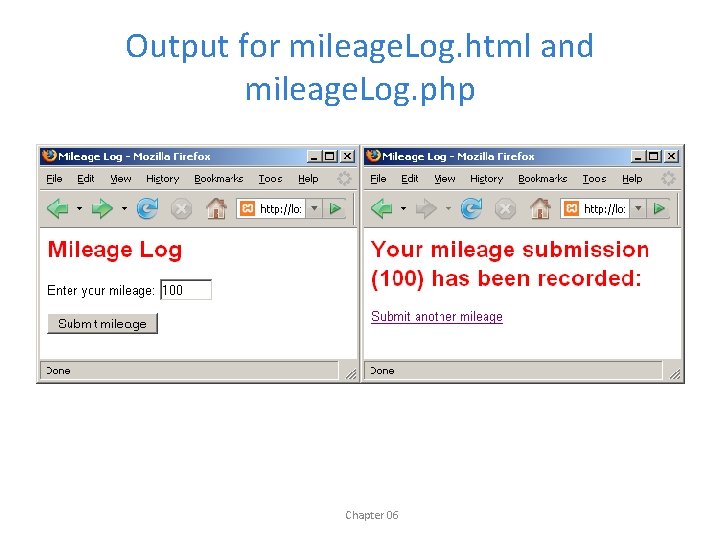
Output for mileage. Log. html and mileage. Log. php Chapter 06
Lines with Multiple Data Values • We have seen how to process files with a single data value on each line (scores, mileage amounts). – Use fgets() to read an entire line from a file – Use fputs() to write or append a line to a file, with the n character to add new lines where necessary. • Now we will look at processing files with multiple data values on each line. . Chapter 06
wage. Report 1 Requirement wage. Report 1 requirement: write a program that reads an employee timesheet record from a file named timesheet. txt. The file contains the employee's first name, last name, hours worked and hourly wage on a single line, for example: Mike: Smith: 20: 12. 55 The program should read the line and calculate and display the weekly wage. Chapter 06
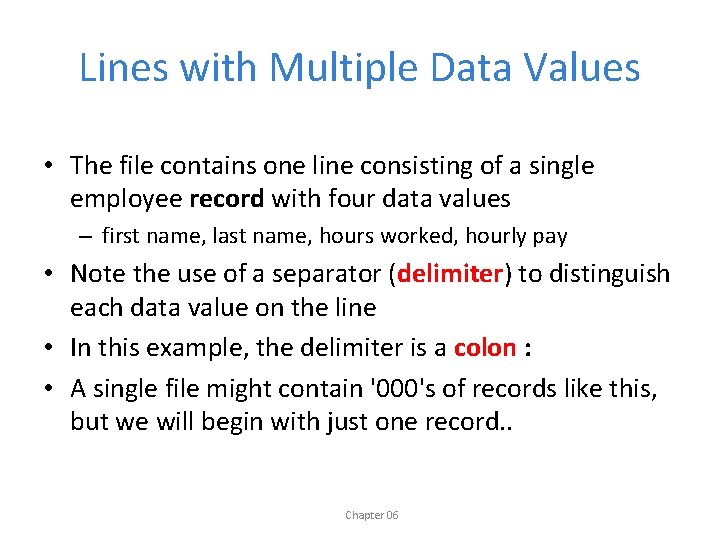
Lines with Multiple Data Values • The file contains one line consisting of a single employee record with four data values – first name, last name, hours worked, hourly pay • Note the use of a separator (delimiter) to distinguish each data value on the line • In this example, the delimiter is a colon : • A single file might contain '000's of records like this, but we will begin with just one record. . Chapter 06
Parsing a Line with Multiple Data Values • The fgets() function always reads an entire line from the file. • We use fgets() to read the entire line from the file into a variable, but now we must parse the line to extract the four data values • Parsing is the process of searching text to extract specific data items. Chapter 06
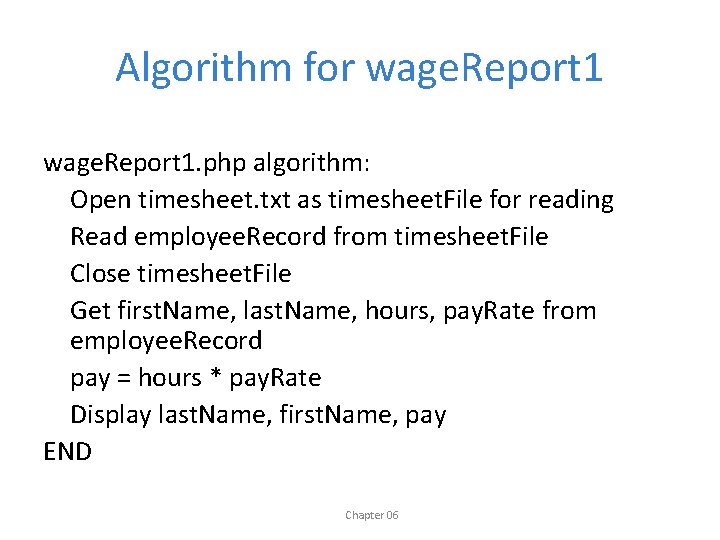
Algorithm for wage. Report 1. php algorithm: Open timesheet. txt as timesheet. File for reading Read employee. Record from timesheet. File Close timesheet. File Get first. Name, last. Name, hours, pay. Rate from employee. Record pay = hours * pay. Rate Display last. Name, first. Name, pay END Chapter 06
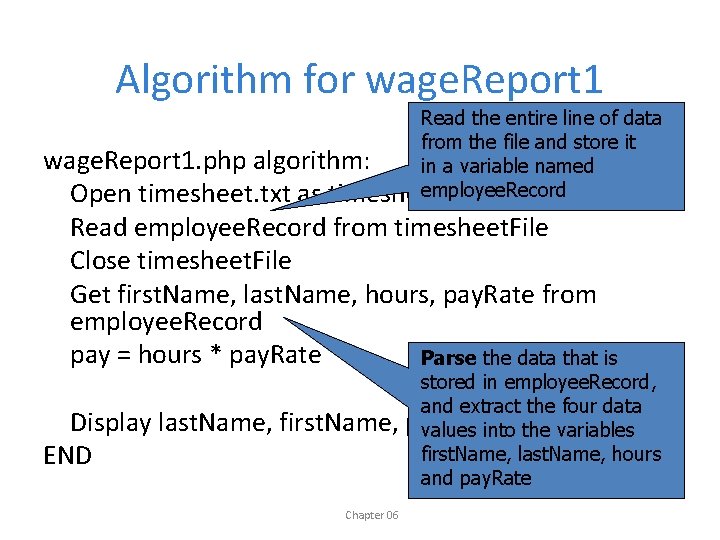
Algorithm for wage. Report 1 Read the entire line of data from the file and store it wage. Report 1. php algorithm: in a variable named employee. Record Open timesheet. txt as timesheet. File for reading Read employee. Record from timesheet. File Close timesheet. File Get first. Name, last. Name, hours, pay. Rate from employee. Record pay = hours * pay. Rate Parse the data that is stored in employee. Record, and extract the four data Display last. Name, first. Name, pay values into the variables first. Name, last. Name, hours END and pay. Rate Chapter 06
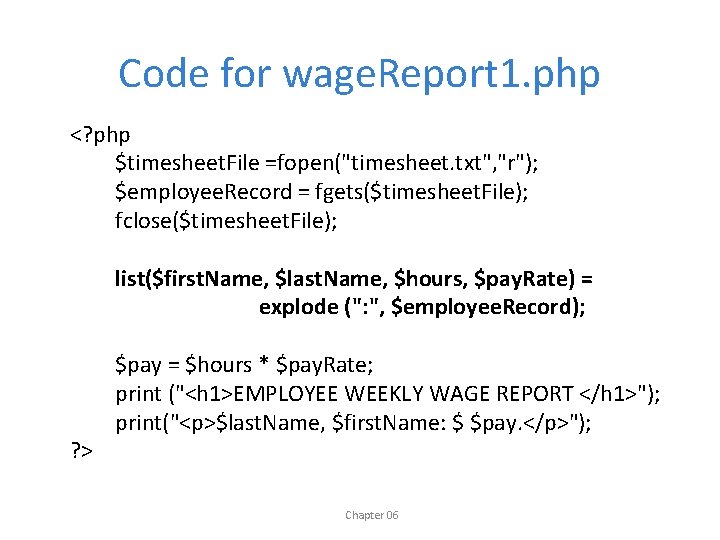
Code for wage. Report 1. php <? php $timesheet. File =fopen("timesheet. txt", "r"); $employee. Record = fgets($timesheet. File); fclose($timesheet. File); list($first. Name, $last. Name, $hours, $pay. Rate) = explode (": ", $employee. Record); ? > $pay = $hours * $pay. Rate; print ("<h 1>EMPLOYEE WEEKLY WAGE REPORT </h 1>"); print("<p>$last. Name, $first. Name: $ $pay. </p>"); Chapter 06
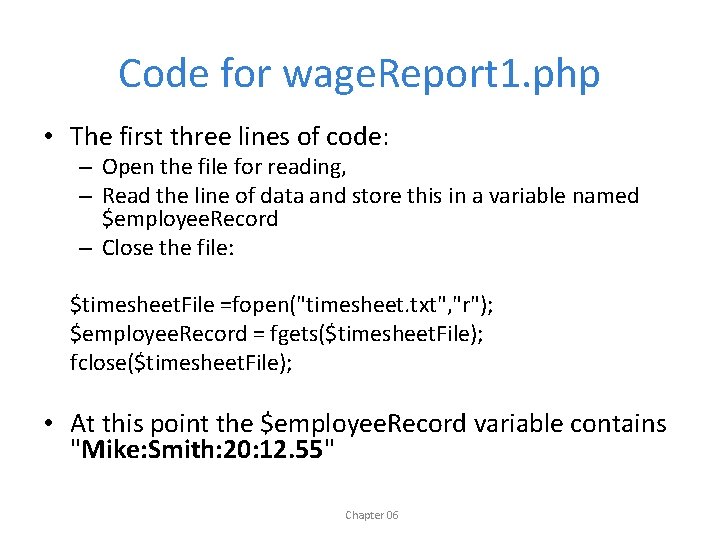
Code for wage. Report 1. php • The first three lines of code: – Open the file for reading, – Read the line of data and store this in a variable named $employee. Record – Close the file: $timesheet. File =fopen("timesheet. txt", "r"); $employee. Record = fgets($timesheet. File); fclose($timesheet. File); • At this point the $employee. Record variable contains "Mike: Smith: 20: 12. 55" Chapter 06
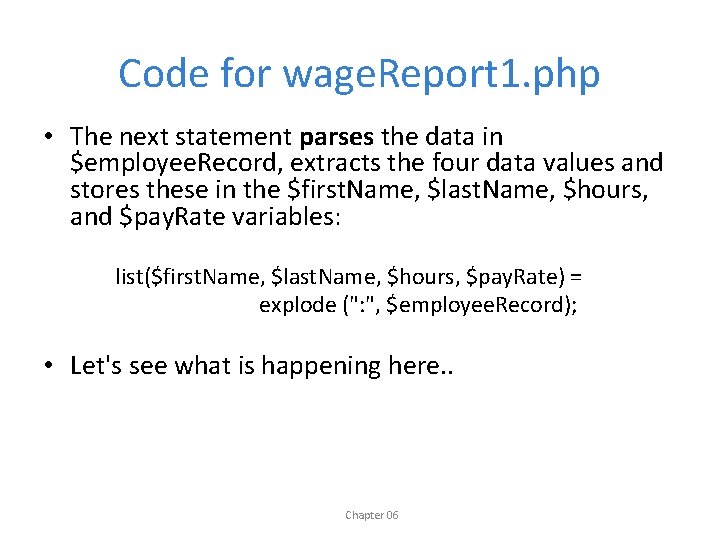
Code for wage. Report 1. php • The next statement parses the data in $employee. Record, extracts the four data values and stores these in the $first. Name, $last. Name, $hours, and $pay. Rate variables: list($first. Name, $last. Name, $hours, $pay. Rate) = explode (": ", $employee. Record); • Let's see what is happening here. . Chapter 06
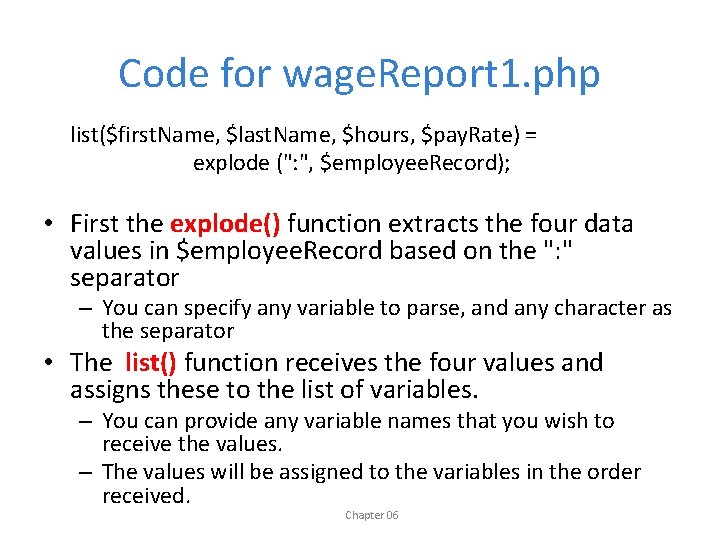
Code for wage. Report 1. php list($first. Name, $last. Name, $hours, $pay. Rate) = explode (": ", $employee. Record); • First the explode() function extracts the four data values in $employee. Record based on the ": " separator – You can specify any variable to parse, and any character as the separator • The list() function receives the four values and assigns these to the list of variables. – You can provide any variable names that you wish to receive the values. – The values will be assigned to the variables in the order received. Chapter 06
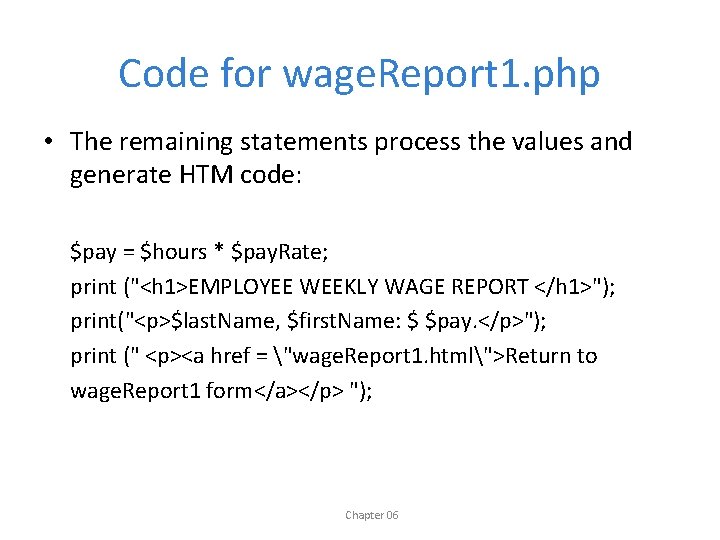
Code for wage. Report 1. php • The remaining statements process the values and generate HTM code: $pay = $hours * $pay. Rate; print ("<h 1>EMPLOYEE WEEKLY WAGE REPORT </h 1>"); print("<p>$last. Name, $first. Name: $ $pay. </p>"); print (" <p><a href = "wage. Report 1. html">Return to wage. Report 1 form</a></p> "); Chapter 06
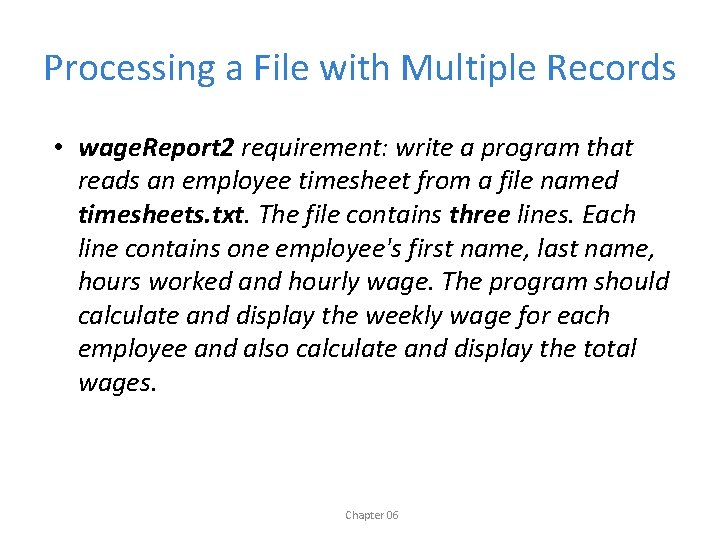
Processing a File with Multiple Records • wage. Report 2 requirement: write a program that reads an employee timesheet from a file named timesheets. txt. The file contains three lines. Each line contains one employee's first name, last name, hours worked and hourly wage. The program should calculate and display the weekly wage for each employee and also calculate and display the total wages. Chapter 06
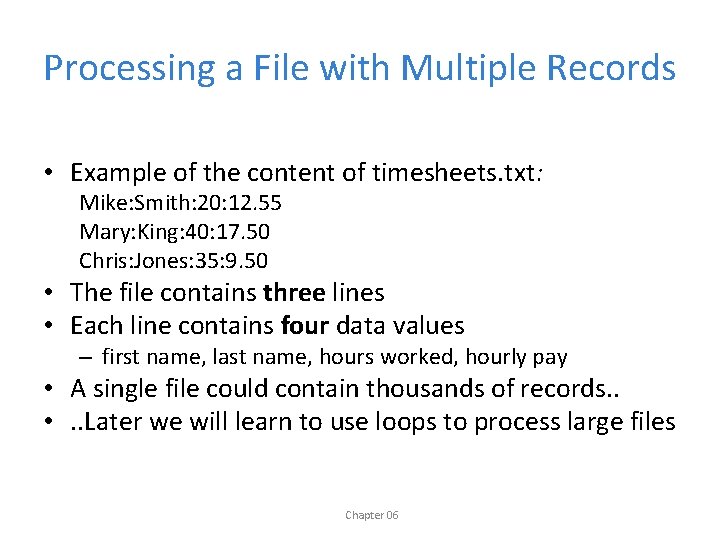
Processing a File with Multiple Records • Example of the content of timesheets. txt: Mike: Smith: 20: 12. 55 Mary: King: 40: 17. 50 Chris: Jones: 35: 9. 50 • The file contains three lines • Each line contains four data values – first name, last name, hours worked, hourly pay • A single file could contain thousands of records. . • . . Later we will learn to use loops to process large files Chapter 06
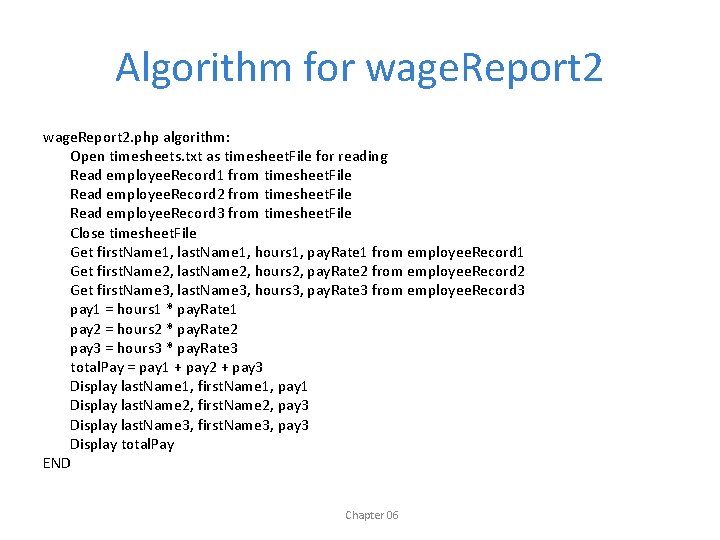
Algorithm for wage. Report 2. php algorithm: Open timesheets. txt as timesheet. File for reading Read employee. Record 1 from timesheet. File Read employee. Record 2 from timesheet. File Read employee. Record 3 from timesheet. File Close timesheet. File Get first. Name 1, last. Name 1, hours 1, pay. Rate 1 from employee. Record 1 Get first. Name 2, last. Name 2, hours 2, pay. Rate 2 from employee. Record 2 Get first. Name 3, last. Name 3, hours 3, pay. Rate 3 from employee. Record 3 pay 1 = hours 1 * pay. Rate 1 pay 2 = hours 2 * pay. Rate 2 pay 3 = hours 3 * pay. Rate 3 total. Pay = pay 1 + pay 2 + pay 3 Display last. Name 1, first. Name 1, pay 1 Display last. Name 2, first. Name 2, pay 3 Display last. Name 3, first. Name 3, pay 3 Display total. Pay END Chapter 06
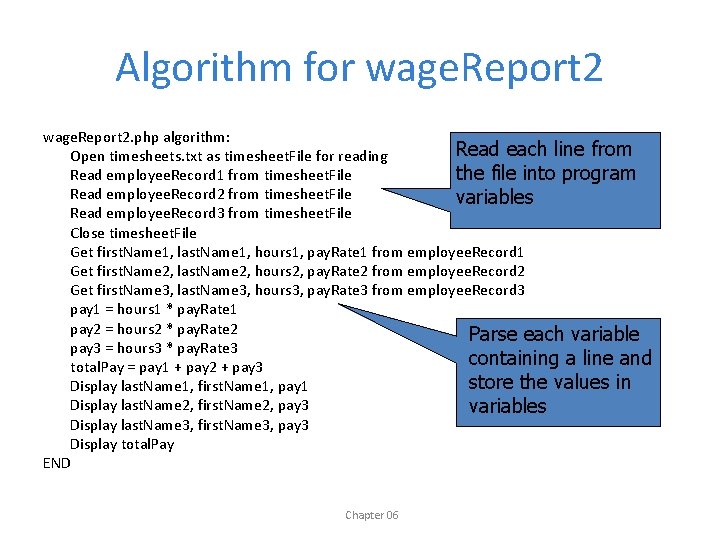
Algorithm for wage. Report 2. php algorithm: Read each line from Open timesheets. txt as timesheet. File for reading Read employee. Record 1 from timesheet. File the file into program Read employee. Record 2 from timesheet. File variables Read employee. Record 3 from timesheet. File Close timesheet. File Get first. Name 1, last. Name 1, hours 1, pay. Rate 1 from employee. Record 1 Get first. Name 2, last. Name 2, hours 2, pay. Rate 2 from employee. Record 2 Get first. Name 3, last. Name 3, hours 3, pay. Rate 3 from employee. Record 3 pay 1 = hours 1 * pay. Rate 1 pay 2 = hours 2 * pay. Rate 2 Parse each variable pay 3 = hours 3 * pay. Rate 3 containing a line and total. Pay = pay 1 + pay 2 + pay 3 store the values in Display last. Name 1, first. Name 1, pay 1 Display last. Name 2, first. Name 2, pay 3 variables Display last. Name 3, first. Name 3, pay 3 Display total. Pay END Chapter 06
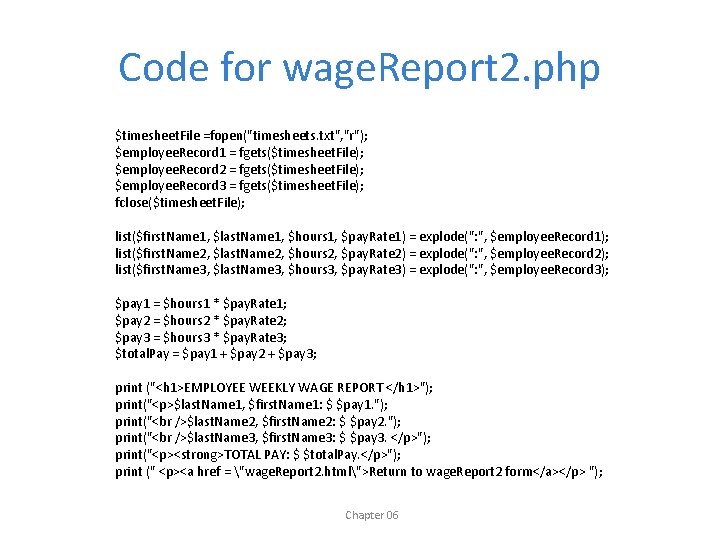
Code for wage. Report 2. php $timesheet. File =fopen("timesheets. txt", "r"); $employee. Record 1 = fgets($timesheet. File); $employee. Record 2 = fgets($timesheet. File); $employee. Record 3 = fgets($timesheet. File); fclose($timesheet. File); list($first. Name 1, $last. Name 1, $hours 1, $pay. Rate 1) = explode(": ", $employee. Record 1); list($first. Name 2, $last. Name 2, $hours 2, $pay. Rate 2) = explode(": ", $employee. Record 2); list($first. Name 3, $last. Name 3, $hours 3, $pay. Rate 3) = explode(": ", $employee. Record 3); $pay 1 = $hours 1 * $pay. Rate 1; $pay 2 = $hours 2 * $pay. Rate 2; $pay 3 = $hours 3 * $pay. Rate 3; $total. Pay = $pay 1 + $pay 2 + $pay 3; print ("<h 1>EMPLOYEE WEEKLY WAGE REPORT </h 1>"); print("<p>$last. Name 1, $first. Name 1: $ $pay 1. "); print("<br />$last. Name 2, $first. Name 2: $ $pay 2. "); print("<br />$last. Name 3, $first. Name 3: $ $pay 3. </p>"); print("<p><strong>TOTAL PAY: $ $total. Pay. </p>"); print (" <p><a href = "wage. Report 2. html">Return to wage. Report 2 form</a></p> "); Chapter 06
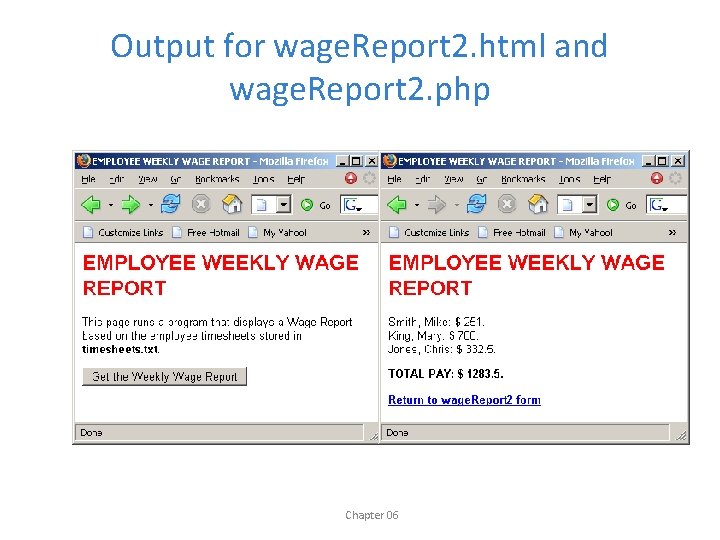
Output for wage. Report 2. html and wage. Report 2. php Chapter 06
Appending Records to a File • We must also often append records to a file, with multiple data values on each line. • This is no different than our previous write operations, we simply include the separator characters in our fputs() statements. • Here is a useful program that allows users to take a survey. Each user's survey response is appended as a single line to a file. . Chapter 06
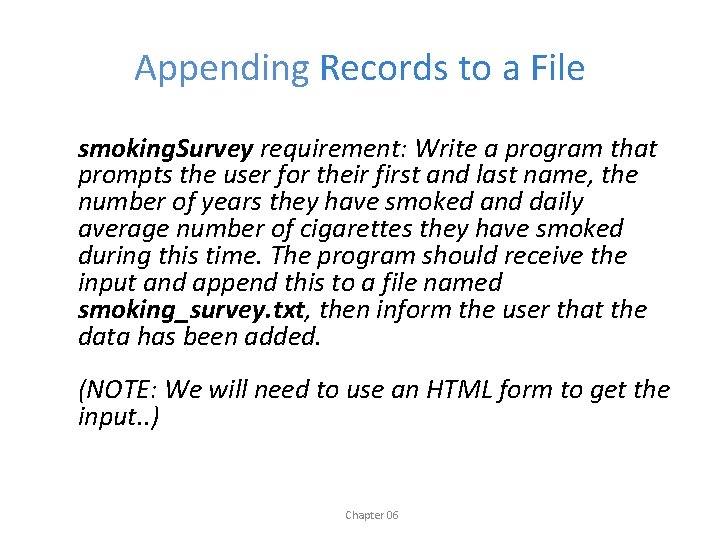
Appending Records to a File smoking. Survey requirement: Write a program that prompts the user for their first and last name, the number of years they have smoked and daily average number of cigarettes they have smoked during this time. The program should receive the input and append this to a file named smoking_survey. txt, then inform the user that the data has been added. (NOTE: We will need to use an HTML form to get the input. . ) Chapter 06
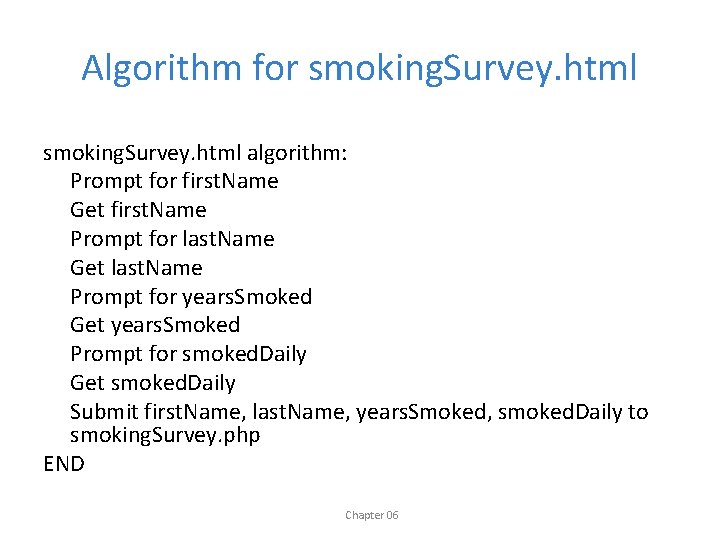
Algorithm for smoking. Survey. html algorithm: Prompt for first. Name Get first. Name Prompt for last. Name Get last. Name Prompt for years. Smoked Get years. Smoked Prompt for smoked. Daily Get smoked. Daily Submit first. Name, last. Name, years. Smoked, smoked. Daily to smoking. Survey. php END Chapter 06
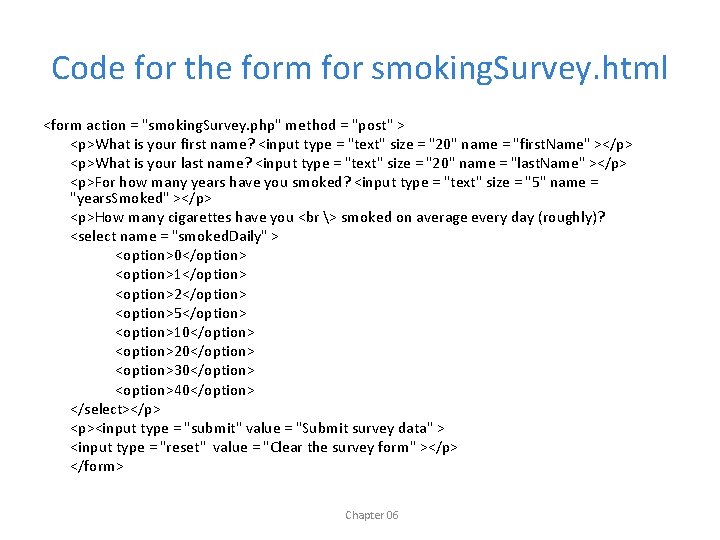
Code for the form for smoking. Survey. html <form action = "smoking. Survey. php" method = "post" > <p>What is your first name? <input type = "text" size = "20" name = "first. Name" ></p> <p>What is your last name? <input type = "text" size = "20" name = "last. Name" ></p> <p>For how many years have you smoked? <input type = "text" size = "5" name = "years. Smoked" ></p> <p>How many cigarettes have you <br > smoked on average every day (roughly)? <select name = "smoked. Daily" > <option>0</option> <option>1</option> <option>2</option> <option>5</option> <option>10</option> <option>20</option> <option>30</option> <option>40</option> </select></p> <p><input type = "submit" value = "Submit survey data" > <input type = "reset" value = "Clear the survey form" ></p> </form> Chapter 06
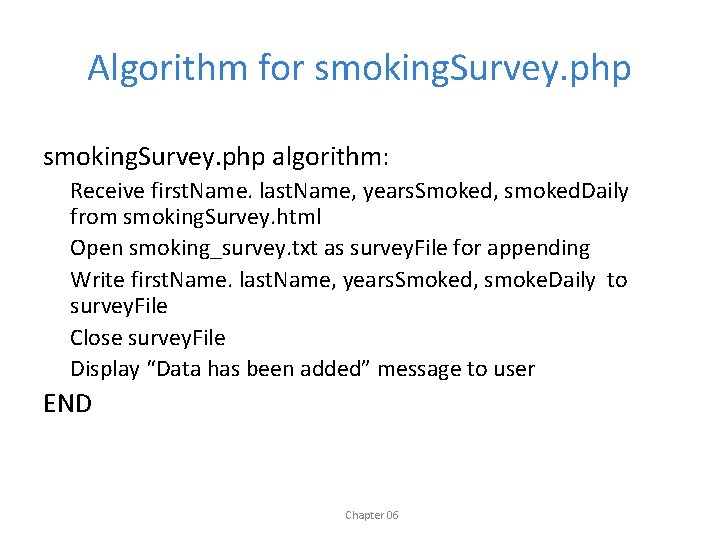
Algorithm for smoking. Survey. php algorithm: Receive first. Name. last. Name, years. Smoked, smoked. Daily from smoking. Survey. html Open smoking_survey. txt as survey. File for appending Write first. Name. last. Name, years. Smoked, smoke. Daily to survey. File Close survey. File Display “Data has been added” message to user END Chapter 06
![Code for smoking. Survey. php <? php $years. Smoked = $_POST['years. Smoked']; $smoked. Daily](http://slidetodoc.com/presentation_image_h/0450379d48b3be354008598fb41cbd5a/image-74.jpg "Code for smoking. Survey. php <? php $years. Smoked = $_POST['years. Smoked']; $smoked. Daily")
Code for smoking. Survey. php <? php $years. Smoked = $_POST['years. Smoked']; $smoked. Daily = $_POST['smoked. Daily']; $first. Name = $_POST['first. Name']; $last. Name = $_POST['last. Name']; Extract the user's inputs from the $_POST array $survey. File =fopen("smoking_survey. txt", "a"); fputs($survey. File, "$first. Name: $last. Name: $years. Smoked: $smoked. Dailyn"); fclose($survey. File); print("<h 1>Thank you for participating!</h 1>"); print("<p>Your data has been added to our survey. </p>"); ? > Chapter 06
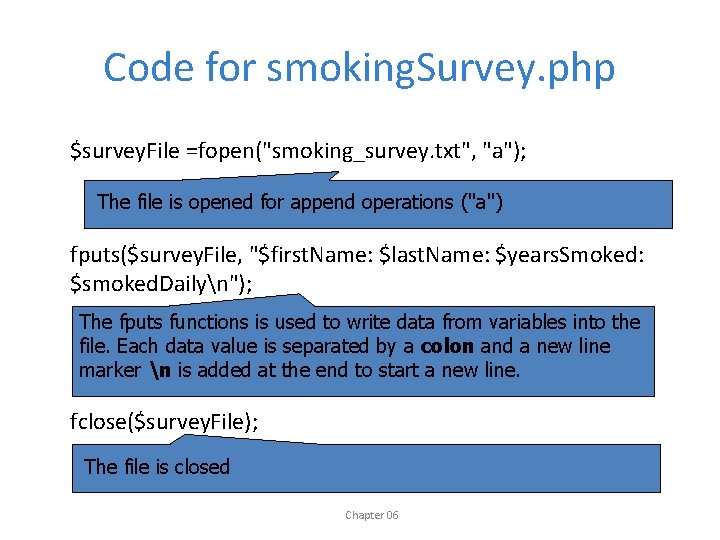
Code for smoking. Survey. php $survey. File =fopen("smoking_survey. txt", "a"); The file is opened for append operations ("a") fputs($survey. File, "$first. Name: $last. Name: $years. Smoked: $smoked. Dailyn"); The fputs functions is used to write data from variables into the file. Each data value is separated by a colon and a new line marker n is added at the end to start a new line. fclose($survey. File); The file is closed Chapter 06
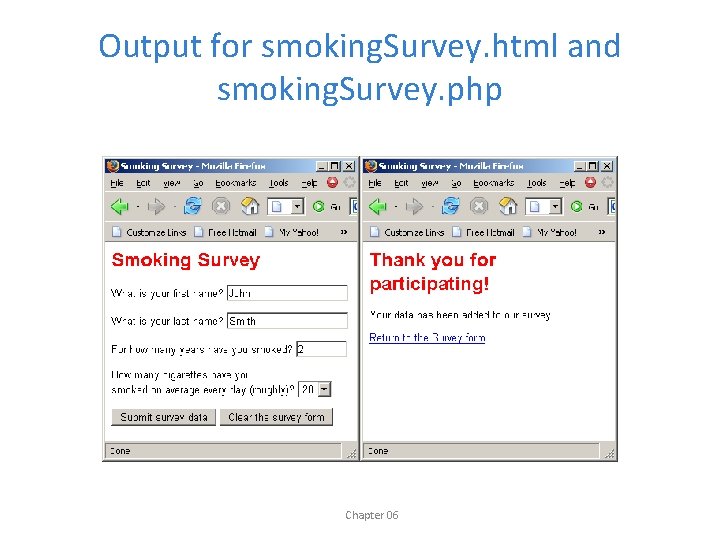
Output for smoking. Survey. html and smoking. Survey. php Chapter 06
Using smoking. Survey • Try running smoking. Survey. html and enter a new survey each time • Check the contents of smoking_survey. txt after each survey is submitted and see the file grow. • Later we will process this file and generate a report Chapter 06
Working with Multiple Files • A program can open multiple files at the same time, depending on the program requirements. – These files may be opened for reading, writing, or appending, in any combination • Don't leave any file open longer than necessary • Functions such as fopen(), fgets(), fputs() and fclose() must reference the correct file! • For an example of a program that reads from one file and writes to another, see: wage. Report 3. html and wage. Report 3. php Chapter 06

Chapter 06
- Slides: 79