
A Tutorial Designing Cluster Computers and High Performance
- Slides: 58
A Tutorial Designing Cluster Computers and High Performance Storage Architectures At HPC ASIA 2002, Bangalore INDIA December 16, 2002 By Dheeraj Bhardwaj N. Seetharama Krishna Department of Computer Science & Engineering Indian Institute of Technology, Delhi INDIA e-mail: dheerajb@cse. iits. ac. in Centre for Development of Advanced Computing Pune University Campus, Pune INDIA e-mail: krishna@cdacindia. com Dheeraj Bhardwaj <dheerajb@cse. iitd. ac. in> N. Seetharama Krishna 1
Acknowledgments • All the contributors of LINUX • All the contributors of Cluster Technology • All the contributors in the art and science of parallel computing • Department of Computer Science & Engineering, IIT Delhi • Centre for Development of Advanced Computing, (CDAC) and collaborators Dheeraj Bhardwaj <dheerajb@cse. iitd. ac. in> N. Seetharama Krishna 2
Disclaimer • The information and examples provided are based on the Red Hat Linux 7. 2 installation on the Intel PCs platforms ( our specific hardware specifications) • Much of it should be applicable to other versions of Linux, • There is no warranty that the materials are error free • Authors will not be held responsible for any direct, indirect, special, incidental or consequential damages related to any use of these materials Dheeraj Bhardwaj <dheerajb@cse. iitd. ac. in> N. Seetharama Krishna 3
Outline • Introduction • Overview of storage components • Overview of Storage Models • Files Systems • I/O • Designing the Storage Architectures • Discussions Dheeraj Bhardwaj <dheerajb@cse. iitd. ac. in> • Introduction • Brief history of storage technologies • Importance of storage subsystems • Recent requirements and developments N. Seetharama Krishna 4
Introduction Brief History of Storage Technologies - Make 2 -3 slides Dheeraj Bhardwaj <dheerajb@cse. iitd. ac. in> N. Seetharama Krishna 5
Introduction Importance of Storage Subsystems • Greater Demand from Technical and commercial users for – Higher capacity to meet the growing demands – Higher performance for meeting the increased user base – Very high performance to meet the balance between compute and I/O in technical computing. Dheeraj Bhardwaj <dheerajb@cse. iitd. ac. in> N. Seetharama Krishna 6
Introduction Importance of Storage Subsystems • Greater Demand from Technical and commercial users for – Manageability challenges for managing data • A large user base demands • Large capacity • Ever increasing demand for through put • Ever changing application configuration needs Dheeraj Bhardwaj <dheerajb@cse. iitd. ac. in> N. Seetharama Krishna 7
Introduction • Required Capabilities – Meet the demands of Multi Tera Flop Compute power – Scalable from 1 TF needs to 10 TF needs – Network-centered Architecture – Scalable in performance and capacity – Centralized back up and archive and management Dheeraj Bhardwaj <dheerajb@cse. iitd. ac. in> N. Seetharama Krishna 8
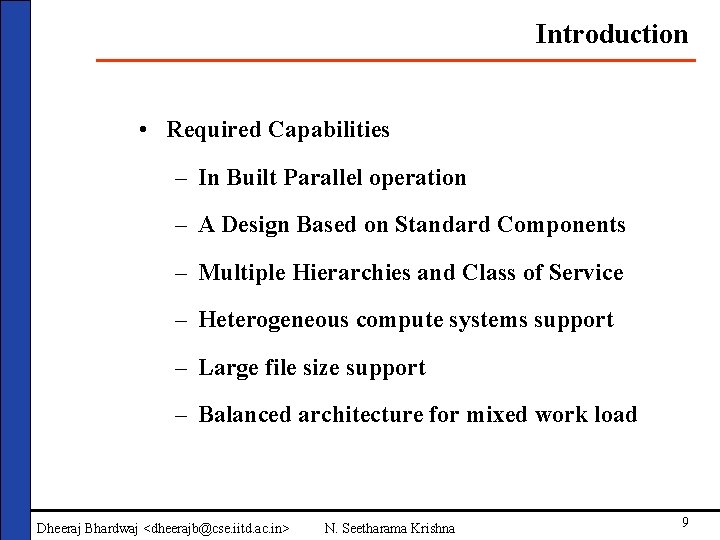
Introduction • Required Capabilities – In Built Parallel operation – A Design Based on Standard Components – Multiple Hierarchies and Class of Service – Heterogeneous compute systems support – Large file size support – Balanced architecture for mixed work load Dheeraj Bhardwaj <dheerajb@cse. iitd. ac. in> N. Seetharama Krishna 9
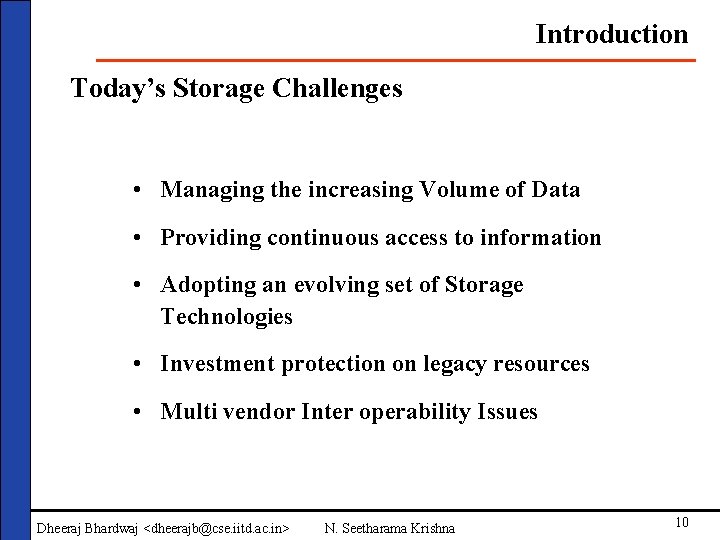
Introduction Today’s Storage Challenges • Managing the increasing Volume of Data • Providing continuous access to information • Adopting an evolving set of Storage Technologies • Investment protection on legacy resources • Multi vendor Inter operability Issues Dheeraj Bhardwaj <dheerajb@cse. iitd. ac. in> N. Seetharama Krishna 10
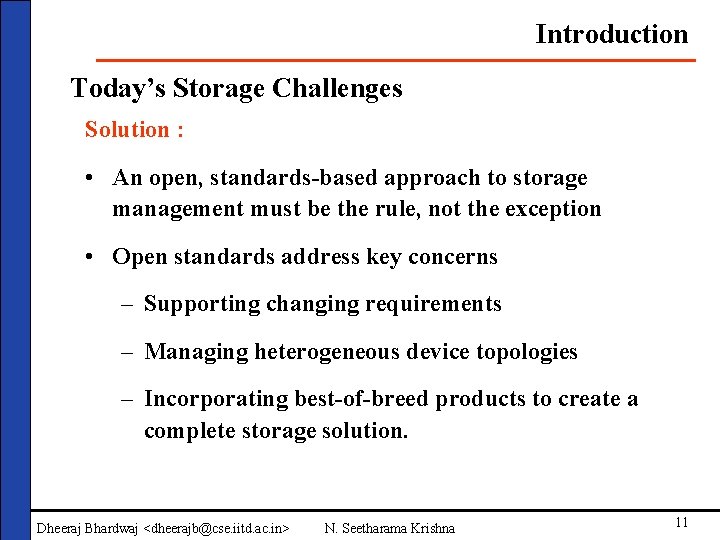
Introduction Today’s Storage Challenges Solution : • An open, standards-based approach to storage management must be the rule, not the exception • Open standards address key concerns – Supporting changing requirements – Managing heterogeneous device topologies – Incorporating best-of-breed products to create a complete storage solution. Dheeraj Bhardwaj <dheerajb@cse. iitd. ac. in> N. Seetharama Krishna 11
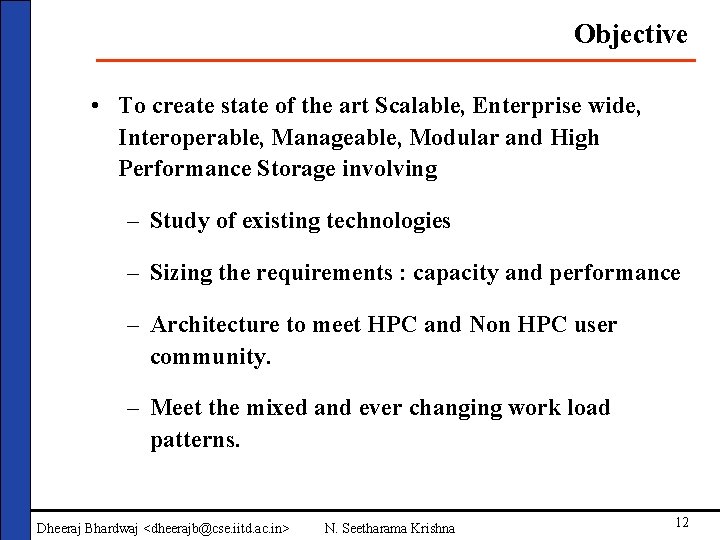
Objective • To create state of the art Scalable, Enterprise wide, Interoperable, Manageable, Modular and High Performance Storage involving – Study of existing technologies – Sizing the requirements : capacity and performance – Architecture to meet HPC and Non HPC user community. – Meet the mixed and ever changing work load patterns. Dheeraj Bhardwaj <dheerajb@cse. iitd. ac. in> N. Seetharama Krishna 12
Objective • To create state of the art Scalable, Enterprise wide, Interoperable, Manageable, Modular and High Performance Storage involving – Central storage facility accessible to authentic in house & remote users. – Central Back up facility to take backup of storage as well as local clients. – Cost effective Storage Solution Dheeraj Bhardwaj <dheerajb@cse. iitd. ac. in> N. Seetharama Krishna 13
Outline • Introduction • Overview of Storage Components • Overview of storage components • Disks • Overview of Storage Models • Interfaces • Files Systems • Protocols (SCSI, FCAL, i. SCSI, FC-IP) • Parallel I/O • Secondary Storage • Storage management (RAID) Software • Tertiary Storage (Back • Security tapes) • Designing the Storage Architectures • Discussions Dheeraj Bhardwaj <dheerajb@cse. iitd. ac. in> N. Seetharama Krishna 14
Storage Components - Disks Please add at least one slide for one component Dheeraj Bhardwaj <dheerajb@cse. iitd. ac. in> N. Seetharama Krishna 15
Storage Components - Interfaces Please add at least one slide for one component Dheeraj Bhardwaj <dheerajb@cse. iitd. ac. in> N. Seetharama Krishna 16
Storage Components - Protocols Please add at least one slide for one component Dheeraj Bhardwaj <dheerajb@cse. iitd. ac. in> N. Seetharama Krishna 17
Storage Components – Secondary Storage (RAID) Please add at least one slide for one component Dheeraj Bhardwaj <dheerajb@cse. iitd. ac. in> N. Seetharama Krishna 18
Storage Components – Tertiary Storage (Tape) Please add at least one slide for one component Dheeraj Bhardwaj <dheerajb@cse. iitd. ac. in> N. Seetharama Krishna 19
Outline • Introduction • Overview of Storage Models • Overview of storage components • DAS • Overview of Storage Models • NAS • Files Systems • SAN • Parallel I/O • FAS (NAS & SAN coexists) • Storage management Software • Security • Designing the Storage Architectures • Discussions Dheeraj Bhardwaj <dheerajb@cse. iitd. ac. in> N. Seetharama Krishna 20
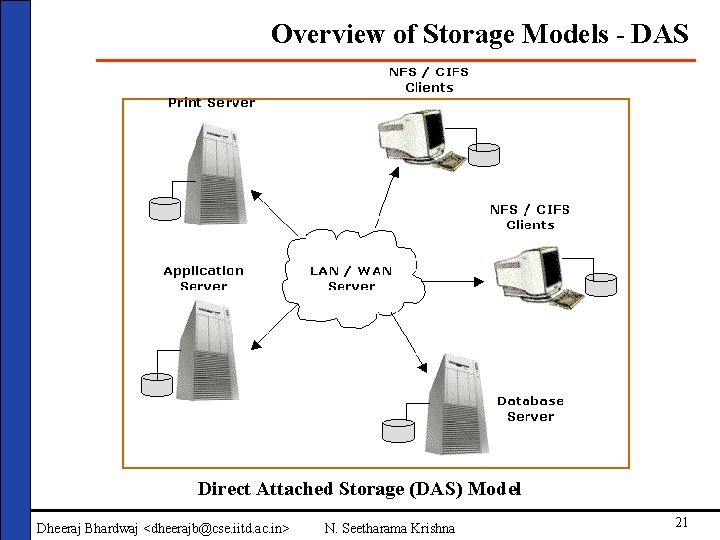
Overview of Storage Models - DAS Direct Attached Storage (DAS) Model Dheeraj Bhardwaj <dheerajb@cse. iitd. ac. in> N. Seetharama Krishna 21
Direct Attached Storage Please write Features. Advantages and Disadvantages Dheeraj Bhardwaj <dheerajb@cse. iitd. ac. in> N. Seetharama Krishna 22
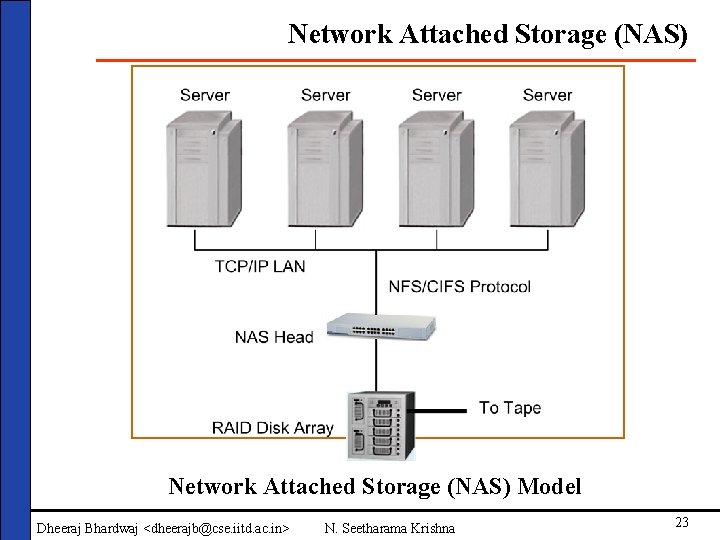
Network Attached Storage (NAS) Model Dheeraj Bhardwaj <dheerajb@cse. iitd. ac. in> N. Seetharama Krishna 23
Network Attached Storage (NAS) Please write Features. Advantages and Disadvantages Dheeraj Bhardwaj <dheerajb@cse. iitd. ac. in> N. Seetharama Krishna 24
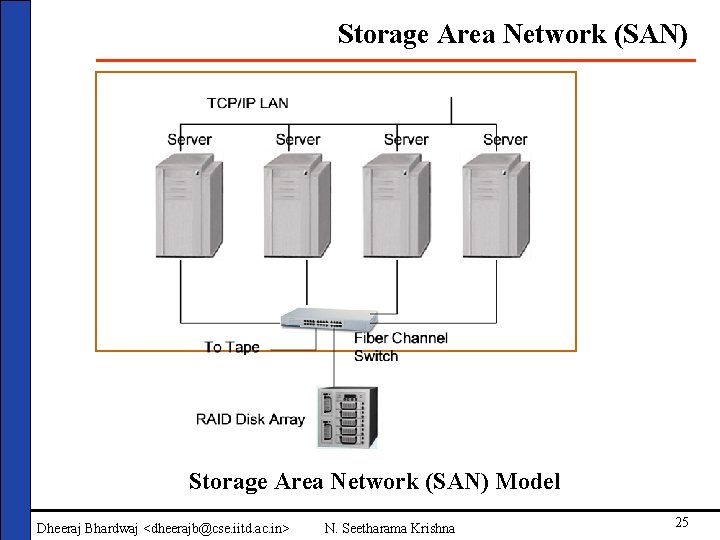
Storage Area Network (SAN) Model Dheeraj Bhardwaj <dheerajb@cse. iitd. ac. in> N. Seetharama Krishna 25
Storage Area Network (SAN) Please write Features. Advantages and Disadvantages Dheeraj Bhardwaj <dheerajb@cse. iitd. ac. in> N. Seetharama Krishna 26
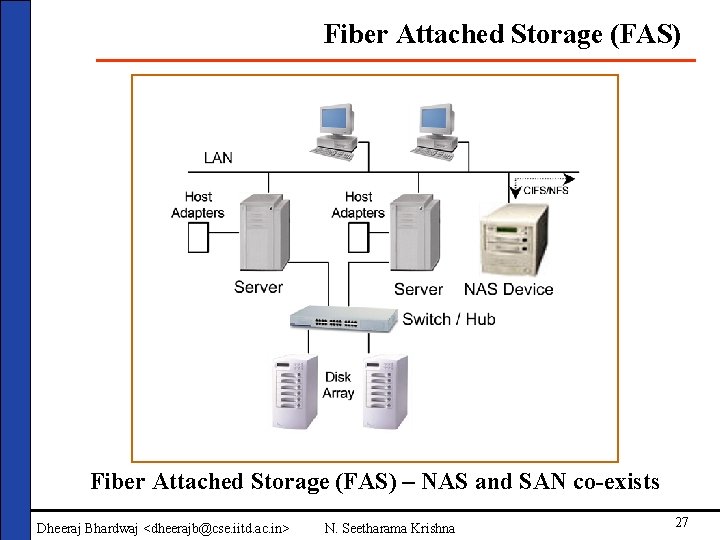
Fiber Attached Storage (FAS) – NAS and SAN co-exists Dheeraj Bhardwaj <dheerajb@cse. iitd. ac. in> N. Seetharama Krishna 27
NAS and SAN co- exists Justify NAS and SAN co-existence – Pick up from our papers Dheeraj Bhardwaj <dheerajb@cse. iitd. ac. in> N. Seetharama Krishna 28
Advantages of FAS • Centralizing management to improve staff efficiency for monitoring and administration • Enabling storage to be more readily available to any servers on the network, making stored information a more valuable asset, and increasing the utility of the network itself. • Improving the availability, usefulness, and distribution of business applications. • Making automation simpler, and reducing IT operational costs and staffing requirements. • Providing greater visibility into the availability and performance of storage components. • Facilitating continuous availability requirements. Dheeraj Bhardwaj <dheerajb@cse. iitd. ac. in> N. Seetharama Krishna 29
Outline • Introduction • File Systems • Overview of storage • Overview components • File System • Overview of Storage Models Calculations • Files Systems • VFS • Parallel I/O • CFS • Storage management • PFS Software • HPSS • Security • Designing the Storage Architectures • Discussions Dheeraj Bhardwaj <dheerajb@cse. iitd. ac. in> N. Seetharama Krishna 30
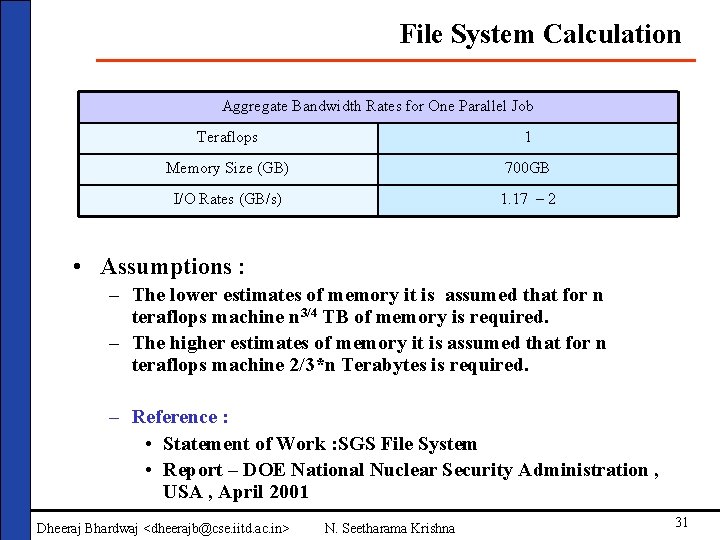
File System Calculation Aggregate Bandwidth Rates for One Parallel Job Teraflops 1 Memory Size (GB) 700 GB I/O Rates (GB/s) 1. 17 – 2 • Assumptions : – The lower estimates of memory it is assumed that for n teraflops machine n 3/4 TB of memory is required. – The higher estimates of memory it is assumed that for n teraflops machine 2/3*n Terabytes is required. – Reference : • Statement of Work : SGS File System • Report – DOE National Nuclear Security Administration , USA , April 2001 Dheeraj Bhardwaj <dheerajb@cse. iitd. ac. in> N. Seetharama Krishna 31
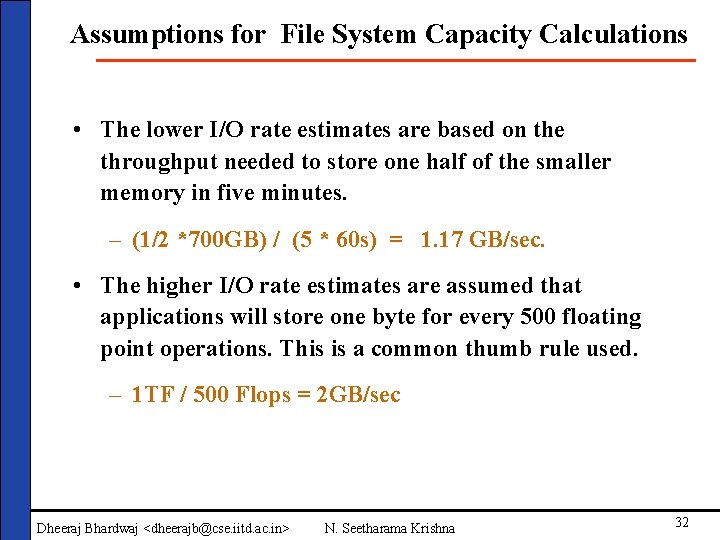
Assumptions for File System Capacity Calculations • The lower I/O rate estimates are based on the throughput needed to store one half of the smaller memory in five minutes. – (1/2 *700 GB) / (5 * 60 s) = 1. 17 GB/sec. • The higher I/O rate estimates are assumed that applications will store one byte for every 500 floating point operations. This is a common thumb rule used. – 1 TF / 500 Flops = 2 GB/sec Dheeraj Bhardwaj <dheerajb@cse. iitd. ac. in> N. Seetharama Krishna 32
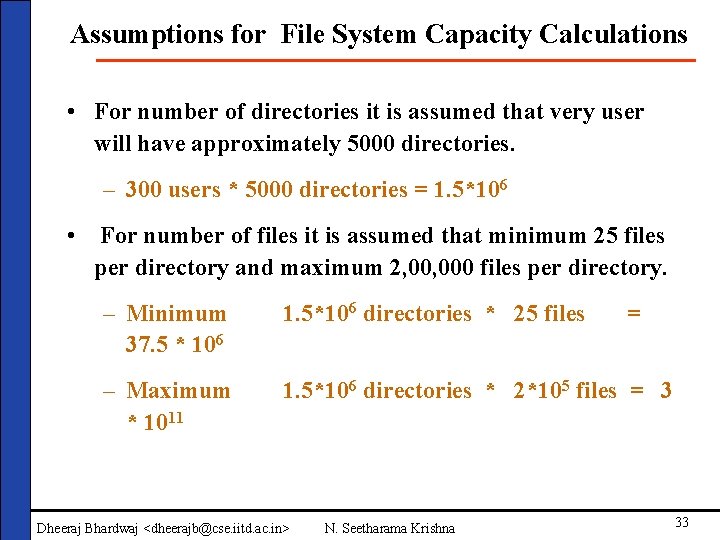
Assumptions for File System Capacity Calculations • For number of directories it is assumed that very user will have approximately 5000 directories. – 300 users * 5000 directories = 1. 5*106 • For number of files it is assumed that minimum 25 files per directory and maximum 2, 000 files per directory. – Minimum 37. 5 * 106 1. 5*106 directories * 25 files – Maximum * 1011 1. 5*106 directories * 2*105 files = 3 Dheeraj Bhardwaj <dheerajb@cse. iitd. ac. in> N. Seetharama Krishna = 33
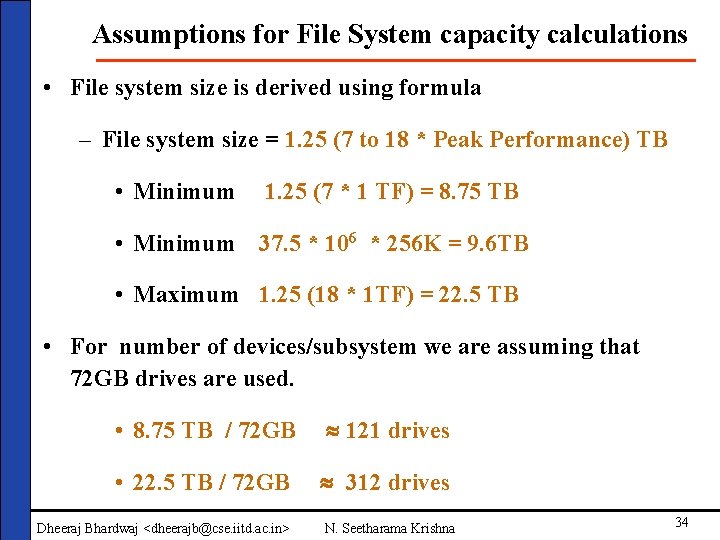
Assumptions for File System capacity calculations • File system size is derived using formula – File system size = 1. 25 (7 to 18 * Peak Performance) TB • Minimum 1. 25 (7 * 1 TF) = 8. 75 TB • Minimum 37. 5 * 106 * 256 K = 9. 6 TB • Maximum 1. 25 (18 * 1 TF) = 22. 5 TB • For number of devices/subsystem we are assuming that 72 GB drives are used. • 8. 75 TB / 72 GB 121 drives • 22. 5 TB / 72 GB 312 drives Dheeraj Bhardwaj <dheerajb@cse. iitd. ac. in> N. Seetharama Krishna 34
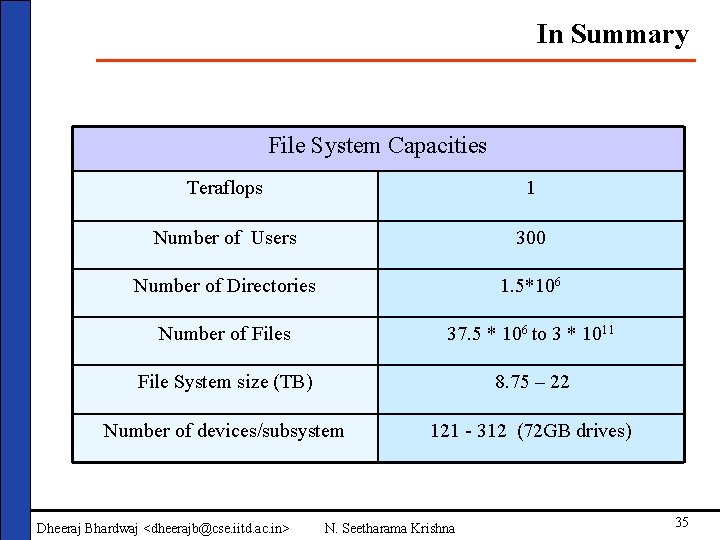
In Summary File System Capacities Teraflops 1 Number of Users 300 Number of Directories 1. 5*106 Number of Files 37. 5 * 106 to 3 * 1011 File System size (TB) 8. 75 – 22 Number of devices/subsystem 121 - 312 (72 GB drives) Dheeraj Bhardwaj <dheerajb@cse. iitd. ac. in> N. Seetharama Krishna 35
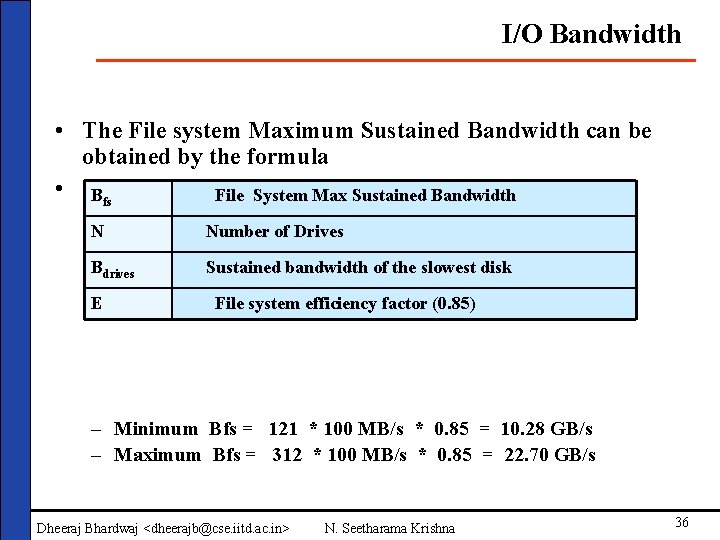
I/O Bandwidth • The File system Maximum Sustained Bandwidth can be obtained by the formula • Bfs * E Max Sustained Bandwidth Bfs = N * Bdrives File System N Number of Drives Bdrives Sustained bandwidth of the slowest disk E File system efficiency factor (0. 85) – Minimum Bfs = 121 * 100 MB/s * 0. 85 = 10. 28 GB/s – Maximum Bfs = 312 * 100 MB/s * 0. 85 = 22. 70 GB/s Dheeraj Bhardwaj <dheerajb@cse. iitd. ac. in> N. Seetharama Krishna 36
Parallel File System • PFS is designed as a client-server system with multiple I/O servers, which have disk/RAID attached to them. Each PFS file is striped across the disk on the I/O nodes. • PFS also has a manager that handles only metadata operations such as permission checking for file creation, open, close and remove operations. • Direct Parallel I/O – All participating clients access the storage directly via request to parallel I/O server. – This provides the maximum throughput as it by passes the overheads of intermediate file servers. Dheeraj Bhardwaj <dheerajb@cse. iitd. ac. in> N. Seetharama Krishna 37
Cluster File System Dheeraj Bhardwaj <dheerajb@cse. iitd. ac. in> N. Seetharama Krishna 38
Outline • Introduction • Parallel I/O • Overview of storage • Introduction components • Parallel I/O • Overview of Storage Models Approaches • Files Systems • (You can add some more) • Parallel I/O • Storage management Software • Security • Designing the Storage Architectures • Discussions Dheeraj Bhardwaj <dheerajb@cse. iitd. ac. in> N. Seetharama Krishna 39
Introduction Parallel & Serial I/O: Write the basic differences Dheeraj Bhardwaj <dheerajb@cse. iitd. ac. in> N. Seetharama Krishna 40
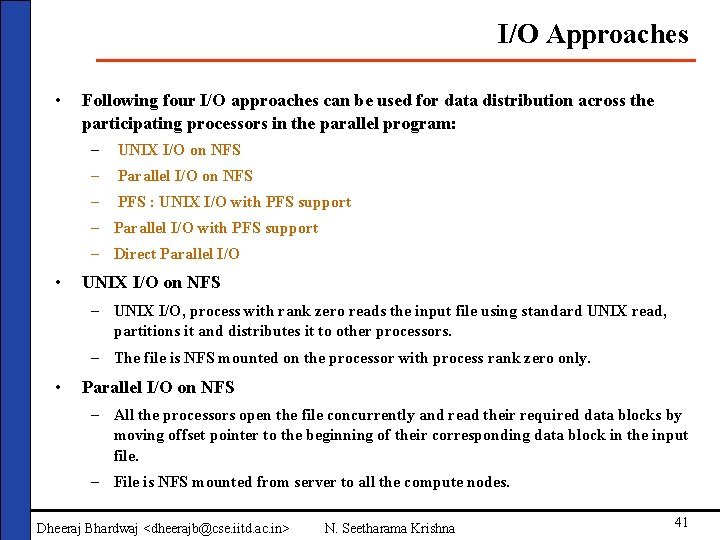
I/O Approaches • Following four I/O approaches can be used for data distribution across the participating processors in the parallel program: – UNIX I/O on NFS – Parallel I/O on NFS – PFS : UNIX I/O with PFS support – Parallel I/O with PFS support – Direct Parallel I/O • UNIX I/O on NFS – UNIX I/O, process with rank zero reads the input file using standard UNIX read, partitions it and distributes it to other processors. – The file is NFS mounted on the processor with process rank zero only. • Parallel I/O on NFS – All the processors open the file concurrently and read their required data blocks by moving offset pointer to the beginning of their corresponding data block in the input file. – File is NFS mounted from server to all the compute nodes. Dheeraj Bhardwaj <dheerajb@cse. iitd. ac. in> N. Seetharama Krishna 41
I/O Approaches • UNIX I/O with PFS support – Define these terms • Parallel I/O with PFS support – Define these terms • Direct Parallel I/O Dheeraj Bhardwaj <dheerajb@cse. iitd. ac. in> N. Seetharama Krishna 42
Outline • Introduction • Storage Management Software • Overview of storage components • Overview of Storage Models • Features • Files Systems • Details of available software and their • Parallel I/O features • Storage management • Etc Software • Security • Designing the Storage Architectures • Discussions Dheeraj Bhardwaj <dheerajb@cse. iitd. ac. in> N. Seetharama Krishna 43
Storage Management Software Please make few slides --- say 8 -10 Dheeraj Bhardwaj <dheerajb@cse. iitd. ac. in> N. Seetharama Krishna 44
Outline • Introduction • Storage Security • Overview of storage • Overview components • Other aspects • Overview of Storage Models • Files Systems • Parallel I/O • Storage management Software • Security • Designing the Storage Architectures • Discussions Dheeraj Bhardwaj <dheerajb@cse. iitd. ac. in> N. Seetharama Krishna 45
Storage Security Make some slides on Security aspects of Storage systems e. g. Kerberose etc Dheeraj Bhardwaj <dheerajb@cse. iitd. ac. in> N. Seetharama Krishna 46
Outline • Introduction • Design of Storage Architecture • Overview of storage components • Approach • Overview of Storage Models • Traditional • Files Systems • Ideal • Parallel I/O • Logical • Storage management • Proposed Software • Etc • Security • Designing the Storage Architectures • Discussions Dheeraj Bhardwaj <dheerajb@cse. iitd. ac. in> N. Seetharama Krishna 47
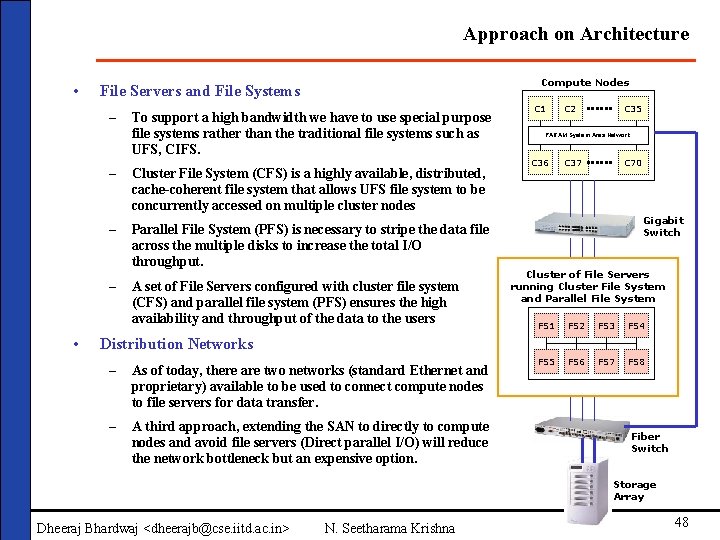
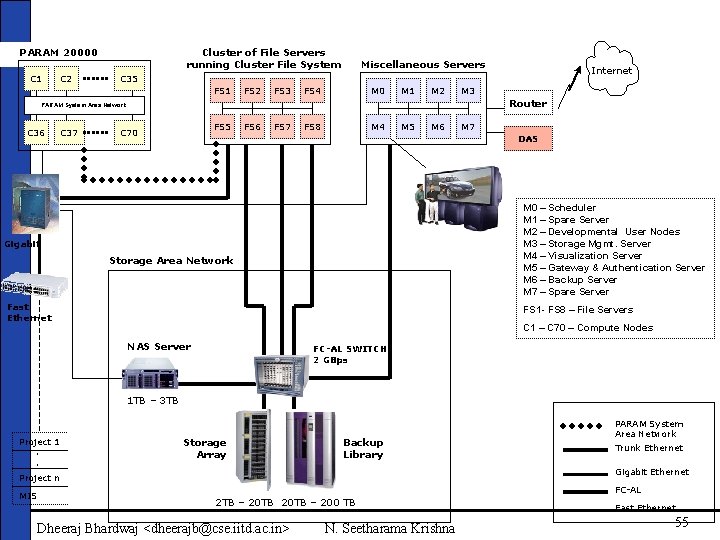
Approach on Architecture • – • Compute Nodes File Servers and File Systems To support a high bandwidth we have to use special purpose file systems rather than the traditional file systems such as UFS, CIFS. – Cluster File System (CFS) is a highly available, distributed, cache-coherent file system that allows UFS file system to be concurrently accessed on multiple cluster nodes – Parallel File System (PFS) is necessary to stripe the data file across the multiple disks to increase the total I/O throughput. – A set of File Servers configured with cluster file system (CFS) and parallel file system (PFS) ensures the high availability and throughput of the data to the users C 1 C 2 C 35 PARAM System Area Network C 36 C 37 C 70 Gigabit Switch Cluster of File Servers running Cluster File System and Parallel File System FS 1 FS 2 FS 3 FS 4 FS 5 FS 6 FS 7 FS 8 Distribution Networks – As of today, there are two networks (standard Ethernet and proprietary) available to be used to connect compute nodes to file servers for data transfer. – A third approach, extending the SAN to directly to compute nodes and avoid file servers (Direct parallel I/O) will reduce the network bottleneck but an expensive option. Fiber Switch Storage Array Dheeraj Bhardwaj <dheerajb@cse. iitd. ac. in> N. Seetharama Krishna 48
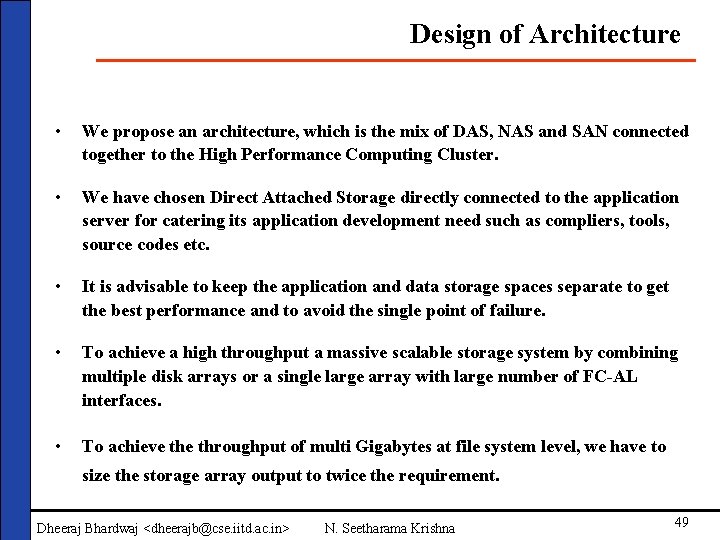
Design of Architecture • We propose an architecture, which is the mix of DAS, NAS and SAN connected together to the High Performance Computing Cluster. • We have chosen Direct Attached Storage directly connected to the application server for catering its application development need such as compliers, tools, source codes etc. • It is advisable to keep the application and data storage spaces separate to get the best performance and to avoid the single point of failure. • To achieve a high throughput a massive scalable storage system by combining multiple disk arrays or a single large array with large number of FC-AL interfaces. • To achieve throughput of multi Gigabytes at file system level, we have to size the storage array output to twice the requirement. Dheeraj Bhardwaj <dheerajb@cse. iitd. ac. in> N. Seetharama Krishna 49
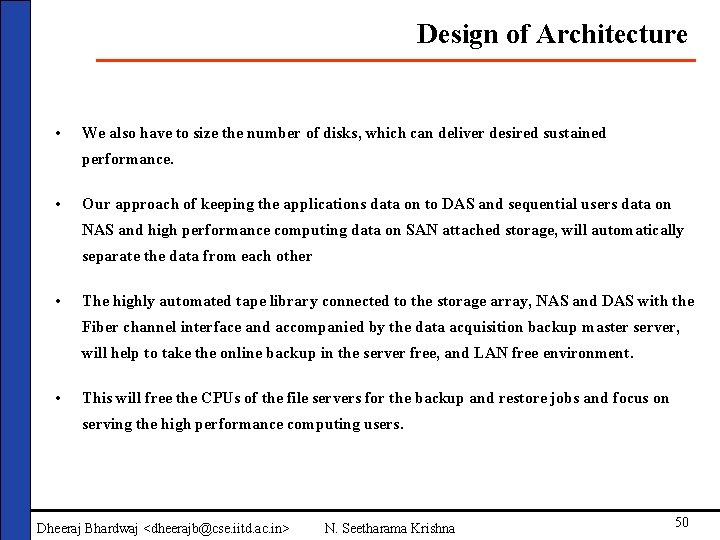
Design of Architecture • We also have to size the number of disks, which can deliver desired sustained performance. • Our approach of keeping the applications data on to DAS and sequential users data on NAS and high performance computing data on SAN attached storage, will automatically separate the data from each other • The highly automated tape library connected to the storage array, NAS and DAS with the Fiber channel interface and accompanied by the data acquisition backup master server, will help to take the online backup in the server free, and LAN free environment. • This will free the CPUs of the file servers for the backup and restore jobs and focus on serving the high performance computing users. Dheeraj Bhardwaj <dheerajb@cse. iitd. ac. in> N. Seetharama Krishna 50
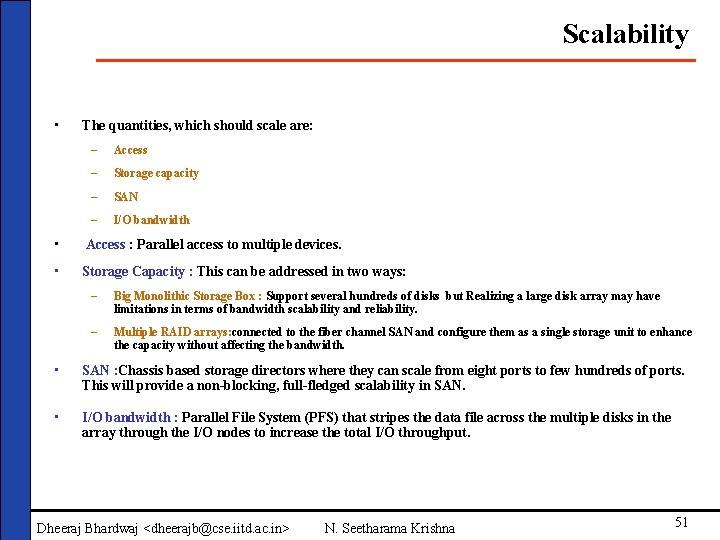
Scalability • The quantities, which should scale are: – Access – Storage capacity – SAN – I/O bandwidth • Access : Parallel access to multiple devices. • Storage Capacity : This can be addressed in two ways: – Big Monolithic Storage Box : Support several hundreds of disks but Realizing a large disk array may have limitations in terms of bandwidth scalability and reliability. – Multiple RAID arrays: connected to the fiber channel SAN and configure them as a single storage unit to enhance the capacity without affecting the bandwidth. • SAN : Chassis based storage directors where they can scale from eight ports to few hundreds of ports. This will provide a non-blocking, full-fledged scalability in SAN. • I/O bandwidth : Parallel File System (PFS) that stripes the data file across the multiple disks in the array through the I/O nodes to increase the total I/O throughput. Dheeraj Bhardwaj <dheerajb@cse. iitd. ac. in> N. Seetharama Krishna 51
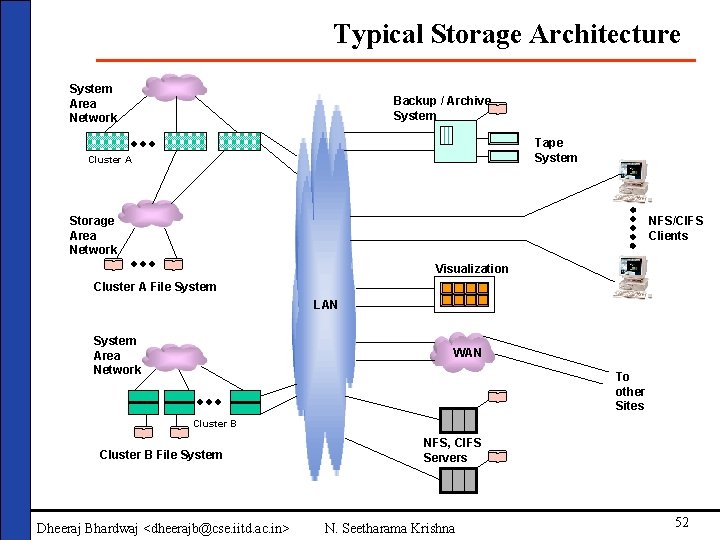
Typical Storage Architecture System Area Network Backup / Archive System Tape System Cluster A Storage Area Network NFS/CIFS Clients Visualization Cluster A File System LAN System Area Network WAN To other Sites Cluster B File System Dheeraj Bhardwaj <dheerajb@cse. iitd. ac. in> NFS, CIFS Servers N. Seetharama Krishna 52
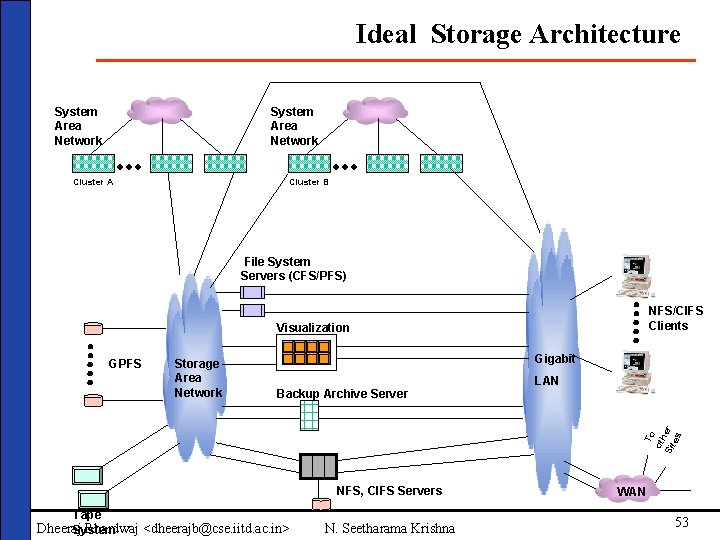
Ideal Storage Architecture System Area Network Cluster A Cluster B File System Servers (CFS/PFS) NFS/CIFS Clients Visualization Storage Area Network Gigabit Backup Archive Server LAN To oth Sit er es GPFS NFS, CIFS Servers Tape Dheeraj Bhardwaj <dheerajb@cse. iitd. ac. in> System N. Seetharama Krishna WAN 53
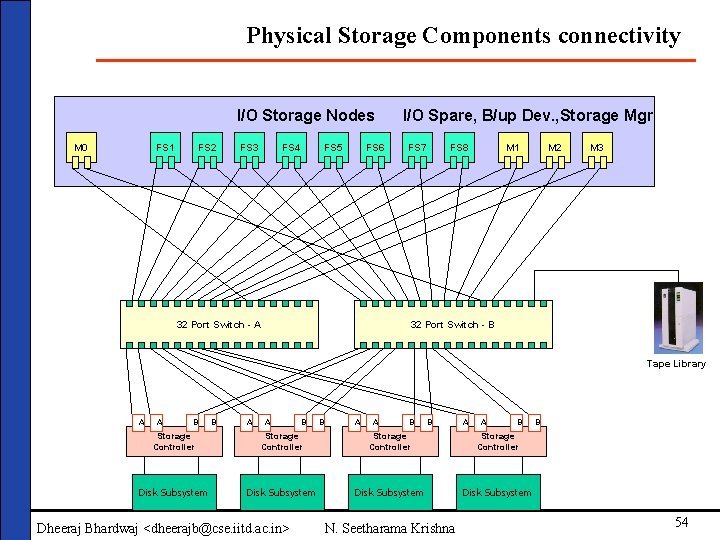
Physical Storage Components connectivity I/O Storage Nodes M 0 FS 1 FS 2 FS 3 FS 4 FS 5 FS 6 32 Port Switch - A I/O Spare, B/up Dev. , Storage Mgr FS 7 FS 8 M 1 M 2 M 3 32 Port Switch - B Tape Library A A B B A A B Storage Controller Disk Subsystem Dheeraj Bhardwaj <dheerajb@cse. iitd. ac. in> N. Seetharama Krishna B 54
Network Based Scalable High Performance Storage Architecture PARAM 20000 C 1 C 2 Cluster of File Servers running Cluster File System Miscellaneous Servers FS 1 FS 2 FS 3 FS 4 M 0 M 1 M 2 M 3 Router PARAM System Area Network C 36 C 37 Internet C 35 FS 5 C 70 FS 6 FS 7 FS 8 M 4 M 5 M 6 M 7 DAS M 0 – Scheduler M 1 – Spare Server M 2 – Developmental User Nodes M 3 – Storage Mgmt. Server M 4 – Visualization Server M 5 – Gateway & Authentication Server M 6 – Backup Server M 7 – Spare Server Gigabit Storage Area Network Fast Ethernet FS 1 - FS 8 – File Servers C 1 – C 70 – Compute Nodes NAS Server FC-AL SWITCH 2 GBps 1 TB – 3 TB Project 1. . Storage Array Backup Library Gigabit Ethernet Project n MIS PARAM System Area Network Trunk Ethernet FC-AL 2 TB – 20 TB – 200 TB Dheeraj Bhardwaj <dheerajb@cse. iitd. ac. in> N. Seetharama Krishna Fast Ethernet 55
Outline • Introduction • Discussions • Overview of storage • Suggested technologies components • Future • Overview of Storage Models • Other aspects • Files Systems • Conclusion • Parallel I/O • Storage management Software • Security • Designing the Storage Architectures • Discussions Dheeraj Bhardwaj <dheerajb@cse. iitd. ac. in> N. Seetharama Krishna 56
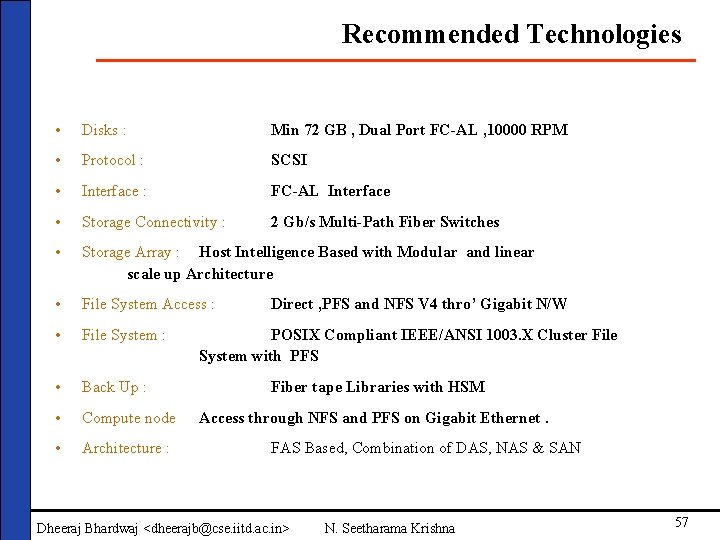
Recommended Technologies • Disks : Min 72 GB , Dual Port FC-AL , 10000 RPM • Protocol : SCSI • Interface : FC-AL Interface • Storage Connectivity : 2 Gb/s Multi-Path Fiber Switches • Storage Array : Host Intelligence Based with Modular and linear scale up Architecture • File System Access : • File System : • Back Up : • Compute node • Architecture : Direct , PFS and NFS V 4 thro’ Gigabit N/W POSIX Compliant IEEE/ANSI 1003. X Cluster File System with PFS Fiber tape Libraries with HSM Access through NFS and PFS on Gigabit Ethernet. FAS Based, Combination of DAS, NAS & SAN Dheeraj Bhardwaj <dheerajb@cse. iitd. ac. in> N. Seetharama Krishna 57
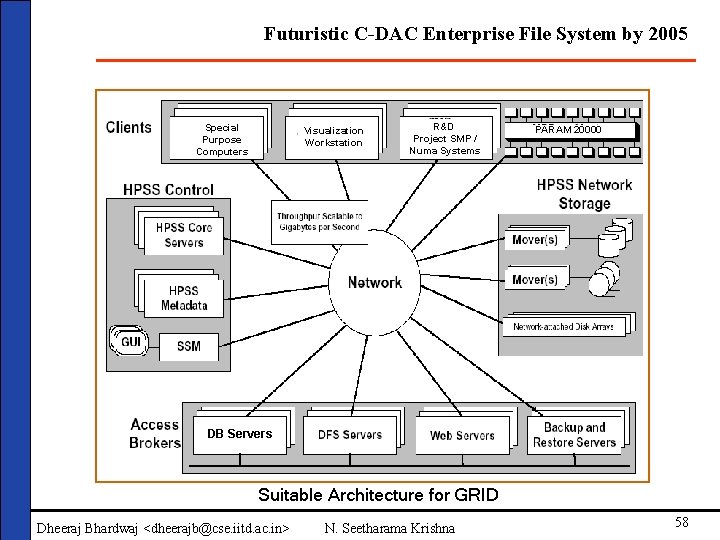
Futuristic C-DAC Enterprise File System by 2005 Special Purpose Computers Visualization Workstation R&D Project SMP / Numa Systems PARAM 20000 DB Servers Suitable Architecture for GRID Dheeraj Bhardwaj <dheerajb@cse. iitd. ac. in> N. Seetharama Krishna 58