
A STRUCTURED DISCOVERY APPROACH TO ACCESS TECHNOLOGY TRAINING



- Slides: 35
A STRUCTURED DISCOVERY APPROACH TO ACCESS TECHNOLOGY TRAINING AND CURRICULUM Iowa Department for the Blind Amena Thomas, Enrique Mejia, Martha Harris
Outline Methodology: why and how we use structured discovery Core skills: basic desktop and mobile skills Intermediate and advanced skills: complex websites, problem-solving and finding help, updating devices Continual development: learning new screen readers, commands, apps
Technology Curriculum § All technology: phones, tablets, computers, braille displays, printers, scanners, embossers § Beginners to experts
How We Plan Curriculum ■ Isolating skills: basic tech concepts like selecting text and clipboard ■ Deliberate practice: simple to complex assignments ■ Engaging assignments: variety of humorous and serious topics ■ Gradually decrease structure and increase discovery
Deciding What to Teach ■ Everyone needs the basics ■ Client’s vocational goal ■ Flexibility
Deciding What to Teach ■ Windows vs. Mac ■ NVDA vs. JAWS ■ Choosing the most sustainable solutions
Platform Based Commands ■ Teach Windows commands rather than screen reader commands Control+left arrow, not insert+left arrow ■ More versatile and transferrable
Default Configuration ■ Change as few settings as possible ■ Able to use almost any system ■ Laptop mode
Differentiation ■ Typical student ■ Quick learner/more experienced computer user ■ Struggling student ■ Supplemental assignments
How Units Work ■ Textbook pages ■ Assignments of increasing difficulty ■ Final assignment not most challenging ■ Syllabus
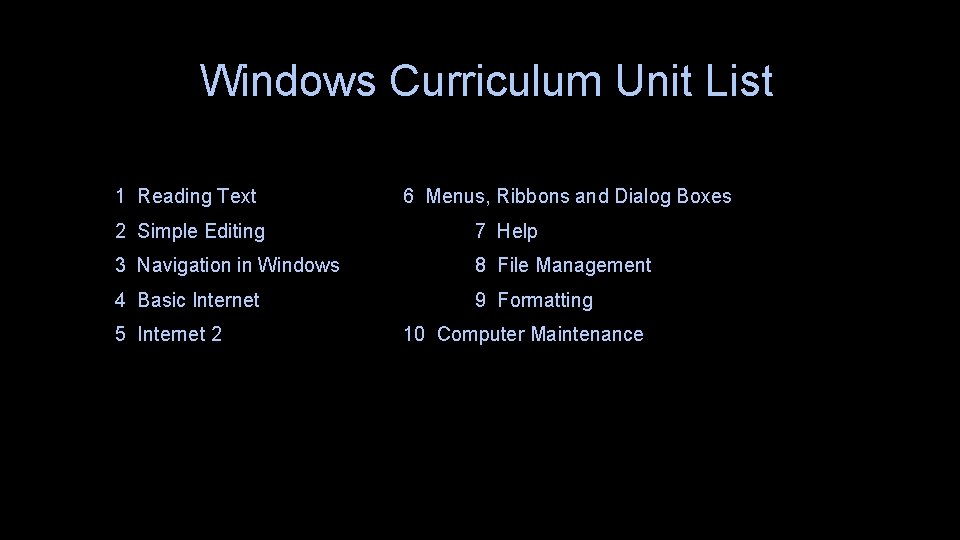
Windows Curriculum Unit List 1 Reading Text 6 Menus, Ribbons and Dialog Boxes 2 Simple Editing 7 Help 3 Navigation in Windows 8 File Management 4 Basic Internet 9 Formatting 5 Internet 2 10 Computer Maintenance
Advanced Units ■ Mail and calendars ■ Printing and scanning ■ Excel ■ Power. Point ■ Advanced formatting ■ Other advanced topics
The Basics ■ All students regardless of skills must complete at least part of each unit ■ Filling in the gaps ■ Without basics, real research is frustrating
Typing ■ Accuracy over speed ■ Modifier keys ■ Get through it ■ Homework
1 Reading Text ■ Basic document navigation commands ■ Native OS commands ■ Key terminology ■ Delete vs. backspace ■ Listening and paying attention
2 Simple Editing ■ Select, cut, copy, paste ■ Build on skills ■ Make sure that main concepts are understood
DEMO
3 Navigation in Windows ■ Opening and moving between existing files ■ Text adventure ■ Repetition ■ Less guiding more discovery
DEMO
4 Basic Internet ■ Filling out web forms ■ Basic internet concepts ■ Form practice ■ Finding info on long web pages ■ Navigating tables ■ Reinforce curser use skills taught in earlier sections
Testing the Basics ■ Not a judgement of the client ■ Not just a test of memory ■ Catching remaining gaps ■ Review/supplemental assignments chosen through results of unit 1 test
Increasing Discovery, Decreasing Structure Gradual increasing of discovery and lowering of structure builds confidence.
Teaching Problem-Solving Strategies ■ Start by getting into an experimental mindset ■ Wrong isn't so much wrong as "not yet right“ ■ This allows the client to figure out what ways work for them and doesn’t force them to follow exact steps from a guide
What is the Worst Thing That Can Happen? Starting out, always let students know they can just start over with a clean copy. Eventually teach them how to save different versions of a file. If something goes wrong, how do I recover? This lowers the fear level, and makes it more like an experimentation playground.
Google It! You can't be the first person to have this problem. “It's not working!" doesn't work -- In what way is it not working? How do I define my problem in as few words as possible?
Expecting Sustainability ■ Building a network of knowledgeable friends ■ Learning to read manuals ■ Keeping up with things by reading articles about tech, podcasts, webinars
CREATING INTERMEDIATE/ADVAN CED CURRICULUM
Use Real-Life Problems § Use a spreadsheet to make a schedule § Fix a misspelled word in a paper or email § Find the pairing code for a braille display § Look up a recipe
Find the Level ■ What skills are used doing this task? ■ At what point of the curriculum will the student have all the necessary skills? ■ File management needs client to understand dialog boxes and controls ■ Finding a recipe requires cut and paste, moving between applications, and internet
Add Value ■ Re-enforce other skills from previous units ■ Put their answers in a web form ■ Find similar tasks that use the same skills to create additional practice or homework assignments
Reinforce Braille ■ Seamlessly include extra braille practice ■ Connect a braille display to the phone or computer ■ Students use a braille writer or slate for assignments, like travel
Additional Tips ■ Make it easy to make cross-platform ■ Only include keystrokes or OS specific terminology when absolutely necessary ■ OK to tell students to look it up in their notes or Google it ■ What is the minimum amount of structure necessary for a good student to complete this assignment without asking any questions? Assume that other students will ask questions
Test and Revise ■ Have a colleague try it out ■ Define terms and acronyms ■ Write directions in easy to understand plain language ■ Is there anything that might not work as expected with different settings? ■ Have a more advanced student try it and give feedback
Process Not A Product § Be prepared for it to break or become irrelevant when there is a new operating system or app released § Can it be recycled or rebuilt?
QUESTIONS