
A Smart Port Card SPC and SPCII Tutorial
- Slides: 32
A Smart Port Card (SPC and SPC-II) Tutorial --Hardware John De. Hart Washington University jdd@arl. wustl. edu http: //www. arl. wustl. edu/~jdd June 16, 2002 SPC Tutorial Washington WASHINGTON UNIVERSITY IN ST LOUIS 1
Motivation • Active Networking • Network Probe • High performance router architectures – PC as router is VERY limited – (Gigabit/s + Processing) on each port – MSR: Multi-Service multiport Router June 16, 2002 SPC Tutorial Washington WASHINGTON UNIVERSITY IN ST LOUIS 2
The Original Smart Port Card • Hardware: – SPC as a PC • How do they each boot? – SPC Hardware Components • What roles do they play? June 16, 2002 SPC Tutorial Washington WASHINGTON UNIVERSITY IN ST LOUIS 3
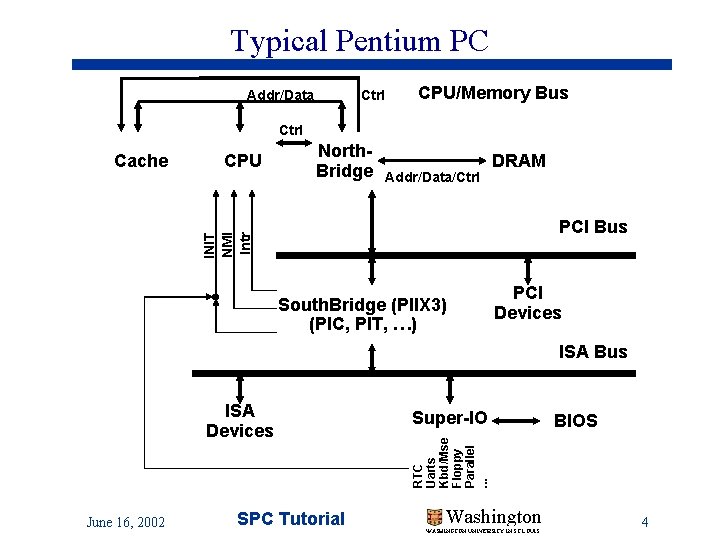
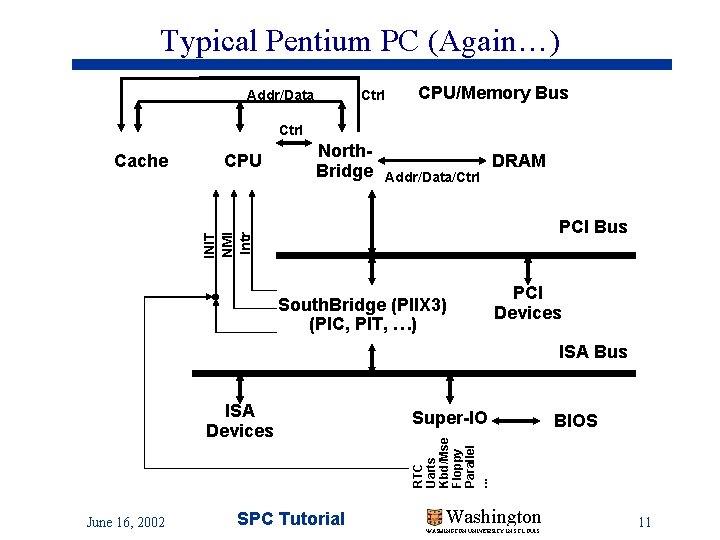
Typical Pentium PC Addr/Data Ctrl CPU/Memory Bus Ctrl CPU North. Bridge Addr/Data/Ctrl DRAM PCI Bus INIT NMI Intr Cache South. Bridge (PIIX 3) (PIC, PIT, …) PCI Devices ISA Bus June 16, 2002 SPC Tutorial Super-IO BIOS RTC Uarts Kbd/Mse Floppy Parallel. . . ISA Devices Washington WASHINGTON UNIVERSITY IN ST LOUIS 4
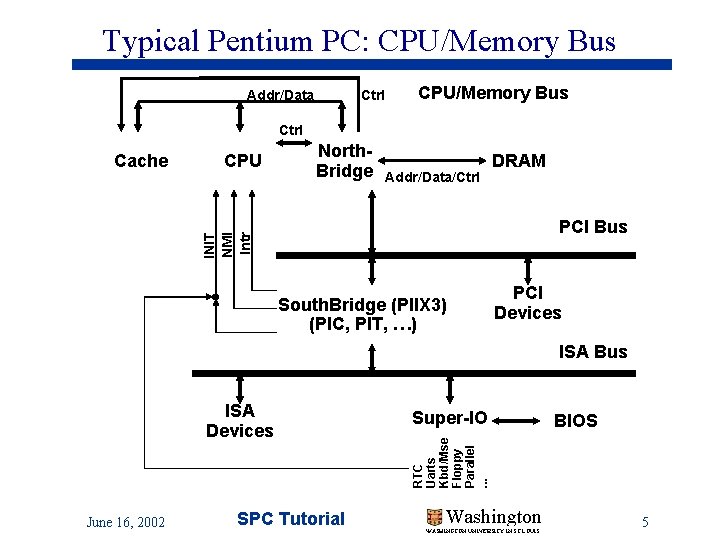
Typical Pentium PC: CPU/Memory Bus Addr/Data Ctrl CPU/Memory Bus Ctrl CPU North. Bridge Addr/Data/Ctrl DRAM PCI Bus INIT NMI Intr Cache South. Bridge (PIIX 3) (PIC, PIT, …) PCI Devices ISA Bus June 16, 2002 SPC Tutorial Super-IO BIOS RTC Uarts Kbd/Mse Floppy Parallel. . . ISA Devices Washington WASHINGTON UNIVERSITY IN ST LOUIS 5
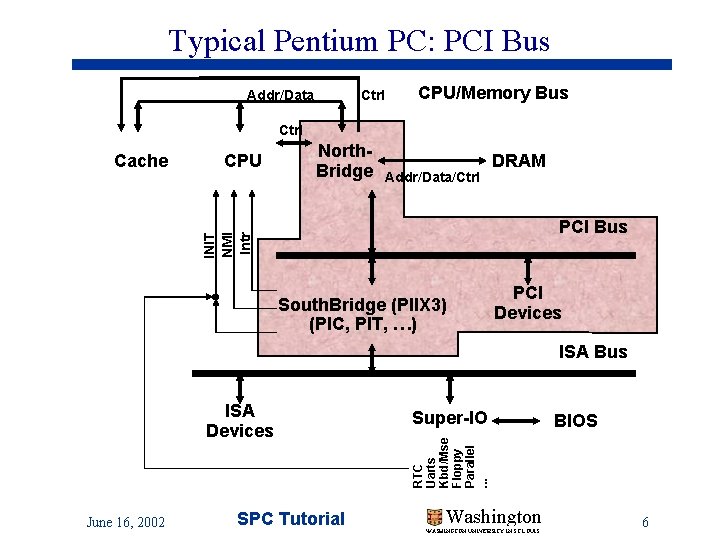
Typical Pentium PC: PCI Bus Addr/Data Ctrl CPU/Memory Bus Ctrl CPU North. Bridge Addr/Data/Ctrl DRAM PCI Bus INIT NMI Intr Cache South. Bridge (PIIX 3) (PIC, PIT, …) PCI Devices ISA Bus June 16, 2002 SPC Tutorial Super-IO BIOS RTC Uarts Kbd/Mse Floppy Parallel. . . ISA Devices Washington WASHINGTON UNIVERSITY IN ST LOUIS 6
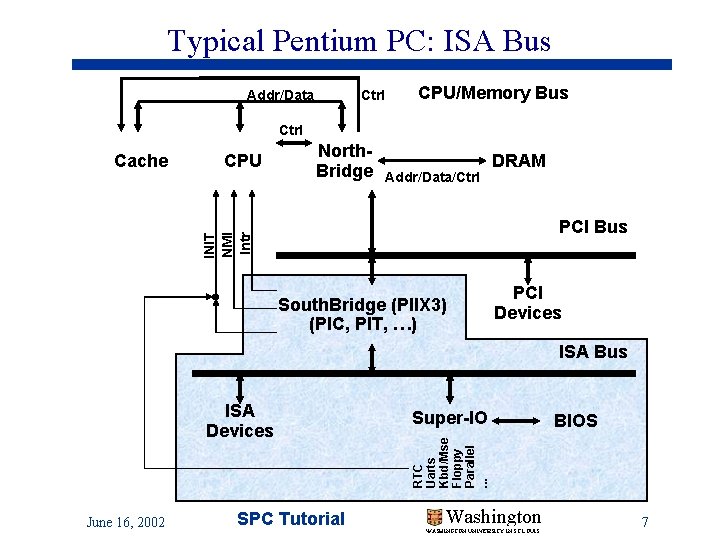
Typical Pentium PC: ISA Bus Addr/Data Ctrl CPU/Memory Bus Ctrl CPU North. Bridge Addr/Data/Ctrl DRAM PCI Bus INIT NMI Intr Cache South. Bridge (PIIX 3) (PIC, PIT, …) PCI Devices ISA Bus June 16, 2002 SPC Tutorial Super-IO BIOS RTC Uarts Kbd/Mse Floppy Parallel. . . ISA Devices Washington WASHINGTON UNIVERSITY IN ST LOUIS 7
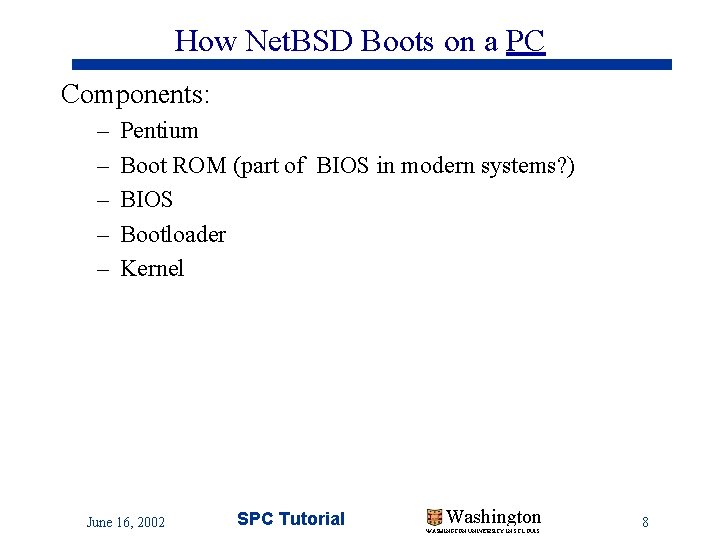
How Net. BSD Boots on a PC Components: – – – Pentium Boot ROM (part of BIOS in modern systems? ) BIOS Bootloader Kernel June 16, 2002 SPC Tutorial Washington WASHINGTON UNIVERSITY IN ST LOUIS 8
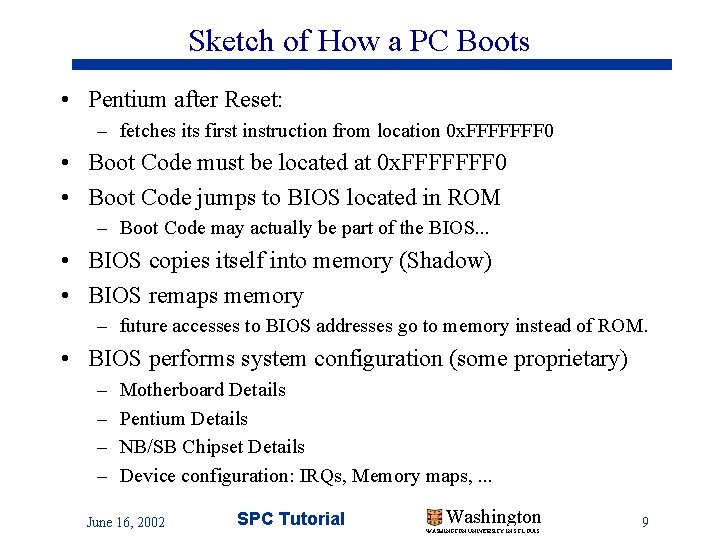
Sketch of How a PC Boots • Pentium after Reset: – fetches its first instruction from location 0 x. FFFFFFF 0 • Boot Code must be located at 0 x. FFFFFFF 0 • Boot Code jumps to BIOS located in ROM – Boot Code may actually be part of the BIOS. . . • BIOS copies itself into memory (Shadow) • BIOS remaps memory – future accesses to BIOS addresses go to memory instead of ROM. • BIOS performs system configuration (some proprietary) – – Motherboard Details Pentium Details NB/SB Chipset Details Device configuration: IRQs, Memory maps, . . . June 16, 2002 SPC Tutorial Washington WASHINGTON UNIVERSITY IN ST LOUIS 9
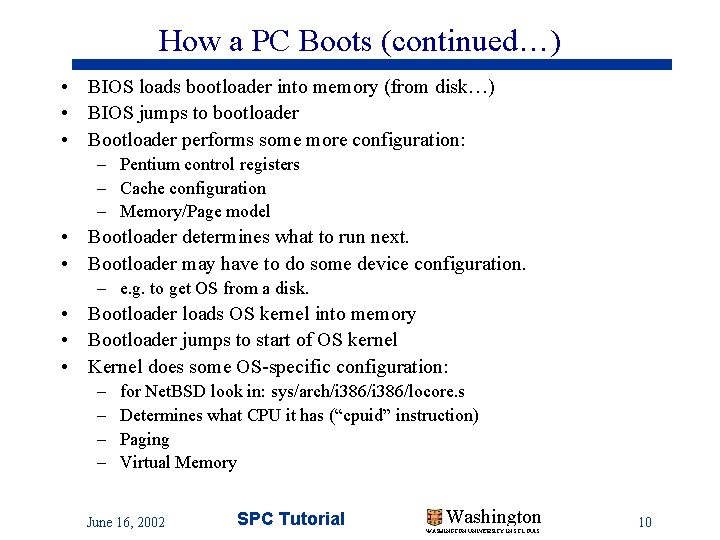
How a PC Boots (continued…) • BIOS loads bootloader into memory (from disk…) • BIOS jumps to bootloader • Bootloader performs some more configuration: – Pentium control registers – Cache configuration – Memory/Page model • Bootloader determines what to run next. • Bootloader may have to do some device configuration. – e. g. to get OS from a disk. • Bootloader loads OS kernel into memory • Bootloader jumps to start of OS kernel • Kernel does some OS-specific configuration: – – for Net. BSD look in: sys/arch/i 386/locore. s Determines what CPU it has (“cpuid” instruction) Paging Virtual Memory June 16, 2002 SPC Tutorial Washington WASHINGTON UNIVERSITY IN ST LOUIS 10
Typical Pentium PC (Again…) Addr/Data Ctrl CPU/Memory Bus Ctrl CPU North. Bridge Addr/Data/Ctrl DRAM PCI Bus INIT NMI Intr Cache South. Bridge (PIIX 3) (PIC, PIT, …) PCI Devices ISA Bus June 16, 2002 SPC Tutorial Super-IO BIOS RTC Uarts Kbd/Mse Floppy Parallel. . . ISA Devices Washington WASHINGTON UNIVERSITY IN ST LOUIS 11
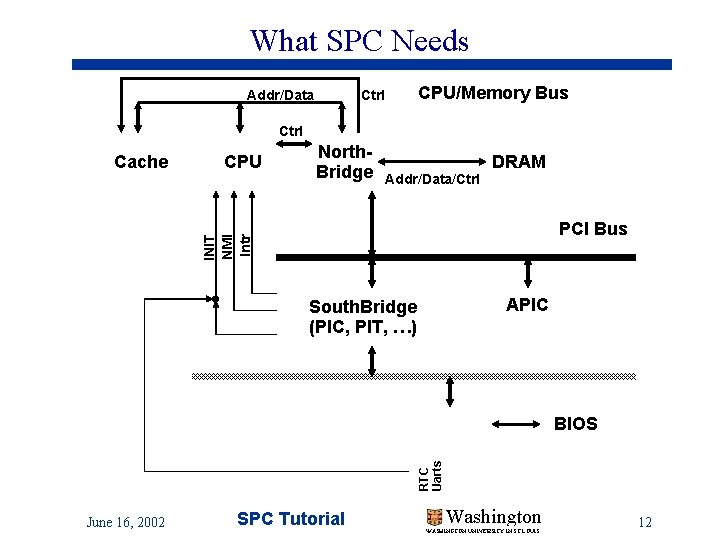
What SPC Needs Addr/Data Ctrl CPU/Memory Bus Ctrl CPU North. Bridge Addr/Data/Ctrl DRAM PCI Bus INIT NMI Intr Cache APIC South. Bridge (PIC, PIT, …) RTC Uarts BIOS June 16, 2002 SPC Tutorial Washington WASHINGTON UNIVERSITY IN ST LOUIS 12
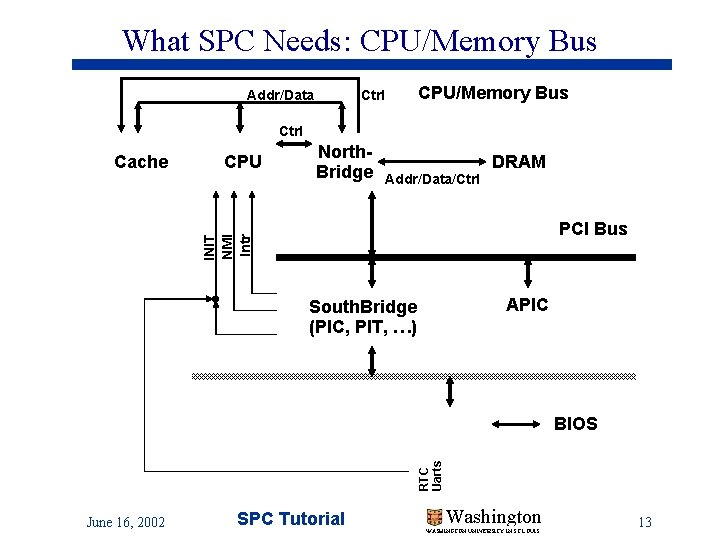
What SPC Needs: CPU/Memory Bus Addr/Data Ctrl CPU/Memory Bus Ctrl CPU North. Bridge Addr/Data/Ctrl DRAM PCI Bus INIT NMI Intr Cache APIC South. Bridge (PIC, PIT, …) RTC Uarts BIOS June 16, 2002 SPC Tutorial Washington WASHINGTON UNIVERSITY IN ST LOUIS 13
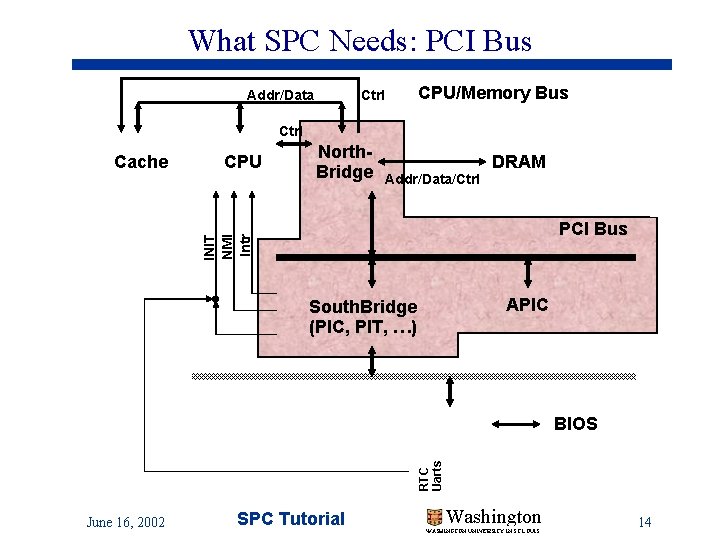
What SPC Needs: PCI Bus Addr/Data Ctrl CPU/Memory Bus Ctrl CPU North. Bridge Addr/Data/Ctrl DRAM PCI Bus INIT NMI Intr Cache APIC South. Bridge (PIC, PIT, …) RTC Uarts BIOS June 16, 2002 SPC Tutorial Washington WASHINGTON UNIVERSITY IN ST LOUIS 14
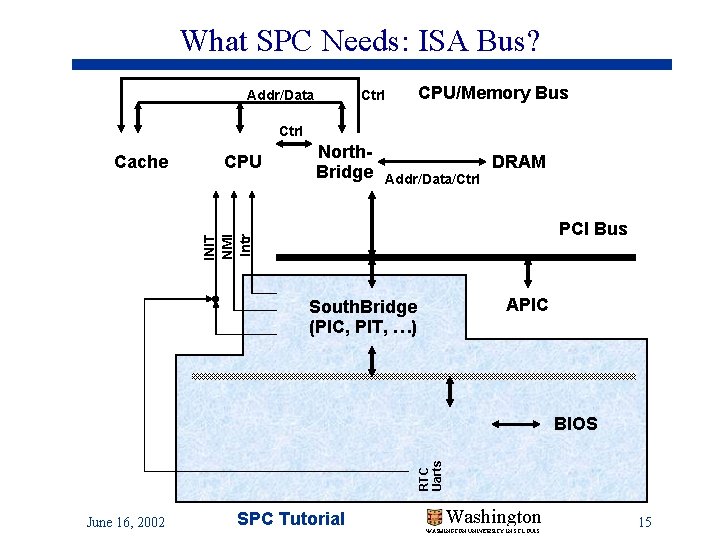
What SPC Needs: ISA Bus? Addr/Data Ctrl CPU/Memory Bus Ctrl CPU North. Bridge Addr/Data/Ctrl DRAM PCI Bus INIT NMI Intr Cache APIC South. Bridge (PIC, PIT, …) RTC Uarts BIOS June 16, 2002 SPC Tutorial Washington WASHINGTON UNIVERSITY IN ST LOUIS 15
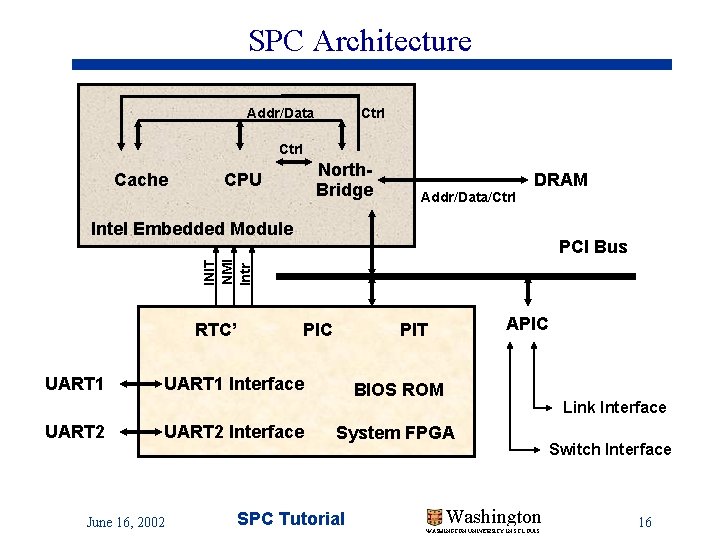
SPC Architecture Addr/Data Ctrl Cache North. Bridge CPU Addr/Data/Ctrl DRAM Intel Embedded Module INIT NMI Intr PCI Bus RTC’ UART 1 UART 2 PIC UART 1 Interface UART 2 Interface June 16, 2002 APIC PIT BIOS ROM Link Interface System FPGA SPC Tutorial Washington WASHINGTON UNIVERSITY IN ST LOUIS Switch Interface 16
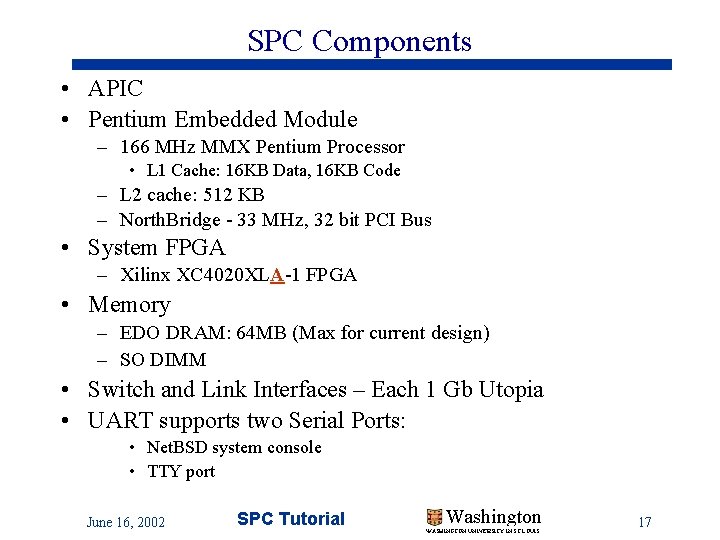
SPC Components • APIC • Pentium Embedded Module – 166 MHz MMX Pentium Processor • L 1 Cache: 16 KB Data, 16 KB Code – L 2 cache: 512 KB – North. Bridge - 33 MHz, 32 bit PCI Bus • System FPGA – Xilinx XC 4020 XLA-1 FPGA • Memory – EDO DRAM: 64 MB (Max for current design) – SO DIMM • Switch and Link Interfaces – Each 1 Gb Utopia • UART supports two Serial Ports: • Net. BSD system console • TTY port June 16, 2002 SPC Tutorial Washington WASHINGTON UNIVERSITY IN ST LOUIS 17
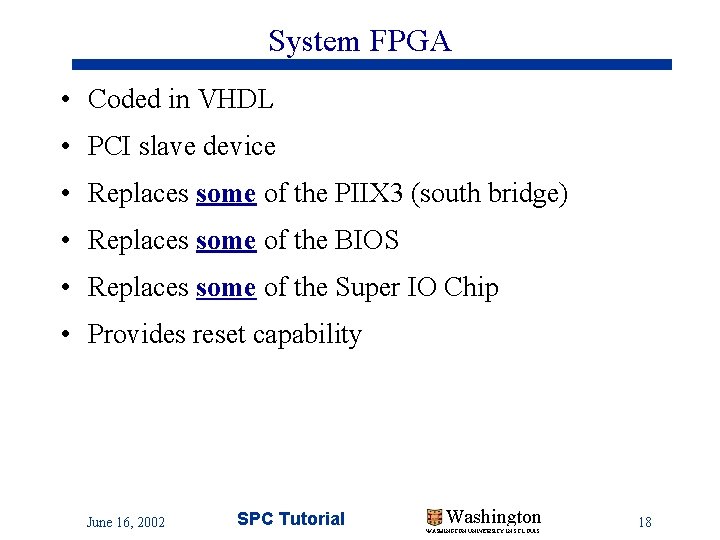
System FPGA • Coded in VHDL • PCI slave device • Replaces some of the PIIX 3 (south bridge) • Replaces some of the BIOS • Replaces some of the Super IO Chip • Provides reset capability June 16, 2002 SPC Tutorial Washington WASHINGTON UNIVERSITY IN ST LOUIS 18
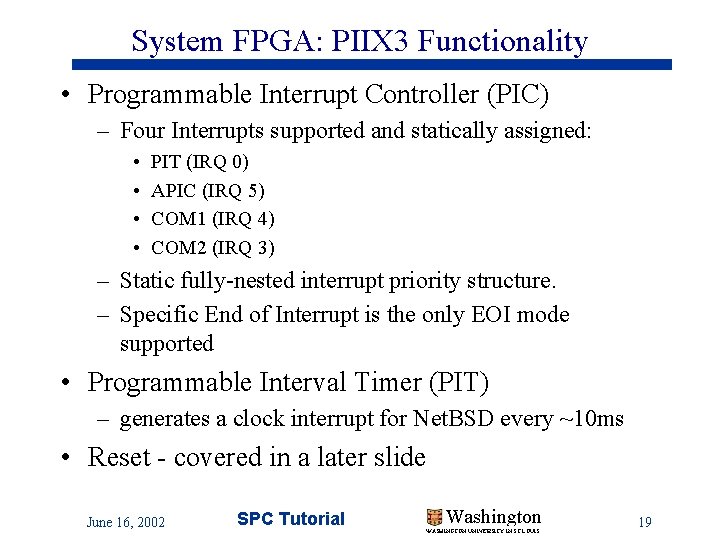
System FPGA: PIIX 3 Functionality • Programmable Interrupt Controller (PIC) – Four Interrupts supported and statically assigned: • • PIT (IRQ 0) APIC (IRQ 5) COM 1 (IRQ 4) COM 2 (IRQ 3) – Static fully-nested interrupt priority structure. – Specific End of Interrupt is the only EOI mode supported • Programmable Interval Timer (PIT) – generates a clock interrupt for Net. BSD every ~10 ms • Reset - covered in a later slide June 16, 2002 SPC Tutorial Washington WASHINGTON UNIVERSITY IN ST LOUIS 19
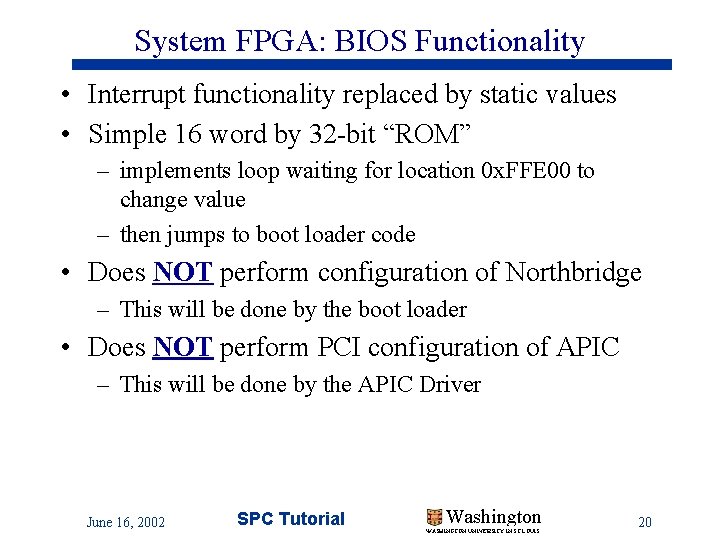
System FPGA: BIOS Functionality • Interrupt functionality replaced by static values • Simple 16 word by 32 -bit “ROM” – implements loop waiting for location 0 x. FFE 00 to change value – then jumps to boot loader code • Does NOT perform configuration of Northbridge – This will be done by the boot loader • Does NOT perform PCI configuration of APIC – This will be done by the APIC Driver June 16, 2002 SPC Tutorial Washington WASHINGTON UNIVERSITY IN ST LOUIS 20
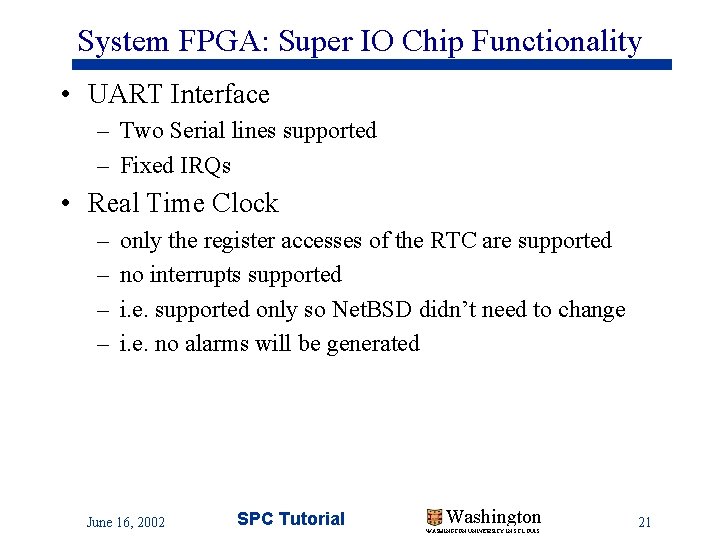
System FPGA: Super IO Chip Functionality • UART Interface – Two Serial lines supported – Fixed IRQs • Real Time Clock – – only the register accesses of the RTC are supported no interrupts supported i. e. supported only so Net. BSD didn’t need to change i. e. no alarms will be generated June 16, 2002 SPC Tutorial Washington WASHINGTON UNIVERSITY IN ST LOUIS 21
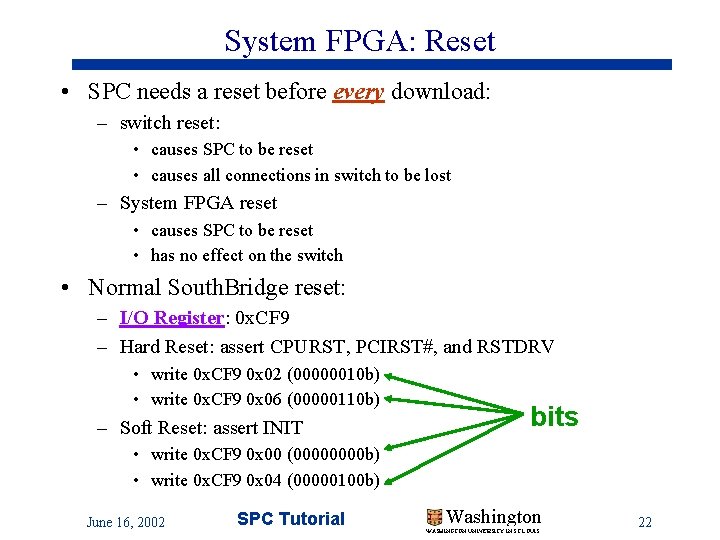
System FPGA: Reset • SPC needs a reset before every download: – switch reset: • causes SPC to be reset • causes all connections in switch to be lost – System FPGA reset • causes SPC to be reset • has no effect on the switch • Normal South. Bridge reset: – I/O Register: 0 x. CF 9 – Hard Reset: assert CPURST, PCIRST#, and RSTDRV • write 0 x. CF 9 0 x 02 (00000010 b) • write 0 x. CF 9 0 x 06 (00000110 b) – Soft Reset: assert INIT bits • write 0 x. CF 9 0 x 00 (0000 b) • write 0 x. CF 9 0 x 04 (00000100 b) June 16, 2002 SPC Tutorial Washington WASHINGTON UNIVERSITY IN ST LOUIS 22
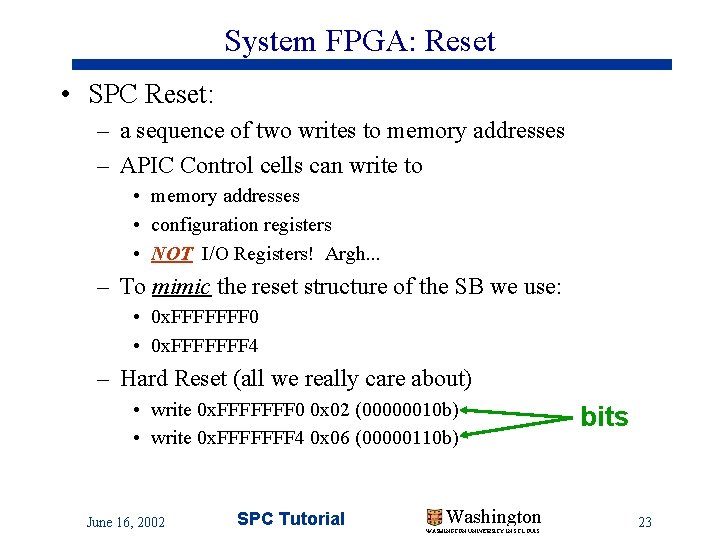
System FPGA: Reset • SPC Reset: – a sequence of two writes to memory addresses – APIC Control cells can write to • memory addresses • configuration registers • NOT I/O Registers! Argh. . . – To mimic the reset structure of the SB we use: • 0 x. FFFFFFF 0 • 0 x. FFFFFFF 4 – Hard Reset (all we really care about) • write 0 x. FFFFFFF 0 0 x 02 (00000010 b) • write 0 x. FFFFFFF 4 0 x 06 (00000110 b) June 16, 2002 SPC Tutorial Washington WASHINGTON UNIVERSITY IN ST LOUIS bits 23
References: SPC-I (on Kits Web Pages) • Intel Embedded Module: – Data Sheet – Design Guide • 430 HX Chipset – North. Bridge – South. Bridge • System FPGA • Memory • Mobile Pentium with MMX – Software Developer Manuals 1, 2, 3 – Datasheet • APIC • Cache June 16, 2002 SPC Tutorial Washington WASHINGTON UNIVERSITY IN ST LOUIS 24
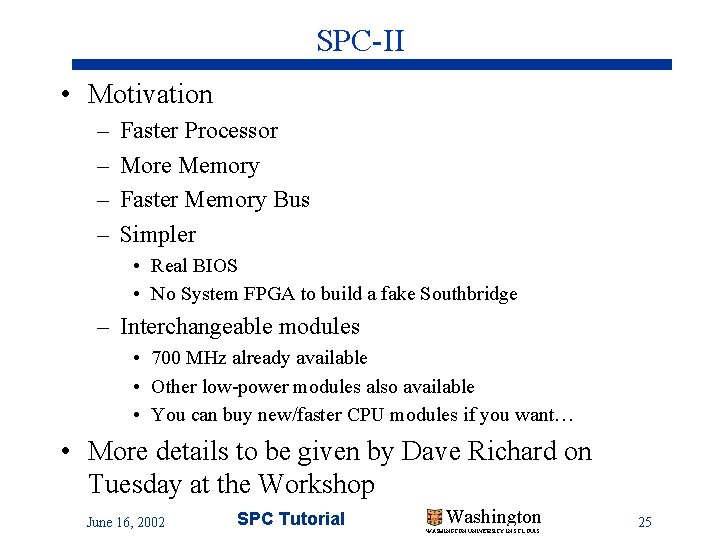
SPC-II • Motivation – – Faster Processor More Memory Faster Memory Bus Simpler • Real BIOS • No System FPGA to build a fake Southbridge – Interchangeable modules • 700 MHz already available • Other low-power modules also available • You can buy new/faster CPU modules if you want… • More details to be given by Dave Richard on Tuesday at the Workshop June 16, 2002 SPC Tutorial Washington WASHINGTON UNIVERSITY IN ST LOUIS 25
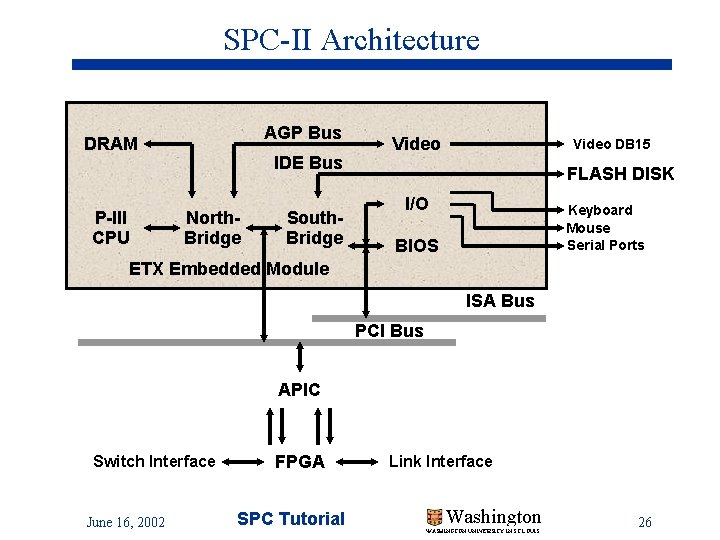
SPC-II Architecture AGP Bus DRAM P-III CPU IDE Bus North. Bridge South. Bridge Video DB 15 FLASH DISK I/O Keyboard Mouse Serial Ports BIOS ETX Embedded Module ISA Bus PCI Bus APIC Switch Interface June 16, 2002 FPGA SPC Tutorial Link Interface Washington WASHINGTON UNIVERSITY IN ST LOUIS 26
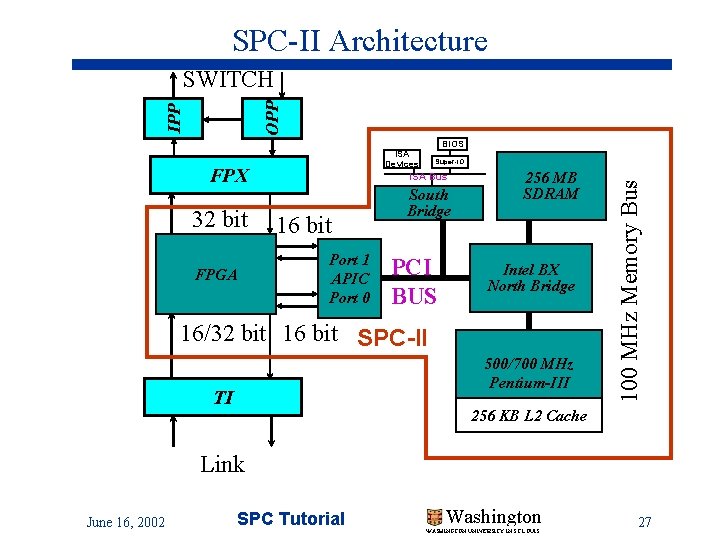
SPC-II Architecture IPP OPP SWITCH BIOS ISA Devices 32 bit FPGA ISA Bus 16 bit Port 1 APIC Port 0 South Bridge PCI BUS 256 MB SDRAM Intel BX North Bridge 16/32 bit 16 bit SPC-II 500/700 MHz Pentium-III TI 100 MHz Memory Bus FPX Super-IO 256 KB L 2 Cache Link June 16, 2002 SPC Tutorial Washington WASHINGTON UNIVERSITY IN ST LOUIS 27
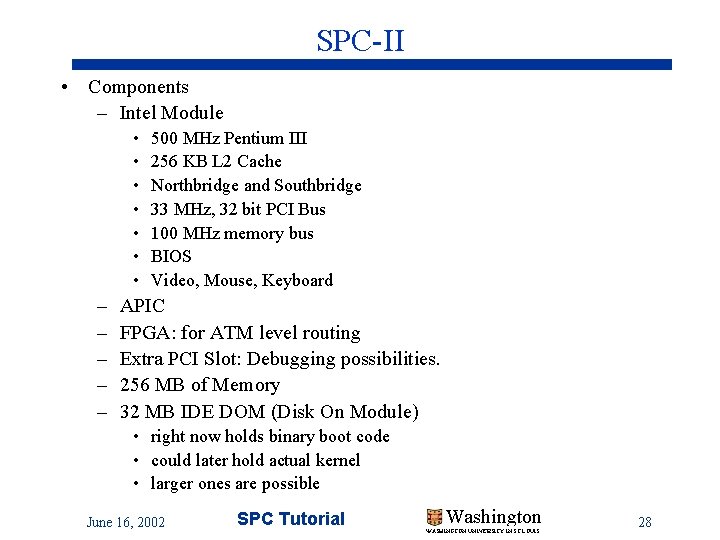
SPC-II • Components – Intel Module • • – – – 500 MHz Pentium III 256 KB L 2 Cache Northbridge and Southbridge 33 MHz, 32 bit PCI Bus 100 MHz memory bus BIOS Video, Mouse, Keyboard APIC FPGA: for ATM level routing Extra PCI Slot: Debugging possibilities. 256 MB of Memory 32 MB IDE DOM (Disk On Module) • right now holds binary boot code • could later hold actual kernel • larger ones are possible June 16, 2002 SPC Tutorial Washington WASHINGTON UNIVERSITY IN ST LOUIS 28
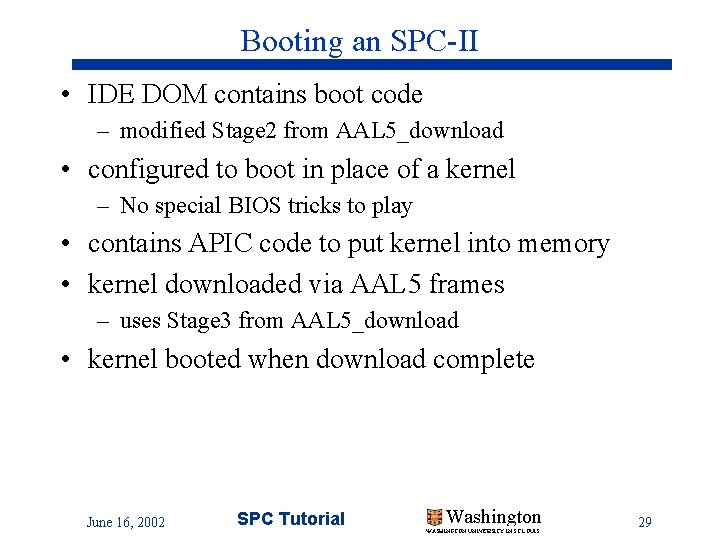
Booting an SPC-II • IDE DOM contains boot code – modified Stage 2 from AAL 5_download • configured to boot in place of a kernel – No special BIOS tricks to play • contains APIC code to put kernel into memory • kernel downloaded via AAL 5 frames – uses Stage 3 from AAL 5_download • kernel booted when download complete June 16, 2002 SPC Tutorial Washington WASHINGTON UNIVERSITY IN ST LOUIS 29
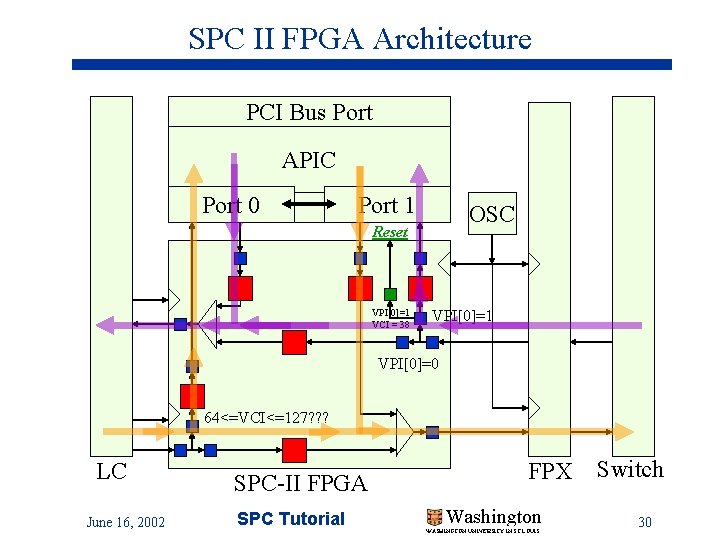
SPC II FPGA Architecture PCI Bus Port APIC Port 0 Port 1 OSC Reset VPI[0]=1 VCI = 38 VPI[0]=1 VPI[0]=0 64<=VCI<=127? ? ? LC June 16, 2002 SPC-II FPGA SPC Tutorial FPX Washington WASHINGTON UNIVERSITY IN ST LOUIS Switch 30
SPC-II References and more info • APIC References the same as before • Other references to come soon • Dave Richard will talk more about SPC-II on Wednesday at the Workshop June 16, 2002 SPC Tutorial Washington WASHINGTON UNIVERSITY IN ST LOUIS 31
• The rest of the slides are a Gallery of SPC Photos June 16, 2002 SPC Tutorial Washington WASHINGTON UNIVERSITY IN ST LOUIS 32