
A Practical Comparison of Modern Authentication Mechanisms Biometrics
A Practical Comparison of Modern Authentication Mechanisms
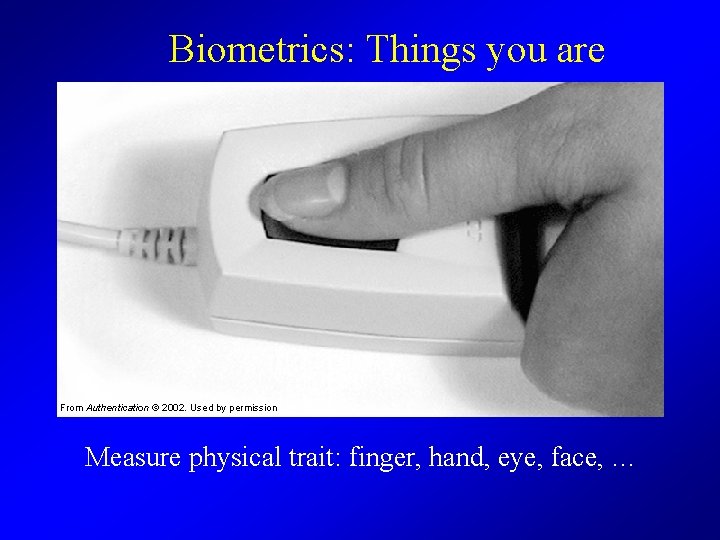
Biometrics: Things you are From Authentication © 2002. Used by permission Measure physical trait: finger, hand, eye, face, …
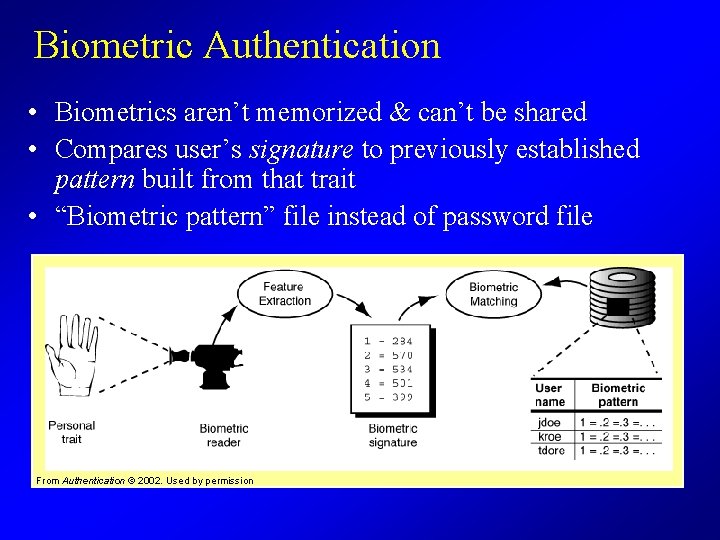
Biometric Authentication • Biometrics aren’t memorized & can’t be shared • Compares user’s signature to previously established pattern built from that trait • “Biometric pattern” file instead of password file From Authentication © 2002. Used by permission
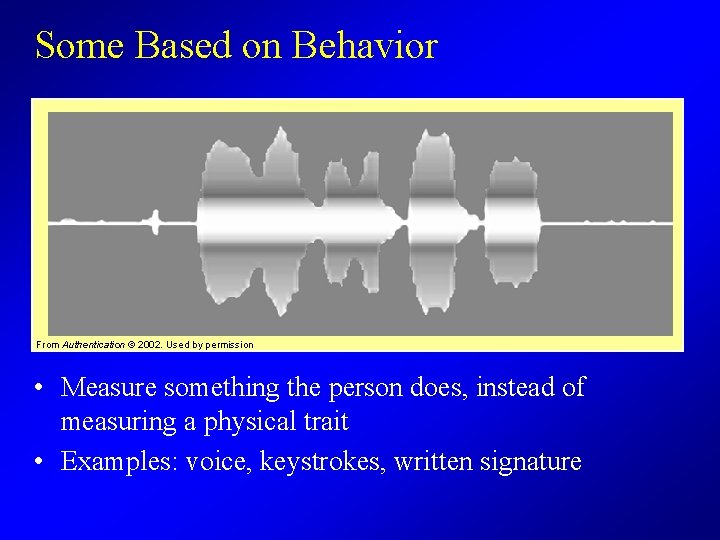
Some Based on Behavior From Authentication © 2002. Used by permission • Measure something the person does, instead of measuring a physical trait • Examples: voice, keystrokes, written signature

Pattern Matching From Authentication © 2002. Used by permission We compare how closely a signature matches one user’s pattern versus another’s pattern
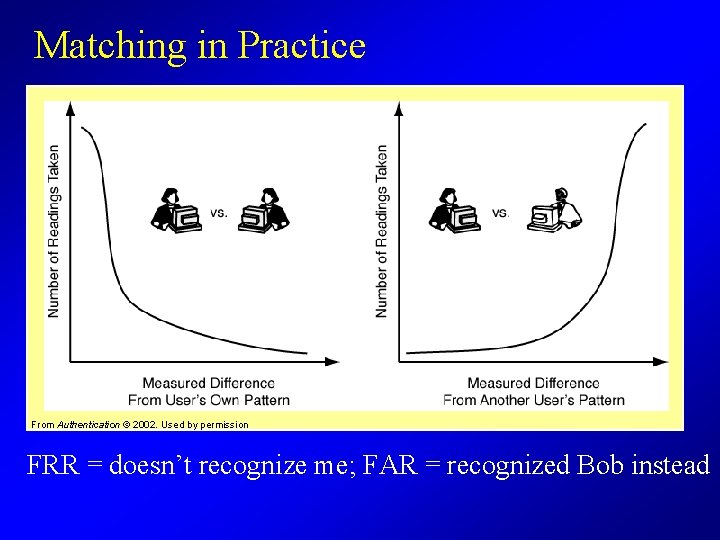
Matching in Practice From Authentication © 2002. Used by permission FRR = doesn’t recognize me; FAR = recognized Bob instead

Biometrics in Practice • Higher security means more mistakes – When we reduce the FAR, we increase the FRR – More picky about signatures from legitimate users, too
The Biometric Dilemma • The biometric pattern acts like a base secret But, biometrics are not secrets • Each user leaves artifacts of her voice, fingerprints, and appearance wherever she goes • Users can’t change biometrics if someone makes a copy • Risks to personal privacy
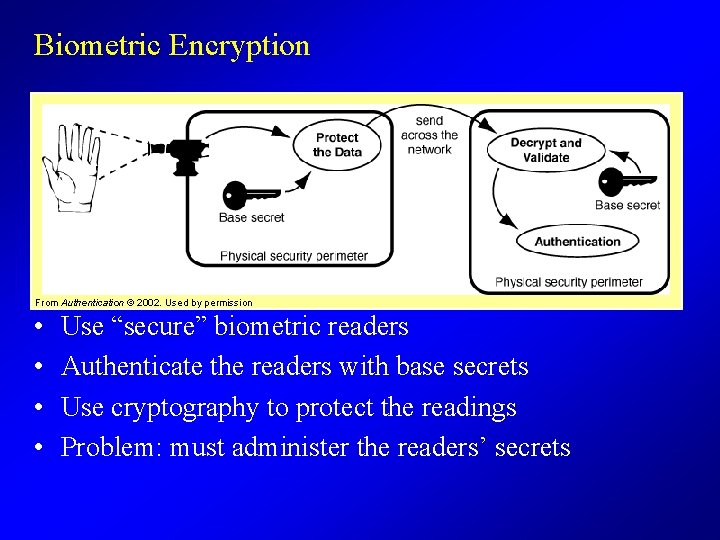
Biometric Encryption From Authentication © 2002. Used by permission • • Use “secure” biometric readers Authenticate the readers with base secrets Use cryptography to protect the readings Problem: must administer the readers’ secrets
Biometric Enrollment • How it works – User provides one or more biometric readings – The system converts each reading into a signature – The system constructs the pattern from those signatures • Problems with biometric enrollment – It’s hard to reliably “pre-enroll” users – Users must provide biometric readings interactively • Accuracy is time consuming – Take trial readings, build tentative patterns, try them out – Take more readings to refine patterns – Higher accuracy requires more trial readings

Tokens: Something You Have From Authentication © 2002. Used by permission • Each carries a large, hard to guess secret • Portable, usually tamper resistant • Some implemented in software
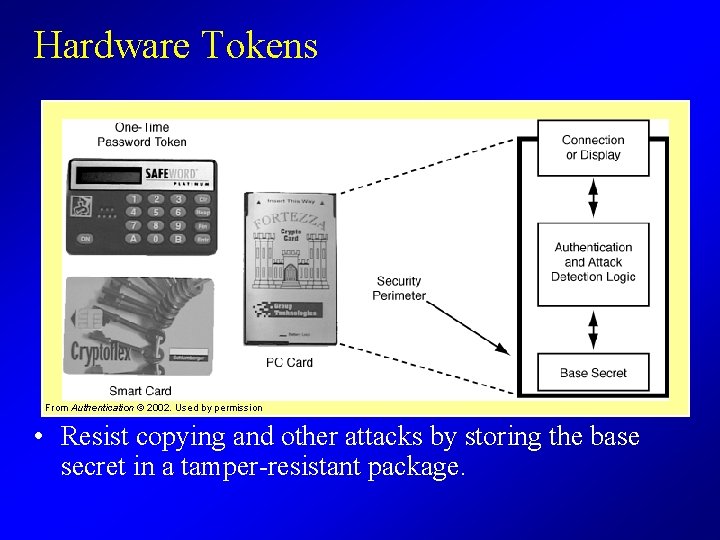
Hardware Tokens From Authentication © 2002. Used by permission • Resist copying and other attacks by storing the base secret in a tamper-resistant package.
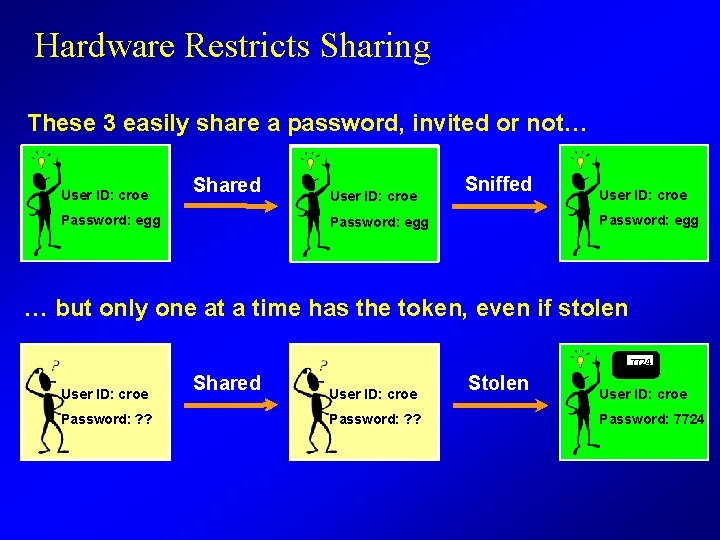
Hardware Restricts Sharing These 3 easily share a password, invited or not… User ID: croe Shared User ID: croe Sniffed Password: ? ? egg ? ? Password: egg User ID: croe Password: egg ? ? … but only one at a time has the token, even if stolen 6435 1463 User ID: croe ? ? Password: 1463 Shared User ID: croe Password: ? ? 6435 7724 Stolen User ID: croe Password: 7724 ? ?
Public Keys vs. Secret Keys • Two different technologies for tokens • Secret Keys – Produce single use (“one time”) passwords – Use Centralized Authentication Servers • Public Key Pairs – Use challenge response protocols – Use Certificates and “Public Key Infrastructure” (PKI)
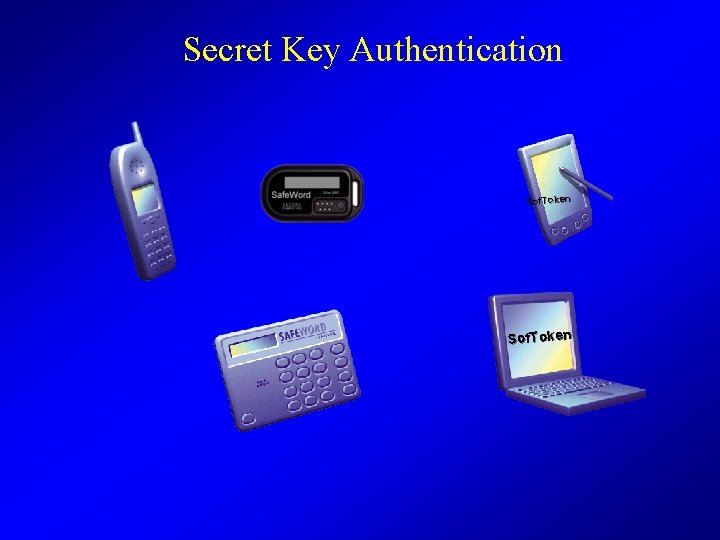
Secret Key Authentication Sof. Token
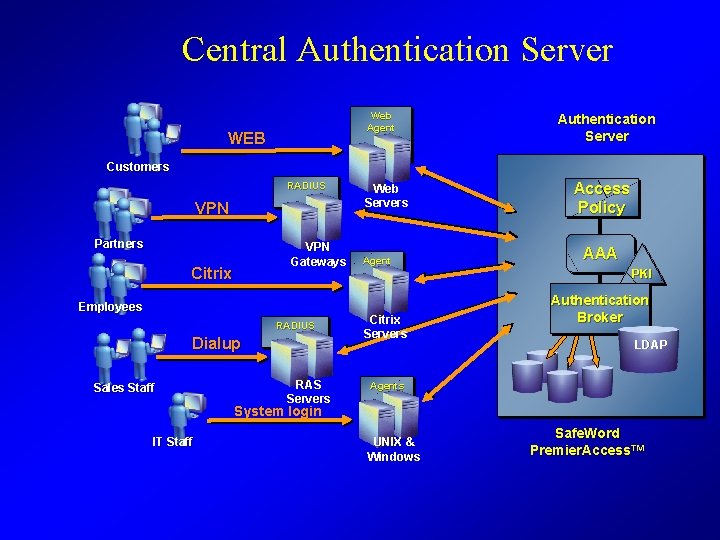
Central Authentication Server Web Agent WEB Customers RADIUS VPN Partners VPN Gateways Citrix Employees RADIUS Dialup Sales Staff RAS Servers Web Servers Agent Authentication Server Web Access Enrollment Policy AAA PKI Citrix Servers Authentication Broker LDAP Agents System login IT Staff UNIX & Windows Safe. Word Premier. Access™
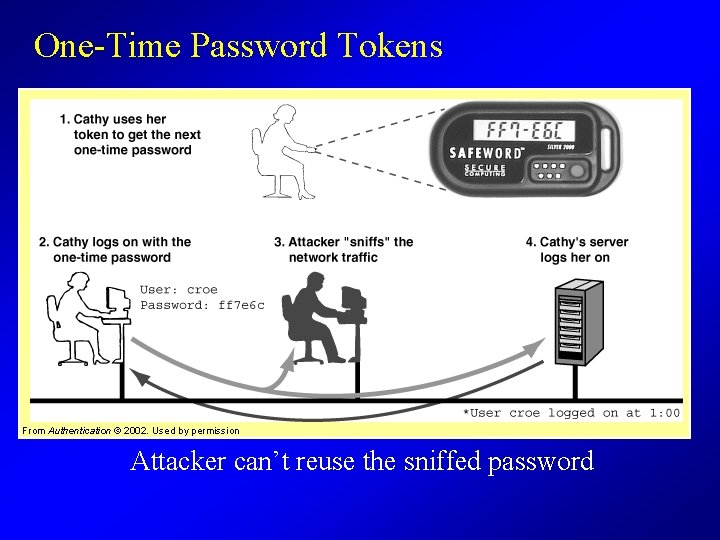
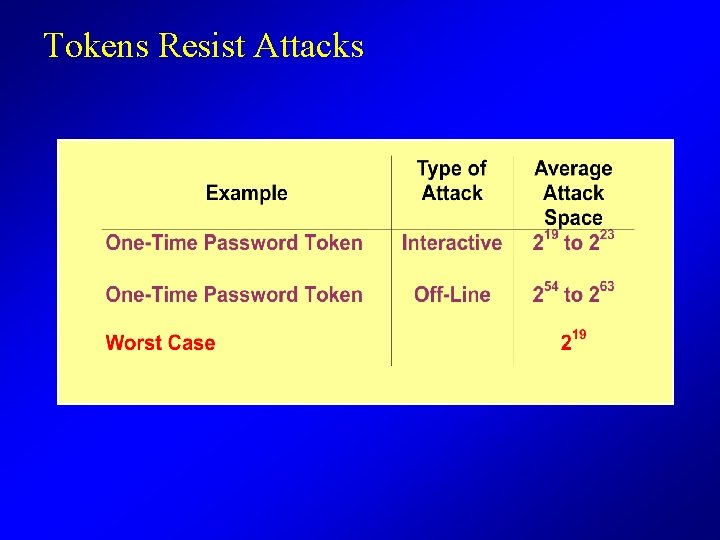
One-Time Password Tokens From Authentication © 2002. Used by permission Attacker can’t reuse the sniffed password
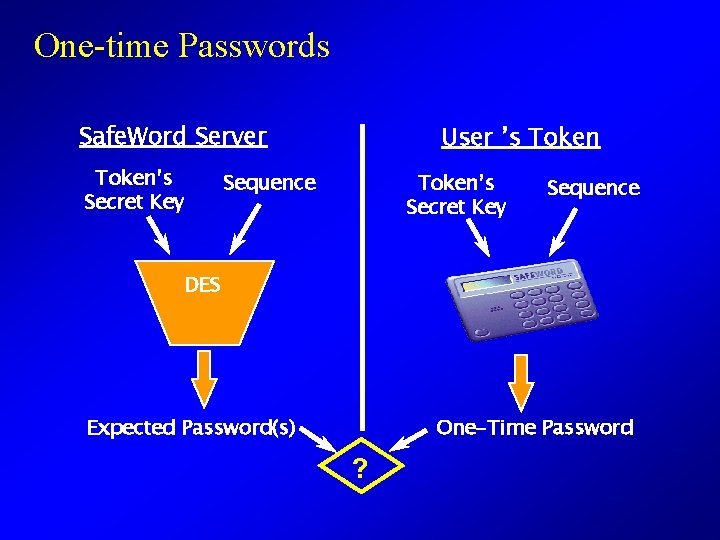
One-time Passwords Safe. Word Server Token’s Secret Key User ’s Token Sequence Token’s Secret Key Sequence DES One-Time Password Expected Password(s) ?
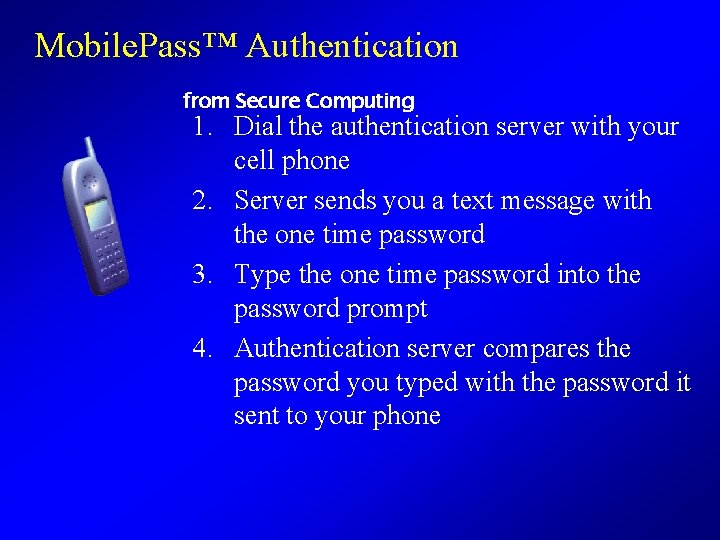
Mobile. Pass™ Authentication from Secure Computing 1. Dial the authentication server with your cell phone 2. Server sends you a text message with the one time password 3. Type the one time password into the password prompt 4. Authentication server compares the password you typed with the password it sent to your phone
Tokens Resist Attacks
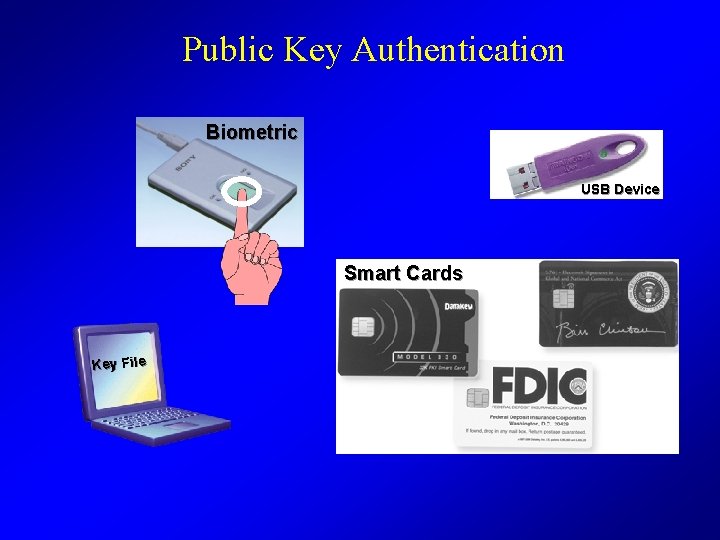
Public Key Authentication Biometric USB Device Smart Cards Key File

Public Key Authentication Bob’s Public Key Certificate Bob@mail. com Key: 3, 5555 1. Bob sends his public key to Server 3, 5555 = Bob’s Private Key 2. Server sends a random challenge Public Key Encrypt 3. Bob encrypts challenge with his private key Match! 4. Server decrypts challenge with Bob’s public key {Random} 68238203 = Public Key Decrypt
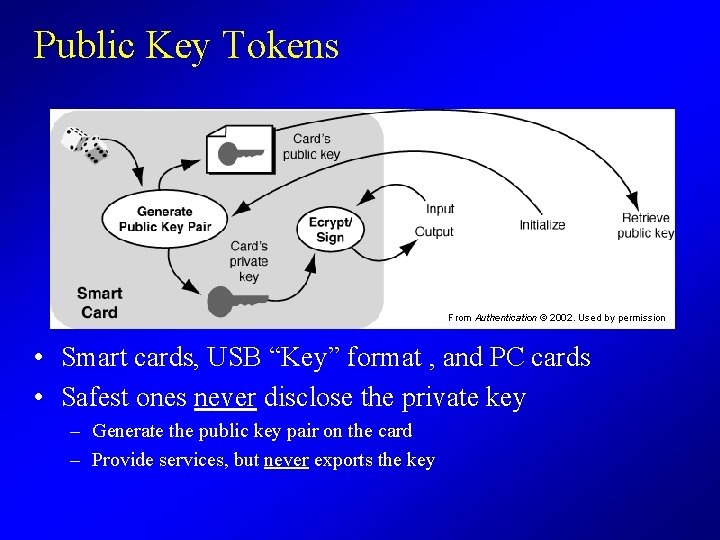
Public Key Tokens From Authentication © 2002. Used by permission • Smart cards, USB “Key” format , and PC cards • Safest ones never disclose the private key – Generate the public key pair on the card – Provide services, but never exports the key
Public Keys in Practice • Available with Kerberos/Windows 2000 – Challenge response function logs you in to the domain • Widely used to authentication E-commerce hosts on the World Wide Web – Far more common than user authentication – Invisible to end users (did you know it was happening? ) • Enrollment Process 1. 2. 3. 4. Generate a public/private key pair; protect your private key Give the public key and your name to Certificate Authority issues you a Certificate Share your Certificate with those who must authenticate you
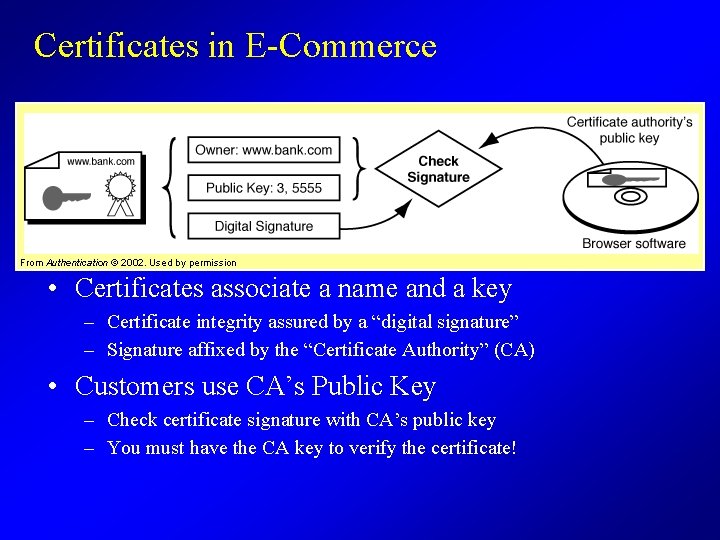
Certificates in E-Commerce From Authentication © 2002. Used by permission • Certificates associate a name and a key – Certificate integrity assured by a “digital signature” – Signature affixed by the “Certificate Authority” (CA) • Customers use CA’s Public Key – Check certificate signature with CA’s public key – You must have the CA key to verify the certificate!
Public Keys Resist Attacks
Public Key is Better… • Does not need a central authentication server – Eliminate need to protect a centralized list of secret keys – Eliminate need for real time communication to server – You only need a set of CA keys to authenticate people & sites • Risk of subversion is distributed to individual machines performing authentication • Easy to authenticate new users – Each new user simply acquires and provides a certificate • Safer to distribute across multiple enterprises • Higher resistance to trial-and-error attacks
Or is Secret Key Better… • Simpler underlying technology – Can be deployed off-the-shelf – Does not require a complex “infrastructure” – Redundant central servers can provide reliability and availability • One time passwords fit existing password prompts • Works with existing software base – RADIUS compatibility, older Microsoft Windows integration • Easy to revoke access – You just update the user’s entry on the central server – It’s very difficult to revoke public keys – once a certificate is distributed, there’s no reliable way to track down all copies of it and delete them.
“Software” Tokens • Guess resistance of tokens at a lower cost • Secret Key Examples – Token vendors build “soft tokens” – Safe. Word™, e. id™, Secur. ID™ • Public Key Examples – Keyfiles on Lotus Notes, Web browsers • Does not prevent delegation • Can not detect sniffing, copying
Multi-Factor Authentication • We cover the weaknesses of individual techniques (tokens, passwords, biometrics) by combining two or more in one mechanism • Two Factor Authentication – ATM Cards - card plus PIN – One-time password token with a keypad - token plus PIN – Biometric reading protected with a secret encryption key • Three Factor Authentication – Token + memorized PIN + biometric reading – More Expensive = Rarely used
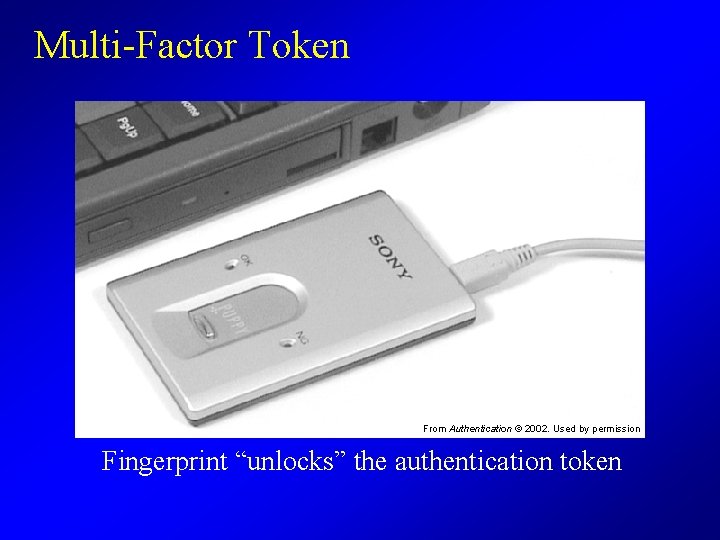
Multi-Factor Token From Authentication © 2002. Used by permission Fingerprint “unlocks” the authentication token
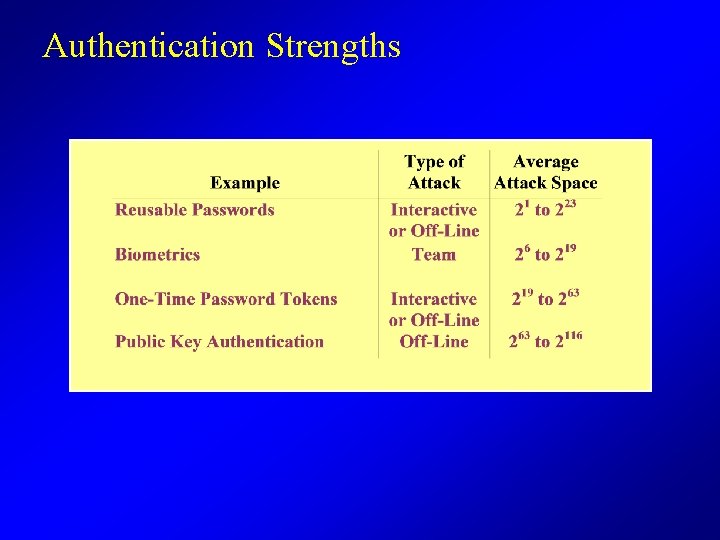
Authentication Strengths
Summary • Passwords are still the cheapest and most common – Can not protect valuable assets - too easy to attack – Risky on the Internet unless you use encryption, too • Biometrics have limited use on networks – Too easy to intercept and replay – Must be used in conjunction with cryptography • Tokens give strongest protection – Embedded cryptographic secrets can be hard to attack – Hardware tokens prevent sharing and delegation – Protect against theft with added factor: a PIN or a biometric
- Slides: 33