
A GUI for High Resolution Xray Spectra T
- Slides: 19
A GUI for High Resolution X-ray Spectra • T. Kallman, L. Angelini, M. Witthoeft, F. Paerels, J. Kaastra 2/27/2021 1
Background • Spectra contain large amounts of information, but deriving this information can be challenging both conceptually and procedurally • In the optical band science results are derived from ‘discrete diagnostics’, i. e. line ratios or equivalent, based on quantities which can be measured directly from an observed spectrum. • In the X-ray band finite spectral resolution and counting statistics mean this is often not possible. • General results depend on ‘modeling’, i. e. producing synthetic data from models and then iteratively correcting. • This procedure requires knowledge of fitting tools and may obscure the model physics. • It is familiar and straightforward for experts, but raises the barrier for entry to the field by outsiders. • For Hitomi (Astro-H) we have tried to build a tool which alleviates some of these problem. 2/27/2021 2
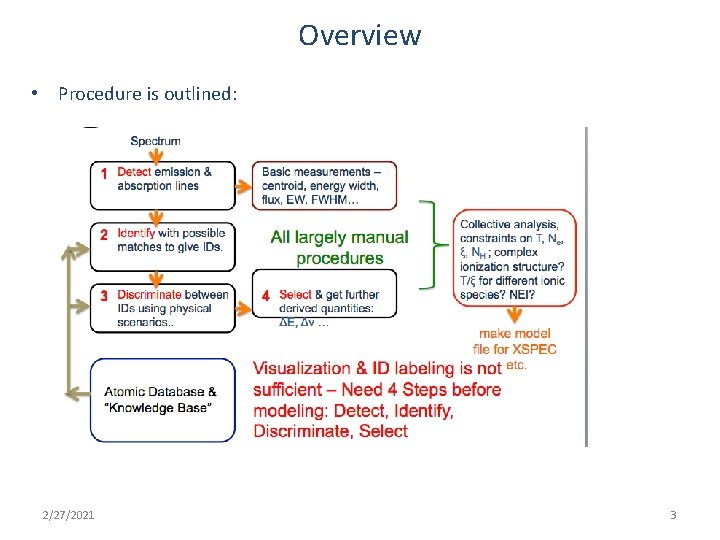
Overview • Procedure is outlined: 2/27/2021 3
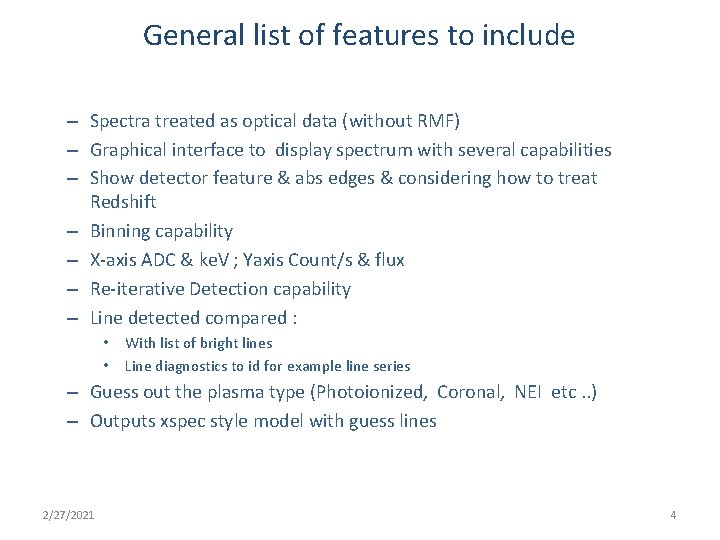
General list of features to include – Spectra treated as optical data (without RMF) – Graphical interface to display spectrum with several capabilities – Show detector feature & abs edges & considering how to treat Redshift – Binning capability – X-axis ADC & ke. V ; Yaxis Count/s & flux – Re-iterative Detection capability – Line detected compared : • With list of bright lines • Line diagnostics to id for example line series – Guess out the plasma type (Photoionized, Coronal, NEI etc. . ) – Outputs xspec style model with guess lines 2/27/2021 4
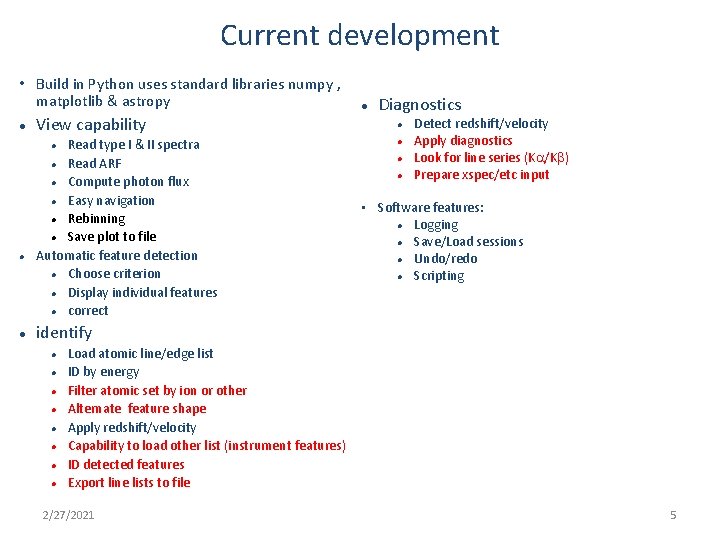
Current development • Build in Python uses standard libraries numpy , matplotlib & astropy View capability Read type I & II spectra Read ARF Compute photon flux Easy navigation Rebinning Save plot to file Automatic feature detection Choose criterion Display individual features correct Diagnostics Detect redshift/velocity Apply diagnostics Look for line series (Ka/Kb) Prepare xspec/etc input • Software features: Logging Save/Load sessions Undo/redo Scripting identify Load atomic line/edge list ID by energy Filter atomic set by ion or other Alternate feature shape Apply redshift/velocity Capability to load other list (instrument features) ID detected features Export line lists to file 2/27/2021 5
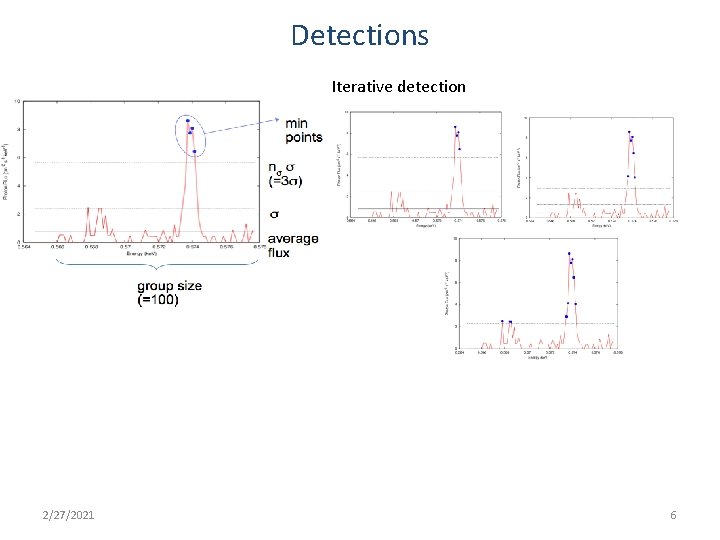
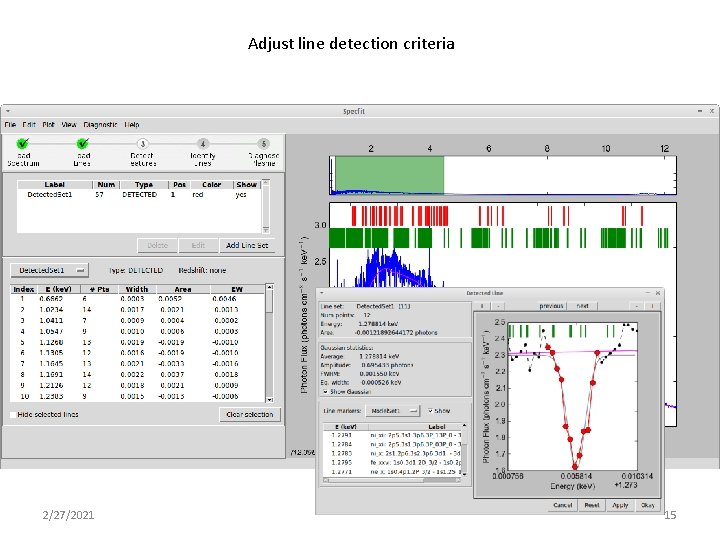
Detections Iterative detection 2/27/2021 6
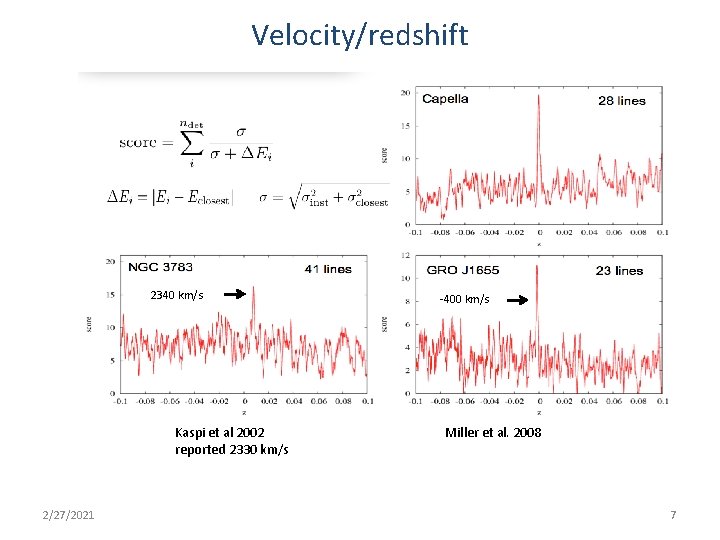
Velocity/redshift 2340 km/s Kaspi et al 2002 reported 2330 km/s 2/27/2021 -400 km/s Miller et al. 2008 7
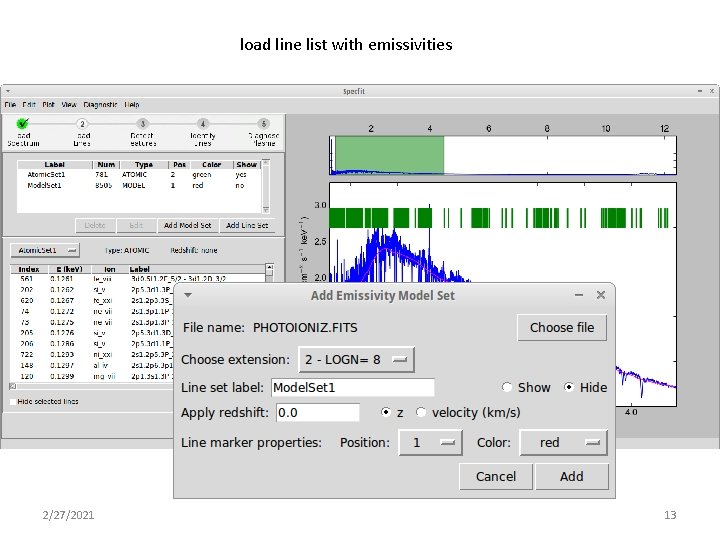
Atomic features • So far, taken from xstar database – But use of other line lists and models is desired • Xstar database has ~105 lines, 432 ions • Two lists: – From grid of models: find lines from each ion which appear in top 10 in most model top ~800 lines, a few from each ion for use in getting ids – Include lines emitted and absorbed, and from fluorescence, recombination, EIE. • And physical list generated from physical scenario: photoionization, coronal, nei …. – Used for evaluating physical scenario via ‘score’ • Wavelengths for strongest lines are known with sufficient accuracy (NIST). • Rely on ab initio wavelengths for many inner shell lines; these have fractional errors ~1%, not ideal. • Strong lines are almost certainly the same across various line lists 2/27/2021 8
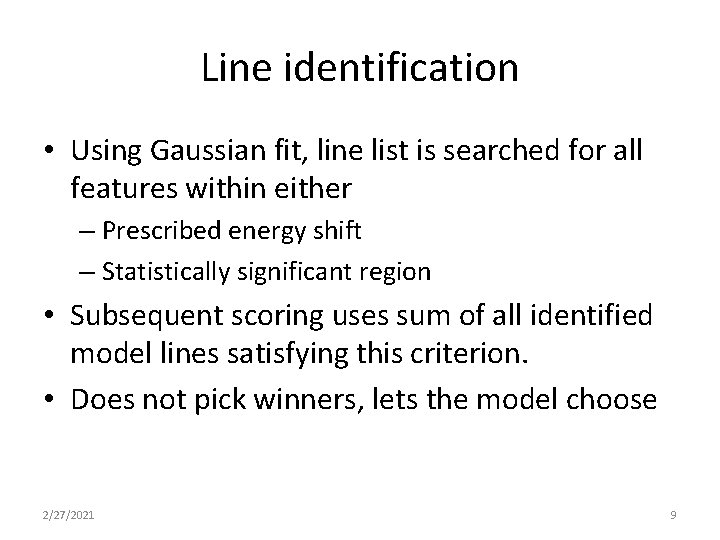
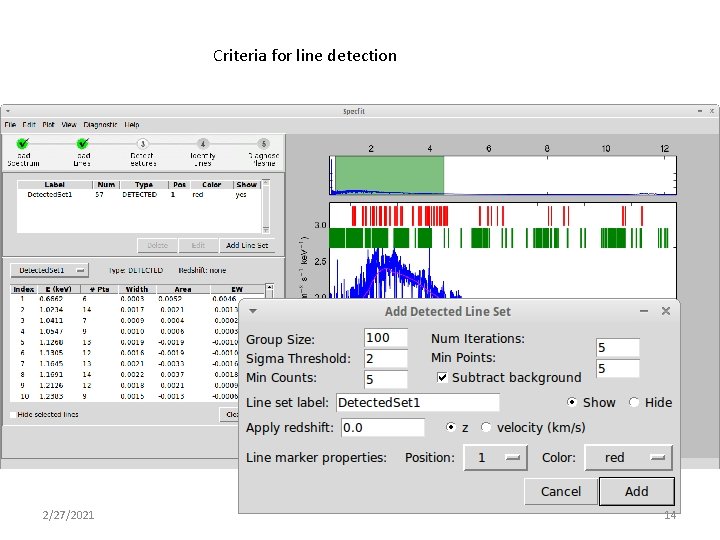
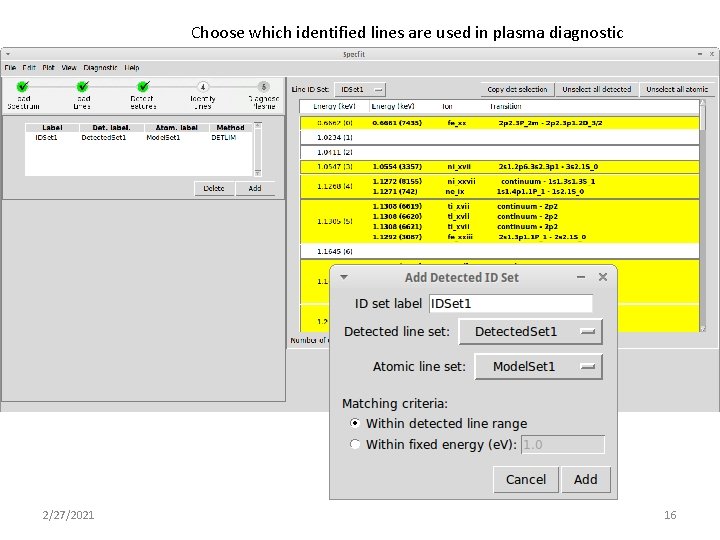
Line identification • Using Gaussian fit, line list is searched for all features within either – Prescribed energy shift – Statistically significant region • Subsequent scoring uses sum of all identified model lines satisfying this criterion. • Does not pick winners, lets the model choose 2/27/2021 9
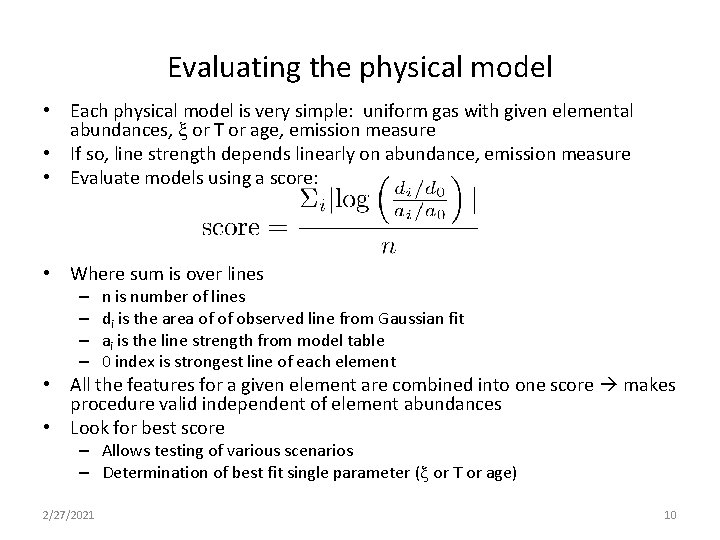
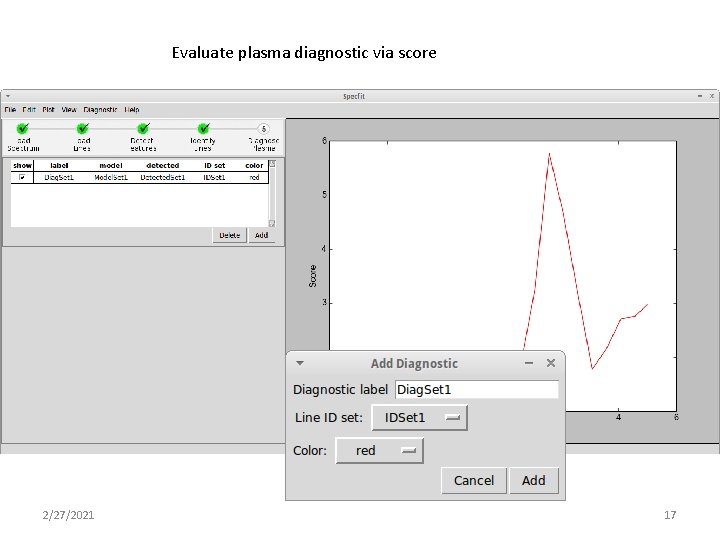
Evaluating the physical model • Each physical model is very simple: uniform gas with given elemental abundances, x or T or age, emission measure • If so, line strength depends linearly on abundance, emission measure • Evaluate models using a score: • Where sum is over lines – – n is number of lines di is the area of of observed line from Gaussian fit ai is the line strength from model table 0 index is strongest line of each element • All the features for a given element are combined into one score makes procedure valid independent of element abundances • Look for best score – Allows testing of various scenarios – Determination of best fit single parameter (x or T or age) 2/27/2021 10
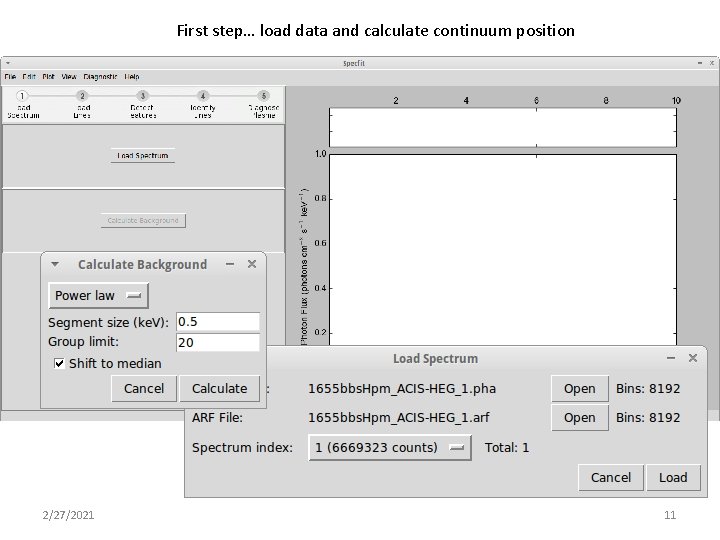
First step… load data and calculate continuum position 2/27/2021 11
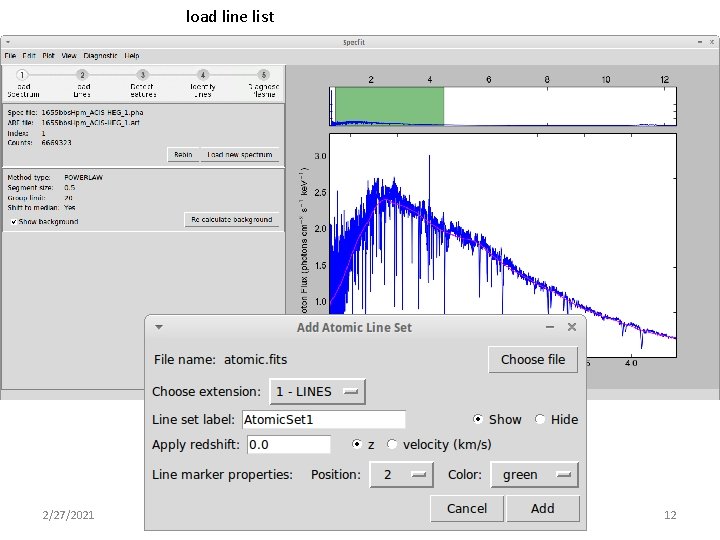
load line list 2/27/2021 12
load line list with emissivities 2/27/2021 13
Criteria for line detection 2/27/2021 14
Adjust line detection criteria 2/27/2021 15
Choose which identified lines are used in plasma diagnostic 2/27/2021 16
Evaluate plasma diagnostic via score 2/27/2021 17
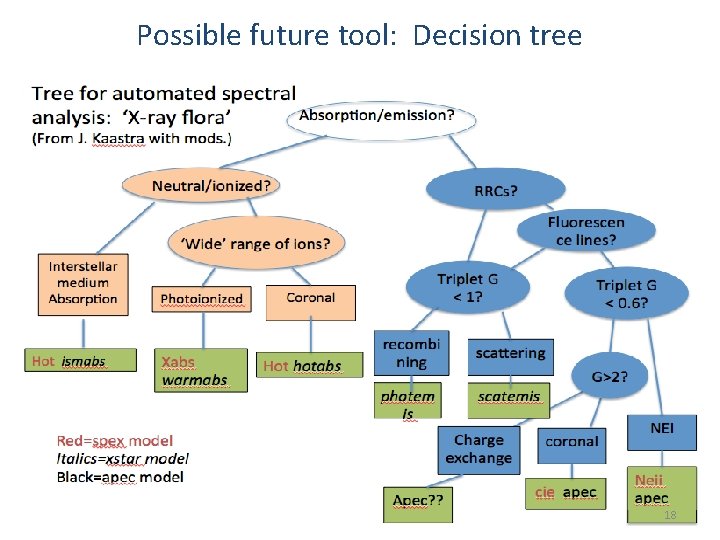
Possible future tool: Decision tree Final remarks 2/27/2021 18
Next steps • Optimize algorithms • Manually adding features • Experiment with atomic data tailored to specific scenarios • Experiment with other algorithms for identifying features. • Be more selective according to conditions and atomic data jelle’s tree • Compare models for similar scenarios across developers • Tool will be circulated simultaneously with Hitomi software, but not part of headas 2/27/2021 19