
A Functional Example of Analyzing Cooccurrence and Sequence
- Slides: 21
A Functional Example of Analyzing Co-occurrence and Sequence of Variables Step-by-step techniques in SPSS Whitney I. Mattson 09/15/2010
What is in this Document �How to look at proportions of a behavior �How to look at proportion of co-occurrence �How to look at simple patterns of transition �Using a rate per minute measure �SPSS syntax for the functions described
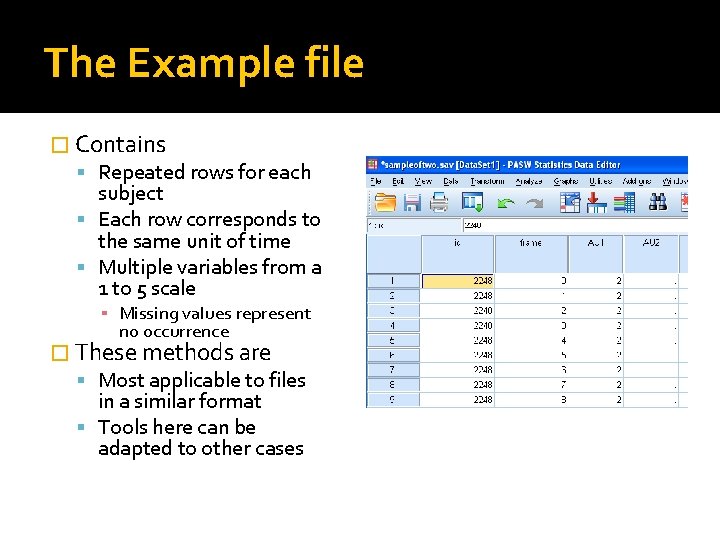
The Example file � Contains Repeated rows for each subject Each row corresponds to the same unit of time Multiple variables from a 1 to 5 scale ▪ Missing values represent no occurrence � These methods are Most applicable to files in a similar format Tools here can be adapted to other cases
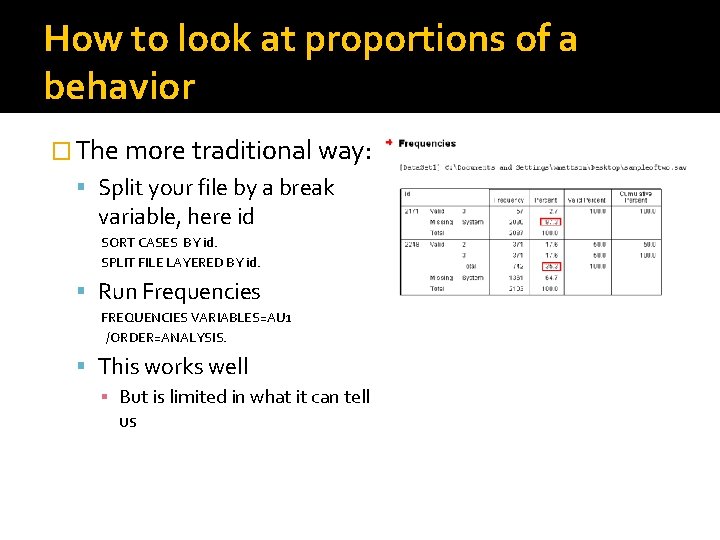
How to look at proportions of a behavior � The more traditional way: Split your file by a break variable, here id SORT CASES BY id. SPLIT FILE LAYERED BY id. Run Frequencies FREQUENCIES VARIABLES=AU 1 /ORDER=ANALYSIS. This works well ▪ But is limited in what it can tell us
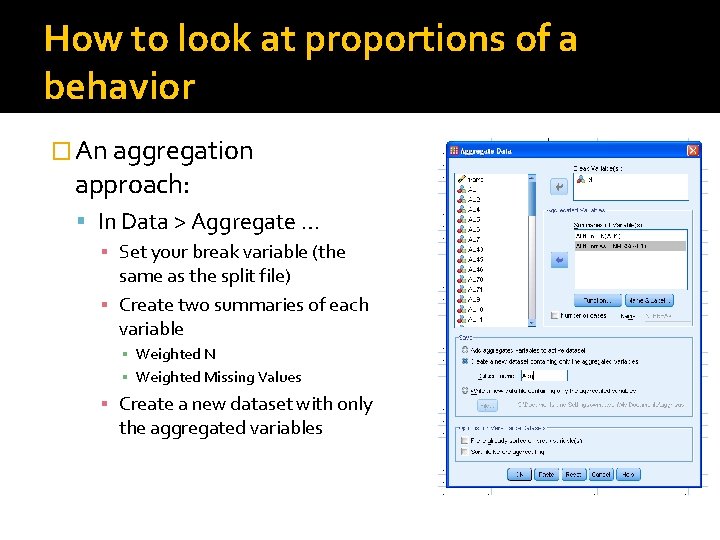
How to look at proportions of a behavior � An aggregation approach: In Data > Aggregate … ▪ Set your break variable (the same as the split file) ▪ Create two summaries of each variable ▪ Weighted N ▪ Weighted Missing Values ▪ Create a new dataset with only the aggregated variables
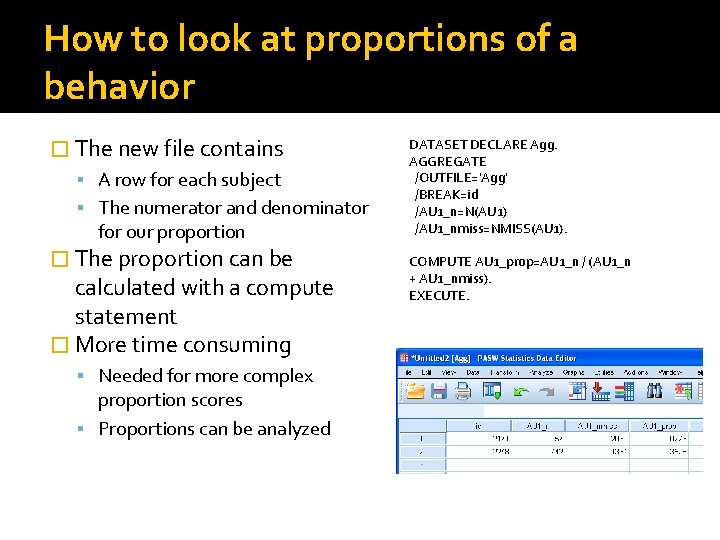
How to look at proportions of a behavior � The new file contains A row for each subject The numerator and denominator for our proportion � The proportion can be calculated with a compute statement � More time consuming Needed for more complex proportion scores Proportions can be analyzed DATASET DECLARE Agg. AGGREGATE /OUTFILE='Agg' /BREAK=id /AU 1_n=N(AU 1) /AU 1_nmiss=NMISS(AU 1). COMPUTE AU 1_prop=AU 1_n / (AU 1_n + AU 1_nmiss). EXECUTE.
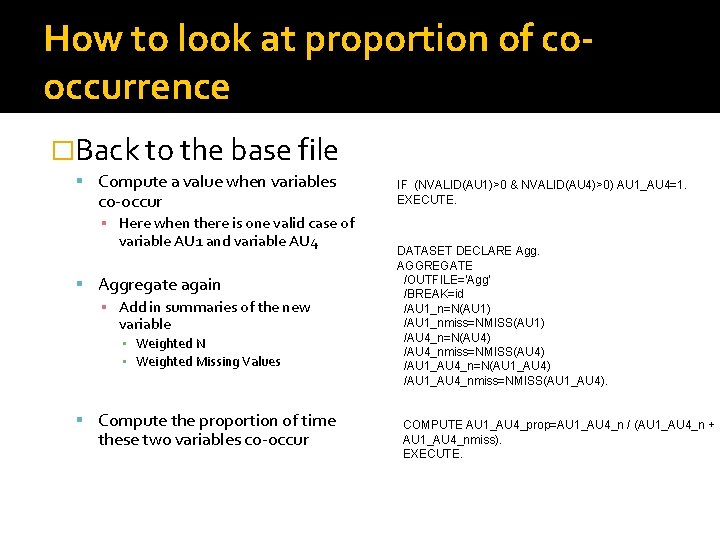
How to look at proportion of cooccurrence �Back to the base file Compute a value when variables co-occur ▪ Here when there is one valid case of variable AU 1 and variable AU 4 Aggregate again ▪ Add in summaries of the new variable ▪ Weighted N ▪ Weighted Missing Values Compute the proportion of time these two variables co-occur IF (NVALID(AU 1)>0 & NVALID(AU 4)>0) AU 1_AU 4=1. EXECUTE. DATASET DECLARE Agg. AGGREGATE /OUTFILE='Agg' /BREAK=id /AU 1_n=N(AU 1) /AU 1_nmiss=NMISS(AU 1) /AU 4_n=N(AU 4) /AU 4_nmiss=NMISS(AU 4) /AU 1_AU 4_n=N(AU 1_AU 4) /AU 1_AU 4_nmiss=NMISS(AU 1_AU 4). COMPUTE AU 1_AU 4_prop=AU 1_AU 4_n / (AU 1_AU 4_n + AU 1_AU 4_nmiss). EXECUTE.
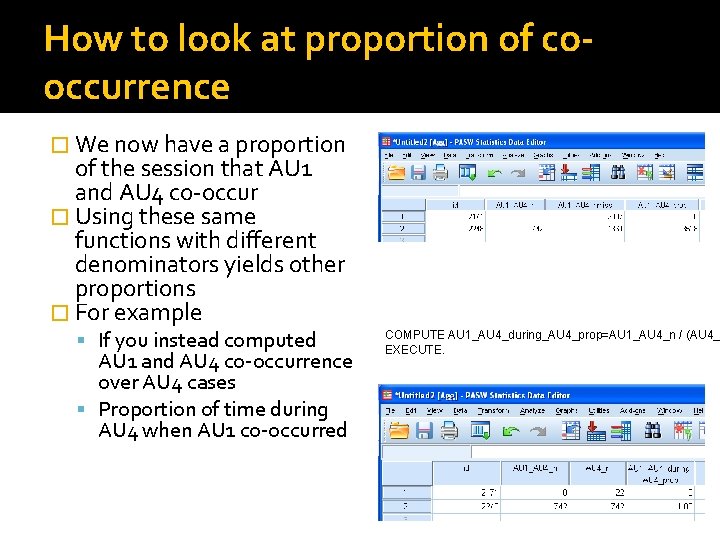
How to look at proportion of cooccurrence � We now have a proportion of the session that AU 1 and AU 4 co-occur � Using these same functions with different denominators yields other proportions � For example If you instead computed AU 1 and AU 4 co-occurrence over AU 4 cases Proportion of time during AU 4 when AU 1 co-occurred COMPUTE AU 1_AU 4_during_AU 4_prop=AU 1_AU 4_n / (AU 4_ EXECUTE.
How to look at simple patterns of transition �Proportions are helpful in looking at characteristics of behavior broadly �However, we miss the evolution of sequence and co-occurrence throughout time �Time-series or lag analysis can tell us how often certain behaviors transition to certain other behaviors.
How to look at simple patterns of transition �Using the lag function to get values in previous rows �lag ( variable name ) Returns the last row’s value for the specified variable Can be used in compute statements to compare changes in variables
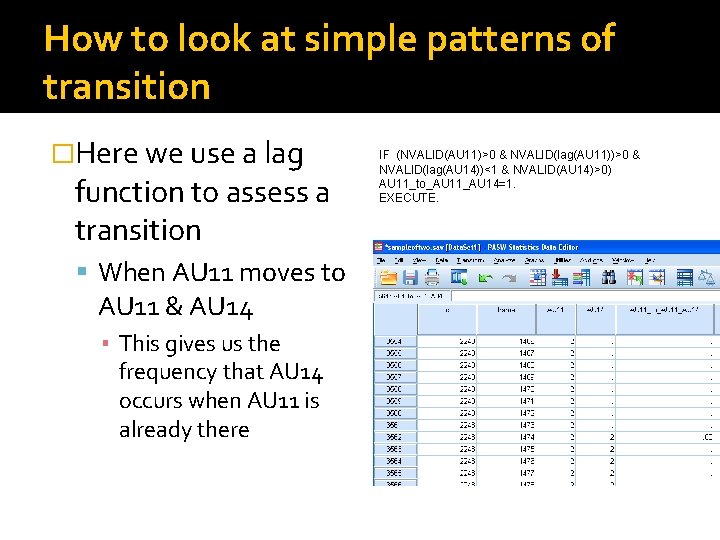
How to look at simple patterns of transition �Here we use a lag function to assess a transition When AU 11 moves to AU 11 & AU 14 ▪ This gives us the frequency that AU 14 occurs when AU 11 is already there IF (NVALID(AU 11)>0 & NVALID(lag(AU 11))>0 & NVALID(lag(AU 14))<1 & NVALID(AU 14)>0) AU 11_to_AU 11_AU 14=1. EXECUTE.
How to look at simple patterns of transition �In addition to obtaining a straight frequency you can also use this transition variable to Assess a proportion of a specific transition out of all transitions Summarize several of these variables into a composite variable of transitions Plug these variables into more complex equations
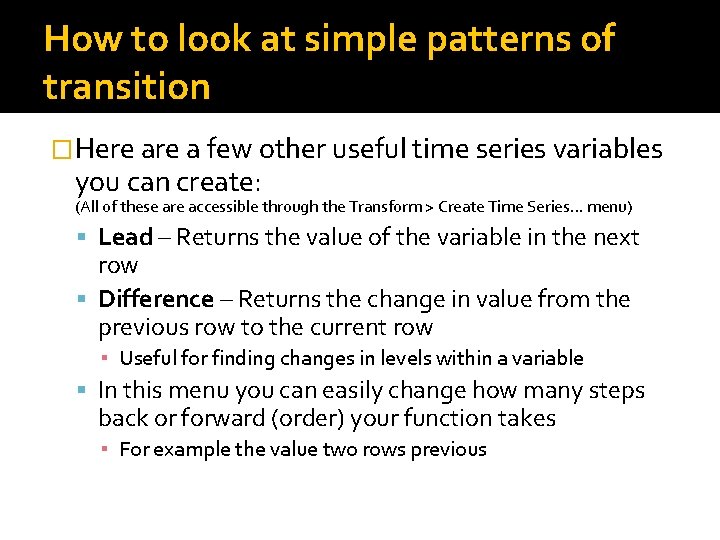
How to look at simple patterns of transition �Here a few other useful time series variables you can create: (All of these are accessible through the Transform > Create Time Series… menu) Lead – Returns the value of the variable in the next row Difference – Returns the change in value from the previous row to the current row ▪ Useful for finding changes in levels within a variable In this menu you can easily change how many steps back or forward (order) your function takes ▪ For example the value two rows previous
Using a rate per minute measure �Creating a rate per minute measure can Help tell you how often a behavior occurs ▪ While controlling for variation in session duration Can be used to summarize changes during meaningful epochs of time ▪ For example, when Stimulus A is presented, do subjects increase their onset of Behavior X
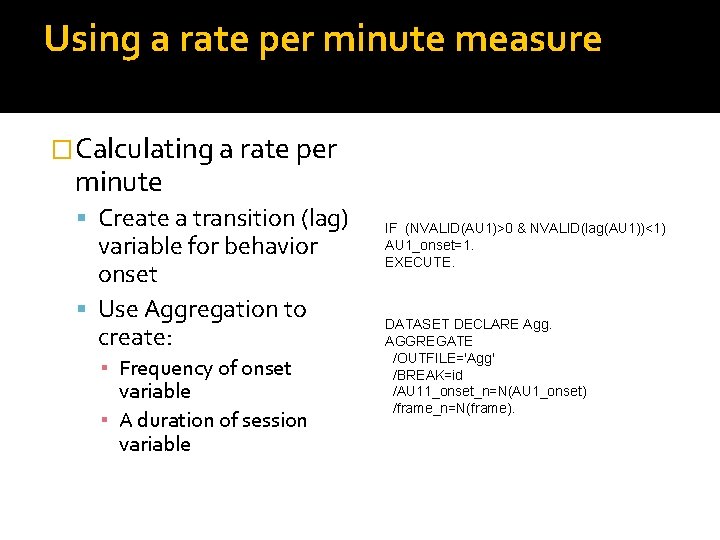
Using a rate per minute measure �Calculating a rate per minute Create a transition (lag) variable for behavior onset Use Aggregation to create: ▪ Frequency of onset variable ▪ A duration of session variable IF (NVALID(AU 1)>0 & NVALID(lag(AU 1))<1) AU 1_onset=1. EXECUTE. DATASET DECLARE Agg. AGGREGATE /OUTFILE='Agg' /BREAK=id /AU 11_onset_n=N(AU 1_onset) /frame_n=N(frame).
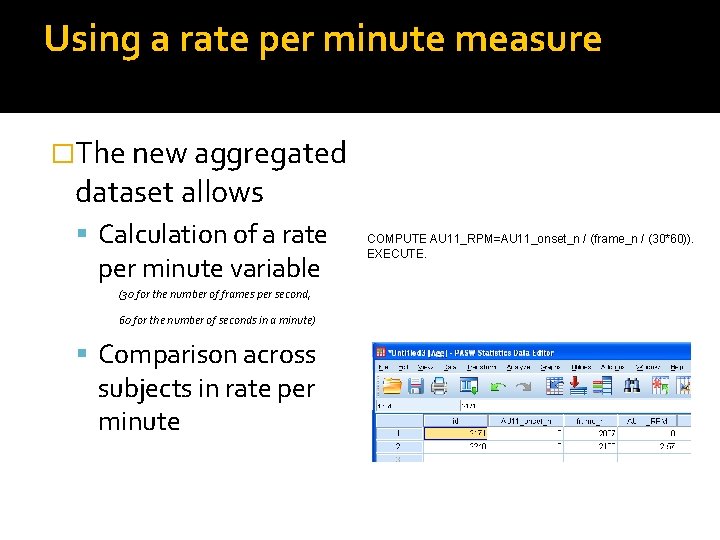
Using a rate per minute measure �The new aggregated dataset allows Calculation of a rate per minute variable (30 for the number of frames per second, 60 for the number of seconds in a minute) Comparison across subjects in rate per minute COMPUTE AU 11_RPM=AU 11_onset_n / (frame_n / (30*60)). EXECUTE.
Using a rate per minute measure �You can also use this same method for different epochs of time Just add more break variables �For example, I create variable Stim_1 that signifies when I present a stimuli �I then aggregate by ID and this new variable…
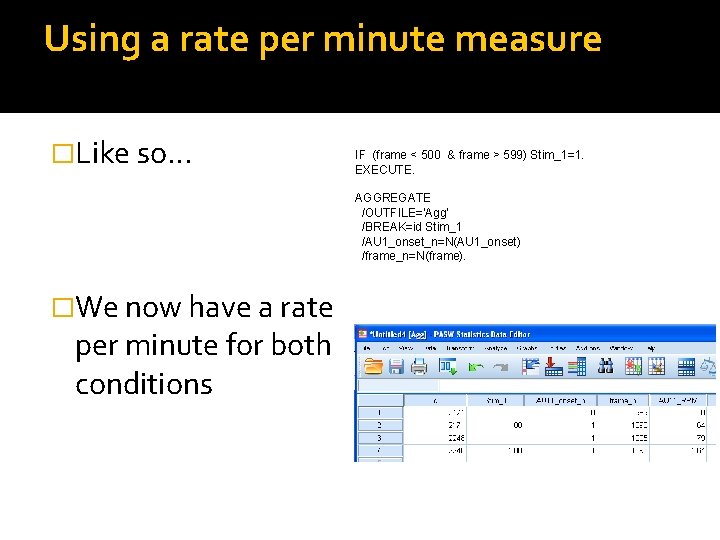
Using a rate per minute measure �Like so… IF (frame < 500 & frame > 599) Stim_1=1. EXECUTE. AGGREGATE /OUTFILE='Agg' /BREAK=id Stim_1 /AU 1_onset_n=N(AU 1_onset) /frame_n=N(frame). �We now have a rate per minute for both conditions
Further analysis and combining techniques �Based on the aggregated datasets presented here you can Analyze group differences in ▪ Proportions of behavior co-occurrence ▪ Number of transitions ▪ Rate per minute across meaningful periods of time
Further analysis and combining techniques �Based on these variable creation techniques you can Combine methods to produce variables which assess more complex questions For example: ▪ Is the proportion of Variable A during Variable B higher after Event X? ▪ Is the rate of transition per minute from Variable A to Variable B more frequent when Variable C co-occurs?
Final notes �As with any set of analyses, ensure that the particular variable you are calculating in a meaningful construct �Thank you for your interest!