
A Complete Guide to Cable Statements of Account
A Complete Guide to Cable Statements of Account Getting Started > Account Info > Revenues > Fees > Certification > Interest > Contact A Tutorial for Form SA 1 -2 WELCOME
What is the statutory license for cable systems? Getting Started > Account Info > Revenues > Fees > Certification > Interest > Contact �The Section 111 license permits a cable operator to retransmit both local and distant radio and television signals to its subscribers who pay a fee for such service. �The purpose of Section 111 is to permit cable systems to carry distant broadcast signals while compensating copyright owners for the public performance of their works, without the transaction costs associated with marketplace negotiations for the carriage of

What are the conditions for using the statutory license? Getting Started > Account Info > Revenues > Fees > Certification > Interest > Contact To be eligible to use the section 111 license, cable systems must �file statement of account (SOA) forms with the Copyright Office and pay royalties every six months �not add or delete any content carried on distant broadcast signals �carry signals in compliance with the rules and regulations of the Federal Communications Commission (FCC)
What is a cable system? Getting Started > Account Info > Revenues > Fees > Certification > Interest > Contact The Copyright Office defines an individual cable system as a cable system recognized as a distinct entity under the rules, regulations, and practices of the FCC. In addition, two or more cable facilities are considered as one individual cable system if – the facilities are in contiguous communities and are under common ownership or control; or – the facilities operate from one headend. Thus, even if two cable facilities are owned by different
Why file an SOA? Getting Started > Account Info > Revenues > Fees > Certification > Interest > Contact �Copyright law requires a cable system to file SOAs �to show the criteria for the semiannual royalty fee the cable system owes under its statutory license; and �to report the information needed to allocate royalty fees among copyright owners. �SOAs are official documents. Cable systems must certify that the information they contain is true and accurate. Copyright licensing examiners cannot change or modify an original SOA.

Can SOAs be amended? Subject to procedures and time limits set forth in the Code of Federal Regulations, cable operators can file amendments to SOAs if �any of the information given in an SOA was incorrect or incomplete; or �the calculation of the royalty fee payable for a particular accounting period was incorrect, and the amount deposited with the Copyright Office for that period was either too high or too low.
What does the licensing examiner do? Getting Started > Account Info > Revenues > Fees > Certification > Interest > Contact �The licensing examiner analyzes the SOA form to determine whether �the SOA was prepared according to the rules and regulations of the Copyright Office; �the correct royalty fee has been paid; and Carefully review and verify information before submitting the SOA �the statutory time limits for filing have been met. form. Interest accrues on underpayments and late payments. �If an examiner discovers missing, unverifiable, or

When to file? Getting Started > Account Info > Revenues > Fees > Certification > Interest > Contact �Cable systems have 60 days after the close of each accounting period in which to file SOAs and pay royalty fees. Here are the two filing dates: �For the January–June accounting period: File between July 1 and August 29, inclusive; �For the July–December accounting period: File between January and March 1, on inclusive. If August 129 or March 1 falls a weekend or a federal holiday, SOAs and royalty fees can be filed on the following business day. �If you are filing for past accounting periods, please contact the
Where to file? Getting Started > Account Info > Revenues > Fees > Certification > Interest > Contact You can mail or hand-carry your submission to room LM-401 at this address: Library of Congress James Madison Memorial Building Copyright Office - LD For further information, call (202) 707 -8150 or visit www. copyright. gov/mail. html. 101 Independence Avenue SE Washington, DC 20557 -6400
How to complete the SA 12 form Getting Started > Account Info > Revenues > Fees > Certification > Interest > Contact �Use the SA 1 -2 form when the cable television system’s semiannual gross receipts are less than $527, 600. �A licensing examiner will verify all information.
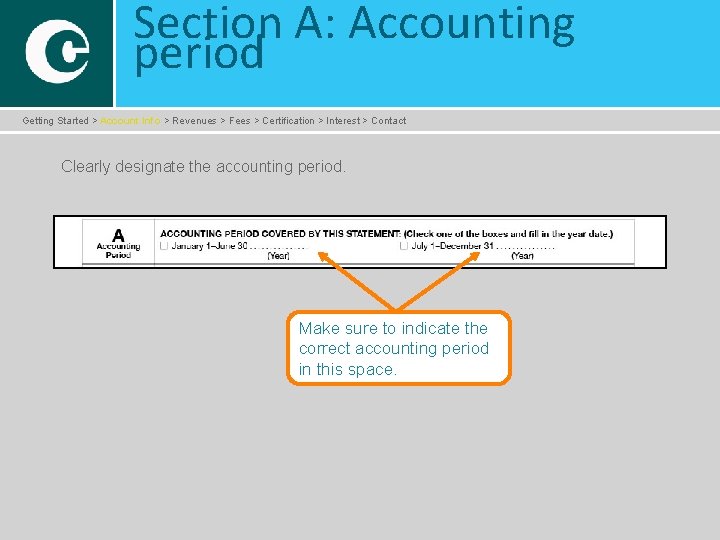
Section A: Accounting period Getting Started > Account Info > Revenues > Fees > Certification > Interest > Contact Clearly designate the accounting period. Make sure to indicate the correct accounting period in this space.
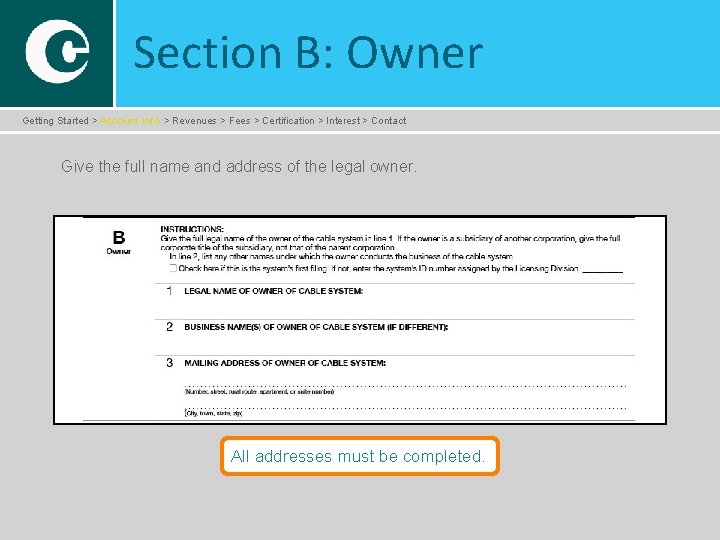
Section B: Owner Getting Started > Account Info > Revenues > Fees > Certification > Interest > Contact Give the full name and address of the legal owner. All addresses must be completed.
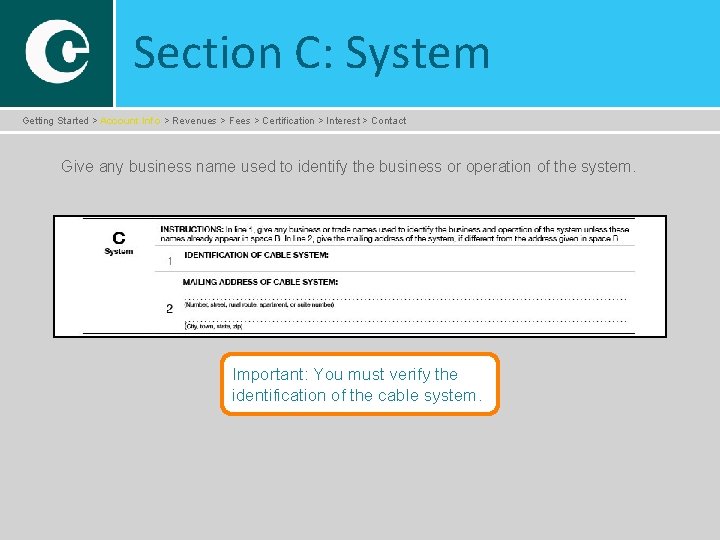
Section C: System Getting Started > Account Info > Revenues > Fees > Certification > Interest > Contact Give any business name used to identify the business or operation of the system. Important: You must verify the identification of the cable system.
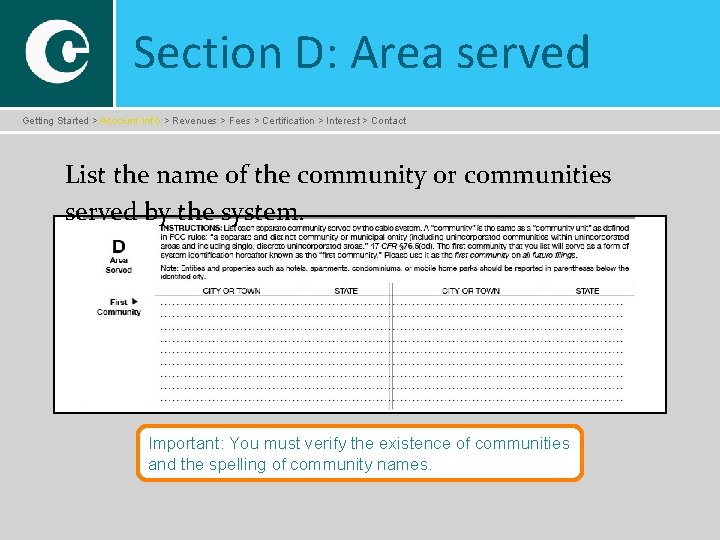
Section D: Area served Getting Started > Account Info > Revenues > Fees > Certification > Interest > Contact List the name of the community or communities served by the system. Important: You must verify the existence of communities and the spelling of community names.
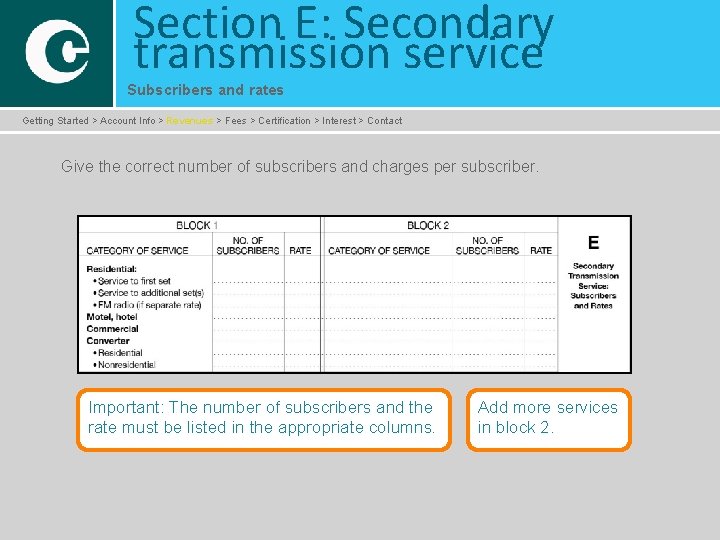
Section E: Secondary transmission service Subscribers and rates Getting Started > Account Info > Revenues > Fees > Certification > Interest > Contact Give the correct number of subscribers and charges per subscriber. Important: The number of subscribers and the rate must be listed in the appropriate columns. Add more services in block 2.
Section F: Services other than secondary transmissions Rates Getting Started > Account Info > Revenues > Fees > Certification > Interest > Contact �List rates and describe each package of service that consists solely of services other than secondary transmissions. �Give rate (not subscriber) information for all cable system services not covered in section E. �Do not give rate information for �services furnished at cost; or �services or facilities furnished to nonsubscribers.
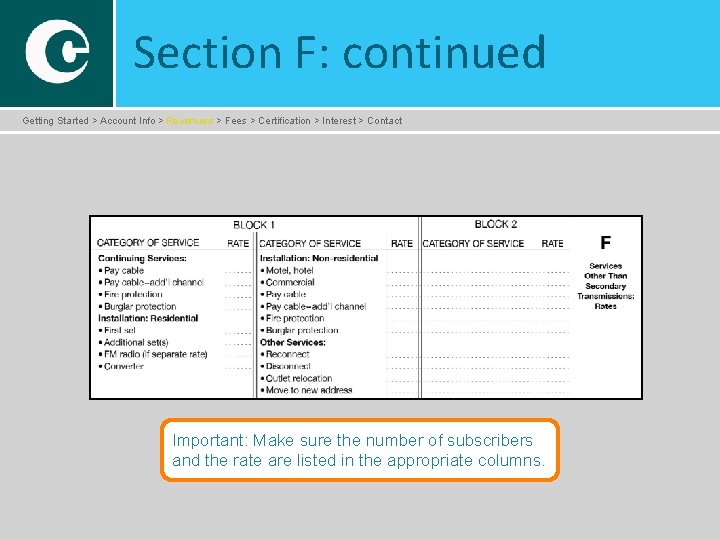
Section F: continued Getting Started > Account Info > Revenues > Fees > Certification > Interest > Contact Important: Make sure the number of subscribers and the rate are listed in the appropriate columns.
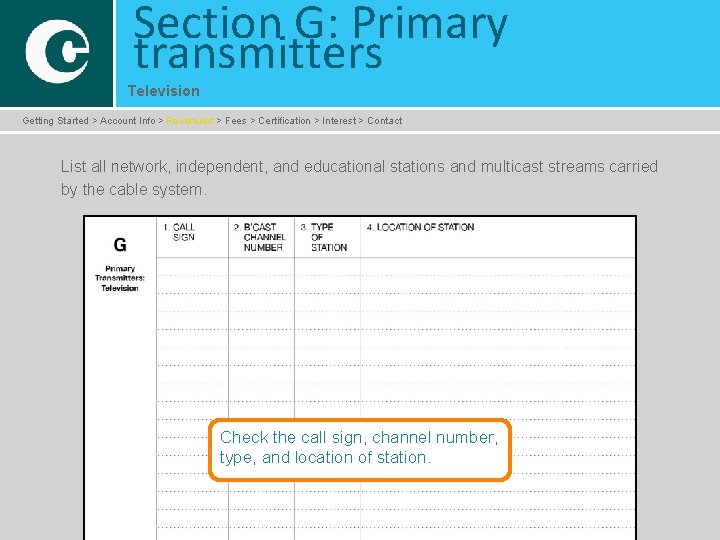
Section G: Primary transmitters Television Getting Started > Account Info > Revenues > Fees > Certification > Interest > Contact List all network, independent, and educational stations and multicast streams carried by the cable system. Check the call sign, channel number, type, and location of station.
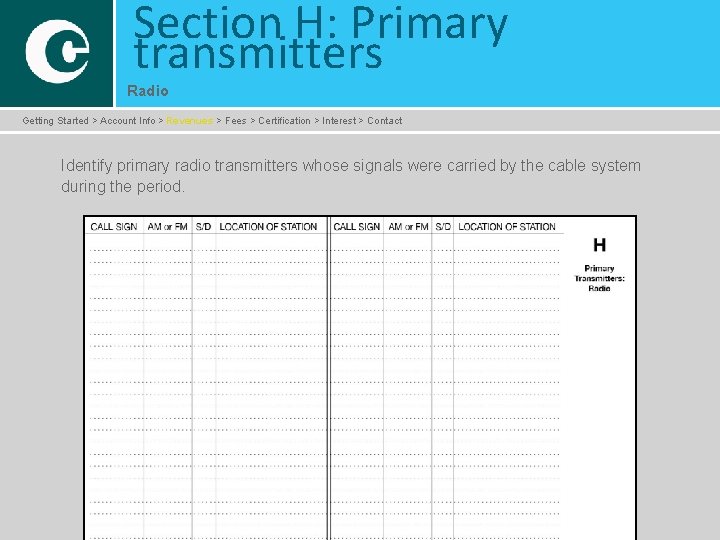
Section H: Primary transmitters Radio Getting Started > Account Info > Revenues > Fees > Certification > Interest > Contact Identify primary radio transmitters whose signals were carried by the cable system during the period.
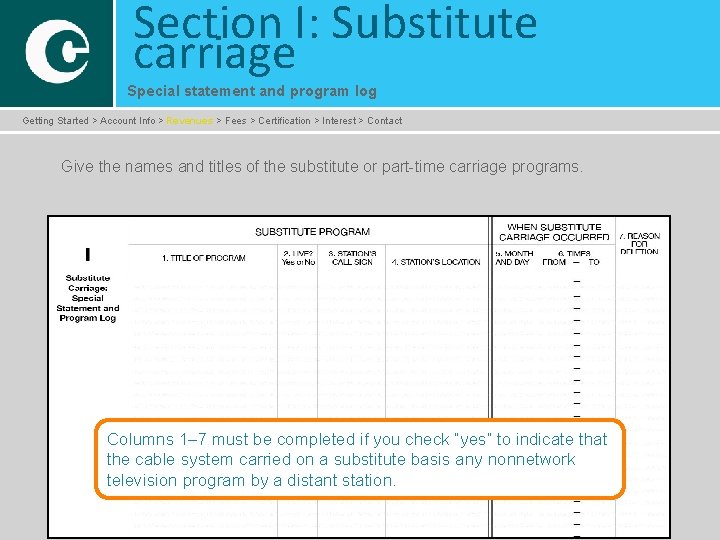
Section I: Substitute carriage Special statement and program log Getting Started > Account Info > Revenues > Fees > Certification > Interest > Contact Give the names and titles of the substitute or part-time carriage programs. Columns 1– 7 must be completed if you check “yes” to indicate that the cable system carried on a substitute basis any nonnetwork television program by a distant station.
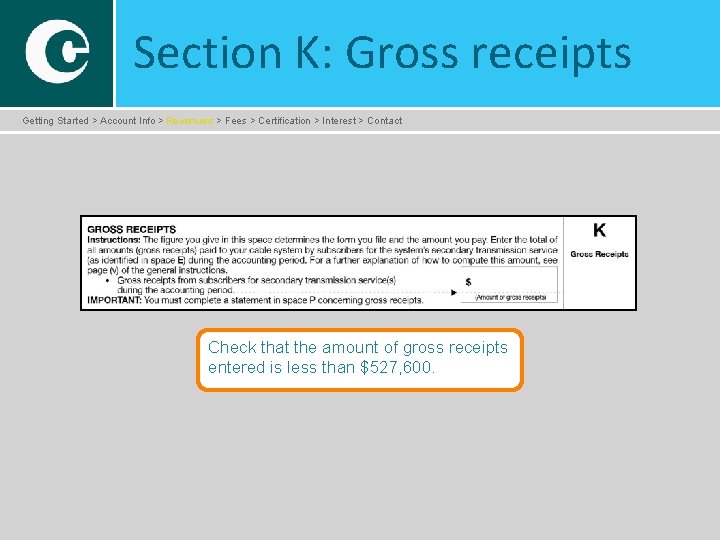
Section K: Gross receipts Getting Started > Account Info > Revenues > Fees > Certification > Interest > Contact Check that the amount of gross receipts entered is less than $527, 600.
Section L: Copyright royalty fee Getting Started > Account Info > Revenues > Fees > Certification > Interest > Contact Verify the �royalty fee; �interest (if applicable); and �total royalty payment.
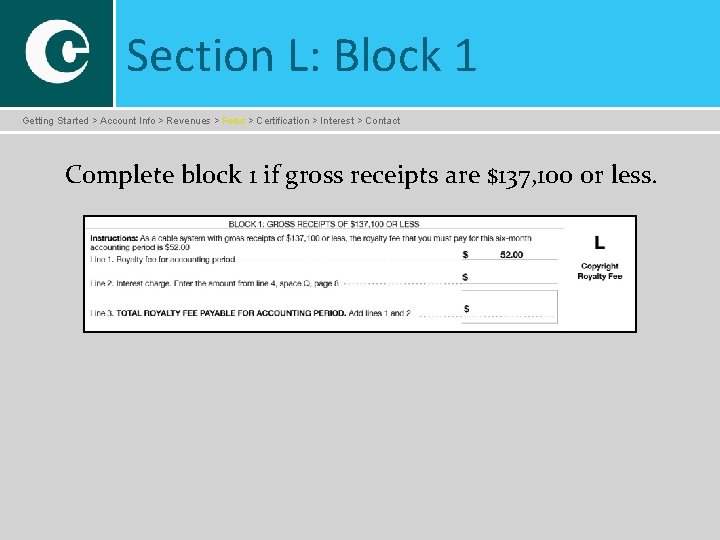
Section L: Block 1 Getting Started > Account Info > Revenues > Fees > Certification > Interest > Contact Complete block 1 if gross receipts are $137, 100 or less.
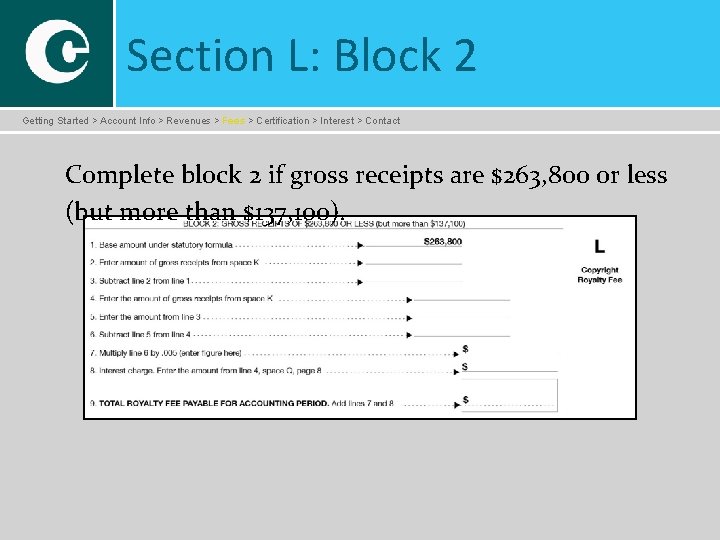
Section L: Block 2 Getting Started > Account Info > Revenues > Fees > Certification > Interest > Contact Complete block 2 if gross receipts are $263, 800 or less (but more than $137, 100).
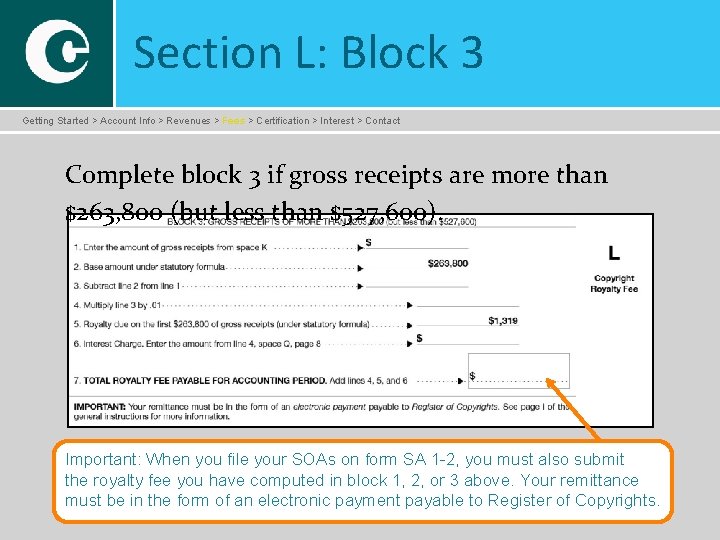
Section L: Block 3 Getting Started > Account Info > Revenues > Fees > Certification > Interest > Contact Complete block 3 if gross receipts are more than $263, 800 (but less than $527, 600). Important: When you file your SOAs on form SA 1 -2, you must also submit the royalty fee you have computed in block 1, 2, or 3 above. Your remittance must be in the form of an electronic payment payable to Register of Copyrights.
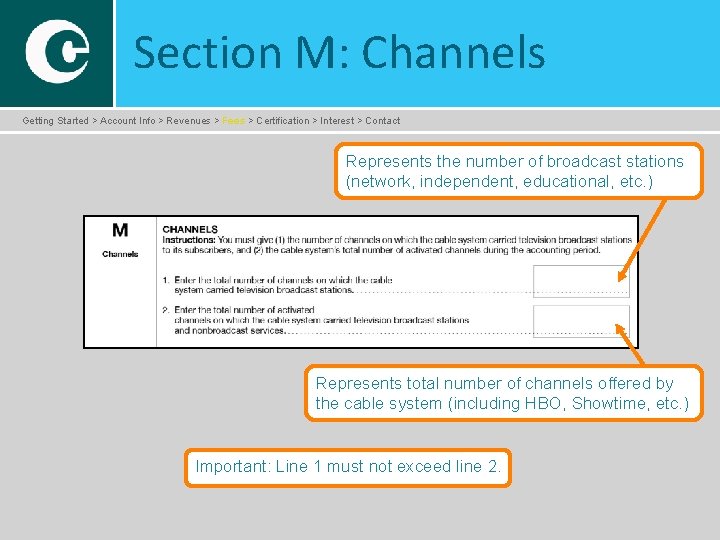
Section M: Channels Getting Started > Account Info > Revenues > Fees > Certification > Interest > Contact Represents the number of broadcast stations (network, independent, educational, etc. ) Represents total number of channels offered by the cable system (including HBO, Showtime, etc. ) Important: Line 1 must not exceed line 2.
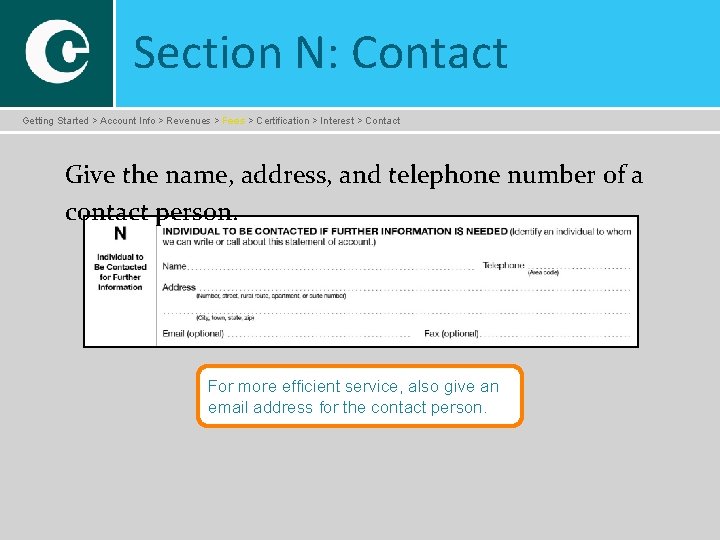
Section N: Contact Getting Started > Account Info > Revenues > Fees > Certification > Interest > Contact Give the name, address, and telephone number of a contact person. For more efficient service, also give an email address for the contact person.
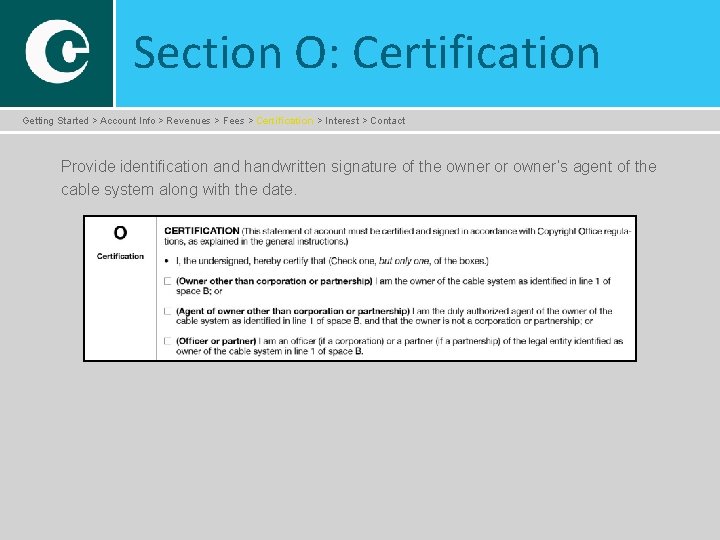
Section O: Certification Getting Started > Account Info > Revenues > Fees > Certification > Interest > Contact Provide identification and handwritten signature of the owner or owner’s agent of the cable system along with the date.
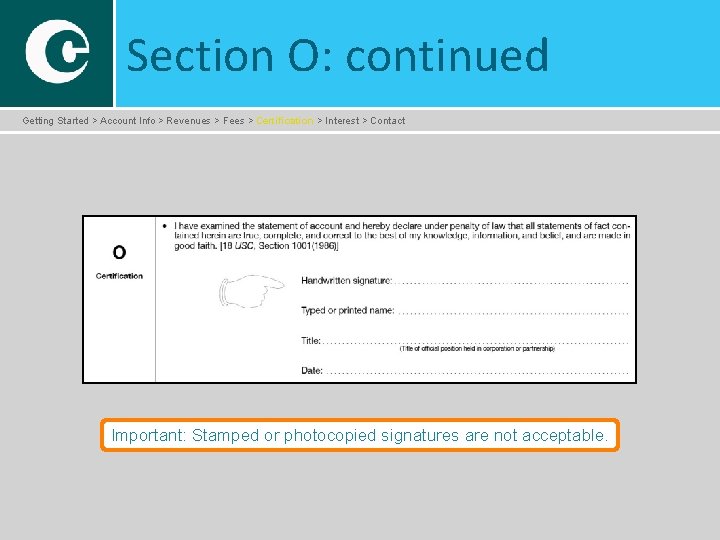
Section O: continued Getting Started > Account Info > Revenues > Fees > Certification > Interest > Contact Important: Stamped or photocopied signatures are not acceptable.
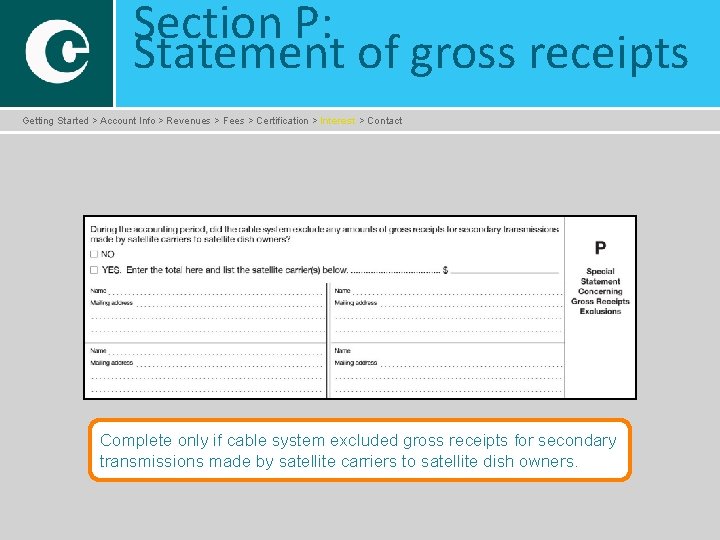
Section P: Statement of gross receipts Getting Started > Account Info > Revenues > Fees > Certification > Interest > Contact Complete only if cable system excluded gross receipts for secondary transmissions made by satellite carriers to satellite dish owners.
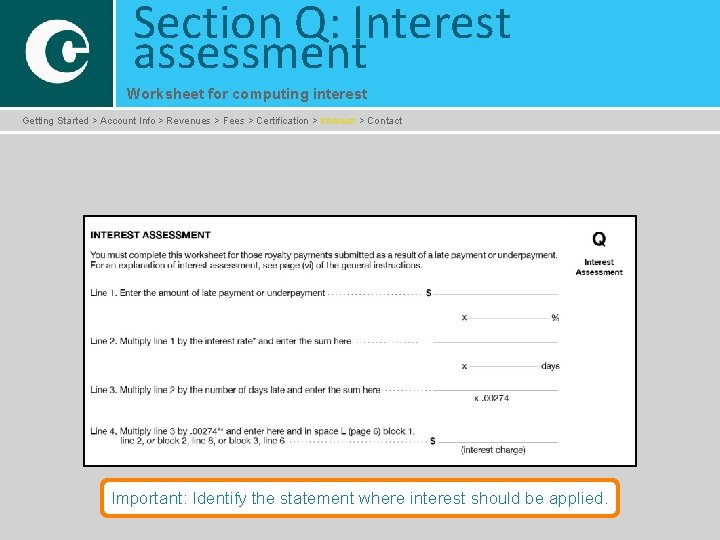
Section Q: Interest assessment Worksheet for computing interest Getting Started > Account Info > Revenues > Fees > Certification > Interest > Contact Important: Identify the statement where interest should be applied.
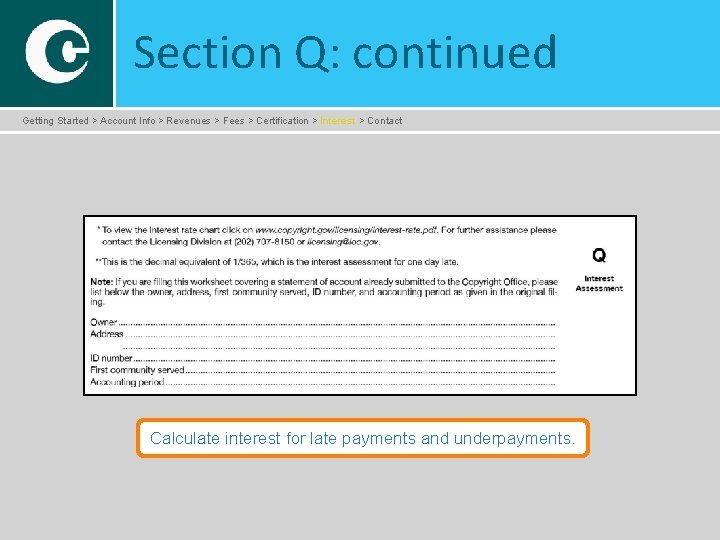
Section Q: continued Getting Started > Account Info > Revenues > Fees > Certification > Interest > Contact Calculate interest for late payments and underpayments.
You have now completed the online cable SOA tutorial Getting Started > Account Info > Revenues > Fees > Certification > Interest > Contact �You can exit here or proceed to www. copyright. gov/licensing to access the online fill-in version of SOA 1 -2. �Remember to �read all directions carefully before filling out the form; �file an original and one copy of the completed SOA form; �make your royalty payment using www. pay. gov or other acceptable options.
- Slides: 33