
A client in the crosshairs how one software
- Slides: 28
A client in the cross-hairs how one software company deals with the challenge of protecting its users on the web Rob Franco Lead Program Manager, Windows Card. Space Contact: rfranco at microsoft dot com
Today’s discussion • Seeking the “Big Picture” for trust on the web • Building trust today with IE 7 and Card. Space • A sample of Microsoft research on emerging threats
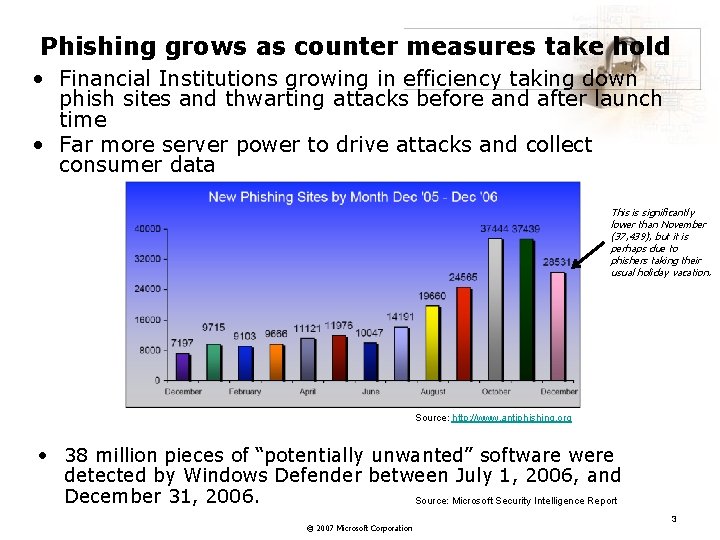
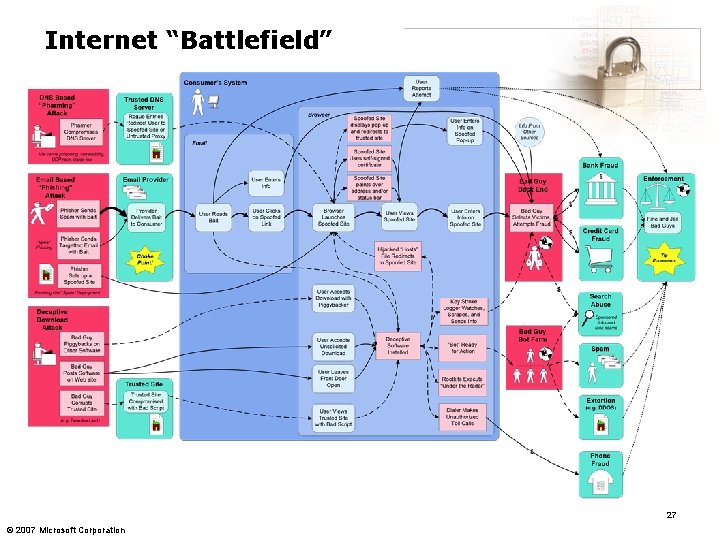
Phishing grows as counter measures take hold • Financial Institutions growing in efficiency taking down phish sites and thwarting attacks before and after launch time • Far more server power to drive attacks and collect consumer data This is significantly lower than November (37, 439), but it is perhaps due to phishers taking their usual holiday vacation. Source: http: //www. antiphishing. org • 38 million pieces of “potentially unwanted” software were detected by Windows Defender between July 1, 2006, and December 31, 2006. Source: Microsoft Security Intelligence Report © 2007 Microsoft Corporation 3
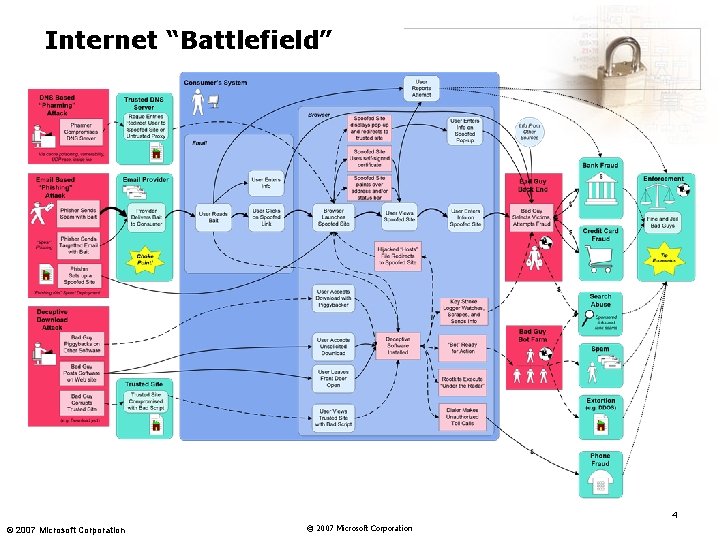
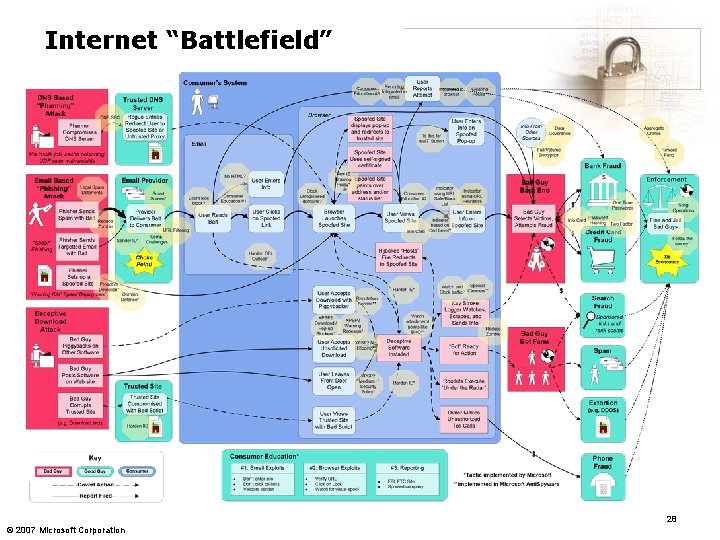
Internet “Battlefield” 4 © 2007 Microsoft Corporation
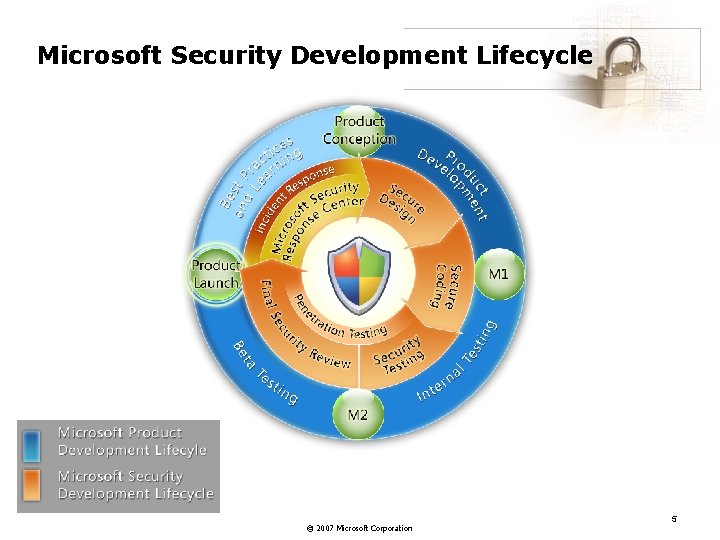
Microsoft Security Development Lifecycle © 2007 Microsoft Corporation 5
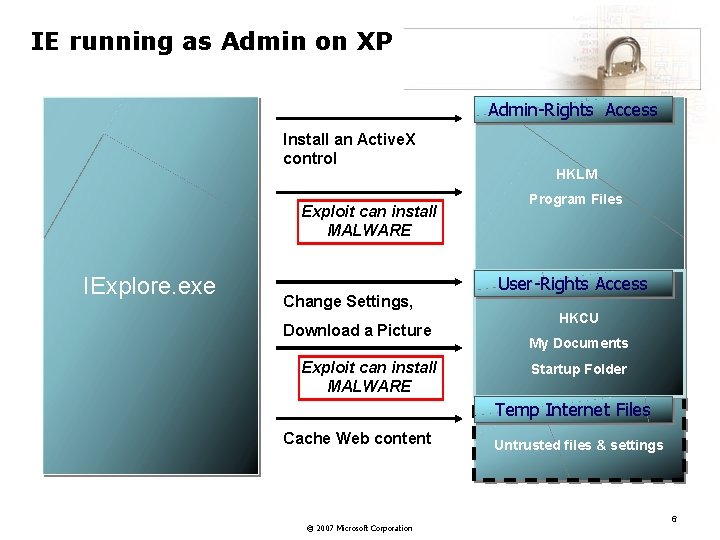
IE running as Admin on XP Admin-Rights Access Install an Active. X control Exploit can install MALWARE IExplore. exe Change Settings, Download a Picture Exploit can install MALWARE HKLM Program Files User-Rights Access HKCU My Documents Startup Folder Temp Internet Files Cache Web content © 2007 Microsoft Corporation Untrusted files & settings 6
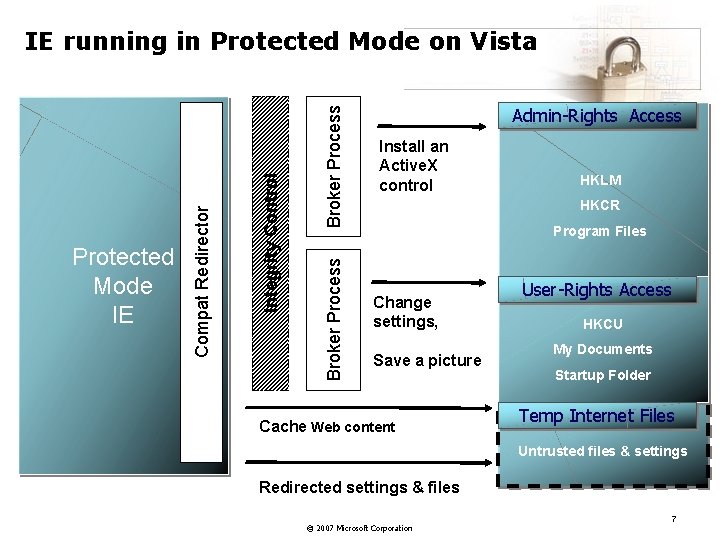
Broker Process Integrity Control Protected Mode IE Compat Redirector IE running in Protected Mode on Vista Admin-Rights Access Install an Active. X control HKLM HKCR Program Files Change settings, Save a picture Cache Web content User-Rights Access HKCU My Documents Startup Folder Temp Internet Files Untrusted files & settings Redirected settings & files © 2007 Microsoft Corporation 7
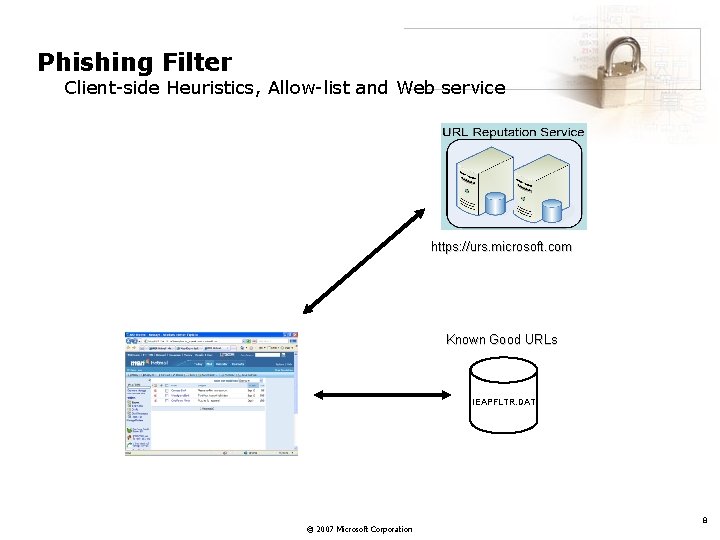
Phishing Filter Client-side Heuristics, Allow-list and Web service https: //urs. microsoft. com Known Good URLs IEAPFLTR. DAT © 2007 Microsoft Corporation 8
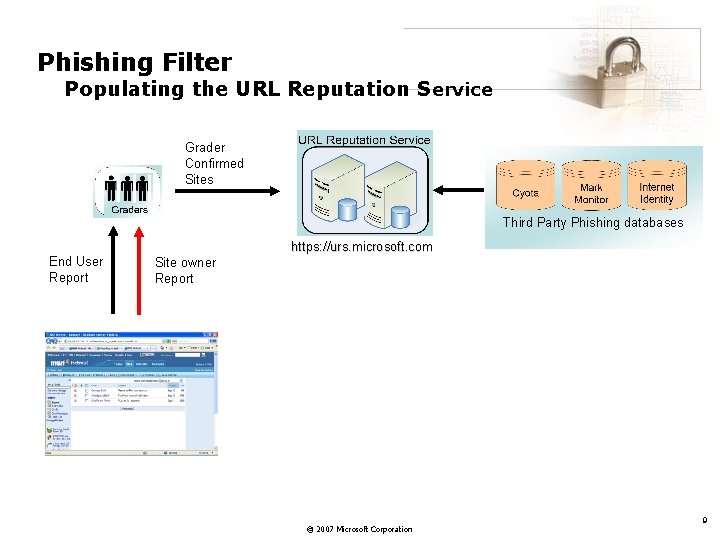
Phishing Filter Populating the URL Reputation Service Grader Confirmed Sites Third Party Phishing databases https: //urs. microsoft. com End User Report Site owner Report © 2007 Microsoft Corporation 9
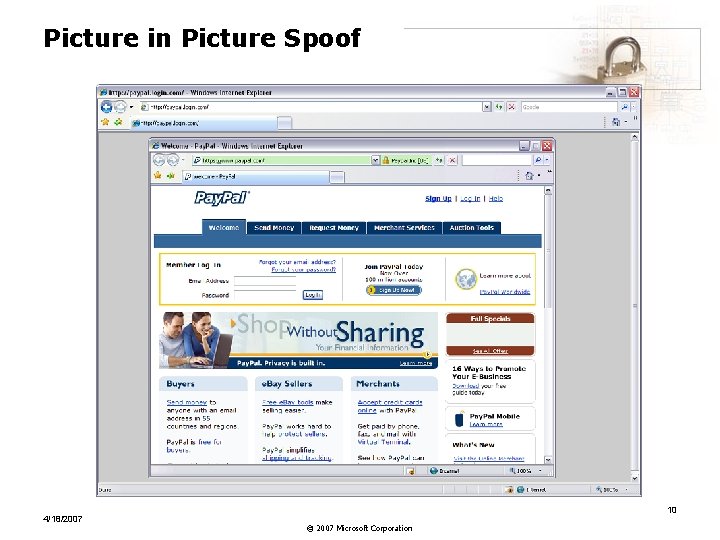
Picture in Picture Spoof 4/18/2007 10 © 2007 Microsoft Corporation
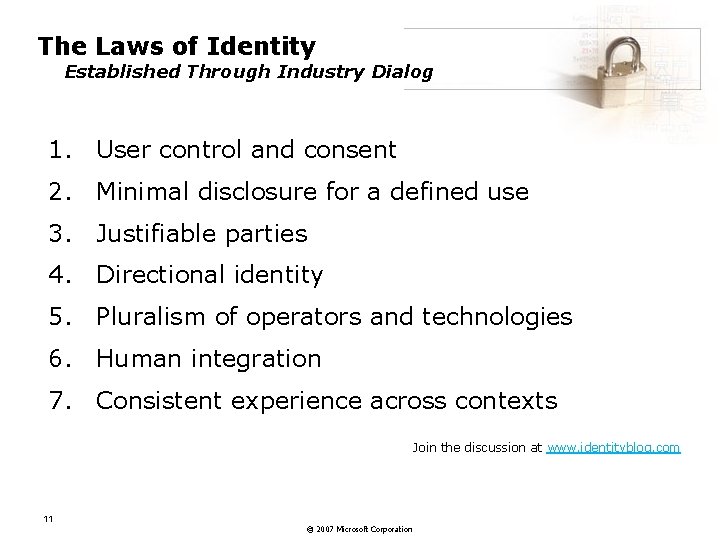
The Laws of Identity Established Through Industry Dialog 1. User control and consent 2. Minimal disclosure for a defined use 3. Justifiable parties 4. Directional identity 5. Pluralism of operators and technologies 6. Human integration 7. Consistent experience across contexts Join the discussion at www. identityblog. com 11 © 2007 Microsoft Corporation
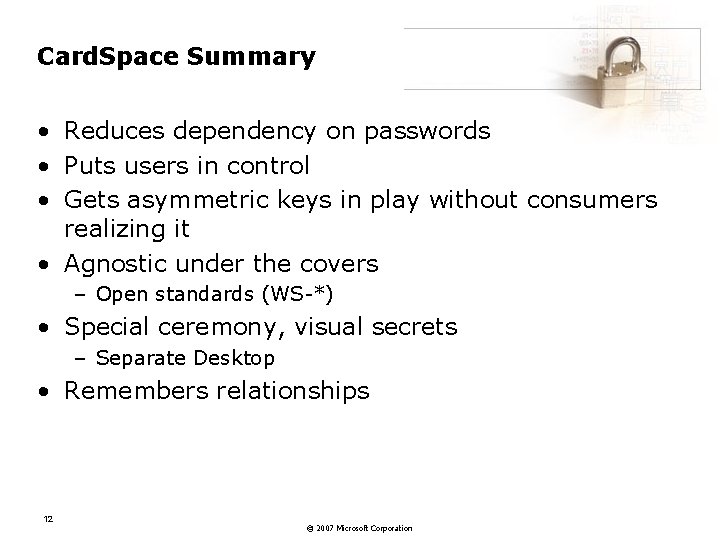
Card. Space Summary • Reduces dependency on passwords • Puts users in control • Gets asymmetric keys in play without consumers realizing it • Agnostic under the covers – Open standards (WS-*) • Special ceremony, visual secrets – Separate Desktop • Remembers relationships 12 © 2007 Microsoft Corporation
Microsoft Research on emerging threats
Mashup. OS: Operating System Abstractions for Browsers
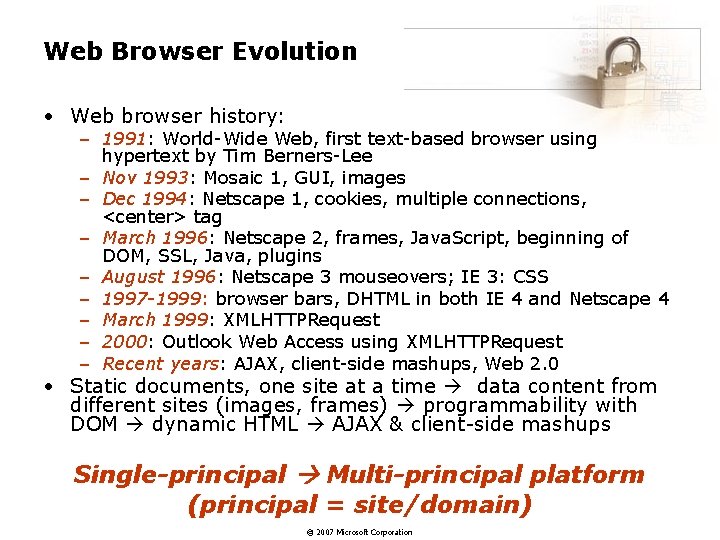
Web Browser Evolution • Web browser history: – 1991: World-Wide Web, first text-based browser using hypertext by Tim Berners-Lee – Nov 1993: Mosaic 1, GUI, images – Dec 1994: Netscape 1, cookies, multiple connections, <center> tag – March 1996: Netscape 2, frames, Java. Script, beginning of DOM, SSL, Java, plugins – August 1996: Netscape 3 mouseovers; IE 3: CSS – 1997 -1999: browser bars, DHTML in both IE 4 and Netscape 4 – March 1999: XMLHTTPRequest – 2000: Outlook Web Access using XMLHTTPRequest – Recent years: AJAX, client-side mashups, Web 2. 0 • Static documents, one site at a time data content from different sites (images, frames) programmability with DOM dynamic HTML AJAX & client-side mashups Single-principal Multi-principal platform (principal = site/domain) © 2007 Microsoft Corporation
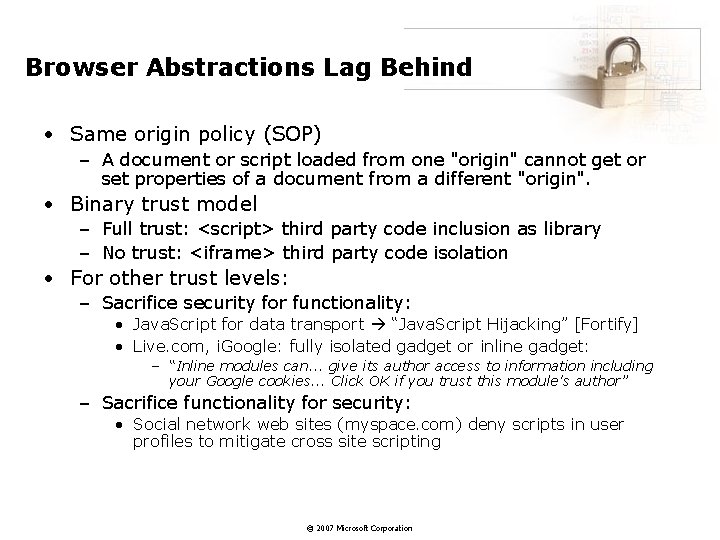
Browser Abstractions Lag Behind • Same origin policy (SOP) – A document or script loaded from one "origin" cannot get or set properties of a document from a different "origin". • Binary trust model – Full trust: <script> third party code inclusion as library – No trust: <iframe> third party code isolation • For other trust levels: – Sacrifice security for functionality: • Java. Script for data transport “Java. Script Hijacking” [Fortify] • Live. com, i. Google: fully isolated gadget or inline gadget: – “Inline modules can. . . give its author access to information including your Google cookies. . . Click OK if you trust this module's author” – Sacrifice functionality for security: • Social network web sites (myspace. com) deny scripts in user profiles to mitigate cross site scripting © 2007 Microsoft Corporation
Mashup. OS • A browser-based multi-principal operating system • Initial focus: abstractions for protection and communications – Prevent one principal from compromising the confidentiality and integrity of other principals – Communications allow principals to communicate in a controlled manner • Initial paper at Hot. OS 2007 • Full paper to come © 2007 Microsoft Corporation
Browser. Shield for Sanitizing Dynamic Content
Motivation • Web browser is a key interface between users and their electronic services and has rich functionalities and extensions. • Web browser has also become a popular vector of attack: in 2005 – IE: 8 patches, 19 flaws – Firefox: 6 bulletins, 59 flaws • Examples: tag attribute buffer overrun, flawed active. X controls, etc. . © 2007 Microsoft Corporation
State-of-the-Art Protection Mechanisms: Patching • Delayed deployment – User-driven – Hard to roll back – Administrator testing before patch application • Dangerous time window between patch release and patch application – Attackers reverse-engineer patches to launch attacks – 90+% attacks exploiting known vulnerability [Arbaugh et al. 00] © 2007 Microsoft Corporation
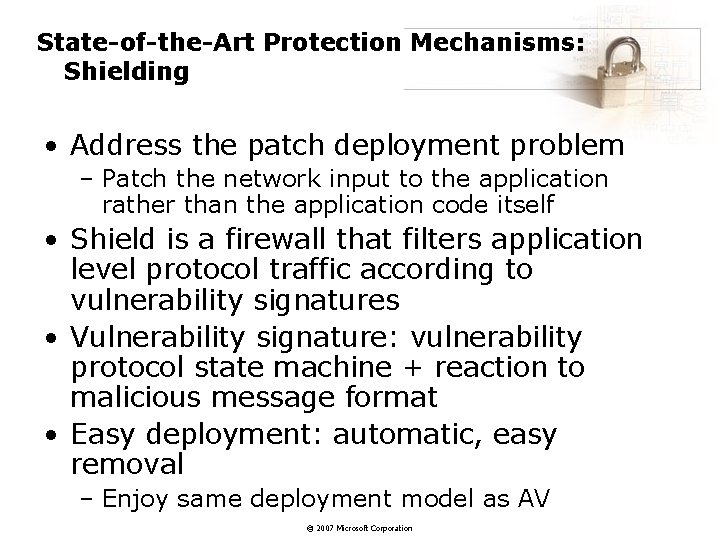
State-of-the-Art Protection Mechanisms: Shielding • Address the patch deployment problem – Patch the network input to the application rather than the application code itself • Shield is a firewall that filters application level protocol traffic according to vulnerability signatures • Vulnerability signature: vulnerability protocol state machine + reaction to malicious message format • Easy deployment: automatic, easy removal – Enjoy same deployment model as AV © 2007 Microsoft Corporation
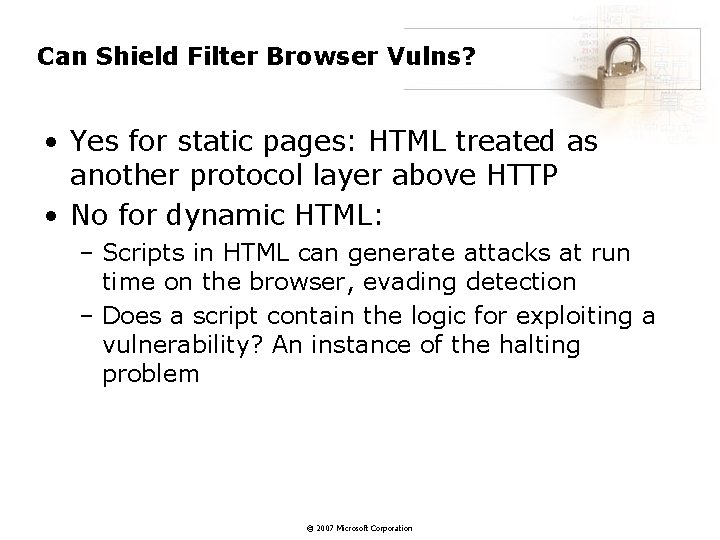
Can Shield Filter Browser Vulns? • Yes for static pages: HTML treated as another protocol layer above HTTP • No for dynamic HTML: – Scripts in HTML can generate attacks at run time on the browser, evading detection – Does a script contain the logic for exploiting a vulnerability? An instance of the halting problem © 2007 Microsoft Corporation
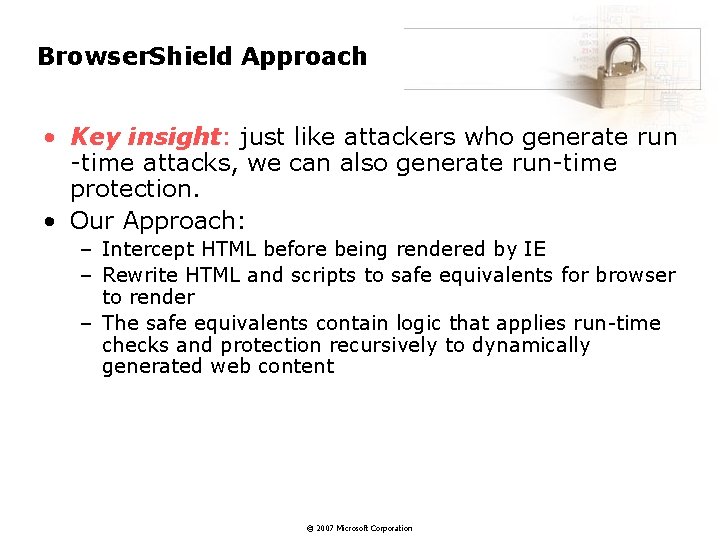
Browser. Shield Approach • Key insight: just like attackers who generate run -time attacks, we can also generate run-time protection. • Our Approach: – Intercept HTML before being rendered by IE – Rewrite HTML and scripts to safe equivalents for browser to render – The safe equivalents contain logic that applies run-time checks and protection recursively to dynamically generated web content © 2007 Microsoft Corporation
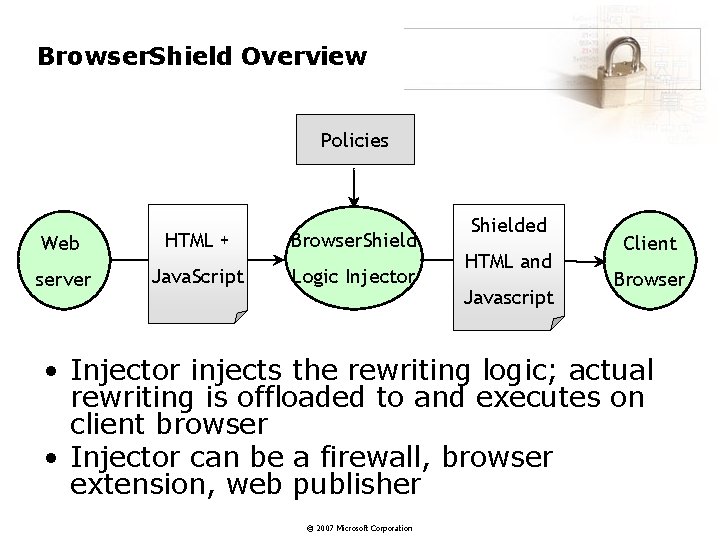
Browser. Shield Overview Policies Web HTML + Browser. Shield server Java. Script Logic Injector Shielded HTML and Javascript Client Browser • Injector injects the rewriting logic; actual rewriting is offloaded to and executes on client browser • Injector can be a firewall, browser extension, web publisher © 2007 Microsoft Corporation
Strider Monkeys
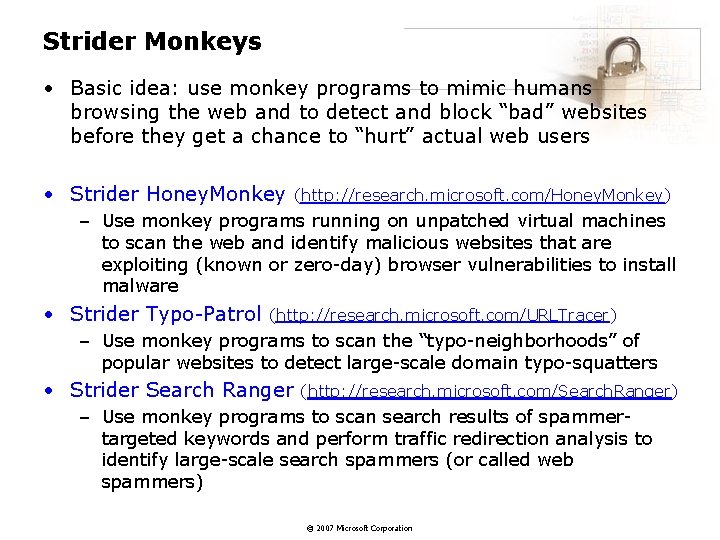
Strider Monkeys • Basic idea: use monkey programs to mimic humans browsing the web and to detect and block “bad” websites before they get a chance to “hurt” actual web users • Strider Honey. Monkey (http: //research. microsoft. com/Honey. Monkey) – Use monkey programs running on unpatched virtual machines to scan the web and identify malicious websites that are exploiting (known or zero-day) browser vulnerabilities to install malware • Strider Typo-Patrol (http: //research. microsoft. com/URLTracer) – Use monkey programs to scan the “typo-neighborhoods” of popular websites to detect large-scale domain typo-squatters • Strider Search Ranger (http: //research. microsoft. com/Search. Ranger) – Use monkey programs to scan search results of spammertargeted keywords and perform traffic redirection analysis to identify large-scale search spammers (or called web spammers) © 2007 Microsoft Corporation
Internet “Battlefield” 27 © 2007 Microsoft Corporation
Internet “Battlefield” 28 © 2007 Microsoft Corporation