
A Checklist on Checklists Brian Peacock NSBRI NASA
A Checklist on Checklists Brian Peacock NSBRI / NASA Gary Orr OSHA December 20, 2000
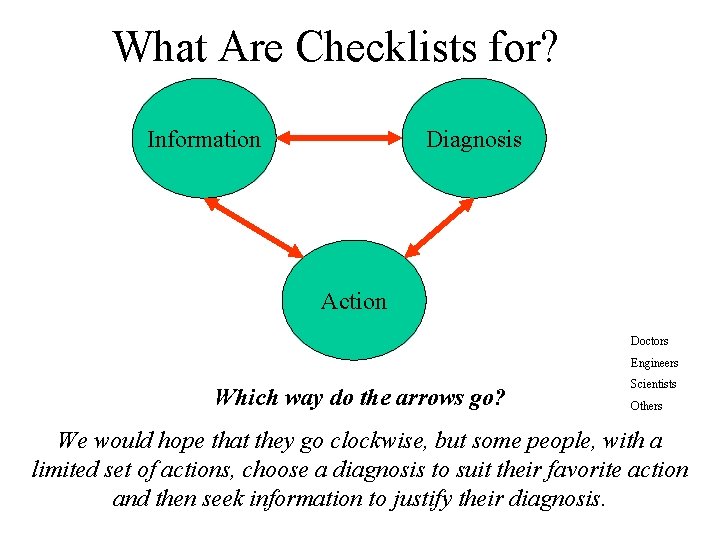
What Are Checklists for? Information Diagnosis Action Doctors Engineers Which way do the arrows go? Scientists Others We would hope that they go clockwise, but some people, with a limited set of actions, choose a diagnosis to suit their favorite action and then seek information to justify their diagnosis.
A Plethora of Checklists There are probably more ergonomics checklists than ergonomists, some are related to outcomes, some to analysis, some to decisions and others directly linked to design. They vary widely in scope and format, and questions come in varying levels of quantification.
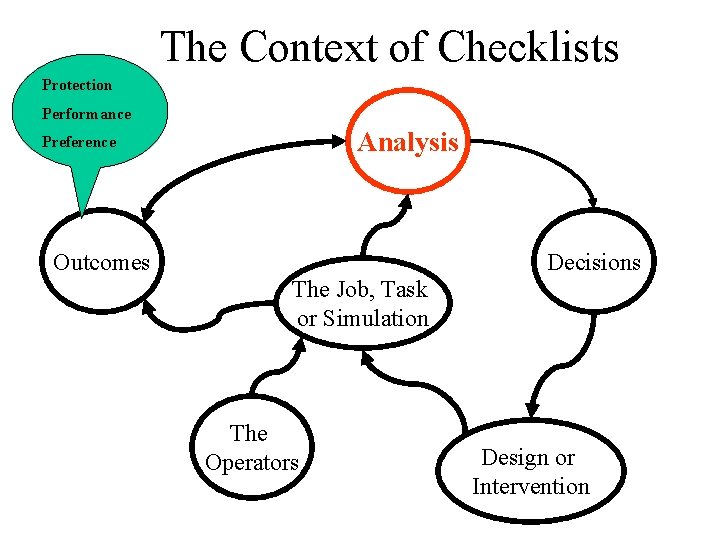
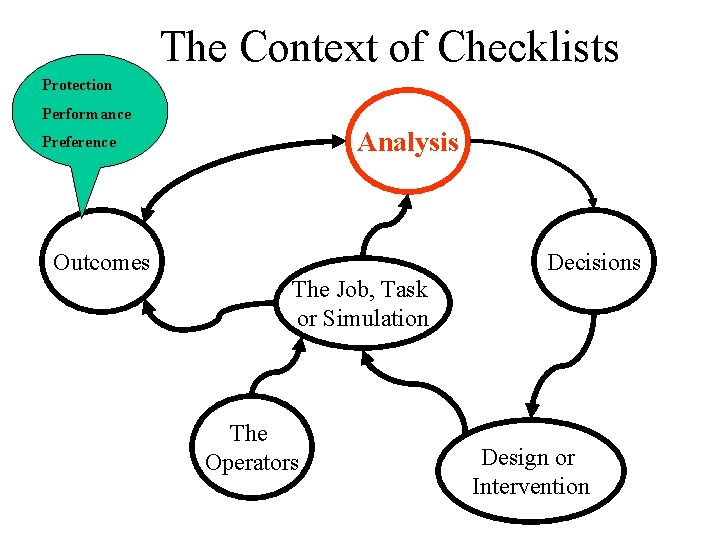
The Context of Checklists Protection Performance Analysis Preference Outcomes Decisions The Job, Task or Simulation The Operators Design or Intervention
The Focus of Checklists can address any area of human activity and outcomes of that activity. The present discussion will focus on those factors that affect performance and protection in physical work.
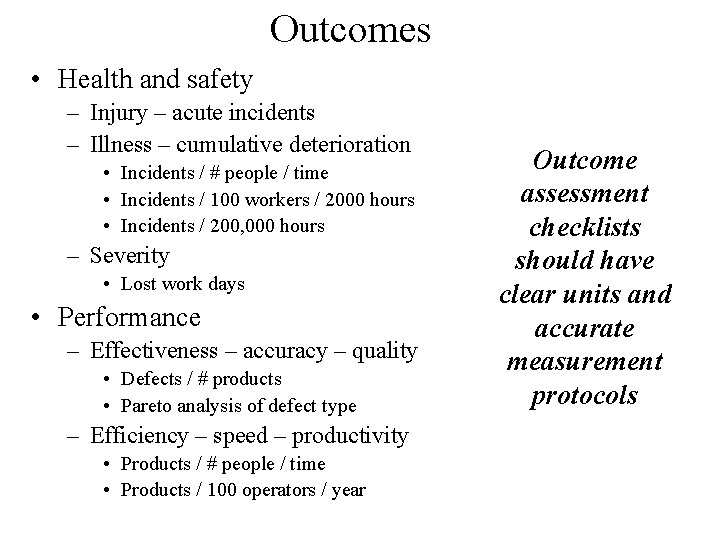
Outcomes • Health and safety – Injury – acute incidents – Illness – cumulative deterioration • Incidents / # people / time • Incidents / 100 workers / 2000 hours • Incidents / 200, 000 hours – Severity • Lost work days • Performance – Effectiveness – accuracy – quality • Defects / # products • Pareto analysis of defect type – Efficiency – speed – productivity • Products / # people / time • Products / 100 operators / year Outcome assessment checklists should have clear units and accurate measurement protocols
Job Satisfaction and Symptoms Surveys Job satisfaction and symptoms survey checklists are volatile – they may be influenced by prevailing economic, social and political conditions. They may be useful but must be used in context and should be supported by more objective evidence before changes are made. “Error” in such checklists may be addressed by careful question wording, broad sampling frames, large sample sizes and multiple replications over time.
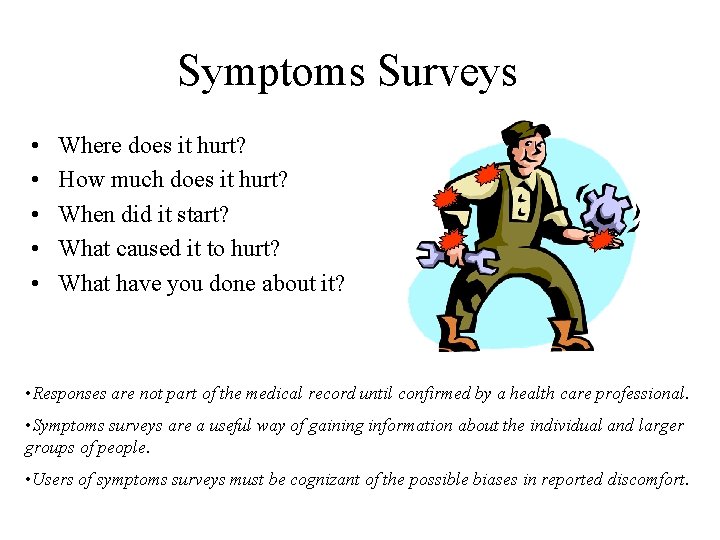
Symptoms Surveys • • • Where does it hurt? How much does it hurt? When did it start? What caused it to hurt? What have you done about it? • Responses are not part of the medical record until confirmed by a health care professional. • Symptoms surveys are a useful way of gaining information about the individual and larger groups of people. • Users of symptoms surveys must be cognizant of the possible biases in reported discomfort.
The Purpose of Checklists • Compliance and enforcement – Investigation and action thresholds • Intervention – Finding – the easy part – Fixing – useful for designers and engineers • Analytic – The collection of data in order to investigate cause and effect relationships
Levels of Checklist Questions • Qualitative – Is the work beyond the capability of the operator? • Yes / no – Is the weight greater than 10 lbs. ? – Have injuries been associated with this job? • Screening / intervention – Is the weight greater than 10 lbs • If so investigate contextual factors and outcomes – Is the weight greater than 40 lbs • If so provide some assistance • Complex – Are the energy requirements of the job greater than 5 kcal/min? – Are the operators conditioned? Is fatigue an issue? – Can mechanization or additional manpower resolve the problem?
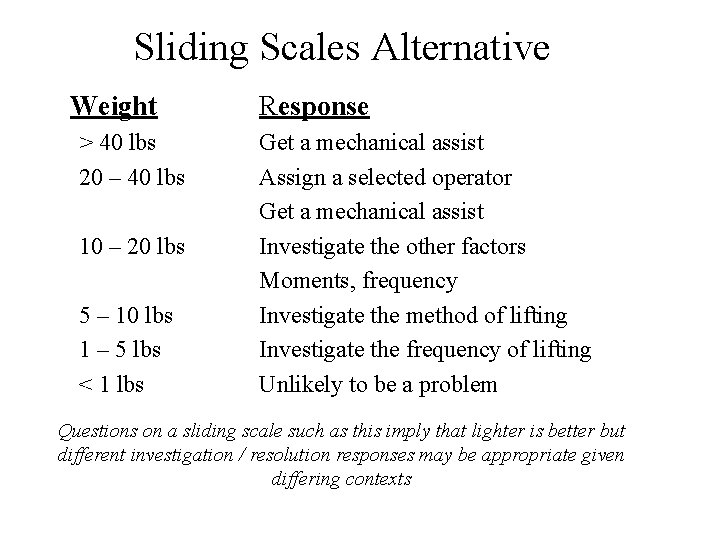
Sliding Scales Alternative Weight > 40 lbs 20 – 40 lbs 10 – 20 lbs 5 – 10 lbs 1 – 5 lbs < 1 lbs Response Get a mechanical assist Assign a selected operator Get a mechanical assist Investigate the other factors Moments, frequency Investigate the method of lifting Investigate the frequency of lifting Unlikely to be a problem Questions on a sliding scale such as this imply that lighter is better but different investigation / resolution responses may be appropriate given differing contexts

Usability of Checklists • What is the context of checklist application? – User knowledge level – Operational context – Observation or instrumentation • Is the checklist – Too short or too long? • Is it useful? Will it get used? – Comprehensive or focused? • General physical work, MMH, work environment – Intuitive – easy to use? • Read, comprehend, complete
More on Usability • Visual and motor factors – Is the font clear and are the boxes big enough? • Do the questions flow in a logical manner? • Do the questions require supplementary instruments or calculations? • Are the questions unequivocal or are the instructions convenient and easy to use? • Is the checklist complete – does it require or refer to other data collection / communication media? • Are the responses collected in a way that is easy to translate into some decision or action?

Reliability of Checklists • Checklists may be subjective or objective • In either case the results may be inaccurate or unreliable • If the checklist is applied by other observers to similar tasks with similar operators, will the results be consistent? – These problems can be helped by user training, instructions and replication Measurement error is a fact of life – checklist designers and users should comprehend error and plan for error avoidance or recovery.
Replication • The methods of statistics exist to prevent you from jumping to conclusions based on insufficient evidence – such as small samples • To err is human and when humans measure humans human error is rampant!! – To forgive is not helpful; To replicate is divine • Checklists should always use the power of replication – – – Multiple job cycles Multiple occasions Multiple vantage points Multiple operators Multiple observers Repeated measures
Validation of Checklists • Has the checklist been evaluated for: – Scope and comprehensiveness? – Relevance – pertinent questions? – Ease of use? – Reliability when used by different observers under the same and different conditions? – Linkage to decisions and / or interventions?
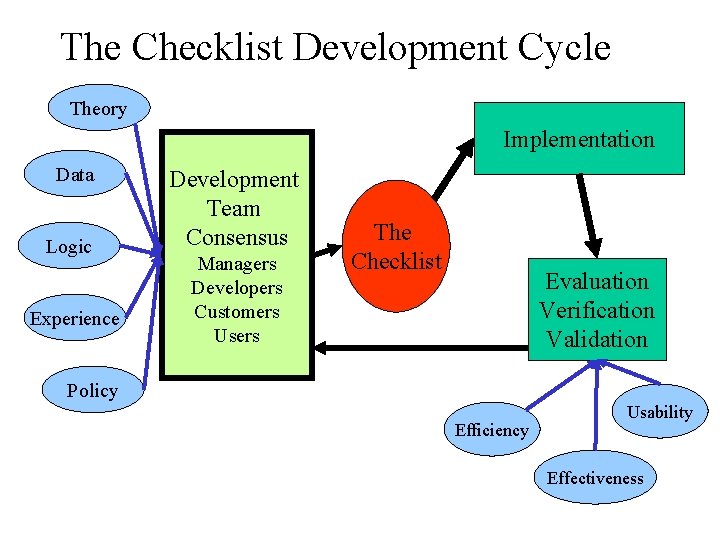
The Checklist Development Cycle Theory Implementation Data Logic Experience Development Team Consensus Managers Developers Customers Users The Checklist Evaluation Verification Validation Policy Efficiency Usability Effectiveness
Checklist Format – Manual or Electronic? • If the checklist is to be used at a worksite then the use of instrumentation and calculation should be minimized. • Generally univariate, round numbers or categories are the easiest to collect reliably. • Tables and charts are a quick way of embedding the calculation ( amalgamation of multivariate information) into the checklist / worksheet. – RULA, NIOSH lift equation, thermal environment. • Electronic devices (e. G. PDAs) add a wide variety of opportunities to use complex calculations with simple inputs.
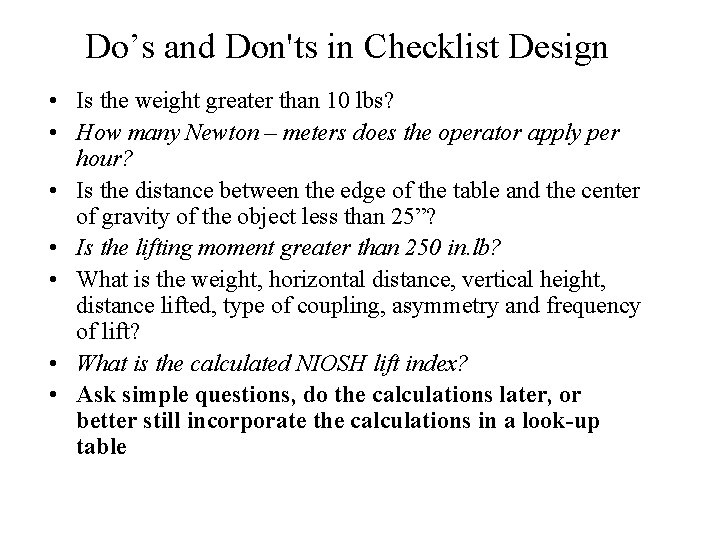
Do’s and Don'ts in Checklist Design • Is the weight greater than 10 lbs? • How many Newton – meters does the operator apply per hour? • Is the distance between the edge of the table and the center of gravity of the object less than 25”? • Is the lifting moment greater than 250 in. lb? • What is the weight, horizontal distance, vertical height, distance lifted, type of coupling, asymmetry and frequency of lift? • What is the calculated NIOSH lift index? • Ask simple questions, do the calculations later, or better still incorporate the calculations in a look-up table
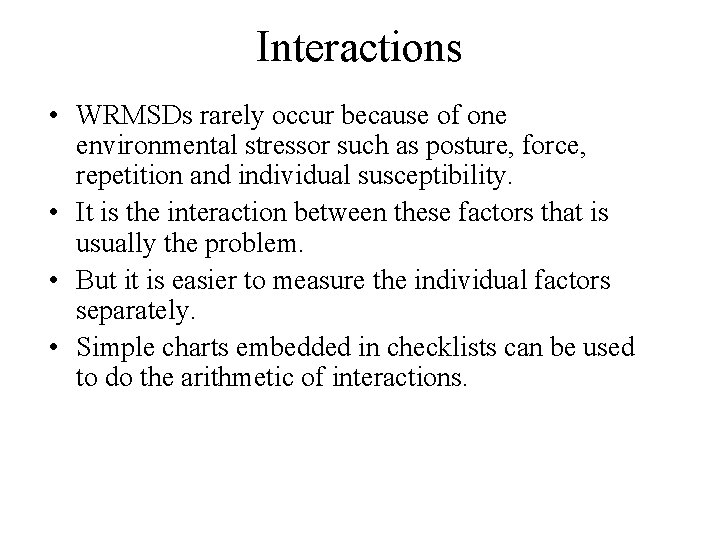
Interactions • WRMSDs rarely occur because of one environmental stressor such as posture, force, repetition and individual susceptibility. • It is the interaction between these factors that is usually the problem. • But it is easier to measure the individual factors separately. • Simple charts embedded in checklists can be used to do the arithmetic of interactions.
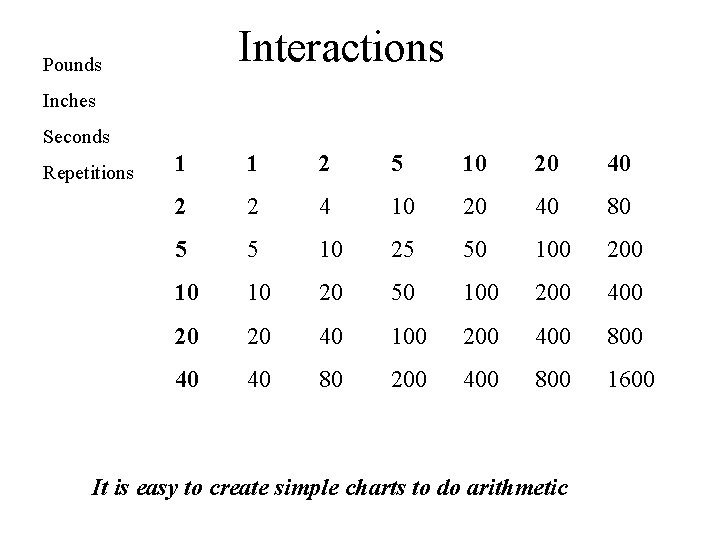
Interactions Pounds Inches Seconds Repetitions 1 1 2 5 10 20 40 2 2 4 10 20 40 80 5 5 10 25 50 100 200 10 10 20 50 100 200 400 20 20 40 100 200 400 800 40 40 80 200 400 800 1600 It is easy to create simple charts to do arithmetic
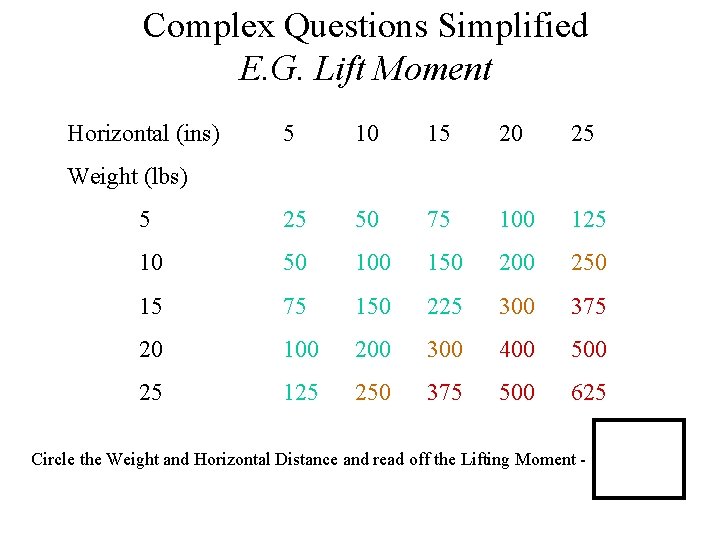
Complex Questions Simplified E. G. Lift Moment Horizontal (ins) 5 10 15 20 25 50 75 100 125 10 50 100 150 200 250 15 75 150 225 300 375 20 100 200 300 400 500 25 125 250 375 500 625 Weight (lbs) Circle the Weight and Horizontal Distance and read off the Lifting Moment -
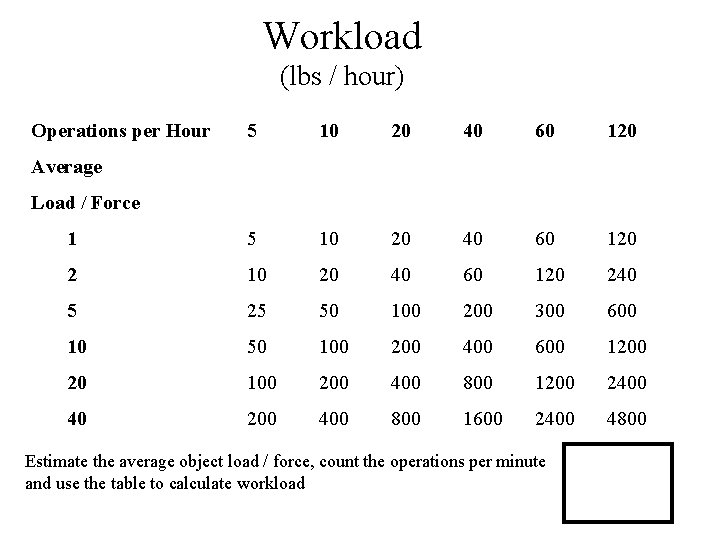
Workload (lbs / hour) Operations per Hour 5 10 20 40 60 120 1 5 10 20 40 60 120 240 5 25 50 100 200 300 600 10 50 100 200 400 600 1200 20 100 200 400 800 1200 2400 40 200 400 800 1600 2400 4800 Average Load / Force Estimate the average object load / force, count the operations per minute and use the table to calculate workload
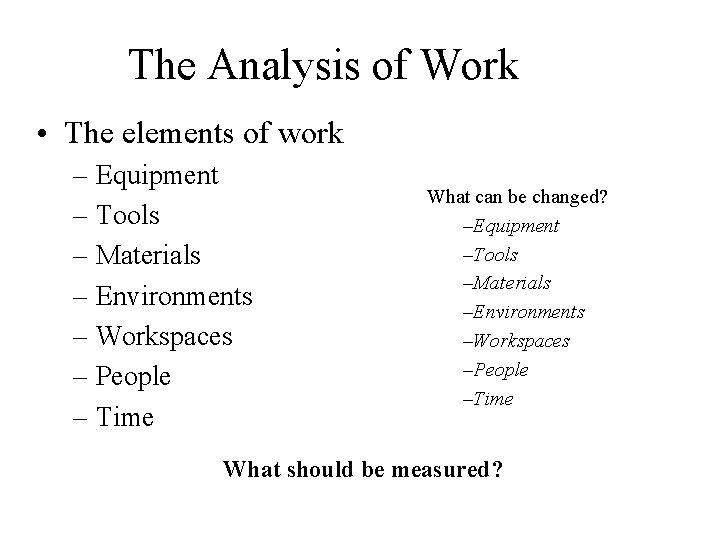
The Analysis of Work • The elements of work – Equipment – Tools – Materials – Environments – Workspaces – People – Time What can be changed? –Equipment –Tools –Materials –Environments –Workspaces –People –Time What should be measured?
Reactive and Proactive Checklists • In most circumstances ergonomists are faced with situations where the change options are severely constrained. – Equipment, materials, facilities and environments may be unchangeable for reasons of function or cost. – The worker population may not be changed. – Often the only feasible changes may be to the smaller tools, work place arrangements and the (temporal) assignment of duties. • Reactive checklists should focus on those factors that can be changed, other measures may only be of academic or long term value. • Where the ergonomist has the opportunity to change the more basic elements of work – the materials and major equipment – then the proactive checklist should focus on those factors.
The Purpose of Checklists Revisited • If the checklist is about change then it should measure what can be changed. • If the checklist is about compliance or enforcement then it should comprehend the opportunities for change. – It is conceivable that ceilings could be painted before they are erected but an acceptable solution may be to add an extension to the paint brush; The same goes for agriculture! – The traveling public wish to take with them large suitcases, the options for the airlines are to introduce baggage handling processes that eliminate manual lifting. – The supermarkets make great use of the bar codes on the variable sized products and also need to be competitive in customer throughput – automation worked in the banking industry!
The Scope and Content of Work Analysis Checklists • • Job, product or service classification Spatial factors Force factors People factors Exposure factors Linkage to outcomes and interventions Communication and prioritization
Job, Product or Service Classification • Essential elements: – Date, job code, product code, location, observer, reference number. • Optional elements. – Similar jobs, operator / team characteristics, associated data / records, supporting material etc.
Spatial Factors (Those Factors in the Work Environment That Can Be Changed) • Reference point (must be repeatable) – Point on the floor between the ankles • Three dimensional space – Height, horizontal distance, lateral offset • Orientation – In front, on top, R/L side, under, behind • Interface – Grip type as quantified by surface area of contact
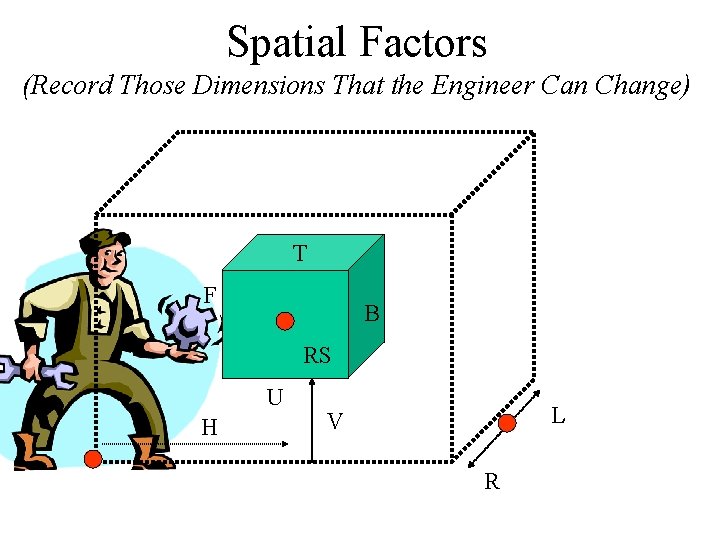
Spatial Factors (Record Those Dimensions That the Engineer Can Change) T F B RS U H L V R
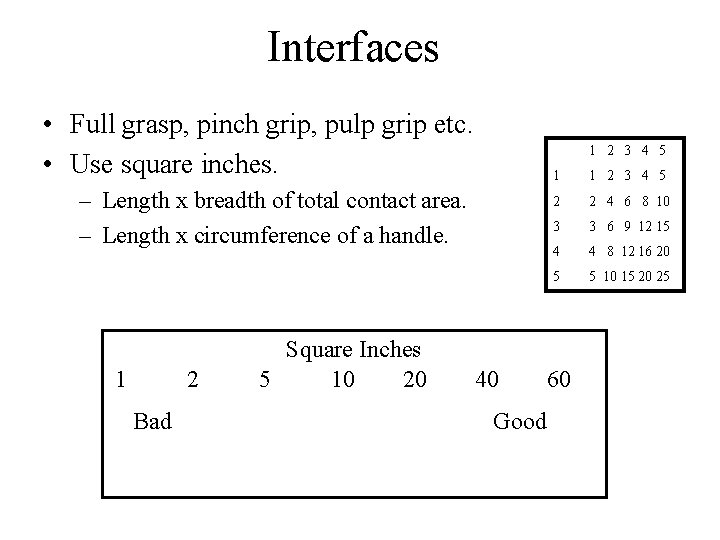
Interfaces • Full grasp, pinch grip, pulp grip etc. • Use square inches. 1 2 3 4 5 – Length x breadth of total contact area. – Length x circumference of a handle. 1 2 Bad Square Inches 5 10 20 40 Good 1 1 2 3 4 5 2 2 4 6 8 10 3 3 6 9 12 15 4 4 8 12 16 20 5 5 10 15 20 25 60
The Posture Problem • It is very difficult to measure posture accurately • The engineer cannot change the operators posture, he/she can only change those workplace factors that affect posture • Measuring posture is probably a waste of time
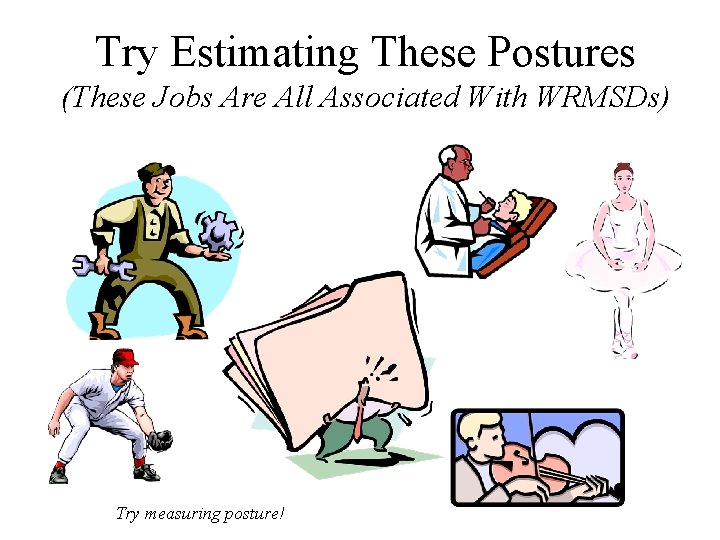
Try Estimating These Postures (These Jobs Are All Associated With WRMSDs) Try measuring posture!
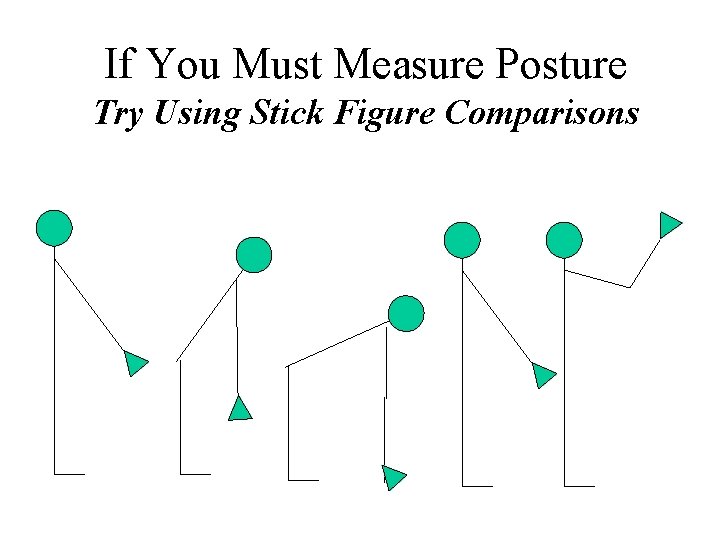
If You Must Measure Posture Try Using Stick Figure Comparisons
But! • Can you really tell the difference between hip angle and lumbar spine angle? • Can you measure shoulder girdle elevation and scapular rotation? • Can you measure the combined wrist flexion / ulnar deviation angle? • Can you measure the effect of anthropometric variation on joint angle? Remember, ergonomists should measure what they can change
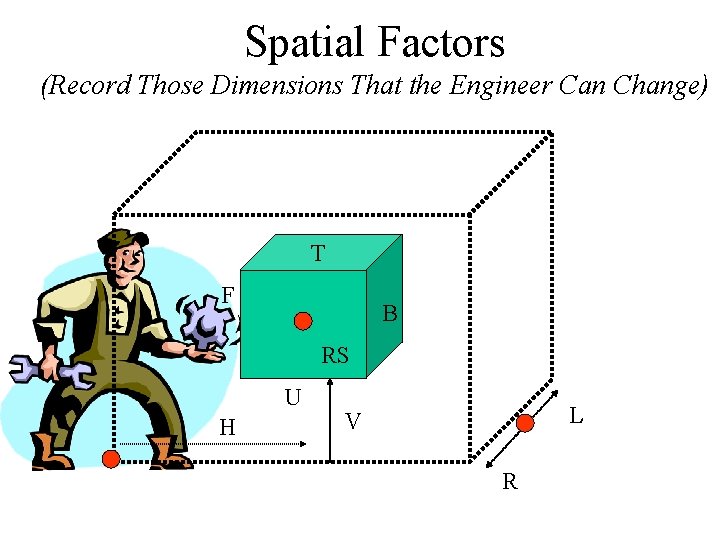
Spatial Factors (Record Those Dimensions That the Engineer Can Change) T F B RS U H L V R
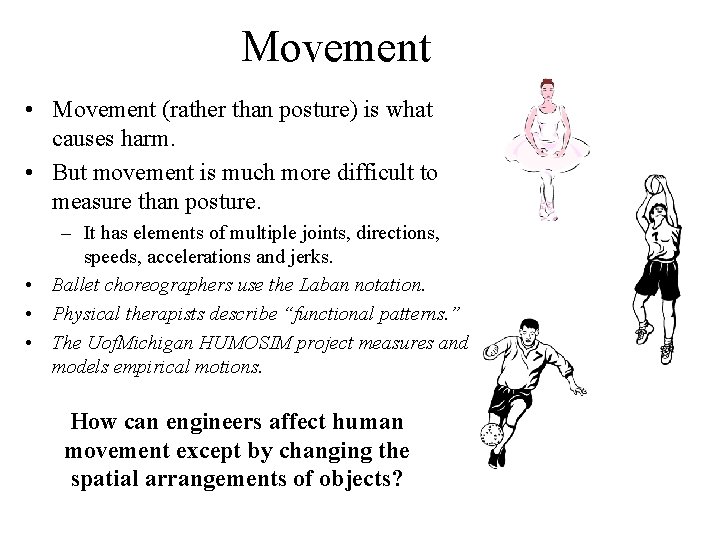
Movement • Movement (rather than posture) is what causes harm. • But movement is much more difficult to measure than posture. – It has elements of multiple joints, directions, speeds, accelerations and jerks. • Ballet choreographers use the Laban notation. • Physical therapists describe “functional patterns. ” • The Uof. Michigan HUMOSIM project measures and models empirical motions. How can engineers affect human movement except by changing the spatial arrangements of objects?
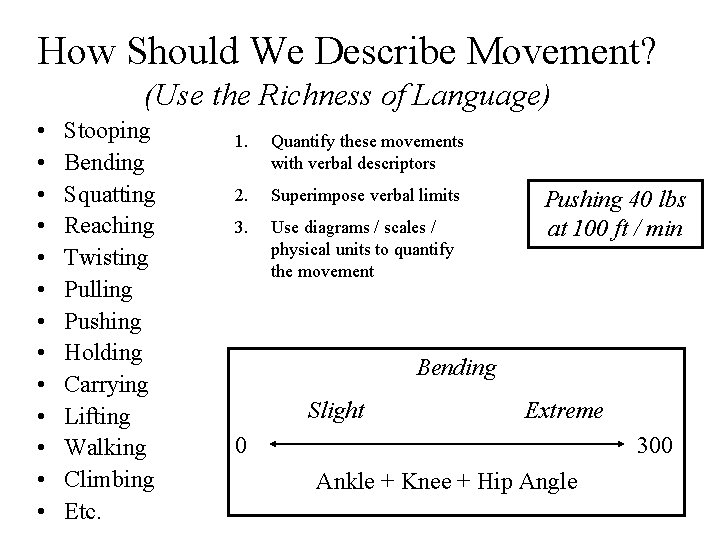
How Should We Describe Movement? (Use the Richness of Language) • • • • Stooping Bending Squatting Reaching Twisting Pulling Pushing Holding Carrying Lifting Walking Climbing Etc. 1. Quantify these movements with verbal descriptors 2. Superimpose verbal limits 3. Use diagrams / scales / physical units to quantify the movement Pushing 40 lbs at 100 ft / min Bending Slight Extreme 0 300 Ankle + Knee + Hip Angle
Force Factors • Damage to the musculo-skeletal systems usually involves the application of force or an attempt to change the effect of an external force, such as gravity or a moving or vibrating object. • Interactions with force. – – Pressure – force x surface area. Moment – force x distance from joint center. Work – force x distance moved. Direction of force. • Human strength varies considerable with the direction of force application. – Time. • Local and general fatigue. – Human strength varies considerably over time. – People vary greatly in their strength capabilities.
Simple Force Factors • Weight action and maximum permissible limits. – 10, 25, 40, 70…. ? – It all depends… – But the designers of weights do not always know the conditions of handling! – So it may be appropriate to set simple weight limits. • Force. – Pushing, pulling, pinching, manipulating. – The designer of the required force often does know the conditions of force actuation. – It may therefore be appropriate to set force limits based on the context.
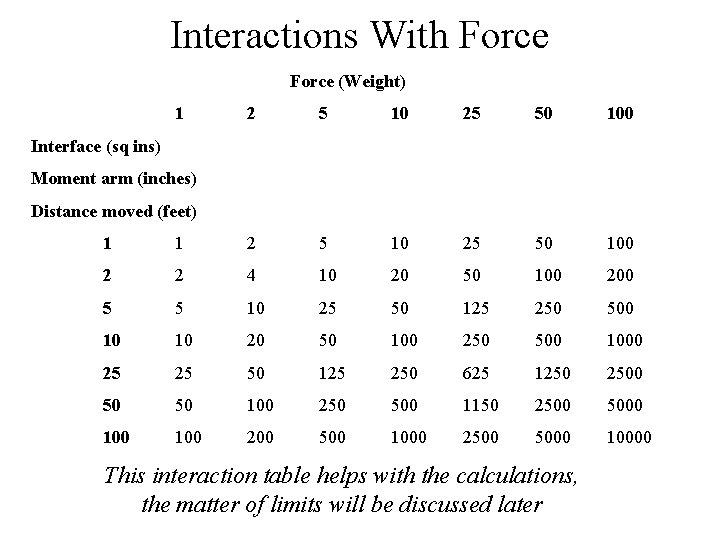
Interactions With Force (Weight) 1 2 5 10 25 50 100 Interface (sq ins) Moment arm (inches) Distance moved (feet) 1 1 2 5 10 25 50 100 2 2 4 10 20 50 100 200 5 5 10 25 50 125 250 500 10 10 20 50 100 250 500 1000 25 25 50 125 250 625 1250 2500 50 50 100 250 500 1150 2500 5000 100 200 500 1000 2500 5000 10000 This interaction table helps with the calculations, the matter of limits will be discussed later
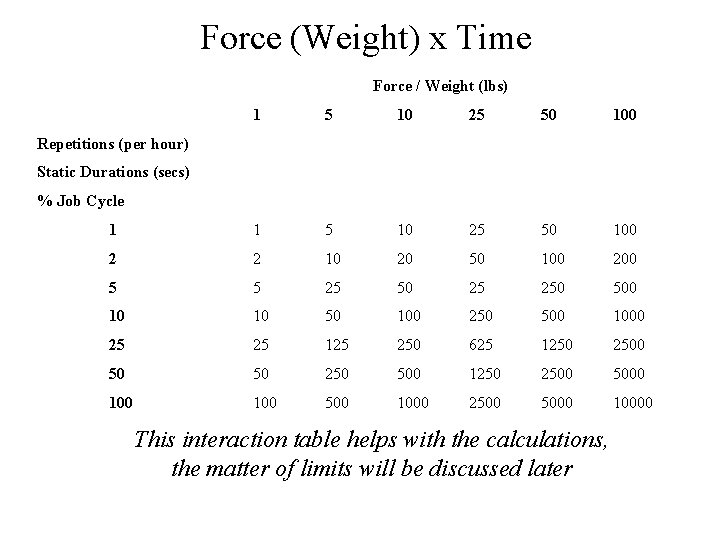
Force (Weight) x Time Force / Weight (lbs) 1 5 10 25 50 100 1 1 5 10 25 50 100 2 2 10 20 50 100 200 5 5 25 50 25 250 500 10 10 50 100 250 500 1000 25 25 125 250 625 1250 2500 50 50 250 500 1250 2500 5000 100 500 1000 2500 5000 10000 Repetitions (per hour) Static Durations (secs) % Job Cycle This interaction table helps with the calculations, the matter of limits will be discussed later
The Exposure Problem Interactions with Time • Repetitions, frequencies • Durations, work – rest schedules – – – Static postures and exertions Percent of job cycle Length of the shift or work day Length of a “rotation” Days, weeks, months, years on the job • The same or similar activity in and out of work – Home computers, hobbies • The complicating competition between the training effect and the cumulative deterioration effect
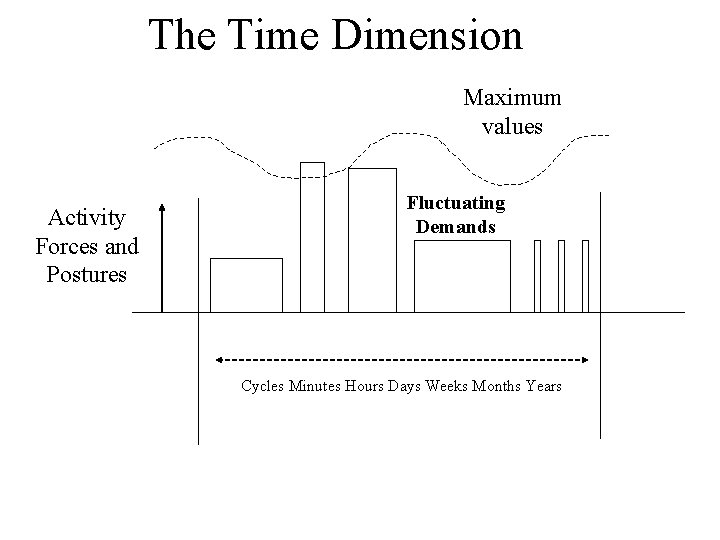
The Time Dimension Maximum values Activity Forces and Postures Fluctuating Demands Cycles Minutes Hours Days Weeks Months Years
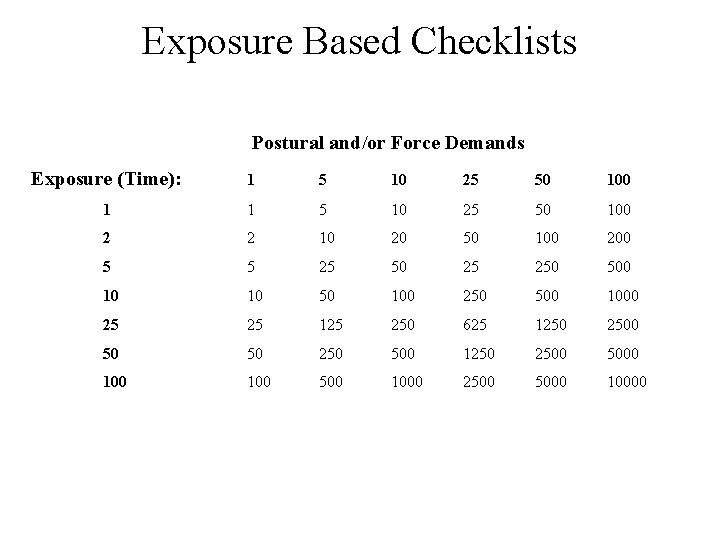
Exposure Based Checklists Postural and/or Force Demands Exposure (Time): 1 5 10 25 50 100 1 1 5 10 25 50 100 2 2 10 20 50 100 200 5 5 25 50 25 250 500 10 10 50 100 250 500 1000 25 25 125 250 625 1250 2500 50 50 250 500 1250 2500 5000 100 500 1000 2500 5000 10000
Force (etc. ) and the Individual • People vary enormously in strength capability due to inheritance, sex, age, ethnicity, handicap, training, fatigue etc. – There may be a 10 fold difference on any force dimension to individuals. • It is feasible to select individuals or groups to do different jobs based on their capabilities. – Self selection, seniority. – Fitness for duty testing. • Formal. • Casual. • The setting of standards force limits must comprehend the target population or individual characteristics. • Where assumptions can be made about the population characteristics then it will be necessary to superimpose percentile accommodation levels – a policy matter – in the process of standards setting.
Individual and Population Factors • People vary - the normal distribution is a very powerful staring point. • Data exists on population characteristics on a variety of dimensions. • Percentile accommodation is a matter of policy, not ergonomics. • Policy may be set by managers and politicians with the help of experts or it may be negotiated. • Ergonomics, job standards, percentile accommodation are inextricably mixed.
Another “Percentile” Problem • People vary differently on all dimensions. • A 50 th percentile stature will not necessarily have 50 th percentile segment lengths, girths, strength or stamina. • The “percentile” is dimension specific!
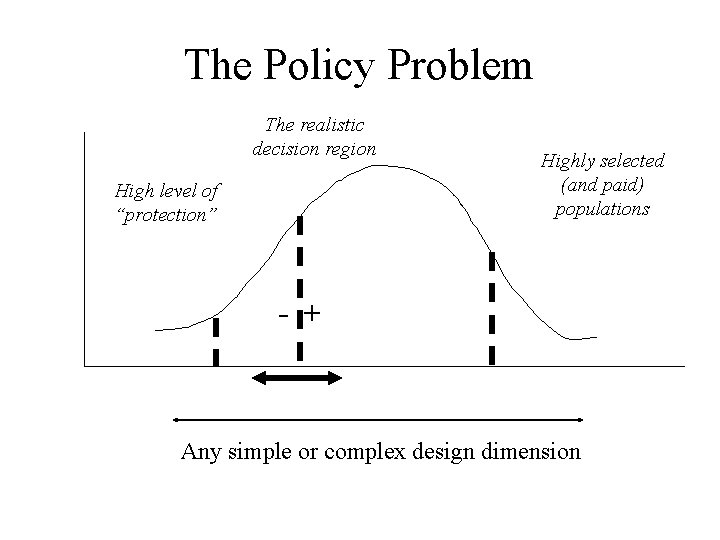
The Policy Problem The realistic decision region High level of “protection” Highly selected (and paid) populations - + Any simple or complex design dimension
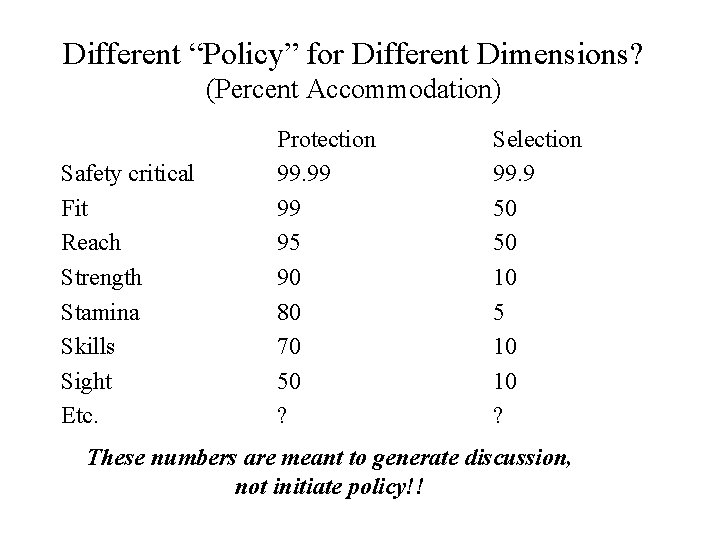
Different “Policy” for Different Dimensions? (Percent Accommodation) Safety critical Fit Reach Strength Stamina Skills Sight Etc. Protection 99. 99 99 95 90 80 70 50 ? Selection 99. 9 50 50 10 5 10 10 ? These numbers are meant to generate discussion, not initiate policy!!
The Liberty Mutual (Snook) Tables • Psychophysically derived and statistically smoothed tables indicating percent of adult population capable of performing various manual handling and manipulative tasks. • Very useful. • But what percent level should I choose?
Setting Standards (Decision Thresholds) • Standards are useful – they resolve ambiguity. • Round numbers are easy to deal with and, because of the pervading people, situational and temporal variability, round numbers are sufficiently accurate. • Compliance, investigation, action and maximum permissible limits. – It’s important to know why a standard is being set!
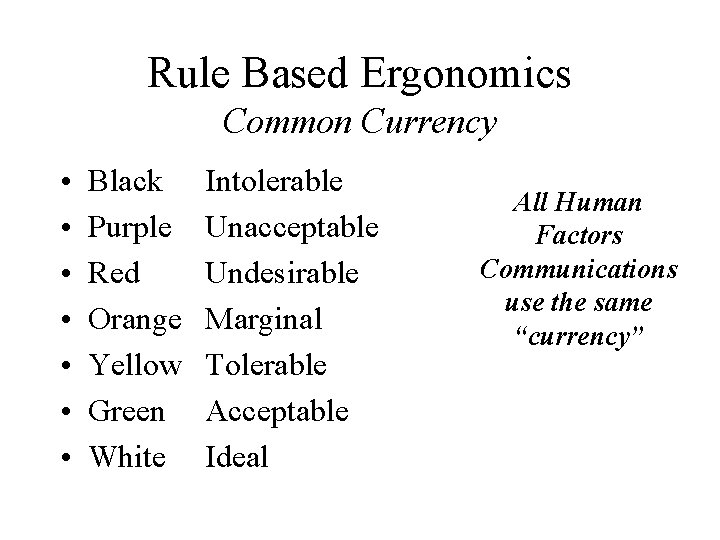
Rule Based Ergonomics Common Currency • • Black Purple Red Orange Yellow Green White Intolerable Unacceptable Undesirable Marginal Tolerable Acceptable Ideal All Human Factors Communications use the same “currency”
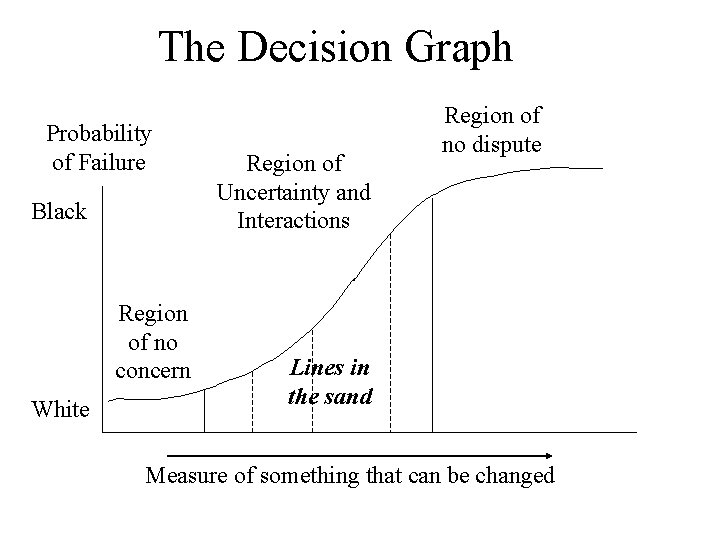
The Decision Graph Probability of Failure Black Region of no concern White Region of Uncertainty and Interactions Region of no dispute Lines in the sand Measure of something that can be changed
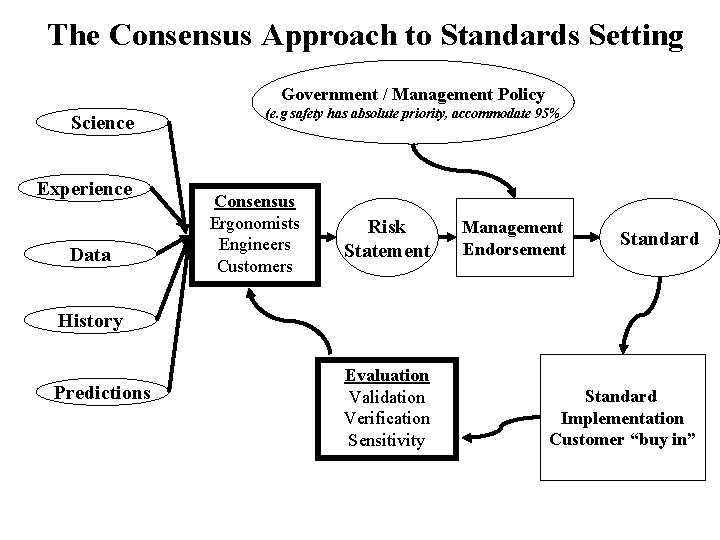
The Consensus Approach to Standards Setting Government / Management Policy Science Experience Data (e. g safety has absolute priority, accommodate 95% Consensus Ergonomists Engineers Customers Risk Statement Management Endorsement Standard History Predictions Evaluation Validation Verification Sensitivity Standard Implementation Customer “buy in”
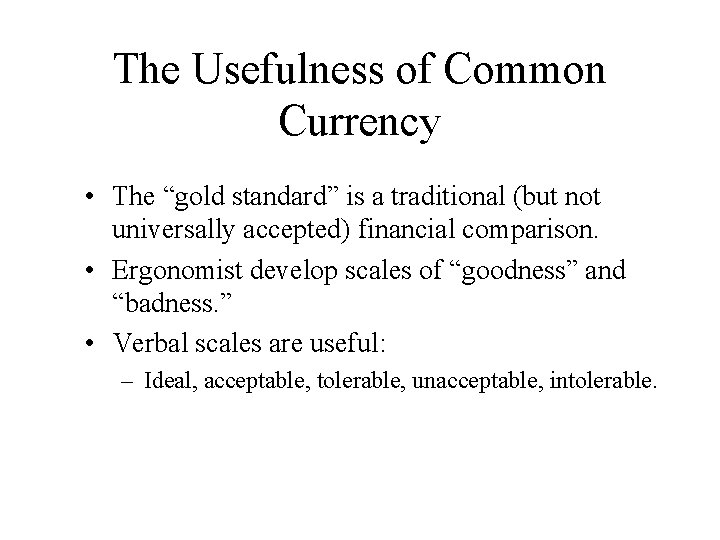
The Usefulness of Common Currency • The “gold standard” is a traditional (but not universally accepted) financial comparison. • Ergonomist develop scales of “goodness” and “badness. ” • Verbal scales are useful: – Ideal, acceptable, tolerable, unacceptable, intolerable.
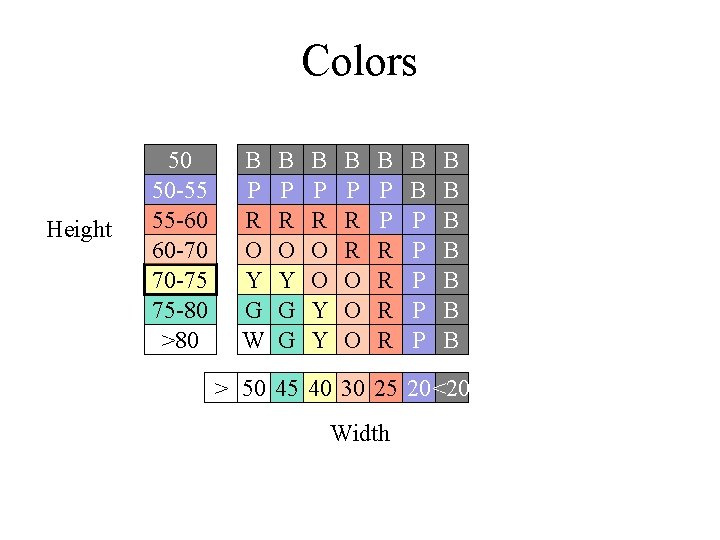
Colors Height 50 50 -55 55 -60 60 -70 70 -75 75 -80 >80 B P R O Y G W B P R O Y G G B P R O O Y Y B P R R O O O B P P R R B B P P P B B B B > 50 45 40 30 25 20<20 Width
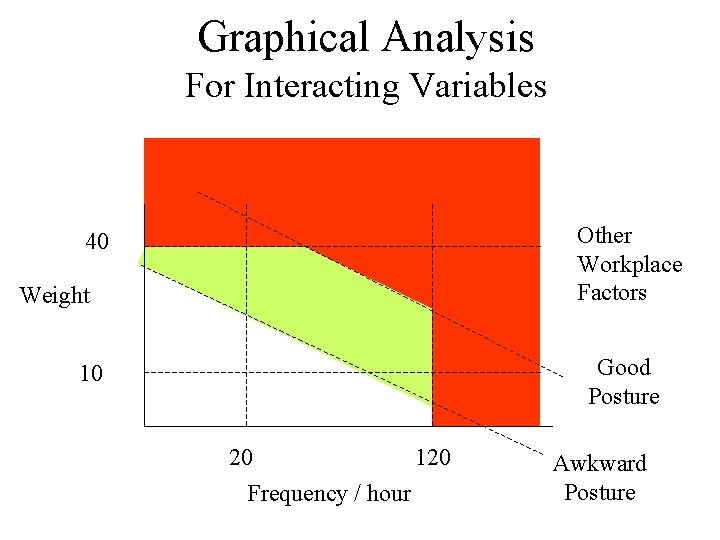
Graphical Analysis For Interacting Variables Other Workplace Factors 40 Weight Good Posture 10 20 120 Frequency / hour Awkward Posture
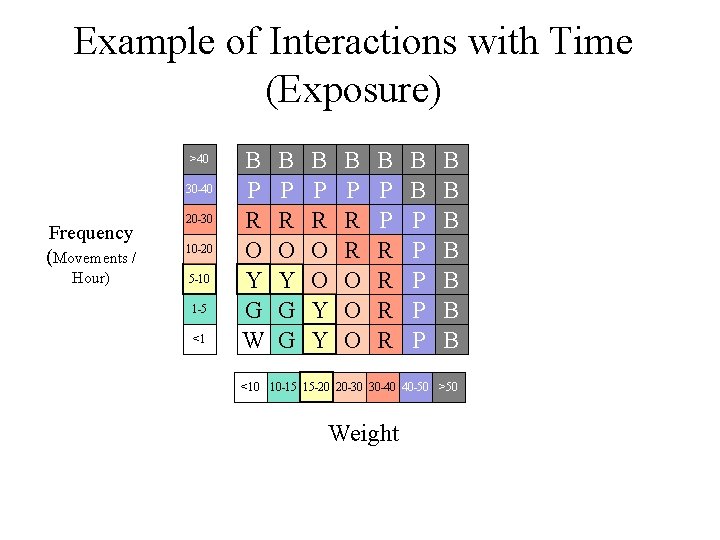
Example of Interactions with Time (Exposure) >40 30 -40 Frequency (Movements / Hour) 20 -30 10 -20 5 -10 1 -5 <1 B P R O Y G W B P R O Y G G B P R O O Y Y B P R R O O O B P P R R B B P P P B B B B <10 10 -15 15 -20 20 -30 30 -40 40 -50 >50 Weight
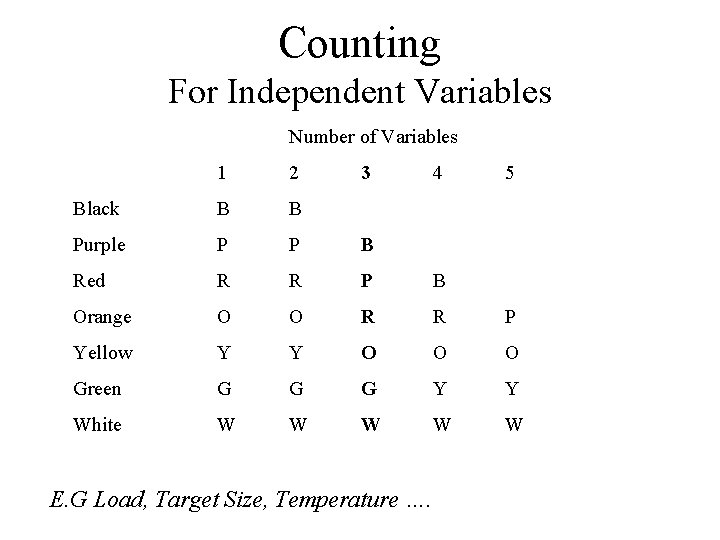
Counting For Independent Variables Number of Variables 1 2 3 Black B B Purple P P B Red R R P B Orange O O R R P Yellow Y Y O O O Green G G G Y Y White W W W E. G Load, Target Size, Temperature …. 4 5
Usability Revisited - TLVs • TLVs (threshold limit values) are convenient for. – Design, compliance, enforcement. • TLVs have stood the test of time in the equally variable areas of the physical and chemical environment. • Because of the underlying variability TLVs will never be absolutely (deterministically) predictive of outcomes. • TLVs in ergonomics, if set by an appropriate consensus with due regard to the available evidence, will greatly improve the “usability” of our science.
Weightings and Decisions • In reality, some factors are more important than others and some interventions are more feasible than others so we must address the “weighting” of evidence issue and the decision processes that lead to alternative interventions. • Weighting can be achieved in two practical ways: – Setting questions in various zones of a common currency spectrum. – Adding a multiplier to certain questions depending on the context. • There is the counter argument that attempts to introduce weightings into checklists unnecessarily complicate the process.
Linkage to Outcomes • Ergonomics analysis checklists should link some designed variable to some prediction of outcome. – The more direct the link the better. – Indexes are OK but do not help the individual analyst or designer (investor). • The linkage to outcomes directly will always be probabilistic.
The Context of Checklists Protection Performance Analysis Preference Outcomes Decisions The Job, Task or Simulation The Operators Design or Intervention
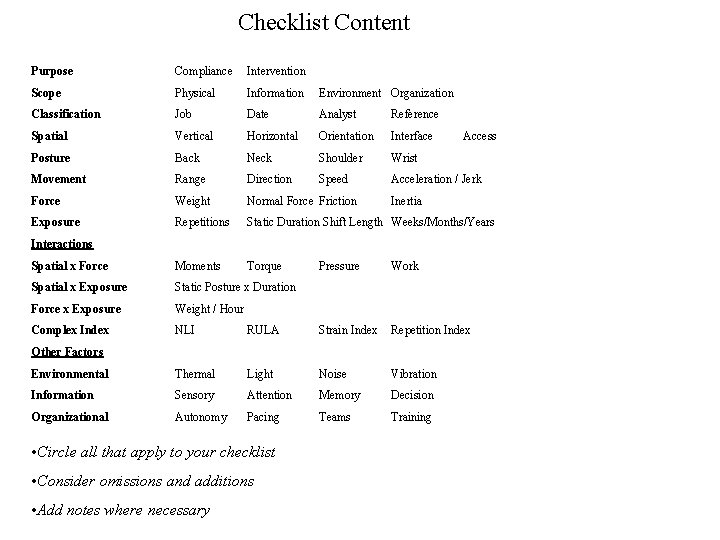
Checklist Content Purpose Compliance Intervention Scope Physical Information Environment Organization Classification Job Date Analyst Reference Spatial Vertical Horizontal Orientation Interface Posture Back Neck Shoulder Wrist Movement Range Direction Speed Acceleration / Jerk Force Weight Normal Force Friction Exposure Repetitions Static Duration Shift Length Weeks/Months/Years Spatial x Force Moments Torque Spatial x Exposure Static Posture x Duration Force x Exposure Weight / Hour Complex Index NLI Environmental Access Inertia Interactions Pressure Work RULA Strain Index Repetition Index Thermal Light Noise Vibration Information Sensory Attention Memory Decision Organizational Autonomy Pacing Teams Training Other Factors • Circle all that apply to your checklist • Consider omissions and additions • Add notes where necessary
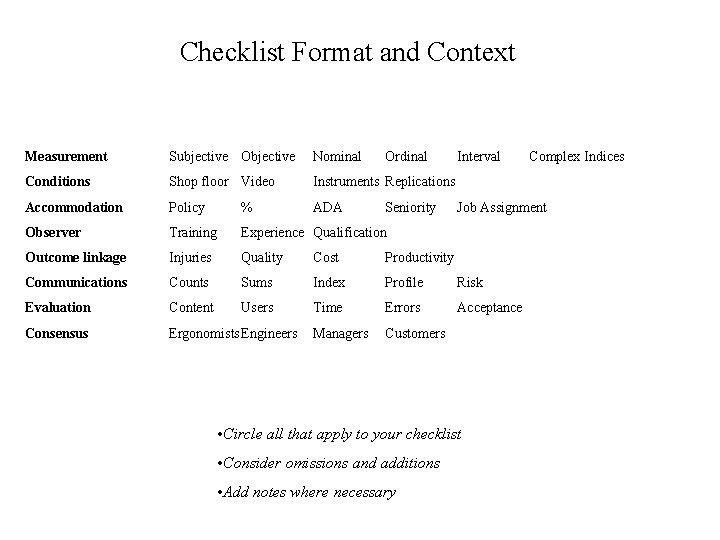
Checklist Format and Context Measurement Subjective Objective Nominal Ordinal Conditions Shop floor Video Instruments Replications Accommodation Policy % ADA Observer Training Experience Qualification Outcome linkage Injuries Quality Cost Productivity Communications Counts Sums Index Profile Risk Evaluation Content Users Time Errors Acceptance Consensus Ergonomists. Engineers Managers Customers Seniority Interval Job Assignment • Circle all that apply to your checklist • Consider omissions and additions • Add notes where necessary Complex Indices
Conclusions • Ergonomics checklists are useful for both compliance and design. • Checklists should be simple. • Charts can help with the analysis of interactions. • Checklists should measure those things about the job that can be changed. • Checklists need reliable measurement and consensus policy.
- Slides: 67