
A Case for Grid Computing on Virtual Machines
- Slides: 24
A Case for Grid Computing on Virtual Machines Renato Figueiredo Assistant Professor ACIS Laboratory, Dept. of ECE University of Florida José Fortes ACIS Laboratory, Dept. of ECE University of Florida Peter Dinda Prescience Lab, Dept. of Computer Science Northwestern University Advanced Computing and Information Systems laboratory
The “Grid problem” l 1 “Flexible, secure, coordinated resource sharing among dynamic collections of individuals, institutions, and resources” 1 “The Anatomy of the Grid: Enabling Scalable Virtual Organizations”, I. Foster, C. Kesselman, S. Tuecke. International J. Supercomputer Applications, 15(3), 2001 Advanced Computing and Information Systems laboratory 2
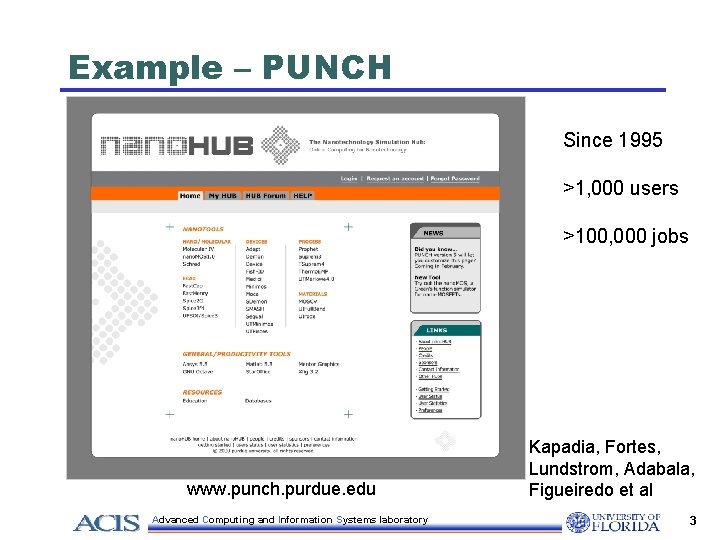
Example – PUNCH Since 1995 >1, 000 users >100, 000 jobs www. punch. purdue. edu Advanced Computing and Information Systems laboratory Kapadia, Fortes, Lundstrom, Adabala, Figueiredo et al 3
Resource sharing l Traditional solutions: l Evolved from centrally-admin. domains • Multi-task operating systems • User accounts • File systems • Functionality available for reuse • However, Grids span administrative domains Advanced Computing and Information Systems laboratory 4
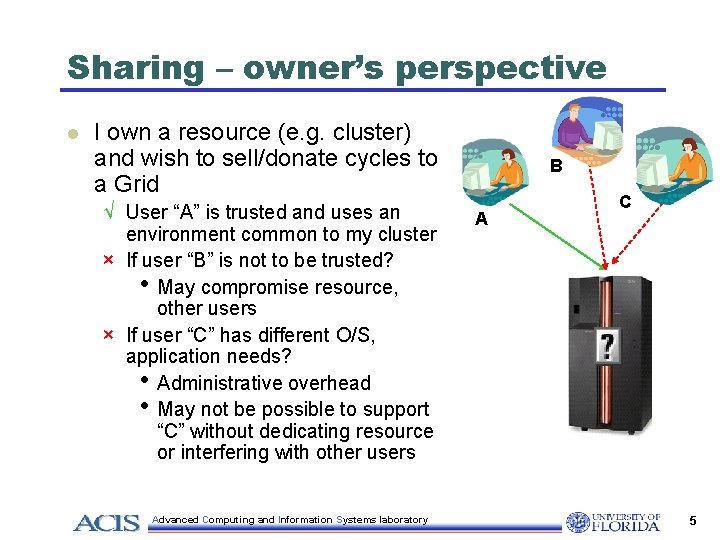
Sharing – owner’s perspective l I own a resource (e. g. cluster) and wish to sell/donate cycles to a Grid √ User “A” is trusted and uses an environment common to my cluster × If user “B” is not to be trusted? • May compromise resource, other users × If user “C” has different O/S, application needs? • Administrative overhead • May not be possible to support “C” without dedicating resource or interfering with other users Advanced Computing and Information Systems laboratory B A C 5
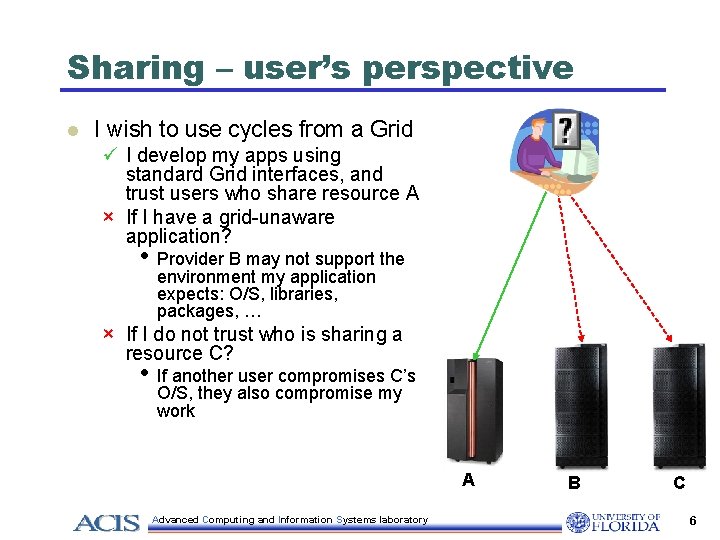
Sharing – user’s perspective l I wish to use cycles from a Grid ü I develop my apps using standard Grid interfaces, and trust users who share resource A × If I have a grid-unaware application? • Provider B may not support the environment my application expects: O/S, libraries, packages, … × If I do not trust who is sharing a resource C? • If another user compromises C’s O/S, they also compromise my work A Advanced Computing and Information Systems laboratory B C 6
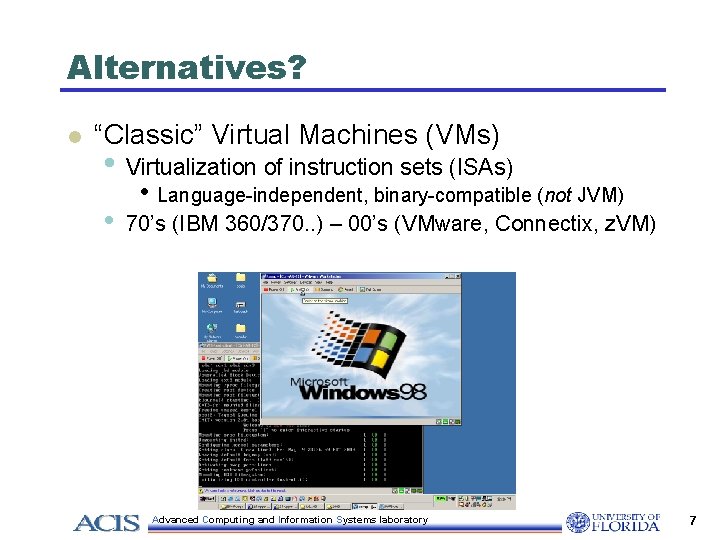
Alternatives? l “Classic” Virtual Machines (VMs) • Virtualization of instruction sets (ISAs) • • Language-independent, binary-compatible (not JVM) 70’s (IBM 360/370. . ) – 00’s (VMware, Connectix, z. VM) Advanced Computing and Information Systems laboratory 7
“Classic” Virtual Machines l “A virtual machine is taken to be an efficient, isolated, duplicate copy of the real machine” 2 • • • “A statistically dominant subset of the virtual processor’s instructions is executed directly by the real processor” 2 “…transforms the single machine interface into the illusion of many” 3 “Any program run under the VM has an effect identical with that demonstrated if the program had been run in the original machine directly” 2 “Formal Requirements for Virtualizable Third-Generation Architectures”, G. Popek and R. Goldberg, Communications of the ACM, 17(7), July 1974 3 “Survey of Virtual Machine Research”, R. Goldberg, IEEE Computer, June 1974 2 Advanced Computing and Information Systems laboratory 8
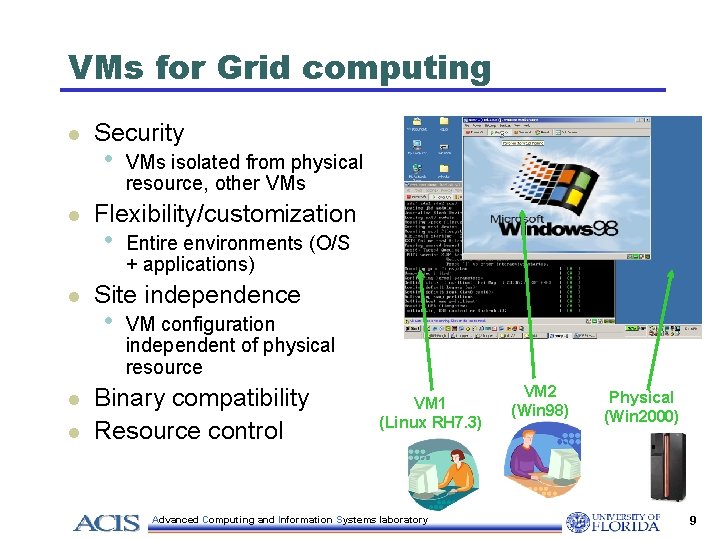
VMs for Grid computing l l l Security • VMs isolated from physical resource, other VMs Flexibility/customization • Entire environments (O/S + applications) Site independence • VM configuration independent of physical resource Binary compatibility Resource control VM 1 (Linux RH 7. 3) Advanced Computing and Information Systems laboratory VM 2 (Win 98) Physical (Win 2000) 9
Outline l l l Motivations VMs for Grid Computing • Architecture • Challenges Performance analyses Related work Outlook and conclusions Advanced Computing and Information Systems laboratory 10
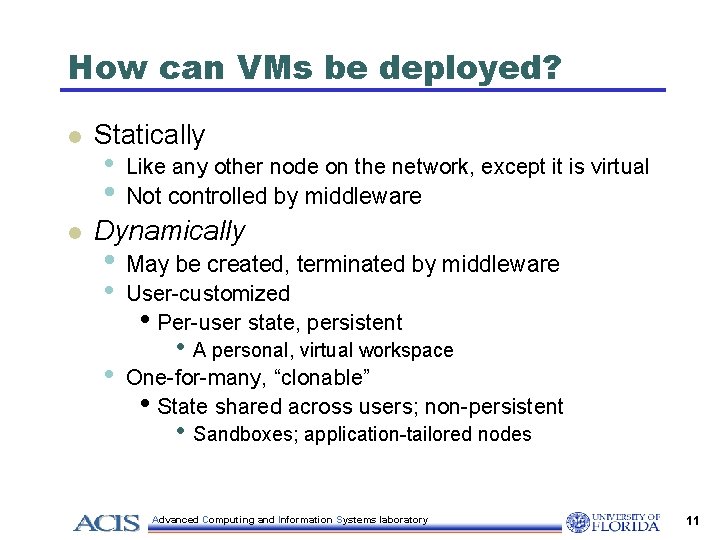
How can VMs be deployed? l l Statically • • Like any other node on the network, except it is virtual Not controlled by middleware Dynamically • May be created, terminated by middleware • User-customized • Per-user state, persistent • • A personal, virtual workspace One-for-many, “clonable” • State shared across users; non-persistent • Sandboxes; application-tailored nodes Advanced Computing and Information Systems laboratory 11
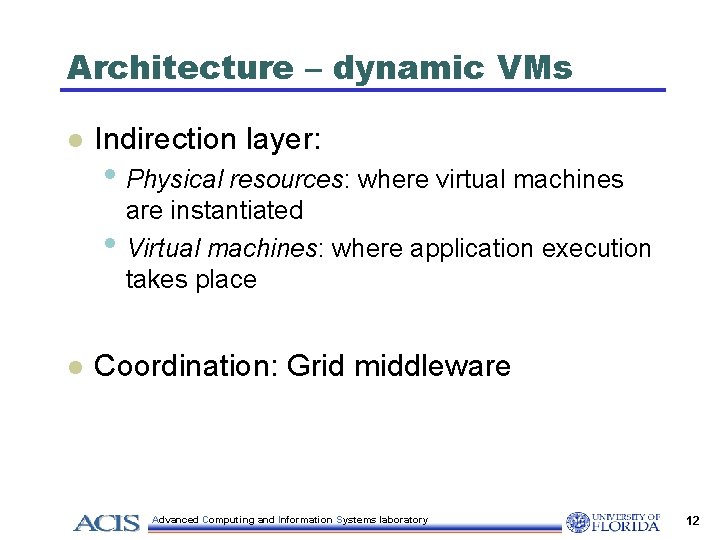
Architecture – dynamic VMs l Indirection layer: • Physical resources: where virtual machines • l are instantiated Virtual machines: where application execution takes place Coordination: Grid middleware Advanced Computing and Information Systems laboratory 12
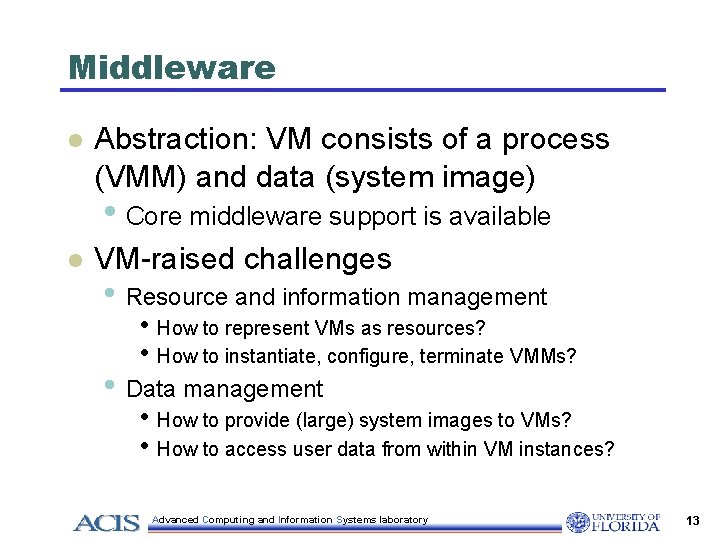
Middleware l Abstraction: VM consists of a process (VMM) and data (system image) • Core middleware support is available l VM-raised challenges • Resource and information management • How to represent VMs as resources? • How to instantiate, configure, terminate VMMs? • Data management • How to provide (large) system images to VMs? • How to access user data from within VM instances? Advanced Computing and Information Systems laboratory 13
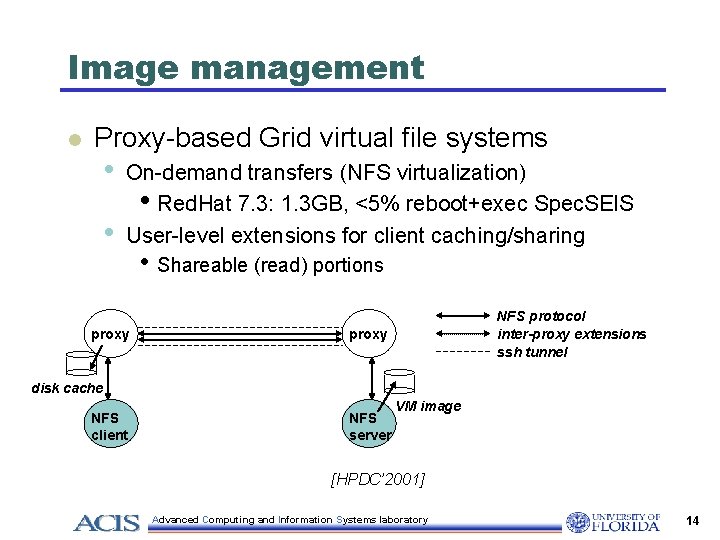
Image management l Proxy-based Grid virtual file systems • • On-demand transfers (NFS virtualization) • Red. Hat 7. 3: 1. 3 GB, <5% reboot+exec Spec. SEIS User-level extensions for client caching/sharing proxy • Shareable (read) portions NFS protocol inter-proxy extensions ssh tunnel proxy disk cache NFS client NFS server VM image [HPDC’ 2001] Advanced Computing and Information Systems laboratory 14
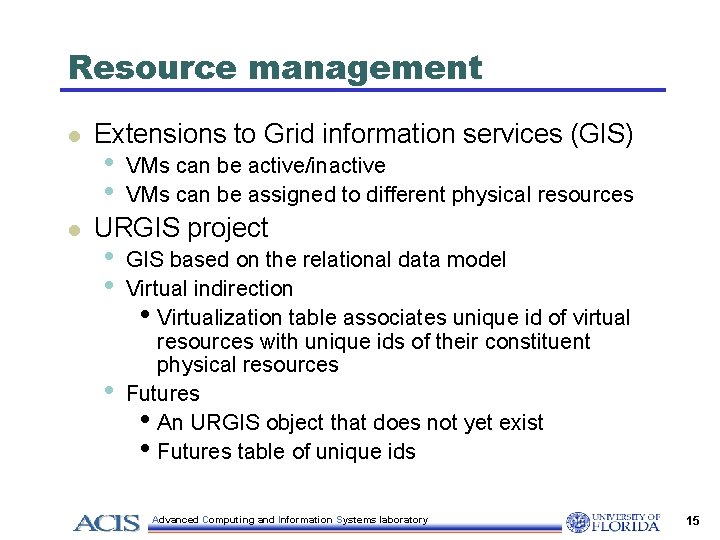
Resource management l l Extensions to Grid information services (GIS) • • VMs can be active/inactive VMs can be assigned to different physical resources URGIS project • • • GIS based on the relational data model Virtual indirection • Virtualization table associates unique id of virtual resources with unique ids of their constituent physical resources Futures • An URGIS object that does not yet exist • Futures table of unique ids Advanced Computing and Information Systems laboratory 15
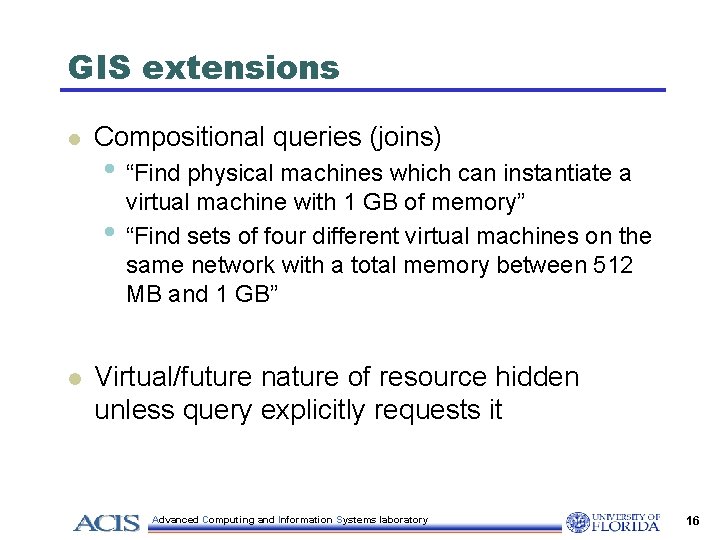
GIS extensions l Compositional queries (joins) • “Find physical machines which can instantiate a • l virtual machine with 1 GB of memory” “Find sets of four different virtual machines on the same network with a total memory between 512 MB and 1 GB” Virtual/future nature of resource hidden unless query explicitly requests it Advanced Computing and Information Systems laboratory 16
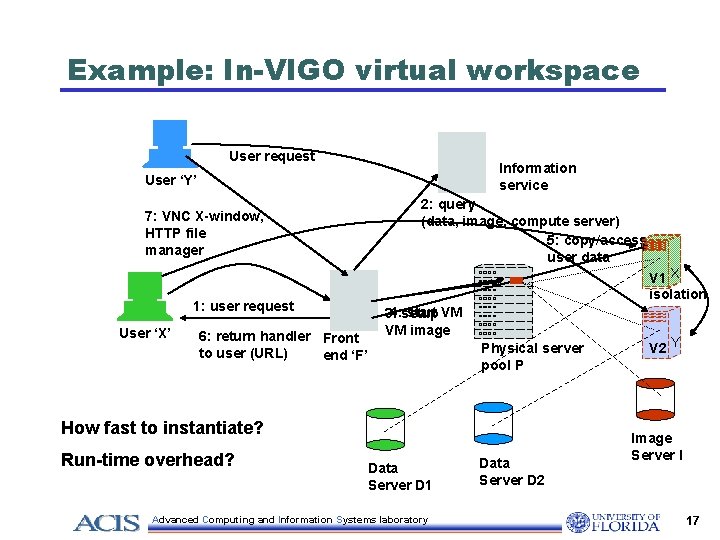
Example: In-VIGO virtual workspace User request Information service User ‘Y’ 7: VNC X-window, HTTP file manager 1: user request User ‘X’ 6: return handler Front to user (URL) end ‘F’ 2: query (data, image, compute server) 5: copy/access user data start VM 3: 4: setup VM image Physical server pool P How fast to instantiate? Run-time overhead? Data Server D 1 Advanced Computing and Information Systems laboratory Data Server D 2 V 1 X isolation V 2 Y Image Server I 17
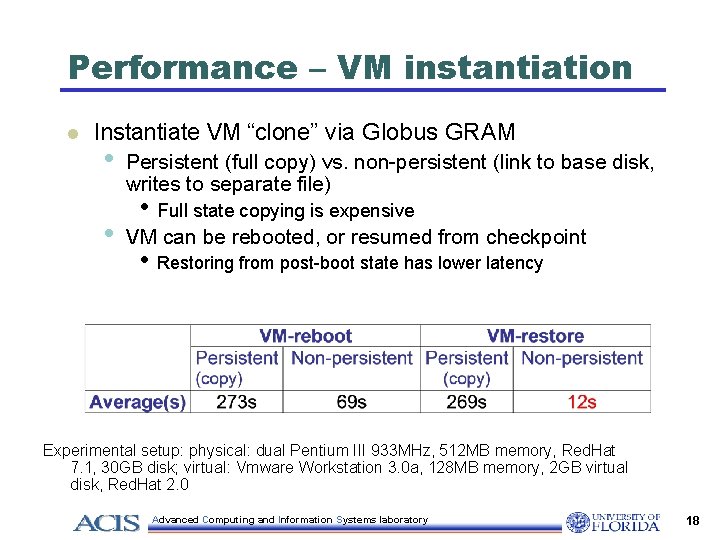
Performance – VM instantiation l Instantiate VM “clone” via Globus GRAM • • Persistent (full copy) vs. non-persistent (link to base disk, writes to separate file) • Full state copying is expensive VM can be rebooted, or resumed from checkpoint • Restoring from post-boot state has lower latency Experimental setup: physical: dual Pentium III 933 MHz, 512 MB memory, Red. Hat 7. 1, 30 GB disk; virtual: Vmware Workstation 3. 0 a, 128 MB memory, 2 GB virtual disk, Red. Hat 2. 0 Advanced Computing and Information Systems laboratory 18
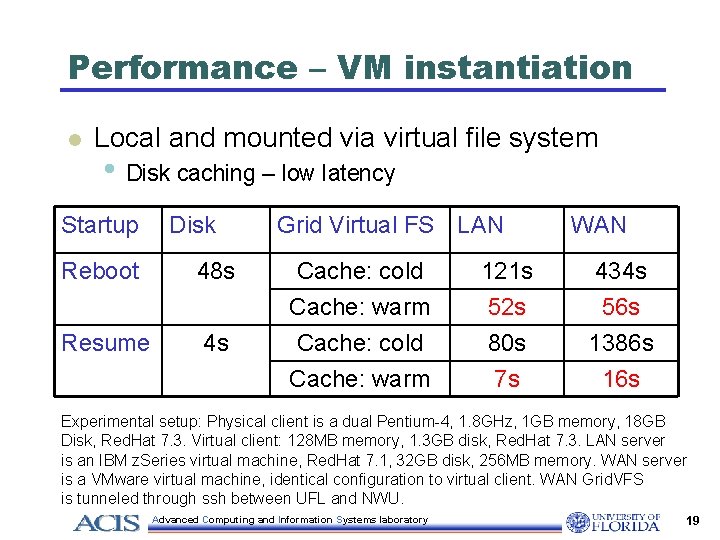
Performance – VM instantiation l Local and mounted via virtual file system • Disk caching – low latency Startup Disk Reboot 48 s Resume 4 s Grid Virtual FS LAN WAN Cache: cold Cache: warm Cache: cold 121 s 52 s 80 s 434 s 56 s 1386 s Cache: warm 7 s 16 s Experimental setup: Physical client is a dual Pentium-4, 1. 8 GHz, 1 GB memory, 18 GB Disk, Red. Hat 7. 3. Virtual client: 128 MB memory, 1. 3 GB disk, Red. Hat 7. 3. LAN server is an IBM z. Series virtual machine, Red. Hat 7. 1, 32 GB disk, 256 MB memory. WAN server is a VMware virtual machine, identical configuration to virtual client. WAN Grid. VFS is tunneled through ssh between UFL and NWU. Advanced Computing and Information Systems laboratory 19
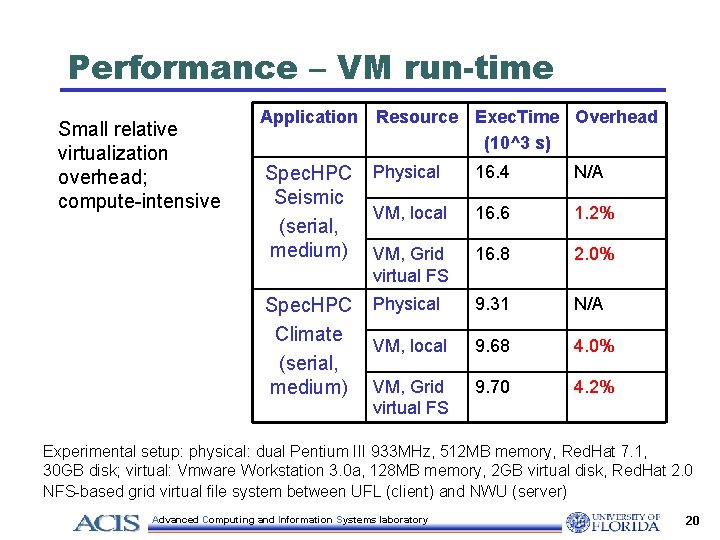
Performance – VM run-time Small relative virtualization overhead; compute-intensive Application Resource Exec. Time Overhead (10^3 s) Spec. HPC Seismic (serial, medium) Physical 16. 4 N/A VM, local 16. 6 1. 2% VM, Grid virtual FS 16. 8 2. 0% Spec. HPC Climate (serial, medium) Physical 9. 31 N/A VM, local 9. 68 4. 0% VM, Grid virtual FS 9. 70 4. 2% Experimental setup: physical: dual Pentium III 933 MHz, 512 MB memory, Red. Hat 7. 1, 30 GB disk; virtual: Vmware Workstation 3. 0 a, 128 MB memory, 2 GB virtual disk, Red. Hat 2. 0 NFS-based grid virtual file system between UFL (client) and NWU (server) Advanced Computing and Information Systems laboratory 20
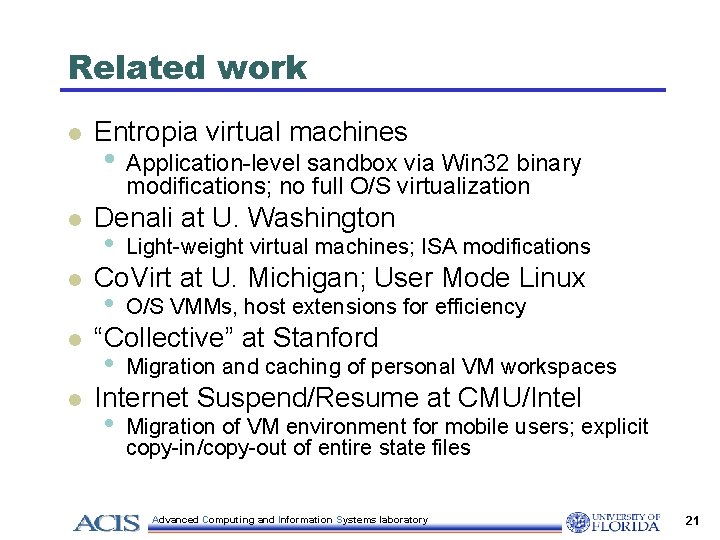
Related work l Entropia virtual machines • Application-level sandbox via Win 32 binary modifications; no full O/S virtualization l l Denali at U. Washington • Light-weight virtual machines; ISA modifications Co. Virt at U. Michigan; User Mode Linux • O/S VMMs, host extensions for efficiency “Collective” at Stanford • Migration and caching of personal VM workspaces Internet Suspend/Resume at CMU/Intel • Migration of VM environment for mobile users; explicit copy-in/copy-out of entire state files Advanced Computing and Information Systems laboratory 21
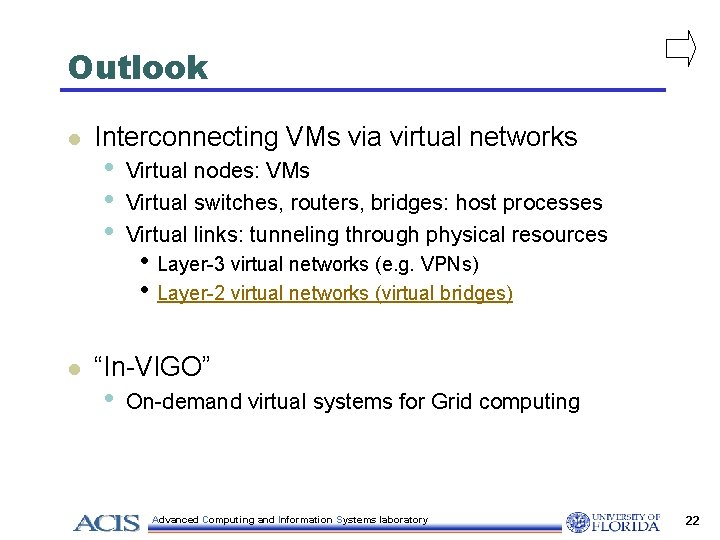
Outlook l l Interconnecting VMs via virtual networks • • • Virtual nodes: VMs Virtual switches, routers, bridges: host processes Virtual links: tunneling through physical resources • Layer-3 virtual networks (e. g. VPNs) • Layer-2 virtual networks (virtual bridges) “In-VIGO” • On-demand virtual systems for Grid computing Advanced Computing and Information Systems laboratory 22
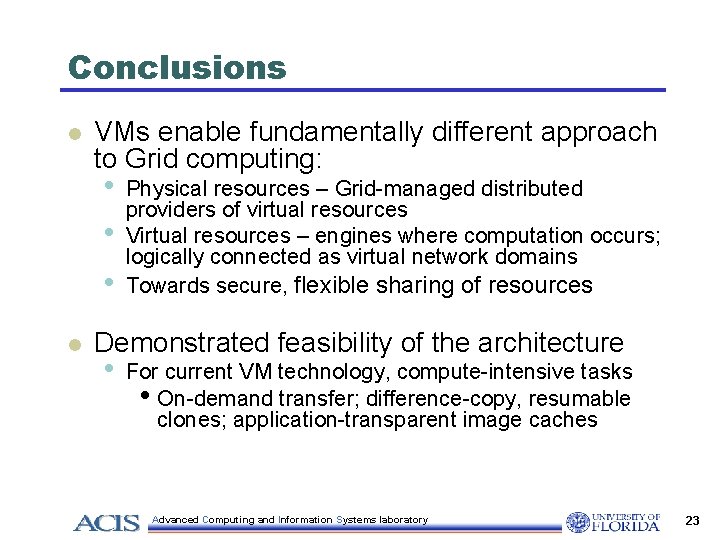
Conclusions l VMs enable fundamentally different approach to Grid computing: • • • l Physical resources – Grid-managed distributed providers of virtual resources Virtual resources – engines where computation occurs; logically connected as virtual network domains Towards secure, flexible sharing of resources Demonstrated feasibility of the architecture • For current VM technology, compute-intensive tasks • On-demand transfer; difference-copy, resumable clones; application-transparent image caches Advanced Computing and Information Systems laboratory 23
Acknowledgments l l l NSF Middleware Initiative • http: //www. nsf-middleware. org NSF Research Resources IBM Shared University Research VMware Ivan Krsul, In-VIGO and Virtuoso teams at UFL/NWU • • http: //www. acis. ufl. edu/vmgrid http: //plab. cs. northwestern. edu Advanced Computing and Information Systems laboratory 24