
A better way to commute each day Payflex

A better way to commute each day. Payflex Commuter Benefits
Commuter Benefits Simple to use and easy to save. • A simple solution designed to get you work while saving you money. • From your own computer, you can order transit passes and vouchers, obtain commuter checks for parking, set up monthly direct pay to pay our parking provider and enroll in cash reimbursement for your parking expenses. • This program allows you to pay for your commuting costs with pre-tax dollars, which decreases your taxable income and increases your spendable income. • You can save up to 40% in taxes on your commuting expenses. to Note: The amount of savings will depend on your annual income, tax bracket and contribution amount. 1
Commuter Benefits Eligible & ineligible expenses For employee’s use only and not to be used for spouses, dependents, or non-work related commuter expenses. 2018 Amounts Qualified Transit benefits – Up to $260 pre-tax per month Transit costs include: • Bus fares • Trains • Subways • Ferries • Streetcars • Vanpools Qualified Parking benefits – Up to $260 pre-tax per month Parking costs include: • The cost of parking at or near your place of work • The cost of parking near a place from which you commute to work via mass transit Ineligible expenses include: x Carpools x Telecommuting x Walking x EZ-Pass x Taxis x Tolls x Fuel/Gas 2
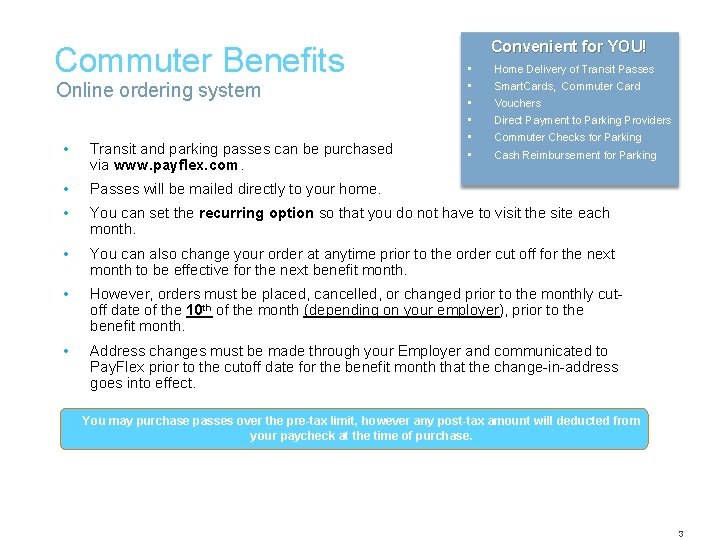
Commuter Benefits Online ordering system Convenient for YOU! • • • Home Delivery of Transit Passes Smart. Cards, Commuter Card Vouchers Direct Payment to Parking Providers Commuter Checks for Parking • Transit and parking passes can be purchased via www. payflex. com. • Passes will be mailed directly to your home. • You can set the recurring option so that you do not have to visit the site each month. • You can also change your order at anytime prior to the order cut off for the next month to be effective for the next benefit month. • However, orders must be placed, cancelled, or changed prior to the monthly cutoff date of the 10 th of the month (depending on your employer), prior to the benefit month. • Address changes must be made through your Employer and communicated to Pay. Flex prior to the cutoff date for the benefit month that the change-in-address goes into effect. onlinefor Parking Cash Reimbursement You may purchase passes over the pre-tax limit, however any post-tax amount will deducted from your paycheck at the time of purchase. 3
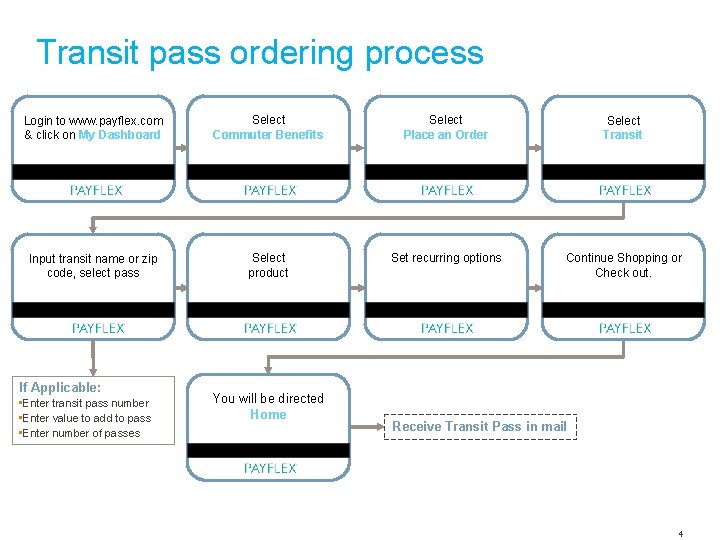
Transit pass ordering process Login to www. payflex. com & click on My Dashboard Select Commuter Benefits Select Place an Order Select Transit Input transit name or zip code, select pass Select product Set recurring options Continue Shopping or Check out. If Applicable: • Enter transit pass number • Enter value to add to pass • Enter number of passes You will be directed Home Receive Transit Pass in mail 4
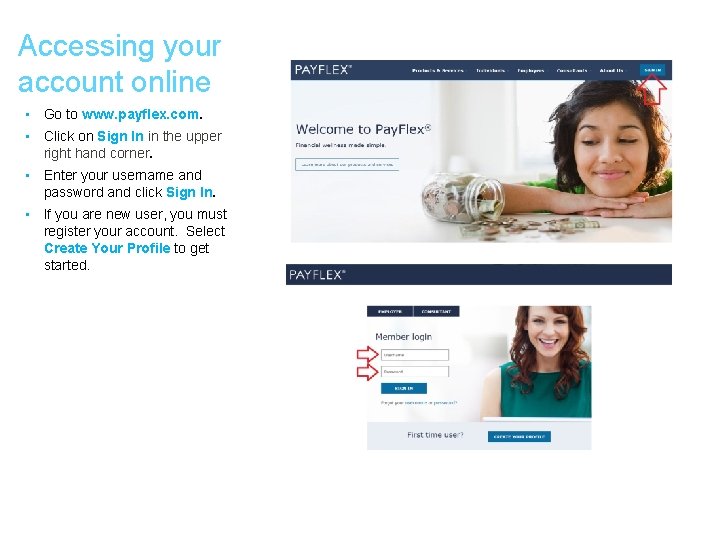
Accessing your account online • Go to www. payflex. com. • Click on Sign In in the upper right hand corner. • Enter your username and password and click Sign In. • If you are new user, you must register your account. Select Create Your Profile to get started.
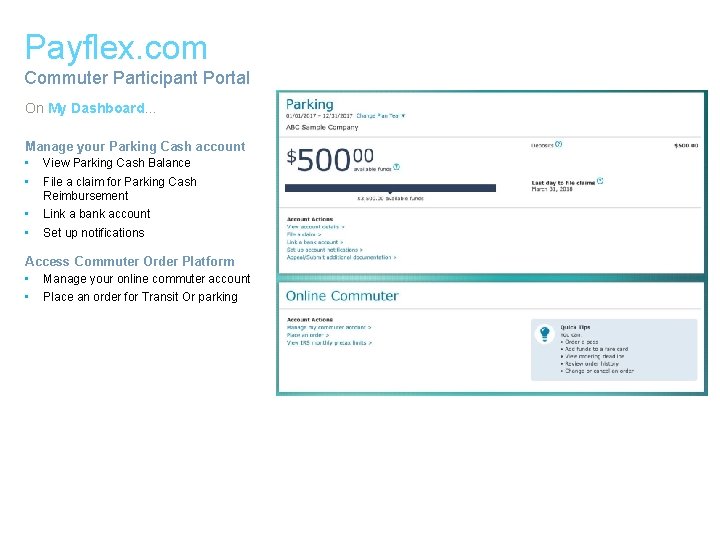
Payflex. com Commuter Participant Portal On My Dashboard… Manage your Parking Cash account • View Parking Cash Balance • File a claim for Parking Cash Reimbursement • • Link a bank account Set up notifications Access Commuter Order Platform • Manage your online commuter account • Place an order for Transit Or parking
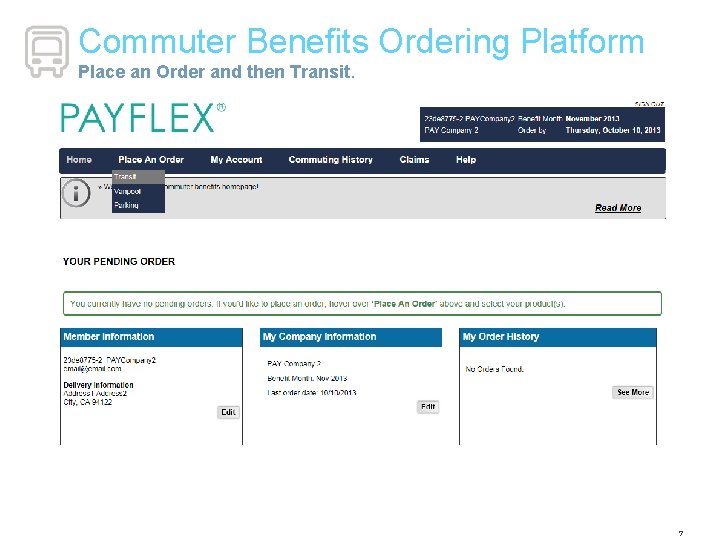
Commuter Benefits Ordering Platform Place an Order and then Transit. 7
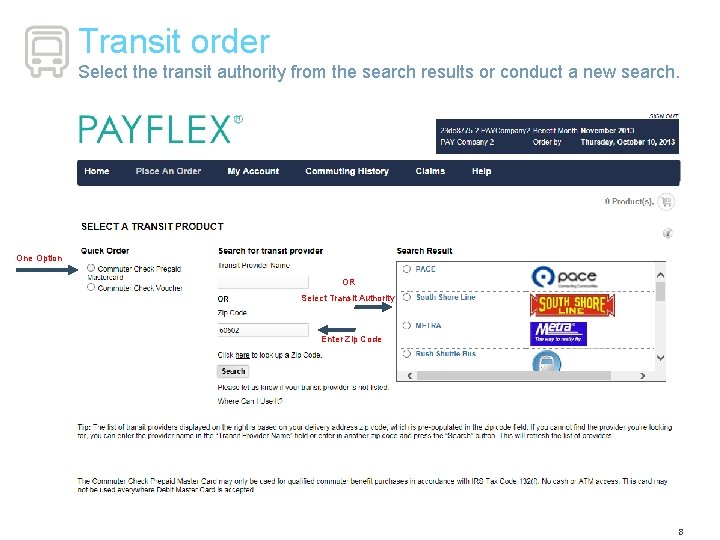
Transit order Select the transit authority from the search results or conduct a new search. One Option OR Select Transit Authority Enter Zip Code 8
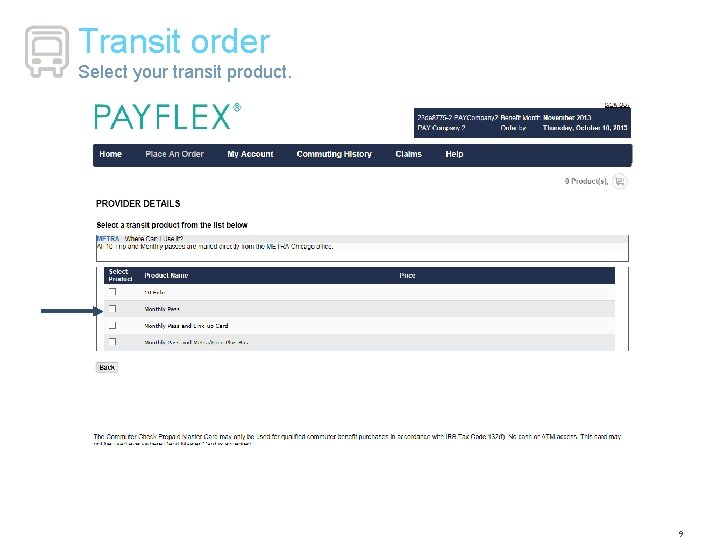
Transit order Select your transit product. 9
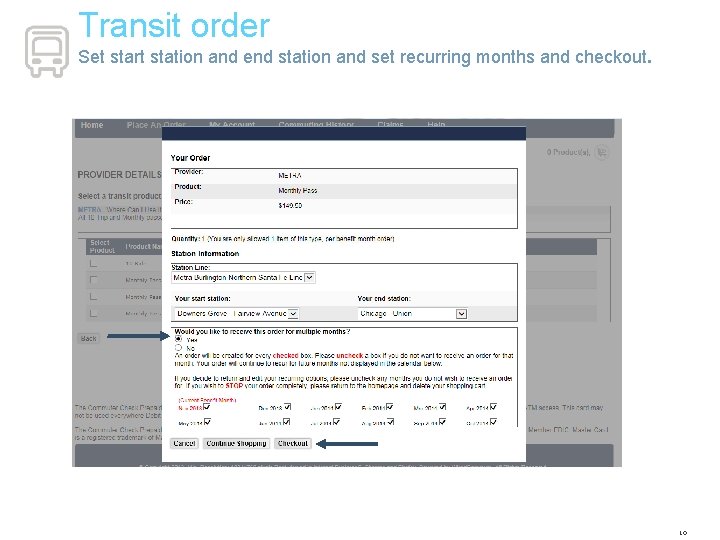
Transit order Set start station and end station and set recurring months and checkout. 10
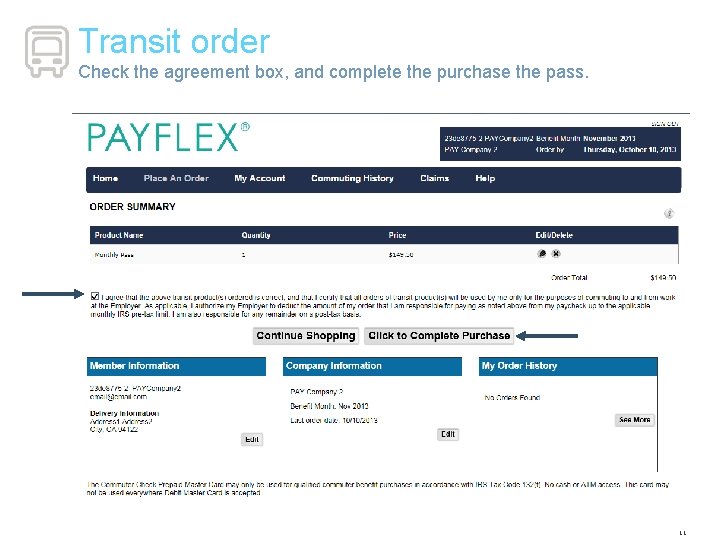
Transit order Check the agreement box, and complete the purchase the pass. 11
A better way to commute each day. Commuter Benefits Parking Products
Parking Products Monthly Direct Pay • Pay monthly parking expenses directly to the parking provider. Commuter Check for Parking • Daily, weekly or monthly checks payable to a parking provider and mailed to your home address. Commuter Check Prepaid Master. Card • Reloadable Master. Card that can be used to pay for member’s parking expenses Cash Reimbursement Option • To receive cash reimbursements for parking expenses that you have already paid your parking provider. • You will need to elect a dollar amount to be set aside from your paycheck into a spending account. 13
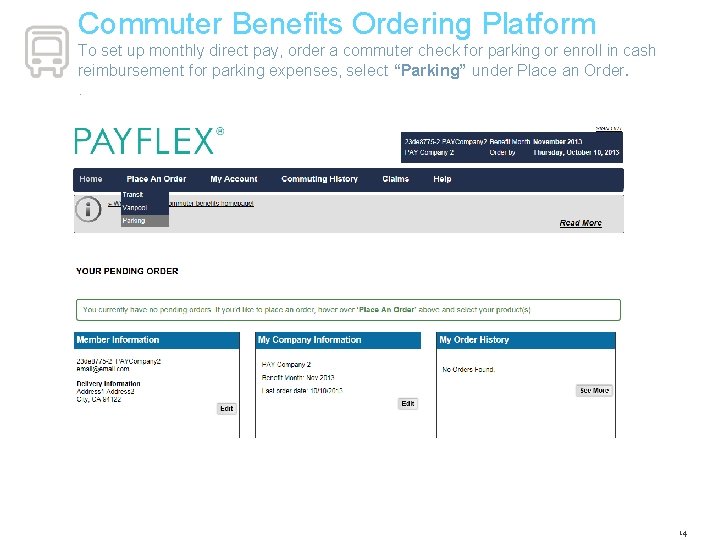
Commuter Benefits Ordering Platform To set up monthly direct pay, order a commuter check for parking or enroll in cash reimbursement for parking expenses, select “Parking” under Place an Order. . 14
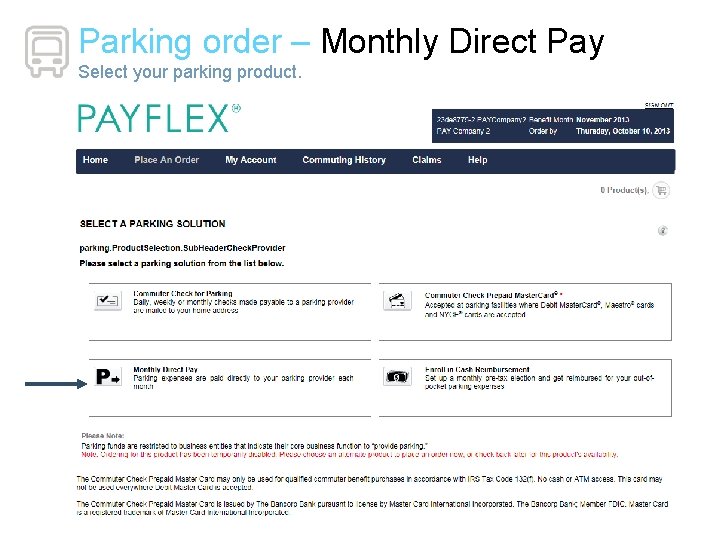
Parking order – Monthly Direct Pay Select your parking product.
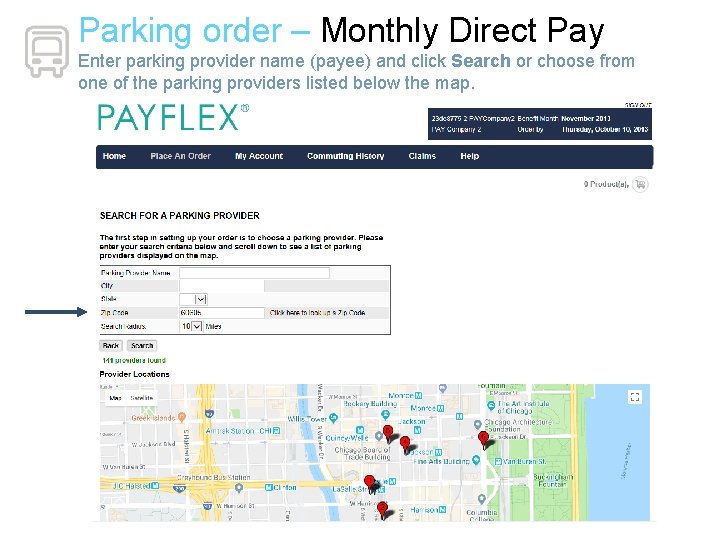
Parking order – Monthly Direct Pay Enter parking provider name (payee) and click Search or choose from one of the parking providers listed below the map.
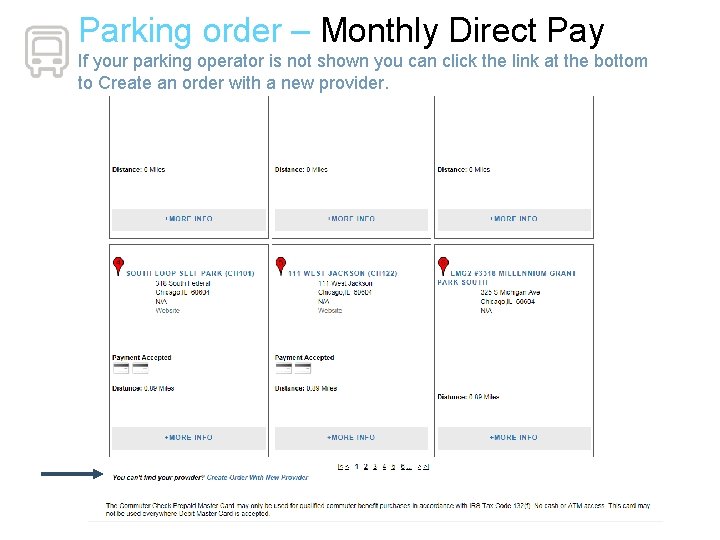
Parking order – Monthly Direct Pay If your parking operator is not shown you can click the link at the bottom to Create an order with a new provider.
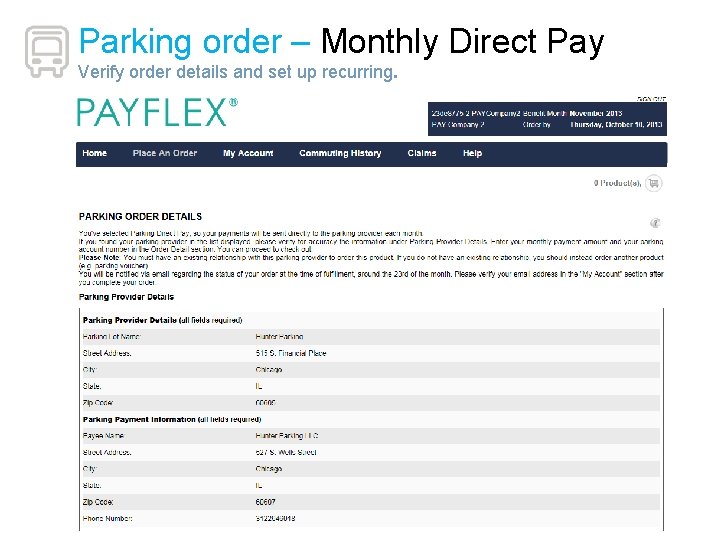
Parking order – Monthly Direct Pay Verify order details and set up recurring.
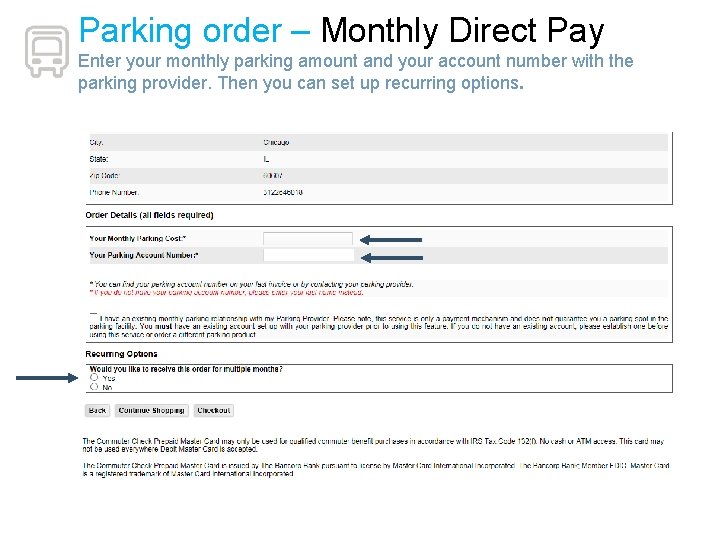
Parking order – Monthly Direct Pay Enter your monthly parking amount and your account number with the parking provider. Then you can set up recurring options.
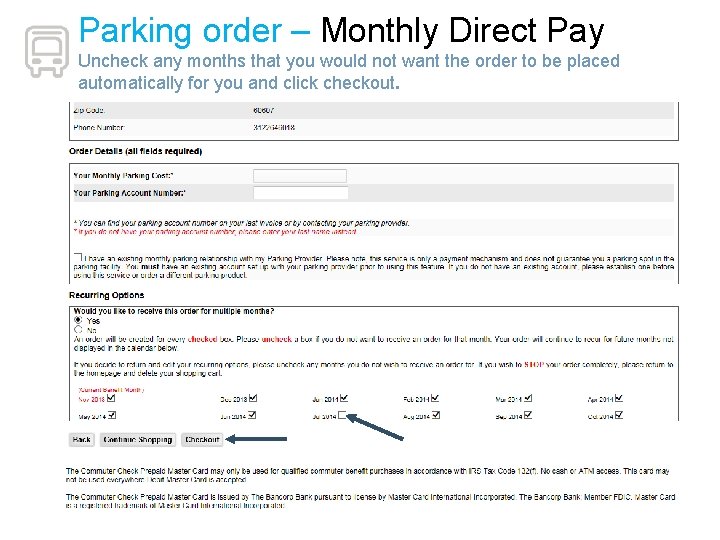
Parking order – Monthly Direct Pay Uncheck any months that you would not want the order to be placed automatically for you and click checkout.
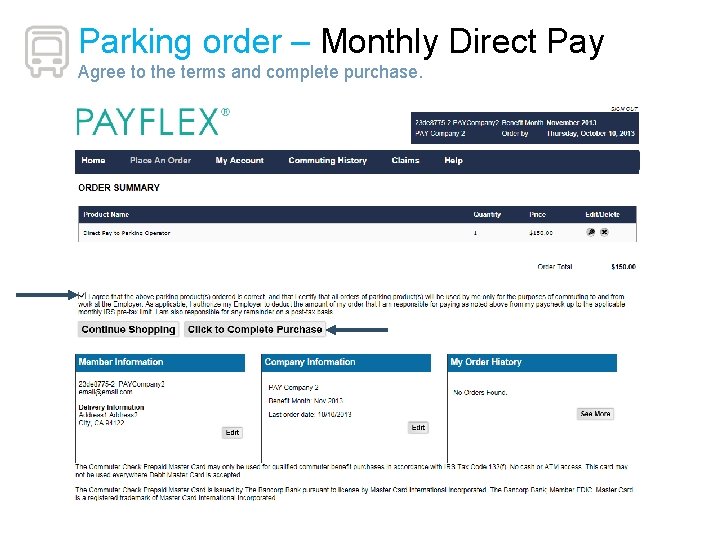
Parking order – Monthly Direct Pay Agree to the terms and complete purchase.
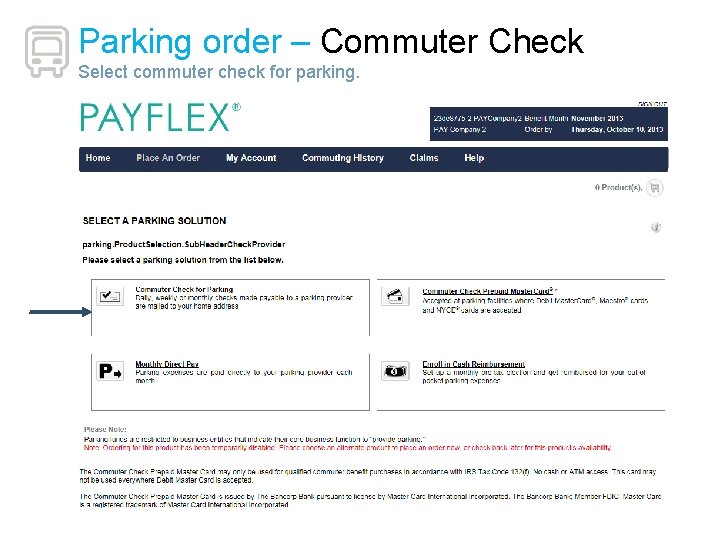
Parking order – Commuter Check Select commuter check for parking.
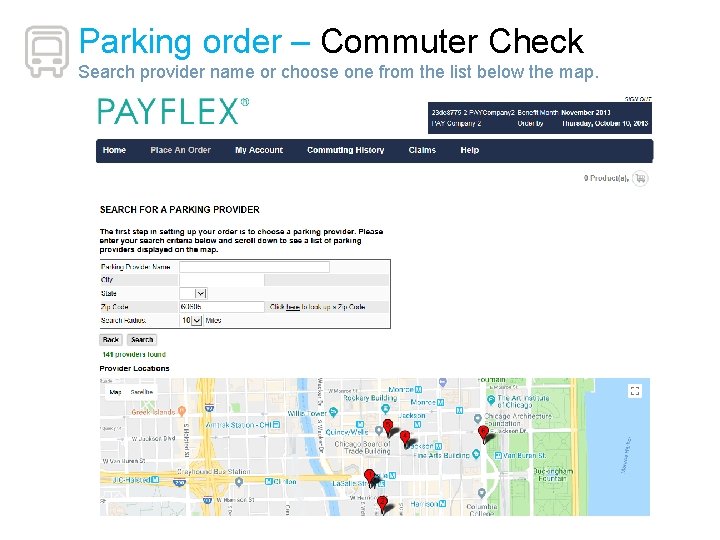
Parking order – Commuter Check Search provider name or choose one from the list below the map.
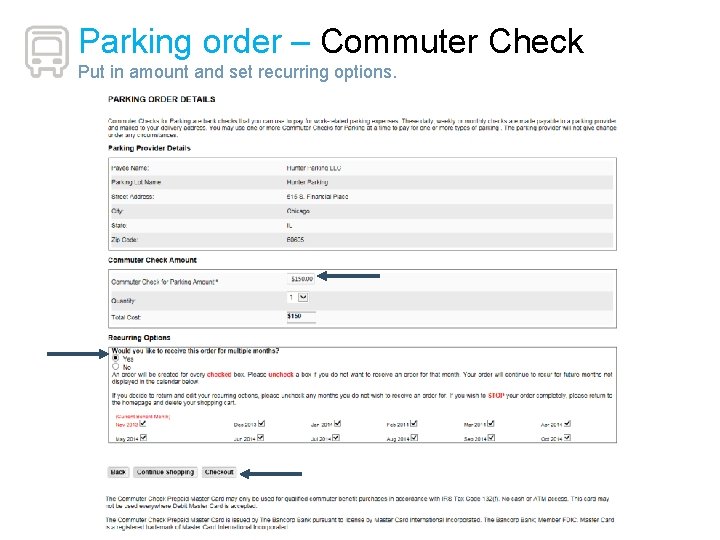
Parking order – Commuter Check Put in amount and set recurring options.
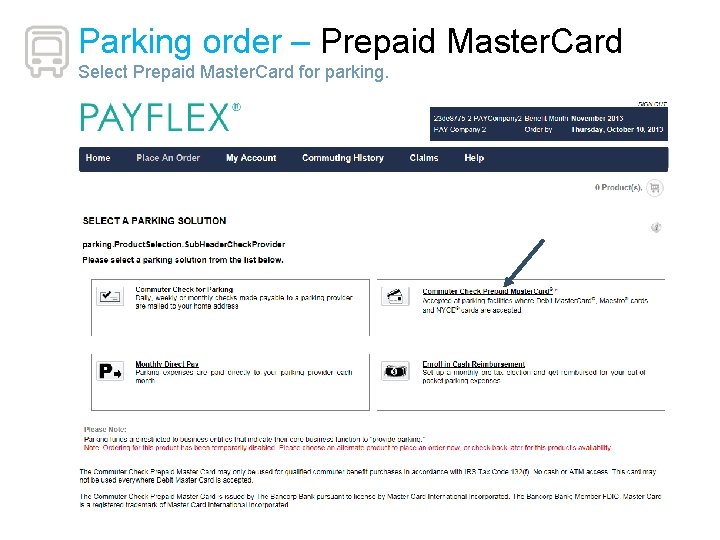
Parking order – Prepaid Master. Card Select Prepaid Master. Card for parking.

Parking order – Prepaid Master. Card Enter the amount that you would like loaded to the Master Card, confirm the last 4 digits of your phone number, enter a notable date. Set recurring months and then checkout.
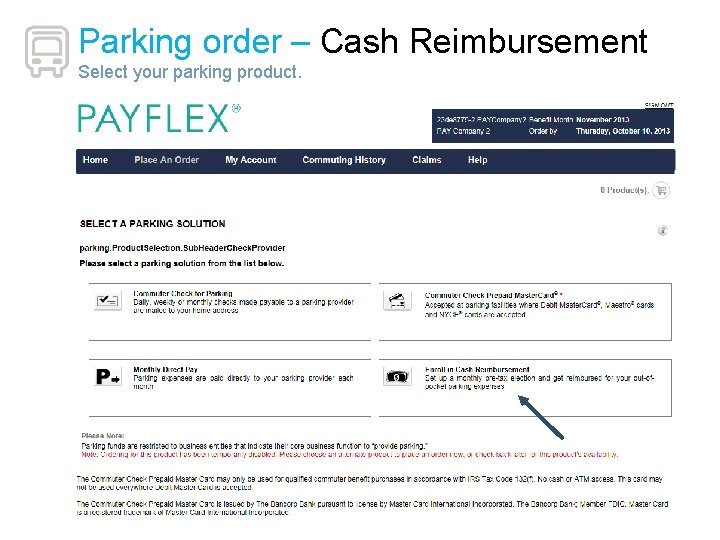
Parking order – Cash Reimbursement Select your parking product.
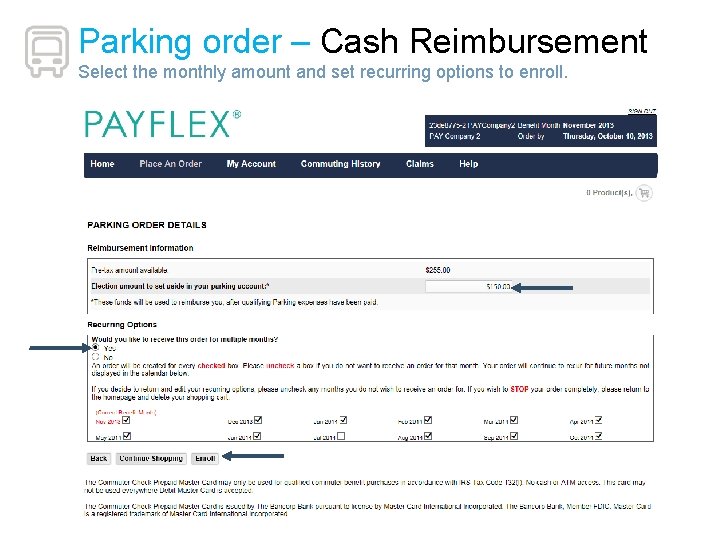
Parking order – Cash Reimbursement Select the monthly amount and set recurring options to enroll.
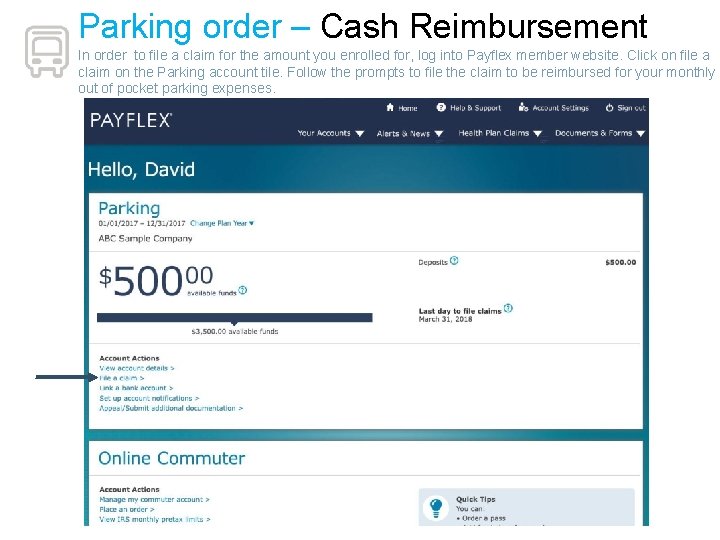
Parking order – Cash Reimbursement In order to file a claim for the amount you enrolled for, log into Payflex member website. Click on file a claim on the Parking account tile. Follow the prompts to file the claim to be reimbursed for your monthly out of pocket parking expenses.
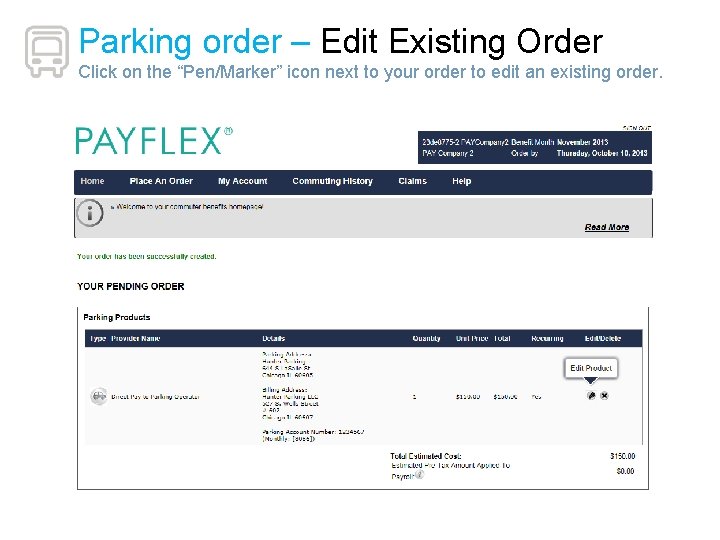
Parking order – Edit Existing Order Click on the “Pen/Marker” icon next to your order to edit an existing order.
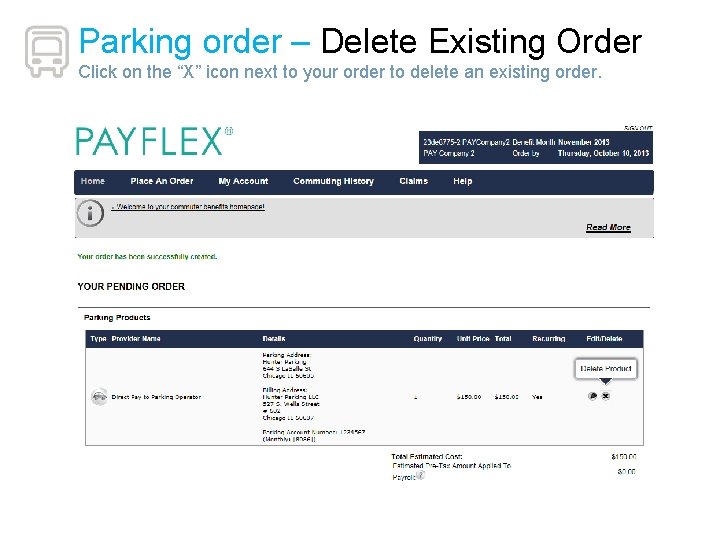
Parking order – Delete Existing Order Click on the “X” icon next to your order to delete an existing order.
Non-Refundable Qualified Transportation Fringe Benefit contributions are deducted for the purpose of transit to and from work, or for the purpose of parking near your place of employment. These contributions are not refundable. It is very important that you only elect or order the amounts or passes for transit and or the amounts for parking that you intend to use in the upcoming benefit month. Source - Internal Revenue Service, Treasury § 1. 132– 9 QA 14 (a)(b)(c)(d)(e)
Your connection to Payflex Customer Support Website: www. payflex. com > Login > Commuter Benefits Phone: 1 -844 -729 -3539 (1 -844 -PAYFLEX) Hours: Monday – Friday, 7 am - 7 pm CT Saturday, 9 am - 2 pm CT Learn more by visiting www. payflex. com > Product & Services > Commuter Benefits 33
- Slides: 34