
OHRMDs Organizational Learning presents Finding and Launching eLearning
- Slides: 24
OHRMD’s Organizational Learning presents: Finding and Launching e-Learning Courses via the Learning Management System
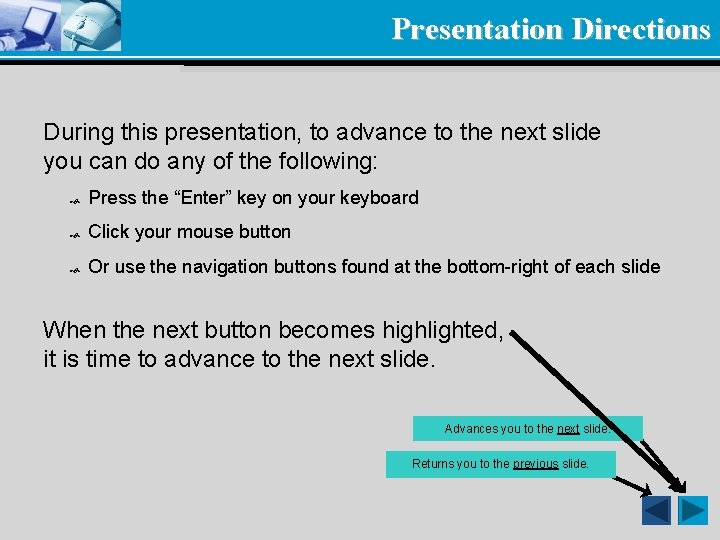
Presentation Directions During this presentation, to advance to the next slide you can do any of the following: Press the “Enter” key on your keyboard Click your mouse button Or use the navigation buttons found at the bottom-right of each slide When the next button becomes highlighted, it is time to advance to the next slide. Advances you to the next slide. Returns you to the previous slide.
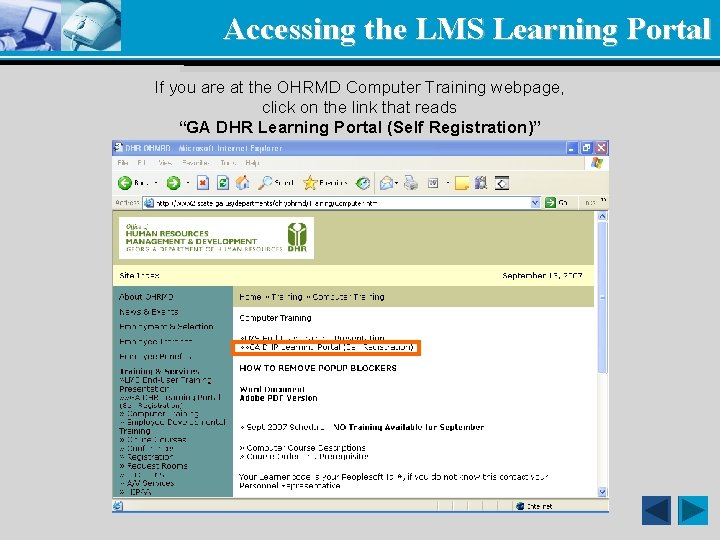
Accessing the LMS Learning Portal If you are at the OHRMD Computer Training webpage, click on the link that reads “GA DHR Learning Portal (Self Registration)”
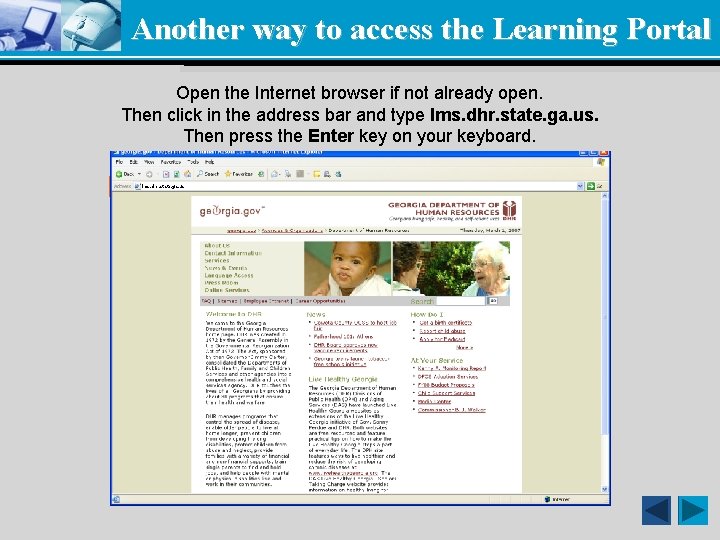
Another way to access the Learning Portal Open the Internet browser if not already open. If you are NOT at our webpage… Then click in the address bar and type lms. dhr. state. ga. us. Then press the Enter key on your keyboard. lms. dhr. state. ga. us
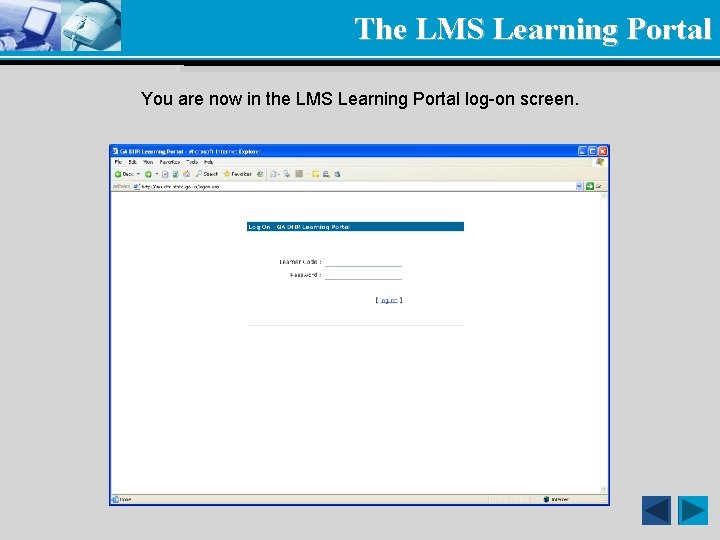
The LMS Learning Portal You are now in the LMS Learning Portal log-on screen.
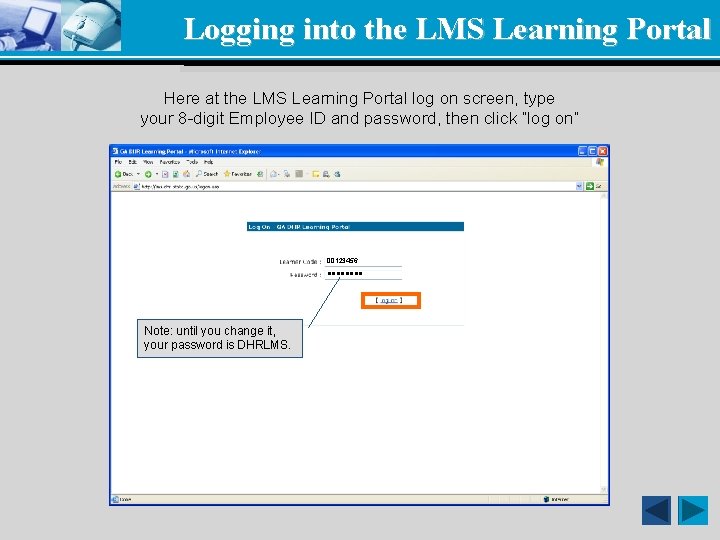
Logging into the LMS Learning Portal Here at the LMS Learning Portal log on screen, type your 8 -digit Employee ID and password, then click “log on” 00123456 llll Note: until you change it, your password is DHRLMS.
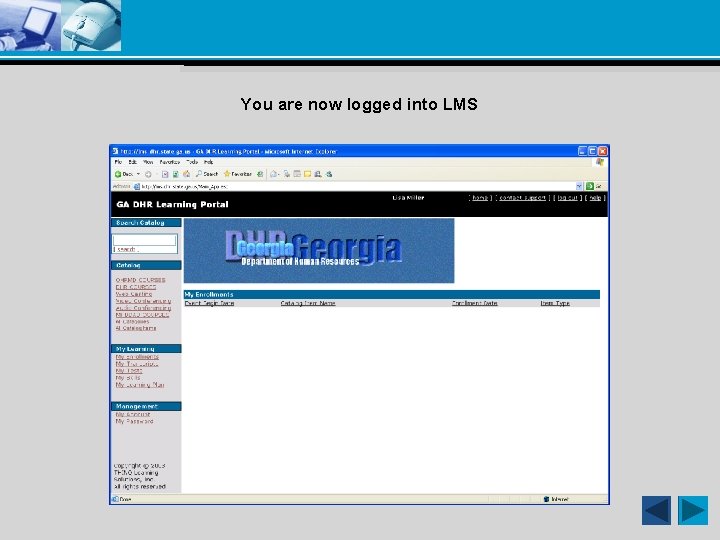
You are now logged into LMS
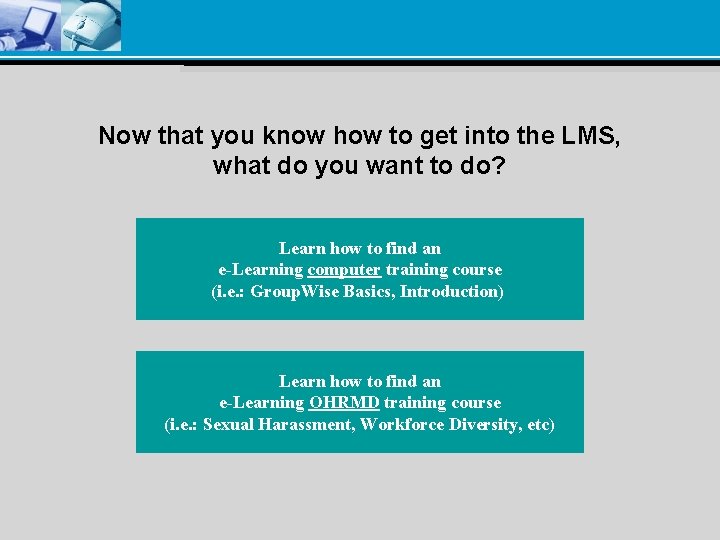
Now that you know how to get into the LMS, what do you want to do? Learn how to find an e-Learning computer training course (i. e. : Group. Wise Basics, Introduction) Learn how to find an e-Learning OHRMD training course (i. e. : Sexual Harassment, Workforce Diversity, etc)
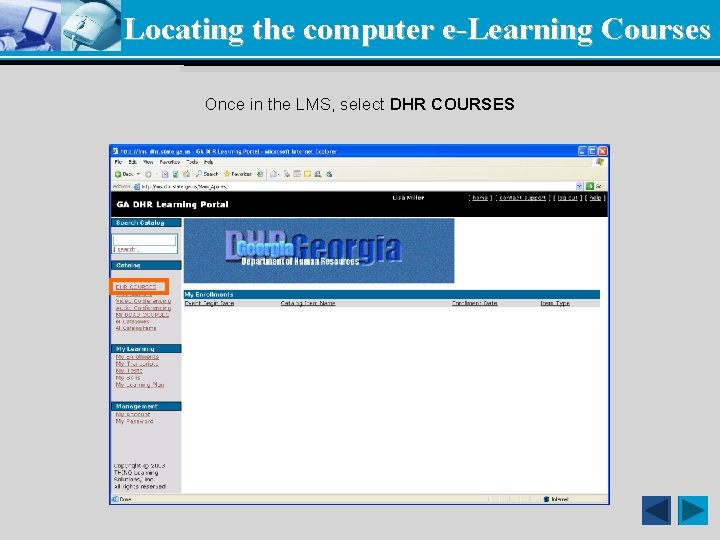
Locating the computer e-Learning Courses Once in the LMS, select DHR COURSES
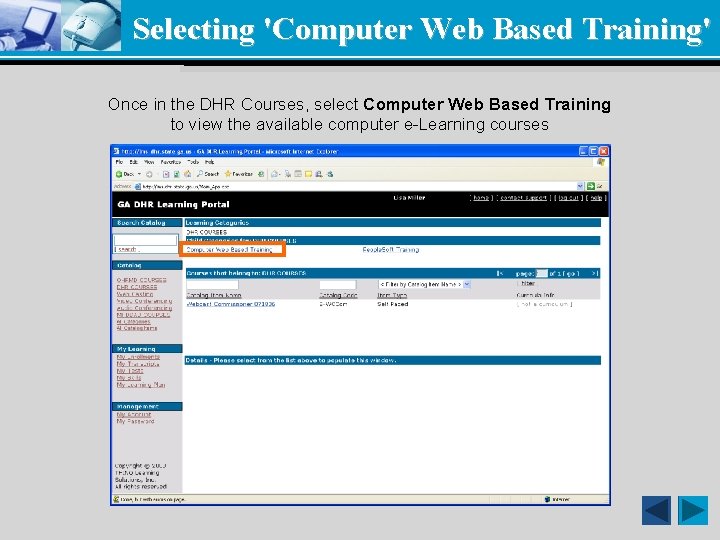
Selecting 'Computer Web Based Training' Once in the DHR Courses, select Computer Web Based Training to view the available computer e-Learning courses
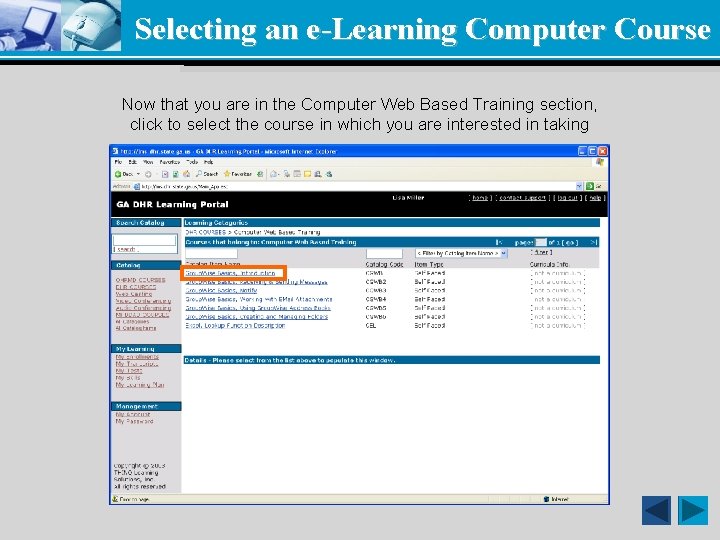
Selecting an e-Learning Computer Course Now that you are in the Computer Web Based Training section, click to select the course in which you are interested in taking
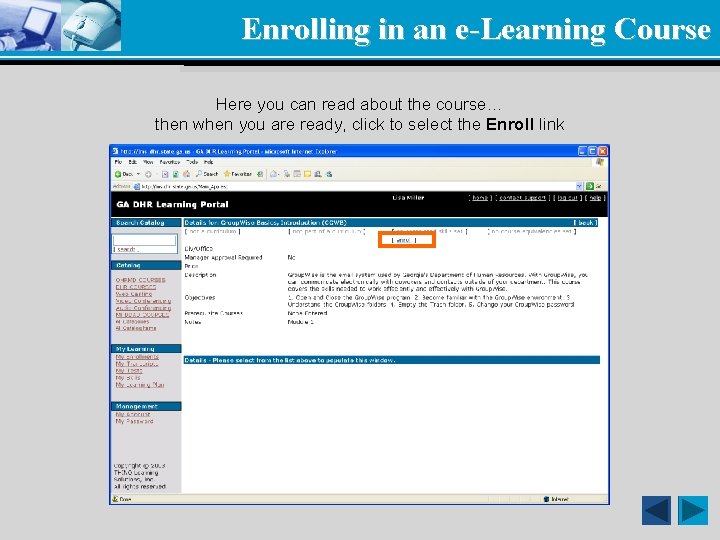
Enrolling in an e-Learning Course Here you can read about the course… then when you are ready, click to select the Enroll link
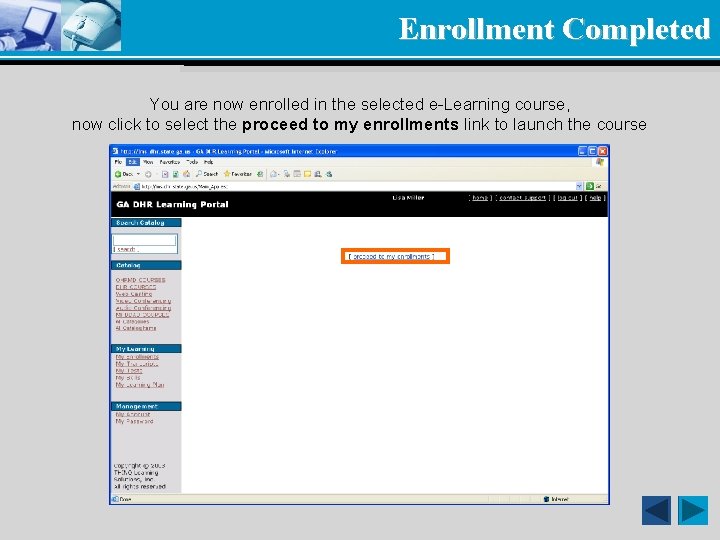
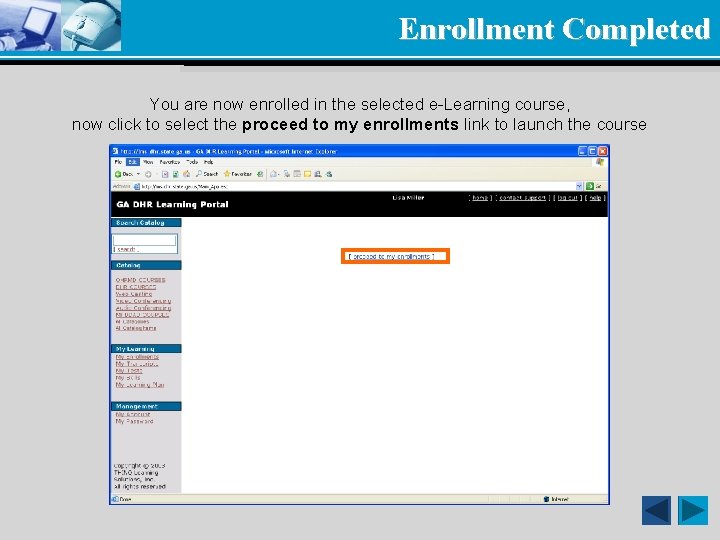
Enrollment Completed You are now enrolled in the selected e-Learning course, now click to select the proceed to my enrollments link to launch the course
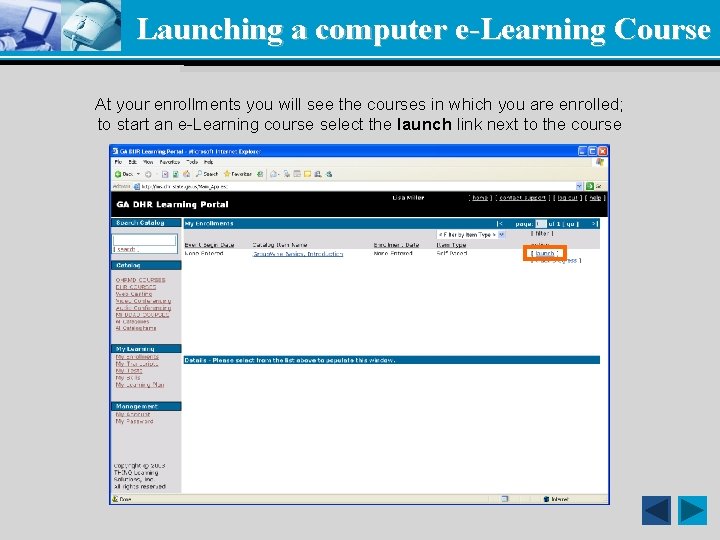
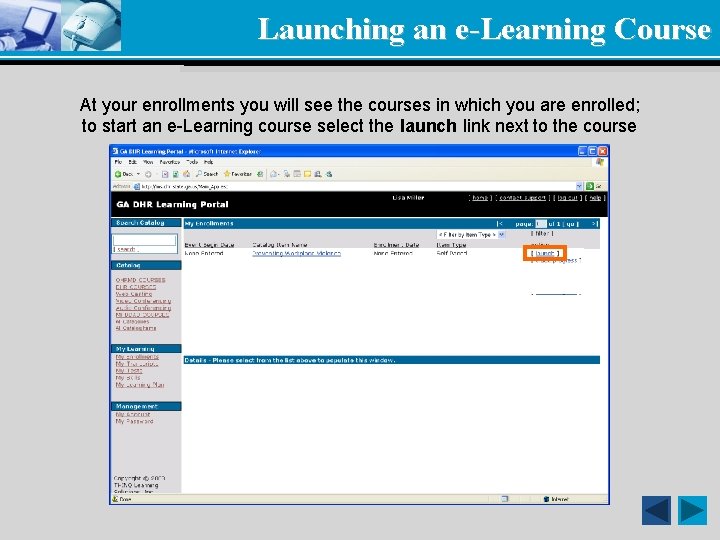
Launching a computer e-Learning Course At your enrollments you will see the courses in which you are enrolled; to start an e-Learning course select the launch link next to the course
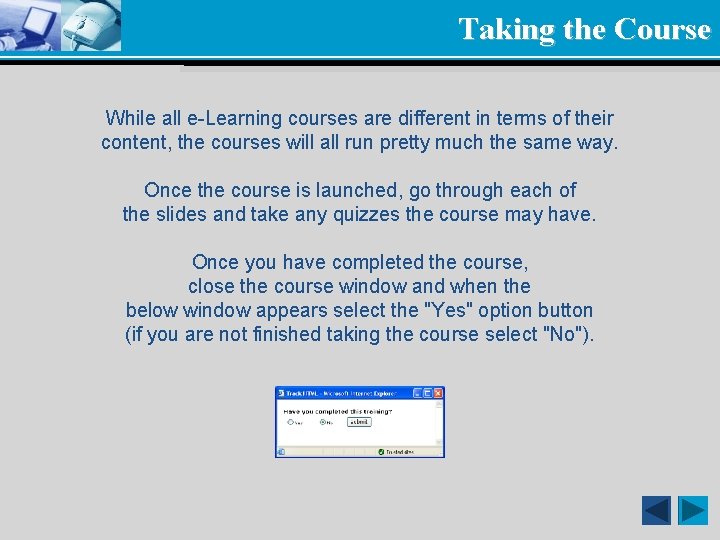
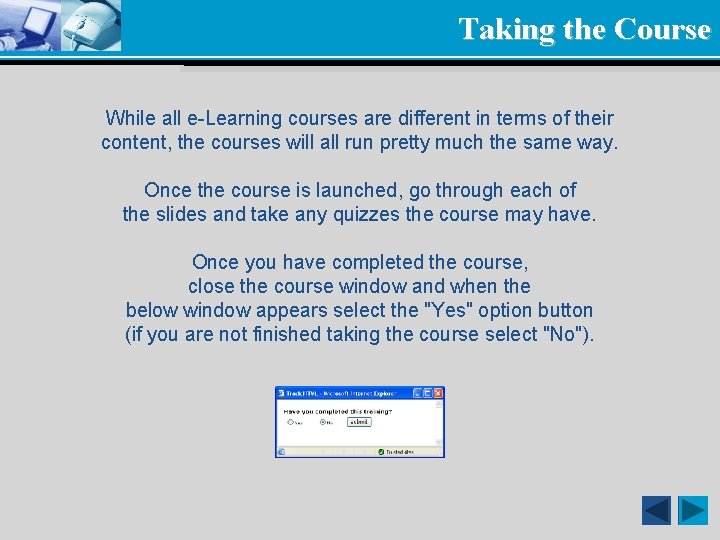
Taking the Course While all e-Learning courses are different in terms of their content, the courses will all run pretty much the same way. Once the course is launched, go through each of the slides and take any quizzes the course may have. Once you have completed the course, close the course window and when the below window appears select the "Yes" option button (if you are not finished taking the course select "No").
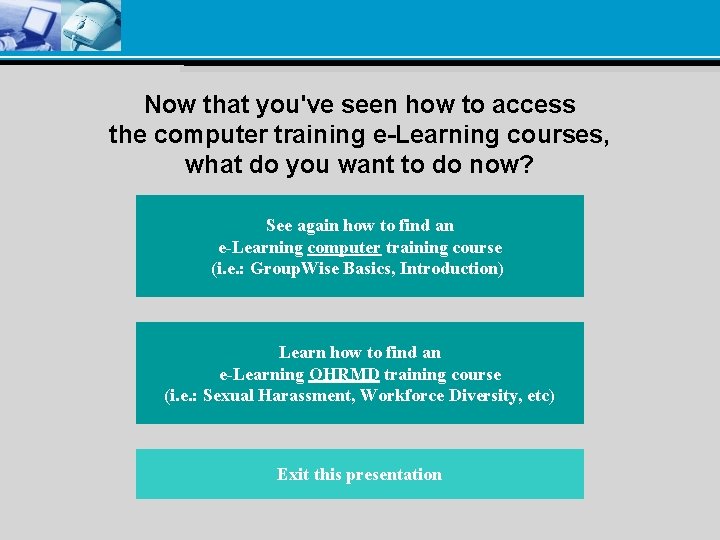
Now that you've seen how to access the computer training e-Learning courses, what do you want to do now? See again how to find an e-Learning computer training course (i. e. : Group. Wise Basics, Introduction) Learn how to find an e-Learning OHRMD training course (i. e. : Sexual Harassment, Workforce Diversity, etc) Exit this presentation
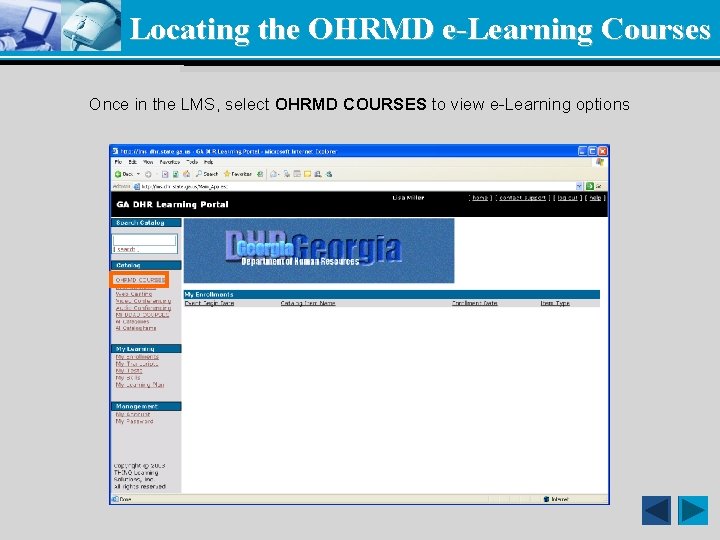
Locating the OHRMD e-Learning Courses Once in the LMS, select OHRMD COURSES to view e-Learning options
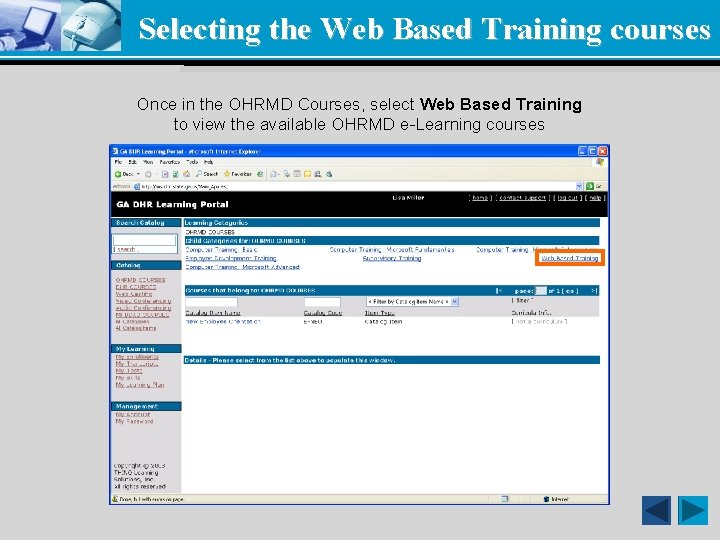
Selecting the Web Based Training courses Once in the OHRMD Courses, select Web Based Training to view the available OHRMD e-Learning courses
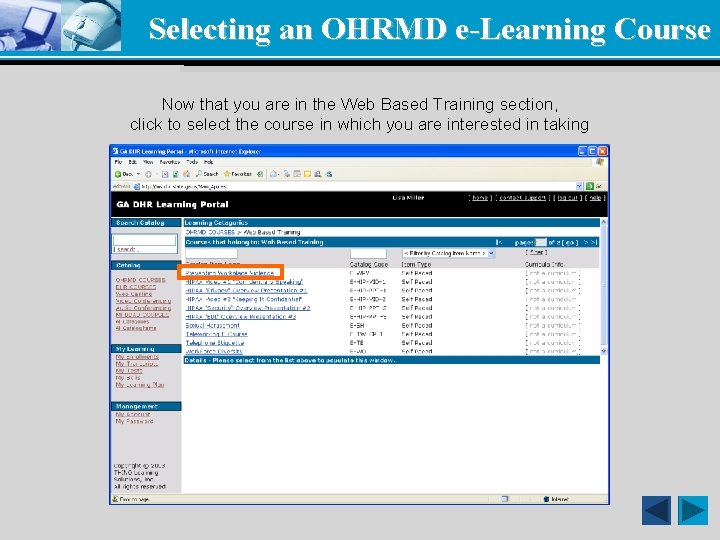
Selecting an OHRMD e-Learning Course Now that you are in the Web Based Training section, click to select the course in which you are interested in taking
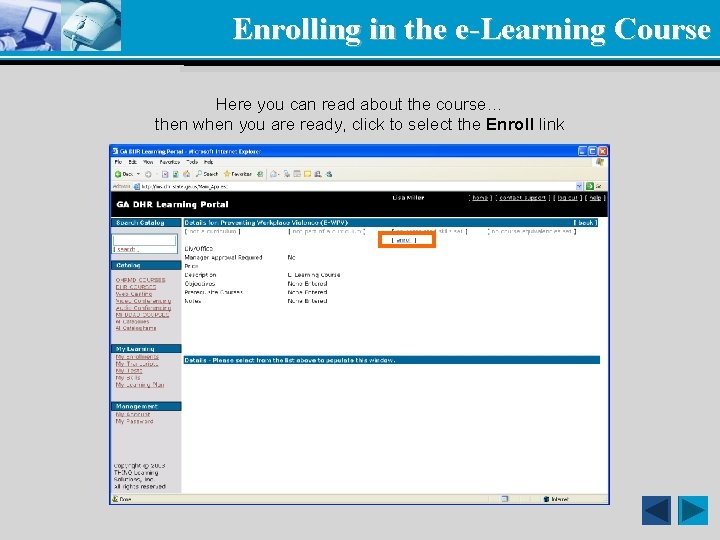
Enrolling in the e-Learning Course Here you can read about the course… then when you are ready, click to select the Enroll link
Enrollment Completed You are now enrolled in the selected e-Learning course, now click to select the proceed to my enrollments link to launch the course
Launching an e-Learning Course At your enrollments you will see the courses in which you are enrolled; to start an e-Learning course select the launch link next to the course
Taking the Course While all e-Learning courses are different in terms of their content, the courses will all run pretty much the same way. Once the course is launched, go through each of the slides and take any quizzes the course may have. Once you have completed the course, close the course window and when the below window appears select the "Yes" option button (if you are not finished taking the course select "No").
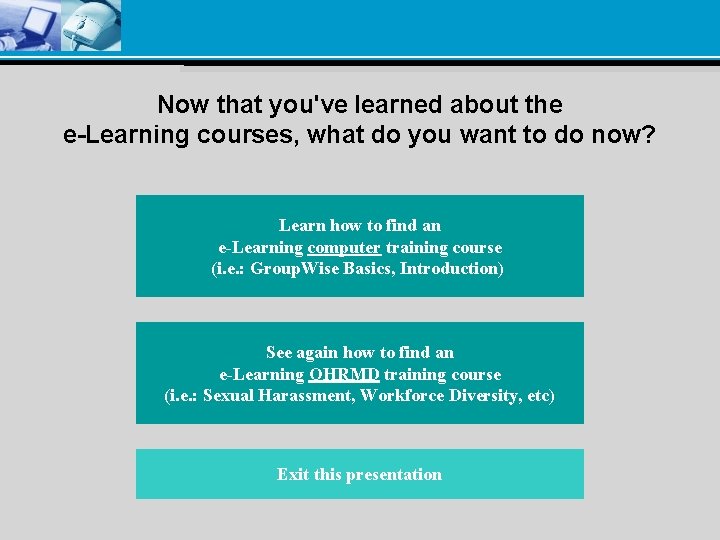
Now that you've learned about the e-Learning courses, what do you want to do now? Learn how to find an e-Learning computer training course (i. e. : Group. Wise Basics, Introduction) See again how to find an e-Learning OHRMD training course (i. e. : Sexual Harassment, Workforce Diversity, etc) Exit this presentation