
LCD programming Design and implementation details on the
- Slides: 24
LCD programming Design and implementation details on the way to a valid SPI-LCD interface driver SPI and LCD , Copyright M. Smith, ECE,
To be tackled today l l l How do you send commands from the Blackfin to a LCD device? What commands are necessary to control the LCD device -- HD 44780? How do we get the timing correct? 3/10/2021 SPI and LCD , Copyright M. Smith, ECE, University of Calgary, Canada 2
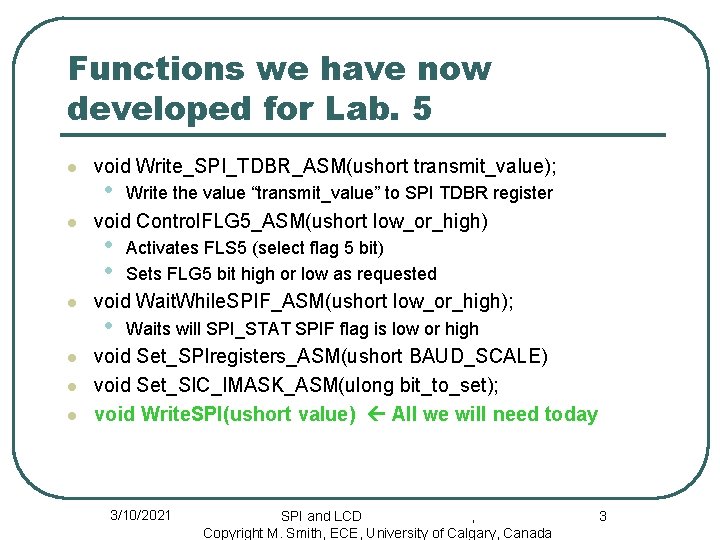
Functions we have now developed for Lab. 5 l l l void Write_SPI_TDBR_ASM(ushort transmit_value); • Write the value “transmit_value” to SPI TDBR register void Control. FLG 5_ASM(ushort low_or_high) • • Activates FLS 5 (select flag 5 bit) Sets FLG 5 bit high or low as requested void Wait. While. SPIF_ASM(ushort low_or_high); • Waits will SPI_STAT SPIF flag is low or high void Set_SPIregisters_ASM(ushort BAUD_SCALE) void Set_SIC_IMASK_ASM(ulong bit_to_set); void Write. SPI(ushort value) All we will need today 3/10/2021 SPI and LCD , Copyright M. Smith, ECE, University of Calgary, Canada 3
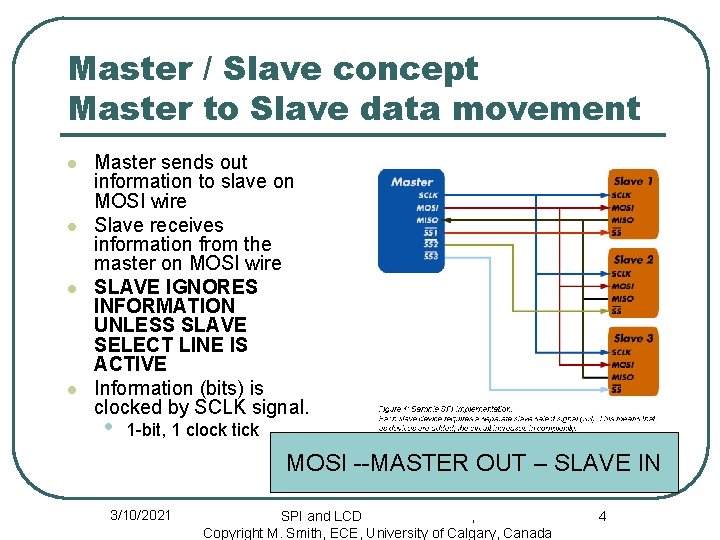
Master / Slave concept Master to Slave data movement l l Master sends out information to slave on MOSI wire Slave receives information from the master on MOSI wire SLAVE IGNORES INFORMATION UNLESS SLAVE SELECT LINE IS ACTIVE Information (bits) is clocked by SCLK signal. • 1 -bit, 1 clock tick MOSI --MASTER OUT – SLAVE IN 3/10/2021 SPI and LCD , Copyright M. Smith, ECE, University of Calgary, Canada 4
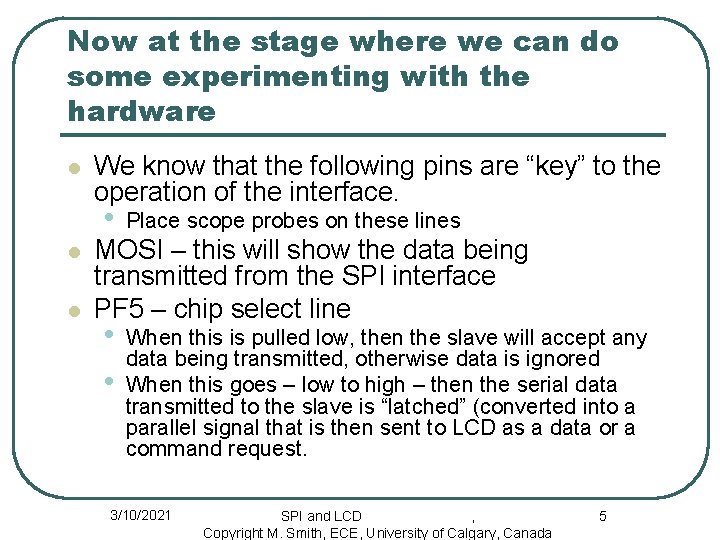
Now at the stage where we can do some experimenting with the hardware l l l We know that the following pins are “key” to the operation of the interface. • Place scope probes on these lines • • When this is pulled low, then the slave will accept any data being transmitted, otherwise data is ignored When this goes – low to high – then the serial data transmitted to the slave is “latched” (converted into a parallel signal that is then sent to LCD as a data or a command request. MOSI – this will show the data being transmitted from the SPI interface PF 5 – chip select line 3/10/2021 SPI and LCD , Copyright M. Smith, ECE, University of Calgary, Canada 5
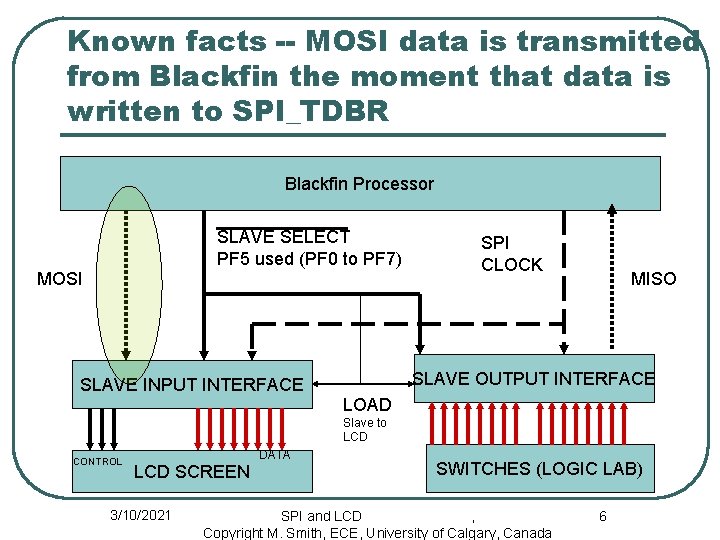
Known facts -- MOSI data is transmitted from Blackfin the moment that data is written to SPI_TDBR Blackfin Processor SLAVE SELECT PF 5 used (PF 0 to PF 7) MOSI SPI CLOCK MISO SLAVE OUTPUT INTERFACE SLAVE INPUT INTERFACE LOAD Slave to LCD CONTROL LCD SCREEN 3/10/2021 DATA SWITCHES (LOGIC LAB) SPI and LCD , Copyright M. Smith, ECE, University of Calgary, Canada 6
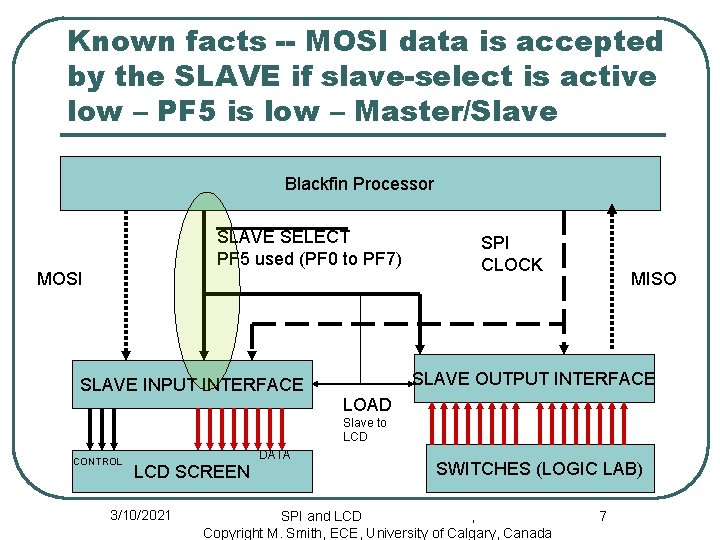
Known facts -- MOSI data is accepted by the SLAVE if slave-select is active low – PF 5 is low – Master/Slave Blackfin Processor SLAVE SELECT PF 5 used (PF 0 to PF 7) MOSI SPI CLOCK MISO SLAVE OUTPUT INTERFACE SLAVE INPUT INTERFACE LOAD Slave to LCD CONTROL LCD SCREEN 3/10/2021 DATA SWITCHES (LOGIC LAB) SPI and LCD , Copyright M. Smith, ECE, University of Calgary, Canada 7
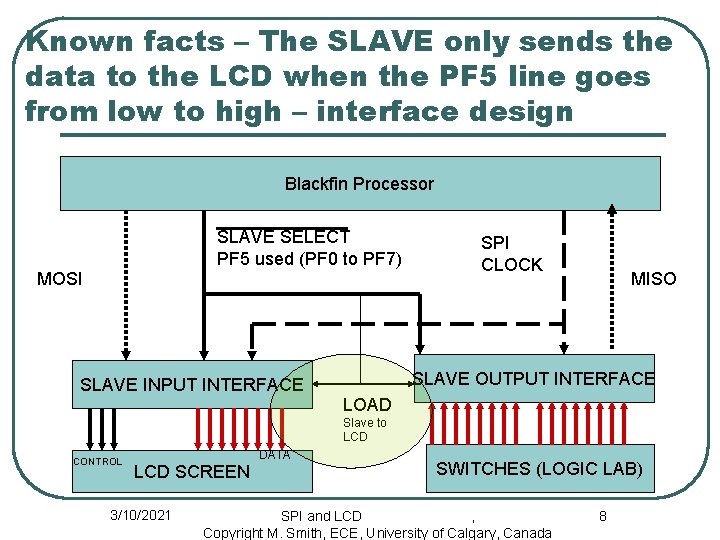
Known facts – The SLAVE only sends the data to the LCD when the PF 5 line goes from low to high – interface design Blackfin Processor SLAVE SELECT PF 5 used (PF 0 to PF 7) MOSI SPI CLOCK MISO SLAVE OUTPUT INTERFACE SLAVE INPUT INTERFACE LOAD Slave to LCD CONTROL LCD SCREEN 3/10/2021 DATA SWITCHES (LOGIC LAB) SPI and LCD , Copyright M. Smith, ECE, University of Calgary, Canada 8
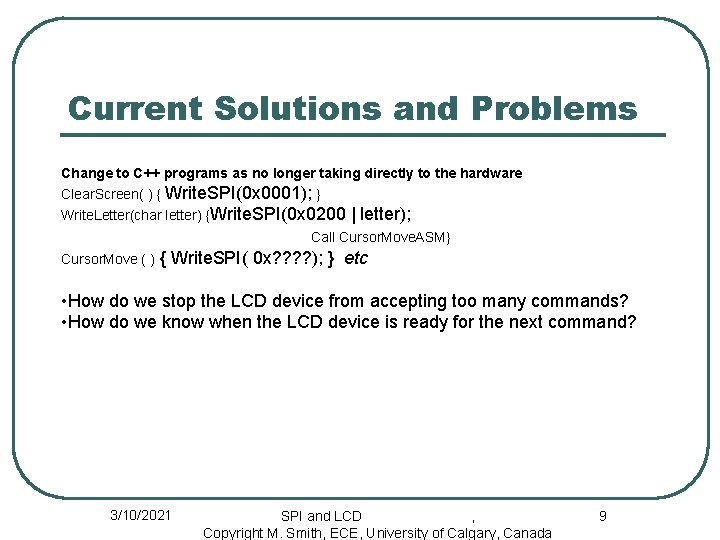
Current Solutions and Problems Change to C++ programs as no longer taking directly to the hardware Clear. Screen( ) { Write. SPI(0 x 0001); } Write. Letter(char letter) {Write. SPI(0 x 0200 | letter); Call Cursor. Move. ASM} Cursor. Move ( ) { Write. SPI( 0 x? ? ); } etc • How do we stop the LCD device from accepting too many commands? • How do we know when the LCD device is ready for the next command? 3/10/2021 SPI and LCD , Copyright M. Smith, ECE, University of Calgary, Canada 9
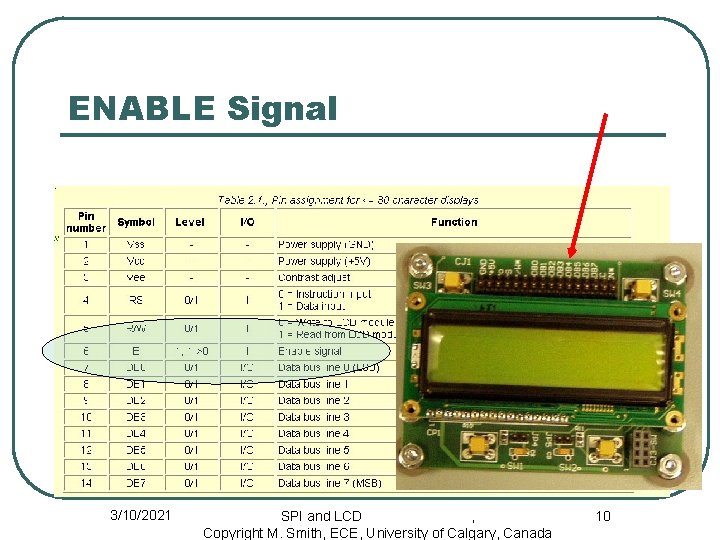
ENABLE Signal 3/10/2021 SPI and LCD , Copyright M. Smith, ECE, University of Calgary, Canada 10
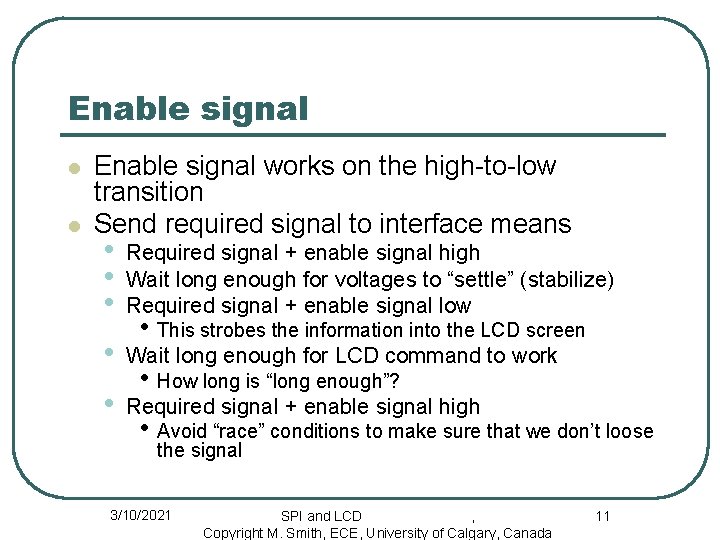
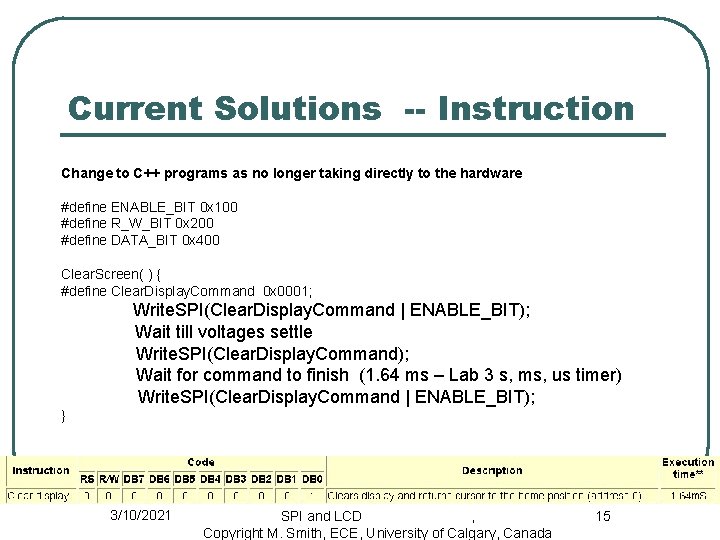
Enable signal l l Enable signal works on the high-to-low transition Send required signal to interface means • • • Required signal + enable signal high Wait long enough for voltages to “settle” (stabilize) Required signal + enable signal low • Wait long enough for LCD command to work • Required signal + enable signal high • This strobes the information into the LCD screen • How long is “long enough”? • Avoid “race” conditions to make sure that we don’t loose the signal 3/10/2021 SPI and LCD , Copyright M. Smith, ECE, University of Calgary, Canada 11
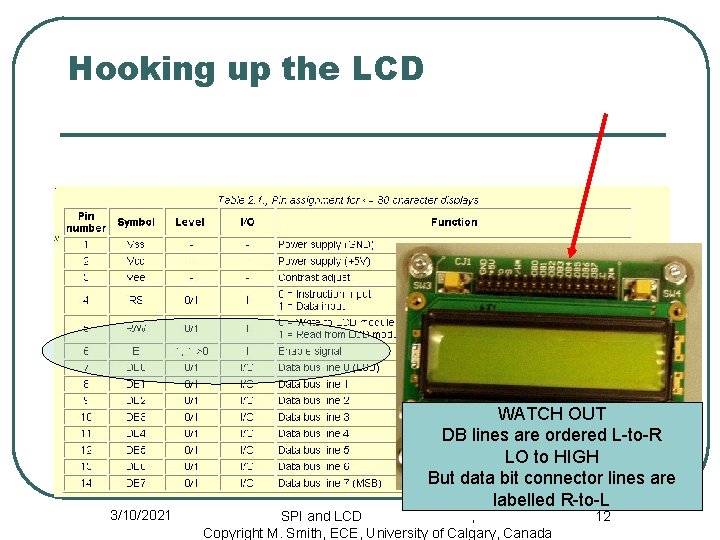
Hooking up the LCD 3/10/2021 WATCH OUT DB lines are ordered L-to-R LO to HIGH But data bit connector lines are labelled R-to-L SPI and LCD , Copyright M. Smith, ECE, University of Calgary, Canada 12
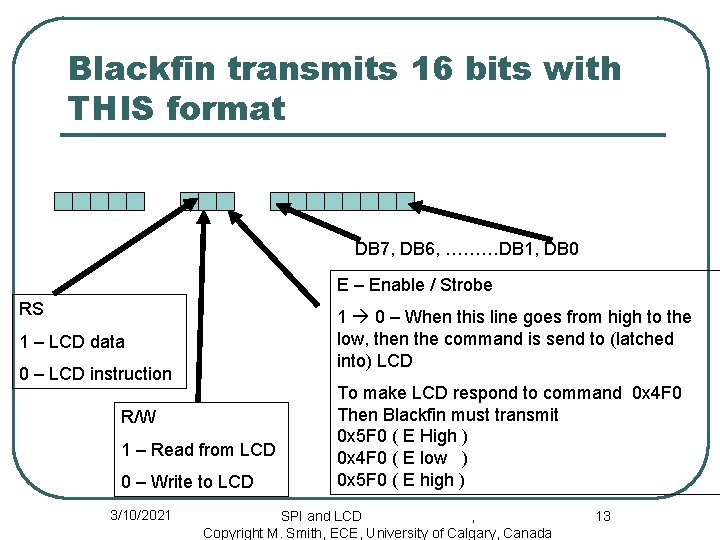
Blackfin transmits 16 bits with THIS format DB 7, DB 6, ………DB 1, DB 0 E – Enable / Strobe RS 1 0 – When this line goes from high to the low, then the command is send to (latched into) LCD 1 – LCD data 0 – LCD instruction R/W 1 – Read from LCD 0 – Write to LCD 3/10/2021 To make LCD respond to command 0 x 4 F 0 Then Blackfin must transmit 0 x 5 F 0 ( E High ) 0 x 4 F 0 ( E low ) 0 x 5 F 0 ( E high ) SPI and LCD , Copyright M. Smith, ECE, University of Calgary, Canada 13
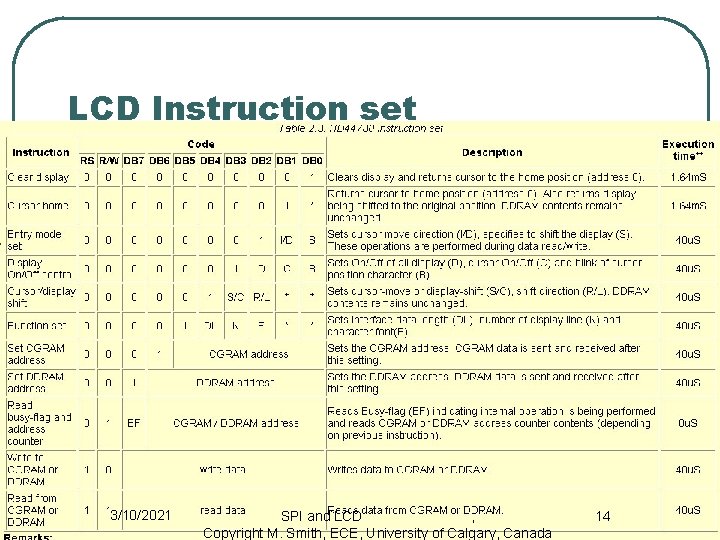
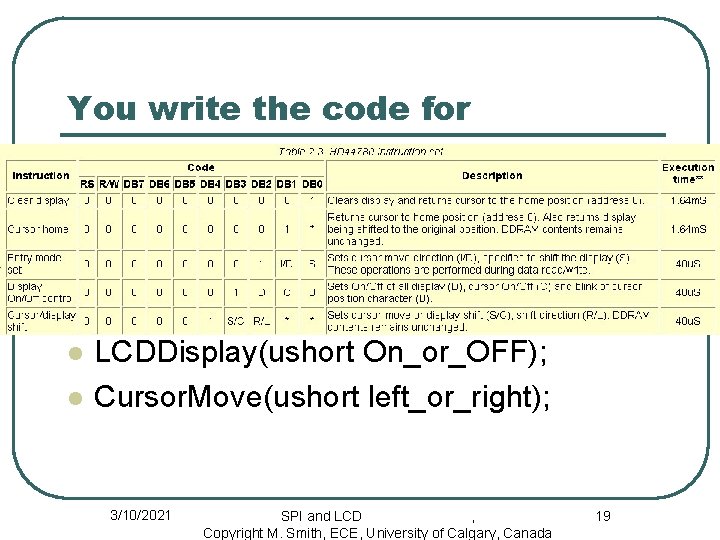
LCD Instruction set 3/10/2021 SPI and LCD , Copyright M. Smith, ECE, University of Calgary, Canada 14
Current Solutions -- Instruction Change to C++ programs as no longer taking directly to the hardware #define ENABLE_BIT 0 x 100 #define R_W_BIT 0 x 200 #define DATA_BIT 0 x 400 Clear. Screen( ) { #define Clear. Display. Command 0 x 0001; Write. SPI(Clear. Display. Command | ENABLE_BIT); Wait till voltages settle Write. SPI(Clear. Display. Command); Wait for command to finish (1. 64 ms – Lab 3 s, ms, us timer) Write. SPI(Clear. Display. Command | ENABLE_BIT); } 3/10/2021 SPI and LCD , Copyright M. Smith, ECE, University of Calgary, Canada 15
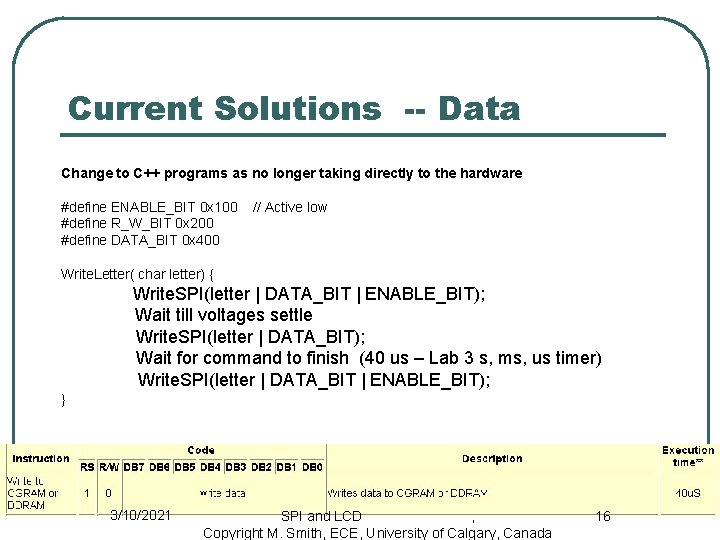
Current Solutions -- Data Change to C++ programs as no longer taking directly to the hardware #define ENABLE_BIT 0 x 100 #define R_W_BIT 0 x 200 #define DATA_BIT 0 x 400 // Active low Write. Letter( char letter) { Write. SPI(letter | DATA_BIT | ENABLE_BIT); Wait till voltages settle Write. SPI(letter | DATA_BIT); Wait for command to finish (40 us – Lab 3 s, ms, us timer) Write. SPI(letter | DATA_BIT | ENABLE_BIT); } 3/10/2021 SPI and LCD , Copyright M. Smith, ECE, University of Calgary, Canada 16
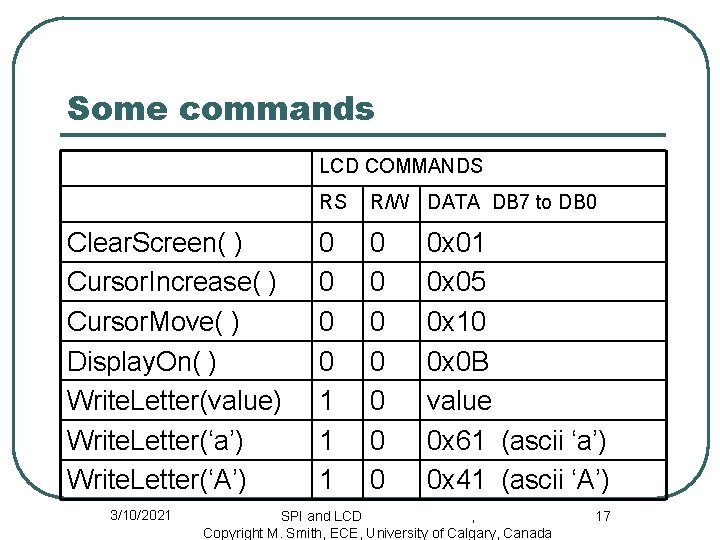
Some commands LCD COMMANDS Clear. Screen( ) Cursor. Increase( ) Cursor. Move( ) Display. On( ) Write. Letter(value) Write. Letter(‘a’) Write. Letter(‘A’) 3/10/2021 RS R/W DATA DB 7 to DB 0 0 0 1 1 1 0 0 0 0 x 01 0 x 05 0 x 10 0 x 0 B value 0 x 61 (ascii ‘a’) 0 x 41 (ascii ‘A’) SPI and LCD , Copyright M. Smith, ECE, University of Calgary, Canada 17
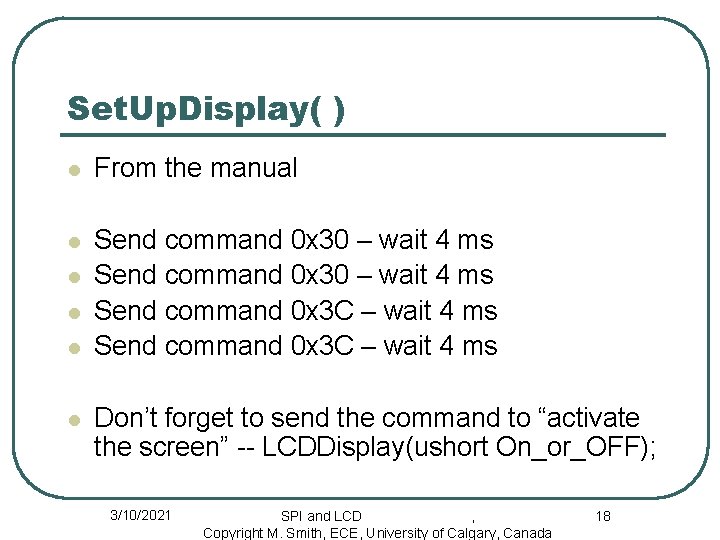
Set. Up. Display( ) l From the manual l Send command 0 x 30 – wait 4 ms Send command 0 x 3 C – wait 4 ms l l Don’t forget to send the command to “activate the screen” -- LCDDisplay(ushort On_or_OFF); 3/10/2021 SPI and LCD , Copyright M. Smith, ECE, University of Calgary, Canada 18
You write the code for l l LCDDisplay(ushort On_or_OFF); Cursor. Move(ushort left_or_right); 3/10/2021 SPI and LCD , Copyright M. Smith, ECE, University of Calgary, Canada 19
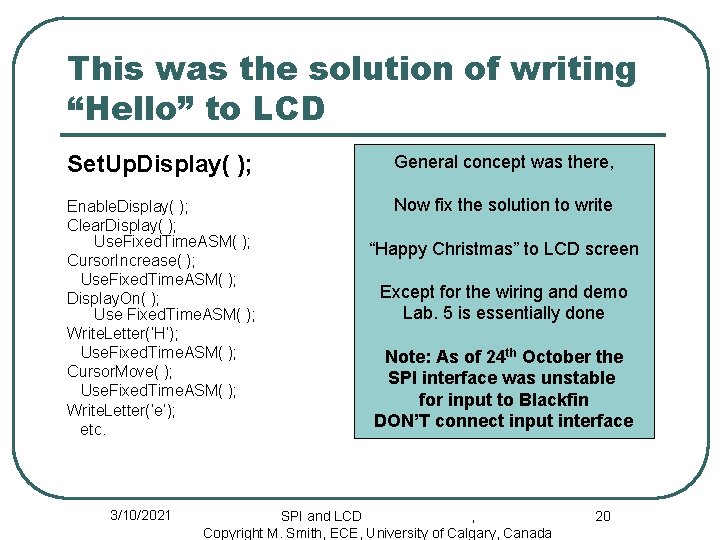
This was the solution of writing “Hello” to LCD Set. Up. Display( ); General concept was there, Enable. Display( ); Clear. Display( ); Use. Fixed. Time. ASM( ); Cursor. Increase( ); Use. Fixed. Time. ASM( ); Display. On( ); Use Fixed. Time. ASM( ); Write. Letter(‘H’); Use. Fixed. Time. ASM( ); Cursor. Move( ); Use. Fixed. Time. ASM( ); Write. Letter(‘e’); etc. Now fix the solution to write 3/10/2021 “Happy Christmas” to LCD screen Except for the wiring and demo Lab. 5 is essentially done Note: As of 24 th October the SPI interface was unstable for input to Blackfin DON’T connect input interface SPI and LCD , Copyright M. Smith, ECE, University of Calgary, Canada 20
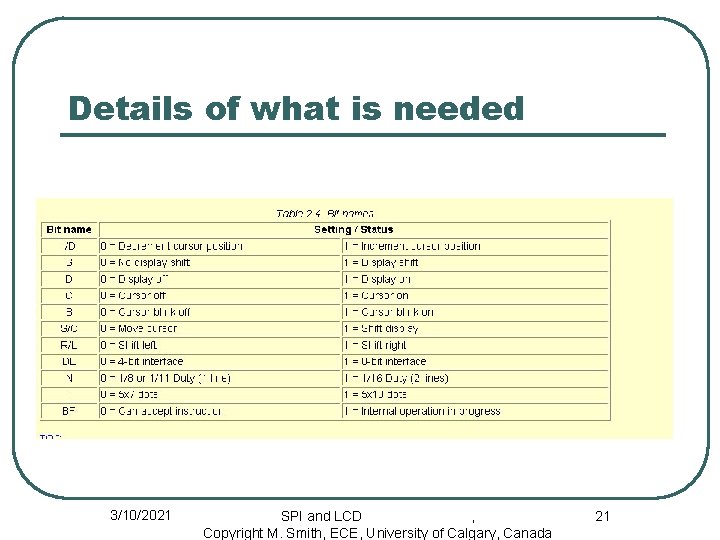
Details of what is needed 3/10/2021 SPI and LCD , Copyright M. Smith, ECE, University of Calgary, Canada 21
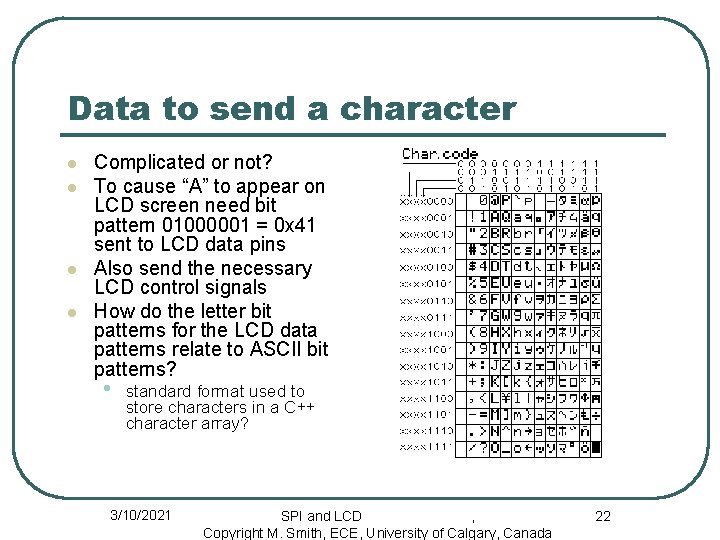
Data to send a character l l Complicated or not? To cause “A” to appear on LCD screen need bit pattern 01000001 = 0 x 41 sent to LCD data pins Also send the necessary LCD control signals How do the letter bit patterns for the LCD data patterns relate to ASCII bit patterns? • standard format used to store characters in a C++ character array? 3/10/2021 SPI and LCD , Copyright M. Smith, ECE, University of Calgary, Canada 22
Now complete part of Lab. 4 LCD as video screen l Now play the video game by moving the cursor on the LCD screen • Minimum requirements • Move the cursor in response to temperature • • changes Print “player 1” wins if cursor moves all the way to the right Print “player 2” wins if cursor moves all the way to the left 3/10/2021 SPI and LCD , Copyright M. Smith, ECE, University of Calgary, Canada 23
l Information taken from Analog Devices On-line Manuals with permission http: //www. analog. com/processors/resources/technical. Library/manuals/ l Information furnished by Analog Devices is believed to be accurate and reliable. However, Analog Devices assumes no responsibility for its use or for any infringement of any patent other rights of any third party which may result from its use. No license is granted by implication or otherwise under any patent or patent right of Analog Devices. Copyright Analog Devices, Inc. All rights reserved. 3/10/2021 SPI and LCD , Copyright M. Smith, ECE, University of Calgary, Canada 24