
Foundations of Computer Graphics Spring 2010 CS 184
- Slides: 31
Foundations of Computer Graphics (Spring 2010) CS 184, Lecture 9: Open. GL 1 http: //inst. eecs. berkeley. edu/~cs 184
To Do § Complete HW 2 § Start thinking (now) about HW 3. Milestones are due soon. (Please let TA know if need partner)
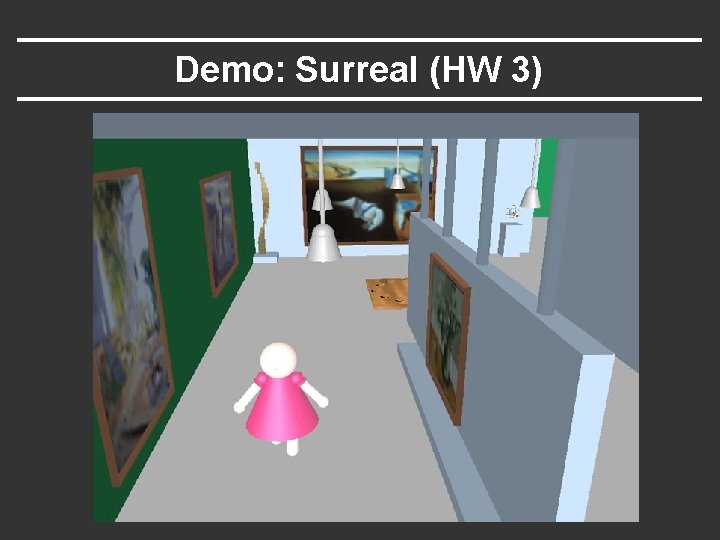
Demo: Surreal (HW 3)
Methodology for Lecture § This unit different from others in course § Other units stress mathematical understanding § This stresses implementation details and programming § I am going to show (maybe write) actual code § Same code (with comments) available online to help you understand how to implement basic concepts § I hope the online code helps you understand HW 3 better § ASK QUESTIONS if confused!! § Simple demo § This lecture deals with very basic Open. GL setup. Next 2 lectures will likely be more interesting
Outline § Basic idea about Open. GL § Basic setup and buffers § Matrix modes § Window system interaction and callbacks § Drawing basic Open. GL primitives Best source for Open. GL is the redbook. Of course, this is more a reference manual than a textbook, and you are better off implementing rather reading end to end. Though if you do have time, the book is actually quite readable
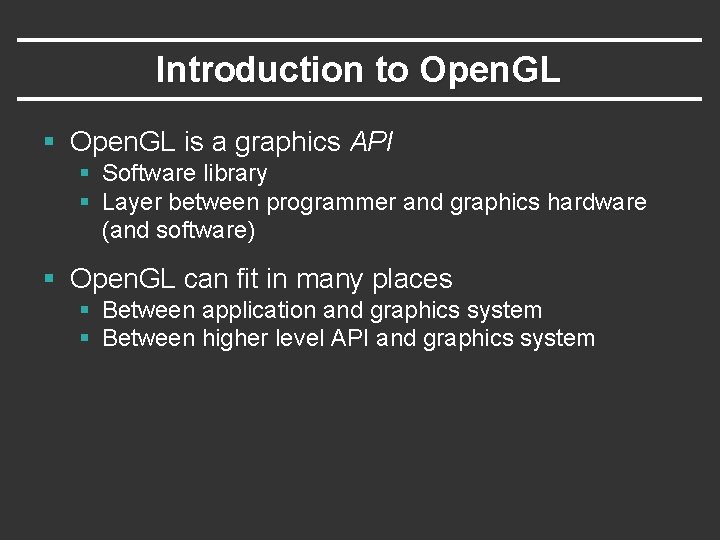
Introduction to Open. GL § Open. GL is a graphics API § Software library § Layer between programmer and graphics hardware (and software) § Open. GL can fit in many places § Between application and graphics system § Between higher level API and graphics system
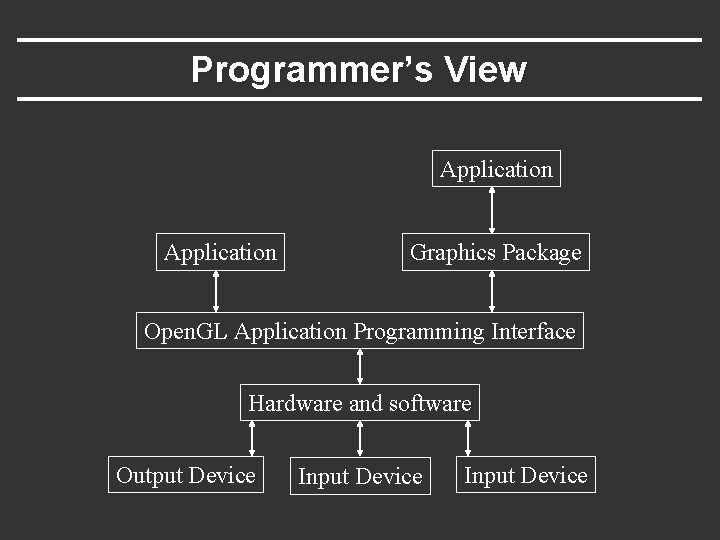
Programmer’s View Application Graphics Package Open. GL Application Programming Interface Hardware and software Output Device Input Device
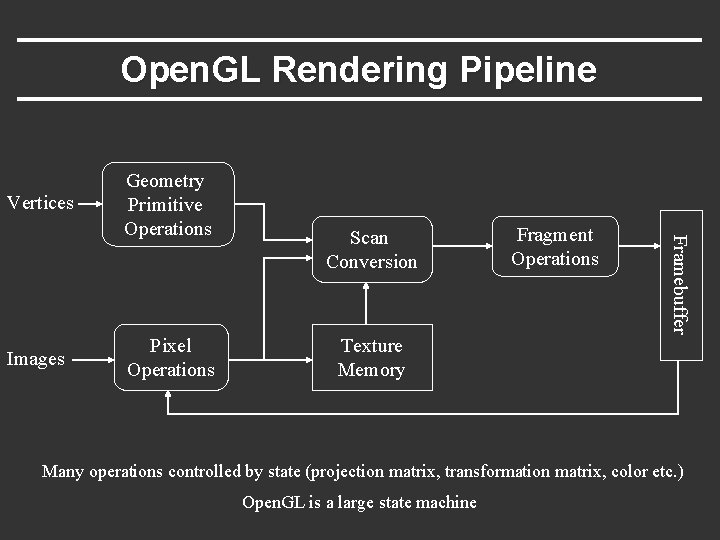
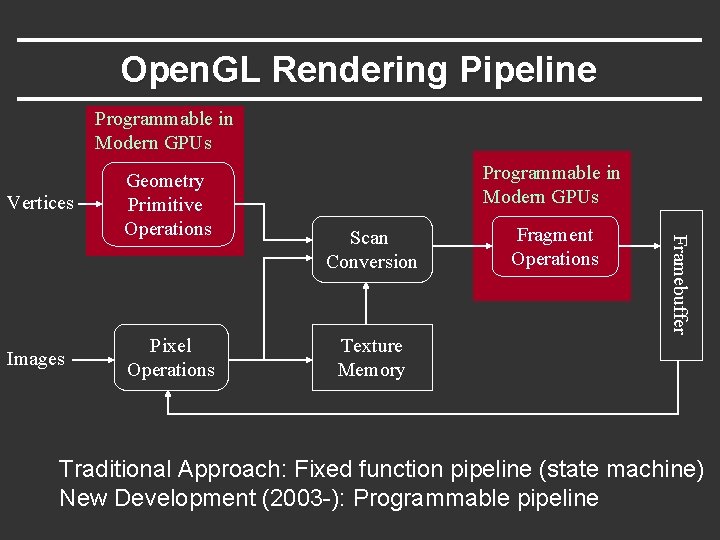
Open. GL Rendering Pipeline Vertices Pixel Operations Scan Conversion Texture Memory Fragment Operations Framebuffer Images Geometry Primitive Operations Many operations controlled by state (projection matrix, transformation matrix, color etc. ) Open. GL is a large state machine
Open. GL Rendering Pipeline Programmable in Modern GPUs Vertices Pixel Operations Programmable in Modern GPUs Scan Conversion Texture Memory Fragment Operations Framebuffer Images Geometry Primitive Operations Traditional Approach: Fixed function pipeline (state machine) New Development (2003 -): Programmable pipeline
GPUs and Programmability § Since 2003, can write vertex/pixel shaders § Fixed function pipeline special type of shader § Like writing C programs (see back of Open. GL book) § Performance >> CPU (even used for non-graphics)
GPUs and Programmability § Since 2003, can write vertex/pixel shaders § Fixed function pipeline special type of shader § Like writing C programs (see back of Open. GL book) § Performance >> CPU (even used for non-graphics) § But parallel paradigm § All pixels/vertices operate in parallel § Severe performance overheads for control flow, loops (limitations beginning to be relaxed in modern releases) § Not directly covered in CS 184 § But you can make use of in assignments for extra credit
Why Open. GL? § Fast § Simple § Window system independent § Supports some high-end graphics features § Geometric and pixel processing § Standard, available on many platforms
Outline § Basic idea about Open. GL § Basic setup and buffers § Matrix modes § Window system interaction and callbacks § Drawing basic Open. GL primitives
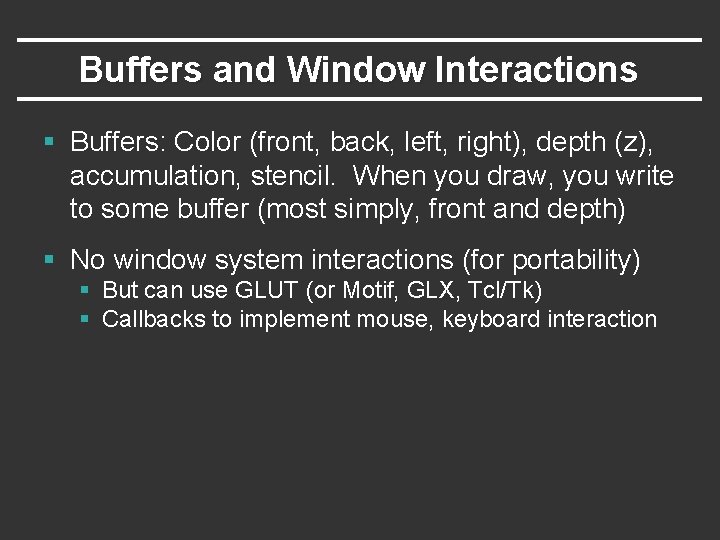
Buffers and Window Interactions § Buffers: Color (front, back, left, right), depth (z), accumulation, stencil. When you draw, you write to some buffer (most simply, front and depth) § No window system interactions (for portability) § But can use GLUT (or Motif, GLX, Tcl/Tk) § Callbacks to implement mouse, keyboard interaction
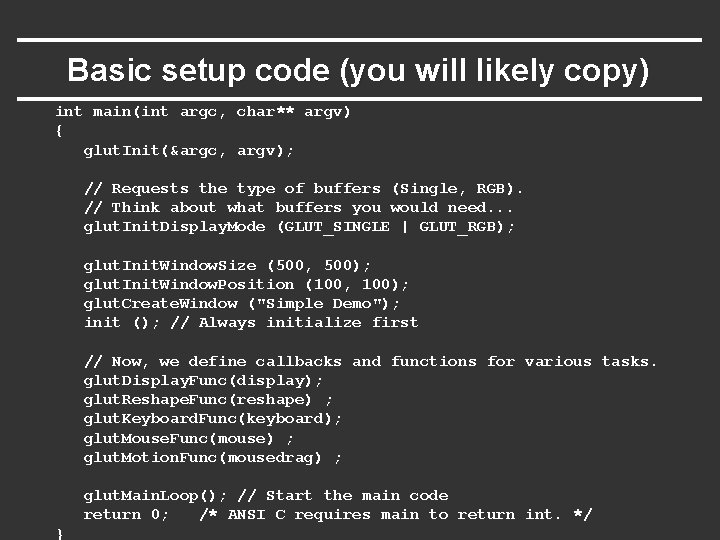
Basic setup code (you will likely copy) int main(int argc, char** argv) { glut. Init(&argc, argv); // Requests the type of buffers (Single, RGB). // Think about what buffers you would need. . . glut. Init. Display. Mode (GLUT_SINGLE | GLUT_RGB); glut. Init. Window. Size (500, 500); glut. Init. Window. Position (100, 100); glut. Create. Window ("Simple Demo"); init (); // Always initialize first // Now, we define callbacks and functions for various tasks. glut. Display. Func(display); glut. Reshape. Func(reshape) ; glut. Keyboard. Func(keyboard); glut. Mouse. Func(mouse) ; glut. Motion. Func(mousedrag) ; glut. Main. Loop(); // Start the main code return 0; /* ANSI C requires main to return int. */ }
Outline § Basic idea about Open. GL § Basic setup and buffers § Matrix modes § Window system interaction and callbacks § Drawing basic Open. GL primitives
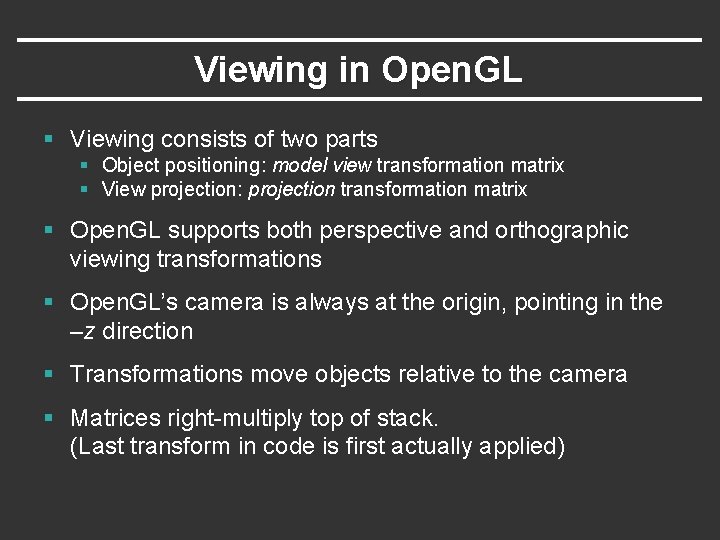
Viewing in Open. GL § Viewing consists of two parts § Object positioning: model view transformation matrix § View projection: projection transformation matrix § Open. GL supports both perspective and orthographic viewing transformations § Open. GL’s camera is always at the origin, pointing in the –z direction § Transformations move objects relative to the camera § Matrices right-multiply top of stack. (Last transform in code is first actually applied)
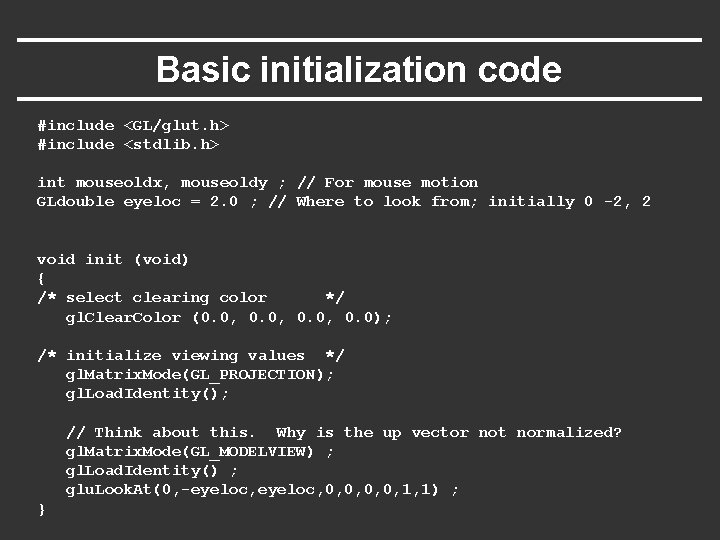
Basic initialization code #include <GL/glut. h> #include <stdlib. h> int mouseoldx, mouseoldy ; // For mouse motion GLdouble eyeloc = 2. 0 ; // Where to look from; initially 0 -2, 2 void init (void) { /* select clearing color */ gl. Clear. Color (0. 0, 0. 0); /* initialize viewing values */ gl. Matrix. Mode(GL_PROJECTION); gl. Load. Identity(); // Think about this. Why is the up vector not normalized? gl. Matrix. Mode(GL_MODELVIEW) ; gl. Load. Identity() ; glu. Look. At(0, -eyeloc, 0, 0, 1, 1) ; }
Outline § Basic idea about Open. GL § Basic setup and buffers § Matrix modes § Window system interaction and callbacks § Drawing basic Open. GL primitives
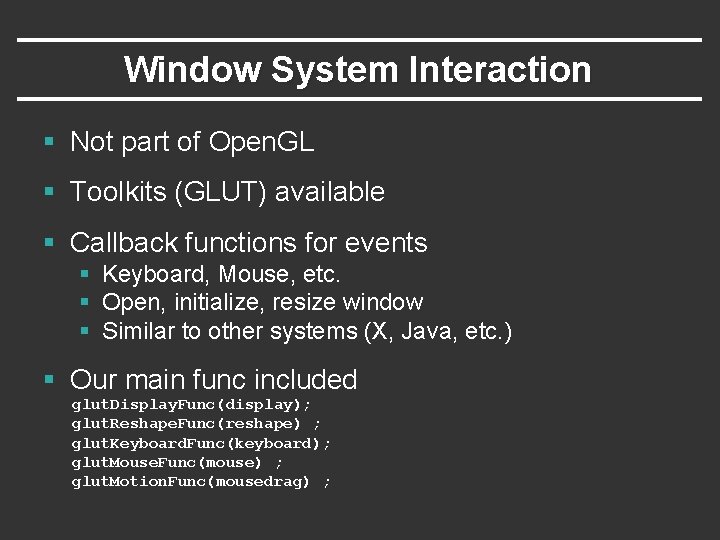
Window System Interaction § Not part of Open. GL § Toolkits (GLUT) available § Callback functions for events § Keyboard, Mouse, etc. § Open, initialize, resize window § Similar to other systems (X, Java, etc. ) § Our main func included glut. Display. Func(display); glut. Reshape. Func(reshape) ; glut. Keyboard. Func(keyboard); glut. Mouse. Func(mouse) ; glut. Motion. Func(mousedrag) ;
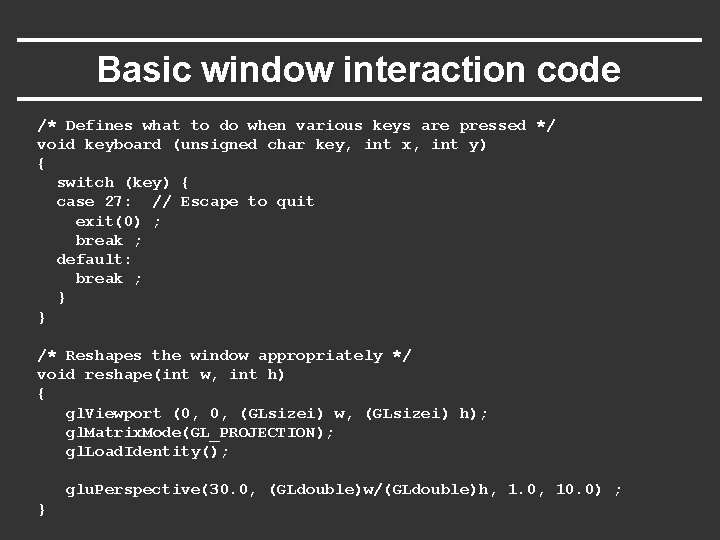
Basic window interaction code /* Defines what to do when various keys are pressed */ void keyboard (unsigned char key, int x, int y) { switch (key) { case 27: // Escape to quit exit(0) ; break ; default: break ; } } /* Reshapes the window appropriately */ void reshape(int w, int h) { gl. Viewport (0, 0, (GLsizei) w, (GLsizei) h); gl. Matrix. Mode(GL_PROJECTION); gl. Load. Identity(); glu. Perspective(30. 0, (GLdouble)w/(GLdouble)h, 1. 0, 10. 0) ; }
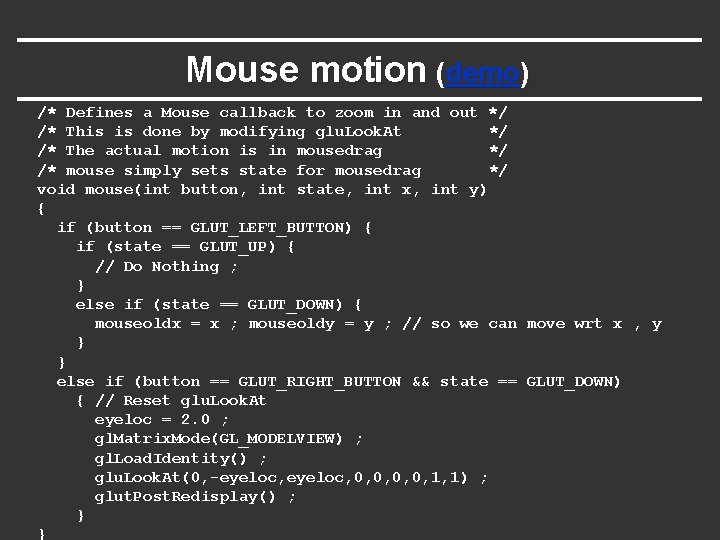
Mouse motion (demo) /* Defines a Mouse callback to zoom in and out */ /* This is done by modifying glu. Look. At */ /* The actual motion is in mousedrag */ /* mouse simply sets state for mousedrag */ void mouse(int button, int state, int x, int y) { if (button == GLUT_LEFT_BUTTON) { if (state == GLUT_UP) { // Do Nothing ; } else if (state == GLUT_DOWN) { mouseoldx = x ; mouseoldy = y ; // so we can move wrt x , y } } else if (button == GLUT_RIGHT_BUTTON && state == GLUT_DOWN) { // Reset glu. Look. At eyeloc = 2. 0 ; gl. Matrix. Mode(GL_MODELVIEW) ; gl. Load. Identity() ; glu. Look. At(0, -eyeloc, 0, 0, 1, 1) ; glut. Post. Redisplay() ; } }
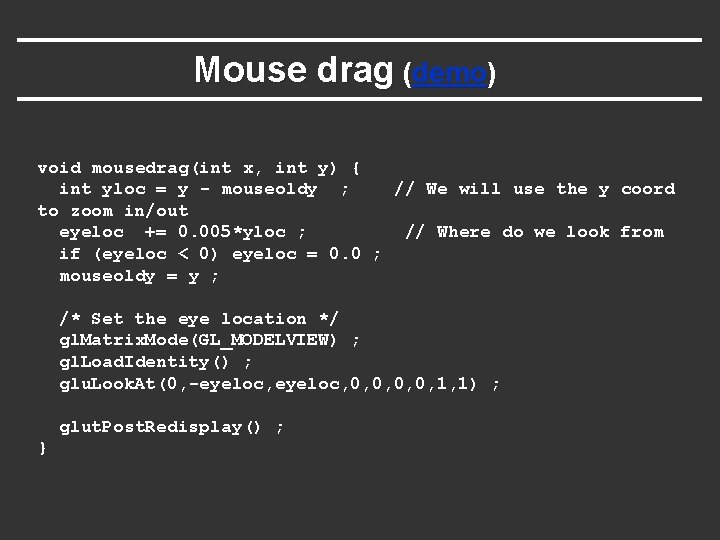
Mouse drag (demo) void mousedrag(int x, int y) { int yloc = y - mouseoldy ; // We will use the y coord to zoom in/out eyeloc += 0. 005*yloc ; // Where do we look from if (eyeloc < 0) eyeloc = 0. 0 ; mouseoldy = y ; /* Set the eye location */ gl. Matrix. Mode(GL_MODELVIEW) ; gl. Load. Identity() ; glu. Look. At(0, -eyeloc, 0, 0, 1, 1) ; glut. Post. Redisplay() ; }
Outline § Basic idea about Open. GL § Basic setup and buffers § Matrix modes § Window system interaction and callbacks § Drawing basic Open. GL primitives
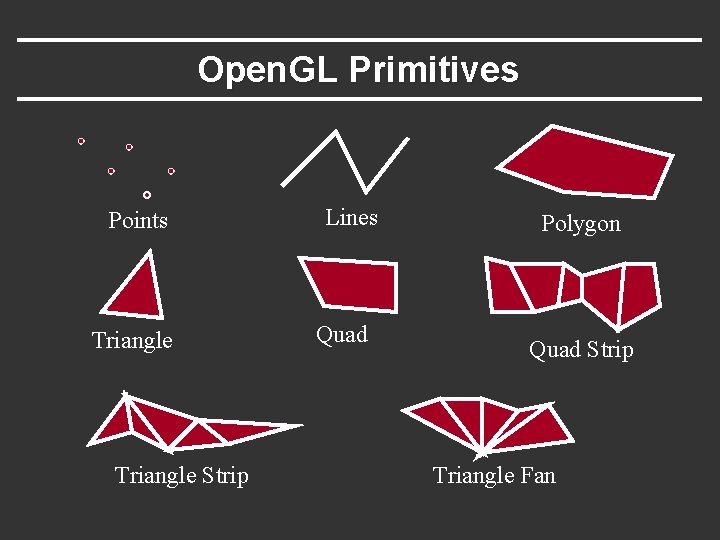
Open. GL Primitives Points Triangle Strip Lines Quad Polygon Quad Strip Triangle Fan
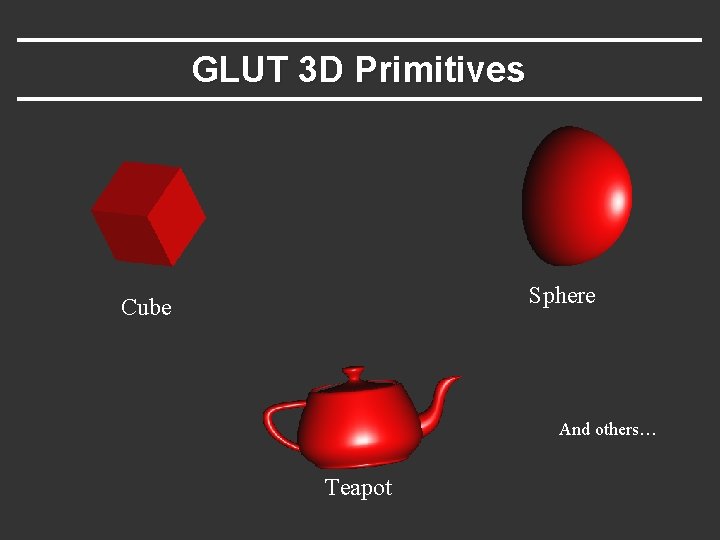
GLUT 3 D Primitives Sphere Cube And others… Teapot
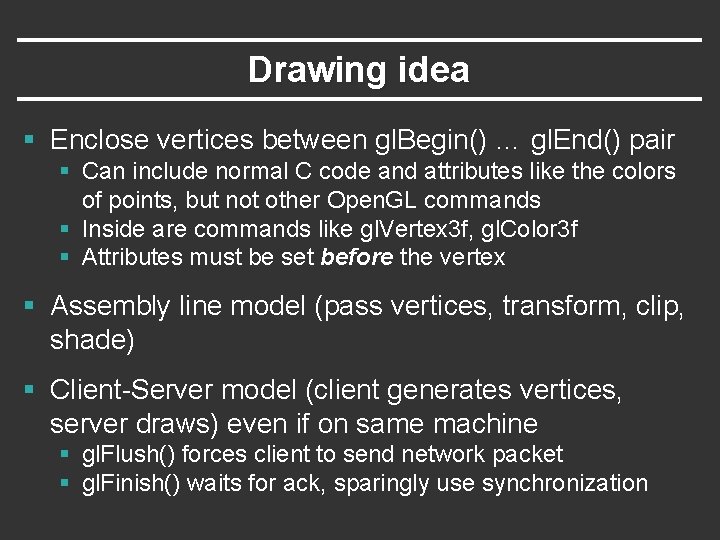
Drawing idea § Enclose vertices between gl. Begin() … gl. End() pair § Can include normal C code and attributes like the colors of points, but not other Open. GL commands § Inside are commands like gl. Vertex 3 f, gl. Color 3 f § Attributes must be set before the vertex § Assembly line model (pass vertices, transform, clip, shade) § Client-Server model (client generates vertices, server draws) even if on same machine § gl. Flush() forces client to send network packet § gl. Finish() waits for ack, sparingly use synchronization
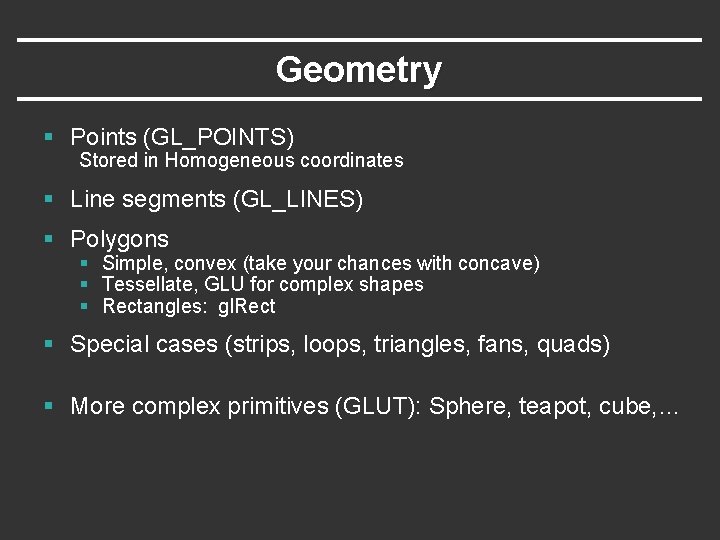
Geometry § Points (GL_POINTS) Stored in Homogeneous coordinates § Line segments (GL_LINES) § Polygons § Simple, convex (take your chances with concave) § Tessellate, GLU for complex shapes § Rectangles: gl. Rect § Special cases (strips, loops, triangles, fans, quads) § More complex primitives (GLUT): Sphere, teapot, cube, …
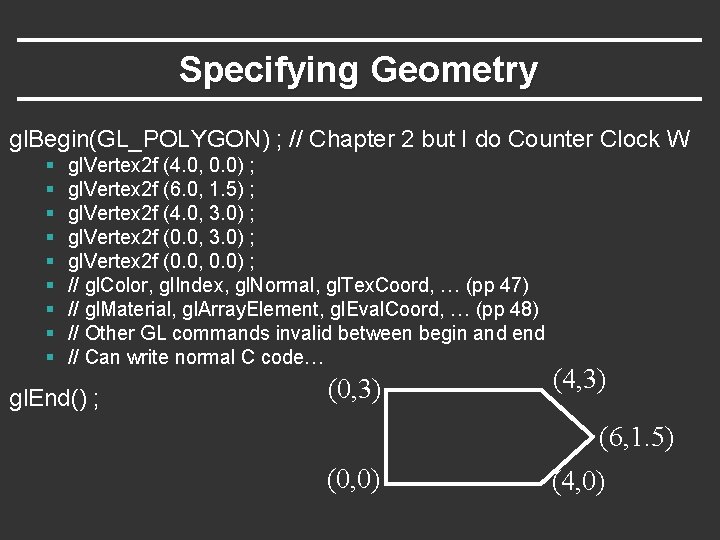
Specifying Geometry gl. Begin(GL_POLYGON) ; // Chapter 2 but I do Counter Clock W § § § § § gl. Vertex 2 f (4. 0, 0. 0) ; gl. Vertex 2 f (6. 0, 1. 5) ; gl. Vertex 2 f (4. 0, 3. 0) ; gl. Vertex 2 f (0. 0, 0. 0) ; // gl. Color, gl. Index, gl. Normal, gl. Tex. Coord, … (pp 47) // gl. Material, gl. Array. Element, gl. Eval. Coord, … (pp 48) // Other GL commands invalid between begin and end // Can write normal C code… gl. End() ; (0, 3) (4, 3) (6, 1. 5) (0, 0) (4, 0)
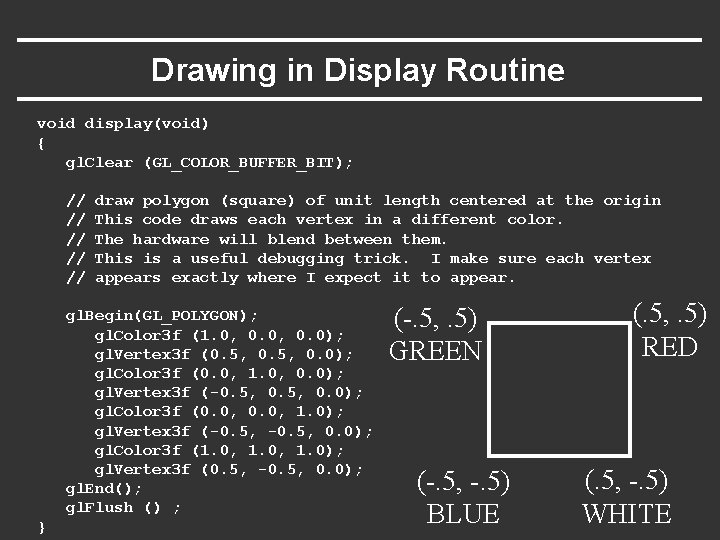
Drawing in Display Routine void display(void) { gl. Clear (GL_COLOR_BUFFER_BIT); // // // draw polygon (square) of unit length centered at the origin This code draws each vertex in a different color. The hardware will blend between them. This is a useful debugging trick. I make sure each vertex appears exactly where I expect it to appear. gl. Begin(GL_POLYGON); gl. Color 3 f (1. 0, 0. 0); gl. Vertex 3 f (0. 5, 0. 0); gl. Color 3 f (0. 0, 1. 0, 0. 0); gl. Vertex 3 f (-0. 5, 0. 0); gl. Color 3 f (0. 0, 1. 0); gl. Vertex 3 f (-0. 5, 0. 0); gl. Color 3 f (1. 0, 1. 0); gl. Vertex 3 f (0. 5, -0. 5, 0. 0); gl. End(); gl. Flush () ; } (-. 5, . 5) GREEN (-. 5, -. 5) BLUE (. 5, . 5) RED (. 5, -. 5) WHITE
Demo (change colors)