
94 204 ObjectOriented Software Development Part 18 b
94. 204* Object-Oriented Software Development Part 18 -b Building Graphic User Interfaces with Java Files discussed in these slides: • Mouse. Demo 1. java • Mouse. Demo 2. java • Mouse. Demo 3. java • Linear. Regression 1. java • Copyright (c) 1998 -2001, Systems and Computer Engineering, Carleton University revised March 2002 1
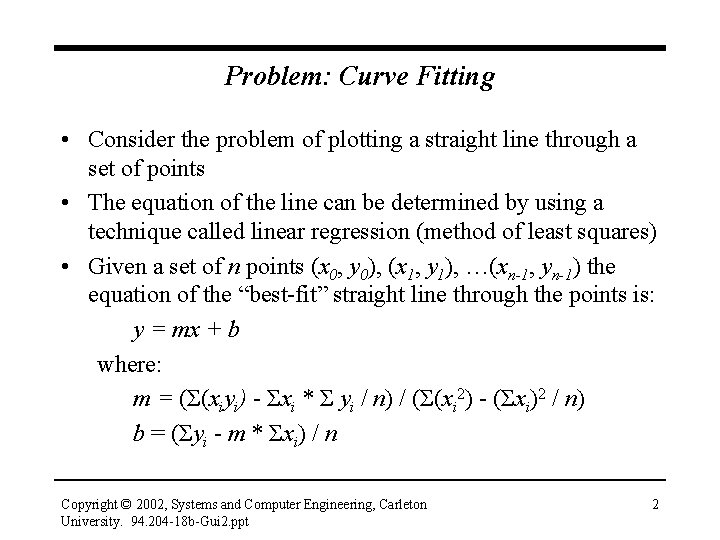
Problem: Curve Fitting • Consider the problem of plotting a straight line through a set of points • The equation of the line can be determined by using a technique called linear regression (method of least squares) • Given a set of n points (x 0, y 0), (x 1, y 1), …(xn-1, yn-1) the equation of the “best-fit” straight line through the points is: y = mx + b where: m = (Σ(xiyi) - Σxi * Σ yi / n) / (Σ(xi 2) - (Σxi)2 / n) b = (Σyi - m * Σxi) / n Copyright © 2002, Systems and Computer Engineering, Carleton University. 94. 204 -18 b-Gui 2. ppt 2
Problem: Curve Fitting • Deriving the equations for the slope and y-intercept as a function of the (x, y) points isn’t difficult, but students sometimes have difficulty relating the equations to the line that they plot on a piece of paper • Why not build an interactive GUI-based Java application that demonstrates the method of least squares? • There are. java example files to accompany these slides Copyright © 2002, Systems and Computer Engineering, Carleton University. 94. 204 -18 b-Gui 2. ppt 3
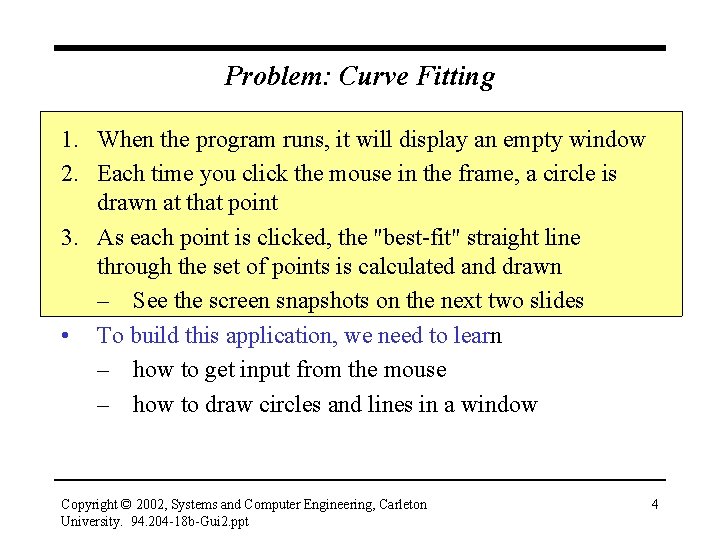
Problem: Curve Fitting 1. When the program runs, it will display an empty window 2. Each time you click the mouse in the frame, a circle is drawn at that point 3. As each point is clicked, the "best-fit" straight line through the set of points is calculated and drawn – See the screen snapshots on the next two slides • To build this application, we need to learn – how to get input from the mouse – how to draw circles and lines in a window Copyright © 2002, Systems and Computer Engineering, Carleton University. 94. 204 -18 b-Gui 2. ppt 4
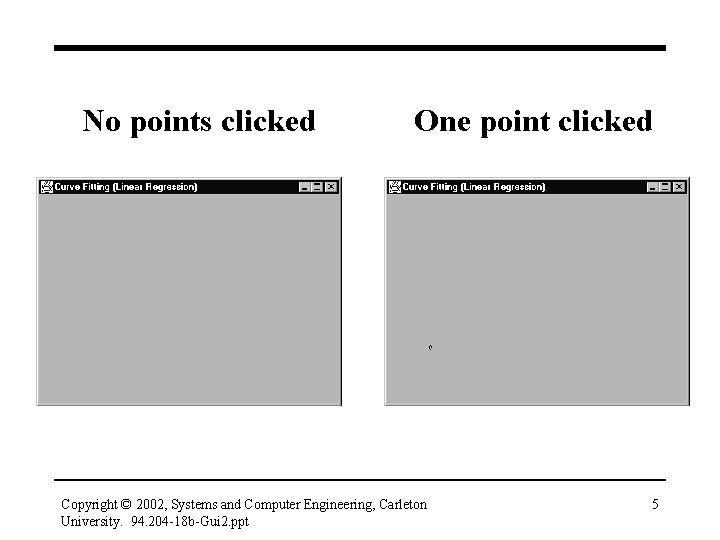
No points clicked One point clicked Copyright © 2002, Systems and Computer Engineering, Carleton University. 94. 204 -18 b-Gui 2. ppt 5
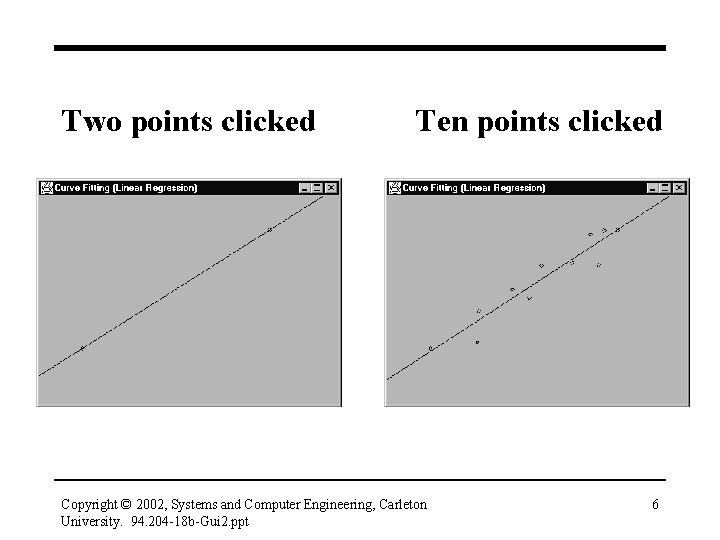
Two points clicked Ten points clicked Copyright © 2002, Systems and Computer Engineering, Carleton University. 94. 204 -18 b-Gui 2. ppt 6

Handling Mouse Events • Let’s look at three versions of an application that listens for mouse events within the frame • Each time a mouse event occurs, details of the event are printed on System. out Copyright © 2002, Systems and Computer Engineering, Carleton University. 94. 204 -18 b-Gui 2. ppt 7
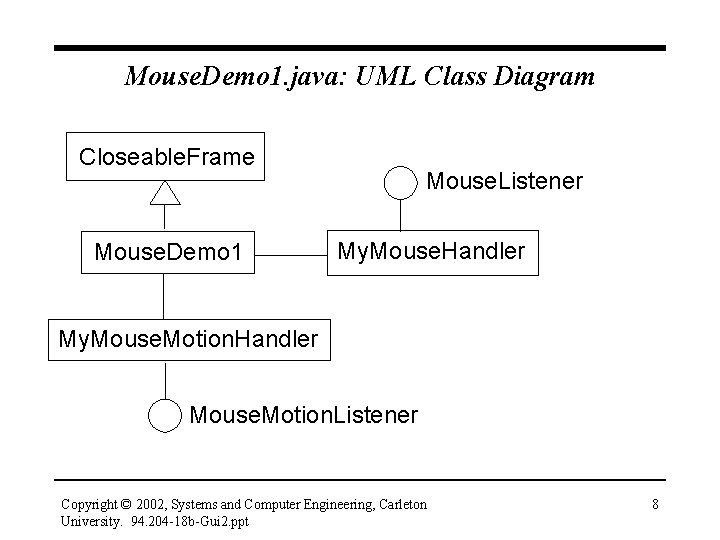
Mouse. Demo 1. java: UML Class Diagram Closeable. Frame Mouse. Demo 1 Mouse. Listener My. Mouse. Handler My. Mouse. Motion. Handler Mouse. Motion. Listener Copyright © 2002, Systems and Computer Engineering, Carleton University. 94. 204 -18 b-Gui 2. ppt 8
Listener Objects • The frame (a Mouse. Demo 1 object) is a source of Mouse. Event events, which are generated when the mouse is in the frame • Two listener objects are required to receive these events Copyright © 2002, Systems and Computer Engineering, Carleton University. 94. 204 -18 b-Gui 2. ppt 9
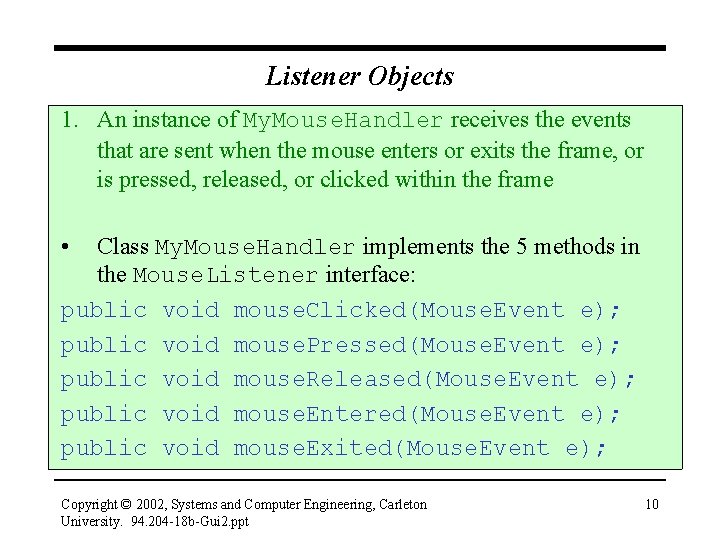
Listener Objects 1. An instance of My. Mouse. Handler receives the events that are sent when the mouse enters or exits the frame, or is pressed, released, or clicked within the frame • Class My. Mouse. Handler implements the 5 methods in the Mouse. Listener interface: public void mouse. Clicked(Mouse. Event e); public void mouse. Pressed(Mouse. Event e); public void mouse. Released(Mouse. Event e); public void mouse. Entered(Mouse. Event e); public void mouse. Exited(Mouse. Event e); Copyright © 2002, Systems and Computer Engineering, Carleton University. 94. 204 -18 b-Gui 2. ppt 10
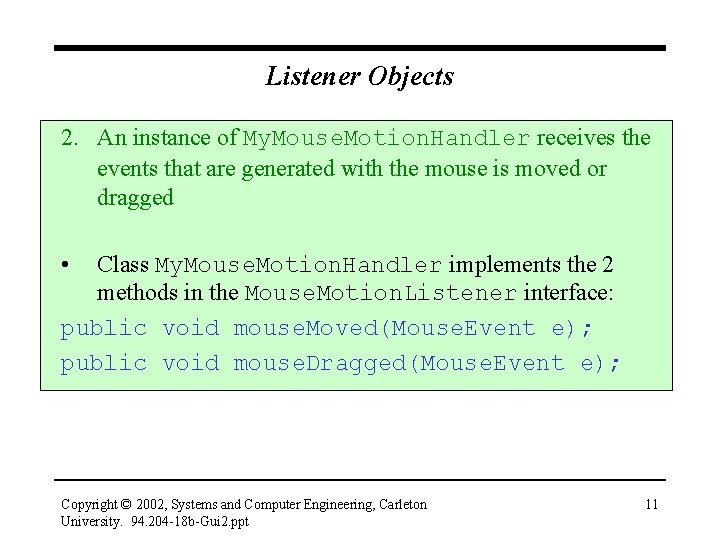
Listener Objects 2. An instance of My. Mouse. Motion. Handler receives the events that are generated with the mouse is moved or dragged • Class My. Mouse. Motion. Handler implements the 2 methods in the Mouse. Motion. Listener interface: public void mouse. Moved(Mouse. Event e); public void mouse. Dragged(Mouse. Event e); Copyright © 2002, Systems and Computer Engineering, Carleton University. 94. 204 -18 b-Gui 2. ppt 11
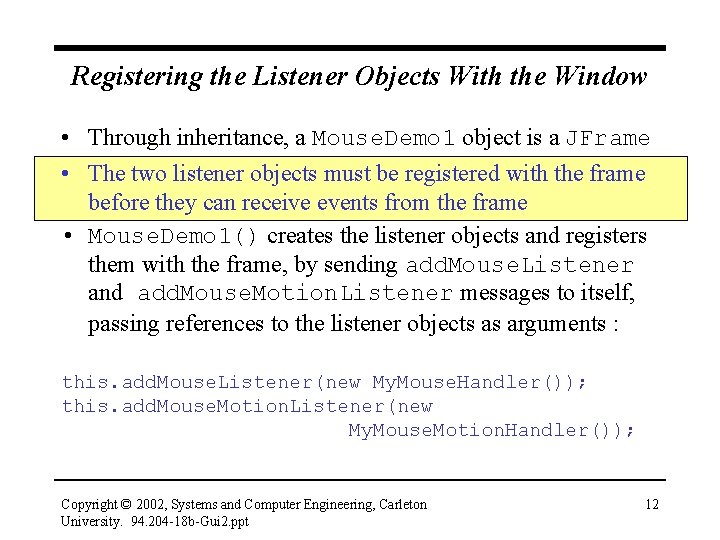
Registering the Listener Objects With the Window • Through inheritance, a Mouse. Demo 1 object is a JFrame • The two listener objects must be registered with the frame before they can receive events from the frame • Mouse. Demo 1() creates the listener objects and registers them with the frame, by sending add. Mouse. Listener and add. Mouse. Motion. Listener messages to itself, passing references to the listener objects as arguments : this. add. Mouse. Listener(new My. Mouse. Handler()); this. add. Mouse. Motion. Listener(new My. Mouse. Motion. Handler()); Copyright © 2002, Systems and Computer Engineering, Carleton University. 94. 204 -18 b-Gui 2. ppt 12
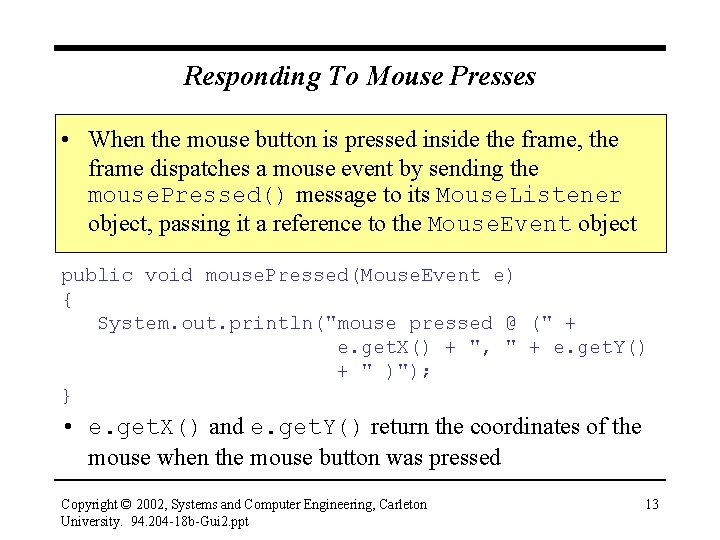
Responding To Mouse Presses • When the mouse button is pressed inside the frame, the frame dispatches a mouse event by sending the mouse. Pressed() message to its Mouse. Listener object, passing it a reference to the Mouse. Event object public void mouse. Pressed(Mouse. Event e) { System. out. println("mouse pressed @ (" + e. get. X() + ", " + e. get. Y() + " )"); } • e. get. X() and e. get. Y() return the coordinates of the mouse when the mouse button was pressed Copyright © 2002, Systems and Computer Engineering, Carleton University. 94. 204 -18 b-Gui 2. ppt 13
Using a Single Listener Object • We could simplify Mouse. Demo 1 to use a single listener object that implements both listener interfaces: class My. Mouse. Handler implements Mouse. Listener, Mouse. Motion. Listener { /* defines the 7 mouse. XXX methods */ } • We would also have to change Mouse. Demo 1(): My. Mouse. Handler ml = new My. Mouse. Handler(); this. add. Mouse. Listener(ml); this. add. Mouse. Motion. Listener(ml); Copyright © 2002, Systems and Computer Engineering, Carleton University. 94. 204 -18 b-Gui 2. ppt 14
Mouse. Demo 2. java • Java 2 lets us simplify things even further • javax. swing. event provides interface Mouse. Input. Listener, which combines Java 1. 1’s two mouse listener interfaces: public abstract interface Mouse. Input. Listener extends Mouse. Listener, Mouse. Motion. Listener • see My. Mouse. Demo 2. java – My. Mouse. Input. Handler implements the Mouse. Input. Listener interface Copyright © 2002, Systems and Computer Engineering, Carleton University. 94. 204 -18 b-Gui 2. ppt 15
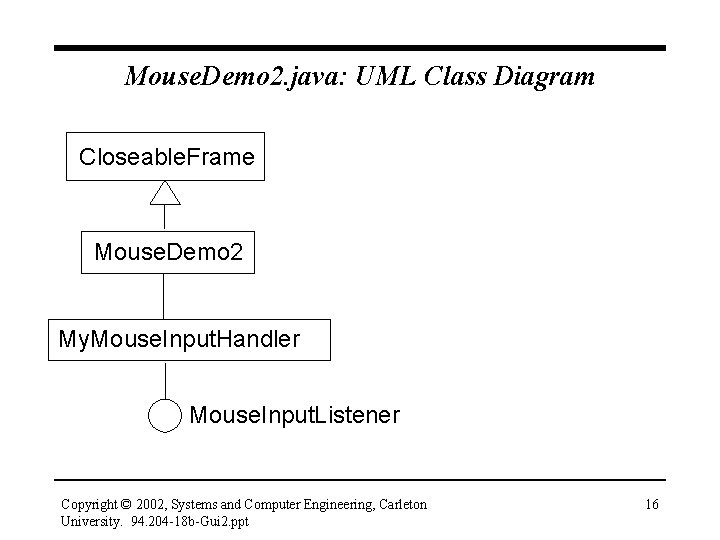
Mouse. Demo 2. java: UML Class Diagram Closeable. Frame Mouse. Demo 2 My. Mouse. Input. Handler Mouse. Input. Listener Copyright © 2002, Systems and Computer Engineering, Carleton University. 94. 204 -18 b-Gui 2. ppt 16
Mouse. Demo 3. java • How would we change the previous example to handle only mouse clicks, presses, and releases? • mouse. Clicked(), mouse. Pressed(), and mouse. Released() would be unchanged • Because My. Mouse. Input. Handler must implement all the methods in the Mouse. Input. Listener interface, it must provide "empty" methods for the methods that aren’t of interest: public void mouse. Entered(Mouse. Event e) {} mouse. Exited(Mouse. Event e) {} mouse. Dragged(Mouse. Event e) {} mouse. Moved(Mouse. Event e) {} Copyright © 2002, Systems and Computer Engineering, Carleton University. 94. 204 -18 b-Gui 2. ppt 17
Mouse Adapter Classes • Implementing empty methods is tedious • java. awt. event and javax. swing. event provide three abstract adapter classes that implement the three mouse listener interfaces – each adapter class provides empty bodies for all the methods in the interface that it implements Copyright © 2002, Systems and Computer Engineering, Carleton University. 94. 204 -18 b-Gui 2. ppt 18
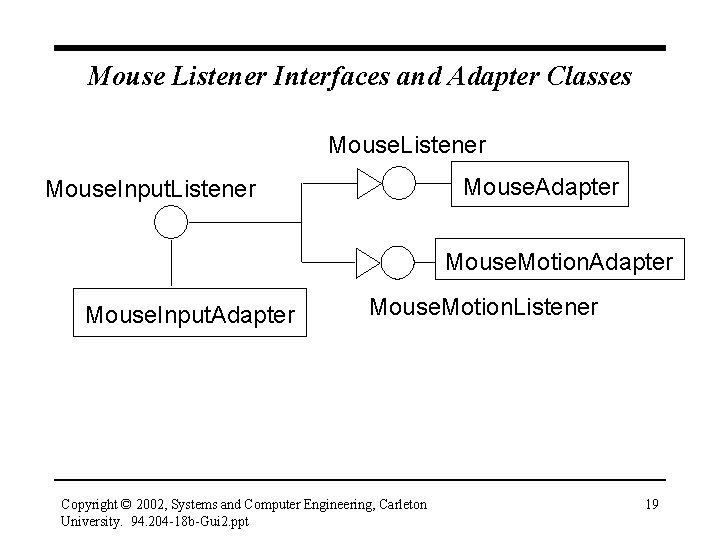
Mouse Listener Interfaces and Adapter Classes Mouse. Listener Mouse. Adapter Mouse. Input. Listener Mouse. Motion. Adapter Mouse. Input. Adapter Mouse. Motion. Listener Copyright © 2002, Systems and Computer Engineering, Carleton University. 94. 204 -18 b-Gui 2. ppt 19
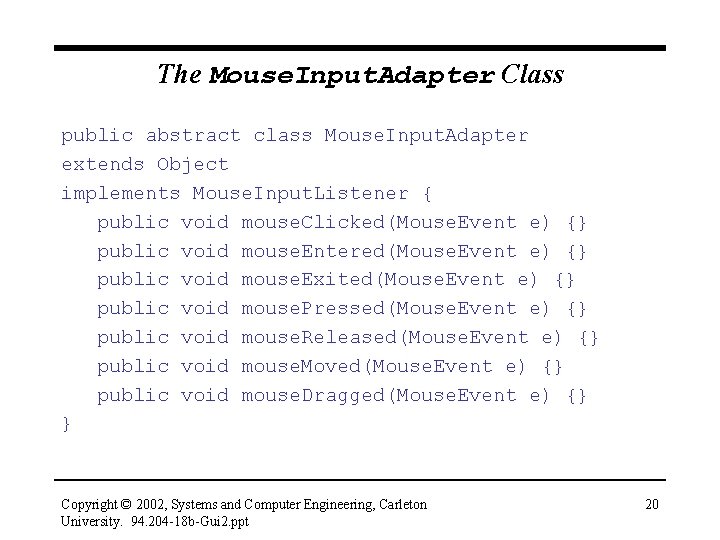
The Mouse. Input. Adapter Class public abstract class Mouse. Input. Adapter extends Object implements Mouse. Input. Listener { public void mouse. Clicked(Mouse. Event e) {} public void mouse. Entered(Mouse. Event e) {} public void mouse. Exited(Mouse. Event e) {} public void mouse. Pressed(Mouse. Event e) {} public void mouse. Released(Mouse. Event e) {} public void mouse. Moved(Mouse. Event e) {} public void mouse. Dragged(Mouse. Event e) {} } Copyright © 2002, Systems and Computer Engineering, Carleton University. 94. 204 -18 b-Gui 2. ppt 20
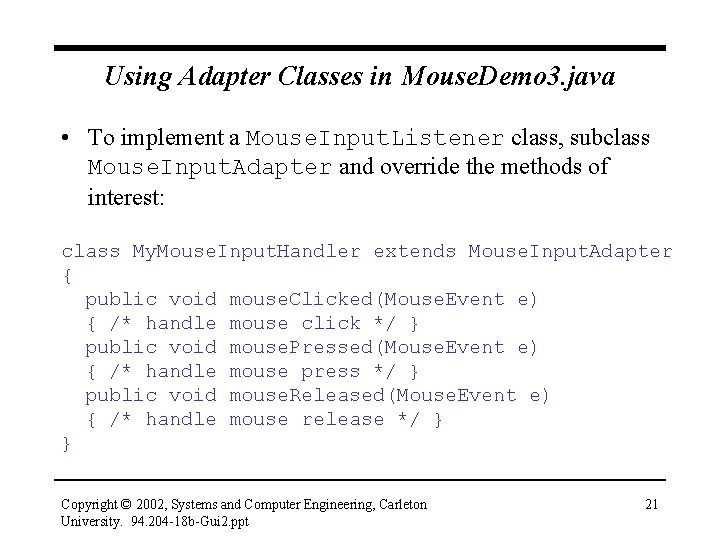
Using Adapter Classes in Mouse. Demo 3. java • To implement a Mouse. Input. Listener class, subclass Mouse. Input. Adapter and override the methods of interest: class My. Mouse. Input. Handler extends Mouse. Input. Adapter { public void mouse. Clicked(Mouse. Event e) { /* handle mouse click */ } public void mouse. Pressed(Mouse. Event e) { /* handle mouse press */ } public void mouse. Released(Mouse. Event e) { /* handle mouse release */ } } Copyright © 2002, Systems and Computer Engineering, Carleton University. 94. 204 -18 b-Gui 2. ppt 21
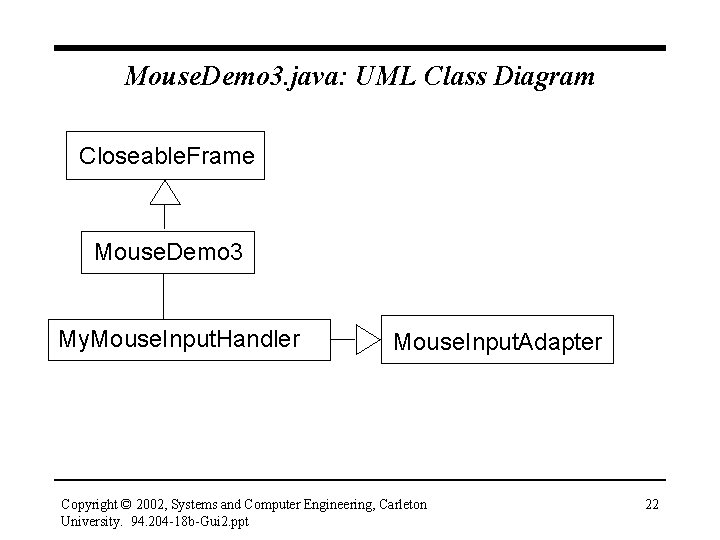
Mouse. Demo 3. java: UML Class Diagram Closeable. Frame Mouse. Demo 3 My. Mouse. Input. Handler Mouse. Input. Adapter Copyright © 2002, Systems and Computer Engineering, Carleton University. 94. 204 -18 b-Gui 2. ppt 22
Designing The Curve Fitting Application • We now know how our curve-fitting program will handle mouse input – a listener object will listen for mouse clicks in the window – for each click, the listener will get the coordinates of the mouse (by sending messages to the Mouse. Event object) and save them – the method of least squares will be used to calculate the slope and y-intercept of the straight line through the points • How do we plot the points and the line in the window? Copyright © 2002, Systems and Computer Engineering, Carleton University. 94. 204 -18 b-Gui 2. ppt 23
Displaying Information in a JFrame • It is considered poor practice to draw in a JFrame • Instead, we create a panel object, add it to the frame, and draw on the panel • In Swing, panels are instances of class JPanel • JPanel objects – have a drawing surface – are containers (which means we can put GUI components in a JPanel) Copyright © 2002, Systems and Computer Engineering, Carleton University. 94. 204 -18 b-Gui 2. ppt 24
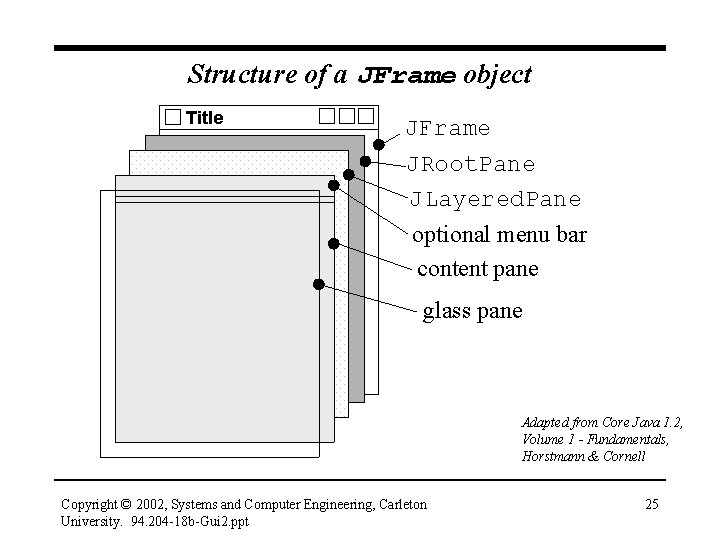
Structure of a JFrame object Title JFrame JRoot. Pane JLayered. Pane optional menu bar content pane glass pane Adapted from Core Java 1. 2, Volume 1 - Fundamentals, Horstmann & Cornell Copyright © 2002, Systems and Computer Engineering, Carleton University. 94. 204 -18 b-Gui 2. ppt 25
Adding Components to a JFrame • A JFrame consists of 4 panes • Components are added to the content pane • To add a JPanel object to a JFrame: // assume that f refers to a JFrame … JPanel p = new JPanel(); Container content. Pane = f. get. Content. Pane(); content. Pane. add(p); Copyright © 2002, Systems and Computer Engineering, Carleton University. 94. 204 -18 b-Gui 2. ppt 26
Drawing in a JPanel • JPanel is a subclass of JComponent • JComponent defines paint. Component(), which is invoked by the Java windowing system to draw in the component • Subclasses of JComponent must override paint. Component() to provide appropriate painting behaviour for the subclass • So, we need to define a class that extends JPanel and overrides paint. Component() to draw the points and the straight line Copyright © 2002, Systems and Computer Engineering, Carleton University. 94. 204 -18 b-Gui 2. ppt 27
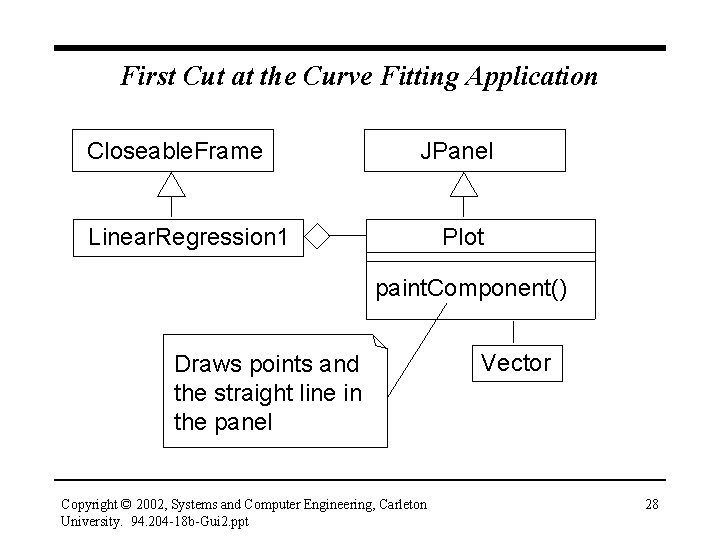
First Cut at the Curve Fitting Application Closeable. Frame JPanel Linear. Regression 1 Plot paint. Component() Draws points and the straight line in the panel Copyright © 2002, Systems and Computer Engineering, Carleton University. 94. 204 -18 b-Gui 2. ppt Vector 28
First Cut at the Curve Fitting Application • Linear. Regression 1 is the application’s top-level window (frame) • It creates a Plot object (which is-a JPanel), and adds the panel to the frame’s content pane • Plot overrides paint. Component() • To fulfill its responsibilities, paint. Component() needs to know – the coordinates of each point where a mouse click occurs – the slope and y-intercept of the line Copyright © 2002, Systems and Computer Engineering, Carleton University. 94. 204 -18 b-Gui 2. ppt 29
First Cut at the Curve Fitting Application • Assume that each time the mouse is pressed, the listener object for mouse events (not shown on the UML diagram) will get the mouse coordinates, store them in a Point object, and save the Point in a list (a Vector) • paint. Component() will obtain the points from the Vector, draw them, calculate the best-fit straight line by using the method of least squares, and draw the line Copyright © 2002, Systems and Computer Engineering, Carleton University. 94. 204 -18 b-Gui 2. ppt 30
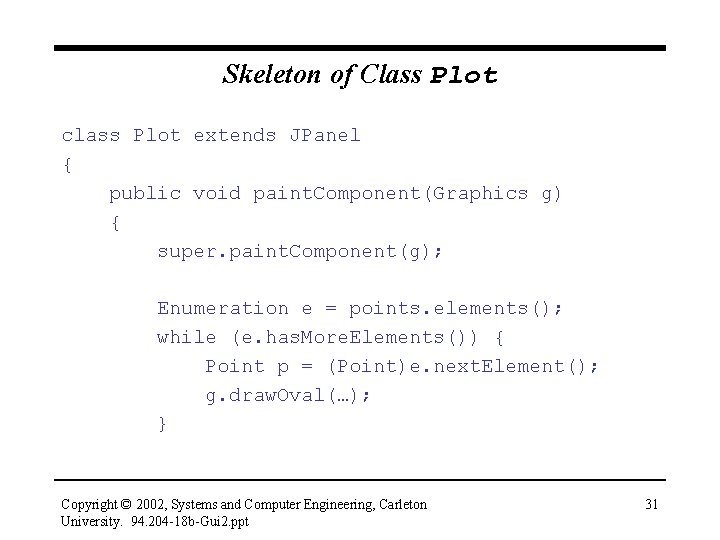
Skeleton of Class Plot class Plot extends JPanel { public void paint. Component(Graphics g) { super. paint. Component(g); Enumeration e = points. elements(); while (e. has. More. Elements()) { Point p = (Point)e. next. Element(); g. draw. Oval(…); } Copyright © 2002, Systems and Computer Engineering, Carleton University. 94. 204 -18 b-Gui 2. ppt 31
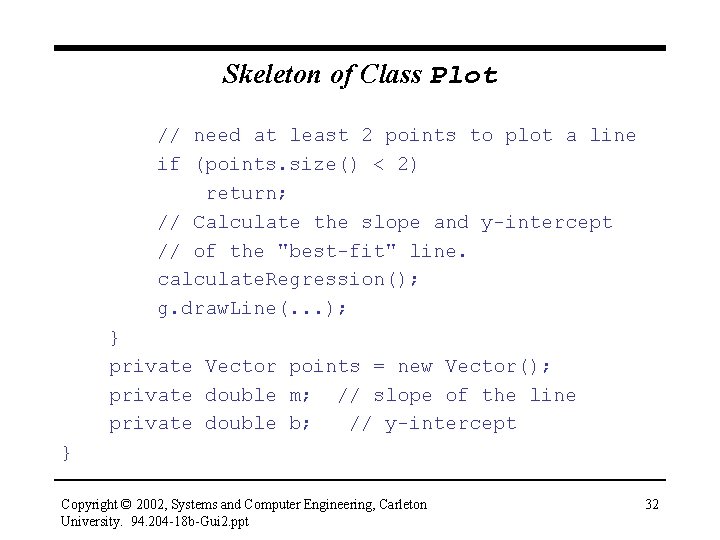
Skeleton of Class Plot // need at least 2 points to plot a line if (points. size() < 2) return; // Calculate the slope and y-intercept // of the "best-fit" line. calculate. Regression(); g. draw. Line(. . . ); } private Vector points = new Vector(); private double m; // slope of the line private double b; // y-intercept } Copyright © 2002, Systems and Computer Engineering, Carleton University. 94. 204 -18 b-Gui 2. ppt 32
The Graphics Class • paint. Component() is passed a reference to a Graphics object • A Graphics object is a device-independent interface to the computer's graphics display • Most of its methods are concerned with drawing shapes (filled and unfilled), and managing fonts and colours • paint. Component() sends the Graphics object – the draw. Oval() message, to draw each point – the draw. Line() message, to draw the straight line Copyright © 2002, Systems and Computer Engineering, Carleton University. 94. 204 -18 b-Gui 2. ppt 33
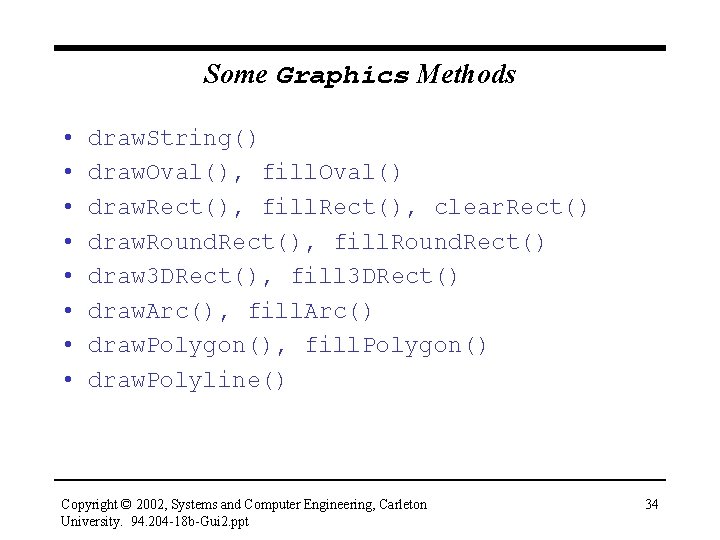
Some Graphics Methods • • draw. String() draw. Oval(), fill. Oval() draw. Rect(), fill. Rect(), clear. Rect() draw. Round. Rect(), fill. Round. Rect() draw 3 DRect(), fill 3 DRect() draw. Arc(), fill. Arc() draw. Polygon(), fill. Polygon() draw. Polyline() Copyright © 2002, Systems and Computer Engineering, Carleton University. 94. 204 -18 b-Gui 2. ppt 34
Arranging for Mouse Input • The mouse is clicked inside the panel, so Plot needs a Mouse. Input. Listener object (a Mouse. Listener object would also do the job) – we’ll subclass Mouse. Input. Adapter • Plot’s constructor will create the mouse listener object and register it with the panel • Each time the mouse is pressed, mouse. Pressed() will get the mouse coordinates, store them in a Point object, and save the Point in the Vector used by paint. Component() Copyright © 2002, Systems and Computer Engineering, Carleton University. 94. 204 -18 b-Gui 2. ppt 35
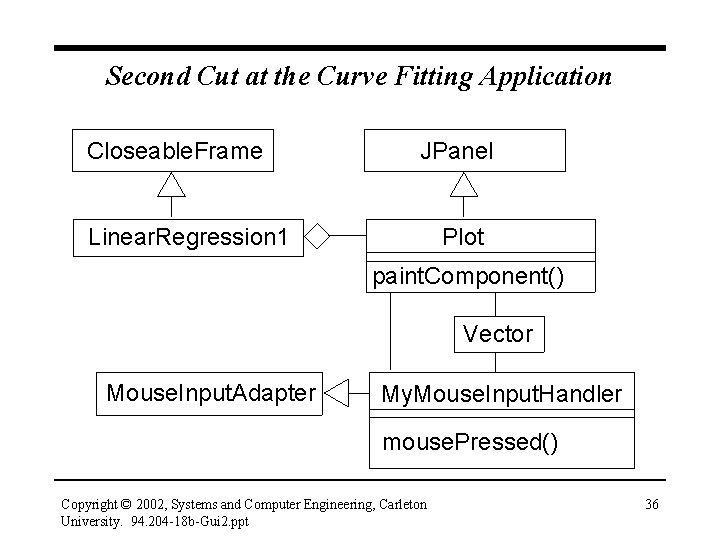
Second Cut at the Curve Fitting Application Closeable. Frame JPanel Linear. Regression 1 Plot paint. Component() Vector Mouse. Input. Adapter My. Mouse. Input. Handler mouse. Pressed() Copyright © 2002, Systems and Computer Engineering, Carleton University. 94. 204 -18 b-Gui 2. ppt 36
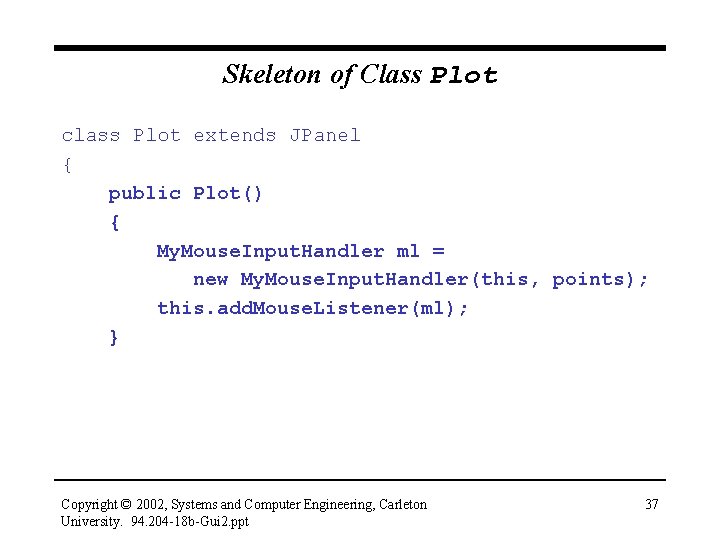
Skeleton of Class Plot class Plot extends JPanel { public Plot() { My. Mouse. Input. Handler ml = new My. Mouse. Input. Handler(this, points); this. add. Mouse. Listener(ml); } Copyright © 2002, Systems and Computer Engineering, Carleton University. 94. 204 -18 b-Gui 2. ppt 37
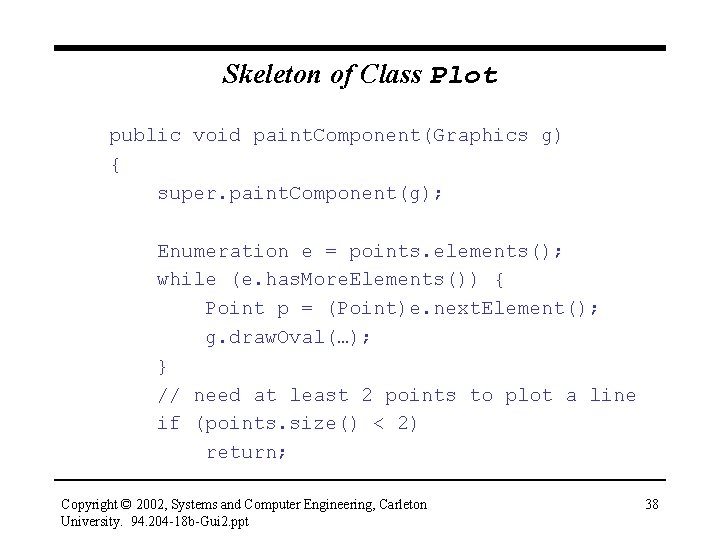
Skeleton of Class Plot public void paint. Component(Graphics g) { super. paint. Component(g); Enumeration e = points. elements(); while (e. has. More. Elements()) { Point p = (Point)e. next. Element(); g. draw. Oval(…); } // need at least 2 points to plot a line if (points. size() < 2) return; Copyright © 2002, Systems and Computer Engineering, Carleton University. 94. 204 -18 b-Gui 2. ppt 38
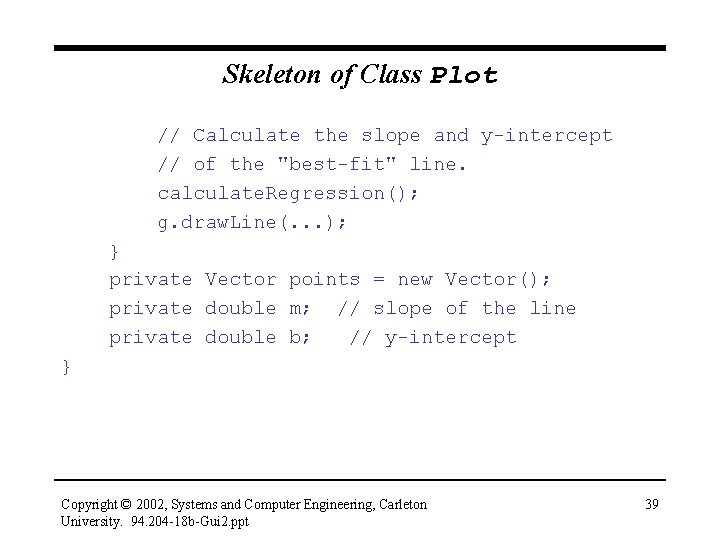
Skeleton of Class Plot // Calculate the slope and y-intercept // of the "best-fit" line. calculate. Regression(); g. draw. Line(. . . ); } private Vector points = new Vector(); private double m; // slope of the line private double b; // y-intercept } Copyright © 2002, Systems and Computer Engineering, Carleton University. 94. 204 -18 b-Gui 2. ppt 39
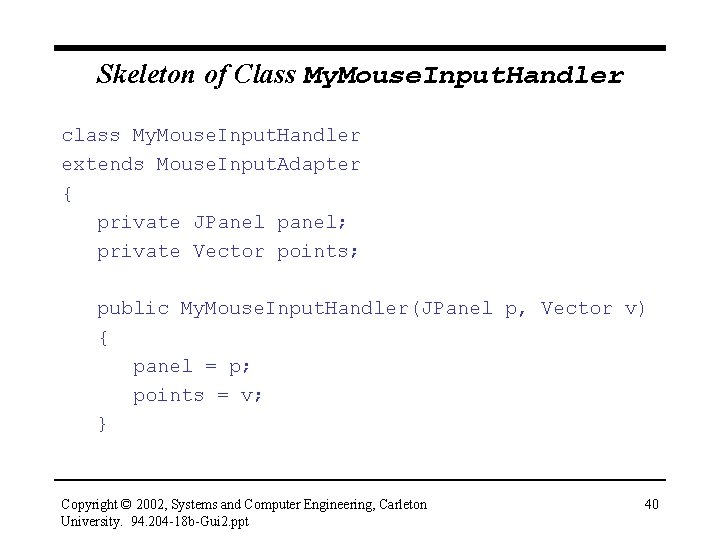
Skeleton of Class My. Mouse. Input. Handler class My. Mouse. Input. Handler extends Mouse. Input. Adapter { private JPanel panel; private Vector points; public My. Mouse. Input. Handler(JPanel p, Vector v) { panel = p; points = v; } Copyright © 2002, Systems and Computer Engineering, Carleton University. 94. 204 -18 b-Gui 2. ppt 40
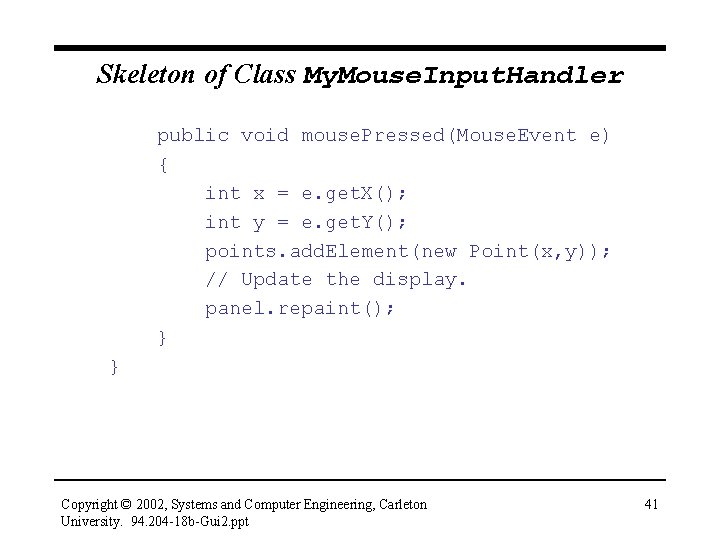
Skeleton of Class My. Mouse. Input. Handler public void mouse. Pressed(Mouse. Event e) { int x = e. get. X(); int y = e. get. Y(); points. add. Element(new Point(x, y)); // Update the display. panel. repaint(); } } Copyright © 2002, Systems and Computer Engineering, Carleton University. 94. 204 -18 b-Gui 2. ppt 41
Invoking paint. Component() • The panel must be redrawn each time the mouse is clicked, so you might expect mouse. Pressed() to send the paint. Component() message to Plot, but this is not what happens • To force the screen to be repainted, send the repaint() message to the panel • repaint() will invoke the paint. Component() method for all components that should be displayed Copyright © 2002, Systems and Computer Engineering, Carleton University. 94. 204 -18 b-Gui 2. ppt 42
Eliminating References Between Objects • Notice that mouse. Pressed() sends the add. Element() message to the Plot object’s Vector, and the repaint() message to the Plot object • That’s why Plot() passes a reference to itself and a reference to its Vector to My. Mouse. Input. Handler’s constructor, which saves the references for use by mouse. Pressed() • Aside: do we need both references? Could we eliminate the reference to the Vector object? Could we eliminate the reference to the Plot object? Could we eliminate both references? Copyright © 2002, Systems and Computer Engineering, Carleton University. 94. 204 -18 b-Gui 2. ppt 43
Inner Classes • An inner class is a class defined inside another class • An object of an inner class can access the variables of the object that created it • In the curve fitting program, class My. Mouse. Input. Handler will be defined as a private inner class within class Plot • The My. Mouse. Input. Handler object can access the variables of the Plot object that created it – it can access the Plot’s Vector object directly, as if the reference to the Vector was defined in class My. Mouse. Input. Handler Copyright © 2002, Systems and Computer Engineering, Carleton University. 94. 204 -18 b-Gui 2. ppt 44
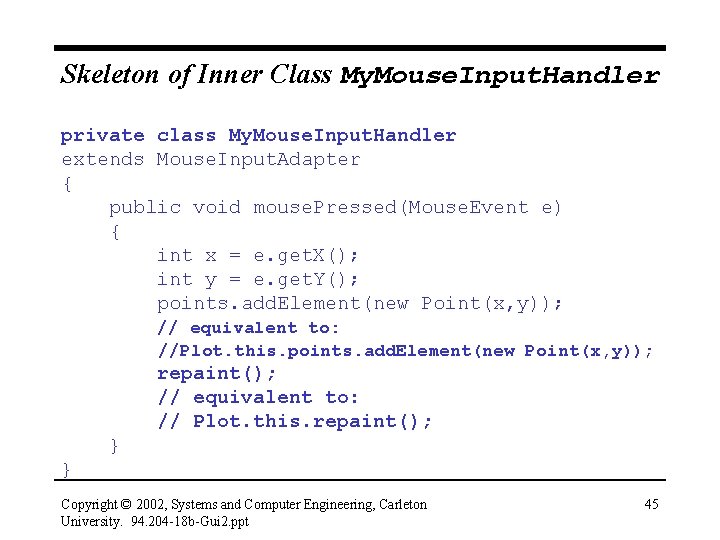
Skeleton of Inner Class My. Mouse. Input. Handler private class My. Mouse. Input. Handler extends Mouse. Input. Adapter { public void mouse. Pressed(Mouse. Event e) { int x = e. get. X(); int y = e. get. Y(); points. add. Element(new Point(x, y)); // equivalent to: //Plot. this. points. add. Element(new Point(x, y)); repaint(); // equivalent to: // Plot. this. repaint(); } } Copyright © 2002, Systems and Computer Engineering, Carleton University. 94. 204 -18 b-Gui 2. ppt 45
- Slides: 45