
911 USB BASIC TUTORIAL I BOUGHT IT NOW
911 USB BASIC TUTORIAL I BOUGHT IT, NOW WHAT?
WHAT YOU WILL LEARN IN THIS TUTORIAL: - What 911 usb is What it is used for? Who can benefit from using it What info you can put on it What is already stored on the usb Frequently asked questions How to contact us
WHAT IS 911 USB? 911 USB is a trademarked USB device that stores data in much the same way as the old computer floppy discs or cd’s did. USB’s are smaller, faster & can store thousands of times more information. They are also more durable & reliable because they have no moving parts.
BASIC USB ANATOMY Press gently on tab and it will flip outward
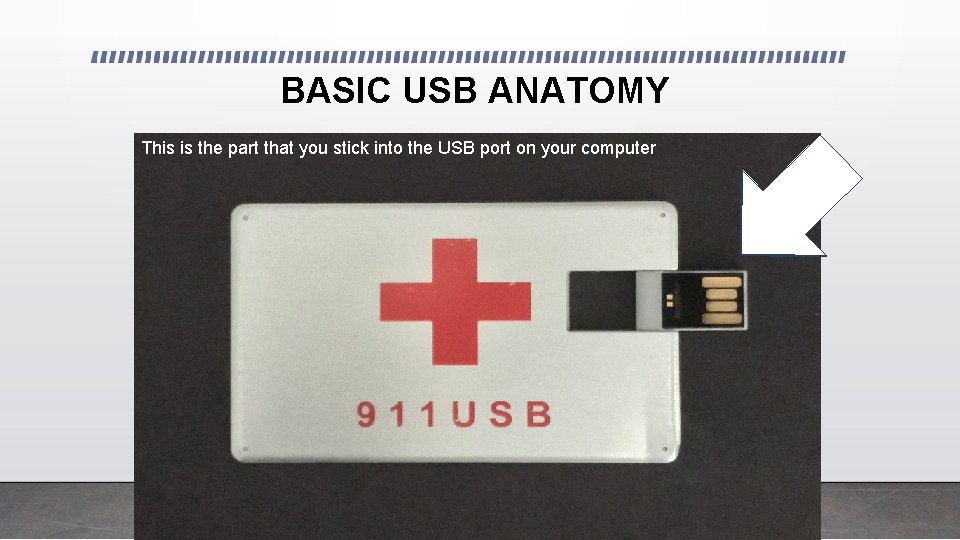
BASIC USB ANATOMY This is the part that you stick into the USB port on your computer
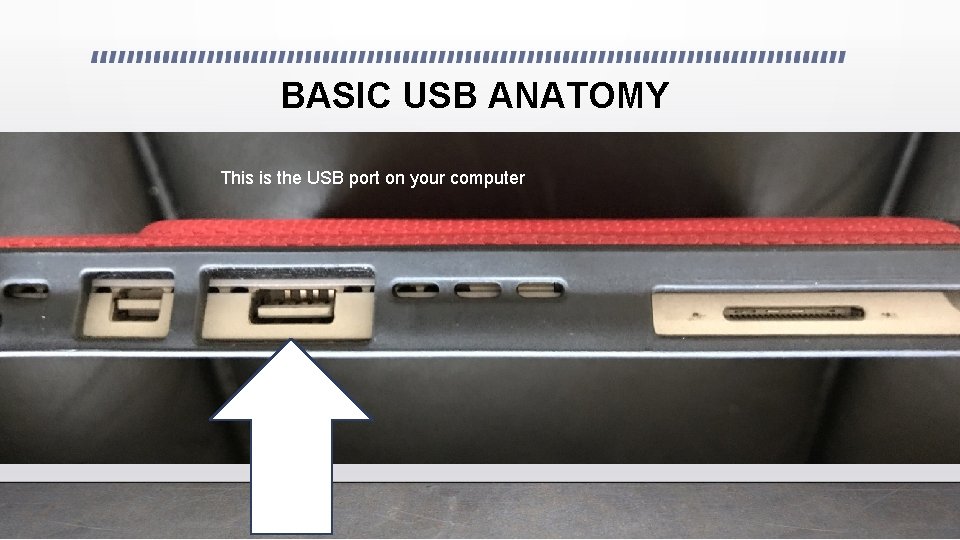
BASIC USB ANATOMY This is the USB port on your computer
WHAT IS IT USED FOR? 911 USB was developed as a way to store personal medical records for quick, easy access in the event of an emergency. 911 USB eliminates the need to carry stacks of paper records with you when you travel or get specialized treatment at numerous hospitals / doctors.
WHO CAN BENEFIT FROM USING 911 USB? Everyone can benefit from organizing & keeping even basic health info on 911 USB -Seniors -Parents of chronically ill children -Caregivers -Active adults / athletes who travel
WHAT INFO DO YOU PUT ON IT ? BASIC INFO: - Lists of medications - Emergency contacts - Allergies - Health conditions (diabetes, epilepsy. . ) - Kids shot records
WHAT OTHER INFO CAN YOU PUT ON IT? DETAILED INFO: - Lab reports - Xray / MRI / CT/ mammogram reports - Medical directives / Organ donation - Surgeries
WHAT IS ALREADY STORED ON THE 911 USB? Each 911 USB contains a set of folders to help you organize your medical info. They function just like paper folders that you may already use to keep things organized. The folders are just one way that you can organize things. If you have a large family or are a caregiver for elderly family or friends-we suggest that you make a master folder for each person with the subfolders that organize each persons info. (DON’T PANIC! ) We’ll show you a picture of what would look like and instructions on how to set that up in TUTORIAL #4.
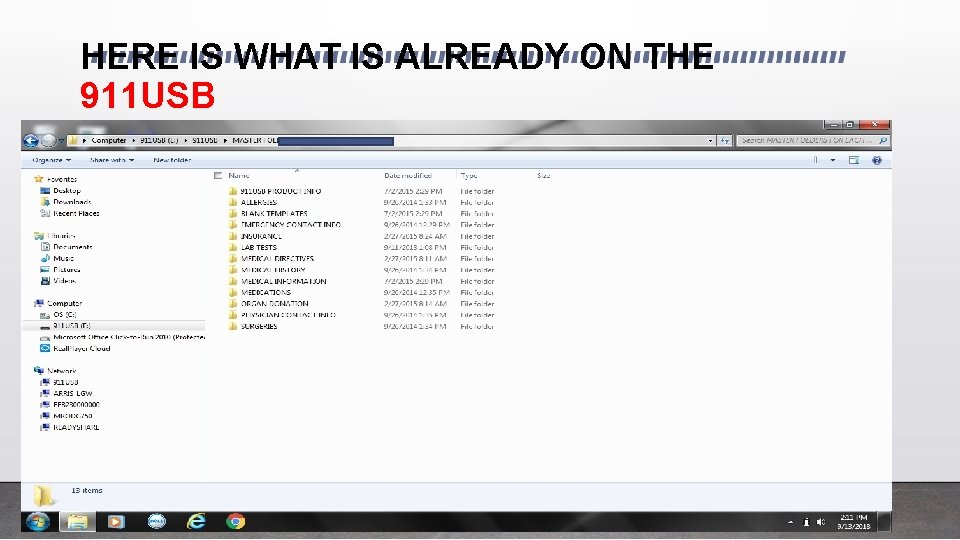
HERE IS WHAT IS ALREADY ON THE 911 USB
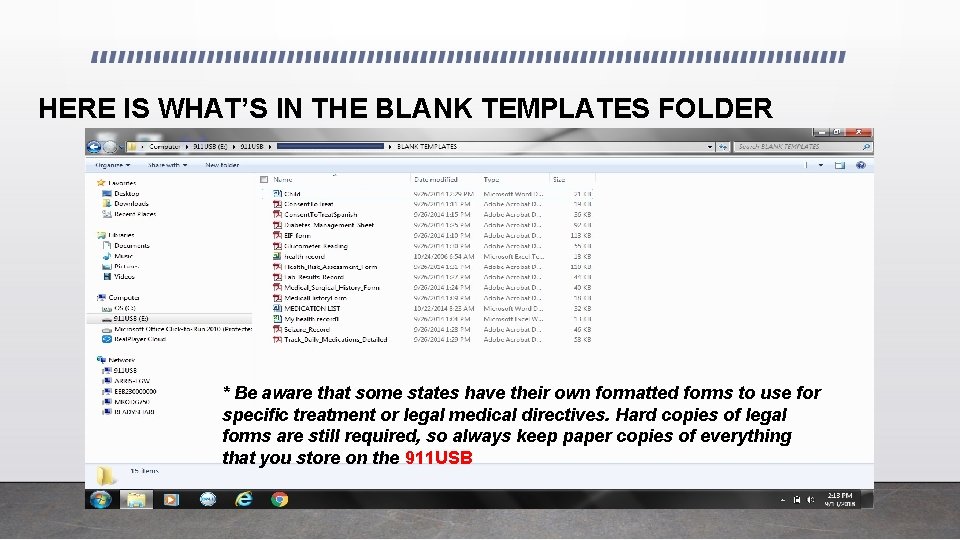
HERE IS WHAT’S IN THE BLANK TEMPLATES FOLDER * Be aware that some states have their own formatted forms to use for specific treatment or legal medical directives. Hard copies of legal forms are still required, so always keep paper copies of everything that you store on the 911 USB
FREQUENTLY ASKED QUESTIONS Q. Can’t I keep my stuff on any USB ? Why buy your 911 USB? A. USB’s come in all shapes and sizes. In an emergency, 911 USB is the only USB that will be easily recognized by first responders & ER staff. REMEMBER THAT YOUR PURCHASE HELPS SUPPORT A COMPANY & OWNER WHO IS DEDICATED TO HELPING OTHERS!
FREQUENTLY ASKED QUESTIONS p. 2 Q. Is this compliant with HIPPA privacy laws? A. These are your medical records. Once you get hard copies of your records, what you do with them is your business! It’s really no different than carrying around a stack of notebooks with your medical records. 911 USB allows you to condense & organize the info onto a USB device that fits in your wallet & is easy to carry with you at all times. Q. Is my information safe & secure? A. It’s as safe as your car keys or wallet! If you tend to lose either one on a regular basis, then we suggest that you buy TWO! Seriously though, YOU decide what info you want/need to store on the device. We do not provide encryption software because in an emergency, YOU MAY NOT BE CONSCIOUS. If any of the records have your personal information , you can easily mark through that info before you put it on your 911 USB. The decisions are totally up to YOU. 911 USB is simply providing you a tool to organize your medical records & emergency contact information.
FREQUENTLY ASKED QUESTIONS p. 3 Q. Do you have a back up of my records in case my 911 USB is lost or stolen? A. NO! This is YOUR info kept on YOUR 911 USB. We suggest that you always keep the paper copies of your records as a back up in case you ever lose your 911 USB. Q. I don’t have a computer. Who can help me get my records onto my 911 USB? A. I would ask a family member or friend for help. For large amounts of records, an office copier with a scan function works best. If you only want to keep basic info, you can use a cell phone to take pictures of the pages and email them to a friend or family member to put onto your 911 USB. In the near future, local insurance agents & Hospital medical records departments will be familiar with the product and may be able to scan & load your records.
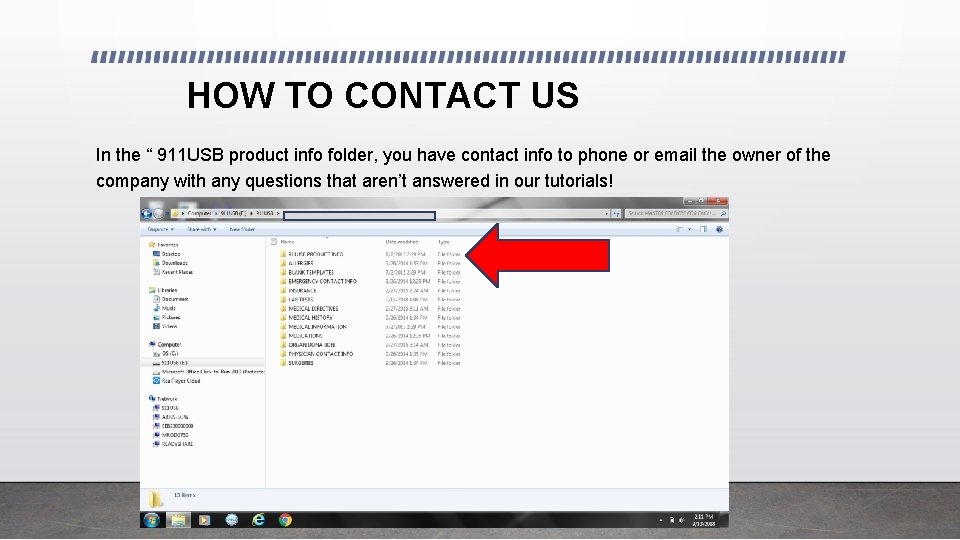
HOW TO CONTACT US In the “ 911 USB product info folder, you have contact info to phone or email the owner of the company with any questions that aren’t answered in our tutorials!
- Slides: 17