
757 DICOM Gateways Behind the Scenes John Di
757 – DICOM Gateways Behind the Scenes John Di Lorenzo 1
Introduction Vist. A Imaging’s DICOM Gateways… • Major Hub of Vist. A Imaging Processing • Responsible for a wide range of DICOM communications • In fact, is the DICOM conduit • Questions at the end of class.
Outline • • Vist. A Imaging Overview DICOM Gateway: Where it Fits In DICOM Gateway: Pieces and Parts DICOM Text Gateway DICOM Image Gateway Optimization, Disaster Recovery, and Error Correcting

Vist. A Imaging Overview • Vist. A – Veterans Information System and Technology Architecture. – Primary system for storing and maintaining the patient electronic medical record. Text based – Not designed for Images • Imaging – Parallel system linked with Vist. A • Both systems use program code written in Mumps and run in the Cache’ Database environment.

Terms to Know • PACS – Picture Archiving and Communication System designed to store and retrieve a patient’s medical Images. Historically Radiologycentered. • DICOM – Digital Imaging and COmmunication in Medicine. • HL 7 – Medical text communication protocol. (Health Level 7) • Modality – Image capture/processing device that complies with DICOM. • CPRS – Computerized Patient Record System (GUI for Vist. A)
DICOM Fundamentals • To create a standard to allow a common set of rules and protocols between vendors in the medical field, specifically Radiology (at least initially). • Originally called ACR-NEMA 1. 0 (’ 85) and then 2. 0 (’ 88), and finally DICOM 3. 0 (’ 93). • DICOM Standard available at: http: //medical. nema. org/dicom/
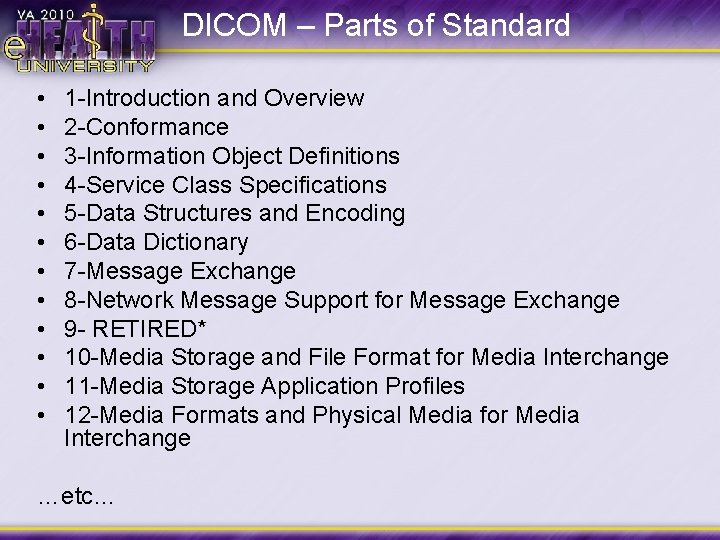
DICOM – Parts of Standard • • • 1 -Introduction and Overview 2 -Conformance 3 -Information Object Definitions 4 -Service Class Specifications 5 -Data Structures and Encoding 6 -Data Dictionary 7 -Message Exchange 8 -Network Message Support for Message Exchange 9 - RETIRED* 10 -Media Storage and File Format for Media Interchange 11 -Media Storage Application Profiles 12 -Media Formats and Physical Media for Media Interchange …etc…
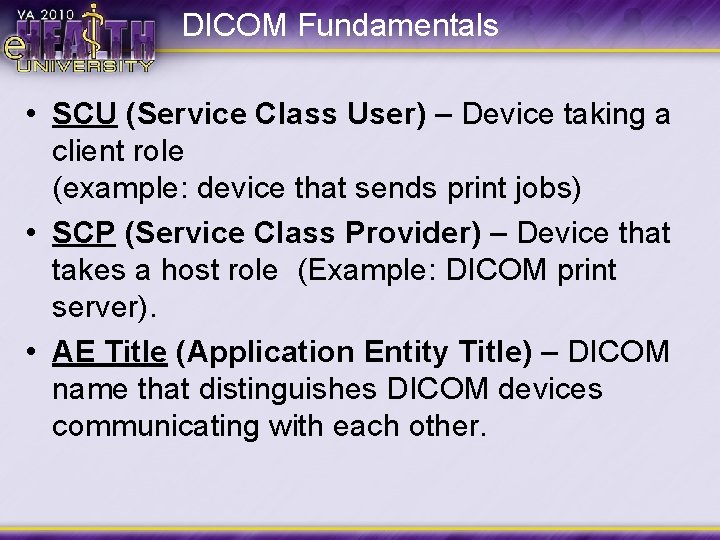
DICOM Fundamentals • SCU (Service Class User) – Device taking a client role (example: device that sends print jobs) • SCP (Service Class Provider) – Device that takes a host role (Example: DICOM print server). • AE Title (Application Entity Title) – DICOM name that distinguishes DICOM devices communicating with each other.
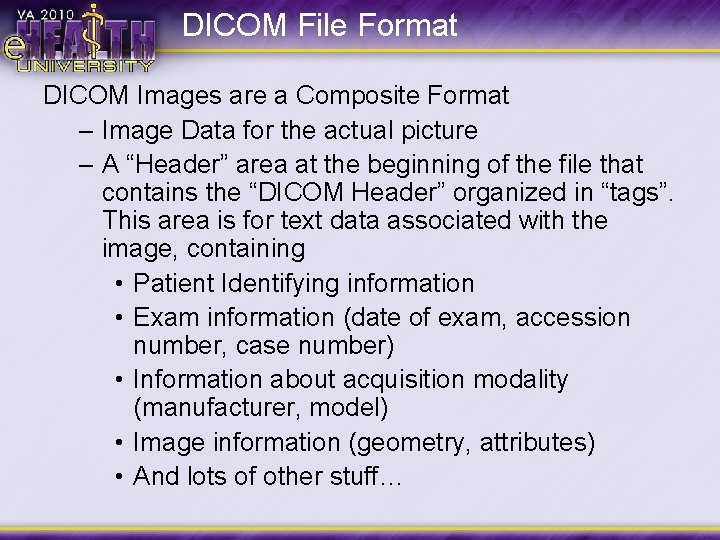
DICOM File Format DICOM Images are a Composite Format – Image Data for the actual picture – A “Header” area at the beginning of the file that contains the “DICOM Header” organized in “tags”. This area is for text data associated with the image, containing • Patient Identifying information • Exam information (date of exam, accession number, case number) • Information about acquisition modality (manufacturer, model) • Image information (geometry, attributes) • And lots of other stuff…
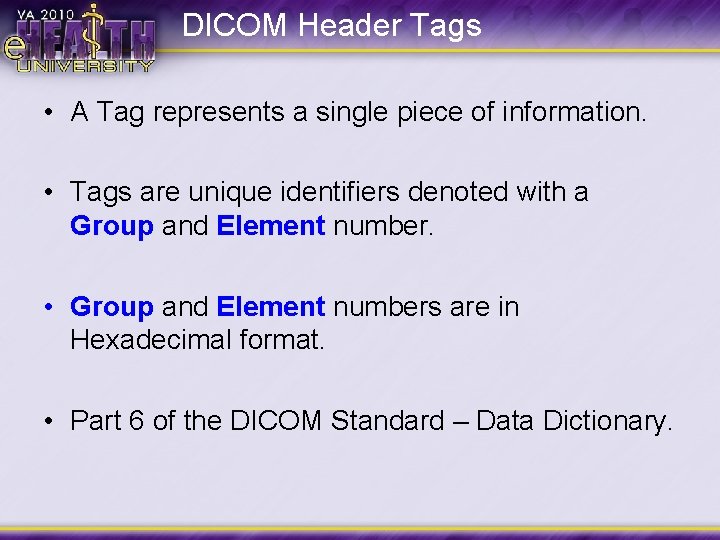
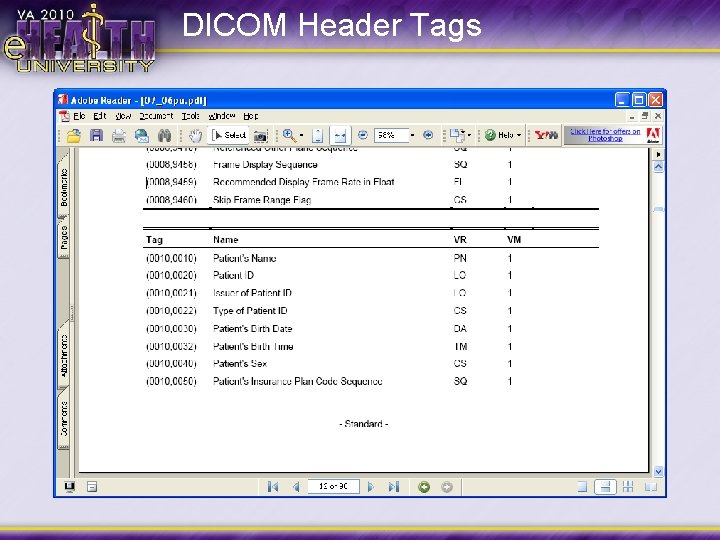
DICOM Header Tags • A Tag represents a single piece of information. • Tags are unique identifiers denoted with a Group and Element number. • Group and Element numbers are in Hexadecimal format. • Part 6 of the DICOM Standard – Data Dictionary.
DICOM Header Tags
DICOM Header – “Private” Tags • Uses Odd Group numbers. (i. e. 0009, xxxx) • Not recognized or defined by the DICOM Standard. • Generally used for vendor proprietary information. • VI cannot use any of this information.
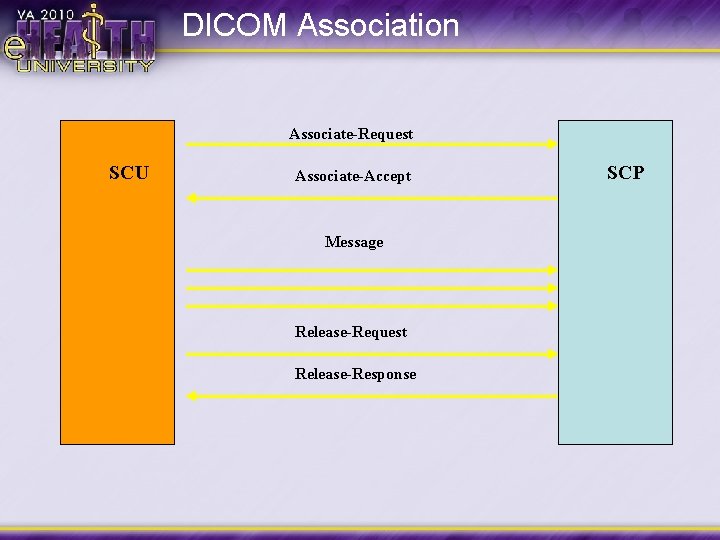
DICOM Association Associate-Request SCU Associate-Accept Message Release-Request Release-Response SCP
Info Required for Association • AET • IP Address • Port # Good idea to keep a spreadsheet with above info
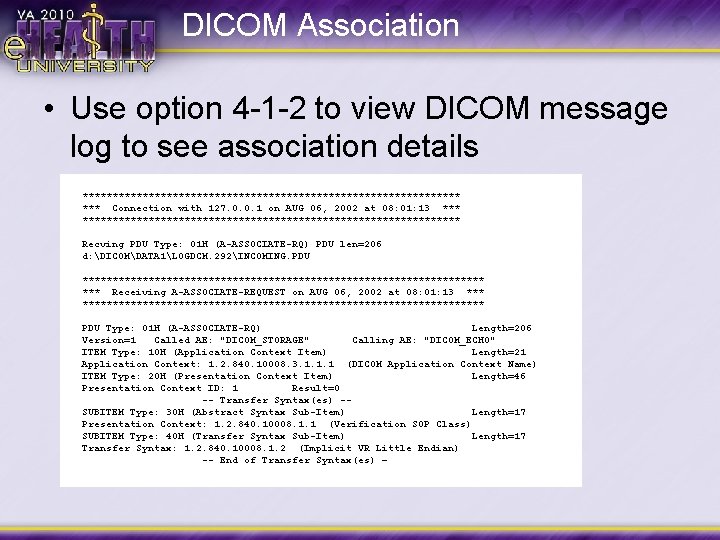
DICOM Association • Use option 4 -1 -2 to view DICOM message log to see association details ******************************** *** Connection with 127. 0. 0. 1 on AUG 06, 2002 at 08: 01: 13 ********************************* Recving PDU Type: 01 H (A-ASSOCIATE-RQ) PDU len=206 d: DICOMDATA 1LOGDCM. 292INCOMING. PDU ********************************** *** Receiving A-ASSOCIATE-REQUEST on AUG 06, 2002 at 08: 01: 13 *********************************** PDU Type: 01 H (A-ASSOCIATE-RQ) Length=206 Version=1 Called AE: "DICOM_STORAGE" Calling AE: "DICOM_ECHO" ITEM Type: 10 H (Application Context Item) Length=21 Application Context: 1. 2. 840. 10008. 3. 1. 1. 1 (DICOM Application Context Name) ITEM Type: 20 H (Presentation Context Item) Length=46 Presentation Context ID: 1 Result=0 -- Transfer Syntax(es) -SUBITEM Type: 30 H (Abstract Syntax Sub-Item) Length=17 Presentation Context: 1. 2. 840. 10008. 1. 1 (Verification SOP Class) SUBITEM Type: 40 H (Transfer Syntax Sub-Item) Length=17 Transfer Syntax: 1. 2. 840. 10008. 1. 2 (Implicit VR Little Endian) -- End of Transfer Syntax(es) –
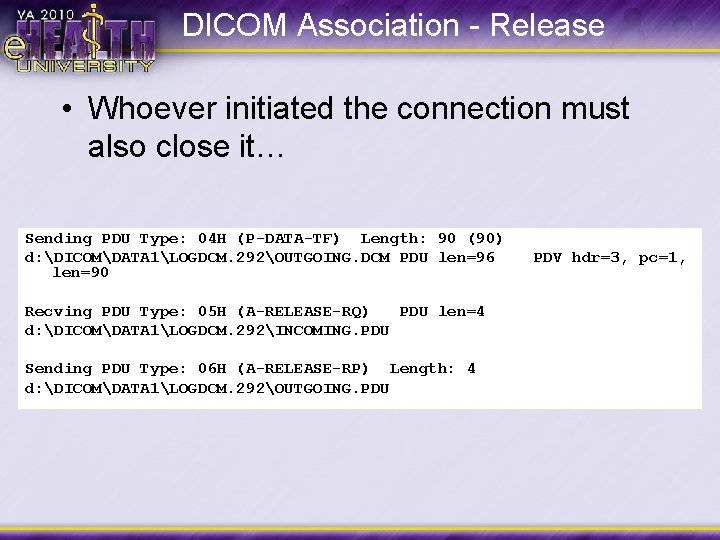
DICOM Association - Release • Whoever initiated the connection must also close it… Sending PDU Type: 04 H (P-DATA-TF) Length: 90 (90) d: DICOMDATA 1LOGDCM. 292OUTGOING. DCM PDU len=96 len=90 Recving PDU Type: 05 H (A-RELEASE-RQ) PDU len=4 d: DICOMDATA 1LOGDCM. 292INCOMING. PDU Sending PDU Type: 06 H (A-RELEASE-RP) Length: 4 d: DICOMDATA 1LOGDCM. 292OUTGOING. PDU PDV hdr=3, pc=1,
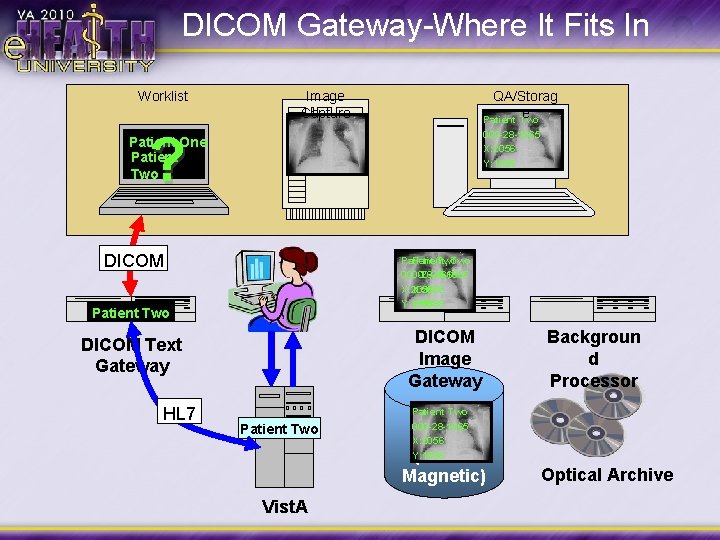
DICOM Gateway-Where It Fits In Worklist Image Capture QA/Storag e Patient Two ? 000 -28 -1665 X: 2056 Y: 1998 Patient One Patient Two DICOM Patient, Two 000 -28 -1665 X: 2056 Y: 1998 Patient Two DICOM Image Gateway DICOM Text Gateway HL 7 Patient Two Vist. A Image Storage (RAID Magnetic) Backgroun d Processor Patient Two 000 -28 -1665 X: 2056 Y: 1998 Optical Archive
Vist. A Imaging DICOM Gateways • Characteristics: – Runs on Windows 2003 Server – Runs using the VHAxxx. IA account – Runs on Cache by Intersystems • Database Environment compatible with Vist. A • Provides communication with Vist. A (M 2 M Broker) to share information. – Image Gateway, Text Gateway, and Routing Gateway CAN be on the same box, but… – Typically 1 Text, Multiple Image, running routing
Roles of the DICOM Gateways • DICOM Text Gateway • DICOM Imaging Gateway • DICOM Secondary Storage • Image Routing • DICOM Query/Retrieve* All the above use the same software; functionality is turned on and off as needed.
The DICOM Gateway Pieces/Parts • • • Cache Database (Brains of the Operation) Telnet Windows – Window into the Cache operations DICOM Storage Servers (on Image Gateways)
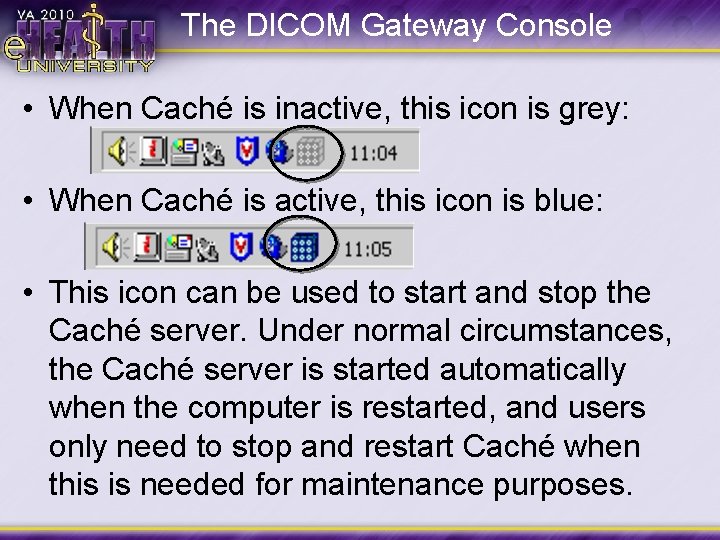
The DICOM Gateway Console • When Caché is inactive, this icon is grey: • When Caché is active, this icon is blue: • This icon can be used to start and stop the Caché server. Under normal circumstances, the Caché server is started automatically when the computer is restarted, and users only need to stop and restart Caché when this is needed for maintenance purposes.
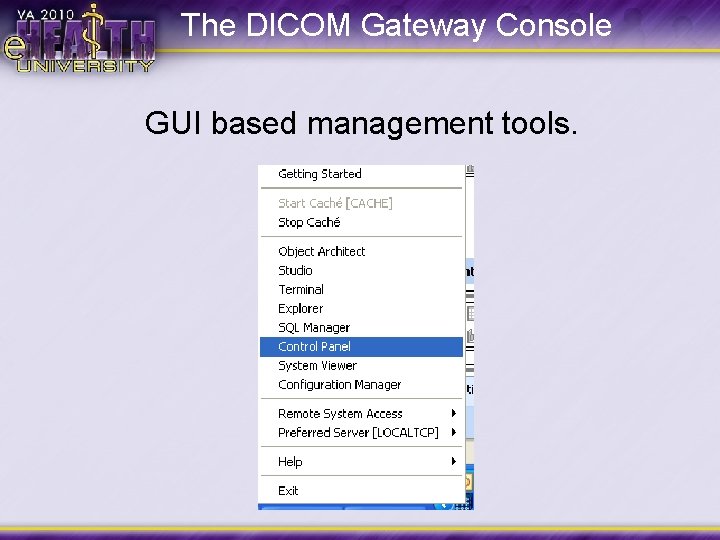
The DICOM Gateway Console GUI based management tools.
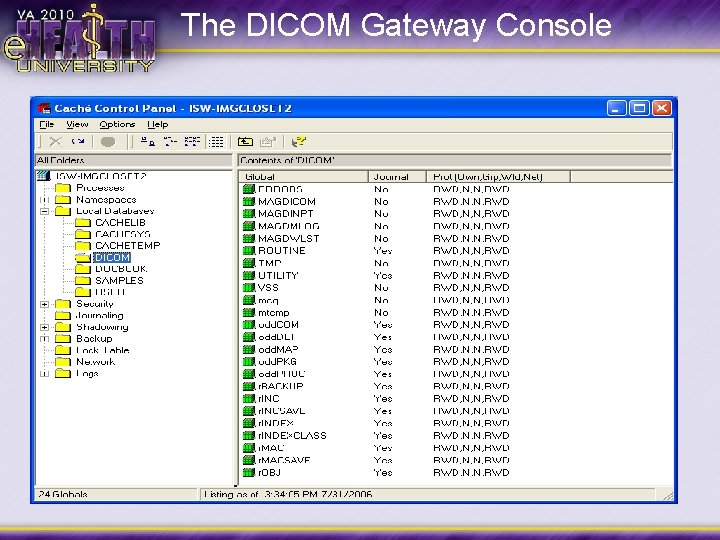
The DICOM Gateway Console
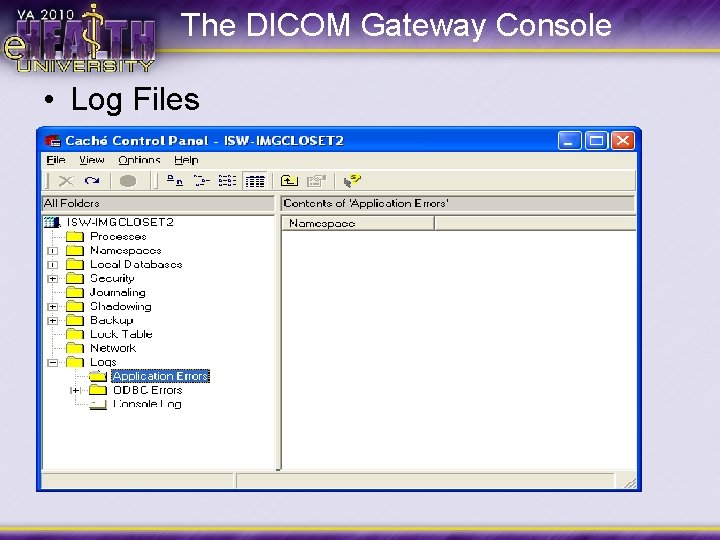
The DICOM Gateway Console • Log Files
Telnet Windows • • • Separate shortcuts for each gateway function (processing, status, etc. ) Points to 127. 0. 0. 1 (self) Can be used remotely (be careful!) HOST file entries associate 127. 0. 0. 1 with a named entry Shortcuts include menu path to appropriate entry – Process DICOM Images 2 -3 2. Image Gateway 3. Process DICOM Images
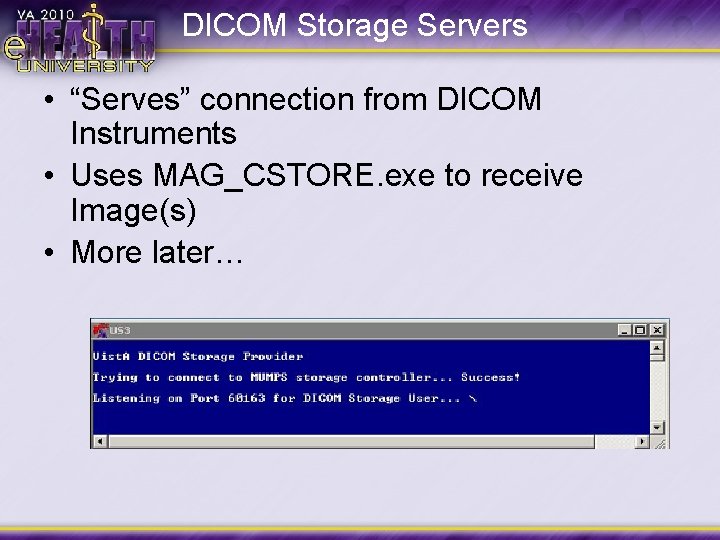
DICOM Storage Servers • “Serves” connection from DICOM Instruments • Uses MAG_CSTORE. exe to receive Image(s) • More later…
DICOM Text Gateway • Supplies Modality Worklist from order entry in Vist. A to DICOM modalities. • Continuously updates worklist database from Vist. A's MAGDHL 7 global into the local global called MAGDWLST. • Provides stored worklist items upon request from modality worklist query
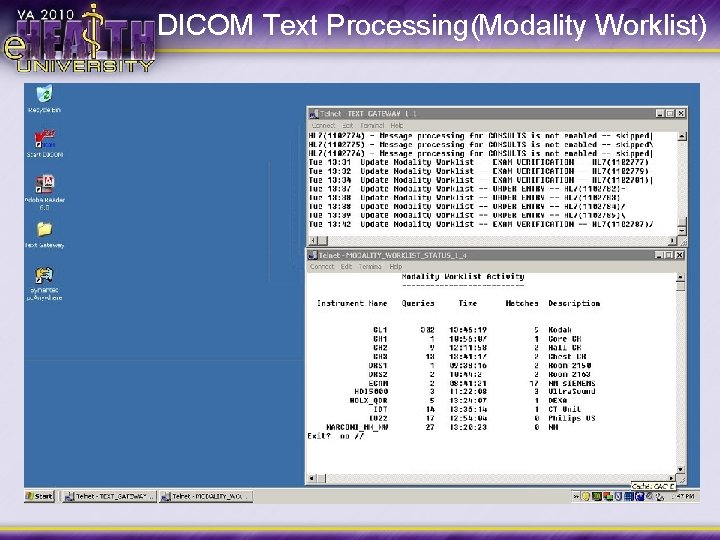
DICOM Text Processing(Modality Worklist)
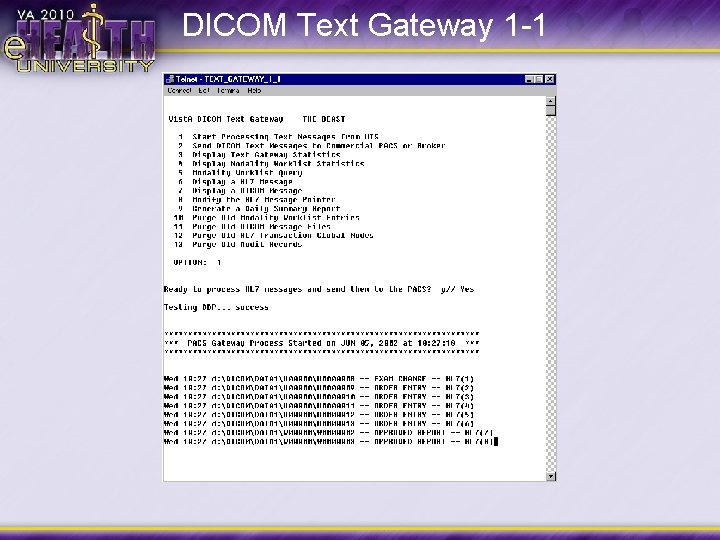
DICOM Text Gateway 1 -1
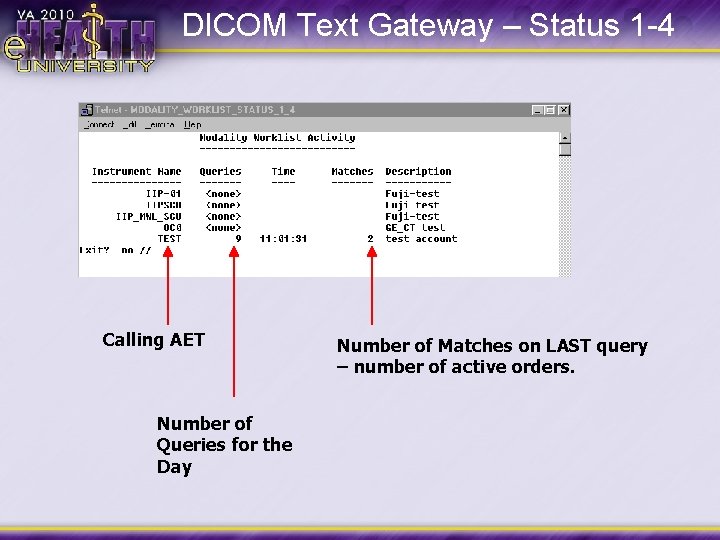
DICOM Text Gateway – Status 1 -4 Calling AET Number of Queries for the Day Number of Matches on LAST query – number of active orders.
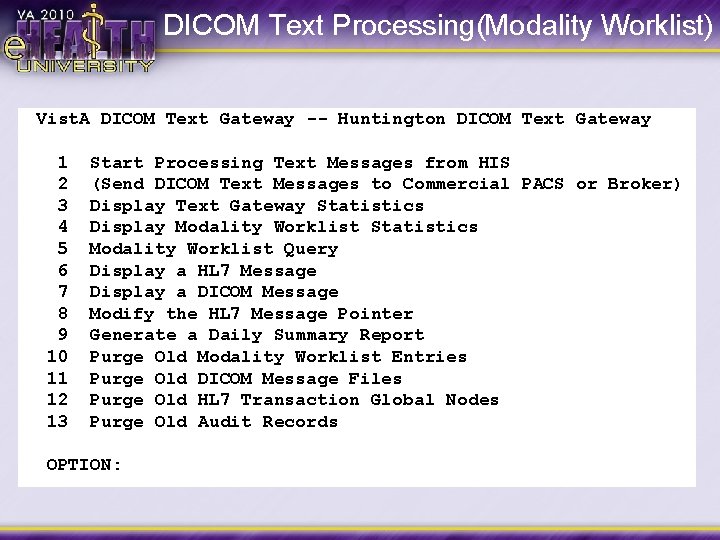
DICOM Text Processing(Modality Worklist) Vist. A DICOM Text Gateway -- Huntington DICOM Text Gateway 1 2 3 4 5 6 7 8 9 10 11 12 13 Start Processing Text Messages from HIS (Send DICOM Text Messages to Commercial PACS or Broker) Display Text Gateway Statistics Display Modality Worklist Statistics Modality Worklist Query Display a HL 7 Message Display a DICOM Message Modify the HL 7 Message Pointer Generate a Daily Summary Report Purge Old Modality Worklist Entries Purge Old DICOM Message Files Purge Old HL 7 Transaction Global Nodes Purge Old Audit Records OPTION:
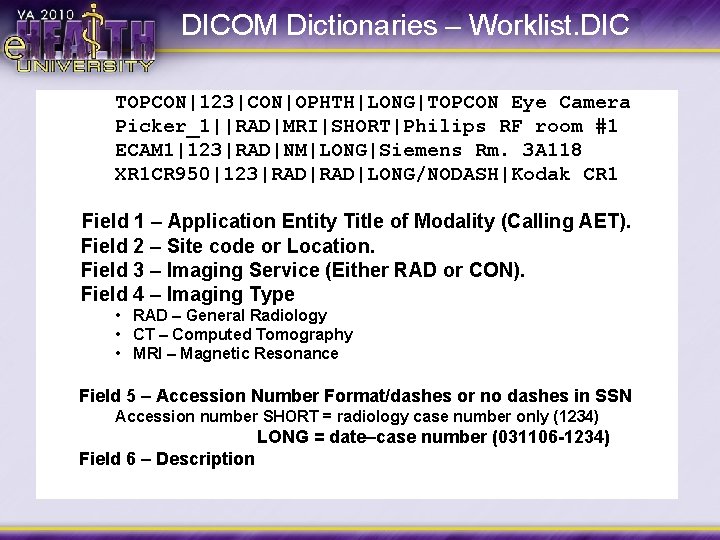
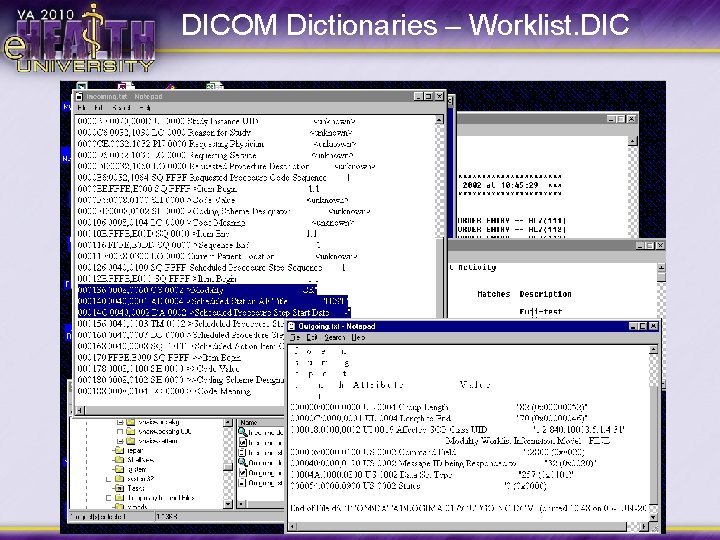
DICOM Dictionaries – Worklist. DIC TOPCON|123|CON|OPHTH|LONG|TOPCON Eye Camera Picker_1||RAD|MRI|SHORT|Philips RF room #1 ECAM 1|123|RAD|NM|LONG|Siemens Rm. 3 A 118 XR 1 CR 950|123|RAD|LONG/NODASH|Kodak CR 1 Field 1 – Application Entity Title of Modality (Calling AET). Field 2 – Site code or Location. Field 3 – Imaging Service (Either RAD or CON). Field 4 – Imaging Type • RAD – General Radiology • CT – Computed Tomography • MRI – Magnetic Resonance Field 5 – Accession Number Format/dashes or no dashes in SSN Accession number SHORT = radiology case number only (1234) LONG = date–case number (031106 -1234) Field 6 – Description
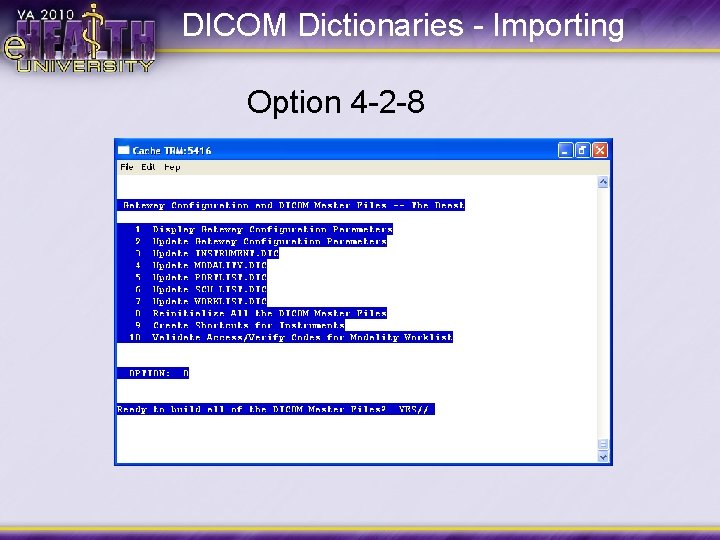
DICOM Dictionaries - Importing Option 4 -2 -8
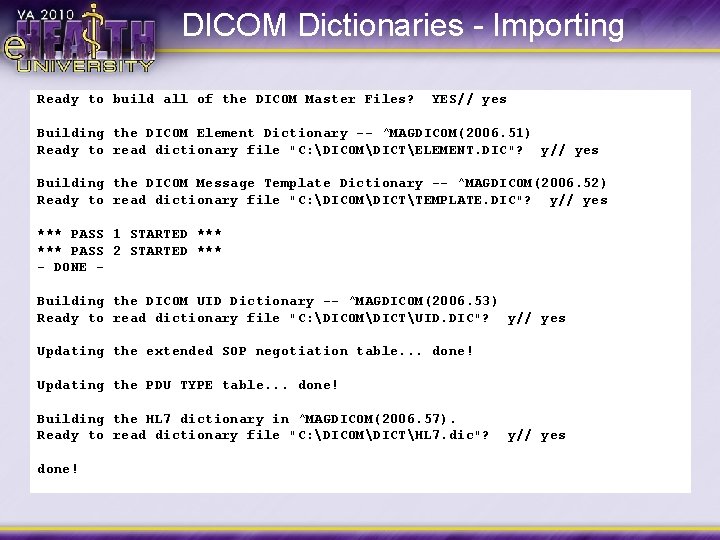
DICOM Dictionaries - Importing Ready to build all of the DICOM Master Files? YES// yes Building the DICOM Element Dictionary -- ^MAGDICOM(2006. 51) Ready to read dictionary file "C: DICOMDICTELEMENT. DIC"? y// yes Building the DICOM Message Template Dictionary -- ^MAGDICOM(2006. 52) Ready to read dictionary file "C: DICOMDICTTEMPLATE. DIC"? y// yes *** PASS 1 STARTED *** PASS 2 STARTED *** - DONE Building the DICOM UID Dictionary -- ^MAGDICOM(2006. 53) Ready to read dictionary file "C: DICOMDICTUID. DIC"? y// yes Updating the extended SOP negotiation table. . . done! Updating the PDU TYPE table. . . done! Building the HL 7 dictionary in ^MAGDICOM(2006. 57). Ready to read dictionary file "C: DICOMDICTHL 7. dic"? done! y// yes
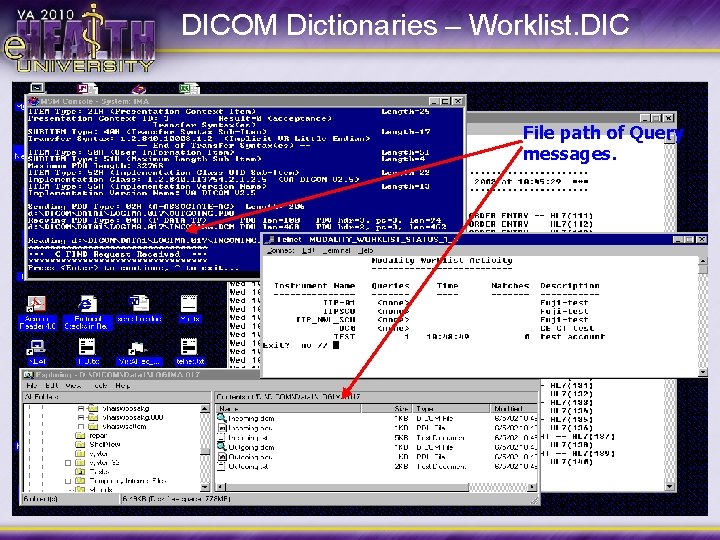
DICOM Dictionaries – Worklist. DIC File path of Query messages.
DICOM Dictionaries – Worklist. DIC
DICOM Image Gateway • Receives DICOM Images for storage to Vist. A Imaging • Process corrections for Images that fail to process • Components – Cache Console – Modality Instrument SCP (Provider) – Storage Processor – Image Status: Indicates Corrections
DICOM Image Processing
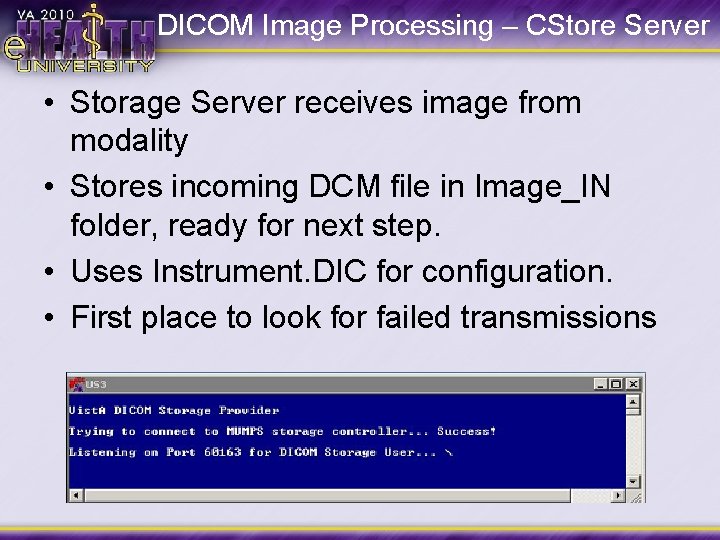
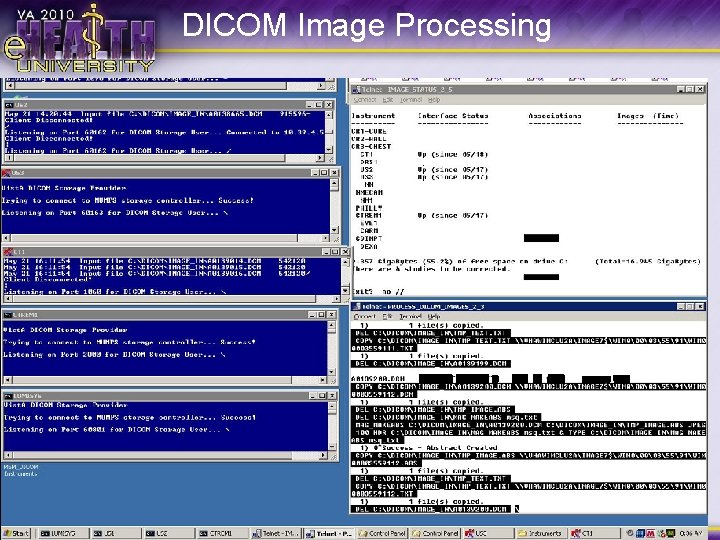
DICOM Image Processing – CStore Server • Storage Server receives image from modality • Stores incoming DCM file in Image_IN folder, ready for next step. • Uses Instrument. DIC for configuration. • First place to look for failed transmissions
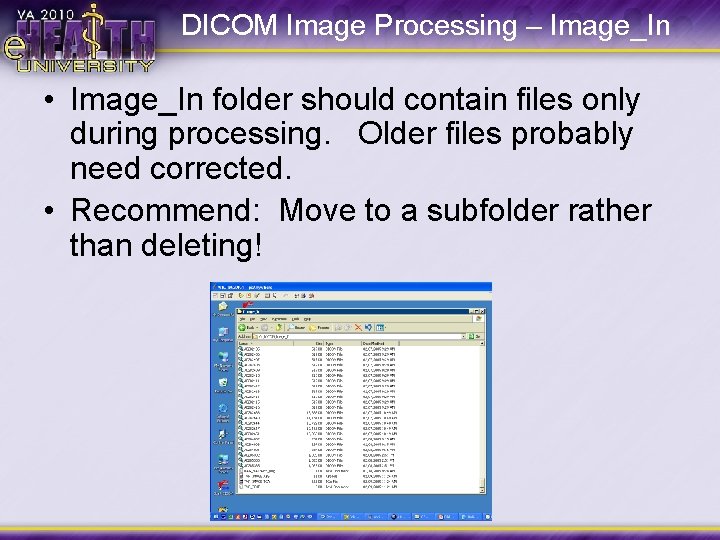
DICOM Image Processing – Image_In • Image_In folder should contain files only during processing. Older files probably need corrected. • Recommend: Move to a subfolder rather than deleting!
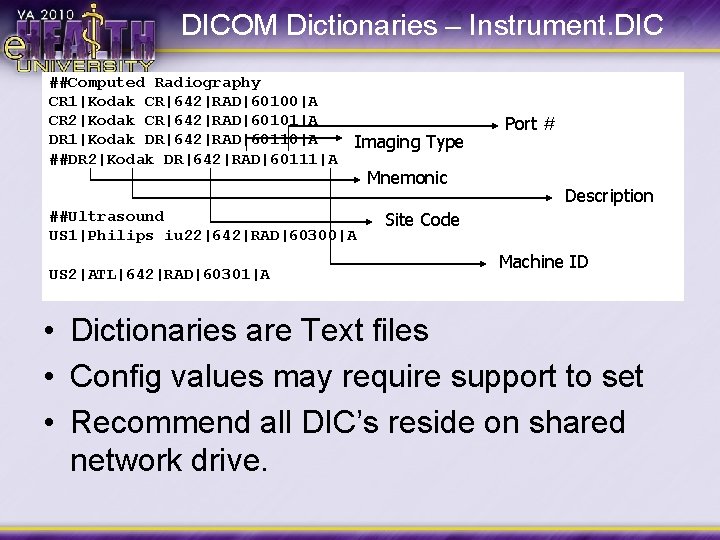
DICOM Dictionaries – Instrument. DIC ##Computed Radiography CR 1|Kodak CR|642|RAD|60100|A CR 2|Kodak CR|642|RAD|60101|A DR 1|Kodak DR|642|RAD|60110|A ##DR 2|Kodak DR|642|RAD|60111|A Imaging Type ##Ultrasound US 1|Philips iu 22|642|RAD|60300|A US 2|ATL|642|RAD|60301|A Mnemonic Port # Description Site Code Machine ID • Dictionaries are Text files • Config values may require support to set • Recommend all DIC’s reside on shared network drive.
DICOM Image Processing • Text Window: Option 2, 3 • As Images appear in Image_IN… – Reads DICOM Header – Checks Vist. A for a match on Name, SSN, and Accession # (ALL must match) – Puts portion of DICOM header in TXT file – Creates ABS, TGA, and DCM files. – Stores Image set (TXT, ABS, DCM, etc) on RAID – Notifies Vist. A of path to image files.
DICOM Dictionaries - Modality. DIC
DICOM Dictionaries - Modality. DIC
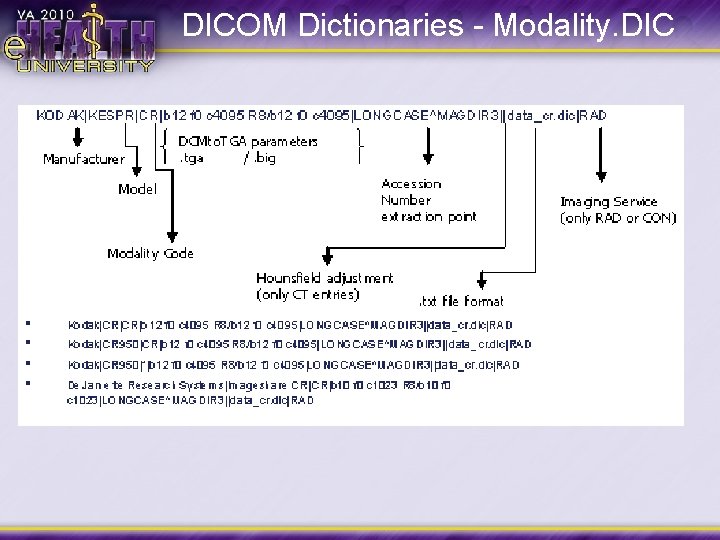
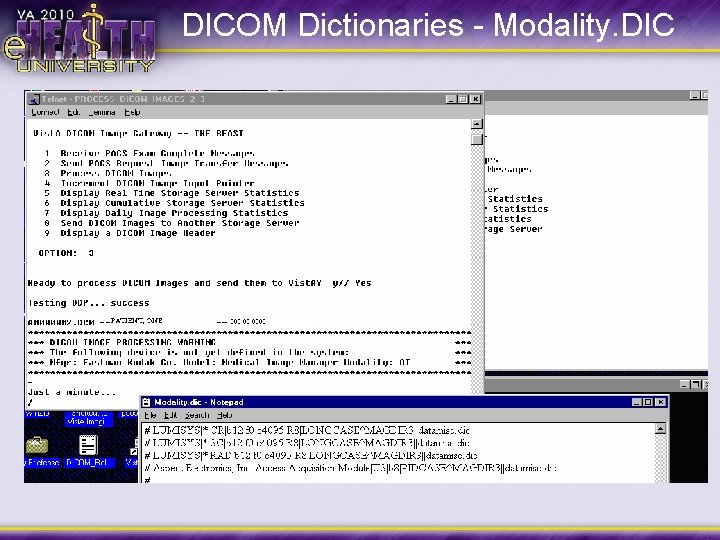
DICOM vs TGA Processing • Image Gateway parses the original DCM file • Pulls Text from header into TXT file • Generates a thumbnail (ABS, or Abstract) from Image data • Creates object Image for retrieval • Object image may be either DICOM or TGA format • Determined by Modality. DIC entry
DICOM vs TGA Processing TGA (Targa) Processing • Object Image is a TGA format, uncompressed Image bits from DICOM file • TGA file – Whole image from lower res images (CT, US, smaller CR) – Reduced Image from higher res images • BIG file – Whole image from higher res images • Pre DICOM solution. Not ideal.
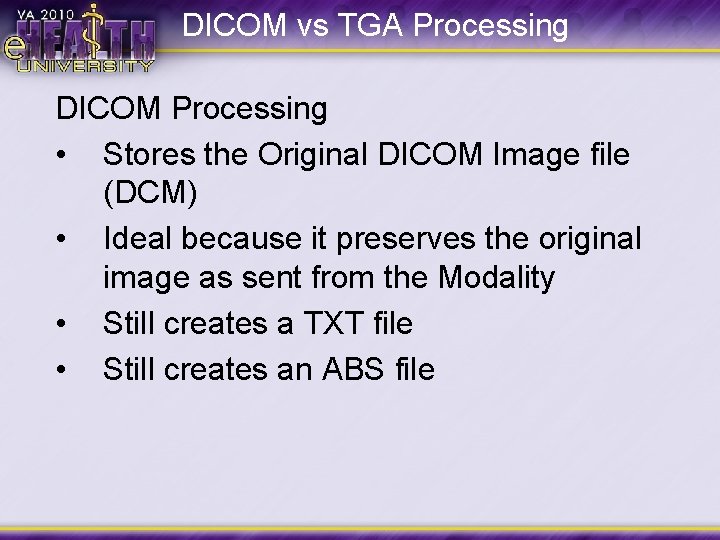
DICOM vs TGA Processing DICOM Processing • • Stores the Original DICOM Image file (DCM) Ideal because it preserves the original image as sent from the Modality Still creates a TXT file Still creates an ABS file
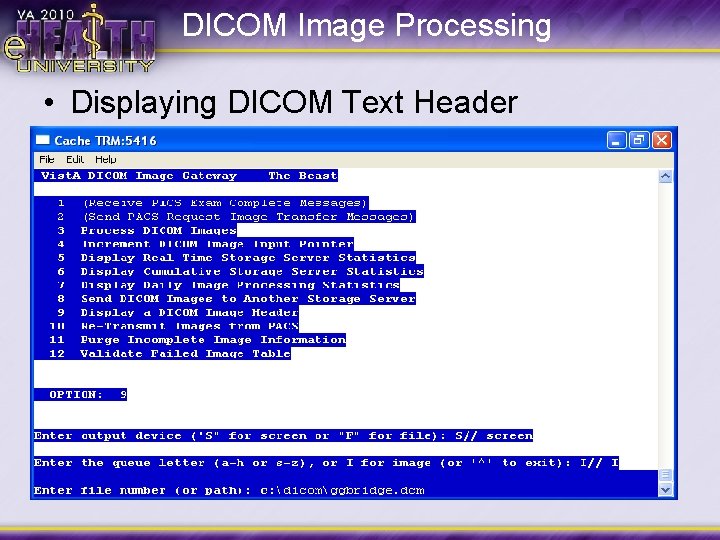
DICOM Image Processing • Displaying DICOM Text Header
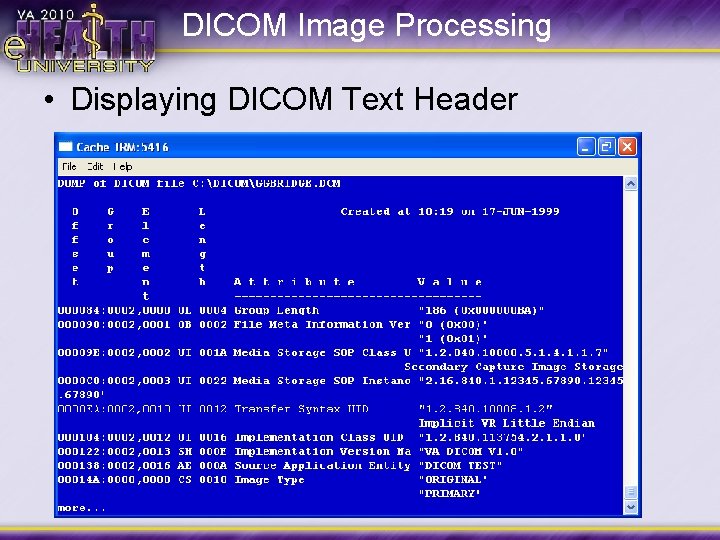
DICOM Image Processing • Displaying DICOM Text Header
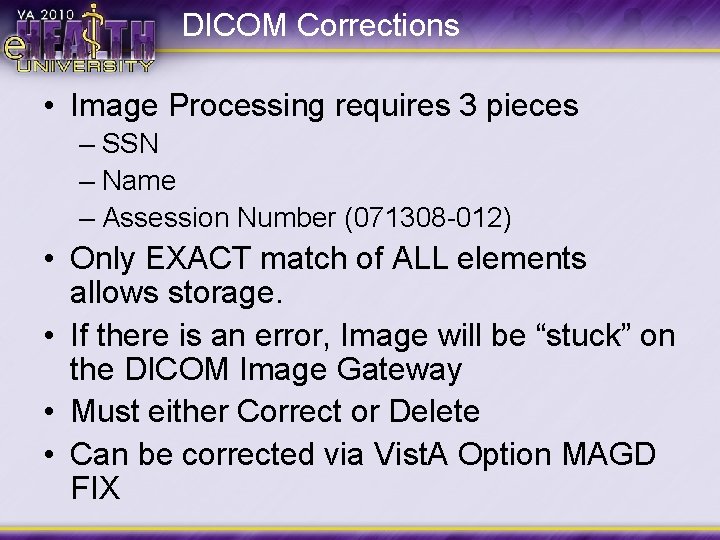
DICOM Corrections • Image Processing requires 3 pieces – SSN – Name – Assession Number (071308 -012) • Only EXACT match of ALL elements allows storage. • If there is an error, Image will be “stuck” on the DICOM Image Gateway • Must either Correct or Delete • Can be corrected via Vist. A Option MAGD FIX
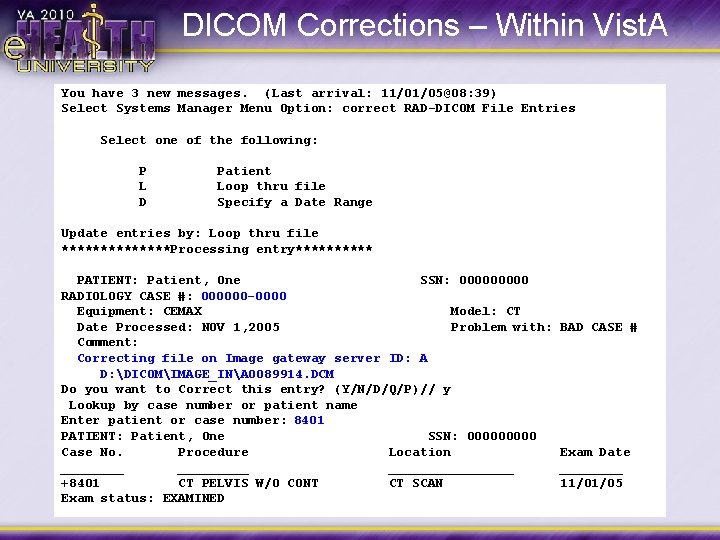
DICOM Corrections – Within Vist. A You have 3 new messages. (Last arrival: 11/01/05@08: 39) Select Systems Manager Menu Option: correct RAD-DICOM File Entries Select one of the following: P L D Patient Loop thru file Specify a Date Range Update entries by: Loop thru file *******Processing entry***** PATIENT: Patient, One SSN: 00000 RADIOLOGY CASE #: 000000 -0000 Equipment: CEMAX Model: CT Date Processed: NOV 1, 2005 Problem with: Comment: Correcting file on Image gateway server ID: A D: DICOMIMAGE_INA 0089914. DCM Do you want to Correct this entry? (Y/N/D/Q/P)// y Lookup by case number or patient name Enter patient or case number: 8401 PATIENT: Patient, One SSN: 00000 Case No. Procedure Location _________ +8401 CT PELVIS W/O CONT CT SCAN Exam status: EXAMINED BAD CASE # Exam Date ____ 11/01/05
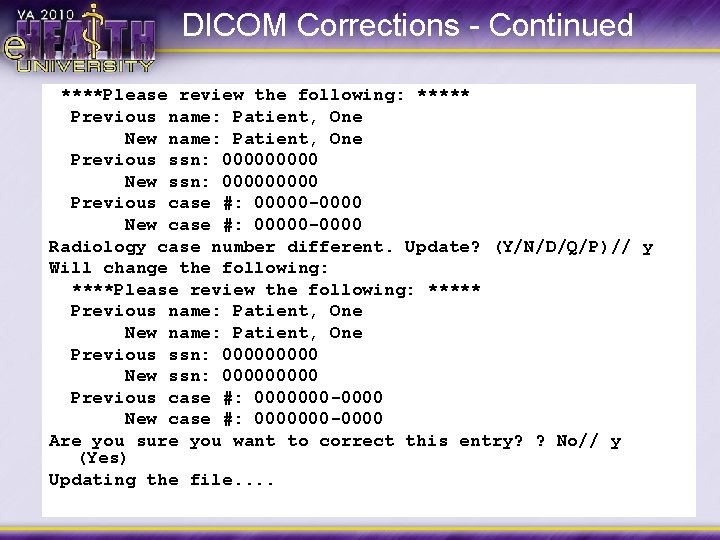
DICOM Corrections - Continued ****Please review the following: ***** Previous name: Patient, One New name: Patient, One Previous ssn: 00000 New ssn: 00000 Previous case #: 00000 -0000 New case #: 00000 -0000 Radiology case number different. Update? (Y/N/D/Q/P)// y Will change the following: ****Please review the following: ***** Previous name: Patient, One New name: Patient, One Previous ssn: 00000 New ssn: 00000 Previous case #: 0000000 -0000 New case #: 0000000 -0000 Are you sure you want to correct this entry? ? No// y (Yes) Updating the file. .
Image Routing • Facilitates transmission of Images to remote reading stations (Vista. Rad, Telerad servers, etc) • Autorouting Process – Automatically pushes images as acquired based on rules. (Route. DIC) • Route on Demand – Images are sent by selecting on Vista. Rad. • Uses two processors: One to queue the autoroute images, another to transmit. • Use one transmission processor per destination.
Optimization Strategies • • Text/Image Processing – Keep them separate Modality Separation – Volume of Images (Illustrate processing speed of Storage server vs Imaging Processor) – Multi-slice Modalities • • Redundancy Isolation – Must be dedicated (don't put on storage servers!)
Disaster Recovery/PM • • • Plan to Fail - Don't Fail to Plan! REALLY good idea to have a spare DIG. Use for testing purposes, patch pre-install, etc. Along with other Imaging Components, requires DAILY monitoring. Don’t assume silence is golden Ignorance is not Bliss!!!
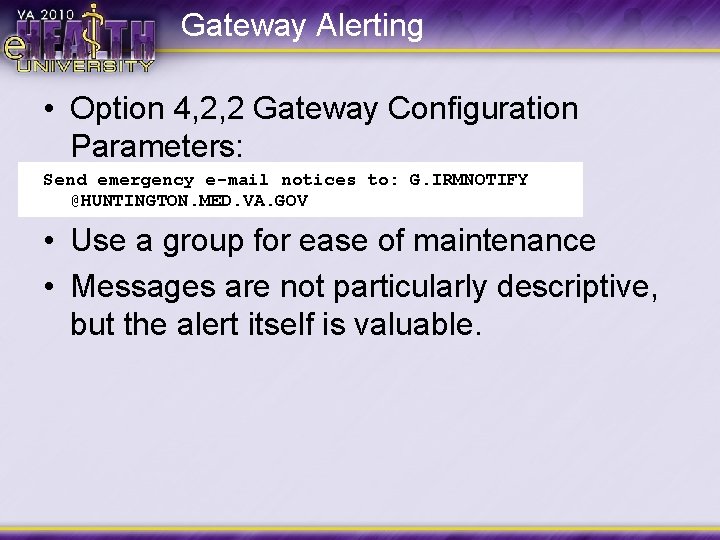
Gateway Alerting • Option 4, 2, 2 Gateway Configuration Parameters: Send emergency e-mail notices to: G. IRMNOTIFY @HUNTINGTON. MED. VA. GOV • Use a group for ease of maintenance • Messages are not particularly descriptive, but the alert itself is valuable.
Text Gateway Failure • Ensure failed Text Gateway is down • Add Text Gateway IP address to the emergency DIG • Add Text Processing role to emergency DIG • Start Worklist Processing and Test • Set HL 7 Pointer to Catch up
Image Gateway Failure • Ensure failed system is down • Add Failed IP to recovery DIG(s) • Edit Modality. DIC appropriately (remember balance!) • Regenerate storage server shortcuts • Execute Added servers and test
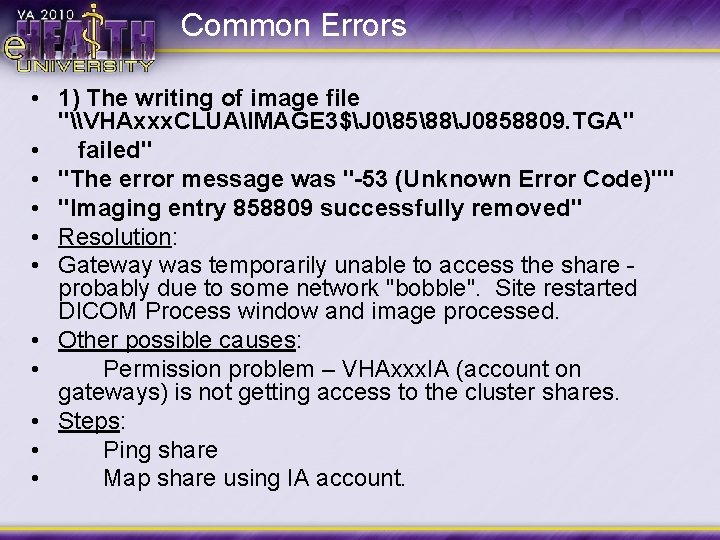
Common Errors • 1) The writing of image file "\VHAxxx. CLUAIMAGE 3$J 08588J 0858809. TGA" • failed" • "The error message was "-53 (Unknown Error Code)"" • "Imaging entry 858809 successfully removed" • Resolution: • Gateway was temporarily unable to access the share - probably due to some network "bobble". Site restarted DICOM Process window and image processed. • Other possible causes: • Permission problem – VHAxxx. IA (account on gateways) is not getting access to the cluster shares. • Steps: • Ping share • Map share using IA account.
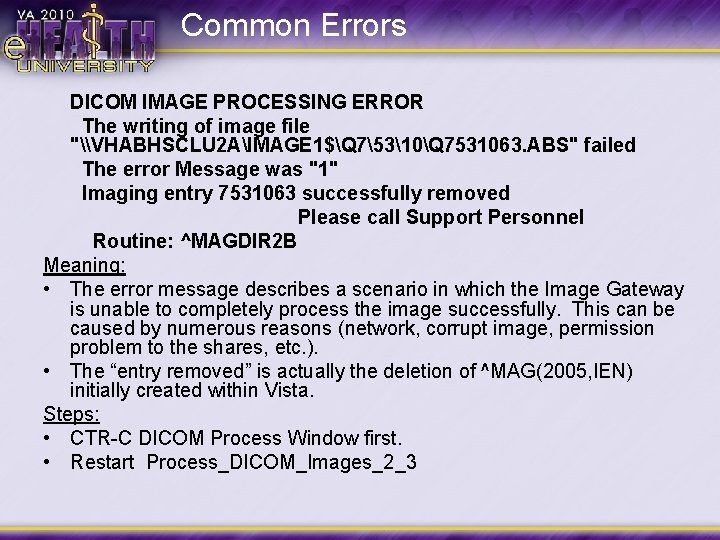
Common Errors DICOM IMAGE PROCESSING ERROR The writing of image file "\VHABHSCLU 2 AIMAGE 1$Q 75310Q 7531063. ABS" failed The error Message was "1" Imaging entry 7531063 successfully removed Please call Support Personnel Routine: ^MAGDIR 2 B Meaning: • The error message describes a scenario in which the Image Gateway is unable to completely process the image successfully. This can be caused by numerous reasons (network, corrupt image, permission problem to the shares, etc. ). • The “entry removed” is actually the deletion of ^MAG(2005, IEN) initially created within Vista. Steps: • CTR-C DICOM Process Window first. • Restart Process_DICOM_Images_2_3
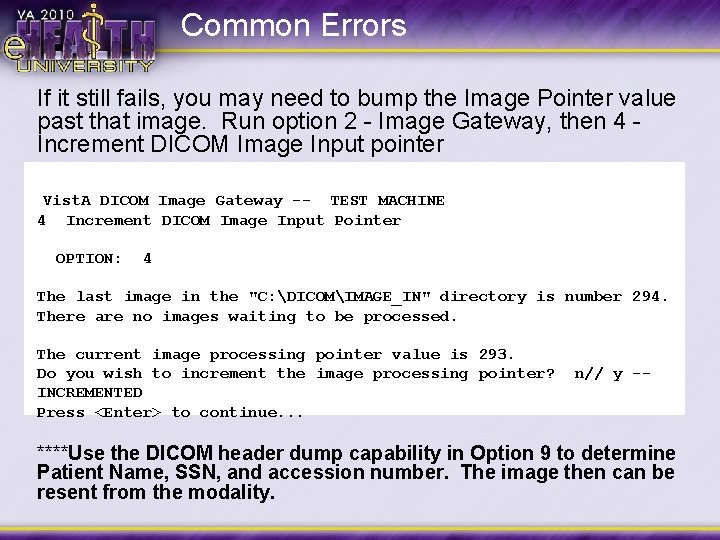
Common Errors If it still fails, you may need to bump the Image Pointer value past that image. Run option 2 - Image Gateway, then 4 - Increment DICOM Image Input pointer Vist. A 4 DICOM Image Gateway -- TEST MACHINE Increment DICOM Image Input Pointer OPTION: 4 The last image in the "C: DICOMIMAGE_IN" directory is number 294. There are no images waiting to be processed. The current image processing pointer value is 293. Do you wish to increment the image processing pointer? INCREMENTED Press <Enter> to continue. . . n// y -- ****Use the DICOM header dump capability in Option 9 to determine Patient Name, SSN, and accession number. The image then can be resent from the modality.
Questions?
- Slides: 62