
7 Prototyping In this chapter you will learn

- Slides: 31
7. Prototyping In this chapter you will learn about: What prototyping is The benefits of prototyping Low-fidelity and high-fidelity prototypes, and the advantages of each How to build paper prototypes Chapter 7: Prototyping Copyright © 2004 by Prentice Hall
7. 2 Why Prototype? Traditional software development: you can’t test until you implement Implementation is expensive, and there is nothing to test until you have made that expenditure of effort and schedule time Result: any design errors are built in to the first thing you can test, and it is very expensive to make changes Result: design errors, unless they are really bad, are left in the product Chapter 7: Prototyping Copyright © 2004 by Prentice Hall
Breaking this implementation paradox Build a prototype of the basic functionality, especially the interface Test the prototype, which will uncover design errors Correct the errors Repeat until you have a clean design A major tool for improving usability Heavily used in industry Chapter 7: Prototyping Copyright © 2004 by Prentice Hall
The views of the stakeholders Software designers may not adequately understand prototyping HCI practitioners may not adequately understand implementation The two groups need to talk to each other— early—and prototyping facilitates communication Chapter 7: Prototyping Copyright © 2004 by Prentice Hall
The stages in website development Design One or more prototypes, each followed by testing and redesign Implementation Site goes live Chapter 7: Prototyping Copyright © 2004 by Prentice Hall
Two types of prototypes Evolutionary: the prototype eventually becomes the product Revolutionary, or throwaway: the prototype is used to get the specifications right, then discarded Chapter 7: Prototyping Copyright © 2004 by Prentice Hall
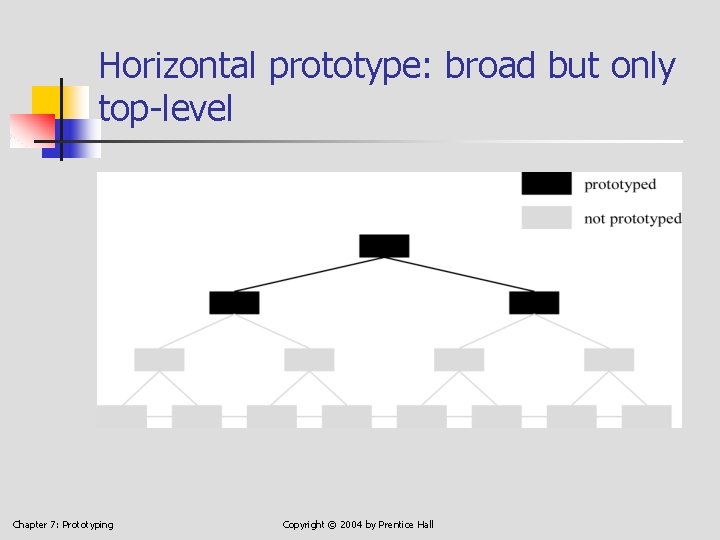
Horizontal prototype: broad but only top-level Chapter 7: Prototyping Copyright © 2004 by Prentice Hall
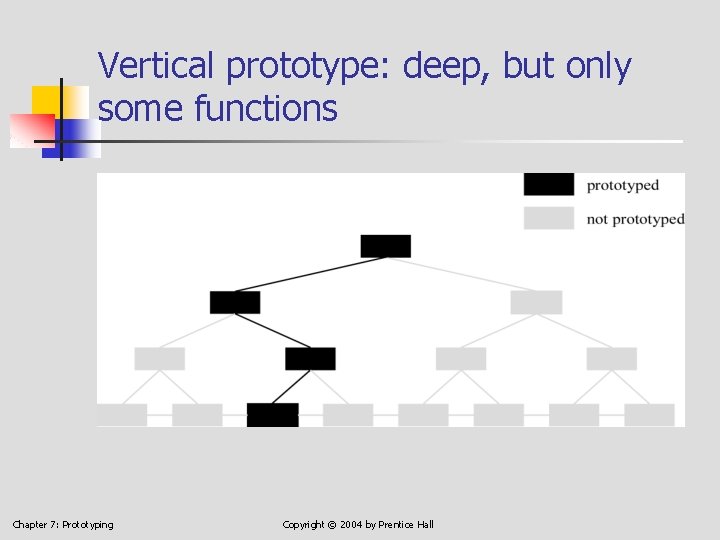
Vertical prototype: deep, but only some functions Chapter 7: Prototyping Copyright © 2004 by Prentice Hall
Benefits of prototyping Improves chance of creating usable product; mistakes & omissions are flushed out early, in development, not after implementation Higher user satisfaction Users are good at criticizing an existing system; they are much less able to imagine how specifications would translate into a product Prototyping brings the users into the process at a much earlier stage Chapter 7: Prototyping Copyright © 2004 by Prentice Hall
Benefits recognized two decades ago Maryam Alavi. An Assessment of the Prototyping Approach to Information Systems Development. Communications of the ACM. June, 1984. Barry Boehm et. al. Prototyping vs. Specification: A Multi-Project Experiment. IEEE Transactions on Software Engineering. May, 1984. Wasserman and Shewmake. The Role of Prototypes in the User Software Engineering Methodology. In Advances in Human-Computer Interaction, H. R. Hartson, Ed. Norwood, NJ: Ablex, 1985. Chapter 7: Prototyping Copyright © 2004 by Prentice Hall
Implementation is expensive So expensive — in people time and schedule time — in practice, it is only done once If testing is postponed until implementation is complete, there are no resources and no time to do it over when a interface design mistake is uncovered Chapter 7: Prototyping Copyright © 2004 by Prentice Hall
The core of the problem “The vast majority of usability problems come from a single cause: the development team was lacking a key piece of information. If team members had known it earlier, they would have designed to accommodate it and the usability problem would never have occurred. ” Jared Spool, Tara Scanlon, and Carolyn Snyder. Product Usability: Survival Techniques. Proceedings of ACM CHI 98 Conference on Human Factors in Computing Systems. Chapter 7: Prototyping Copyright © 2004 by Prentice Hall
Disadvantages of Prototyping Users may be unfamiliar with the technique. But this situation is improving. If the prototype is “too good, ” management may think that the project is nearly finished, or that the prototype can be converted into the final product. Chapter 7: Prototyping Copyright © 2004 by Prentice Hall
The right way: use Low-Fidelity prototypes Inexpensive—in materials cost, people time, and schedule time No risk of being mistaken for the final product Simple and fast to repeat as lessons are learned When interface testing of the prototype is complete, implementation can proceed with confidence Chapter 7: Prototyping Copyright © 2004 by Prentice Hall
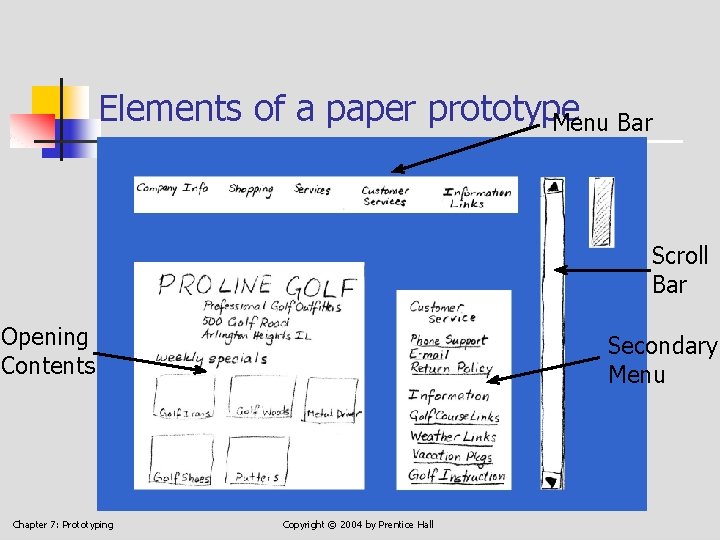
Elements of a paper prototype Menu Bar Scroll Bar Opening Contents Chapter 7: Prototyping Secondary Menu Copyright © 2004 by Prentice Hall
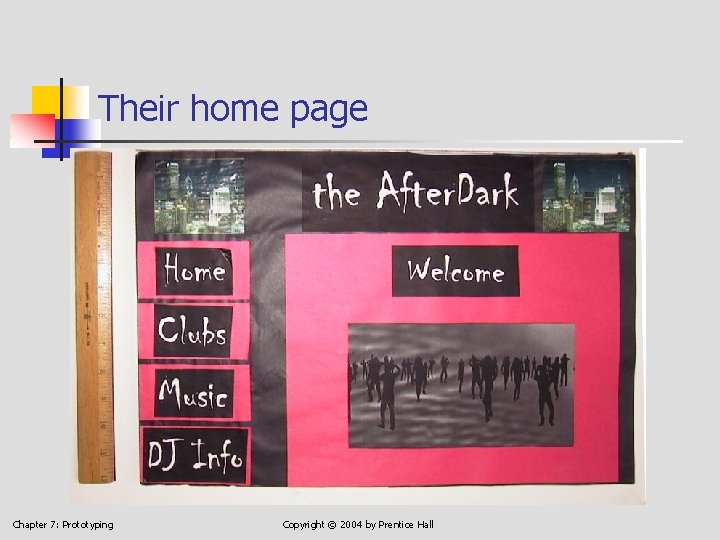
Following are some pages by students Thanks to Team Cairo, HCI 310, Fall 2001, De. Paul University: Roy Calayo Marek Dzik Dan Jung Connie Pappas Jessica Watson Chapter 7: Prototyping Copyright © 2004 by Prentice Hall
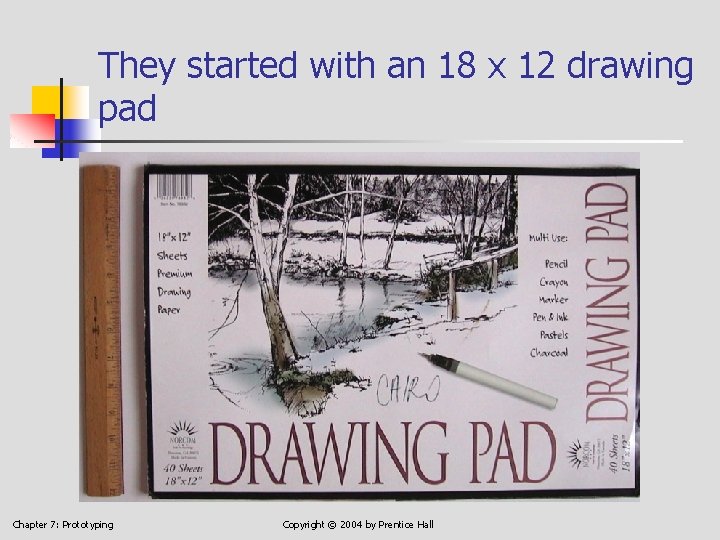
They started with an 18 x 12 drawing pad Chapter 7: Prototyping Copyright © 2004 by Prentice Hall
Their home page Chapter 7: Prototyping Copyright © 2004 by Prentice Hall
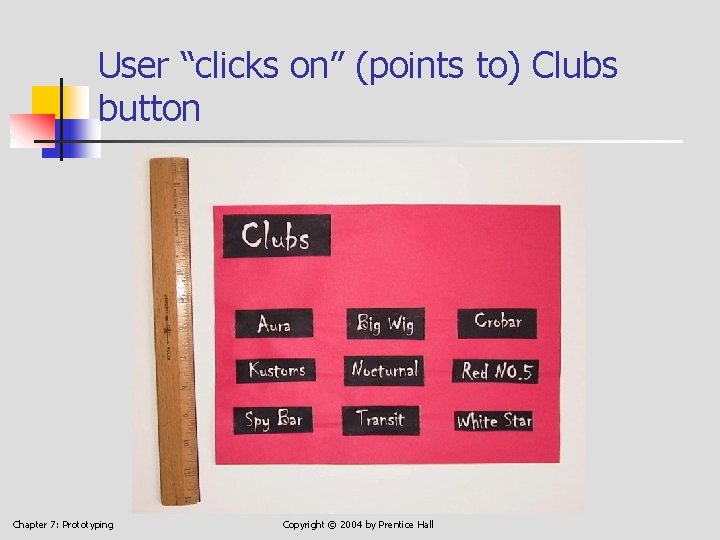
User “clicks on” (points to) Clubs button Chapter 7: Prototyping Copyright © 2004 by Prentice Hall
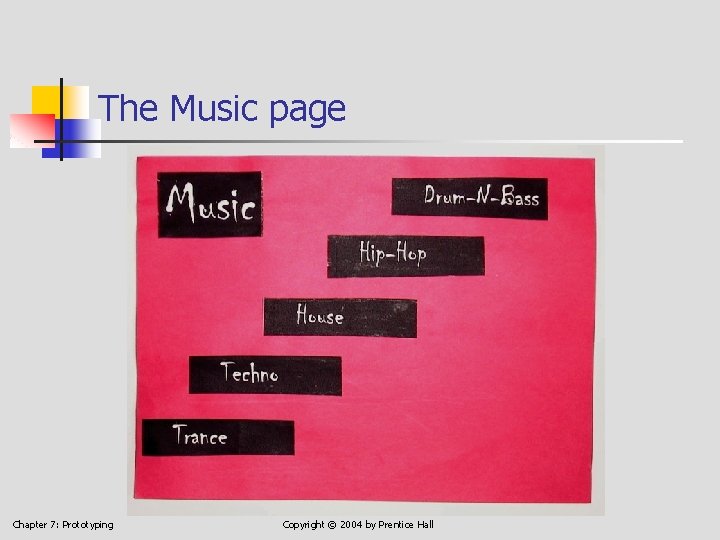
The Music page Chapter 7: Prototyping Copyright © 2004 by Prentice Hall
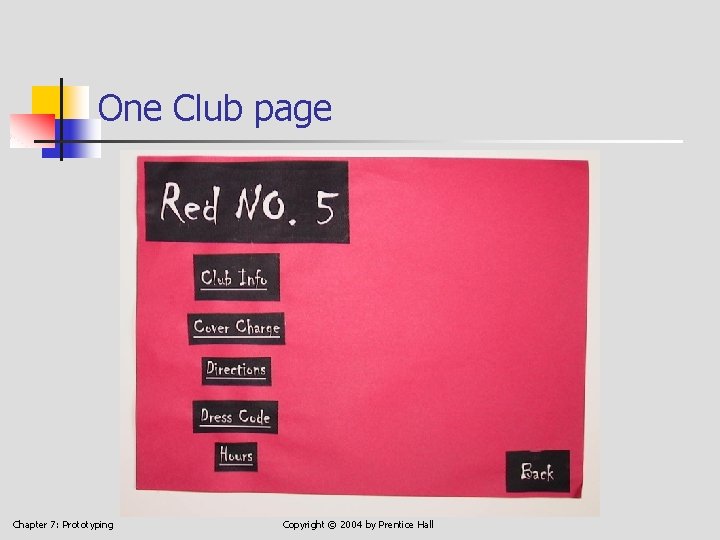
One Club page Chapter 7: Prototyping Copyright © 2004 by Prentice Hall
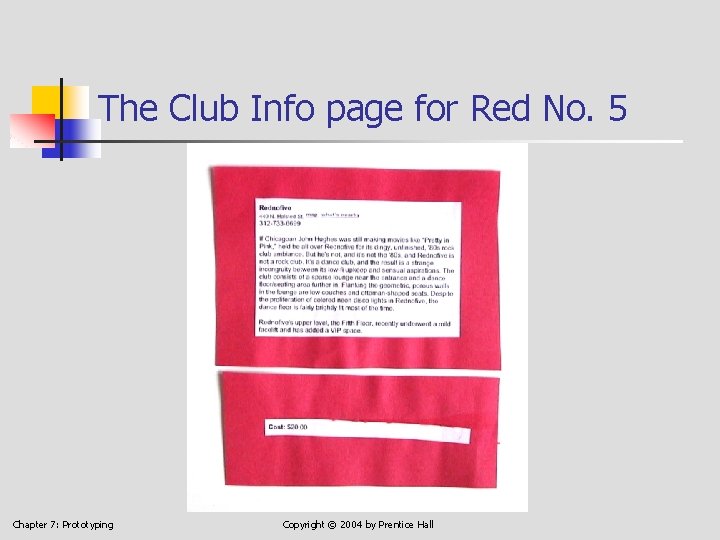
The Club Info page for Red No. 5 Chapter 7: Prototyping Copyright © 2004 by Prentice Hall
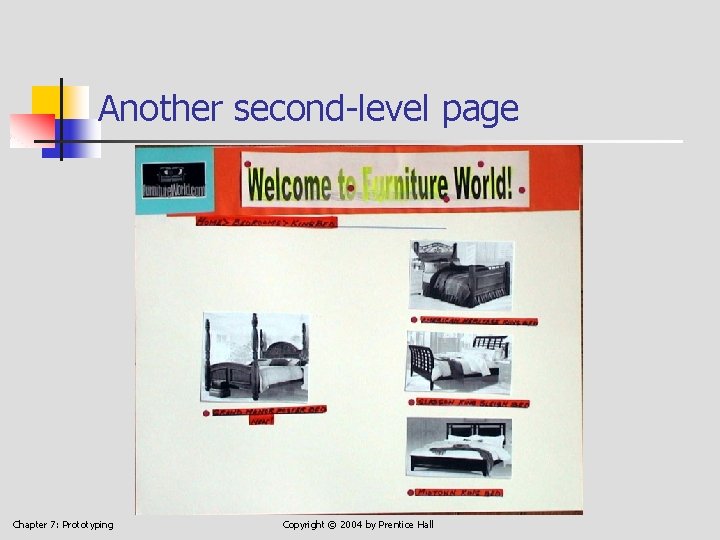
A few pages from another student group Thanks to Team 2, Computer Science 473, Spring 2003, City College of New York Ashford Charleus Shahana Dewan Khairul Kabir Libai Qu Chapter 7: Prototyping Copyright © 2004 by Prentice Hall
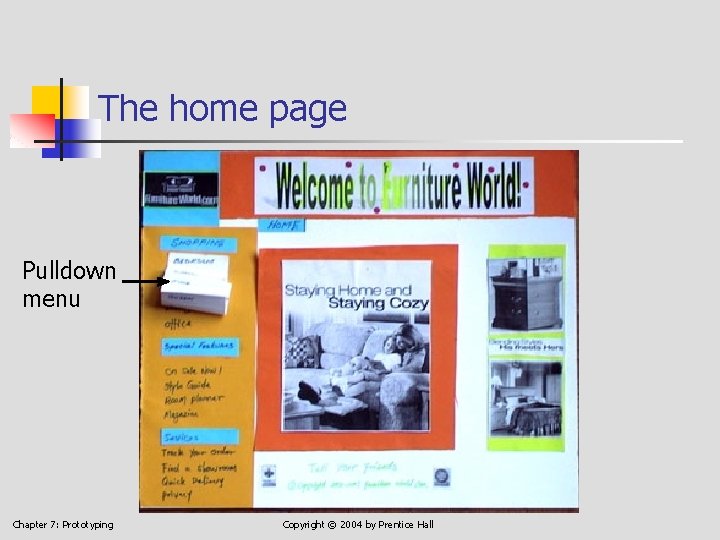
The home page Pulldown menu Chapter 7: Prototyping Copyright © 2004 by Prentice Hall
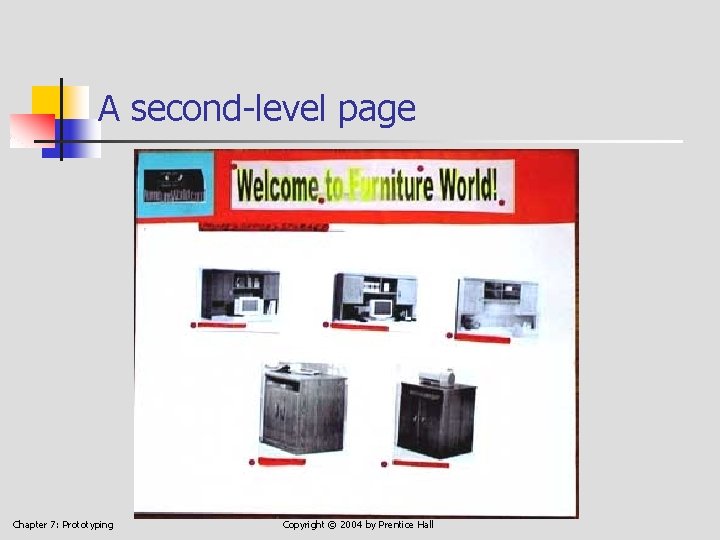
A second-level page Chapter 7: Prototyping Copyright © 2004 by Prentice Hall
Another second-level page Chapter 7: Prototyping Copyright © 2004 by Prentice Hall
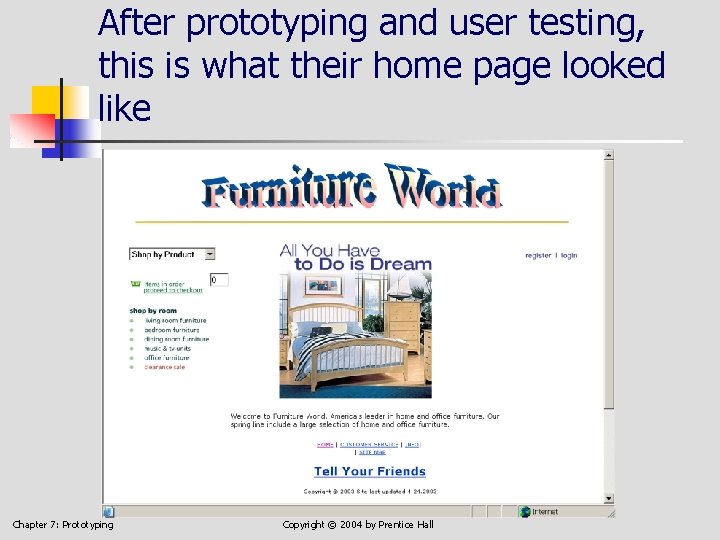
After prototyping and user testing, this is what their home page looked like Chapter 7: Prototyping Copyright © 2004 by Prentice Hall
Materials for building a paper prototype White, unlined heavy paper or card stock; 11 x 14 or 12 x 18 inches are good sizes Regular 8. 5 x 11 unlined paper 5 x 8 index cards, for taking notes Colored paper if you wish Chapter 7: Prototyping Copyright © 2004 by Prentice Hall
Materials, continued Adhesives: rubber cement, Scotch® tape, glue sticks Markers of various colors Sticky note pads, in various colors and sizes Acetate sheets—a few Scissors Chapter 7: Prototyping Copyright © 2004 by Prentice Hall
Evaluation of your prototype Evaluation is the subject of the next chapter There you will learn The testing setup Roles of people involved in testing Procedure for testing Interpreting the results Reporting the results Chapter 7: Prototyping Copyright © 2004 by Prentice Hall
Summary What prototyping is The benefits of prototyping: catching design errors early, when they are cheap to fix The difference between low-fidelity and high -fidelity prototypes, and the advantages of each How to build paper prototypes Samples of the paper prototypes of two groups of students in HCI courses Chapter 7: Prototyping Copyright © 2004 by Prentice Hall