
7 Physical Memory 7 1 Preparing a Program
- Slides: 19
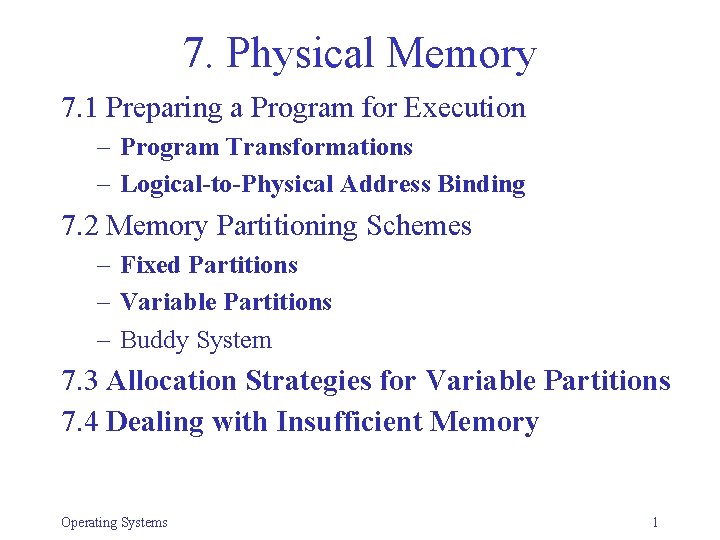
7. Physical Memory 7. 1 Preparing a Program for Execution – Program Transformations – Logical-to-Physical Address Binding 7. 2 Memory Partitioning Schemes – Fixed Partitions – Variable Partitions – Buddy System 7. 3 Allocation Strategies for Variable Partitions 7. 4 Dealing with Insufficient Memory Operating Systems 1
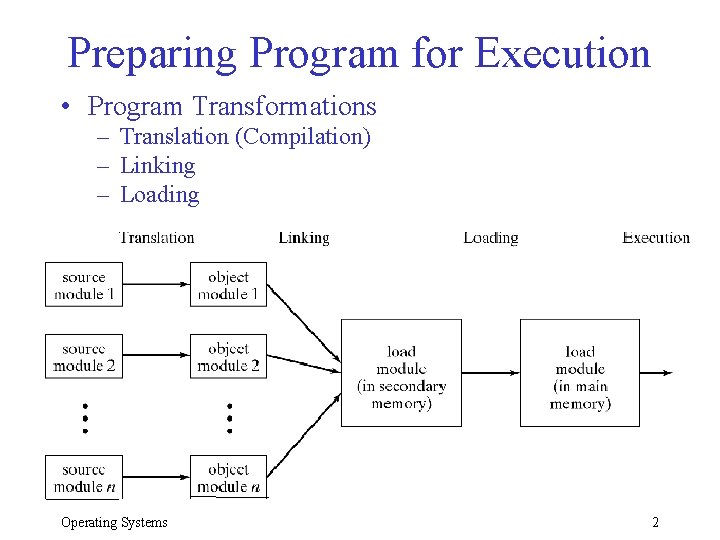
Preparing Program for Execution • Program Transformations – Translation (Compilation) – Linking – Loading Operating Systems 2
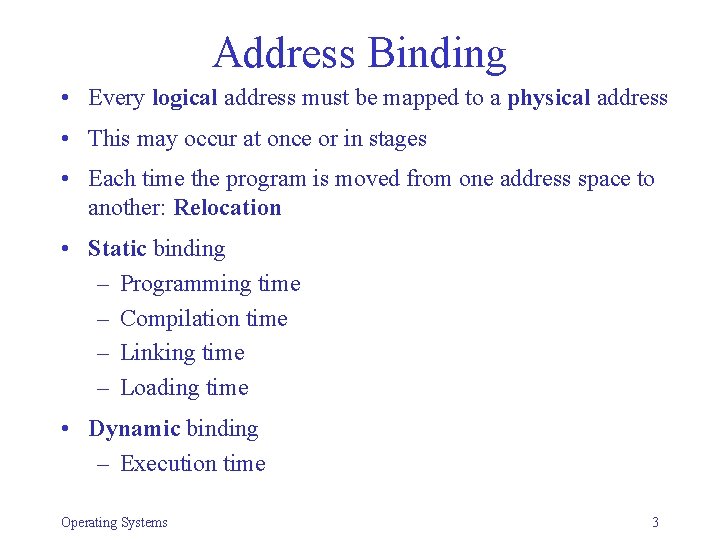
Address Binding • Every logical address must be mapped to a physical address • This may occur at once or in stages • Each time the program is moved from one address space to another: Relocation • Static binding – Programming time – Compilation time – Linking time – Loading time • Dynamic binding – Execution time Operating Systems 3
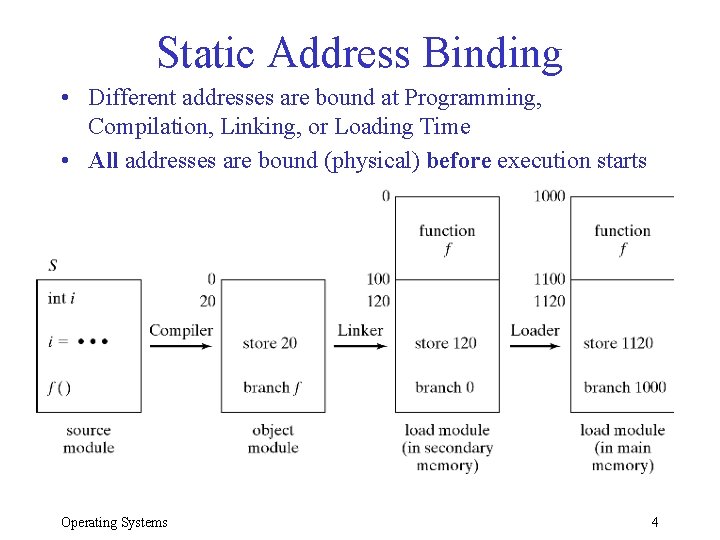
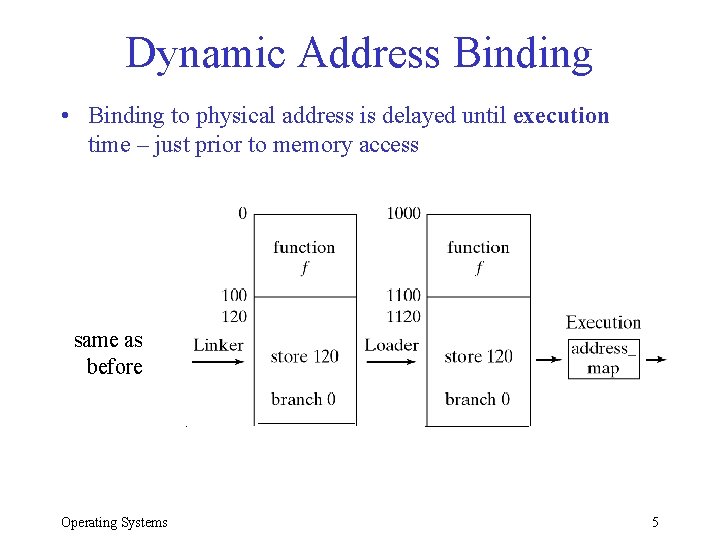
Static Address Binding • Different addresses are bound at Programming, Compilation, Linking, or Loading Time • All addresses are bound (physical) before execution starts Operating Systems 4
Dynamic Address Binding • Binding to physical address is delayed until execution time – just prior to memory access same as before Operating Systems 5
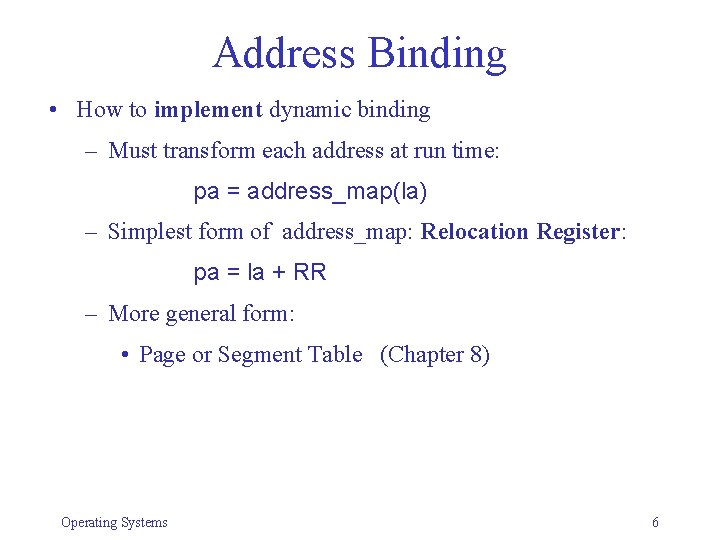
Address Binding • How to implement dynamic binding – Must transform each address at run time: pa = address_map(la) – Simplest form of address_map: Relocation Register: pa = la + RR – More general form: • Page or Segment Table (Chapter 8) Operating Systems 6
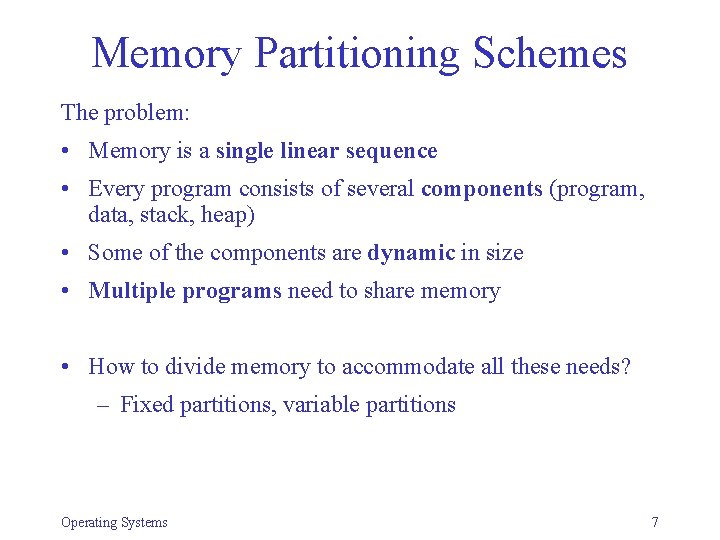
Memory Partitioning Schemes The problem: • Memory is a single linear sequence • Every program consists of several components (program, data, stack, heap) • Some of the components are dynamic in size • Multiple programs need to share memory • How to divide memory to accommodate all these needs? – Fixed partitions, variable partitions Operating Systems 7
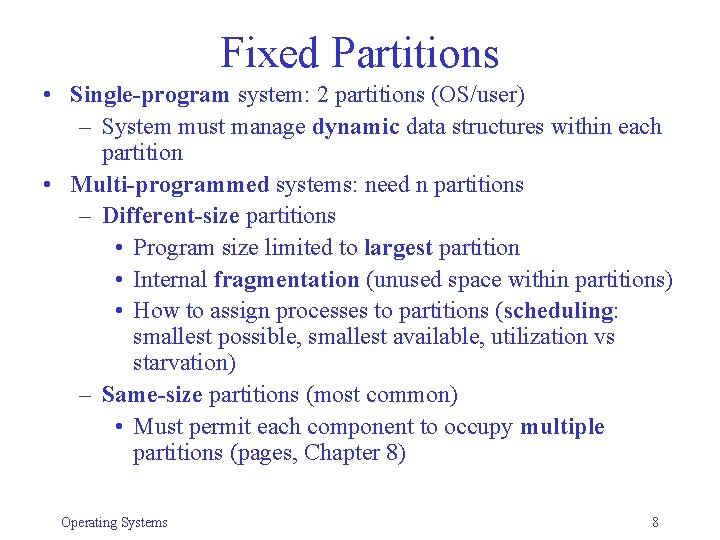
Fixed Partitions • Single-program system: 2 partitions (OS/user) – System must manage dynamic data structures within each partition • Multi-programmed systems: need n partitions – Different-size partitions • Program size limited to largest partition • Internal fragmentation (unused space within partitions) • How to assign processes to partitions (scheduling: smallest possible, smallest available, utilization vs starvation) – Same-size partitions (most common) • Must permit each component to occupy multiple partitions (pages, Chapter 8) Operating Systems 8
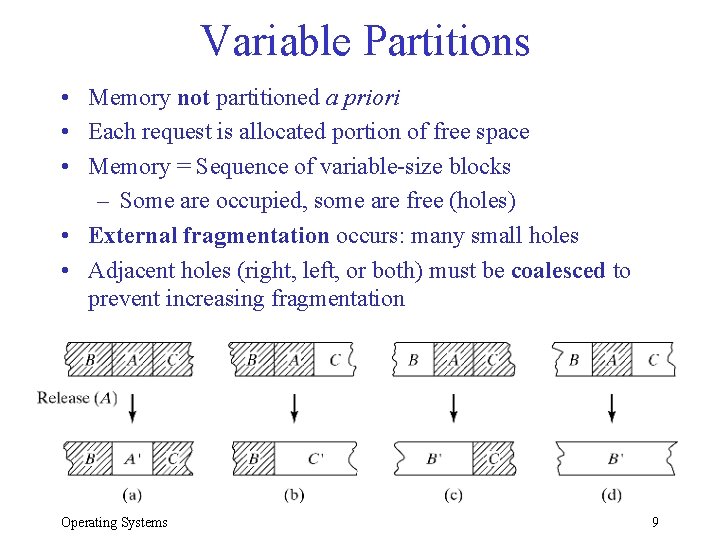
Variable Partitions • Memory not partitioned a priori • Each request is allocated portion of free space • Memory = Sequence of variable-size blocks – Some are occupied, some are free (holes) • External fragmentation occurs: many small holes • Adjacent holes (right, left, or both) must be coalesced to prevent increasing fragmentation Operating Systems 9
Implementation • How to keep track of holes and allocated blocks? • Requirements: Must be able to efficiently: – Find a hole of appropriate size – Release a block (coalesce) • Bitmap implementation • Linked list implementation – Problems: • How to know the size of a hole or block • How to know if neighbor is free or occupied Operating Systems 10
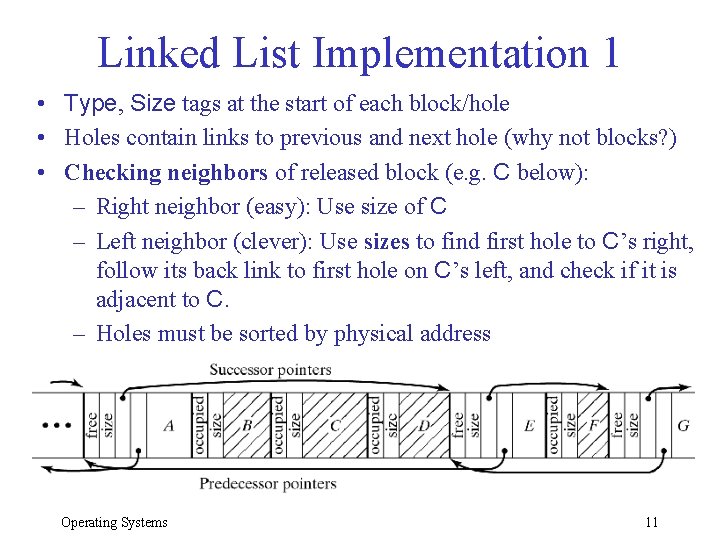
Linked List Implementation 1 • Type, Size tags at the start of each block/hole • Holes contain links to previous and next hole (why not blocks? ) • Checking neighbors of released block (e. g. C below): – Right neighbor (easy): Use size of C – Left neighbor (clever): Use sizes to find first hole to C’s right, follow its back link to first hole on C’s left, and check if it is adjacent to C. – Holes must be sorted by physical address Operating Systems 11
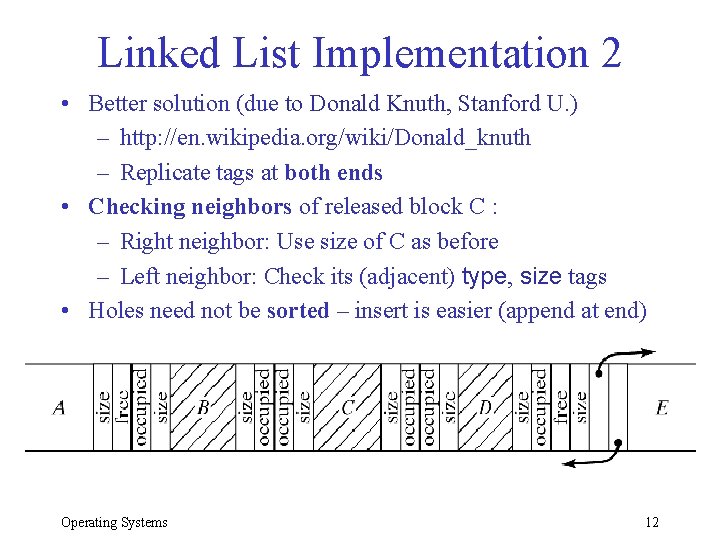
Linked List Implementation 2 • Better solution (due to Donald Knuth, Stanford U. ) – http: //en. wikipedia. org/wiki/Donald_knuth – Replicate tags at both ends • Checking neighbors of released block C : – Right neighbor: Use size of C as before – Left neighbor: Check its (adjacent) type, size tags • Holes need not be sorted – insert is easier (append at end) Operating Systems 12
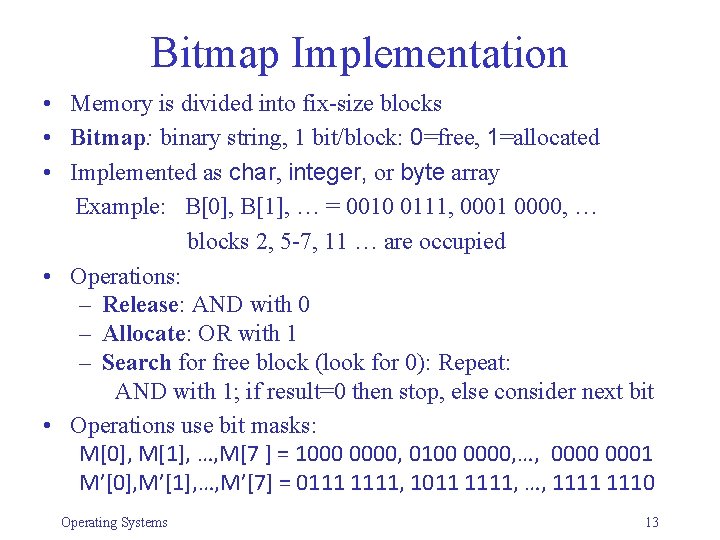
Bitmap Implementation • Memory is divided into fix-size blocks • Bitmap: binary string, 1 bit/block: 0=free, 1=allocated • Implemented as char, integer, or byte array Example: B[0], B[1], … = 0010 0111, 0001 0000, … blocks 2, 5 -7, 11 … are occupied • Operations: – Release: AND with 0 – Allocate: OR with 1 – Search for free block (look for 0): Repeat: AND with 1; if result=0 then stop, else consider next bit • Operations use bit masks: M[0], M[1], …, M[7 ] = 1000 0000, 0100 0000, …, 0000 0001 M’[0], M’[1], …, M’[7] = 0111 1111, 1011 1111, …, 1111 1110 Operating Systems 13
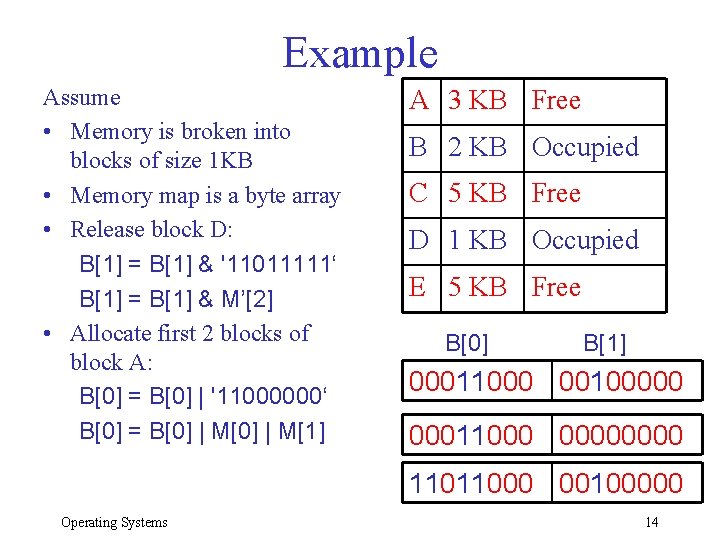
Example Assume • Memory is broken into blocks of size 1 KB • Memory map is a byte array • Release block D: B[1] = B[1] & '11011111‘ B[1] = B[1] & M’[2] • Allocate first 2 blocks of block A: B[0] = B[0] | '11000000‘ B[0] = B[0] | M[1] A 3 KB Free B 2 KB Occupied C 5 KB Free D 1 KB Occupied E 5 KB Free B[0] B[1] 00011000 00100000 00011000 0000 11011000 00100000 Operating Systems 14
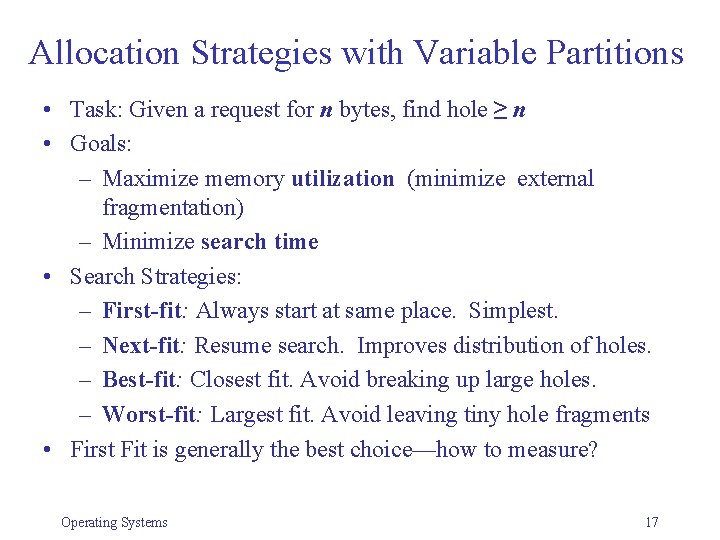
Allocation Strategies with Variable Partitions • Task: Given a request for n bytes, find hole ≥ n • Goals: – Maximize memory utilization (minimize external fragmentation) – Minimize search time • Search Strategies: – First-fit: Always start at same place. Simplest. – Next-fit: Resume search. Improves distribution of holes. – Best-fit: Closest fit. Avoid breaking up large holes. – Worst-fit: Largest fit. Avoid leaving tiny hole fragments • First Fit is generally the best choice—how to measure? Operating Systems 17
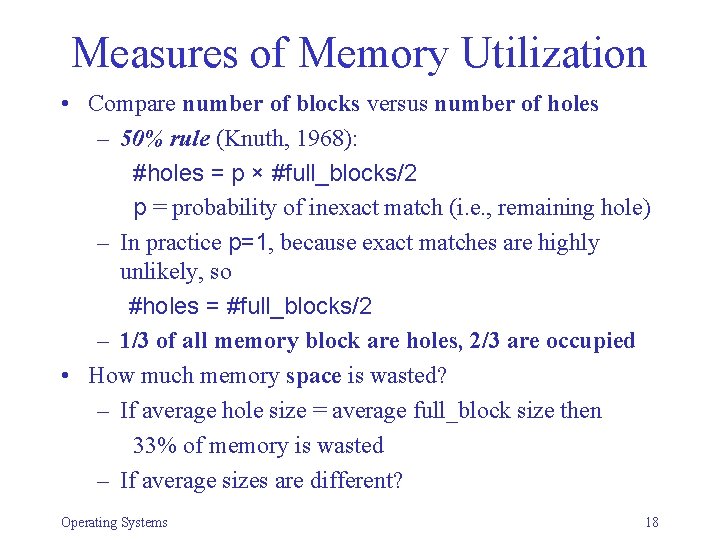
Measures of Memory Utilization • Compare number of blocks versus number of holes – 50% rule (Knuth, 1968): #holes = p × #full_blocks/2 p = probability of inexact match (i. e. , remaining hole) – In practice p=1, because exact matches are highly unlikely, so #holes = #full_blocks/2 – 1/3 of all memory block are holes, 2/3 are occupied • How much memory space is wasted? – If average hole size = average full_block size then 33% of memory is wasted – If average sizes are different? Operating Systems 18
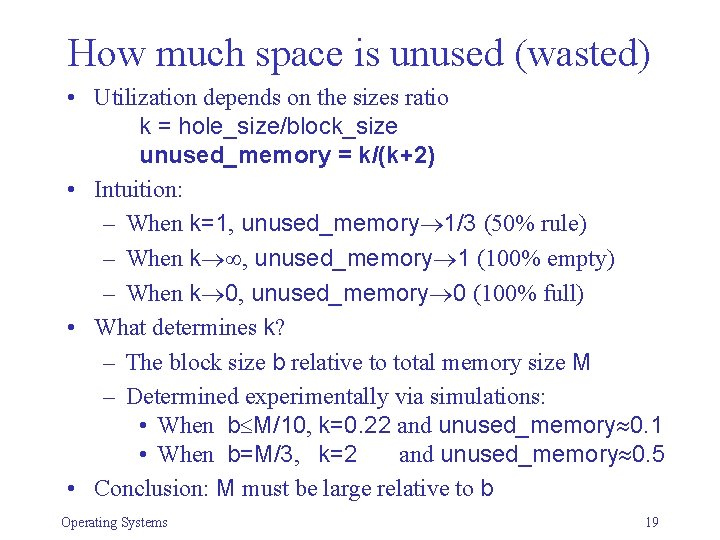
How much space is unused (wasted) • Utilization depends on the sizes ratio k = hole_size/block_size unused_memory = k/(k+2) • Intuition: – When k=1, unused_memory 1/3 (50% rule) – When k , unused_memory 1 (100% empty) – When k 0, unused_memory 0 (100% full) • What determines k? – The block size b relative to total memory size M – Determined experimentally via simulations: • When b M/10, k=0. 22 and unused_memory 0. 1 • When b=M/3, k=2 and unused_memory 0. 5 • Conclusion: M must be large relative to b Operating Systems 19
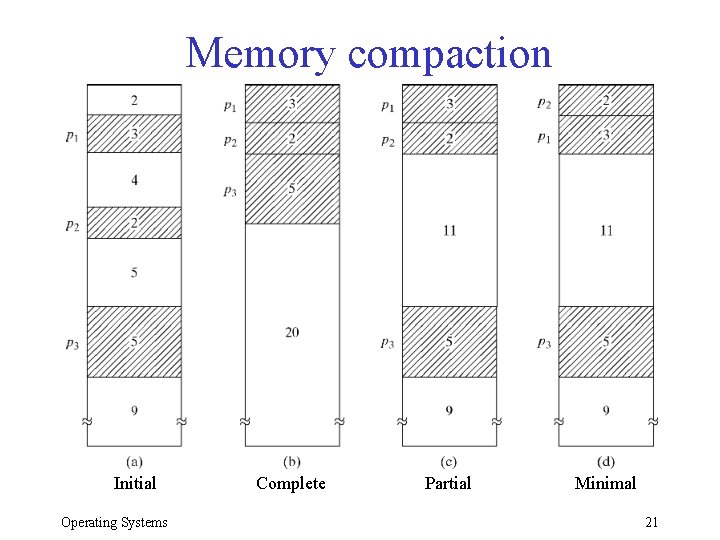
Dealing with Insufficient Memory • Swapping – Temporarily move process to disk – Requires dynamic relocation • Virtual memory (Chapter 8) – Allow programs large than physical memory – Portions of programs loaded as needed • Memory compaction – Move blocks around to create larger holes – How much and what to move? Operating Systems 20
Memory compaction Initial Operating Systems Complete Partial Minimal 21