
67535 Computer Games Programming Week 8 animation Keyframe
![Sample file format struct Animation. File { [. . . ] // stuff float](https://slidetodoc.com/presentation_image/7ceab3a045085e26d1e72861114945fc/image-3.jpg "Sample file format struct Animation. File { [. . . ] // stuff float")
- Slides: 43
67535: Computer Games Programming • Week 8: animation – Keyframe – Biomotion – Animators’ POV
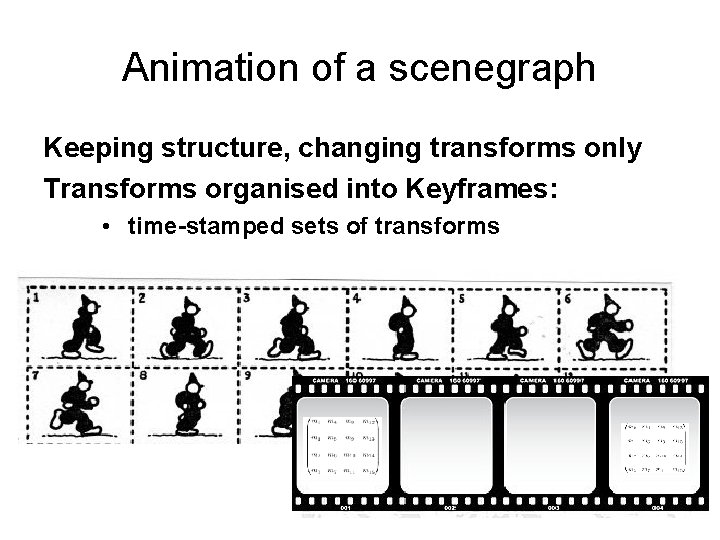
Animation of a scenegraph Keeping structure, changing transforms only Transforms organised into Keyframes: • time-stamped sets of transforms
Sample file format struct Animation. File { [. . . ] // stuff float 32 frames. Per. Second; int 32 num. Frames; // length of the animation in frames int 32 num. Items; // number of animation items following Item items[num. Items]; } struct Item { String node; // name of the node to be animated Int 32 num. Keys; // number of key frames following Key. Frame keys[num. Keys]; } struct Key. Frame { Vec 3 position; Quaternion rotation; Vec 3 scale; }
‘Tweening Aim: calculate the positions of vertices in between the keyframes Problems: – Linear interpolation of matrices does not produce affine (‘legal’) transforms – Linear interpolation of positions does not always preserve object shape
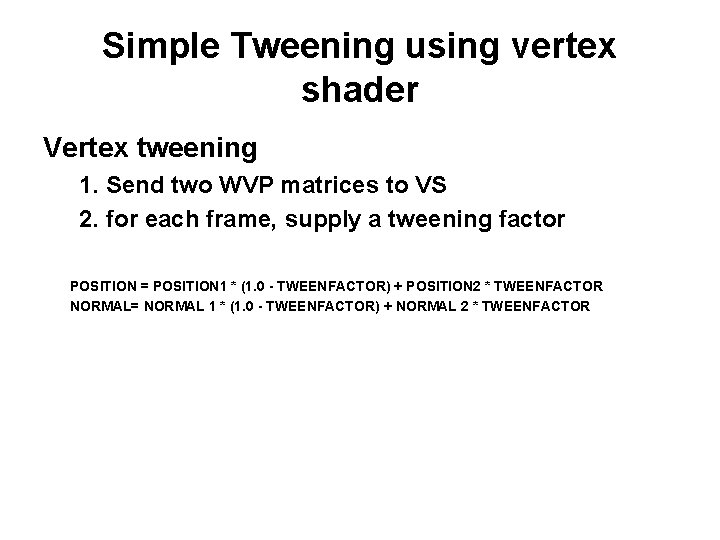
Simple Tweening using vertex shader Vertex tweening 1. Send two WVP matrices to VS 2. for each frame, supply a tweening factor POSITION = POSITION 1 * (1. 0 - TWEENFACTOR) + POSITION 2 * TWEENFACTOR NORMAL= NORMAL 1 * (1. 0 - TWEENFACTOR) + NORMAL 2 * TWEENFACTOR
Transform interpolation Simple solution: use many small movements Accurate solution: 1. Separate frame transforms into Rotation*Scale*Translation 2. Interpolate separately 3. Combine into transform matrix Linear interpolation of scaling and translation works ok, but linear interpolation of Euler angles or rotation matrices does not produce reasonable tweens
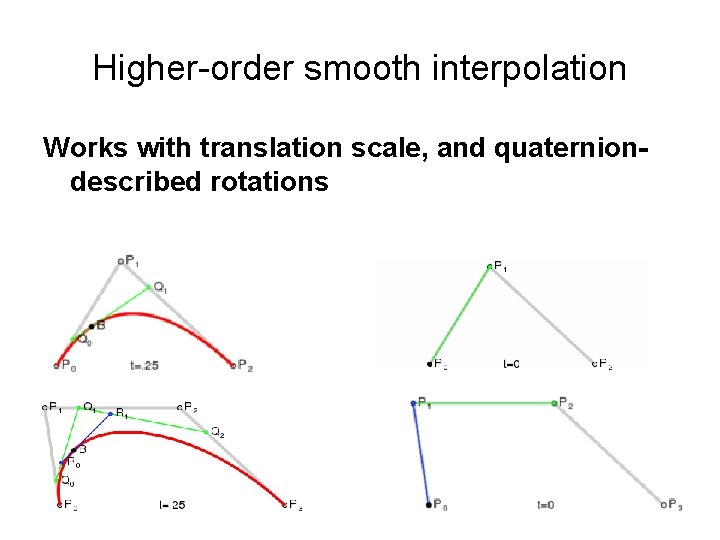
Higher-order smooth interpolation Works with translation scale, and quaterniondescribed rotations
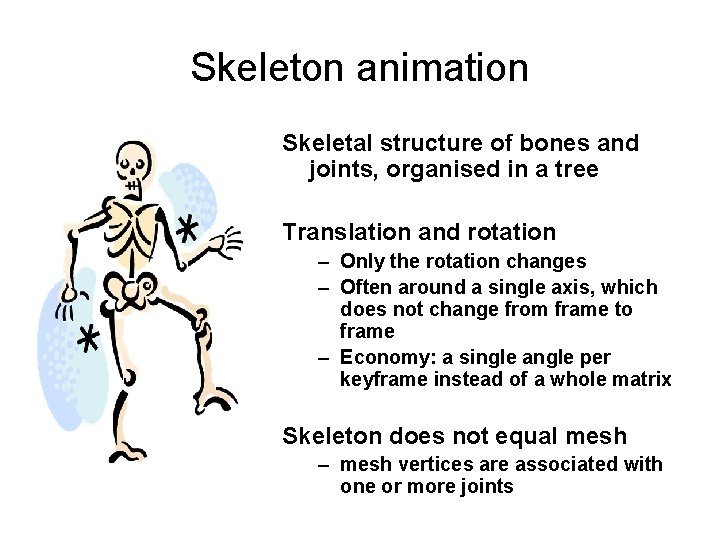
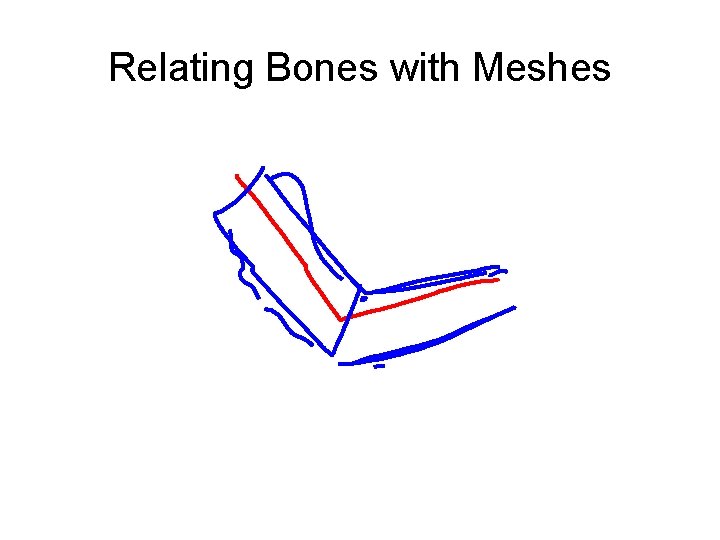
Skeleton animation Skeletal structure of bones and joints, organised in a tree Translation and rotation – Only the rotation changes – Often around a single axis, which does not change from frame to frame – Economy: a single angle per keyframe instead of a whole matrix Skeleton does not equal mesh – mesh vertices are associated with one or more joints
Relating Bones with Meshes
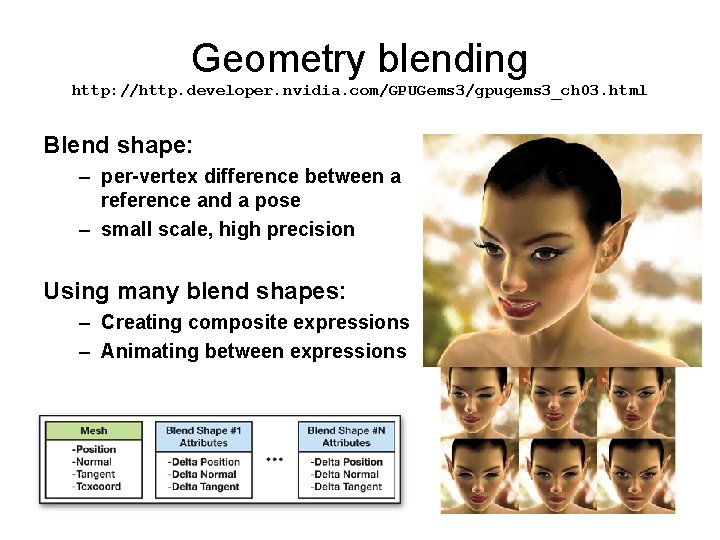
Geometry blending http: //http. developer. nvidia. com/GPUGems 3/gpugems 3_ch 03. html Blend shape: – per-vertex difference between a reference and a pose – small scale, high precision Using many blend shapes: – Creating composite expressions – Animating between expressions
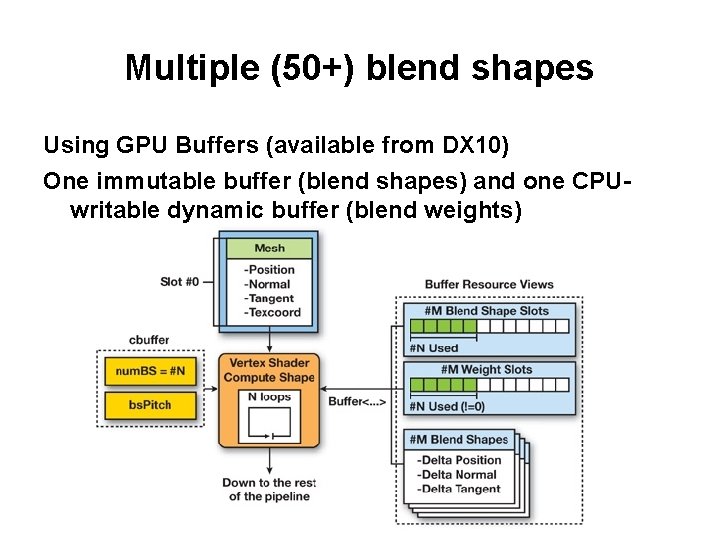
Multiple (50+) blend shapes Using GPU Buffers (available from DX 10) One immutable buffer (blend shapes) and one CPUwritable dynamic buffer (blend weights)
That was pose interpolation What about animation interpolation or blending?
Procedural Biomotion Animation of biological systems that are only partially explainable by Newtonian physics
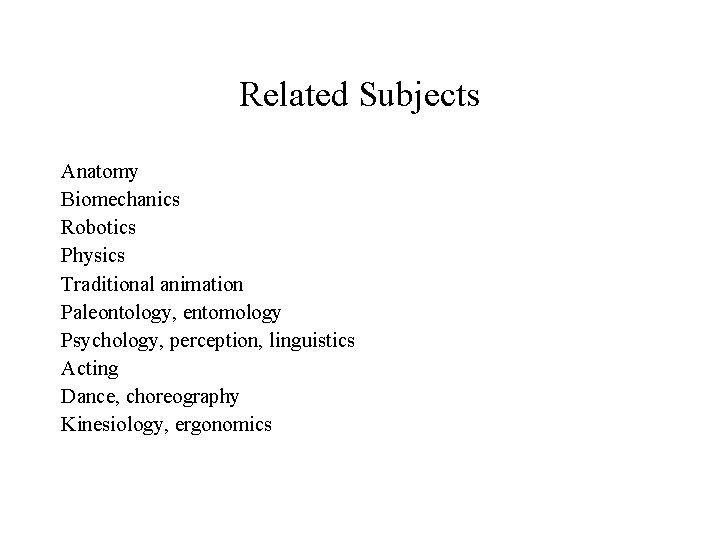
Related Subjects Anatomy Biomechanics Robotics Physics Traditional animation Paleontology, entomology Psychology, perception, linguistics Acting Dance, choreography Kinesiology, ergonomics
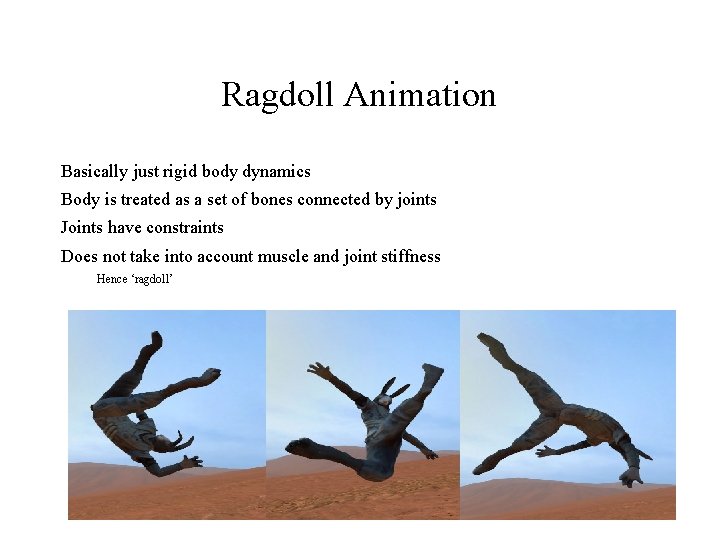
Ragdoll Animation Basically just rigid body dynamics Body is treated as a set of bones connected by joints Joints have constraints Does not take into account muscle and joint stiffness Hence ‘ragdoll’
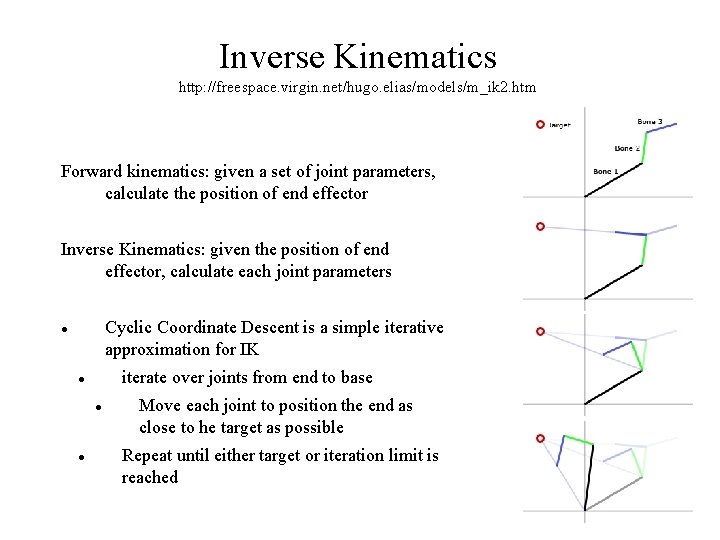
Inverse Kinematics http: //freespace. virgin. net/hugo. elias/models/m_ik 2. htm Forward kinematics: given a set of joint parameters, calculate the position of end effector Inverse Kinematics: given the position of end effector, calculate each joint parameters Cyclic Coordinate Descent is a simple iterative approximation for IK iterate over joints from end to base Move each joint to position the end as close to he target as possible Repeat until either target or iteration limit is reached
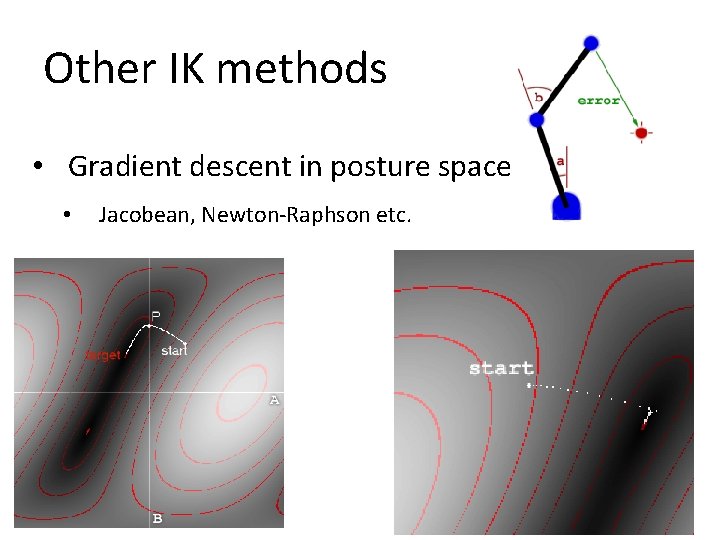
Other IK methods • Gradient descent in posture space • Jacobean, Newton-Raphson etc.
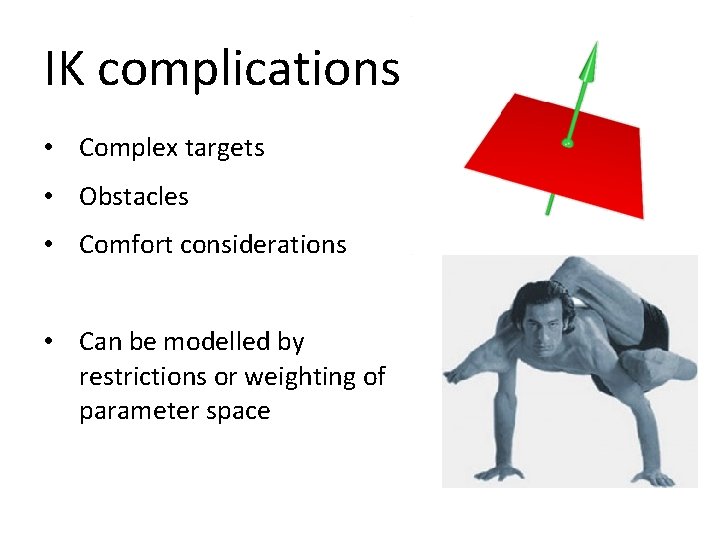
IK complications • Complex targets • Obstacles • Comfort considerations • Can be modelled by restrictions or weighting of parameter space
Dynamic Motion Synthesis (aka Natural. Motion’s Euphoria engine) • Simulation: skeleton is setup with a complex biomechanical model. • Constraints for the joints • Non-linear actuators for the muscles. • Controllers: neural networks (NN) are used as controllers • determine which forces to apply • are evolved using genetic algorithms (GA) • Behaviour: The top layer of the system is a state machine written in Lua • For all its complexity, mostly used as extended ragdoll • https: //www. youtube. com/watch? v=IQEx 56 O 73 b 8
Affective Gait Posture and gait pattern are intuitive indicators of a person’s state Seem to be culturally-independent – to an extent Difficult to recreate from basic principles No-one knows the basic principles
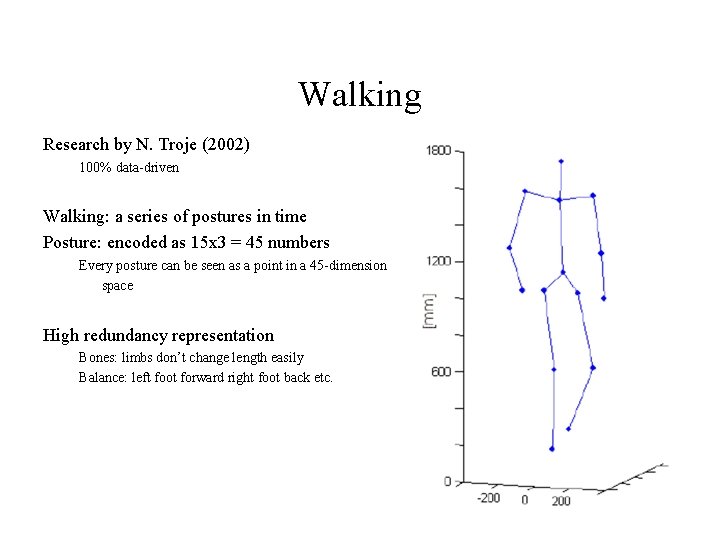
Walking Research by N. Troje (2002) 100% data-driven Walking: a series of postures in time Posture: encoded as 15 x 3 = 45 numbers Every posture can be seen as a point in a 45 -dimension space High redundancy representation Bones: limbs don’t change length easily Balance: left foot forward right foot back etc.
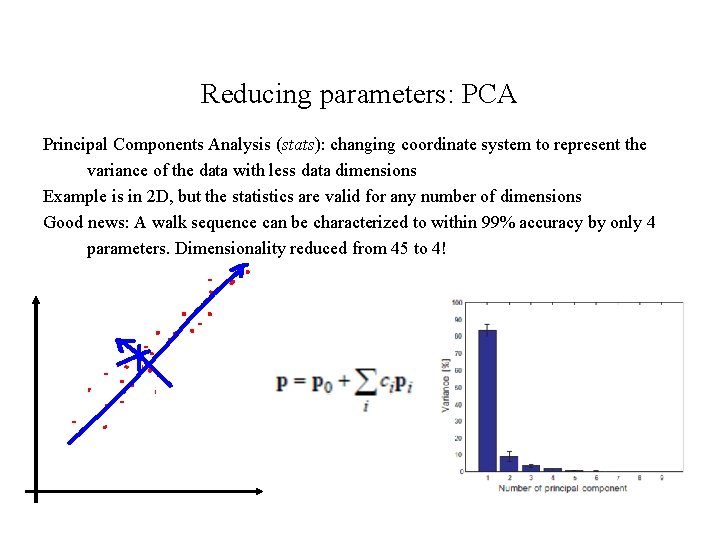
Reducing parameters: PCA Principal Components Analysis (stats): changing coordinate system to represent the variance of the data with less data dimensions Example is in 2 D, but the statistics are valid for any number of dimensions Good news: A walk sequence can be characterized to within 99% accuracy by only 4 parameters. Dimensionality reduced from 45 to 4!
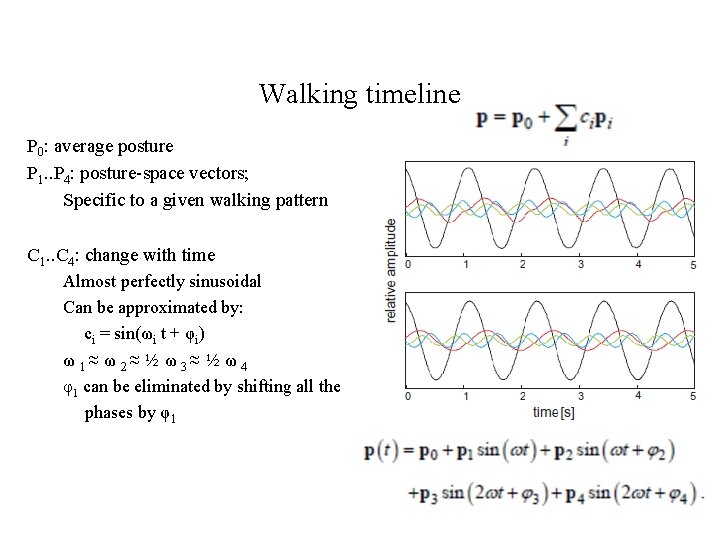
Walking timeline P 0: average posture P 1. . P 4: posture-space vectors; Specific to a given walking pattern C 1. . C 4: change with time Almost perfectly sinusoidal Can be approximated by: ci = sin(ωi t + φi) ω 1≈ ω 2≈ ½ ω 3≈ ½ ω 4 φ1 can be eliminated by shifting all the phases by φ1
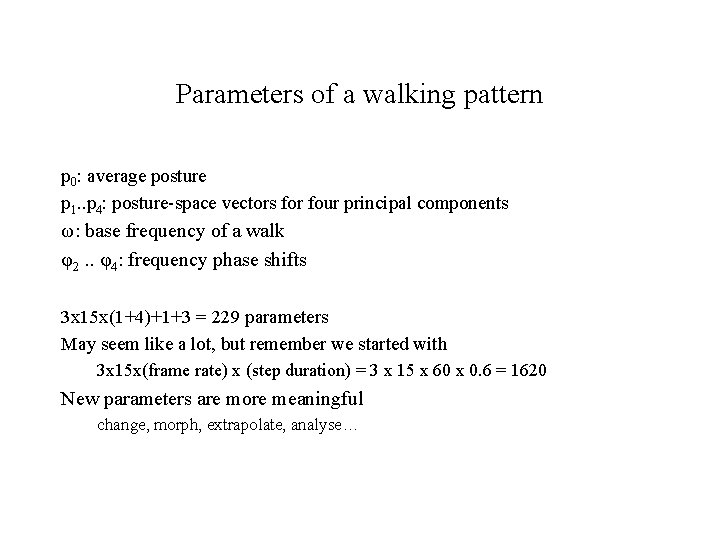
Parameters of a walking pattern p 0: average posture p 1. . p 4: posture-space vectors for four principal components ω: base frequency of a walk φ2. . φ4: frequency phase shifts 3 x 15 x(1+4)+1+3 = 229 parameters May seem like a lot, but remember we started with 3 x 15 x(frame rate) x (step duration) = 3 x 15 x 60 x 0. 6 = 1620 New parameters are more meaningful change, morph, extrapolate, analyse…
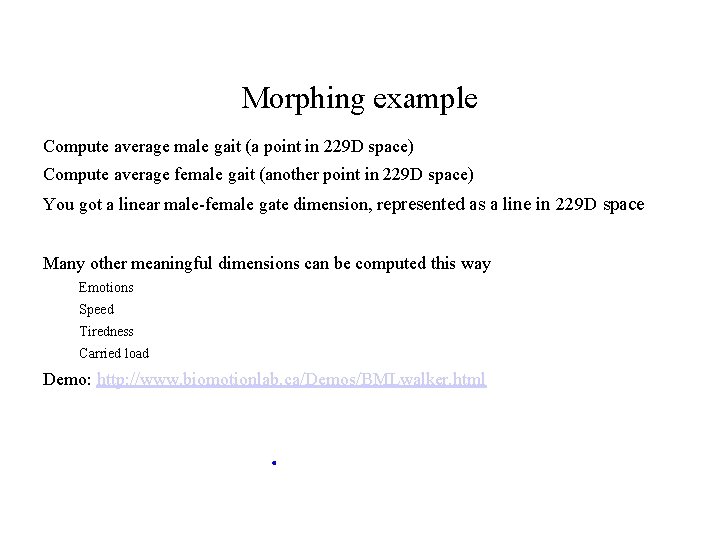
Morphing example Compute average male gait (a point in 229 D space) Compute average female gait (another point in 229 D space) You got a linear male-female gate dimension, represented as a line in 229 D space Many other meaningful dimensions can be computed this way Emotions Speed Tiredness Carried load Demo: http: //www. biomotionlab. ca/Demos/BMLwalker. html
Uses Character parameterisation Currently it’s mostly face, which you don’t then see Posture/gait is highly visible and as much, if not more, informative Game mood e. g. crowd mood Can be dynamically controlled Can be combined with principles-driven animation https: //www. youtube. com/watch? v=Mz. Z-m. Dm. ATBw
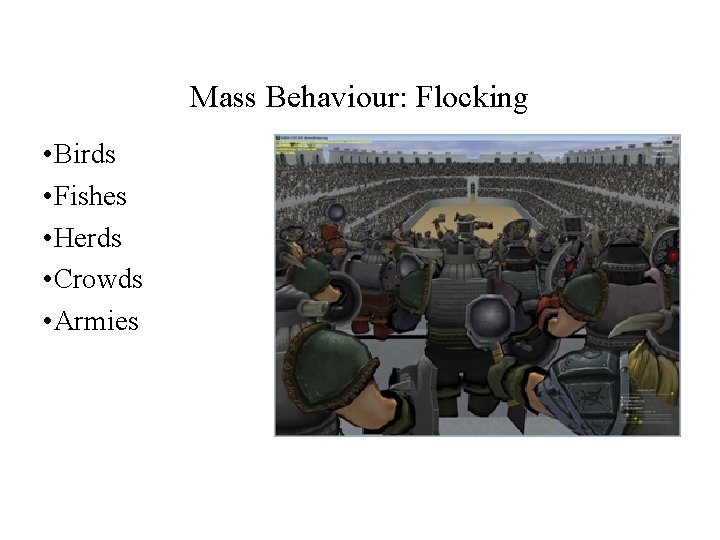
Mass Behaviour: Flocking • Birds • Fishes • Herds • Crowds • Armies
Flocking http: //harry. me/blog/2011/02/17/neat-algorithms-flocking/ Each unit considers "flockmates" • within radius R • or N closest neighbours (5 -10 for actual birds) Each unit updates heading based on: • Alignment: average heading of flockmates • Cohesion: heading towards average position of flockmates • Separation: keeping safe distance from flockmates that are too close Add to that Obstacle avoidance (high priority) and General Direction (low priority) and we have a reasonable mass behaviour
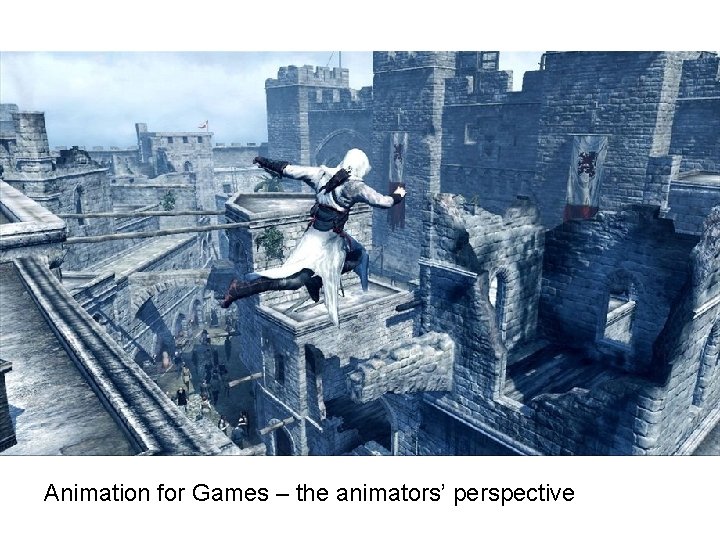
Animation for Games – the animators’ perspective
The Animator's Perspective When considering animation for a computer game, character performance is king. Moving a character around the world is not enough. We want to create a personality, we want to create emotion, thought, we want to engage the player in the character's story. We rely on subtleties of movement to achieve emotion within character performance – the flick of a hand, the shrug of a shoulder the roll of the eyes, all help us to create personality and in turn engage the player. Animation for Games Semester 2
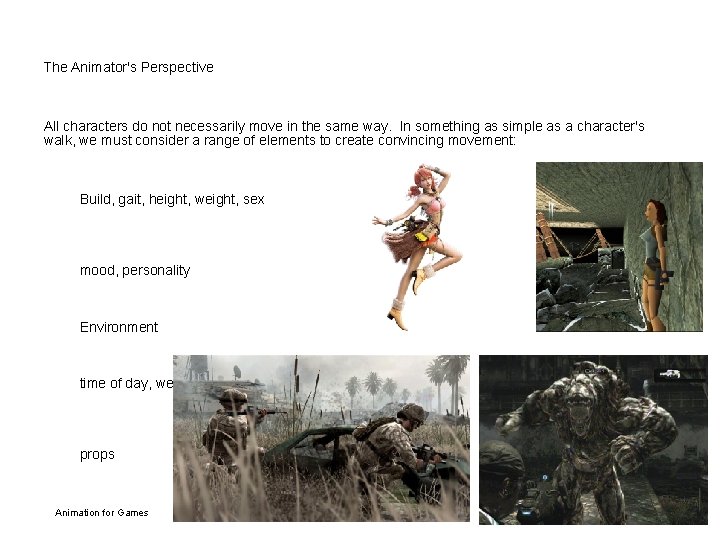
The Animator's Perspective All characters do not necessarily move in the same way. In something as simple as a character's walk, we must consider a range of elements to create convincing movement: Build, gait, height, weight, sex mood, personality Environment time of day, weather conditions props Animation for Games Semester 2
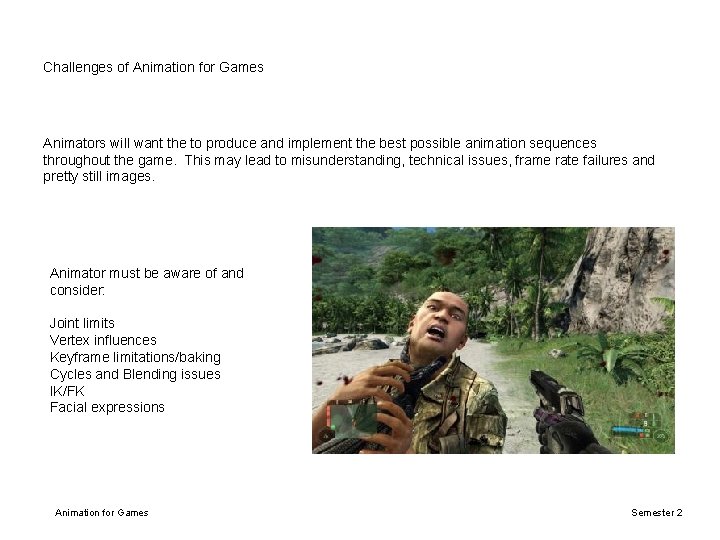
Challenges of Animation for Games Animators will want the to produce and implement the best possible animation sequences throughout the game. This may lead to misunderstanding, technical issues, frame rate failures and pretty still images. Animator must be aware of and consider: Joint limits Vertex influences Keyframe limitations/baking Cycles and Blending issues IK/FK Facial expressions Animation for Games Semester 2
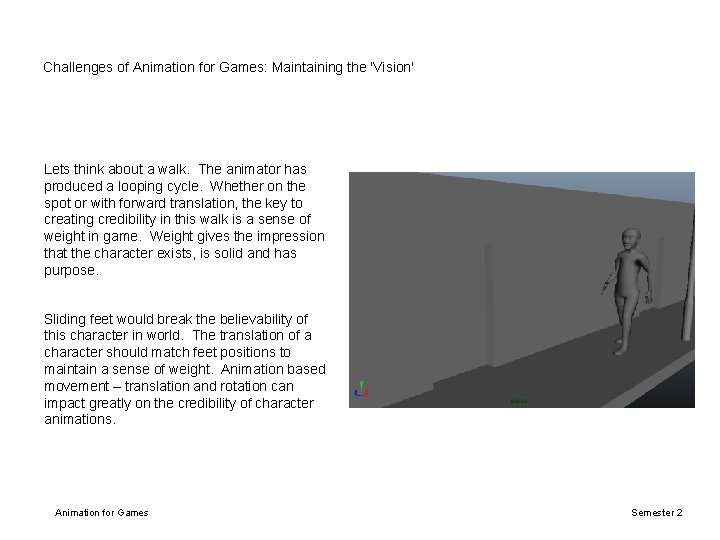
Challenges of Animation for Games: Maintaining the 'Vision' Lets think about a walk. The animator has produced a looping cycle. Whether on the spot or with forward translation, the key to creating credibility in this walk is a sense of weight in game. Weight gives the impression that the character exists, is solid and has purpose. Sliding feet would break the believability of this character in world. The translation of a character should match feet positions to maintain a sense of weight. Animation based movement – translation and rotation can impact greatly on the credibility of character animations. Animation for Games Semester 2
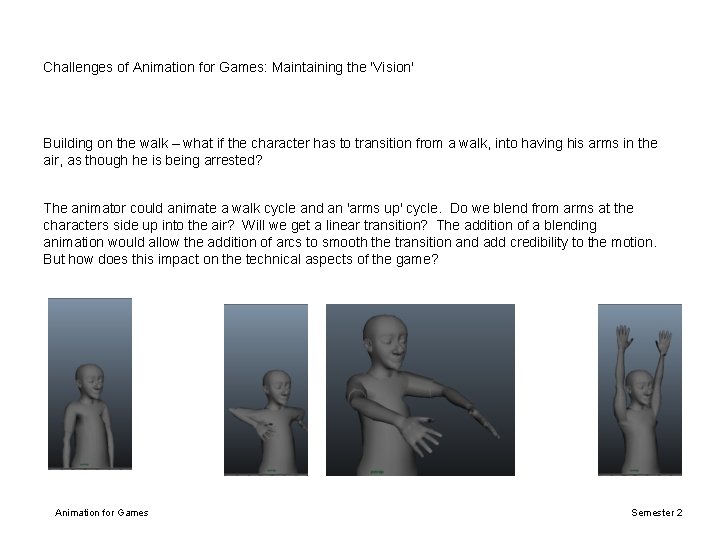
Challenges of Animation for Games: Maintaining the 'Vision' Building on the walk – what if the character has to transition from a walk, into having his arms in the air, as though he is being arrested? The animator could animate a walk cycle and an 'arms up' cycle. Do we blend from arms at the characters side up into the air? Will we get a linear transition? The addition of a blending animation would allow the addition of arcs to smooth the transition and add credibility to the motion. But how does this impact on the technical aspects of the game? Animation for Games Semester 2
Challenges of Animation for Games: Animation Curves The animators main concern is transferring our animation from a 3 D package into a game seamlessly. Exporting an animation can be very complex depending on engines, file formats and code requirements. Files can contain too much animation data and they may need to be optimised. The animation curve plays an important role in the credibility of any sequence and should be considered during any optimisation. Animation curves determine interpolation from one keyframe to the next. These are often manipulated by the animator to change the spacing of their character from one frame to the next and in turn, to manipulate the speed and fluidity of motion. Animation for Games Semester 2
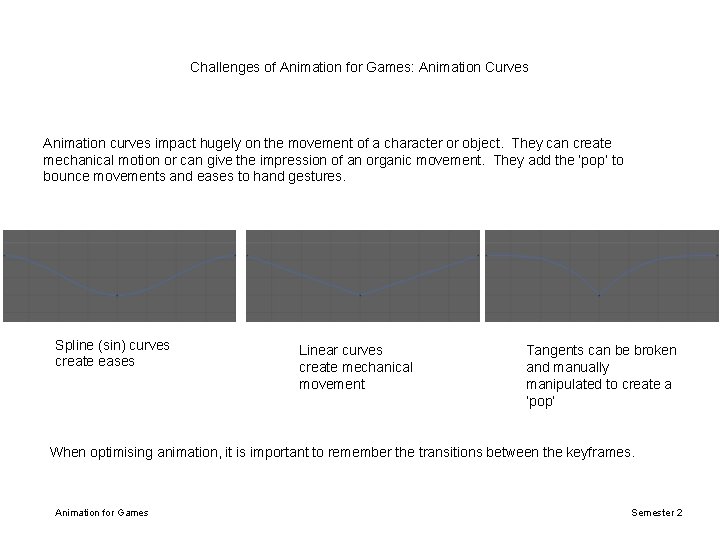
Challenges of Animation for Games: Animation Curves Animation curves impact hugely on the movement of a character or object. They can create mechanical motion or can give the impression of an organic movement. They add the ‘pop’ to bounce movements and eases to hand gestures. Spline (sin) curves create eases Linear curves create mechanical movement Tangents can be broken and manually manipulated to create a ‘pop’ When optimising animation, it is important to remember the transitions between the keyframes. Animation for Games Semester 2
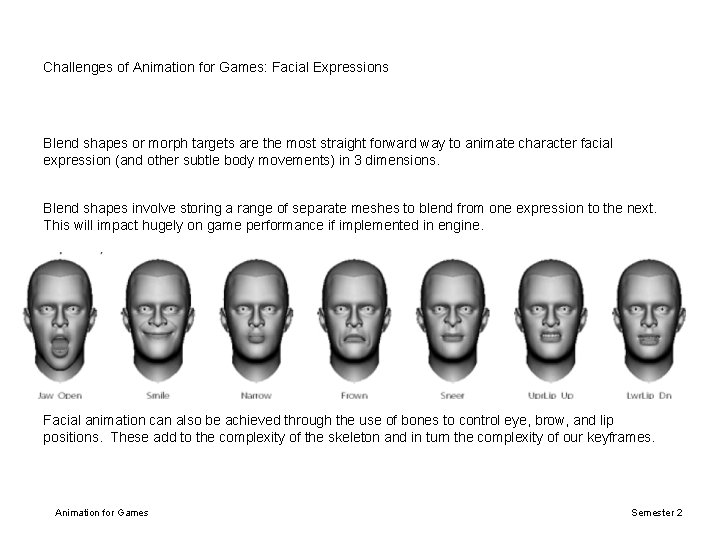
Challenges of Animation for Games: Facial Expressions Blend shapes or morph targets are the most straight forward way to animate character facial expression (and other subtle body movements) in 3 dimensions. Blend shapes involve storing a range of separate meshes to blend from one expression to the next. This will impact hugely on game performance if implemented in engine. Facial animation can also be achieved through the use of bones to control eye, brow, and lip positions. These add to the complexity of the skeleton and in turn the complexity of our keyframes. Animation for Games Semester 2
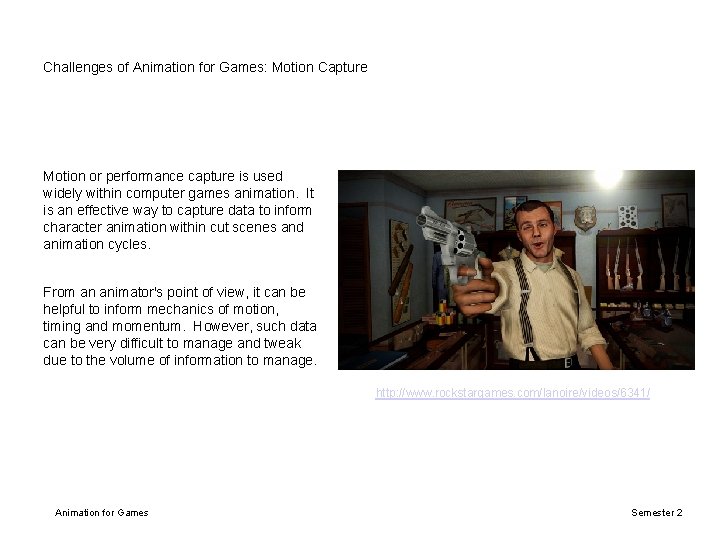
Challenges of Animation for Games: Motion Capture Motion or performance capture is used widely within computer games animation. It is an effective way to capture data to inform character animation within cut scenes and animation cycles. From an animator's point of view, it can be helpful to inform mechanics of motion, timing and momentum. However, such data can be very difficult to manage and tweak due to the volume of information to manage. http: //www. rockstargames. com/lanoire/videos/6341/ Animation for Games Semester 2
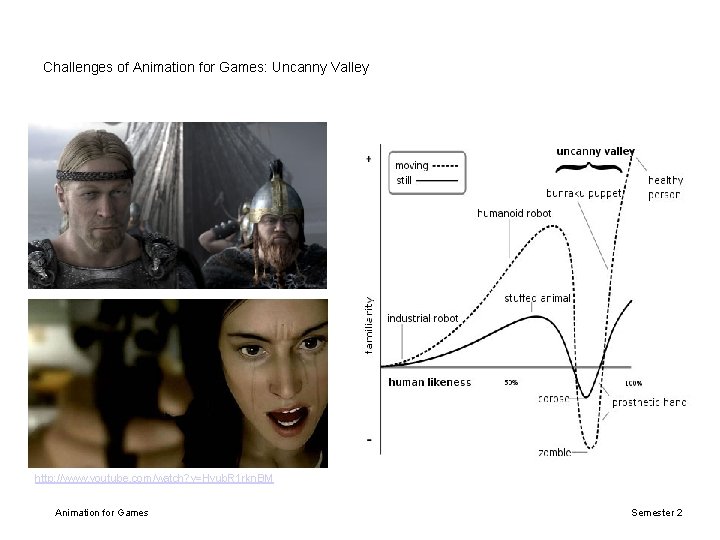
Challenges of Animation for Games: Uncanny Valley http: //www. youtube. com/watch? v=Hyub. R 1 rkn. BM Animation for Games Semester 2
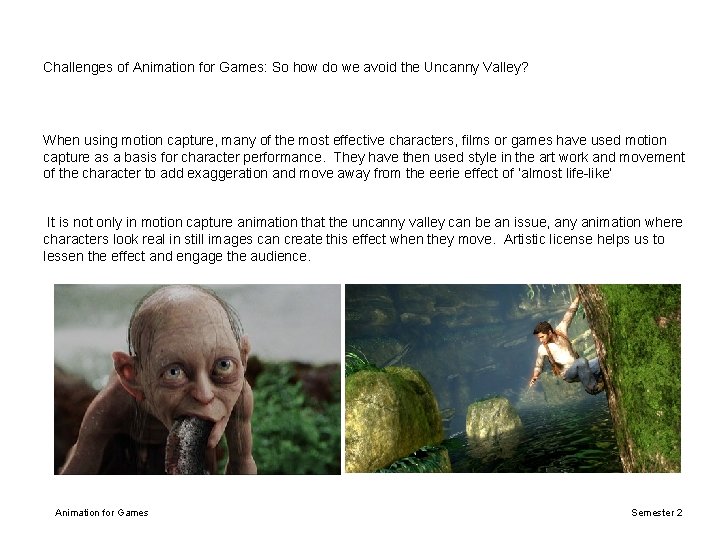
Challenges of Animation for Games: So how do we avoid the Uncanny Valley? When using motion capture, many of the most effective characters, films or games have used motion capture as a basis for character performance. They have then used style in the art work and movement of the character to add exaggeration and move away from the eerie effect of ‘almost life-like’ It is not only in motion capture animation that the uncanny valley can be an issue, any animation where characters look real in still images can create this effect when they move. Artistic license helps us to lessen the effect and engage the audience. Animation for Games Semester 2
Animation for Games. . . Although game technology is developing in leaps and bounds, the expectations of the animator and the technical needs of the game (and in turn the programmer) may not always align. Both sides must understand the roles of the other and can work together to overcome technical limitations to create a visually pleasing and technically sound game. Both sides have the same final goal, the languages and approaches may differ, however, through discussion and iteration a solid middle ground can be found. Animation for games requires sound technical grounding supported by creative input and imagination. Animation for Games Semester 2
'Animation can explain whatever the mind of man conceive. This facility makes it the most versatile and explicit means of communication yet devised for quick mass appreciation. ' -Walt Disney Any Questions? Animation for Games Semester 2