
6 The CPU and Memory Chapt 7 ITEC

![The Store Instruction Fetch PC MAR MDR IR IR[address] MAR Execute A MDR PC](https://slidetodoc.com/presentation_image_h2/d50ff9e737a567713310cfd0718e25ab/image-14.jpg "The Store Instruction Fetch PC MAR MDR IR IR[address] MAR Execute A MDR PC")
![The Add Instruction Fetch PC MAR MDR IR IR[address] MAR Execute A + MDR](https://slidetodoc.com/presentation_image_h2/d50ff9e737a567713310cfd0718e25ab/image-15.jpg "The Add Instruction Fetch PC MAR MDR IR IR[address] MAR Execute A + MDR")


- Slides: 34
6. The CPU and Memory Chapt. 7 ITEC 1011 Introduction to Information Technologies
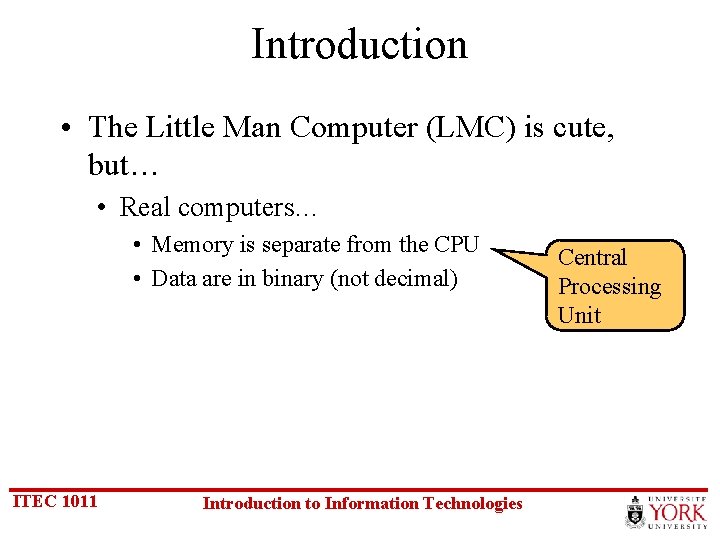
Introduction • The Little Man Computer (LMC) is cute, but… • Real computers… • Memory is separate from the CPU • Data are in binary (not decimal) ITEC 1011 Introduction to Information Technologies Central Processing Unit
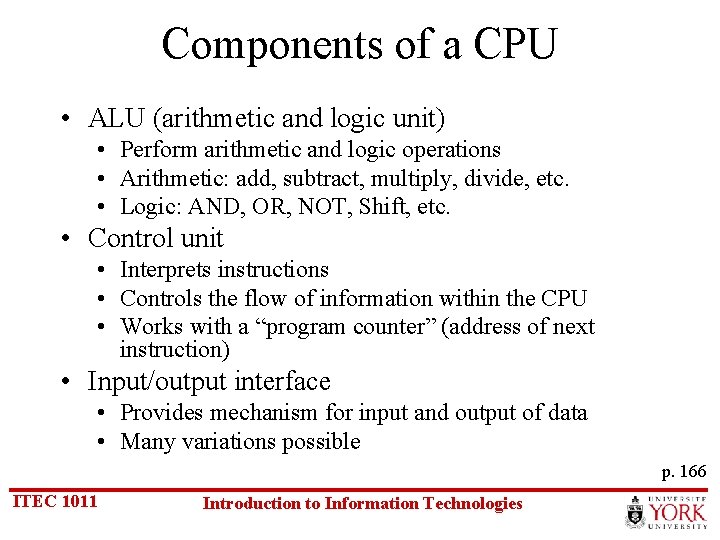
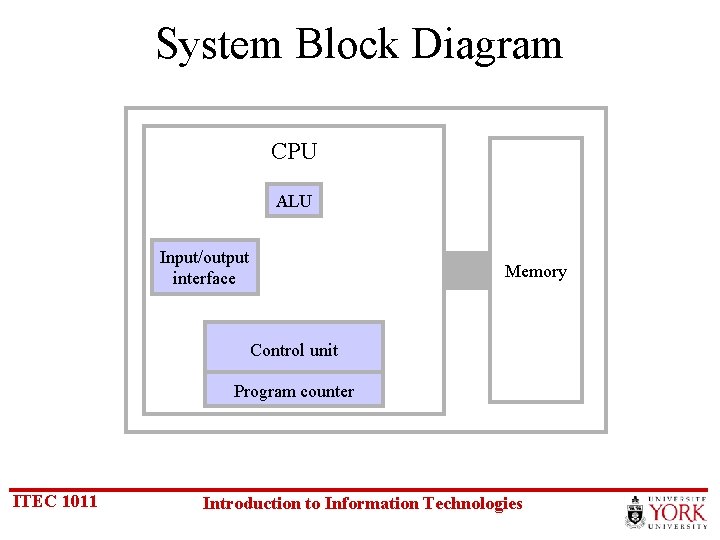
Components of a CPU • ALU (arithmetic and logic unit) • Perform arithmetic and logic operations • Arithmetic: add, subtract, multiply, divide, etc. • Logic: AND, OR, NOT, Shift, etc. • Control unit • Interprets instructions • Controls the flow of information within the CPU • Works with a “program counter” (address of next instruction) • Input/output interface • Provides mechanism for input and output of data • Many variations possible p. 166 ITEC 1011 Introduction to Information Technologies
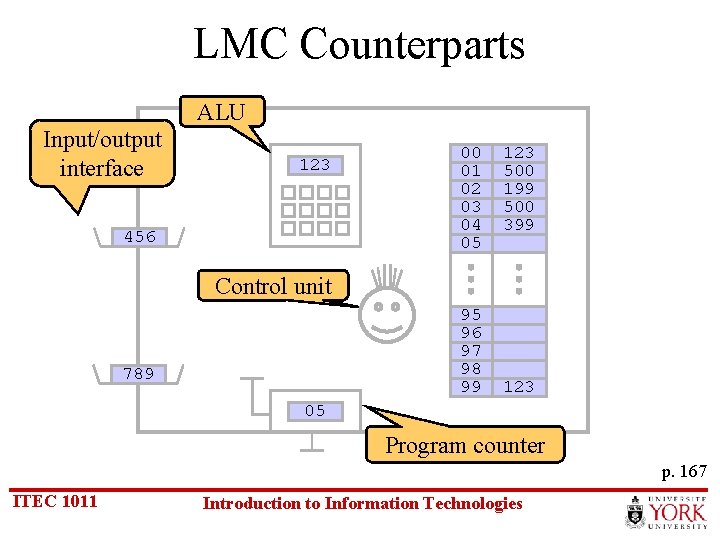
LMC Counterparts ALU Input/output interface 123 456 00 01 02 03 04 05 123 500 199 500 399 Control unit 95 96 97 98 99 789 123 05 Program counter p. 167 ITEC 1011 Introduction to Information Technologies
System Block Diagram CPU ALU Input/output interface Memory Control unit Program counter ITEC 1011 Introduction to Information Technologies
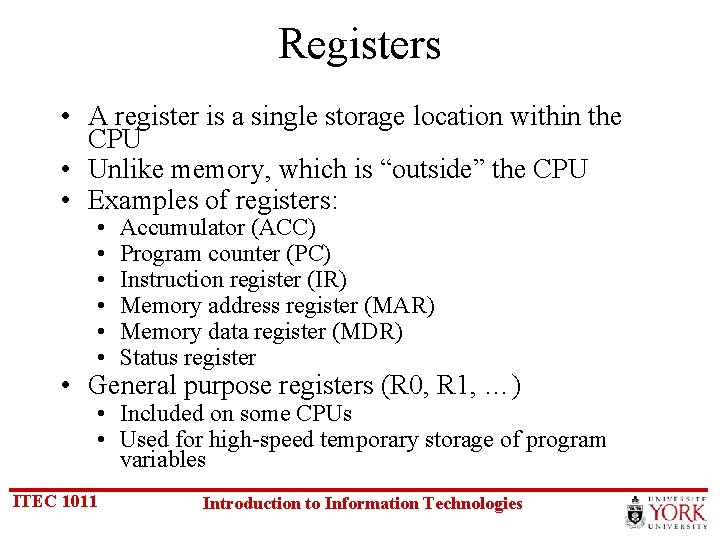
Registers • A register is a single storage location within the CPU • Unlike memory, which is “outside” the CPU • Examples of registers: • • • Accumulator (ACC) Program counter (PC) Instruction register (IR) Memory address register (MAR) Memory data register (MDR) Status register • General purpose registers (R 0, R 1, …) • Included on some CPUs • Used for high-speed temporary storage of program variables ITEC 1011 Introduction to Information Technologies
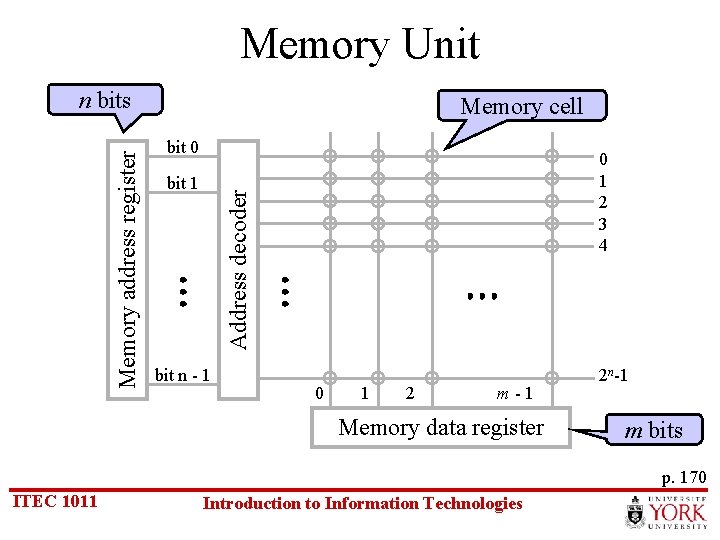
Memory Unit Memory cell bit 0 bit 1 0 1 2 3 4 Address decoder Memory address register n bits bit n - 1 0 1 2 m-1 Memory data register 2 n-1 m bits p. 170 ITEC 1011 Introduction to Information Technologies
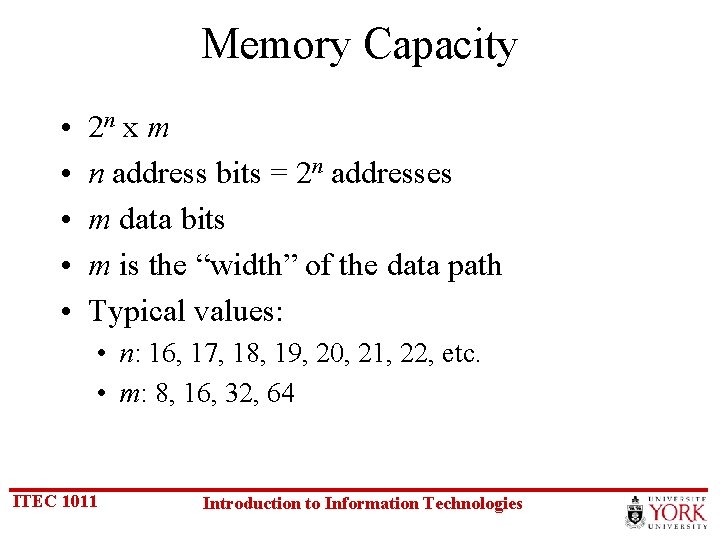
Memory Capacity • • • 2 n x m n address bits = 2 n addresses m data bits m is the “width” of the data path Typical values: • n: 16, 17, 18, 19, 20, 21, 22, etc. • m: 8, 16, 32, 64 ITEC 1011 Introduction to Information Technologies
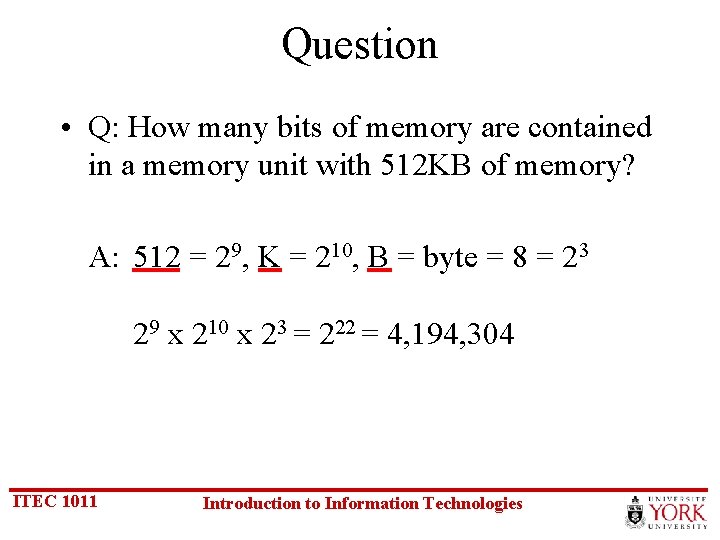
Question • Q: How many bits of memory are contained in a memory unit with 512 KB of memory? A: 512 = 29, K = 210, B = byte = 8 = 23 29 x 210 x 23 = 222 = 4, 194, 304 ITEC 1011 Introduction to Information Technologies
Exercise – Memory Capacity • Q: How many bits of memory are contained in a memory unit with 2 MB of memory? A: Skip answer ITEC 1011 Introduction to Information Technologies Answer
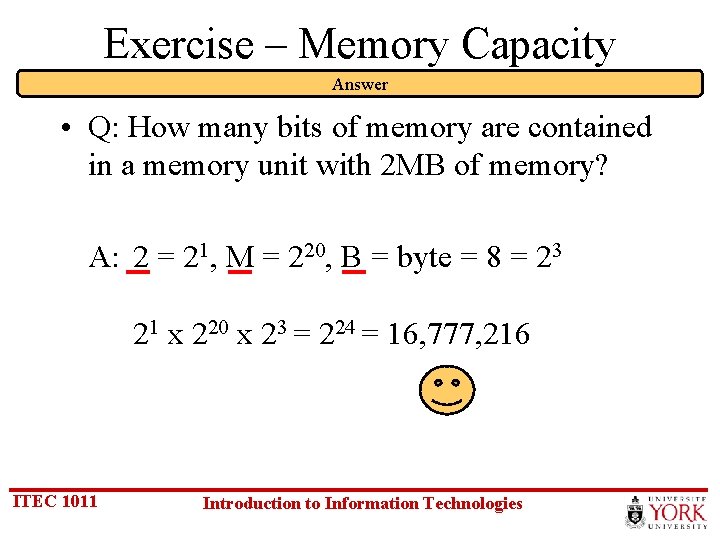
Exercise – Memory Capacity Answer • Q: How many bits of memory are contained in a memory unit with 2 MB of memory? A: 2 = 21, M = 220, B = byte = 8 = 23 21 x 220 x 23 = 224 = 16, 777, 216 ITEC 1011 Introduction to Information Technologies
Memory Implementations • RAM – random access memory • Static RAM • Dynamic RAM • ROM – read-only memory p. 175 ITEC 1011 Introduction to Information Technologies
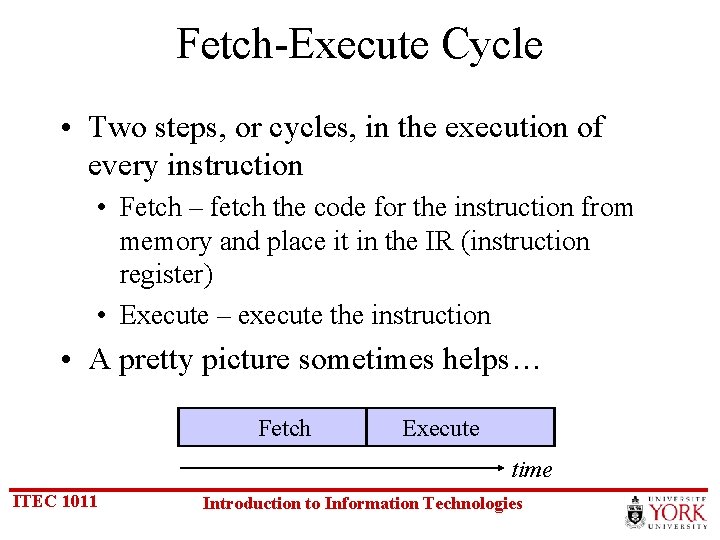
Fetch-Execute Cycle • Two steps, or cycles, in the execution of every instruction • Fetch – fetch the code for the instruction from memory and place it in the IR (instruction register) • Execute – execute the instruction • A pretty picture sometimes helps… Fetch Execute time ITEC 1011 Introduction to Information Technologies
The Store Instruction Fetch PC MAR MDR IR IR[address] MAR Execute A MDR PC + 1 PC ITEC 1011 Introduction to Information Technologies time
The Add Instruction Fetch PC MAR MDR IR IR[address] MAR Execute A + MDR A PC + 1 PC ITEC 1011 Introduction to Information Technologies time
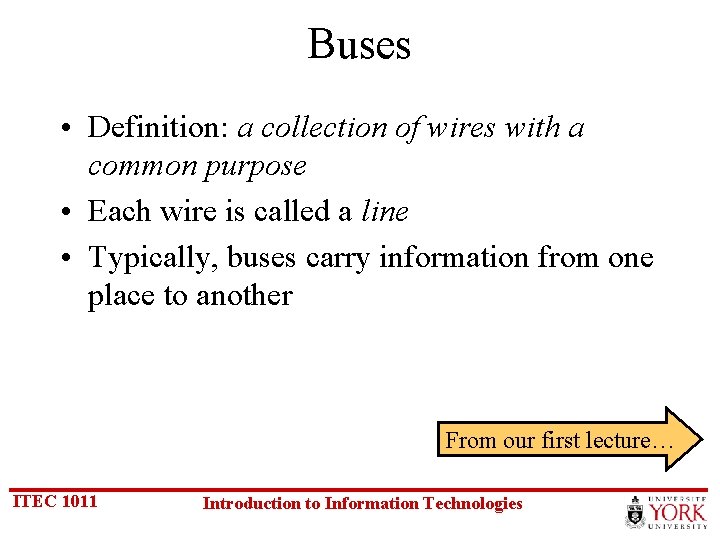
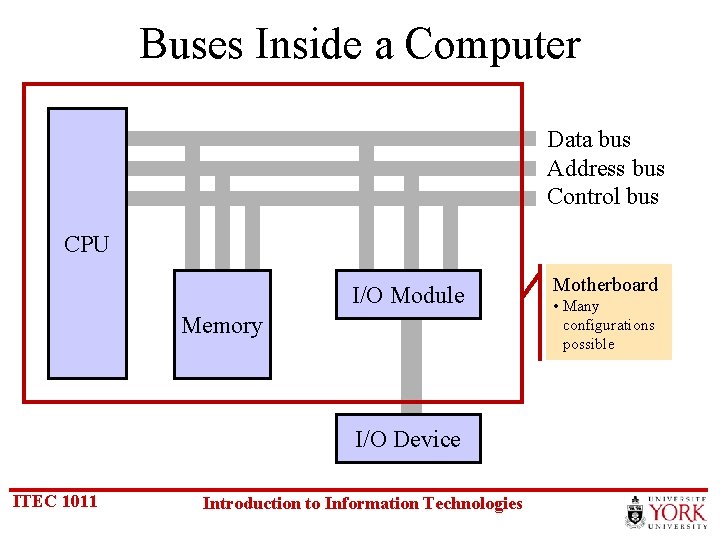
Buses • Definition: a collection of wires with a common purpose • Each wire is called a line • Typically, buses carry information from one place to another From our first lecture… ITEC 1011 Introduction to Information Technologies
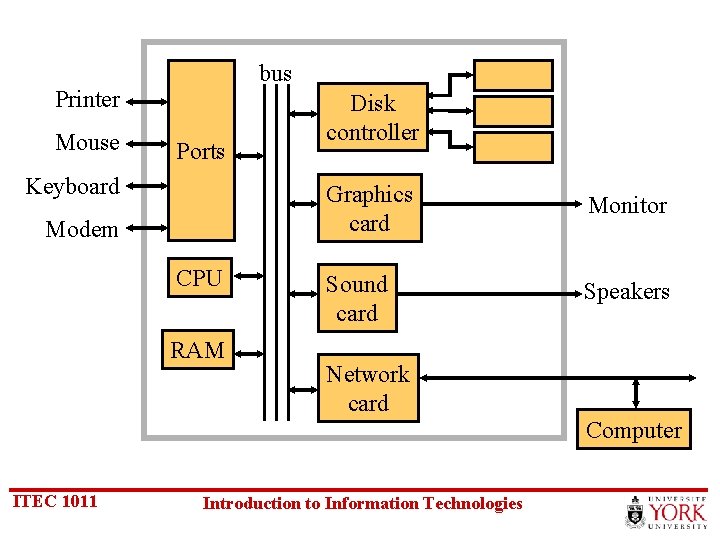
bus Printer Mouse Ports Keyboard Modem CPU RAM Disk controller Graphics card Monitor Sound card Speakers Network card Computer ITEC 1011 Introduction to Information Technologies
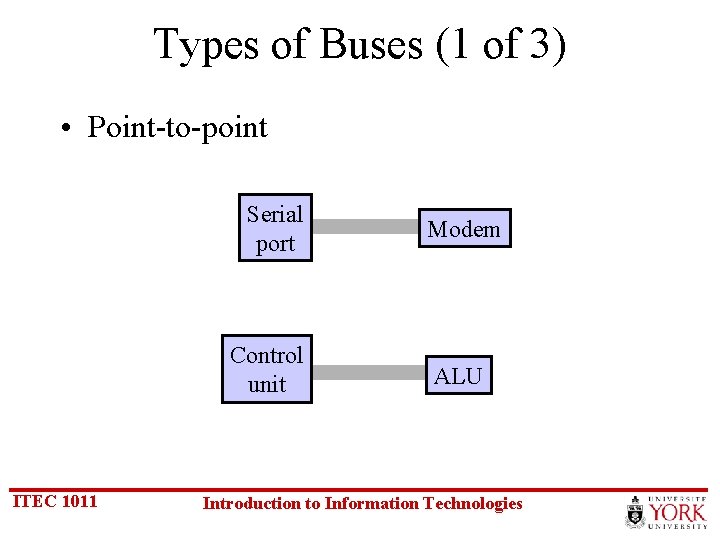
Types of Buses (1 of 3) • Point-to-point Serial port Control unit ITEC 1011 Modem ALU Introduction to Information Technologies
Types of Buses (2 of 3) • Multipoint Computer CPU Disk controller ITEC 1011 Computer Memory Video controller Introduction to Information Technologies
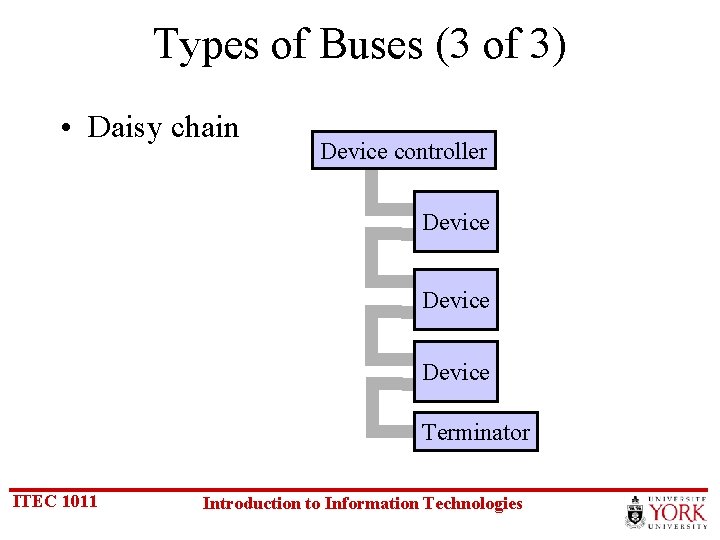
Types of Buses (3 of 3) • Daisy chain Device controller Device Terminator ITEC 1011 Introduction to Information Technologies
Buses Inside a Computer Data bus Address bus Control bus CPU I/O Module Memory I/O Device ITEC 1011 Introduction to Information Technologies Motherboard • Many configurations possible
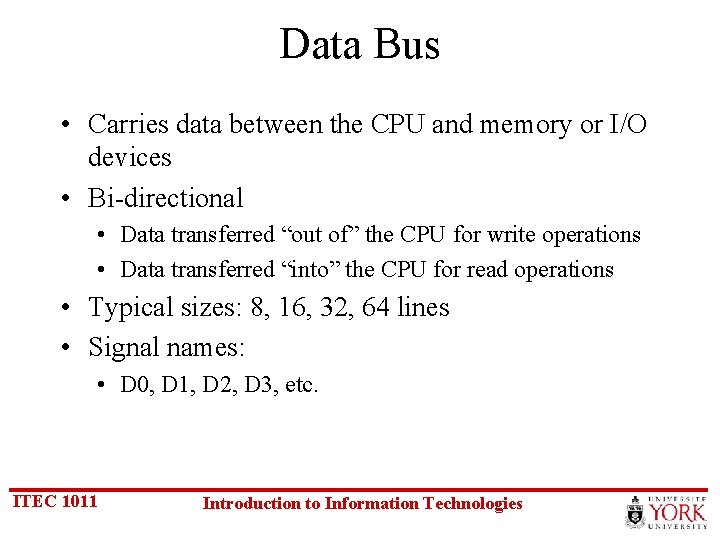
Data Bus • Carries data between the CPU and memory or I/O devices • Bi-directional • Data transferred “out of” the CPU for write operations • Data transferred “into” the CPU for read operations • Typical sizes: 8, 16, 32, 64 lines • Signal names: • D 0, D 1, D 2, D 3, etc. ITEC 1011 Introduction to Information Technologies
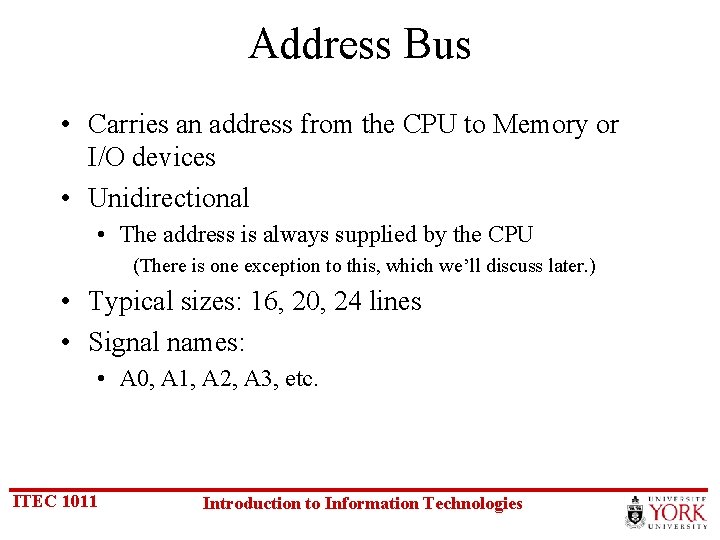
Address Bus • Carries an address from the CPU to Memory or I/O devices • Unidirectional • The address is always supplied by the CPU (There is one exception to this, which we’ll discuss later. ) • Typical sizes: 16, 20, 24 lines • Signal names: • A 0, A 1, A 2, A 3, etc. ITEC 1011 Introduction to Information Technologies
Control Bus • Collection of signals for coordinating CPU activities • Each signal has a unique purpose • Typical sizes: 10 -20 lines • Signals are output, input, or bi-directional • Typical signals • • • ITEC 1011 /RD (read) /WR (write CLK (clock) /IRQ (interrupt request) etc. Introduction to Information Technologies
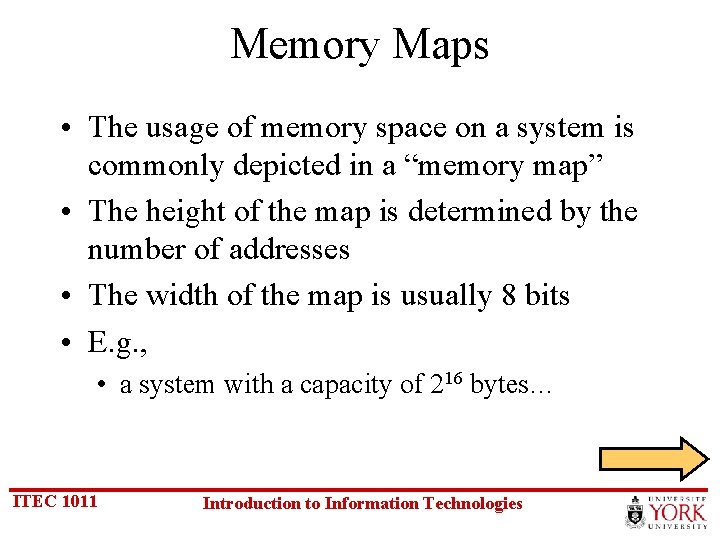
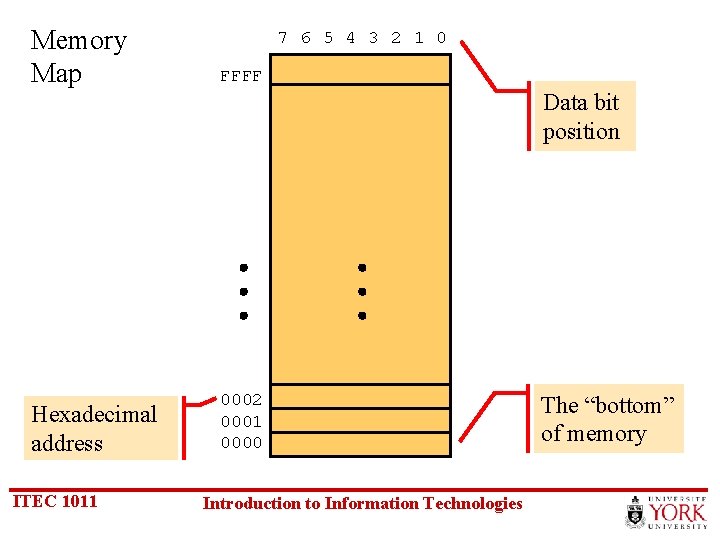
Memory Maps • The usage of memory space on a system is commonly depicted in a “memory map” • The height of the map is determined by the number of addresses • The width of the map is usually 8 bits • E. g. , • a system with a capacity of 216 bytes… ITEC 1011 Introduction to Information Technologies
Memory Map 7 6 5 4 3 2 1 0 FFFF Data bit position Hexadecimal address ITEC 1011 0002 0001 0000 Introduction to Information Technologies The “bottom” of memory
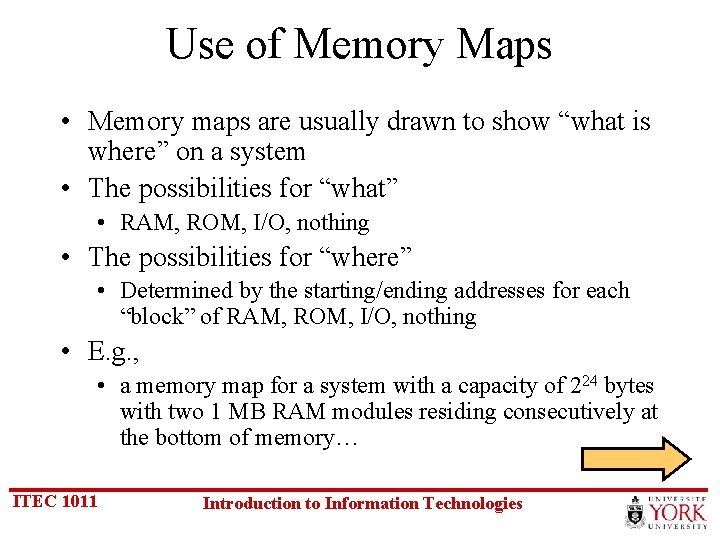
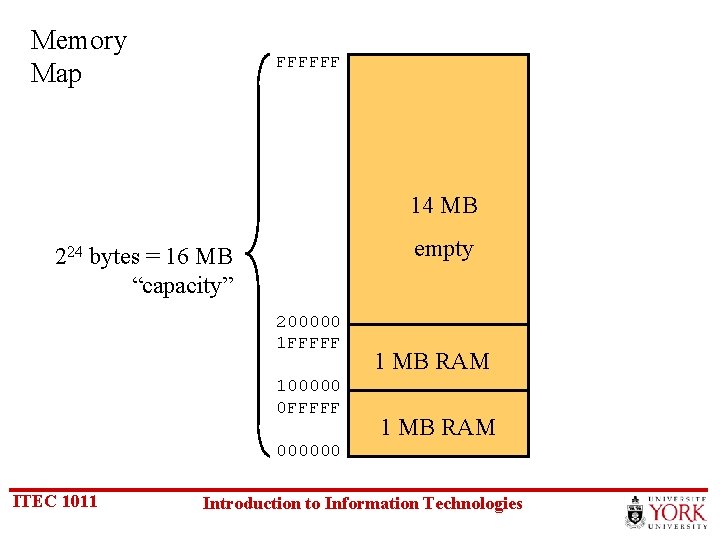
Use of Memory Maps • Memory maps are usually drawn to show “what is where” on a system • The possibilities for “what” • RAM, ROM, I/O, nothing • The possibilities for “where” • Determined by the starting/ending addresses for each “block” of RAM, ROM, I/O, nothing • E. g. , • a memory map for a system with a capacity of 224 bytes with two 1 MB RAM modules residing consecutively at the bottom of memory… ITEC 1011 Introduction to Information Technologies
Memory Map FFFFFF 14 MB empty 224 bytes = 16 MB “capacity” 200000 1 FFFFF 100000 0 FFFFF 1 MB RAM 000000 ITEC 1011 Introduction to Information Technologies
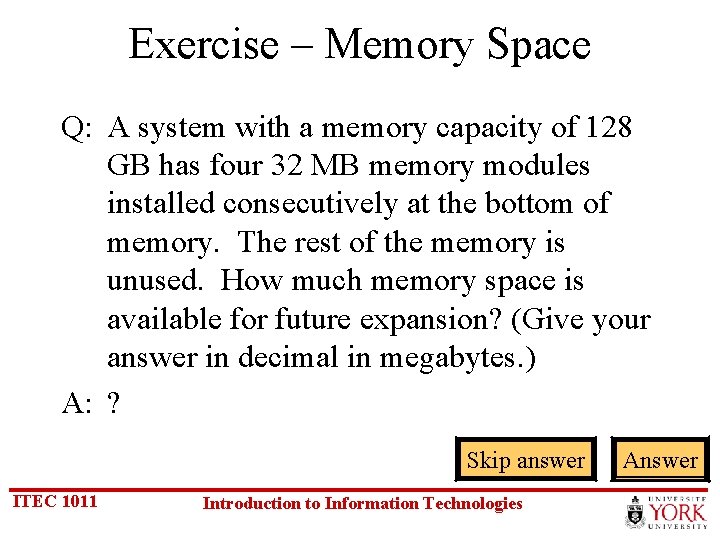
Exercise – Memory Space Q: A system with a memory capacity of 128 GB has four 32 MB memory modules installed consecutively at the bottom of memory. The rest of the memory is unused. How much memory space is available for future expansion? (Give your answer in decimal in megabytes. ) A: ? Skip answer ITEC 1011 Introduction to Information Technologies Answer
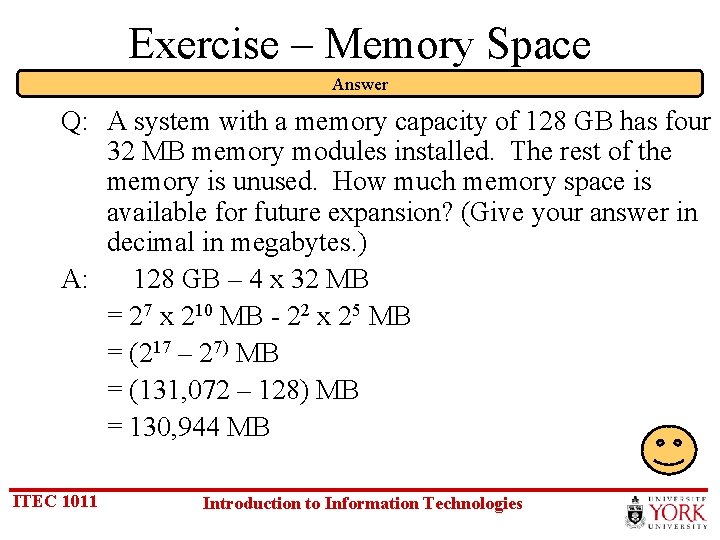
Exercise – Memory Space Answer Q: A system with a memory capacity of 128 GB has four 32 MB memory modules installed. The rest of the memory is unused. How much memory space is available for future expansion? (Give your answer in decimal in megabytes. ) A: 128 GB – 4 x 32 MB = 27 x 210 MB - 22 x 25 MB = (217 – 27) MB = (131, 072 – 128) MB = 130, 944 MB ITEC 1011 Introduction to Information Technologies
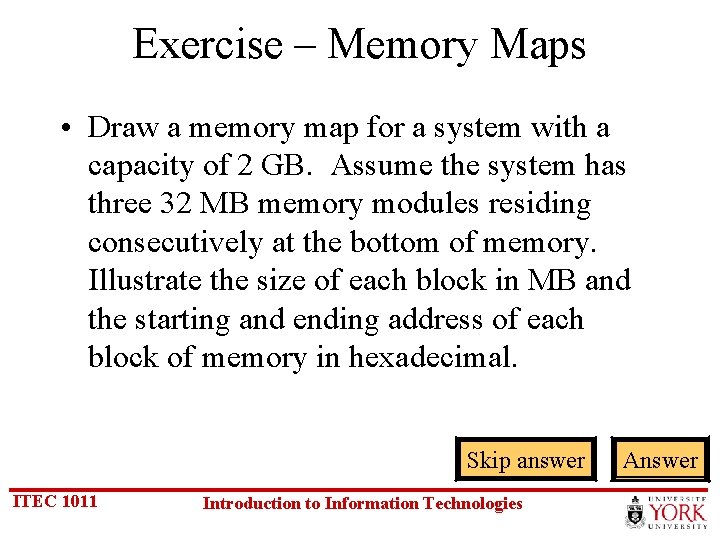
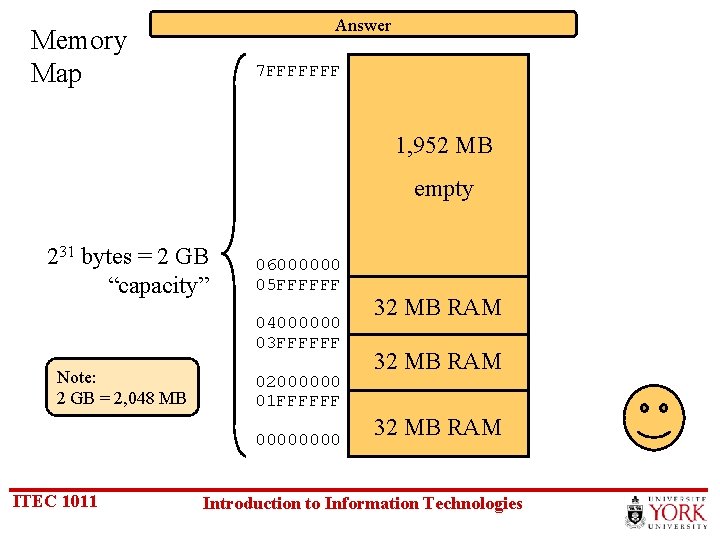
Exercise – Memory Maps • Draw a memory map for a system with a capacity of 2 GB. Assume the system has three 32 MB memory modules residing consecutively at the bottom of memory. Illustrate the size of each block in MB and the starting and ending address of each block of memory in hexadecimal. Skip answer ITEC 1011 Introduction to Information Technologies Answer
Answer Memory Map 7 FFFFFFF 1, 952 MB empty 231 bytes = 2 GB “capacity” 06000000 05 FFFFFF 04000000 03 FFFFFF Note: 2 GB = 2, 048 MB 02000000 01 FFFFFF 0000 ITEC 1011 32 MB RAM Introduction to Information Technologies
Memory vs. I/O • Our system block diagram shows memory and I/O connected to the same buses (data, address, & control) • This raises the question… • How is I/O differentiated from memory? • (We’ll answer this in the next topic) ITEC 1011 Introduction to Information Technologies
Thank you ITEC 1011 Introduction to Information Technologies