
6 Development of Internet Applications AJAX JSON XML

- Slides: 44
6 Development of Internet Applications AJAX, JSON, XML Ing. Janoušek
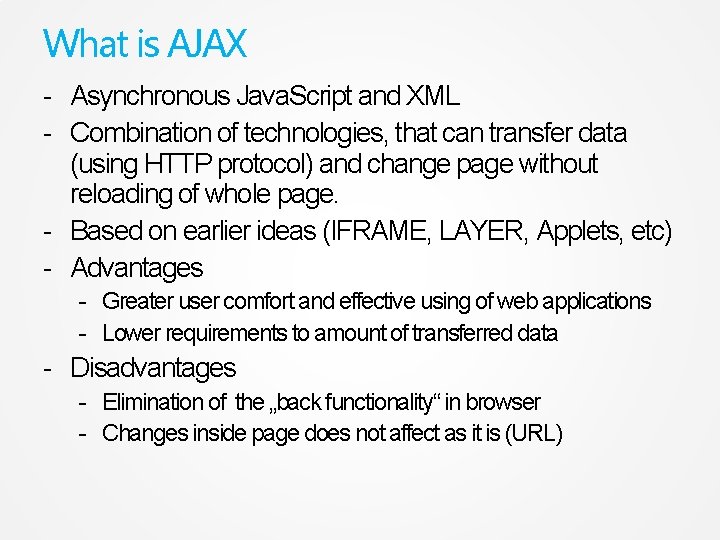
What is AJAX - Asynchronous Java. Script and XML - Combination of technologies, that can transfer data (using HTTP protocol) and change page without reloading of whole page. - Based on earlier ideas (IFRAME, LAYER, Applets, etc) - Advantages - Greater user comfort and effective using of web applications - Lower requirements to amount of transferred data - Disadvantages - Elimination of the „back functionality“ in browser - Changes inside page does not affect as it is (URL)
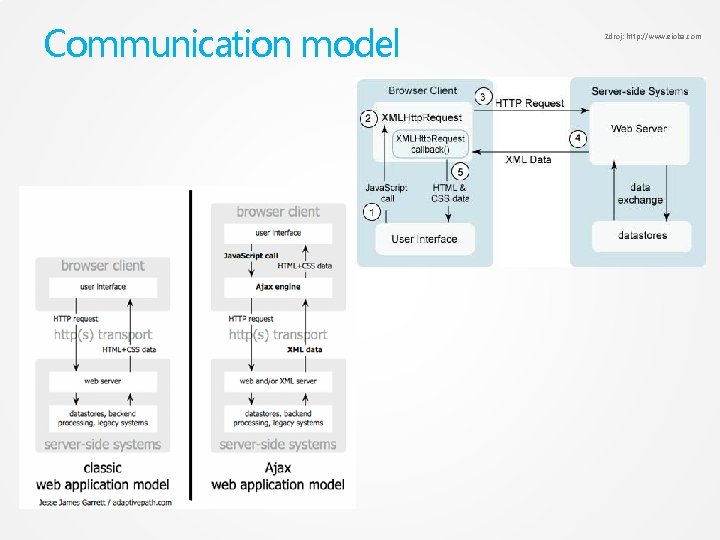
Communication model Zdroj: http: //www. eioba. com
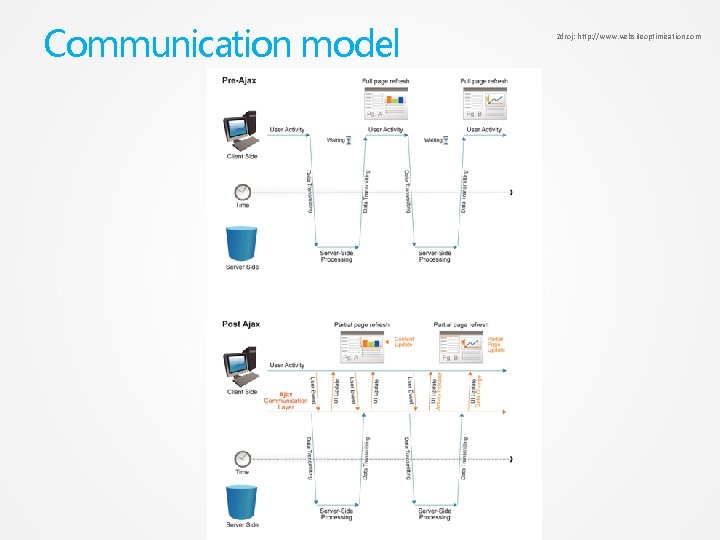
Communication model Zdroj: http: //www. websiteoptimization. com
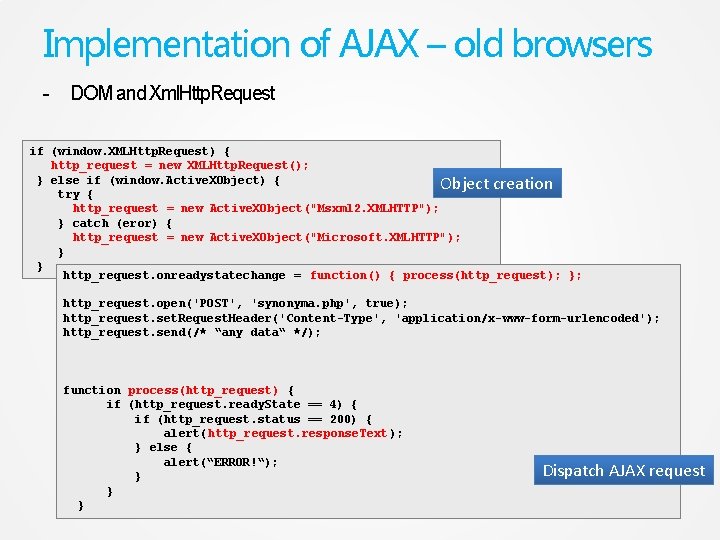
Implementation of AJAX – old browsers - DOM and Xml. Http. Request if (window. XMLHttp. Request) { http_request = new XMLHttp. Request(); } else if (window. Active. XObject) { Object creation try { http_request = new Active. XObject("Msxml 2. XMLHTTP"); } catch (eror) { http_request = new Active. XObject("Microsoft. XMLHTTP"); } } http_request. onreadystatechange = function() { process(http_request); }; http_request. open('POST', 'synonyma. php', true); http_request. set. Request. Header('Content-Type', 'application/x-www-form-urlencoded'); http_request. send(/* “any data“ */); function process(http_request) { if (http_request. ready. State == 4) { if (http_request. status == 200) { alert(http_request. response. Text ); } else { alert(“ERROR!“); } } } Dispatch AJAX request
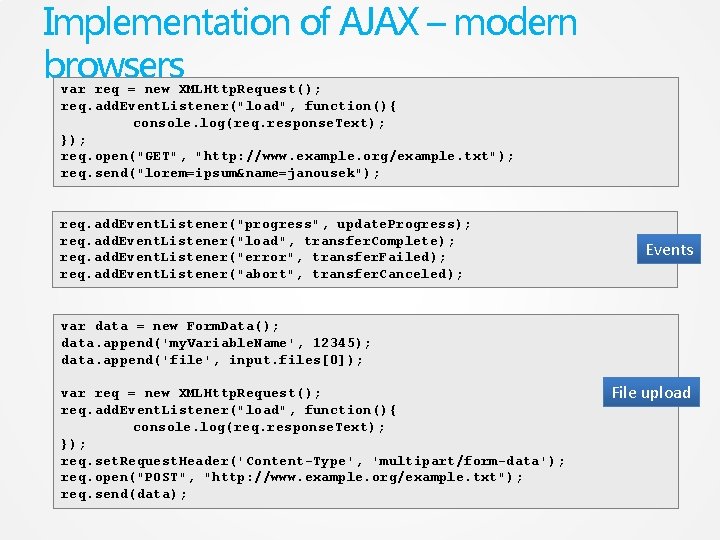
Implementation of AJAX – modern browsers var req = new XMLHttp. Request(); req. add. Event. Listener("load", function(){ console. log(req. response. Text); }); req. open("GET", "http: //www. example. org/example. txt"); req. send("lorem=ipsum&name=janousek"); req. add. Event. Listener("progress", update. Progress); req. add. Event. Listener("load", transfer. Complete); req. add. Event. Listener("error", transfer. Failed); req. add. Event. Listener("abort", transfer. Canceled); Events var data = new Form. Data(); data. append('my. Variable. Name', 12345); data. append('file', input. files[0]); var req = new XMLHttp. Request(); req. add. Event. Listener("load", function(){ console. log(req. response. Text); }); req. set. Request. Header('Content-Type', 'multipart/form-data'); req. open("POST", "http: //www. example. org/example. txt"); req. send(data); File upload
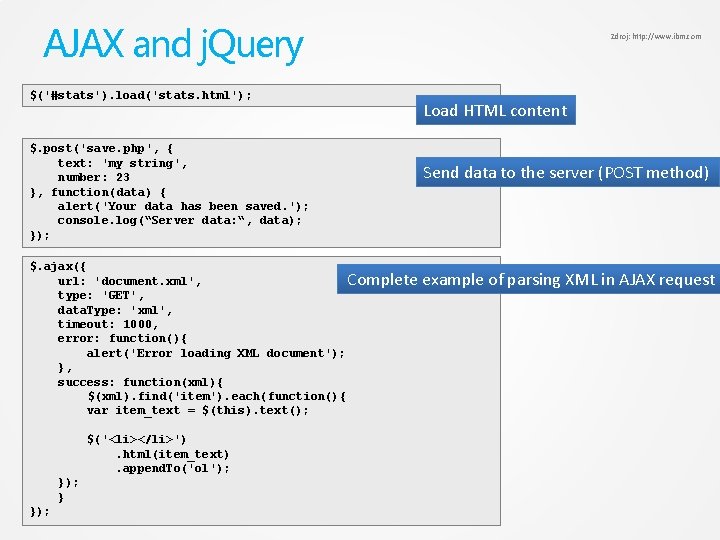
AJAX and j. Query $('#stats'). load('stats. html'); $. post('save. php', { text: 'my string', number: 23 }, function(data) { alert('Your data has been saved. '); console. log(“Server data: “, data); }); $. ajax({ url: 'document. xml', Complete type: 'GET', data. Type: 'xml', timeout: 1000, error: function(){ alert('Error loading XML document'); }, success: function(xml){ $(xml). find('item'). each(function(){ var item_text = $(this). text(); $('<li></li>'). html(item_text). append. To('ol'); } }); Zdroj: http: //www. ibm. com Load HTML content Send data to the server (POST method) example of parsing XML in AJAX request
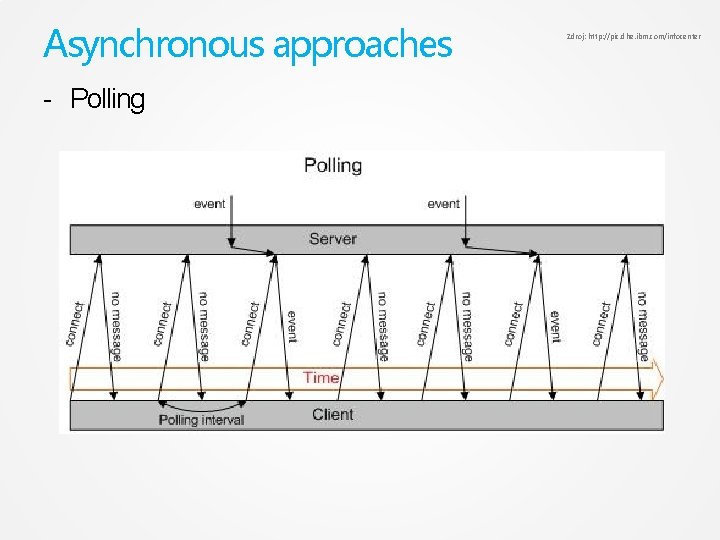
Asynchronous approaches - Polling Zdroj: http: //pic. dhe. ibm. com/infocenter
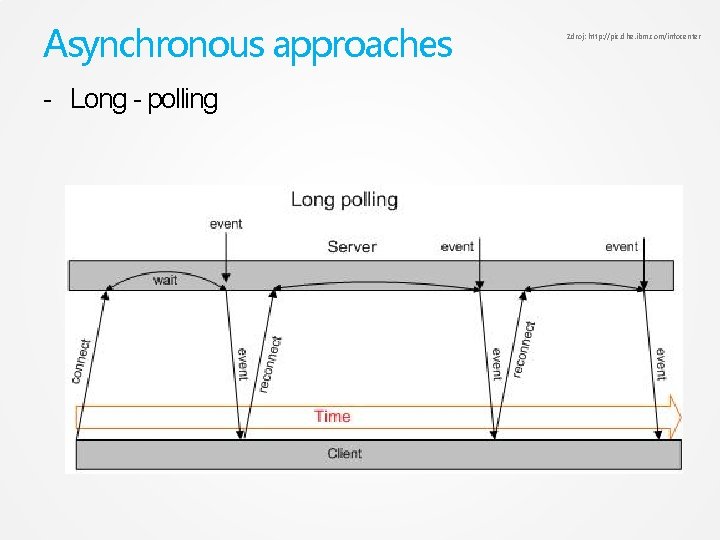
Asynchronous approaches - Long - polling Zdroj: http: //pic. dhe. ibm. com/infocenter
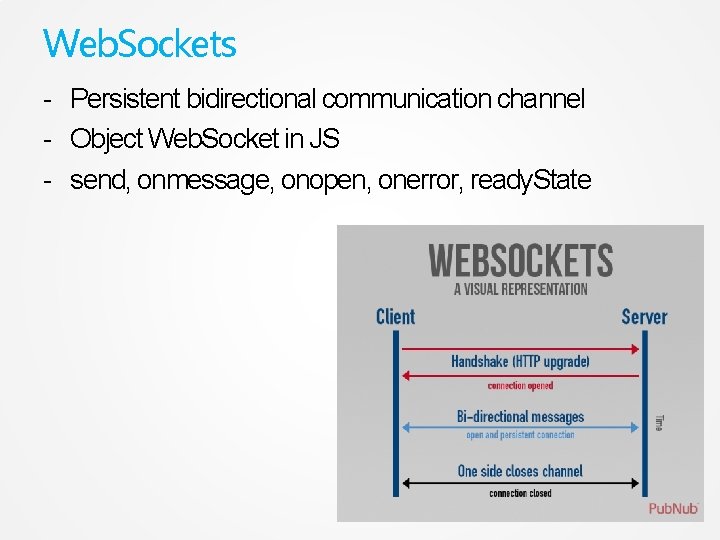
Web. Sockets - Persistent bidirectional communication channel - Object Web. Socket in JS - send, onmessage, onopen, onerror, ready. State
What is XML - e. Xtensible Markup Language - a set of rules - semantic tags (tags, elements) - divide the document based on structure - identification of a part of document - based on SGML (Standard Generalized Markup Language) - same possibilities - simplicity - it is not another markup language - it is meta-language - the names of tags, attributes, etc. are based only on author or standard
Why use XML? - data + tags = structured data with semantic enables definition of relations between elements it can be 100% ASCII text it is documented by W 3 C it is not patented, without copyright or another limitations there are not versions of XML (XML itself) support in programming language support in many tools simple processing - parsing
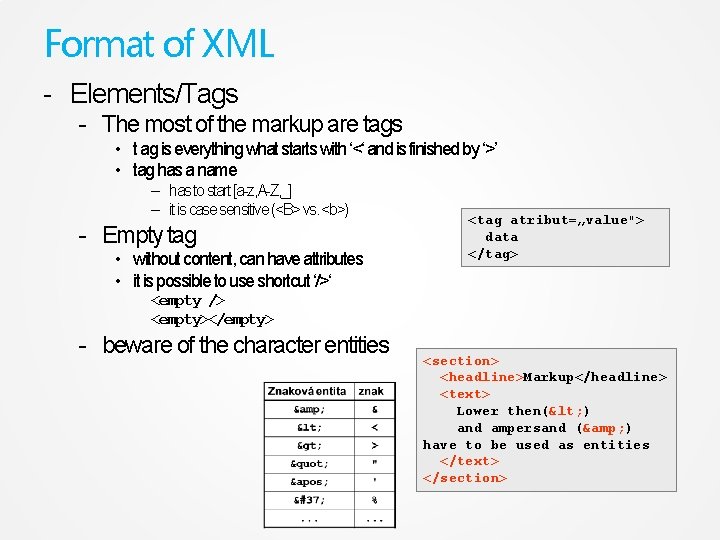
Format of XML - Elements/Tags - The most of the markup are tags • t ag is everything what starts with ‘<‘ and is finished by ‘>’ • tag has a name – has to start [a-z, A-Z, _] – it is case sensitive (<B> vs. <b>) - Empty tag • without content, can have attributes • it is possible to use shortcut ‘/>‘ <tag atribut=„value"> data </tag> <empty /> <empty></empty> - beware of the character entities <section> <headline>Markup</headline> <text> Lower then(< ) and ampersand (& ) have to be used as entities </text> </section>
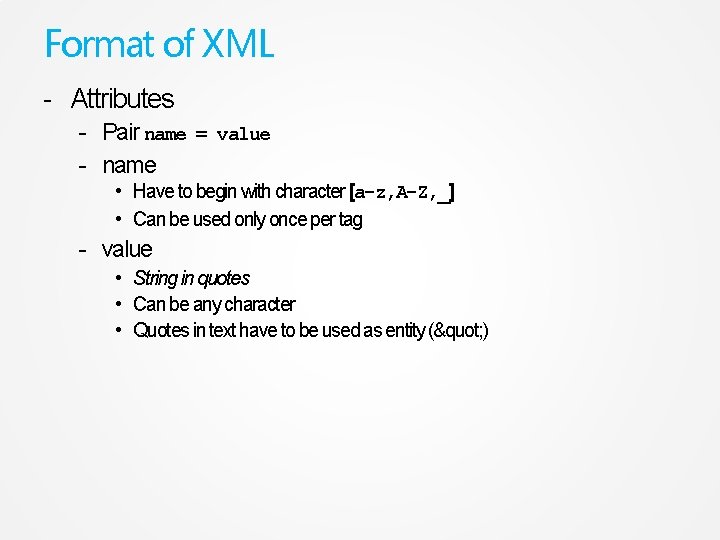
Format of XML - Attributes - Pair name = value - name • Have to begin with character [a-z, A-Z, _] • Can be used only once per tag - value • String in quotes • Can be any character • Quotes in text have to be used as entity (" )
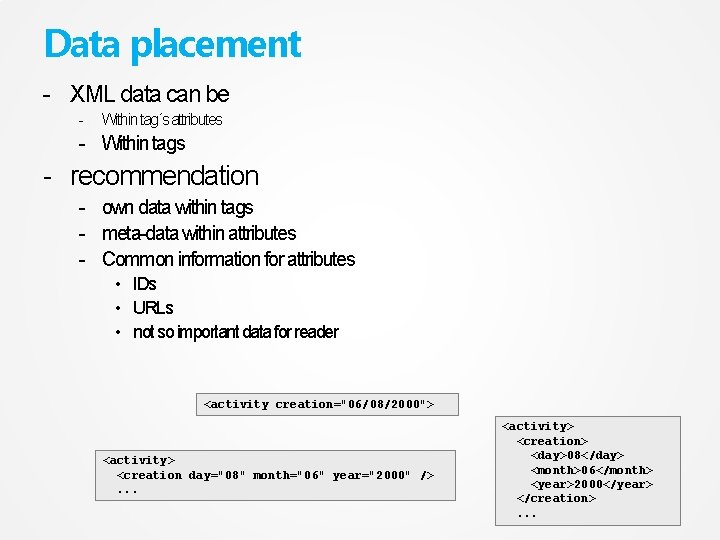
Data placement - XML data can be - Within tag´s attributes - Within tags - recommendation - own data within tags - meta-data within attributes - Common information for attributes • IDs • URLs • not so important data for reader <activity creation="06/08/2000"> <activity> <creation day="08" month="06" year="2000" />. . . <activity> <creation> <day>08</day> <month>06</month> <year>2000</year> </creation>. . .
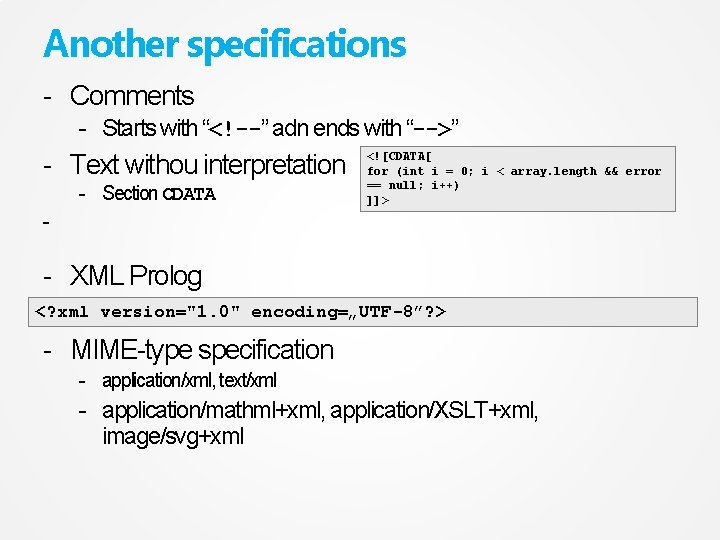
Another specifications - Comments - Starts with “<!--” adn ends with “-->” - Text withou interpretation - Section CDATA <![CDATA[ for (int i = 0; i < array. length && error == null; i++) ]]> - - XML Prolog <? xml version="1. 0" encoding=„UTF-8”? > - MIME-type specification - application/xml, text/xml - application/mathml+xml, application/XSLT+xml, image/svg+xml
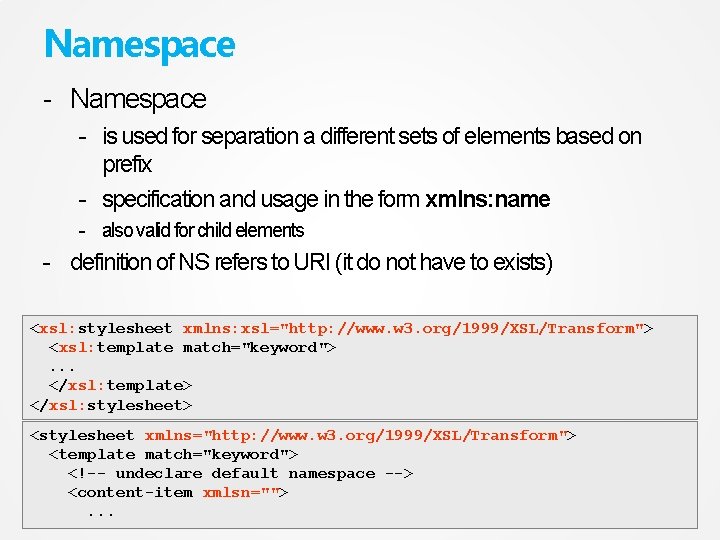
Namespace - is used for separation a different sets of elements based on prefix - specification and usage in the form xmlns: name - also valid for child elements - definition of NS refers to URI (it do not have to exists) <xsl: stylesheet xmlns: xsl="http: //www. w 3. org/1999/XSL/Transform"> <xsl: template match="keyword">. . . </xsl: template> </xsl: stylesheet> <stylesheet xmlns="http: //www. w 3. org/1999/XSL/Transform"> <template match="keyword"> <!-- undeclare default namespace --> <content-item xmlsn="">. . .
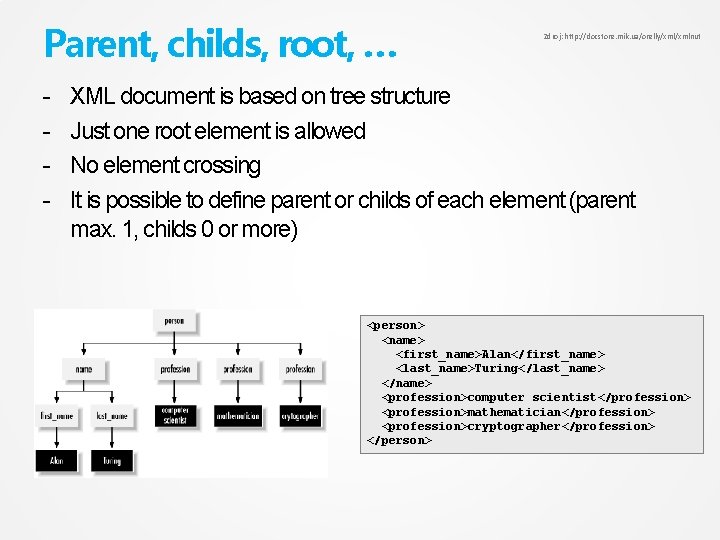
Parent, childs, root, … - Zdroj: http: //docstore. mik. ua/orelly/xmlnut XML document is based on tree structure Just one root element is allowed No element crossing It is possible to define parent or childs of each element (parent max. 1, childs 0 or more) <person> <name> <first_name>Alan</first_name> <last_name>Turing</last_name> </name> <profession>computer scientist</profession> <profession>mathematician</profession> <profession>cryptographer</profession> </person>
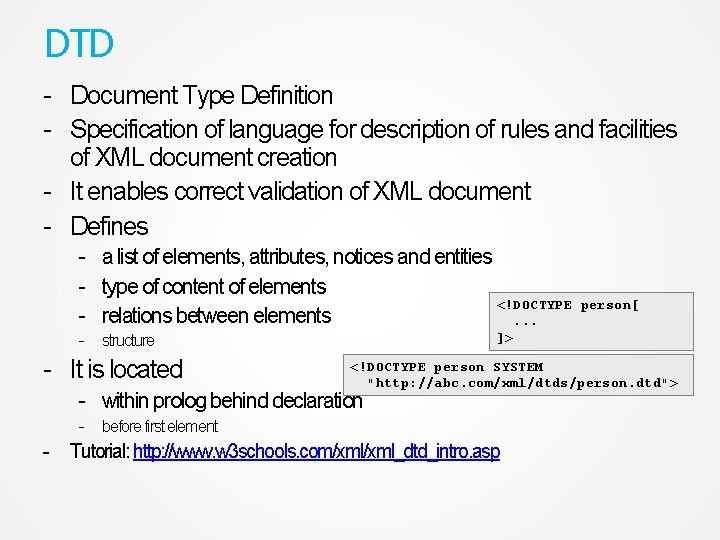
DTD - Document Type Definition - Specification of language for description of rules and facilities of XML document creation - It enables correct validation of XML document - Defines - a list of elements, attributes, notices and entities - type of content of elements <!DOCTYPE - relations between elements. . . - structure - It is located person[ ]> <!DOCTYPE person SYSTEM "http: //abc. com/xml/dtds/person. dtd"> - within prolog behind declaration - before first element - Tutorial: http: //www. w 3 schools. com/xml_dtd_intro. asp
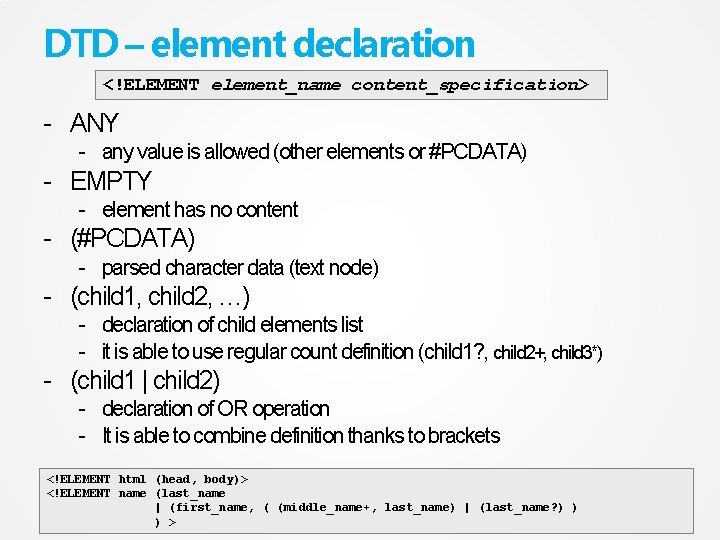
DTD – element declaration <!ELEMENT element_name content_specification> - ANY - any value is allowed (other elements or #PCDATA) - EMPTY - element has no content - (#PCDATA) - parsed character data (text node) - (child 1, child 2, …) - declaration of child elements list - it is able to use regular count definition (child 1? , child 2+, child 3*) - (child 1 | child 2) - declaration of OR operation - It is able to combine definition thanks to brackets <!ELEMENT html (head, body)> <!ELEMENT name (last_name | (first_name, ( (middle_name+, last_name) | (last_name? ) ) ) >
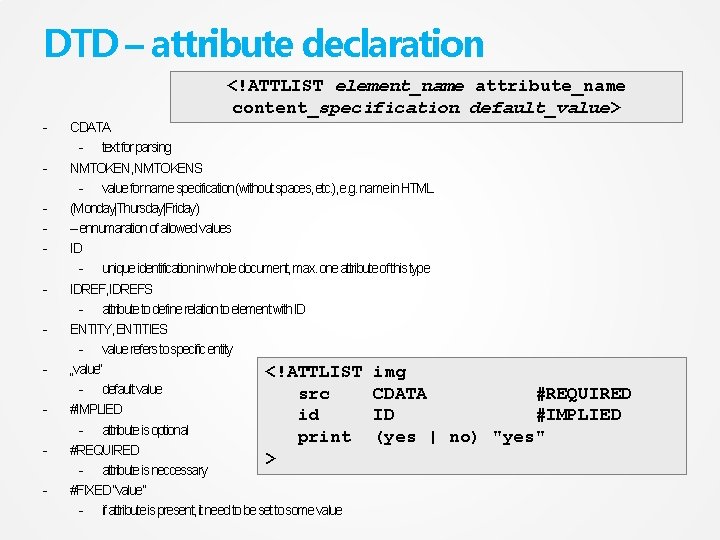
DTD – attribute declaration <!ATTLIST element_name attribute_name content_specification default_value> - CDATA - text for parsing NMTOKEN, NMTOKENS - value for name specification (without spaces, etc. ), e. g. name in HTML (Monday|Thursday|Friday) – ennumaration of allowed values ID - unique identification in whole document, max. one attribute of this type IDREF, IDREFS - attribute to define relation to element with ID ENTITY, ENTITIES - value refers to specific entity „value“ <!ATTLIST img - default value src CDATA #IMPLIED id ID - attribute is optional print (yes | #REQUIRED > - attribute is neccessary #FIXED “value” - if attribute is present, it need to be set to some value #REQUIRED #IMPLIED no) "yes"
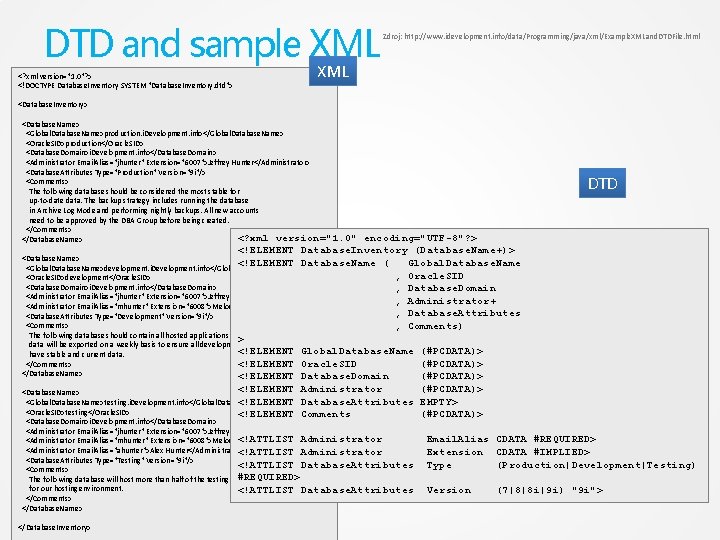
DTD and sample XML <? xml version="1. 0"? > <!DOCTYPE Database. Inventory SYSTEM "Database. Inventory. dtd"> Zdroj: http: //www. idevelopment. info/data/Programming/java/xml/Example. XMLand. DTDFile. html XML <Database. Inventory> <Database. Name> <Global. Database. Name>production. i. Development. info</Global. Database. Name> <Oracle. SID>production</Oracle. SID> <Database. Domain>i. Development. info</Database. Domain> <Administrator Email. Alias="jhunter" Extension="6007">Jeffrey Hunter</Administrator> <Database. Attributes Type="Production" Version="9 i"/> <Comments> The following database should be considered the most stable for up-to-date data. The backup strategy includes running the database in Archive Log Mode and performing nightly backups. All new accounts need to be approved by the DBA Group before being created. </Comments> <? xml version="1. 0" </Database. Name> DTD encoding="UTF-8"? > <!ELEMENT Database. Inventory (Database. Name+)> <Database. Name> <!ELEMENT Database. Name ( Global. Database. Name <Global. Database. Name>development. i. Development. info</Global. Database. Name> , Oracle. SID <Oracle. SID>development</Oracle. SID> <Database. Domain>i. Development. info</Database. Domain> , Database. Domain <Administrator Email. Alias="jhunter" Extension="6007">Jeffrey Hunter</Administrator> , Administrator+ <Administrator Email. Alias="mhunter" Extension="6008">Melody Hunter</Administrator> , Database. Attributes <Database. Attributes Type="Development" Version="9 i"/> <Comments> , Comments) The following database should contain all hosted applications. Production > data will be exported on a weekly basis to ensure all development environments <!ELEMENT Global. Database. Name (#PCDATA)> have stable and current data. </Comments> <!ELEMENT Oracle. SID (#PCDATA)> </Database. Name> <!ELEMENT Database. Domain (#PCDATA)> <!ELEMENT Administrator (#PCDATA)> <Database. Name> <!ELEMENT Database. Attributes EMPTY> <Global. Database. Name>testing. i. Development. info</Global. Database. Name> <Oracle. SID>testing</Oracle. SID> <!ELEMENT Comments (#PCDATA)> <Database. Domain>i. Development. info</Database. Domain> <Administrator Email. Alias="jhunter" Extension="6007">Jeffrey Hunter</Administrator> Administrator <Administrator Email. Alias="mhunter" Extension="6008">Melody <!ATTLIST Hunter</Administrator> <Administrator Email. Alias="ahunter">Alex Hunter</Administrator> <!ATTLIST Administrator <Database. Attributes Type="Testing" Version="9 i"/> <!ATTLIST Database. Attributes <Comments> The following database will host more than half of the testing #REQUIRED> for our hosting environment. <!ATTLIST Database. Attributes </Comments> </Database. Name> </Database. Inventory> Email. Alias CDATA #REQUIRED> Extension CDATA #IMPLIED> Type (Production|Development|Testing) Version (7|8|8 i|9 i) "9 i">
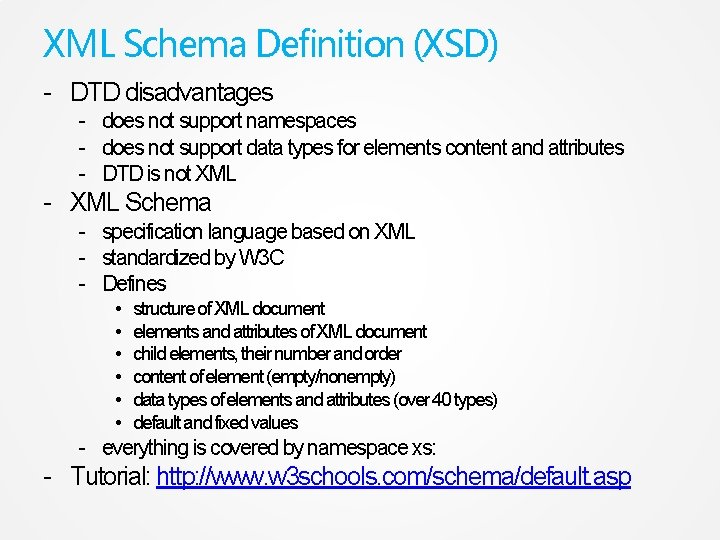
XML Schema Definition (XSD) - DTD disadvantages - does not support namespaces - does not support data types for elements content and attributes - DTD is not XML - XML Schema - specification language based on XML - standardized by W 3 C - Defines • • • structure of XML document elements and attributes of XML document child elements, their number and order content of element (empty/nonempty) data types of elements and attributes (over 40 types) default and fixed values - everything is covered by namespace xs: - Tutorial: http: //www. w 3 schools. com/schema/default. asp
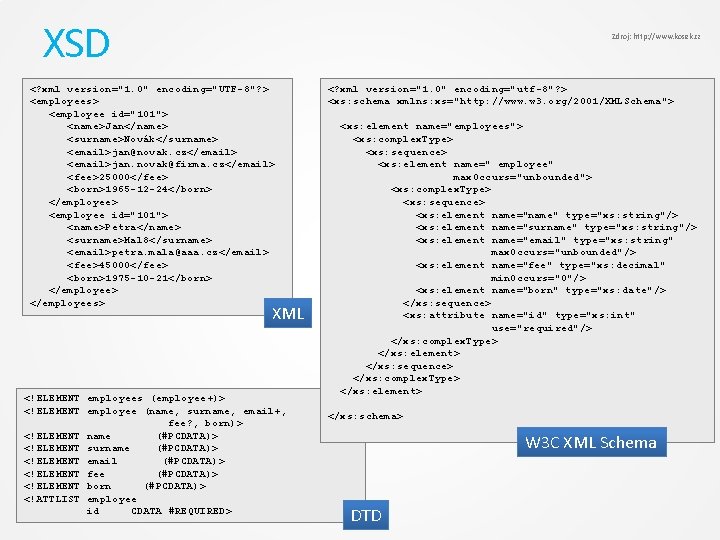
XSD Zdroj: http: //www. kosek. cz <? xml version="1. 0" encoding="UTF-8"? > <employees> <employee id="101"> <name>Jan</name> <surname>Novák</surname> <email>jan@novak. cz</email> <email>jan. novak@firma. cz</email> <fee>25000</fee> <born>1965 -12 -24</born> </employee> <employee id="101"> <name>Petra</name> <surname>Mal 8</surname> <email>petra. mala@aaa. cz</email> <fee>45000</fee> <born>1975 -10 -21</born> </employees> XML <!ELEMENT employees (employee+)> <!ELEMENT employee (name, surname, email+, fee? , born)> <!ELEMENT name (#PCDATA)> <!ELEMENT surname (#PCDATA)> <!ELEMENT email (#PCDATA)> <!ELEMENT fee (#PCDATA)> <!ELEMENT born (#PCDATA)> <!ATTLIST employee id CDATA #REQUIRED> <? xml version="1. 0" encoding="utf-8"? > <xs: schema xmlns: xs="http: //www. w 3. org/2001/XMLSchema"> <xs: element name="employees"> <xs: complex. Type> <xs: sequence> <xs: element name=" employee" max. Occurs="unbounded"> <xs: complex. Type> <xs: sequence> <xs: element name="name" type="xs: string"/> <xs: element name="surname" type="xs: string"/> <xs: element name="email" type="xs: string" max. Occurs="unbounded"/> <xs: element name="fee" type="xs: decimal" min. Occurs="0"/> <xs: element name="born" type="xs: date"/> </xs: sequence> <xs: attribute name="id" type="xs: int" use="required"/> </xs: complex. Type> </xs: element> </xs: sequence> </xs: complex. Type> </xs: element> </xs: schema> W 3 C XML Schema DTD
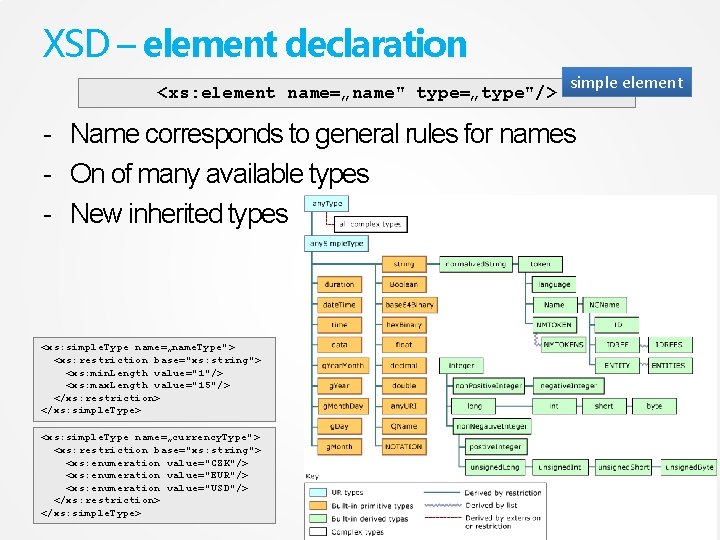
XSD – element declaration <xs: element name=„name" type=„type"/> simple element - Name corresponds to general rules for names - On of many available types - New inherited types <xs: simple. Type name=„name. Type"> <xs: restriction base="xs: string"> <xs: min. Length value="1"/> <xs: max. Length value="15"/> </xs: restriction> </xs: simple. Type> <xs: simple. Type name=„currency. Type"> <xs: restriction base="xs: string"> <xs: enumeration value="CZK"/> <xs: enumeration value="EUR"/> <xs: enumeration value="USD"/> </xs: restriction> </xs: simple. Type>
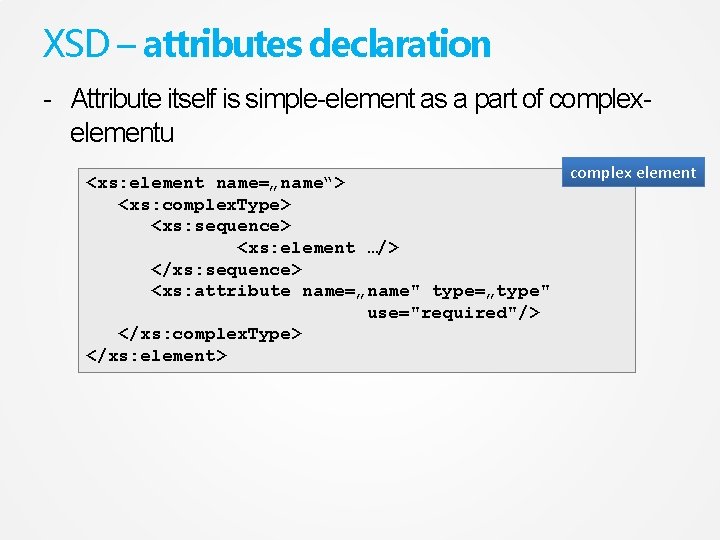
XSD – attributes declaration - Attribute itself is simple-element as a part of complexelementu <xs: element name=„name“> <xs: complex. Type> <xs: sequence> <xs: element …/> </xs: sequence> <xs: attribute name=„name" type=„type" use="required"/> </xs: complex. Type> </xs: element> complex element
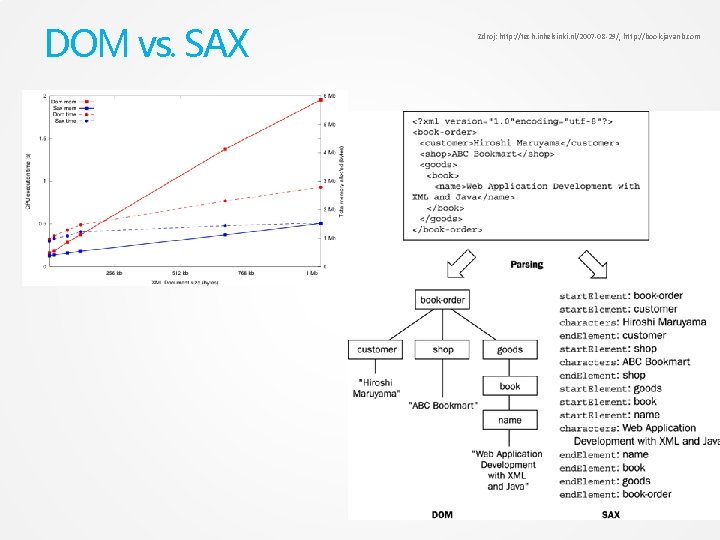
API - DOM - Document Object Model - represents tree structure of XML document by objects in memory - SAX - Simple API for XML – event-driven model - processing of XML during document loading - calling methods/parsing loaded data at the beginning and the end of element, during text parsingm etc. - it is not a standard - fast, higher claims to application logic - Parser - application, class, algorithm - transfer XML from text form to another form for next processing (for example. DOM) - check syntax and DTD and validation
DOM vs. SAX Zdroj: http: //tech. inhelsinki. nl/2007 -08 -29/, http: //book. javanb. com
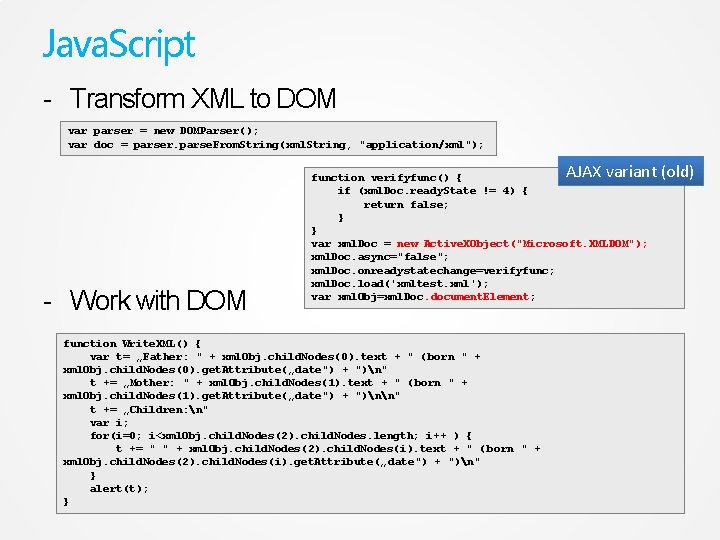
Java. Script - Transform XML to DOM var parser = new DOMParser(); var doc = parser. parse. From. String(xml. String, "application/xml"); AJAX variant (old) - Work with DOM function verifyfunc() { if (xml. Doc. ready. State != 4) { return false; } } var xml. Doc = new Active. XObject("Microsoft. XMLDOM"); xml. Doc. async="false"; xml. Doc. onreadystatechange=verifyfunc; xml. Doc. load('xmltest. xml'); var xml. Obj=xml. Doc. document. Element; function Write. XML() { var t= „Father: " + xml. Obj. child. Nodes(0). text + " (born " + xml. Obj. child. Nodes(0). get. Attribute(„date") + ")n" t += „Mother: " + xml. Obj. child. Nodes(1). text + " (born " + xml. Obj. child. Nodes(1). get. Attribute(„date") + ")nn" t += „Children: n" var i; for(i=0; i<xml. Obj. child. Nodes(2). child. Nodes. length; i++ ) { t += " " + xml. Obj. child. Nodes(2). child. Nodes(i). text + " ( born " + xml. Obj. child. Nodes(2). child. Nodes(i). get. Attribute(„ date") + ")n" } alert(t); }
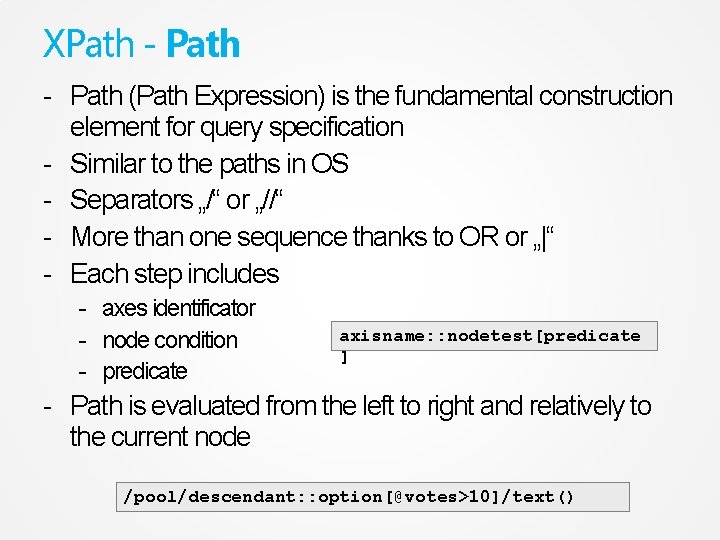
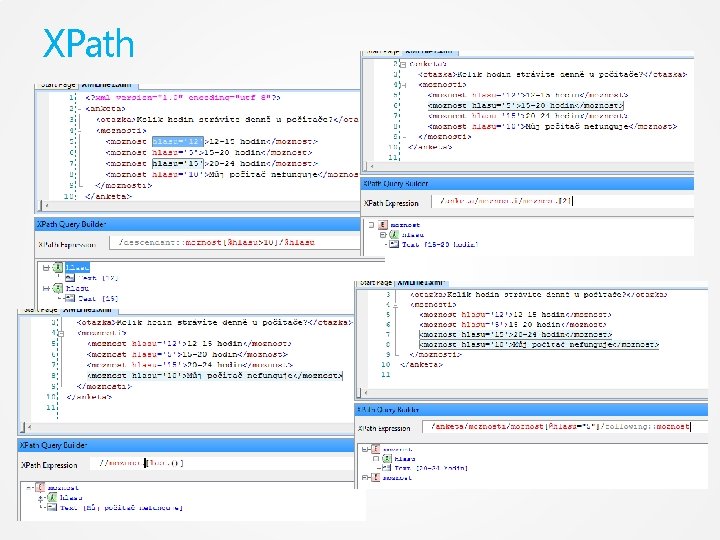
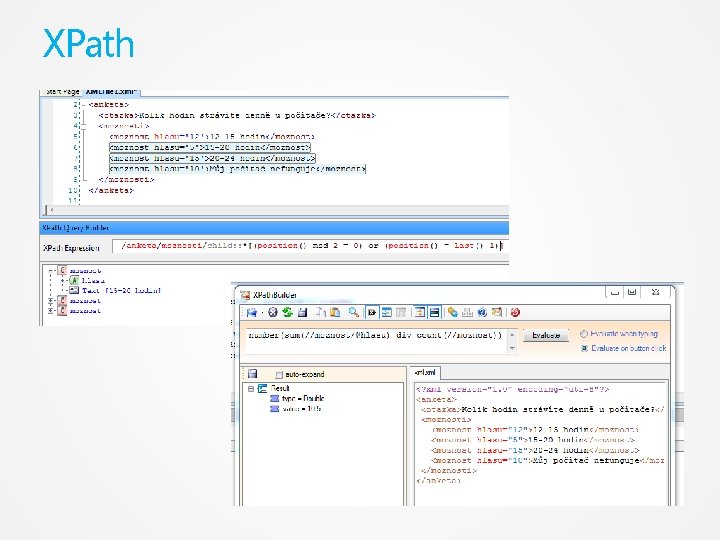
XPath - Path (Path Expression) is the fundamental construction element for query specification - Similar to the paths in OS - Separators „/“ or „//“ - More than one sequence thanks to OR or „|“ - Each step includes - axes identificator - node condition - predicate axisname: : nodetest[predicate ] - Path is evaluated from the left to right and relatively to the current node /pool/descendant: : option[@votes>10]/text()
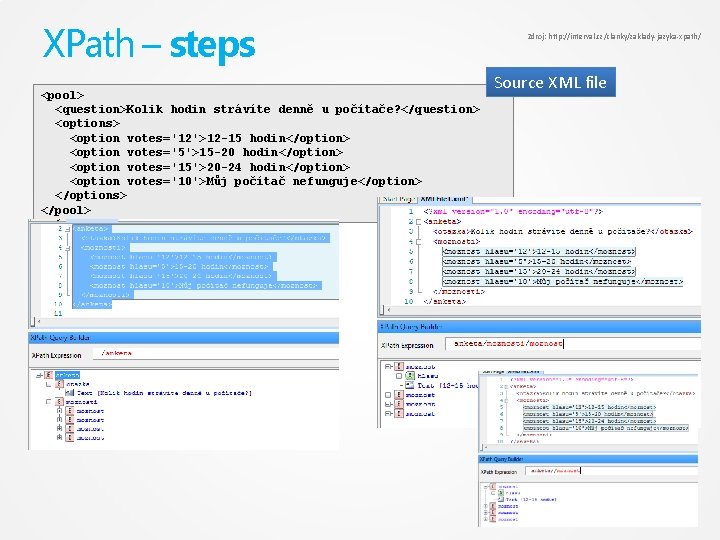
XPath – steps <pool> <question>Kolik hodin strávíte denně u počítače? </question> <options> <option votes='12'>12 -15 hodin</option> <option votes='5'>15 -20 hodin</option> <option votes='15'>20 -24 hodin</option> <option votes='10'>Můj počítač nefunguje</option> </options> </pool> Zdroj: http: //interval. cz/clanky/zaklady-jazyka-xpath/ Source XML file
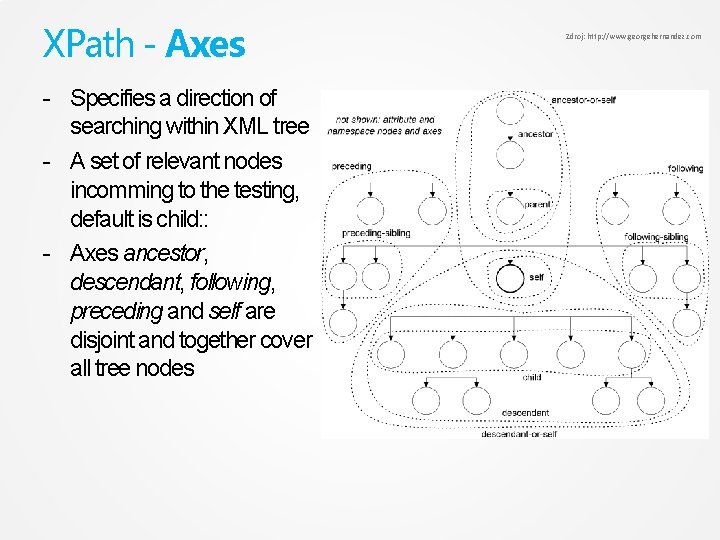
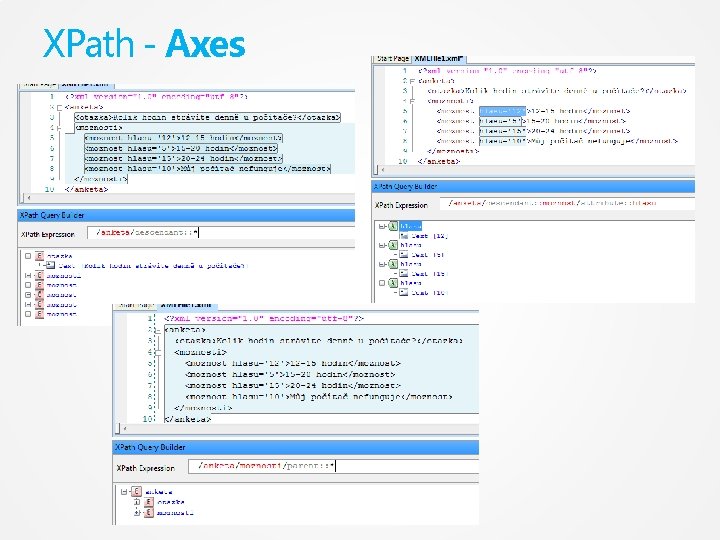
XPath - Axes - Specifies a direction of searching within XML tree - A set of relevant nodes incomming to the testing, default is child: : - Axes ancestor, descendant, following, preceding and self are disjoint and together cover all tree nodes Zdroj: http: //www. georgehernandez. com
XPath - Axes
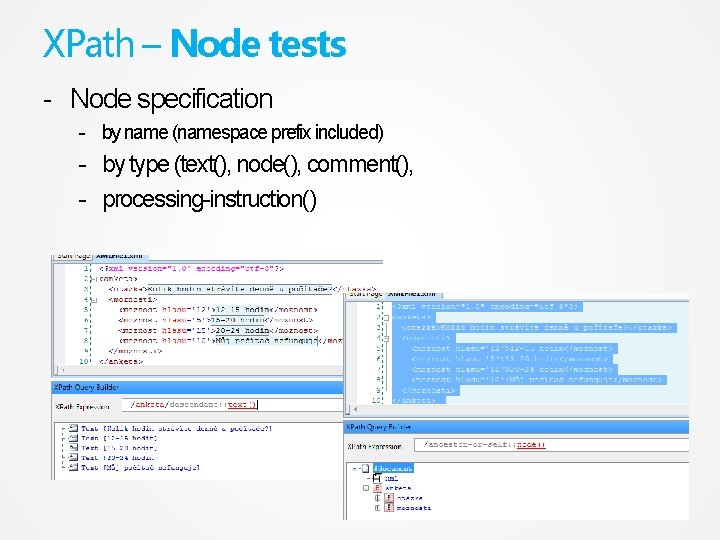
XPath – Node tests - Node specification - by name (namespace prefix included) - by type (text(), node(), comment(), - processing-instruction()
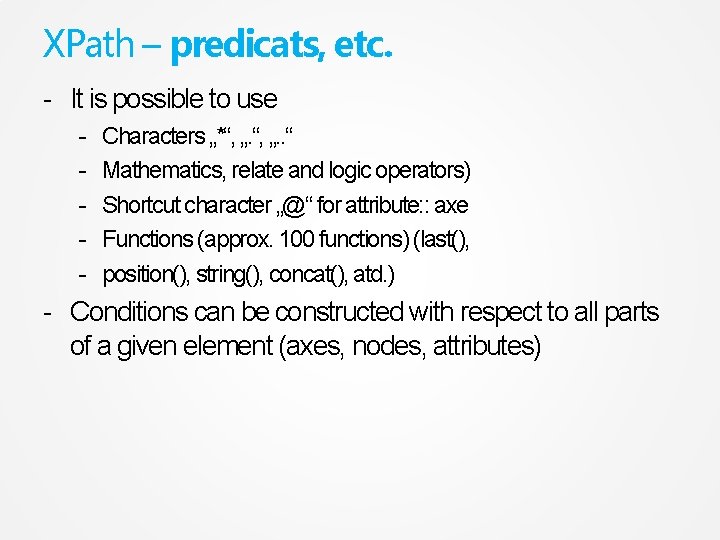
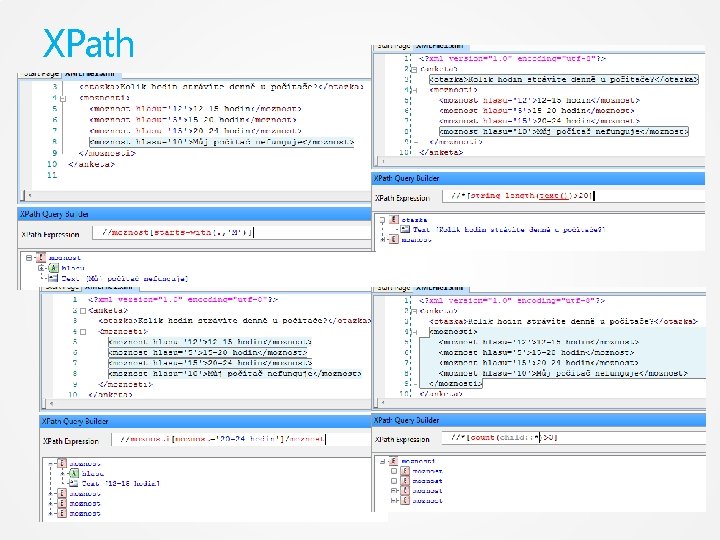
XPath – predicats, etc. - It is possible to use - Characters „*“, „. . “ Mathematics, relate and logic operators) Shortcut character „@“ for attribute: : axe Functions (approx. 100 functions) (last(), position(), string(), concat(), atd. ) - Conditions can be constructed with respect to all parts of a given element (axes, nodes, attributes)
XPath
XPath
XPath
XPath – online testers - http: //www. freeformatter. com/xpath-tester. html http: //codebeautify. org/Xpath-Tester http: //www. xpathtester. com/xpath Etc…
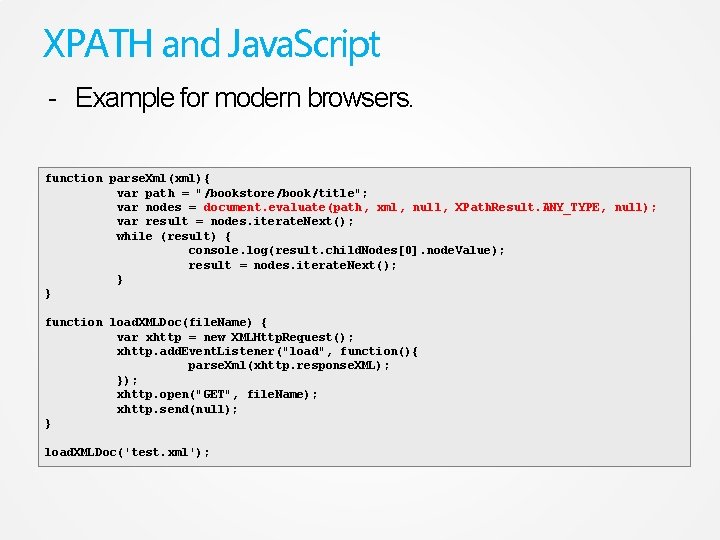
XPATH and Java. Script - Example for modern browsers. function parse. Xml(xml){ var path = "/bookstore/book/title"; var nodes = document. evaluate(path, xml, null, XPath. Result. ANY_TYPE, null); var result = nodes. iterate. Next(); while (result) { console. log(result. child. Nodes[0]. node. Value); result = nodes. iterate. Next(); } } function load. XMLDoc(file. Name) { var xhttp = new XMLHttp. Request(); xhttp. add. Event. Listener("load", function(){ parse. Xml(xhttp. response. XML); }); xhttp. open("GET", file. Name); xhttp. send(null); } load. XMLDoc('test. xml');
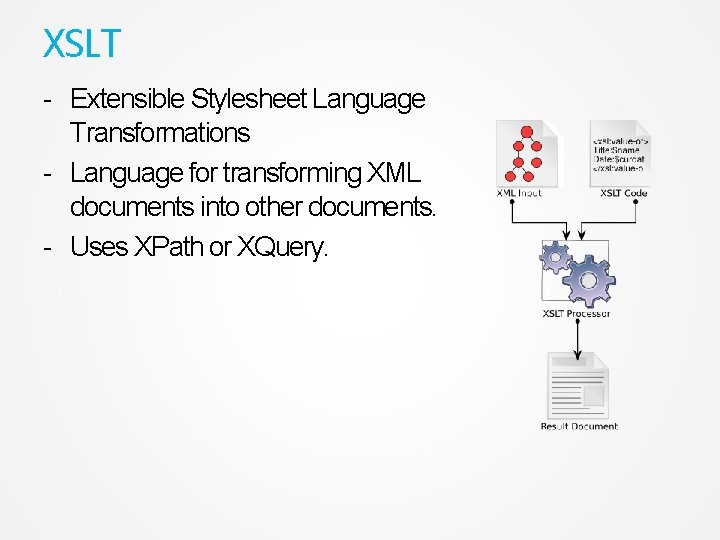
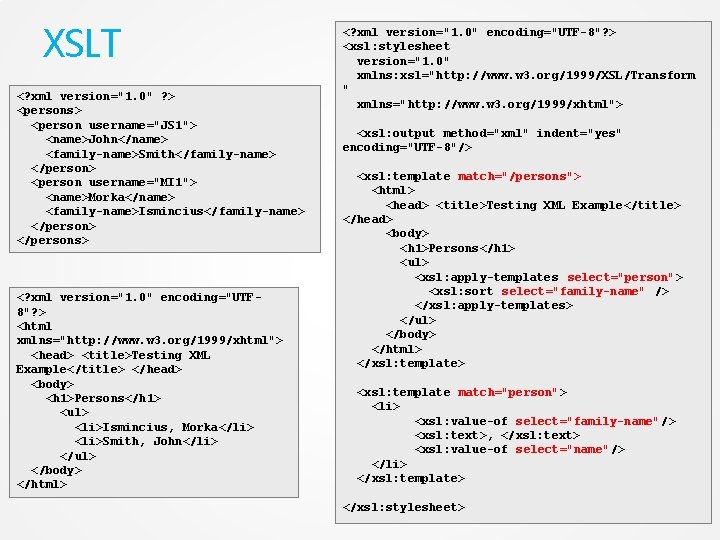
XSLT - Extensible Stylesheet Language Transformations - Language for transforming XML documents into other documents. - Uses XPath or XQuery.
XSLT <? xml version="1. 0" ? > <persons> <person username="JS 1"> <name>John</name> <family-name>Smith</family-name> </person> <person username="MI 1"> <name>Morka</name> <family-name>Ismincius</family-name> </persons> <? xml version="1. 0" encoding="UTF 8"? > <html xmlns="http: //www. w 3. org/1999/xhtml"> <head> <title>Testing XML Example</title> </head> <body> <h 1>Persons</h 1> <ul> <li>Ismincius, Morka</li> <li>Smith, John</li> </ul> </body> </html> <? xml version="1. 0" encoding="UTF-8"? > <xsl: stylesheet version="1. 0" xmlns: xsl="http: //www. w 3. org/1999/XSL/Transform " xmlns="http: //www. w 3. org/1999/xhtml"> <xsl: output method="xml" indent="yes" encoding="UTF-8"/> <xsl: template match="/persons"> <html> <head> <title>Testing XML Example</title> </head> <body> <h 1>Persons</h 1> <ul> <xsl: apply-templates select="person"> <xsl: sort select="family-name" /> </xsl: apply-templates> </ul> </body> </html> </xsl: template> <xsl: template match="person"> <li> <xsl: value-of select="family-name"/> <xsl: text>, </xsl: text> <xsl: value-of select="name"/> </li> </xsl: template> </xsl: stylesheet>
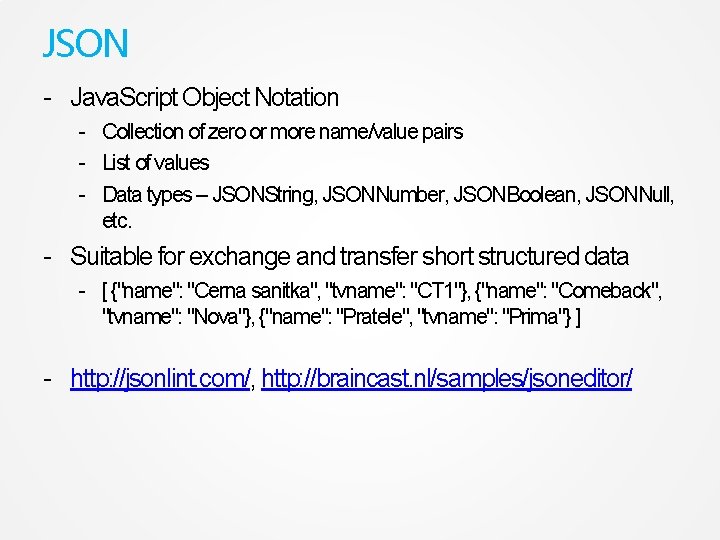
JSON - Java. Script Object Notation - Collection of zero or more name/value pairs - List of values - Data types – JSONString, JSONNumber, JSONBoolean, JSONNull, etc. - Suitable for exchange and transfer short structured data - [ {"name": "Cerna sanitka", "tvname": "CT 1"}, {"name": "Comeback", "tvname": "Nova"}, {"name": "Pratele", "tvname": "Prima"} ] - http: //jsonlint. com/, http: //braincast. nl/samples/jsoneditor/
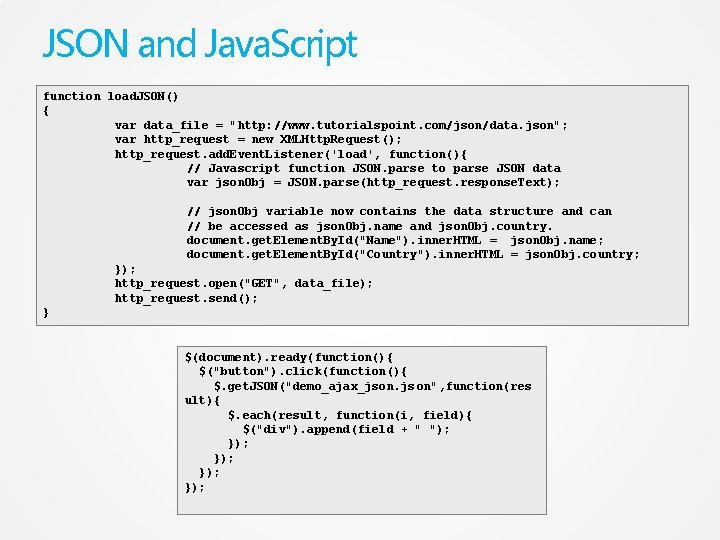
JSON and Java. Script function load. JSON() { var data_file = "http: //www. tutorialspoint. com/json/data. json"; var http_request = new XMLHttp. Request(); http_request. add. Event. Listener('load', function(){ // Javascript function JSON. parse to parse JSON data var json. Obj = JSON. parse(http_request. response. Text); // json. Obj variable now contains the data structure and can // be accessed as json. Obj. name and json. Obj. country. document. get. Element. By. Id("Name"). inner. HTML = json. Obj. name; document. get. Element. By. Id("Country"). inner. HTML = json. Obj. country; }); http_request. open("GET", data_file); http_request. send(); } $(document). ready(function(){ $("button"). click(function(){ $. get. JSON("demo_ajax_json. js on", function(res ult){ $. each(result, function(i, field){ $("div"). append(field + " "); }); });