
6 BMFP 4542 Project Management Developing a Project
6 BMFP 4542 Project Management Developing a Project Plan Haery Sihombing & Nor Akramin Pensyarah Pelawat Fakulti Kejuruteraan Pembuatan Universiti Teknologi Malaysia Melaka
Developing the Project Plan • The Project Network – A flow chart that graphically depicts the sequence, interdependencies, and start and finish times of the project job plan of activities that is the critical path through the network. • Provides the basis for scheduling labor and equipment. • Enhances communication among project participants. • Provides an estimate of the project’s duration. • Provides a basis for budgeting cash flow. • Identifies activities that are critical. • Highlights activities that are “critical” and can not be delayed. • Help managers get and stay on plan.
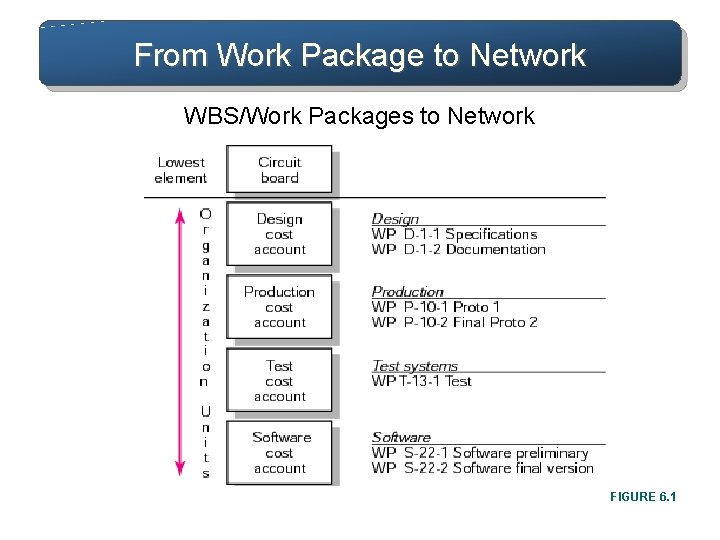
From Work Package to Network WBS/Work Packages to Network FIGURE 6. 1
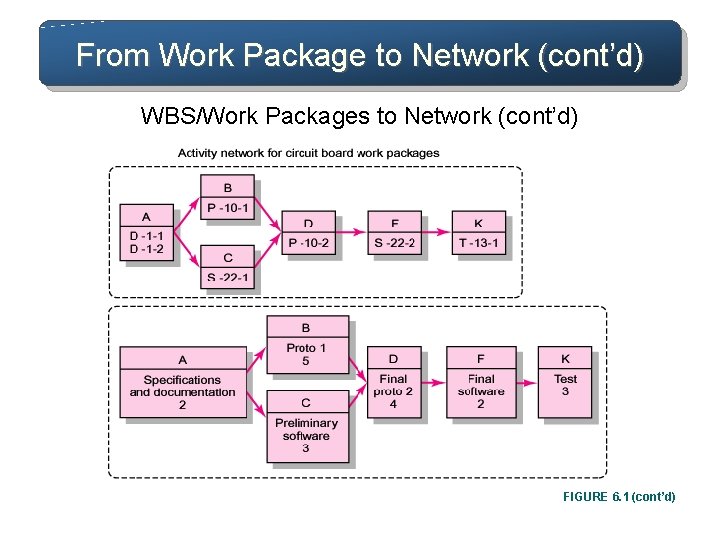
From Work Package to Network (cont’d) WBS/Work Packages to Network (cont’d) FIGURE 6. 1 (cont’d)
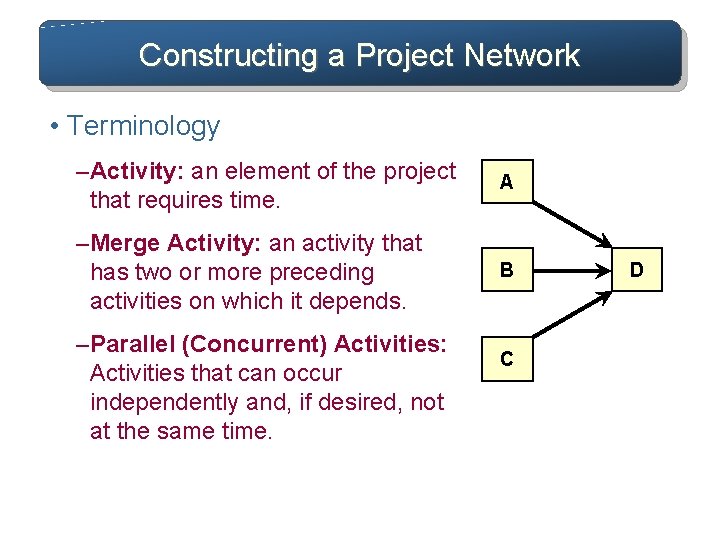
Constructing a Project Network • Terminology – Activity: an element of the project that requires time. A – Merge Activity: an activity that has two or more preceding activities on which it depends. B – Parallel (Concurrent) Activities: Activities that can occur independently and, if desired, not at the same time. C D
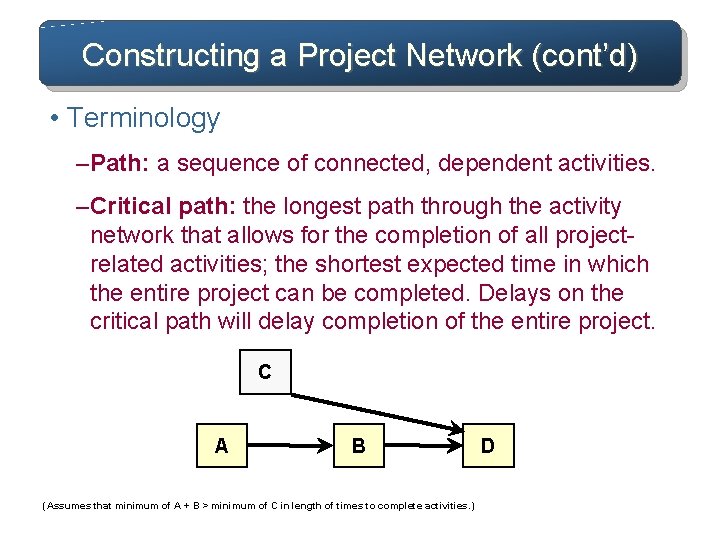
Constructing a Project Network (cont’d) • Terminology – Path: a sequence of connected, dependent activities. – Critical path: the longest path through the activity network that allows for the completion of all projectrelated activities; the shortest expected time in which the entire project can be completed. Delays on the critical path will delay completion of the entire project. C A B (Assumes that minimum of A + B > minimum of C in length of times to complete activities. ) D
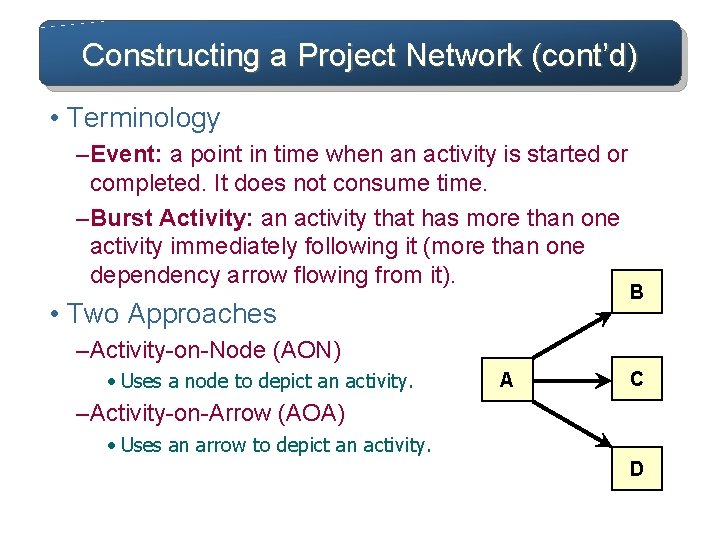
Constructing a Project Network (cont’d) • Terminology – Event: a point in time when an activity is started or completed. It does not consume time. – Burst Activity: an activity that has more than one activity immediately following it (more than one dependency arrow flowing from it). • Two Approaches B – Activity-on-Node (AON) • Uses a node to depict an activity. A C – Activity-on-Arrow (AOA) • Uses an arrow to depict an activity. D
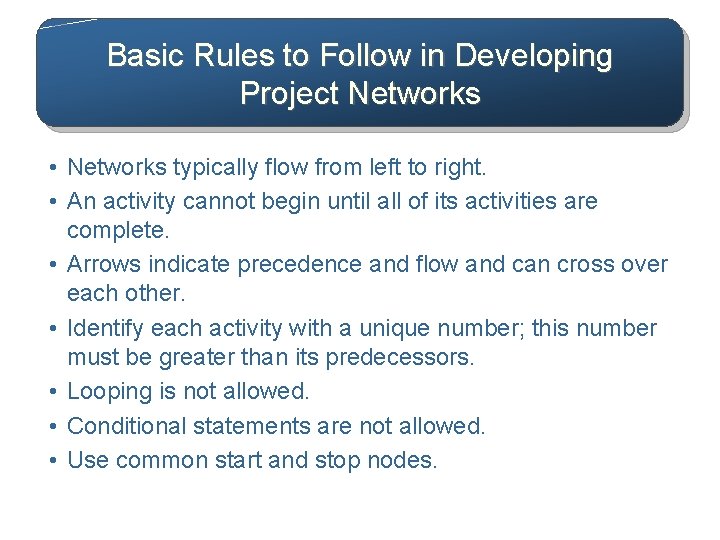
Basic Rules to Follow in Developing Project Networks • Networks typically flow from left to right. • An activity cannot begin until all of its activities are complete. • Arrows indicate precedence and flow and can cross over each other. • Identify each activity with a unique number; this number must be greater than its predecessors. • Looping is not allowed. • Conditional statements are not allowed. • Use common start and stop nodes.
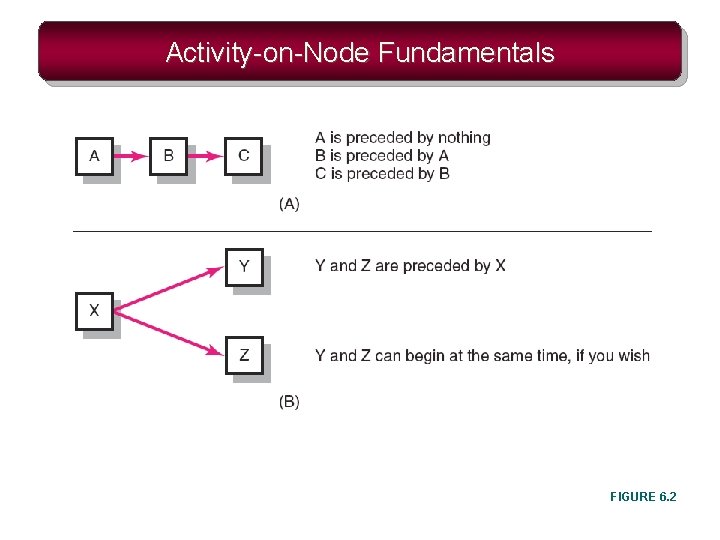
Activity-on-Node Fundamentals FIGURE 6. 2
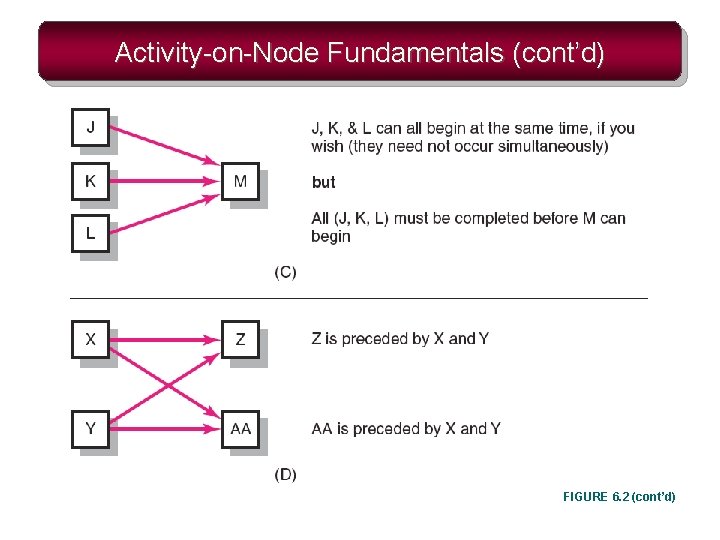
Activity-on-Node Fundamentals (cont’d) FIGURE 6. 2 (cont’d)
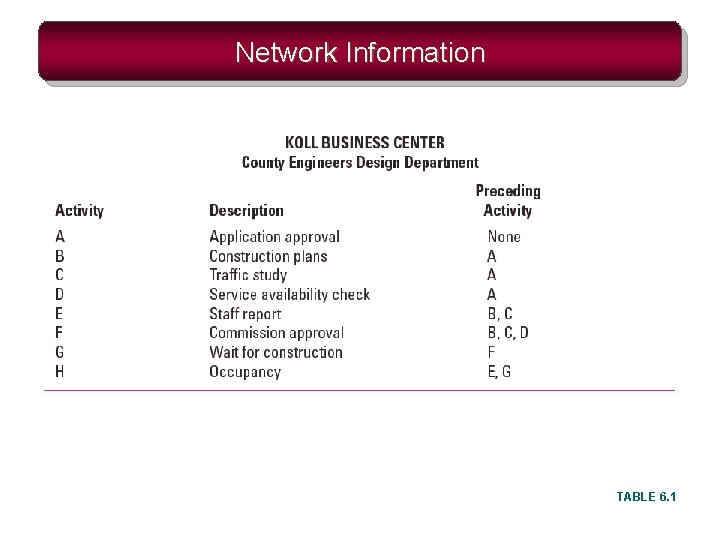
Network Information TABLE 6. 1
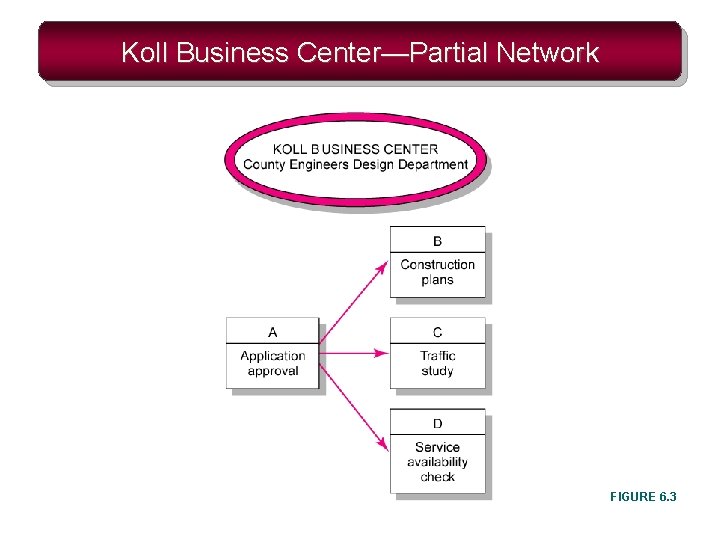
Koll Business Center—Partial Network FIGURE 6. 3
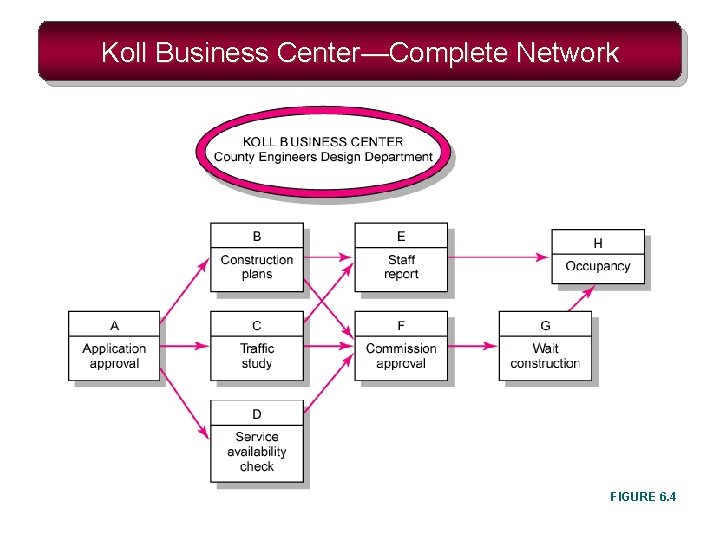
Koll Business Center—Complete Network FIGURE 6. 4
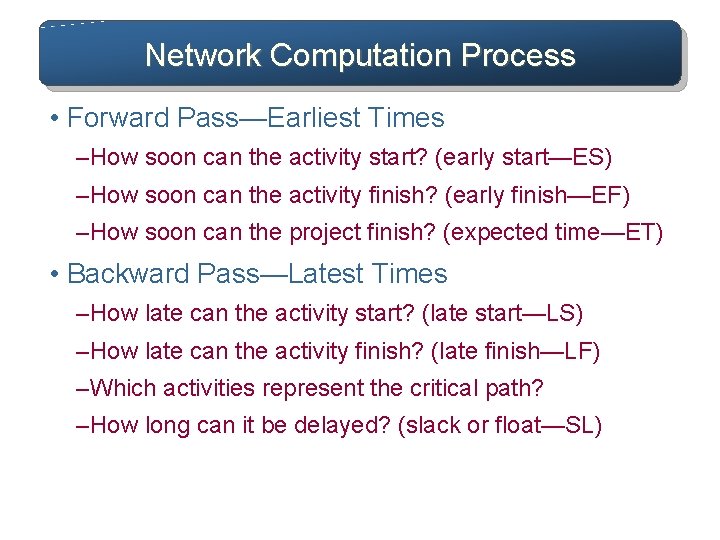
Network Computation Process • Forward Pass—Earliest Times – How soon can the activity start? (early start—ES) – How soon can the activity finish? (early finish—EF) – How soon can the project finish? (expected time—ET) • Backward Pass—Latest Times – How late can the activity start? (late start—LS) – How late can the activity finish? (late finish—LF) – Which activities represent the critical path? – How long can it be delayed? (slack or float—SL)
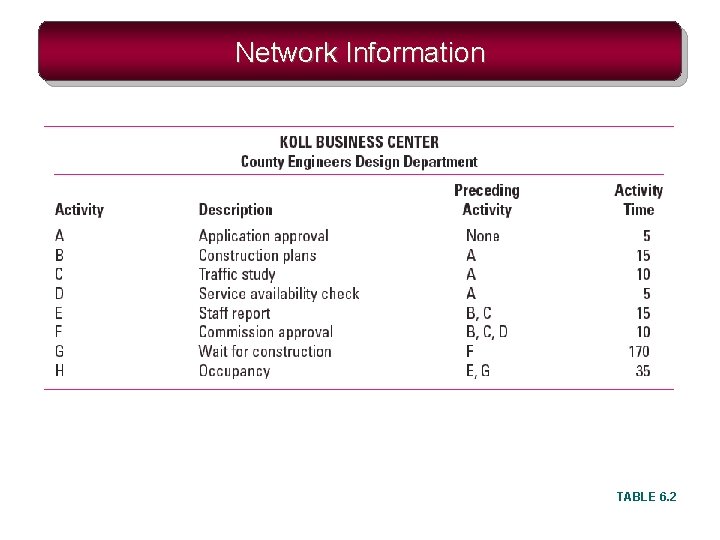
Network Information TABLE 6. 2
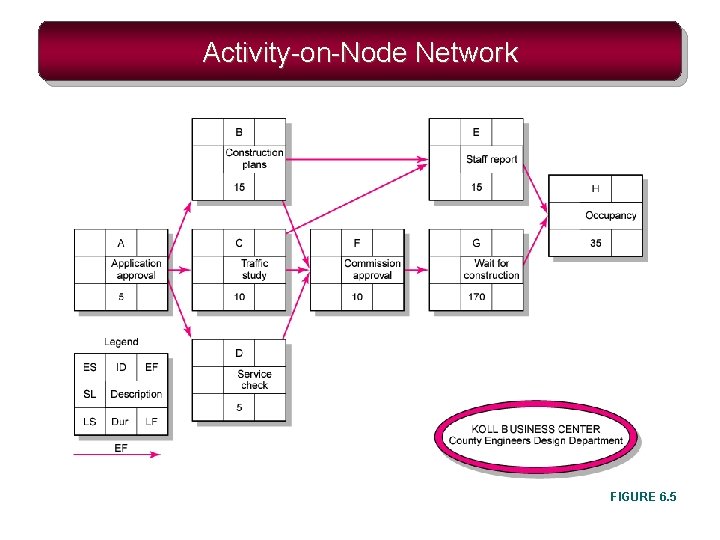
Activity-on-Node Network FIGURE 6. 5
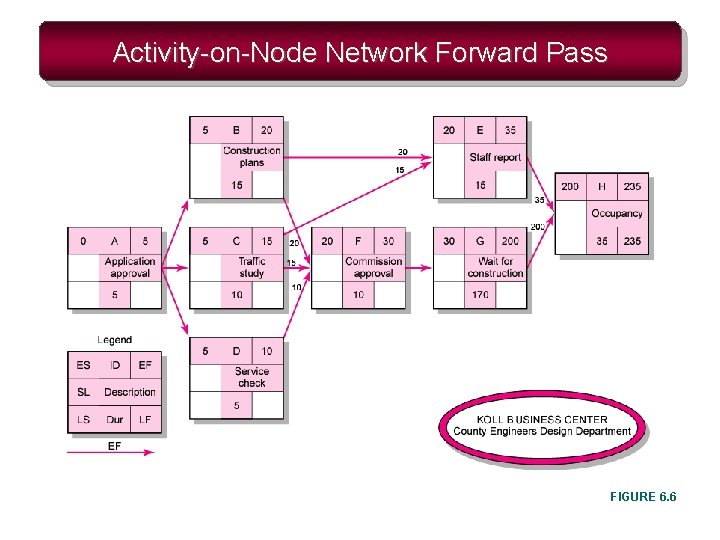
Activity-on-Node Network Forward Pass FIGURE 6. 6
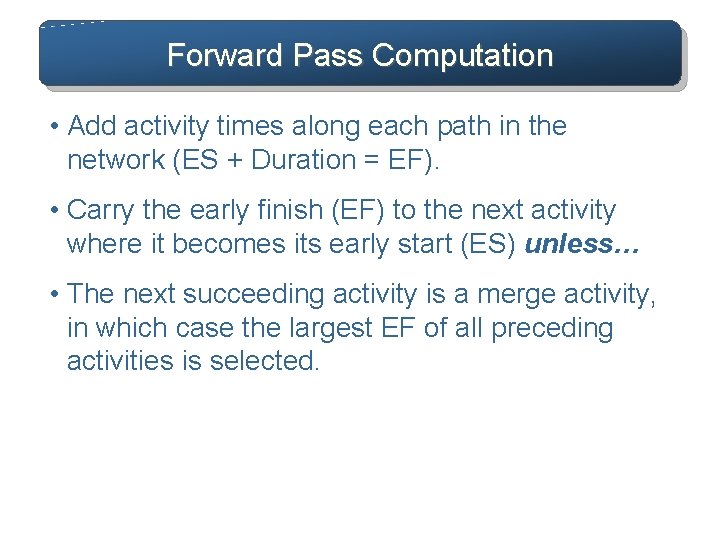
Forward Pass Computation • Add activity times along each path in the network (ES + Duration = EF). • Carry the early finish (EF) to the next activity where it becomes its early start (ES) unless… • The next succeeding activity is a merge activity, in which case the largest EF of all preceding activities is selected.
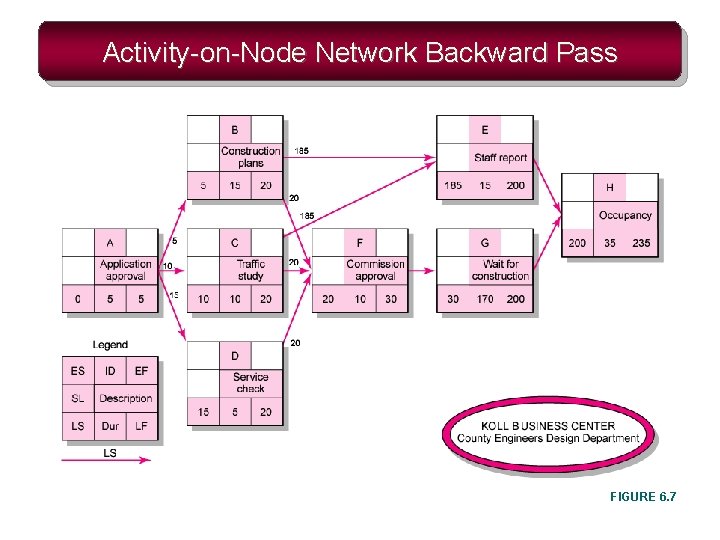
Activity-on-Node Network Backward Pass FIGURE 6. 7
Backward Pass Computation • Subtract activity times along each path in the network (LF - Duration = LS). • Carry the late start (LS) to the next activity where it becomes its late finish (LF) unless • The next succeeding activity is a burst activity, in which case the smallest LF of all preceding activities is selected.
Determining Slack (or Float) • Slack (or Float) – The amount of time an activity can be delayed after the start of a longer parallel activity or activities. • Total slack – The amount of time an activity can be delayed without delaying the entire project. • The critical path is the network path(s) that has (have) the least slack in common.
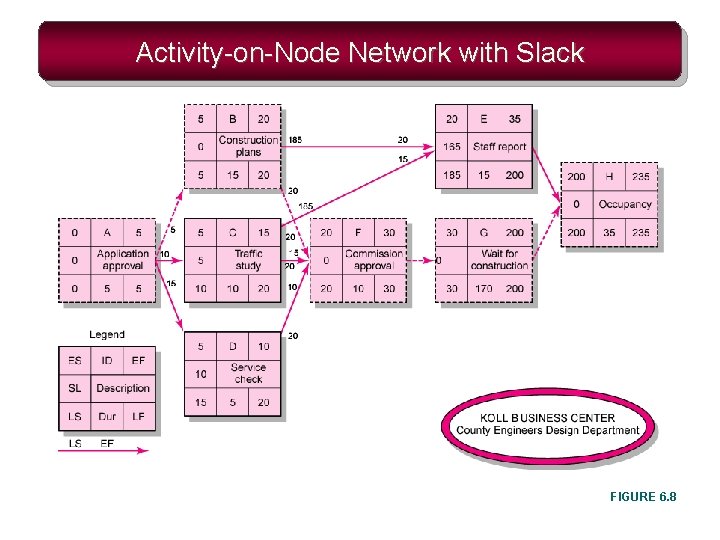
Activity-on-Node Network with Slack FIGURE 6. 8
Practical Considerations • Network Logic Errors • Activity Numbering • Use of Computers to Develop Networks • Calendar Dates • Multiple Starts and Multiple Projects
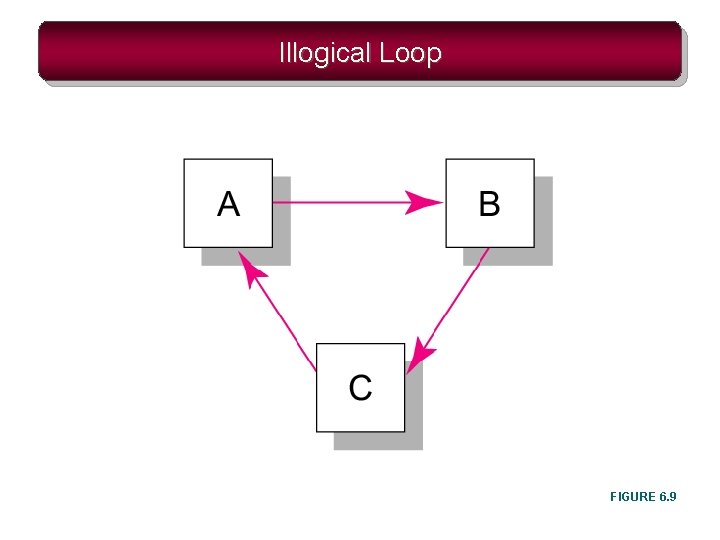
Illogical Loop FIGURE 6. 9
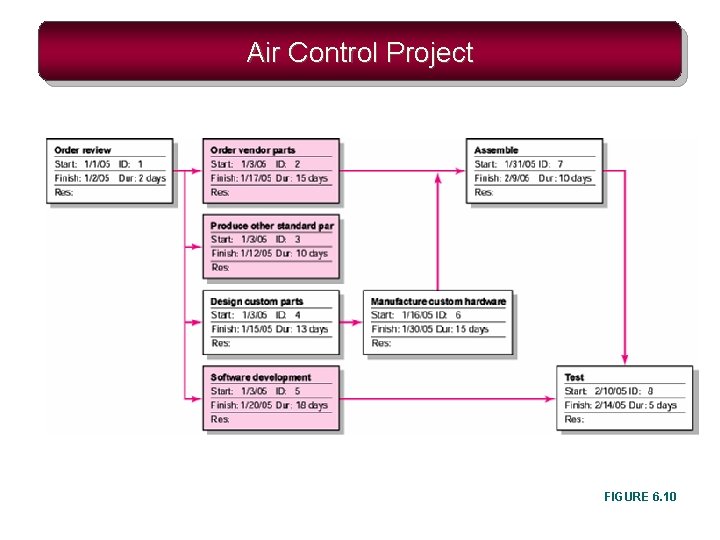
Air Control Project FIGURE 6. 10
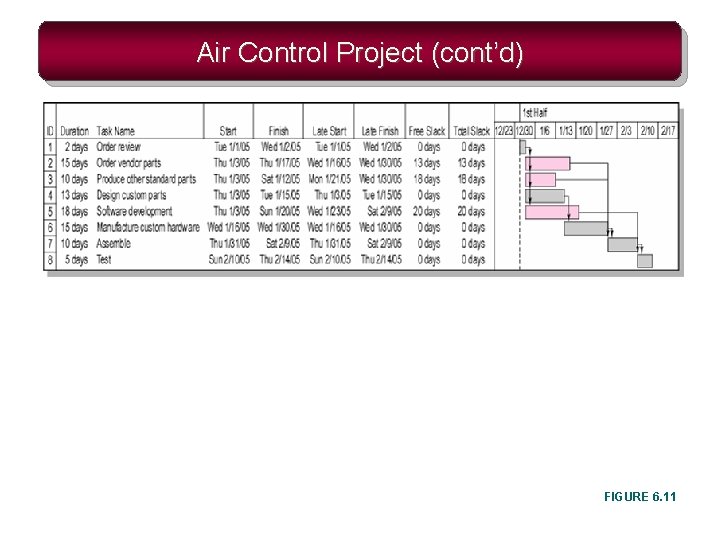
Air Control Project (cont’d) FIGURE 6. 11
Extended Network Techniques to Come Close to Reality • Laddering – Activities are broken into segments so the following activity can begin sooner and not delay the work. • Lags – The minimum amount of time a dependent activity must be delayed to begin or end. • Lengthy activities are broken down to reduce the delay in the start of successor activities. • Lags can be used to constrain finish-to-start, start-to-start, finish-to-finish, start-to-finish, or combination relationships.
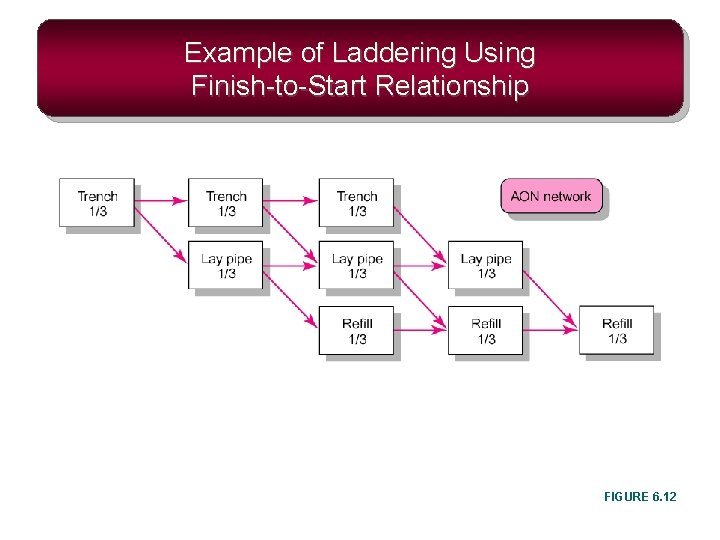
Example of Laddering Using Finish-to-Start Relationship FIGURE 6. 12
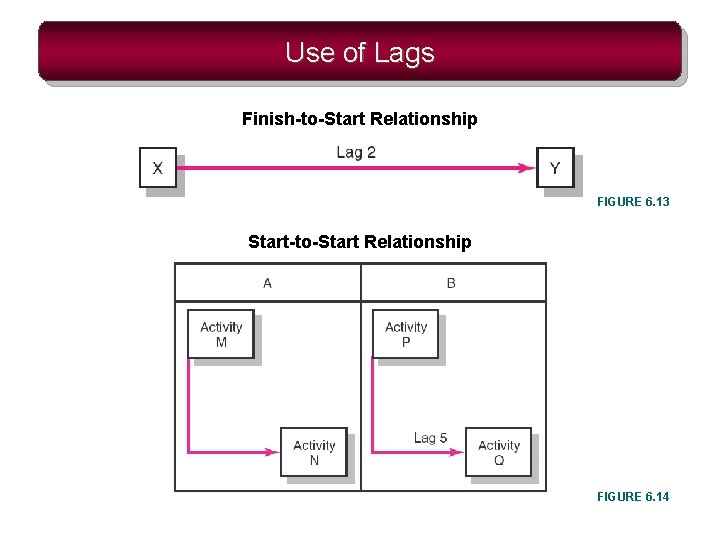
Use of Lags Finish-to-Start Relationship FIGURE 6. 13 Start-to-Start Relationship FIGURE 6. 14
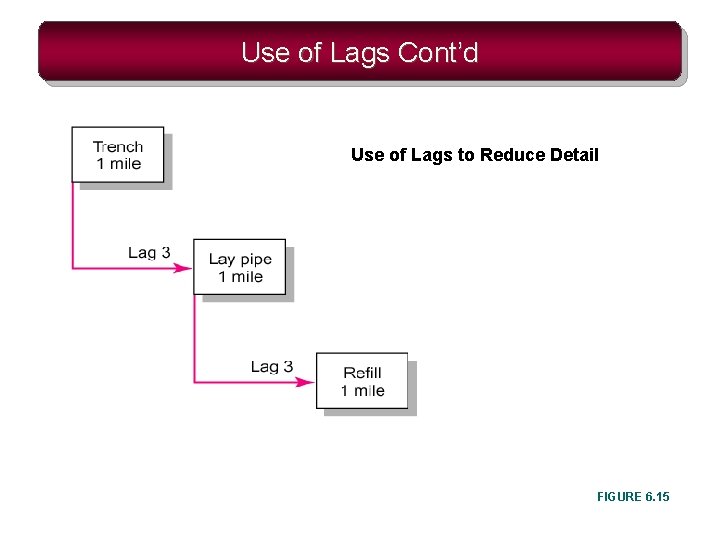
Use of Lags Cont’d Use of Lags to Reduce Detail FIGURE 6. 15
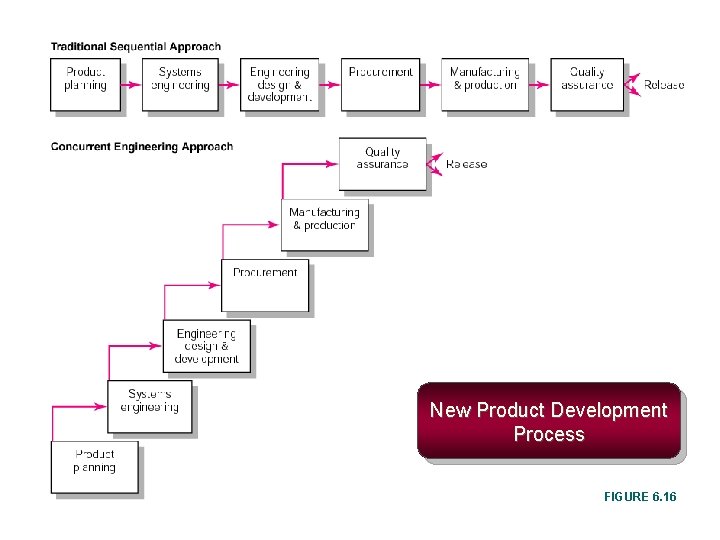
New Product Development Process FIGURE 6. 16
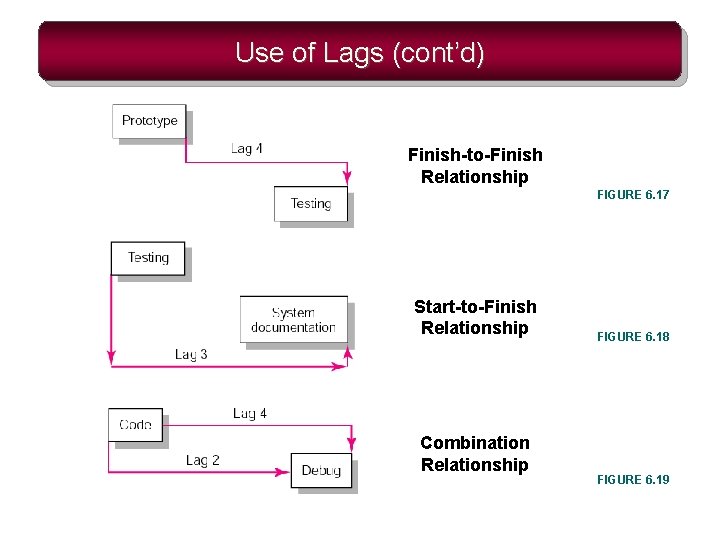
Use of Lags (cont’d) Finish-to-Finish Relationship FIGURE 6. 17 Start-to-Finish Relationship Combination Relationship FIGURE 6. 18 FIGURE 6. 19
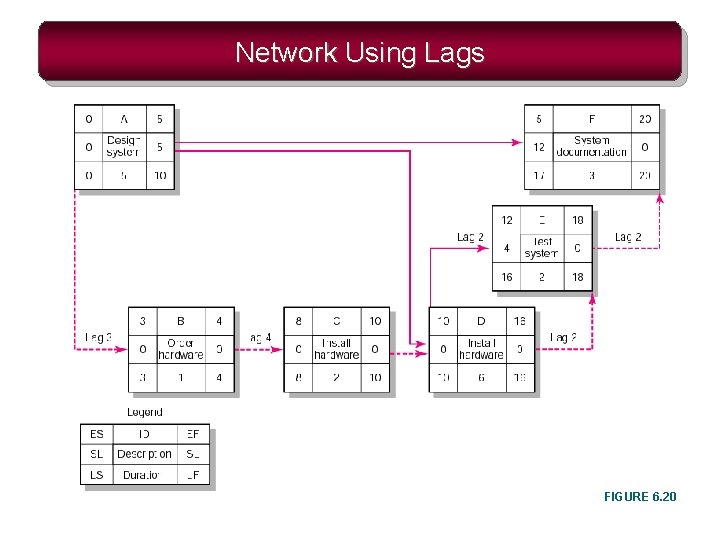
Network Using Lags FIGURE 6. 20
Hammock Activities • Hammock Activity – An activity that spans over a segment of a project. – Duration of hammock activities is determined after the network plan is drawn. – Hammock activities are used to aggregate sections of the project to facilitate getting the right amount of detail for specific sections of a project.

Hammock Activity Example FIGURE 6. 21
Key Terms Activity-on-arrow (AOA) Activity-on-node (AON) Burst activity Concurrent engineering Critical path Early and late times Gantt chart Hammock activity Lag relationship Merge activity Network sensitivity Parallel activity Slack/float—total and free
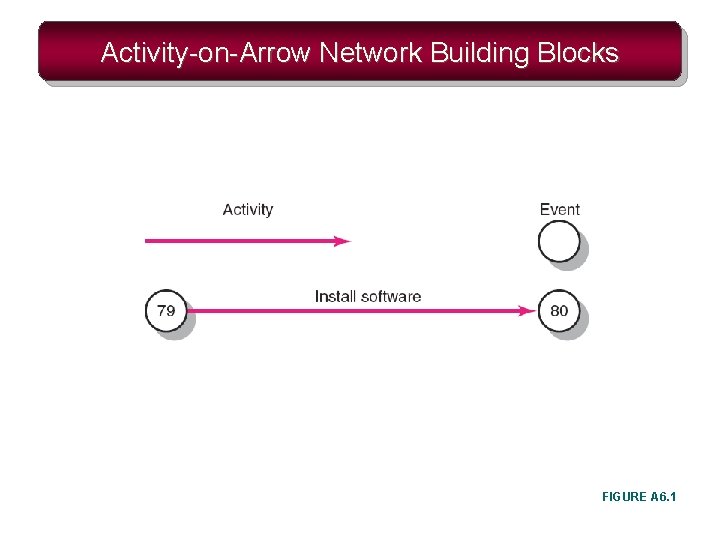
Activity-on-Arrow Network Building Blocks FIGURE A 6. 1
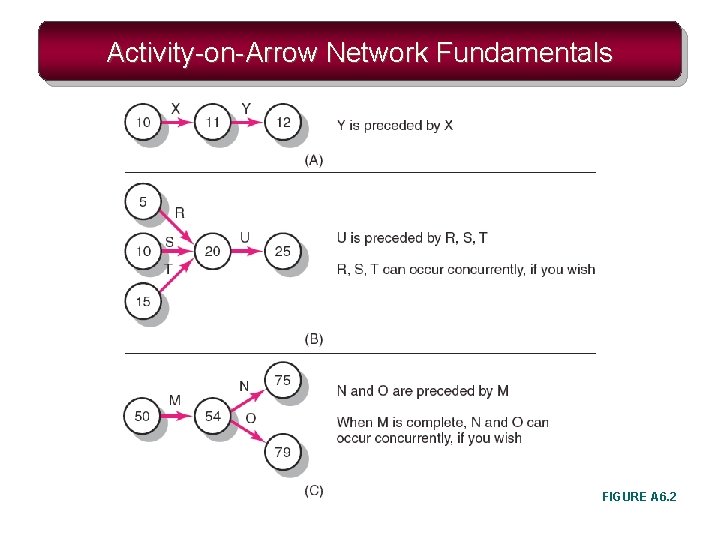
Activity-on-Arrow Network Fundamentals FIGURE A 6. 2
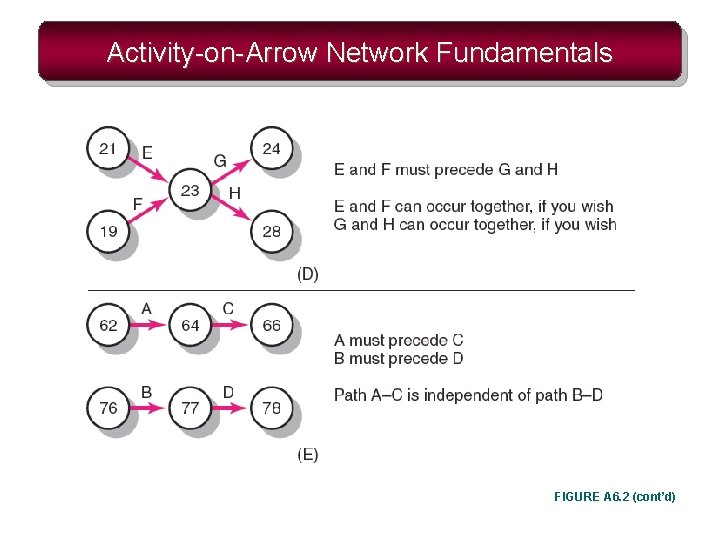
Activity-on-Arrow Network Fundamentals FIGURE A 6. 2 (cont’d)
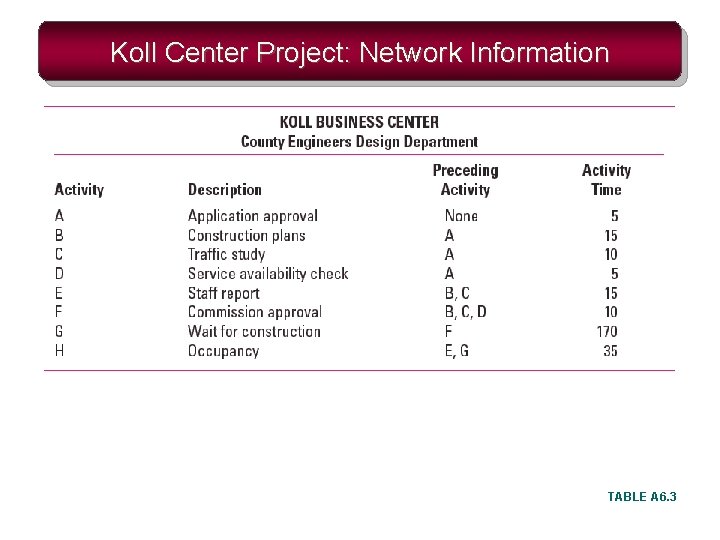
Koll Center Project: Network Information TABLE A 6. 3
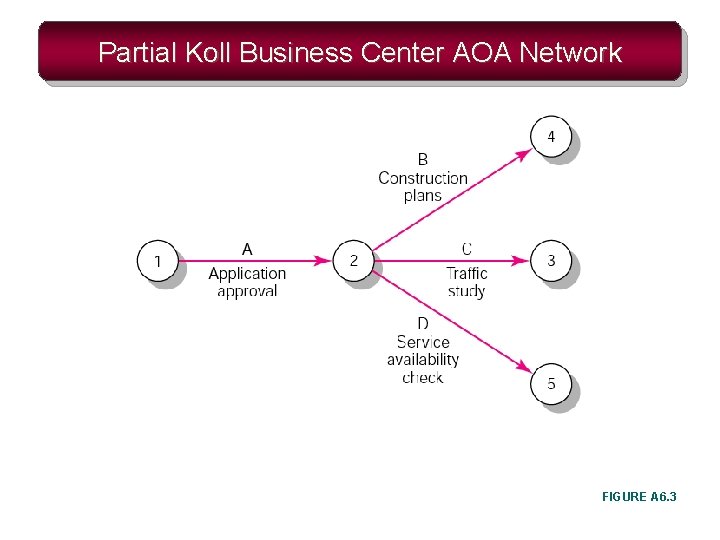
Partial Koll Business Center AOA Network FIGURE A 6. 3
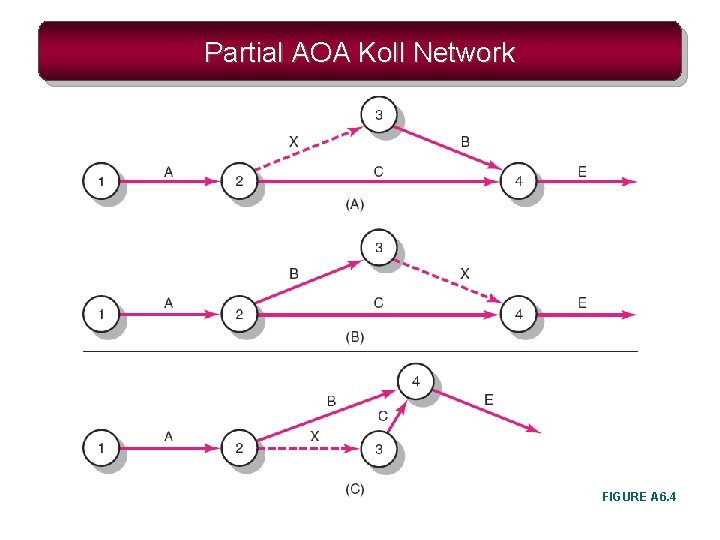
Partial AOA Koll Network FIGURE A 6. 4
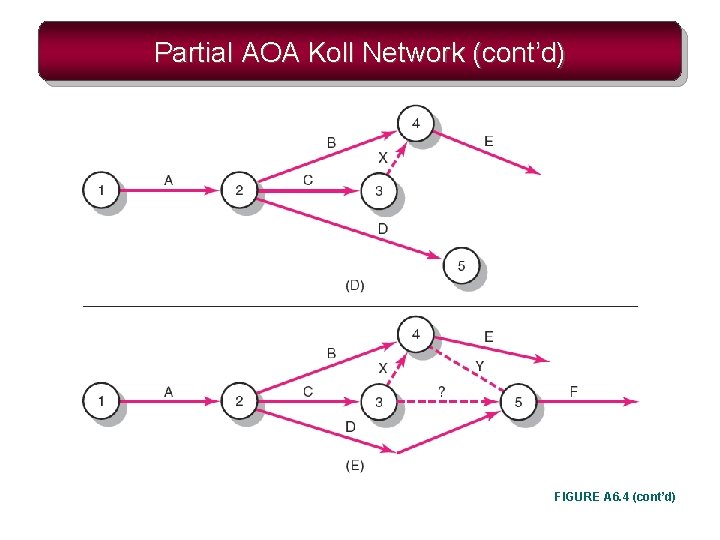
Partial AOA Koll Network (cont’d) FIGURE A 6. 4 (cont’d)
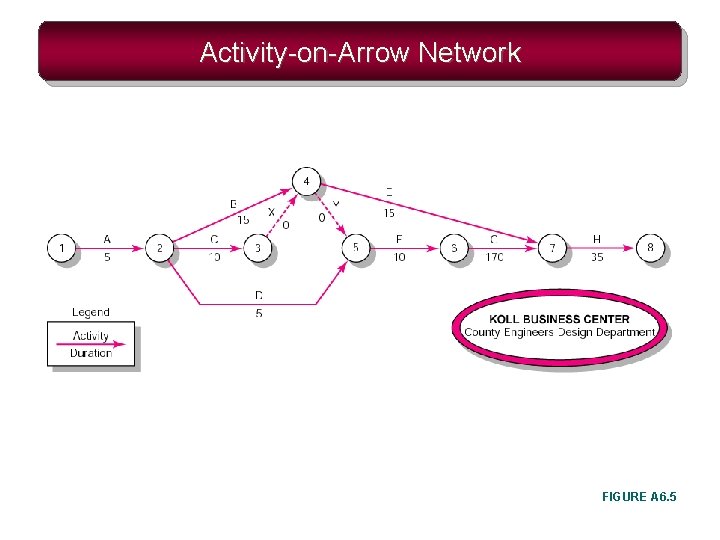
Activity-on-Arrow Network FIGURE A 6. 5
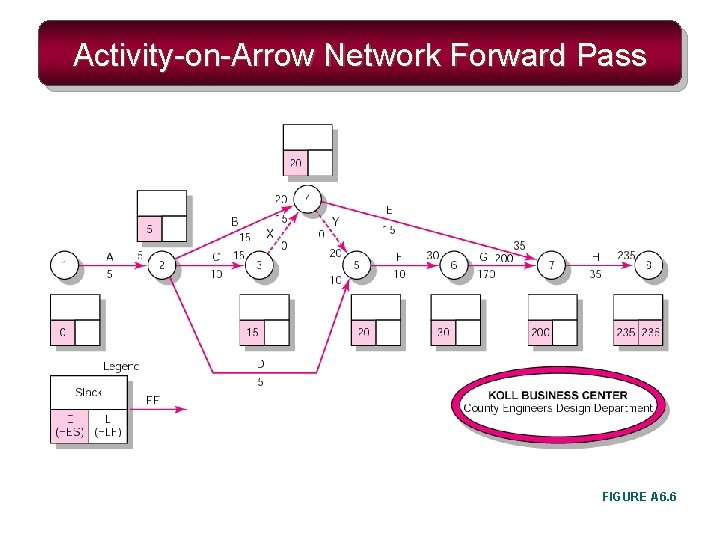
Activity-on-Arrow Network Forward Pass FIGURE A 6. 6
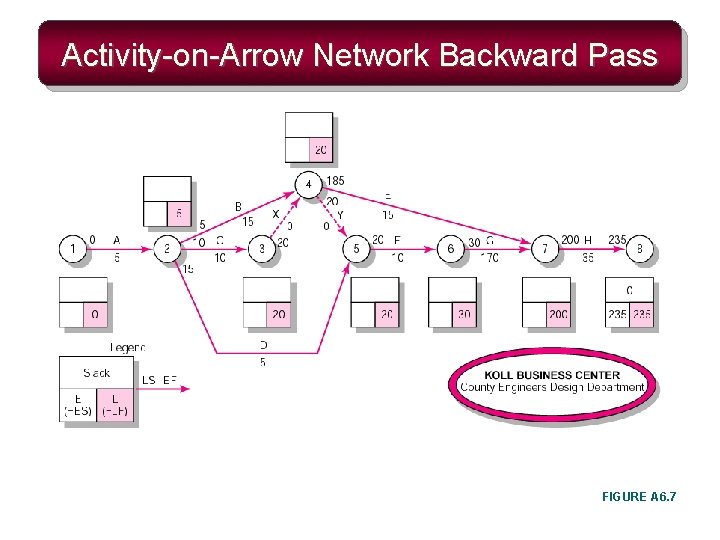
Activity-on-Arrow Network Backward Pass FIGURE A 6. 7
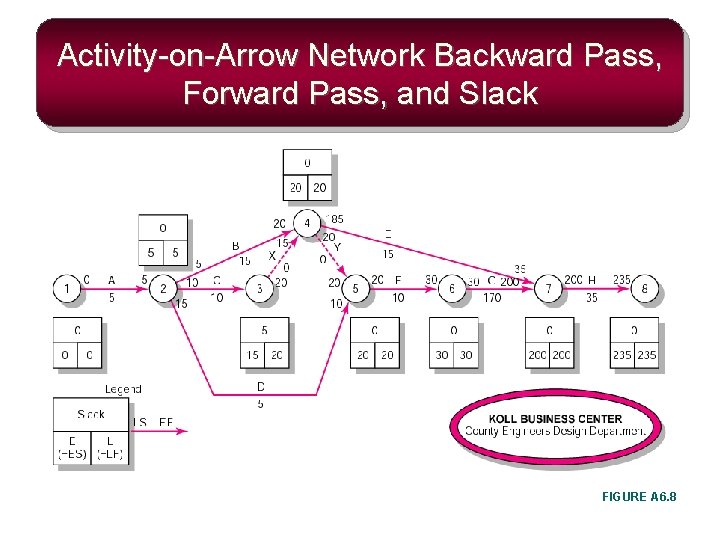
Activity-on-Arrow Network Backward Pass, Forward Pass, and Slack FIGURE A 6. 8
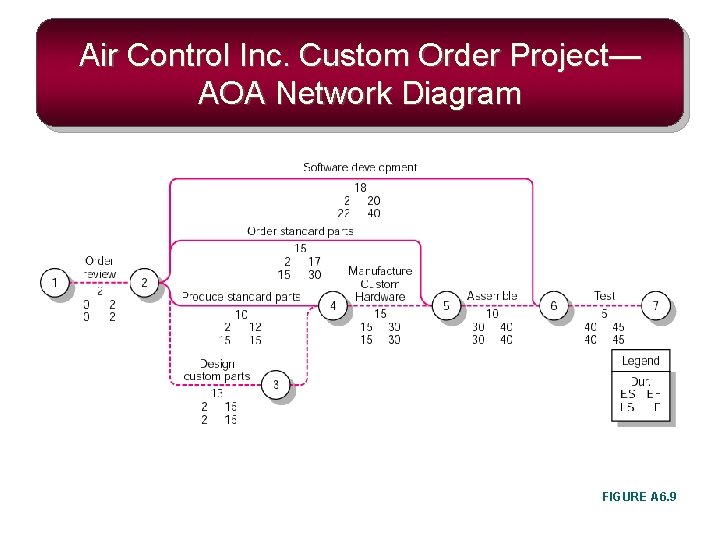
Air Control Inc. Custom Order Project— AOA Network Diagram FIGURE A 6. 9
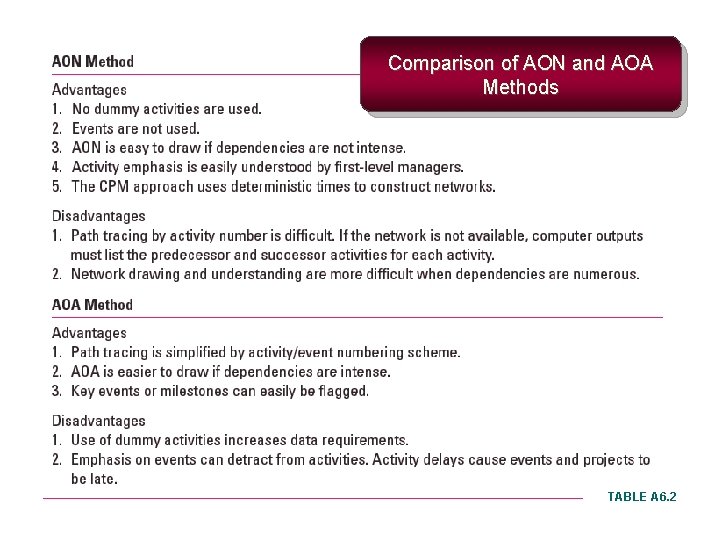
Comparison of AON and AOA Methods TABLE A 6. 2
- Slides: 50