
5 ways to make Outlook work for you

- Slides: 5
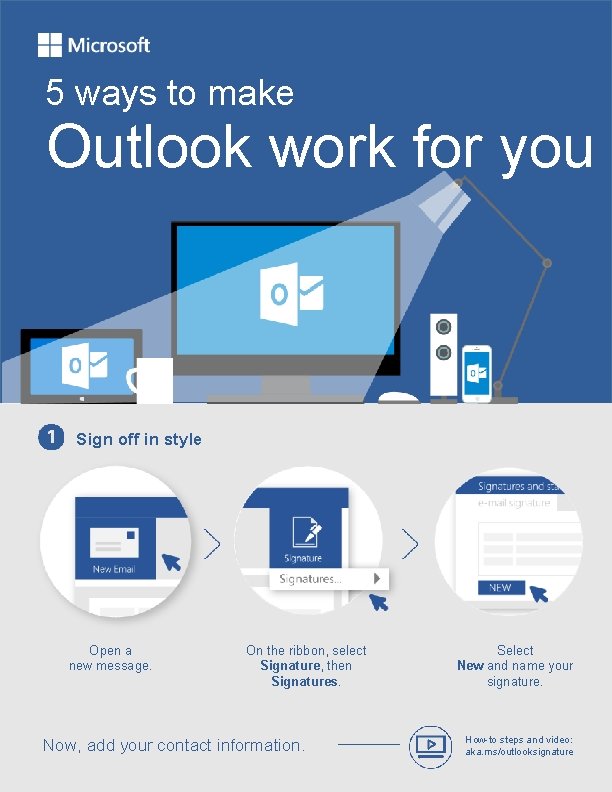
5 ways to make Outlook work for you Sign off in style Open a new message. On the ribbon, select Signature, then Signatures. Now, add your contact information. Select New and name your signature. How-to steps and video: aka. ms/outlooksignature
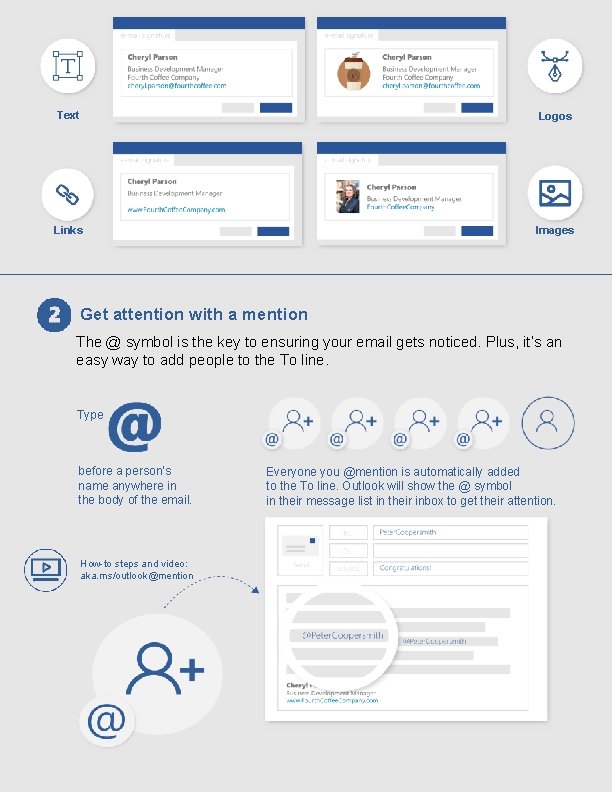
Text Logos Links Images Get attention with a mention The @ symbol is the key to ensuring your email gets noticed. Plus, it’s an easy way to add people to the To line. Type before a person’s name anywhere in the body of the email. How-to steps and video: aka. ms/outlook@mention Everyone you @mention is automatically added to the To line. Outlook will show the @ symbol in their message list in their inbox to get their attention.
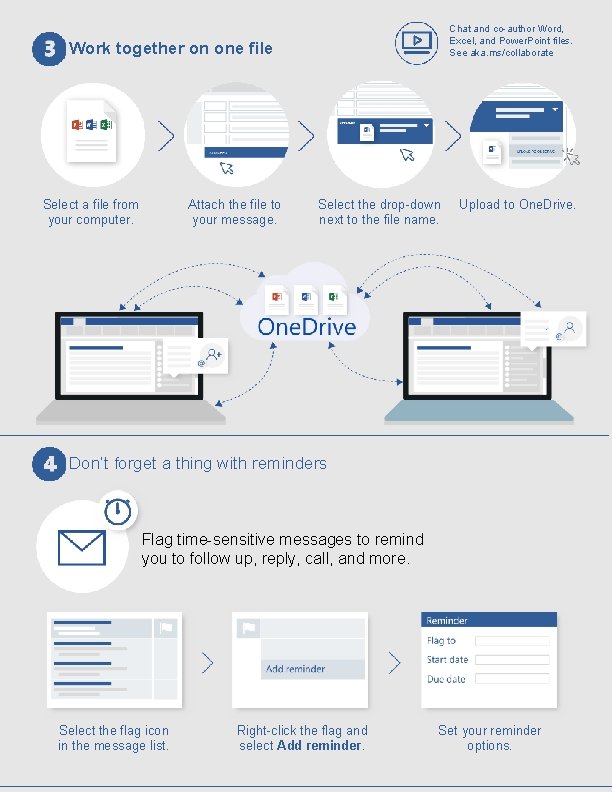
Chat and co-author Word, Excel, and Power. Point files. See aka. ms/collaborate Work together on one file Select a file from your computer. Attach the file to your message. Select the drop-down next to the file name. Upload to One. Drive. Don’t forget a thing with reminders Flag time-sensitive messages to remind you to follow up, reply, call, and more. Select the flag icon in the message list. Right-click the flag and select Add reminder. Set your reminder options.
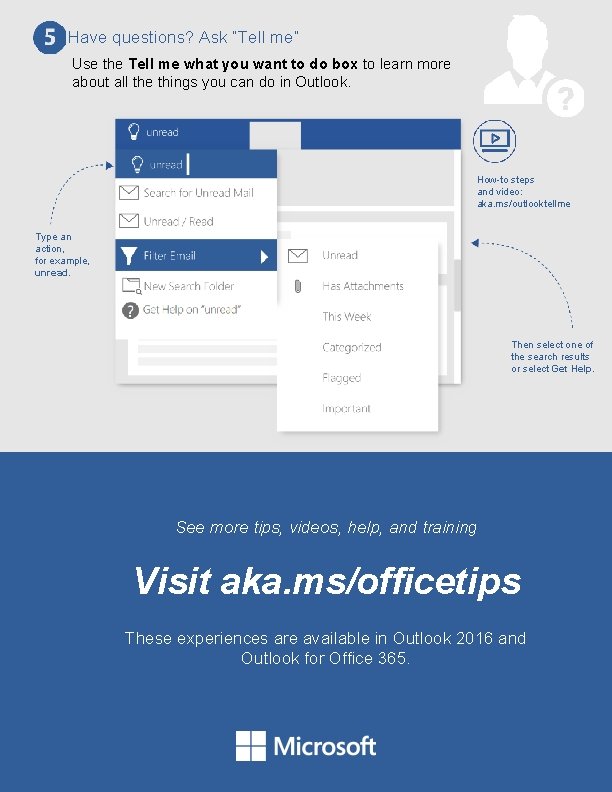
Have questions? Ask “Tell me” Use the Tell me what you want to do box to learn more about all the things you can do in Outlook. How-to steps and video: aka. ms/outlooktellme Type an action, for example, unread. Then select one of the search results or select Get Help. See more tips, videos, help, and training Visit aka. ms/officetips These experiences are available in Outlook 2016 and Outlook for Office 365.