
5 Testing Techniques Foundation Level d F7761 DEC
![Equivalence Partitioning Technique’s Implementation Example Time value set in EEPROM [min] 0 10 invalid](https://slidetodoc.com/presentation_image_h/8ef5f8aed84dcd5620fa9d405c860120/image-21.jpg "Equivalence Partitioning Technique’s Implementation Example Time value set in EEPROM [min] 0 10 invalid")
![Boundary Value Analysis Technique’s Implementation Example Time value set in EEPROM [min] [ (](https://slidetodoc.com/presentation_image_h/8ef5f8aed84dcd5620fa9d405c860120/image-24.jpg "Boundary Value Analysis Technique’s Implementation Example Time value set in EEPROM [min] [ (")
- Slides: 47
5. Testing Techniques Foundation Level d F-7761 DE_C (2011 -06)
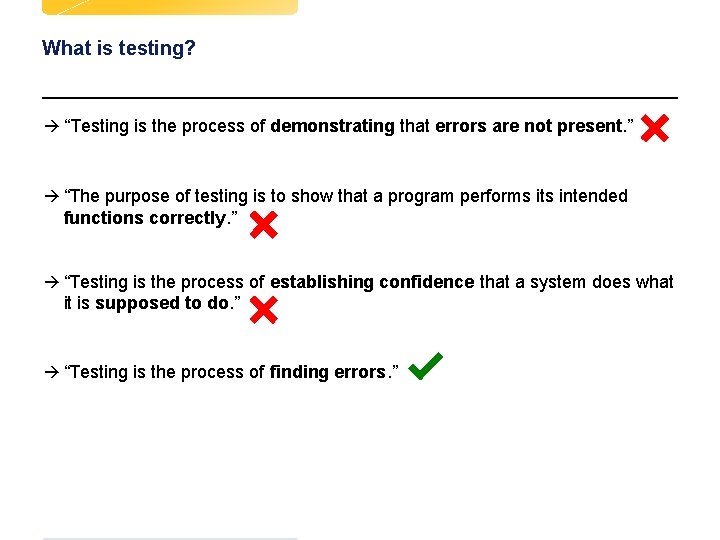
What is testing? à “Testing is the process of demonstrating that errors are not present. ” à “The purpose of testing is to show that a program performs its intended functions correctly. ” à “Testing is the process of establishing confidence that a system does what it is supposed to do. ” à “Testing is the process of finding errors. ” d Test
Why do we need a technique? à A test technique / test strategy is used to generate tests à An effective technique finds bugs à Testing techniques are based on requirements d Test
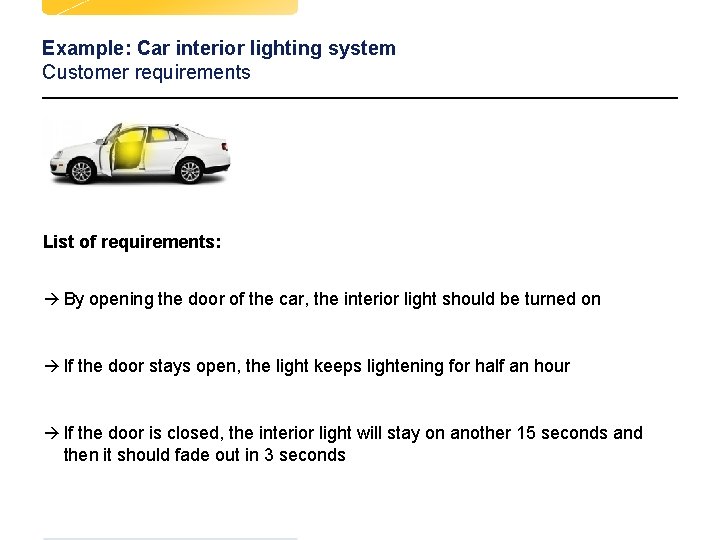
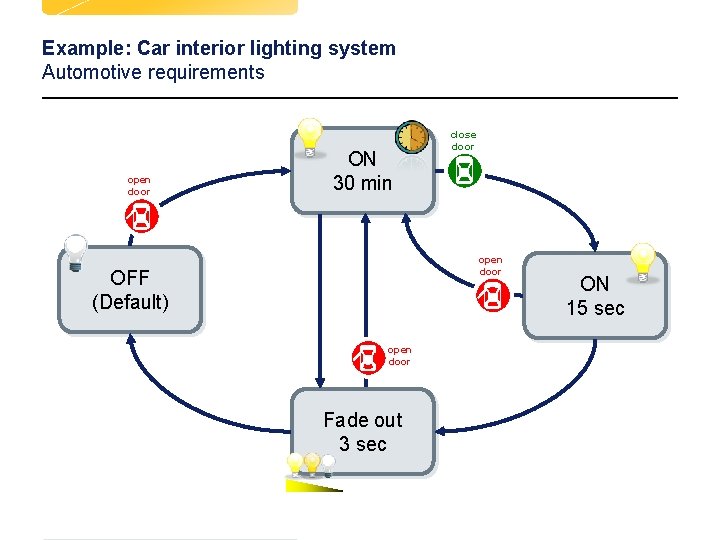
Example: Car interior lighting system Customer requirements List of requirements: à By opening the door of the car, the interior light should be turned on à If the door stays open, the light keeps lightening for half an hour à If the door is closed, the interior light will stay on another 15 seconds and then it should fade out in 3 seconds d 4 Test
Example: Car interior lighting system Automotive requirements open door ON 30 min close door open door OFF (Default) open door Fade out 3 sec d d 5 Test ON 15 sec
Summary Testing Techniques à Transaction Flow Modeling à All Round-Trip Paths à Loop Testing à Data Flow Testing à Equivalence Partitioning à Boundary Value Analysis à Regression Testing à Negative Testing à Error Guessing à Error Handling Testing à Recovery Testing à Stress Testing à Load Testing d d Test
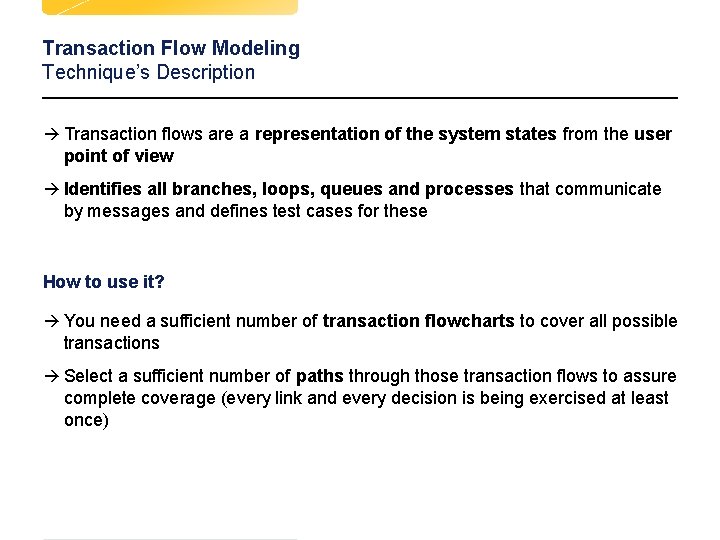
Transaction Flow Modeling Technique’s Description à Transaction flows are a representation of the system states from the user point of view à Identifies all branches, loops, queues and processes that communicate by messages and defines test cases for these How to use it? à You need a sufficient number of transaction flowcharts to cover all possible transactions à Select a sufficient number of paths through those transaction flows to assure complete coverage (every link and every decision is being exercised at least once) d d 7 Test
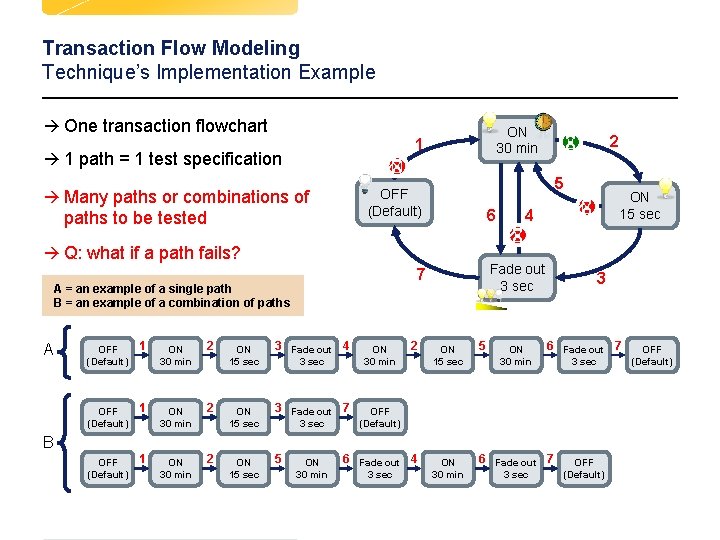
Transaction Flow Modeling Technique’s Implementation Example à One transaction flowchart ON 30 min 1 à 1 path = 1 test specification à Many paths or combinations of 5 OFF (Default) paths to be tested 6 à Q: what if a path fails? A OFF (Default) 1 ON 30 min 2 ON 15 sec 3 Fade out 4 ON 15 sec 3 Fade out 7 ON 15 sec 5 3 sec ON 30 min 2 ON 15 sec 4 Fade out 3 sec 7 A = an example of a single path B = an example of a combination of paths 2 3 ON 15 sec 5 ON 30 min 6 Fade out 7 3 sec OFF (Default) B d d 8 ON 30 min 6 Fade out 4 3 sec Test 3 sec OFF (Default)
Summary Testing Techniques à Transaction Flow Modeling à All Round-Trip Paths à Loop Testing à Data Flow Testing à Equivalence Partitioning à Boundary Value Analysis à Regression Testing à Negative Testing à Error Guessing à Error Handling Testing à Recovery Testing à Stress Testing à Load Testing d d Test
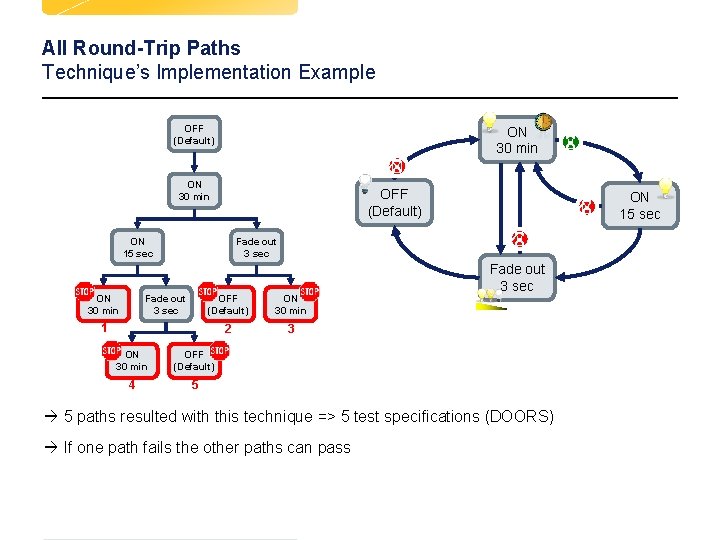
All Round-Trip Paths Technique’s Description à Used to traverse the graph (state machine) and to generate a transition tree à Attempts to exercise round trip paths à Covers 100% of the paths round trip paths = paths that start and end in the same state How to use it? à Follow a path and when you meet again a previous state – STOP and record that path à Create a test case for every resulted path d d 10 Test
All Round-Trip Paths Technique’s Implementation Example OFF (Default) ON 30 min OFF (Default) ON 15 sec ON 30 min ON 15 sec Fade out 3 sec OFF (Default) ON 30 min 2 3 1 ON 30 min OFF (Default) 4 5 Fade out 3 sec à 5 paths resulted with this technique => 5 test specifications (DOORS) à If one path fails the other paths can pass d d 11 Test
Summary Testing Techniques à Transaction Flow Modeling à All Round-Trip Paths à Loop Testing à Data Flow Testing à Equivalence Partitioning à Boundary Value Analysis à Regression Testing à Negative Testing à Error Guessing à Error Handling Testing à Recovery Testing à Stress Testing à Load Testing d d Test
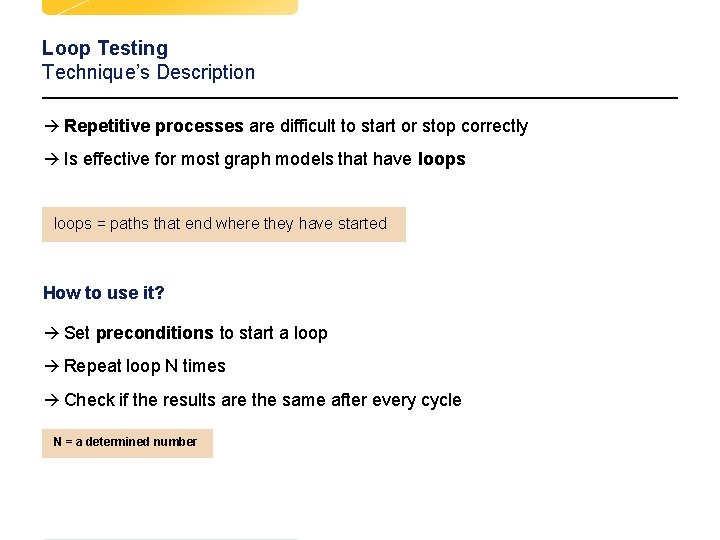
Loop Testing Technique’s Description à Repetitive processes are difficult to start or stop correctly à Is effective for most graph models that have loops = paths that end where they have started How to use it? à Set preconditions to start a loop à Repeat loop N times à Check if the results are the same after every cycle N = a determined number d d 13 Test
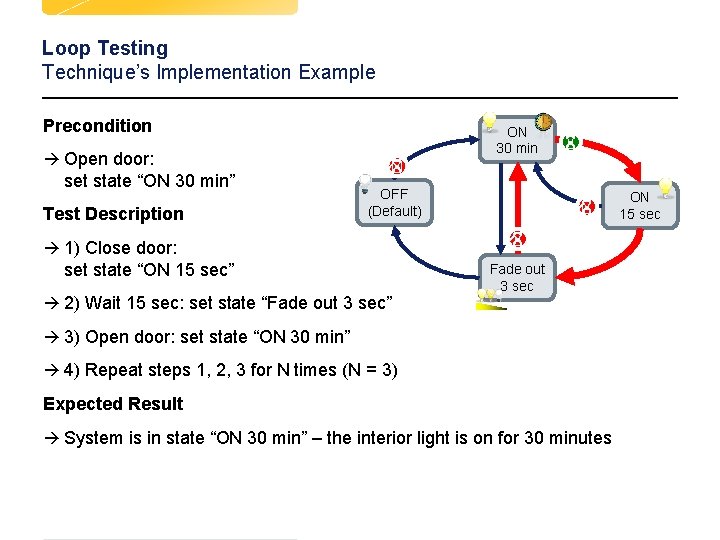
Loop Testing Technique’s Implementation Example Precondition ON 30 min à Open door: set state “ON 30 min” Test Description OFF (Default) ON 15 sec à 1) Close door: set state “ON 15 sec” Fade out 3 sec à 2) Wait 15 sec: set state “Fade out 3 sec” à 3) Open door: set state “ON 30 min” à 4) Repeat steps 1, 2, 3 for N times (N = 3) Expected Result à System is in state “ON 30 min” – the interior light is on for 30 minutes d d 14 Test
Summary Testing Techniques à Transaction Flow Modeling à All Round-Trip Paths à Loop Testing à Data Flow Testing à Equivalence Partitioning à Boundary Value Analysis à Regression Testing à Negative Testing à Error Guessing à Error Handling Testing à Recovery Testing à Stress Testing à Load Testing d d Test
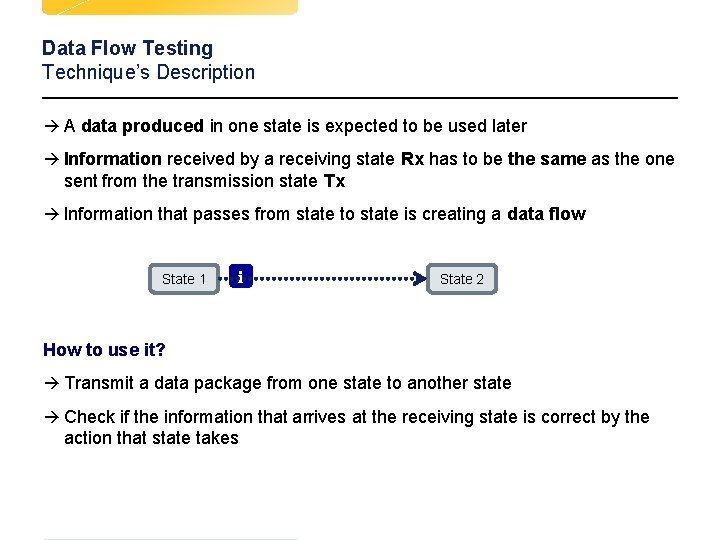
Data Flow Testing Technique’s Description à A data produced in one state is expected to be used later à Information received by a receiving state Rx has to be the same as the one sent from the transmission state Tx à Information that passes from state to state is creating a data flow State 1 i State 2 How to use it? à Transmit a data package from one state to another state à Check if the information that arrives at the receiving state is correct by the action that state takes d d 16 Test
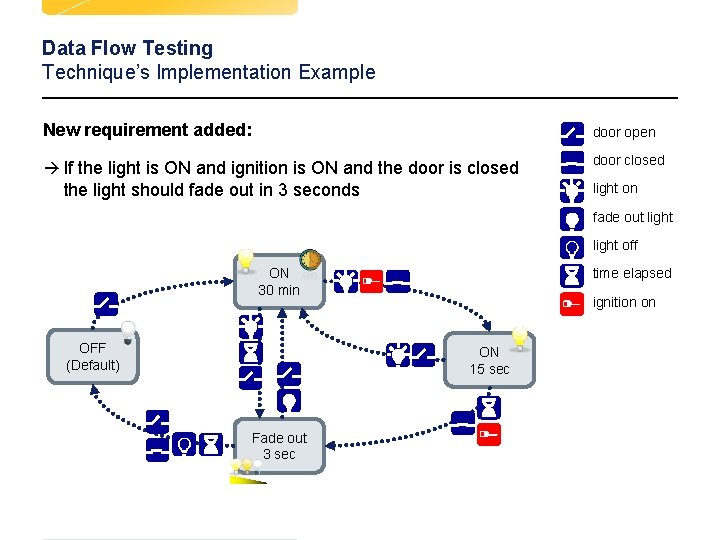
Data Flow Testing Technique’s Implementation Example New requirement added: door open à If the light is ON and ignition is ON and the door is closed door closed the light should fade out in 3 seconds light on fade out light off ON 30 min OFF (Default) time elapsed ignition on ON 15 sec Fade out 3 sec d d 17 Test
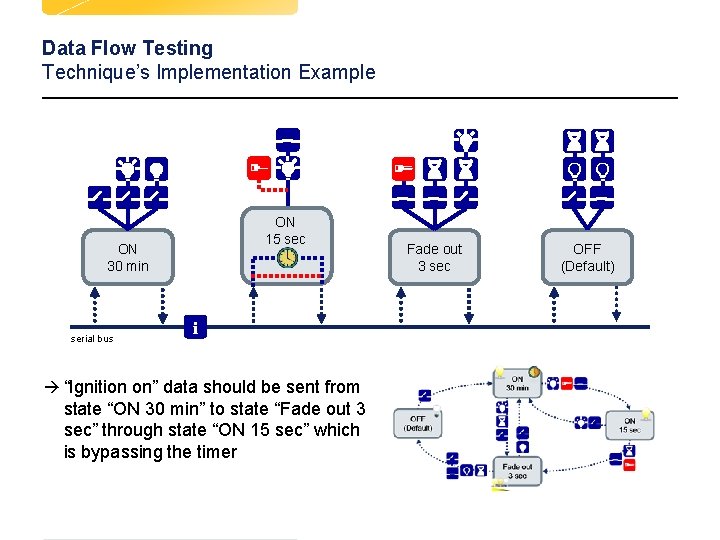
Data Flow Testing Technique’s Implementation Example ON 15 sec ON 30 min serial bus Fade out 3 sec i à “Ignition on” data should be sent from state “ON 30 min” to state “Fade out 3 sec” through state “ON 15 sec” which is bypassing the timer d d Test OFF (Default)
Summary Testing Techniques à Transaction Flow Modeling à All Round-Trip Paths à Loop Testing à Data Flow Testing à Equivalence Partitioning à Boundary Value Analysis à Regression Testing à Negative Testing à Error Guessing à Error Handling Testing à Recovery Testing à Stress Testing à Load Testing d d Test
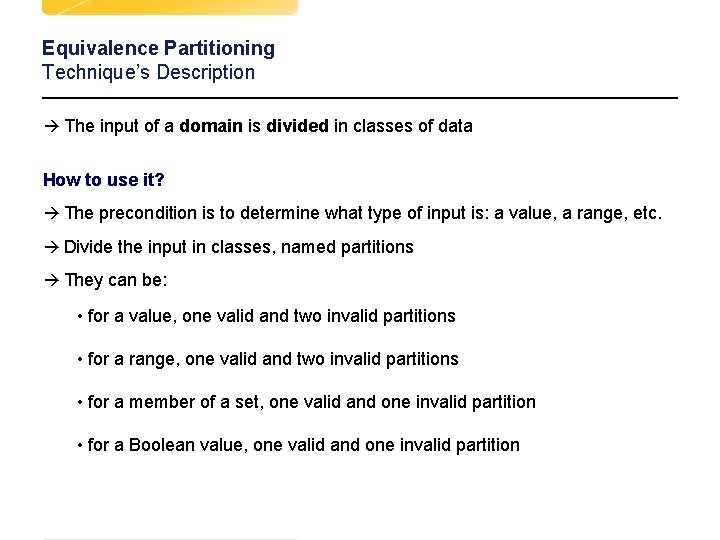
Equivalence Partitioning Technique’s Description à The input of a domain is divided in classes of data How to use it? à The precondition is to determine what type of input is: a value, a range, etc. à Divide the input in classes, named partitions à They can be: • for a value, one valid and two invalid partitions • for a range, one valid and two invalid partitions • for a member of a set, one valid and one invalid partition • for a Boolean value, one valid and one invalid partition d d 20 Test
Equivalence Partitioning Technique’s Implementation Example Time value set in EEPROM [min] 0 10 invalid partition 60 valid partition ∞ invalid partition à Range of values that are possible to be used: [10… 60] minutes à All values are divided in 3 partitions à Dividing the range of values gives us the number of tests that can be made for the boundary value analysis technique d d 21 Test
Summary Testing Techniques à Transaction Flow Modeling à All Round-Trip Paths à Loop Testing à Data Flow Testing à Equivalence Partitioning à Boundary Value Analysis à Regression Testing à Negative Testing à Error Guessing à Error Handling Testing à Recovery Testing à Stress Testing à Load Testing d d Test
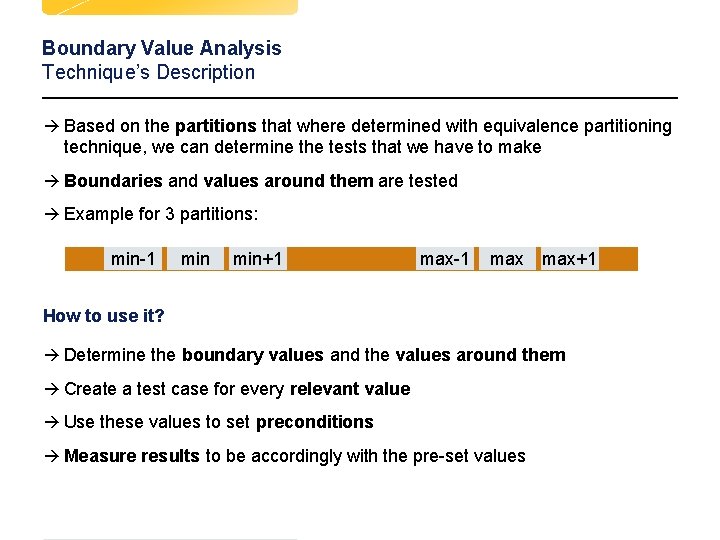
Boundary Value Analysis Technique’s Description à Based on the partitions that where determined with equivalence partitioning technique, we can determine the tests that we have to make à Boundaries and values around them are tested à Example for 3 partitions: min-1 min+1 max-1 max+1 How to use it? à Determine the boundary values and the values around them à Create a test case for every relevant value à Use these values to set preconditions à Measure results to be accordingly with the pre-set values d d 23 Test
Boundary Value Analysis Technique’s Implementation Example Time value set in EEPROM [min] [ ( 0 9 10 11 z 1 < 10 d d ) ] ∞ 59 60 61 10 <= x <= 60 z 2 > 60 Precondition Test Description Expected Result 1) EEPROM time value is set to 9 2) Set state “ON” 1) Check light and start stopwatch 2) Stop stopwatch when light is OFF Light is ON for X minutes 1) EEPROM time value is set to 10 2) Set state “ON” 1) Check light and start stopwatch 2) Stop stopwatch when light is OFF Light is ON for 10 minutes 24 Test (Resolution = 1)
Summary Testing Techniques à Transaction Flow Modeling à All Round-Trip Paths à Loop Testing à Data Flow Testing à Equivalence Partitioning à Boundary Value Analysis à Regression Testing à Negative Testing à Error Guessing à Error Handling Testing à Recovery Testing à Stress Testing à Load Testing d d Test
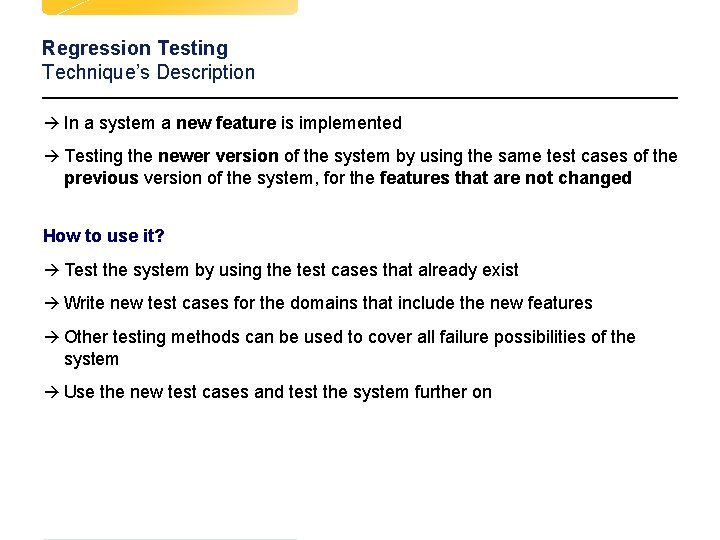
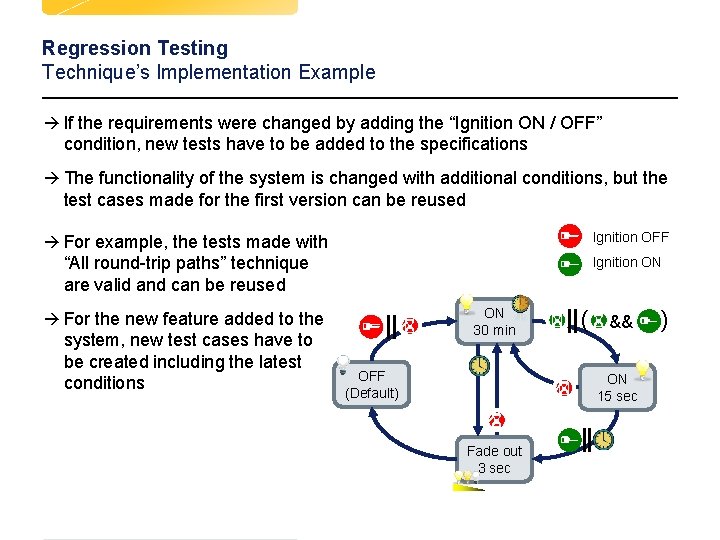
Regression Testing Technique’s Description à In a system a new feature is implemented à Testing the newer version of the system by using the same test cases of the previous version of the system, for the features that are not changed How to use it? à Test the system by using the test cases that already exist à Write new test cases for the domains that include the new features à Other testing methods can be used to cover all failure possibilities of the system à Use the new test cases and test the system further on d d 26 Test
Regression Testing Technique’s Implementation Example à If the requirements were changed by adding the “Ignition ON / OFF” condition, new tests have to be added to the specifications à The functionality of the system is changed with additional conditions, but the test cases made for the first version can be reused à For example, the tests made with Ignition OFF “All round-trip paths” technique are valid and can be reused Ignition ON ON 30 min à For the new feature added to the system, new test cases have to be created including the latest conditions OFF (Default) 27 && ON 15 sec Fade out 3 sec d d ( Test )
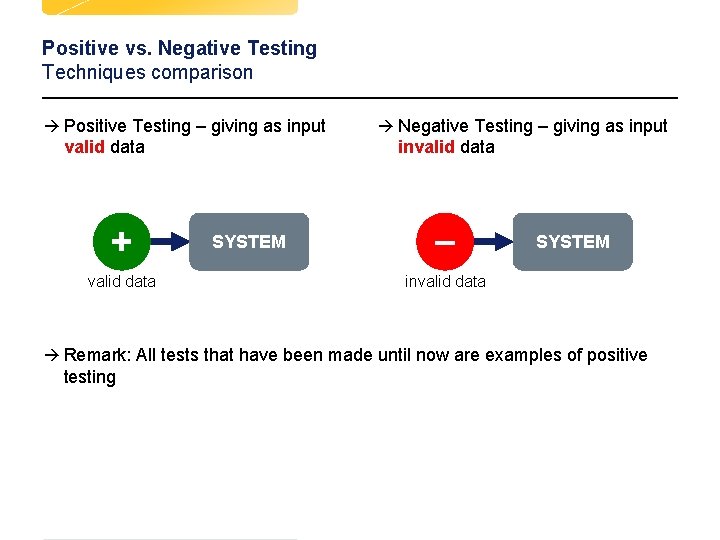
Positive vs. Negative Testing Techniques comparison à Positive Testing – giving as input valid data à Negative Testing – giving as input invalid data SYSTEM invalid data à Remark: All tests that have been made until now are examples of positive testing d d 28 Test
Summary Testing Techniques à Transaction Flow Modeling à All Round-Trip Paths à Loop Testing à Data Flow Testing à Equivalence Partitioning à Boundary Value Analysis à Regression Testing à Negative Testing à Error Guessing à Error Handling Testing à Recovery Testing à Stress Testing à Load Testing d d Test
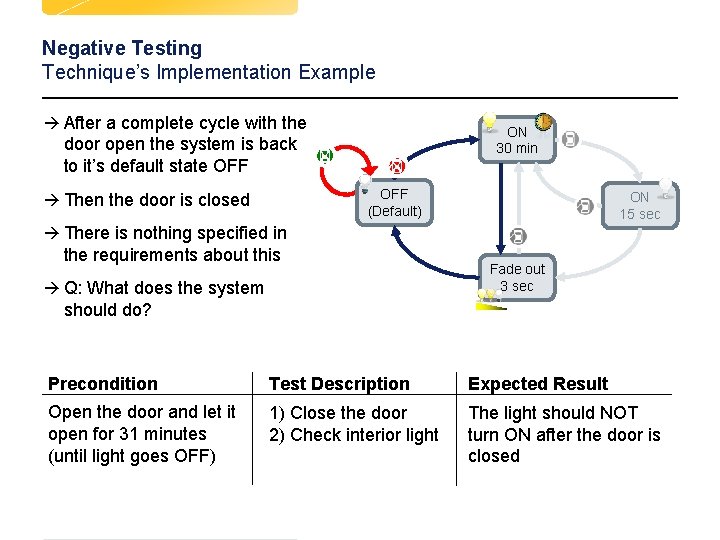
Negative Testing Technique’s Description à Defining as input an invalid data How to use it ? à Check the preconditions of the system à Define some input values that could appear, but are unspecified and seem to be invalid for the system à Write test cases that uses those values as inputs d d 30 Test
Negative Testing Technique’s Implementation Example à After a complete cycle with the ON 30 min door open the system is back to it’s default state OFF (Default) à Then the door is closed ON 15 sec à There is nothing specified in the requirements about this Fade out 3 sec à Q: What does the system should do? d d Precondition Test Description Expected Result Open the door and let it open for 31 minutes (until light goes OFF) 1) Close the door 2) Check interior light The light should NOT turn ON after the door is closed 31 Test
Summary Testing Techniques à Transaction Flow Modeling à All Round-Trip Paths à Loop Testing à Data Flow Testing à Equivalence Partitioning à Boundary Value Analysis à Regression Testing à Negative Testing à Error Guessing à Error Handling Testing à Recovery Testing à Stress Testing à Load Testing d d Test
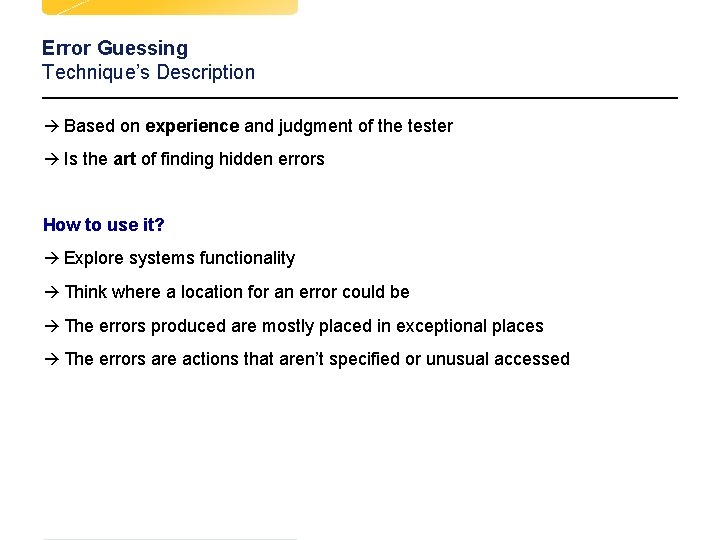
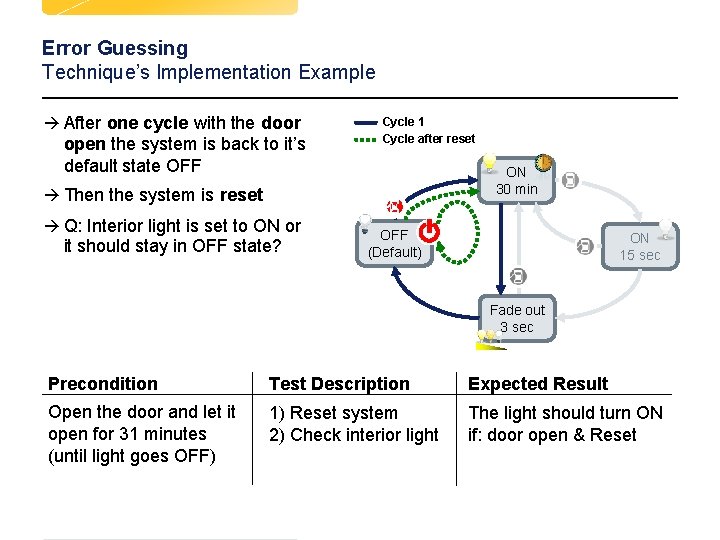
Error Guessing Technique’s Description à Based on experience and judgment of the tester à Is the art of finding hidden errors How to use it? à Explore systems functionality à Think where a location for an error could be à The errors produced are mostly placed in exceptional places à The errors are actions that aren’t specified or unusual accessed dd d 33 Test
Error Guessing Technique’s Implementation Example à After one cycle with the door open the system is back to it’s default state OFF Cycle 1 Cycle after reset ON 30 min à Then the system is reset à Q: Interior light is set to ON or it should stay in OFF state? OFF (Default) ON 15 sec Fade out 3 sec d d Precondition Test Description Expected Result Open the door and let it open for 31 minutes (until light goes OFF) 1) Reset system 2) Check interior light The light should turn ON if: door open & Reset 34 Test
Summary Testing Techniques à Transaction Flow Modeling à All Round-Trip Paths à Loop Testing à Data Flow Testing à Equivalence Partitioning à Boundary Value Analysis à Regression Testing à Negative Testing à Error Guessing à Error Handling Testing à Recovery Testing à Stress Testing à Load Testing d d Test
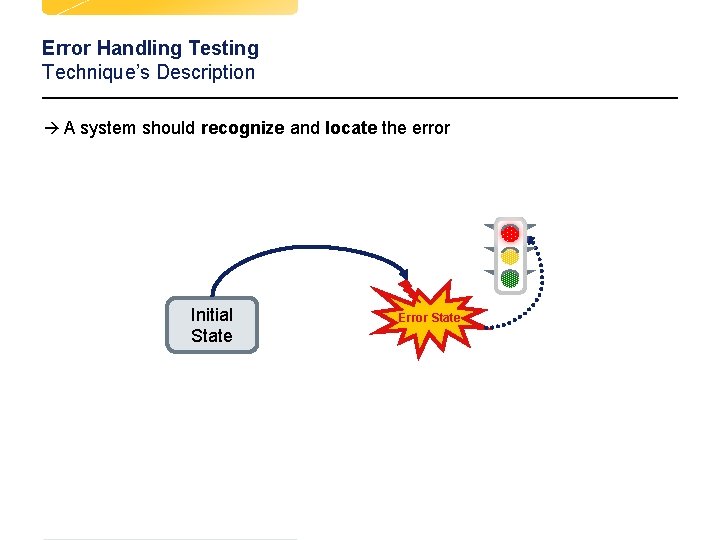
Error Handling Testing Technique’s Description à A system should recognize and locate the error Initial State d d 36 Error State Test
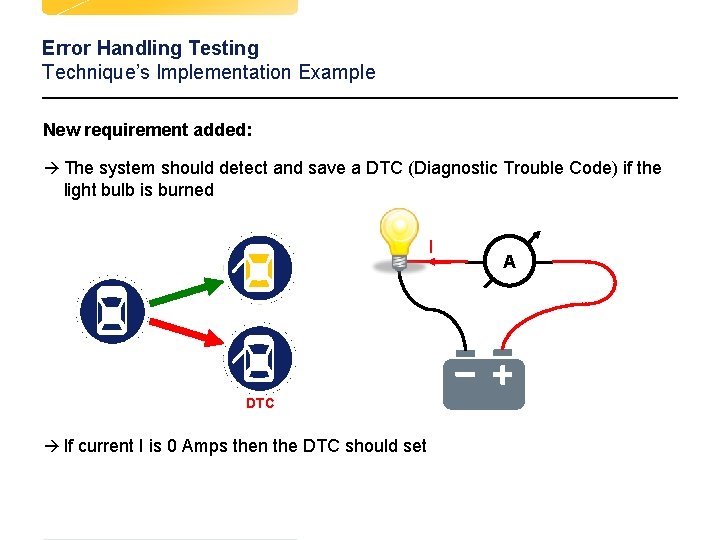
Error Handling Testing Technique’s Implementation Example New requirement added: à The system should detect and save a DTC (Diagnostic Trouble Code) if the light bulb is burned I A DTC à If current I is 0 Amps then the DTC should set d d 37 Test
Summary Testing Techniques à Transaction Flow Modeling à All Round-Trip Paths à Loop Testing à Data Flow Testing à Equivalence Partitioning à Boundary Value Analysis à Regression Testing à Negative Testing à Error Guessing à Error Handling Testing à Recovery Testing à Stress Testing à Load Testing d d Test
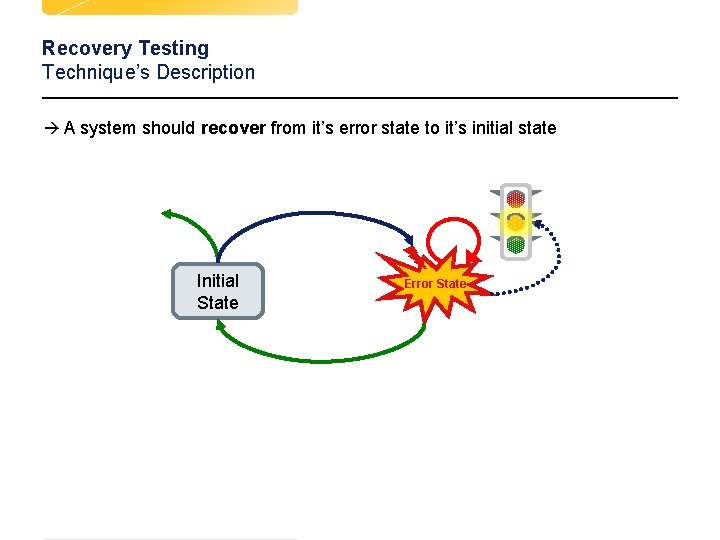
Recovery Testing Technique’s Description à A system should recover from it’s error state to it’s initial state Initial State d d 39 Error State Test
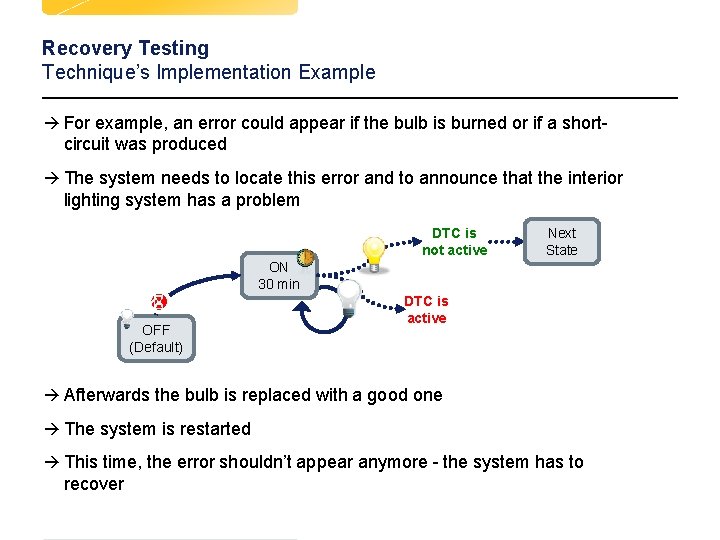
Recovery Testing Technique’s Implementation Example à For example, an error could appear if the bulb is burned or if a short- circuit was produced à The system needs to locate this error and to announce that the interior lighting system has a problem DTC is not active Next State ON 30 min OFF (Default) DTC is active à Afterwards the bulb is replaced with a good one à The system is restarted à This time, the error shouldn’t appear anymore - the system has to recover d d 40 Test
Summary Testing Techniques à Transaction Flow Modeling à All Round-Trip Paths à Loop Testing à Data Flow Testing à Equivalence Partitioning à Boundary Value Analysis à Regression Testing à Negative Testing à Error Guessing à Error Handling Testing à Recovery Testing à Stress Testing à Load Testing d d Test
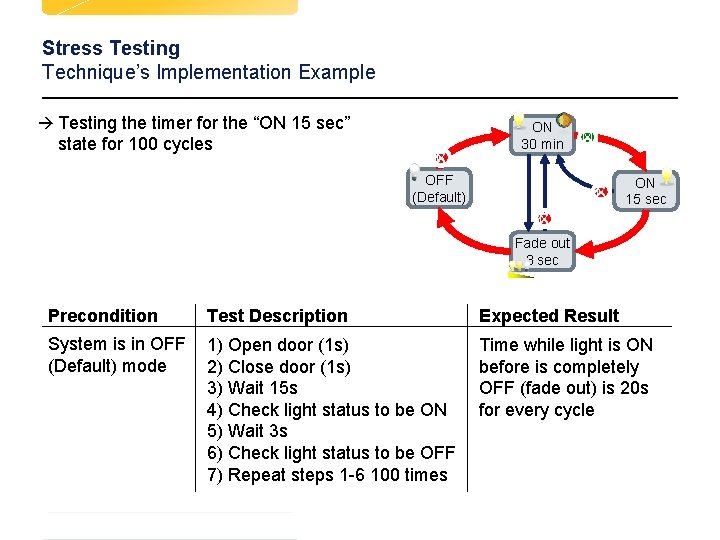
Stress Testing Technique’s Description à Requires to hold the system in continuous action for a long time à System should perform under normal conditions, but it should perform under extreme conditions, too How to use it? à Repeating actions repeated times, without giving the system any breaks à Every tact the system should process something d 42 Test
Stress Testing Technique’s Implementation Example à Testing the timer for the “ON 15 sec” ON 30 min state for 100 cycles OFF (Default) ON 15 sec Fade out 3 sec d Precondition Test Description Expected Result System is in OFF (Default) mode 1) Open door (1 s) 2) Close door (1 s) 3) Wait 15 s 4) Check light status to be ON 5) Wait 3 s 6) Check light status to be OFF 7) Repeat steps 1 -6 100 times Time while light is ON before is completely OFF (fade out) is 20 s for every cycle Test
Summary Testing Techniques à Transaction Flow Modeling à All Round-Trip Paths à Loop Testing à Data Flow Testing à Equivalence Partitioning à Boundary Value Analysis à Regression Testing à Negative Testing à Error Guessing à Error Handling Testing à Recovery Testing à Stress Testing à Load Testing d d Test
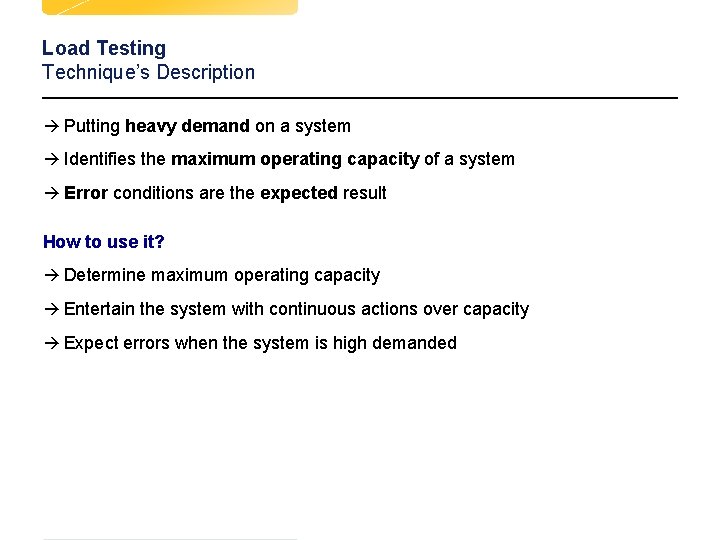
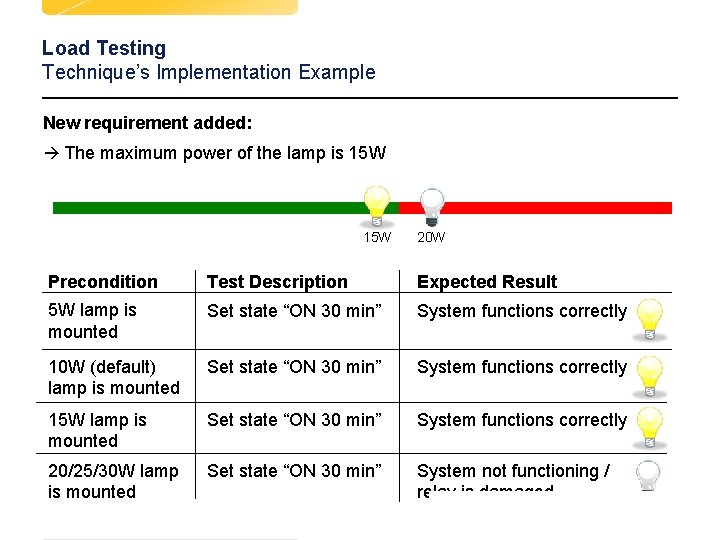
Load Testing Technique’s Description à Putting heavy demand on a system à Identifies the maximum operating capacity of a system à Error conditions are the expected result How to use it? à Determine maximum operating capacity à Entertain the system with continuous actions over capacity à Expect errors when the system is high demanded d d Test
Load Testing Technique’s Implementation Example New requirement added: à The maximum power of the lamp is 15 W d d 20 W Precondition Test Description Expected Result 5 W lamp is mounted Set state “ON 30 min” System functions correctly 10 W (default) lamp is mounted Set state “ON 30 min” System functions correctly 15 W lamp is mounted Set state “ON 30 min” System functions correctly 20/25/30 W lamp is mounted Set state “ON 30 min” System not functioning / relay is damaged Test
Summary Testing Techniques à Transaction Flow Modeling à All Round-Trip Paths à Loop Testing à Data Flow Testing à Equivalence Partitioning à Boundary Value Analysis à Regression Testing à Negative Testing à Error Guessing à Error Handling Testing à Recovery Testing à Stress Testing à Load Testing d d Test