
5 i Use of git Hub for GSICS
5 i. Use of git. Hub for GSICS developments Jin Woo KMA GSICS 2017 GDWG 1
Overview v From Peter’s presentation, 2015 GDWG meeting § To share the codes and tools, the usage of version control software was proposed in last GSICS meeting. § To discuss and define the “How”, “By Whom” and “Until When” of implementing the version controlling system such as github for supporting GPRCs activities. v From Hyunjong’s presentaton, 2016, GDWG meeting § Most GPRC said that github is possible and good for us. § How to & Who will implement it? ü use github or gitbucket instead of operate git server § If GDWG goes with github, who will administrate the implementation of it? § What would be the timeline of its implementation? § Code licensing may be a point to discuss GSICS 2017 GDWG 2
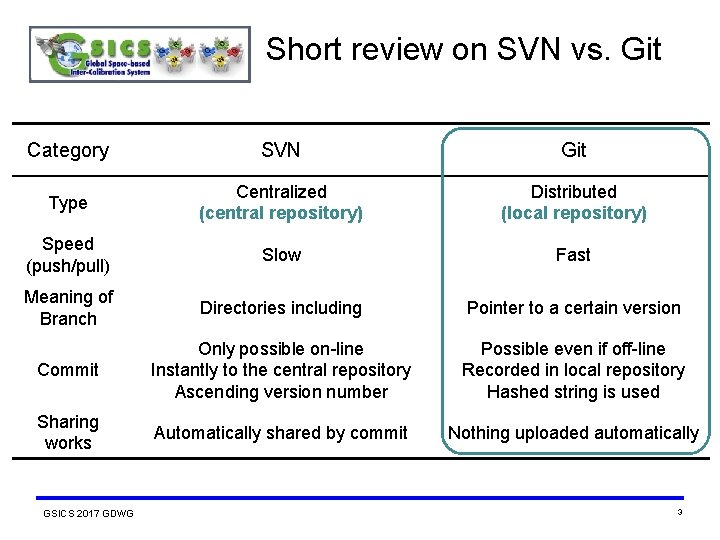
Short review on SVN vs. Git Category SVN Git Type Centralized (central repository) Distributed (local repository) Speed (push/pull) Slow Fast Meaning of Branch Directories including Pointer to a certain version Commit Only possible on-line Instantly to the central repository Ascending version number Possible even if off-line Recorded in local repository Hashed string is used Sharing works Automatically shared by commit Nothing uploaded automatically GSICS 2017 GDWG 3
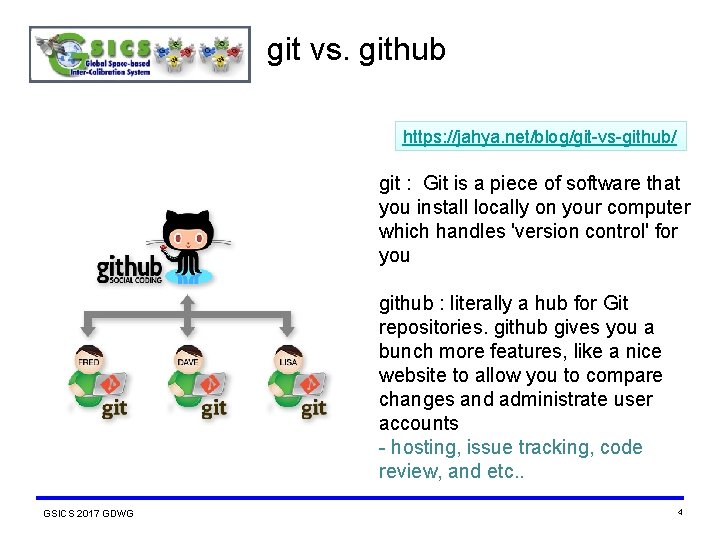
git vs. github https: //jahya. net/blog/git-vs-github/ git : Git is a piece of software that you install locally on your computer which handles 'version control' for you github : literally a hub for Git repositories. github gives you a bunch more features, like a nice website to allow you to compare changes and administrate user accounts - hosting, issue tracking, code review, and etc. . GSICS 2017 GDWG 4
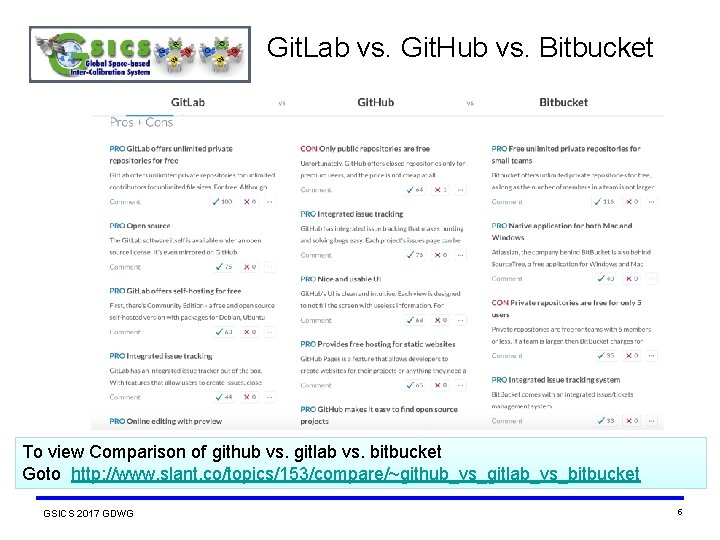
Git. Lab vs. Git. Hub vs. Bitbucket To view Comparison of github vs. gitlab vs. bitbucket Goto http: //www. slant. co/topics/153/compare/~github_vs_gitlab_vs_bitbucket GSICS 2017 GDWG 5
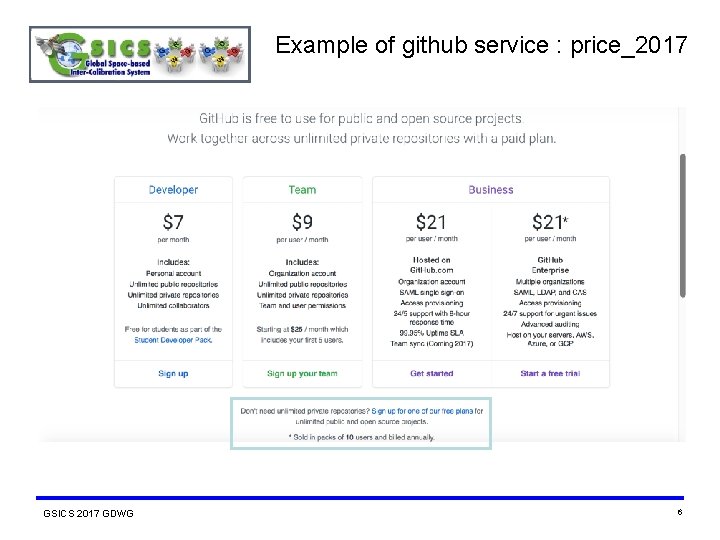
Example of github service : price_2017 GSICS 2017 GDWG 6
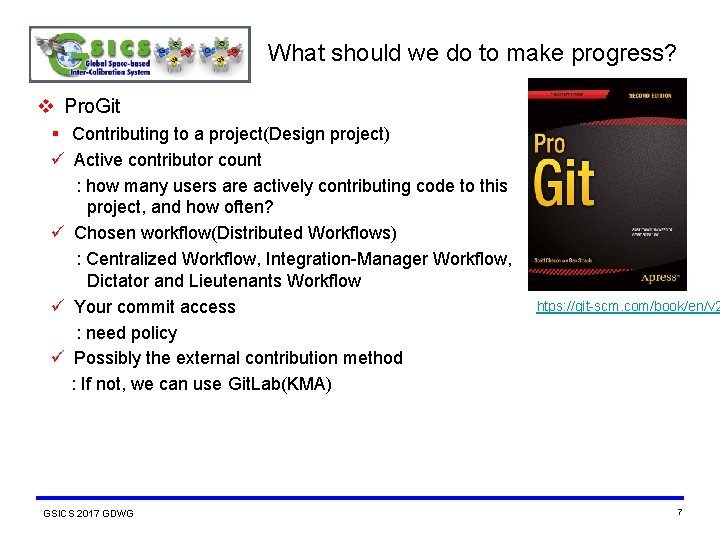
What should we do to make progress? v Pro. Git § Contributing to a project(Design project) ü Active contributor count : how many users are actively contributing code to this project, and how often? ü Chosen workflow(Distributed Workflows) : Centralized Workflow, Integration-Manager Workflow, Dictator and Lieutenants Workflow ü Your commit access : need policy ü Possibly the external contribution method : If not, we can use Git. Lab(KMA) GSICS 2017 GDWG htps: //git-scm. com/book/en/v 2 7
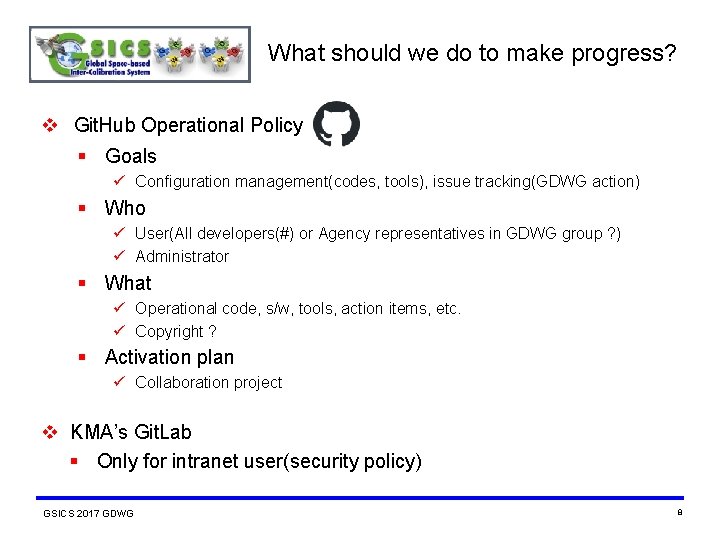
What should we do to make progress? v Git. Hub Operational Policy § Goals ü Configuration management(codes, tools), issue tracking(GDWG action) § Who ü User(All developers(#) or Agency representatives in GDWG group ? ) ü Administrator § What ü Operational code, s/w, tools, action items, etc. ü Copyright ? § Activation plan ü Collaboration project v KMA’s Git. Lab § Only for intranet user(security policy) GSICS 2017 GDWG 8
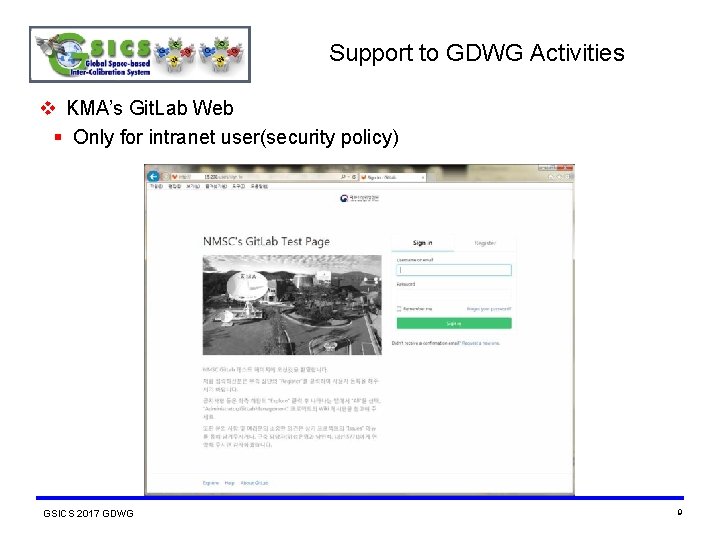
Support to GDWG Activities v KMA’s Git. Lab Web § Only for intranet user(security policy) GSICS 2017 GDWG 9
End of Presentation: Thank you for your attention WMO GSICS Portal http: //gsics. wmo. int GSICS Coordination Centre http: //www. star. nesdis. noaa. gov/smcd/GCC/index. php GSICS Product Catalog http: //www. star. nesdis. noaa. gov/smcd/GCC/Product. Catalog. php EUMETSAT’s Data and Management Server http: //gsics. eumetsat. int GSICS 2017 GDWG 10
Appendix : Strong Points of Git v Separations of remote repository and Local repository § Distributed processing, safe data, speed v Staging area § Separate commit objects v Snapshot § Branch, merge GSICS 2017 GDWG 11
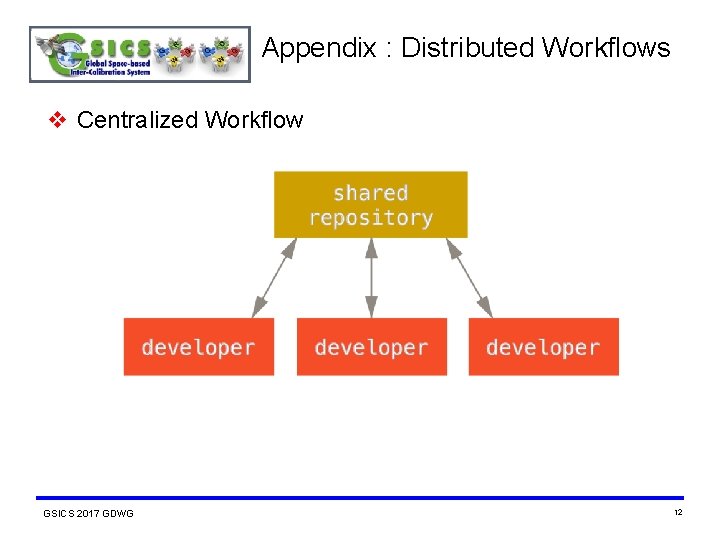
Appendix : Distributed Workflows v Centralized Workflow GSICS 2017 GDWG 12
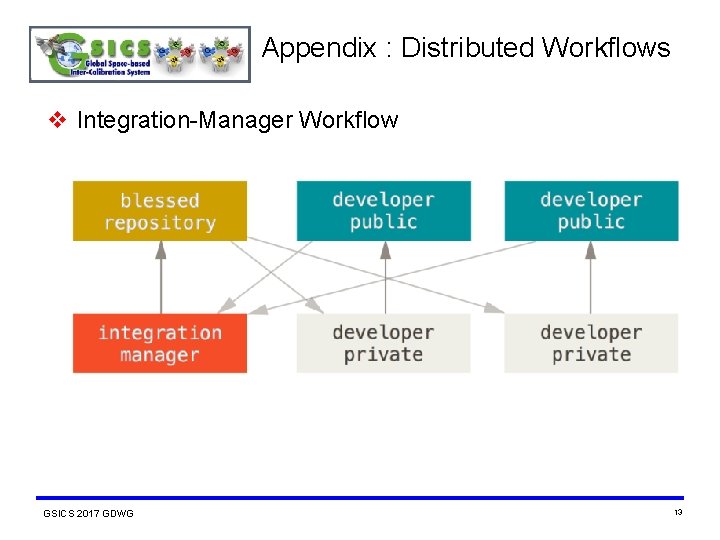
Appendix : Distributed Workflows v Integration-Manager Workflow GSICS 2017 GDWG 13
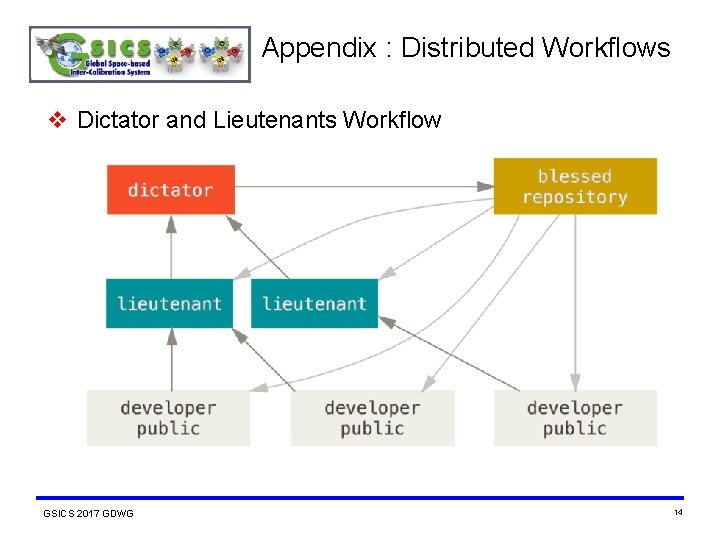
Appendix : Distributed Workflows v Dictator and Lieutenants Workflow GSICS 2017 GDWG 14
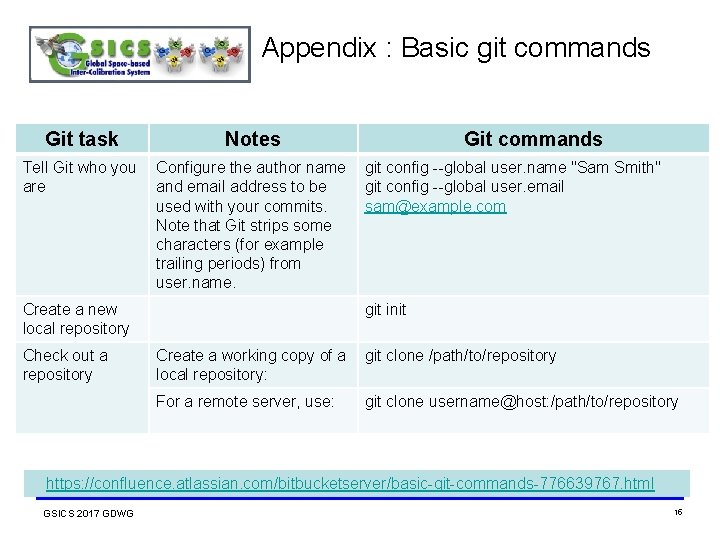
Appendix : Basic git commands Git task Notes Git commands Tell Git who you Configure the author name git config --global user. name "Sam Smith" are and email address to be git config --global user. email used with your commits. sam@example. com Note that Git strips some characters (for example trailing periods) from user. name. Create a new local repository Check out a repository git init Create a working copy of a git clone /path/to/repository local repository: For a remote server, use: git clone username@host: /path/to/repository https: //confluence. atlassian. com/bitbucketserver/basic-git-commands-776639767. html GSICS 2017 GDWG 15
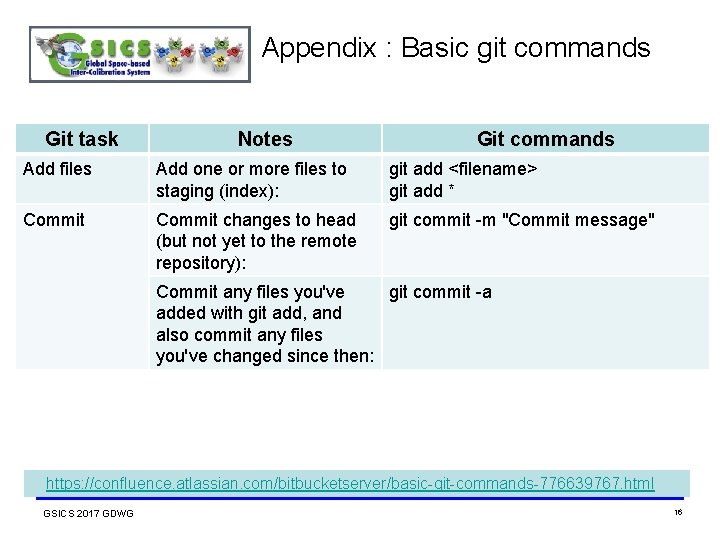
Appendix : Basic git commands Git task Notes Git commands Add files Add one or more files to staging (index): git add <filename> git add * Commit changes to head (but not yet to the remote repository): git commit -m "Commit message" Commit any files you've git commit -a added with git add, and also commit any files you've changed since then: https: //confluence. atlassian. com/bitbucketserver/basic-git-commands-776639767. html GSICS 2017 GDWG 16
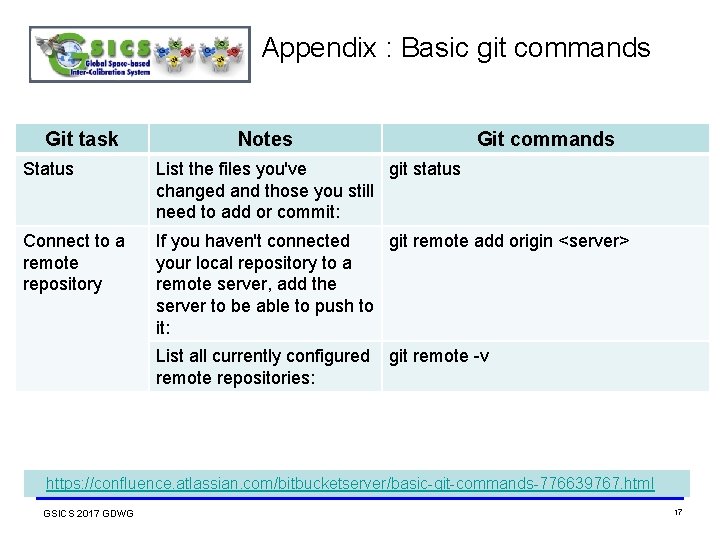
Appendix : Basic git commands Git task Notes Git commands Status List the files you've git status changed and those you still need to add or commit: Connect to a remote repository If you haven't connected git remote add origin <server> your local repository to a remote server, add the server to be able to push to it: List all currently configured git remote -v remote repositories: https: //confluence. atlassian. com/bitbucketserver/basic-git-commands-776639767. html GSICS 2017 GDWG 17
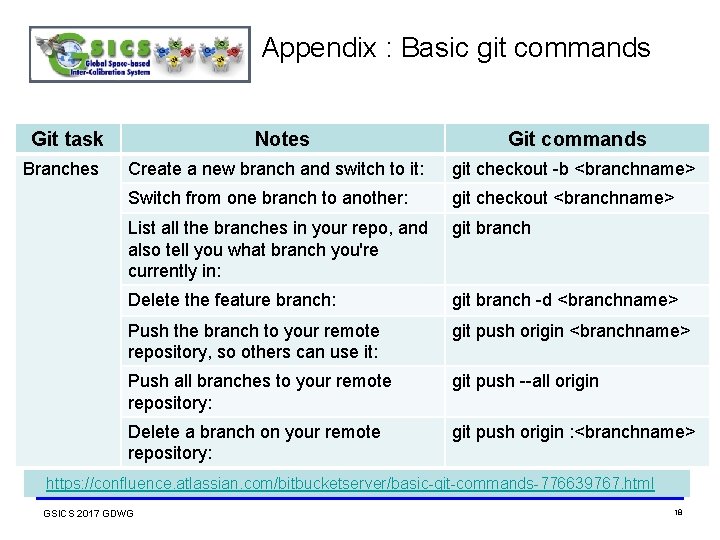
Appendix : Basic git commands Git task Branches Notes Git commands Create a new branch and switch to it: git checkout -b <branchname> Switch from one branch to another: git checkout <branchname> List all the branches in your repo, and also tell you what branch you're currently in: git branch Delete the feature branch: git branch -d <branchname> Push the branch to your remote repository, so others can use it: git push origin <branchname> Push all branches to your remote repository: git push --all origin Delete a branch on your remote repository: git push origin : <branchname> https: //confluence. atlassian. com/bitbucketserver/basic-git-commands-776639767. html GSICS 2017 GDWG 18
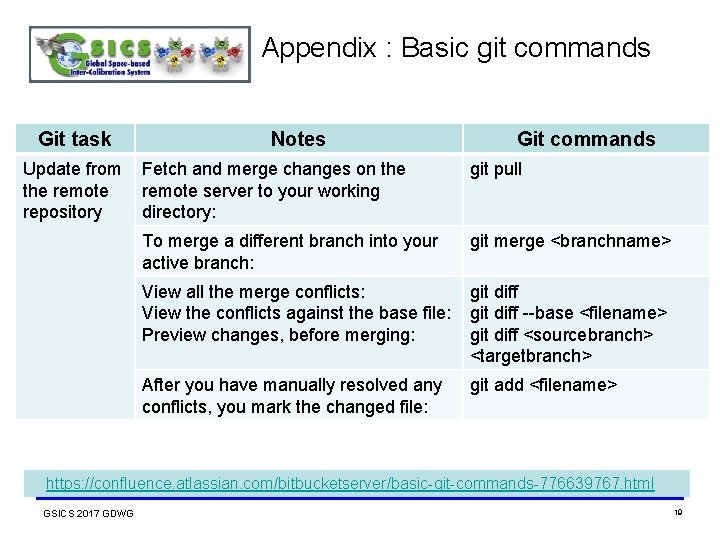
Appendix : Basic git commands Git task Notes Update from Fetch and merge changes on the remote server to your working repository directory: Git commands git pull To merge a different branch into your active branch: git merge <branchname> View all the merge conflicts: View the conflicts against the base file: Preview changes, before merging: git diff --base <filename> git diff <sourcebranch> <targetbranch> After you have manually resolved any conflicts, you mark the changed file: git add <filename> https: //confluence. atlassian. com/bitbucketserver/basic-git-commands-776639767. html GSICS 2017 GDWG 19
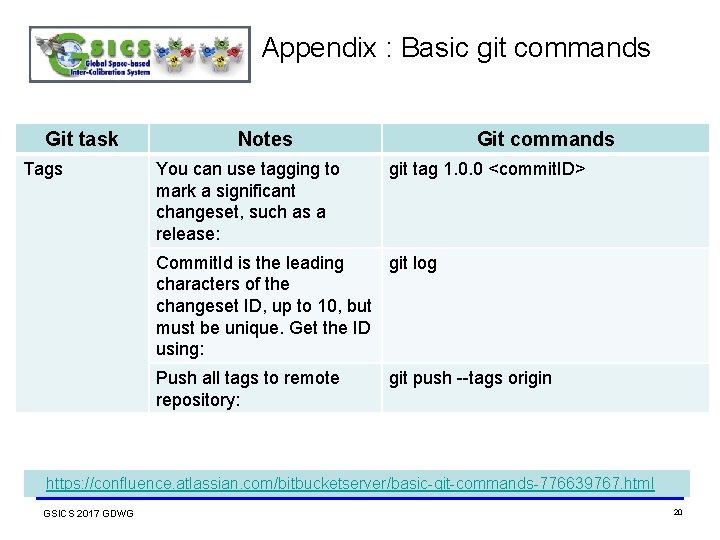
Appendix : Basic git commands Git task Tags Notes You can use tagging to mark a significant changeset, such as a release: Git commands git tag 1. 0. 0 <commit. ID> Commit. Id is the leading git log characters of the changeset ID, up to 10, but must be unique. Get the ID using: Push all tags to remote repository: git push --tags origin https: //confluence. atlassian. com/bitbucketserver/basic-git-commands-776639767. html GSICS 2017 GDWG 20
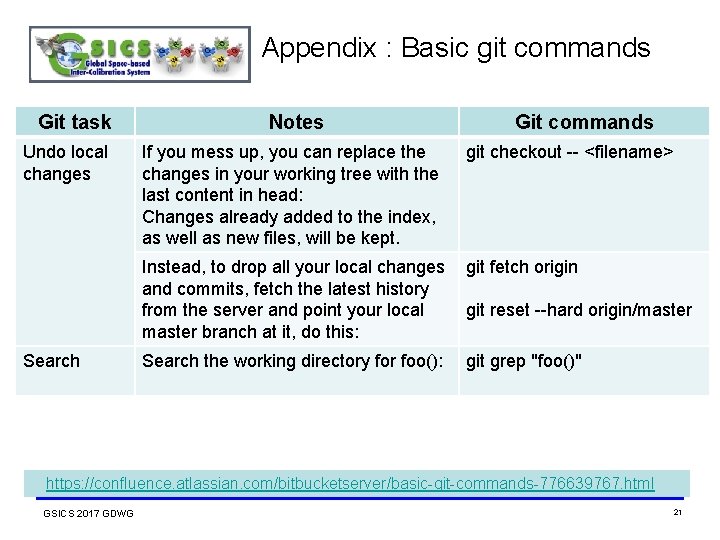
Appendix : Basic git commands Git task Undo local changes Notes If you mess up, you can replace the changes in your working tree with the last content in head: Changes already added to the index, as well as new files, will be kept. Git commands git checkout -- <filename> Instead, to drop all your local changes git fetch origin and commits, fetch the latest history from the server and point your local git reset --hard origin/master branch at it, do this: Search the working directory for foo(): git grep "foo()" https: //confluence. atlassian. com/bitbucketserver/basic-git-commands-776639767. html GSICS 2017 GDWG 21
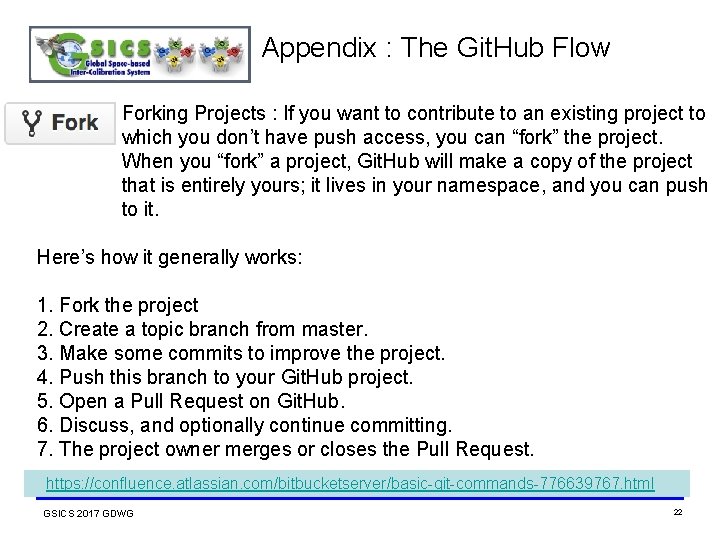
Appendix : The Git. Hub Flow Forking Projects : If you want to contribute to an existing project to which you don’t have push access, you can “fork” the project. When you “fork” a project, Git. Hub will make a copy of the project that is entirely yours; it lives in your namespace, and you can push to it. Here’s how it generally works: 1. Fork the project 2. Create a topic branch from master. 3. Make some commits to improve the project. 4. Push this branch to your Git. Hub project. 5. Open a Pull Request on Git. Hub. 6. Discuss, and optionally continue committing. 7. The project owner merges or closes the Pull Request. https: //confluence. atlassian. com/bitbucketserver/basic-git-commands-776639767. html GSICS 2017 GDWG 22
- Slides: 22