
5 December 2017 Room Booking Implementation Project How
5 December 2017 Room Booking Implementation Project How will it work Danielle Nichols – Project Manager Lee Jenner – Change Manager Caroline Cabraal – Portfolio Manager Radhika Kamaraj – Business Analyst www. imperial. ac. uk/room-booking-project | rbiproject@imperial. ac. uk
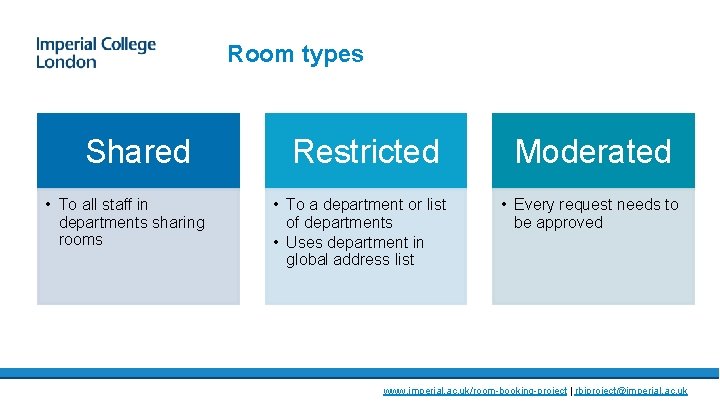
Room types Shared • To all staff in departments sharing rooms Restricted • To a department or list of departments • Uses department in global address list Moderated • Every request needs to be approved www. imperial. ac. uk/room-booking-project | rbiproject@imperial. ac. uk
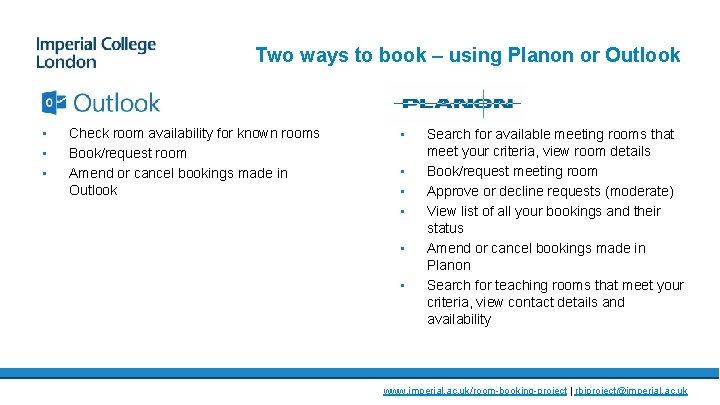
Two ways to book – using Planon or Outlook • • • Check room availability for known rooms Book/request room Amend or cancel bookings made in Outlook • • • Search for available meeting rooms that meet your criteria, view room details Book/request meeting room Approve or decline requests (moderate) View list of all your bookings and their status Amend or cancel bookings made in Planon Search for teaching rooms that meet your criteria, view contact details and availability www. imperial. ac. uk/room-booking-project | rbiproject@imperial. ac. uk

Room booking in Outlook • • • Invite the room and other attendees, add notes Save and send An initial email will either decline the invitation or acknowledge your request (you do not have a confirmed booking yet). Outlook Room accepted Outlook Room declined Planon – Booking Confirmed or Pending moderation Planon – Moderator accepted or rejected www. imperial. ac. uk/room-booking-project | rbiproject@imperial. ac. uk

Room booking in Planon • • Search for available rooms across College Only rooms you are able to book are displayed Check the room details to choose a suitable room Booking from Planon results in a room booking only. Create another Outlook meeting to invite people. Outlook invitation from the room Planon – Moderator accepted or rejected Outlook – cancelled booking from the room if Moderator rejected www. imperial. ac. uk/room-booking-project | rbiproject@imperial. ac. uk

Restricted Access • Access to a room can be restricted by department or collection of departments only. • When someone searches for rooms in Planon they will only see rooms in the groups they belong to. • When someone searches for rooms in Outlook they will be able to see all the rooms but if they are not in a group able to request the room, the room will decline their invitation automatically. www. imperial. ac. uk/room-booking-project | rbiproject@imperial. ac. uk
Moderated Rooms If the moderator does not respond: • If the moderator does not respond for 3 days, the system can will send a reminder email to the moderator. • Central team will run reports tracking moderation response times and reasons for rejection. If the date/time is changed by the Requestor: • If a change of date/time is made to a reservation in a moderated room, the status of the booking changes to pending and the moderator will have to approve the change. www. imperial. ac. uk/room-booking-project | rbiproject@imperial. ac. uk
Amend or cancel a booking Amendments and cancellations should always be made in the same system as the original booking. www. imperial. ac. uk/room-booking-project | rbiproject@imperial. ac. uk
Asking someone else to move • Once a booking is confirmed it cannot be cancelled without agreement from the Requestor • You will be able to see who has booked the room in Outlook and Planon. • If you require the room, you must contact the Requestor and make arrangements by phone or email for them to move to an alternate room. www. imperial. ac. uk/room-booking-project | rbiproject@imperial. ac. uk
Types of users All Staff can: • Book rooms Students • Students will not be able to book meeting rooms themselves, in the initial implementation. We may extend this in later phases. This is due to the complications involved in tagging student records with the correct department and type in order to give them the appropriate access. Room Booking central owner • Central room booking system ownership sits in Estates Operations Department Superusers can: • Maintain room details (inventory/facilities, access info, catering info, etc. ) • Use back office part of Planon to edit and cancel reservations for their own department’s rooms • They cannot maintain lists of superusers or moderators for their department. Moderators can: • Accept or reject room booking requests Central System Administrators can: • Create moderator groups and add/remove people • Give people superuser access • They have full access to the system www. imperial. ac. uk/room-booking-project | rbiproject@imperial. ac. uk
- Slides: 10