
5 3 Multiple Alternatives Part 1 The multiway
- Slides: 25
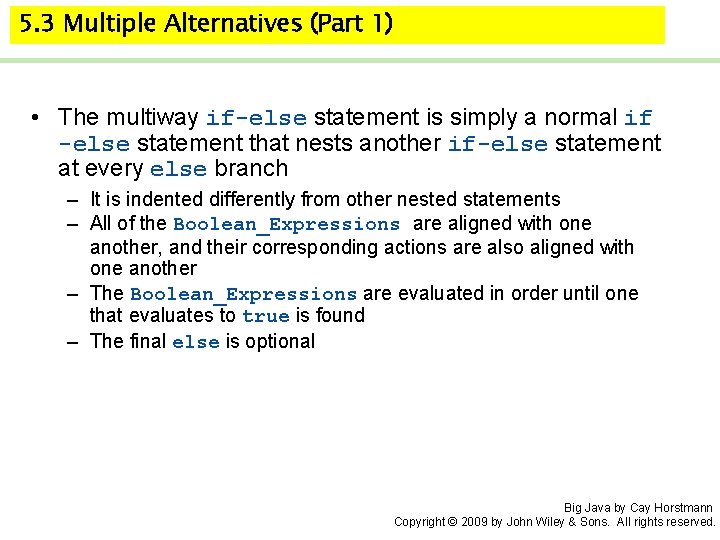
5. 3 Multiple Alternatives (Part 1) • The multiway if-else statement is simply a normal if -else statement that nests another if-else statement at every else branch – It is indented differently from other nested statements – All of the Boolean_Expressions are aligned with one another, and their corresponding actions are also aligned with one another – The Boolean_Expressions are evaluated in order until one that evaluates to true is found – The final else is optional Big Java by Cay Horstmann Copyright © 2009 by John Wiley & Sons. All rights reserved.
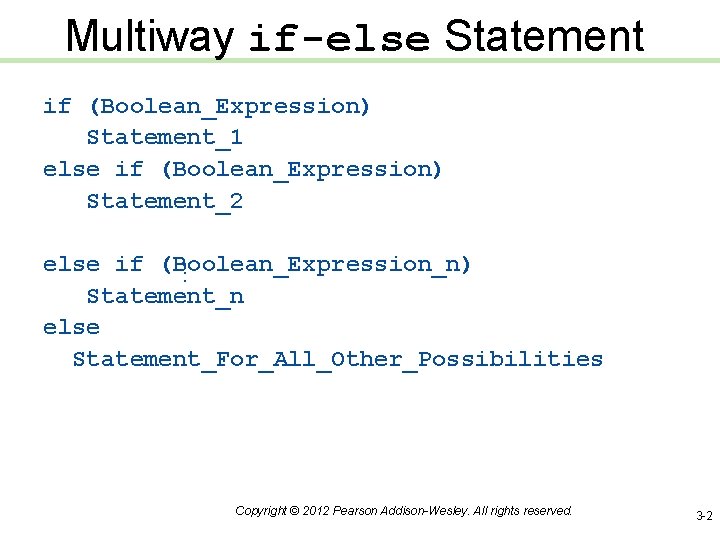
Multiway if-else Statement if (Boolean_Expression) Statement_1 else if (Boolean_Expression) Statement_2. . . else if (Boolean_Expression_n) Statement_n else Statement_For_All_Other_Possibilities Copyright © 2012 Pearson Addison-Wesley. All rights reserved. 3 -2
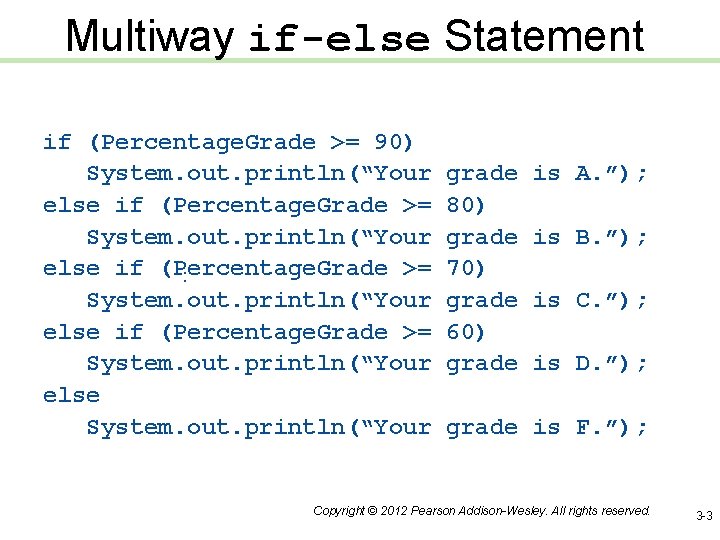
Multiway if-else Statement . . . if (Percentage. Grade >= 90) System. out. println(“Your else if (Percentage. Grade >= System. out. println(“Your else System. out. println(“Your grade 80) grade 70) grade 60) grade is A. ”); is B. ”); is C. ”); is D. ”); grade is F. ”); Copyright © 2012 Pearson Addison-Wesley. All rights reserved. 3 -3
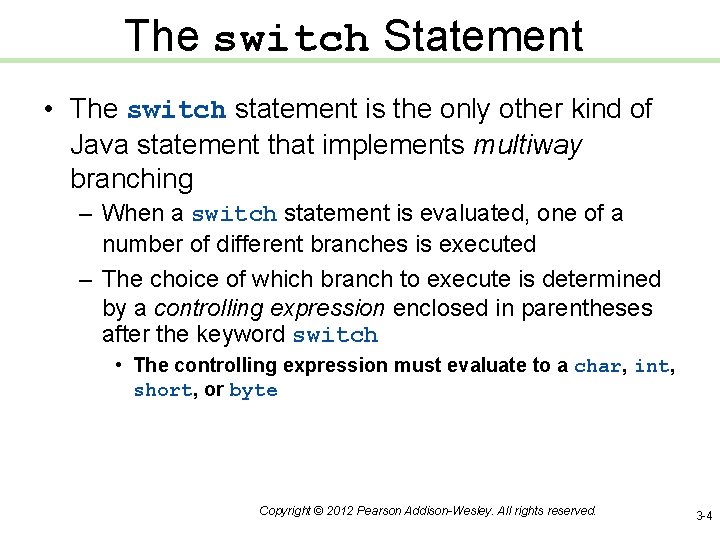
The switch Statement • The switch statement is the only other kind of Java statement that implements multiway branching – When a switch statement is evaluated, one of a number of different branches is executed – The choice of which branch to execute is determined by a controlling expression enclosed in parentheses after the keyword switch • The controlling expression must evaluate to a char, int, short, or byte Copyright © 2012 Pearson Addison-Wesley. All rights reserved. 3 -4
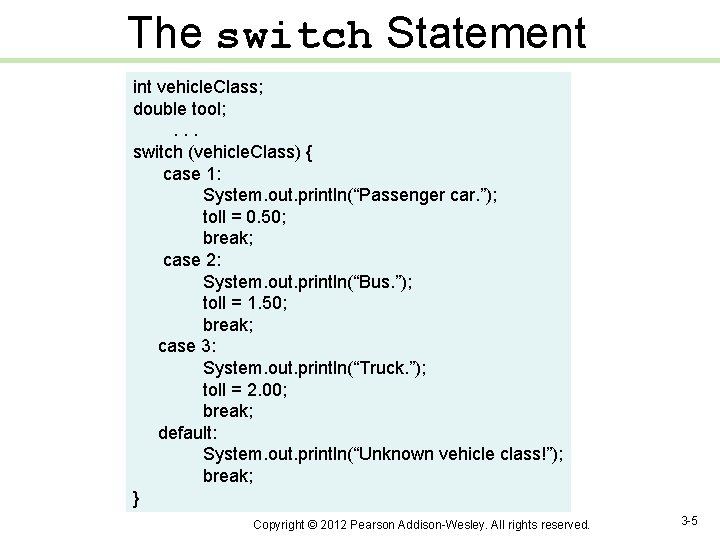
The switch Statement int vehicle. Class; double tool; . . . switch (vehicle. Class) { case 1: System. out. println(“Passenger car. ”); toll = 0. 50; break; case 2: System. out. println(“Bus. ”); toll = 1. 50; break; case 3: System. out. println(“Truck. ”); toll = 2. 00; break; default: System. out. println(“Unknown vehicle class!”); break; } Copyright © 2012 Pearson Addison-Wesley. All rights reserved. 3 -5
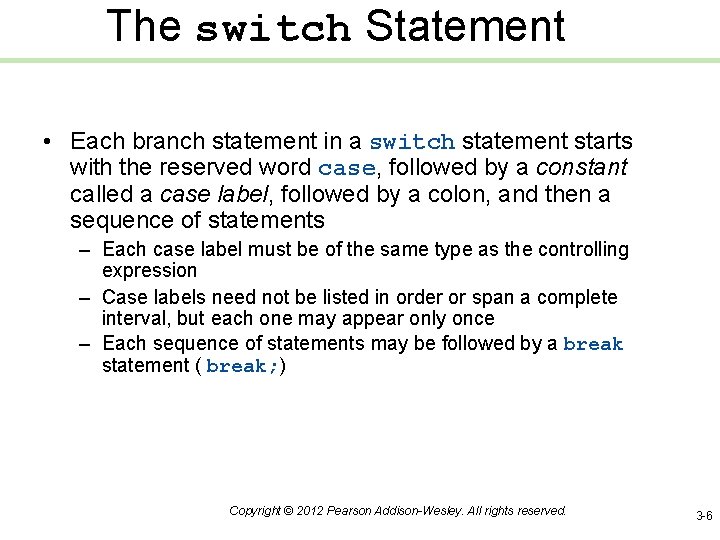
The switch Statement • Each branch statement in a switch statement starts with the reserved word case, followed by a constant called a case label, followed by a colon, and then a sequence of statements – Each case label must be of the same type as the controlling expression – Case labels need not be listed in order or span a complete interval, but each one may appear only once – Each sequence of statements may be followed by a break statement ( break; ) Copyright © 2012 Pearson Addison-Wesley. All rights reserved. 3 -6
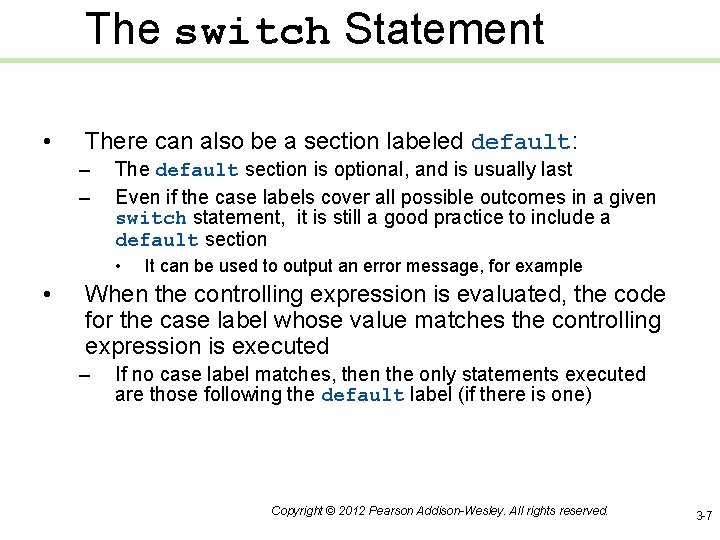
The switch Statement • There can also be a section labeled default: – – The default section is optional, and is usually last Even if the case labels cover all possible outcomes in a given switch statement, it is still a good practice to include a default section • • It can be used to output an error message, for example When the controlling expression is evaluated, the code for the case label whose value matches the controlling expression is executed – If no case label matches, then the only statements executed are those following the default label (if there is one) Copyright © 2012 Pearson Addison-Wesley. All rights reserved. 3 -7
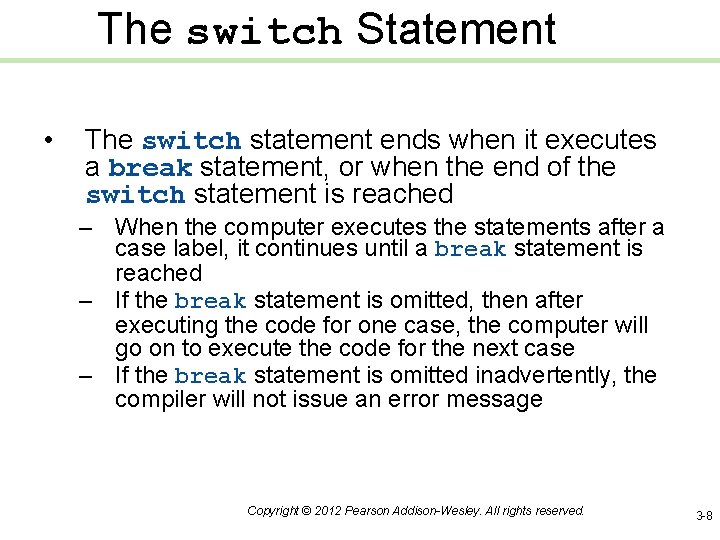
The switch Statement • The switch statement ends when it executes a break statement, or when the end of the switch statement is reached – When the computer executes the statements after a case label, it continues until a break statement is reached – If the break statement is omitted, then after executing the code for one case, the computer will go on to execute the code for the next case – If the break statement is omitted inadvertently, the compiler will not issue an error message Copyright © 2012 Pearson Addison-Wesley. All rights reserved. 3 -8
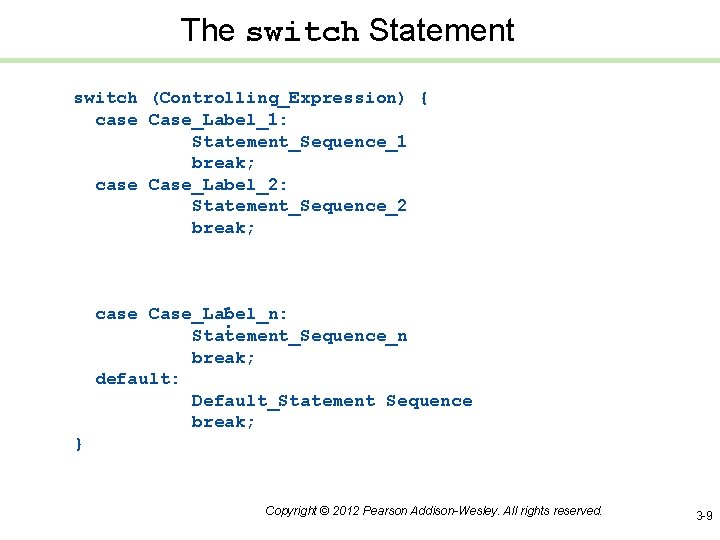
The switch Statement switch (Controlling_Expression) { case Case_Label_1: Statement_Sequence_1 break; case Case_Label_2: Statement_Sequence_2 break; . . . case Case_Label_n: Statement_Sequence_n break; default: Default_Statement Sequence break; } Copyright © 2012 Pearson Addison-Wesley. All rights reserved. 3 -9
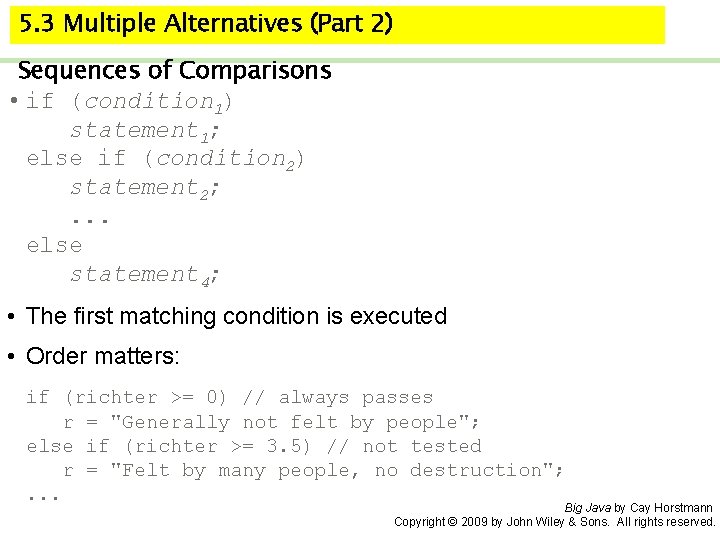
5. 3 Multiple Alternatives (Part 2) Sequences of Comparisons • if (condition 1) statement 1; else if (condition 2) statement 2; . . . else statement 4; • The first matching condition is executed • Order matters: if (richter >= 0) // always passes r = "Generally not felt by people"; else if (richter >= 3. 5) // not tested r = "Felt by many people, no destruction"; . . . Big Java by Cay Horstmann Copyright © 2009 by John Wiley & Sons. All rights reserved.
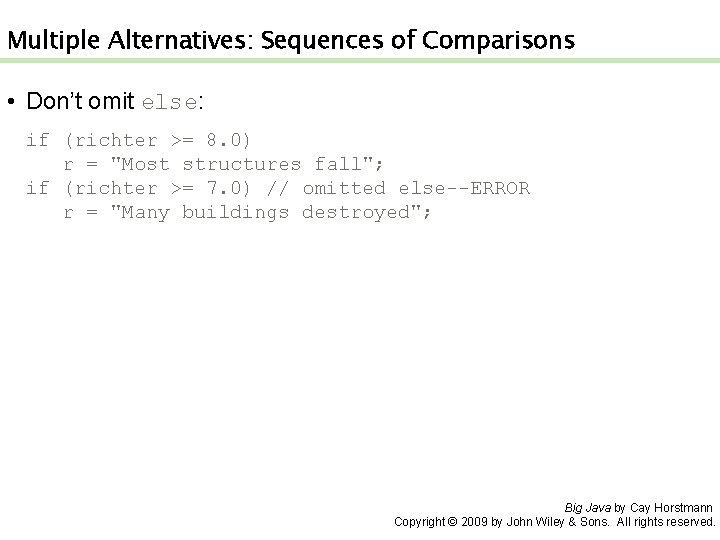
Multiple Alternatives: Sequences of Comparisons • Don’t omit else: if (richter >= 8. 0) r = "Most structures fall"; if (richter >= 7. 0) // omitted else--ERROR r = "Many buildings destroyed"; Big Java by Cay Horstmann Copyright © 2009 by John Wiley & Sons. All rights reserved.
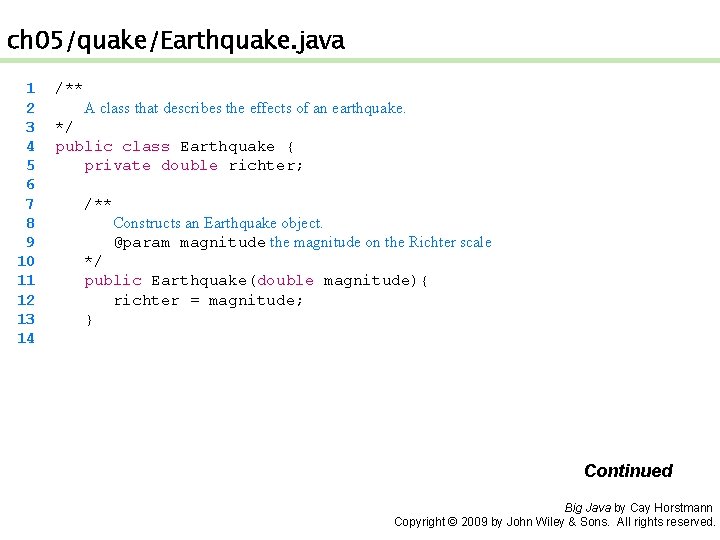
ch 05/quake/Earthquake. java 1 2 3 4 5 6 7 8 9 10 11 12 13 14 /** A class that describes the effects of an earthquake. */ public class Earthquake { private double richter; /** Constructs an Earthquake object. @param magnitude the magnitude on the Richter scale */ public Earthquake(double magnitude){ richter = magnitude; } Continued Big Java by Cay Horstmann Copyright © 2009 by John Wiley & Sons. All rights reserved.
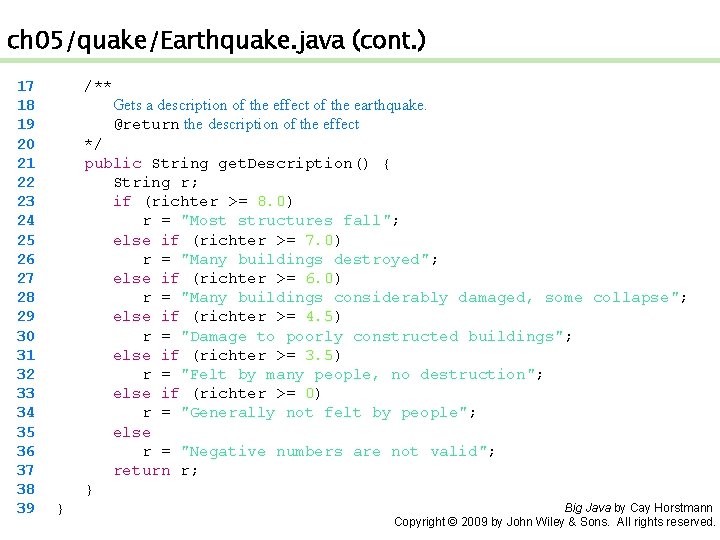
ch 05/quake/Earthquake. java (cont. ) 17 18 19 20 21 22 23 24 25 26 27 28 29 30 31 32 33 34 35 36 37 38 39 /** Gets a description of the effect of the earthquake. @return the description of the effect */ public String get. Description() { String r; if (richter >= 8. 0) r = "Most structures fall"; else if (richter >= 7. 0) r = "Many buildings destroyed"; else if (richter >= 6. 0) r = "Many buildings considerably damaged, some collapse"; else if (richter >= 4. 5) r = "Damage to poorly constructed buildings"; else if (richter >= 3. 5) r = "Felt by many people, no destruction"; else if (richter >= 0) r = "Generally not felt by people"; else r = "Negative numbers are not valid"; return r; } } Big Java by Cay Horstmann Copyright © 2009 by John Wiley & Sons. All rights reserved.
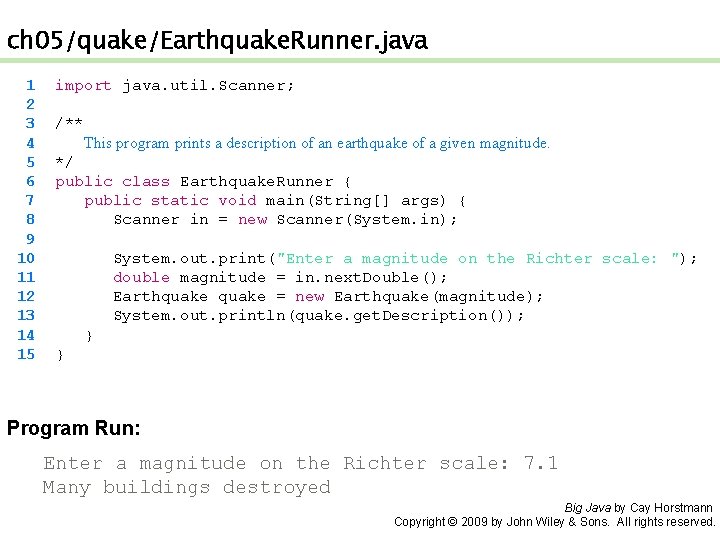
ch 05/quake/Earthquake. Runner. java 1 2 3 4 5 6 7 8 9 10 11 12 13 14 15 import java. util. Scanner; /** This program prints a description of an earthquake of a given magnitude. */ public class Earthquake. Runner { public static void main(String[] args) { Scanner in = new Scanner(System. in); System. out. print("Enter a magnitude on the Richter scale: "); double magnitude = in. next. Double(); Earthquake = new Earthquake(magnitude); System. out. println(quake. get. Description()); } } Program Run: Enter a magnitude on the Richter scale: 7. 1 Many buildings destroyed Big Java by Cay Horstmann Copyright © 2009 by John Wiley & Sons. All rights reserved.
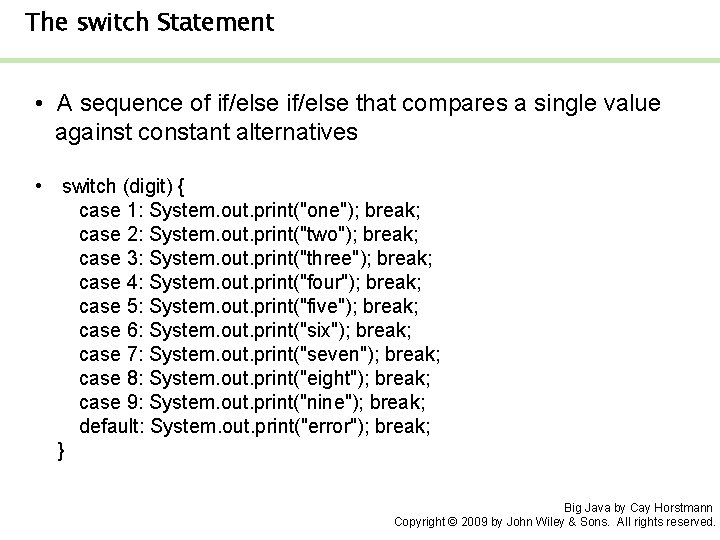
The switch Statement • A sequence of if/else that compares a single value against constant alternatives • switch (digit) { case 1: System. out. print("one"); break; case 2: System. out. print("two"); break; case 3: System. out. print("three"); break; case 4: System. out. print("four"); break; case 5: System. out. print("five"); break; case 6: System. out. print("six"); break; case 7: System. out. print("seven"); break; case 8: System. out. print("eight"); break; case 9: System. out. print("nine"); break; default: System. out. print("error"); break; } Big Java by Cay Horstmann Copyright © 2009 by John Wiley & Sons. All rights reserved.
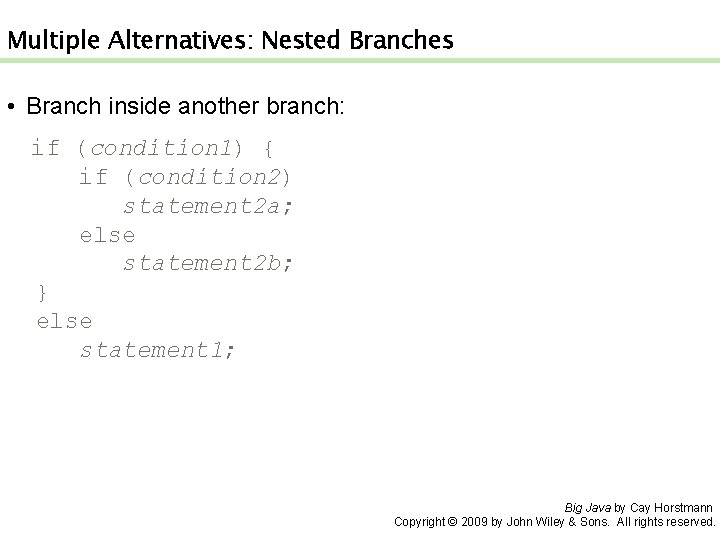
Multiple Alternatives: Nested Branches • Branch inside another branch: if (condition 1) { if (condition 2) statement 2 a; else statement 2 b; } else statement 1; Big Java by Cay Horstmann Copyright © 2009 by John Wiley & Sons. All rights reserved.
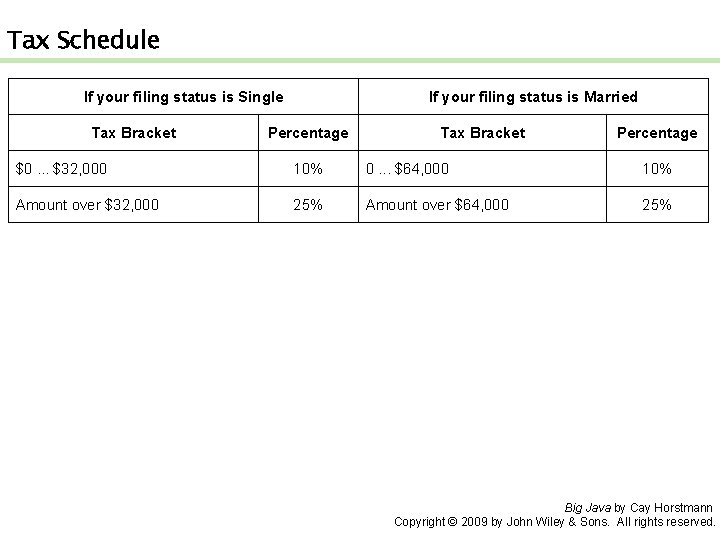
Tax Schedule If your filing status is Single Tax Bracket If your filing status is Married Percentage Tax Bracket Percentage $0. . . $32, 000 10% 0. . . $64, 000 10% Amount over $32, 000 25% Amount over $64, 000 25% Big Java by Cay Horstmann Copyright © 2009 by John Wiley & Sons. All rights reserved.
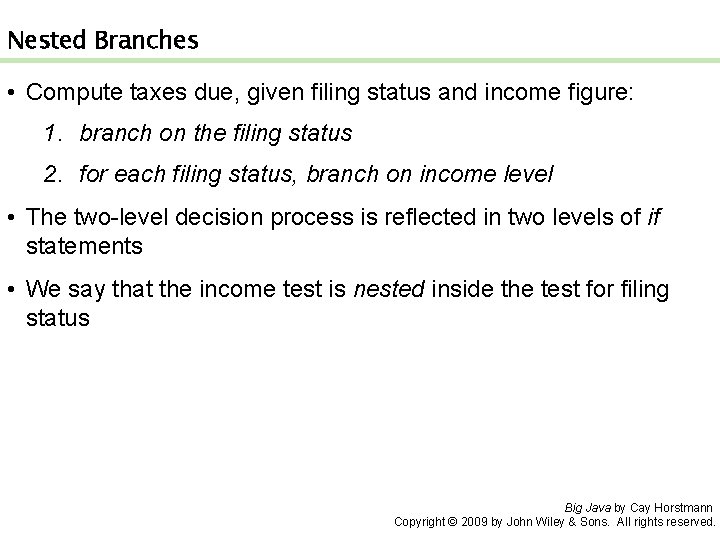
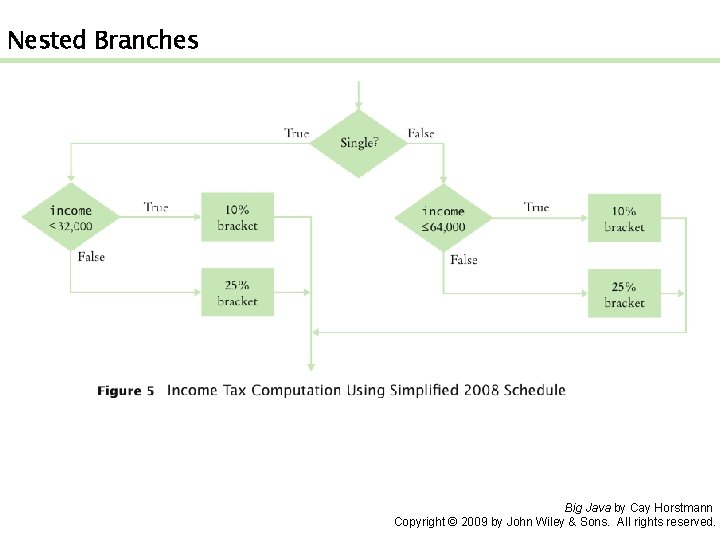
Nested Branches • Compute taxes due, given filing status and income figure: 1. branch on the filing status 2. for each filing status, branch on income level • The two-level decision process is reflected in two levels of if statements • We say that the income test is nested inside the test for filing status Big Java by Cay Horstmann Copyright © 2009 by John Wiley & Sons. All rights reserved.
Nested Branches Big Java by Cay Horstmann Copyright © 2009 by John Wiley & Sons. All rights reserved.
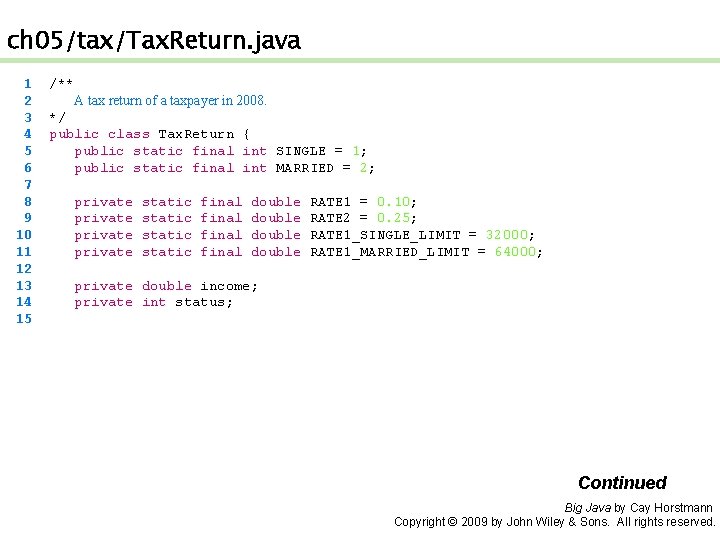
ch 05/tax/Tax. Return. java 1 2 3 4 5 6 7 8 9 10 11 12 13 14 15 /** A tax return of a taxpayer in 2008. */ public class Tax. Return { public static final int SINGLE = 1; public static final int MARRIED = 2; private static final double RATE 1 = 0. 10; RATE 2 = 0. 25; RATE 1_SINGLE_LIMIT = 32000; RATE 1_MARRIED_LIMIT = 64000; private double income; private int status; Continued Big Java by Cay Horstmann Copyright © 2009 by John Wiley & Sons. All rights reserved.
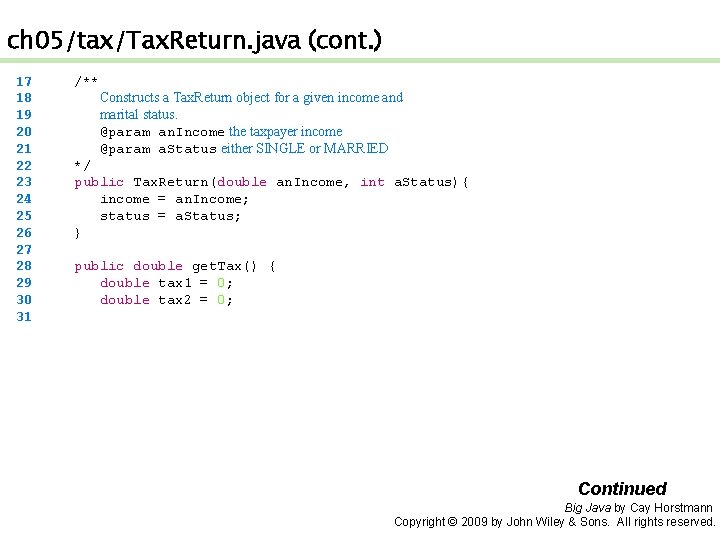
ch 05/tax/Tax. Return. java (cont. ) 17 18 19 20 21 22 23 24 25 26 27 28 29 30 31 /** Constructs a Tax. Return object for a given income and marital status. @param an. Income the taxpayer income @param a. Status either SINGLE or MARRIED */ public Tax. Return(double an. Income, int a. Status){ income = an. Income; status = a. Status; } public double get. Tax() { double tax 1 = 0; double tax 2 = 0; Continued Big Java by Cay Horstmann Copyright © 2009 by John Wiley & Sons. All rights reserved.
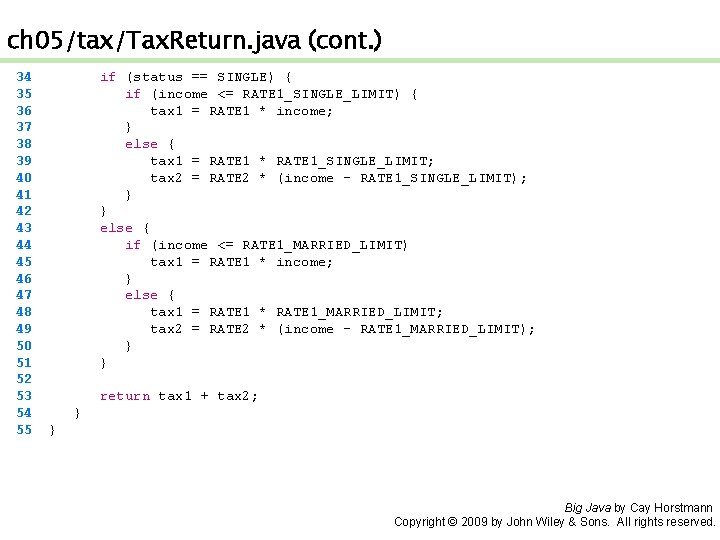
ch 05/tax/Tax. Return. java (cont. ) 34 35 36 37 38 39 40 41 42 43 44 45 46 47 48 49 50 51 52 53 54 55 if (status == SINGLE) { if (income <= RATE 1_SINGLE_LIMIT) { tax 1 = RATE 1 * income; } else { tax 1 = RATE 1 * RATE 1_SINGLE_LIMIT; tax 2 = RATE 2 * (income - RATE 1_SINGLE_LIMIT); } } else { if (income <= RATE 1_MARRIED_LIMIT) tax 1 = RATE 1 * income; } else { tax 1 = RATE 1 * RATE 1_MARRIED_LIMIT; tax 2 = RATE 2 * (income - RATE 1_MARRIED_LIMIT); } } return tax 1 + tax 2; } } Big Java by Cay Horstmann Copyright © 2009 by John Wiley & Sons. All rights reserved.
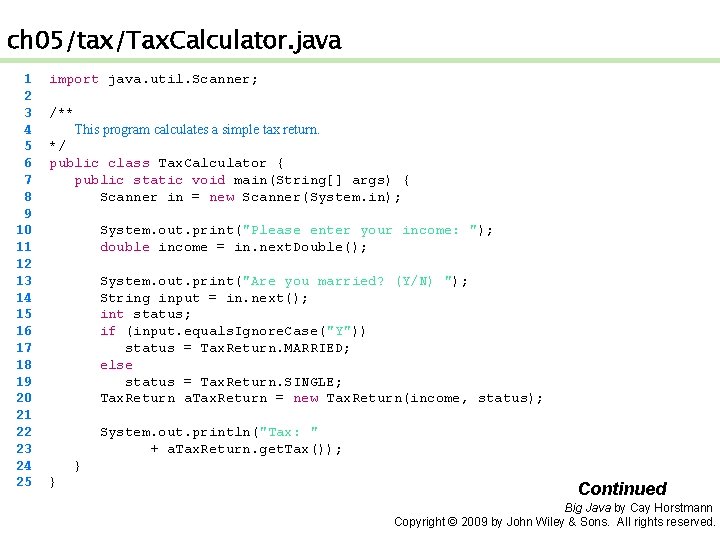
ch 05/tax/Tax. Calculator. java 1 2 3 4 5 6 7 8 9 10 11 12 13 14 15 16 17 18 19 20 21 22 23 24 25 import java. util. Scanner; /** This program calculates a simple tax return. */ public class Tax. Calculator { public static void main(String[] args) { Scanner in = new Scanner(System. in); System. out. print("Please enter your income: "); double income = in. next. Double(); System. out. print("Are you married? (Y/N) "); String input = in. next(); int status; if (input. equals. Ignore. Case("Y")) status = Tax. Return. MARRIED; else status = Tax. Return. SINGLE; Tax. Return a. Tax. Return = new Tax. Return(income, status); System. out. println("Tax: " + a. Tax. Return. get. Tax()); } } Continued Big Java by Cay Horstmann Copyright © 2009 by John Wiley & Sons. All rights reserved.
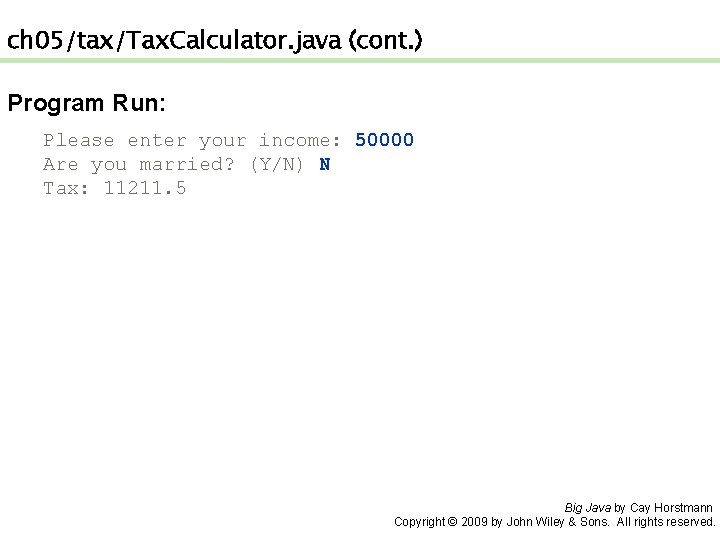
ch 05/tax/Tax. Calculator. java (cont. ) Program Run: Please enter your income: 50000 Are you married? (Y/N) N Tax: 11211. 5 Big Java by Cay Horstmann Copyright © 2009 by John Wiley & Sons. All rights reserved.
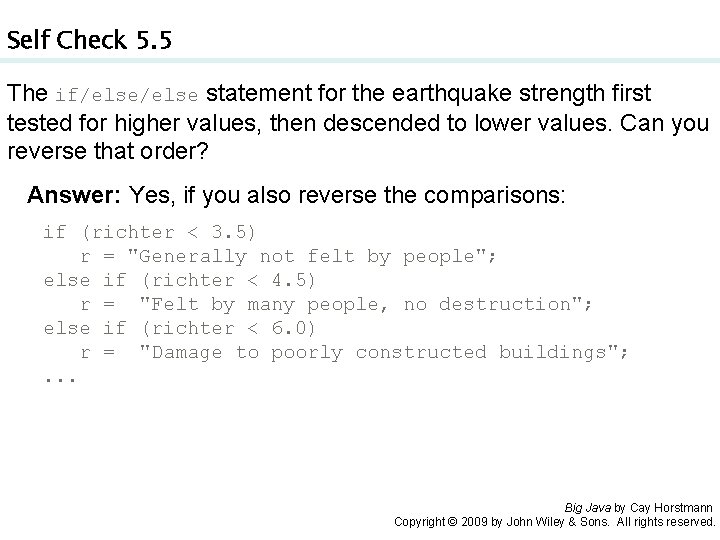
Self Check 5. 5 The if/else statement for the earthquake strength first tested for higher values, then descended to lower values. Can you reverse that order? Answer: Yes, if you also reverse the comparisons: if (richter < 3. 5) r = "Generally not felt by people"; else if (richter < 4. 5) r = "Felt by many people, no destruction"; else if (richter < 6. 0) r = "Damage to poorly constructed buildings"; . . . Big Java by Cay Horstmann Copyright © 2009 by John Wiley & Sons. All rights reserved.