
4 Node JS Linux sudo aptget install nodejs

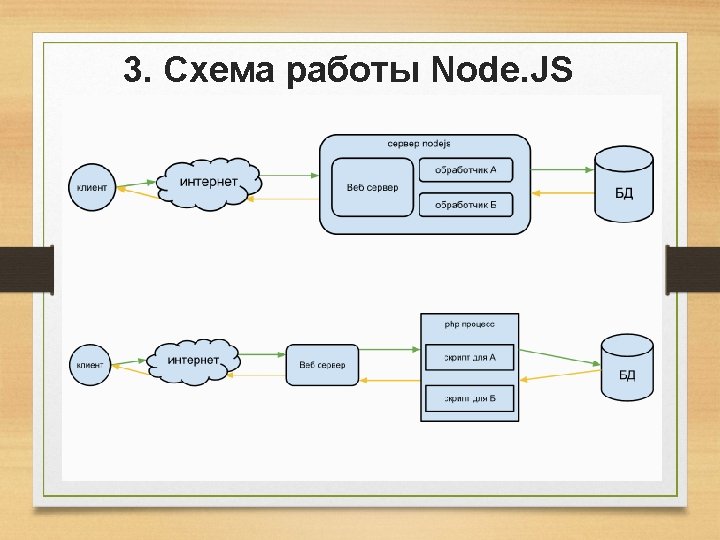
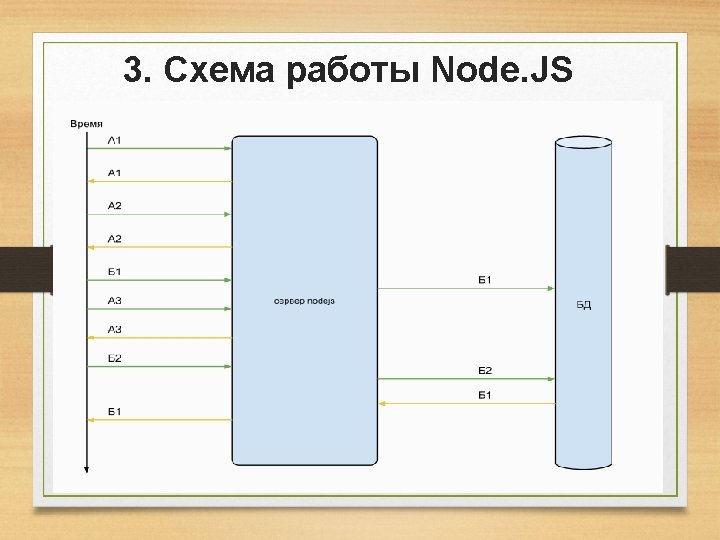

- Slides: 42
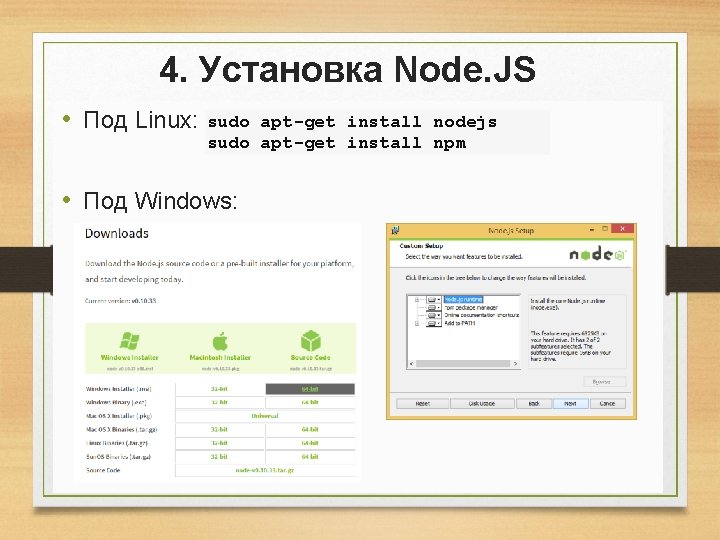
4. Установка Node. JS • Под Linux: sudo apt-get install nodejs sudo apt-get install npm • Под Windows:
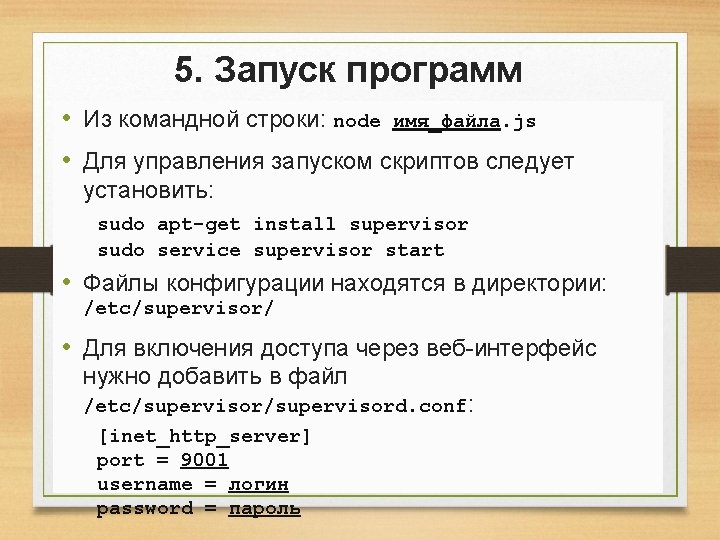
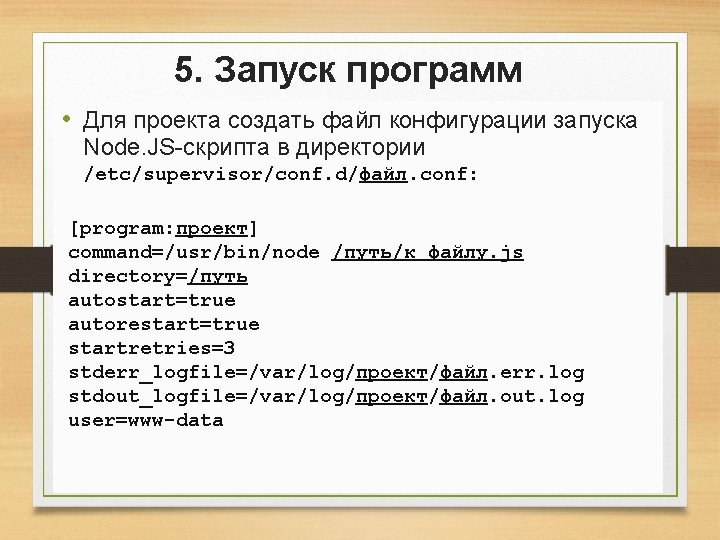
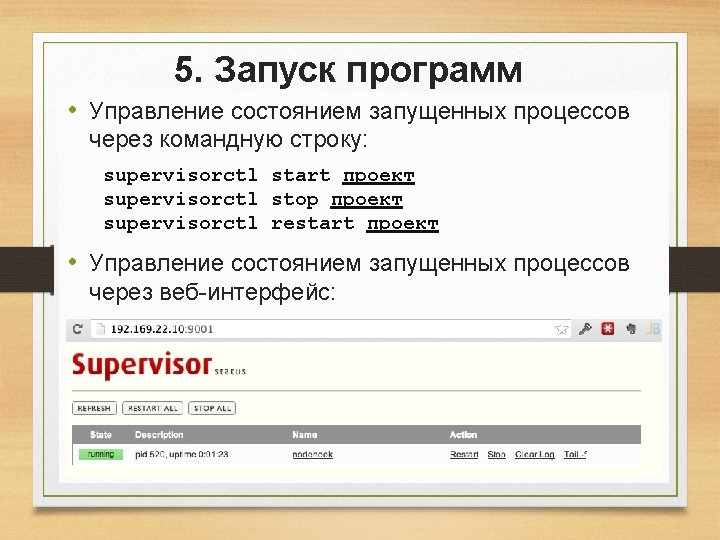
5. Запуск программ • Для проекта создать файл конфигурации запуска Node. JS-скрипта в директории /etc/supervisor/conf. d/файл. conf: [program: проект] command=/usr/bin/node /путь/к файлу. js directory=/путь autostart=true autorestart=true startretries=3 stderr_logfile=/var/log/проект/файл. err. log stdout_logfile=/var/log/проект/файл. out. log user=www-data
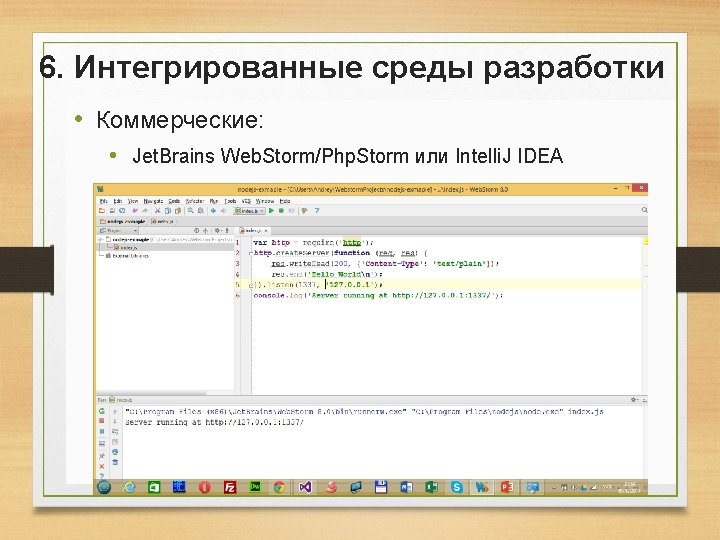
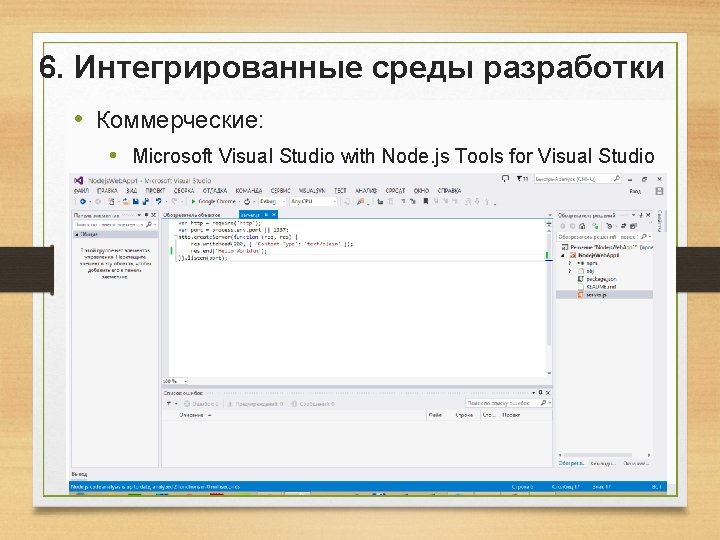
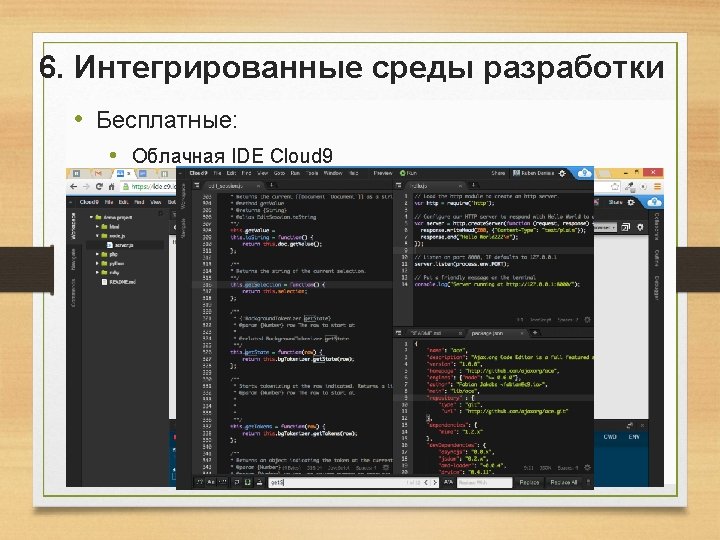
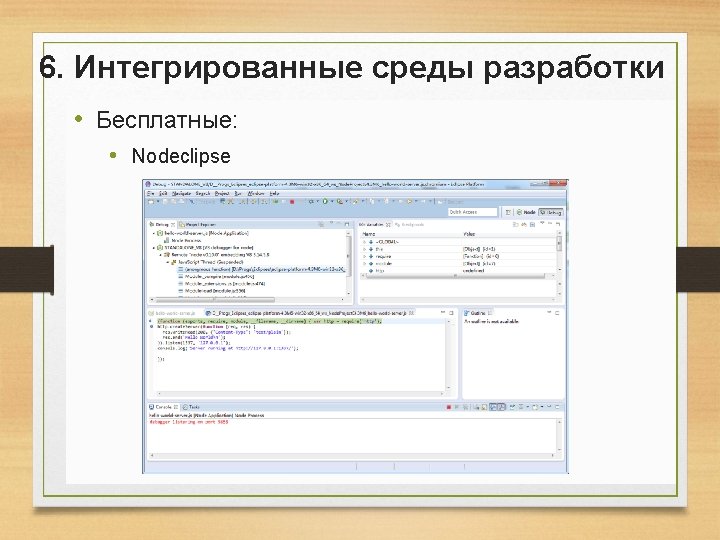
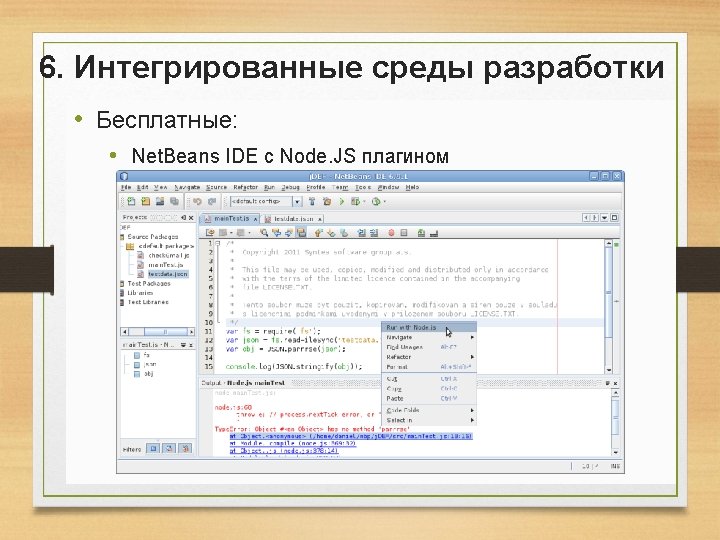
6. Интегрированные среды разработки • Коммерческие: • Microsoft Visual Studio with Node. js Tools for Visual Studio
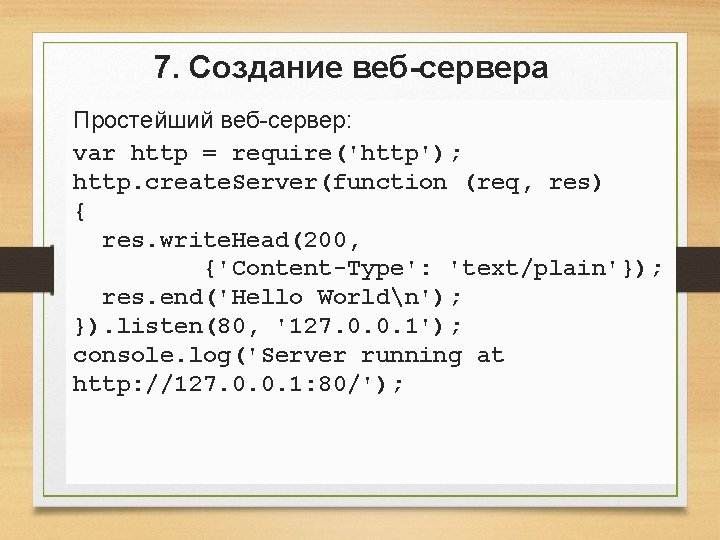
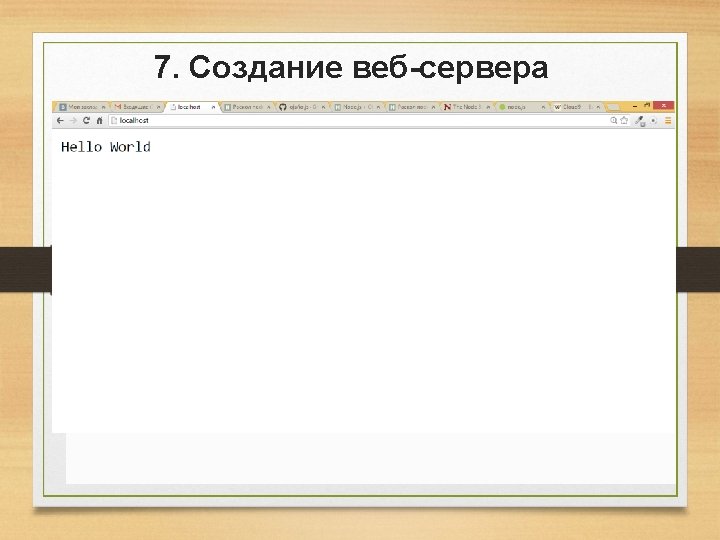
7. Создание веб-сервера Простейший веб-сервер: var http = require('http'); http. create. Server(function (req, res) { res. write. Head(200, {'Content-Type': 'text/plain'}); res. end('Hello Worldn'); }). listen(80, '127. 0. 0. 1'); console. log('Server running at http: //127. 0. 0. 1: 80/');
7. Создание веб-сервера Простейший веб-сервер: var http = require('http'); http. create. Server(function (req, res) { res. write. Head(200, {'Content-Type': 'text/plain'}); res. end('Hello Worldn'); }). listen(80, '127. 0. 0. 1'); console. log('Server running at http: //127. 0. 0. 1: 80/');
7. Создание веб-сервера Определение запрошенного URL: var http = require('http'); var url = require('url'); http. create. Server(on. Request). listen(80, '127. 0. 0. 1'); console. log ('Server running at http: //127. 0. 0. 1: 80/'); function on. Request(request, response) { var pathname = url. parse(request. url). pathname; route(pathname); response. write. Head(200, {"Content-Type": "text/plain"}); response. write("Hello World"); response. end(); } function route(path) { console. log(path); }
7. Создание веб-сервера Определение запрошенного URL: var http = require('http'); var url = require('url'); http. create. Server(on. Request). listen(80, '127. 0. 0. 1'); console. log ('Server running at http: //127. 0. 0. 1: 80/'); function on. Request(request, response) { var pathname = url. parse(request. url). pathname; route(pathname); response. write. Head(200, {"Content-Type": "text/plain"}); response. write("Hello World"); response. end(); } function route(path) { console. log(path); }
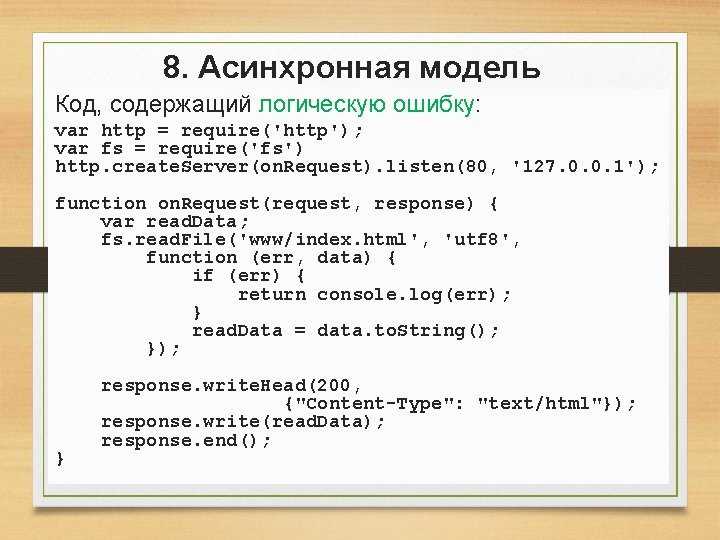
8. Асинхронная модель Код, содержащий логическую ошибку: var http = require('http'); var fs = require('fs') http. create. Server(on. Request). listen(80, '127. 0. 0. 1'); function on. Request(request, response) { var read. Data; fs. read. File('www/index. html', 'utf 8', function (err, data) { if (err) { return console. log(err); } read. Data = data. to. String(); }); } response. write. Head(200, {"Content-Type": "text/html"}); response. write(read. Data); response. end();
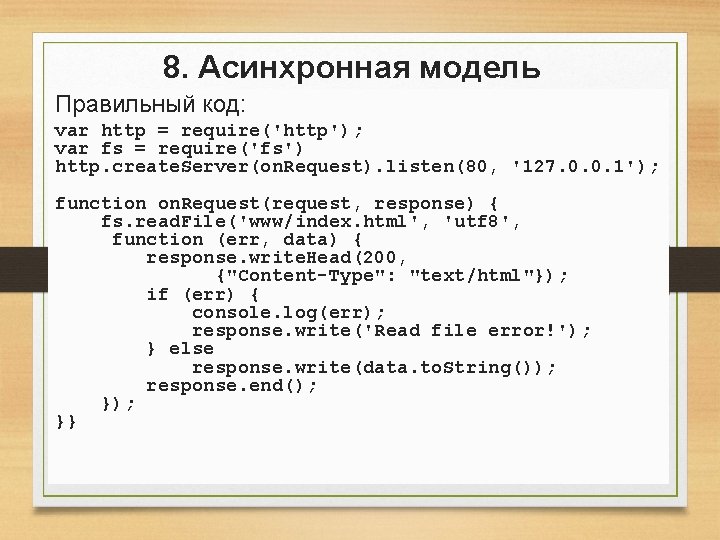
8. Асинхронная модель Правильный код: var http = require('http'); var fs = require('fs') http. create. Server(on. Request). listen(80, '127. 0. 0. 1'); function on. Request(request, response) { fs. read. File('www/index. html', 'utf 8', function (err, data) { response. write. Head(200, {"Content-Type": "text/html"}); if (err) { console. log(err); response. write('Read file error!'); } else response. write(data. to. String()); response. end(); }}
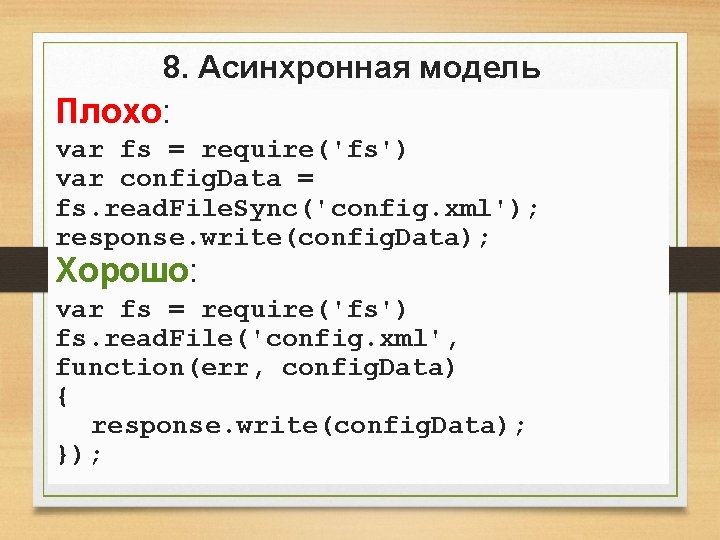
8. Асинхронная модель Плохо: var fs = require('fs') var config. Data = fs. read. File. Sync('config. xml'); response. write(config. Data); Хорошо: var fs = require('fs') fs. read. File('config. xml', function(err, config. Data) { response. write(config. Data); });
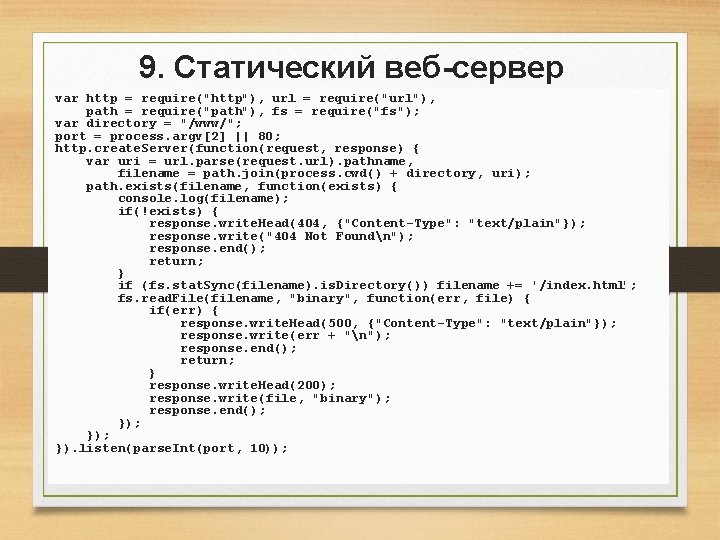
9. Статический веб-сервер var http = require("http"), url = require("url"), path = require("path"), fs = require("fs"); var directory = "/www/"; port = process. argv[2] || 80; http. create. Server(function(request, response) { var uri = url. parse(request. url). pathname, filename = path. join(process. cwd() + directory, uri); path. exists(filename, function(exists) { console. log(filename); if(!exists) { response. write. Head(404, {"Content-Type": "text/plain"}); response. write("404 Not Foundn"); response. end(); return; } if (fs. stat. Sync(filename). is. Directory()) filename += '/index. html'; fs. read. File(filename, "binary", function(err, file) { if(err) { response. write. Head(500, {"Content-Type": "text/plain"}); response. write(err + "n"); response. end(); return; } response. write. Head(200); response. write(file, "binary"); response. end(); }); }). listen(parse. Int(port, 10));
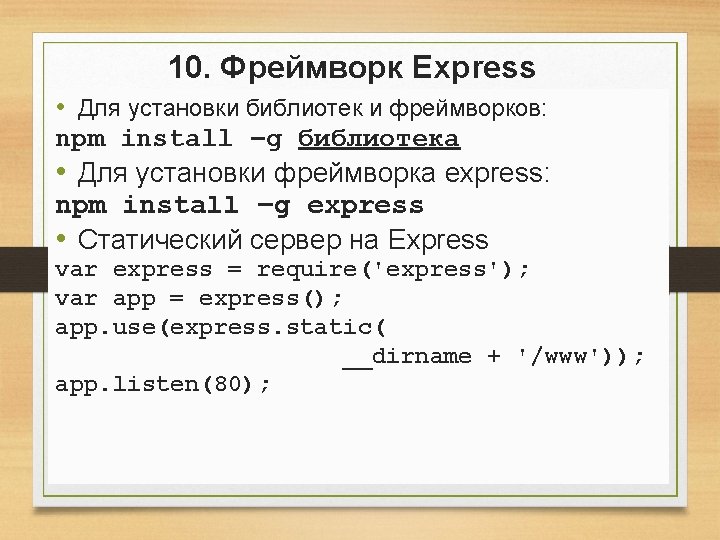
10. Фреймворк Express • Для установки библиотек и фреймворков: npm install –g библиотека • Для установки фреймворка express: npm install –g express • Статический сервер на Express var express = require('express'); var app = express(); app. use(express. static( __dirname + '/www')); app. listen(80);
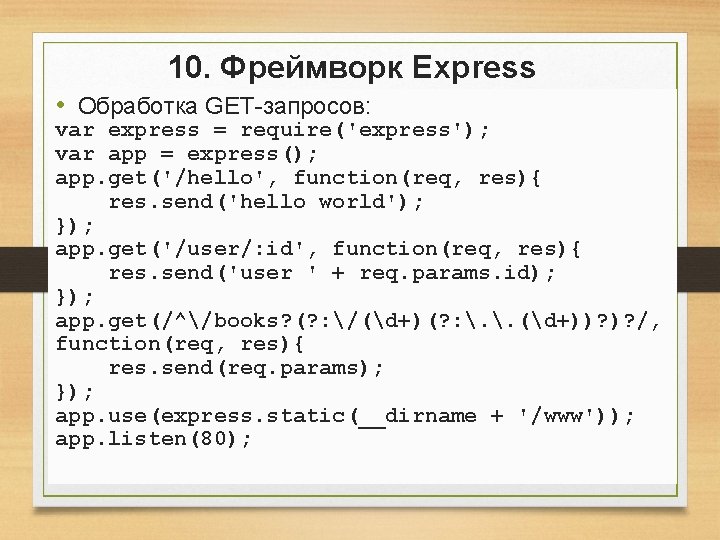
10. Фреймворк Express • Обработка GET-запросов: var express = require('express'); var app = express(); app. get('/hello', function(req, res){ res. send('hello world'); }); app. get('/user/: id', function(req, res){ res. send('user ' + req. params. id); }); app. get(/^/books? (? : /(d+)(? : . . (d+))? )? /, function(req, res){ res. send(req. params); }); app. use(express. static(__dirname + '/www')); app. listen(80);
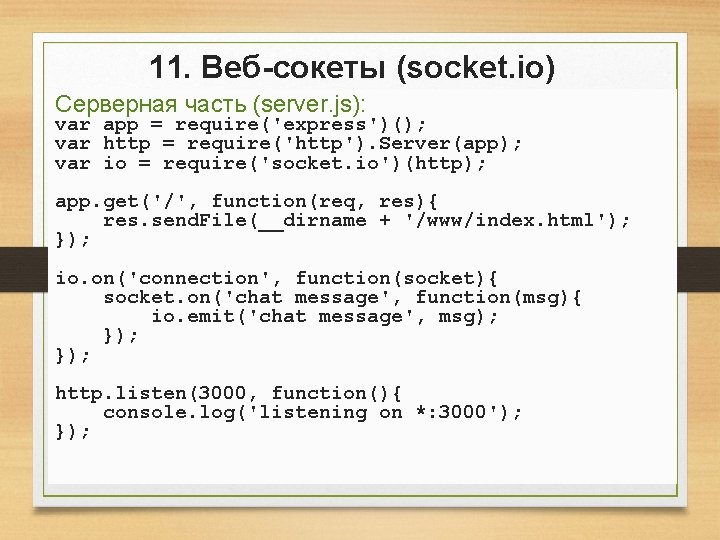
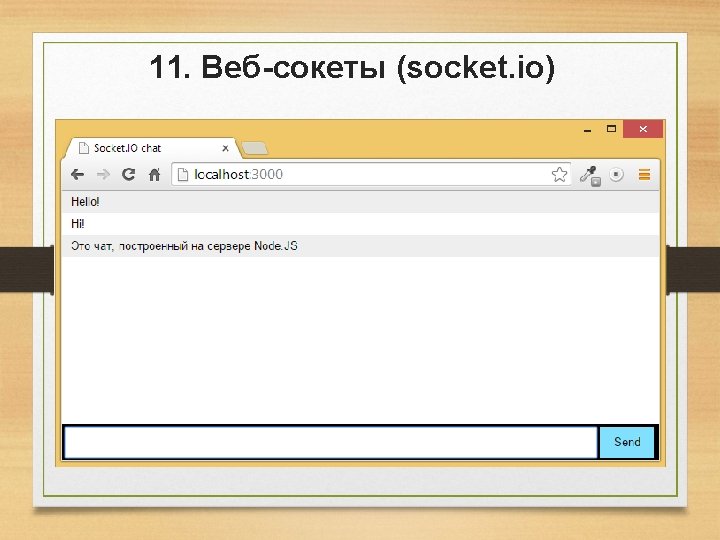
11. Веб-сокеты (socket. io) Серверная часть (server. js): var app = require('express')(); var http = require('http'). Server(app); var io = require('socket. io')(http); app. get('/', function(req, res){ res. send. File(__dirname + '/www/index. html'); }); io. on('connection', function(socket){ socket. on('chat message', function(msg){ io. emit('chat message', msg); }); http. listen(3000, function(){ console. log('listening on *: 3000'); });
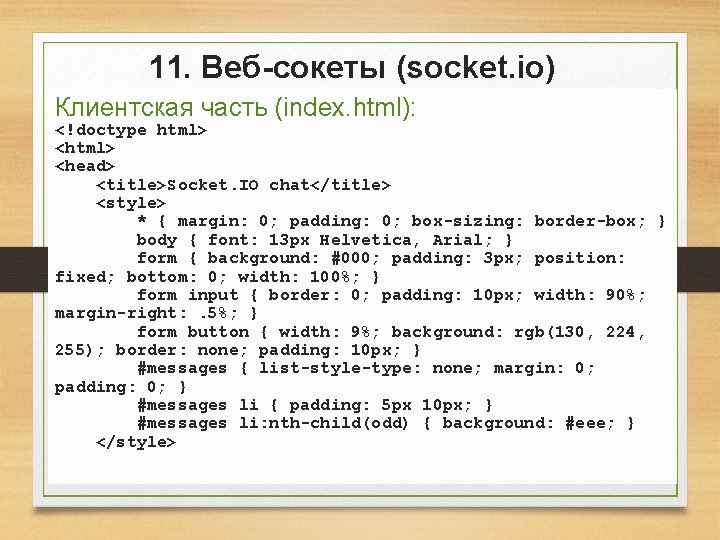
11. Веб-сокеты (socket. io) Клиентская часть (index. html): <!doctype html> <head> <title>Socket. IO chat</title> <style> * { margin: 0; padding: 0; box-sizing: border-box; } body { font: 13 px Helvetica, Arial; } form { background: #000; padding: 3 px; position: fixed; bottom: 0; width: 100%; } form input { border: 0; padding: 10 px; width: 90%; margin-right: . 5%; } form button { width: 9%; background: rgb(130, 224, 255); border: none; padding: 10 px; } #messages { list-style-type: none; margin: 0; padding: 0; } #messages li { padding: 5 px 10 px; } #messages li: nth-child(odd) { background: #eee; } </style>
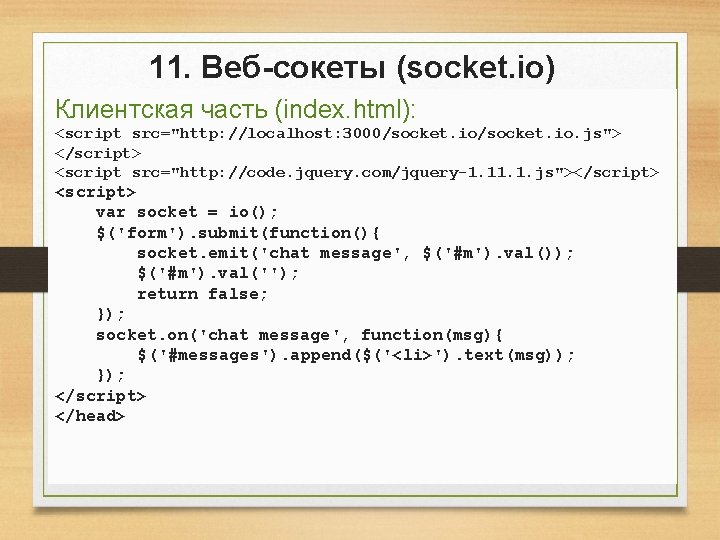
11. Веб-сокеты (socket. io) Клиентская часть (index. html): <script src="http: //localhost: 3000/socket. io. js"> </script> <script src="http: //code. jquery. com/jquery-1. 1. js"></script> <script> var socket = io(); $('form'). submit(function(){ socket. emit('chat message', $('#m'). val()); $('#m'). val(''); return false; }); socket. on('chat message', function(msg){ $('#messages'). append($('<li>'). text(msg)); }); </script> </head>
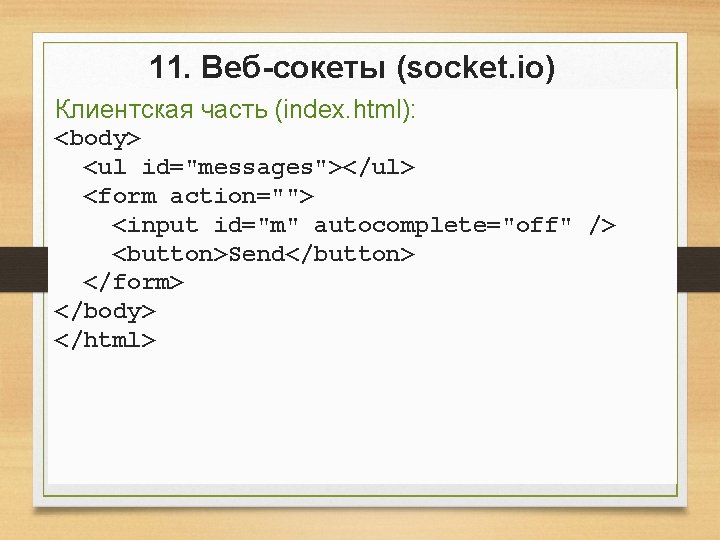
11. Веб-сокеты (socket. io) Клиентская часть (index. html): <body> <ul id="messages"></ul> <form action=""> <input id="m" autocomplete="off" /> <button>Send</button> </form> </body> </html>
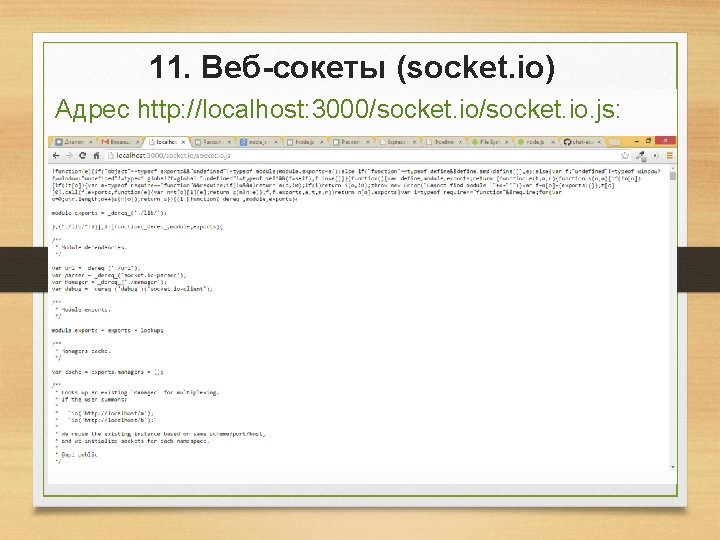
11. Веб-сокеты (socket. io) Адрес http: //localhost: 3000/socket. io. js:
12. Работа с базой данных My. SQL • Установить библиотеку mysql: npm install mysql • Соединение с базой данных: var mysql = require('mysql'); var connection = mysql. create. Connection({ host : 'localhost', user : 'me', password : 'secret' }); connection. connect();
12. Работа с базой данных My. SQL • Выполнение запросов: connection. query('SELECT user_id, user_login as login FROM users', function(err, rows, fields) { if (err) throw err; console. log('The login is: ', rows[0]. login); }); • Подготовленные запросы: connection. query('SELECT * FROM users WHERE user_id = ? ', [user. Id], function(err, results) { //. . . });
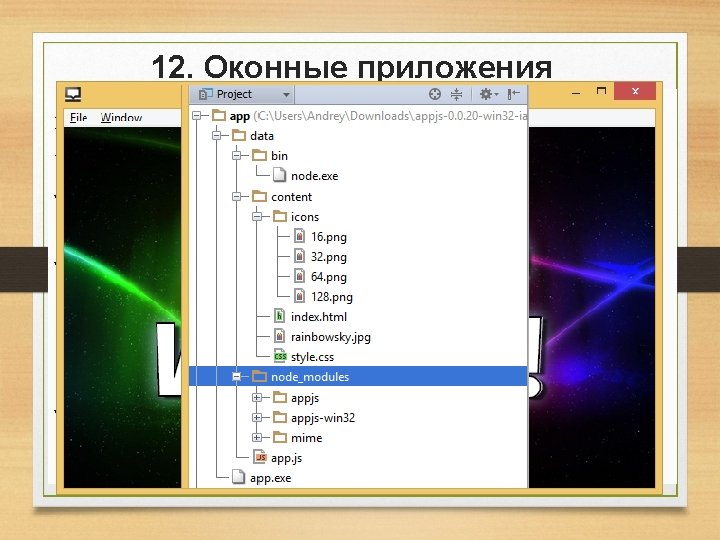
12. Оконные приложения Appjs: var app = module. exports = require('appjs'); app. serve. Files. From(__dirname + '/content'); var window = app. create. Window({ width : 640, height : 460, icons : __dirname + '/content/icons' }); window. on('create', function(){ console. log("Window Created"); window. frame. show(); window. frame. center(); }); window. on('ready', function(){ console. log("Window Ready"); window. require = require; window. process = process; window. module = module; window. add. Event. Listener('keydown', function(e){ if (e. key. Identifier === 'F 12') { window. frame. open. Dev. Tools(); } }); window. on('close', function(){ console. log("Window Closed"); });
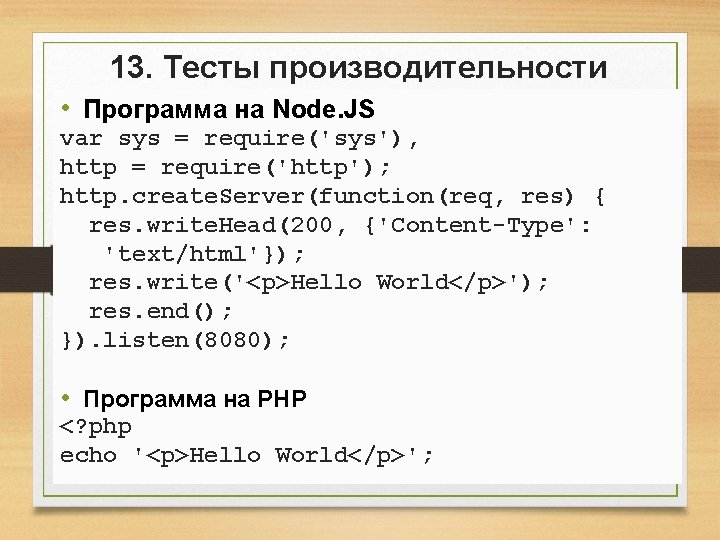
13. Тесты производительности • Программа на Node. JS var sys = require('sys'), http = require('http'); http. create. Server(function(req, res) { res. write. Head(200, {'Content-Type': 'text/html'}); res. write('<p>Hello World</p>'); res. end(); }). listen(8080); • Программа на PHP <? php echo '<p>Hello World</p>';