
4 Manipulating Large Data Sets Copyright 2007 Oracle
![Multitable INSERT Statements • Syntax for multitable INSERT: INSERT [conditional_insert_clause] [insert_into_clause values_clause] (subquery) •](https://slidetodoc.com/presentation_image/437bd68cf4ac6c26c3e5d139900af4ee/image-17.jpg "Multitable INSERT Statements • Syntax for multitable INSERT: INSERT [conditional_insert_clause] [insert_into_clause values_clause] (subquery) •")
- Slides: 35
4 Manipulating Large Data Sets Copyright © 2007, Oracle. All rights reserved.
Objectives After completing this lesson, you should be able to do the following: • Manipulate data using subqueries • Specify explicit default values in the INSERT and UPDATE statements • Describe the features of multitable INSERTs • Use the following types of multitable INSERTs: – – Unconditional INSERT Pivoting INSERT Conditional INSERT ALL Conditional INSERT FIRST • Merge rows in a table • Track the changes to data over a period of time 4 -2 Copyright © 2007, Oracle. All rights reserved.
Lesson Agenda • Manipulating data using subqueries • Specifying explicit default values in the INSERT and UPDATE statements • Using the following types of multitable INSERTs: – – Unconditional INSERT Pivoting INSERT Conditional INSERT ALL Conditional INSERT FIRST • Merging rows in a table • Tracking the changes to data over a period of time 4 -3 Copyright © 2007, Oracle. All rights reserved.
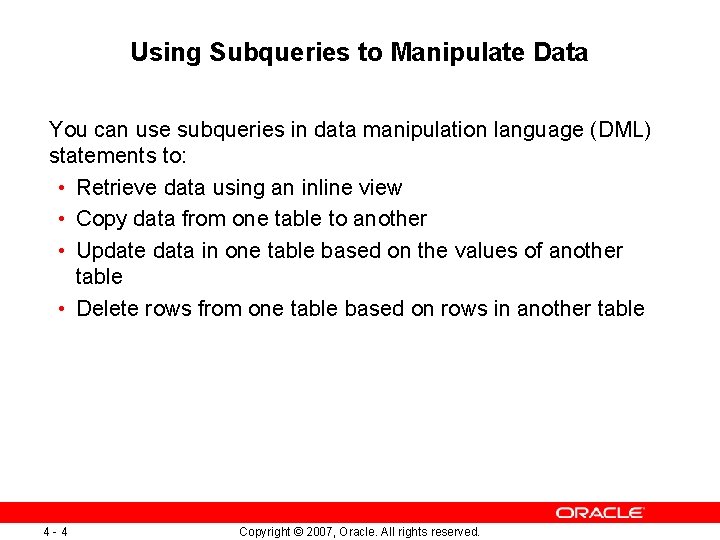
Using Subqueries to Manipulate Data You can use subqueries in data manipulation language (DML) statements to: • Retrieve data using an inline view • Copy data from one table to another • Update data in one table based on the values of another table • Delete rows from one table based on rows in another table 4 -4 Copyright © 2007, Oracle. All rights reserved.
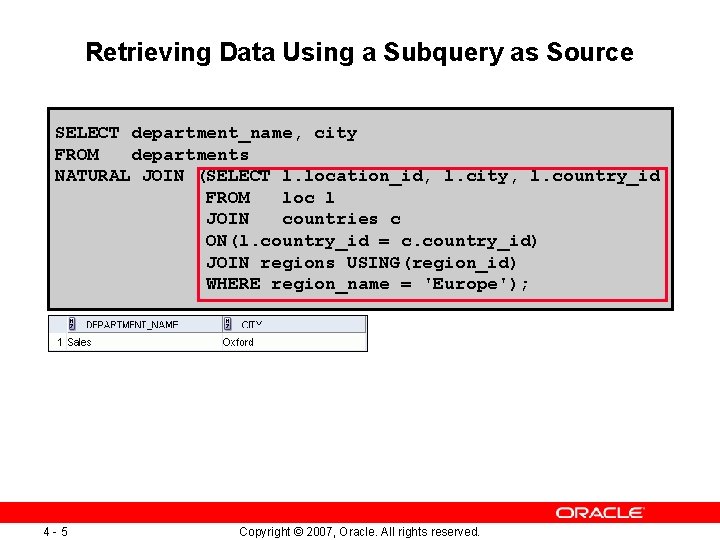
Retrieving Data Using a Subquery as Source SELECT department_name, city FROM departments NATURAL JOIN (SELECT l. location_id, l. city, l. country_id FROM loc l JOIN countries c ON(l. country_id = c. country_id) JOIN regions USING(region_id) WHERE region_name = 'Europe'); 4 -5 Copyright © 2007, Oracle. All rights reserved.
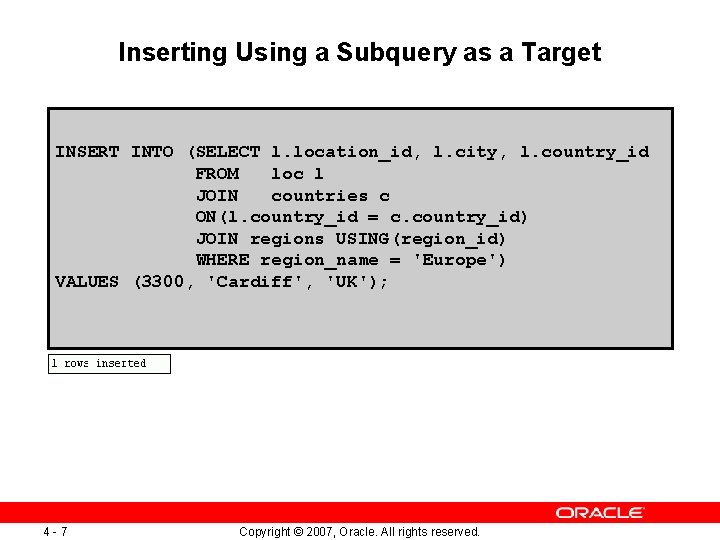
Inserting Using a Subquery as a Target INSERT INTO (SELECT l. location_id, l. city, l. country_id FROM loc l JOIN countries c ON(l. country_id = c. country_id) JOIN regions USING(region_id) WHERE region_name = 'Europe') VALUES (3300, 'Cardiff', 'UK'); 4 -7 Copyright © 2007, Oracle. All rights reserved.
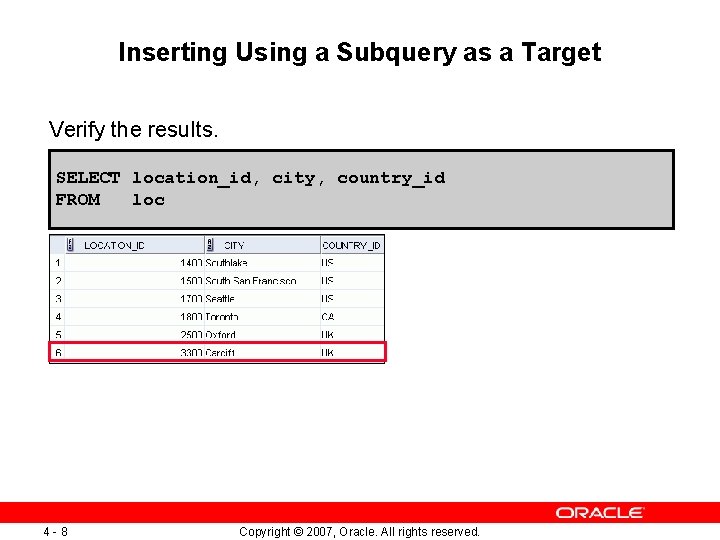
Inserting Using a Subquery as a Target Verify the results. SELECT location_id, city, country_id FROM loc 4 -8 Copyright © 2007, Oracle. All rights reserved.
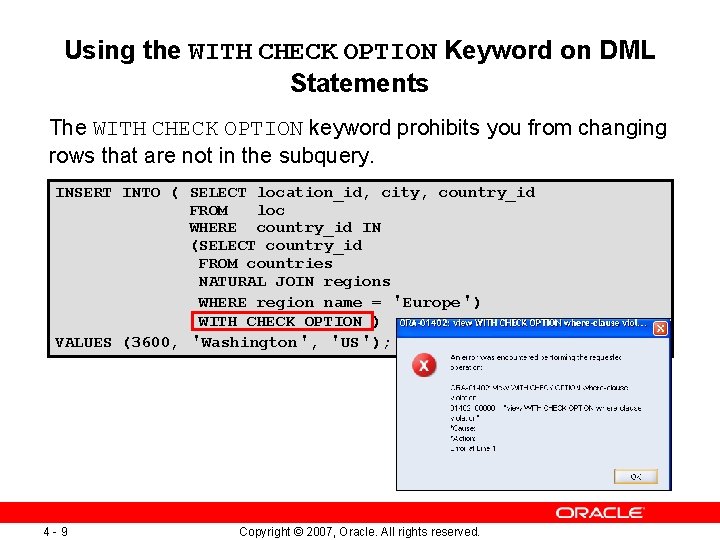
Using the WITH CHECK OPTION Keyword on DML Statements The WITH CHECK OPTION keyword prohibits you from changing rows that are not in the subquery. INSERT INTO ( SELECT location_id, city, country_id FROM loc WHERE country_id IN (SELECT country_id FROM countries NATURAL JOIN regions WHERE region_name = 'Europe') WITH CHECK OPTION ) VALUES (3600, 'Washington', 'US'); 4 -9 Copyright © 2007, Oracle. All rights reserved.
Lesson Agenda • Manipulating data using subqueries • Specifying explicit default values in the INSERT and UPDATE statements • Using the following types of multitable INSERTs: – – Unconditional INSERT Pivoting INSERT Conditional INSERT ALL Conditional INSERT FIRST • Merging rows in a table • Tracking the changes to data over a period of time 4 - 11 Copyright © 2007, Oracle. All rights reserved.
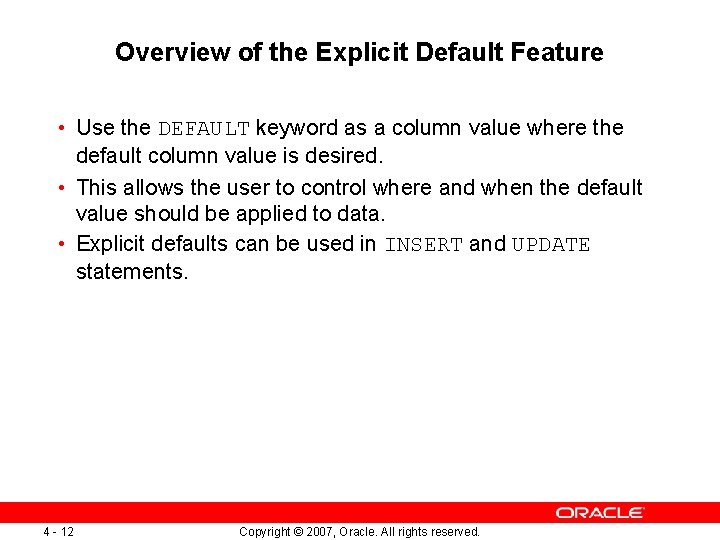
Overview of the Explicit Default Feature • Use the DEFAULT keyword as a column value where the default column value is desired. • This allows the user to control where and when the default value should be applied to data. • Explicit defaults can be used in INSERT and UPDATE statements. 4 - 12 Copyright © 2007, Oracle. All rights reserved.
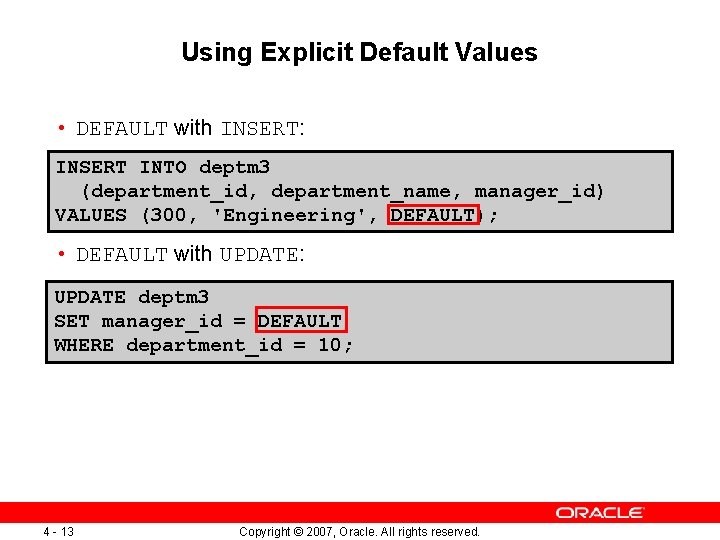
Using Explicit Default Values • DEFAULT with INSERT: INSERT INTO deptm 3 (department_id, department_name, manager_id) VALUES (300, 'Engineering', DEFAULT); • DEFAULT with UPDATE: UPDATE deptm 3 SET manager_id = DEFAULT WHERE department_id = 10; 4 - 13 Copyright © 2007, Oracle. All rights reserved.
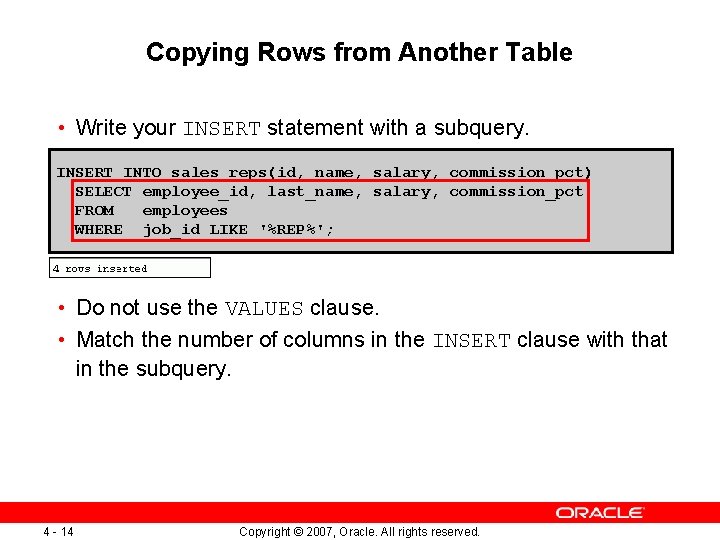
Copying Rows from Another Table • Write your INSERT statement with a subquery. INSERT INTO sales_reps(id, name, salary, commission_pct) SELECT employee_id, last_name, salary, commission_pct FROM employees WHERE job_id LIKE '%REP%'; • Do not use the VALUES clause. • Match the number of columns in the INSERT clause with that in the subquery. 4 - 14 Copyright © 2007, Oracle. All rights reserved.
Lesson Agenda • Manipulating data using subqueries • Specifying explicit default values in the INSERT and UPDATE statements • Using the following types of multitable INSERTs: – – Unconditional INSERT Pivoting INSERT Conditional INSERT ALL Conditional INSERT FIRST • Merging rows in a table • Tracking the changes to data over a period of time 4 - 15 Copyright © 2007, Oracle. All rights reserved.
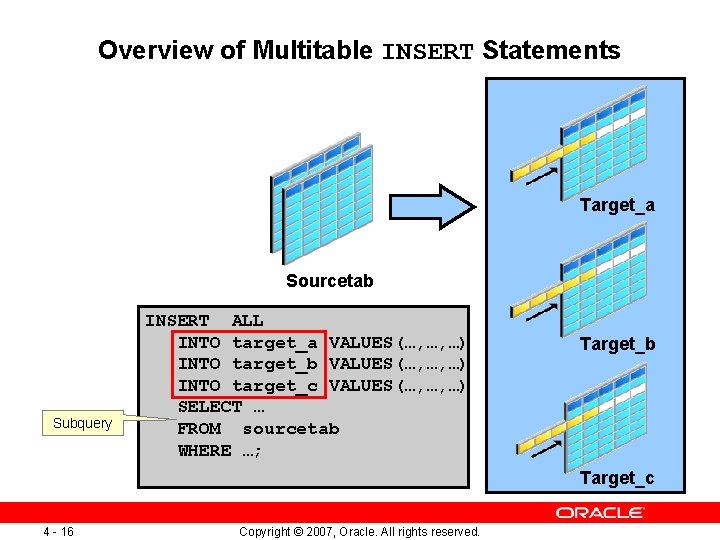
Overview of Multitable INSERT Statements Target_a Sourcetab Subquery INSERT ALL INTO target_a VALUES(…, …, …) INTO target_b VALUES(…, …, …) INTO target_c VALUES(…, …, …) SELECT … FROM sourcetab WHERE …; Target_b Target_c 4 - 16 Copyright © 2007, Oracle. All rights reserved.
Overview of Multitable INSERT Statements • Use the INSERT…SELECT statement to insert rows into multiple tables as part of a single DML statement. • Multitable INSERT statements are used in data warehousing systems to transfer data from one or more operational sources to a set of target tables. • They provide significant performance improvement over: – Single DML versus multiple INSERT…SELECT statements – Single DML versus a procedure to perform multiple inserts by using the IF. . . THEN syntax 4 - 17 Copyright © 2007, Oracle. All rights reserved.
Types of Multitable INSERT Statements The different types of multitable INSERT statements are: • Unconditional INSERT • Conditional INSERT ALL • Pivoting INSERT • Conditional INSERT FIRST 4 - 18 Copyright © 2007, Oracle. All rights reserved.
Multitable INSERT Statements • Syntax for multitable INSERT: INSERT [conditional_insert_clause] [insert_into_clause values_clause] (subquery) • conditional_insert_clause: [ALL] [FIRST] [WHEN condition THEN] [insert_into_clause values_clause] [ELSE] [insert_into_clause values_clause] 4 - 19 Copyright © 2007, Oracle. All rights reserved.
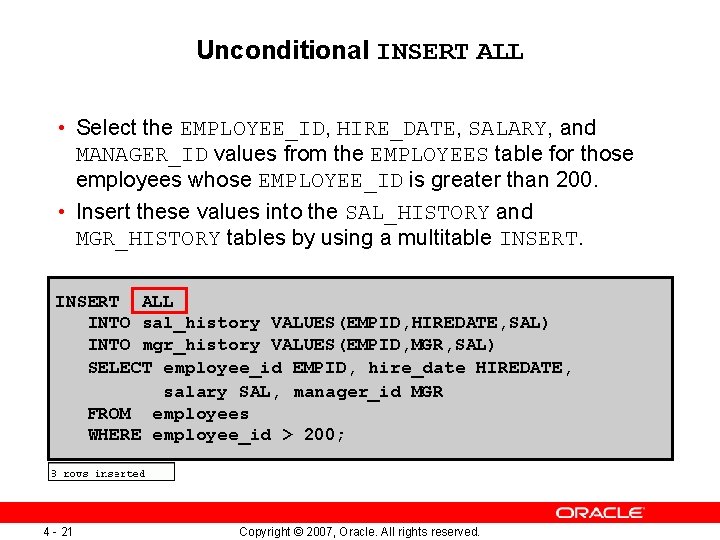
Unconditional INSERT ALL • Select the EMPLOYEE_ID, HIRE_DATE, SALARY, and MANAGER_ID values from the EMPLOYEES table for those employees whose EMPLOYEE_ID is greater than 200. • Insert these values into the SAL_HISTORY and MGR_HISTORY tables by using a multitable INSERT ALL INTO sal_history VALUES(EMPID, HIREDATE, SAL) INTO mgr_history VALUES(EMPID, MGR, SAL) SELECT employee_id EMPID, hire_date HIREDATE, salary SAL, manager_id MGR FROM employees WHERE employee_id > 200; 4 - 21 Copyright © 2007, Oracle. All rights reserved.
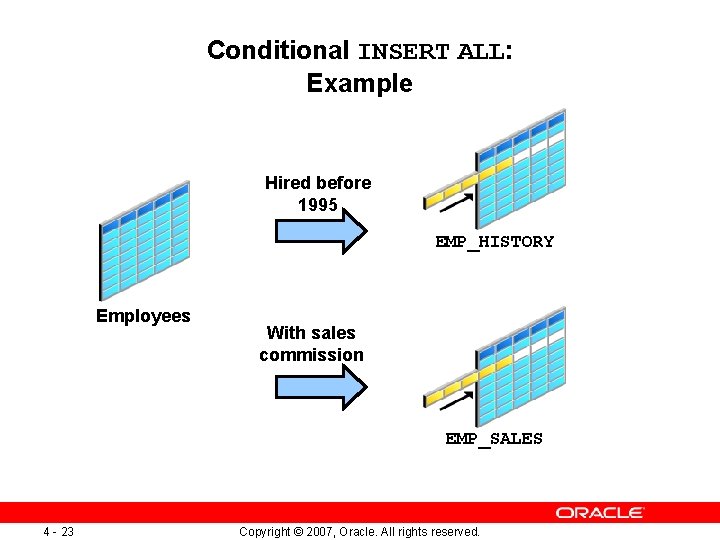
Conditional INSERT ALL: Example Hired before 1995 EMP_HISTORY Employees With sales commission EMP_SALES 4 - 23 Copyright © 2007, Oracle. All rights reserved.
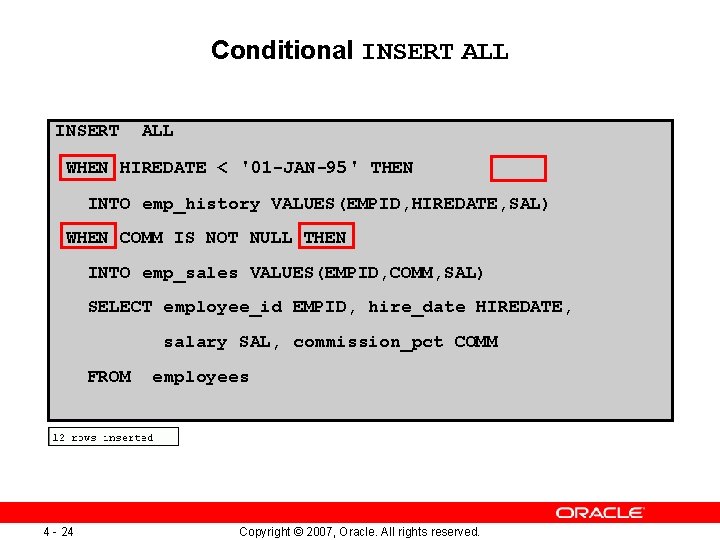
Conditional INSERT ALL WHEN HIREDATE < '01 -JAN-95' THEN INTO emp_history VALUES(EMPID, HIREDATE, SAL) WHEN COMM IS NOT NULL THEN INTO emp_sales VALUES(EMPID, COMM, SAL) SELECT employee_id EMPID, hire_date HIREDATE, salary SAL, commission_pct COMM FROM 4 - 24 employees Copyright © 2007, Oracle. All rights reserved.
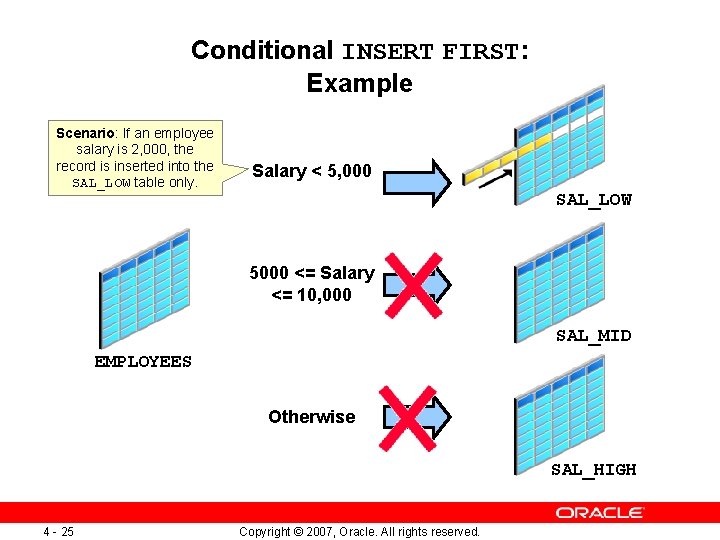
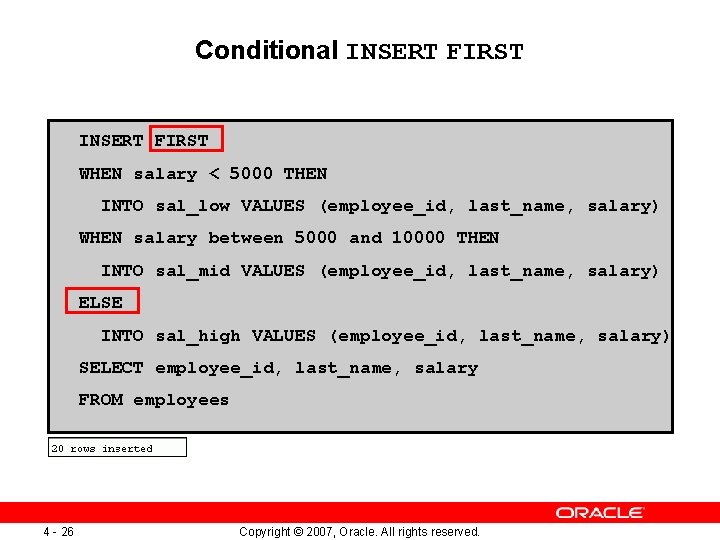
Conditional INSERT FIRST: Example Scenario: If an employee salary is 2, 000, the record is inserted into the SAL_LOW table only. Salary < 5, 000 SAL_LOW 5000 <= Salary <= 10, 000 SAL_MID EMPLOYEES Otherwise SAL_HIGH 4 - 25 Copyright © 2007, Oracle. All rights reserved.
Conditional INSERT FIRST WHEN salary < 5000 THEN INTO sal_low VALUES (employee_id, last_name, salary) WHEN salary between 5000 and 10000 THEN INTO sal_mid VALUES (employee_id, last_name, salary) ELSE INTO sal_high VALUES (employee_id, last_name, salary) SELECT employee_id, last_name, salary FROM employees 4 - 26 Copyright © 2007, Oracle. All rights reserved.
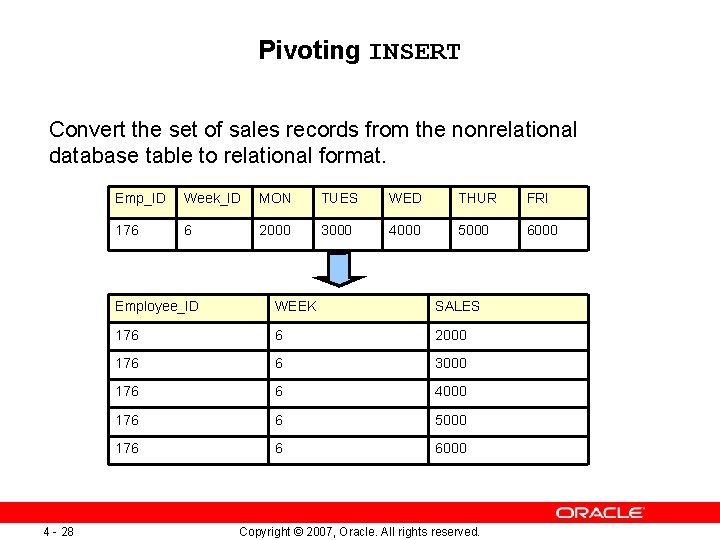
Pivoting INSERT Convert the set of sales records from the nonrelational database table to relational format. 4 - 28 Emp_ID Week_ID MON TUES WED THUR FRI 176 6 2000 3000 4000 5000 6000 Employee_ID WEEK SALES 176 6 2000 176 6 3000 176 6 4000 176 6 5000 176 6 6000 Copyright © 2007, Oracle. All rights reserved.
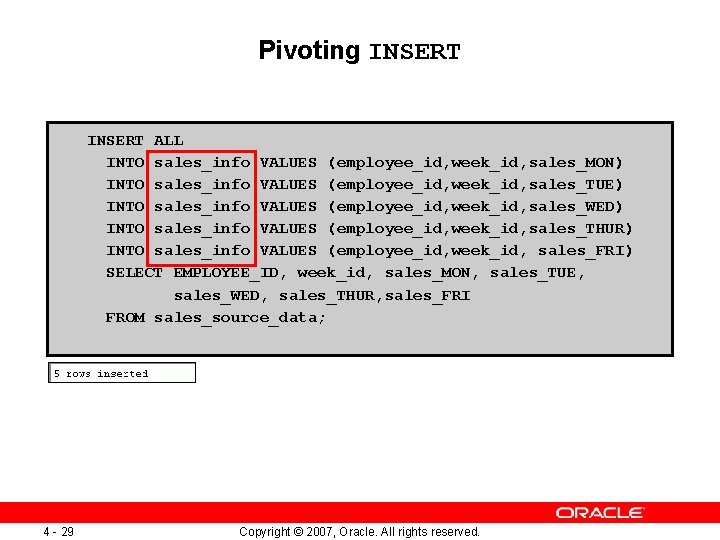
Pivoting INSERT ALL INTO sales_info VALUES (employee_id, week_id, sales_MON) INTO sales_info VALUES (employee_id, week_id, sales_TUE) INTO sales_info VALUES (employee_id, week_id, sales_WED) INTO sales_info VALUES (employee_id, week_id, sales_THUR) INTO sales_info VALUES (employee_id, week_id, sales_FRI) SELECT EMPLOYEE_ID, week_id, sales_MON, sales_TUE, sales_WED, sales_THUR, sales_FRI FROM sales_source_data; 4 - 29 Copyright © 2007, Oracle. All rights reserved.
Lesson Agenda • Manipulating data using subqueries • Specifying explicit default values in the INSERT and UPDATE statements • Using the following types of multitable INSERTs: – – Unconditional INSERT Pivoting INSERT Conditional INSERT ALL Conditional INSERT FIRST • Merging rows in a table • Tracking the changes to data over a period of time 4 - 31 Copyright © 2007, Oracle. All rights reserved.
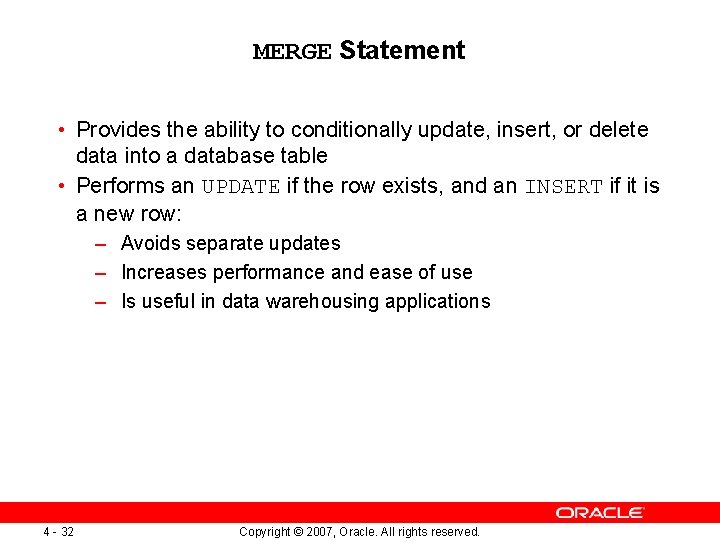
MERGE Statement • Provides the ability to conditionally update, insert, or delete data into a database table • Performs an UPDATE if the row exists, and an INSERT if it is a new row: – Avoids separate updates – Increases performance and ease of use – Is useful in data warehousing applications 4 - 32 Copyright © 2007, Oracle. All rights reserved.
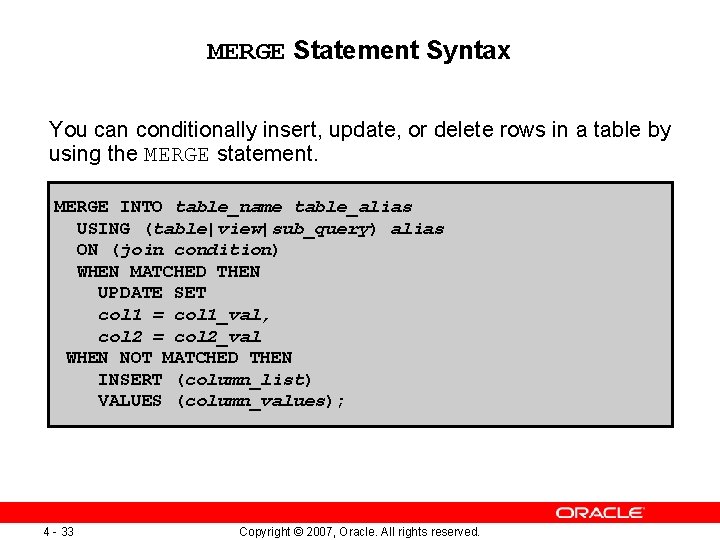
MERGE Statement Syntax You can conditionally insert, update, or delete rows in a table by using the MERGE statement. MERGE INTO table_name table_alias USING (table|view|sub_query) alias ON (join condition) WHEN MATCHED THEN UPDATE SET col 1 = col 1_val, col 2 = col 2_val WHEN NOT MATCHED THEN INSERT (column_list) VALUES (column_values); 4 - 33 Copyright © 2007, Oracle. All rights reserved.
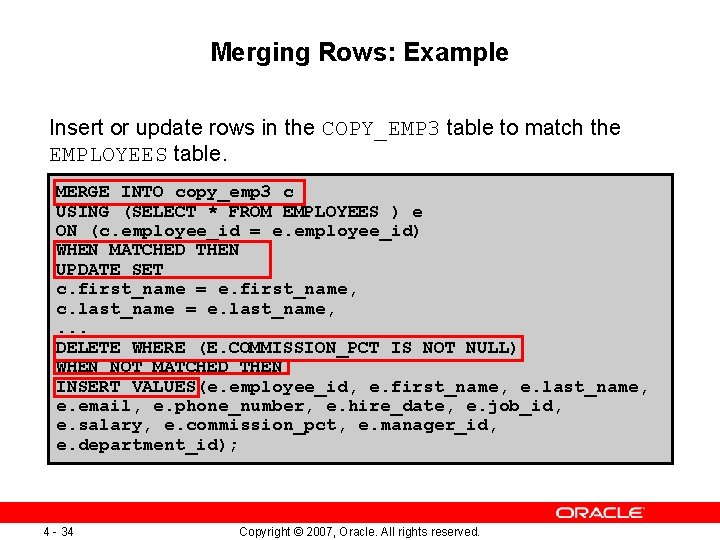
Merging Rows: Example Insert or update rows in the COPY_EMP 3 table to match the EMPLOYEES table. MERGE INTO copy_emp 3 c USING (SELECT * FROM EMPLOYEES ) e ON (c. employee_id = e. employee_id) WHEN MATCHED THEN UPDATE SET c. first_name = e. first_name, c. last_name = e. last_name, . . . DELETE WHERE (E. COMMISSION_PCT IS NOT NULL) WHEN NOT MATCHED THEN INSERT VALUES(e. employee_id, e. first_name, e. last_name, e. email, e. phone_number, e. hire_date, e. job_id, e. salary, e. commission_pct, e. manager_id, e. department_id); 4 - 34 Copyright © 2007, Oracle. All rights reserved.
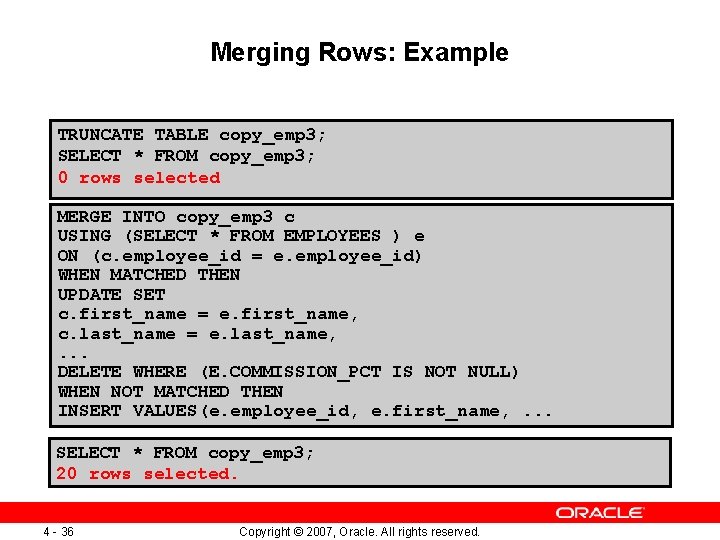
Merging Rows: Example TRUNCATE TABLE copy_emp 3; SELECT * FROM copy_emp 3; 0 rows selected MERGE INTO copy_emp 3 c USING (SELECT * FROM EMPLOYEES ) e ON (c. employee_id = e. employee_id) WHEN MATCHED THEN UPDATE SET c. first_name = e. first_name, c. last_name = e. last_name, . . . DELETE WHERE (E. COMMISSION_PCT IS NOT NULL) WHEN NOT MATCHED THEN INSERT VALUES(e. employee_id, e. first_name, . . . SELECT * FROM copy_emp 3; 20 rows selected. 4 - 36 Copyright © 2007, Oracle. All rights reserved.
Lesson Agenda • Manipulating data using subqueries • Specifying explicit default values in the INSERT and UPDATE statements • Using the following types of multitable INSERTs: – – Unconditional INSERT Pivoting INSERT Conditional INSERT ALL Conditional INSERT FIRST • Merging rows in a table • Tracking the changes to data over a period of time 4 - 37 Copyright © 2007, Oracle. All rights reserved.
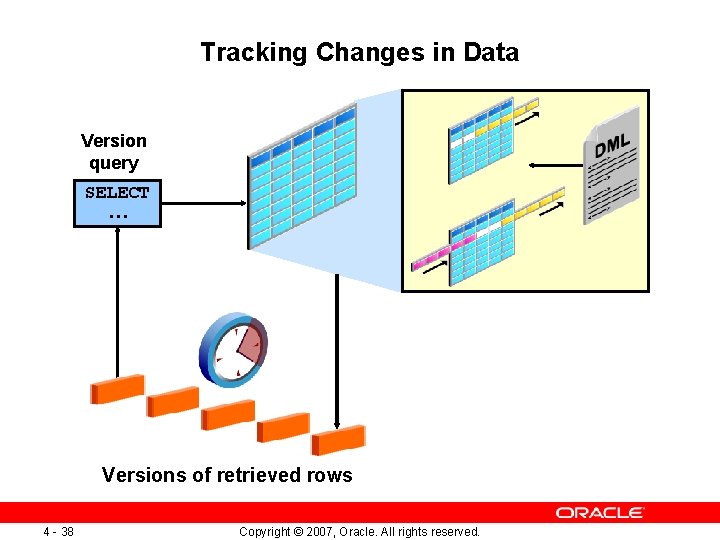
Tracking Changes in Data Version query SELECT … Versions of retrieved rows 4 - 38 Copyright © 2007, Oracle. All rights reserved.
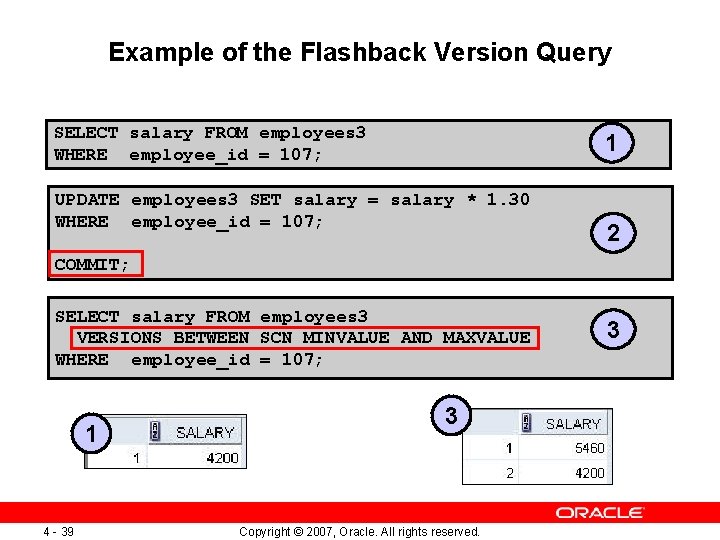
Example of the Flashback Version Query SELECT salary FROM employees 3 WHERE employee_id = 107; 1 UPDATE employees 3 SET salary = salary * 1. 30 WHERE employee_id = 107; 2 COMMIT; SELECT salary FROM employees 3 VERSIONS BETWEEN SCN MINVALUE AND MAXVALUE WHERE employee_id = 107; 1 4 - 39 3 Copyright © 2007, Oracle. All rights reserved. 3
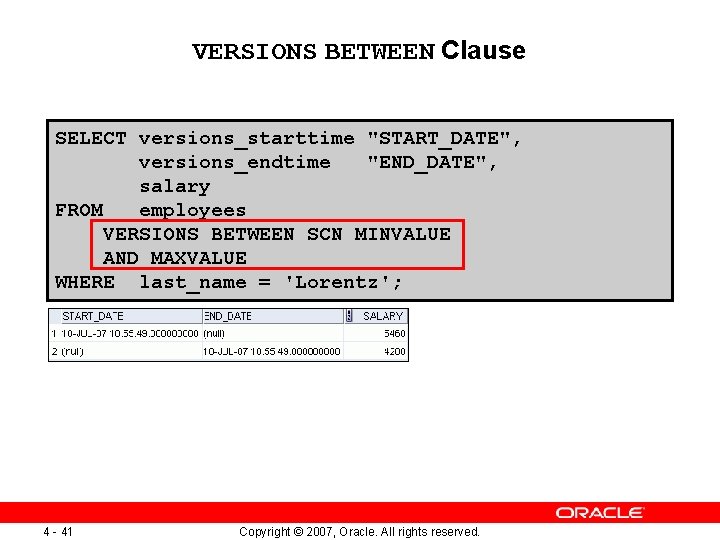
VERSIONS BETWEEN Clause SELECT versions_starttime "START_DATE", versions_endtime "END_DATE", salary FROM employees VERSIONS BETWEEN SCN MINVALUE AND MAXVALUE WHERE last_name = 'Lorentz'; 4 - 41 Copyright © 2007, Oracle. All rights reserved.
Summary In this lesson, you should have learned how to: • Use DML statements and control transactions • Describe the features of multitable INSERTs • Use the following types of multitable INSERTs: – – Unconditional INSERT Pivoting INSERT Conditional INSERT ALL Conditional INSERT FIRST • Merge rows in a table • Manipulate data by using subqueries • Track the changes to data over a period of time 4 - 42 Copyright © 2007, Oracle. All rights reserved.
Practice 4: Overview This practice covers the following topics: • Performing multitable INSERTs • Performing MERGE operations • Tracking row versions 4 - 43 Copyright © 2007, Oracle. All rights reserved.